PRESENTED BY
VINEET AROTE
UMANG DHURI
AMAR GORAD
COMPARATIVE STUDY
OF
LINUX AND WINDOWS
DEPARTMENT OF INFORMATION TECHNOLOGY
SHAH AND ANCHOR KUTCHHI ENGINEERING COLLEGE
TABLE OF CONTENTS
1. INTRODUCTION
2. HISTORY OF LINUX
3. EVOLUTION OF WINDOWS
4. PROCESS MANAGEMENT
5. MEMORY MANAGEMENT
6. I/O MANAGEMENT
7. FILE MANAGEMENT
INTRODUCTION
LOGO
INTRODUCTION
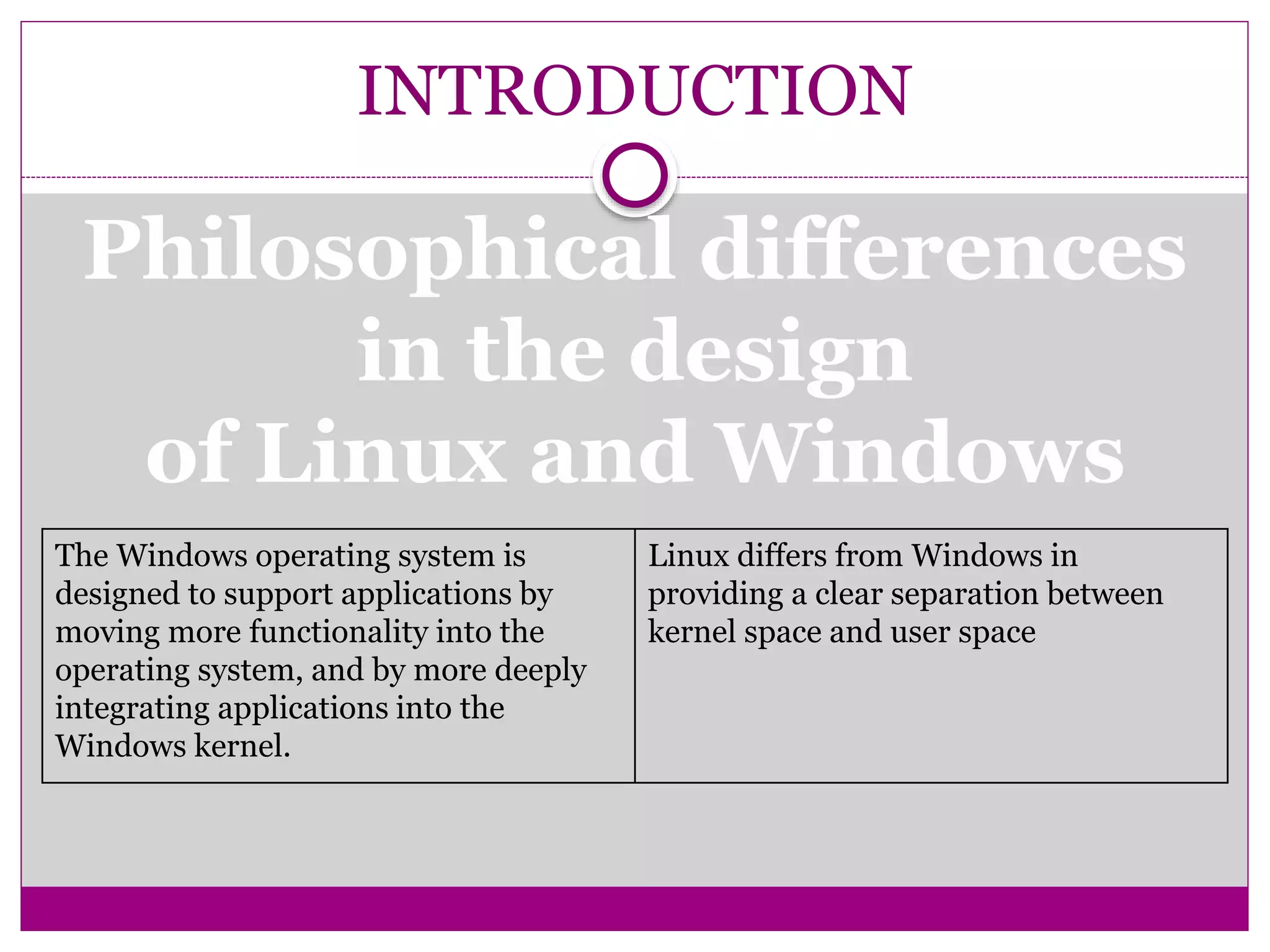
Philosophical differences
in the design
of Linux and Windows
The Windows operating system is
designed to support applications by
moving more functionality into the
operating system, and by more deeply
integrating applications into the
Windows kernel.
Linux differs from Windows in
providing a clear separation between
kernel space and user space
INTRODUCTION
Viruses
 There are about 5 for
commercial Unix versions, and
around 40 for Linux
 There are about 60,000 viruses
known for Windows
INTRODUCTION
 The availability of the source code and the right to modify
 The right to redistribute modifications and improvements to the code
 The right to use the software in any way
Open Source Software
Linux is licensed under the GNU General Public
License
Microsoft's Shared Source Initiative is an
attempt to meet customer requirements for
looking at source code. Shared Source Initiative
has one million participants, and source code is
available for Windows 2000, Windows XP,
Windows Server 2003, Windows CE 3.0,
Windows CE .NET, and the C#/CLI
implementations, as well as components of ASP
.NET and Visual studio .NET. Shared Source
Initiative licensees include corporate
customers, governments, partners, academics,
and individuals.
HISTORY OF LINUX
 GNU project started 1984 to produce a Unix-like OS
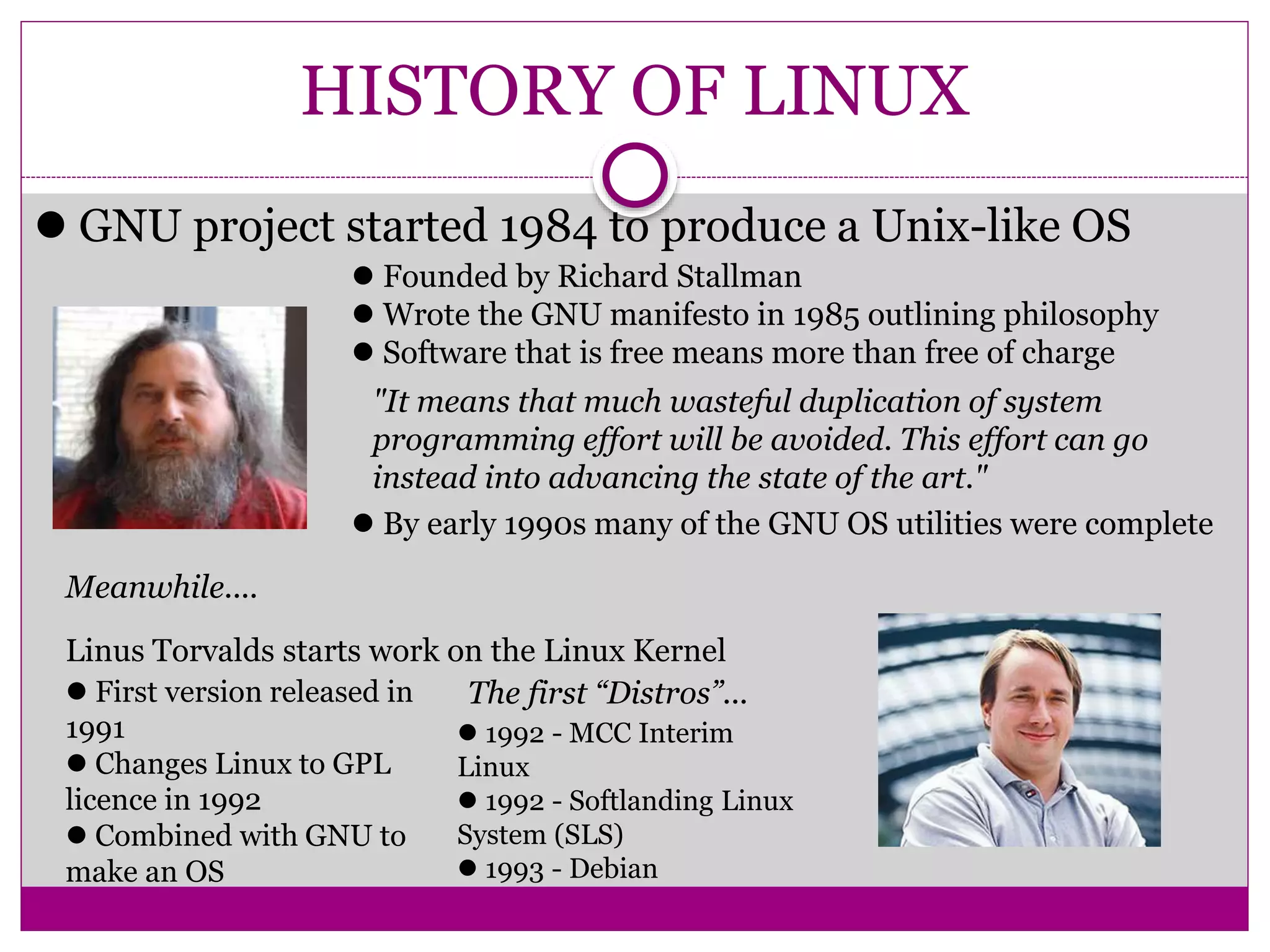
 Founded by Richard Stallman
 Wrote the GNU manifesto in 1985 outlining philosophy
 Software that is free means more than free of charge
"It means that much wasteful duplication of system
programming effort will be avoided. This effort can go
instead into advancing the state of the art."
 By early 1990s many of the GNU OS utilities were complete
Meanwhile....
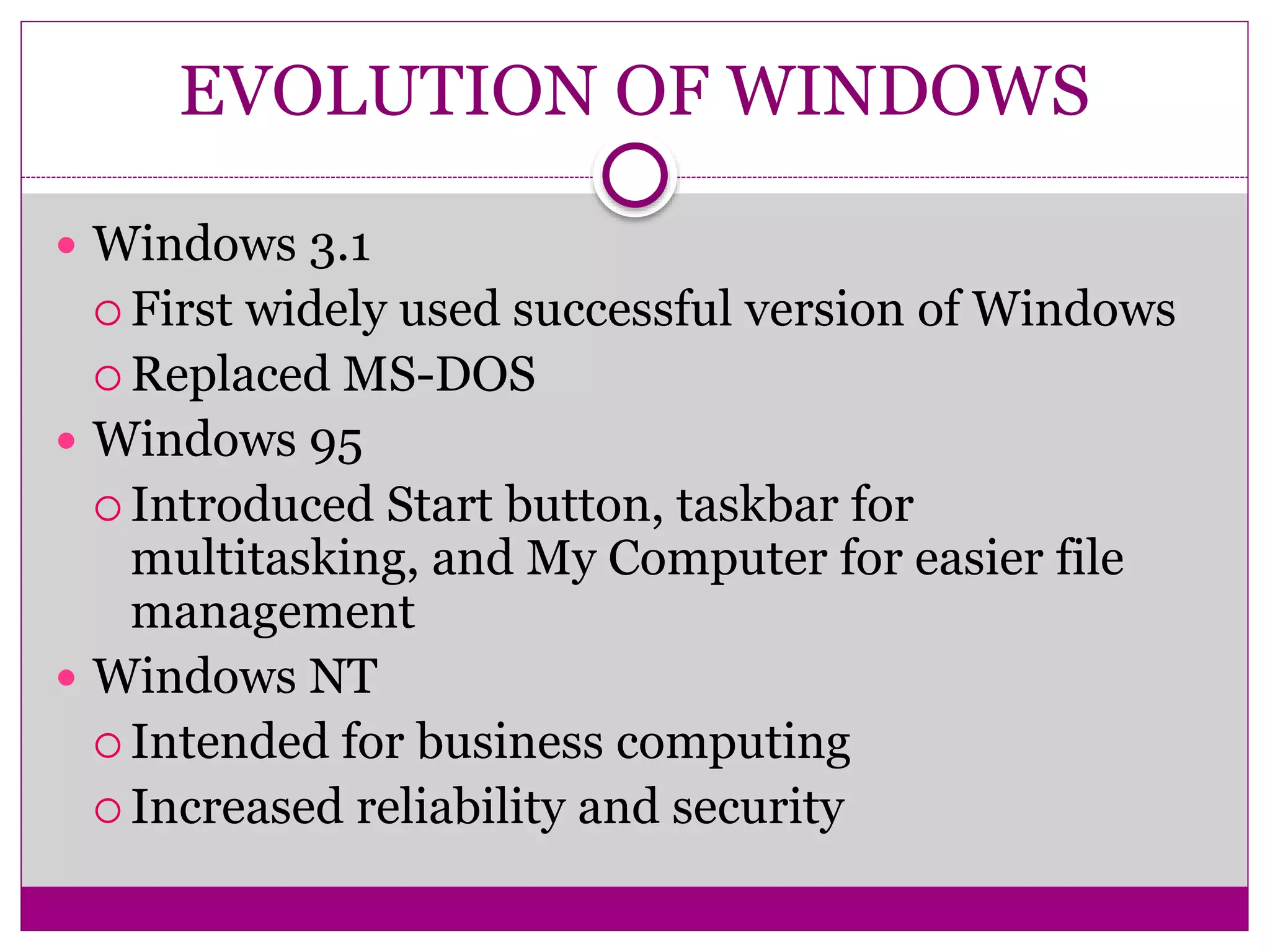
Linus Torvalds starts work on the Linux Kernel
 First version released in
1991
 Changes Linux to GPL
licence in 1992
 Combined with GNU to
make an OS
The first “Distros”...
 1992 - MCC Interim
Linux
 1992 - Softlanding Linux
System (SLS)
 1993 - Debian
EVOLUTION OF WINDOWS
 Windows 3.1
 First widely used successful version of Windows
 Replaced MS-DOS
 Windows 95
 Introduced Start button, taskbar for
multitasking, and My Computer for easier file
management
 Windows NT
 Intended for business computing
 Increased reliability and security
EVOLUTION OF WINDOWS
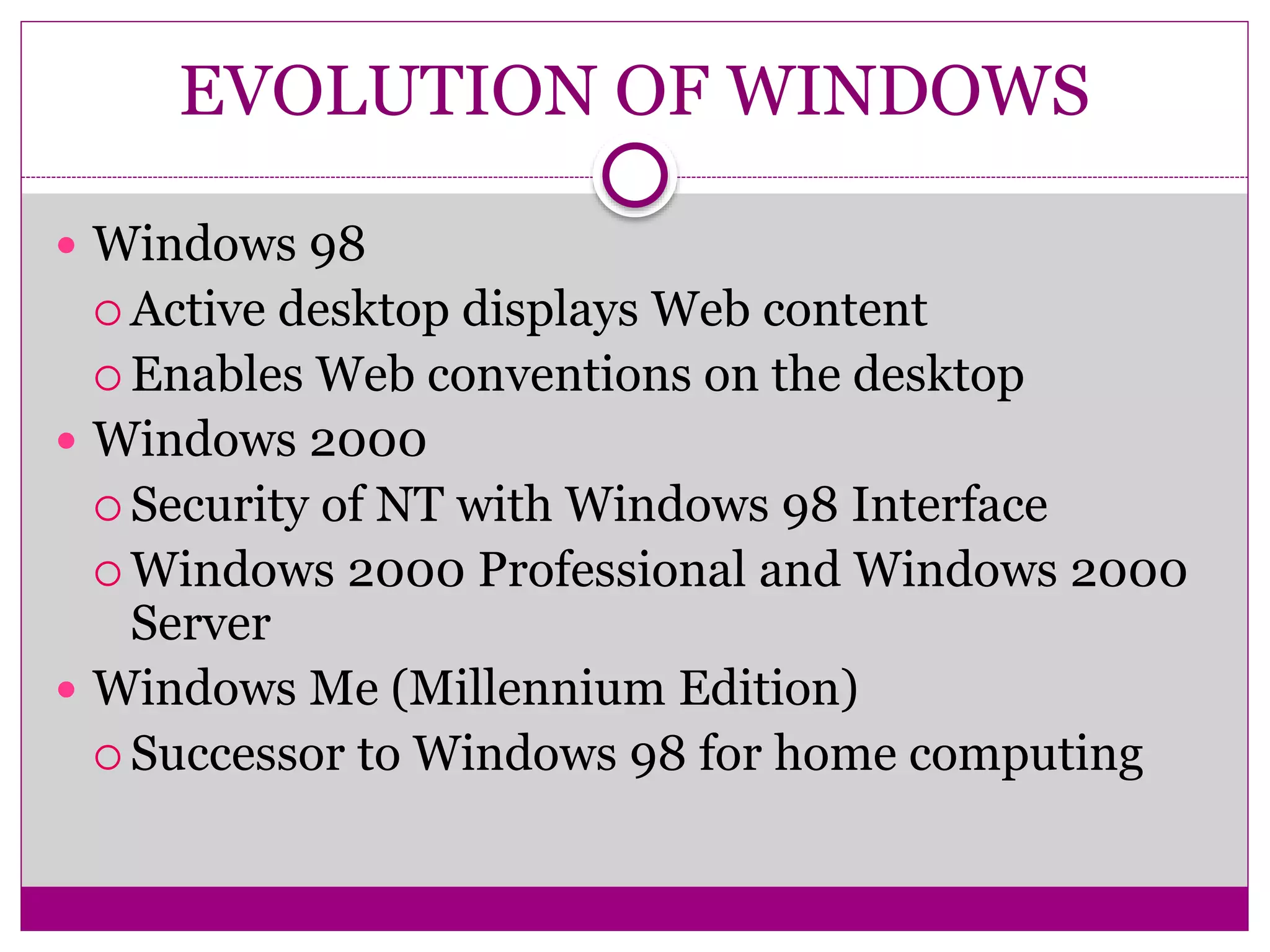
 Windows 98
 Active desktop displays Web content
 Enables Web conventions on the desktop
 Windows 2000
 Security of NT with Windows 98 Interface
 Windows 2000 Professional and Windows 2000
Server
 Windows Me (Millennium Edition)
 Successor to Windows 98 for home computing
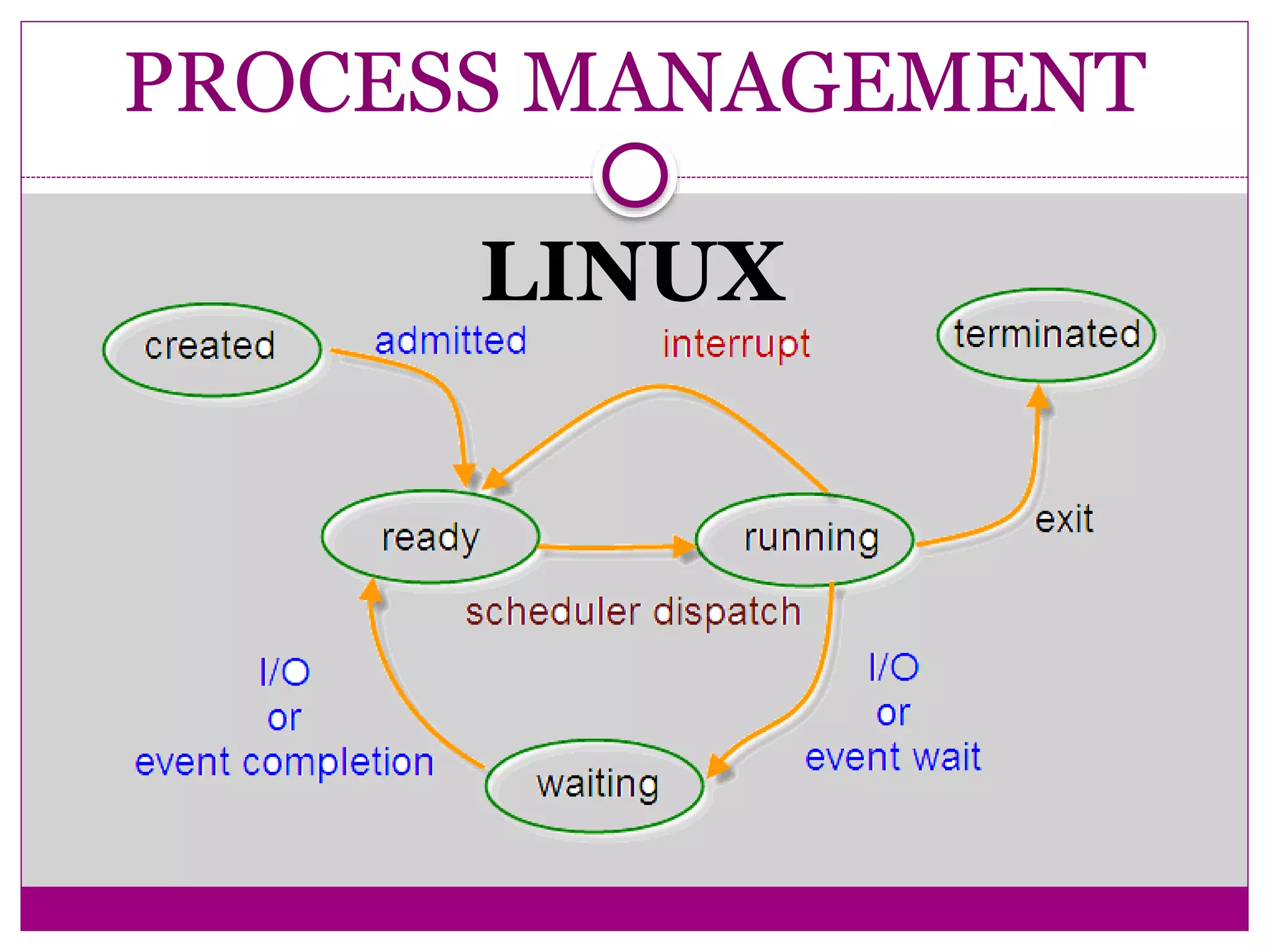
PROCESS MANAGEMENT
LINUX
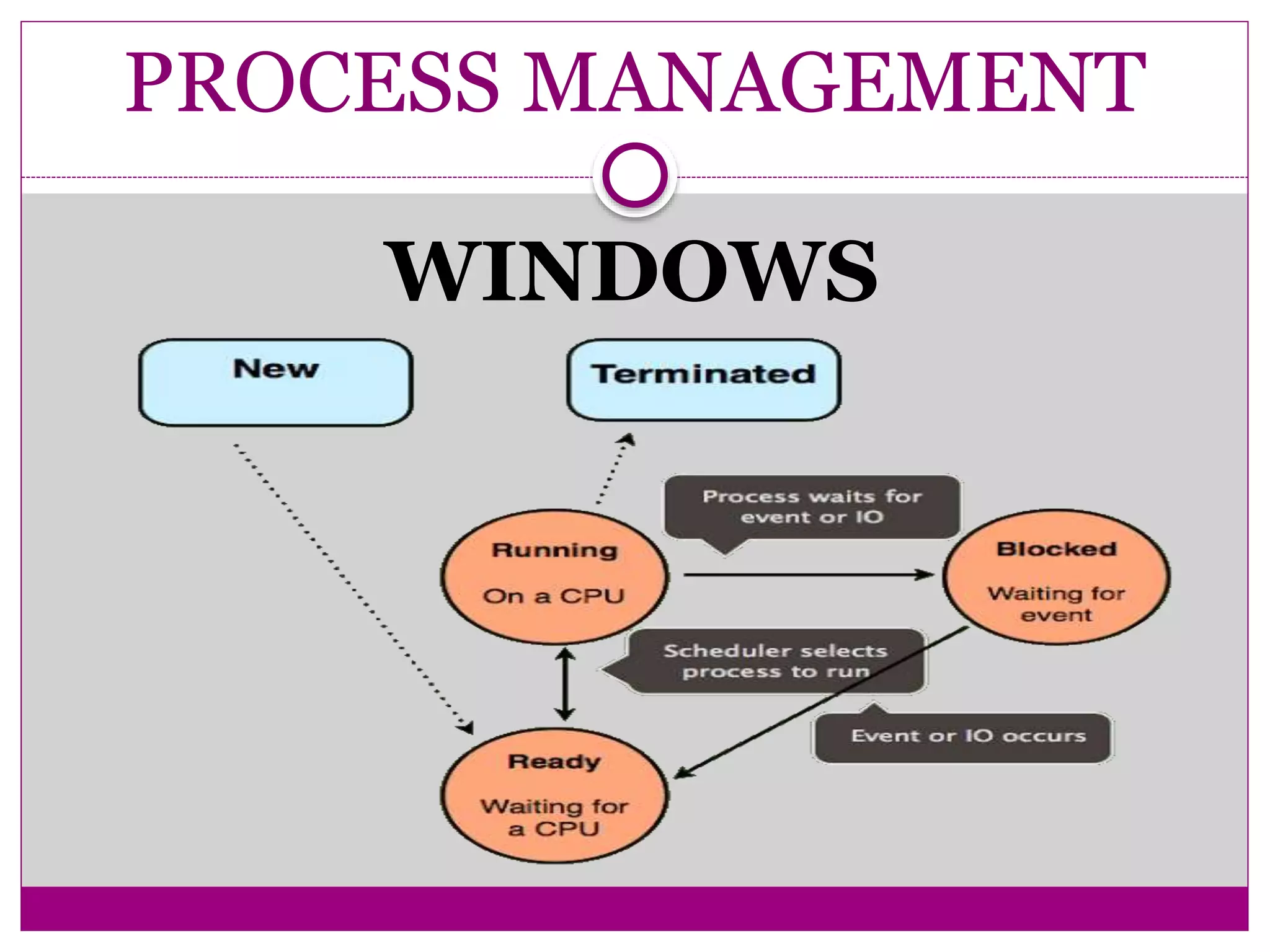
PROCESS MANAGEMENT
WINDOWS
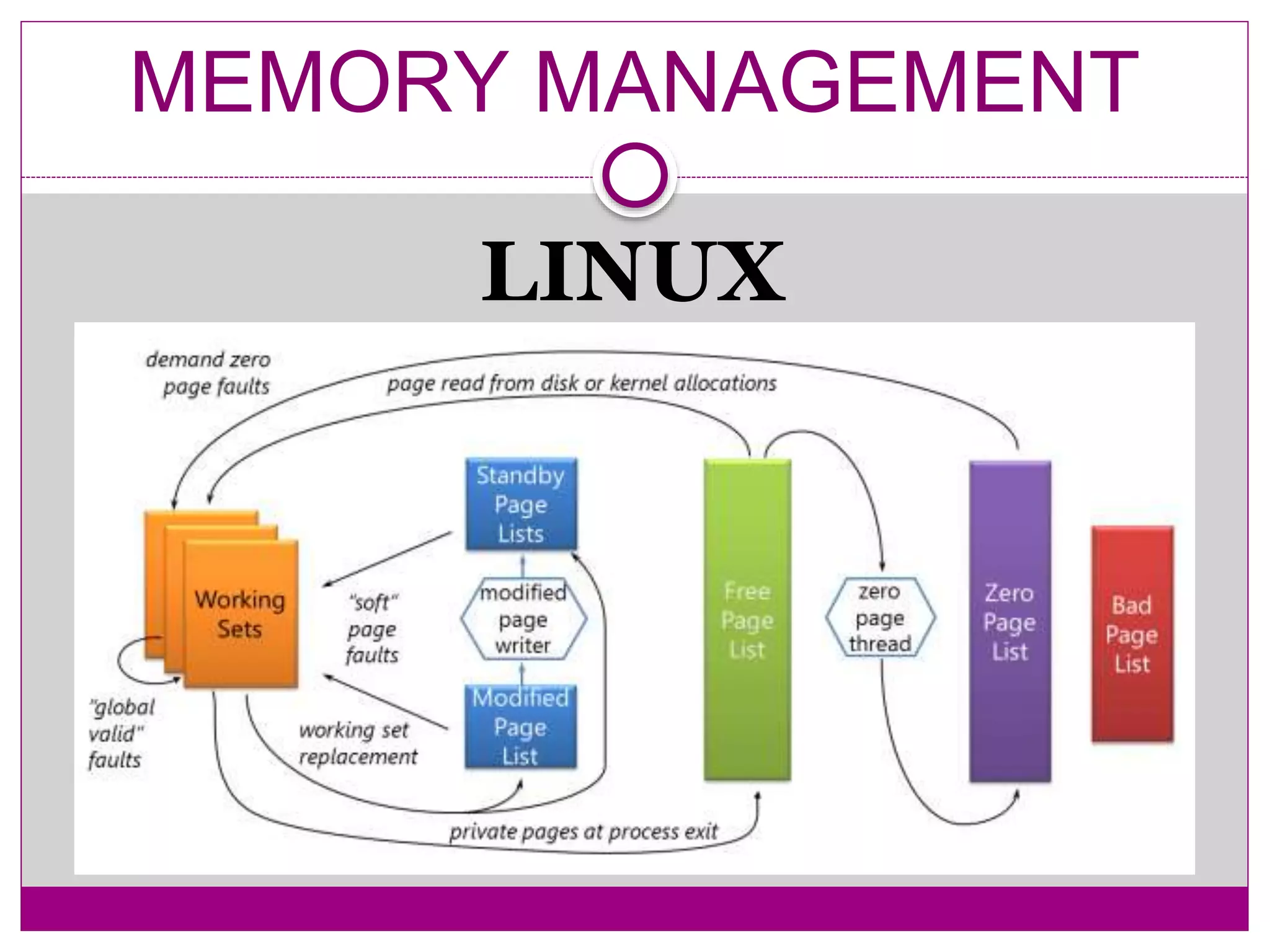
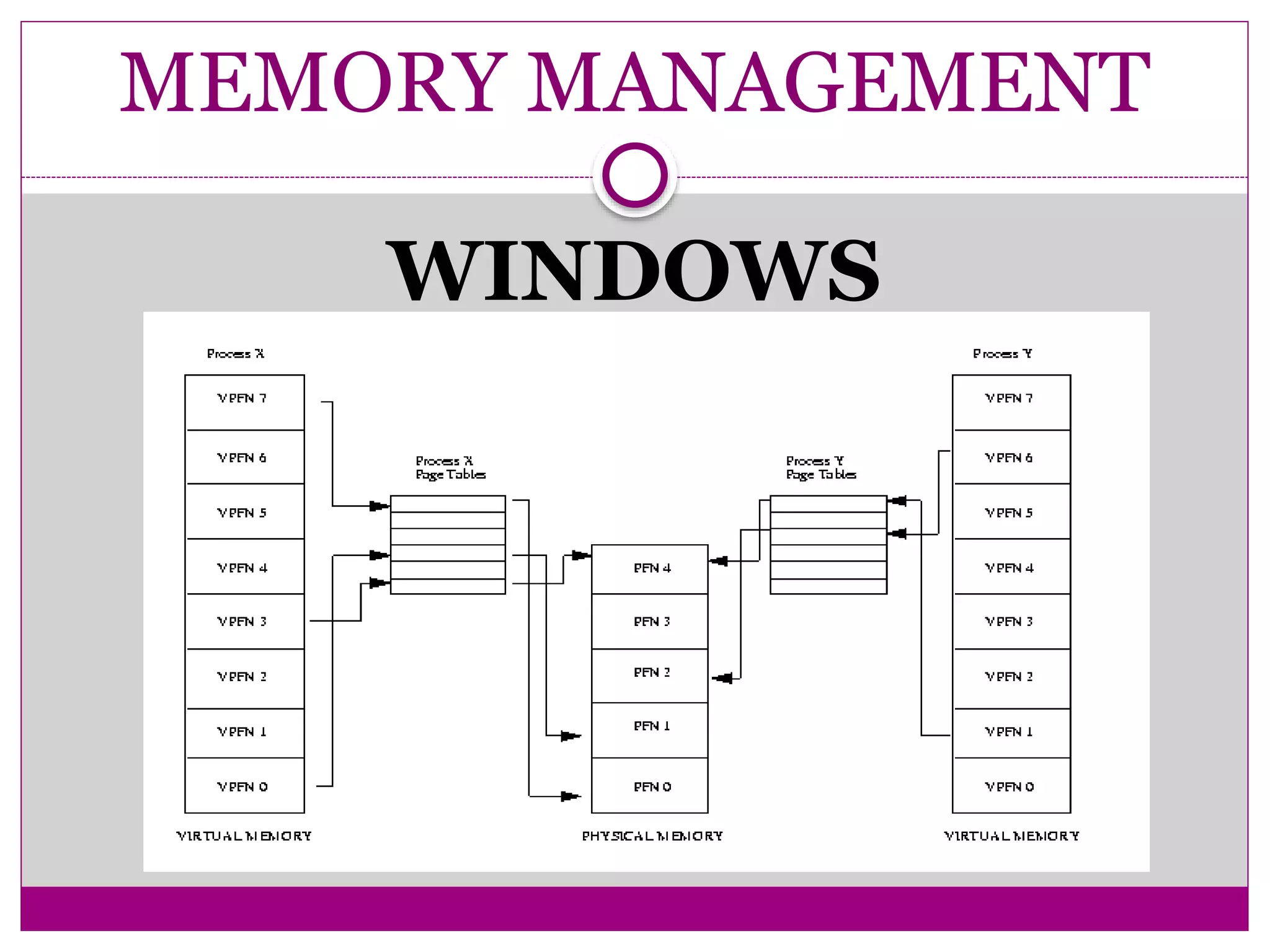
MEMORY MANAGEMENT
LINUX
MEMORY MANAGEMENT
WINDOWS
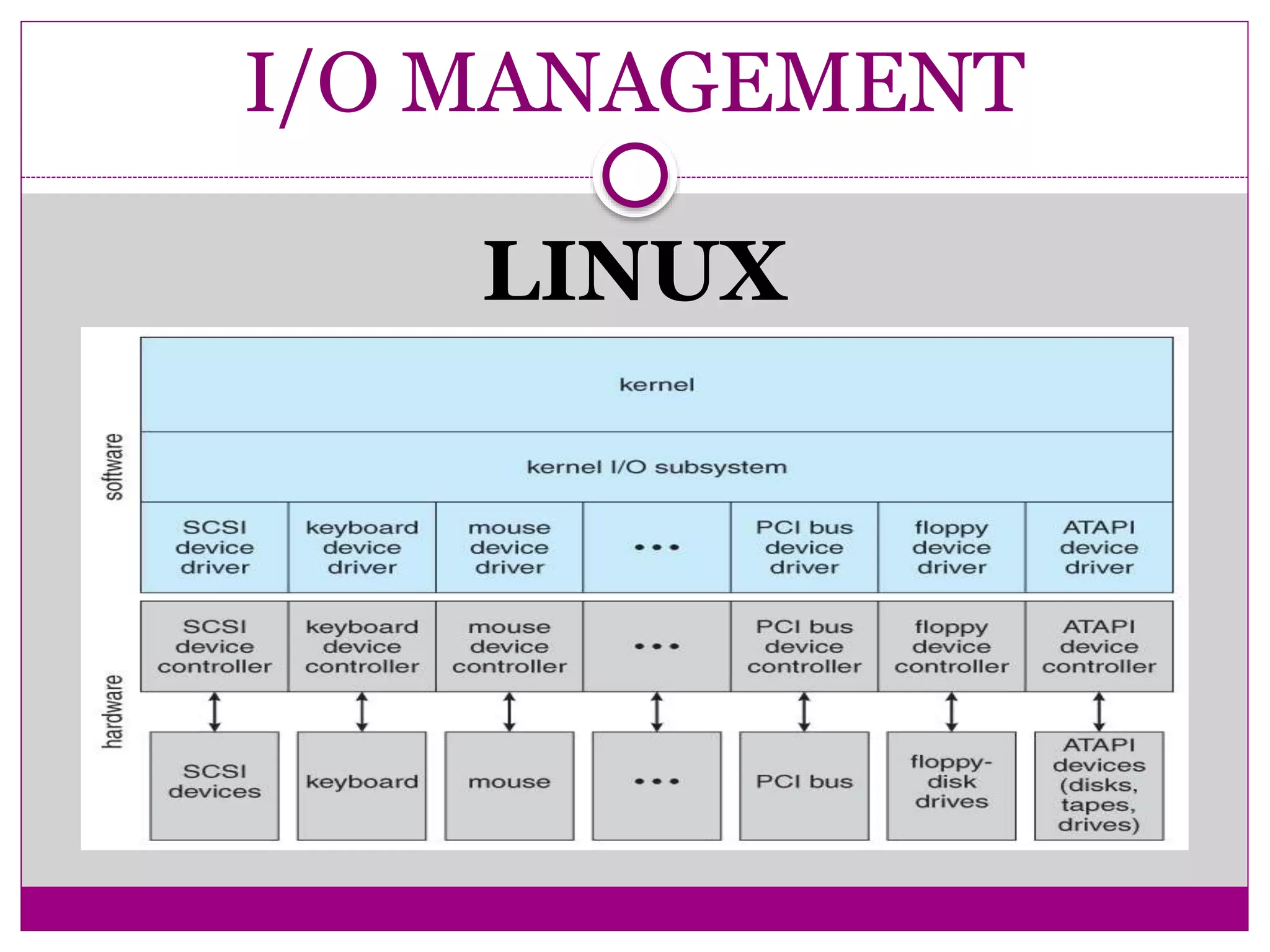
I/O MANAGEMENT
LINUX
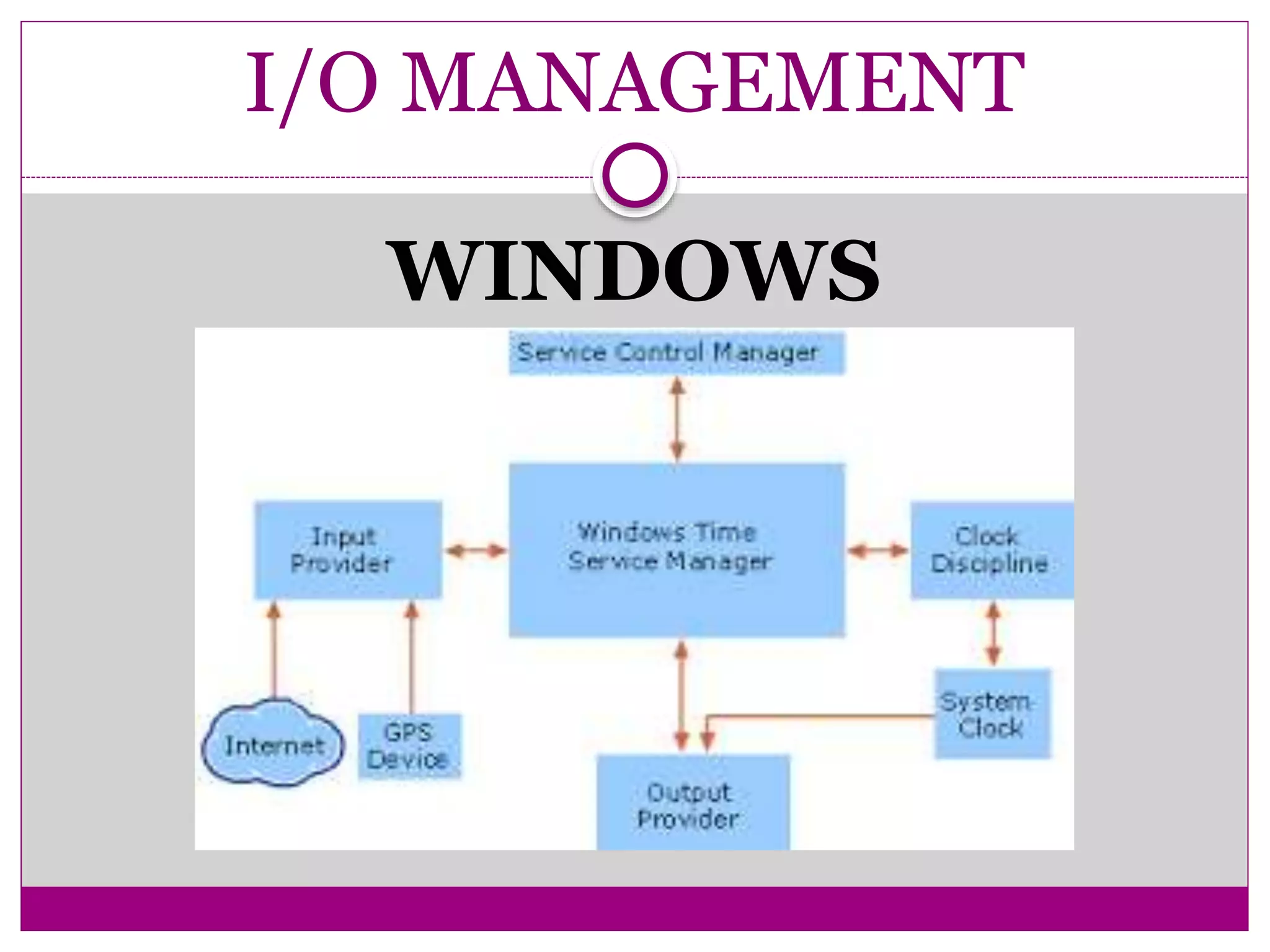
I/O MANAGEMENT
WINDOWS
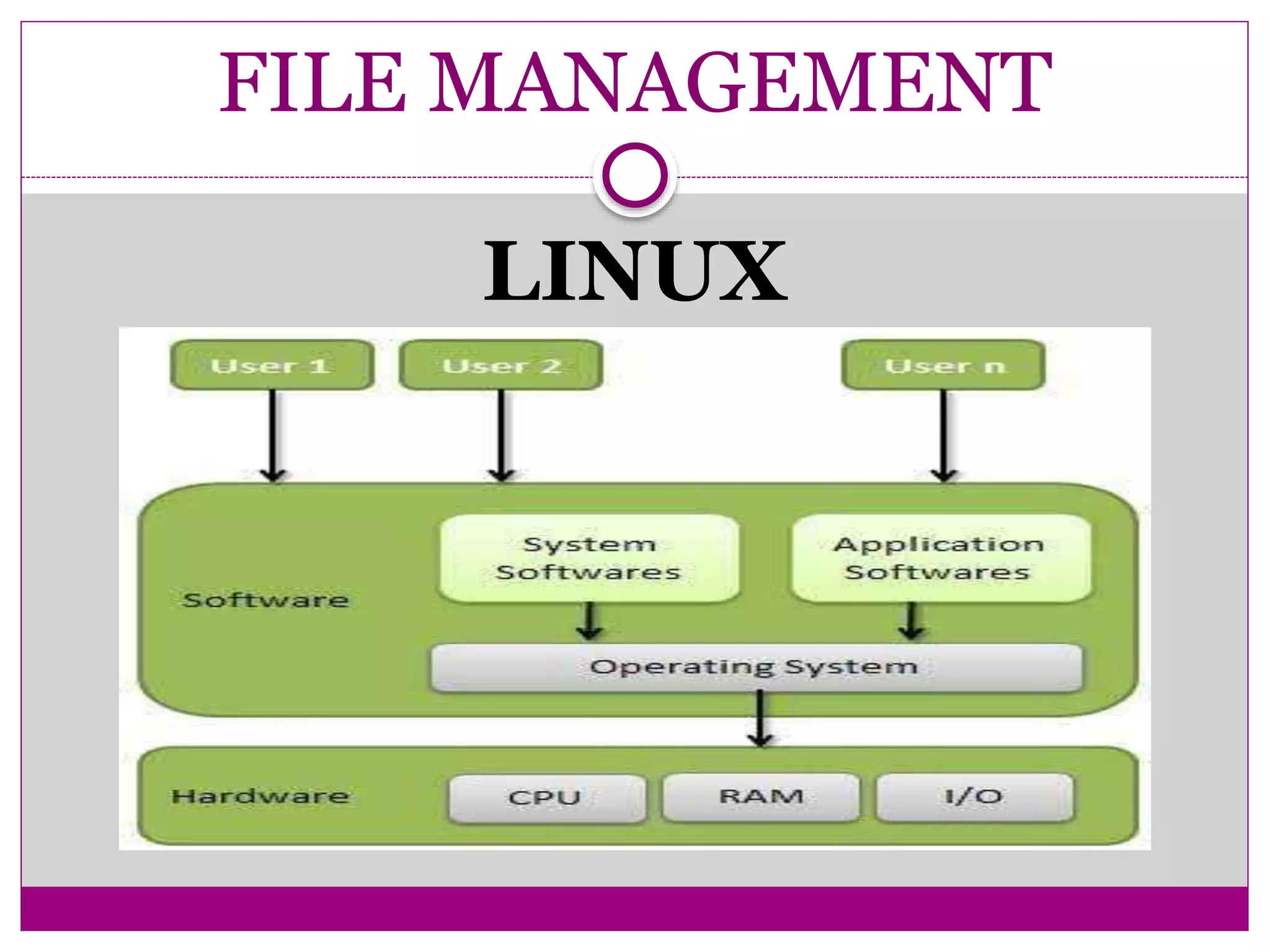
FILE MANAGEMENT
LINUX
FILE MANAGEMENT
LINUX
• Linux has an hierarchical, unified file system
• Supports 256-character filenames.
• All command line entries are case sensitive.
• Use the slash(/) rather than the backslash() you have been using in DOS.
FILE MANAGEMENT
WINDOWS
FILE MANAGEMENT
WINDOWS
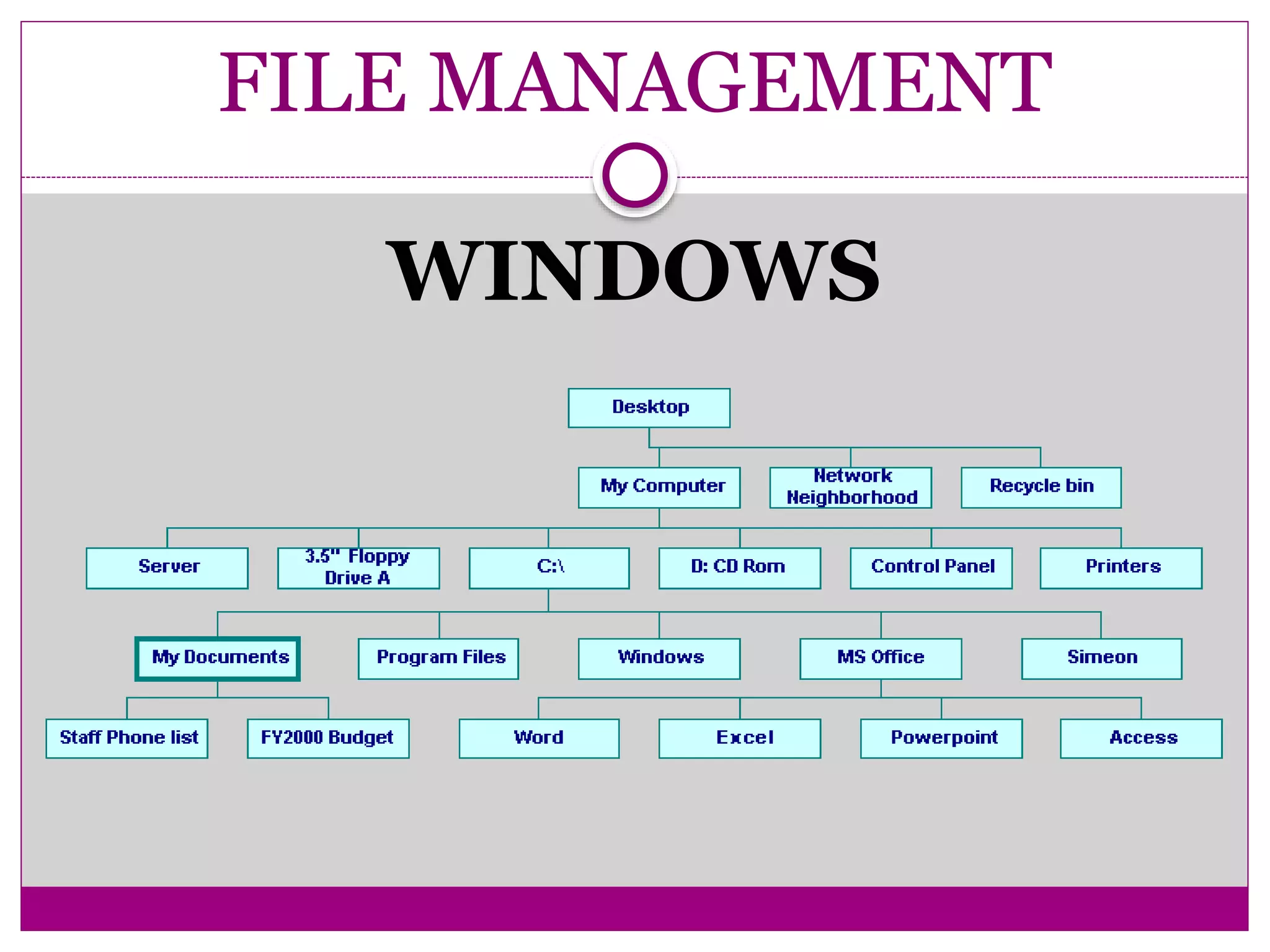
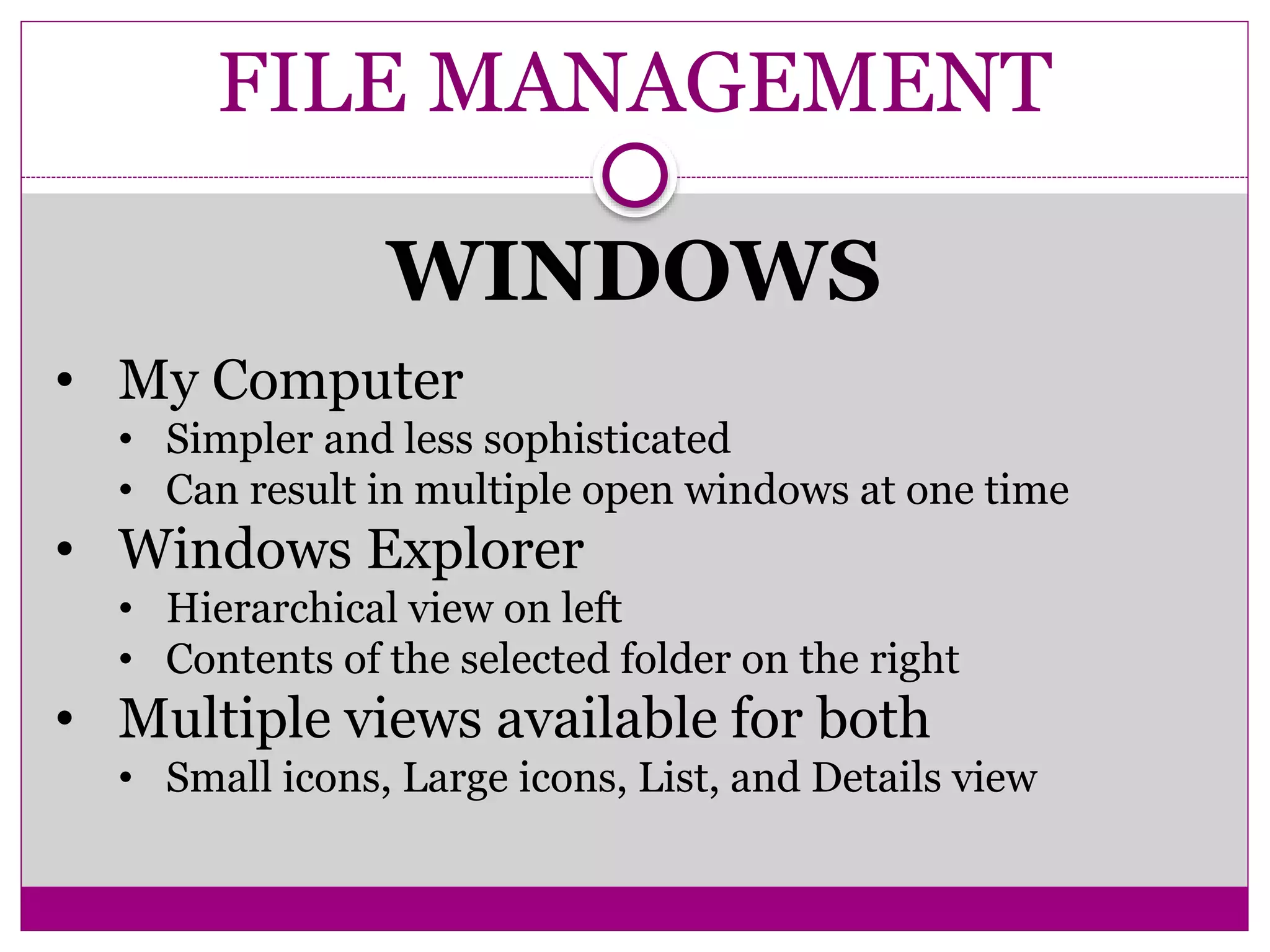
• My Computer
• Simpler and less sophisticated
• Can result in multiple open windows at one time
• Windows Explorer
• Hierarchical view on left
• Contents of the selected folder on the right
• Multiple views available for both
• Small icons, Large icons, List, and Details view
Comparative study of Linux and Windows

Comparative study of Linux and Windows

  • 1.
    PRESENTED BY VINEET AROTE UMANGDHURI AMAR GORAD COMPARATIVE STUDY OF LINUX AND WINDOWS DEPARTMENT OF INFORMATION TECHNOLOGY SHAH AND ANCHOR KUTCHHI ENGINEERING COLLEGE
  • 2.
    TABLE OF CONTENTS 1.INTRODUCTION 2. HISTORY OF LINUX 3. EVOLUTION OF WINDOWS 4. PROCESS MANAGEMENT 5. MEMORY MANAGEMENT 6. I/O MANAGEMENT 7. FILE MANAGEMENT
  • 3.
  • 4.
    INTRODUCTION Philosophical differences in thedesign of Linux and Windows The Windows operating system is designed to support applications by moving more functionality into the operating system, and by more deeply integrating applications into the Windows kernel. Linux differs from Windows in providing a clear separation between kernel space and user space
  • 5.
    INTRODUCTION Viruses  There areabout 5 for commercial Unix versions, and around 40 for Linux  There are about 60,000 viruses known for Windows
  • 6.
    INTRODUCTION  The availabilityof the source code and the right to modify  The right to redistribute modifications and improvements to the code  The right to use the software in any way Open Source Software Linux is licensed under the GNU General Public License Microsoft's Shared Source Initiative is an attempt to meet customer requirements for looking at source code. Shared Source Initiative has one million participants, and source code is available for Windows 2000, Windows XP, Windows Server 2003, Windows CE 3.0, Windows CE .NET, and the C#/CLI implementations, as well as components of ASP .NET and Visual studio .NET. Shared Source Initiative licensees include corporate customers, governments, partners, academics, and individuals.
  • 8.
    HISTORY OF LINUX GNU project started 1984 to produce a Unix-like OS  Founded by Richard Stallman  Wrote the GNU manifesto in 1985 outlining philosophy  Software that is free means more than free of charge "It means that much wasteful duplication of system programming effort will be avoided. This effort can go instead into advancing the state of the art."  By early 1990s many of the GNU OS utilities were complete Meanwhile.... Linus Torvalds starts work on the Linux Kernel  First version released in 1991  Changes Linux to GPL licence in 1992  Combined with GNU to make an OS The first “Distros”...  1992 - MCC Interim Linux  1992 - Softlanding Linux System (SLS)  1993 - Debian
  • 9.
    EVOLUTION OF WINDOWS Windows 3.1  First widely used successful version of Windows  Replaced MS-DOS  Windows 95  Introduced Start button, taskbar for multitasking, and My Computer for easier file management  Windows NT  Intended for business computing  Increased reliability and security
  • 10.
    EVOLUTION OF WINDOWS Windows 98  Active desktop displays Web content  Enables Web conventions on the desktop  Windows 2000  Security of NT with Windows 98 Interface  Windows 2000 Professional and Windows 2000 Server  Windows Me (Millennium Edition)  Successor to Windows 98 for home computing
  • 12.
  • 13.
  • 15.
  • 16.
  • 18.
  • 19.
  • 21.
  • 22.
    FILE MANAGEMENT LINUX • Linuxhas an hierarchical, unified file system • Supports 256-character filenames. • All command line entries are case sensitive. • Use the slash(/) rather than the backslash() you have been using in DOS.
  • 23.
  • 24.
    FILE MANAGEMENT WINDOWS • MyComputer • Simpler and less sophisticated • Can result in multiple open windows at one time • Windows Explorer • Hierarchical view on left • Contents of the selected folder on the right • Multiple views available for both • Small icons, Large icons, List, and Details view