Troy Burnett
Vice President IWMS Solutions
Mark Johnson
Manager Development
• Introductions
• About EDI
• Assessing TRIRIGA Application Performance
• Common Issues
• Case Studies
• Questions
• Troy Burnett
– Over 20 years experience in enterprise software
implementations and technologies
– Eight years with TRIRIGA and IBM
– Four years with IBM Software Group ATG (SWAT Team)
• Mark Johnson
– Over Eight Years experience in enterprise software
implementations and technologies
– Six years with TRIRIGA, IBM, and Business Partners
– Two years with IBM Software Group ATG (SWAT Team)
• Known within IBM as the ‘SWAT Team’
• Supported over 40 GBS and BP projects
• Worked on the front lines for SWG
– High priority defect resolution
– Business Partner enablement
– Performance issue resolution
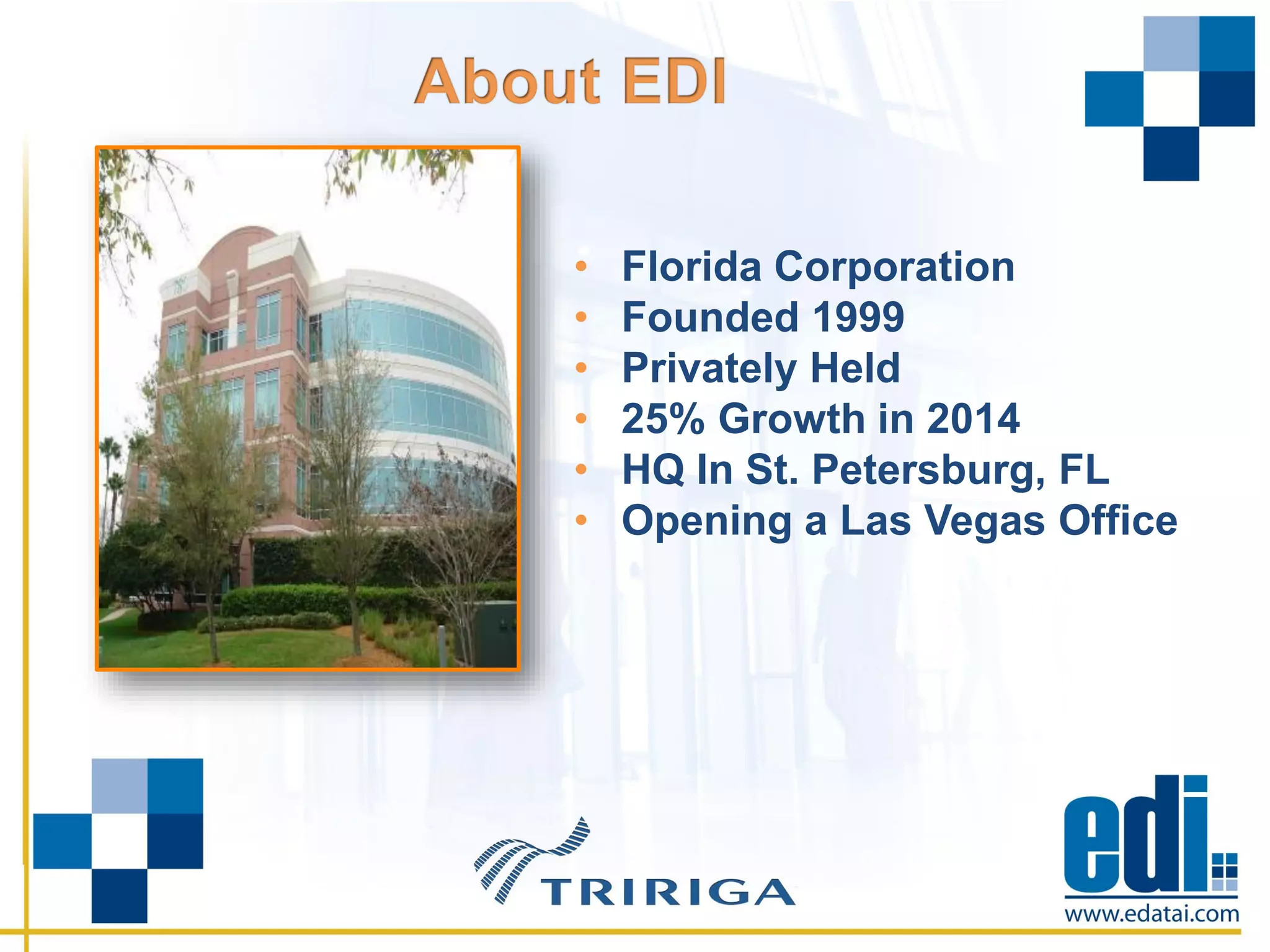
• Florida Corporation
• Founded 1999
• Privately Held
• 25% Growth in 2014
• HQ In St. Petersburg, FL
• Opening a Las Vegas Office
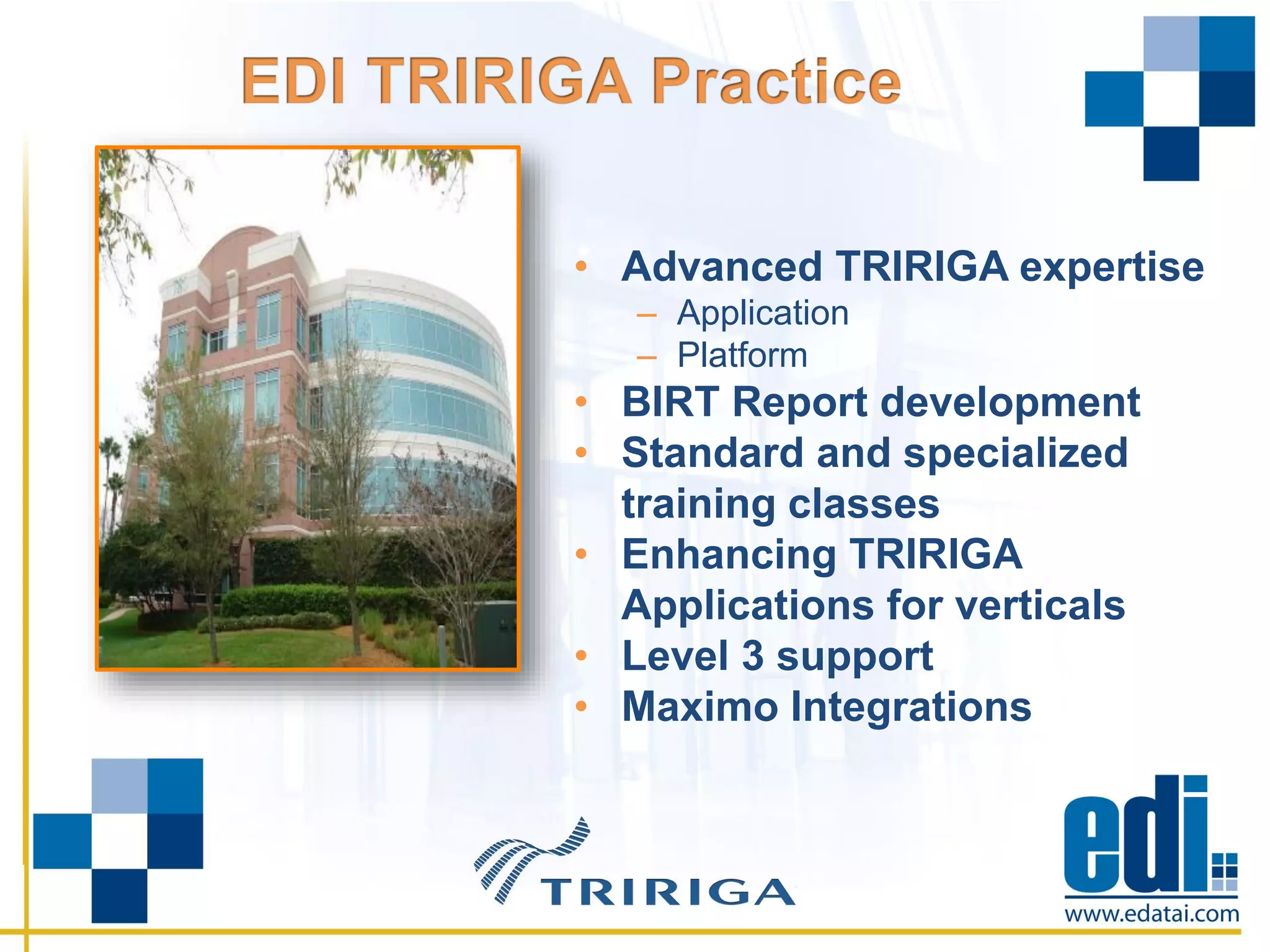
• Advanced TRIRIGA expertise
– Application
– Platform
• BIRT Report development
• Standard and specialized
training classes
• Enhancing TRIRIGA
Applications for verticals
• Level 3 support
• Maximo Integrations
• User Response Time
– Revising Activating Records
– Actions which initiate long running WF’s
• Large Volume Processing
– Data Migration
– Record processing
• Poor workflow thread settings
• Use of workflow instance saving
• Use of iterator tasks for large data sets
• Keeping a process single threaded when it could
take advantage of multiple threads. (Synchronous vs
Asynchronous)
• Performing unnecessary formula recalculations
• Unnecessary retrieval of record sets already
retrieved previously.
• Large implementation of TRIRIGA Facilities
• Over 22,000 Space records across 2,000 buildings
• Monthly Space Audit to capture chargeback data
• From a technical perspective, what is TRIRIGA
doing?
– Space Audit associates with selected Floor records.
– Activate action creates ‘Audit’ and ‘History’ records used for
reporting.
– Classic example of large volume record processing loop.
• What happened when testing began against real
data?
– First run ran for 8.5 hours
– Space Audit is a snapshot, so the system had to remain ‘quiet’
during process
– The process wouldn’t fit into a viable maintenance window
Solution:
• Passed needed records from parent to child workflows
with variable tasks eliminating 90,695 duplicate record
retrieval database hits.
• Moved logic from synchronous workflows to
asynchronous workflows in order to take advantage of
multiple threads.
• Adjusted workflow threads from default settings to better
utilize underlying infrastructure.
• Large implementation of TRIRIGA Real Estate Lease
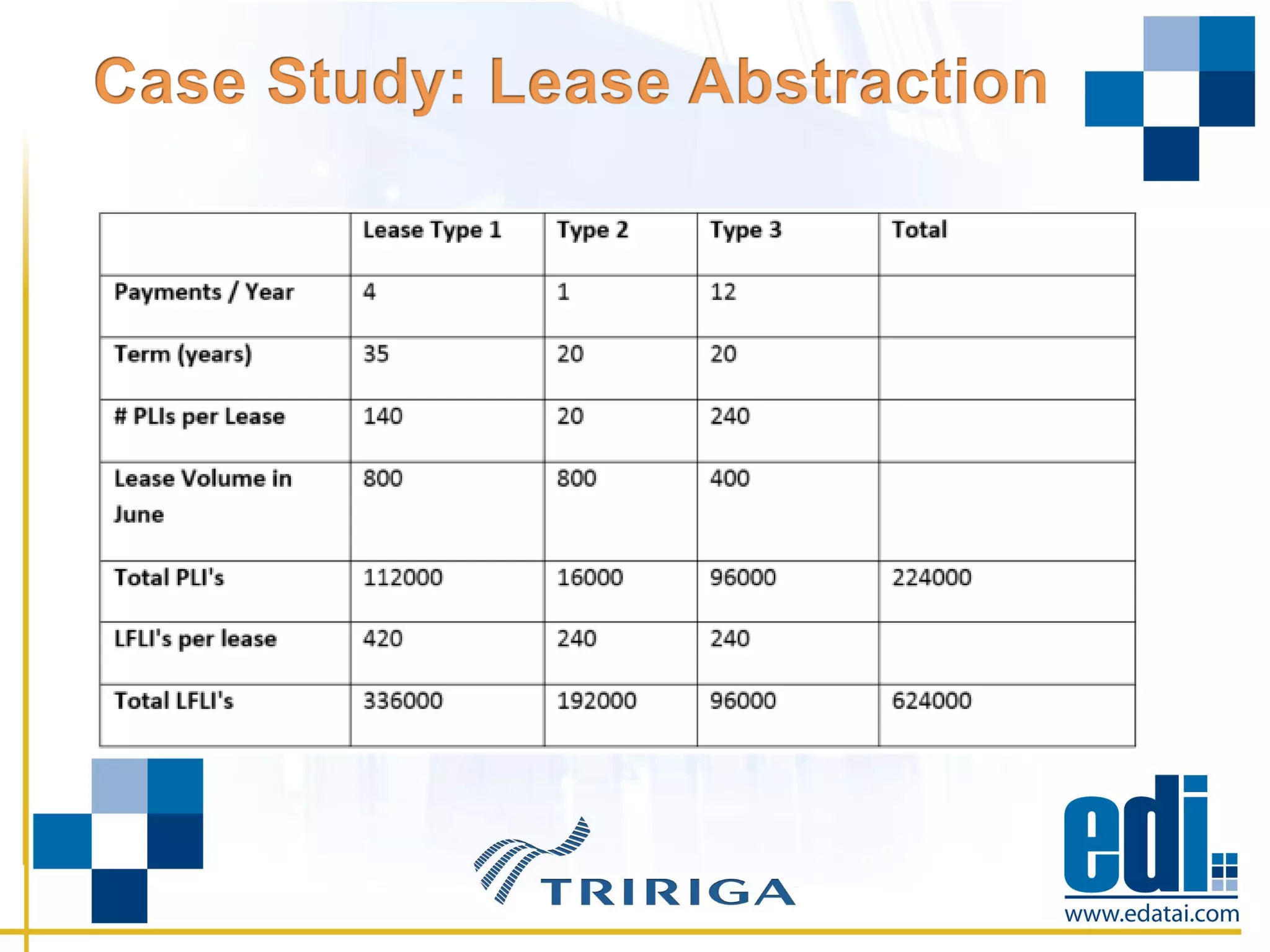
• Over 5,000 leases to migrate through abstraction to
lease activation
• Approvals and Review Assumptions required before
lease activation
• Some leases have 30 year terms
• From a technical perspective, what is TRIRIGA
doing?
– Lease Abstract record ‘Completed’ to create RE Lease record
– RE Lease record generate ‘Review Assumptions’ to generate
amortization schedule
– Generation of Fiscal Line Items
• What happened when testing began against real
data?
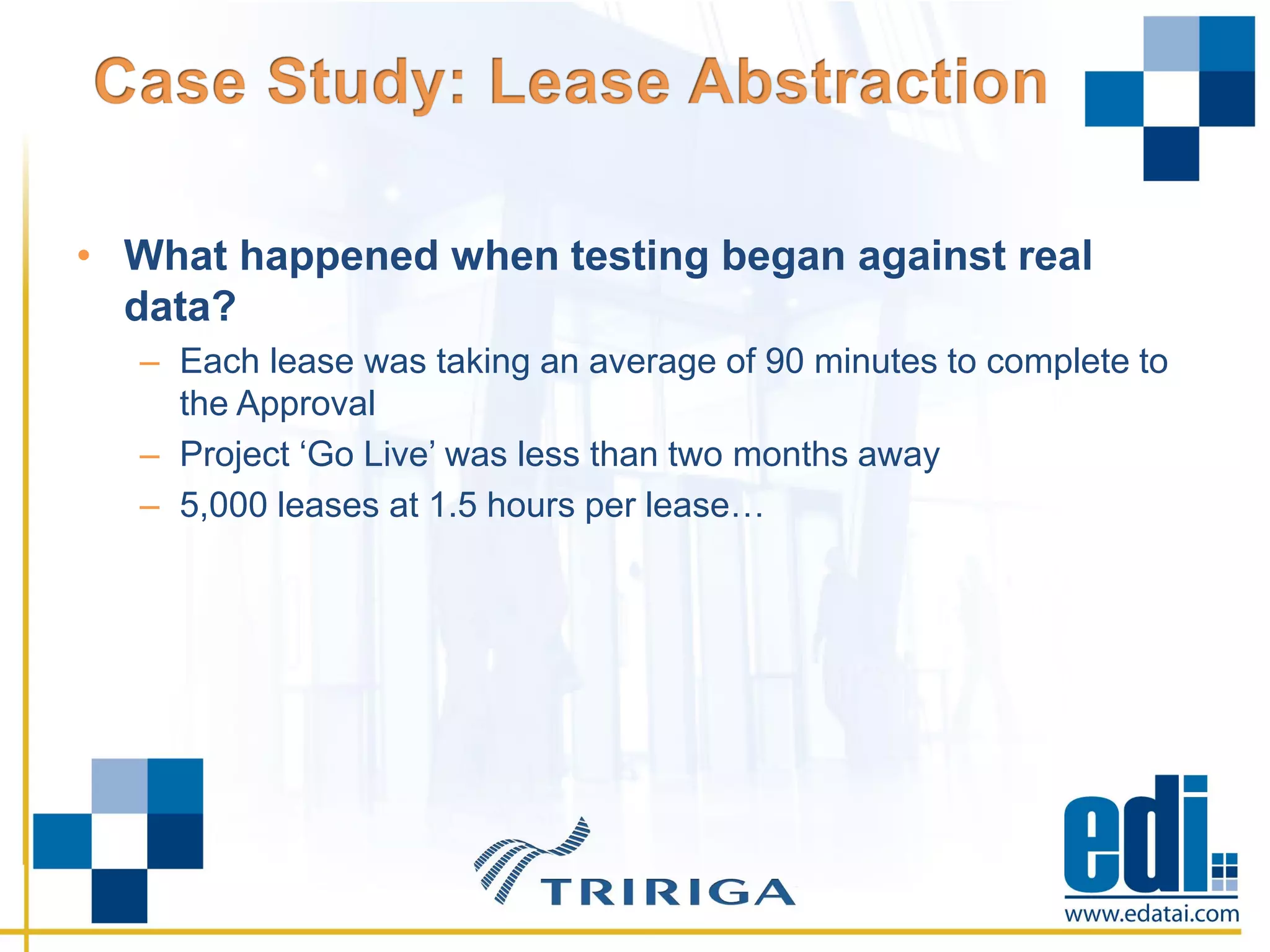
– Each lease was taking an average of 90 minutes to complete to
the Approval
– Project ‘Go Live’ was less than two months away
– 5,000 leases at 1.5 hours per lease…
Solution:
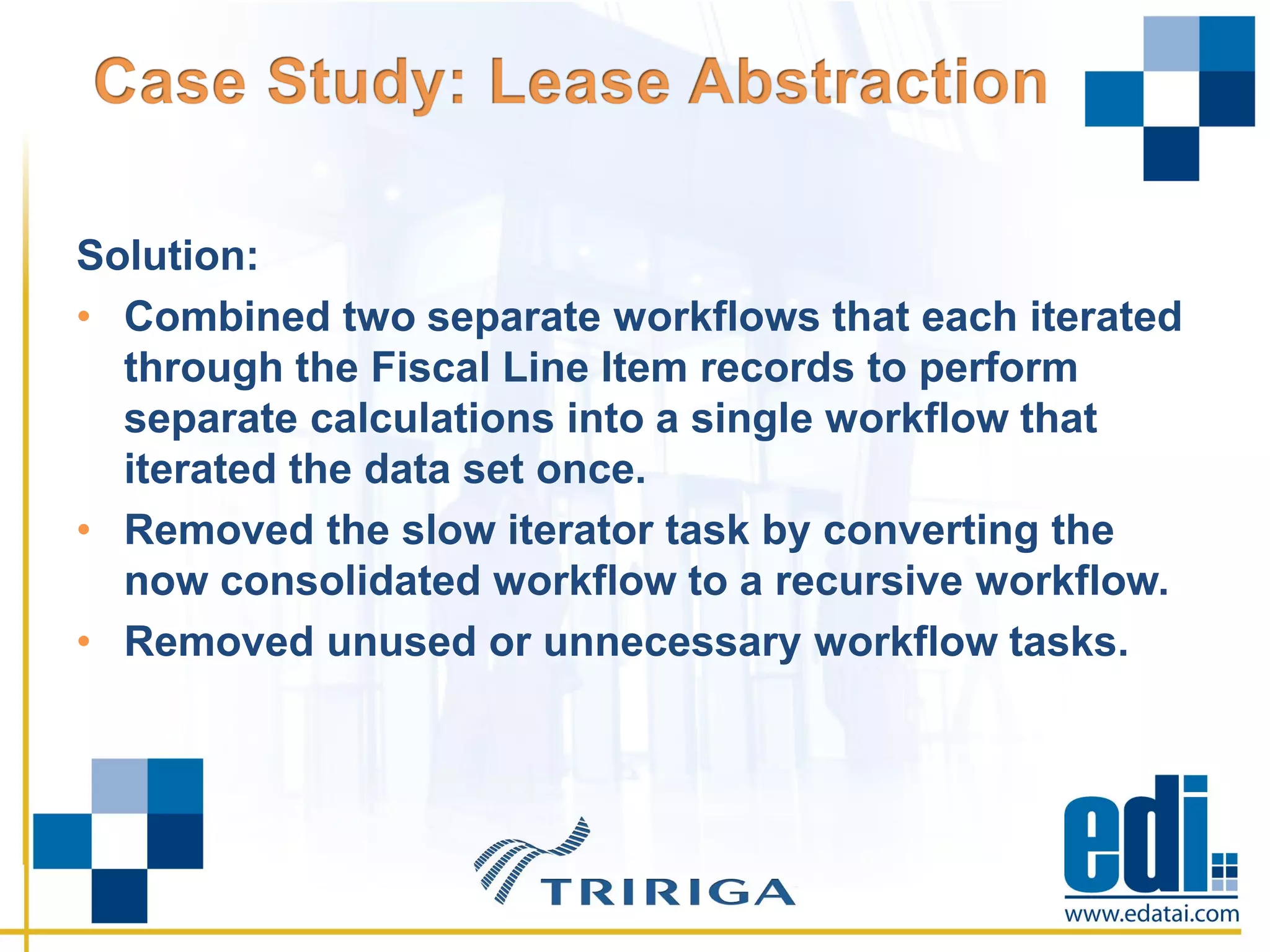
• Combined two separate workflows that each iterated
through the Fiscal Line Item records to perform
separate calculations into a single workflow that
iterated the data set once.
• Removed the slow iterator task by converting the
now consolidated workflow to a recursive workflow.
• Removed unused or unnecessary workflow tasks.
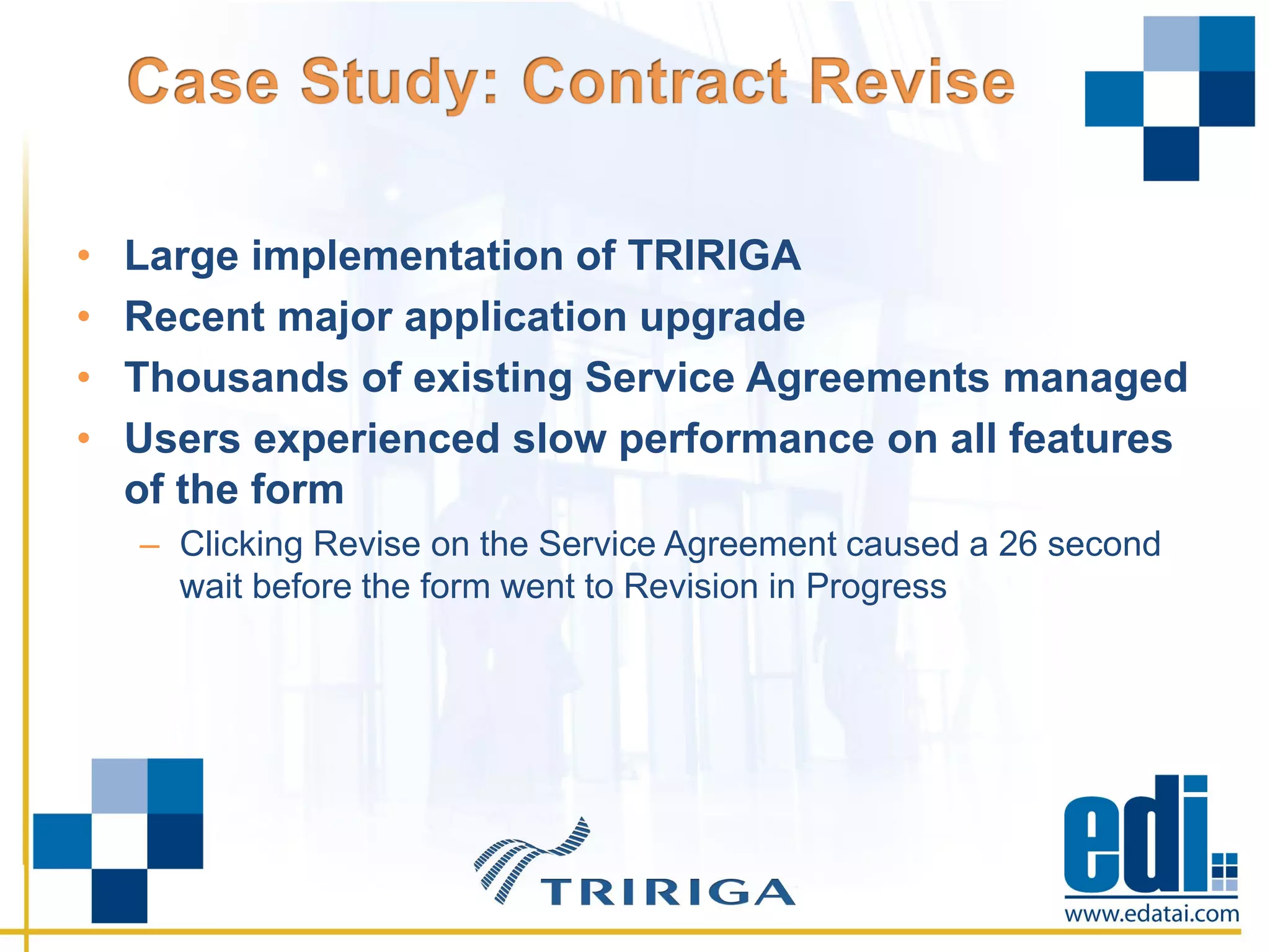
• Large implementation of TRIRIGA
• Recent major application upgrade
• Thousands of existing Service Agreements managed
• Users experienced slow performance on all features
of the form
– Clicking Revise on the Service Agreement caused a 26 second
wait before the form went to Revision in Progress
• From a technical perspective, what is TRIRIGA
doing?
– Revision Action triggering numerous slow performing
Workflows
– Calculating numerous formulas vis the execution of Tririga
Queries
• What happened when testing began against real
data?
– Form response was very slow
– Revision was taking 26 seconds on average
– End User complaints were rising
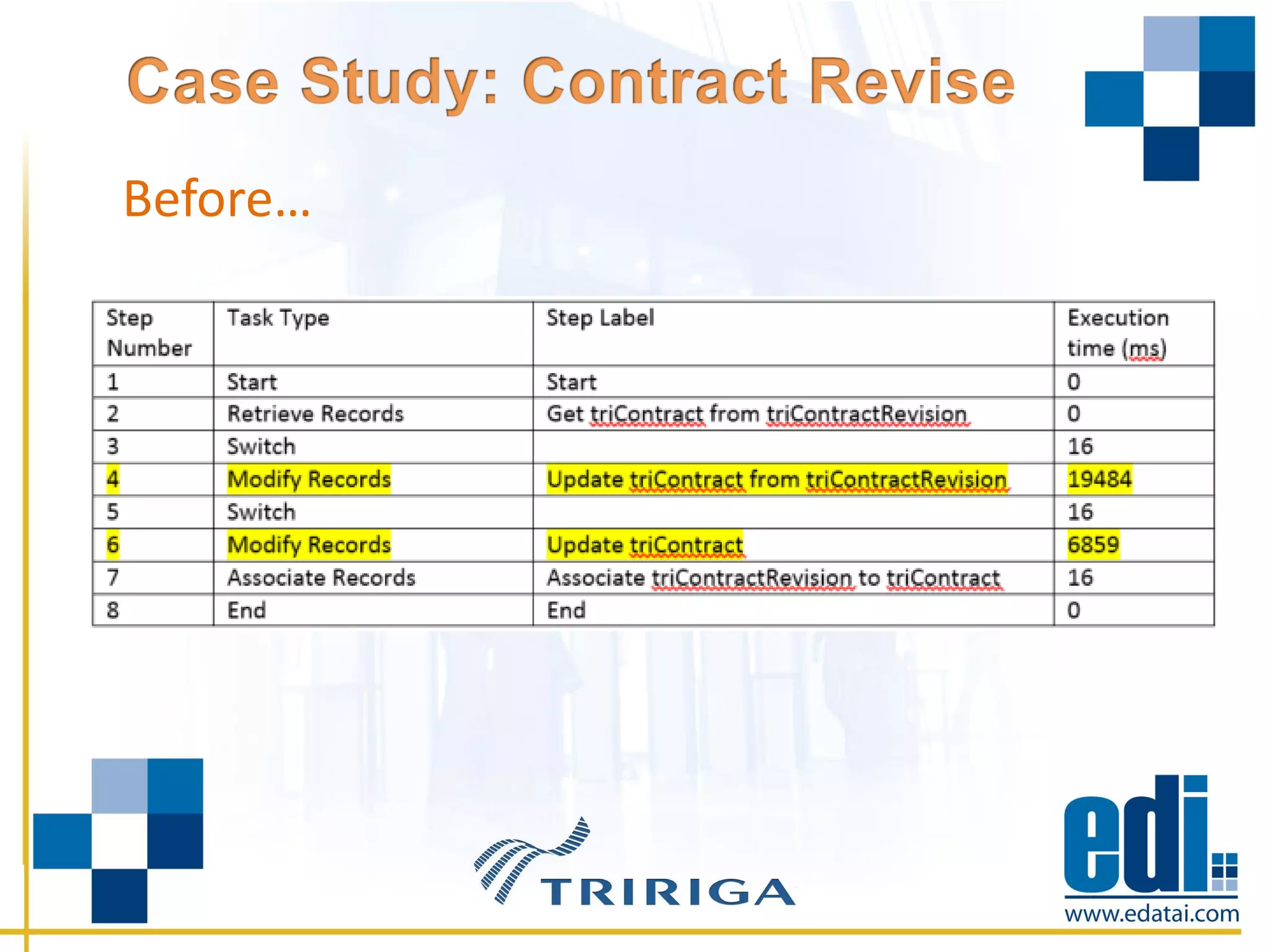
Before…
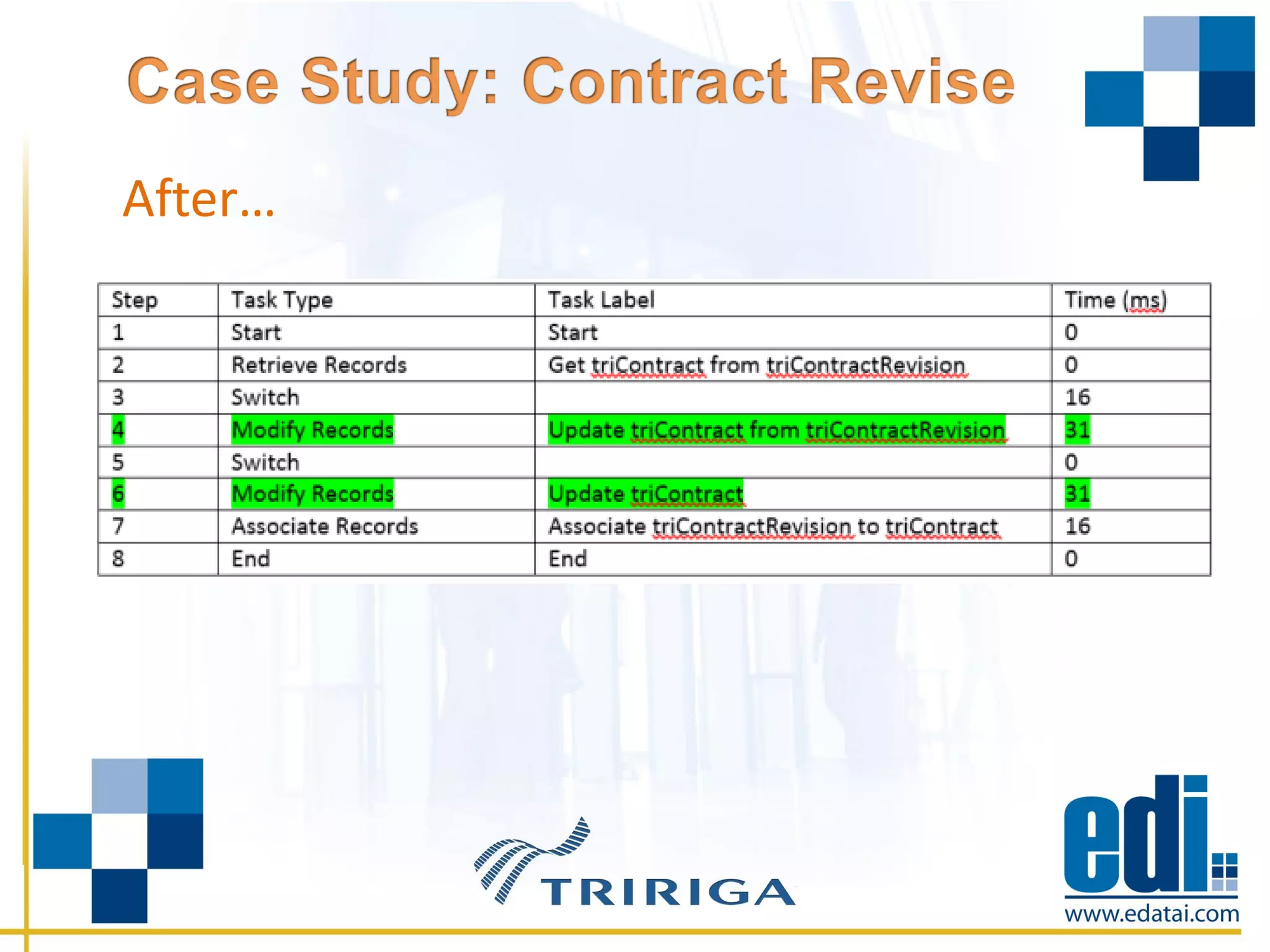
Solution…
• Required changes to the modify record tasks due to
the number recalculations of formulas
• Formulas recalculated included numerous ones with
Query Objects in the formula
After…
• Localize the high priority performance issues
• Defining all of the WF’s that execute in the process
– Run performance test suite
– Analysis includes timings of WF’s and Tasks
– Does Workflow logic makes sense
• Find the pain points
• Deeper level analysis of each Task’s impact
– Analysis includes WF logic improvement options
• Design and document proposed solution
• Implement design and rerun performance test suite
– Validate performance improvement results
• Create Deployment Documentation
– Insures seamless and error free deployment within client’s
environments
• Survey Users for Performance Improvement
Validation
• Enhanced Application Upgrades
– Expert Application Upgrade includes Performance Upgrade
• Application Health Check
– Review for naming standard compliance
– Deep review at meta data level for potential issues
– Monitor priority processes for performance improvement
• Application Performance Training
– Includes App Developer tools
TRI-1-Case Studies in Improving TRIRIGA Application Performance

TRI-1-Case Studies in Improving TRIRIGA Application Performance

  • 1.
    Troy Burnett Vice PresidentIWMS Solutions Mark Johnson Manager Development
  • 2.
    • Introductions • AboutEDI • Assessing TRIRIGA Application Performance • Common Issues • Case Studies • Questions
  • 3.
    • Troy Burnett –Over 20 years experience in enterprise software implementations and technologies – Eight years with TRIRIGA and IBM – Four years with IBM Software Group ATG (SWAT Team) • Mark Johnson – Over Eight Years experience in enterprise software implementations and technologies – Six years with TRIRIGA, IBM, and Business Partners – Two years with IBM Software Group ATG (SWAT Team)
  • 4.
    • Known withinIBM as the ‘SWAT Team’ • Supported over 40 GBS and BP projects • Worked on the front lines for SWG – High priority defect resolution – Business Partner enablement – Performance issue resolution
  • 5.
    • Florida Corporation •Founded 1999 • Privately Held • 25% Growth in 2014 • HQ In St. Petersburg, FL • Opening a Las Vegas Office
  • 6.
    • Advanced TRIRIGAexpertise – Application – Platform • BIRT Report development • Standard and specialized training classes • Enhancing TRIRIGA Applications for verticals • Level 3 support • Maximo Integrations
  • 7.
    • User ResponseTime – Revising Activating Records – Actions which initiate long running WF’s • Large Volume Processing – Data Migration – Record processing
  • 8.
    • Poor workflowthread settings • Use of workflow instance saving • Use of iterator tasks for large data sets • Keeping a process single threaded when it could take advantage of multiple threads. (Synchronous vs Asynchronous) • Performing unnecessary formula recalculations • Unnecessary retrieval of record sets already retrieved previously.
  • 9.
    • Large implementationof TRIRIGA Facilities • Over 22,000 Space records across 2,000 buildings • Monthly Space Audit to capture chargeback data
  • 10.
    • From atechnical perspective, what is TRIRIGA doing? – Space Audit associates with selected Floor records. – Activate action creates ‘Audit’ and ‘History’ records used for reporting. – Classic example of large volume record processing loop.
  • 11.
    • What happenedwhen testing began against real data? – First run ran for 8.5 hours – Space Audit is a snapshot, so the system had to remain ‘quiet’ during process – The process wouldn’t fit into a viable maintenance window
  • 12.
    Solution: • Passed neededrecords from parent to child workflows with variable tasks eliminating 90,695 duplicate record retrieval database hits. • Moved logic from synchronous workflows to asynchronous workflows in order to take advantage of multiple threads. • Adjusted workflow threads from default settings to better utilize underlying infrastructure.
  • 13.
    • Large implementationof TRIRIGA Real Estate Lease • Over 5,000 leases to migrate through abstraction to lease activation • Approvals and Review Assumptions required before lease activation • Some leases have 30 year terms
  • 14.
    • From atechnical perspective, what is TRIRIGA doing? – Lease Abstract record ‘Completed’ to create RE Lease record – RE Lease record generate ‘Review Assumptions’ to generate amortization schedule – Generation of Fiscal Line Items
  • 16.
    • What happenedwhen testing began against real data? – Each lease was taking an average of 90 minutes to complete to the Approval – Project ‘Go Live’ was less than two months away – 5,000 leases at 1.5 hours per lease…
  • 17.
    Solution: • Combined twoseparate workflows that each iterated through the Fiscal Line Item records to perform separate calculations into a single workflow that iterated the data set once. • Removed the slow iterator task by converting the now consolidated workflow to a recursive workflow. • Removed unused or unnecessary workflow tasks.
  • 18.
    • Large implementationof TRIRIGA • Recent major application upgrade • Thousands of existing Service Agreements managed • Users experienced slow performance on all features of the form – Clicking Revise on the Service Agreement caused a 26 second wait before the form went to Revision in Progress
  • 19.
    • From atechnical perspective, what is TRIRIGA doing? – Revision Action triggering numerous slow performing Workflows – Calculating numerous formulas vis the execution of Tririga Queries
  • 20.
    • What happenedwhen testing began against real data? – Form response was very slow – Revision was taking 26 seconds on average – End User complaints were rising
  • 21.
  • 22.
    Solution… • Required changesto the modify record tasks due to the number recalculations of formulas • Formulas recalculated included numerous ones with Query Objects in the formula
  • 23.
  • 24.
    • Localize thehigh priority performance issues • Defining all of the WF’s that execute in the process – Run performance test suite – Analysis includes timings of WF’s and Tasks – Does Workflow logic makes sense • Find the pain points • Deeper level analysis of each Task’s impact – Analysis includes WF logic improvement options • Design and document proposed solution
  • 25.
    • Implement designand rerun performance test suite – Validate performance improvement results • Create Deployment Documentation – Insures seamless and error free deployment within client’s environments • Survey Users for Performance Improvement Validation
  • 26.
    • Enhanced ApplicationUpgrades – Expert Application Upgrade includes Performance Upgrade • Application Health Check – Review for naming standard compliance – Deep review at meta data level for potential issues – Monitor priority processes for performance improvement • Application Performance Training – Includes App Developer tools