DC015 Session 2012/2013                         Topic 1


                        1.1 Development of
                    Information Technology
                                                       DC015
                                                      Present by :
                                            Amrizah Ahmad Basra
                                         Unit Teknologi Maklumat,
                                        Jabatan Matematik, KMNS

                          amrizah@kmns.matrik.edu.my

                                                                1
   Define Information Technology.

   Briefly describe the development of
    Information Technology.


                                          2
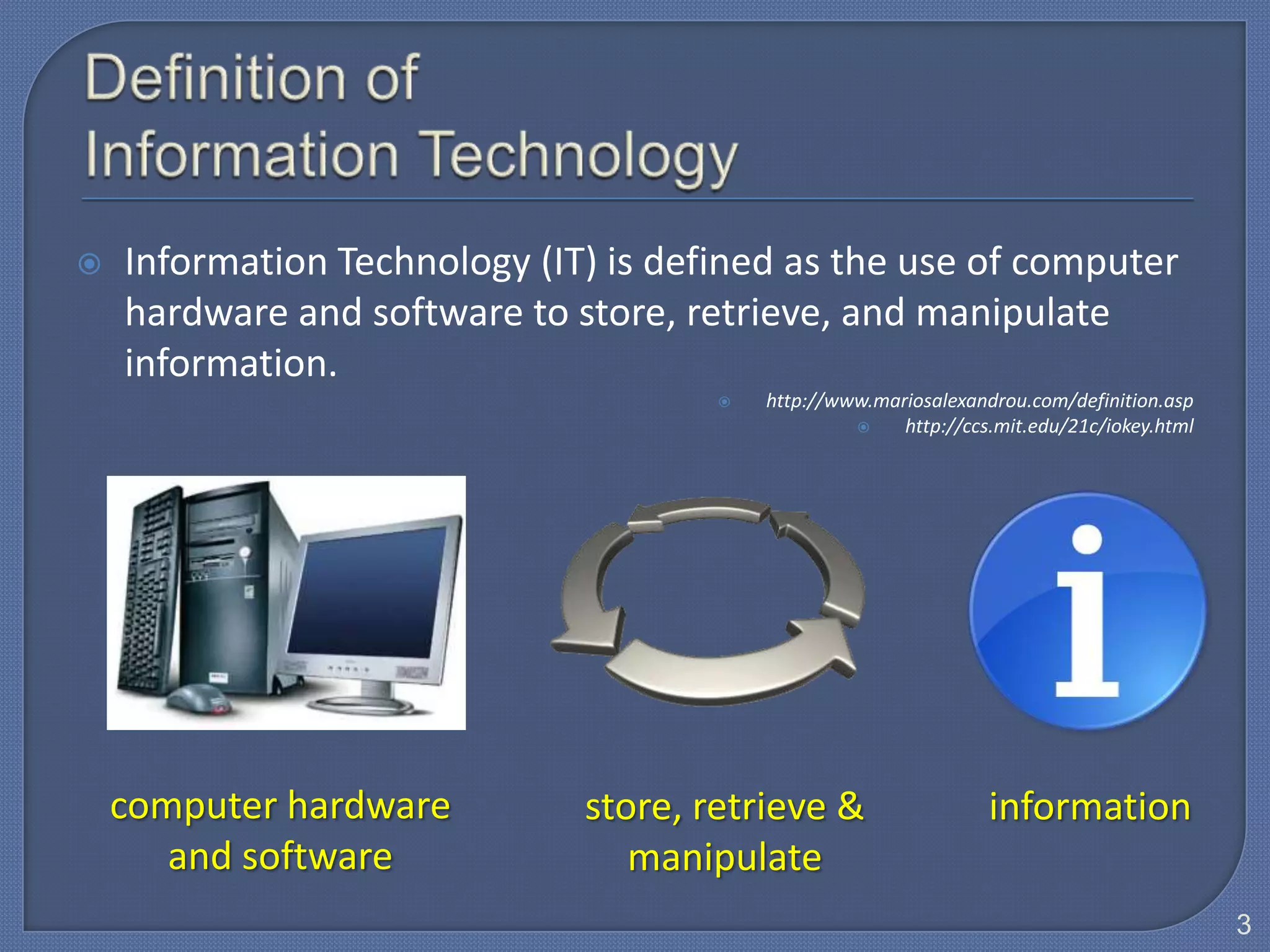
   Information Technology (IT) is defined as the use of computer
    hardware and software to store, retrieve, and manipulate
    information.
                                         http://www.mariosalexandrou.com/definition.asp
                                                       http://ccs.mit.edu/21c/iokey.html


    computer hardware         store, retrieve &                   information
       and software              manipulate
                                                                                            3
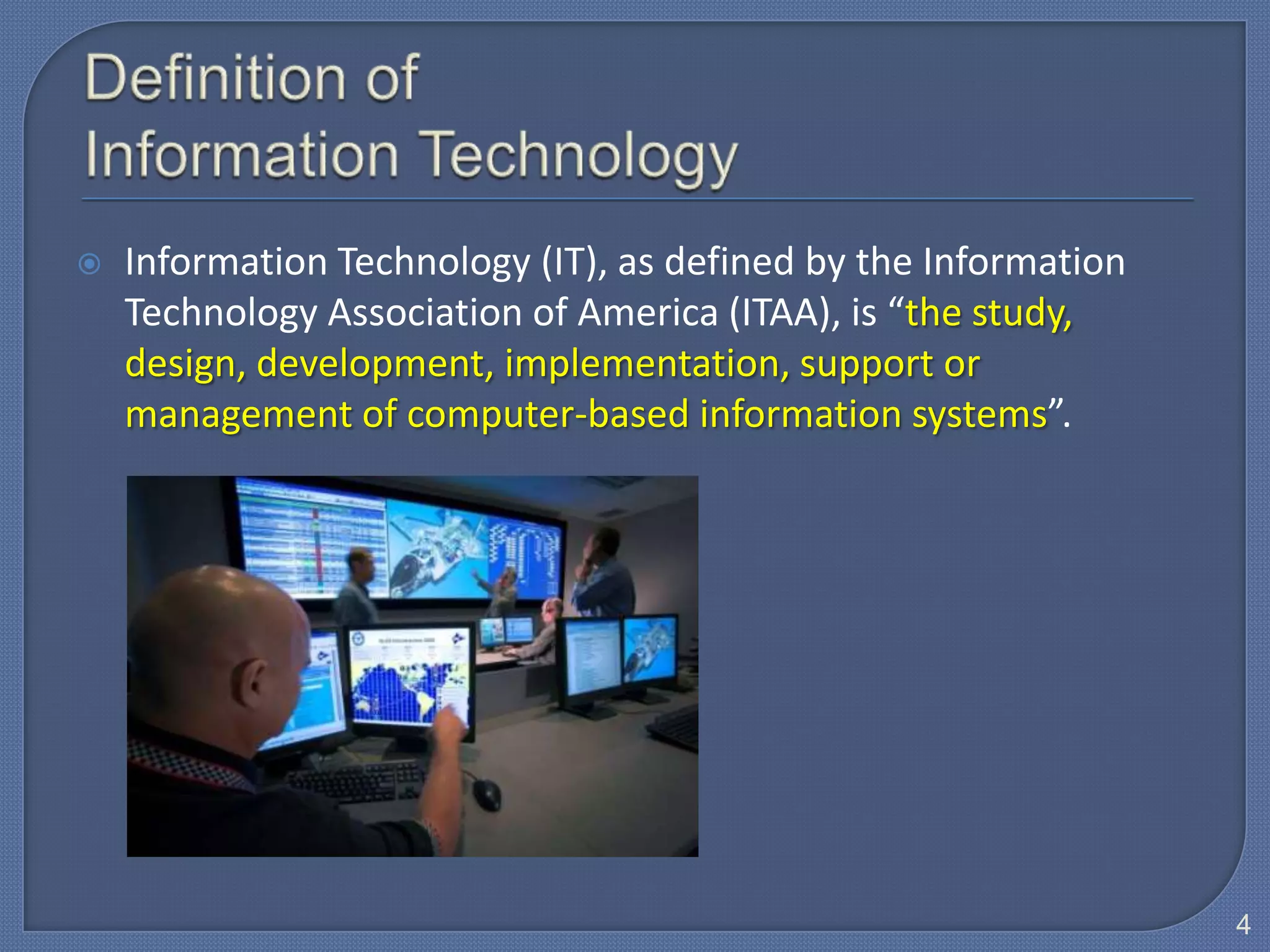
   Information Technology (IT), as defined by the Information
    Technology Association of America (ITAA), is “the study,
    design, development, implementation, support or
    management of computer-based information systems”.


                                                                 4
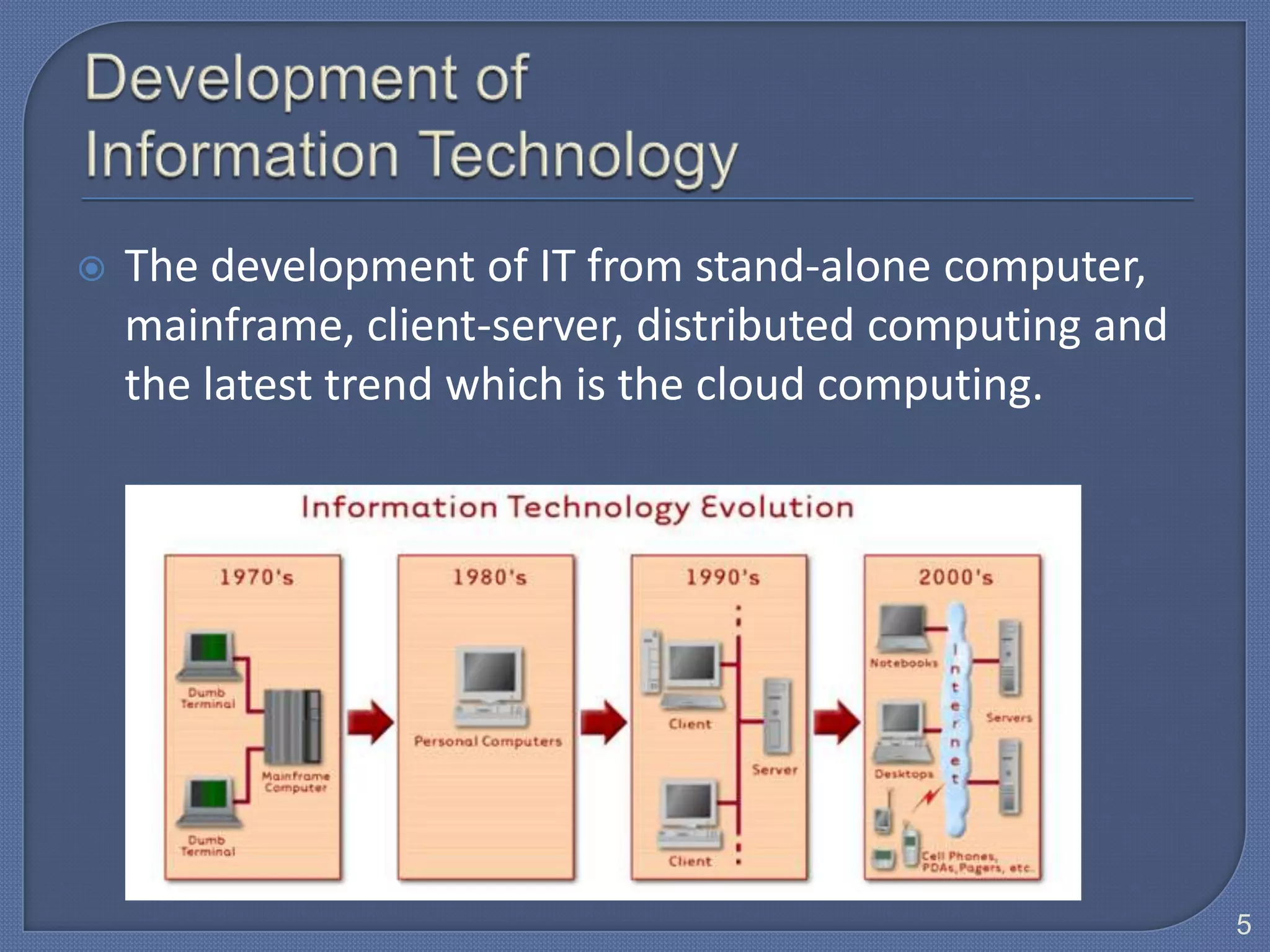
   The development of IT from stand-alone computer,
    mainframe, client-server, distributed computing and
    the latest trend which is the cloud computing.


                                                          5
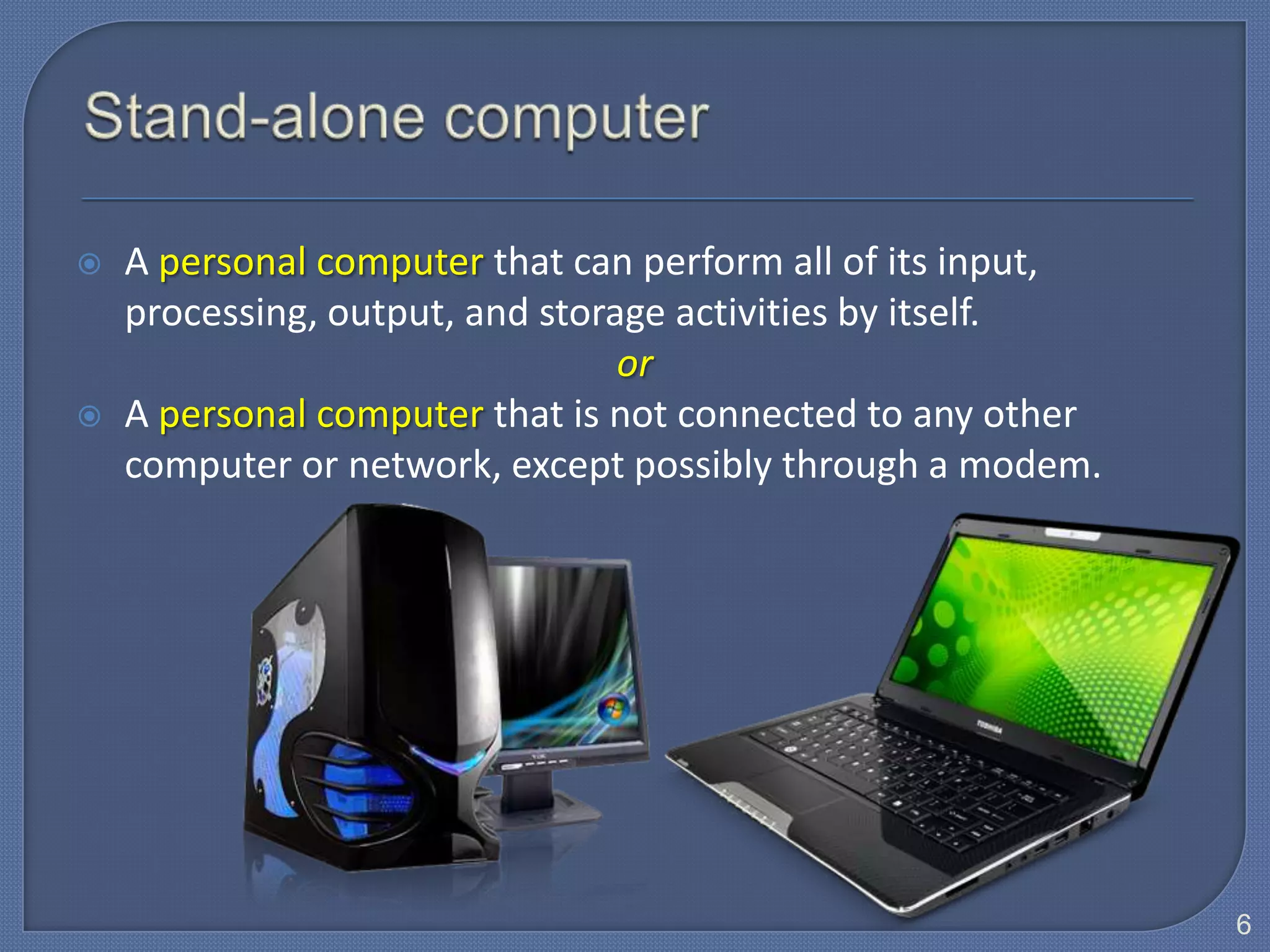
   A personal computer that can perform all of its input,
    processing, output, and storage activities by itself.
                                 or
   A personal computer that is not connected to any other
    computer or network, except possibly through a modem.


                                                             6
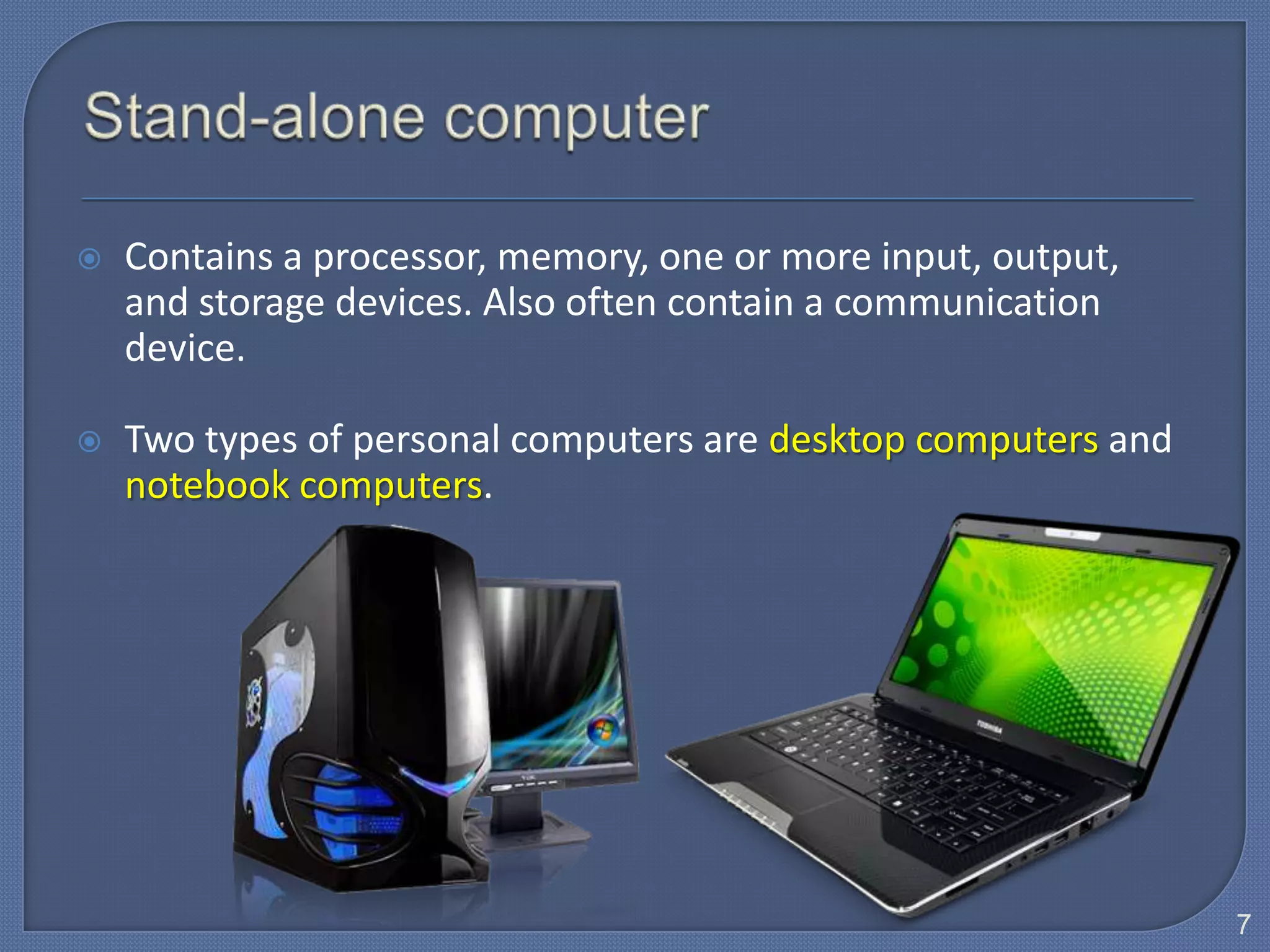
   Contains a processor, memory, one or more input, output,
    and storage devices. Also often contain a communication
    device.

   Two types of personal computers are desktop computers and
    notebook computers.


                                                                7
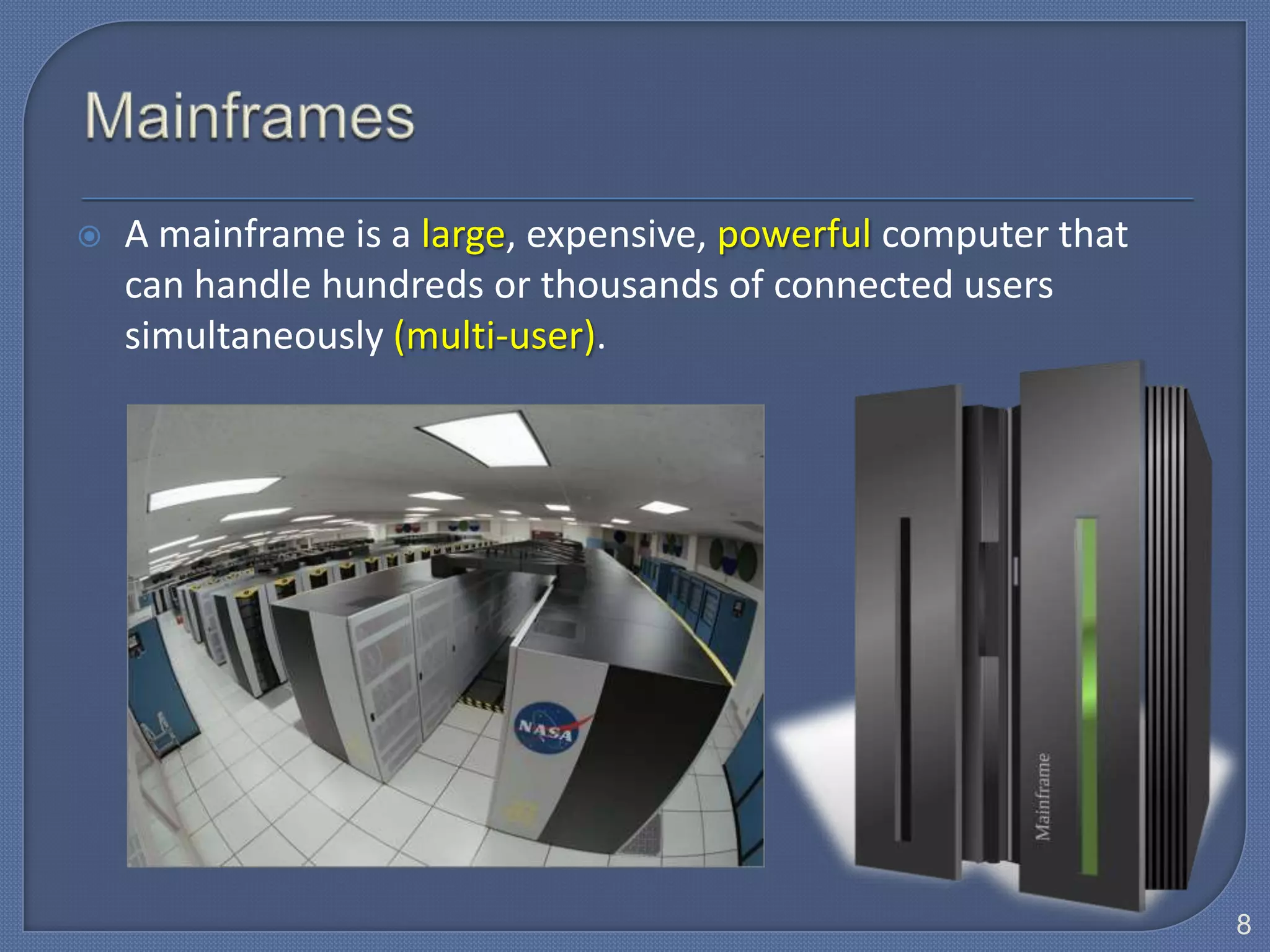
   A mainframe is a large, expensive, powerful computer that
    can handle hundreds or thousands of connected users
    simultaneously (multi-user).


                                                                8
Mainframe computers are typically:

   Powerful:
    • They can process vast amounts of data, very quickly, or in other
      words
    • They are capable of great processing speed & data storage.
    • Example: Insurance company uses mainframes to process
      information about millions of policyholders.

   Large:
    • Able to store tremendous amounts of data, instructions &
       information.
    • Physically, they are often kept in special, air-conditioned rooms;
       used by large businesses, government offices, or universities.
                                                                           9
Mainframe computers are typically:

   Multi-user:
    • They allow several users (sometimes hundreds) to use the
      computer at the same time, connected via remote
      terminals (screens and keyboards), therefore a high-
      performance computer used for large-scale computing
      purposes.


                                                                 10
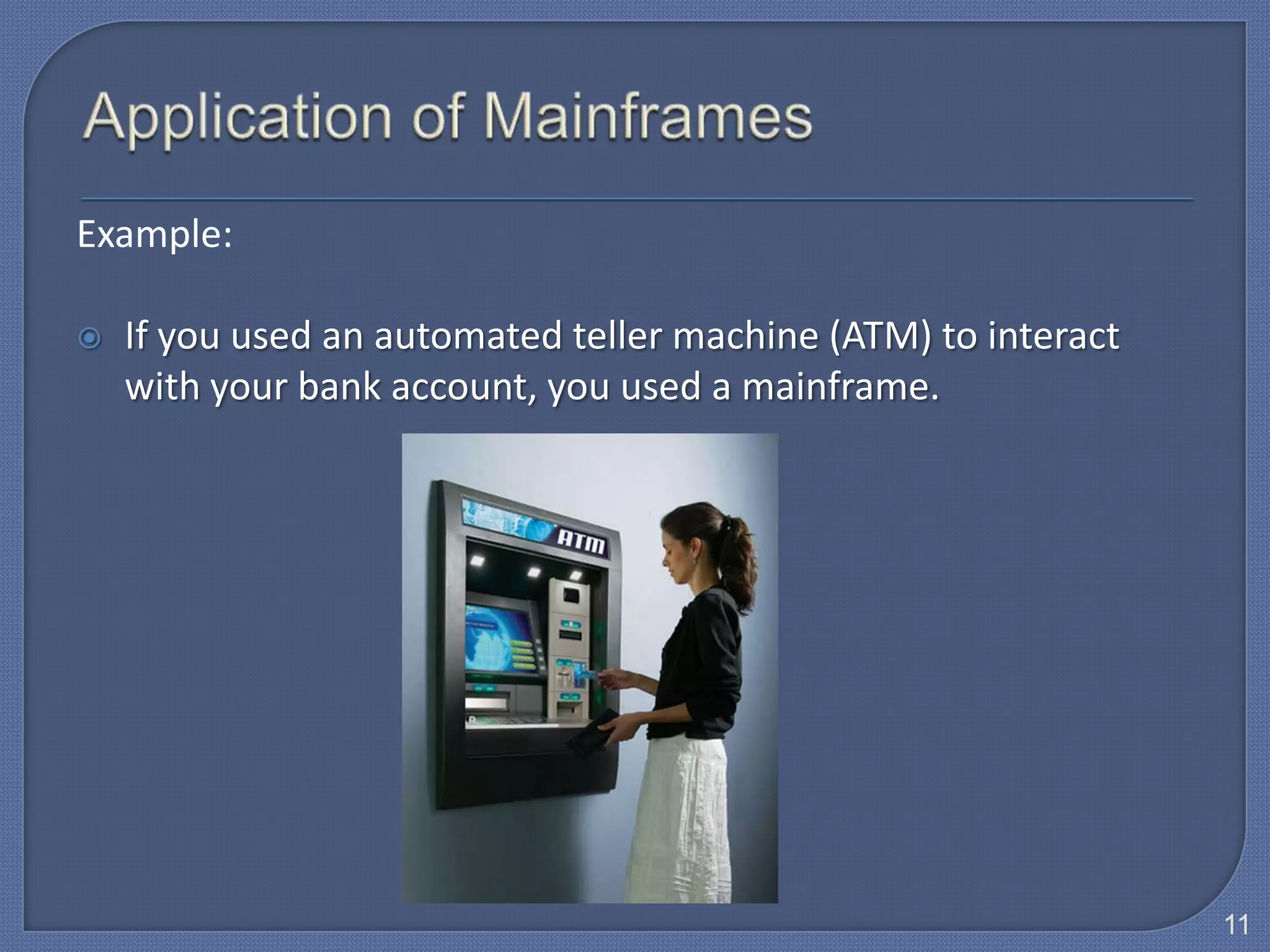
Example:

   If you used an automated teller machine (ATM) to interact
    with your bank account, you used a mainframe.


                                                                11
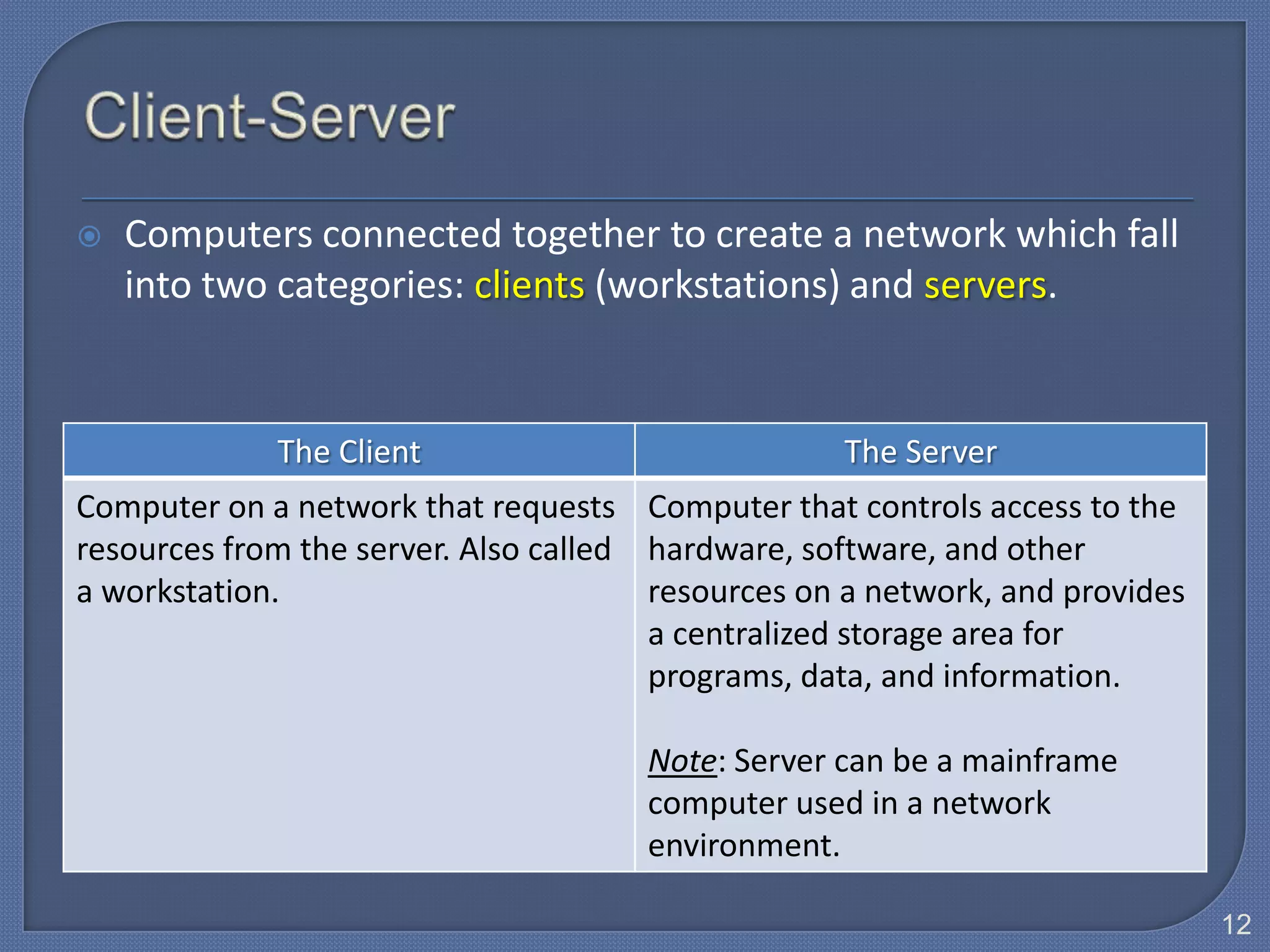
   Computers connected together to create a network which fall
    into two categories: clients (workstations) and servers.


             The Client                            The Server
Computer on a network that requests Computer that controls access to the
resources from the server. Also called hardware, software, and other
a workstation.                         resources on a network, and provides
                                       a centralized storage area for
                                       programs, data, and information.

                                      Note: Server can be a mainframe
                                      computer used in a network
                                      environment.

                                                                              12
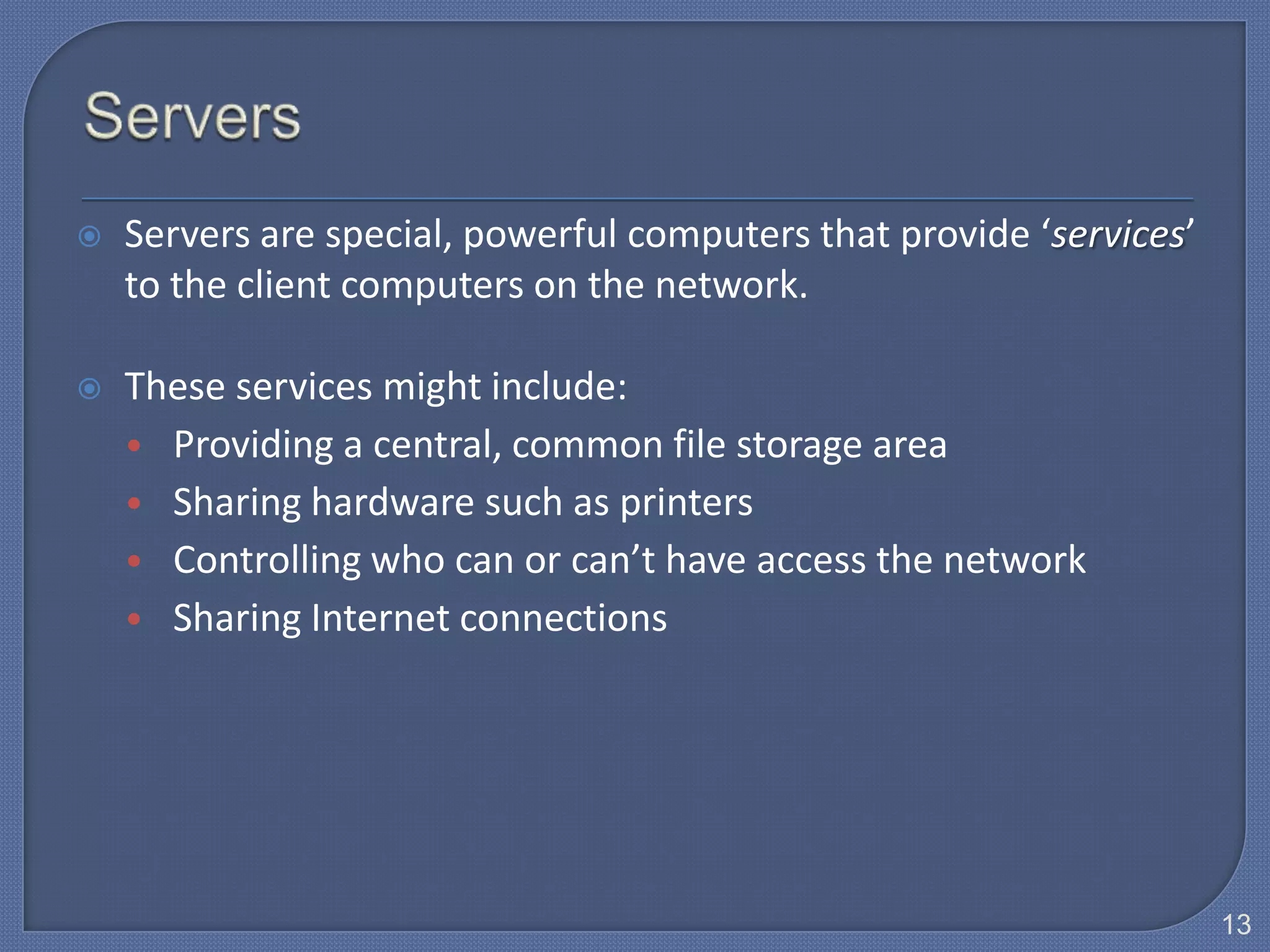
   Servers are special, powerful computers that provide ‘services’
    to the client computers on the network.

   These services might include:
    • Providing a central, common file storage area
    • Sharing hardware such as printers
    • Controlling who can or can’t have access the network
    • Sharing Internet connections


                                                                      13
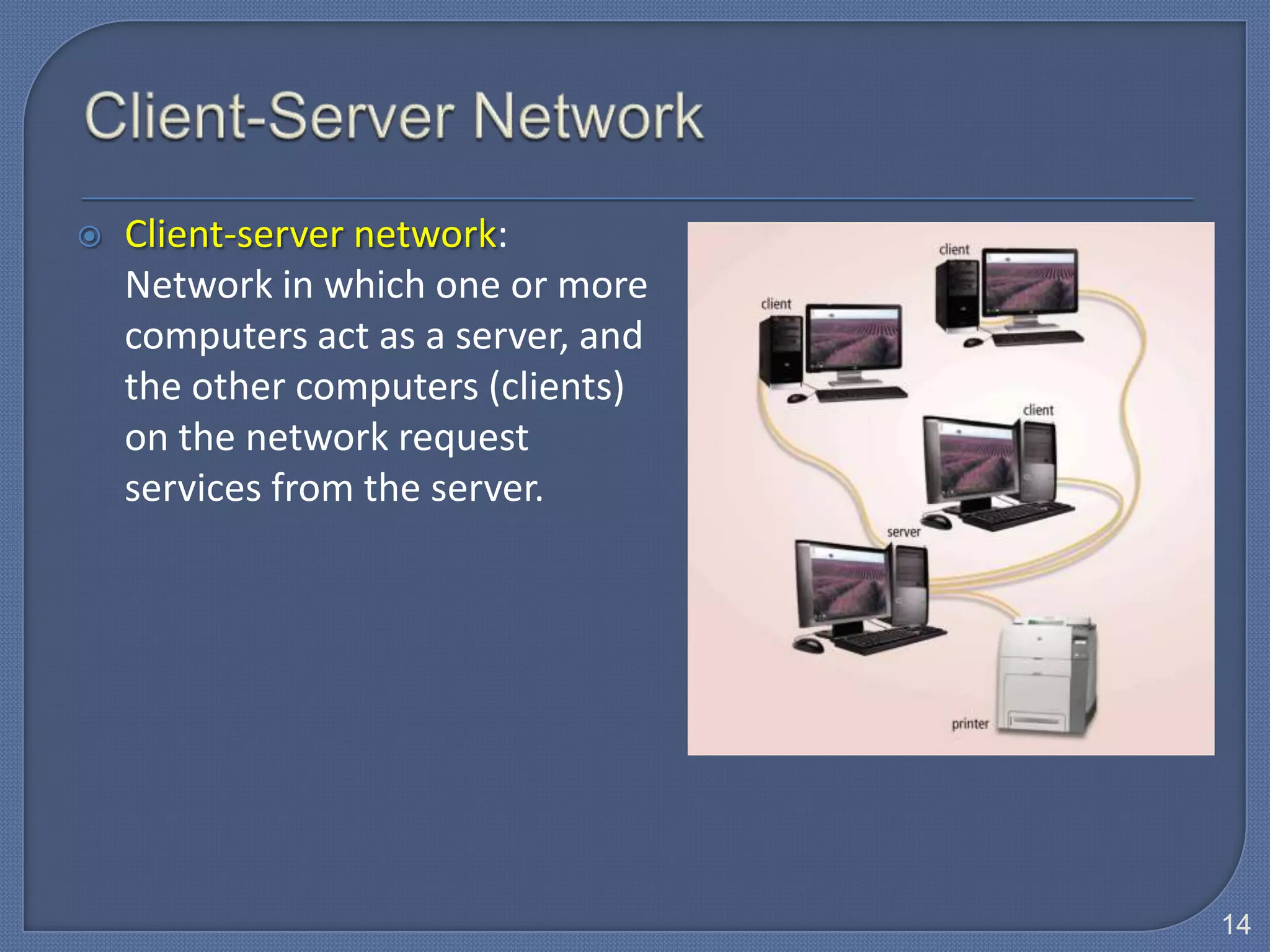
   Client-server network:
    Network in which one or more
    computers act as a server, and
    the other computers (clients)
    on the network request
    services from the server.


                                     14
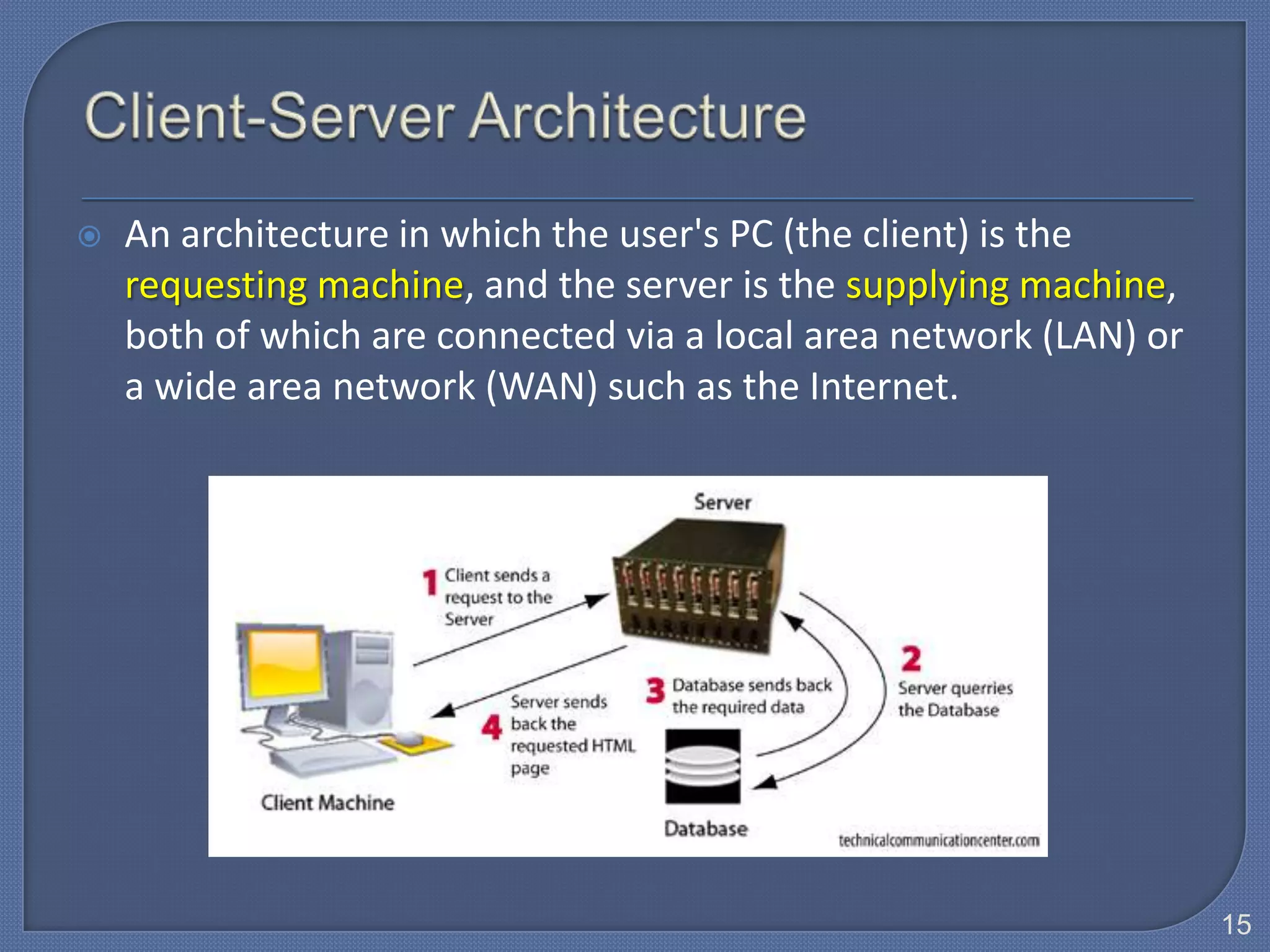
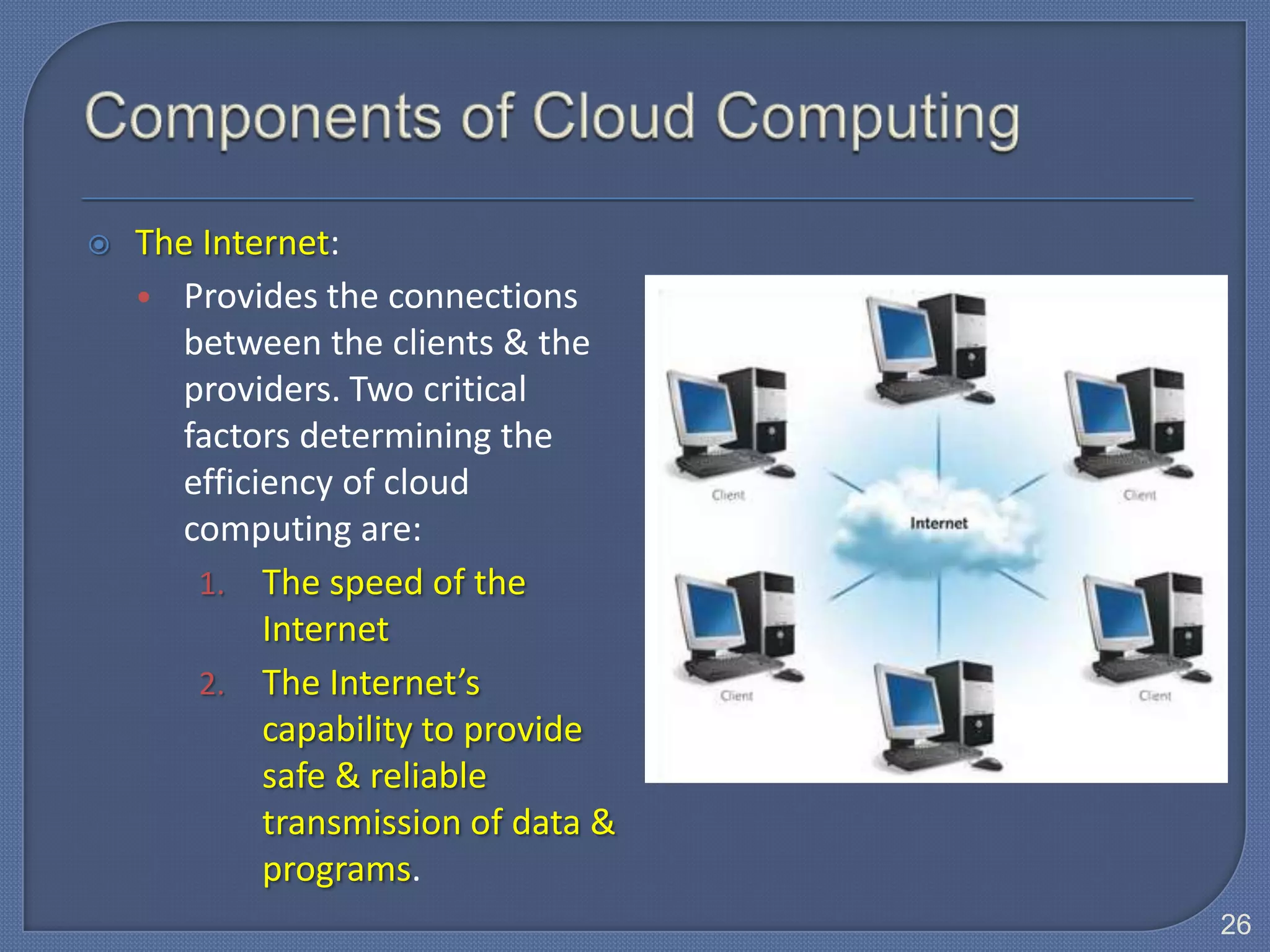
   An architecture in which the user's PC (the client) is the
    requesting machine, and the server is the supplying machine,
    both of which are connected via a local area network (LAN) or
    a wide area network (WAN) such as the Internet.


                                                                    15
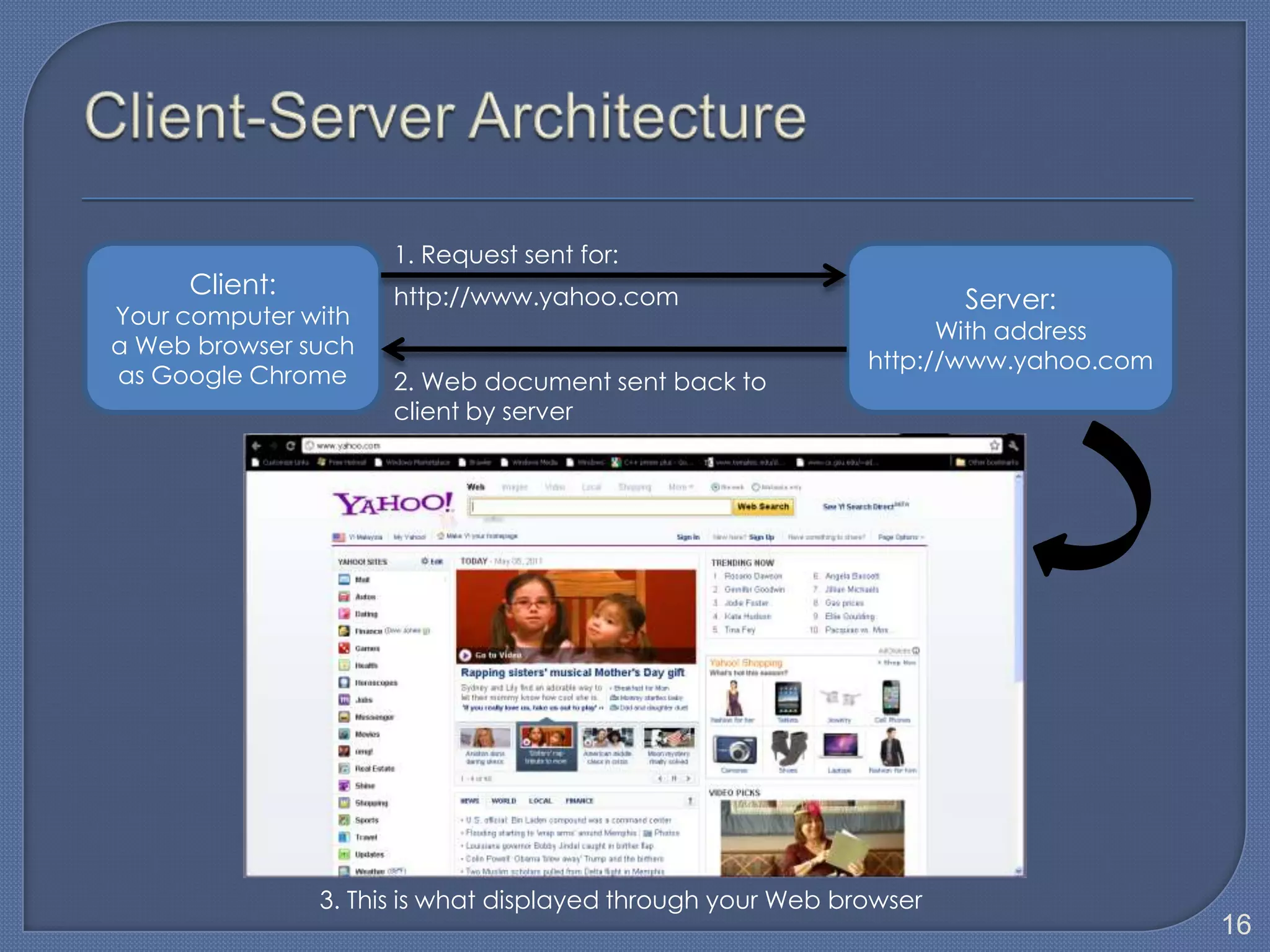
1. Request sent for:
     Client:         http://www.yahoo.com                           Server:
Your computer with
                                                                  With address
a Web browser such
                                                            http://www.yahoo.com
as Google Chrome     2. Web document sent back to
                     client by server


               3. This is what displayed through your Web browser
                                                                                   16
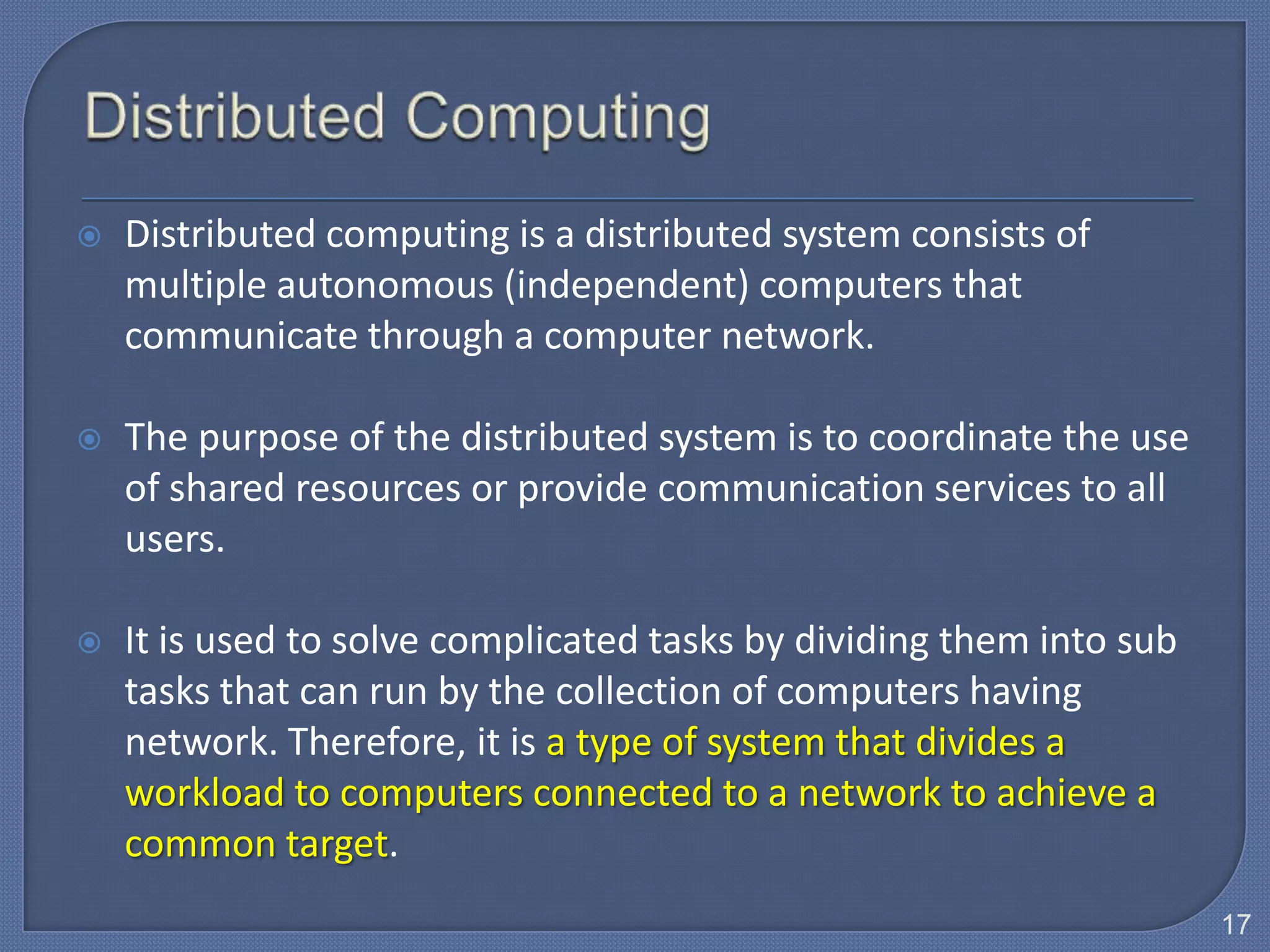
   Distributed computing is a distributed system consists of
    multiple autonomous (independent) computers that
    communicate through a computer network.

   The purpose of the distributed system is to coordinate the use
    of shared resources or provide communication services to all
    users.

   It is used to solve complicated tasks by dividing them into sub
    tasks that can run by the collection of computers having
    network. Therefore, it is a type of system that divides a
    workload to computers connected to a network to achieve a
    common target.
                                                                      17
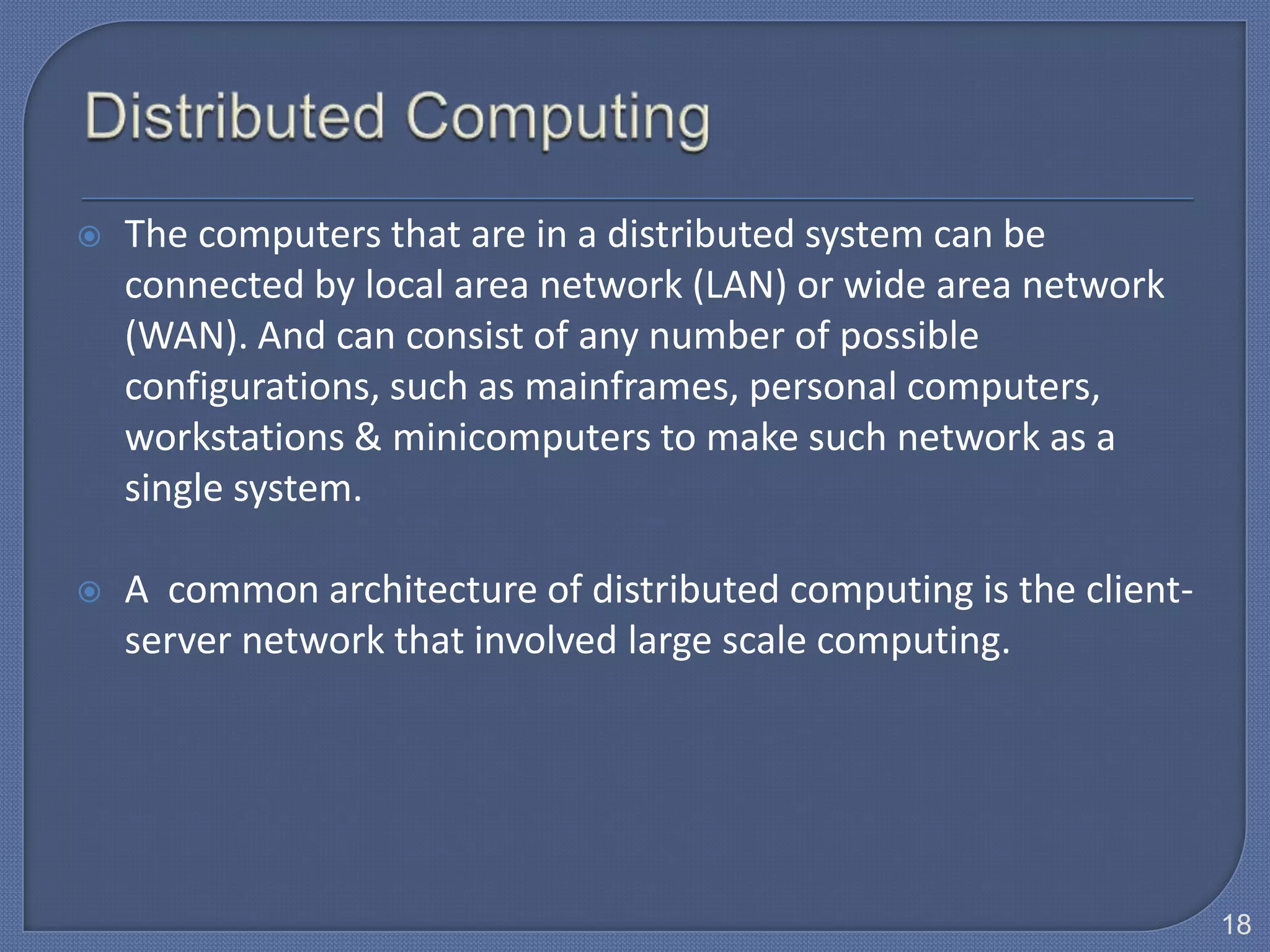
   The computers that are in a distributed system can be
    connected by local area network (LAN) or wide area network
    (WAN). And can consist of any number of possible
    configurations, such as mainframes, personal computers,
    workstations & minicomputers to make such network as a
    single system.

   A common architecture of distributed computing is the client-
    server network that involved large scale computing.


                                                                    18
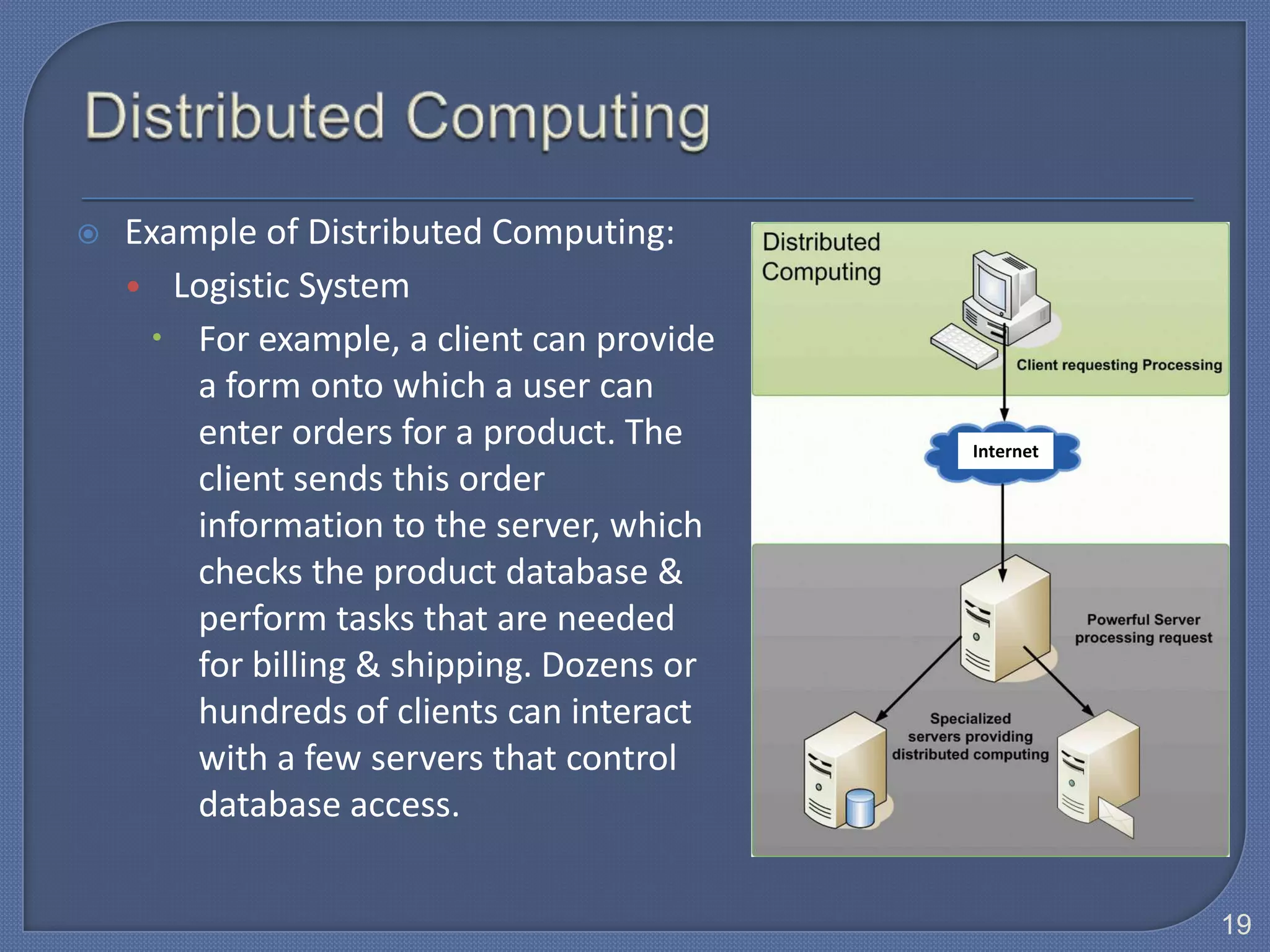
   Example of Distributed Computing:
    • Logistic System
      For example, a client can provide
        a form onto which a user can
        enter orders for a product. The     Internet
        client sends this order
        information to the server, which
        checks the product database &
        perform tasks that are needed
        for billing & shipping. Dozens or
        hundreds of clients can interact
        with a few servers that control
        database access.


                                                       19
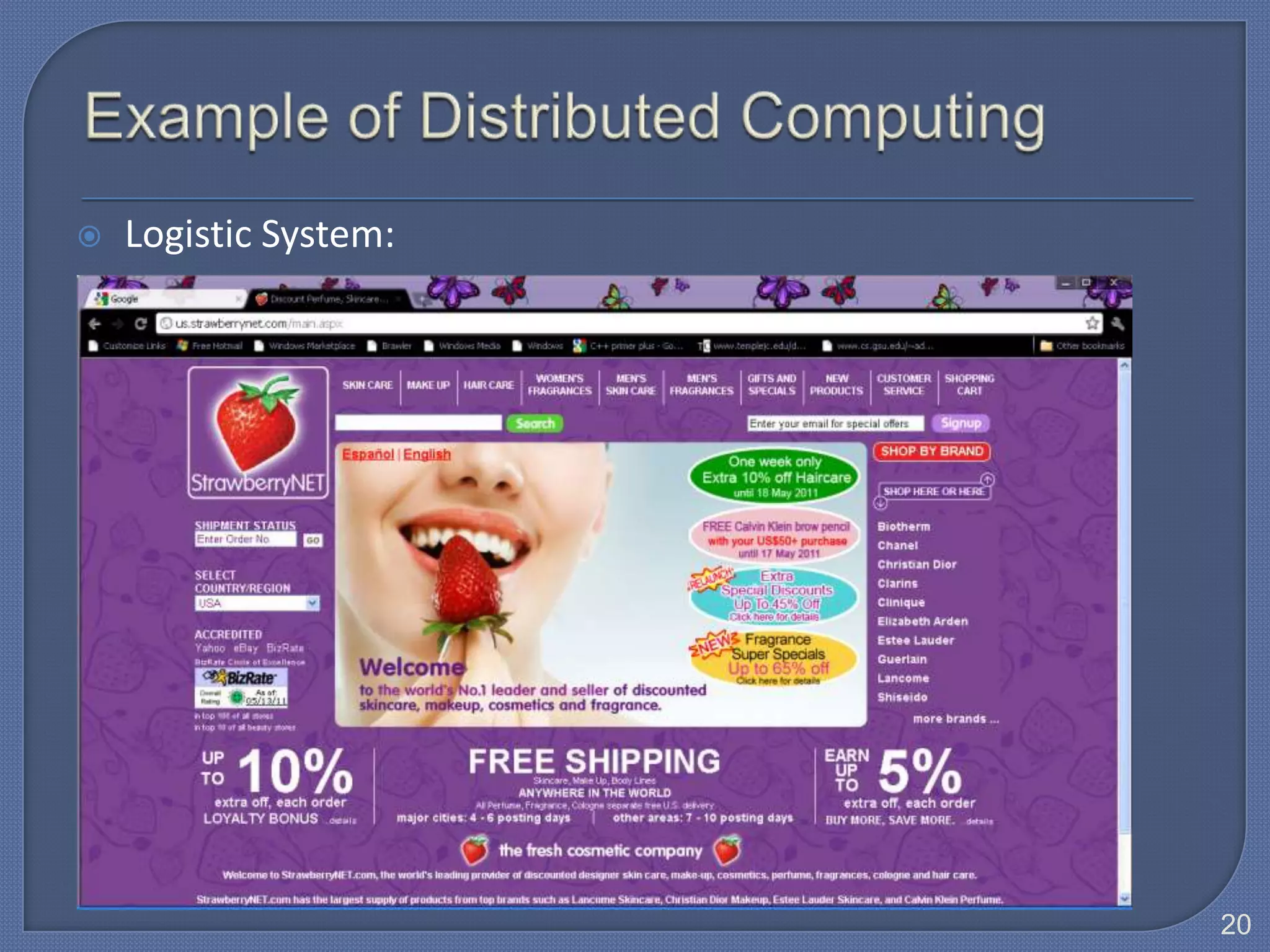
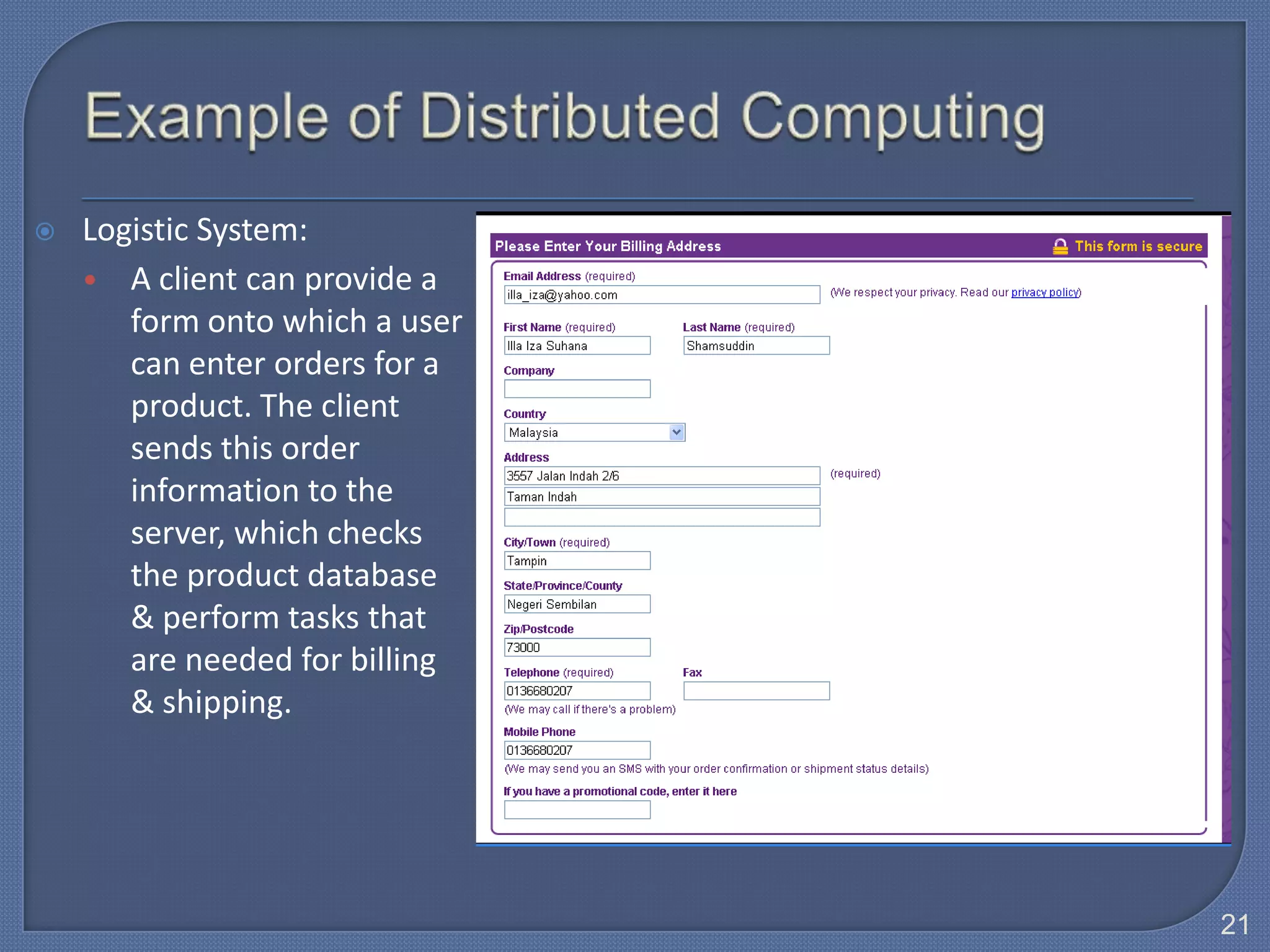
   Logistic System:


                       20
   Logistic System:
    • A client can provide a
       form onto which a user
       can enter orders for a
       product. The client
       sends this order
       information to the
       server, which checks
       the product database
       & perform tasks that
       are needed for billing
       & shipping.


                                21
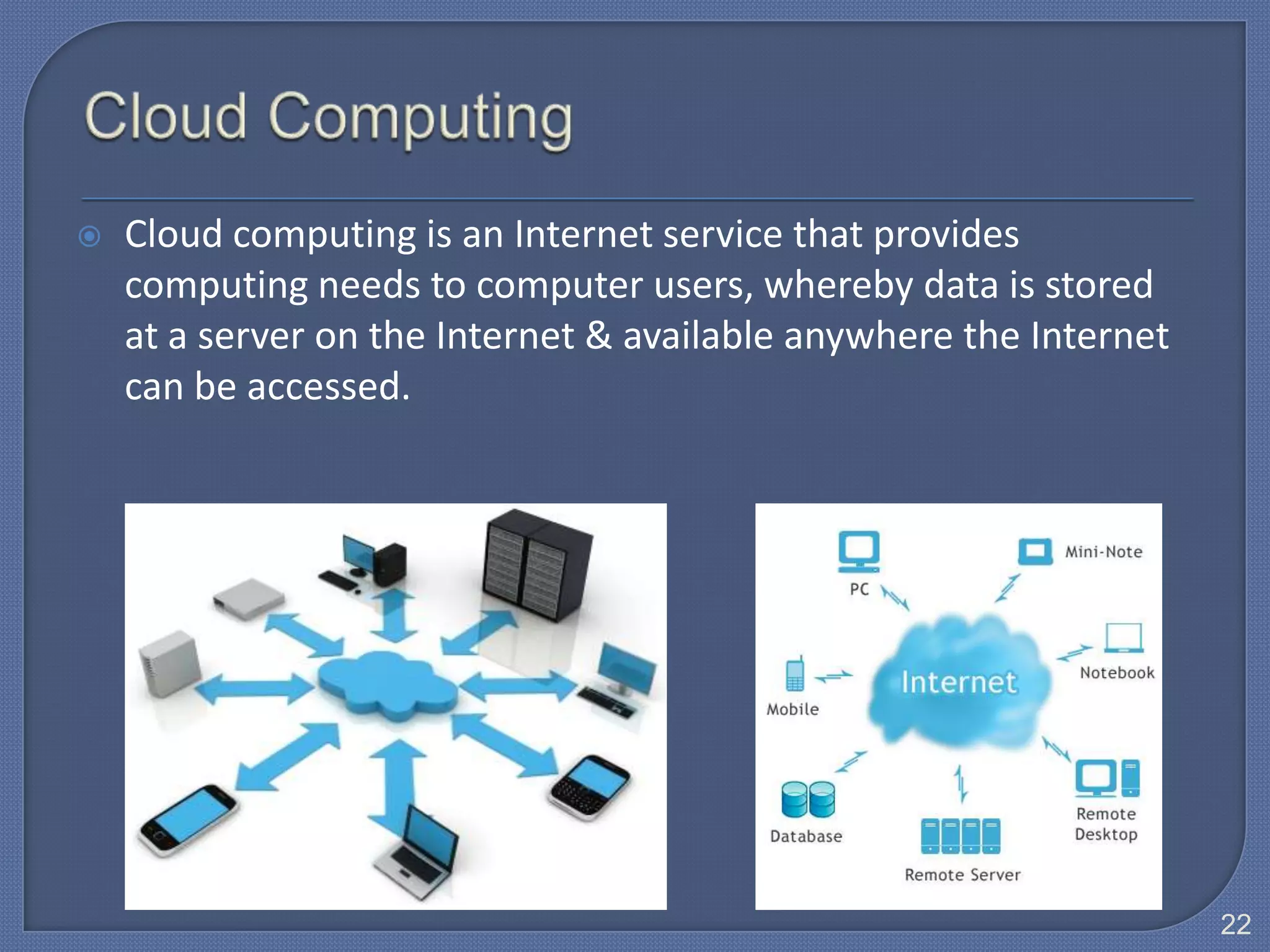
   Cloud computing is an Internet service that provides
    computing needs to computer users, whereby data is stored
    at a server on the Internet & available anywhere the Internet
    can be accessed.


                                                                    22
 Cloud computing is Internet-based computing whereby shared
  resources, software & information are provided to computers
  & other devices on-demand (i.e. mobile devices).
 Types of mobile devices:
  • Smart phone
  • PDA                       Mobile communication device
  • Handheld computer
  • Portable media player
  • Digital camera


                                                                23
   Acts as a new model for computing that frees users from owning,
    maintaining & storing software & data.

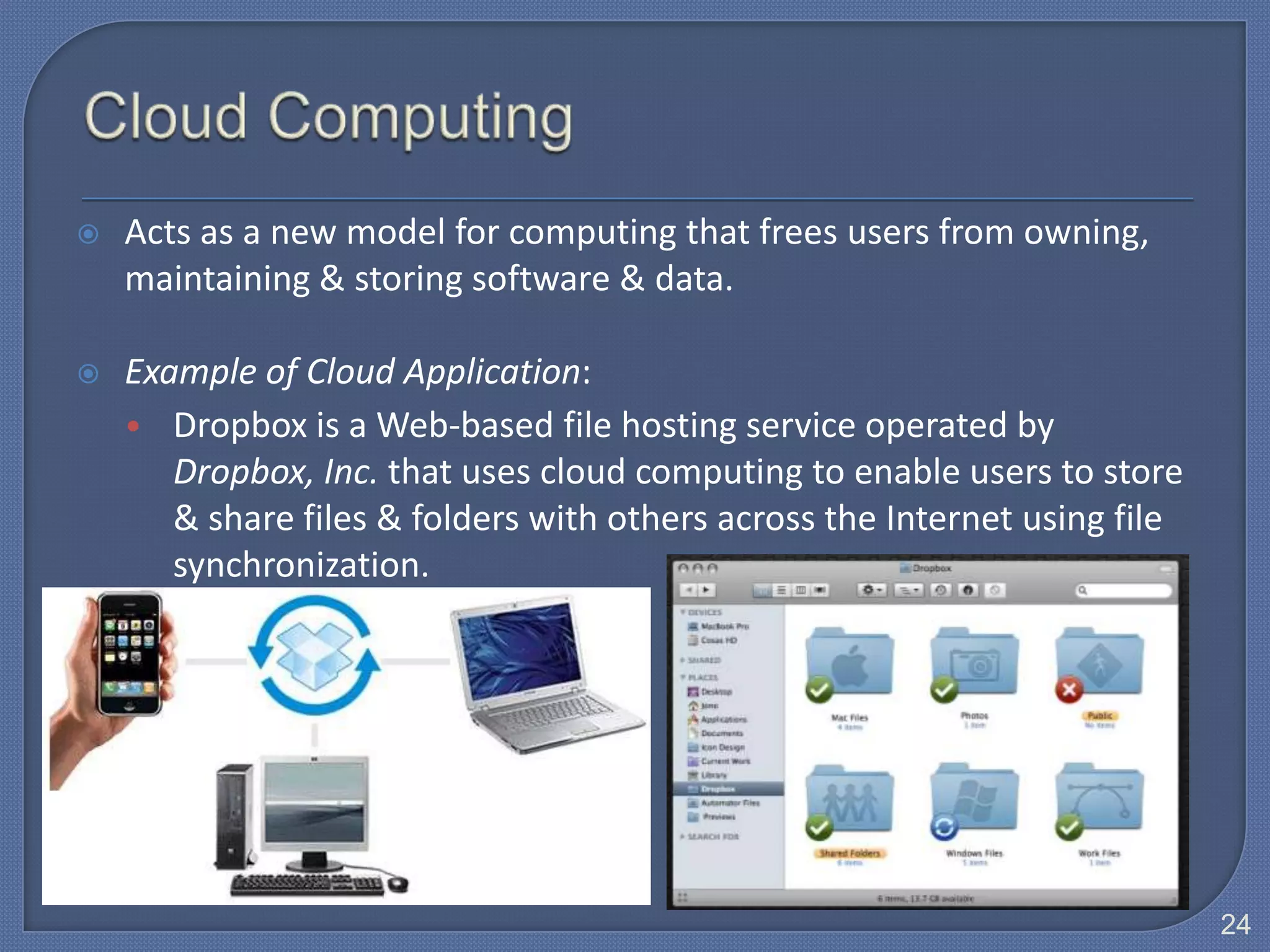
   Example of Cloud Application:
    • Dropbox is a Web-based file hosting service operated by
       Dropbox, Inc. that uses cloud computing to enable users to store
       & share files & folders with others across the Internet using file
       synchronization.


                                                                            24
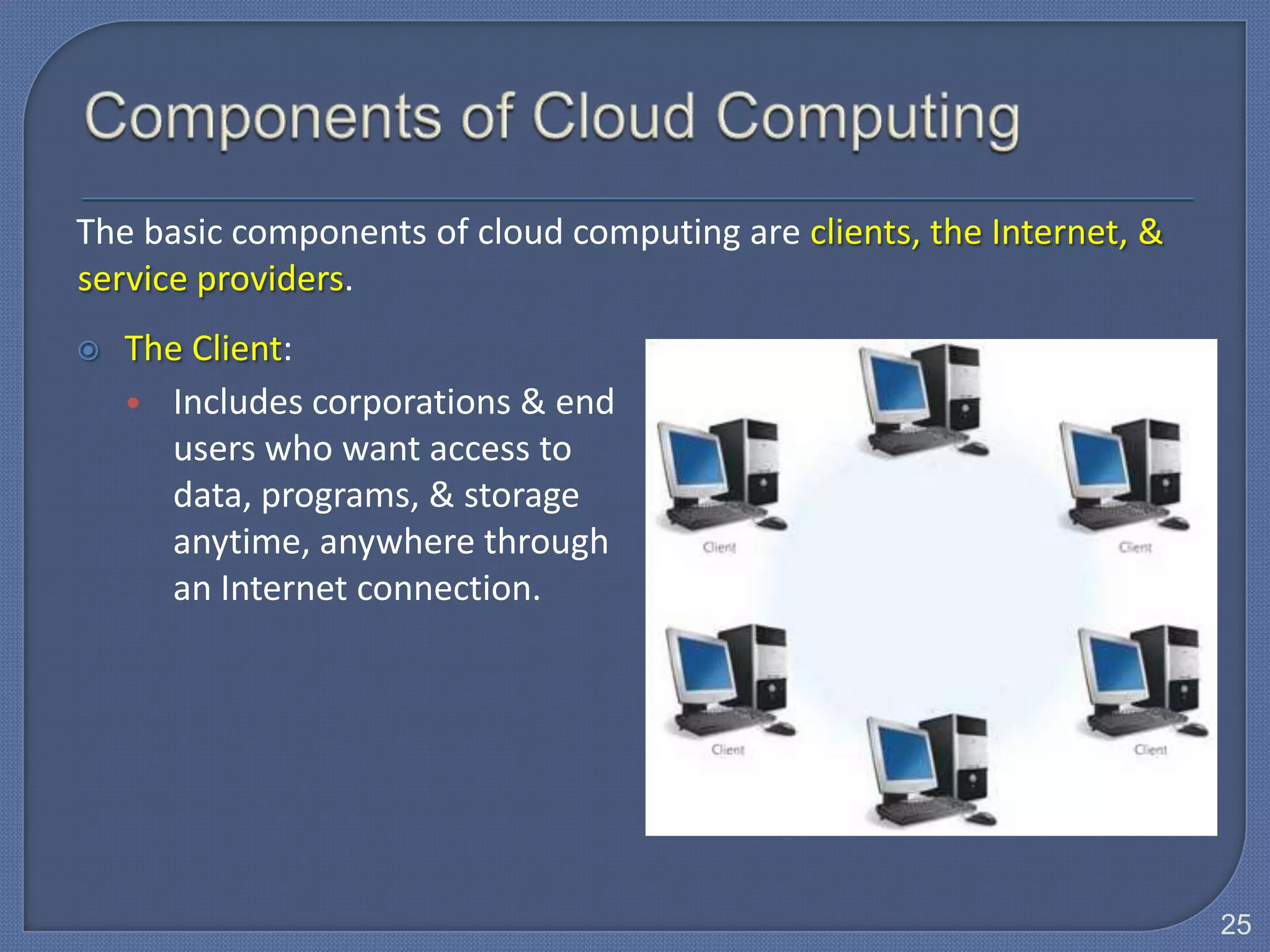
The basic components of cloud computing are clients, the Internet, &
service providers.
   The Client:
    • Includes corporations & end
      users who want access to
      data, programs, & storage
      anytime, anywhere through
      an Internet connection.


                                                                       25
   The Internet:
    • Provides the connections
      between the clients & the
      providers. Two critical
      factors determining the
      efficiency of cloud
      computing are:
        1. The speed of the
            Internet
        2. The Internet’s
            capability to provide
            safe & reliable
            transmission of data &
            programs.
                                     26
   Service providers:
    • Organizations that are connected
       to the Internet willing to provide
       access to software, data, &
       storage for a fee or perhaps even
       for free.

    • An example is Google Apps,
       which provides free access to
       programs with capabilities
       similar to Microsoft’s Word,
       Excel & PowerPoint.


                                            27
   Service providers:
    • Top companies such as IBM, Intel, Google, Yahoo are pursuing &
       beginning to offer cloud computing.

    • Using cloud computing, a computer with less storage, memory, or
      processing can run the same applications as a more powerful
      computer.


                                                                        28
Definition of Information Technology
Information Technology (IT) is defined as the use of computer
  hardware and software to store, retrieve, and manipulate
                       information.


                                                                29
    This table summarizes some of the differences among the categories of computers. This is a general
     guideline because of rapid changes in technology.
Categories of Computers
Category                   Physical Size       Users                General Characteristics
Stand-alone computer       Fits on a desk      Usually one (can     Able to perform all of its input,
                                               be more if           processing, output, and storage
                                               networked)           activities by itself.

Mainframes                 Partial room to a   Hundreds to          A large, expensive, powerful
                           full room of        thousands            computer that can handle hundreds
                           equipment                                or thousands of connected users
                                                                    simultaneously (multi-user).
Clients /                  Fits on a desk      One to hundreds      Computer on a network that requests
                                                                    resources from the server. Also called
                                                                    a workstation.
Servers                    Small cabinet       Two to               Computer that controls access to the
                                               thousands            hardware, software, and other
                                                                    resources on a network, and provides
                                                                    a centralized storage area for
                                                                    programs, data, and information.
                                                                                                             30
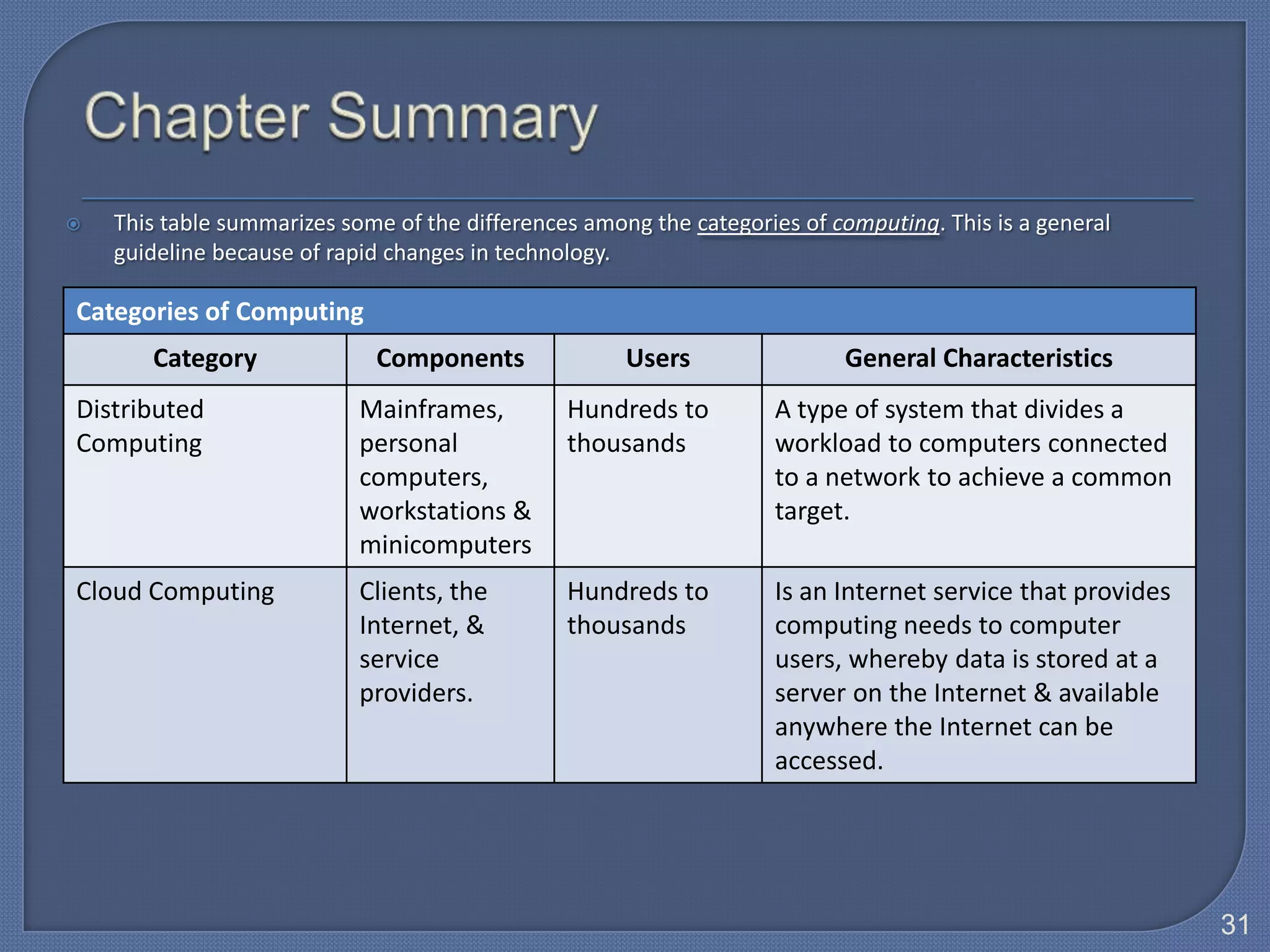
   This table summarizes some of the differences among the categories of computing. This is a general
    guideline because of rapid changes in technology.

Categories of Computing
       Category              Components               Users                General Characteristics
Distributed                 Mainframes,         Hundreds to         A type of system that divides a
Computing                   personal            thousands           workload to computers connected
                            computers,                              to a network to achieve a common
                            workstations &                          target.
                            minicomputers
Cloud Computing             Clients, the        Hundreds to         Is an Internet service that provides
                            Internet, &         thousands           computing needs to computer
                            service                                 users, whereby data is stored at a
                            providers.                              server on the Internet & available
                                                                    anywhere the Internet can be
                                                                    accessed.


                                                                                                           31
   Define Information Technology (IT).

   Describe:
    • Stand-alone computer
    • Mainframes
    • Client-Server
    • Distributed Computing
    • Cloud Computing


                                          32
Discussion

1. List three(3) types of mobile communication devices

2. List all stages of Information Technology development.

3. Briefly describe cloud computing.

4. Give one (1) benefit of cloud computing.

5. Give one (1) benefit of cloud computing to small and
   medium business organization.


                                                            33

Topic 1.1 development of it

  • 1.
    DC015 Session 2012/2013 Topic 1 1.1 Development of Information Technology DC015 Present by : Amrizah Ahmad Basra Unit Teknologi Maklumat, Jabatan Matematik, KMNS amrizah@kmns.matrik.edu.my 1
  • 2.
    Define Information Technology.  Briefly describe the development of Information Technology. 2
  • 3.
    Information Technology (IT) is defined as the use of computer hardware and software to store, retrieve, and manipulate information.  http://www.mariosalexandrou.com/definition.asp  http://ccs.mit.edu/21c/iokey.html computer hardware store, retrieve & information and software manipulate 3
  • 4.
    Information Technology (IT), as defined by the Information Technology Association of America (ITAA), is “the study, design, development, implementation, support or management of computer-based information systems”. 4
  • 5.
    The development of IT from stand-alone computer, mainframe, client-server, distributed computing and the latest trend which is the cloud computing. 5
  • 6.
    A personal computer that can perform all of its input, processing, output, and storage activities by itself. or  A personal computer that is not connected to any other computer or network, except possibly through a modem. 6
  • 7.
    Contains a processor, memory, one or more input, output, and storage devices. Also often contain a communication device.  Two types of personal computers are desktop computers and notebook computers. 7
  • 8.
    A mainframe is a large, expensive, powerful computer that can handle hundreds or thousands of connected users simultaneously (multi-user). 8
  • 9.
    Mainframe computers aretypically:  Powerful: • They can process vast amounts of data, very quickly, or in other words • They are capable of great processing speed & data storage. • Example: Insurance company uses mainframes to process information about millions of policyholders.  Large: • Able to store tremendous amounts of data, instructions & information. • Physically, they are often kept in special, air-conditioned rooms; used by large businesses, government offices, or universities. 9
  • 10.
    Mainframe computers aretypically:  Multi-user: • They allow several users (sometimes hundreds) to use the computer at the same time, connected via remote terminals (screens and keyboards), therefore a high- performance computer used for large-scale computing purposes. 10
  • 11.
    Example:  If you used an automated teller machine (ATM) to interact with your bank account, you used a mainframe. 11
  • 12.
    Computers connected together to create a network which fall into two categories: clients (workstations) and servers. The Client The Server Computer on a network that requests Computer that controls access to the resources from the server. Also called hardware, software, and other a workstation. resources on a network, and provides a centralized storage area for programs, data, and information. Note: Server can be a mainframe computer used in a network environment. 12
  • 13.
    Servers are special, powerful computers that provide ‘services’ to the client computers on the network.  These services might include: • Providing a central, common file storage area • Sharing hardware such as printers • Controlling who can or can’t have access the network • Sharing Internet connections 13
  • 14.
    Client-server network: Network in which one or more computers act as a server, and the other computers (clients) on the network request services from the server. 14
  • 15.
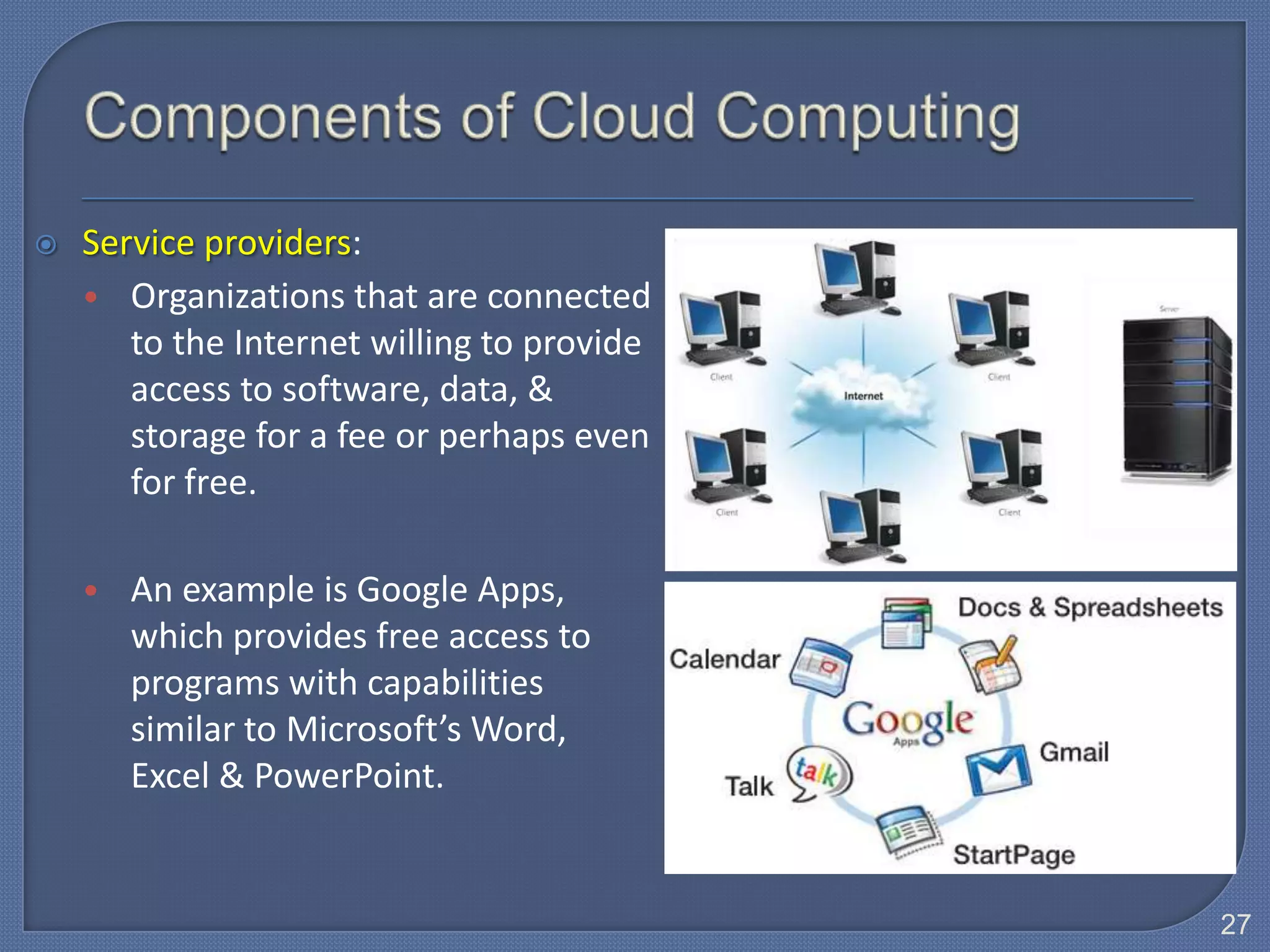
    An architecture in which the user's PC (the client) is the requesting machine, and the server is the supplying machine, both of which are connected via a local area network (LAN) or a wide area network (WAN) such as the Internet. 15
  • 16.
    1. Request sentfor: Client: http://www.yahoo.com Server: Your computer with With address a Web browser such http://www.yahoo.com as Google Chrome 2. Web document sent back to client by server 3. This is what displayed through your Web browser 16
  • 17.
    Distributed computing is a distributed system consists of multiple autonomous (independent) computers that communicate through a computer network.  The purpose of the distributed system is to coordinate the use of shared resources or provide communication services to all users.  It is used to solve complicated tasks by dividing them into sub tasks that can run by the collection of computers having network. Therefore, it is a type of system that divides a workload to computers connected to a network to achieve a common target. 17
  • 18.
    The computers that are in a distributed system can be connected by local area network (LAN) or wide area network (WAN). And can consist of any number of possible configurations, such as mainframes, personal computers, workstations & minicomputers to make such network as a single system.  A common architecture of distributed computing is the client- server network that involved large scale computing. 18
  • 19.
    Example of Distributed Computing: • Logistic System  For example, a client can provide a form onto which a user can enter orders for a product. The Internet client sends this order information to the server, which checks the product database & perform tasks that are needed for billing & shipping. Dozens or hundreds of clients can interact with a few servers that control database access. 19
  • 20.
    Logistic System: 20
  • 21.
    Logistic System: • A client can provide a form onto which a user can enter orders for a product. The client sends this order information to the server, which checks the product database & perform tasks that are needed for billing & shipping. 21
  • 22.
    Cloud computing is an Internet service that provides computing needs to computer users, whereby data is stored at a server on the Internet & available anywhere the Internet can be accessed. 22
  • 23.
     Cloud computingis Internet-based computing whereby shared resources, software & information are provided to computers & other devices on-demand (i.e. mobile devices).  Types of mobile devices: • Smart phone • PDA Mobile communication device • Handheld computer • Portable media player • Digital camera 23
  • 24.
    Acts as a new model for computing that frees users from owning, maintaining & storing software & data.  Example of Cloud Application: • Dropbox is a Web-based file hosting service operated by Dropbox, Inc. that uses cloud computing to enable users to store & share files & folders with others across the Internet using file synchronization. 24
  • 25.
    The basic componentsof cloud computing are clients, the Internet, & service providers.  The Client: • Includes corporations & end users who want access to data, programs, & storage anytime, anywhere through an Internet connection. 25
  • 26.
    The Internet: • Provides the connections between the clients & the providers. Two critical factors determining the efficiency of cloud computing are: 1. The speed of the Internet 2. The Internet’s capability to provide safe & reliable transmission of data & programs. 26
  • 27.
    Service providers: • Organizations that are connected to the Internet willing to provide access to software, data, & storage for a fee or perhaps even for free. • An example is Google Apps, which provides free access to programs with capabilities similar to Microsoft’s Word, Excel & PowerPoint. 27
  • 28.
    Service providers: • Top companies such as IBM, Intel, Google, Yahoo are pursuing & beginning to offer cloud computing. • Using cloud computing, a computer with less storage, memory, or processing can run the same applications as a more powerful computer. 28
  • 29.
    Definition of InformationTechnology Information Technology (IT) is defined as the use of computer hardware and software to store, retrieve, and manipulate information. 29
  • 30.
    This table summarizes some of the differences among the categories of computers. This is a general guideline because of rapid changes in technology. Categories of Computers Category Physical Size Users General Characteristics Stand-alone computer Fits on a desk Usually one (can Able to perform all of its input, be more if processing, output, and storage networked) activities by itself. Mainframes Partial room to a Hundreds to A large, expensive, powerful full room of thousands computer that can handle hundreds equipment or thousands of connected users simultaneously (multi-user). Clients / Fits on a desk One to hundreds Computer on a network that requests resources from the server. Also called a workstation. Servers Small cabinet Two to Computer that controls access to the thousands hardware, software, and other resources on a network, and provides a centralized storage area for programs, data, and information. 30
  • 31.
    This table summarizes some of the differences among the categories of computing. This is a general guideline because of rapid changes in technology. Categories of Computing Category Components Users General Characteristics Distributed Mainframes, Hundreds to A type of system that divides a Computing personal thousands workload to computers connected computers, to a network to achieve a common workstations & target. minicomputers Cloud Computing Clients, the Hundreds to Is an Internet service that provides Internet, & thousands computing needs to computer service users, whereby data is stored at a providers. server on the Internet & available anywhere the Internet can be accessed. 31
  • 32.
    Define Information Technology (IT).  Describe: • Stand-alone computer • Mainframes • Client-Server • Distributed Computing • Cloud Computing 32
  • 33.
    Discussion 1. List three(3)types of mobile communication devices 2. List all stages of Information Technology development. 3. Briefly describe cloud computing. 4. Give one (1) benefit of cloud computing. 5. Give one (1) benefit of cloud computing to small and medium business organization. 33

Editor's Notes

  • #18 What is?Pengkomputeran/pengkomputanteragih:Merujukkepadapersekitaranrangkaianatautopologi yang melibatkanpenggunaanbeberapakomputeruntukprosesmembuatkeputusan, penyimpanan fail danfungsirangkaian lain tidakberpusat. Persekitaraninibiasanyaterdapatdalamaplikasiklien-pelayandansenibinarakan-ke-rakan. Contohnyadalamsituasiperniagaan, pengkomputanteragihmelibatkanpelaksanaanpelbagailangkahprosesperniagaandistesenkliendansebahagiannyapadapelayanuntukmempercekapprosestransaksi. (DewanBahasadanPustaka)PurposeFunction
  • #23 Cloud computing uses the Internet to shift many computer activities typically housed on the user’s computer to other computers or servers on the Internet. This new concept frees users from storing software & data on their hard drives & also provides access to these services from anywhere in the world through an Internet connection.
  • #26 The Client component includes corporations & end users who want access to data, programs, & storage anytime, anywhere through an Internet connection. There is nothing to buy, install, or maintain on a user’s computer.
  • #27 The Internet, which provides the connections between the clients & the providers. Two critical factors determining the efficiency of cloud computing are the speed of the Internet & the Internet’s capability to provide safe & reliable transmission of data & programs.
  • #28 Service providers: which are organizations that are connected to the Internet willing to provide access to software, data, & storage for a fee or perhaps even for free. An example is Google Apps, which provides free access to programs with capabilities similar to Microsoft’s Word, Excel & PowerPoint.
  • #29 Top companies such as IBM, Intel, Google, Yahoo are pursuing & beginning to offer cloud computing. Using cloud computing, a computer with less storage, memory, or processing can run the same applications as a more powerful computer.
  • #32 Computing: Takrifan -Perkakasandanperisiankomputer, penggunaan, carakerjadanhal-hal lain yang berkaitandengankemudahandankeperluanuntukpenggunamenggunakankomputer. (DewanBahasadanPustaka)