Tools
        For
Networks and Meetings


        Paul Webster (Twitter : @watfordgap)
                            20th March 2013
Topics

• Background - What do you do now?
• What do you want to be able to do?


• Ways the tools can help – internal & external networks
• Websites to try* – not to bombard … some clearly stand out
• Tips
• Discussion
• What's next?
               (*Disclaimer – Some are very new, I've not tried them all out!)
The 'problem' both physical and barriers
Travel – is it the best way .. digital methods better
Time – capacity to attend
Cost – fuel and staff


Knowledge
Confidence / Fear
Capacity / Resources


Any more?
Don't forget to plan
• Know your objectives and what you want to say
      • Run an on line partnership meeting

• Research where your audience are – do you know?
      • Survey and find out, work in spaces where your target audience are

• Plan how to use the tools – have a strategy
      • One off consultation, Regular event, How do you want to achieve itd

• Choose tool to match audience and implement
      • Look at what other organisations have done, what works elsewhere?

• Sustain the conversation and say thank you
      • Encourage people to return, keep it new, links from websites
      • Engage with people on line, be receptive, respond, react
Ways that on line tools can help
• On-line Networking
   – Planning, Collaborating
• Meetings
   – Less time, travels and costs
• Development Surgeries
   – New ways to reach clients and members
• Team Reporting and Building shared knowledge bank
   – Collaborative tools and acceptance of media
• Banish Paper!
   – Tablet computers for discussion documents & note taking
(Internal & External) On line networks work well ..
• Focus on building communities of interested people around
  issues they care about.
• Small highly engaged networks & teams (Task & Finish Groups),
  better than loose uncontrolled mass of people (NAVCAboodle?)
• Reach people in a style & media where they are – even e-mail!
• Be provocative in posts and leave open questions … but have
  time and answers to complete the conversations.
• Don't make it a chore – an ever decreasing spiral
   – to find .. log in to .. disappointing content .. drops off radar ..
• Make it a place feel at home and want to return to.
• Highly visible outcomes and noticeable changes
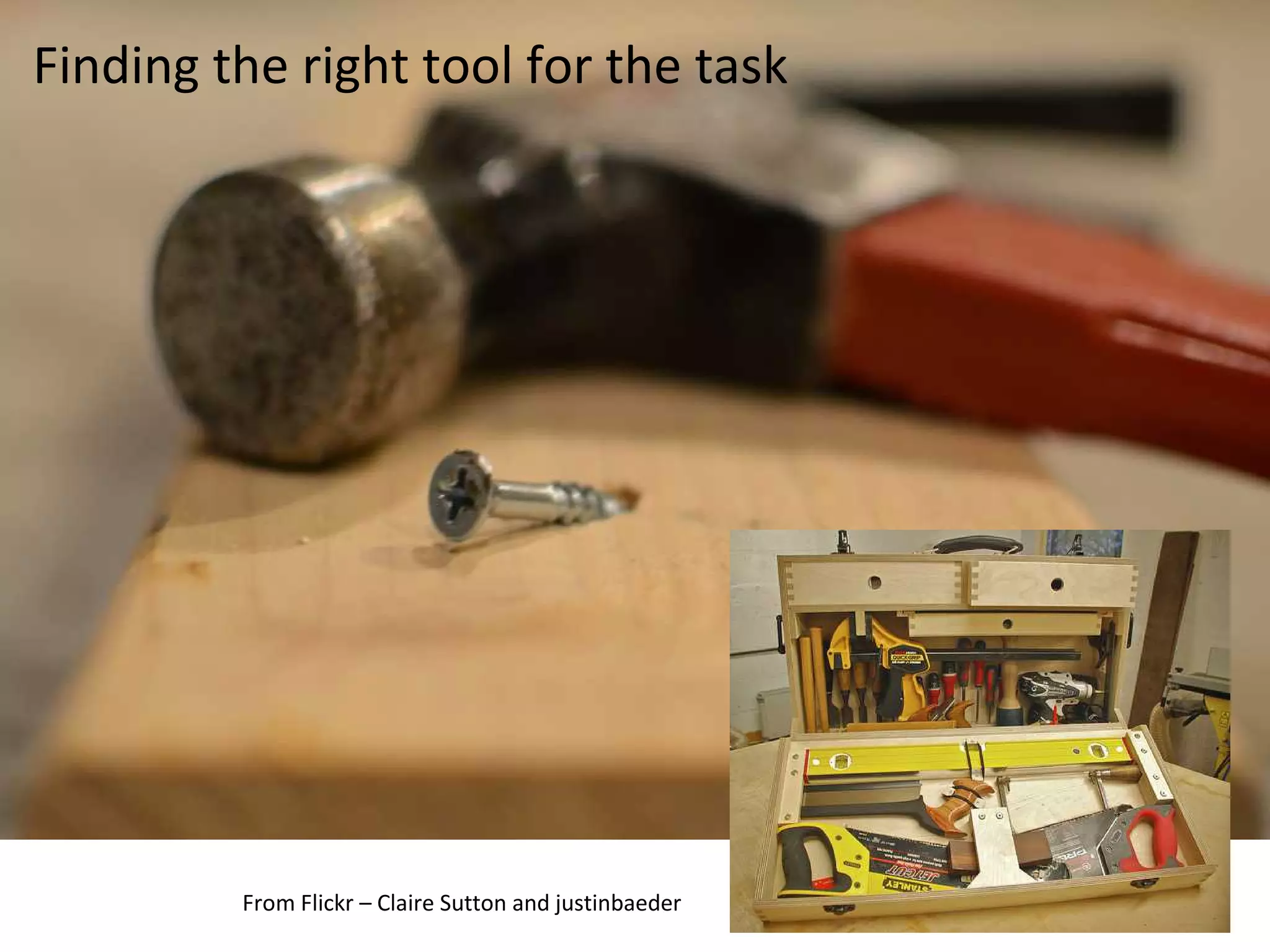
Finding the right tool for the task


         From Flickr – Claire Sutton and justinbaeder
Websites to try - Planning
• Doodle
   – Everyone loves Doodle! Everyone know what Doodle is?
• Google Calendar Sharing for availability
• Yammer
   – All information for a dispersed team in one place
   – Put up a 'critical' document (mileage claim) or make an
     announcement
• Ning is similar – but developed to be more public facing
   – Your own social network
   – Control all access and features
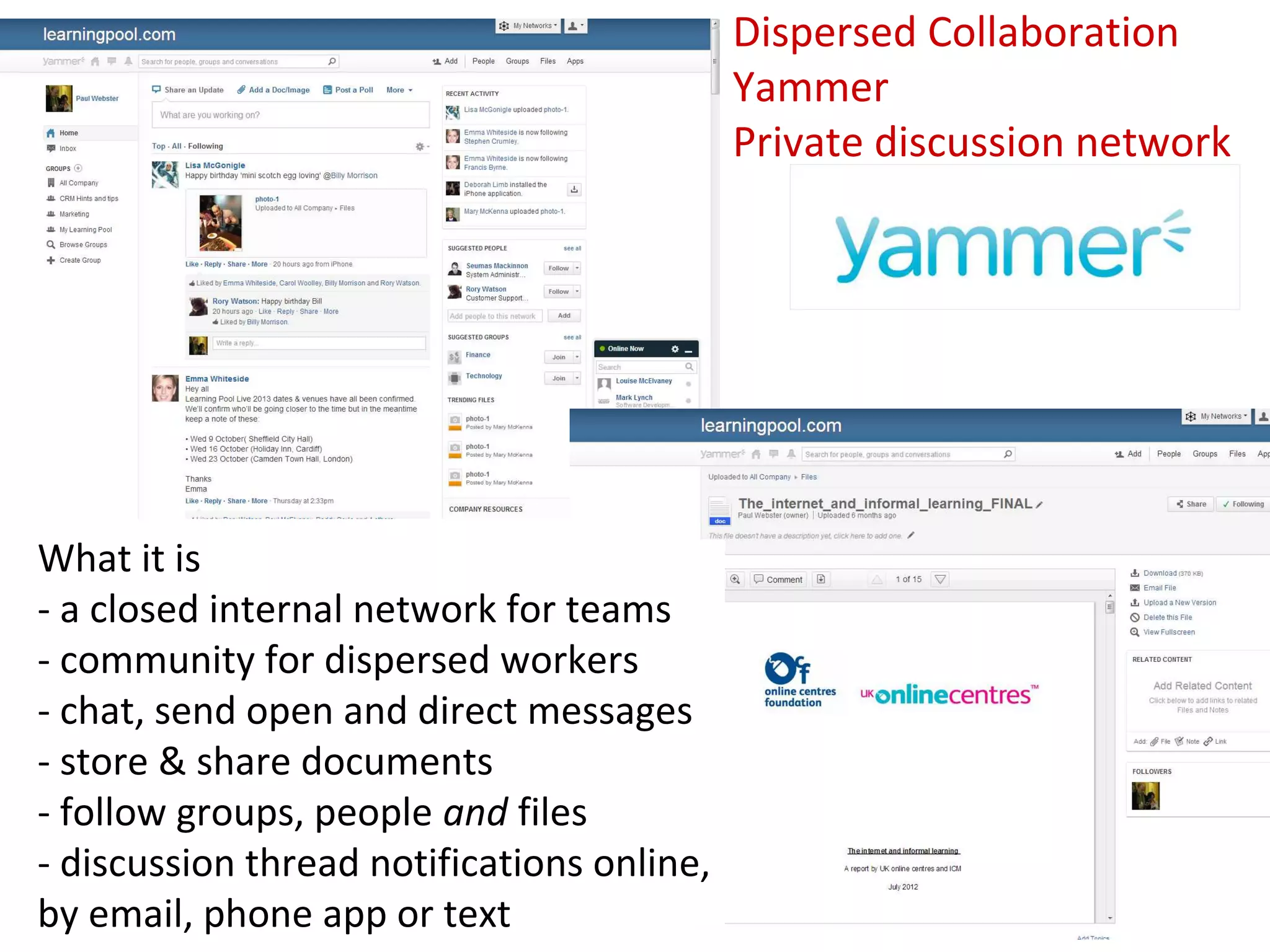
Dispersed Collaboration
                                            Yammer
                                            Private discussion network


What it is
- a closed internal network for teams
- community for dispersed workers
- chat, send open and direct messages
- store & share documents
- follow groups, people and files
- discussion thread notifications online,
by email, phone app or text
Dispersed Collaboration
                                       Yammer
                                       Private discussion network

Free Version
- Unlimited size secure, free network for an organisation or team
- Discussions, Polls, Groups, Teams, File sharing,
- Desktop tool and Smart phone app
- Fully customisable notifications by device and frequency
- Full control over network and group membership

Paid for Version – From £2.00 per user per month
- Custom branding
- Tools for bulk user management
- Enterprise control over keyword blocking and stats downloads
- Enhanced support via telephone and email

Other ones to look at
- Ning, Facebook Groups, Google+ Communities
Websites to try – Collaborate & Share
• Dropbox
   – Great for sharing documents between team members
• Google Drive
   – Banish paper from meetings!
   – Collaborate in real time
   – Not Microsoft, so some compatibility checks needed
• Facebook Groups – It's where many people are already
• Huddle
   – Very secure team management & project planning site
• Instant public collaboration (Most free = public, paid = private)
   – listhings.com, linolit.com - very easy 'corkboards'
   – piratepad.net, scribblar.com instant 'wiki' - history playback
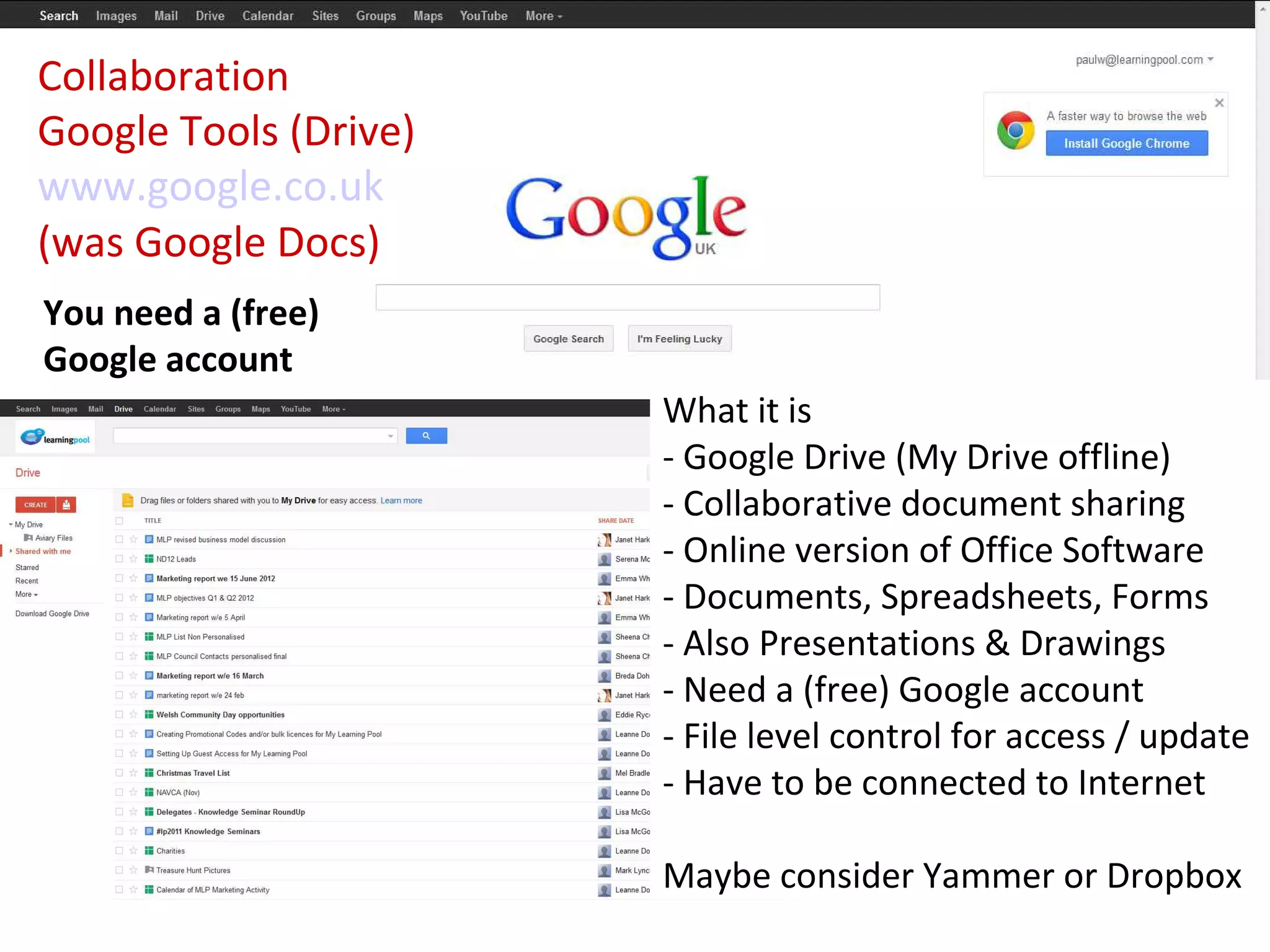
Collaboration
Google Tools (Drive)
www.google.co.uk
(was Google Docs)
You need a (free)
Google account
                       What it is
                       - Google Drive (My Drive offline)
                       - Collaborative document sharing
                       - Online version of Office Software
                       - Documents, Spreadsheets, Forms
                       - Also Presentations & Drawings
                       - Need a (free) Google account
                       - File level control for access / update
                       - Have to be connected to Internet

                       Maybe consider Yammer or Dropbox
Collaboration
                                                 Google Tools (Drive)


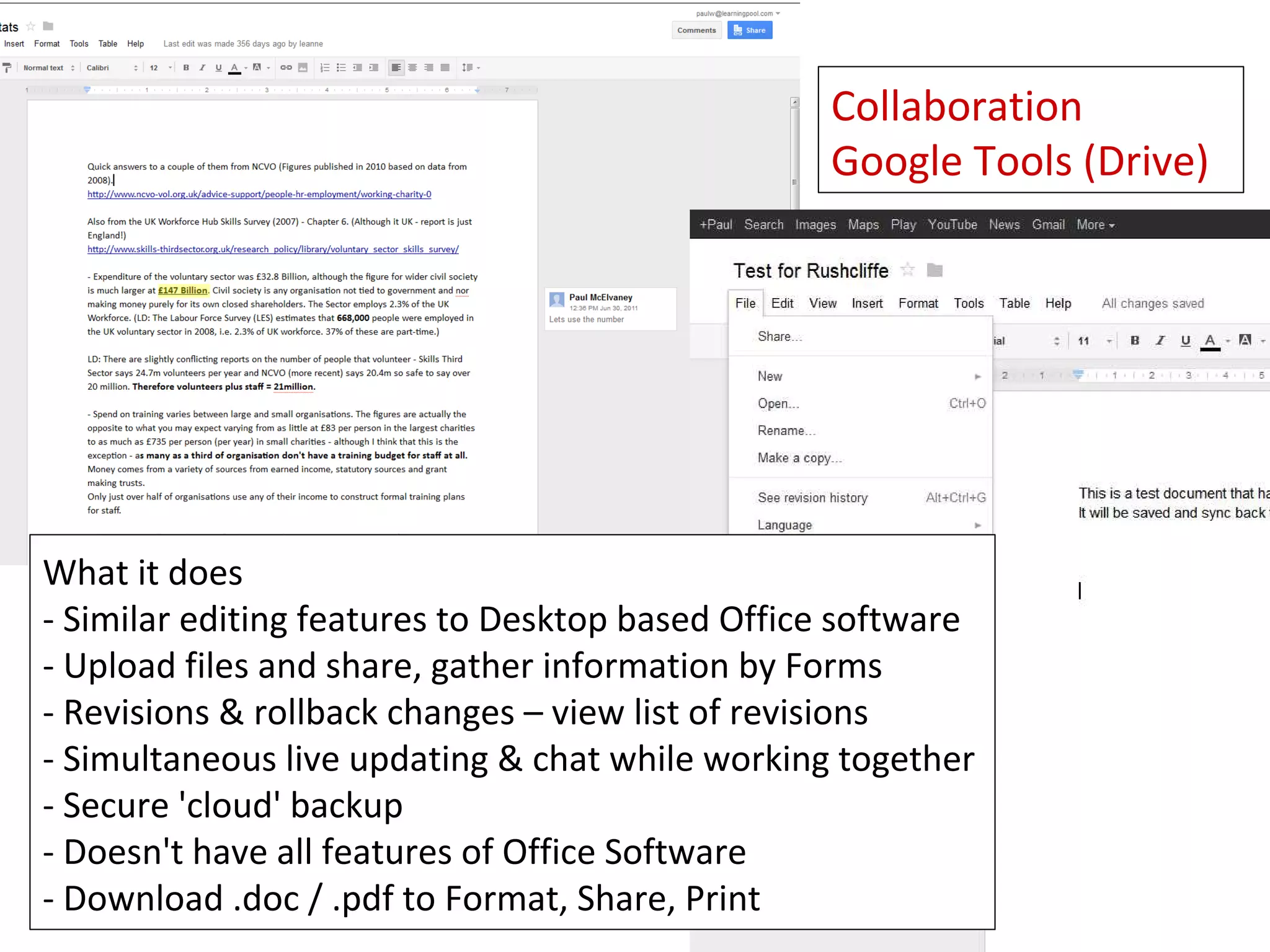
What it does
- Similar editing features to Desktop based Office software
- Upload files and share, gather information by Forms
- Revisions & rollback changes – view list of revisions
- Simultaneous live updating & chat while working together
- Secure 'cloud' backup
- Doesn't have all features of Office Software
- Download .doc / .pdf to Format, Share, Print
Social Networking
Google+


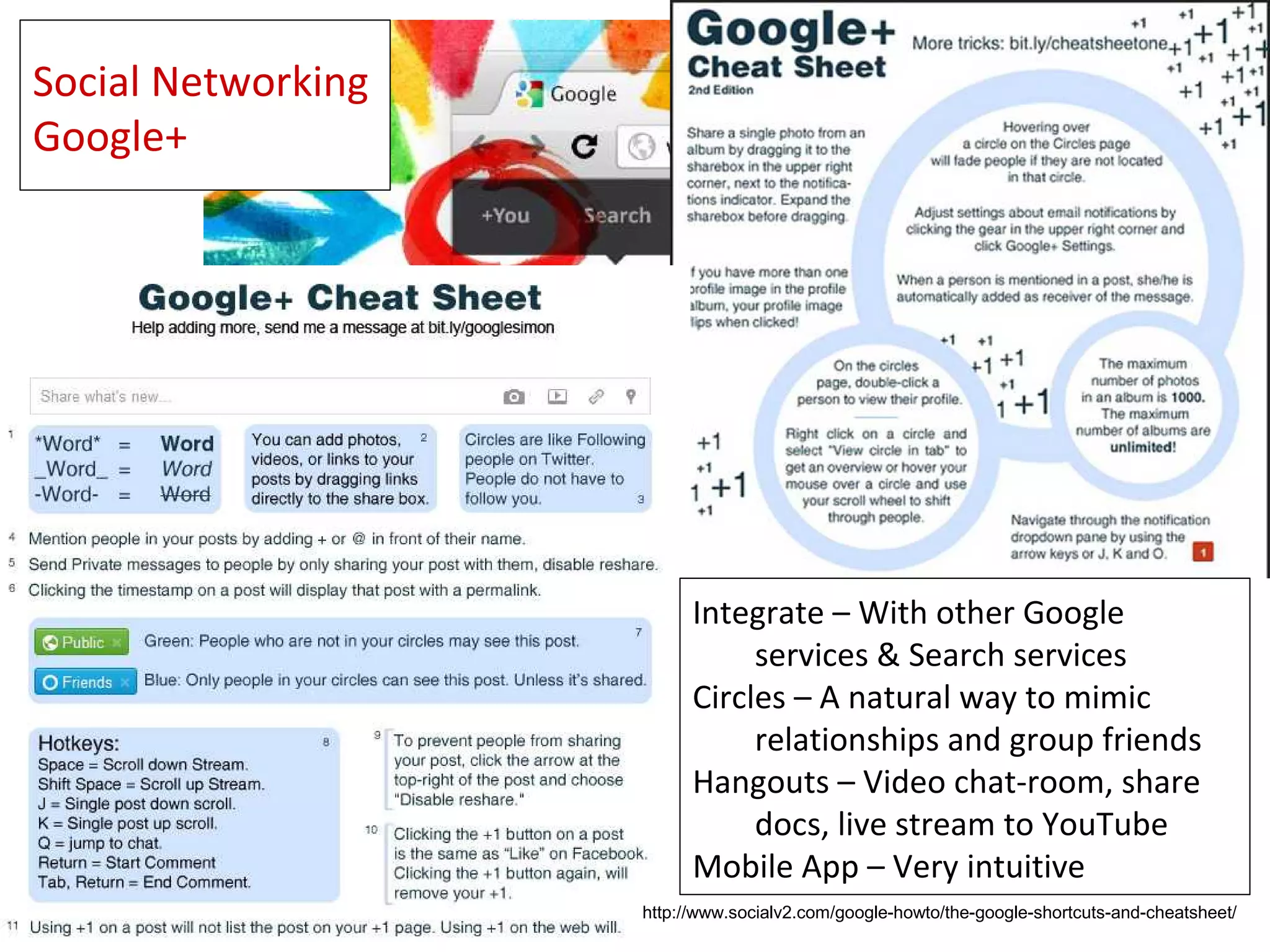
                          Integrate – With other Google
                               services & Search services
                          Circles – A natural way to mimic
                               relationships and group friends
                          Hangouts – Video chat-room, share
                               docs, live stream to YouTube
                          Mobile App – Very intuitive
                    http://www.socialv2.com/google-howto/the-google-shortcuts-and-cheatsheet/
Collaboration
Google Tools
Not Just Document Sharing (Google Drive)
- Browser (Chrome)
- Mail (Very popular and versatile on-line e-mail system)
- Reader (Keep up to date with RSS newsfeeds you subscribe to)
- Maps and Streetview (Find an organisation and see the building)
- Places (Enhanced search result listing & map integration)
- Alerts (Instant e-mail notifications when search term mentioned)
- Custom Search (Embeddable search for your site or selected range)
- Wallet (Secure money transactions)
- Adwords (Advertising and keyword promotion)
- Sites (Build simple webpages)
- Play (Google App store for Android phones)
- Plus (Social network, share content in 'Circles' & video 'Hangouts')

Even
- Hardware (Chromebook)
- Augmented Reality (Glass)
Websites to try - Meetings
• Skype
   – Free for one to one sessions, premium version for groups
• Google+ Hangouts (10 people)
   – Easy to use, can live stream and save to You Tube
   – Share whiteboards and files
• Go to Meeting (Robust scalable conferencing)
   – Available for charities through CTXchange
• Yammer
   – Not as easy to follow along, but key points can be posted
• Other free systems
   – WebEx (3 people), ooVoo (12 people)
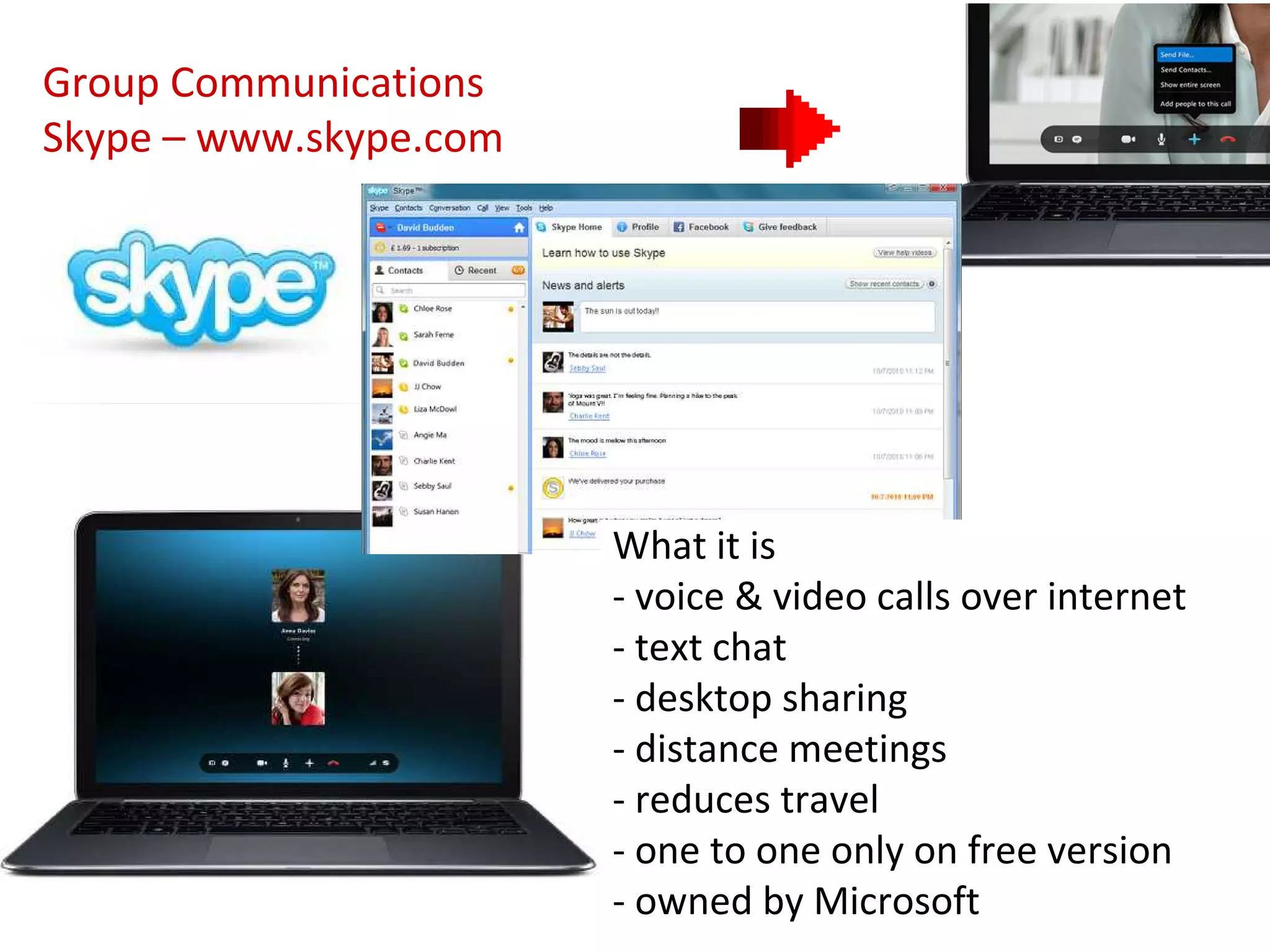
Group Communications
Skype – www.skype.com


                        What it is
                        - voice & video calls over internet
                        - text chat
                        - desktop sharing
                        - distance meetings
                        - reduces travel
                        - one to one only on free version
                        - owned by Microsoft
Group
                                              Communications
                                              Skype

Free Version
- Your Skyple Account and software updates
- One to one video and voice calls to anyone else on Skype
- Instant messaging and file sharing

Paid for Version – £2.99 introductory fee, normally £5.99 per month
- Calls to mobiles and landlines
- SMS text messages
- Group video chat for up to 10 people
- Group screen sharing

Other similar sites to look at
- ooVoo, Google+ Hangouts, WebEx
Involving Wider Groups and Communities
• Surgeries using Skype or Google+
   – @cllrharrington – bookable, topic related each week
• Community / Partnership Story Telling
   – Share good news & project successes – Com-Phone (Android App)
• Other ways to convey your message – Jing, ScreenR, even Vine
   – Short video tutorials
• Live stream (video or audio) events in a community page
   – Get an on-line debate started whilst the event is happening
• Have a '#tamesidehour' – Tameside 4 Good open tweetchat
   – Public (on Twitter) ways to canvass community views
   – Award winning #yorkshirehour
• Traditional forums can work (Sheffield Forum) or can become echo
  chambers or full of ranting trolls. Need careful management.
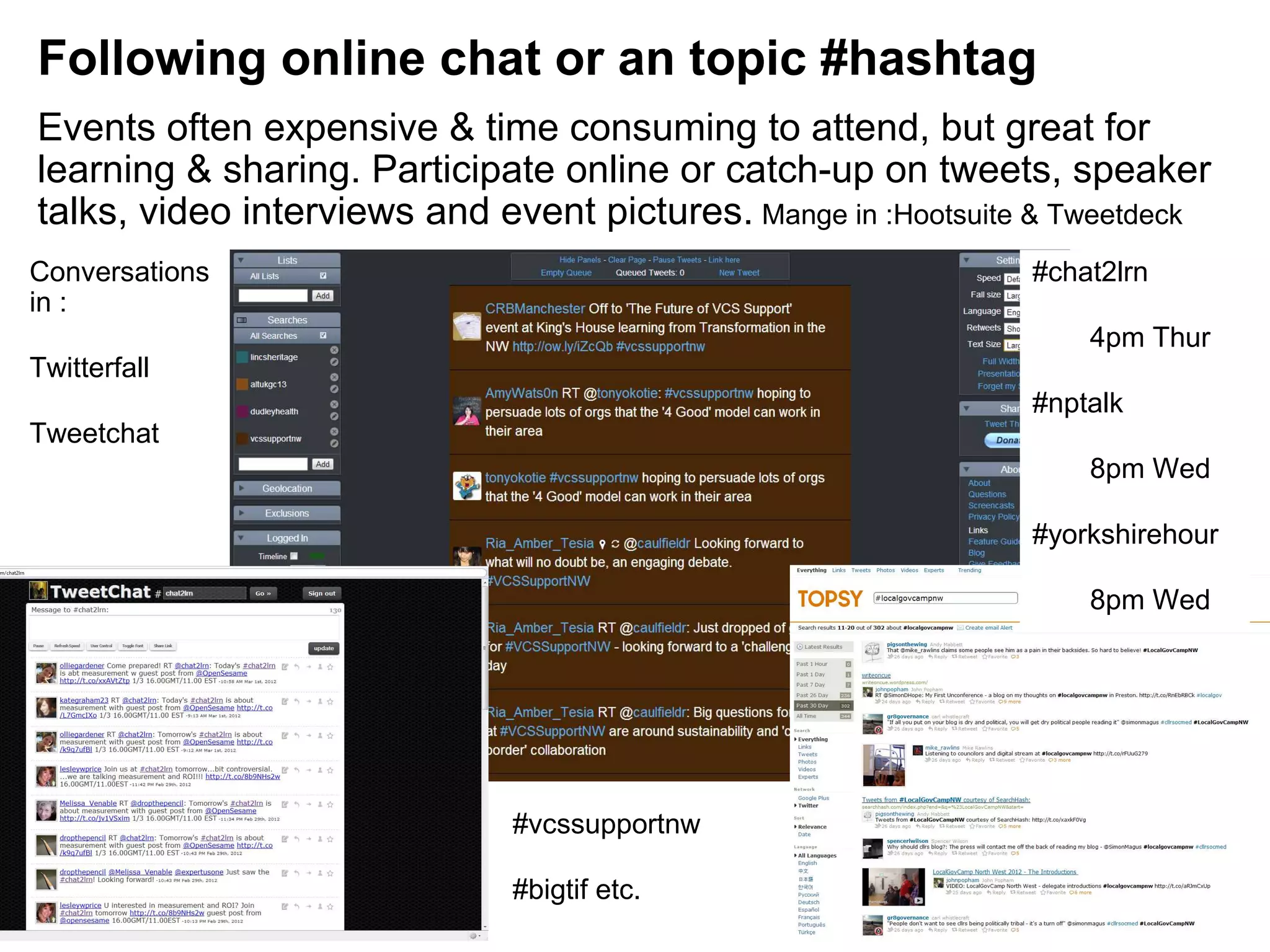
Following online chat or an topic #hashtag
Events often expensive & time consuming to attend, but great for
learning & sharing. Participate online or catch-up on tweets, speaker
talks, video interviews and event pictures. Mange in :Hootsuite & Tweetdeck
Conversations                                                  #chat2lrn
in :
                                                                   4pm Thur
Twitterfall
                                                               #nptalk
Tweetchat
                                                                   8pm Wed

                                                               #yorkshirehour

                                                                   8pm Wed


                              #vcssupportnw

                              #bigtif etc.
Partner feedback to build knowledge bank
• Recording feedback from sessions
   – Video (Bambuser) & Audio (Audioboo) as comfortable
   – Better than case studies – volunteer management
• Collaborative documents
   – Build shared documents and policies – do live in meetings
• Shared 'social bookmarking' – Digg, Del.ico.us – private or public
• Capturing intelligence and building shared learning
  environment. Formal system, Google Drive or a Wiki
   – LMSs are building this in, snippets Person A has, if recorded
     and classified correctly can help Person B... or Person C in 12
     months time
   – Wiki (pbWiki, WikiSpaces) or a Google Doc (less searchable)
On-line learning
• Ticks all the boxes
   – Saves time, lower cost, reduces travel
   – Instant updates can be rolled out to all learners / volunteers
• Build on line learning programme for new starters & track this
• Direct groups to on demand e-learning as need identified (now),
  not when next course is being run (6 months)
• Allows network partners to collaborate and build courses
• Systems available from
   – Learning Pool – Interactive with Learner Management
   – KnowHow NonProfit – Video tutorial based
Various Other Tools
• Batchgeo – Instant Google Maps pinpoints from spreadsheets
• Doo.net – Advanced 'tagged' cloud file sharing
• Evernote – Fantastically easy way to share files across devices
• Join.me – Screen sharing, chat by text & voice (10 people free)
• Mind Meister – On line collaborative mind mapping
• Speak Pipe – Let your website visitors leave audio feedback
• Text Local – Send SMS messages to team (need to buy credits)
• Trello – Project Mgmt – Team idea sharing & progress tracking
• The App Builder – Build free smartphone apps
• Volunteer Spot – Volunteer scheduling & management software
Tips for Sustaining the Network
A Driver
    Dedication from the people who want to share
Independent & Transparent
    More willing to open up & share if parameters are clear
Jigsaw in it's place
    Contributing to other networks & feeding from resources
Topics
    Interesting, relevant, presented well for the local sector
Energy to keep going
    Hard work when everyone else has gone back to their day jobs
Time
    Assign someone & give them responsibility to manage and feed it
Community
    People lead full & busy lives, need clear value
Change
    Responsive and can shift if the landscape or direction changes
Fun & Human Interest
    Light hearted, birthdays etc. Not always just dry meeting notes!
On line Networks - Summary
• Have a clearly defined purpose and aims for the community
• Give people a reason to visit (share file, announcements, chat)
• Get all participants happily on board with chosen tools
• Make sure the technology works & bandwidth (upload) is good
• Appoint 'champions' – develop step-by-step guide sheets


• Demonstrate the value of contributions by using them
• Treat on line meeting with same importance as one face to face
   – Dedicate time & headspace, Privacy, Facilitate, Record notes


• See the strategy through – Sustain, Listen & Revise if needed
Summary - Discussion
Will they work?      Yes / No / Why / Why not?

Which are easy to 'give it a go'?

Which will 'take more effort'?

Which one things will you try out this week?


Links
  http://www.feverbee.com
  http://nptechuk.wordpress.com/
  https://socialsourcecommons.org/toolbox/show/1006
http://agilecomplexificationinverter.blogspot.co.uk/2013/02/collaboration-tools
-list.html
  http://www.communityhowto.com
Thank You – My Email & Twitter contacts

               Paul Webster
      paul @ watfordgapservices.org.uk
               @watfordgap

Tools for Networks and Meetings

  • 1.
    Tools For Networks and Meetings Paul Webster (Twitter : @watfordgap) 20th March 2013
  • 2.
    Topics • Background -What do you do now? • What do you want to be able to do? • Ways the tools can help – internal & external networks • Websites to try* – not to bombard … some clearly stand out • Tips • Discussion • What's next? (*Disclaimer – Some are very new, I've not tried them all out!)
  • 3.
    The 'problem' bothphysical and barriers Travel – is it the best way .. digital methods better Time – capacity to attend Cost – fuel and staff Knowledge Confidence / Fear Capacity / Resources Any more?
  • 4.
    Don't forget toplan • Know your objectives and what you want to say • Run an on line partnership meeting • Research where your audience are – do you know? • Survey and find out, work in spaces where your target audience are • Plan how to use the tools – have a strategy • One off consultation, Regular event, How do you want to achieve itd • Choose tool to match audience and implement • Look at what other organisations have done, what works elsewhere? • Sustain the conversation and say thank you • Encourage people to return, keep it new, links from websites • Engage with people on line, be receptive, respond, react
  • 5.
    Ways that online tools can help • On-line Networking – Planning, Collaborating • Meetings – Less time, travels and costs • Development Surgeries – New ways to reach clients and members • Team Reporting and Building shared knowledge bank – Collaborative tools and acceptance of media • Banish Paper! – Tablet computers for discussion documents & note taking
  • 6.
    (Internal & External)On line networks work well .. • Focus on building communities of interested people around issues they care about. • Small highly engaged networks & teams (Task & Finish Groups), better than loose uncontrolled mass of people (NAVCAboodle?) • Reach people in a style & media where they are – even e-mail! • Be provocative in posts and leave open questions … but have time and answers to complete the conversations. • Don't make it a chore – an ever decreasing spiral – to find .. log in to .. disappointing content .. drops off radar .. • Make it a place feel at home and want to return to. • Highly visible outcomes and noticeable changes
  • 7.
    Finding the righttool for the task From Flickr – Claire Sutton and justinbaeder
  • 8.
    Websites to try- Planning • Doodle – Everyone loves Doodle! Everyone know what Doodle is? • Google Calendar Sharing for availability • Yammer – All information for a dispersed team in one place – Put up a 'critical' document (mileage claim) or make an announcement • Ning is similar – but developed to be more public facing – Your own social network – Control all access and features
  • 9.
    Dispersed Collaboration Yammer Private discussion network What it is - a closed internal network for teams - community for dispersed workers - chat, send open and direct messages - store & share documents - follow groups, people and files - discussion thread notifications online, by email, phone app or text
  • 10.
    Dispersed Collaboration Yammer Private discussion network Free Version - Unlimited size secure, free network for an organisation or team - Discussions, Polls, Groups, Teams, File sharing, - Desktop tool and Smart phone app - Fully customisable notifications by device and frequency - Full control over network and group membership Paid for Version – From £2.00 per user per month - Custom branding - Tools for bulk user management - Enterprise control over keyword blocking and stats downloads - Enhanced support via telephone and email Other ones to look at - Ning, Facebook Groups, Google+ Communities
  • 11.
    Websites to try– Collaborate & Share • Dropbox – Great for sharing documents between team members • Google Drive – Banish paper from meetings! – Collaborate in real time – Not Microsoft, so some compatibility checks needed • Facebook Groups – It's where many people are already • Huddle – Very secure team management & project planning site • Instant public collaboration (Most free = public, paid = private) – listhings.com, linolit.com - very easy 'corkboards' – piratepad.net, scribblar.com instant 'wiki' - history playback
  • 12.
    Collaboration Google Tools (Drive) www.google.co.uk (wasGoogle Docs) You need a (free) Google account What it is - Google Drive (My Drive offline) - Collaborative document sharing - Online version of Office Software - Documents, Spreadsheets, Forms - Also Presentations & Drawings - Need a (free) Google account - File level control for access / update - Have to be connected to Internet Maybe consider Yammer or Dropbox
  • 13.
    Collaboration Google Tools (Drive) What it does - Similar editing features to Desktop based Office software - Upload files and share, gather information by Forms - Revisions & rollback changes – view list of revisions - Simultaneous live updating & chat while working together - Secure 'cloud' backup - Doesn't have all features of Office Software - Download .doc / .pdf to Format, Share, Print
  • 14.
    Social Networking Google+ Integrate – With other Google services & Search services Circles – A natural way to mimic relationships and group friends Hangouts – Video chat-room, share docs, live stream to YouTube Mobile App – Very intuitive http://www.socialv2.com/google-howto/the-google-shortcuts-and-cheatsheet/
  • 15.
    Collaboration Google Tools Not JustDocument Sharing (Google Drive) - Browser (Chrome) - Mail (Very popular and versatile on-line e-mail system) - Reader (Keep up to date with RSS newsfeeds you subscribe to) - Maps and Streetview (Find an organisation and see the building) - Places (Enhanced search result listing & map integration) - Alerts (Instant e-mail notifications when search term mentioned) - Custom Search (Embeddable search for your site or selected range) - Wallet (Secure money transactions) - Adwords (Advertising and keyword promotion) - Sites (Build simple webpages) - Play (Google App store for Android phones) - Plus (Social network, share content in 'Circles' & video 'Hangouts') Even - Hardware (Chromebook) - Augmented Reality (Glass)
  • 16.
    Websites to try- Meetings • Skype – Free for one to one sessions, premium version for groups • Google+ Hangouts (10 people) – Easy to use, can live stream and save to You Tube – Share whiteboards and files • Go to Meeting (Robust scalable conferencing) – Available for charities through CTXchange • Yammer – Not as easy to follow along, but key points can be posted • Other free systems – WebEx (3 people), ooVoo (12 people)
  • 17.
    Group Communications Skype –www.skype.com What it is - voice & video calls over internet - text chat - desktop sharing - distance meetings - reduces travel - one to one only on free version - owned by Microsoft
  • 18.
    Group Communications Skype Free Version - Your Skyple Account and software updates - One to one video and voice calls to anyone else on Skype - Instant messaging and file sharing Paid for Version – £2.99 introductory fee, normally £5.99 per month - Calls to mobiles and landlines - SMS text messages - Group video chat for up to 10 people - Group screen sharing Other similar sites to look at - ooVoo, Google+ Hangouts, WebEx
  • 19.
    Involving Wider Groupsand Communities • Surgeries using Skype or Google+ – @cllrharrington – bookable, topic related each week • Community / Partnership Story Telling – Share good news & project successes – Com-Phone (Android App) • Other ways to convey your message – Jing, ScreenR, even Vine – Short video tutorials • Live stream (video or audio) events in a community page – Get an on-line debate started whilst the event is happening • Have a '#tamesidehour' – Tameside 4 Good open tweetchat – Public (on Twitter) ways to canvass community views – Award winning #yorkshirehour • Traditional forums can work (Sheffield Forum) or can become echo chambers or full of ranting trolls. Need careful management.
  • 20.
    Following online chator an topic #hashtag Events often expensive & time consuming to attend, but great for learning & sharing. Participate online or catch-up on tweets, speaker talks, video interviews and event pictures. Mange in :Hootsuite & Tweetdeck Conversations #chat2lrn in : 4pm Thur Twitterfall #nptalk Tweetchat 8pm Wed #yorkshirehour 8pm Wed #vcssupportnw #bigtif etc.
  • 21.
    Partner feedback tobuild knowledge bank • Recording feedback from sessions – Video (Bambuser) & Audio (Audioboo) as comfortable – Better than case studies – volunteer management • Collaborative documents – Build shared documents and policies – do live in meetings • Shared 'social bookmarking' – Digg, Del.ico.us – private or public • Capturing intelligence and building shared learning environment. Formal system, Google Drive or a Wiki – LMSs are building this in, snippets Person A has, if recorded and classified correctly can help Person B... or Person C in 12 months time – Wiki (pbWiki, WikiSpaces) or a Google Doc (less searchable)
  • 22.
    On-line learning • Ticksall the boxes – Saves time, lower cost, reduces travel – Instant updates can be rolled out to all learners / volunteers • Build on line learning programme for new starters & track this • Direct groups to on demand e-learning as need identified (now), not when next course is being run (6 months) • Allows network partners to collaborate and build courses • Systems available from – Learning Pool – Interactive with Learner Management – KnowHow NonProfit – Video tutorial based
  • 23.
    Various Other Tools •Batchgeo – Instant Google Maps pinpoints from spreadsheets • Doo.net – Advanced 'tagged' cloud file sharing • Evernote – Fantastically easy way to share files across devices • Join.me – Screen sharing, chat by text & voice (10 people free) • Mind Meister – On line collaborative mind mapping • Speak Pipe – Let your website visitors leave audio feedback • Text Local – Send SMS messages to team (need to buy credits) • Trello – Project Mgmt – Team idea sharing & progress tracking • The App Builder – Build free smartphone apps • Volunteer Spot – Volunteer scheduling & management software
  • 24.
    Tips for Sustainingthe Network A Driver Dedication from the people who want to share Independent & Transparent More willing to open up & share if parameters are clear Jigsaw in it's place Contributing to other networks & feeding from resources Topics Interesting, relevant, presented well for the local sector Energy to keep going Hard work when everyone else has gone back to their day jobs Time Assign someone & give them responsibility to manage and feed it Community People lead full & busy lives, need clear value Change Responsive and can shift if the landscape or direction changes Fun & Human Interest Light hearted, birthdays etc. Not always just dry meeting notes!
  • 25.
    On line Networks- Summary • Have a clearly defined purpose and aims for the community • Give people a reason to visit (share file, announcements, chat) • Get all participants happily on board with chosen tools • Make sure the technology works & bandwidth (upload) is good • Appoint 'champions' – develop step-by-step guide sheets • Demonstrate the value of contributions by using them • Treat on line meeting with same importance as one face to face – Dedicate time & headspace, Privacy, Facilitate, Record notes • See the strategy through – Sustain, Listen & Revise if needed
  • 26.
    Summary - Discussion Willthey work? Yes / No / Why / Why not? Which are easy to 'give it a go'? Which will 'take more effort'? Which one things will you try out this week? Links http://www.feverbee.com http://nptechuk.wordpress.com/ https://socialsourcecommons.org/toolbox/show/1006 http://agilecomplexificationinverter.blogspot.co.uk/2013/02/collaboration-tools -list.html http://www.communityhowto.com
  • 27.
    Thank You –My Email & Twitter contacts Paul Webster paul @ watfordgapservices.org.uk @watfordgap