Tips,Tricks and Cool Solutions for Novell                                       ®


ZENworks Configuration Management
                       ®


Liam Morrison                        Adam Janosek
Technical Sales Specialist           Director of Resource Management Practice
Novell, Inc./ lmorrison@novell.com   CIS/ ajanosek@ciscony.com
Scripting on the Workstation
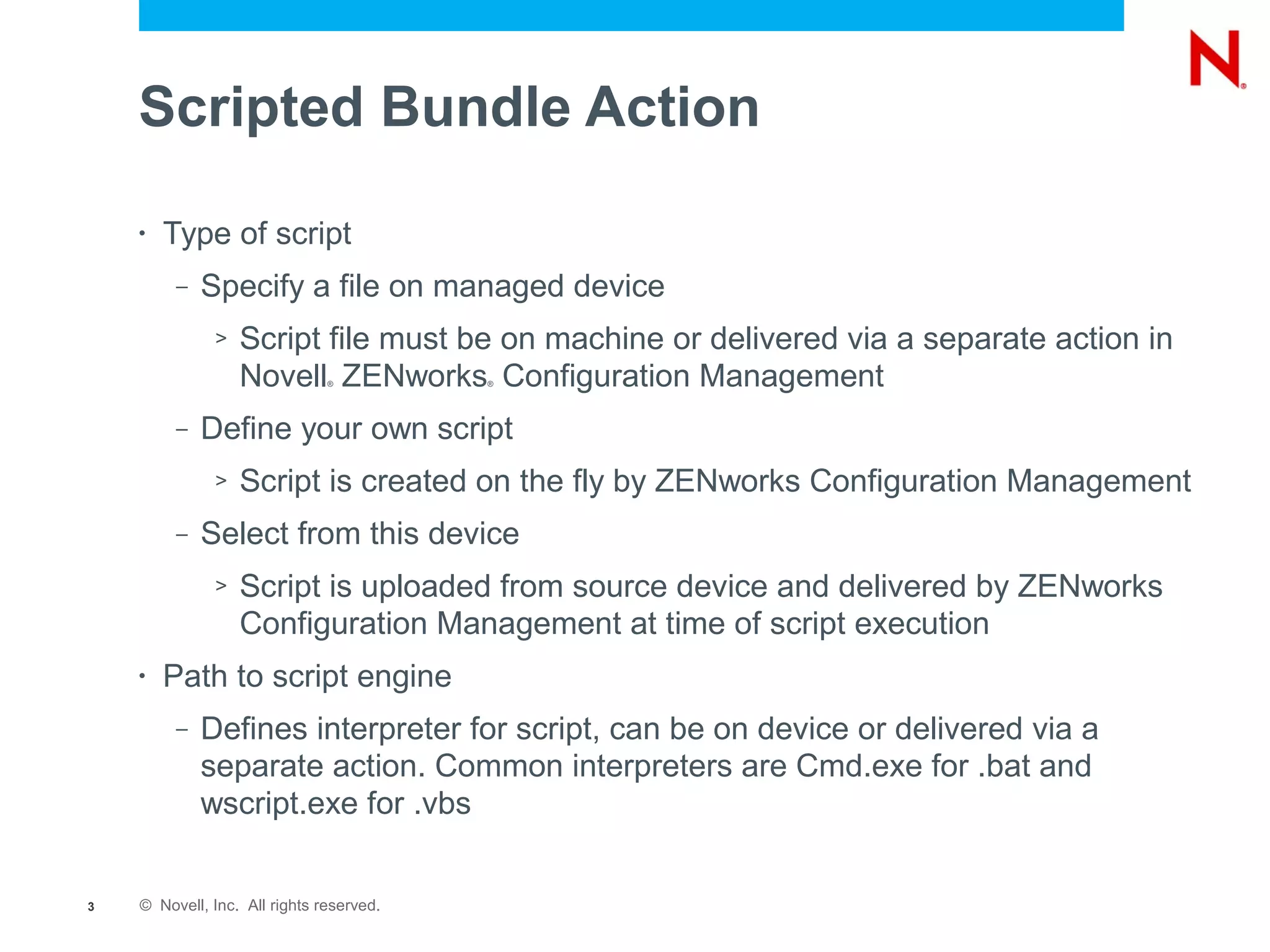
Scripted Bundle Action

    •   Type of script
         –   Specify a file on managed device
              >   Script file must be on machine or delivered via a separate action in
                  Novell ZENworks Configuration Management
                               ®          ®


         –   Define your own script
              >   Script is created on the fly by ZENworks Configuration Management
         –   Select from this device
              >   Script is uploaded from source device and delivered by ZENworks
                  Configuration Management at time of script execution
    •   Path to script engine
         –   Defines interpreter for script, can be on device or delivered via a
             separate action. Common interpreters are Cmd.exe for .bat and
             wscript.exe for .vbs


3   © Novell, Inc. All rights reserved.
Scripting on the Server
ZMAN command

    •   Almost anything that can be done via the ZENworks              ®


        Control Center can also be scripted via ZMAN

         –   Bundles can be altered, added to, incremented, assigned via
             ZMAN commands

         –   Sets of commands can be scheduled to run at a given time, or
             on a recurring schedule via CRON (Linux) or Windows Task
             Scheduler (Windows)


5   © Novell, Inc. All rights reserved.
Scripting Demonstration
Custom ZENworks System Tray Icon
                ®
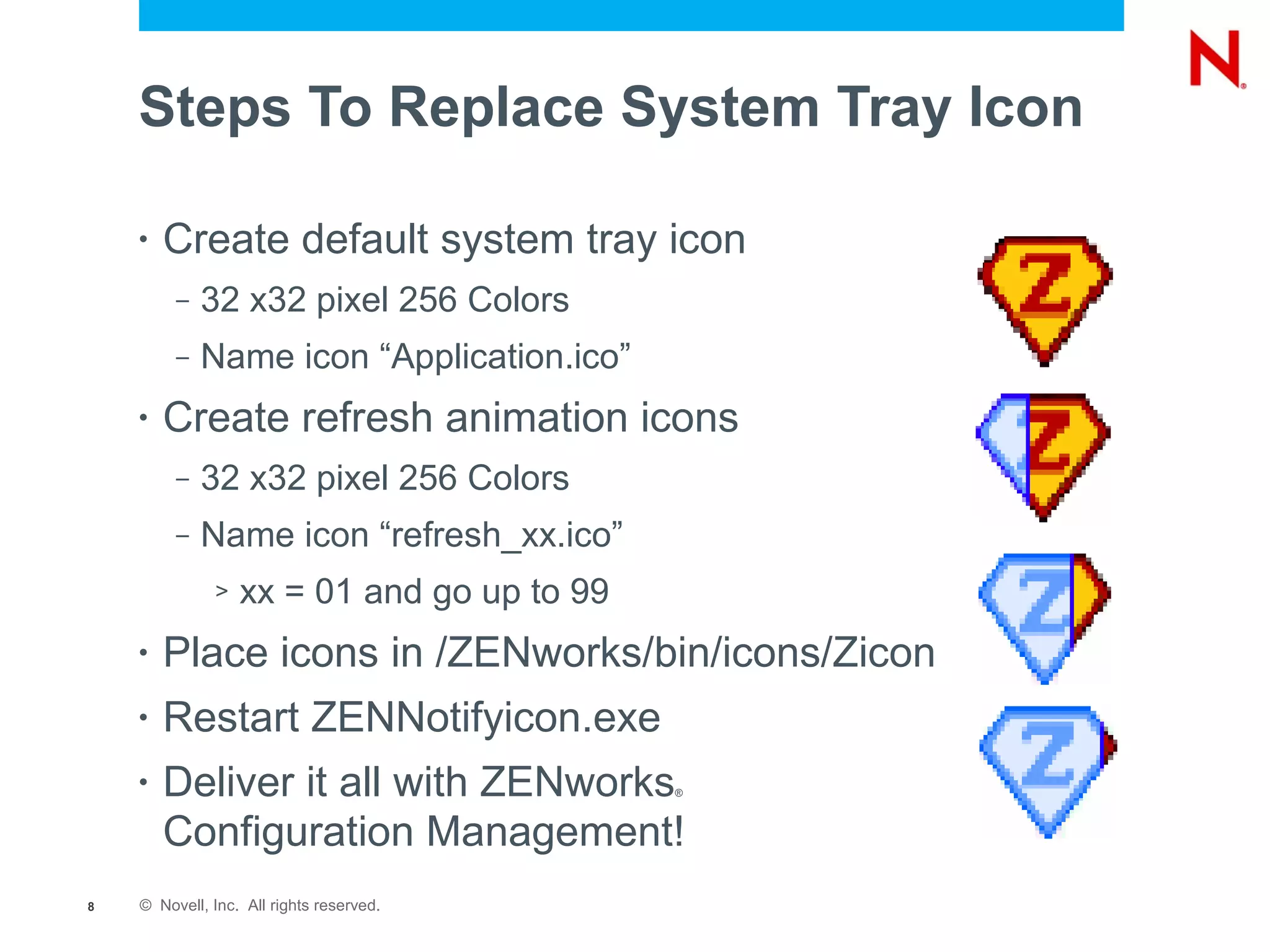
Steps To Replace System Tray Icon

    •   Create default system tray icon
         –   32 x32 pixel 256 Colors
         –   Name icon “Application.ico”
    •   Create refresh animation icons
         –   32 x32 pixel 256 Colors
         –   Name icon “refresh_xx.ico”
              >   xx = 01 and go up to 99
    •   Place icons in /ZENworks/bin/icons/Zicon
    •   Restart ZENNotifyicon.exe
    •   Deliver it all with ZENworks        ®


        Configuration Management!
8   © Novell, Inc. All rights reserved.
Manually Replicating Content
Steps To Manually Replicate Content

     •   Set satellite server policy so that it never replicates
         content automatically
     •   From primary server run ZMAN ssec
         /servers/satellitename path to export content
     •   Get content to server (DVD, multicast, robocopy, etc)
     •   Run ZAC CIC /path to content files
     •   Run ZAC CVC to verify content (optional)


10   © Novell, Inc. All rights reserved.
Using the Inventory Collection Data Form
Things to Know About
     the Collection Data Form

     •   Collection Data Form does not necessarily require user
         interaction!!
          –   Silent mode allows data form to run silently and only collect
              autofill data
               >   Autofill data can be registry keys or environment variables
               >   Environment variables can be set via System Variables on device folders and
                   enforced by ZENworks Agent, these can then be picked up by the collection
                                           ®


                   data form


12   © Novell, Inc. All rights reserved.
Troubleshooting Tips and Tricks
Helpful Troubleshooting Tools
     •   ZAC zeninfo
          –   Collects all useful information from a
              problematic workstation (logs,cache,
              other MSI's installed, system
              information) into a single zip file.
     •   Tail for Win32
          –   Windows port of a common Linux
              troubleshooting tool. Allows for real
              time monitoring of log files
     •   ZENworks Diagnostic Center
                            ®


          –   New in ZENworks Configuration
              Management 10.3
          –   Provides a health check of
              ZENworks Configuration
              Management Zone and Database


14   © Novell, Inc. All rights reserved.
Unpublished Work of Novell, Inc. All Rights Reserved.
This work is an unpublished work and contains confidential, proprietary, and trade secret information of Novell, Inc.
Access to this work is restricted to Novell employees who have a need to know to perform tasks within the scope
of their assignments. No part of this work may be practiced, performed, copied, distributed, revised, modified,
translated, abridged, condensed, expanded, collected, or adapted without the prior written consent of Novell, Inc.
Any use or exploitation of this work without authorization could subject the perpetrator to criminal and civil liability.


General Disclaimer
This document is not to be construed as a promise by any participating company to develop, deliver, or market a
product. It is not a commitment to deliver any material, code, or functionality, and should not be relied upon in
making purchasing decisions. Novell, Inc. makes no representations or warranties with respect to the contents
of this document, and specifically disclaims any express or implied warranties of merchantability or fitness for any
particular purpose. The development, release, and timing of features or functionality described for Novell products
remains at the sole discretion of Novell. Further, Novell, Inc. reserves the right to revise this document and to
make changes to its content, at any time, without obligation to notify any person or entity of such revisions or
changes. All Novell marks referenced in this presentation are trademarks or registered trademarks of Novell, Inc.
in the United States and other countries. All third-party trademarks are the property of their respective owners.

Tips, Tricks and Cool Solutions for Novell ZENworks Configuration Management

  • 1.
    Tips,Tricks and CoolSolutions for Novell ® ZENworks Configuration Management ® Liam Morrison Adam Janosek Technical Sales Specialist Director of Resource Management Practice Novell, Inc./ lmorrison@novell.com CIS/ ajanosek@ciscony.com
  • 2.
    Scripting on theWorkstation
  • 3.
    Scripted Bundle Action • Type of script – Specify a file on managed device > Script file must be on machine or delivered via a separate action in Novell ZENworks Configuration Management ® ® – Define your own script > Script is created on the fly by ZENworks Configuration Management – Select from this device > Script is uploaded from source device and delivered by ZENworks Configuration Management at time of script execution • Path to script engine – Defines interpreter for script, can be on device or delivered via a separate action. Common interpreters are Cmd.exe for .bat and wscript.exe for .vbs 3 © Novell, Inc. All rights reserved.
  • 4.
  • 5.
    ZMAN command • Almost anything that can be done via the ZENworks ® Control Center can also be scripted via ZMAN – Bundles can be altered, added to, incremented, assigned via ZMAN commands – Sets of commands can be scheduled to run at a given time, or on a recurring schedule via CRON (Linux) or Windows Task Scheduler (Windows) 5 © Novell, Inc. All rights reserved.
  • 6.
  • 7.
  • 8.
    Steps To ReplaceSystem Tray Icon • Create default system tray icon – 32 x32 pixel 256 Colors – Name icon “Application.ico” • Create refresh animation icons – 32 x32 pixel 256 Colors – Name icon “refresh_xx.ico” > xx = 01 and go up to 99 • Place icons in /ZENworks/bin/icons/Zicon • Restart ZENNotifyicon.exe • Deliver it all with ZENworks ® Configuration Management! 8 © Novell, Inc. All rights reserved.
  • 9.
  • 10.
    Steps To ManuallyReplicate Content • Set satellite server policy so that it never replicates content automatically • From primary server run ZMAN ssec /servers/satellitename path to export content • Get content to server (DVD, multicast, robocopy, etc) • Run ZAC CIC /path to content files • Run ZAC CVC to verify content (optional) 10 © Novell, Inc. All rights reserved.
  • 11.
    Using the InventoryCollection Data Form
  • 12.
    Things to KnowAbout the Collection Data Form • Collection Data Form does not necessarily require user interaction!! – Silent mode allows data form to run silently and only collect autofill data > Autofill data can be registry keys or environment variables > Environment variables can be set via System Variables on device folders and enforced by ZENworks Agent, these can then be picked up by the collection ® data form 12 © Novell, Inc. All rights reserved.
  • 13.
  • 14.
    Helpful Troubleshooting Tools • ZAC zeninfo – Collects all useful information from a problematic workstation (logs,cache, other MSI's installed, system information) into a single zip file. • Tail for Win32 – Windows port of a common Linux troubleshooting tool. Allows for real time monitoring of log files • ZENworks Diagnostic Center ® – New in ZENworks Configuration Management 10.3 – Provides a health check of ZENworks Configuration Management Zone and Database 14 © Novell, Inc. All rights reserved.
  • 16.
    Unpublished Work ofNovell, Inc. All Rights Reserved. This work is an unpublished work and contains confidential, proprietary, and trade secret information of Novell, Inc. Access to this work is restricted to Novell employees who have a need to know to perform tasks within the scope of their assignments. No part of this work may be practiced, performed, copied, distributed, revised, modified, translated, abridged, condensed, expanded, collected, or adapted without the prior written consent of Novell, Inc. Any use or exploitation of this work without authorization could subject the perpetrator to criminal and civil liability. General Disclaimer This document is not to be construed as a promise by any participating company to develop, deliver, or market a product. It is not a commitment to deliver any material, code, or functionality, and should not be relied upon in making purchasing decisions. Novell, Inc. makes no representations or warranties with respect to the contents of this document, and specifically disclaims any express or implied warranties of merchantability or fitness for any particular purpose. The development, release, and timing of features or functionality described for Novell products remains at the sole discretion of Novell. Further, Novell, Inc. reserves the right to revise this document and to make changes to its content, at any time, without obligation to notify any person or entity of such revisions or changes. All Novell marks referenced in this presentation are trademarks or registered trademarks of Novell, Inc. in the United States and other countries. All third-party trademarks are the property of their respective owners.