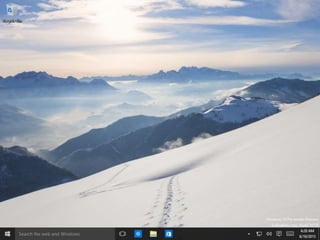
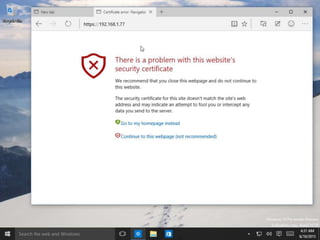
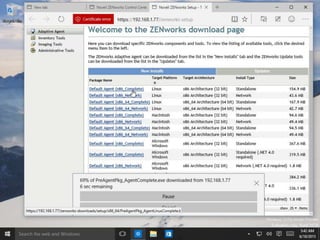
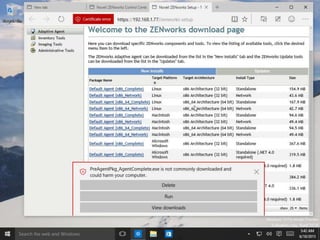
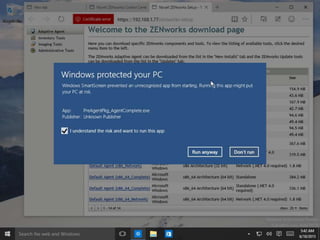
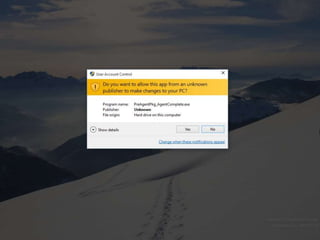
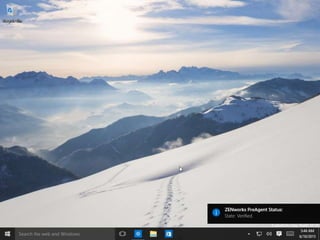
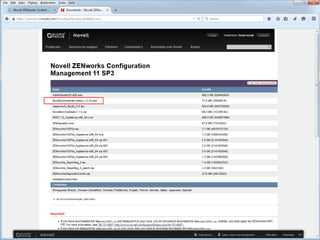
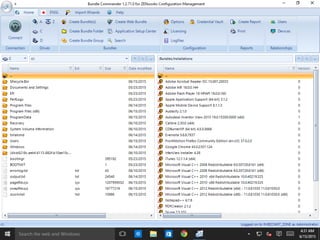
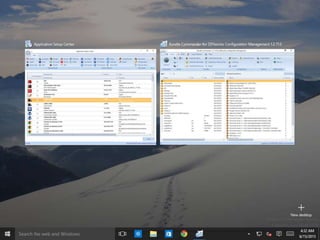
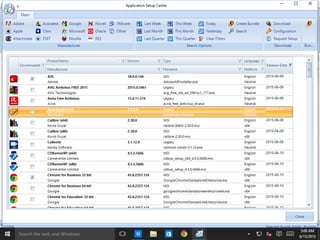
ZENworks and Windows 10
Roel van Bueren
CONFIDENTIAL AND PROPRIETARY
These roadmaps may only be used under non-disclosure agreement.
Please refer to the “Disclaimer” slide at the end of this document for
additional restrictions and general disclaimer.
© Novell, Inc. All rights reserved.2
ROVABU Software BV
• an ISV specializing in developing products for IT
Professionals:
– Bundle Commander
– Setup Commander
– Setup Commander Components
– Update Commander
© Novell, Inc. All rights reserved.3
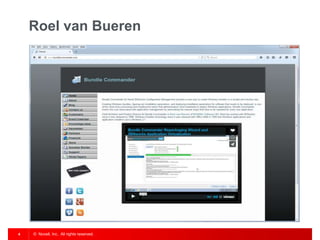
Roel van Bueren
• ZENworks Configuration Management
• ENGL Imaging Toolkit
• Bundle Commander
• Windows and Windows Application Deployment
© Novell, Inc. All rights reserved.4
Roel van Bueren
© Novell, Inc. All rights reserved.5
Roel van Bueren
© Novell, Inc. All rights reserved.6
Roel van Bueren
© Novell, Inc. All rights reserved.7
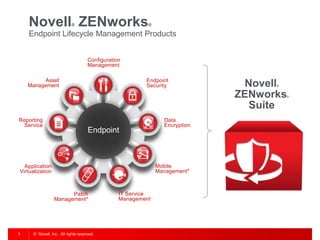
Novell® ZENworks®
Endpoint Lifecycle Management Products
Configuration
Management
Application
Virtualization
Asset
Management
Patch
Management*
Data
Encryption
Endpoint
Security
Mobile
Management*
Endpoint
IT Service
Management
Reporting
Service
Novell®
ZENworks®
Suite
© Novell, Inc. All rights reserved.8
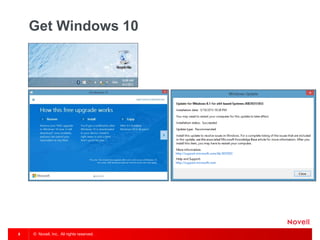
Get Windows 10
© Novell, Inc. All rights reserved.9
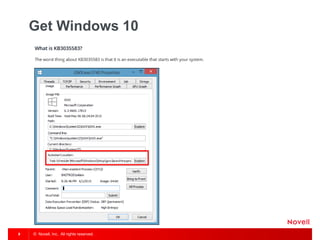
Get Windows 10
© Novell, Inc. All rights reserved.10
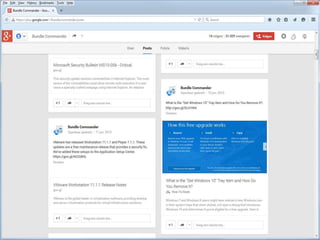
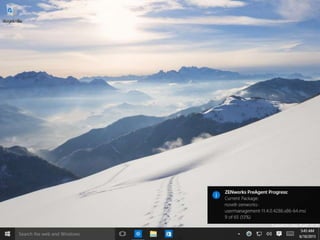
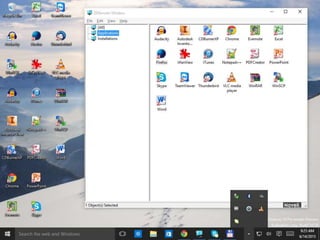
Windows 10 Tray Item
© Novell, Inc. All rights reserved.11
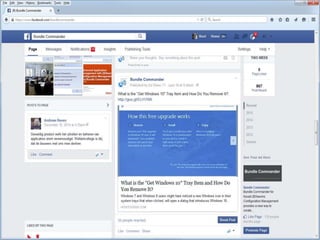
Windows 10 Tray Item
© Novell, Inc. All rights reserved.12
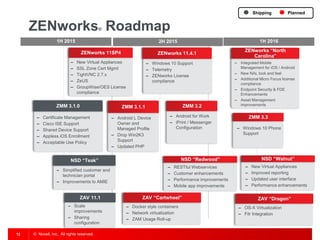
ZENworks® Roadmap
PlannedShipping
1H 2015 2H 2015 1H 2016
ZENworks 11SP4
‒ New Virtual Appliances
‒ SSL Zone Cert Mgmt
‒ TightVNC 2.7.x
‒ ZeUS
‒ GroupWise/OES License
compliance
‒ Certificate Management
‒ Cisco ISE Support
‒ Shared Device Support
‒ Appless iOS Enrollment
‒ Acceptable Use Policy
ZMM 3.1.0 ZMM 3.2
‒ Android for Work
‒ iPrint / Messenger
Configuration
‒ Windows 10 Support
‒ Telemetry
‒ ZENworks License
compliance
ZENworks 11.4.1
ZMM 3.3
‒ Windows 10 Phone
Support
ZAV “Dragon”
‒ OS-X Virtualization
‒ Filr Integration
ZMM 3.1.1
‒ Android L Device
Owner and
Managed Profile
‒ Drop Win2K3
Support
‒ Updated PHP
NSD “Teak”
‒ Simplified customer and
technician portal
‒ Improvements to AMIE
ZAV 11.1
‒ Scale
improvements
‒ Sharing
configuration
NSD “Redwood”
‒ RESTful Webservices
‒ Customer enhancements
‒ Performance improvements
‒ Mobile app improvements
ZAV “Cartwheel”
‒ Docker style containers
‒ Network virtualization
‒ ZAM Usage Roll-up
NSD “Walnut”
‒ New Virtual Appliances
‒ Improved reporting
‒ Updated user interface
‒ Performance enhancements
ZENworks “North
Carolina”
‒ Integrated Mobile
Management for iOS / Android
‒ New NAL look and feel
‒ Additional Micro Focus license
compliance
‒ Endpoint Security & FDE
Enhancements
‒ Asset Management
improvements
© Novell, Inc. All rights reserved.13
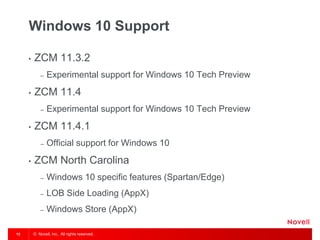
Windows 10 Support
• ZCM 11.3.2
– Experimental support for Windows 10 Tech Preview
• ZCM 11.4
– Experimental support for Windows 10 Tech Preview
• ZCM 11.4.1
– Official support for Windows 10
• ZCM North Carolina
– Windows 10 specific features (Spartan/Edge)
– LOB Side Loading (AppX)
– Windows Store (AppX)
© Novell, Inc. All rights reserved.14
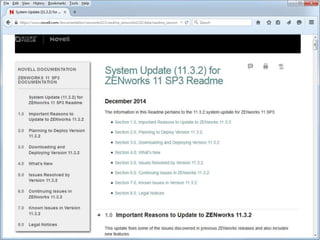
System Update 11.3.2
© Novell, Inc. All rights reserved.15
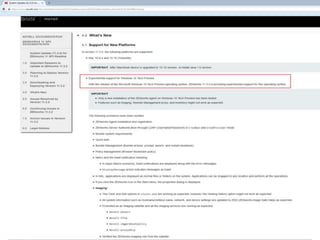
Experimental support for Windows 10
Tech Preview
© Novell, Inc. All rights reserved.16
Experimental support for Windows 10
Tech Preview
• The following scenarios have been verified:
– ZENworks Agent installation and registration
– ZENworks Server Authentication through LDAP
(Username/Password) in Credman and CredProvider mode
– Bundle system requirements
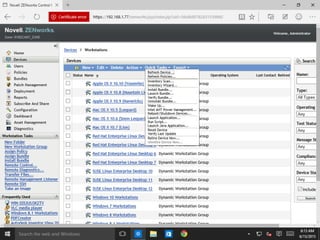
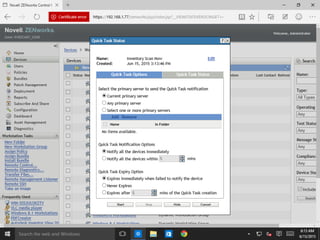
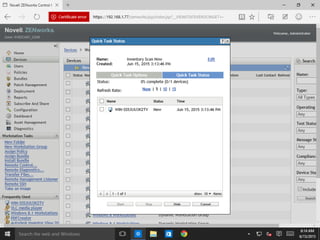
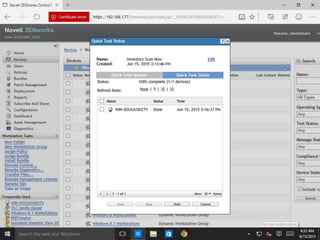
– Quick task
– Bundle Management (Bundle actions: prompt, launch, and restart-
shutdown)
– Policy Management (Browser Bookmark policy)
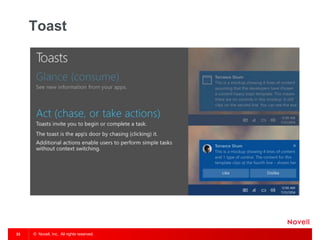
– Metro and the toast notification handling
– In logon failure scenarios, toast notifications are displayed along with
the error messages.
– DisplayMessage action indicates messages as toast.
© Novell, Inc. All rights reserved.17
Experimental support for Windows 10
Tech Preview
• The following scenarios have been verified:
– In NAL, applications are displayed as normal files or folders
on the system. Applications can be dragged to any location
and perform all the operations.
– If you click the ZENworks icon in the Start menu, the
properties dialog is displayed.
© Novell, Inc. All rights reserved.18
Experimental support for Windows 10
Tech Preview
• The following scenarios have been verified (Imaging):
– The Clear and Edit options in ziswin.exe are working as expected;
however, the Viewing history option might not work as expected.
– All system information such as Hostname/netbios name, network,
and device settings are updated to ZISD (ZENworks Image Safe
Data) as expected.
– Promoted as an Imaging satellite and all the imaging services are
running as expected.
– Novell-pbserv
– Novell-tftp
– Novell-zmgprebootpolicy
– Novell-proxydhcp
– Verified the ZENworks imaging role from the satellite.
© Novell, Inc. All rights reserved.19
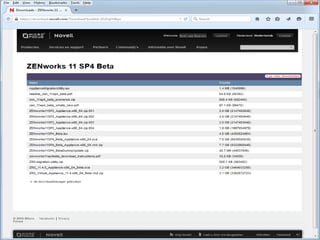
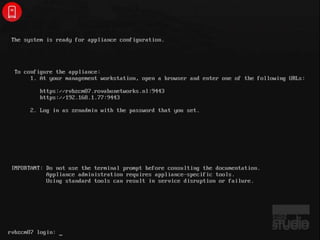
ZENworks 11 SP4 beta
© Novell, Inc. All rights reserved.20
ZENworks 11 SP4 beta
© Novell, Inc. All rights reserved.21
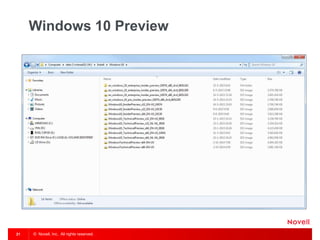
Windows 10 Preview
© Novell, Inc. All rights reserved.22
Windows 10 Pro Insider Preview Build
10130
© Novell, Inc. All rights reserved.23
Windows 10 Pro Insider Preview
Build 10130
© Novell, Inc. All rights reserved.24
Windows 10 Pro Insider Preview
Build 10130
© Novell, Inc. All rights reserved.25
Windows 10 Pro Insider Preview
Build 10130
© Novell, Inc. All rights reserved.26
Windows 10 Pro Insider Preview
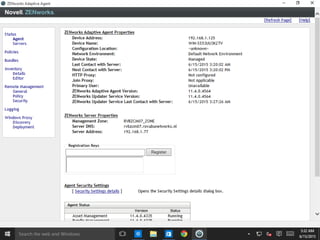
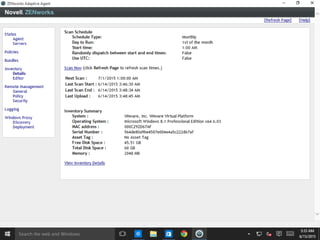
Build 10130 – ZCM Agent
© Novell, Inc. All rights reserved.27
Windows 10 Pro Insider Preview
Build 10130 – ZCM Agent
© Novell, Inc. All rights reserved.28
Windows 10 Pro Insider Preview
Build 10130 – ZCM Agent
© Novell, Inc. All rights reserved.29
Windows 10 Pro Insider Preview
Build 10130 – ZCM Agent
© Novell, Inc. All rights reserved.30
Windows 10 Pro Insider Preview
Build 10130 – ZCM Agent
© Novell, Inc. All rights reserved.31
Windows 10 Pro Insider Preview
Build 10130 – ZCM Agent
© Novell, Inc. All rights reserved.32
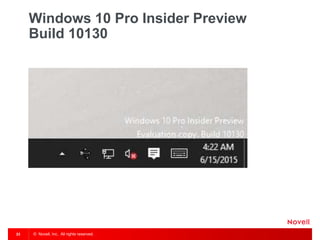
Windows 10 Pro Insider Preview
Build 10130 – ZCM Agent
© Novell, Inc. All rights reserved.33
Toast
© Novell, Inc. All rights reserved.34
Device Registration
© Novell, Inc. All rights reserved.35
OS
© Novell, Inc. All rights reserved.36
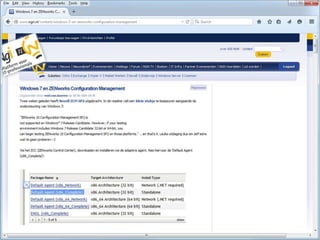
Windows 7 en ZENworks
Configuration Management
© Novell, Inc. All rights reserved.37
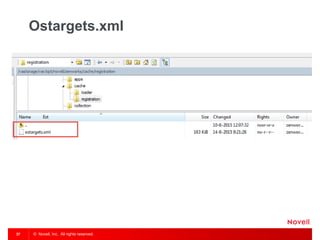
Ostargets.xml
© Novell, Inc. All rights reserved.38
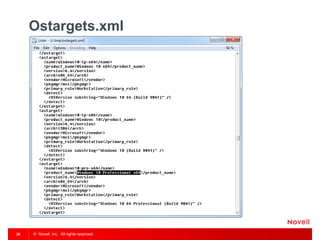
Ostargets.xml
© Novell, Inc. All rights reserved.39
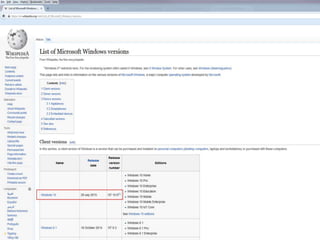
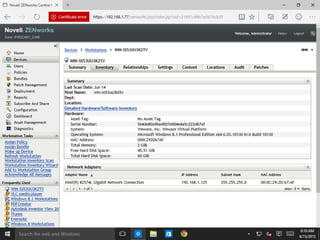
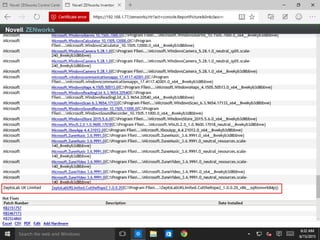
Windows 10- and NT 10.0
© Novell, Inc. All rights reserved.40
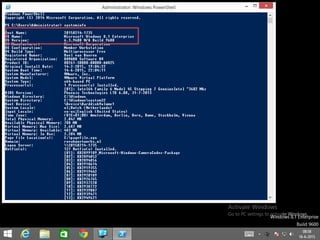
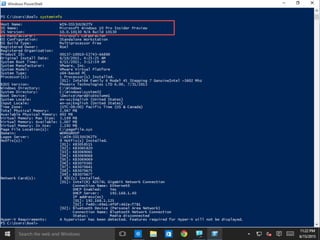
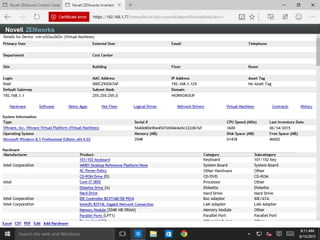
Systeminfo and OS Version
© Novell, Inc. All rights reserved.41
Systeminfo and OS Version
© Novell, Inc. All rights reserved.42
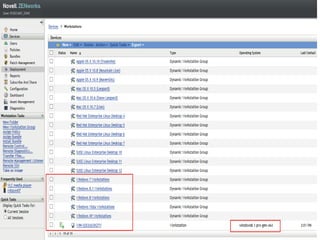
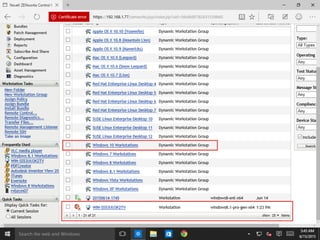
Dynamic Groups
© Novell, Inc. All rights reserved.43
Windows 10 Workstations
© Novell, Inc. All rights reserved.44
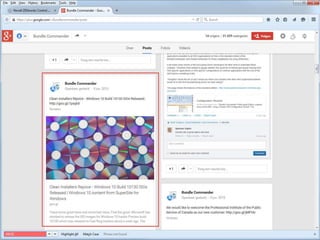
Bundle Commander
© Novell, Inc. All rights reserved.45
Bundle Commander
© Novell, Inc. All rights reserved.46
Bundle Commander
© Novell, Inc. All rights reserved.47
Bundle Commander
© Novell, Inc. All rights reserved.48
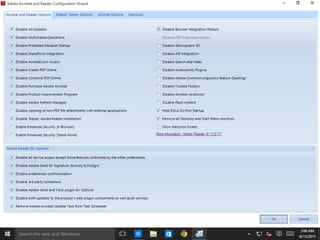
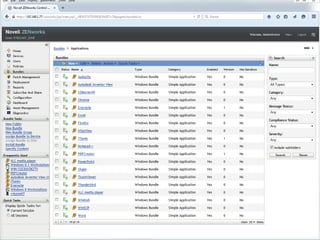
Acrobat Reader DC
© Novell, Inc. All rights reserved.49
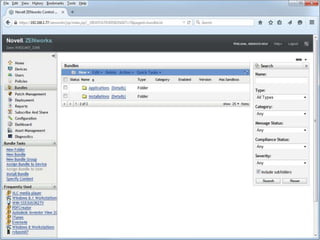
Bundles
© Novell, Inc. All rights reserved.50
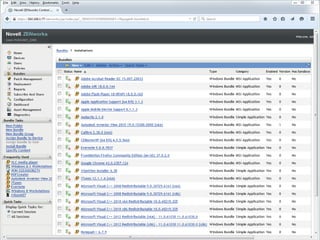
Bundles
© Novell, Inc. All rights reserved.51
Bundles
© Novell, Inc. All rights reserved.52
Bundles
© Novell, Inc. All rights reserved.53
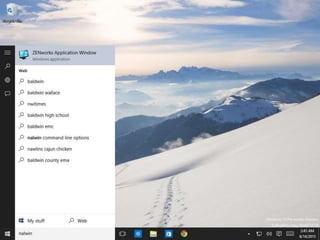
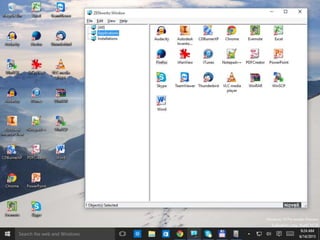
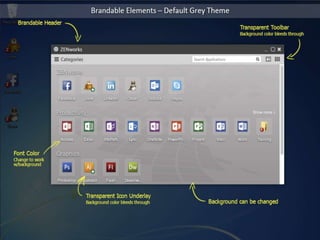
ZENworks Application Window
© Novell, Inc. All rights reserved.54
NAL on Windows 10
© Novell, Inc. All rights reserved.55
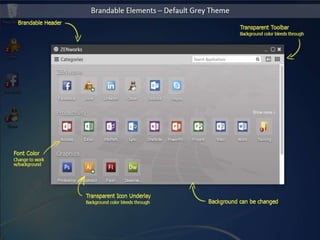
ZENworks® Configuration Mgmt
“North Carolina” – New NAL Mock-ups
© Novell, Inc. All rights reserved.56
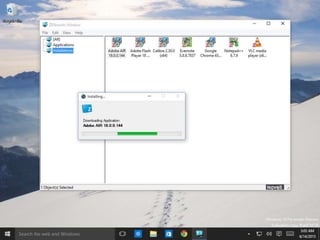
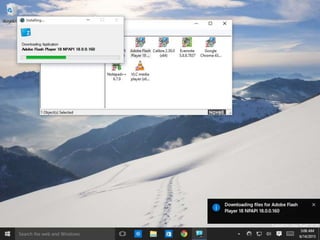
Downloading a Bundle
© Novell, Inc. All rights reserved.57
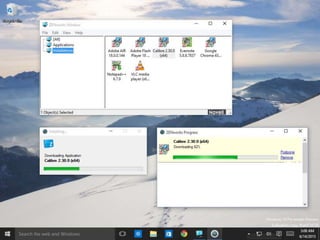
Installing a Bundle
© Novell, Inc. All rights reserved.58
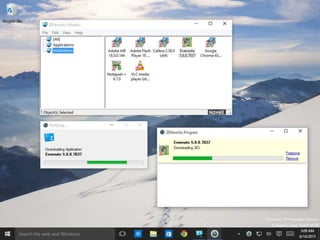
Installing a Bundle
© Novell, Inc. All rights reserved.59
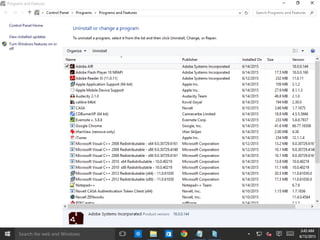
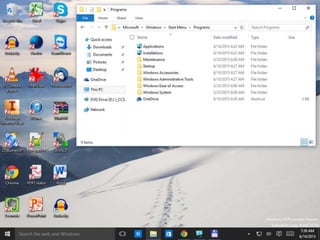
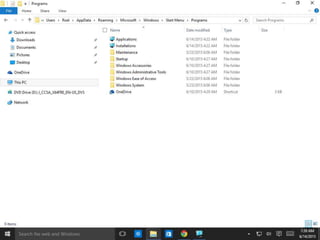
Programs
© Novell, Inc. All rights reserved.60
NAL on Windows 10
© Novell, Inc. All rights reserved.61
NAL on Windows 10
© Novell, Inc. All rights reserved.62
NAL and Explorer
© Novell, Inc. All rights reserved.63
NAL and Explorer
© Novell, Inc. All rights reserved.64
NAL and Explorer
© Novell, Inc. All rights reserved.65
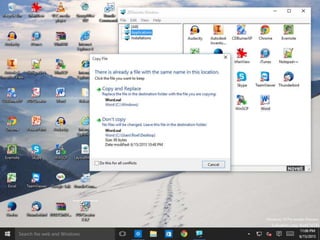
Drag and Drop
© Novell, Inc. All rights reserved.66
Windows 10 Start Menu – no ZCM
icons
© Novell, Inc. All rights reserved.67
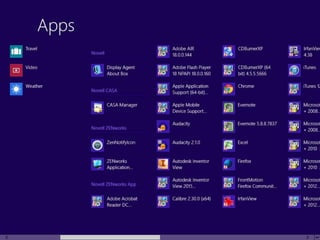
Windows 8 and Start Menu – ZCM
icons
© Novell, Inc. All rights reserved.68
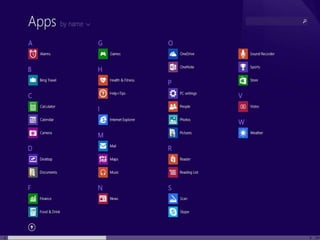
Windows 8.1 and Start Menu – no ZCM
icons
© Novell, Inc. All rights reserved.69
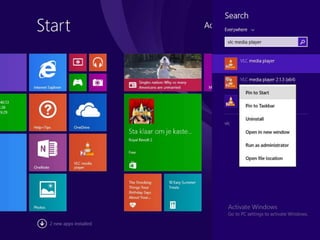
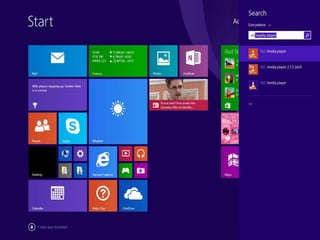
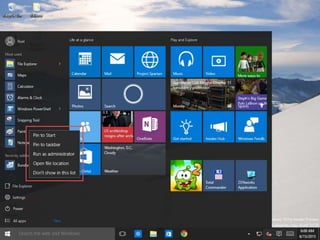
Windows 8.1 and Start Menu – Pin to
Start
© Novell, Inc. All rights reserved.70
Windows 8.1 and Start Menu – Pin to
Start
© Novell, Inc. All rights reserved.71
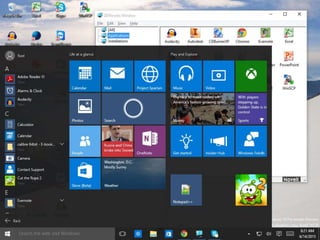
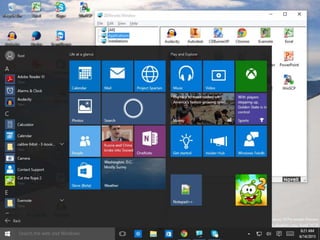
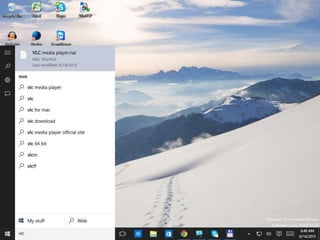
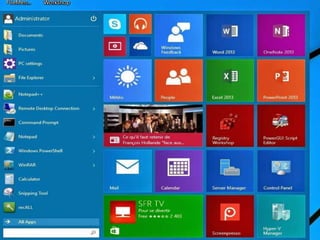
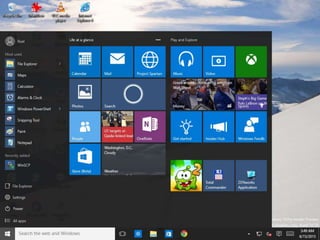
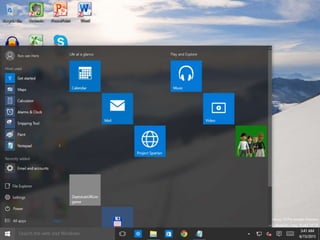
Windows 10 Start Menu
© Novell, Inc. All rights reserved.72
Windows 10 Start Menu
© Novell, Inc. All rights reserved.73
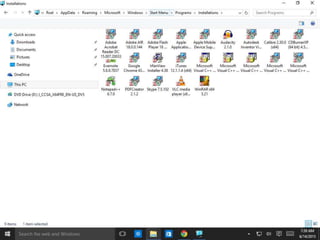
Windows 10 and .nal files
© Novell, Inc. All rights reserved.74
Windows 10 and .nal files
© Novell, Inc. All rights reserved.75
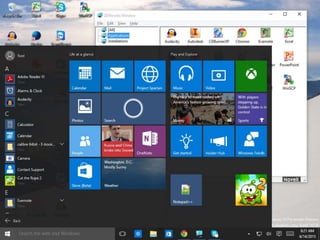
Windows 10 Start Menu and ZCM
icons
© Novell, Inc. All rights reserved.76
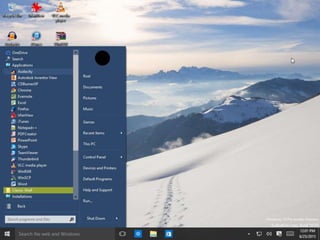
Windows 10 and Classic Shell and
ZCM icons
© Novell, Inc. All rights reserved.77
What is a Windows Store app?
• A Windows Store app is a new type of application that
runs on Windows 8(.1) and 10 devices.
• Based on the Windows Runtime API and differs from
traditional desktop apps in its design and in the way
users can interact with it on Windows 8(.1) and 10
devices.
© Novell, Inc. All rights reserved.78
What is a Universal Windows app?
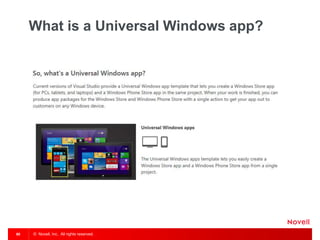
• A Universal Windows app is a Windows experience that is built
upon the Universal Windows Platform (UWP), which was first
introduced in Windows 8 as the Windows Runtime. Universal
Windows apps are most often distributed via the Windows Store
(but can also be side-loaded), and are most often packaged and
distributed using the .APPX packaging format.
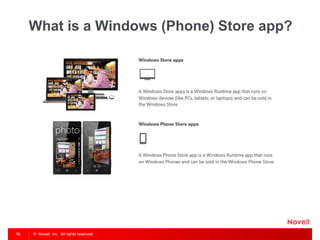
• A Windows Runtime app is an app that uses the Windows
Runtime and runs on a Windows 8, 8.1, 10 devices (such as a
PC or tablet) or a Windows Phone. We call a Windows Runtime
app that runs on PCs, laptops, and tablets a Windows Store app.
We call a Windows Runtime app that runs on the Windows
Phone a Windows Phone Store app.
© Novell, Inc. All rights reserved.79
What is a Windows (Phone) Store app?
© Novell, Inc. All rights reserved.80
What is a Universal Windows app?
© Novell, Inc. All rights reserved.81
Windows Store app
© Novell, Inc. All rights reserved.82
Windows Store app
© Novell, Inc. All rights reserved.83
Windows Store app
© Novell, Inc. All rights reserved.84
Windows Store app
© Novell, Inc. All rights reserved.85
Windows Store app
© Novell, Inc. All rights reserved.86
Windows Store app
© Novell, Inc. All rights reserved.87
Windows Store app
© Novell, Inc. All rights reserved.88
Windows Store app
© Novell, Inc. All rights reserved.89
Windows Store app
© Novell, Inc. All rights reserved.90
Windows Store app
© Novell, Inc. All rights reserved.91
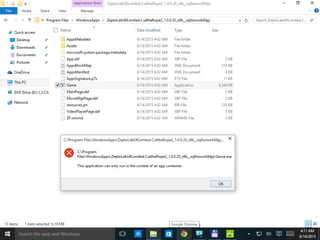
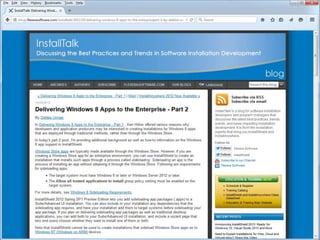
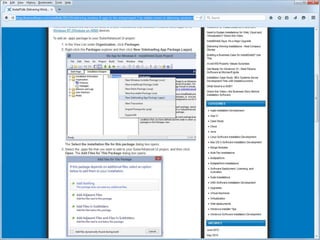
Windows Store app and AdminStudio
© Novell, Inc. All rights reserved.92
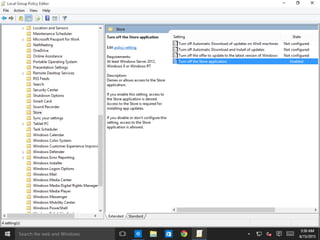
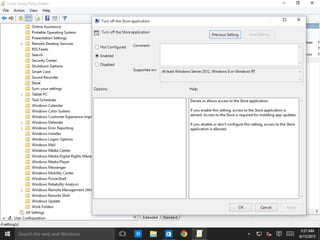
Turn of the Store application (GPO)
© Novell, Inc. All rights reserved.93
Turn of the Store application (GPO)
© Novell, Inc. All rights reserved.94
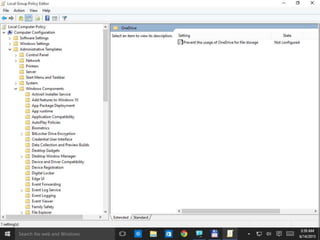
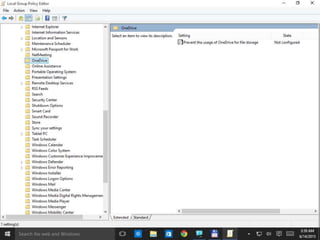
OneDrive (GPO)
© Novell, Inc. All rights reserved.95
OneDrive (GPO)
© Novell, Inc. All rights reserved.96
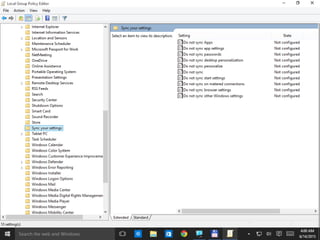
Sync Settings (GPO)
© Novell, Inc. All rights reserved.97
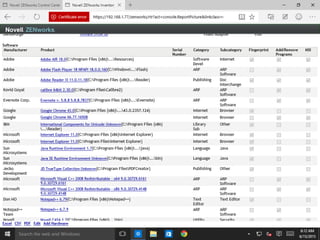
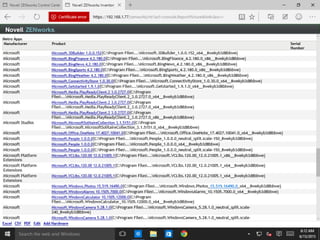
Windows Store apps and software
inventory
© Novell, Inc. All rights reserved.98
Windows Store apps and software
inventory
© Novell, Inc. All rights reserved.99
Windows Store apps and software
inventory
© Novell, Inc. All rights reserved.100
Windows Store apps and software
inventory
© Novell, Inc. All rights reserved.101
Windows Store apps and software
inventory
© Novell, Inc. All rights reserved.102
Windows Store apps and software
inventory
© Novell, Inc. All rights reserved.103
Windows Store apps and software
inventory
© Novell, Inc. All rights reserved.104
Windows Store apps and software
inventory
© Novell, Inc. All rights reserved.105
Windows Store apps and software
inventory
© Novell, Inc. All rights reserved.106
Windows Store apps and software
inventory Management
© Novell, Inc. All rights reserved.107
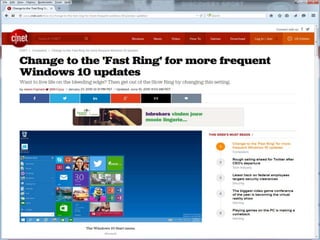
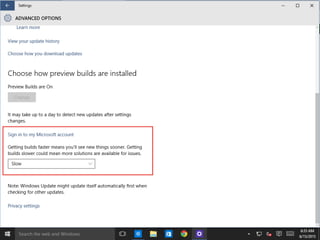
Fast Ring
© Novell, Inc. All rights reserved.108
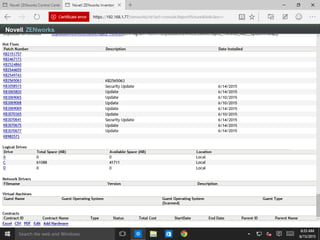
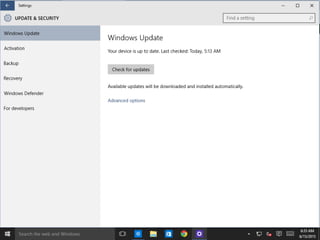
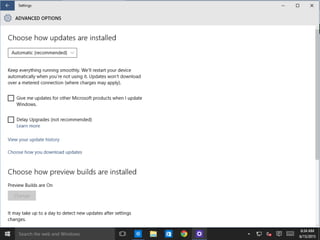
Windows Update
© Novell, Inc. All rights reserved.109
Windows Update
© Novell, Inc. All rights reserved.110
Windows Update
© Novell, Inc. All rights reserved.111
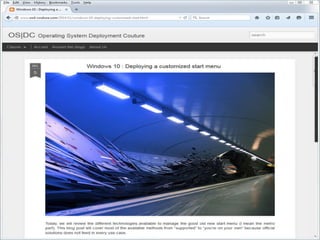
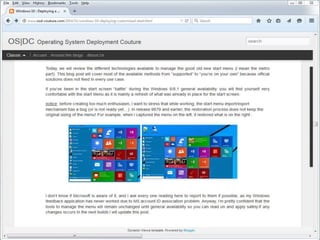
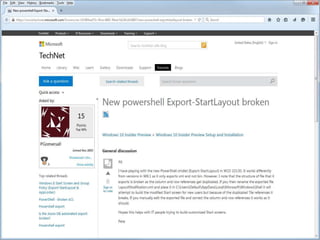
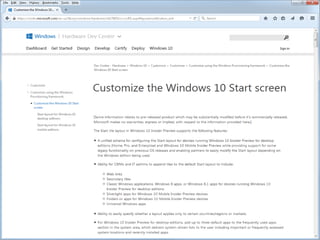
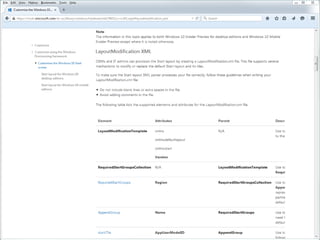
Deploying Windows 10 Start Menu
© Novell, Inc. All rights reserved.112
Deploying Windows 8 Start Menu
© Novell, Inc. All rights reserved.113
Deploying Windows 8 Start Menu
© Novell, Inc. All rights reserved.114
Deploying Windows 8 Start Menu
© Novell, Inc. All rights reserved.115
Deploying Windows 8 Start Menu
© Novell, Inc. All rights reserved.116
Deploying Windows 10 Start Menu
© Novell, Inc. All rights reserved.117
Deploying Windows 10 Start Menu
© Novell, Inc. All rights reserved.118
Deploying Windows 10 Start Menu
© Novell, Inc. All rights reserved.119
Deploying Windows 10 Start Menu
© Novell, Inc. All rights reserved.120
Deploying Windows 10 Start Menu
© Novell, Inc. All rights reserved.121
Deploying Windows 10 Start Menu
ZENworks Configuration Management
© Novell, Inc. All rights reserved.122
ZENworks® Configuration Mgmt
“North Carolina” – New NAL Mock-ups
© Novell, Inc. All rights reserved.123
Signing Out

ZENworks Configuration Management and Windows 10

  • 1.
    ZENworks and Windows10 Roel van Bueren CONFIDENTIAL AND PROPRIETARY These roadmaps may only be used under non-disclosure agreement. Please refer to the “Disclaimer” slide at the end of this document for additional restrictions and general disclaimer.
  • 2.
    © Novell, Inc.All rights reserved.2 ROVABU Software BV • an ISV specializing in developing products for IT Professionals: – Bundle Commander – Setup Commander – Setup Commander Components – Update Commander
  • 3.
    © Novell, Inc.All rights reserved.3 Roel van Bueren • ZENworks Configuration Management • ENGL Imaging Toolkit • Bundle Commander • Windows and Windows Application Deployment
  • 4.
    © Novell, Inc.All rights reserved.4 Roel van Bueren
  • 5.
    © Novell, Inc.All rights reserved.5 Roel van Bueren
  • 6.
    © Novell, Inc.All rights reserved.6 Roel van Bueren
  • 7.
    © Novell, Inc.All rights reserved.7 Novell® ZENworks® Endpoint Lifecycle Management Products Configuration Management Application Virtualization Asset Management Patch Management* Data Encryption Endpoint Security Mobile Management* Endpoint IT Service Management Reporting Service Novell® ZENworks® Suite
  • 8.
    © Novell, Inc.All rights reserved.8 Get Windows 10
  • 9.
    © Novell, Inc.All rights reserved.9 Get Windows 10
  • 10.
    © Novell, Inc.All rights reserved.10 Windows 10 Tray Item
  • 11.
    © Novell, Inc.All rights reserved.11 Windows 10 Tray Item
  • 12.
    © Novell, Inc.All rights reserved.12 ZENworks® Roadmap PlannedShipping 1H 2015 2H 2015 1H 2016 ZENworks 11SP4 ‒ New Virtual Appliances ‒ SSL Zone Cert Mgmt ‒ TightVNC 2.7.x ‒ ZeUS ‒ GroupWise/OES License compliance ‒ Certificate Management ‒ Cisco ISE Support ‒ Shared Device Support ‒ Appless iOS Enrollment ‒ Acceptable Use Policy ZMM 3.1.0 ZMM 3.2 ‒ Android for Work ‒ iPrint / Messenger Configuration ‒ Windows 10 Support ‒ Telemetry ‒ ZENworks License compliance ZENworks 11.4.1 ZMM 3.3 ‒ Windows 10 Phone Support ZAV “Dragon” ‒ OS-X Virtualization ‒ Filr Integration ZMM 3.1.1 ‒ Android L Device Owner and Managed Profile ‒ Drop Win2K3 Support ‒ Updated PHP NSD “Teak” ‒ Simplified customer and technician portal ‒ Improvements to AMIE ZAV 11.1 ‒ Scale improvements ‒ Sharing configuration NSD “Redwood” ‒ RESTful Webservices ‒ Customer enhancements ‒ Performance improvements ‒ Mobile app improvements ZAV “Cartwheel” ‒ Docker style containers ‒ Network virtualization ‒ ZAM Usage Roll-up NSD “Walnut” ‒ New Virtual Appliances ‒ Improved reporting ‒ Updated user interface ‒ Performance enhancements ZENworks “North Carolina” ‒ Integrated Mobile Management for iOS / Android ‒ New NAL look and feel ‒ Additional Micro Focus license compliance ‒ Endpoint Security & FDE Enhancements ‒ Asset Management improvements
  • 13.
    © Novell, Inc.All rights reserved.13 Windows 10 Support • ZCM 11.3.2 – Experimental support for Windows 10 Tech Preview • ZCM 11.4 – Experimental support for Windows 10 Tech Preview • ZCM 11.4.1 – Official support for Windows 10 • ZCM North Carolina – Windows 10 specific features (Spartan/Edge) – LOB Side Loading (AppX) – Windows Store (AppX)
  • 14.
    © Novell, Inc.All rights reserved.14 System Update 11.3.2
  • 15.
    © Novell, Inc.All rights reserved.15 Experimental support for Windows 10 Tech Preview
  • 16.
    © Novell, Inc.All rights reserved.16 Experimental support for Windows 10 Tech Preview • The following scenarios have been verified: – ZENworks Agent installation and registration – ZENworks Server Authentication through LDAP (Username/Password) in Credman and CredProvider mode – Bundle system requirements – Quick task – Bundle Management (Bundle actions: prompt, launch, and restart- shutdown) – Policy Management (Browser Bookmark policy) – Metro and the toast notification handling – In logon failure scenarios, toast notifications are displayed along with the error messages. – DisplayMessage action indicates messages as toast.
  • 17.
    © Novell, Inc.All rights reserved.17 Experimental support for Windows 10 Tech Preview • The following scenarios have been verified: – In NAL, applications are displayed as normal files or folders on the system. Applications can be dragged to any location and perform all the operations. – If you click the ZENworks icon in the Start menu, the properties dialog is displayed.
  • 18.
    © Novell, Inc.All rights reserved.18 Experimental support for Windows 10 Tech Preview • The following scenarios have been verified (Imaging): – The Clear and Edit options in ziswin.exe are working as expected; however, the Viewing history option might not work as expected. – All system information such as Hostname/netbios name, network, and device settings are updated to ZISD (ZENworks Image Safe Data) as expected. – Promoted as an Imaging satellite and all the imaging services are running as expected. – Novell-pbserv – Novell-tftp – Novell-zmgprebootpolicy – Novell-proxydhcp – Verified the ZENworks imaging role from the satellite.
  • 19.
    © Novell, Inc.All rights reserved.19 ZENworks 11 SP4 beta
  • 20.
    © Novell, Inc.All rights reserved.20 ZENworks 11 SP4 beta
  • 21.
    © Novell, Inc.All rights reserved.21 Windows 10 Preview
  • 22.
    © Novell, Inc.All rights reserved.22 Windows 10 Pro Insider Preview Build 10130
  • 23.
    © Novell, Inc.All rights reserved.23 Windows 10 Pro Insider Preview Build 10130
  • 24.
    © Novell, Inc.All rights reserved.24 Windows 10 Pro Insider Preview Build 10130
  • 25.
    © Novell, Inc.All rights reserved.25 Windows 10 Pro Insider Preview Build 10130
  • 26.
    © Novell, Inc.All rights reserved.26 Windows 10 Pro Insider Preview Build 10130 – ZCM Agent
  • 27.
    © Novell, Inc.All rights reserved.27 Windows 10 Pro Insider Preview Build 10130 – ZCM Agent
  • 28.
    © Novell, Inc.All rights reserved.28 Windows 10 Pro Insider Preview Build 10130 – ZCM Agent
  • 29.
    © Novell, Inc.All rights reserved.29 Windows 10 Pro Insider Preview Build 10130 – ZCM Agent
  • 30.
    © Novell, Inc.All rights reserved.30 Windows 10 Pro Insider Preview Build 10130 – ZCM Agent
  • 31.
    © Novell, Inc.All rights reserved.31 Windows 10 Pro Insider Preview Build 10130 – ZCM Agent
  • 32.
    © Novell, Inc.All rights reserved.32 Windows 10 Pro Insider Preview Build 10130 – ZCM Agent
  • 33.
    © Novell, Inc.All rights reserved.33 Toast
  • 34.
    © Novell, Inc.All rights reserved.34 Device Registration
  • 35.
    © Novell, Inc.All rights reserved.35 OS
  • 36.
    © Novell, Inc.All rights reserved.36 Windows 7 en ZENworks Configuration Management
  • 37.
    © Novell, Inc.All rights reserved.37 Ostargets.xml
  • 38.
    © Novell, Inc.All rights reserved.38 Ostargets.xml
  • 39.
    © Novell, Inc.All rights reserved.39 Windows 10- and NT 10.0
  • 40.
    © Novell, Inc.All rights reserved.40 Systeminfo and OS Version
  • 41.
    © Novell, Inc.All rights reserved.41 Systeminfo and OS Version
  • 42.
    © Novell, Inc.All rights reserved.42 Dynamic Groups
  • 43.
    © Novell, Inc.All rights reserved.43 Windows 10 Workstations
  • 44.
    © Novell, Inc.All rights reserved.44 Bundle Commander
  • 45.
    © Novell, Inc.All rights reserved.45 Bundle Commander
  • 46.
    © Novell, Inc.All rights reserved.46 Bundle Commander
  • 47.
    © Novell, Inc.All rights reserved.47 Bundle Commander
  • 48.
    © Novell, Inc.All rights reserved.48 Acrobat Reader DC
  • 49.
    © Novell, Inc.All rights reserved.49 Bundles
  • 50.
    © Novell, Inc.All rights reserved.50 Bundles
  • 51.
    © Novell, Inc.All rights reserved.51 Bundles
  • 52.
    © Novell, Inc.All rights reserved.52 Bundles
  • 53.
    © Novell, Inc.All rights reserved.53 ZENworks Application Window
  • 54.
    © Novell, Inc.All rights reserved.54 NAL on Windows 10
  • 55.
    © Novell, Inc.All rights reserved.55 ZENworks® Configuration Mgmt “North Carolina” – New NAL Mock-ups
  • 56.
    © Novell, Inc.All rights reserved.56 Downloading a Bundle
  • 57.
    © Novell, Inc.All rights reserved.57 Installing a Bundle
  • 58.
    © Novell, Inc.All rights reserved.58 Installing a Bundle
  • 59.
    © Novell, Inc.All rights reserved.59 Programs
  • 60.
    © Novell, Inc.All rights reserved.60 NAL on Windows 10
  • 61.
    © Novell, Inc.All rights reserved.61 NAL on Windows 10
  • 62.
    © Novell, Inc.All rights reserved.62 NAL and Explorer
  • 63.
    © Novell, Inc.All rights reserved.63 NAL and Explorer
  • 64.
    © Novell, Inc.All rights reserved.64 NAL and Explorer
  • 65.
    © Novell, Inc.All rights reserved.65 Drag and Drop
  • 66.
    © Novell, Inc.All rights reserved.66 Windows 10 Start Menu – no ZCM icons
  • 67.
    © Novell, Inc.All rights reserved.67 Windows 8 and Start Menu – ZCM icons
  • 68.
    © Novell, Inc.All rights reserved.68 Windows 8.1 and Start Menu – no ZCM icons
  • 69.
    © Novell, Inc.All rights reserved.69 Windows 8.1 and Start Menu – Pin to Start
  • 70.
    © Novell, Inc.All rights reserved.70 Windows 8.1 and Start Menu – Pin to Start
  • 71.
    © Novell, Inc.All rights reserved.71 Windows 10 Start Menu
  • 72.
    © Novell, Inc.All rights reserved.72 Windows 10 Start Menu
  • 73.
    © Novell, Inc.All rights reserved.73 Windows 10 and .nal files
  • 74.
    © Novell, Inc.All rights reserved.74 Windows 10 and .nal files
  • 75.
    © Novell, Inc.All rights reserved.75 Windows 10 Start Menu and ZCM icons
  • 76.
    © Novell, Inc.All rights reserved.76 Windows 10 and Classic Shell and ZCM icons
  • 77.
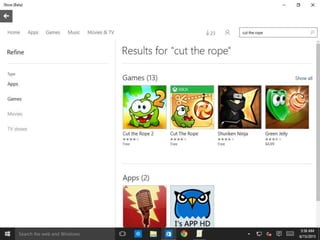
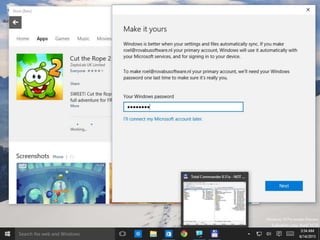
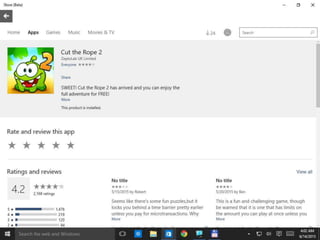
    © Novell, Inc.All rights reserved.77 What is a Windows Store app? • A Windows Store app is a new type of application that runs on Windows 8(.1) and 10 devices. • Based on the Windows Runtime API and differs from traditional desktop apps in its design and in the way users can interact with it on Windows 8(.1) and 10 devices.
  • 78.
    © Novell, Inc.All rights reserved.78 What is a Universal Windows app? • A Universal Windows app is a Windows experience that is built upon the Universal Windows Platform (UWP), which was first introduced in Windows 8 as the Windows Runtime. Universal Windows apps are most often distributed via the Windows Store (but can also be side-loaded), and are most often packaged and distributed using the .APPX packaging format. • A Windows Runtime app is an app that uses the Windows Runtime and runs on a Windows 8, 8.1, 10 devices (such as a PC or tablet) or a Windows Phone. We call a Windows Runtime app that runs on PCs, laptops, and tablets a Windows Store app. We call a Windows Runtime app that runs on the Windows Phone a Windows Phone Store app.
  • 79.
    © Novell, Inc.All rights reserved.79 What is a Windows (Phone) Store app?
  • 80.
    © Novell, Inc.All rights reserved.80 What is a Universal Windows app?
  • 81.
    © Novell, Inc.All rights reserved.81 Windows Store app
  • 82.
    © Novell, Inc.All rights reserved.82 Windows Store app
  • 83.
    © Novell, Inc.All rights reserved.83 Windows Store app
  • 84.
    © Novell, Inc.All rights reserved.84 Windows Store app
  • 85.
    © Novell, Inc.All rights reserved.85 Windows Store app
  • 86.
    © Novell, Inc.All rights reserved.86 Windows Store app
  • 87.
    © Novell, Inc.All rights reserved.87 Windows Store app
  • 88.
    © Novell, Inc.All rights reserved.88 Windows Store app
  • 89.
    © Novell, Inc.All rights reserved.89 Windows Store app
  • 90.
    © Novell, Inc.All rights reserved.90 Windows Store app
  • 91.
    © Novell, Inc.All rights reserved.91 Windows Store app and AdminStudio
  • 92.
    © Novell, Inc.All rights reserved.92 Turn of the Store application (GPO)
  • 93.
    © Novell, Inc.All rights reserved.93 Turn of the Store application (GPO)
  • 94.
    © Novell, Inc.All rights reserved.94 OneDrive (GPO)
  • 95.
    © Novell, Inc.All rights reserved.95 OneDrive (GPO)
  • 96.
    © Novell, Inc.All rights reserved.96 Sync Settings (GPO)
  • 97.
    © Novell, Inc.All rights reserved.97 Windows Store apps and software inventory
  • 98.
    © Novell, Inc.All rights reserved.98 Windows Store apps and software inventory
  • 99.
    © Novell, Inc.All rights reserved.99 Windows Store apps and software inventory
  • 100.
    © Novell, Inc.All rights reserved.100 Windows Store apps and software inventory
  • 101.
    © Novell, Inc.All rights reserved.101 Windows Store apps and software inventory
  • 102.
    © Novell, Inc.All rights reserved.102 Windows Store apps and software inventory
  • 103.
    © Novell, Inc.All rights reserved.103 Windows Store apps and software inventory
  • 104.
    © Novell, Inc.All rights reserved.104 Windows Store apps and software inventory
  • 105.
    © Novell, Inc.All rights reserved.105 Windows Store apps and software inventory
  • 106.
    © Novell, Inc.All rights reserved.106 Windows Store apps and software inventory Management
  • 107.
    © Novell, Inc.All rights reserved.107 Fast Ring
  • 108.
    © Novell, Inc.All rights reserved.108 Windows Update
  • 109.
    © Novell, Inc.All rights reserved.109 Windows Update
  • 110.
    © Novell, Inc.All rights reserved.110 Windows Update
  • 111.
    © Novell, Inc.All rights reserved.111 Deploying Windows 10 Start Menu
  • 112.
    © Novell, Inc.All rights reserved.112 Deploying Windows 8 Start Menu
  • 113.
    © Novell, Inc.All rights reserved.113 Deploying Windows 8 Start Menu
  • 114.
    © Novell, Inc.All rights reserved.114 Deploying Windows 8 Start Menu
  • 115.
    © Novell, Inc.All rights reserved.115 Deploying Windows 8 Start Menu
  • 116.
    © Novell, Inc.All rights reserved.116 Deploying Windows 10 Start Menu
  • 117.
    © Novell, Inc.All rights reserved.117 Deploying Windows 10 Start Menu
  • 118.
    © Novell, Inc.All rights reserved.118 Deploying Windows 10 Start Menu
  • 119.
    © Novell, Inc.All rights reserved.119 Deploying Windows 10 Start Menu
  • 120.
    © Novell, Inc.All rights reserved.120 Deploying Windows 10 Start Menu
  • 121.
    © Novell, Inc.All rights reserved.121 Deploying Windows 10 Start Menu ZENworks Configuration Management
  • 122.
    © Novell, Inc.All rights reserved.122 ZENworks® Configuration Mgmt “North Carolina” – New NAL Mock-ups
  • 123.
    © Novell, Inc.All rights reserved.123 Signing Out