By
Maribe
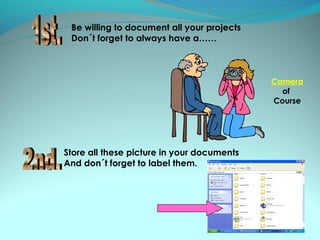
Be willing to document all your projects
 Don´t forget to always have a……


                                            Camera
                                              of
                                            Course


Store all these picture in your documents
And don´t forget to label them.
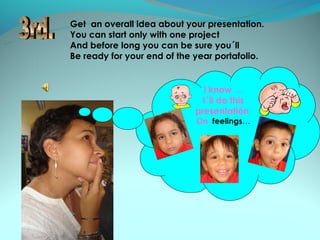
Get an overall idea about your presentation.
You can start only with one project
And before long you can be sure you´ll
Be ready for your end of the year portafolio.


                               I know …
                               I´ll do this
                             presentatiĂłn
                             On feelings…
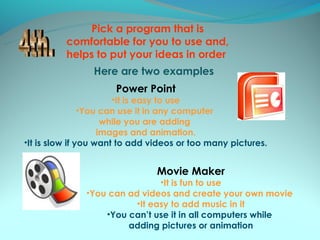
Pick a program that is
          comfortable for you to use and,
          helps to put your ideas in order
                Here are two examples
                      Power Point
                       •It is easy to use
                •You can use it in any computer
                     while you are adding
                    images and animation.
•It is slow if you want to add videos or too many pictures.


                                Movie Maker
                                •It is fun to use
               •You can ad videos and create your own movie
                          •It easy to add music in it
                   •You can’t use it in all computers while
                        adding pictures or animation
Don´t get frustrated
                               it takes
                      practice and dedication.


Soon you will feel that
   it was worth it.
All the creativity is up to
you, don’t be afraid to
                                The sky
explore and use all the         is the
program tools.                   limit


                                      TIP
                              Remember to save
                              everything you have
                                     done.
Using Power Point
   is Easy, Easy,
 Lemon Squeezy
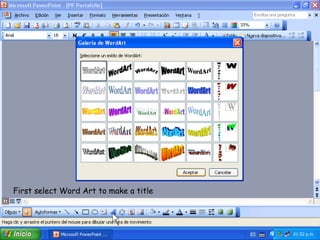
First select Word Art to make a title
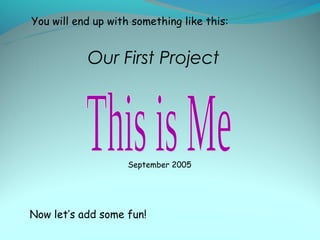
You will end up with something like this:


           Our First Project


                    September 2005


Now let’s add some fun!
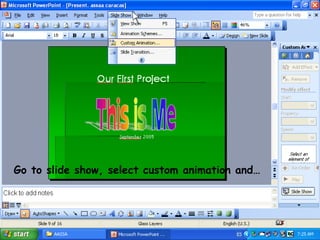
Go to slide show, select custom animation and…
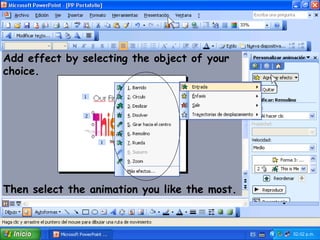
Add effect by selecting the object of your
choice.


Then select the animation you like the most.
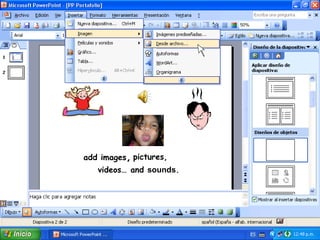
add images, pictures,
   videos… and sounds.
Now we can put everything together and
         see how it looks…
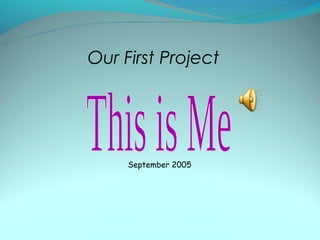
Our First Project


     September 2005
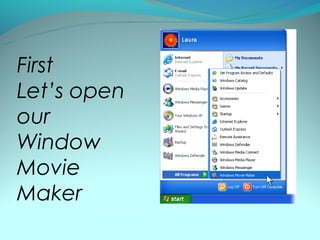
First
Let’s open
our
Window
Movie
Maker
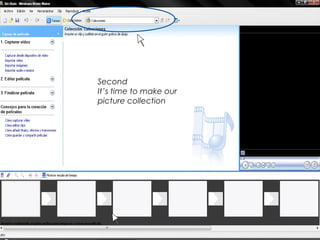
Second
It’s time to make our
picture collection
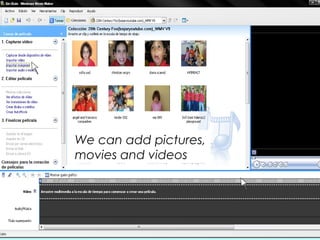
We can add pictures,
movies and videos
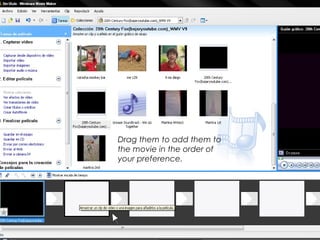
Drag them to add them to
the movie in the order of
your preference.
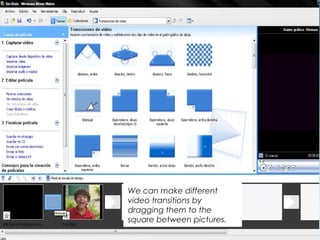
We can make different
video transitions by
dragging them to the
square between pictures.
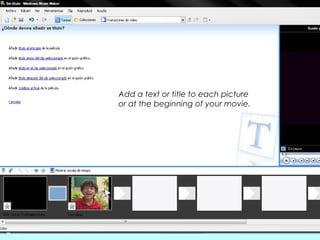
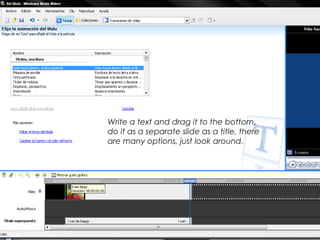
Add a text or title to each picture
or at the beginning of your movie.
Write a text and drag it to the bottom,
do it as a separate slide as a title, there
are many options, just look around.
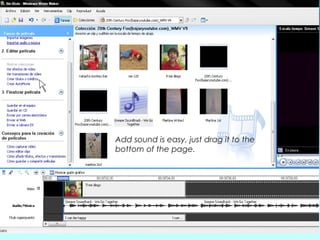
Add sound is easy, just drag it to the
bottom of the page.
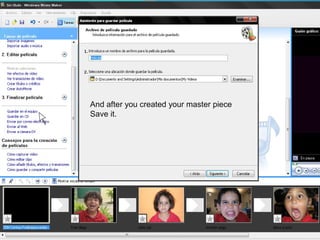
And after you created your master piece
Save it.
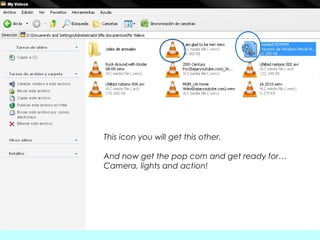
This icon you will get this other.

And now get the pop corn and get ready for…
Camera, lights and action!
We will apreciate any feedback that will enrich our
own ideas.
Remember that two heads together are better
than one.
We start with little and we grow with the power of
our imagination…

So what are you waiting for?

Tips for making digital portafolios

  • 1.
  • 2.
    Be willing todocument all your projects Don´t forget to always have a…… Camera of Course Store all these picture in your documents And don´t forget to label them.
  • 3.
    Get an overallidea about your presentation. You can start only with one project And before long you can be sure you´ll Be ready for your end of the year portafolio. I know … I´ll do this presentatión On feelings…
  • 4.
    Pick a programthat is comfortable for you to use and, helps to put your ideas in order Here are two examples Power Point •It is easy to use •You can use it in any computer while you are adding images and animation. •It is slow if you want to add videos or too many pictures. Movie Maker •It is fun to use •You can ad videos and create your own movie •It easy to add music in it •You can’t use it in all computers while adding pictures or animation
  • 5.
    Don´t get frustrated it takes practice and dedication. Soon you will feel that it was worth it.
  • 6.
    All the creativityis up to you, don’t be afraid to The sky explore and use all the is the program tools. limit TIP Remember to save everything you have done.
  • 8.
    Using Power Point is Easy, Easy, Lemon Squeezy
  • 9.
    First select WordArt to make a title
  • 10.
    You will endup with something like this: Our First Project September 2005 Now let’s add some fun!
  • 11.
    Go to slideshow, select custom animation and…
  • 12.
    Add effect byselecting the object of your choice. Then select the animation you like the most.
  • 13.
    add images, pictures, videos… and sounds.
  • 14.
    Now we canput everything together and see how it looks…
  • 15.
    Our First Project September 2005
  • 19.
  • 20.
    Second It’s time tomake our picture collection
  • 21.
    We can addpictures, movies and videos
  • 22.
    Drag them toadd them to the movie in the order of your preference.
  • 23.
    We can makedifferent video transitions by dragging them to the square between pictures.
  • 24.
    Add a textor title to each picture or at the beginning of your movie.
  • 25.
    Write a textand drag it to the bottom, do it as a separate slide as a title, there are many options, just look around.
  • 26.
    Add sound iseasy, just drag it to the bottom of the page.
  • 27.
    And after youcreated your master piece Save it.
  • 28.
    This icon youwill get this other. And now get the pop corn and get ready for… Camera, lights and action!
  • 29.
    We will apreciateany feedback that will enrich our own ideas. Remember that two heads together are better than one. We start with little and we grow with the power of our imagination… So what are you waiting for?