
Mesh Stalkings – Penetration Testing with
Networked Devices Running The Deck
Philip Polstra
@ppolstra
DrPhil@polstra.org
What is this talk about?
● Hacking and/or forensics with small, low-
power devices
● ARM-based Beagleboard & Beaglebone
running full suite of security/forensics tools
● Porting tools to a new platform
● Performing coordinated attacks with networks
of devices
Who am I?
● Professor at an undisclosed university
● Programming from age 8
● Hacking hardware from age 12
● Also known to fly and build airplanes
Roadmap
● Choosing a platform
● Selecting a base OS
● Building a base system
● The easy part – leveraging repositories
● The slightly harder part – building tools
● Building your own accessories
● Solo Demonstrations
● Networking with 802.15.4
● Attack Networks
● Future directions
Choosing a Platform
● Small
● Low-power
● Affordable
● Mature
● Networking built in
● Good USB support
● Convenient input and output
And the Winning Platform is... the Beagles
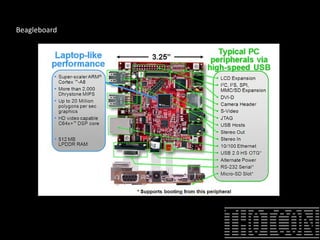
● Beagleboard
– 3.25” square
– <10 Watts
– only $149
– Based on Cortex A8
– 100 Mbps Ethernet built in
– 4 high-speed USB plus USB-on-the-go
– DVI-D, S-video, and LCD output
– RS-232, webcam, audio, and microSD
Beagleboard
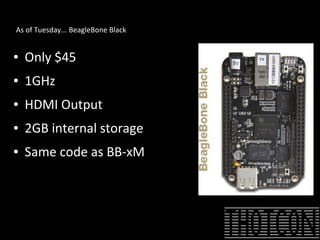
As of Tuesday... BeagleBone Black
● Only $45
● 1GHz
● HDMI Output
● 2GB internal storage
● Same code as BB-xM
I know at least one of you will ask...
● Why not Raspberry Pi?
– Not as powerful as even old BeagleBone
– Doesn't run Ubuntu (ARM6 not supported)
– Not truly open (Broadcom won't release info)
– Not as mature
– Cost savings for full-featured platform are slight
– Limited availability (especially in USA)
– Power stability and other issues
Selecting a Base OS
● Angstrom comes in the box
– Optimized for hardware
– Nice package management
– Poor repository support for our purposes
● Ubuntu is available
– BT is based on Ubuntu (Kali Debian)
– Ubuntu is very popular
– Good repository and community support
Building a Base Device on BB-xM and Original BBone
● Upgrade to 8GB or larger microSD
● Download an image for microSD card
– Canonical image or
– Robert C. Nelson demo images
– I used Nelson's because they are tweaked for Beagleboard and
updated frequently
● Good instructions available at
http://elinux.org/BeagleBoardUbuntu
Building a Bbone Black Device
● Simpliest way – ignore built in MMC
● Better way – use MMC and supplement
– Better performance
– Faster boot
– More storage on uSD card
– Currently work in progress
The Easy Part – Using Repositories
● Many of the tools we want are available in the
standard Ubuntu repositories
● Some are also available as .deb files
– Packages written in interpreted languages (Java, Python,
PERL, Ruby) usually work out of the box
– C-based packages depend on libraries that may or may not
be available/installed
The Harder Part – Building Your Own Tools
● Native or cross-compile?
● Native
– Straightforward
– Can be slow on 1GHz ARM with 512 MB RAM
● Cross-compile
– A bit more complicated
– Take advantage of multi-core desktop with plenty of RAM
Native Compilation
● “Sudo apt-get install build-essential” is about
all you need to be on your way
● Something to keep in mind if you SSH in and
use DHCP: Ethernet is via USB chipset and MAC
address varies from one boot to next which
leads to different address being assigned
Cross-Compile Basic Method
● Download a toolchain “wget http://angstrom-distribution.org/toolchains/angstrom-<ver>-
armv7a...”
● Untar toolchain “tar -xf angstrom-<ver>-armv7a-linux-gnueabi-toolchain.tar.bz2 -C”
● Setup build environment “. /usr/local/angstrom/arm/environment-setup”
● Download source
● Configure with “./configure --host=arm-angstrom-linux-gnueabi –prefix=/home/...”
● Build with “make && sudo make install”
● Copy binaries to BB-xM
● Could have problems if there is a kernel mismatch between setup and what is installed to BB-
xM
More Sophisticated Cross-Compile Method
● Install a toolchain as in basic method
● Install Eclipse
● Install C/C++ Development Tools in Eclipse
● Download software
● Use makefile to create Eclipse project
● Create a Build Configuration in Eclipse
● Compile
● Move binaries to BB-xM
Even More Sophisticated Cross-Compile Method
● Same as previous, but with the addition of remote debugging
● Has advantage of easy transfer of binaries
● In Eclipse under Mobile Development add
– C/C++ DSF GDB Debugger Integration
– C/C++ Remote Launch
– Remote System Explorer End-User Runtime
– Remote System Explorer User Actions
● Full Tutorial at http://lvr.com/eclipse1.htm
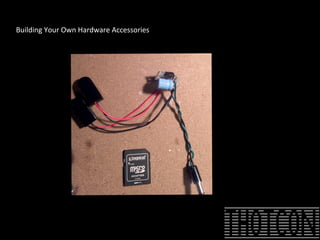
Building Your Own Hardware Accessories
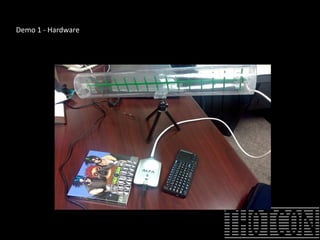
Demo 1 - Hardware
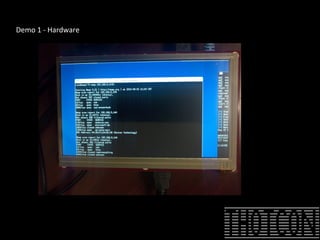
Demo 1 - Hardware
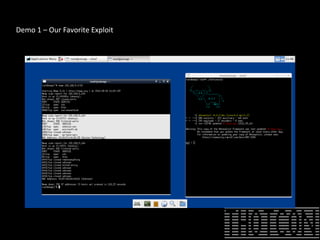
Demo 1 – Our Favorite Exploit
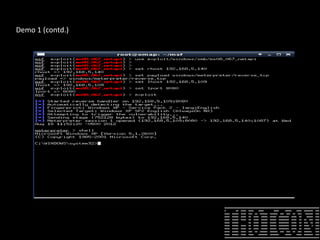
Demo 1 (contd.)
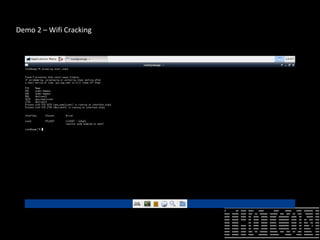
Demo 2 – Wifi Cracking
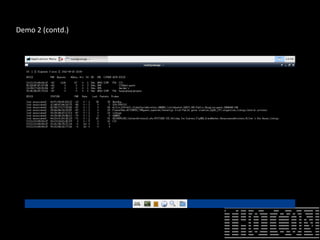
Demo 2 (contd.)
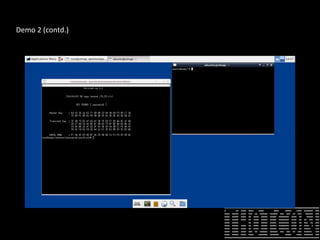
Demo 2 (contd.)
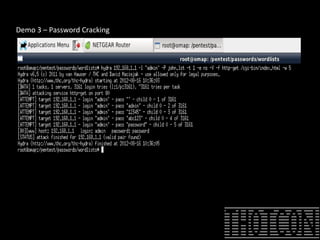
Demo 3 – Password Cracking
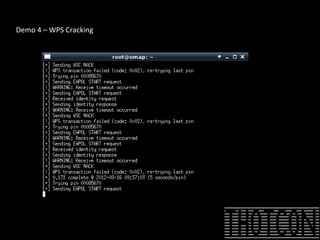
Demo 4 – WPS Cracking
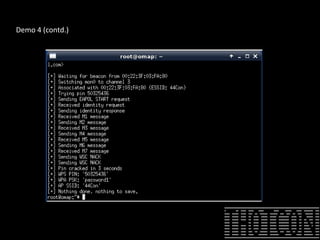
Demo 4 (contd.)
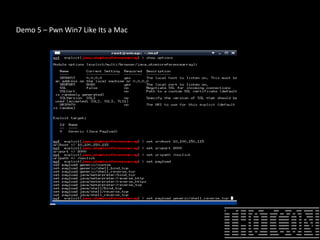
Demo 5 – Pwn Win7 Like Its a Mac
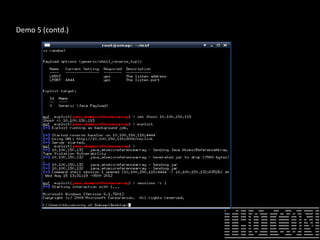
Demo 5 (contd.)
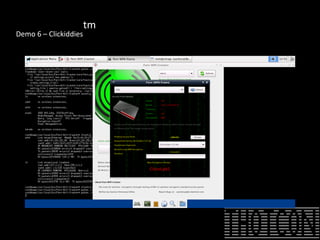
Demo 6 – Clickiddies
tm
802.15.4 Networking
● Basics
● Hardware
● Simple case: 2 Xbee adapters
● Slightly harder case: multiple adapters one at a
time
● Hard case: multiple adapters simultaneously
● Really Hard case: true mesh network
802.15.4 Basics
● Typically used in low-power embedded systems
● Regular (150') and Pro (1 mile) versions
● AT and API modes of operation
● Low-speed (250 kbps max)
● Supports multiple network topologies
– Peer to Peer
– Star
– Mesh
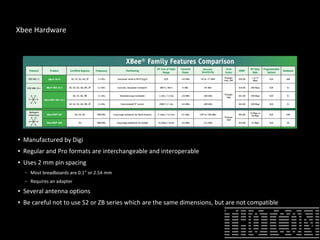
Xbee Hardware
● Manufactured by Digi
● Regular and Pro formats are interchangeable and interoperable
● Uses 2 mm pin spacing
– Most breadboards are 0.1” or 2.54 mm
– Requires an adapter
● Several antenna options
● Be careful not to use S2 or ZB series which are the same dimensions, but are not compatible
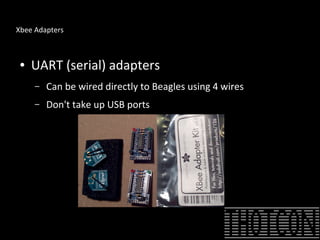
Xbee Adapters
● UART (serial) adapters
– Can be wired directly to Beagles using 4 wires
– Don't take up USB ports
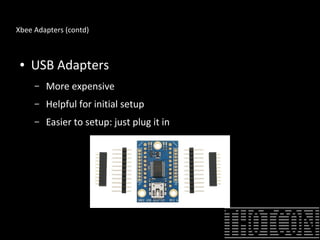
Xbee Adapters (contd)
● USB Adapters
– More expensive
– Helpful for initial setup
– Easier to setup: just plug it in
Simple Case: 2 Xbee Adapters
● Xbee modules must be configured for desired
network topology
● Digi provides X-CTU software for configuration,
but it only runs on Windows
● Recently Moltosenso has released Network
Manager IRON 1.0 which runs on Linux, Mac,
and Windows – free edition is sufficient for our
limited usage
Configuring Xbee Modules
● Place Xbee module in USB adapter and connect to PC running X-CTU or IRON
● Select correct USB port and set baud rate (default is 9600)
● From Modem Configuration tab select Read to get current configuration
● Ensure modem is XB24 and Function Set is XBEE 802.15.4
● Set the channel and PAN ID (1337?) noting the settings which must be the same for
all modems
● Pick a Destination Low and Destination High address for the other adapter (say 2
and 0)
● Set the My Address to a chosen value (say 01)
● Click Write to stored the new config on the Xbee
● Repeat this process on the second Xbee but reverse the addresses
● The modules should now talk to each other just fine
Wiring the Xbee to Beagles
If you splurged for the USB adapter you can just
plug in to a USB port
– BeagleBone has only 1 USB port which you might want for
something else
– BeagleBoard has 4 USB ports
● Using the UART interface slightly more
complicated
– Connect 4 wires: 3.3V, Ground, TX, RX
– Configure the Beagle multiplexer for proper operation
Setting up a UART Interface
● Appropriate pins & modes in Beagle manuals
● For BeagleBone UART2
– 3.3V & Ground P9 pin 3 & 1, respectively
– TX P9 pin 21 (to Xbee Din)
– RX P9 pin 22 (to Xbee Dout)
– Configure BeagleBone
● echo 1 > /sys/kernel/debug/omap_mux/spi0_d0
● echo 21 > /sys/kernel/debug/omap_mux/spi0_sclk
– Test connection by connecting terminal program to /dev/ttyO2 (not a zero)
● Recommend against using UART on BeagleBoard
– 1.8V logic levels requires level shifting
– Slightly more complicated software configuration
Simple Case: Accessing your single drone
● By default Xbee adapters operate in
transparent mode
● Setup TTY on drone and you can login in with
terminal program
– Simple
– Works with interactive programs
– If you go out of range you are still connected when you
return
Slightly Harder Case: Multiple Drones One at a Time
● Configure drones as with the single drone case but with
different MY addresses
● Use terminal program on command console to connect to
drones one at a time
● Simple: no programming required
● Must enter AT command mode to switch between drones
– Enter “+++” (no enter) and wait for OK
– Enter “ATDL0002 <enter>” to select drone 2
– Enter “ATWR <enter>” to write to NVRAM
– Enter “ATCN <enter>” to exit command mode
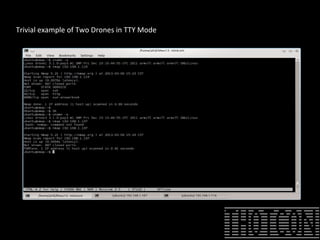
Trivial example of Two Drones in TTY Mode
Slightly Harder Case: Multiple Drones Simultaneously
● API mode is used vs. AT mode
● Configure Xbee with X-CTU
– For Series 1 stick with 802.15.4 Function Set
– For Series 2 (ZB)
●
Drones set to Function Set ZNET 2.5 ROUTER/ENDDEVICE API 1347
● Controller set to Function Set ZNET 2.5 COORDINATOR API 1147
● Multiple choices for communication
– Java xbee-api
– Python-xbee (what I used)
– Raw commands to TTY device
● Recommended for most situations involving 3 or more devices
Multiple Drone Communications
● Really this is a point-to-multipoint topology
● For each drone communication appears to be
simple peer-to-peer
● API mode provides better performance and
allows simpler software operation
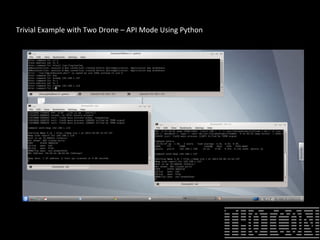
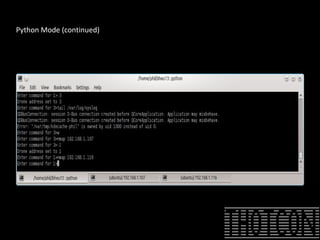
Multiple Drones Using Python: One Possibility
● Each drone runs a simple Python script which waits for
commands and sends announcements
● Controller listens for announcements/responses and
sends commands (all activity is logged)
● Upside is that it lends itself easily to scripting
● Downside is that it doesn't support interactive shells
(yet)
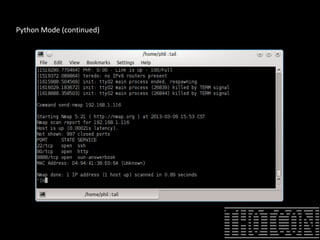
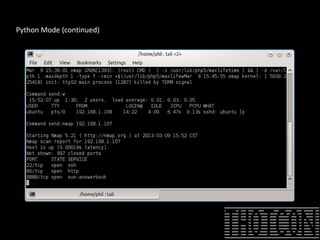
● Announcements can be sent to controller for important
events (such as successful cracking)
Trivial Example with Two Drone – API Mode Using Python
Python Mode (continued)
Harder Case: True Mesh Network
● Only recommended when larger number of
drones or when devices are too far apart
● Will negatively impact battery life
● Requires series 2 (aka ZB) Xbee adapters
● No changes to scripts are required
Networked attacks – Simplest Case
● In the simplest case there is only 1 drone
● Networking is peer-to-peer
● Allows hacking from a distance
– Better WiFi hacking when drone is in building
– Drone runs 24x7
– Drone can run for days off battery
– Important updates such as successfully cracked passwords can be sent to master
periodically in case you weren't in range when they happened
– Drone has full version of The Deck – lots of possibilities
– Less conspicuous than sitting outside the building
– If you are lucky you can patch into wired network
– If you are extra lucky they use Power Over Ethernet!
Networked Attack with Multiple Drones
● One process on master monitors status updates from
all drones
● Interactive shell into each drone
– Multiple subshells can be created
– Processing continues if master disconnects
● Endless possibilities since each drone has full version
of The Deck
● Drone are easily retasked based on objectives achieved
by other drones
Future Directions
● Continue to add useful packages as need arises
● Optimize some packages for BB-xM
● Other output devices
● Associate with a standard pentest distro
● Port to another platform
● BeagleBone Black Edition!
● Exploit USB OTG functionality
● Make The Deck fly (literally)
Bibliography
●
General BeagleBoard xM/BeagleBone http://beagleboard.org
● Installing Ubuntu on Beagles http://elinux.org/BeagleBoardUbuntu
● Cross-compiling for Beagles by Jan Axelson http://www.lvr.com/eclipse1.htm
● Instructions on how to build The Deck
http://www.instructables.com/id/The-Deck-Portable-Penetration-Testing-and-Forens/
● My blog where updates will be posted
http://ppolstra.blogspot.com/2012/09/introducing-deck-complete-pentesting.html
● Download link for The Deck (warning 6 GB) http://www.udcis.org/TheDeck/thedeck-v1.1.01-
thotcon-ed.tar.gz
● Getting Started with Xbee by Parallax
http://www.parallax.com/portals/0/downloads/docs/prod/book/122-32450-XBeeTutorial-v1.0.1.pdf
●
General information on Xbee modules from the manufacturer http://digi.com
● Download Moltosenso Network Manager IRON software
http://www.moltosenso.com/#/pc==/client/fe/download.php
Questions?

Thotcon2013

  • 1.
    Mesh Stalkings –Penetration Testing with Networked Devices Running The Deck Philip Polstra @ppolstra DrPhil@polstra.org
  • 2.
    What is thistalk about? ● Hacking and/or forensics with small, low- power devices ● ARM-based Beagleboard & Beaglebone running full suite of security/forensics tools ● Porting tools to a new platform ● Performing coordinated attacks with networks of devices
  • 3.
    Who am I? ●Professor at an undisclosed university ● Programming from age 8 ● Hacking hardware from age 12 ● Also known to fly and build airplanes
  • 4.
    Roadmap ● Choosing aplatform ● Selecting a base OS ● Building a base system ● The easy part – leveraging repositories ● The slightly harder part – building tools ● Building your own accessories ● Solo Demonstrations ● Networking with 802.15.4 ● Attack Networks ● Future directions
  • 5.
    Choosing a Platform ●Small ● Low-power ● Affordable ● Mature ● Networking built in ● Good USB support ● Convenient input and output
  • 6.
    And the WinningPlatform is... the Beagles ● Beagleboard – 3.25” square – <10 Watts – only $149 – Based on Cortex A8 – 100 Mbps Ethernet built in – 4 high-speed USB plus USB-on-the-go – DVI-D, S-video, and LCD output – RS-232, webcam, audio, and microSD
  • 7.
  • 8.
    As of Tuesday...BeagleBone Black ● Only $45 ● 1GHz ● HDMI Output ● 2GB internal storage ● Same code as BB-xM
  • 9.
    I know atleast one of you will ask... ● Why not Raspberry Pi? – Not as powerful as even old BeagleBone – Doesn't run Ubuntu (ARM6 not supported) – Not truly open (Broadcom won't release info) – Not as mature – Cost savings for full-featured platform are slight – Limited availability (especially in USA) – Power stability and other issues
  • 10.
    Selecting a BaseOS ● Angstrom comes in the box – Optimized for hardware – Nice package management – Poor repository support for our purposes ● Ubuntu is available – BT is based on Ubuntu (Kali Debian) – Ubuntu is very popular – Good repository and community support
  • 11.
    Building a BaseDevice on BB-xM and Original BBone ● Upgrade to 8GB or larger microSD ● Download an image for microSD card – Canonical image or – Robert C. Nelson demo images – I used Nelson's because they are tweaked for Beagleboard and updated frequently ● Good instructions available at http://elinux.org/BeagleBoardUbuntu
  • 12.
    Building a BboneBlack Device ● Simpliest way – ignore built in MMC ● Better way – use MMC and supplement – Better performance – Faster boot – More storage on uSD card – Currently work in progress
  • 13.
    The Easy Part– Using Repositories ● Many of the tools we want are available in the standard Ubuntu repositories ● Some are also available as .deb files – Packages written in interpreted languages (Java, Python, PERL, Ruby) usually work out of the box – C-based packages depend on libraries that may or may not be available/installed
  • 14.
    The Harder Part– Building Your Own Tools ● Native or cross-compile? ● Native – Straightforward – Can be slow on 1GHz ARM with 512 MB RAM ● Cross-compile – A bit more complicated – Take advantage of multi-core desktop with plenty of RAM
  • 15.
    Native Compilation ● “Sudoapt-get install build-essential” is about all you need to be on your way ● Something to keep in mind if you SSH in and use DHCP: Ethernet is via USB chipset and MAC address varies from one boot to next which leads to different address being assigned
  • 16.
    Cross-Compile Basic Method ●Download a toolchain “wget http://angstrom-distribution.org/toolchains/angstrom-<ver>- armv7a...” ● Untar toolchain “tar -xf angstrom-<ver>-armv7a-linux-gnueabi-toolchain.tar.bz2 -C” ● Setup build environment “. /usr/local/angstrom/arm/environment-setup” ● Download source ● Configure with “./configure --host=arm-angstrom-linux-gnueabi –prefix=/home/...” ● Build with “make && sudo make install” ● Copy binaries to BB-xM ● Could have problems if there is a kernel mismatch between setup and what is installed to BB- xM
  • 17.
    More Sophisticated Cross-CompileMethod ● Install a toolchain as in basic method ● Install Eclipse ● Install C/C++ Development Tools in Eclipse ● Download software ● Use makefile to create Eclipse project ● Create a Build Configuration in Eclipse ● Compile ● Move binaries to BB-xM
  • 18.
    Even More SophisticatedCross-Compile Method ● Same as previous, but with the addition of remote debugging ● Has advantage of easy transfer of binaries ● In Eclipse under Mobile Development add – C/C++ DSF GDB Debugger Integration – C/C++ Remote Launch – Remote System Explorer End-User Runtime – Remote System Explorer User Actions ● Full Tutorial at http://lvr.com/eclipse1.htm
  • 19.
    Building Your OwnHardware Accessories
  • 20.
    Demo 1 -Hardware
  • 21.
    Demo 1 -Hardware
  • 22.
    Demo 1 –Our Favorite Exploit
  • 23.
  • 24.
    Demo 2 –Wifi Cracking
  • 25.
  • 26.
  • 27.
    Demo 3 –Password Cracking
  • 28.
    Demo 4 –WPS Cracking
  • 29.
  • 30.
    Demo 5 –Pwn Win7 Like Its a Mac
  • 31.
  • 32.
    Demo 6 –Clickiddies tm
  • 33.
    802.15.4 Networking ● Basics ●Hardware ● Simple case: 2 Xbee adapters ● Slightly harder case: multiple adapters one at a time ● Hard case: multiple adapters simultaneously ● Really Hard case: true mesh network
  • 34.
    802.15.4 Basics ● Typicallyused in low-power embedded systems ● Regular (150') and Pro (1 mile) versions ● AT and API modes of operation ● Low-speed (250 kbps max) ● Supports multiple network topologies – Peer to Peer – Star – Mesh
  • 35.
    Xbee Hardware ● Manufacturedby Digi ● Regular and Pro formats are interchangeable and interoperable ● Uses 2 mm pin spacing – Most breadboards are 0.1” or 2.54 mm – Requires an adapter ● Several antenna options ● Be careful not to use S2 or ZB series which are the same dimensions, but are not compatible
  • 36.
    Xbee Adapters ● UART(serial) adapters – Can be wired directly to Beagles using 4 wires – Don't take up USB ports
  • 37.
    Xbee Adapters (contd) ●USB Adapters – More expensive – Helpful for initial setup – Easier to setup: just plug it in
  • 38.
    Simple Case: 2Xbee Adapters ● Xbee modules must be configured for desired network topology ● Digi provides X-CTU software for configuration, but it only runs on Windows ● Recently Moltosenso has released Network Manager IRON 1.0 which runs on Linux, Mac, and Windows – free edition is sufficient for our limited usage
  • 39.
    Configuring Xbee Modules ●Place Xbee module in USB adapter and connect to PC running X-CTU or IRON ● Select correct USB port and set baud rate (default is 9600) ● From Modem Configuration tab select Read to get current configuration ● Ensure modem is XB24 and Function Set is XBEE 802.15.4 ● Set the channel and PAN ID (1337?) noting the settings which must be the same for all modems ● Pick a Destination Low and Destination High address for the other adapter (say 2 and 0) ● Set the My Address to a chosen value (say 01) ● Click Write to stored the new config on the Xbee ● Repeat this process on the second Xbee but reverse the addresses ● The modules should now talk to each other just fine
  • 40.
    Wiring the Xbeeto Beagles If you splurged for the USB adapter you can just plug in to a USB port – BeagleBone has only 1 USB port which you might want for something else – BeagleBoard has 4 USB ports ● Using the UART interface slightly more complicated – Connect 4 wires: 3.3V, Ground, TX, RX – Configure the Beagle multiplexer for proper operation
  • 41.
    Setting up aUART Interface ● Appropriate pins & modes in Beagle manuals ● For BeagleBone UART2 – 3.3V & Ground P9 pin 3 & 1, respectively – TX P9 pin 21 (to Xbee Din) – RX P9 pin 22 (to Xbee Dout) – Configure BeagleBone ● echo 1 > /sys/kernel/debug/omap_mux/spi0_d0 ● echo 21 > /sys/kernel/debug/omap_mux/spi0_sclk – Test connection by connecting terminal program to /dev/ttyO2 (not a zero) ● Recommend against using UART on BeagleBoard – 1.8V logic levels requires level shifting – Slightly more complicated software configuration
  • 42.
    Simple Case: Accessingyour single drone ● By default Xbee adapters operate in transparent mode ● Setup TTY on drone and you can login in with terminal program – Simple – Works with interactive programs – If you go out of range you are still connected when you return
  • 43.
    Slightly Harder Case:Multiple Drones One at a Time ● Configure drones as with the single drone case but with different MY addresses ● Use terminal program on command console to connect to drones one at a time ● Simple: no programming required ● Must enter AT command mode to switch between drones – Enter “+++” (no enter) and wait for OK – Enter “ATDL0002 <enter>” to select drone 2 – Enter “ATWR <enter>” to write to NVRAM – Enter “ATCN <enter>” to exit command mode
  • 44.
    Trivial example ofTwo Drones in TTY Mode
  • 45.
    Slightly Harder Case:Multiple Drones Simultaneously ● API mode is used vs. AT mode ● Configure Xbee with X-CTU – For Series 1 stick with 802.15.4 Function Set – For Series 2 (ZB) ● Drones set to Function Set ZNET 2.5 ROUTER/ENDDEVICE API 1347 ● Controller set to Function Set ZNET 2.5 COORDINATOR API 1147 ● Multiple choices for communication – Java xbee-api – Python-xbee (what I used) – Raw commands to TTY device ● Recommended for most situations involving 3 or more devices
  • 46.
    Multiple Drone Communications ●Really this is a point-to-multipoint topology ● For each drone communication appears to be simple peer-to-peer ● API mode provides better performance and allows simpler software operation
  • 47.
    Multiple Drones UsingPython: One Possibility ● Each drone runs a simple Python script which waits for commands and sends announcements ● Controller listens for announcements/responses and sends commands (all activity is logged) ● Upside is that it lends itself easily to scripting ● Downside is that it doesn't support interactive shells (yet) ● Announcements can be sent to controller for important events (such as successful cracking)
  • 48.
    Trivial Example withTwo Drone – API Mode Using Python
  • 49.
  • 50.
  • 51.
  • 52.
    Harder Case: TrueMesh Network ● Only recommended when larger number of drones or when devices are too far apart ● Will negatively impact battery life ● Requires series 2 (aka ZB) Xbee adapters ● No changes to scripts are required
  • 53.
    Networked attacks –Simplest Case ● In the simplest case there is only 1 drone ● Networking is peer-to-peer ● Allows hacking from a distance – Better WiFi hacking when drone is in building – Drone runs 24x7 – Drone can run for days off battery – Important updates such as successfully cracked passwords can be sent to master periodically in case you weren't in range when they happened – Drone has full version of The Deck – lots of possibilities – Less conspicuous than sitting outside the building – If you are lucky you can patch into wired network – If you are extra lucky they use Power Over Ethernet!
  • 54.
    Networked Attack withMultiple Drones ● One process on master monitors status updates from all drones ● Interactive shell into each drone – Multiple subshells can be created – Processing continues if master disconnects ● Endless possibilities since each drone has full version of The Deck ● Drone are easily retasked based on objectives achieved by other drones
  • 55.
    Future Directions ● Continueto add useful packages as need arises ● Optimize some packages for BB-xM ● Other output devices ● Associate with a standard pentest distro ● Port to another platform ● BeagleBone Black Edition! ● Exploit USB OTG functionality ● Make The Deck fly (literally)
  • 56.
    Bibliography ● General BeagleBoard xM/BeagleBonehttp://beagleboard.org ● Installing Ubuntu on Beagles http://elinux.org/BeagleBoardUbuntu ● Cross-compiling for Beagles by Jan Axelson http://www.lvr.com/eclipse1.htm ● Instructions on how to build The Deck http://www.instructables.com/id/The-Deck-Portable-Penetration-Testing-and-Forens/ ● My blog where updates will be posted http://ppolstra.blogspot.com/2012/09/introducing-deck-complete-pentesting.html ● Download link for The Deck (warning 6 GB) http://www.udcis.org/TheDeck/thedeck-v1.1.01- thotcon-ed.tar.gz ● Getting Started with Xbee by Parallax http://www.parallax.com/portals/0/downloads/docs/prod/book/122-32450-XBeeTutorial-v1.0.1.pdf ● General information on Xbee modules from the manufacturer http://digi.com ● Download Moltosenso Network Manager IRON software http://www.moltosenso.com/#/pc==/client/fe/download.php
  • 57.