
Online Collaboration Tools August 26, 2010 Audio is only available by calling this number: Conference Call: 866-740-1260; Access Code: 6339392 Sponsored by
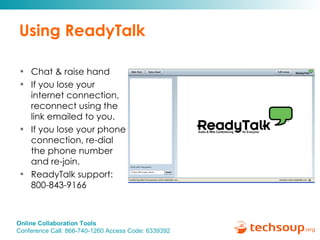
Using ReadyTalk Chat & raise hand  If you lose your internet connection, reconnect using the link emailed to you. If you lose your phone connection, re-dial the phone number and re-join. ReadyTalk support:  800-843-9166
You are being recorded… Streaming into Second Life This seminar will be available on the TechSoup website along with past  webinar presentations: www.techsoup.org/go/webinars You will receive a link to this presentation, material and links.  After the webinar, you can ask follow-up questions in the Emerging Technology Forum: http://bit.ly/octools   Twitter hashtags: #techsoup
Online Collaboration Tools Presenters: Jon Warnow, Jay Boren, Ronald Ho Sponsored by
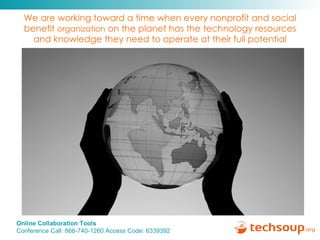
We are working toward a time when every nonprofit and social benefit  organization  on the planet has the technology resources and knowledge they need to operate at their full potential
 
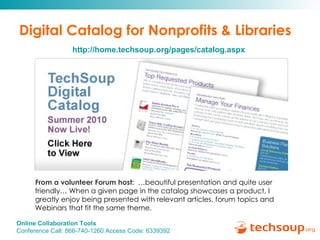
Digital Catalog for Nonprofits & Libraries From a volunteer Forum host:   …beautiful presentation and quite user friendly… When a given page in the catalog showcases a product, I greatly enjoy being presented with relevant articles, forum topics and Webinars that fit the same theme.    http://home.techsoup.org/pages/catalog.aspx
 
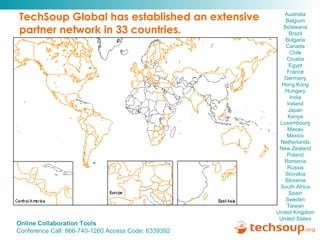
TechSoup Global has established an extensive  partner network in 33 countries. Australia   Belgium  Botswana   Brazil   Bulgaria   Canada  Chile  Croatia   Egypt   France   Germany  Hong Kong  Hungary   India  Ireland   Japan  Kenya  Luxembourg  Macau   Mexico  Netherlands  New Zealand  Poland  Romania   Russia   Slovakia   Slovenia   South Africa   Spain   Sweden   Taiwan   United Kingdom   United States
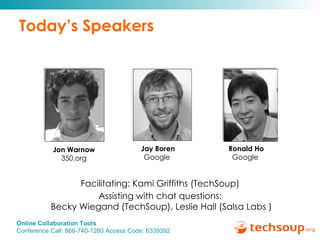
Today’s Speakers Jay Boren Google   Facilitating: Kami Griffiths (TechSoup)  Assisting with chat questions:  Becky Wiegand (TechSoup), Leslie Hall (Salsa Labs ) Jon Warnow 350.org Ronald Ho Google
Agenda Information about 350.org The tools 350.org uses Overview of Google Apps Demo of Google Docs & Calendar How 350.org is using Google Apps Q&A
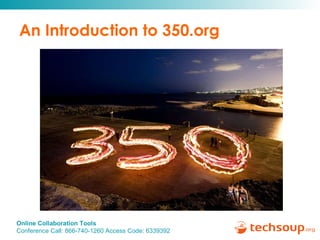
An Introduction to 350.org
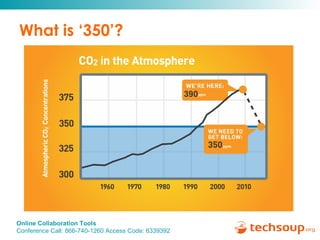
What is ‘350’?
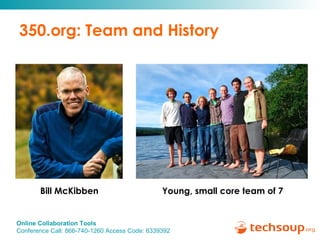
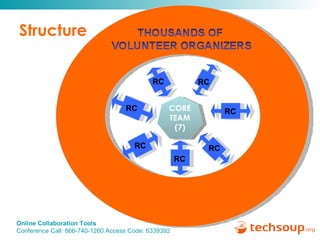
350.org: Team and History Bill McKibben Young, small core team of 7
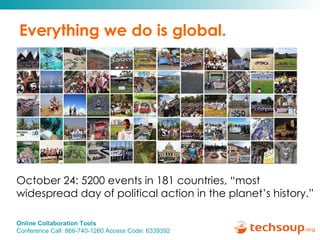
Everything we do is global. October 24: 5200 events in 181 countries, “most widespread day of political action in the planet’s history.”
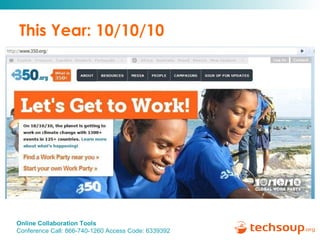
This Year: 10/10/10
Structure CORE TEAM (7) RC RC RC RC RC RC RC
The Free/Cheap Tools Behind 350.org
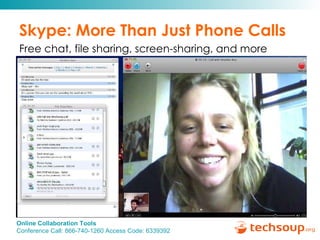
Skype: More Than Just Phone Calls Free chat, file sharing, screen-sharing, and more
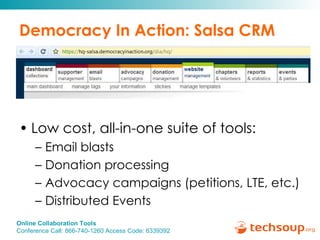
Democracy In Action: Salsa CRM Low cost, all-in-one suite of tools:  Email blasts Donation processing Advocacy campaigns (petitions, LTE, etc.) Distributed Events
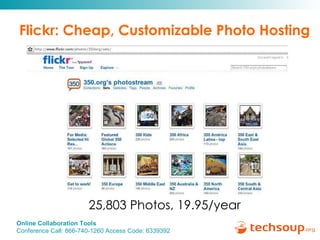
Flickr: Cheap, Customizable Photo Hosting 25,803 Photos, 19.95/year
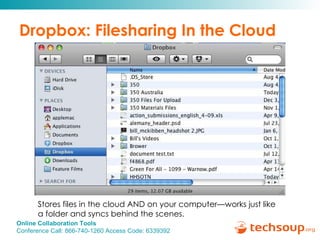
Dropbox: Filesharing In the Cloud Stores files in the cloud AND on your computer—works just like a folder and syncs behind the scenes.
Google 101:  Free tools for your organization Jay Boren
Free Communication, Collaboration, & Publishing Tools Easy collaboration Everyone’s on the same page Maintain your own .org email addresses Import / export documents in common formats Offline access Free Upload and store any file Gmail Calendar Documents Spreadsheets Presentations Groups Forms Sites
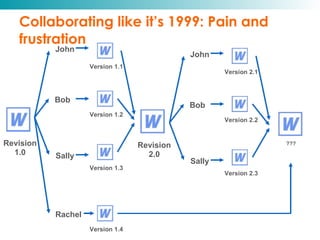
Collaborating like it’s 1999: Pain and frustration Rachel John Bob Sally Version 1.1 Version 1.2 Version 1.3 Version 1.4 Revision 1.0 John Bob Sally Version 2.1 Version 2.2 Version 2.3 Revision 2.0 ???
 
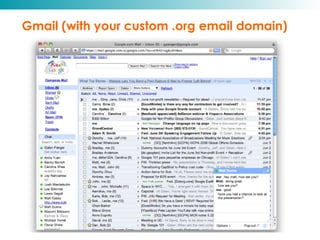
Gmail (with your custom .org email domain)
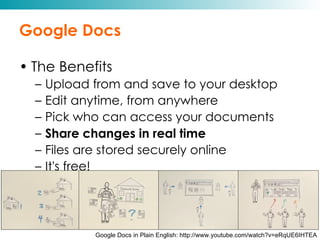
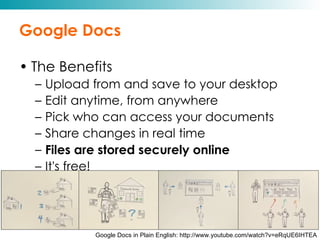
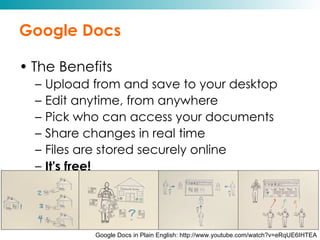
Google Docs The Benefits Upload from and save to your desktop Edit anytime, from anywhere Pick who can access your documents Share changes in real time Files are stored securely online It's free! Google Docs in Plain English: http://www.youtube.com/watch?v=eRqUE6IHTEA
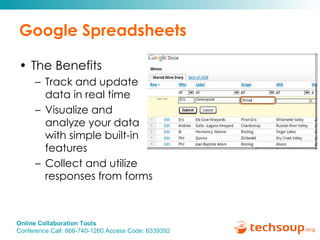
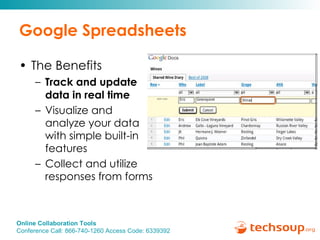
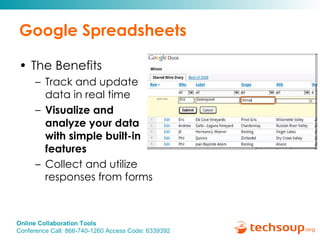
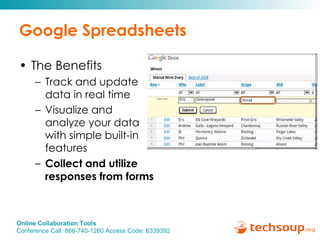
Google Spreadsheets The Benefits Track and update data in real time  Visualize and analyze your data with simple built-in features Collect and utilize responses from forms
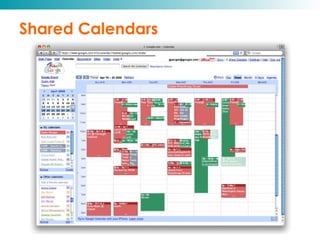
Shared Calendars
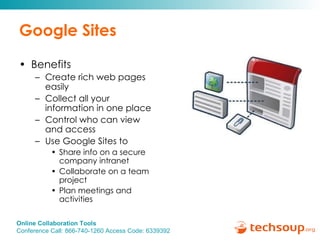
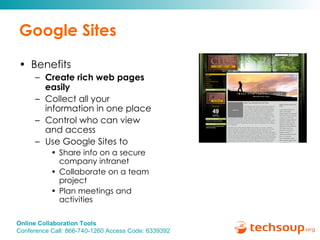
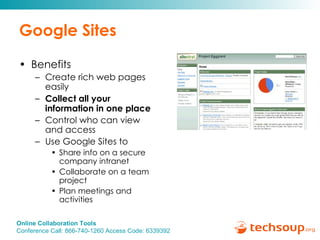
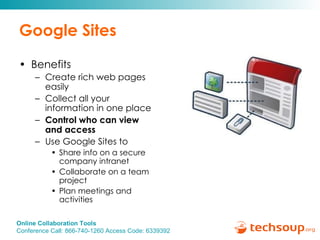
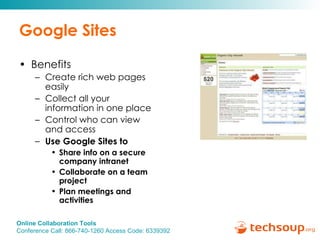
Google Sites Benefits Create rich web pages easily Collect all your information in one place Control who can view and access Use Google Sites to  Share info on a secure company intranet Collaborate on a team project Plan meetings and activities
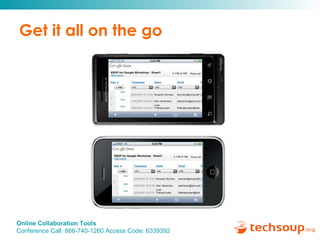
Get it all on the go
Live Demo Ronald Ho
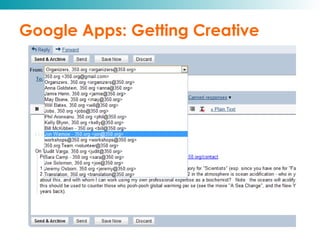
Google Apps: Getting Creative
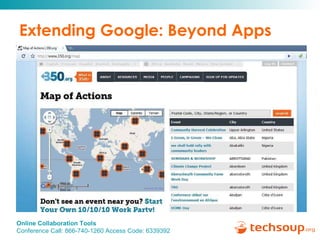
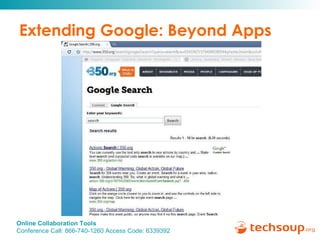
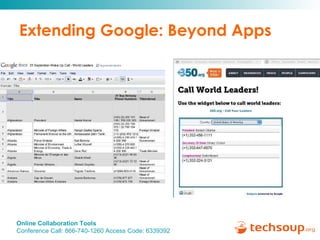
Extending Google: Beyond Apps
Google Apps Resources Training Modules on Google Apps Training Modules on Google Docs (including Sharing etc) Video on the new sharing settings   Extensive help content on sharing a doc in Google Docs Sharing help content for Google Sites Google Apps security and privacy
Questions? Submit your questions using the chat box.
Continue the Discussion… Additional questions can be  answered by posting in the   Emerging Technology Forum: http://bit.ly/octools
Upcoming Webinars Social Media Decision Making  Tuesday, September 21, 11 a.m. Pacific Donor Management Solutions  Thursday, September 30, 11 a.m. Pacific
Thank you to our Webinar Sponsor! ReadyTalk offers dedicated product demos for  TechSoup organizations 4 times per week. For more information:   pages.readytalk.com/techsoup.html
Thank you!   Please complete the post event survey! Kami Griffiths, kami@techsoup.org, 415-633-9392

Online Collaboration Tools

  • 1.
    Online Collaboration ToolsAugust 26, 2010 Audio is only available by calling this number: Conference Call: 866-740-1260; Access Code: 6339392 Sponsored by
  • 2.
    Using ReadyTalk Chat& raise hand If you lose your internet connection, reconnect using the link emailed to you. If you lose your phone connection, re-dial the phone number and re-join. ReadyTalk support: 800-843-9166
  • 3.
    You are beingrecorded… Streaming into Second Life This seminar will be available on the TechSoup website along with past webinar presentations: www.techsoup.org/go/webinars You will receive a link to this presentation, material and links. After the webinar, you can ask follow-up questions in the Emerging Technology Forum: http://bit.ly/octools Twitter hashtags: #techsoup
  • 4.
    Online Collaboration ToolsPresenters: Jon Warnow, Jay Boren, Ronald Ho Sponsored by
  • 5.
    We are workingtoward a time when every nonprofit and social benefit organization on the planet has the technology resources and knowledge they need to operate at their full potential
  • 6.
  • 7.
    Digital Catalog forNonprofits & Libraries From a volunteer Forum host: …beautiful presentation and quite user friendly… When a given page in the catalog showcases a product, I greatly enjoy being presented with relevant articles, forum topics and Webinars that fit the same theme.  http://home.techsoup.org/pages/catalog.aspx
  • 8.
  • 9.
    TechSoup Global hasestablished an extensive partner network in 33 countries. Australia Belgium Botswana Brazil Bulgaria Canada Chile Croatia Egypt France Germany Hong Kong Hungary India Ireland Japan Kenya Luxembourg Macau Mexico Netherlands New Zealand Poland Romania Russia Slovakia Slovenia South Africa Spain Sweden Taiwan United Kingdom United States
  • 10.
    Today’s Speakers JayBoren Google Facilitating: Kami Griffiths (TechSoup) Assisting with chat questions: Becky Wiegand (TechSoup), Leslie Hall (Salsa Labs ) Jon Warnow 350.org Ronald Ho Google
  • 11.
    Agenda Information about350.org The tools 350.org uses Overview of Google Apps Demo of Google Docs & Calendar How 350.org is using Google Apps Q&A
  • 12.
  • 13.
  • 14.
    350.org: Team andHistory Bill McKibben Young, small core team of 7
  • 15.
    Everything we dois global. October 24: 5200 events in 181 countries, “most widespread day of political action in the planet’s history.”
  • 16.
  • 17.
    Structure CORE TEAM(7) RC RC RC RC RC RC RC
  • 18.
    The Free/Cheap ToolsBehind 350.org
  • 19.
    The Free/Cheap ToolsBehind 350.org
  • 20.
    Skype: More ThanJust Phone Calls Free chat, file sharing, screen-sharing, and more
  • 21.
    Democracy In Action:Salsa CRM Low cost, all-in-one suite of tools: Email blasts Donation processing Advocacy campaigns (petitions, LTE, etc.) Distributed Events
  • 22.
    Flickr: Cheap, CustomizablePhoto Hosting 25,803 Photos, 19.95/year
  • 23.
    Dropbox: Filesharing Inthe Cloud Stores files in the cloud AND on your computer—works just like a folder and syncs behind the scenes.
  • 24.
    Google 101: Free tools for your organization Jay Boren
  • 25.
    Free Communication, Collaboration,& Publishing Tools Easy collaboration Everyone’s on the same page Maintain your own .org email addresses Import / export documents in common formats Offline access Free Upload and store any file Gmail Calendar Documents Spreadsheets Presentations Groups Forms Sites
  • 26.
    Collaborating like it’s1999: Pain and frustration Rachel John Bob Sally Version 1.1 Version 1.2 Version 1.3 Version 1.4 Revision 1.0 John Bob Sally Version 2.1 Version 2.2 Version 2.3 Revision 2.0 ???
  • 27.
  • 28.
    Gmail (with yourcustom .org email domain)
  • 29.
    Google Docs TheBenefits Upload from and save to your desktop Edit anytime, from anywhere Pick who can access your documents Share changes in real time Files are stored securely online It's free! Google Docs in Plain English: http://www.youtube.com/watch?v=eRqUE6IHTEA
  • 30.
    Google Docs TheBenefits Upload from and save to your desktop Edit anytime, from anywhere Pick who can access your documents Share changes in real time Files are stored securely online It's free! Google Docs in Plain English: http://www.youtube.com/watch?v=eRqUE6IHTEA
  • 31.
    Google Docs TheBenefits Upload from and save to your desktop Edit anytime, from anywhere Pick who can access your documents Share changes in real time Files are stored securely online It's free! Google Docs in Plain English: http://www.youtube.com/watch?v=eRqUE6IHTEA
  • 32.
    Google Docs TheBenefits Upload from and save to your desktop Edit anytime, from anywhere Pick who can access your documents Share changes in real time Files are stored securely online It's free! Google Docs in Plain English: http://www.youtube.com/watch?v=eRqUE6IHTEA
  • 33.
    Google Docs TheBenefits Upload from and save to your desktop Edit anytime, from anywhere Pick who can access your documents Share changes in real time Files are stored securely online It's free! Google Docs in Plain English: http://www.youtube.com/watch?v=eRqUE6IHTEA
  • 34.
    Google Docs TheBenefits Upload from and save to your desktop Edit anytime, from anywhere Pick who can access your documents Share changes in real time Files are stored securely online It's free! Google Docs in Plain English: http://www.youtube.com/watch?v=eRqUE6IHTEA
  • 35.
    Google Docs TheBenefits Upload from and save to your desktop Edit anytime, from anywhere Pick who can access your documents Share changes in real time Files are stored securely online It's free! Google Docs in Plain English: http://www.youtube.com/watch?v=eRqUE6IHTEA
  • 36.
    Google Spreadsheets TheBenefits Track and update data in real time  Visualize and analyze your data with simple built-in features Collect and utilize responses from forms
  • 37.
    Google Spreadsheets TheBenefits Track and update data in real time  Visualize and analyze your data with simple built-in features Collect and utilize responses from forms
  • 38.
    Google Spreadsheets TheBenefits Track and update data in real time  Visualize and analyze your data with simple built-in features Collect and utilize responses from forms
  • 39.
    Google Spreadsheets TheBenefits Track and update data in real time  Visualize and analyze your data with simple built-in features Collect and utilize responses from forms
  • 40.
  • 41.
    Google Sites BenefitsCreate rich web pages easily Collect all your information in one place Control who can view and access Use Google Sites to  Share info on a secure company intranet Collaborate on a team project Plan meetings and activities
  • 42.
    Google Sites BenefitsCreate rich web pages easily Collect all your information in one place Control who can view and access Use Google Sites to  Share info on a secure company intranet Collaborate on a team project Plan meetings and activities
  • 43.
    Google Sites BenefitsCreate rich web pages easily Collect all your information in one place Control who can view and access Use Google Sites to  Share info on a secure company intranet Collaborate on a team project Plan meetings and activities
  • 44.
    Google Sites BenefitsCreate rich web pages easily Collect all your information in one place Control who can view and access Use Google Sites to  Share info on a secure company intranet Collaborate on a team project Plan meetings and activities
  • 45.
    Google Sites BenefitsCreate rich web pages easily Collect all your information in one place Control who can view and access Use Google Sites to  Share info on a secure company intranet Collaborate on a team project Plan meetings and activities
  • 46.
    Get it allon the go
  • 47.
  • 48.
  • 49.
  • 50.
  • 51.
  • 52.
    Google Apps ResourcesTraining Modules on Google Apps Training Modules on Google Docs (including Sharing etc) Video on the new sharing settings   Extensive help content on sharing a doc in Google Docs Sharing help content for Google Sites Google Apps security and privacy
  • 53.
    Questions? Submit yourquestions using the chat box.
  • 54.
    Continue the Discussion…Additional questions can be answered by posting in the Emerging Technology Forum: http://bit.ly/octools
  • 55.
    Upcoming Webinars SocialMedia Decision Making Tuesday, September 21, 11 a.m. Pacific Donor Management Solutions Thursday, September 30, 11 a.m. Pacific
  • 56.
    Thank you toour Webinar Sponsor! ReadyTalk offers dedicated product demos for TechSoup organizations 4 times per week. For more information: pages.readytalk.com/techsoup.html
  • 57.
    Thank you! Please complete the post event survey! Kami Griffiths, kami@techsoup.org, 415-633-9392

Editor's Notes

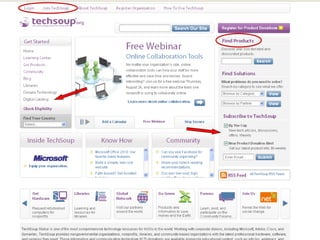
  • #6 TechSoup.org offers nonprofits a one-stop resource for technology needs by providing free information, resources, and support. In addition to online information and resources, we offer a product philanthropy service through which nonprofits can access donated and discounted technology products, generously provided by corporate and nonprofit technology partners.
  • #7 TechSoup Global currently operates its product donation programs with partners in 32 countries. With the number of supporting corporations currently at 37 (offering 392 different donated or discounted products) TechSoup Global has provided approximately 4.9 million donated technology products since program inception to NGOs around the world. The retail price of these donations is roughly equivalent to US$1.4 billion.
  • #10 TechSoup Global currently operates its product donation programs with partners in 32 countries. With the number of supporting corporations currently at 37 (offering 392 different donated or discounted products) TechSoup Global has provided approximately 4.9 million donated technology products since program inception to NGOs around the world. The retail price of these donations is roughly equivalent to US$1.4 billion.
  • #27 Right now, the way collaboration works in many offices is that one person sends out several copies of a document to colleagues for review. Those people make their edits, and then someone has to attempt to incorporate all of them in a way that makes sense, which can be labor-intensive and frustrating. A second version of the document is eventually produced and distributed, more edits are made, but then... There's always someone who sends in revisions to the first version late (see Rachel). And somehow that person's edits have to be incorporated into the third version. How do you solve this problem?
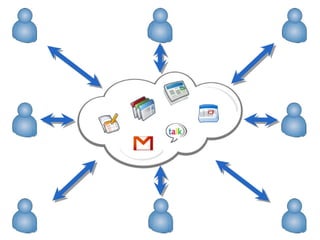
  • #28 You move into what we call “the cloud.” The cloud model really enables a new kind of real time collaboration. Take our document example: the main problem was that everyone had a different copy of the document. In the cloud, there is only one version: the current version. Sure, we can keep copies of all the old versions to track changes, but when they’re working, everyone is on the same page. Collaborating in real time.