The
Waterfall
Model
Damian Gordon
The
Waterfall
Model
Damian Gordon
Contents
1. Overview
2. Details
3. Advantages
4. Disadvantages
5. Interesting
6. Reflection
7. Review
8. Summary
1. Overview
Overview
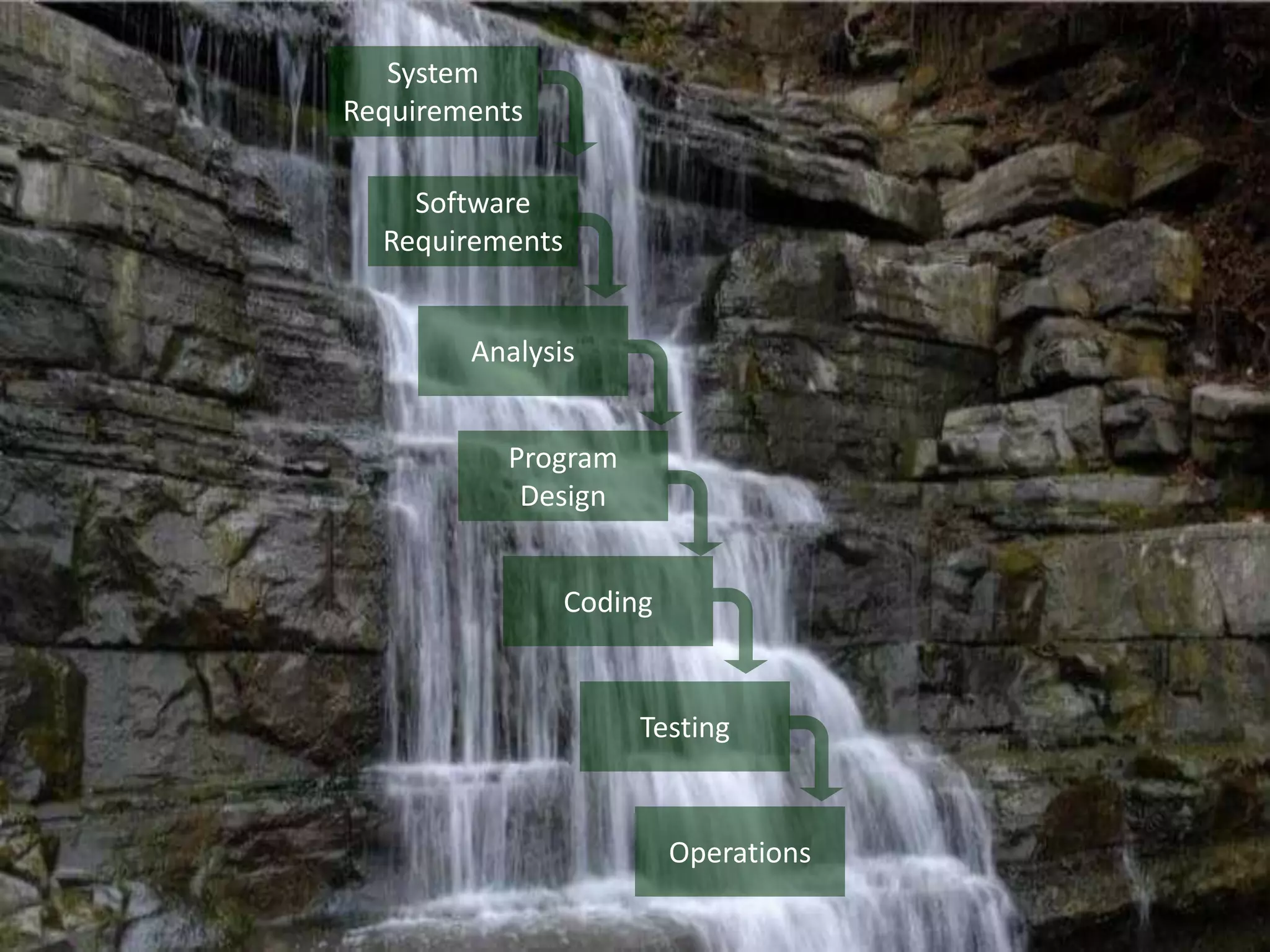
• The “Waterfall Model” is a model that
represents one method as to how software
can be developed.
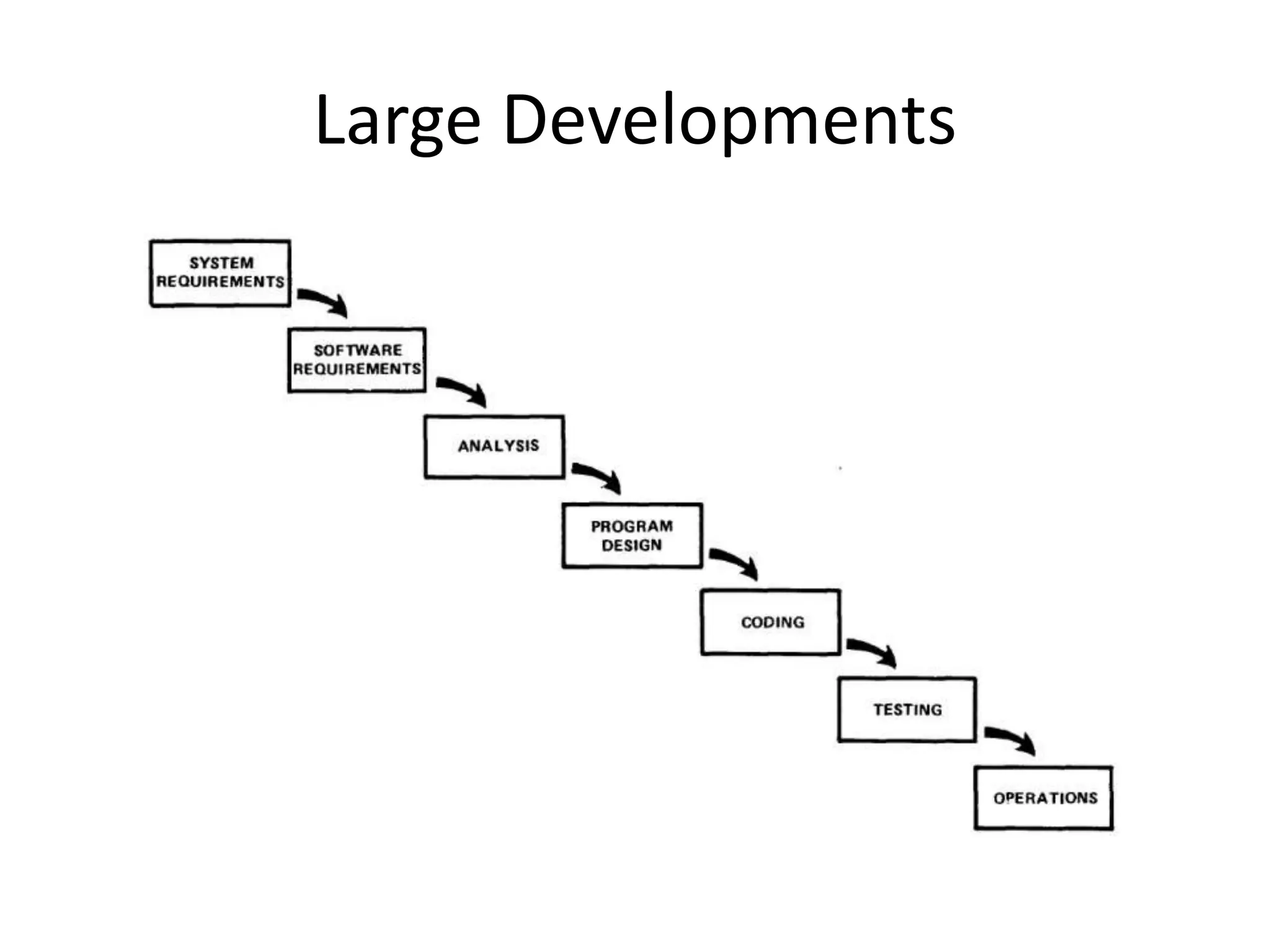
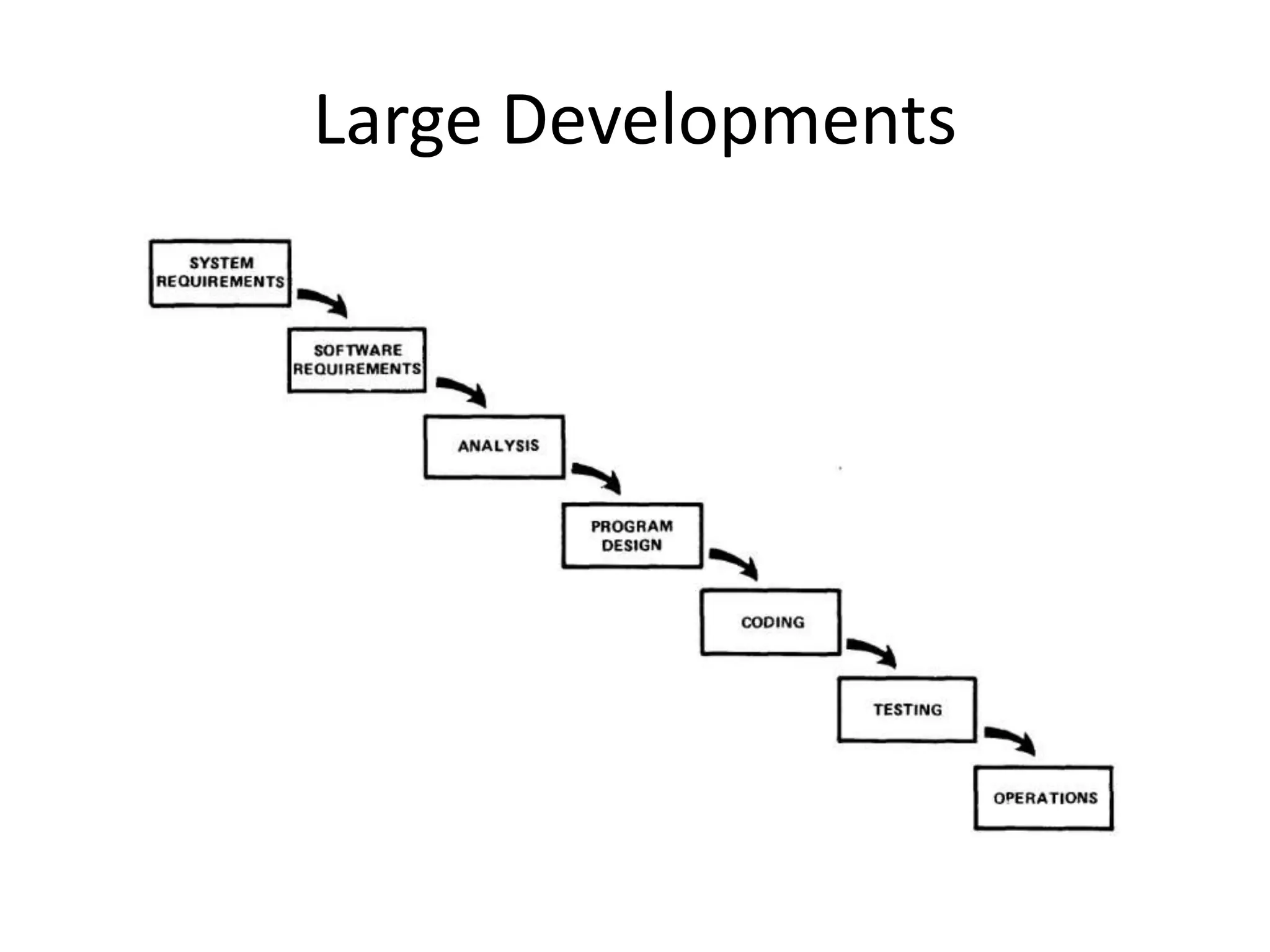
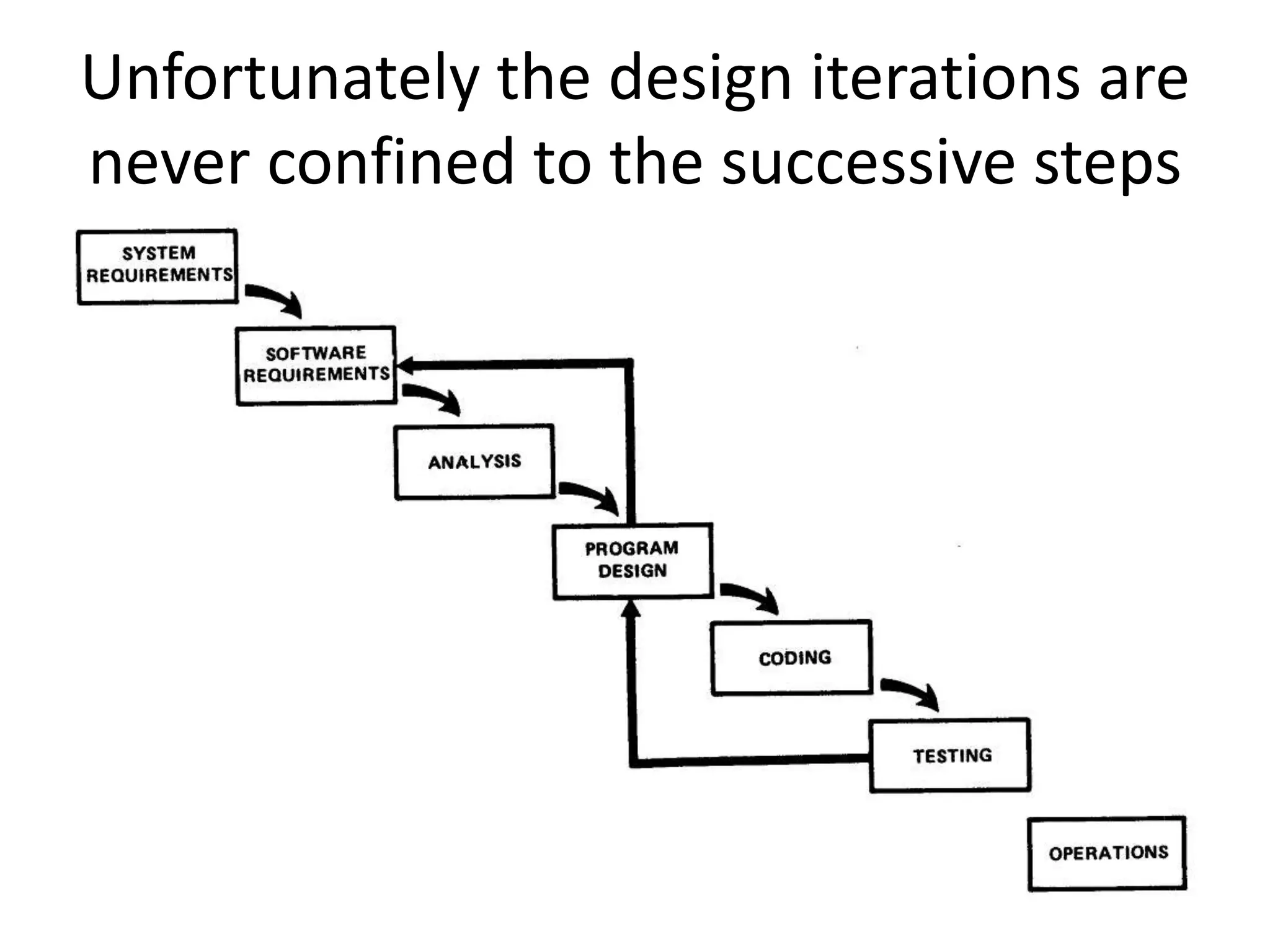
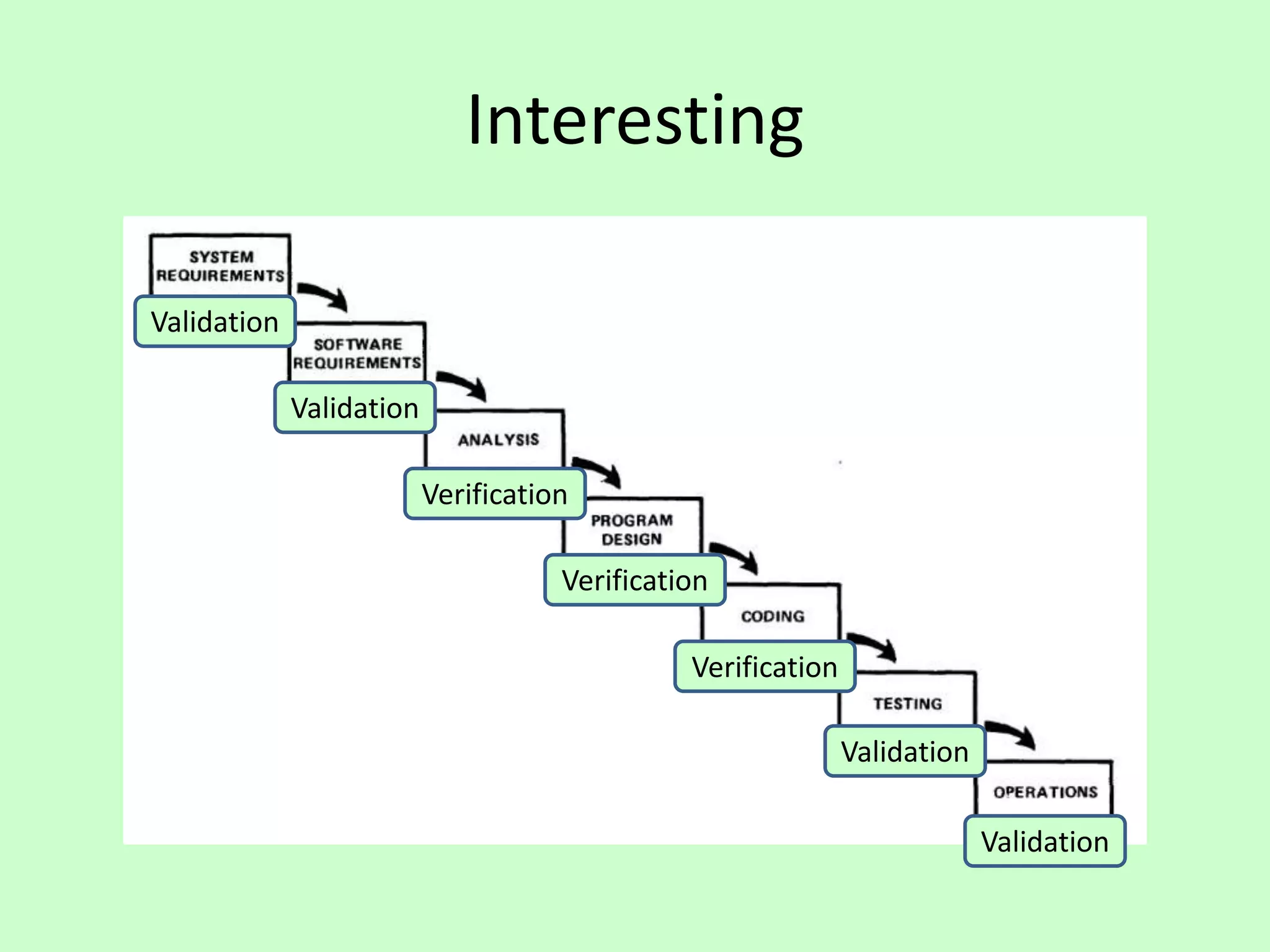
System
Requirements
Software
Requirements
Analysis
Program
Design
Coding
Testing
Operations
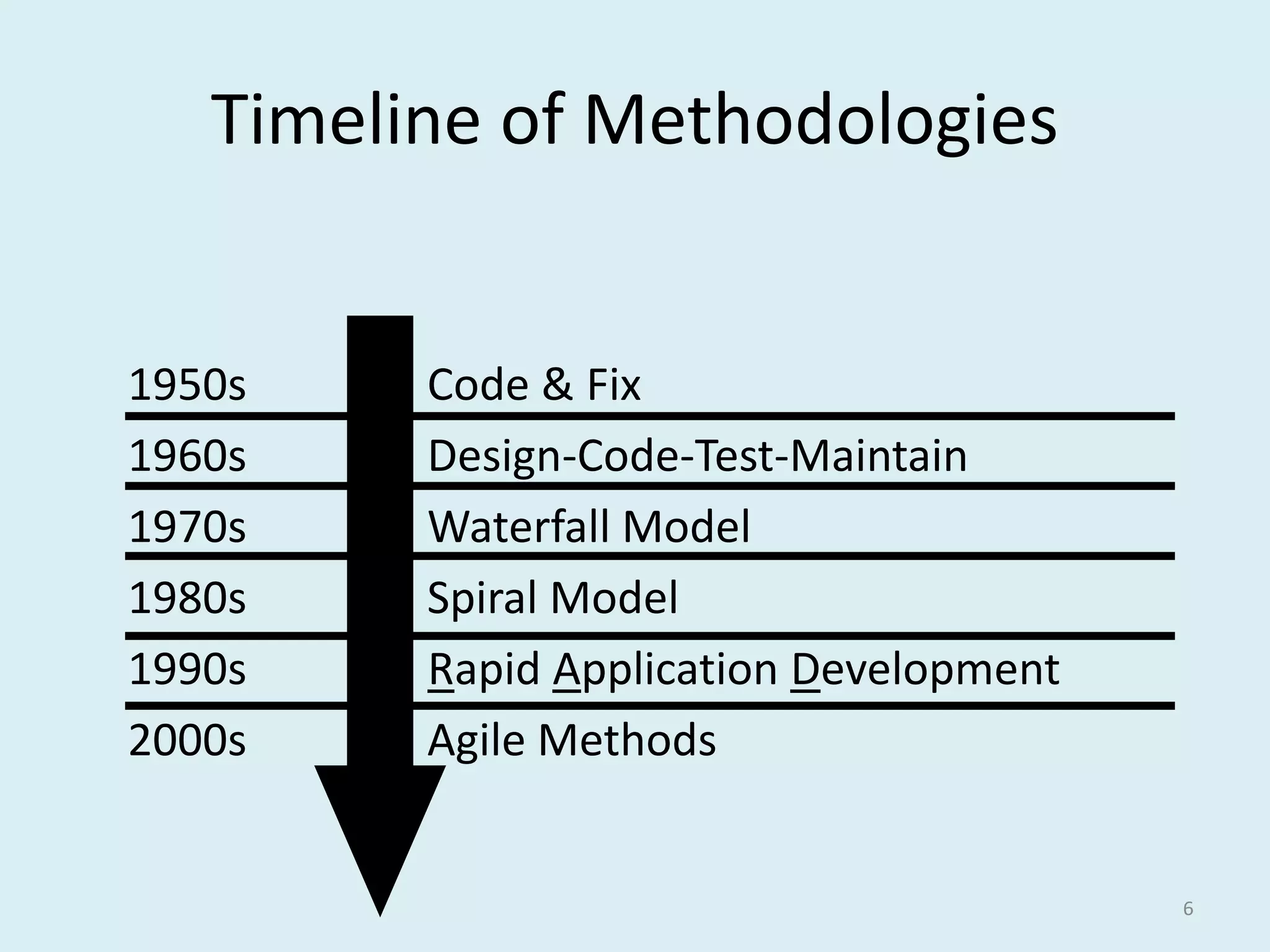
Timeline of Methodologies
6
1950s Code & Fix
1960s Design-Code-Test-Maintain
1970s Waterfall Model
1980s Spiral Model
1990s Rapid Application Development
2000s Agile Methods
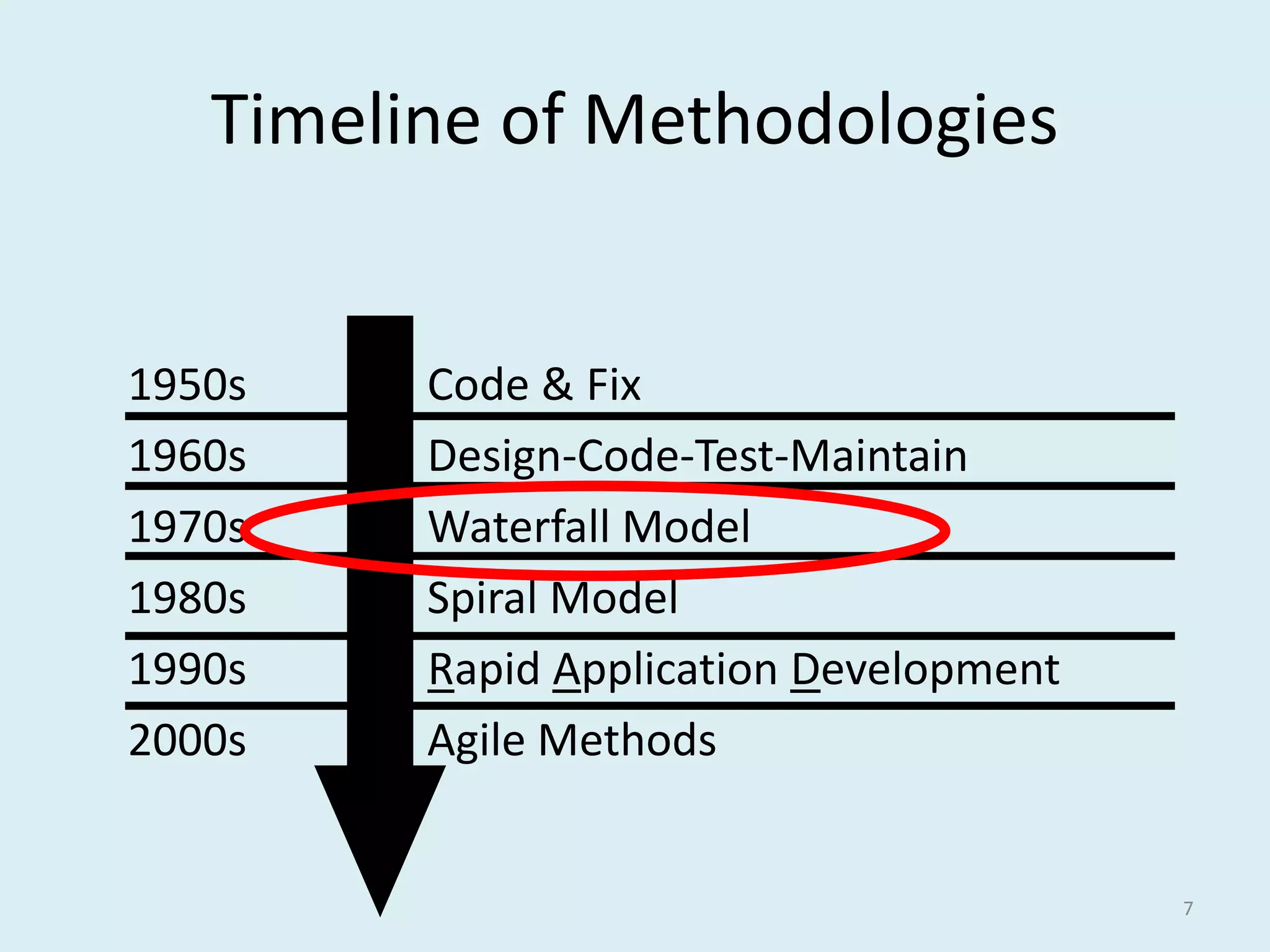
Timeline of Methodologies
7
1950s Code & Fix
1960s Design-Code-Test-Maintain
1970s Waterfall Model
1980s Spiral Model
1990s Rapid Application Development
2000s Agile Methods
Reference
• Royce, W.W., 1970, "Managing the
Development of Large Software Systems",
Proceedings of IEEE WESCON 26 (August),
pp.1–9.
Winston W. Royce
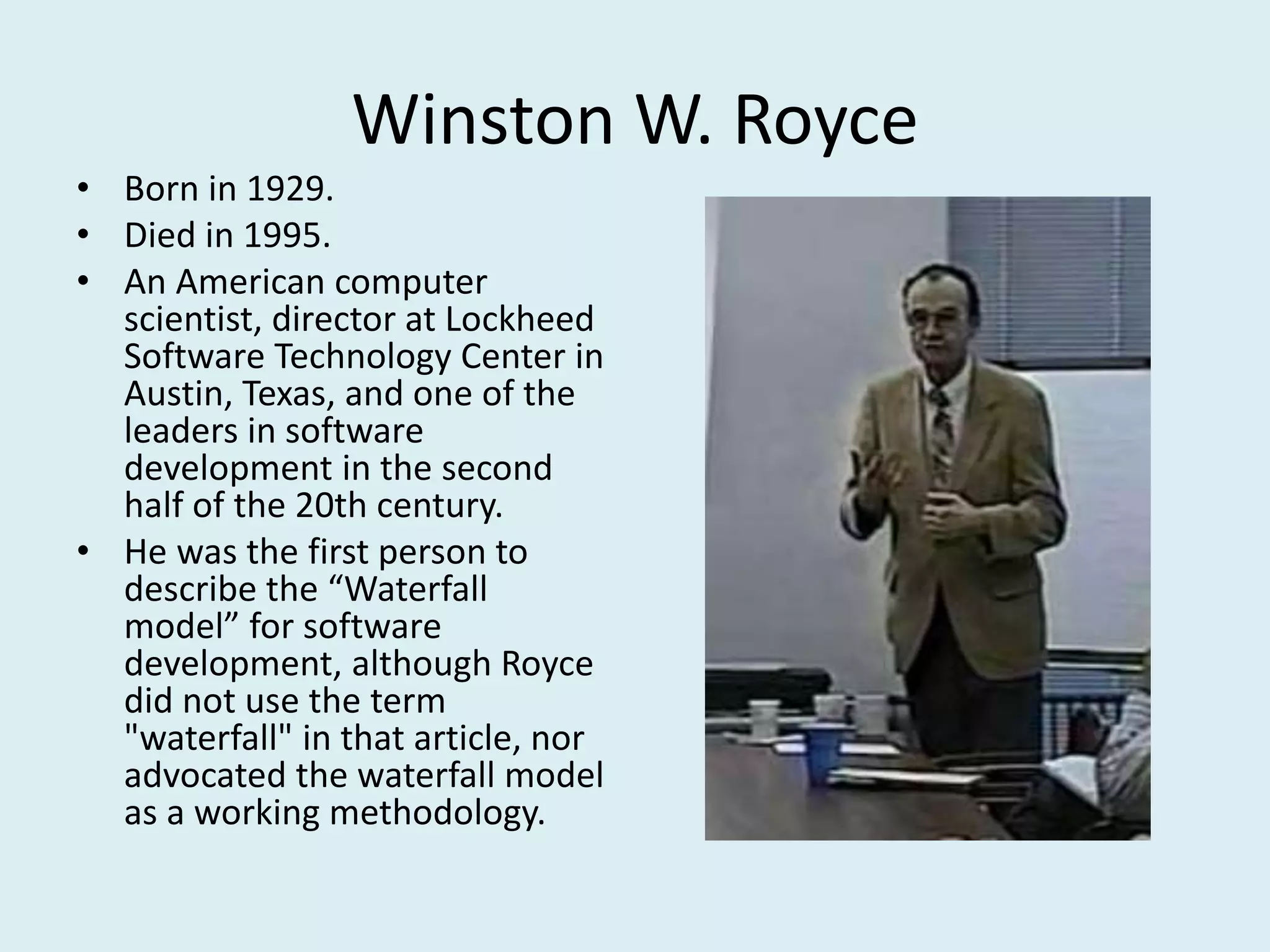
• Born in 1929.
• Died in 1995.
• An American computer
scientist, director at Lockheed
Software Technology Center in
Austin, Texas, and one of the
leaders in software
development in the second
half of the 20th century.
• He was the first person to
describe the “Waterfall
model” for software
development, although Royce
did not use the term
"waterfall" in that article, nor
advocated the waterfall model
as a working methodology.
2. Details
Introduction
• “I am going to describe my personal views about
managing large software developments.
• I have had various assignments during the past nine
years, mostly concerned with the development of
software packages for spacecraft mission planning,
commanding and post-flight analysis.
• In these assignments I have experienced different
degrees of success with respect to arriving at an
operational state, on-time, and within costs.
• I have become prejudiced by my experiences and I am
going to relate some of these prejudices in this
presentation.”
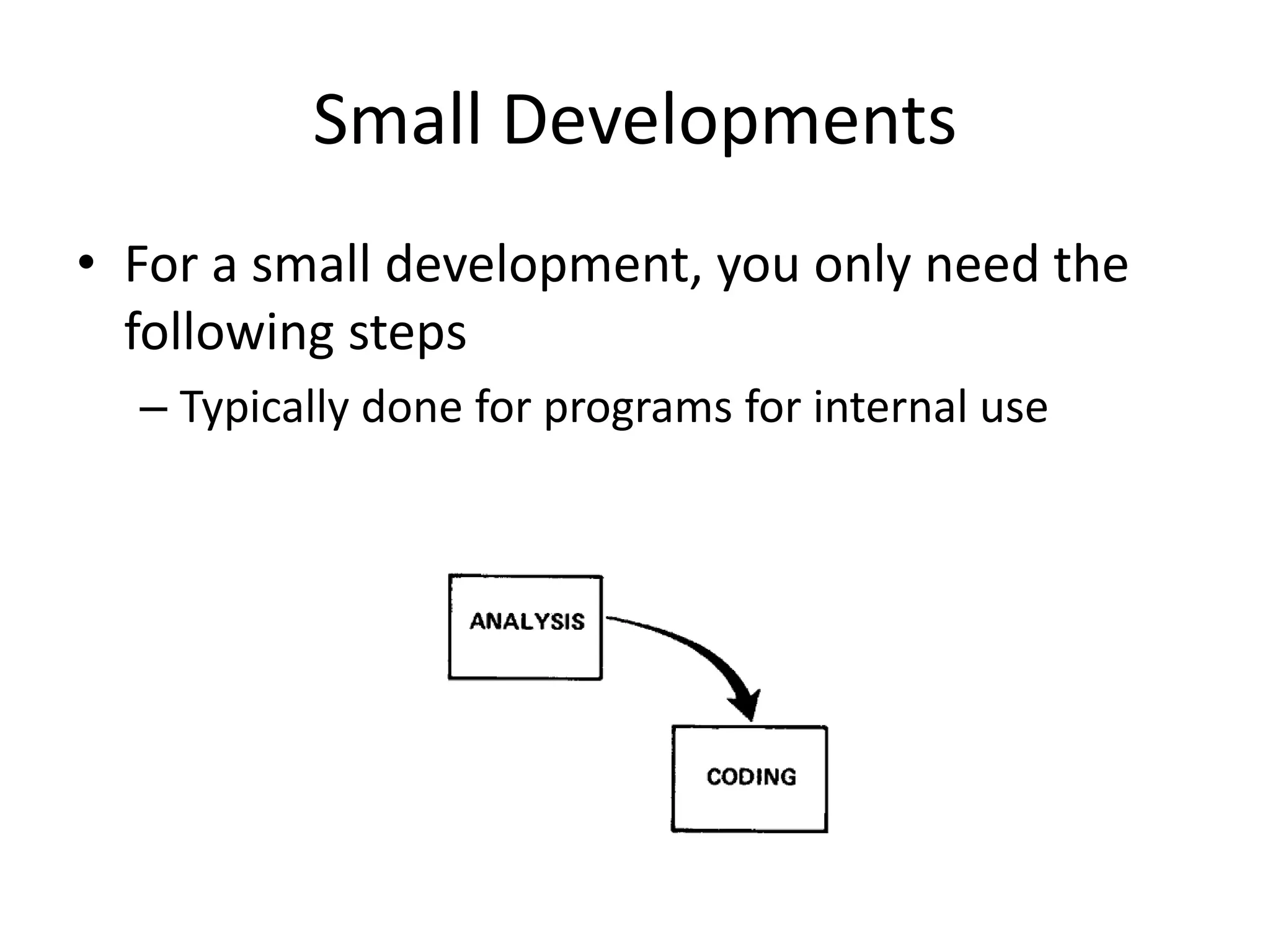
Small Developments
• For a small development, you only need the
following steps
– Typically done for programs for internal use
Large Developments
Large Developments
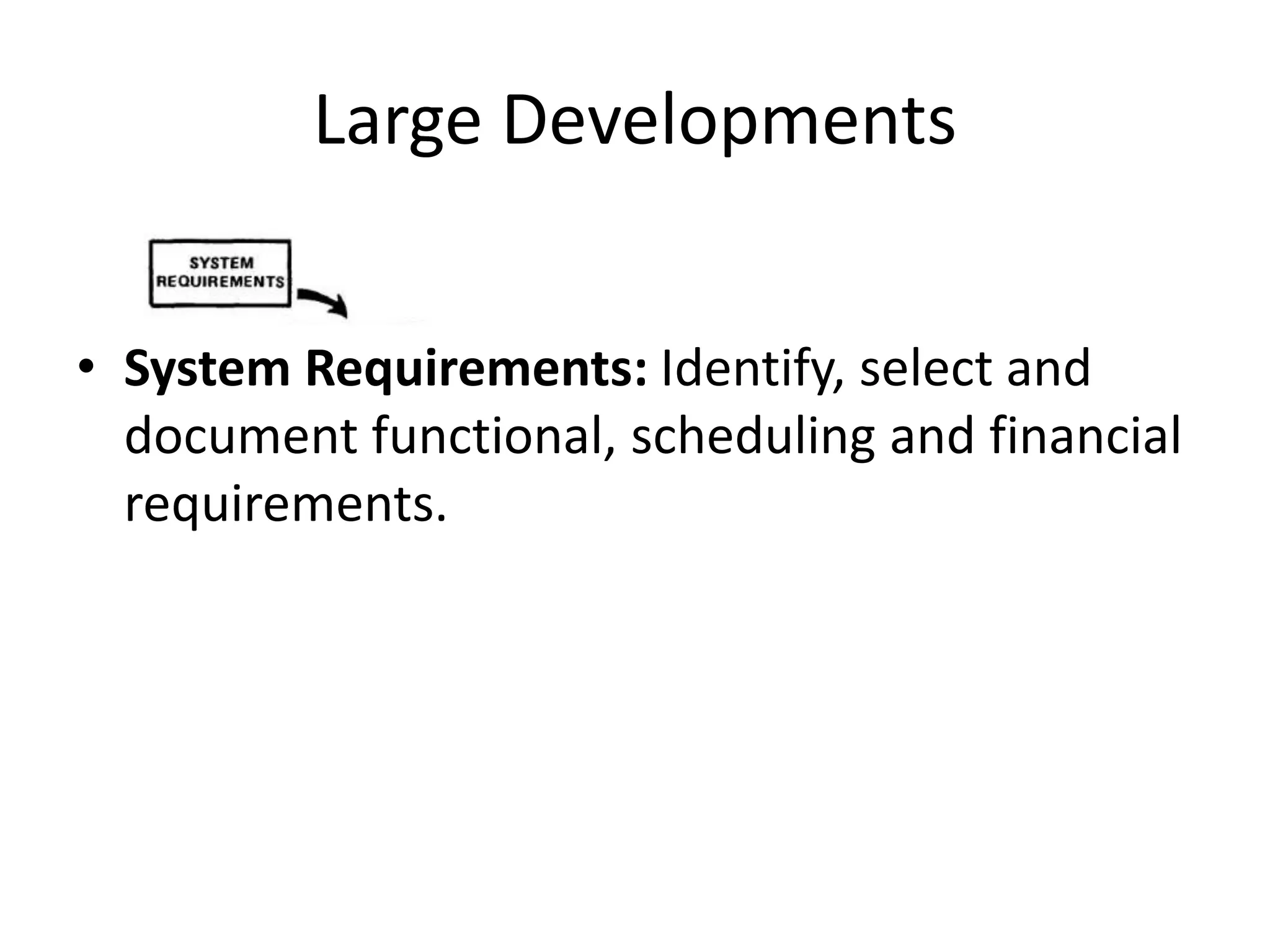
• System Requirements: Identify, select and
document functional, scheduling and financial
requirements.
Large Developments
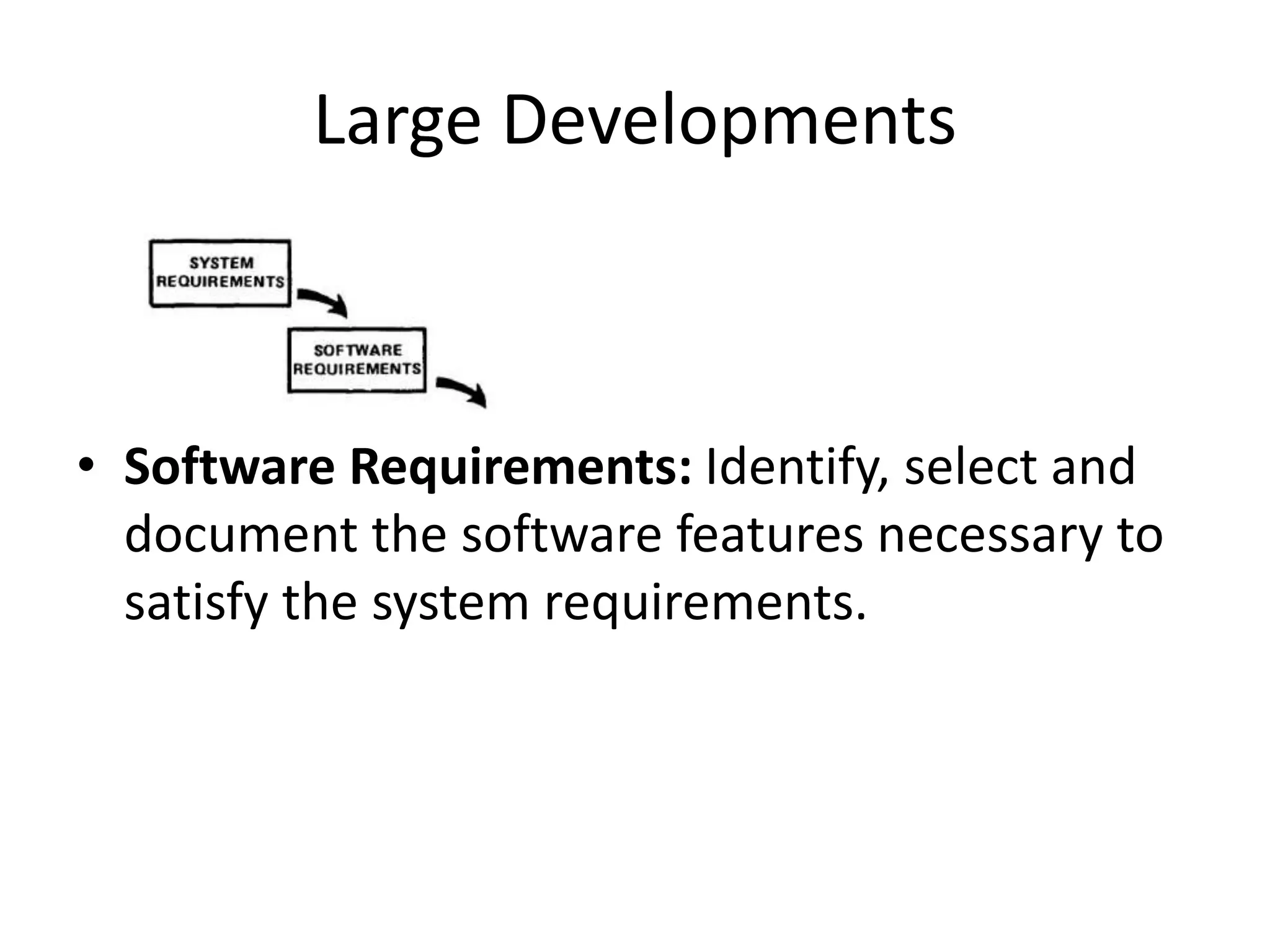
• Software Requirements: Identify, select and
document the software features necessary to
satisfy the system requirements.
Large Developments
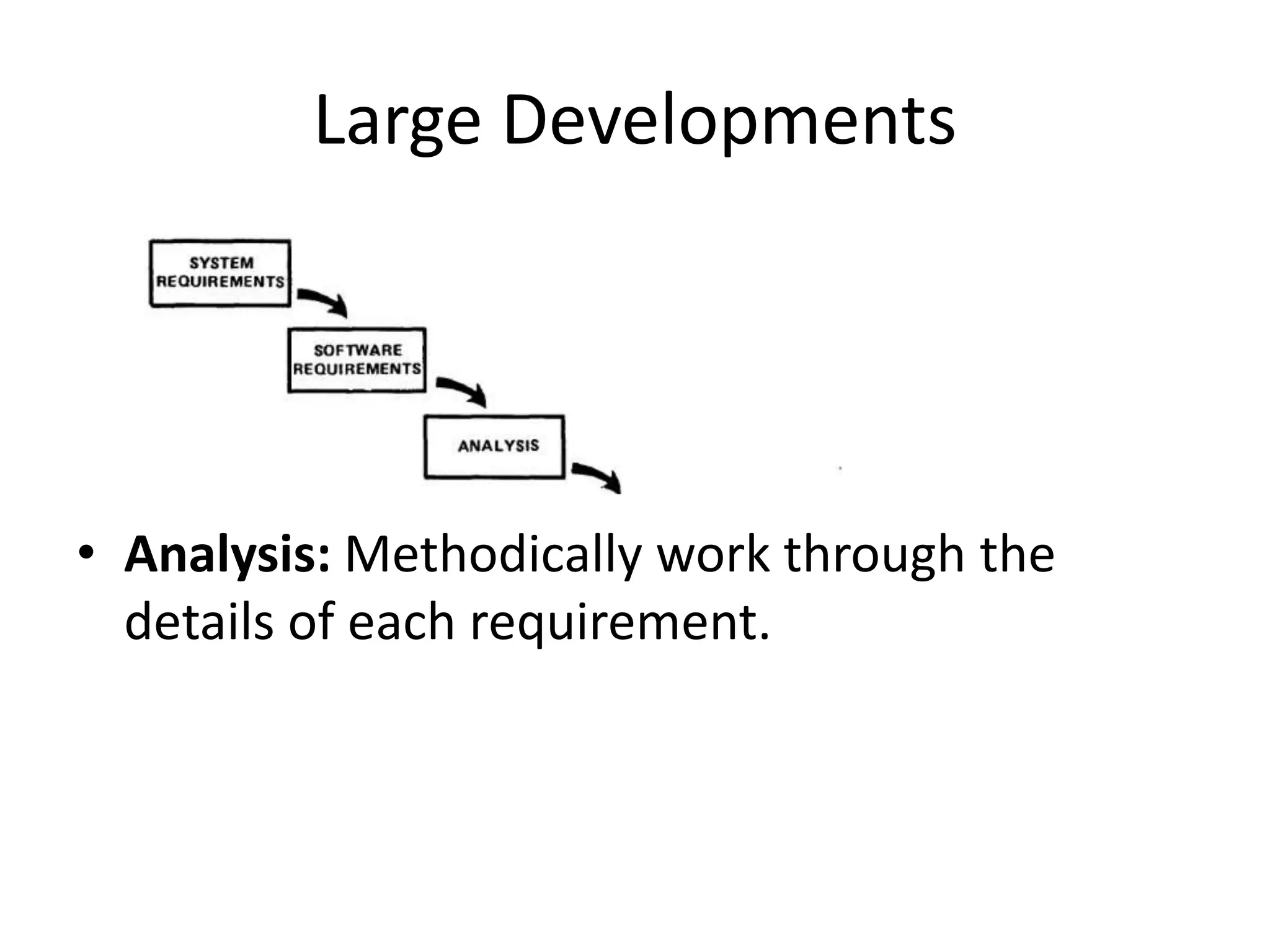
• Analysis: Methodically work through the
details of each requirement.
Large Developments
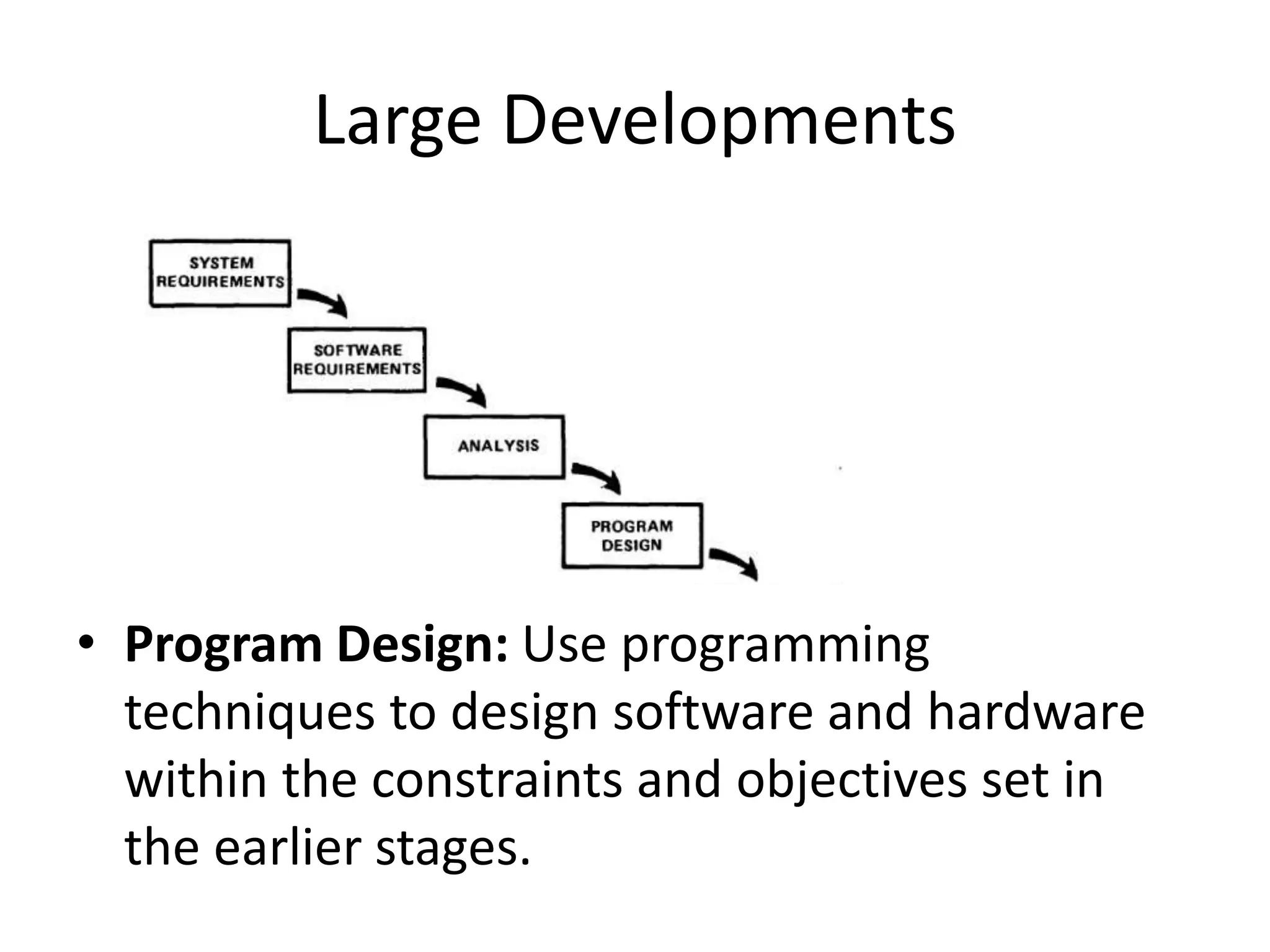
• Program Design: Use programming
techniques to design software and hardware
within the constraints and objectives set in
the earlier stages.
Large Developments
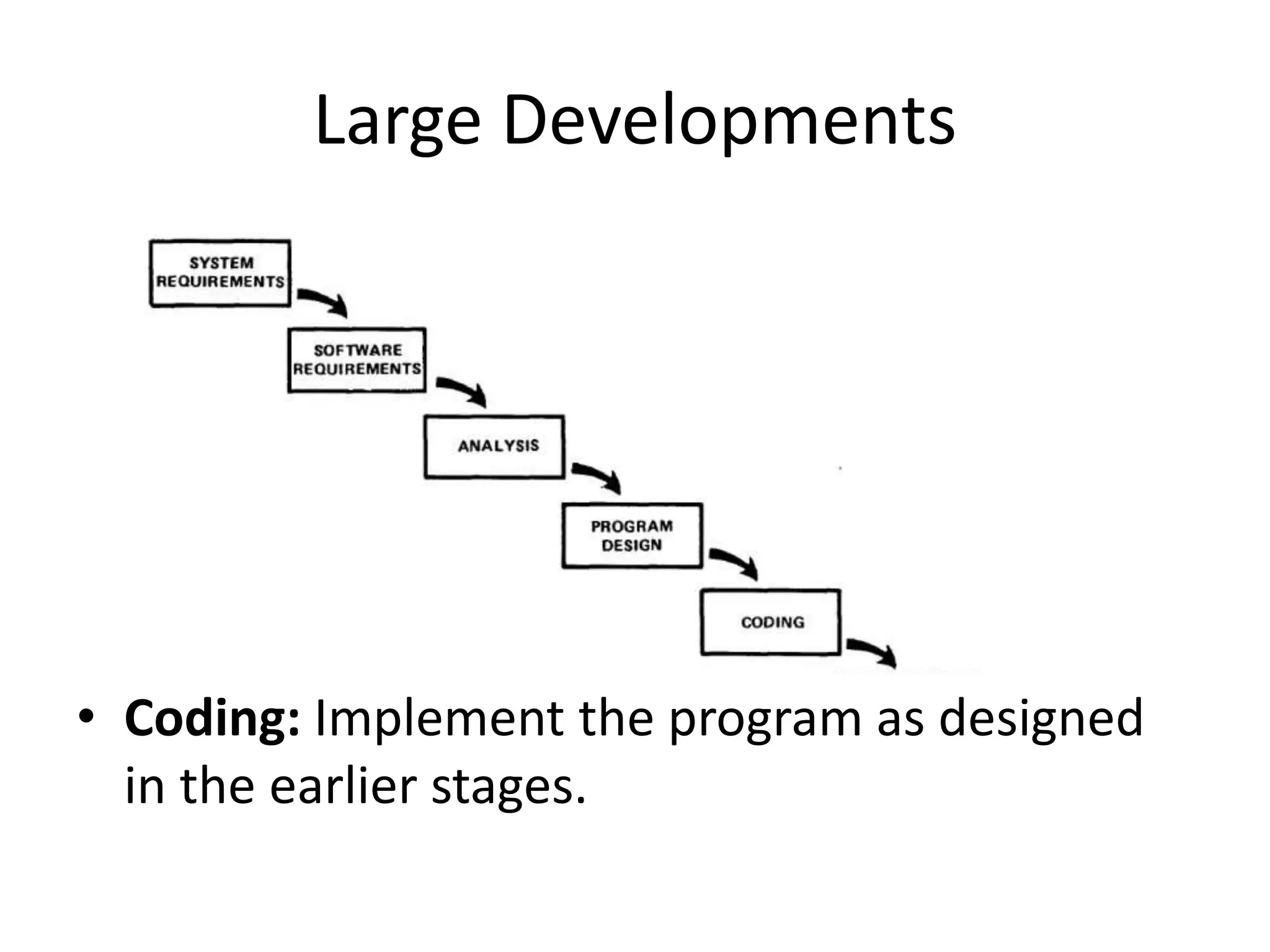
• Coding: Implement the program as designed
in the earlier stages.
Large Developments
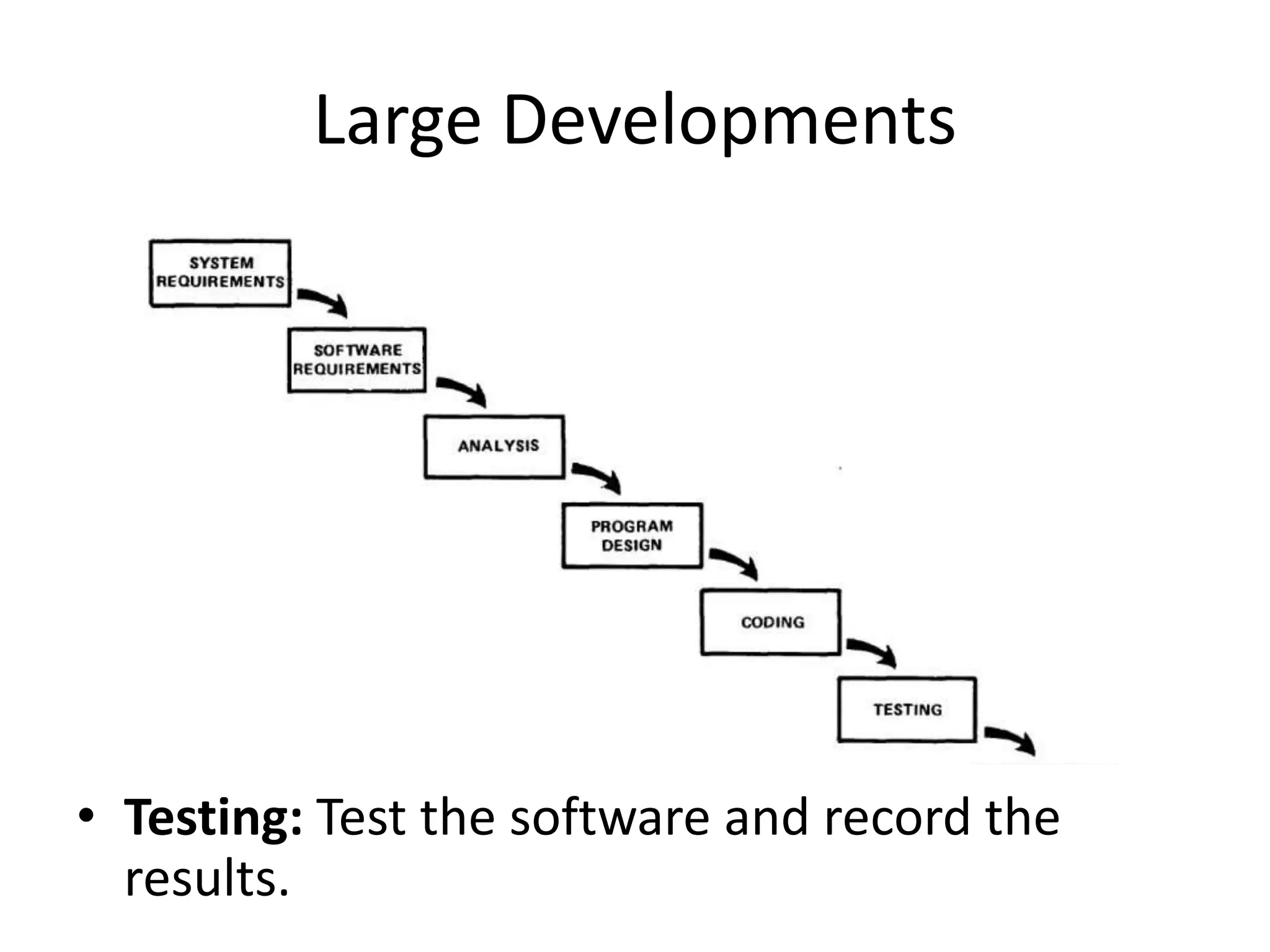
• Testing: Test the software and record the
results.
Large Developments
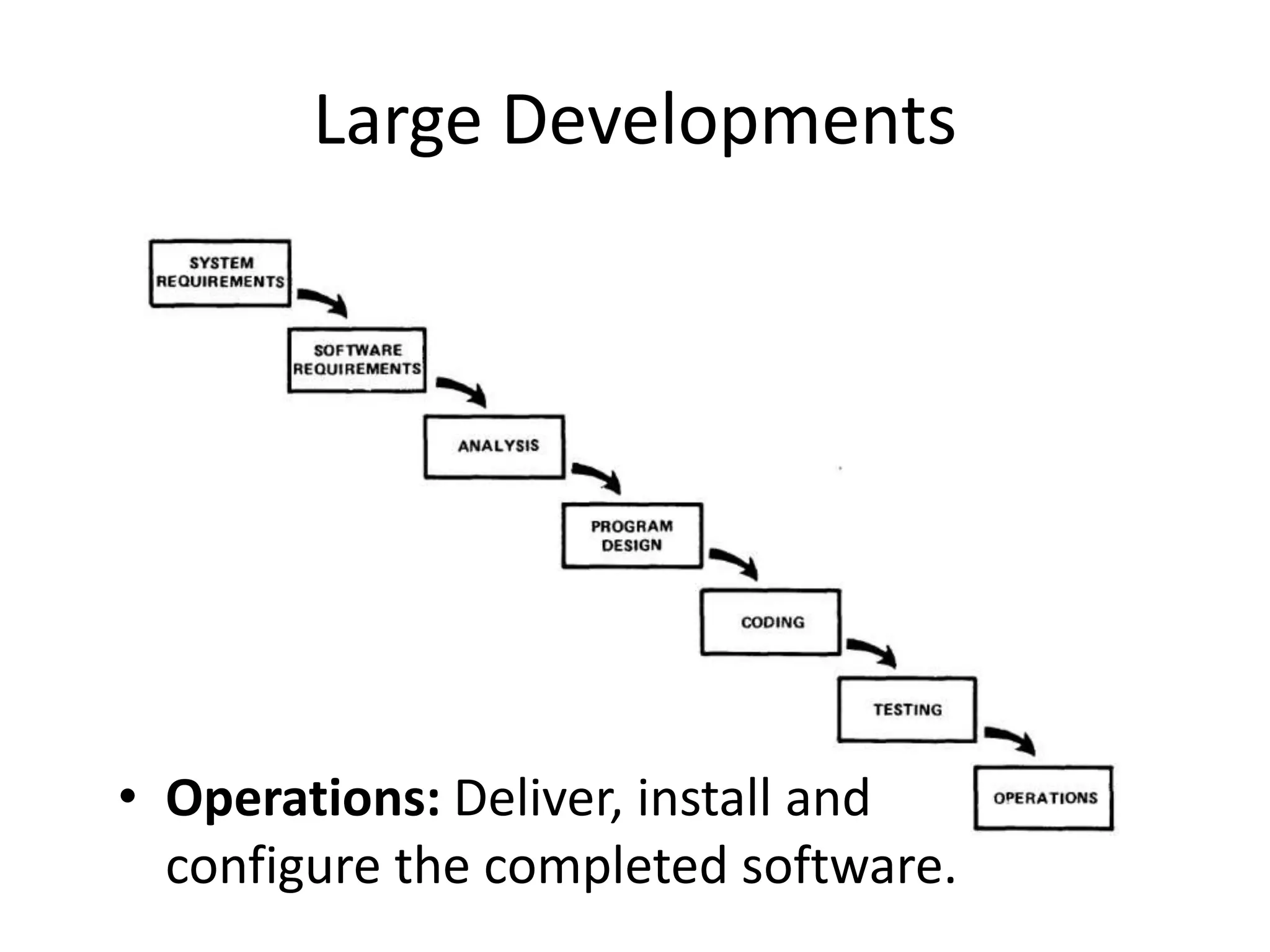
• Operations: Deliver, install and
configure the completed software.
Large Developments
Large Developments
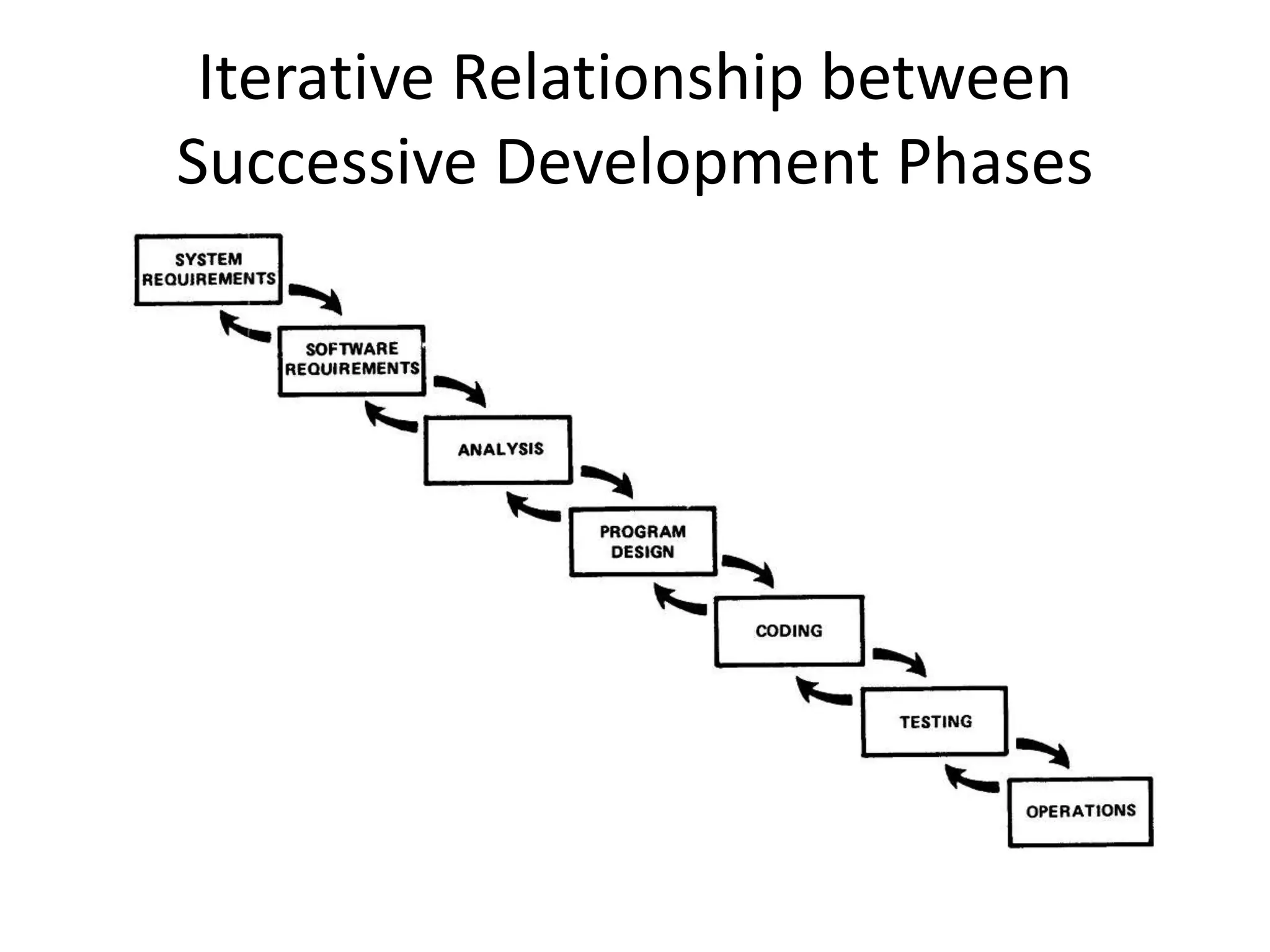
Iterative Relationship between
Successive Development Phases
Iterative Relationship between
Successive Development Phases
• Each step progresses and the design is further
detailed, there is an iteration with the
preceding and succeeding steps but rarely
with the more remote steps in the sequence.
• The virtue of all of this is that as the design
proceeds the change process is scoped down
to manageable limits.
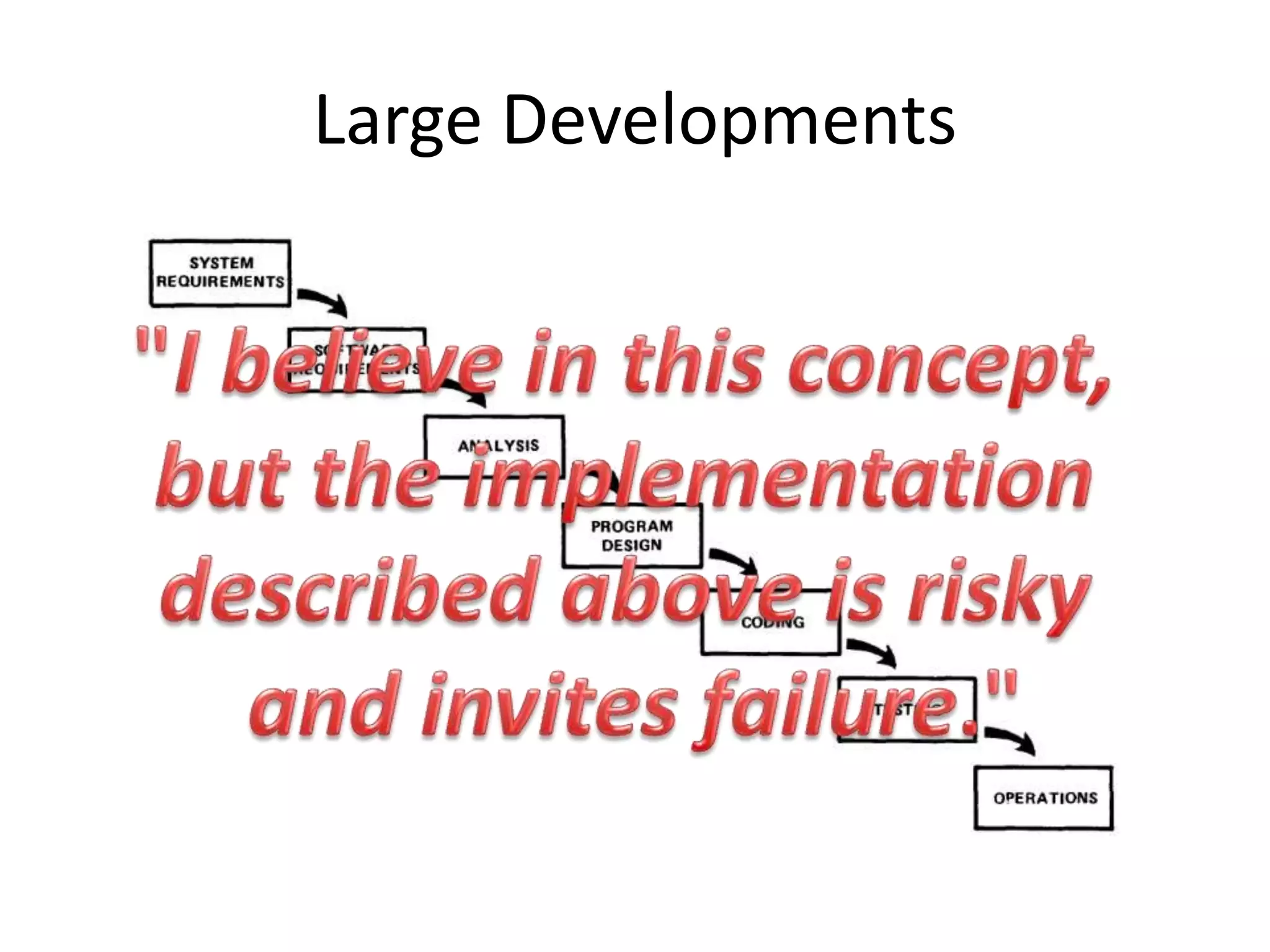
Unfortunately the design iterations are
never confined to the successive steps
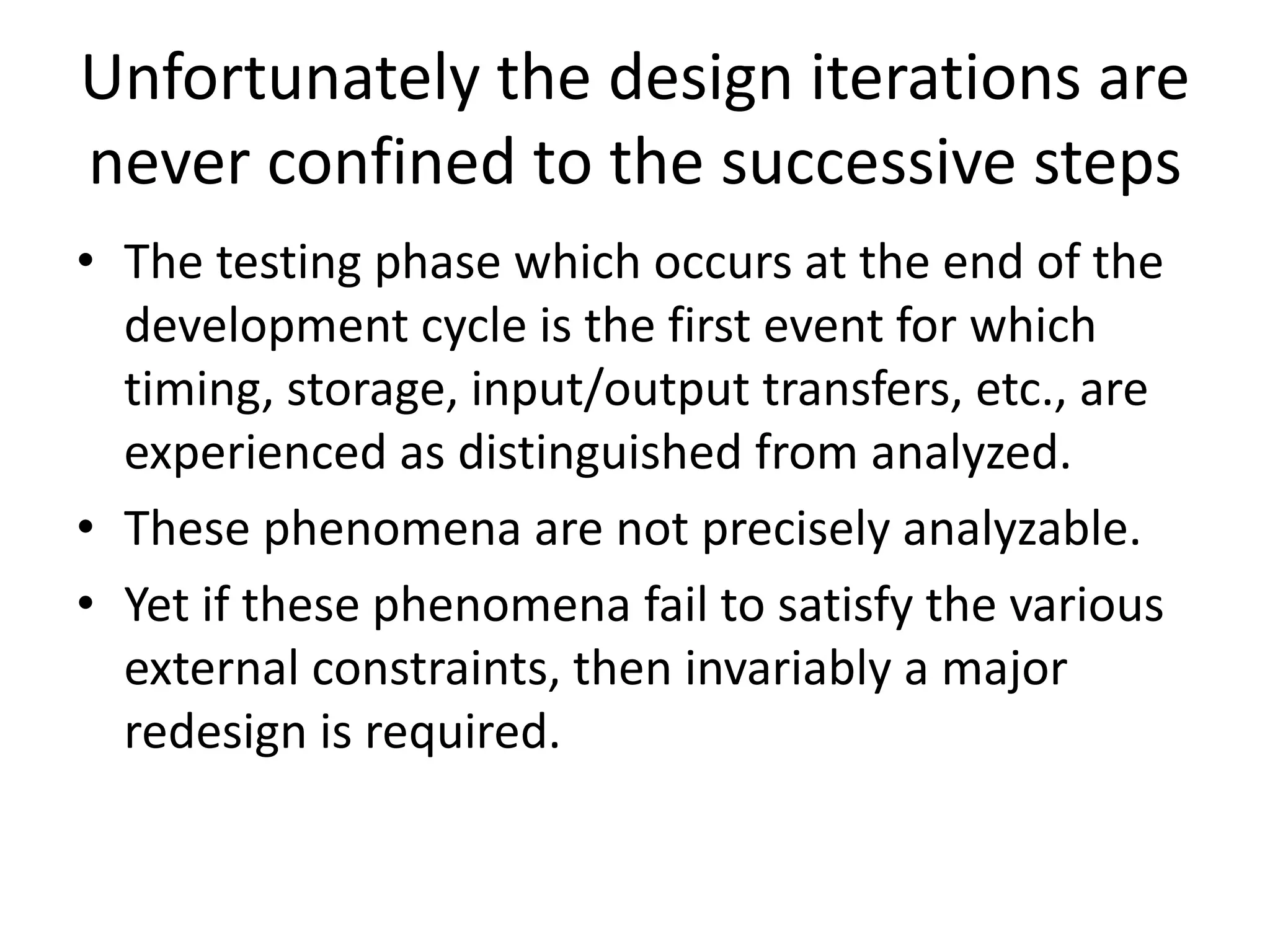
Unfortunately the design iterations are
never confined to the successive steps
• The testing phase which occurs at the end of the
development cycle is the first event for which
timing, storage, input/output transfers, etc., are
experienced as distinguished from analyzed.
• These phenomena are not precisely analyzable.
• Yet if these phenomena fail to satisfy the various
external constraints, then invariably a major
redesign is required.
How do we fix this?
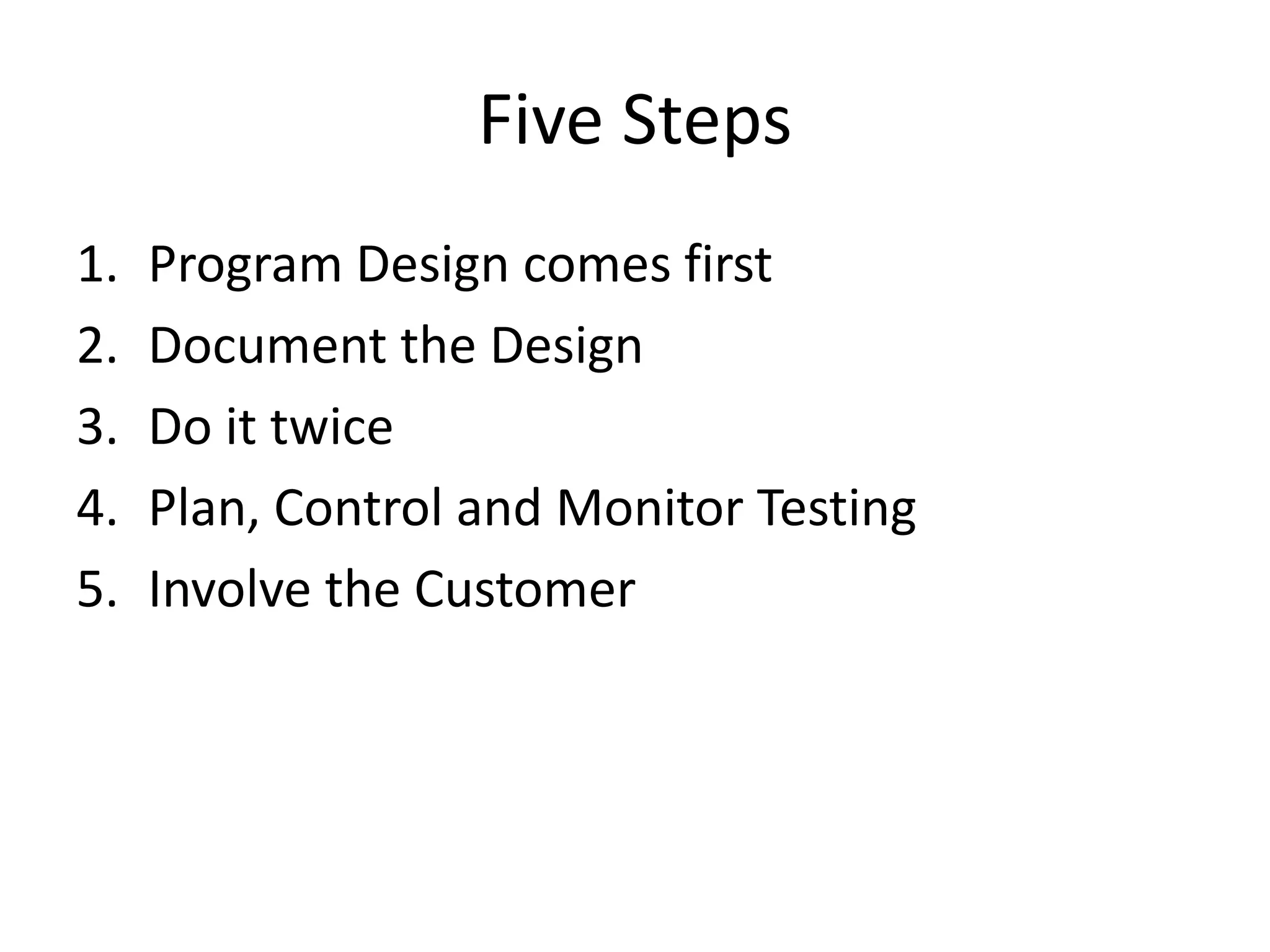
Five Steps
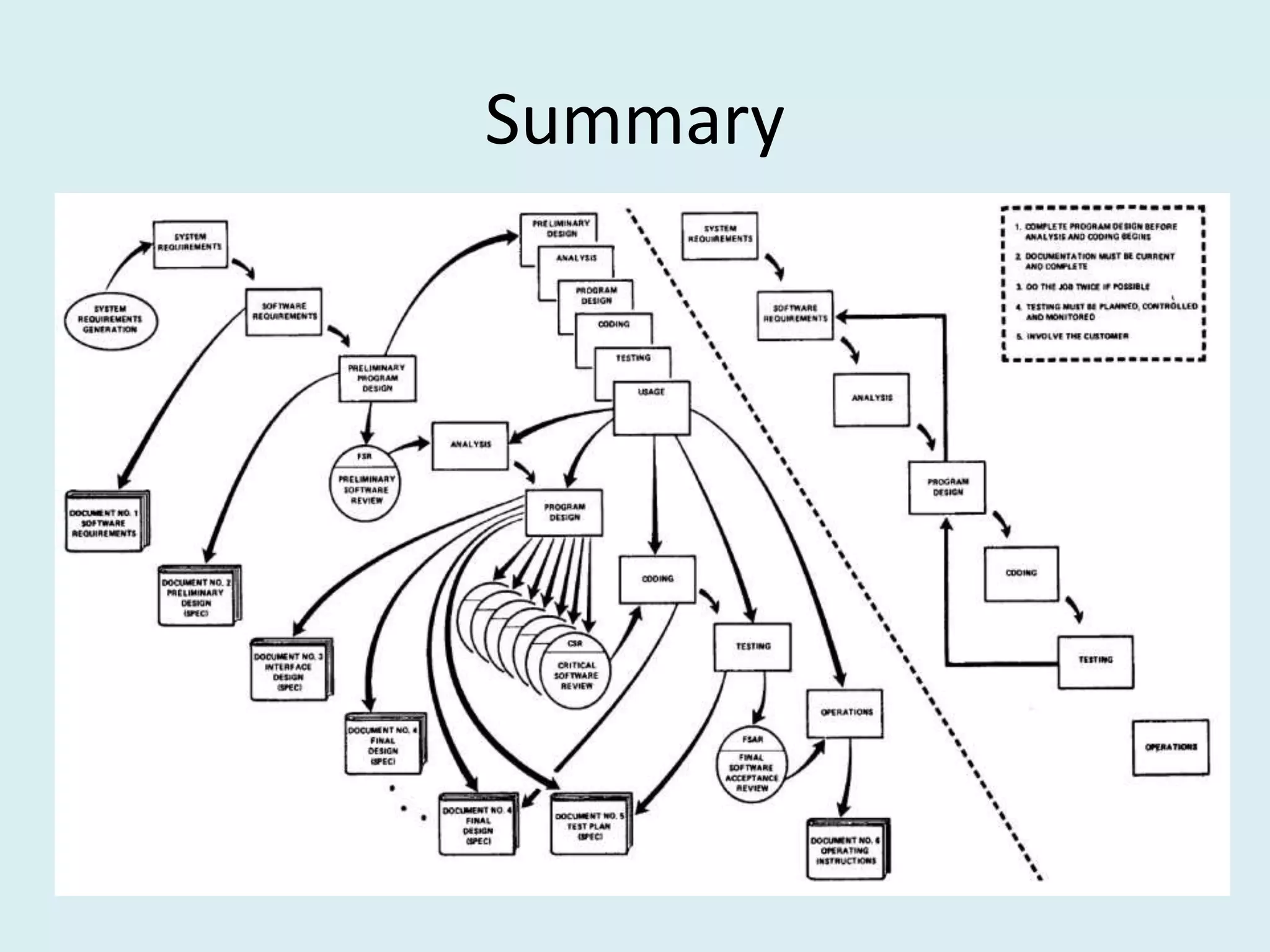
1. Program Design comes first
2. Document the Design
3. Do it twice
4. Plan, Control and Monitor Testing
5. Involve the Customer
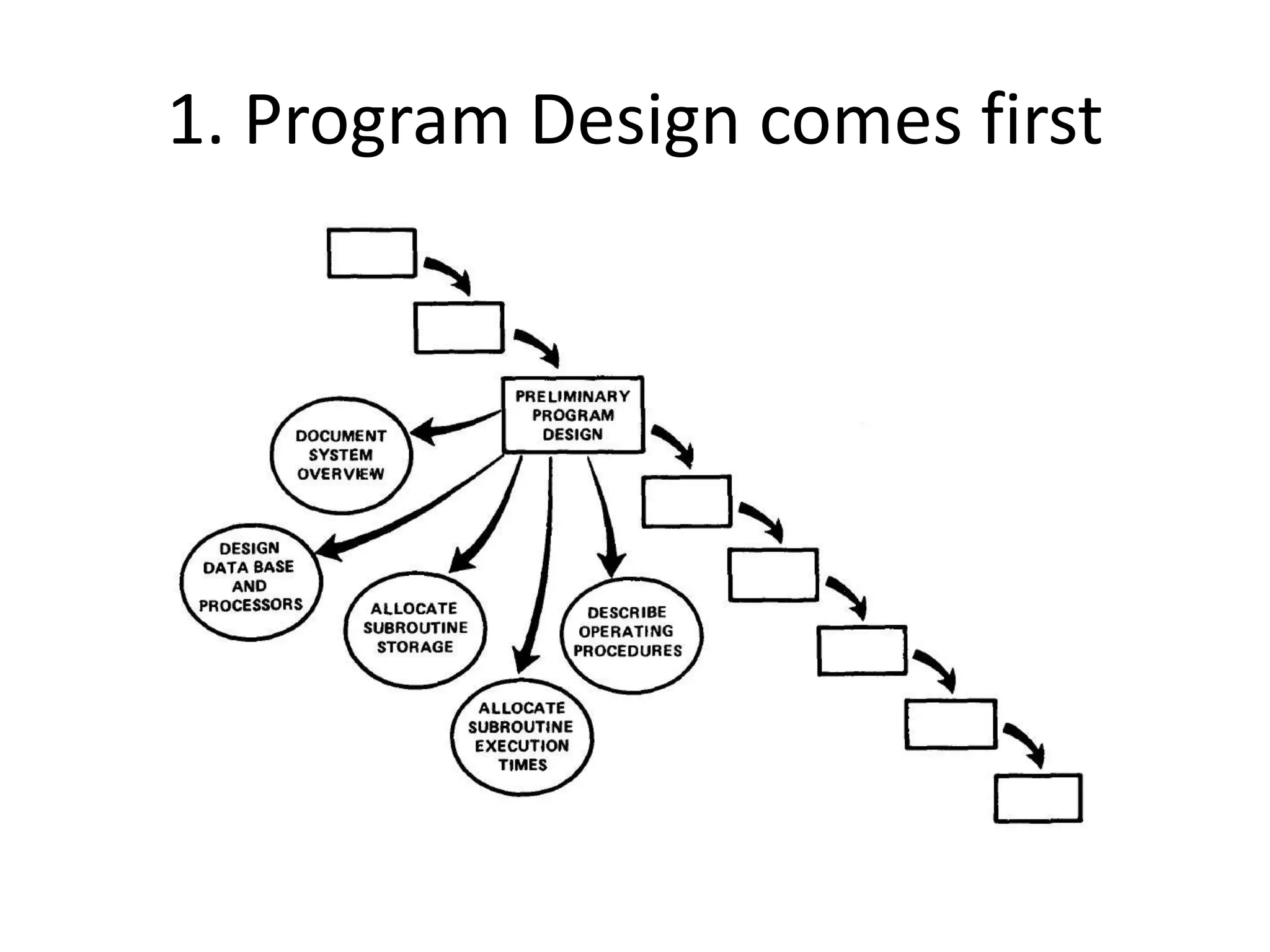
1. Program Design comes first
• A preliminary program design phase has been
inserted between the Software Requirements
Generation phase and the Analysis phase.
1. Program Design comes first
• The following steps are required:
1) Begin the design process with program
designers, not analysts or programmers.
2) Design, define and allocate the data
processing modes.
3) Write an overview document that is
understandable, informative and current.
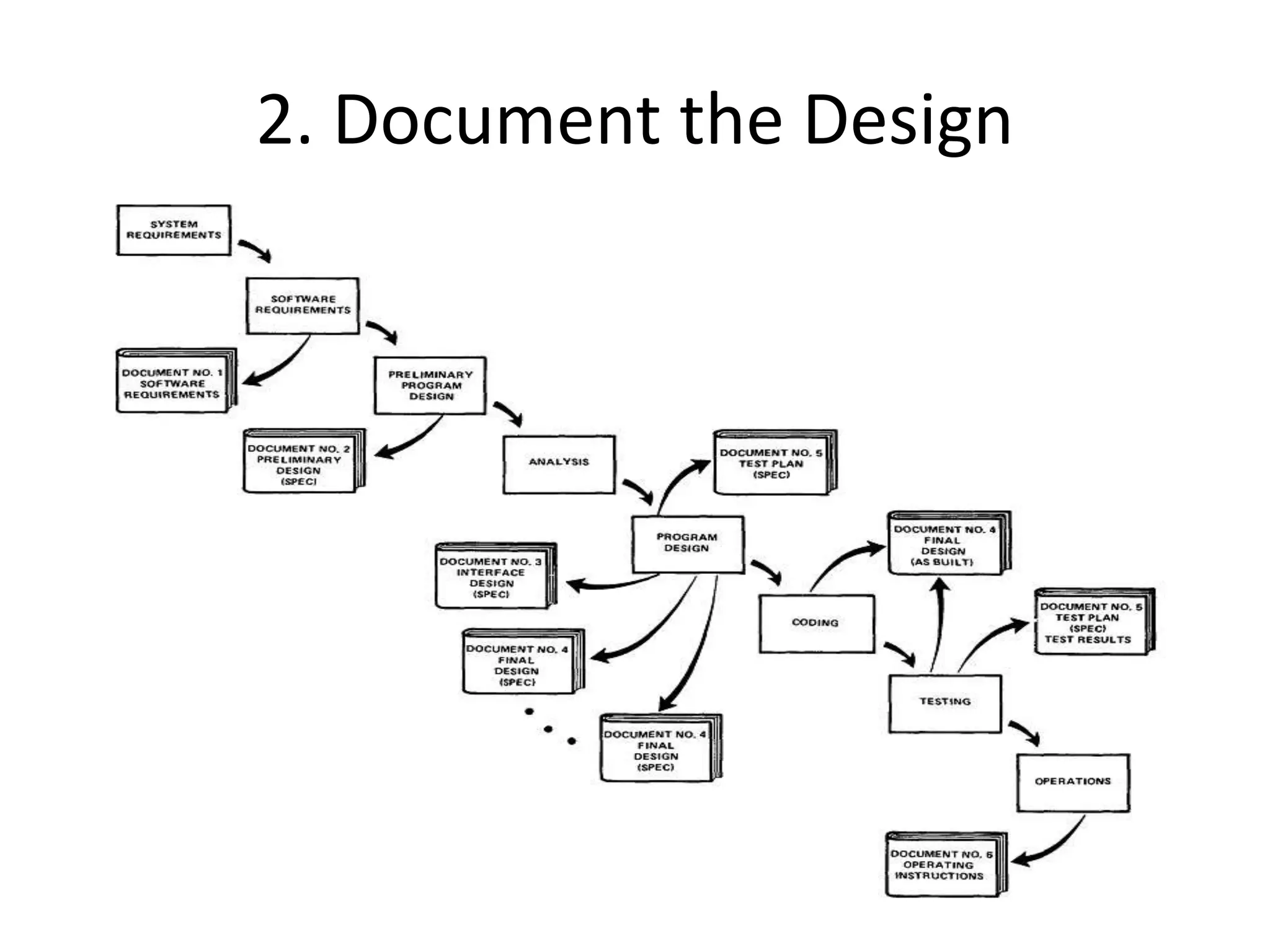
2. Document the Design
• “How much documentation?"
• “Quite a lot"
• More than most programmers, analysts, or
program designers are willing to do if left to
their own devices.
• The first rule of managing software
development is ruthless enforcement of
documentation requirements.
2. Document the Design
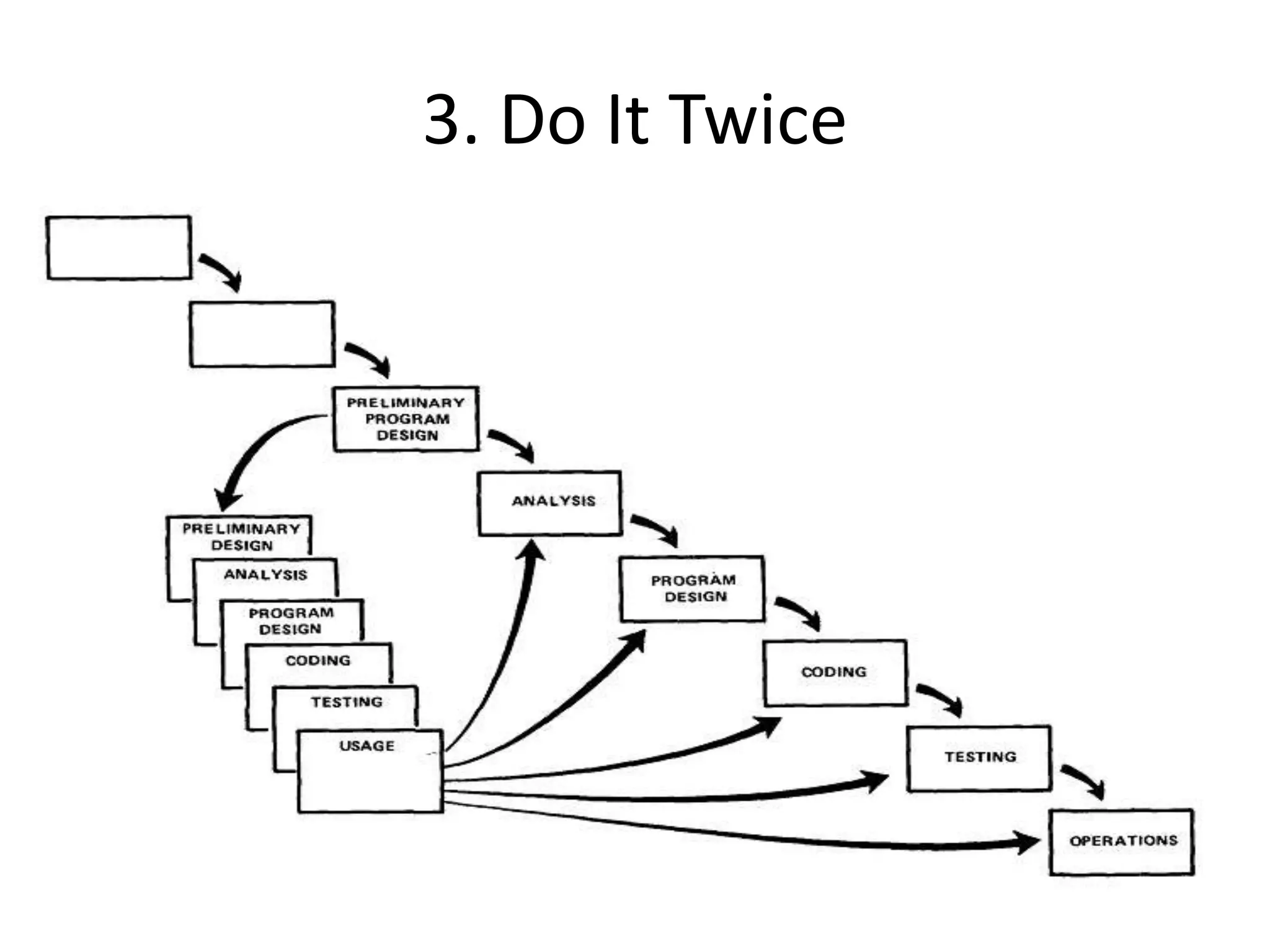
3. Do It Twice
• Create a pilot study
• If the computer program in question is being
developed for the first time, arrange matters
so that the version finally delivered to the
customer for operational deployment is
actually the second version insofar as critical
design/operations areas are concerned.
3. Do It Twice
4. Plan, Control and Monitor Testing
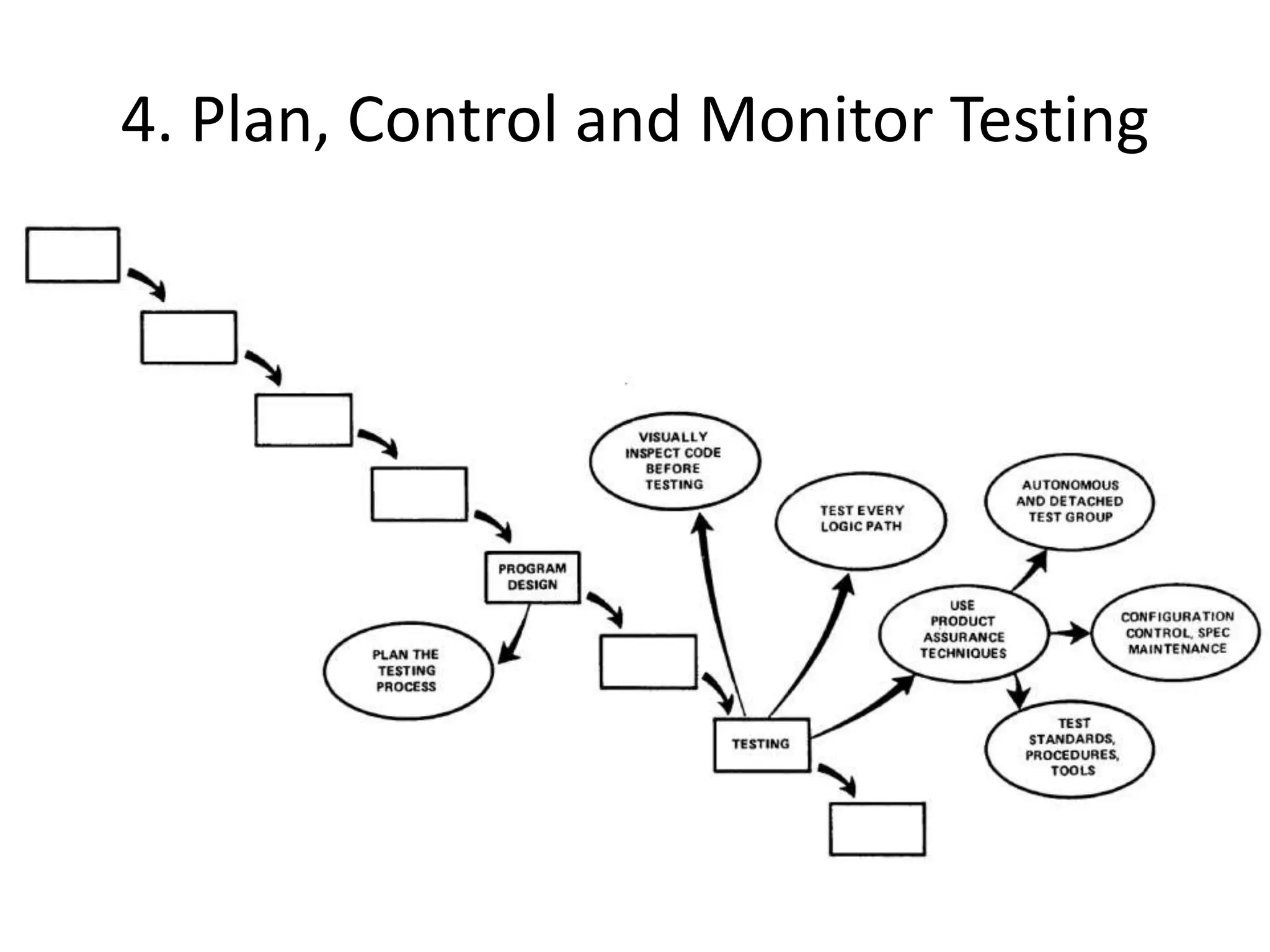
• Without question the biggest user of project
resources, whether it be manpower, computer
time, or management judgment, is the test
phase. It is the phase of greatest risk in terms
of dollars and schedule.
4. Plan, Control and Monitor Testing
1) Many parts of the test process are best handled
by test specialists who did not necessarily
contribute to the original design.
2) Most errors are of an obvious nature that can be
easily spotted by visual inspection.
3) Test every logic path in the computer program at
least once with some kind of numerical check.
4) After the simple errors (which are in the majority,
and which obscure the big mistakes) are
removed, then it is time to turn over the software
to the test area for checkout purposes.
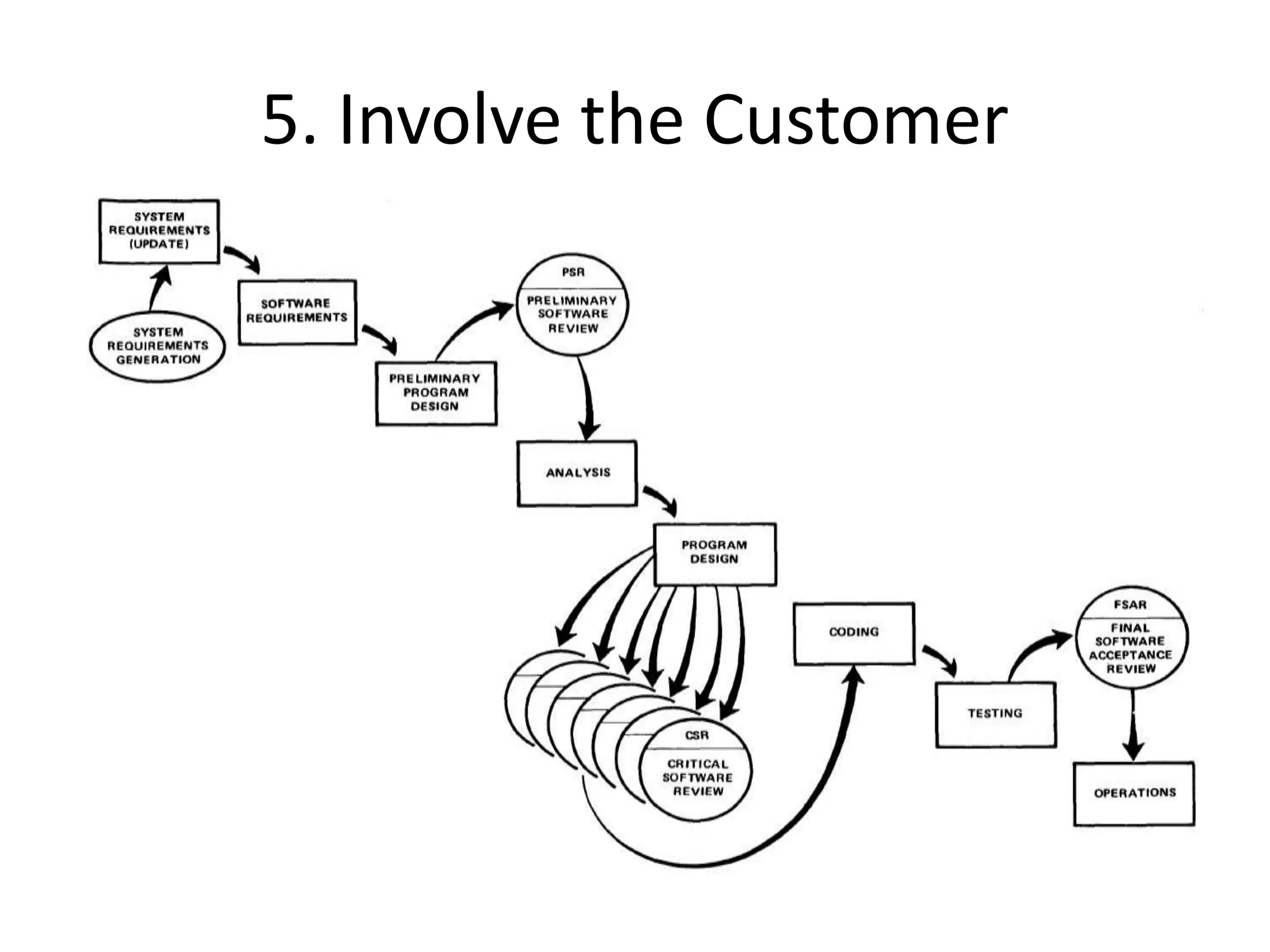
5. Involve the Customer
• For some reason what a software design is
going to do is subject to wide interpretation
even after previous agreement.
• It is important to involve the customer in a
formal way so that he has committed himself
at earlier points before final delivery.
• To give the contractor free rein between
requirement definition and operation is
inviting trouble.
5. Involve the Customer
3. Advantages
Advantages
• It is easy to understand and use.
Advantages
• It is easy to manage due to the rigidity of the
model.
Advantages
• The phases are processed and completed one
at a time, and the phases do not overlap.
Advantages
• It works well for smaller projects where
requirements are very well understood.
Advantages
• It requires a lot of paperwork as compared to
other models.
Advantages
• When new team member joins, referenced
documents help them to understand the
project.
Advantages
• There output is generated after each stage,
therefore it has high visibility.
– The client and project manager gets a feel that
there is considerable progress.
– Here it is important to note that in any project
psychological factors also play an important role.
4. Disadvantages
Disadvantages
• Once an application is in the testing stage, it is
very difficult to go back and change something
that was not well-thought out in the concept
stage.
Disadvantages
• No working software is produced until late
during the life cycle.
Disadvantages
• There are high amounts of risk and
uncertainty.
Disadvantages
• Not a good model for complex and object-
oriented projects, or long and ongoing
projects.
Disadvantages
• Not suitable for the projects where
requirements are at a moderate to high risk of
changing.
Disadvantages
• Takes lot of time to change and update the
project documents.
Disadvantages
• Going back a phase or two can be a costly
affair.
5. Interesting
Interesting
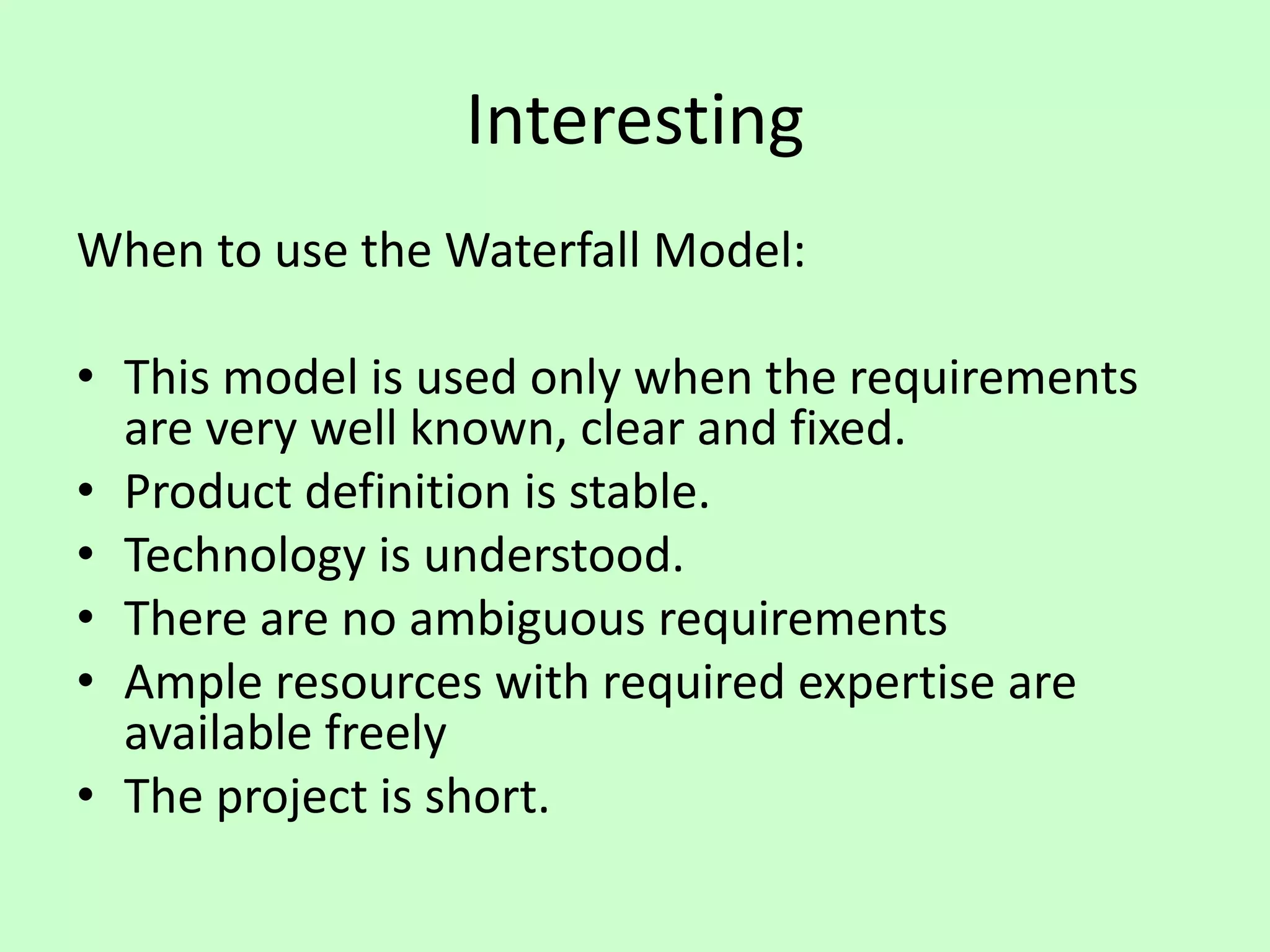
When to use the Waterfall Model:
• This model is used only when the requirements
are very well known, clear and fixed.
• Product definition is stable.
• Technology is understood.
• There are no ambiguous requirements
• Ample resources with required expertise are
available freely
• The project is short.
Interesting
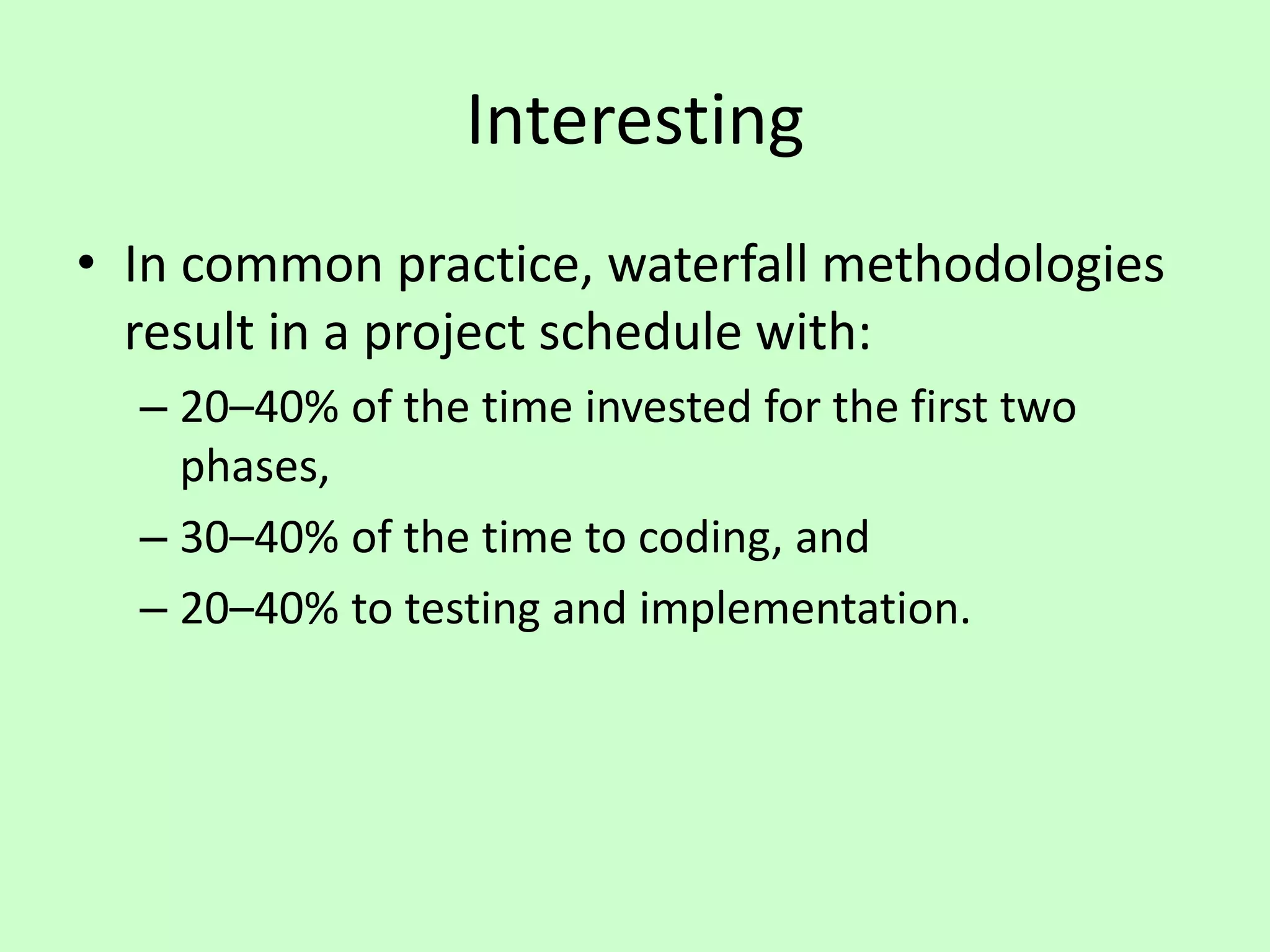
• In common practice, waterfall methodologies
result in a project schedule with:
– 20–40% of the time invested for the first two
phases,
– 30–40% of the time to coding, and
– 20–40% to testing and implementation.
Interesting
In 1985, the United States Department of Defense
captured this approach in DOD-STD-2167A, their
standards for working with software development
contractors, which stated that:
"the contractor shall implement a software
development cycle that includes the following six
phases: Preliminary Design, Detailed Design, Coding
and Unit Testing, Integration, and Testing".
Interesting
Validation and Verification
• Validation – “Does it do what we set out to
achieve?” or “Does it do what the customer
wants?”
• Verification – “Does the current stage do what
was agreed in the previous stage?” or “Does
what we’ve done so far adhere to regulations,
requirements, specifications, or imposed
conditions?”
Interesting
Validation
Validation
Validation
Validation
Verification
Verification
Verification
Interesting
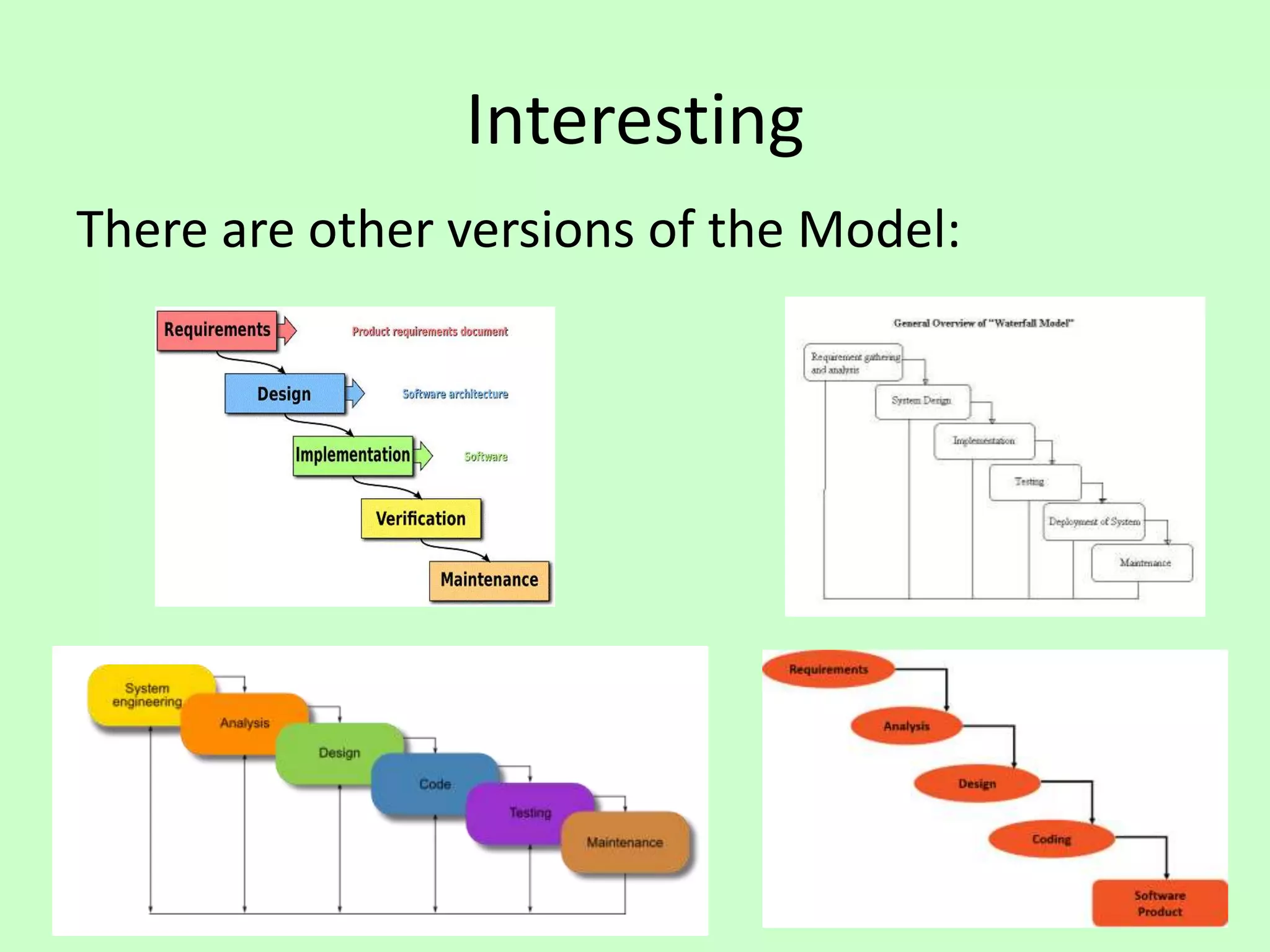
There are other versions of the Model:
6. Reflections
Reflections
• The Waterfall Model works well with Project
Management approaches.
Reflections
• The system defined at project start might not
be suitable by the end of the project, since the
customer will be dealing with change in their
industry every business day.
Reflections
• Requirements are usually unclear at the start
of a project (“I’ll know it when I see it”).
Reflections
• Requirements change over time.
Reflections
7. Review
Review
• What did we learn?
8. Summary
Summary
The Waterfall Model

The Waterfall Model

  • 1.
  • 2.
    Contents 1. Overview 2. Details 3.Advantages 4. Disadvantages 5. Interesting 6. Reflection 7. Review 8. Summary
  • 3.
  • 4.
    Overview • The “WaterfallModel” is a model that represents one method as to how software can be developed.
  • 5.
  • 6.
    Timeline of Methodologies 6 1950sCode & Fix 1960s Design-Code-Test-Maintain 1970s Waterfall Model 1980s Spiral Model 1990s Rapid Application Development 2000s Agile Methods
  • 7.
    Timeline of Methodologies 7 1950sCode & Fix 1960s Design-Code-Test-Maintain 1970s Waterfall Model 1980s Spiral Model 1990s Rapid Application Development 2000s Agile Methods
  • 8.
    Reference • Royce, W.W.,1970, "Managing the Development of Large Software Systems", Proceedings of IEEE WESCON 26 (August), pp.1–9.
  • 9.
    Winston W. Royce •Born in 1929. • Died in 1995. • An American computer scientist, director at Lockheed Software Technology Center in Austin, Texas, and one of the leaders in software development in the second half of the 20th century. • He was the first person to describe the “Waterfall model” for software development, although Royce did not use the term "waterfall" in that article, nor advocated the waterfall model as a working methodology.
  • 10.
  • 11.
    Introduction • “I amgoing to describe my personal views about managing large software developments. • I have had various assignments during the past nine years, mostly concerned with the development of software packages for spacecraft mission planning, commanding and post-flight analysis. • In these assignments I have experienced different degrees of success with respect to arriving at an operational state, on-time, and within costs. • I have become prejudiced by my experiences and I am going to relate some of these prejudices in this presentation.”
  • 12.
    Small Developments • Fora small development, you only need the following steps – Typically done for programs for internal use
  • 13.
  • 14.
    Large Developments • SystemRequirements: Identify, select and document functional, scheduling and financial requirements.
  • 15.
    Large Developments • SoftwareRequirements: Identify, select and document the software features necessary to satisfy the system requirements.
  • 16.
    Large Developments • Analysis:Methodically work through the details of each requirement.
  • 17.
    Large Developments • ProgramDesign: Use programming techniques to design software and hardware within the constraints and objectives set in the earlier stages.
  • 18.
    Large Developments • Coding:Implement the program as designed in the earlier stages.
  • 19.
    Large Developments • Testing:Test the software and record the results.
  • 20.
    Large Developments • Operations:Deliver, install and configure the completed software.
  • 21.
  • 22.
  • 23.
  • 24.
    Iterative Relationship between SuccessiveDevelopment Phases • Each step progresses and the design is further detailed, there is an iteration with the preceding and succeeding steps but rarely with the more remote steps in the sequence. • The virtue of all of this is that as the design proceeds the change process is scoped down to manageable limits.
  • 25.
    Unfortunately the designiterations are never confined to the successive steps
  • 26.
    Unfortunately the designiterations are never confined to the successive steps • The testing phase which occurs at the end of the development cycle is the first event for which timing, storage, input/output transfers, etc., are experienced as distinguished from analyzed. • These phenomena are not precisely analyzable. • Yet if these phenomena fail to satisfy the various external constraints, then invariably a major redesign is required.
  • 27.
    How do wefix this?
  • 28.
    Five Steps 1. ProgramDesign comes first 2. Document the Design 3. Do it twice 4. Plan, Control and Monitor Testing 5. Involve the Customer
  • 29.
    1. Program Designcomes first • A preliminary program design phase has been inserted between the Software Requirements Generation phase and the Analysis phase.
  • 30.
    1. Program Designcomes first
  • 31.
    1. Program Designcomes first • The following steps are required: 1) Begin the design process with program designers, not analysts or programmers. 2) Design, define and allocate the data processing modes. 3) Write an overview document that is understandable, informative and current.
  • 32.
    2. Document theDesign • “How much documentation?" • “Quite a lot" • More than most programmers, analysts, or program designers are willing to do if left to their own devices. • The first rule of managing software development is ruthless enforcement of documentation requirements.
  • 33.
  • 34.
    3. Do ItTwice • Create a pilot study • If the computer program in question is being developed for the first time, arrange matters so that the version finally delivered to the customer for operational deployment is actually the second version insofar as critical design/operations areas are concerned.
  • 35.
    3. Do ItTwice
  • 36.
    4. Plan, Controland Monitor Testing • Without question the biggest user of project resources, whether it be manpower, computer time, or management judgment, is the test phase. It is the phase of greatest risk in terms of dollars and schedule.
  • 37.
    4. Plan, Controland Monitor Testing
  • 38.
    4. Plan, Controland Monitor Testing 1) Many parts of the test process are best handled by test specialists who did not necessarily contribute to the original design. 2) Most errors are of an obvious nature that can be easily spotted by visual inspection. 3) Test every logic path in the computer program at least once with some kind of numerical check. 4) After the simple errors (which are in the majority, and which obscure the big mistakes) are removed, then it is time to turn over the software to the test area for checkout purposes.
  • 39.
    5. Involve theCustomer • For some reason what a software design is going to do is subject to wide interpretation even after previous agreement. • It is important to involve the customer in a formal way so that he has committed himself at earlier points before final delivery. • To give the contractor free rein between requirement definition and operation is inviting trouble.
  • 40.
  • 41.
  • 42.
    Advantages • It iseasy to understand and use.
  • 43.
    Advantages • It iseasy to manage due to the rigidity of the model.
  • 44.
    Advantages • The phasesare processed and completed one at a time, and the phases do not overlap.
  • 45.
    Advantages • It workswell for smaller projects where requirements are very well understood.
  • 46.
    Advantages • It requiresa lot of paperwork as compared to other models.
  • 47.
    Advantages • When newteam member joins, referenced documents help them to understand the project.
  • 48.
    Advantages • There outputis generated after each stage, therefore it has high visibility. – The client and project manager gets a feel that there is considerable progress. – Here it is important to note that in any project psychological factors also play an important role.
  • 49.
  • 50.
    Disadvantages • Once anapplication is in the testing stage, it is very difficult to go back and change something that was not well-thought out in the concept stage.
  • 51.
    Disadvantages • No workingsoftware is produced until late during the life cycle.
  • 52.
    Disadvantages • There arehigh amounts of risk and uncertainty.
  • 53.
    Disadvantages • Not agood model for complex and object- oriented projects, or long and ongoing projects.
  • 54.
    Disadvantages • Not suitablefor the projects where requirements are at a moderate to high risk of changing.
  • 55.
    Disadvantages • Takes lotof time to change and update the project documents.
  • 56.
    Disadvantages • Going backa phase or two can be a costly affair.
  • 57.
  • 58.
    Interesting When to usethe Waterfall Model: • This model is used only when the requirements are very well known, clear and fixed. • Product definition is stable. • Technology is understood. • There are no ambiguous requirements • Ample resources with required expertise are available freely • The project is short.
  • 59.
    Interesting • In commonpractice, waterfall methodologies result in a project schedule with: – 20–40% of the time invested for the first two phases, – 30–40% of the time to coding, and – 20–40% to testing and implementation.
  • 60.
    Interesting In 1985, theUnited States Department of Defense captured this approach in DOD-STD-2167A, their standards for working with software development contractors, which stated that: "the contractor shall implement a software development cycle that includes the following six phases: Preliminary Design, Detailed Design, Coding and Unit Testing, Integration, and Testing".
  • 61.
    Interesting Validation and Verification •Validation – “Does it do what we set out to achieve?” or “Does it do what the customer wants?” • Verification – “Does the current stage do what was agreed in the previous stage?” or “Does what we’ve done so far adhere to regulations, requirements, specifications, or imposed conditions?”
  • 62.
  • 63.
    Interesting There are otherversions of the Model:
  • 64.
  • 65.
    Reflections • The WaterfallModel works well with Project Management approaches.
  • 66.
    Reflections • The systemdefined at project start might not be suitable by the end of the project, since the customer will be dealing with change in their industry every business day.
  • 67.
    Reflections • Requirements areusually unclear at the start of a project (“I’ll know it when I see it”).
  • 68.
  • 69.
  • 70.
  • 71.
  • 72.
  • 73.