Downloaded 1,154 times

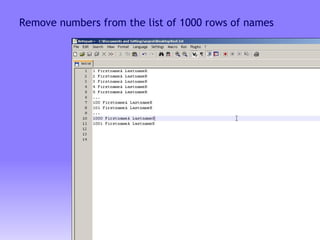
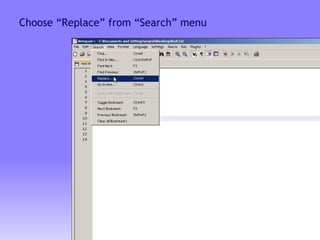
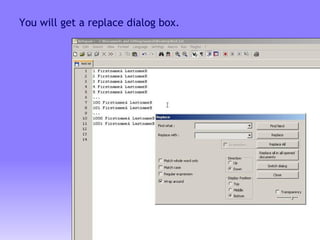
![Type [0-9]* (.*) in find what box, \1 in replace with box. Note: There’s a space between [0-9]* and (.*).](https://image.slidesharecdn.com/the-power-of-regular-expression-use-in-notepad-23618/85/The-Power-of-Regular-Expression-use-in-notepad-6-320.jpg)
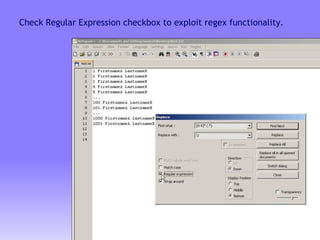
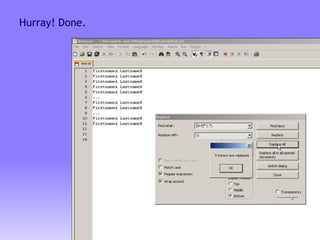
![A short explanation [0-9]* will match numbers only In our case it matches numbers only .* will match any characters, including numbers till the end of the line Use of the curve brackets will act as a memory Enclosing .* with brackets like (.*) will allow to access it using \1 (see in the replace box) The space between [0-9]* and (.*) represents the actual space between numbers and the names in the list](https://image.slidesharecdn.com/the-power-of-regular-expression-use-in-notepad-23618/85/The-Power-of-Regular-Expression-use-in-notepad-9-320.jpg)
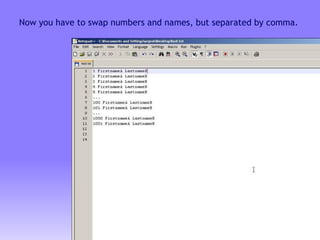
![Type ( [0-9]*) (.*) in find what box, \2,\1 in replace with box.](https://image.slidesharecdn.com/the-power-of-regular-expression-use-in-notepad-23618/85/The-Power-of-Regular-Expression-use-in-notepad-11-320.jpg)
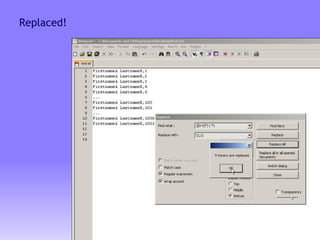
![A short explanation See previous explanation for [0-9]* and (.*) Now enclosing [0-9]* with curve brackets will allow to access it First curve bracket can be accessed using \1 and second can be accessed using \2 Hence we are swapping the position of names and numbers](https://image.slidesharecdn.com/the-power-of-regular-expression-use-in-notepad-23618/85/The-Power-of-Regular-Expression-use-in-notepad-13-320.jpg)

![Type ( [0-9]*) ([^ ]*) (.*) in find what box, \3,\2 in replace with box.](https://image.slidesharecdn.com/the-power-of-regular-expression-use-in-notepad-23618/85/The-Power-of-Regular-Expression-use-in-notepad-15-320.jpg)
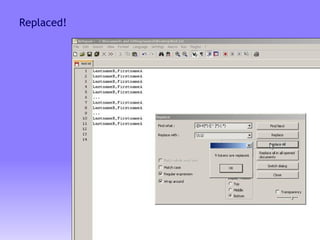
![A short explanation [0-9]* will match numbers only [^ ]* will match anything from the current position till it finds space, which in our case will match the first-names only .* will match any character from the current position till the end of the line Now [0-9]* is accessed using \1, [^ ]* is accessed using \2 and .* is access using \3, since all of those expressions are enclosed with curve brackets](https://image.slidesharecdn.com/the-power-of-regular-expression-use-in-notepad-23618/85/The-Power-of-Regular-Expression-use-in-notepad-17-320.jpg)


This document provides an overview of using regular expressions in Notepad++ to perform find-and-replace operations on text. It demonstrates how to remove numbers from a list, swap numbers and names, and rearrange names to put the last name first followed by the first name separated by a comma. The explanations describe how regular expression syntax like character sets, wildcards, and capturing groups allow matching and rearranging text in the find-and-replace dialog box.


