Simpler Core Data
with RubyMotion
Stefán Hafliðason
http://stefan.haflidason.com
@styrmis
Why RubyMotion?
• Promises increased developer productivity
• Brings the flexibility of Ruby to iOS and OSX development
• Bridges directly to Obj-C libraries: no intermediate glue
code
• A REPL for working with your app live!
• Make tweaks quickly
• Build whole views programmatically on the fly
Why Core Data?
• Optimised for low-memory/embedded (iOS)
devices
• Mature data access/persistence framework
• Also available on OSX
• Works with iCloud—free cloud syncing for your
app
Core Data is Difficult
• Provided boilerplate code unnecessarily complex
• An object graph that’s persisted to an SQLite
database
• Suggests relational access, which is not quite
the case
• Typical patterns for working with relational data
are not optimal here
RubyMotion is “Easy”
• Friendliness of Ruby
• An ARC equivalent is included
• Lots of work done to abstract complexity away
• More concepts similar to other OO languages
Core Data and RubyMotion
• No equivalent of Xcode’s visual data modeller
• How do I define my data model?!
• What about versioning?!
• How will I handle migrations?
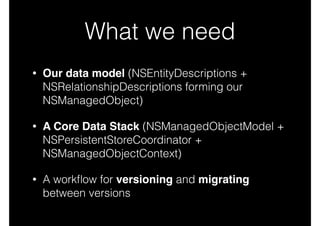
What we need
• Our data model (NSEntityDescriptions +
NSRelationshipDescriptions forming our
NSManagedObject)
• A Core Data Stack (NSManagedObjectModel +
NSPersistentStoreCoordinator +
NSManagedObjectContext)
• A workflow for versioning and migrating
between versions
Defining Our Data Model
• We would normally do this in Xcode
• Visual Editor for .xcdatamodel bundles
• Integrated handling of versioning and custom
migration code
• Automatic lightweight (schema) migrations
• How do we achieve this with RubyMotion?
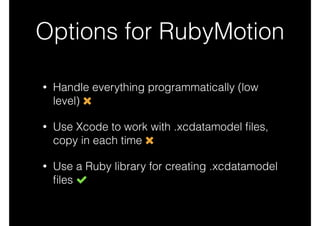
Options for RubyMotion
• Handle everything programmatically (low
level)
• Use Xcode to work with .xcdatamodel files,
copy in each time
• Use a Ruby library for creating .xcdatamodel
files
Handling Everything
Programmatically
entity = NSEntityDescription.alloc.init	
entity.name = 'Task'	
entity.managedObjectClassName = 'Task'	
entity.properties =	
[ 'task_description', NSStringAttributeType,	
'completed', NSBooleanAttributeType ].each_slice(2).map do |name, type|	
property = NSAttributeDescription.alloc.init	
property.name = name	
property.attributeType = type	
property.optional = false	
property	
end
Handling Everything
Programmatically
entity = NSEntityDescription.alloc.init	
entity.name = 'Task'	
entity.managedObjectClassName = 'Task'	
entity.properties =	
[ 'task_description', NSStringAttributeType,	
'completed', NSBooleanAttributeType ].each_slice(2).map do |name, type|	
property = NSAttributeDescription.alloc.init	
property.name = name	
property.attributeType = type	
property.optional = false	
property	
end
Not all that bad, but we want to use .xcdatamodel files
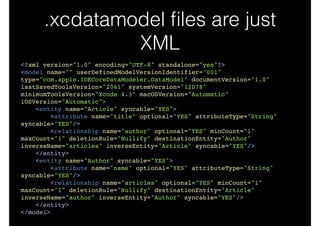
.xcdatamodel files are just
XML
<?xml version="1.0" encoding="UTF-8" standalone="yes"?>!
<model name="" userDefinedModelVersionIdentifier="001"
type="com.apple.IDECoreDataModeler.DataModel" documentVersion="1.0"
lastSavedToolsVersion="2061" systemVersion="12D78"
minimumToolsVersion="Xcode 4.3" macOSVersion="Automatic"
iOSVersion="Automatic">!
<entity name="Article" syncable="YES">!
<attribute name="title" optional="YES" attributeType="String"
syncable="YES"/>!
<relationship name="author" optional="YES" minCount="1"
maxCount="1" deletionRule="Nullify" destinationEntity="Author"
inverseName="articles" inverseEntity="Article" syncable="YES"/>!
</entity>!
<entity name="Author" syncable="YES">!
<attribute name="name" optional="YES" attributeType="String"
syncable="YES"/>!
<relationship name="articles" optional="YES" minCount="1"
maxCount="1" deletionRule="Nullify" destinationEntity="Article"
inverseName="author" inverseEntity="Author" syncable="YES"/>!
</entity>!
</model>
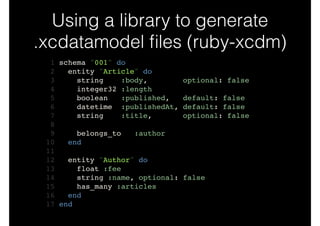
Using a library to generate
.xcdatamodel files (ruby-xcdm)
1 schema "001" do!
2 entity "Article" do!
3 string :body, optional: false!
4 integer32 :length!
5 boolean :published, default: false!
6 datetime :publishedAt, default: false!
7 string :title, optional: false!
8 !
9 belongs_to :author!
10 end!
11 !
12 entity "Author" do!
13 float :fee!
14 string :name, optional: false!
15 has_many :articles!
16 end!
17 end
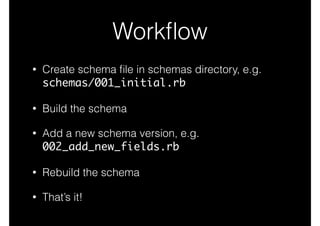
Workflow
• Create schema file in schemas directory, e.g.
schemas/001_initial.rb
• Build the schema
• Add a new schema version, e.g.
002_add_new_fields.rb
• Rebuild the schema
• That’s it!
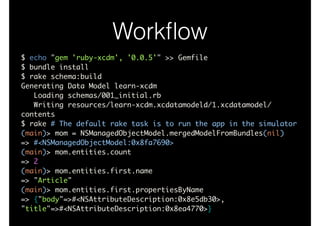
Workflow
$ echo "gem 'ruby-xcdm', '0.0.5'" >> Gemfile	
$ bundle install	
$ rake schema:build	
Generating Data Model learn-xcdm	
Loading schemas/001_initial.rb	
Writing resources/learn-xcdm.xcdatamodeld/1.xcdatamodel/
contents	
$ rake # The default rake task is to run the app in the simulator	
(main)> mom = NSManagedObjectModel.mergedModelFromBundles(nil)	
=> #<NSManagedObjectModel:0x8fa7690>	
(main)> mom.entities.count	
=> 2	
(main)> mom.entities.first.name	
=> "Article"	
(main)> mom.entities.first.propertiesByName	
=> {"body"=>#<NSAttributeDescription:0x8e5db30>,
"title"=>#<NSAttributeDescription:0x8ea4770>}
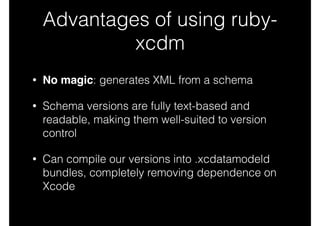
Advantages of using ruby-
xcdm
• No magic: generates XML from a schema
• Schema versions are fully text-based and
readable, making them well-suited to version
control
• Can compile our versions into .xcdatamodeld
bundles, completely removing dependence on
Xcode
Basic Core Data Stack
1 model = NSManagedObjectModel.mergedModelFromBundles(nil)	
2 	
3 store = NSPersistentStoreCoordinator.alloc.initWithManagedObjectModel(model)	
4 store_path = File.join(NSHomeDirectory(), 'Documents', 'LearnXcdm.sqlite')	
5 store_url = NSURL.fileURLWithPath(store_path)	
6 	
7 options = { NSMigratePersistentStoresAutomaticallyOption => true,	
8 NSInferMappingModelAutomaticallyOption => true }	
9 	
10 error_ptr = Pointer.new(:object)	
11 	
12 unless store.addPersistentStoreWithType(NSSQLiteStoreType,	
13 configuration: nil,	
14 URL: store_url,	
15 options: options,	
16 error: error_ptr)	
17 raise "[ERROR] Failed to create persistent store: #{error_ptr[0].description}"	
18 end	
19 	
20 @context = NSManagedObjectContext.alloc.init	
21 @context.persistentStoreCoordinator = store
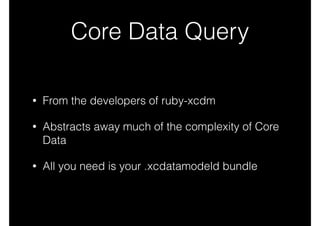
Core Data Query
• From the developers of ruby-xcdm
• Abstracts away much of the complexity of Core
Data
• All you need is your .xcdatamodeld bundle
Core Data Query in Action
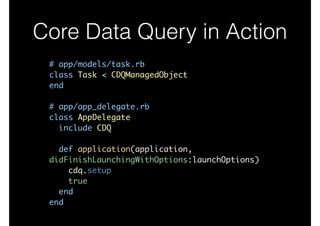
# app/models/task.rb	
class Task < CDQManagedObject	
end	
!
# app/app_delegate.rb	
class AppDelegate	
include CDQ	
!
def application(application,
didFinishLaunchingWithOptions:launchOptions)	
cdq.setup	
true	
end	
end
Core Data Query in Action
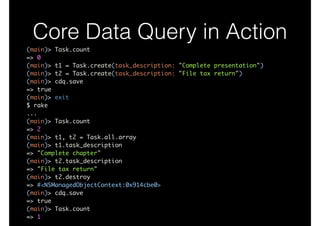
(main)> Task.count	
=> 0	
(main)> t1 = Task.create(task_description: "Complete presentation")	
(main)> t2 = Task.create(task_description: "File tax return")	
(main)> cdq.save	
=> true	
(main)> exit	
$ rake	
...	
(main)> Task.count	
=> 2	
(main)> t1, t2 = Task.all.array	
(main)> t1.task_description	
=> "Complete chapter"	
(main)> t2.task_description	
=> "File tax return"	
(main)> t2.destroy	
=> #<NSManagedObjectContext:0x914cbe0>	
(main)> cdq.save	
=> true	
(main)> Task.count	
=> 1
Core Data in Action
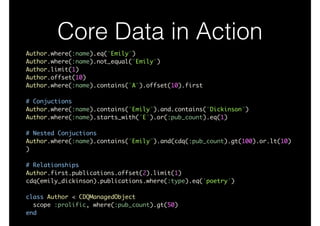
Author.where(:name).eq("Emily")	
Author.where(:name).not_equal("Emily")	
Author.limit(1)	
Author.offset(10)	
Author.where(:name).contains("A").offset(10).first	
!
# Conjuctions	
Author.where(:name).contains("Emily").and.contains("Dickinson")	
Author.where(:name).starts_with("E").or(:pub_count).eq(1)	
!
# Nested Conjuctions	
Author.where(:name).contains("Emily").and(cdq(:pub_count).gt(100).or.lt(10)
)	
!
# Relationships	
Author.first.publications.offset(2).limit(1)	
cdq(emily_dickinson).publications.where(:type).eq('poetry')	
!
class Author < CDQManagedObject	
scope :prolific, where(:pub_count).gt(50)	
end
Takeaways
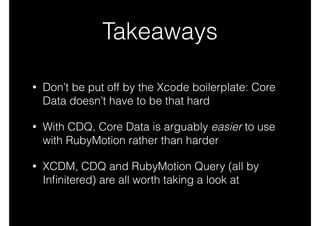
• Don’t be put off by the Xcode boilerplate: Core
Data doesn’t have to be that hard
• With CDQ, Core Data is arguably easier to use
with RubyMotion rather than harder
• XCDM, CDQ and RubyMotion Query (all by
Infinitered) are all worth taking a look at
Next Steps
• In the coming weeks I’ll be researching and writing
about:
• How to best handle heavyweight/data migrations
in RubyMotion
• Deconstructing the ‘magic’ in Core Data Query
• RubyMotion development best practices
Stefán Hafliðason
http://stefan.haflidason.com
@styrmis

Simpler Core Data with RubyMotion

  • 1.
    Simpler Core Data withRubyMotion Stefán Hafliðason http://stefan.haflidason.com @styrmis
  • 2.
    Why RubyMotion? • Promisesincreased developer productivity • Brings the flexibility of Ruby to iOS and OSX development • Bridges directly to Obj-C libraries: no intermediate glue code • A REPL for working with your app live! • Make tweaks quickly • Build whole views programmatically on the fly
  • 3.
    Why Core Data? •Optimised for low-memory/embedded (iOS) devices • Mature data access/persistence framework • Also available on OSX • Works with iCloud—free cloud syncing for your app
  • 4.
    Core Data isDifficult • Provided boilerplate code unnecessarily complex • An object graph that’s persisted to an SQLite database • Suggests relational access, which is not quite the case • Typical patterns for working with relational data are not optimal here
  • 5.
    RubyMotion is “Easy” •Friendliness of Ruby • An ARC equivalent is included • Lots of work done to abstract complexity away • More concepts similar to other OO languages
  • 6.
    Core Data andRubyMotion • No equivalent of Xcode’s visual data modeller • How do I define my data model?! • What about versioning?! • How will I handle migrations?
  • 7.
    What we need •Our data model (NSEntityDescriptions + NSRelationshipDescriptions forming our NSManagedObject) • A Core Data Stack (NSManagedObjectModel + NSPersistentStoreCoordinator + NSManagedObjectContext) • A workflow for versioning and migrating between versions
  • 8.
    Defining Our DataModel • We would normally do this in Xcode • Visual Editor for .xcdatamodel bundles • Integrated handling of versioning and custom migration code • Automatic lightweight (schema) migrations • How do we achieve this with RubyMotion?
  • 9.
    Options for RubyMotion •Handle everything programmatically (low level) • Use Xcode to work with .xcdatamodel files, copy in each time • Use a Ruby library for creating .xcdatamodel files
  • 10.
    Handling Everything Programmatically entity =NSEntityDescription.alloc.init entity.name = 'Task' entity.managedObjectClassName = 'Task' entity.properties = [ 'task_description', NSStringAttributeType, 'completed', NSBooleanAttributeType ].each_slice(2).map do |name, type| property = NSAttributeDescription.alloc.init property.name = name property.attributeType = type property.optional = false property end
  • 11.
    Handling Everything Programmatically entity =NSEntityDescription.alloc.init entity.name = 'Task' entity.managedObjectClassName = 'Task' entity.properties = [ 'task_description', NSStringAttributeType, 'completed', NSBooleanAttributeType ].each_slice(2).map do |name, type| property = NSAttributeDescription.alloc.init property.name = name property.attributeType = type property.optional = false property end Not all that bad, but we want to use .xcdatamodel files
  • 12.
    .xcdatamodel files arejust XML <?xml version="1.0" encoding="UTF-8" standalone="yes"?>! <model name="" userDefinedModelVersionIdentifier="001" type="com.apple.IDECoreDataModeler.DataModel" documentVersion="1.0" lastSavedToolsVersion="2061" systemVersion="12D78" minimumToolsVersion="Xcode 4.3" macOSVersion="Automatic" iOSVersion="Automatic">! <entity name="Article" syncable="YES">! <attribute name="title" optional="YES" attributeType="String" syncable="YES"/>! <relationship name="author" optional="YES" minCount="1" maxCount="1" deletionRule="Nullify" destinationEntity="Author" inverseName="articles" inverseEntity="Article" syncable="YES"/>! </entity>! <entity name="Author" syncable="YES">! <attribute name="name" optional="YES" attributeType="String" syncable="YES"/>! <relationship name="articles" optional="YES" minCount="1" maxCount="1" deletionRule="Nullify" destinationEntity="Article" inverseName="author" inverseEntity="Author" syncable="YES"/>! </entity>! </model>
  • 13.
    Using a libraryto generate .xcdatamodel files (ruby-xcdm) 1 schema "001" do! 2 entity "Article" do! 3 string :body, optional: false! 4 integer32 :length! 5 boolean :published, default: false! 6 datetime :publishedAt, default: false! 7 string :title, optional: false! 8 ! 9 belongs_to :author! 10 end! 11 ! 12 entity "Author" do! 13 float :fee! 14 string :name, optional: false! 15 has_many :articles! 16 end! 17 end
  • 14.
    Workflow • Create schemafile in schemas directory, e.g. schemas/001_initial.rb • Build the schema • Add a new schema version, e.g. 002_add_new_fields.rb • Rebuild the schema • That’s it!
  • 15.
    Workflow $ echo "gem'ruby-xcdm', '0.0.5'" >> Gemfile $ bundle install $ rake schema:build Generating Data Model learn-xcdm Loading schemas/001_initial.rb Writing resources/learn-xcdm.xcdatamodeld/1.xcdatamodel/ contents $ rake # The default rake task is to run the app in the simulator (main)> mom = NSManagedObjectModel.mergedModelFromBundles(nil) => #<NSManagedObjectModel:0x8fa7690> (main)> mom.entities.count => 2 (main)> mom.entities.first.name => "Article" (main)> mom.entities.first.propertiesByName => {"body"=>#<NSAttributeDescription:0x8e5db30>, "title"=>#<NSAttributeDescription:0x8ea4770>}
  • 16.
    Advantages of usingruby- xcdm • No magic: generates XML from a schema • Schema versions are fully text-based and readable, making them well-suited to version control • Can compile our versions into .xcdatamodeld bundles, completely removing dependence on Xcode
  • 17.
    Basic Core DataStack 1 model = NSManagedObjectModel.mergedModelFromBundles(nil) 2 3 store = NSPersistentStoreCoordinator.alloc.initWithManagedObjectModel(model) 4 store_path = File.join(NSHomeDirectory(), 'Documents', 'LearnXcdm.sqlite') 5 store_url = NSURL.fileURLWithPath(store_path) 6 7 options = { NSMigratePersistentStoresAutomaticallyOption => true, 8 NSInferMappingModelAutomaticallyOption => true } 9 10 error_ptr = Pointer.new(:object) 11 12 unless store.addPersistentStoreWithType(NSSQLiteStoreType, 13 configuration: nil, 14 URL: store_url, 15 options: options, 16 error: error_ptr) 17 raise "[ERROR] Failed to create persistent store: #{error_ptr[0].description}" 18 end 19 20 @context = NSManagedObjectContext.alloc.init 21 @context.persistentStoreCoordinator = store
  • 18.
    Core Data Query •From the developers of ruby-xcdm • Abstracts away much of the complexity of Core Data • All you need is your .xcdatamodeld bundle
  • 19.
    Core Data Queryin Action # app/models/task.rb class Task < CDQManagedObject end ! # app/app_delegate.rb class AppDelegate include CDQ ! def application(application, didFinishLaunchingWithOptions:launchOptions) cdq.setup true end end
  • 20.
    Core Data Queryin Action (main)> Task.count => 0 (main)> t1 = Task.create(task_description: "Complete presentation") (main)> t2 = Task.create(task_description: "File tax return") (main)> cdq.save => true (main)> exit $ rake ... (main)> Task.count => 2 (main)> t1, t2 = Task.all.array (main)> t1.task_description => "Complete chapter" (main)> t2.task_description => "File tax return" (main)> t2.destroy => #<NSManagedObjectContext:0x914cbe0> (main)> cdq.save => true (main)> Task.count => 1
  • 21.
    Core Data inAction Author.where(:name).eq("Emily") Author.where(:name).not_equal("Emily") Author.limit(1) Author.offset(10) Author.where(:name).contains("A").offset(10).first ! # Conjuctions Author.where(:name).contains("Emily").and.contains("Dickinson") Author.where(:name).starts_with("E").or(:pub_count).eq(1) ! # Nested Conjuctions Author.where(:name).contains("Emily").and(cdq(:pub_count).gt(100).or.lt(10) ) ! # Relationships Author.first.publications.offset(2).limit(1) cdq(emily_dickinson).publications.where(:type).eq('poetry') ! class Author < CDQManagedObject scope :prolific, where(:pub_count).gt(50) end
  • 22.
    Takeaways • Don’t beput off by the Xcode boilerplate: Core Data doesn’t have to be that hard • With CDQ, Core Data is arguably easier to use with RubyMotion rather than harder • XCDM, CDQ and RubyMotion Query (all by Infinitered) are all worth taking a look at
  • 23.
    Next Steps • Inthe coming weeks I’ll be researching and writing about: • How to best handle heavyweight/data migrations in RubyMotion • Deconstructing the ‘magic’ in Core Data Query • RubyMotion development best practices Stefán Hafliðason http://stefan.haflidason.com @styrmis