Physical Education & Outdoor Education in an online world
Organisational Tools Hardware Video Communication Collaboration Social Networking Brainstorming Quiz Presentation Website Creation Geocaching Mobile Phones Nintendo


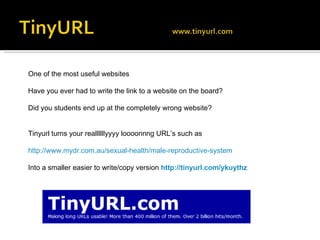
One of the most useful websites  Have you ever had to write the link to a website on the board? Did you students end up at the completely wrong website? Tinyurl turns your reallllllyyyy loooonnng URL’s such as http://www.mydr.com.au/sexual-health/male-reproductive-system Into a smaller easier to write/copy version  http://tinyurl.com/ykuythz
 
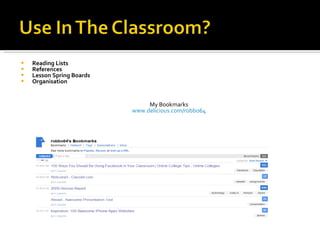
Reading Lists References Lesson Spring Boards Organisation My Bookmarks www.delicious.com/robbo64
Have a series of websites you need your students to view? Add each website to a part of a track with one click Students jog the track to visit each page in the order you specify No need to enter in new websites Example http://tinyurl.com/yjuksuk
 
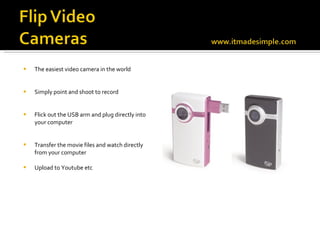
The easiest video camera in the world Simply point and shoot to record  Flick out the USB arm and plug directly into your computer Transfer the movie files and watch directly from your computer Upload to Youtube etc
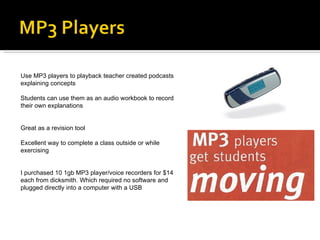
Use MP3 players to playback teacher created podcasts explaining concepts Students can use them as an audio workbook to record their own explanations Great as a revision tool Excellent way to complete a class outside or while exercising I purchased 10 1gb MP3 player/voice recorders for $14 each from dicksmith. Which required no software and plugged directly into a computer with a USB

 
The number one online resource for teachers. Search millions of sport related videos.  Perfect for discussion of countless concepts Now unblocked by the Department of Education for use by teachers A free and unlimited space to host your own videos. Within minutes they can be online and shared with the world or shared with your students.
UNSURE HOW TO DO IT, FOLLOW THE INSTRUCTIONS BELOW HTTP://TINYURL.COM/YBHPDA7 Want to save the files to your computer for playback without an internet connection? Countless websites offer the ability to download YouTube videos The best and easiest websites include www.keepvid.com www.zamzar.com www.savevid.com http://online.movavi.com
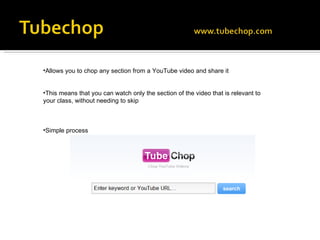
Allows you to chop any section from a YouTube video and share it This means that you can watch only the section of the video that is relevant to your class, without needing to skip Simple process
Online video editing Simply select you images, videos and music  Animoto will create a unique and interesting movie based on your content
Simple website that lets you create animated movies You simply enter in the text of your script, choose your characters and setting and it will make your movie Add actions and expressions to create a more realistic movie Use it as a way to teach a concept, as a class role play in health classes
 
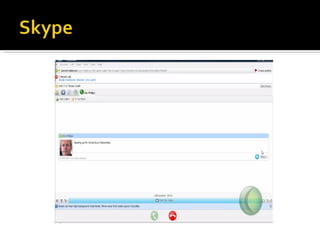
Allows users to make voice and video calls over the Internet.  Calls between Skype users are 100% free Skype can also call a landline or mobile phone but this however costs a small fee Use in the classroom Virtual Guest speakers Video Conferencing Classroom Linkups http://tinyurl.com/kooc3r
 
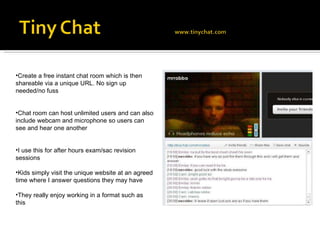
Create a free instant chat room which is then shareable via a unique URL. No sign up needed/no fuss Chat room can host unlimited users and can also include webcam and microphone so users can see and hear one another I use this for after hours exam/sac revision sessions Kids simply visit the unique website at an agreed time where I answer questions they may have They really enjoy working in a format such as this
 
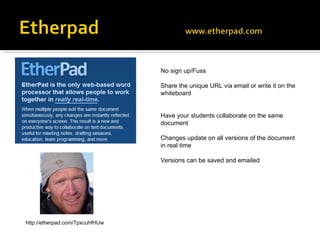
No sign up/Fuss Share the unique URL via email or write it on the whiteboard Have your students collaborate on the same document  Changes update on all versions of the document in real time Versions can be saved and emailed http://etherpad.com/TpxcuhfHUw
 
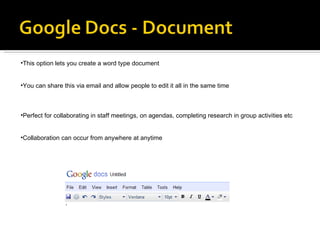
This option lets you create a word type document  You can share this via email and allow people to edit it all in the same time Perfect for collaborating in staff meetings, on agendas, completing research in group activities etc Collaboration can occur from anywhere at anytime
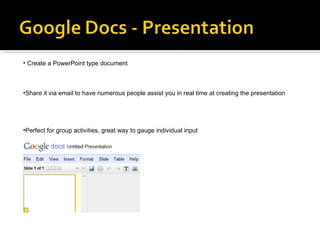
Create a PowerPoint type document  Share it via email to have numerous people assist you in real time at creating the presentation Perfect for group activities, great way to gauge individual input
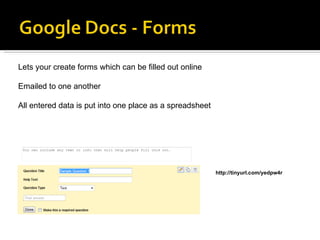
http://tinyurl.com/yedpw4r Lets your create forms which can be filled out online Emailed to one another All entered data is put into one place as a spreadsheet
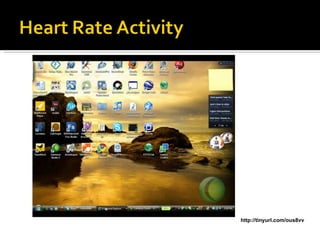
http://tinyurl.com/ous8vv
 
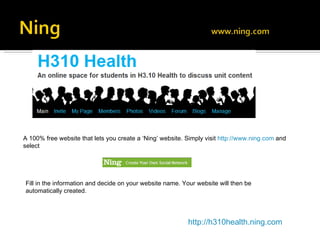
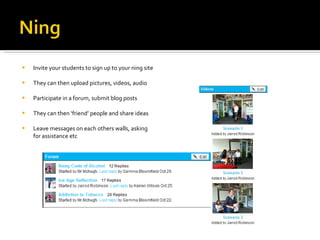
A 100% free website that lets you create a ‘Ning’ website. Simply visit  http://www.ning.com   and select  Fill in the information and decide on your website name. Your website will then be automatically created. http://h310health.ning.com
Invite your students to sign up to your ning site They can then upload pictures, videos, audio Participate in a forum, submit blog posts They can then ‘friend’ people and share ideas  Leave messages on each others walls, asking for assistance etc
 
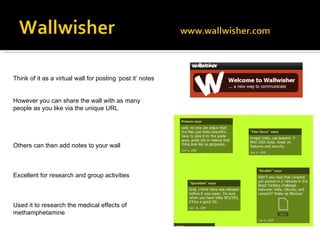
Think of it as a virtual wall for posting ‘post it’ notes However you can share the wall with as many people as you like via the unique URL Others can then add notes to your wall Excellent for research and group activities Used it to research the medical effects of methamphetamine
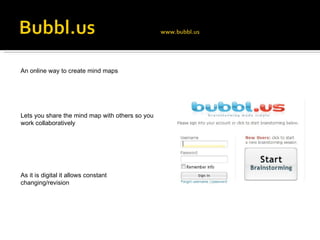
An online way to create mind maps Lets you share the mind map with others so you work collaboratively  As it is digital it allows constant changing/revision
 
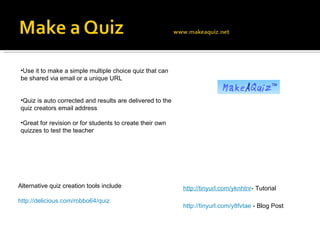
http://tinyurl.com/y8fvtae  - Blog Post Use it to make a simple multiple choice quiz that can be shared via email or a unique URL Quiz is auto corrected and results are delivered to the quiz creators email address Great for revision or for students to create their own quizzes to test the teacher http://tinyurl.com/yknhtnr - Tutorial Alternative quiz creation tools include http://delicious.com/robbo64/quiz
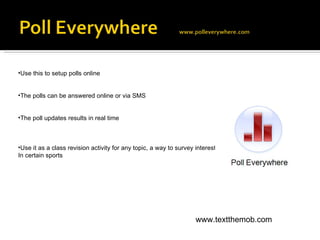
Use this to setup polls online The polls can be answered online or via SMS The poll updates results in real time Use it as a class revision activity for any topic, a way to survey interest  In certain sports www.textthemob.com
 
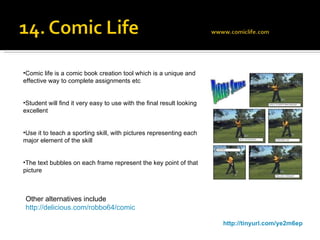
http://tinyurl.com/ye2m6ep Comic life is a comic book creation tool which is a unique and effective way to complete assignments etc Student will find it very easy to use with the final result looking excellent Use it to teach a sporting skill, with pictures representing each major element of the skill The text bubbles on each frame represent the key point of that picture Other alternatives include http://delicious.com/robbo64/comic
 
 
www.wikispaces.com www.wetpaint.com Sign up for free to create your own website in minutes Invite others to help you build it All members have the ability to edit and add pages Easily track who does what on the website Some examples www.howfitarewii.wetpaint.com http://h311oe.wikispaces.com/
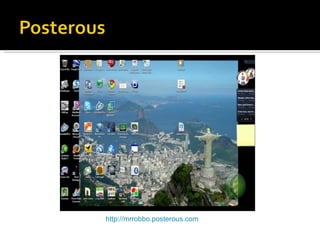
Simplest way to post content online Simply send an email to  [email_address] In a classroom? Digital portfolios  Class Websites Discussion activites
http://mrrobbo.posterous.com
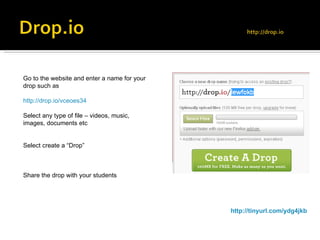
http://tinyurl.com/ydg4jkb Go to the website and enter a name for your drop such as http://drop.io/vceoes34 Select any type of file – videos, music, images, documents etc Select create a “Drop” Share the drop with your students
 
 
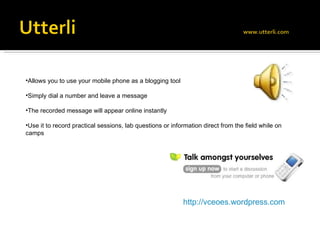
Allows you to use your mobile phone as a blogging tool Simply dial a number and leave a message The recorded message will appear online instantly Use it to record practical sessions, lab questions or information direct from the field while on camps http://vceoes.wordpress.com
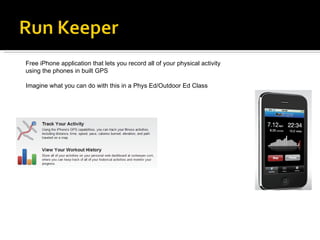
Free iPhone application that lets you record all of your physical activity using the phones in built GPS Imagine what you can do with this in a Phys Ed/Outdoor Ed Class
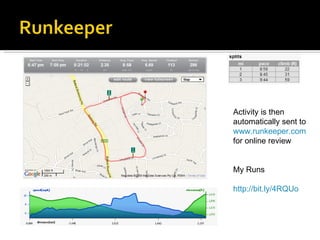
Activity is then automatically sent to  www.runkeeper.com  for online review My Runs http://bit.ly/4RQUo
 
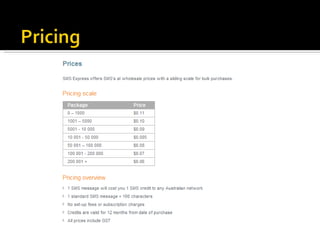
- Signed up for a promotional mailing list at a nightclub that required a mobile number - Received a weekly SMS message explaining what was happening at that Nightclub, directly to my pocket to read when I wanted - Noticed that you couldn't reply to the message Thought it was genius and wanted to find a way to use it with my students The Idea of SMS to Communicate
 
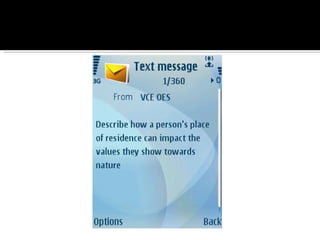
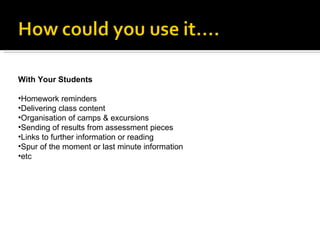
With Your Students Homework reminders Delivering class content Organisation of camps & excursions Sending of results from assessment pieces Links to further information or reading Spur of the moment or last minute information etc
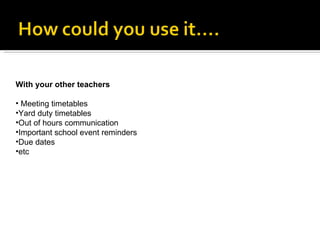
With your other teachers Meeting timetables Yard duty timetables Out of hours communication Important school event reminders Due dates etc
 
 
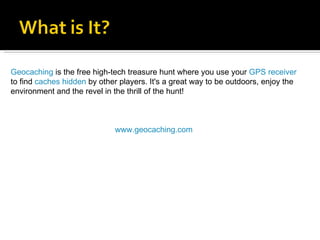
Geocaching  is the free high-tech treasure hunt where you use your  GPS receiver  to find  caches   hidden  by other players. It's a great way to be outdoors, enjoy the environment and the revel in the thrill of the hunt! www.geocaching.com
 
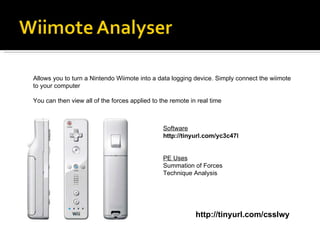
http://tinyurl.com/csslwy Allows you to turn a Nintendo Wiimote into a data logging device. Simply connect the wiimote to your computer You can then view all of the forces applied to the remote in real time Software http://tinyurl.com/yc3c47l PE Uses Summation of Forces Technique Analysis
 www.howfitarewii.com
Jarrod Robinson Email –  [email_address] Blog –  http://mrrobbo.wordpress.com Website –  www.mrrobbo.com Boort Secondary College - 03 54552201

A C H P E R

  • 1.
    Physical Education &Outdoor Education in an online world
  • 2.
    Organisational Tools HardwareVideo Communication Collaboration Social Networking Brainstorming Quiz Presentation Website Creation Geocaching Mobile Phones Nintendo
  • 3.
  • 4.
  • 5.
  • 6.
  • 7.
  • 8.
    One of themost useful websites Have you ever had to write the link to a website on the board? Did you students end up at the completely wrong website? Tinyurl turns your reallllllyyyy loooonnng URL’s such as http://www.mydr.com.au/sexual-health/male-reproductive-system Into a smaller easier to write/copy version http://tinyurl.com/ykuythz
  • 9.
  • 10.
    Reading Lists ReferencesLesson Spring Boards Organisation My Bookmarks www.delicious.com/robbo64
  • 11.
    Have a seriesof websites you need your students to view? Add each website to a part of a track with one click Students jog the track to visit each page in the order you specify No need to enter in new websites Example http://tinyurl.com/yjuksuk
  • 12.
  • 13.
    The easiest videocamera in the world Simply point and shoot to record Flick out the USB arm and plug directly into your computer Transfer the movie files and watch directly from your computer Upload to Youtube etc
  • 14.
    Use MP3 playersto playback teacher created podcasts explaining concepts Students can use them as an audio workbook to record their own explanations Great as a revision tool Excellent way to complete a class outside or while exercising I purchased 10 1gb MP3 player/voice recorders for $14 each from dicksmith. Which required no software and plugged directly into a computer with a USB
  • 15.
  • 16.
    The number oneonline resource for teachers. Search millions of sport related videos. Perfect for discussion of countless concepts Now unblocked by the Department of Education for use by teachers A free and unlimited space to host your own videos. Within minutes they can be online and shared with the world or shared with your students.
  • 17.
    UNSURE HOW TODO IT, FOLLOW THE INSTRUCTIONS BELOW HTTP://TINYURL.COM/YBHPDA7 Want to save the files to your computer for playback without an internet connection? Countless websites offer the ability to download YouTube videos The best and easiest websites include www.keepvid.com www.zamzar.com www.savevid.com http://online.movavi.com
  • 18.
    Allows you tochop any section from a YouTube video and share it This means that you can watch only the section of the video that is relevant to your class, without needing to skip Simple process
  • 19.
    Online video editingSimply select you images, videos and music Animoto will create a unique and interesting movie based on your content
  • 20.
    Simple website thatlets you create animated movies You simply enter in the text of your script, choose your characters and setting and it will make your movie Add actions and expressions to create a more realistic movie Use it as a way to teach a concept, as a class role play in health classes
  • 21.
  • 22.
    Allows users tomake voice and video calls over the Internet. Calls between Skype users are 100% free Skype can also call a landline or mobile phone but this however costs a small fee Use in the classroom Virtual Guest speakers Video Conferencing Classroom Linkups http://tinyurl.com/kooc3r
  • 23.
  • 24.
    Create a freeinstant chat room which is then shareable via a unique URL. No sign up needed/no fuss Chat room can host unlimited users and can also include webcam and microphone so users can see and hear one another I use this for after hours exam/sac revision sessions Kids simply visit the unique website at an agreed time where I answer questions they may have They really enjoy working in a format such as this
  • 25.
  • 26.
    No sign up/FussShare the unique URL via email or write it on the whiteboard Have your students collaborate on the same document Changes update on all versions of the document in real time Versions can be saved and emailed http://etherpad.com/TpxcuhfHUw
  • 27.
  • 28.
    This option letsyou create a word type document You can share this via email and allow people to edit it all in the same time Perfect for collaborating in staff meetings, on agendas, completing research in group activities etc Collaboration can occur from anywhere at anytime
  • 29.
    Create a PowerPointtype document Share it via email to have numerous people assist you in real time at creating the presentation Perfect for group activities, great way to gauge individual input
  • 30.
    http://tinyurl.com/yedpw4r Lets yourcreate forms which can be filled out online Emailed to one another All entered data is put into one place as a spreadsheet
  • 31.
  • 32.
  • 33.
    A 100% freewebsite that lets you create a ‘Ning’ website. Simply visit http://www.ning.com and select Fill in the information and decide on your website name. Your website will then be automatically created. http://h310health.ning.com
  • 34.
    Invite your studentsto sign up to your ning site They can then upload pictures, videos, audio Participate in a forum, submit blog posts They can then ‘friend’ people and share ideas Leave messages on each others walls, asking for assistance etc
  • 35.
  • 36.
    Think of itas a virtual wall for posting ‘post it’ notes However you can share the wall with as many people as you like via the unique URL Others can then add notes to your wall Excellent for research and group activities Used it to research the medical effects of methamphetamine
  • 37.
    An online wayto create mind maps Lets you share the mind map with others so you work collaboratively As it is digital it allows constant changing/revision
  • 38.
  • 39.
    http://tinyurl.com/y8fvtae -Blog Post Use it to make a simple multiple choice quiz that can be shared via email or a unique URL Quiz is auto corrected and results are delivered to the quiz creators email address Great for revision or for students to create their own quizzes to test the teacher http://tinyurl.com/yknhtnr - Tutorial Alternative quiz creation tools include http://delicious.com/robbo64/quiz
  • 40.
    Use this tosetup polls online The polls can be answered online or via SMS The poll updates results in real time Use it as a class revision activity for any topic, a way to survey interest In certain sports www.textthemob.com
  • 41.
  • 42.
    http://tinyurl.com/ye2m6ep Comic lifeis a comic book creation tool which is a unique and effective way to complete assignments etc Student will find it very easy to use with the final result looking excellent Use it to teach a sporting skill, with pictures representing each major element of the skill The text bubbles on each frame represent the key point of that picture Other alternatives include http://delicious.com/robbo64/comic
  • 43.
  • 44.
  • 45.
    www.wikispaces.com www.wetpaint.com Signup for free to create your own website in minutes Invite others to help you build it All members have the ability to edit and add pages Easily track who does what on the website Some examples www.howfitarewii.wetpaint.com http://h311oe.wikispaces.com/
  • 46.
    Simplest way topost content online Simply send an email to [email_address] In a classroom? Digital portfolios Class Websites Discussion activites
  • 47.
  • 48.
    http://tinyurl.com/ydg4jkb Go tothe website and enter a name for your drop such as http://drop.io/vceoes34 Select any type of file – videos, music, images, documents etc Select create a “Drop” Share the drop with your students
  • 49.
  • 50.
  • 51.
    Allows you touse your mobile phone as a blogging tool Simply dial a number and leave a message The recorded message will appear online instantly Use it to record practical sessions, lab questions or information direct from the field while on camps http://vceoes.wordpress.com
  • 52.
    Free iPhone applicationthat lets you record all of your physical activity using the phones in built GPS Imagine what you can do with this in a Phys Ed/Outdoor Ed Class
  • 53.
    Activity is thenautomatically sent to www.runkeeper.com for online review My Runs http://bit.ly/4RQUo
  • 54.
  • 55.
    - Signed upfor a promotional mailing list at a nightclub that required a mobile number - Received a weekly SMS message explaining what was happening at that Nightclub, directly to my pocket to read when I wanted - Noticed that you couldn't reply to the message Thought it was genius and wanted to find a way to use it with my students The Idea of SMS to Communicate
  • 56.
  • 57.
    With Your StudentsHomework reminders Delivering class content Organisation of camps & excursions Sending of results from assessment pieces Links to further information or reading Spur of the moment or last minute information etc
  • 58.
    With your otherteachers Meeting timetables Yard duty timetables Out of hours communication Important school event reminders Due dates etc
  • 59.
  • 60.
  • 61.
    Geocaching isthe free high-tech treasure hunt where you use your GPS receiver to find caches hidden by other players. It's a great way to be outdoors, enjoy the environment and the revel in the thrill of the hunt! www.geocaching.com
  • 62.
  • 63.
    http://tinyurl.com/csslwy Allows youto turn a Nintendo Wiimote into a data logging device. Simply connect the wiimote to your computer You can then view all of the forces applied to the remote in real time Software http://tinyurl.com/yc3c47l PE Uses Summation of Forces Technique Analysis
  • 64.
  • 65.
    Jarrod Robinson Email– [email_address] Blog – http://mrrobbo.wordpress.com Website – www.mrrobbo.com Boort Secondary College - 03 54552201