Presentation on Telnet & SSH
Guided By
Ms. Preeti Jha
Ms. Deepika Jain
Presented By
Vinod Gour
Contents:-
What is TELNET & SSH ?
Why use TELNET & SSH ?
Initial recruitment for configuration.
Difference B/W TELNET & SSH.
Configuration
•For Ubuntu
•For Window
Troubleshooting.
 References
TELNET:-
TELNET is an abbreviation for Terminal Network. It is the
standard TCP/IP protocol for virtual terminal service, it
proposed by ISO. TELNET enables the establishment of a
connection to a remote system in such a way so that the
remote system appears to an local system .
Telnet was developed in 1969 beginning with RFC 15
Telnet is stateful protocols like FTP.
In stateful protocol the client connects to the server, conducts
a series of operations via that connection, and then
disconnects, But in A stateless protocol server that treats each
request as an independent transaction that is unrelated to any
previous request.
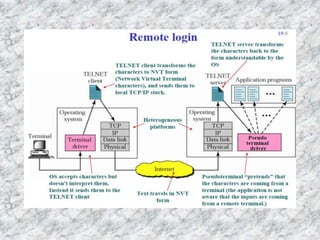
Telnet is general-purpose client-server application program
TELNET (TErminal NETwork) is a general purpose client-server
program that lets user access any application on a remote
computer. It establishes a connection to a remote system, such
that the local terminal appears to be a terminal at the remote
system.
We can do two type of log in through “TELNET Protocol” .
1. Local Log-in.
2. Remote Log-in.
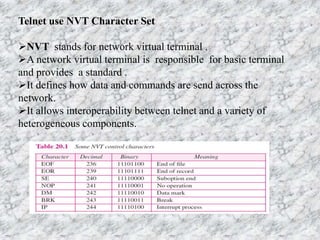
Telnet use NVT Character Set
NVT stands for network virtual terminal .
A network virtual terminal is responsible for basic terminal
and provides a standard .
It defines how data and commands are send across the
network.
It allows interoperability between telnet and a variety of
heterogeneous components.
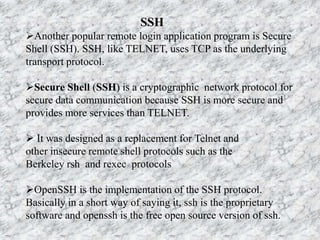
SSH
Another popular remote login application program is Secure
Shell (SSH). SSH, like TELNET, uses TCP as the underlying
transport protocol.
Secure Shell (SSH) is a cryptographic network protocol for
secure data communication because SSH is more secure and
provides more services than TELNET.
 It was designed as a replacement for Telnet and
other insecure remote shell protocols such as the
Berkeley rsh and rexec protocols
OpenSSH is the implementation of the SSH protocol.
Basically in a short way of saying it, ssh is the proprietary
software and openssh is the free open source version of ssh.
Why use Telnet & SSH
• TELNET & SSH is most often used to establish connections
from a certain computer to a remote machine over a network,
to execute commands and transfer file between them.
• Some time we are in the out side of the home or office and we
have to perform some operation on the our computer which
are placed on the home or office in this situation we can use
the services of TELNET & SSH
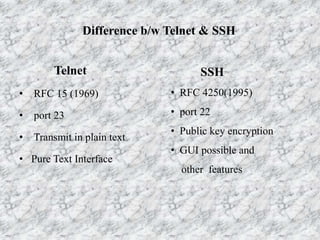
Difference b/w Telnet & SSH
Telnet
• RFC 15 (1969)
• port 23
• Transmit in plain text
• Pure Text Interface
SSH
• RFC 4250(1995)
• port 22
• Public key encryption
• GUI possible and
other features
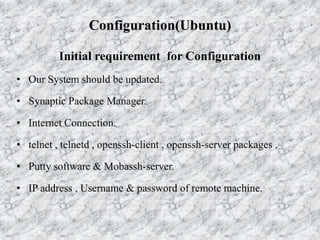
Configuration(Ubuntu)
Initial requirement for Configuration
• Our System should be updated.
• Synaptic Package Manager.
• Internet Connection.
• telnet , telnetd , openssh-client , openssh-server packages .
• Putty software & Mobassh-server.
• IP address , Username & password of remote machine.
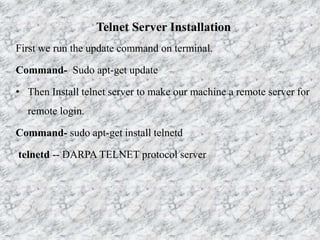
Telnet Server Installation
First we run the update command on terminal.
Command- Sudo apt-get update
• Then Install telnet server to make our machine a remote server for
remote login.
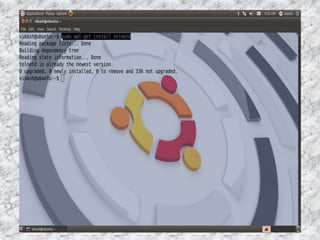
Command- sudo apt-get install telnetd
telnetd -- DARPA TELNET protocol server
• sudo - execute a command as another user
• The apt-get command is a powerful command-line tool used
to work with Ubuntu's Advanced Packaging Tool (APT)
performing such functions as installation of new software
packages, upgrade of existing software packages, updating of
the package list index, and even upgrading the entire Ubuntu
system.
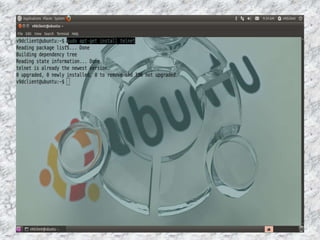
Telnet Client Installation
• Install telnet client to make our machine a client for accessing
remote server.
Command - sudo apt-get install telnet
Connection to remote machine
Syntax:- telnet IPAddress Port No
PortNo - It is optional but well known port no. is
23 for telnet.
Ipaddress - remote machine Ipaddress
We will use logout command to close the connection.
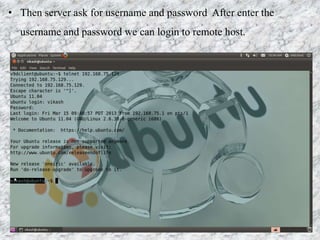
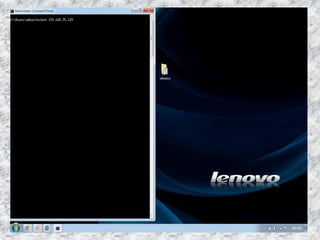
• Then server ask for username and password After enter the
username and password we can login to remote host.
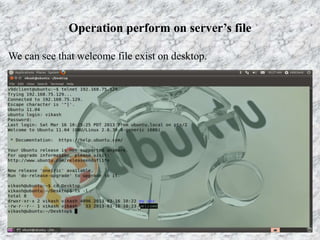
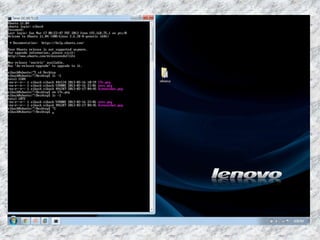
Operation perform on server’s file
We can see that welcome file exist on desktop.
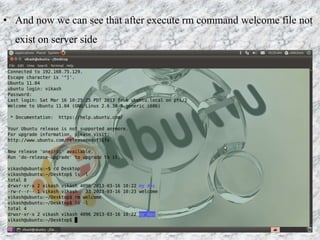
• And now we can see that after execute rm command welcome file not
exist on server side
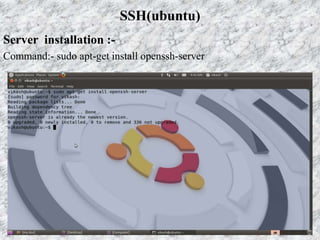
Server installation :-
Command:- sudo apt-get install openssh-server
SSH(ubuntu)
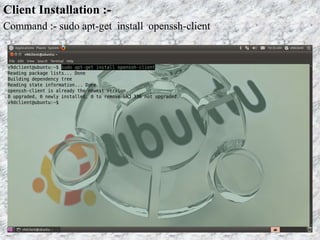
Client Installation :-
Command :- sudo apt-get install openssh-client
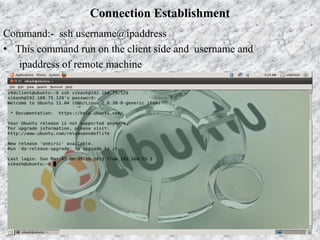
Connection Establishment
Command:- ssh username@ipaddress
• This command run on the client side and username and
ipaddress of remote machine
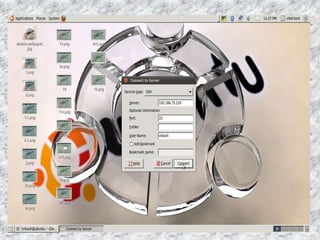
GUI connection by SSH
• Go to the places on the menu bar and click on the “connect to
the server” then appear a dialog box. In this dialog box we
select the service type ssh and enter the server address , port
no. and username of the remote machine and click on the
connect button .
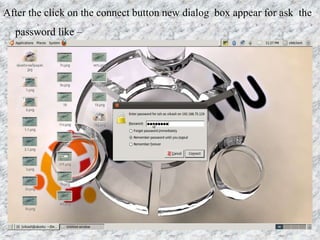
After the click on the connect button new dialog box appear for ask the
password like –
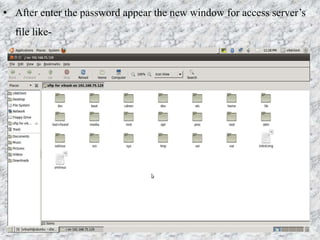
• After enter the password appear the new window for access server’s
file like-
Configuration(Windows)
Telnet configuration:-
• follow the following path.
• Path :- Control PanelAll Control Panel Items
Programs and Features.
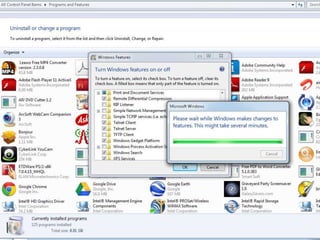
• Click on the turn windows features on or off and mark the
telnet client & telnet server checkbox in new appears dialog
box.
Connection Establishment
• Open the command prompt.
• Execute the following command-
telnet remotemachine ipaddress portno
SSH configuration
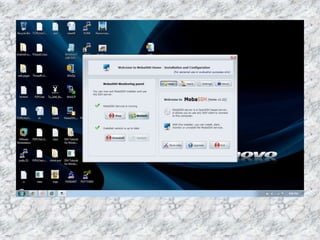
• First download & install the Mobassh Server on the remote
machine(Server side).
• Second download & install the putty software on the client
machine.
• Run the Mobassh server.
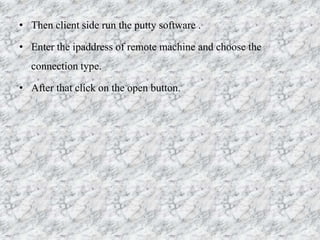
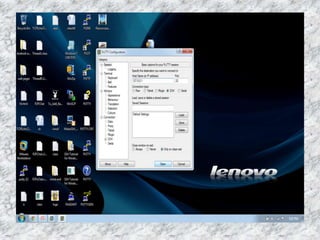
• Then client side run the putty software .
• Enter the ipaddress of remote machine and choose the
connection type.
• After that click on the open button.
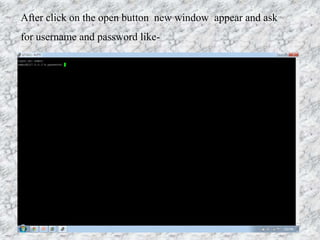
After click on the open button new window appear and ask
for username and password like-
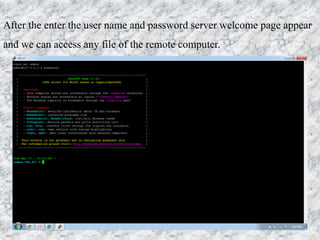
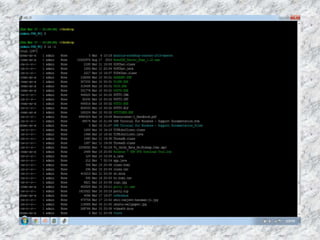
After the enter the user name and password server welcome page appear
and we can access any file of the remote computer.
Troubleshooting
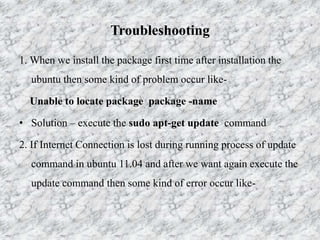
1. When we install the package first time after installation the
ubuntu then some kind of problem occur like-
Unable to locate package package -name
• Solution – execute the sudo apt-get update command
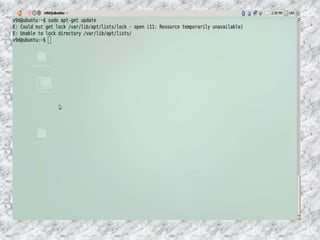
2. If Internet Connection is lost during running process of update
command in ubuntu 11.04 and after we want again execute the
update command then some kind of error occur like-
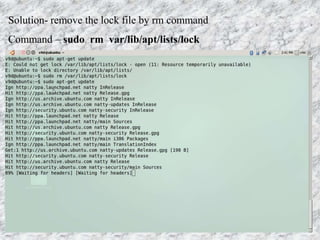
Solution- remove the lock file by rm command
Command – sudo rm var/lib/apt/lists/lock
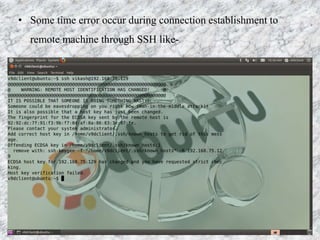
• Some time error occur during connection establishment to
remote machine through SSH like-
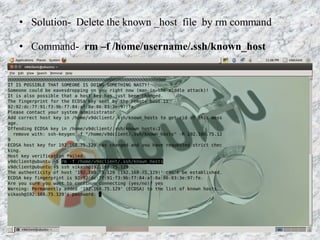
• Solution- Delete the known _host file by rm command
• Command- rm –f /home/username/.ssh/known_host
References
• http://www.slideshare.net/xtephan/network-telnet-ssh-5740946
• http://www.putty.org/
• http://mobassh.mobatek.net/
• http://www.zimmertech.com/tutorials/web-
design/38/webdesignbasics_ssh-telnet-basics.php
• http://medusa.sdsu.edu/network/CS576/Lectures/ch19_TELNET.pdf
• http://www.wikipedia.com/
Any Query
?

Telnet & SSH Configuration

  • 1.
    Presentation on Telnet& SSH Guided By Ms. Preeti Jha Ms. Deepika Jain Presented By Vinod Gour
  • 2.
    Contents:- What is TELNET& SSH ? Why use TELNET & SSH ? Initial recruitment for configuration. Difference B/W TELNET & SSH. Configuration •For Ubuntu •For Window Troubleshooting.  References
  • 3.
    TELNET:- TELNET is anabbreviation for Terminal Network. It is the standard TCP/IP protocol for virtual terminal service, it proposed by ISO. TELNET enables the establishment of a connection to a remote system in such a way so that the remote system appears to an local system . Telnet was developed in 1969 beginning with RFC 15 Telnet is stateful protocols like FTP. In stateful protocol the client connects to the server, conducts a series of operations via that connection, and then disconnects, But in A stateless protocol server that treats each request as an independent transaction that is unrelated to any previous request.
  • 4.
    Telnet is general-purposeclient-server application program TELNET (TErminal NETwork) is a general purpose client-server program that lets user access any application on a remote computer. It establishes a connection to a remote system, such that the local terminal appears to be a terminal at the remote system. We can do two type of log in through “TELNET Protocol” . 1. Local Log-in. 2. Remote Log-in.
  • 6.
    Telnet use NVTCharacter Set NVT stands for network virtual terminal . A network virtual terminal is responsible for basic terminal and provides a standard . It defines how data and commands are send across the network. It allows interoperability between telnet and a variety of heterogeneous components.
  • 7.
    SSH Another popular remotelogin application program is Secure Shell (SSH). SSH, like TELNET, uses TCP as the underlying transport protocol. Secure Shell (SSH) is a cryptographic network protocol for secure data communication because SSH is more secure and provides more services than TELNET.  It was designed as a replacement for Telnet and other insecure remote shell protocols such as the Berkeley rsh and rexec protocols OpenSSH is the implementation of the SSH protocol. Basically in a short way of saying it, ssh is the proprietary software and openssh is the free open source version of ssh.
  • 8.
    Why use Telnet& SSH • TELNET & SSH is most often used to establish connections from a certain computer to a remote machine over a network, to execute commands and transfer file between them. • Some time we are in the out side of the home or office and we have to perform some operation on the our computer which are placed on the home or office in this situation we can use the services of TELNET & SSH
  • 9.
    Difference b/w Telnet& SSH Telnet • RFC 15 (1969) • port 23 • Transmit in plain text • Pure Text Interface SSH • RFC 4250(1995) • port 22 • Public key encryption • GUI possible and other features
  • 10.
    Configuration(Ubuntu) Initial requirement forConfiguration • Our System should be updated. • Synaptic Package Manager. • Internet Connection. • telnet , telnetd , openssh-client , openssh-server packages . • Putty software & Mobassh-server. • IP address , Username & password of remote machine.
  • 11.
    Telnet Server Installation Firstwe run the update command on terminal. Command- Sudo apt-get update • Then Install telnet server to make our machine a remote server for remote login. Command- sudo apt-get install telnetd telnetd -- DARPA TELNET protocol server
  • 12.
    • sudo -execute a command as another user • The apt-get command is a powerful command-line tool used to work with Ubuntu's Advanced Packaging Tool (APT) performing such functions as installation of new software packages, upgrade of existing software packages, updating of the package list index, and even upgrading the entire Ubuntu system.
  • 14.
    Telnet Client Installation •Install telnet client to make our machine a client for accessing remote server. Command - sudo apt-get install telnet
  • 16.
    Connection to remotemachine Syntax:- telnet IPAddress Port No PortNo - It is optional but well known port no. is 23 for telnet. Ipaddress - remote machine Ipaddress We will use logout command to close the connection.
  • 18.
    • Then serverask for username and password After enter the username and password we can login to remote host.
  • 19.
    Operation perform onserver’s file We can see that welcome file exist on desktop.
  • 20.
    • And nowwe can see that after execute rm command welcome file not exist on server side
  • 21.
    Server installation :- Command:-sudo apt-get install openssh-server SSH(ubuntu)
  • 22.
    Client Installation :- Command:- sudo apt-get install openssh-client
  • 23.
    Connection Establishment Command:- sshusername@ipaddress • This command run on the client side and username and ipaddress of remote machine
  • 24.
    GUI connection bySSH • Go to the places on the menu bar and click on the “connect to the server” then appear a dialog box. In this dialog box we select the service type ssh and enter the server address , port no. and username of the remote machine and click on the connect button .
  • 27.
    After the clickon the connect button new dialog box appear for ask the password like –
  • 28.
    • After enterthe password appear the new window for access server’s file like-
  • 29.
    Configuration(Windows) Telnet configuration:- • followthe following path. • Path :- Control PanelAll Control Panel Items Programs and Features. • Click on the turn windows features on or off and mark the telnet client & telnet server checkbox in new appears dialog box.
  • 31.
    Connection Establishment • Openthe command prompt. • Execute the following command- telnet remotemachine ipaddress portno
  • 34.
    SSH configuration • Firstdownload & install the Mobassh Server on the remote machine(Server side). • Second download & install the putty software on the client machine. • Run the Mobassh server.
  • 36.
    • Then clientside run the putty software . • Enter the ipaddress of remote machine and choose the connection type. • After that click on the open button.
  • 38.
    After click onthe open button new window appear and ask for username and password like-
  • 39.
    After the enterthe user name and password server welcome page appear and we can access any file of the remote computer.
  • 41.
    Troubleshooting 1. When weinstall the package first time after installation the ubuntu then some kind of problem occur like- Unable to locate package package -name • Solution – execute the sudo apt-get update command 2. If Internet Connection is lost during running process of update command in ubuntu 11.04 and after we want again execute the update command then some kind of error occur like-
  • 43.
    Solution- remove thelock file by rm command Command – sudo rm var/lib/apt/lists/lock
  • 44.
    • Some timeerror occur during connection establishment to remote machine through SSH like-
  • 45.
    • Solution- Deletethe known _host file by rm command • Command- rm –f /home/username/.ssh/known_host
  • 46.
    References • http://www.slideshare.net/xtephan/network-telnet-ssh-5740946 • http://www.putty.org/ •http://mobassh.mobatek.net/ • http://www.zimmertech.com/tutorials/web- design/38/webdesignbasics_ssh-telnet-basics.php • http://medusa.sdsu.edu/network/CS576/Lectures/ch19_TELNET.pdf • http://www.wikipedia.com/
  • 47.