Presentation on Telnet Punjab College Of Technical Education, Baddowal, Ludhiana. 08/26/10
Introduction to telnet Telnet Developed in 1969  Telnet provided access to a command-line interface 08/26/10
Telnet Protocols The Network Virtual Terminal (NVT) paradigm The negotiated options principle The rules of negotiation 08/26/10
System Requirements A Personal Computer with a 486/100 MHz CPU or higher  Microsoft Windows NT 4.0, Windows 2000, Windows XP or Windows 2003  Mouse or compatible pointing device  800 KB of hard-disk space  08/26/10
Continued …. TCP/IP networking must be installed and configured  Windows NT/2000/XP/2003 are registered trademarks of Microsoft Corporation. 08/26/10
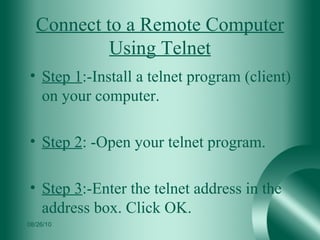
Connect to a Remote Computer Using Telnet Step 1 :-Install a telnet program (client) on your computer. Step 2 : -Open your telnet program. Step 3 :-Enter the telnet address in the address box. Click OK. 08/26/10
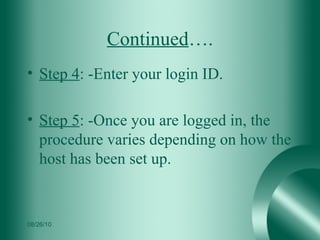
Continued …. Step 4 : -Enter your login ID.  Step 5 : -Once you are logged in, the procedure varies depending on how the host has been set up. 08/26/10
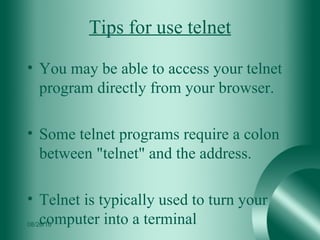
Tips for use telnet You may be able to access your telnet program directly from your browser. Some telnet programs require a colon between "telnet" and the address. Telnet is typically used to turn your computer into a terminal  08/26/10
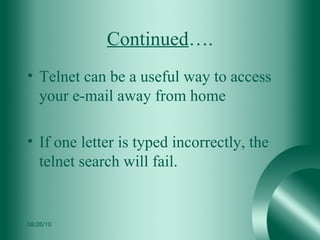
Continued …. Telnet can be a useful way to access your e-mail away from home If one letter is typed incorrectly, the telnet search will fail. 08/26/10
Current status Enterprise networks to access host applications, e.g., on IBM Mainframes. Administration of network elements. Internet game clubs. Mobile data collection applications.  Collaboration of multiple users . 08/26/10
Advantages   saves you are able to use another computer fix other people's computer problems 08/26/10
Disadvantages Only text and numbers displayed (VT100, VT220 connection) No graphics, (limited Tektronix 4014 graphics) No color No mouse (no menus, check boxes, etc) 08/26/10
Conclusion 08/26/10
THANKS YOU 08/26/10
References Ehow.com En.kioskia.net Microsoft.com 08/26/10
Presented To :- Mrs.Amandeep kaur Presented by :- Ambika Chauhaan Kushal Arora Sumit Kumar (MCA-3) 08/26/10

Presentation on telnet

  • 1.
    Presentation on TelnetPunjab College Of Technical Education, Baddowal, Ludhiana. 08/26/10
  • 2.
    Introduction to telnetTelnet Developed in 1969 Telnet provided access to a command-line interface 08/26/10
  • 3.
    Telnet Protocols The NetworkVirtual Terminal (NVT) paradigm The negotiated options principle The rules of negotiation 08/26/10
  • 4.
    System Requirements APersonal Computer with a 486/100 MHz CPU or higher Microsoft Windows NT 4.0, Windows 2000, Windows XP or Windows 2003 Mouse or compatible pointing device 800 KB of hard-disk space 08/26/10
  • 5.
    Continued …. TCP/IPnetworking must be installed and configured Windows NT/2000/XP/2003 are registered trademarks of Microsoft Corporation. 08/26/10
  • 6.
    Connect to aRemote Computer Using Telnet Step 1 :-Install a telnet program (client) on your computer. Step 2 : -Open your telnet program. Step 3 :-Enter the telnet address in the address box. Click OK. 08/26/10
  • 7.
    Continued …. Step4 : -Enter your login ID. Step 5 : -Once you are logged in, the procedure varies depending on how the host has been set up. 08/26/10
  • 8.
    Tips for usetelnet You may be able to access your telnet program directly from your browser. Some telnet programs require a colon between "telnet" and the address. Telnet is typically used to turn your computer into a terminal 08/26/10
  • 9.
    Continued …. Telnetcan be a useful way to access your e-mail away from home If one letter is typed incorrectly, the telnet search will fail. 08/26/10
  • 10.
    Current status Enterprisenetworks to access host applications, e.g., on IBM Mainframes. Administration of network elements. Internet game clubs. Mobile data collection applications. Collaboration of multiple users . 08/26/10
  • 11.
    Advantages saves you are able to use another computer fix other people's computer problems 08/26/10
  • 12.
    Disadvantages Only textand numbers displayed (VT100, VT220 connection) No graphics, (limited Tektronix 4014 graphics) No color No mouse (no menus, check boxes, etc) 08/26/10
  • 13.
  • 14.
  • 15.
    References Ehow.com En.kioskia.netMicrosoft.com 08/26/10
  • 16.
    Presented To :-Mrs.Amandeep kaur Presented by :- Ambika Chauhaan Kushal Arora Sumit Kumar (MCA-3) 08/26/10

Editor's Notes