Technology Integration into Curriculum Melanie Gehrens February 2008 Most slides have links to resources!  LOOK for “LINK!”
Disclaimer… Links in this slide show are based on the availability of the access of the website and the website keeping the information active and current. The last date these links were checked were 2/22/08.
Technology Integration should: Explore technology resources.   Utilize technology as a curriculum teaching tool.  Develop student learning activities that incorporate utilization of technology.   Evaluate student learning activities that integrate technology.   Enforce responsible, ethical and legal use of technology.  As defined by the International Society of Technology in Education, 1994. Technology Standards   NETS.S  Student Profiles
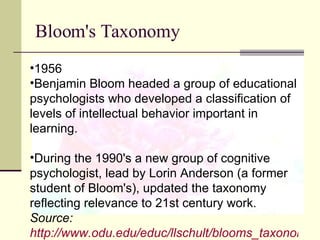
Bloom's Taxonomy 1956 Benjamin Bloom headed a group of educational psychologists who developed a classification of levels of intellectual behavior important in learning. During the 1990's a new group of cognitive psychologist, lead by Lorin Anderson (a former student of Bloom's), updated the taxonomy reflecting relevance to 21st century work.  Source:  http://www.odu.edu/educ/llschult/blooms_taxonomy.htm
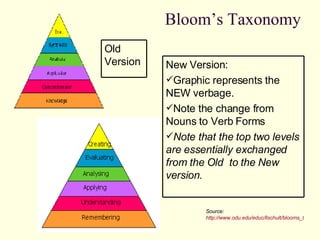
Bloom’s Taxonomy Source:  http://www.odu.edu/educ/llschult/blooms_taxonomy.htm New Version: Graphic represents the NEW verbage.  Note the change from Nouns to Verb Forms Note that the top two levels are essentially exchanged from the Old  to the New version. Old Version
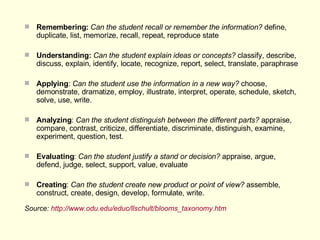
Remembering:   Can the student recall or remember the information?  define, duplicate, list, memorize, recall, repeat, reproduce state Understanding:   Can the student explain ideas or concepts?  classify, describe, discuss, explain, identify, locate, recognize, report, select, translate, paraphrase Applying :  Can the student use the information in a new way?  choose, demonstrate, dramatize, employ, illustrate, interpret, operate, schedule, sketch, solve, use, write.  Analyzing :  Can the student distinguish between the different parts?  appraise, compare, contrast, criticize, differentiate, discriminate, distinguish, examine, experiment, question, test.  Evaluating :  Can the student justify a stand or decision?  appraise, argue, defend, judge, select, support, value, evaluate Creating :  Can the student create new product or point of view?  assemble, construct, create, design, develop, formulate, write.  Source:  http://www.odu.edu/educ/llschult/blooms_taxonomy.htm
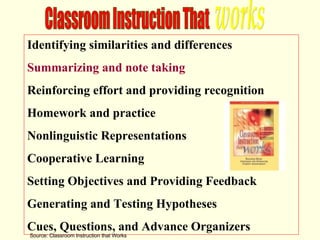
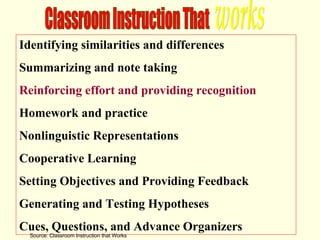
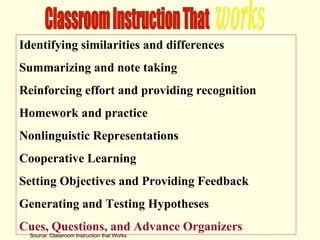
Identifying similarities and differences Summarizing and note taking  Reinforcing effort and providing recognition Homework and practice Nonlinguistic Representations Cooperative Learning Setting Objectives and Providing Feedback Generating and Testing Hypotheses Cues, Questions, and Advance Organizers Classroom Instruction That  works Source: Classroom Instruction that Works
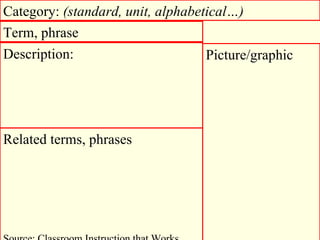
Term, phrase Category:  (standard, unit, alphabetical…)   Picture/graphic Description: Related terms, phrases Source: Classroom Instruction that Works
Identifying similarities and differences Summarizing and note taking  Reinforcing effort and providing recognition Homework and practice Nonlinguistic Representations Cooperative Learning Setting Objectives and Providing Feedback Generating and Testing Hypotheses Cues, Questions, and Advance Organizers Classroom Instruction That  works Source: Classroom Instruction that Works
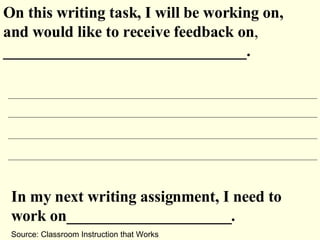
On this writing task, I will be working on, and would like to receive feedback on ,  _______________________________.  In my next writing assignment, I need to work on_____________________. Source: Classroom Instruction that Works
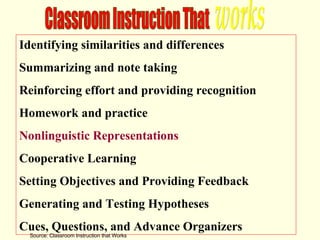
Identifying similarities and differences Summarizing and note taking  Reinforcing effort and providing recognition Homework and practice Nonlinguistic Representations Cooperative Learning Setting Objectives and Providing Feedback Generating and Testing Hypotheses Cues, Questions, and Advance Organizers Classroom Instruction That  works Source: Classroom Instruction that Works
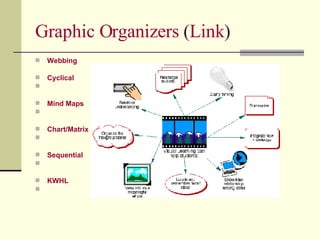
Graphic Organizers  ( Link ) Webbing       Cyclical       Mind Maps       Chart/Matrix       Sequential       KWHL
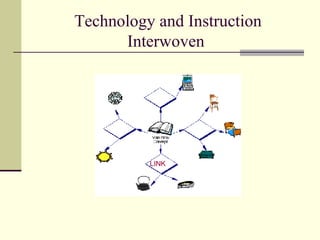
Technology and Instruction Interwoven  LINK
SMART Ideas Templates Collections for the SMART Board  developed for Center teachers.
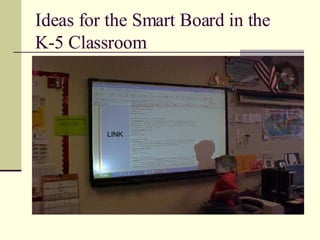
Ideas for the Smart Board in the  K-5 Classroom  LINK
Middle School Integration Tools Explore methods of utilizing technology in the middle school curriculum: LINK
Sites to use with  Interactive Whiteboards Middle/High Grades 6-12 LINK
Interactive Whiteboard Resources  This page is linked to the growing collection of lesson plans that utilize  Interactive Whiteboards  as a technology resource.  Supported by:  LINK
Lesson Plans LINK
Internet4Classrooms a collaborative project developed by Susan Brooks and Bill Byles Idea Starters for using Technology in the Classroom ways to include a technology aspect into your lessons   Brochures  |  Newsletters  |  Databases and Spreadsheets  |  Word Documents  |  Management Ideas Task Card  ( example ) Integrated Technology Lesson Plans  Links verified 12/21/07   LINK
Internet Safety WiredSafety.org — the world's largest Internet safety and help group  LINK LINK
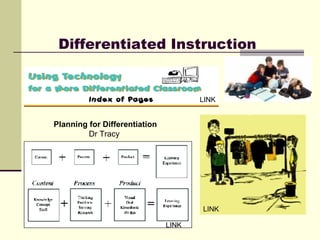
Differentiated Instruction Planning for Differentiation Dr Tracy  LINK LINK LINK
Management Ideas- Link  SAS LINK LINK
The journal features research findings, practical articles, book and software reviews, and commentary on topics of interest to those educators and others. The online format allows for the inclusion of multimedia elements as well. For more information, see the author guidelines page.  The refereed journal is a product of the College of Education at Idaho State University.  The journal uses a rolling publication format for each volume. Articles are published throughout the year.  Legal Notice: The views expressed herein are solely those of the individual authors and do not represent the official views of the editorial board, the College of Education, or Idaho State University. Authors are responsible for all contents. LINK
Additional Resources: AASL (American Assoc. of Lib.) Technology  Center for Children and Technology   Early Childhood Tech Literacy Project  -Montgomery County Public Schools  Technology Integration tips with  Linda Burkhart  McRel  - Technology in Education resources  NCREL  - Technology in Education
This is only the beginning! There are many more resources for integrating technology into your curriculum and lessons.

Technology Presentation School Version.2

  • 1.
    Technology Integration intoCurriculum Melanie Gehrens February 2008 Most slides have links to resources! LOOK for “LINK!”
  • 2.
    Disclaimer… Links inthis slide show are based on the availability of the access of the website and the website keeping the information active and current. The last date these links were checked were 2/22/08.
  • 3.
    Technology Integration should:Explore technology resources. Utilize technology as a curriculum teaching tool. Develop student learning activities that incorporate utilization of technology. Evaluate student learning activities that integrate technology. Enforce responsible, ethical and legal use of technology. As defined by the International Society of Technology in Education, 1994. Technology Standards   NETS.S Student Profiles
  • 4.
    Bloom's Taxonomy 1956Benjamin Bloom headed a group of educational psychologists who developed a classification of levels of intellectual behavior important in learning. During the 1990's a new group of cognitive psychologist, lead by Lorin Anderson (a former student of Bloom's), updated the taxonomy reflecting relevance to 21st century work. Source: http://www.odu.edu/educ/llschult/blooms_taxonomy.htm
  • 5.
    Bloom’s Taxonomy Source: http://www.odu.edu/educ/llschult/blooms_taxonomy.htm New Version: Graphic represents the NEW verbage. Note the change from Nouns to Verb Forms Note that the top two levels are essentially exchanged from the Old to the New version. Old Version
  • 6.
    Remembering: Can the student recall or remember the information? define, duplicate, list, memorize, recall, repeat, reproduce state Understanding: Can the student explain ideas or concepts? classify, describe, discuss, explain, identify, locate, recognize, report, select, translate, paraphrase Applying : Can the student use the information in a new way? choose, demonstrate, dramatize, employ, illustrate, interpret, operate, schedule, sketch, solve, use, write. Analyzing : Can the student distinguish between the different parts? appraise, compare, contrast, criticize, differentiate, discriminate, distinguish, examine, experiment, question, test. Evaluating : Can the student justify a stand or decision? appraise, argue, defend, judge, select, support, value, evaluate Creating : Can the student create new product or point of view? assemble, construct, create, design, develop, formulate, write. Source: http://www.odu.edu/educ/llschult/blooms_taxonomy.htm
  • 7.
    Identifying similarities anddifferences Summarizing and note taking Reinforcing effort and providing recognition Homework and practice Nonlinguistic Representations Cooperative Learning Setting Objectives and Providing Feedback Generating and Testing Hypotheses Cues, Questions, and Advance Organizers Classroom Instruction That works Source: Classroom Instruction that Works
  • 8.
    Term, phrase Category: (standard, unit, alphabetical…) Picture/graphic Description: Related terms, phrases Source: Classroom Instruction that Works
  • 9.
    Identifying similarities anddifferences Summarizing and note taking Reinforcing effort and providing recognition Homework and practice Nonlinguistic Representations Cooperative Learning Setting Objectives and Providing Feedback Generating and Testing Hypotheses Cues, Questions, and Advance Organizers Classroom Instruction That works Source: Classroom Instruction that Works
  • 10.
    On this writingtask, I will be working on, and would like to receive feedback on , _______________________________. In my next writing assignment, I need to work on_____________________. Source: Classroom Instruction that Works
  • 11.
    Identifying similarities anddifferences Summarizing and note taking Reinforcing effort and providing recognition Homework and practice Nonlinguistic Representations Cooperative Learning Setting Objectives and Providing Feedback Generating and Testing Hypotheses Cues, Questions, and Advance Organizers Classroom Instruction That works Source: Classroom Instruction that Works
  • 12.
    Identifying similarities anddifferences Summarizing and note taking Reinforcing effort and providing recognition Homework and practice Nonlinguistic Representations Cooperative Learning Setting Objectives and Providing Feedback Generating and Testing Hypotheses Cues, Questions, and Advance Organizers Classroom Instruction That works Source: Classroom Instruction that Works
  • 13.
    Graphic Organizers ( Link ) Webbing Cyclical Mind Maps Chart/Matrix Sequential KWHL
  • 14.
  • 15.
    SMART Ideas TemplatesCollections for the SMART Board developed for Center teachers.
  • 16.
    Ideas for theSmart Board in the K-5 Classroom LINK
  • 17.
    Middle School IntegrationTools Explore methods of utilizing technology in the middle school curriculum: LINK
  • 18.
    Sites to usewith Interactive Whiteboards Middle/High Grades 6-12 LINK
  • 19.
    Interactive Whiteboard Resources This page is linked to the growing collection of lesson plans that utilize Interactive Whiteboards as a technology resource. Supported by: LINK
  • 20.
  • 21.
    Internet4Classrooms a collaborativeproject developed by Susan Brooks and Bill Byles Idea Starters for using Technology in the Classroom ways to include a technology aspect into your lessons Brochures | Newsletters | Databases and Spreadsheets  | Word Documents | Management Ideas Task Card ( example ) Integrated Technology Lesson Plans  Links verified 12/21/07 LINK
  • 22.
    Internet Safety WiredSafety.org— the world's largest Internet safety and help group LINK LINK
  • 23.
    Differentiated Instruction Planningfor Differentiation Dr Tracy LINK LINK LINK
  • 24.
    Management Ideas- Link SAS LINK LINK
  • 25.
    The journal featuresresearch findings, practical articles, book and software reviews, and commentary on topics of interest to those educators and others. The online format allows for the inclusion of multimedia elements as well. For more information, see the author guidelines page. The refereed journal is a product of the College of Education at Idaho State University. The journal uses a rolling publication format for each volume. Articles are published throughout the year. Legal Notice: The views expressed herein are solely those of the individual authors and do not represent the official views of the editorial board, the College of Education, or Idaho State University. Authors are responsible for all contents. LINK
  • 26.
    Additional Resources: AASL(American Assoc. of Lib.) Technology Center for Children and Technology Early Childhood Tech Literacy Project -Montgomery County Public Schools Technology Integration tips with Linda Burkhart McRel - Technology in Education resources NCREL - Technology in Education
  • 27.
    This is onlythe beginning! There are many more resources for integrating technology into your curriculum and lessons.