Integrating Technology into the
classroom
Lubna Sorour
lasorour@gmail.com
Lubna Sorour – lasorour@gmail.com
edutopia
Lubna Sorour – lasorour@gmail.com
Different types of computer-based
learning tools
• Online interactive tools
• Learning Management systems
• Cloud computing
• Online Assessment tools
• Digital story telling
• Class Blogs
• Classroom management tools
Lubna Sorour – lasorour@gmail.com
Integrated learning and assessment
Online Courses
Lubna Sorour – lasorour@gmail.com
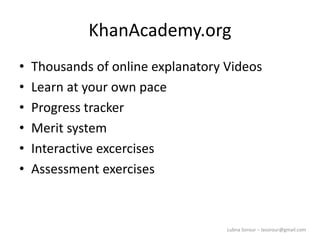
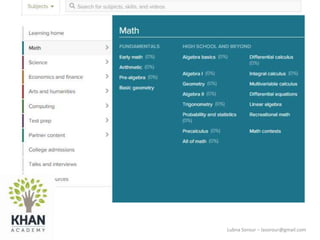
KhanAcademy.org
• Thousands of online explanatory Videos
• Learn at your own pace
• Progress tracker
• Merit system
• Interactive excercises
• Assessment exercises
Lubna Sorour – lasorour@gmail.com
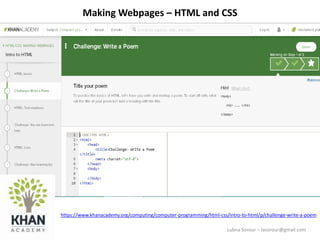
Making Webpages – HTML and CSS
https://www.khanacademy.org/computing/computer-programming/html-css/intro-to-html/p/challenge-write-a-poem
Lubna Sorour – lasorour@gmail.com
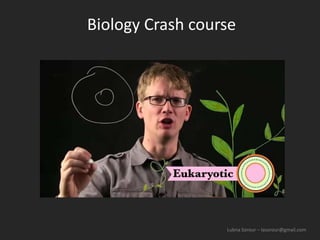
Biology Crash course
Lubna Sorour – lasorour@gmail.com
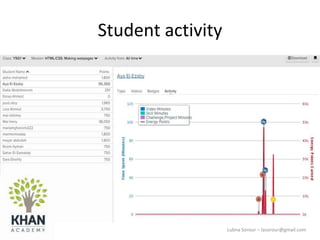
Student activity
Lubna Sorour – lasorour@gmail.com
KhanAcademy.org
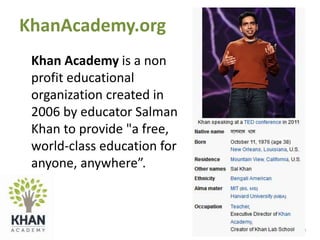
Khan Academy is a non
profit educational
organization created in
2006 by educator Salman
Khan to provide "a free,
world-class education for
anyone, anywhere”.
Lubna Sorour – lasorour@gmail.com
More online resources examples
Lubna Sorour – lasorour@gmail.com
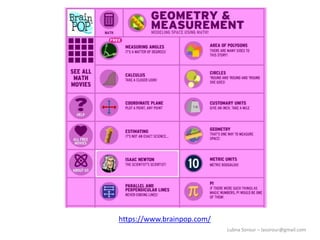
https://www.brainpop.com/
Lubna Sorour – lasorour@gmail.com
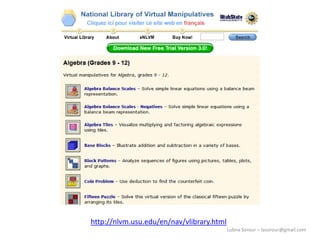
http://nlvm.usu.edu/en/nav/vlibrary.html
Lubna Sorour – lasorour@gmail.com
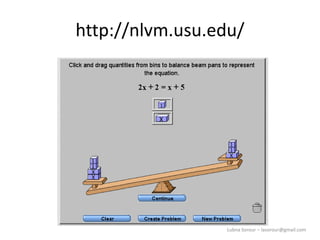
http://nlvm.usu.edu/
Lubna Sorour – lasorour@gmail.com
Cloud Computing
Collaborative work resources
Lubna Sorour – lasorour@gmail.com
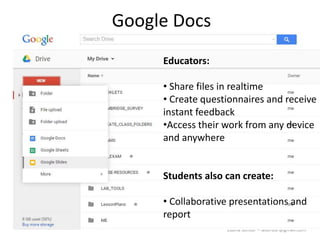
Google Docs
Educators:
• Share files in realtime
• Create questionnaires and receive
instant feedback
•Access their work from any device
and anywhere
Students also can create:
• Collaborative presentations and
report
Lubna Sorour – lasorour@gmail.com
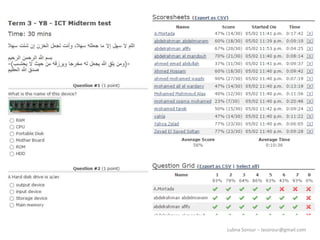
Online Testing
• Online test
• Instant evaluation
• Instant reports
• Answer key
https://testmoz.com/498414
Lubna Sorour – lasorour@gmail.com
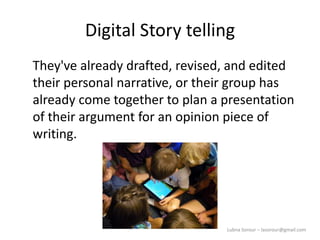
Digital Story telling
They've already drafted, revised, and edited
their personal narrative, or their group has
already come together to plan a presentation
of their argument for an opinion piece of
writing.
Lubna Sorour – lasorour@gmail.com
Story Telling Tools
• Photostory
• Movie Maker
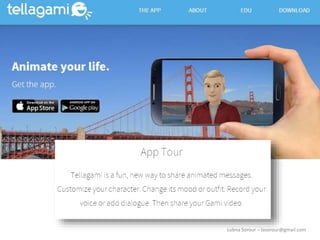
• Tellegami
Lubna Sorour – lasorour@gmail.com
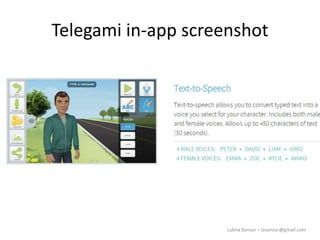
Telegami in-app screenshot
Lubna Sorour – lasorour@gmail.com
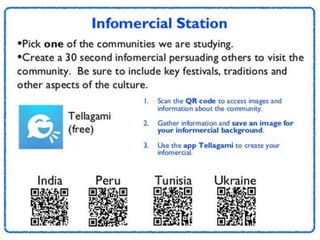
IPAD Station cards
Social Studies tasks
Lubna Sorour – lasorour@gmail.com
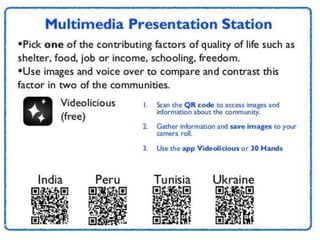
IPAD station cards
Lubna Sorour – lasorour@gmail.com
Technology for classroom
management
Lubna Sorour – lasorour@gmail.com
Learning Management Systems LMS
Lubna Sorour – lasorour@gmail.com
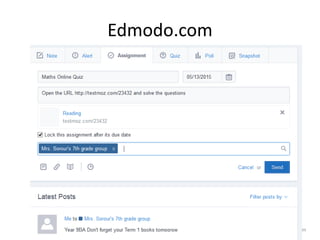
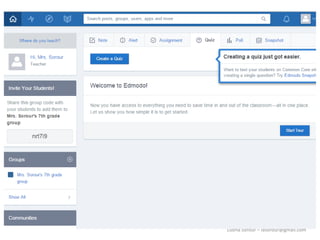
Edmodo.com
Lubna Sorour – lasorour@gmail.com
• Edmodo
Lubna Sorour – lasorour@gmail.com
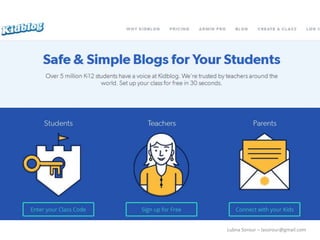
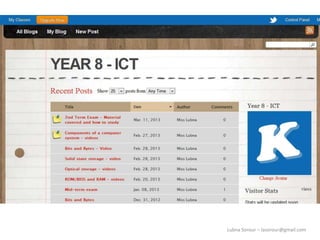
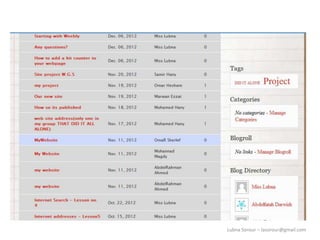
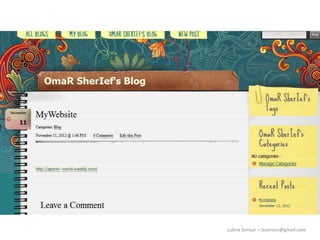
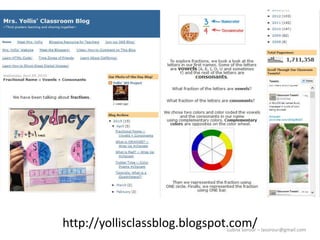
Classroom Blogs
Lubna Sorour – lasorour@gmail.com
http://yollisclassblog.blogspot.com/
Lubna Sorour – lasorour@gmail.com
Formative assessment tools
Formative assessment is done as students are
learning.
Summative assessment is at the end (like a
test).
Lubna Sorour – lasorour@gmail.com
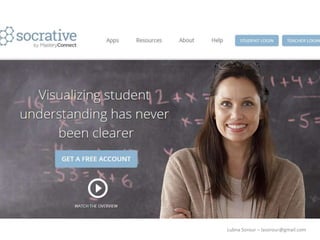
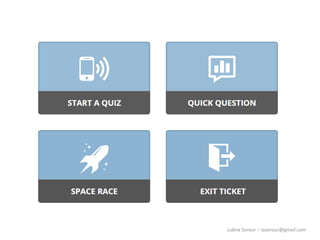
Socrative – Formative assesment
Lubna Sorour – lasorour@gmail.com
Audio vs. Written Directions
Some of your ELLs may be conversationally
fluent in English but struggle with reading in
this language. In addition to giving them
written directions in English, you can provide a
QR code on an activity sheet or homework
assignment that will link to a URL where they
can hear the directions read aloud for them.
Lubna Sorour – lasorour@gmail.com
Having mastered one app -- the Show-Me
app -- I have been able to create podcasts for
my students, allowing them to access my help
on their assignments while they are at home
or when I am unavailable for face-to-face
teaching or tutor
http://www.edutopia.org/blog/blended-learning-working-one-ipad
Lubna Sorour – lasorour@gmail.com
The flipped Classroom
Where direct instruction happens via video at
home, and "homework" takes place in class
Drawback:
You can't guarantee reliable, consistent Internet access in
every household
An In-Class Flip : video becomes a station in class that small
groups rotate through. The rest of their time is spent on other
activities - independent work and group work.
http://www.edutopia.org/blog/flipped-classroom-in-class-version-jennifer-gonzalez
Lubna Sorour – lasorour@gmail.com
Getting to "Seamless" Integration
• What skills are applied to nearly all tools?
Have your students mastered these basic
skills?
• How many different tools will you introduce
this year?
• How will technology help your students better
understand content ?
• What level of integration do you want in your
classroom by the end of the school year?
Lubna Sorour – lasorour@gmail.com
Arizona Technology Integration Matrix
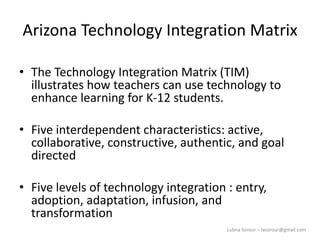
• The Technology Integration Matrix (TIM)
illustrates how teachers can use technology to
enhance learning for K-12 students.
• Five interdependent characteristics: active,
collaborative, constructive, authentic, and goal
directed
• Five levels of technology integration : entry,
adoption, adaptation, infusion, and
transformation
Lubna Sorour – lasorour@gmail.com
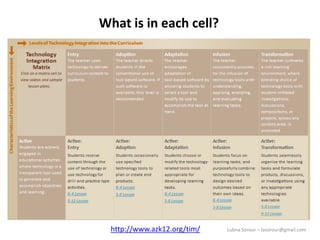
What is in each cell?
http://www.azk12.org/tim/
Lubna Sorour – lasorour@gmail.com
Further reading
• How to integrate technology (based on the class resources)
http://www.edutopia.org/technology-integration-guide-implementation
• Teaching With Web-Based Resources
http://www.edutopia.org/blog/teaching-with-web-based-resources-
edwige-simon
Lubna Sorour – lasorour@gmail.com
Resources
• http:// edutopia.org/
• http://classtechtips.com
• https://www.teacherspayteachers.com

tech-in-education

  • 1.
    Integrating Technology intothe classroom Lubna Sorour lasorour@gmail.com
  • 2.
    Lubna Sorour –lasorour@gmail.com edutopia
  • 3.
    Lubna Sorour –lasorour@gmail.com Different types of computer-based learning tools • Online interactive tools • Learning Management systems • Cloud computing • Online Assessment tools • Digital story telling • Class Blogs • Classroom management tools
  • 4.
    Lubna Sorour –lasorour@gmail.com Integrated learning and assessment Online Courses
  • 5.
    Lubna Sorour –lasorour@gmail.com KhanAcademy.org • Thousands of online explanatory Videos • Learn at your own pace • Progress tracker • Merit system • Interactive excercises • Assessment exercises
  • 6.
    Lubna Sorour –lasorour@gmail.com Making Webpages – HTML and CSS https://www.khanacademy.org/computing/computer-programming/html-css/intro-to-html/p/challenge-write-a-poem
  • 7.
    Lubna Sorour –lasorour@gmail.com Biology Crash course
  • 8.
    Lubna Sorour –lasorour@gmail.com Student activity
  • 9.
    Lubna Sorour –lasorour@gmail.com
  • 10.
    Lubna Sorour –lasorour@gmail.com KhanAcademy.org Khan Academy is a non profit educational organization created in 2006 by educator Salman Khan to provide "a free, world-class education for anyone, anywhere”.
  • 11.
    Lubna Sorour –lasorour@gmail.com More online resources examples
  • 12.
    Lubna Sorour –lasorour@gmail.com https://www.brainpop.com/
  • 13.
    Lubna Sorour –lasorour@gmail.com http://nlvm.usu.edu/en/nav/vlibrary.html
  • 14.
    Lubna Sorour –lasorour@gmail.com http://nlvm.usu.edu/
  • 15.
    Lubna Sorour –lasorour@gmail.com Cloud Computing Collaborative work resources
  • 16.
    Lubna Sorour –lasorour@gmail.com Google Docs Educators: • Share files in realtime • Create questionnaires and receive instant feedback •Access their work from any device and anywhere Students also can create: • Collaborative presentations and report
  • 17.
    Lubna Sorour –lasorour@gmail.com Online Testing • Online test • Instant evaluation • Instant reports • Answer key https://testmoz.com/498414
  • 18.
    Lubna Sorour –lasorour@gmail.com
  • 19.
    Lubna Sorour –lasorour@gmail.com Digital Story telling They've already drafted, revised, and edited their personal narrative, or their group has already come together to plan a presentation of their argument for an opinion piece of writing.
  • 20.
    Lubna Sorour –lasorour@gmail.com Story Telling Tools • Photostory • Movie Maker • Tellegami
  • 21.
    Lubna Sorour –lasorour@gmail.com
  • 22.
    Lubna Sorour –lasorour@gmail.com Telegami in-app screenshot
  • 23.
    Lubna Sorour –lasorour@gmail.com IPAD Station cards Social Studies tasks
  • 24.
    Lubna Sorour –lasorour@gmail.com IPAD station cards
  • 25.
    Lubna Sorour –lasorour@gmail.com
  • 26.
    Lubna Sorour –lasorour@gmail.com Technology for classroom management
  • 27.
    Lubna Sorour –lasorour@gmail.com
  • 28.
    Lubna Sorour –lasorour@gmail.com
  • 29.
    Lubna Sorour –lasorour@gmail.com
  • 30.
    Lubna Sorour –lasorour@gmail.com
  • 31.
    Lubna Sorour –lasorour@gmail.com
  • 32.
    Lubna Sorour –lasorour@gmail.com Learning Management Systems LMS
  • 33.
    Lubna Sorour –lasorour@gmail.com Edmodo.com
  • 34.
    Lubna Sorour –lasorour@gmail.com
  • 35.
    Lubna Sorour –lasorour@gmail.com
  • 36.
    Lubna Sorour –lasorour@gmail.com • Edmodo
  • 37.
    Lubna Sorour –lasorour@gmail.com
  • 38.
    Lubna Sorour –lasorour@gmail.com
  • 39.
    Lubna Sorour –lasorour@gmail.com
  • 40.
    Lubna Sorour –lasorour@gmail.com Classroom Blogs
  • 41.
    Lubna Sorour –lasorour@gmail.com
  • 42.
    Lubna Sorour –lasorour@gmail.com
  • 43.
    Lubna Sorour –lasorour@gmail.com
  • 44.
    Lubna Sorour –lasorour@gmail.com
  • 45.
    Lubna Sorour –lasorour@gmail.com http://yollisclassblog.blogspot.com/
  • 46.
    Lubna Sorour –lasorour@gmail.com Formative assessment tools Formative assessment is done as students are learning. Summative assessment is at the end (like a test).
  • 47.
    Lubna Sorour –lasorour@gmail.com
  • 48.
    Lubna Sorour –lasorour@gmail.com
  • 49.
    Lubna Sorour –lasorour@gmail.com Socrative – Formative assesment
  • 50.
    Lubna Sorour –lasorour@gmail.com Audio vs. Written Directions Some of your ELLs may be conversationally fluent in English but struggle with reading in this language. In addition to giving them written directions in English, you can provide a QR code on an activity sheet or homework assignment that will link to a URL where they can hear the directions read aloud for them.
  • 51.
    Lubna Sorour –lasorour@gmail.com Having mastered one app -- the Show-Me app -- I have been able to create podcasts for my students, allowing them to access my help on their assignments while they are at home or when I am unavailable for face-to-face teaching or tutor http://www.edutopia.org/blog/blended-learning-working-one-ipad
  • 52.
    Lubna Sorour –lasorour@gmail.com The flipped Classroom Where direct instruction happens via video at home, and "homework" takes place in class Drawback: You can't guarantee reliable, consistent Internet access in every household An In-Class Flip : video becomes a station in class that small groups rotate through. The rest of their time is spent on other activities - independent work and group work. http://www.edutopia.org/blog/flipped-classroom-in-class-version-jennifer-gonzalez
  • 53.
    Lubna Sorour –lasorour@gmail.com Getting to "Seamless" Integration • What skills are applied to nearly all tools? Have your students mastered these basic skills? • How many different tools will you introduce this year? • How will technology help your students better understand content ? • What level of integration do you want in your classroom by the end of the school year?
  • 54.
    Lubna Sorour –lasorour@gmail.com Arizona Technology Integration Matrix • The Technology Integration Matrix (TIM) illustrates how teachers can use technology to enhance learning for K-12 students. • Five interdependent characteristics: active, collaborative, constructive, authentic, and goal directed • Five levels of technology integration : entry, adoption, adaptation, infusion, and transformation
  • 55.
    Lubna Sorour –lasorour@gmail.com What is in each cell? http://www.azk12.org/tim/
  • 56.
    Lubna Sorour –lasorour@gmail.com Further reading • How to integrate technology (based on the class resources) http://www.edutopia.org/technology-integration-guide-implementation • Teaching With Web-Based Resources http://www.edutopia.org/blog/teaching-with-web-based-resources- edwige-simon
  • 57.
    Lubna Sorour –lasorour@gmail.com Resources • http:// edutopia.org/ • http://classtechtips.com • https://www.teacherspayteachers.com

Editor's Notes

  • #20 Just like any other time that you use technology with your students, you won't be handing them the device and sending them off to create. When it comes to publishing with technology, students should be at the end of the writing process. They've already drafted, revised, and edited their personal narrative, or their group has already come together to plan a presentation of their argument for an opinion piece of writing. I would encourage you to use a graphic organizer like a storyboard to have students plan what they want to appear on each page of their creation. If students are working in pairs or a small group sharing one device, you'll want to make sure they have a plan for who will record the narration for each page. Students can share their digital storytelling creations by sharing a link to their finished product.
  • #25 Each group of students is assigned a task card, and at least one Ipad They don’t have to be familiar with the software to be used since it is very easy to use. Students that struggle with the software are given assistance
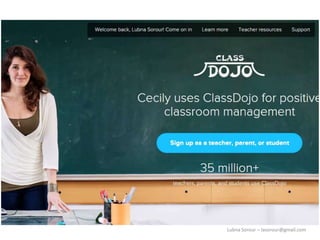
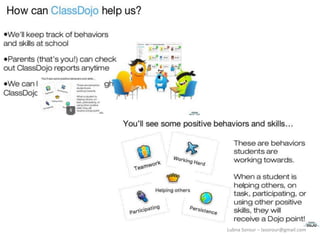
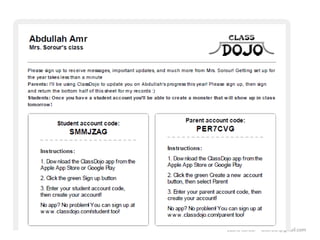
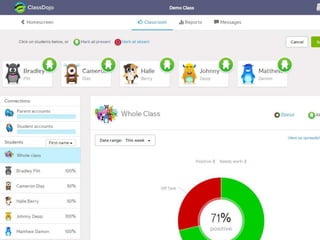
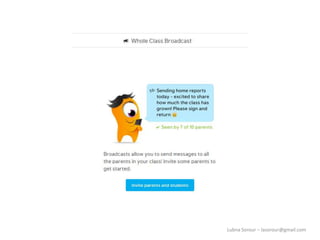
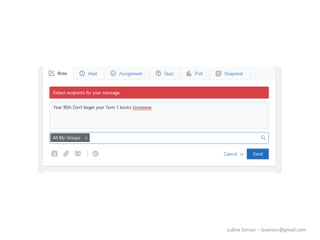
  • #29 I rarely assign negative behavior points. My students know that if they earned a negative, it had to be a big deal. I found that positive points motivate my students and have a greater impact on their behavior. Students love getting "dojo" points! They love hearing the sound of a positive dojo, and dread the sound of a negative one. A positive or negative sound has everyone looking at the board and then getting back to work
  • #47 Here's what happened in my classroom. I was teaching my hardest topic of the year -- binary numbers, where students learn to add ones and zeros like a computer. It looks harder than it is, and many of my students will shut down and not even want to try. So I taught how to count in binary numbers, and we worked some examples together. After a few minutes, two students piped up. "We've got this, it's easy," they said. "Can we move on?" I looked at the other students and asked, "Do you have this?" They nodded their heads furiously up and down in a "yes." My teacher instincts said that everyone knew it, but I decided to experiment. So I wrote a problem on the board. Students were already logged into Socrative, and a box opened up on their screens. Each student typed in his or her answer to the problem. They clicked enter, and all of their answers appeared on my screen beside the name of each student. I was floored. Guess how many knew the right answer? Two! Just the two students who had spoken up and no one else!
  • #51 Some of your ELLs may be conversationally fluent in English but struggle with reading in this language. In addition to giving them written directions in English, you can provide a QR code on an activity sheet or homework assignment that will link to a URL where they can hear the directions read aloud for them. You may decide to try this strategy if your students are stronger readers and you want them to practice their listening skills. Another option is to provide audio directions for students in their native language so that they can focus on the task at hand rather than struggle with following written directions.
  • #53 An In-Class Flip works like this. Just like with a traditional flip, the teacher pre-records direct instruction, say, in a video lecture. But instead of having students view the content at home, that video becomes a station in class that small groups rotate through. The rest of their time is spent on other activities -- independent work and group work, with some activities related to the lesson and others focusing on different course content. As with a traditional flip, the direct instruction runs on its own, which frees the teacher for more one-on-one time with students. This video shows you how to do it:
  • #54 To begin to move your tech integration to the point where it is "seamless," consider these questions: What skills are applied to nearly all tools (e.g., saving a file, naming a file, finding a file, logging in and out of accounts)? Have your students mastered these basic skills? How many different tools will you introduce this year? How many is too many? How will technology help your students better understand content -- will it push them to a deeper understanding that could not have been achieved without technology? What level of integration do you want in your classroom by the end of the school year? What specific steps must you take to achieve that goal? What is a realistic goal based on time and resources?
  • #55 The Technology Integration Matrix (TIM) illustrates how teachers can use technology to enhance learning for K-12 students. The TIM incorporates five interdependent characteristics of meaningful learning environments: active, collaborative, constructive, authentic, and goal directed The TIM associates five levels of technology integration (i.e., entry, adoption, adaptation, infusion, and transformation) with each of the five characteristics of meaningful learning environments. Together, the five levels of technology integration and the five characteristics of meaningful learning environments create a matrix of 25 cells.
  • #56 Within each cell of the Matrix one will find two lessons plans with a short video of the lesson. Each lesson is designed to show the integration of technology in instruction and classrooms as well as the Arizona Educational Technology Standards.