Tech Module #3
Social Studies: Economics
By: Alyssa O’Connor
Wants Versus Needs
Grade 1
Objective:
- Students will be able to identify and distinguish the differences between wants and needs
by classifying items into their respective groups
Video: Wants and Needs
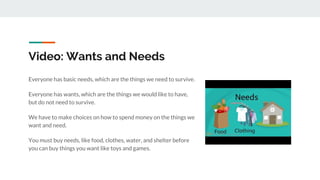
Everyone has basic needs, which are the things we need to survive.
Everyone has wants, which are the things we would like to have,
but do not need to survive.
We have to make choices on how to spend money on the things we
want and need.
You must buy needs, like food, clothes, water, and shelter before
you can buy things you want like toys and games.
Website: Social Studies for Kids
http://www.socialstudiesforkids.com/articles/economics/wantsandneeds1.htm
This link will lead students to the Social Studies for Kids website. This specific link brings students to a
page full of written information on the basic economic principles of want and need. Here, students can
learn how these concepts are similar and how they differ, as well as take a short quiz to test their
knowledge.
Students can use this site to further their knowledge of wants and needs, as well as apply it.
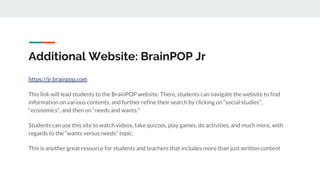
Additional Website: BrainPOP Jr
https://jr.brainpop.com
This link will lead students to the BrainPOP website. There, students can navigate the website to find
information on various contents, and further refine their search by clicking on “social studies”,
“economics”, and then on “needs and wants.”
Students can use this site to watch videos, take quizzes, play games, do activities, and much more, with
regards to the “wants versus needs” topic.
This is another great resource for students and teachers that includes more than just written content
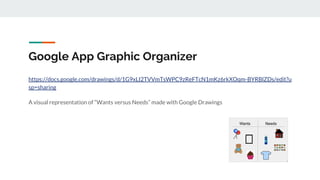
Google App Graphic Organizer
https://docs.google.com/drawings/d/1G9xLI2TVVmTsWPC9zReFTcN1mKz6rkXOqm-BYRBlZDs/edit?u
sp=sharing
A visual representation of “Wants versus Needs” made with Google Drawings
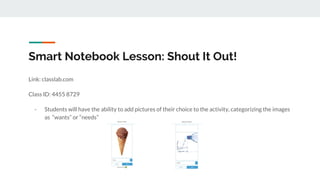
Smart Notebook Lesson: Shout It Out!
Link: classlab.com
Class ID: 4455 8729
- Students will have the ability to add pictures of their choice to the activity, categorizing the images
as “wants” or “needs”
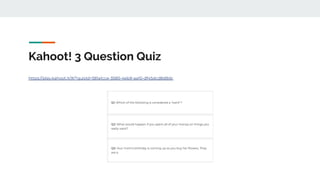
Kahoot! 3 Question Quiz
https://play.kahoot.it/#/?quizId=581a1cce-3580-4eb9-aa10-df45dcd8d8dc
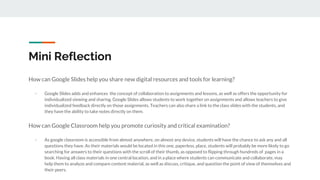
Mini Reflection
How can Google Slides help you share new digital resources and tools for learning?
- Google Slides adds and enhances the concept of collaboration to assignments and lessons, as well as offers the opportunity for
individualized viewing and sharing. Google Slides allows students to work together on assignments and allows teachers to give
individualized feedback directly on those assignments. Teachers can also share a link to the class slides with the students, and
they have the ability to take notes directly on them.
How can Google Classroom help you promote curiosity and critical examination?
- As google classroom is accessible from almost anywhere, on almost any device, students will have the chance to ask any and all
questions they have. As their materials would be located in this one, paperless, place, students will probably be more likely to go
searching for answers to their questions with the scroll of their thumb, as opposed to flipping through hundreds of pages in a
book. Having all class materials in one central location, and in a place where students can communicate and collaborate, may
help them to analyze and compare content material, as well as discuss, critique, and question the point of view of themselves and
their peers.
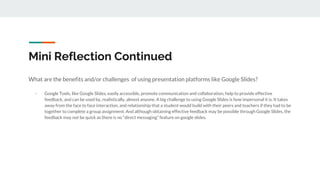
Mini Reflection Continued
What are the benefits and/or challenges of using presentation platforms like Google Slides?
- Google Tools, like Google Slides, easily accessible, promote communication and collaboration, help to provide effective
feedback, and can be used by, realistically, almost anyone. A big challenge to using Google Slides is how impersonal it is. It takes
away from the face to face interaction, and relationship that a student would build with their peers and teachers if they had to be
together to complete a group assignment. And although obtaining effective feedback may be possible through Google Slides, the
feedback may not be quick as there is no “direct messaging” feature on google slides.

Technology Module #3 Assignment

  • 1.
    Tech Module #3 SocialStudies: Economics By: Alyssa O’Connor
  • 2.
    Wants Versus Needs Grade1 Objective: - Students will be able to identify and distinguish the differences between wants and needs by classifying items into their respective groups
  • 3.
    Video: Wants andNeeds Everyone has basic needs, which are the things we need to survive. Everyone has wants, which are the things we would like to have, but do not need to survive. We have to make choices on how to spend money on the things we want and need. You must buy needs, like food, clothes, water, and shelter before you can buy things you want like toys and games.
  • 4.
    Website: Social Studiesfor Kids http://www.socialstudiesforkids.com/articles/economics/wantsandneeds1.htm This link will lead students to the Social Studies for Kids website. This specific link brings students to a page full of written information on the basic economic principles of want and need. Here, students can learn how these concepts are similar and how they differ, as well as take a short quiz to test their knowledge. Students can use this site to further their knowledge of wants and needs, as well as apply it.
  • 5.
    Additional Website: BrainPOPJr https://jr.brainpop.com This link will lead students to the BrainPOP website. There, students can navigate the website to find information on various contents, and further refine their search by clicking on “social studies”, “economics”, and then on “needs and wants.” Students can use this site to watch videos, take quizzes, play games, do activities, and much more, with regards to the “wants versus needs” topic. This is another great resource for students and teachers that includes more than just written content
  • 6.
    Google App GraphicOrganizer https://docs.google.com/drawings/d/1G9xLI2TVVmTsWPC9zReFTcN1mKz6rkXOqm-BYRBlZDs/edit?u sp=sharing A visual representation of “Wants versus Needs” made with Google Drawings
  • 7.
    Smart Notebook Lesson:Shout It Out! Link: classlab.com Class ID: 4455 8729 - Students will have the ability to add pictures of their choice to the activity, categorizing the images as “wants” or “needs”
  • 8.
    Kahoot! 3 QuestionQuiz https://play.kahoot.it/#/?quizId=581a1cce-3580-4eb9-aa10-df45dcd8d8dc
  • 9.
    Mini Reflection How canGoogle Slides help you share new digital resources and tools for learning? - Google Slides adds and enhances the concept of collaboration to assignments and lessons, as well as offers the opportunity for individualized viewing and sharing. Google Slides allows students to work together on assignments and allows teachers to give individualized feedback directly on those assignments. Teachers can also share a link to the class slides with the students, and they have the ability to take notes directly on them. How can Google Classroom help you promote curiosity and critical examination? - As google classroom is accessible from almost anywhere, on almost any device, students will have the chance to ask any and all questions they have. As their materials would be located in this one, paperless, place, students will probably be more likely to go searching for answers to their questions with the scroll of their thumb, as opposed to flipping through hundreds of pages in a book. Having all class materials in one central location, and in a place where students can communicate and collaborate, may help them to analyze and compare content material, as well as discuss, critique, and question the point of view of themselves and their peers.
  • 10.
    Mini Reflection Continued Whatare the benefits and/or challenges of using presentation platforms like Google Slides? - Google Tools, like Google Slides, easily accessible, promote communication and collaboration, help to provide effective feedback, and can be used by, realistically, almost anyone. A big challenge to using Google Slides is how impersonal it is. It takes away from the face to face interaction, and relationship that a student would build with their peers and teachers if they had to be together to complete a group assignment. And although obtaining effective feedback may be possible through Google Slides, the feedback may not be quick as there is no “direct messaging” feature on google slides.