Tech Module #3
ED566: Elementary Social Studies
Prof. David Bass
Summer 2020
By: Cassandra Urban
Today’s Agenda
● BrainPop Jr. Video
● Article about what a community is
● Graphic Organizer
● SmartExchange Lesson
● Kahoot!
● PearDeck
● Mini-Reflection
(Click each bullet to bring you
to the exact slide!)
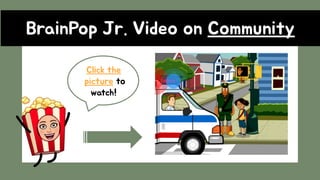
VideoBrainPop Jr. Video on Community
Click the
picture to
watch!
Read The Article About Community
CLICK ME TO
READ!!!
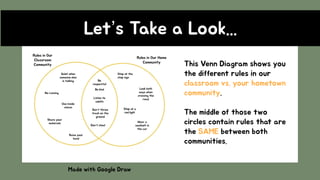
Let’s Take a Look...
Made with Google Draw
This Venn Diagram shows you
the different rules in our
classroom vs. your hometown
community.
The middle of those two
circles contain rules that are
the SAME between both
communities.
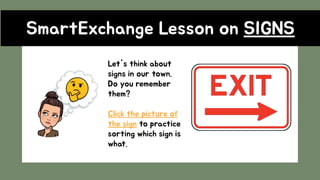
SmartExchange Lesson on SIGNS
Let's think about
signs in our town.
Do you remember
them?
Click the picture of
the sign to practice
sorting which sign is
what.
Kahoot!
Let’s test your
community
brain! Click my
bitmoji to get
started!
It’s time to think…
How can you make your home
community a better place?
Examples: pick trash up, wear a seatbelt, volunteer
PearDeck
Mini-Reflection
Google Slides is a great resource to share new digital technologies by linking websites
through photos, diagrams and text boxes. The different tools through linking lets you
explore the Internet in a safe way that the teacher can for the most part control. It
allows for curiosity and critical examination by letting you incorporate things like
Kahoot! Or Google Forms to assess students and test their knowledge.
Using Google slides’ benefits include organization of materials, having the opportunity to
make things look “pretty’ and engaging for students, and having a spot to combine an
entire lesson for students to always go back to.
Some disadvantages is that some students might not have wifi or access to a computer.
Another would be that it takes some time getting used to! Young children need to
explore Slides or else it will be overwhelming for an adult to help them every time they
need to do something.
Resources Used
BrainPop Jr.
Kids Britannica
Google Draw
PearDeck
SmartExchange
Kahoot!
Contact Information
Cassandra Urban
cassandra.urban@quinnipiac.edu
203 - 814 - 6433

Tech module 3

  • 1.
    Tech Module #3 ED566:Elementary Social Studies Prof. David Bass Summer 2020 By: Cassandra Urban
  • 2.
    Today’s Agenda ● BrainPopJr. Video ● Article about what a community is ● Graphic Organizer ● SmartExchange Lesson ● Kahoot! ● PearDeck ● Mini-Reflection (Click each bullet to bring you to the exact slide!)
  • 3.
    VideoBrainPop Jr. Videoon Community Click the picture to watch!
  • 4.
    Read The ArticleAbout Community CLICK ME TO READ!!!
  • 5.
    Let’s Take aLook... Made with Google Draw This Venn Diagram shows you the different rules in our classroom vs. your hometown community. The middle of those two circles contain rules that are the SAME between both communities.
  • 6.
    SmartExchange Lesson onSIGNS Let's think about signs in our town. Do you remember them? Click the picture of the sign to practice sorting which sign is what.
  • 7.
    Kahoot! Let’s test your community brain!Click my bitmoji to get started!
  • 8.
    It’s time tothink… How can you make your home community a better place? Examples: pick trash up, wear a seatbelt, volunteer PearDeck
  • 9.
    Mini-Reflection Google Slides isa great resource to share new digital technologies by linking websites through photos, diagrams and text boxes. The different tools through linking lets you explore the Internet in a safe way that the teacher can for the most part control. It allows for curiosity and critical examination by letting you incorporate things like Kahoot! Or Google Forms to assess students and test their knowledge. Using Google slides’ benefits include organization of materials, having the opportunity to make things look “pretty’ and engaging for students, and having a spot to combine an entire lesson for students to always go back to. Some disadvantages is that some students might not have wifi or access to a computer. Another would be that it takes some time getting used to! Young children need to explore Slides or else it will be overwhelming for an adult to help them every time they need to do something.
  • 10.
    Resources Used BrainPop Jr. KidsBritannica Google Draw PearDeck SmartExchange Kahoot!
  • 11.