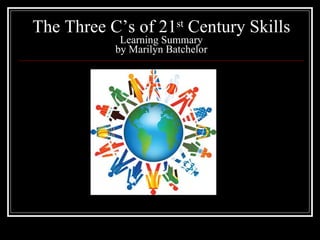
The Three C’s of 21 st  Century Skills Learning Summary by Marilyn Batchelor
You Have Engaged Me! Introduction
The Three C’s of 21 st  Century Skills Learning Summary Overview by Marilyn Batchelor 21 st  Century Student Learning Communication Creativity and Innovation  Critical Thinking Problem Solving-Projects-Challenges Collaboration  Building Professional Learning Communities 21 st  Century Learning Implications
You Have Engaged Me
You Let Me Participate
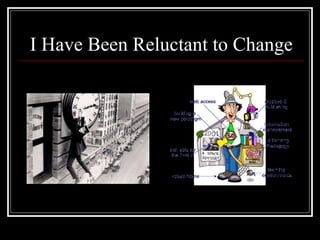
I Have Been Reluctant to Change
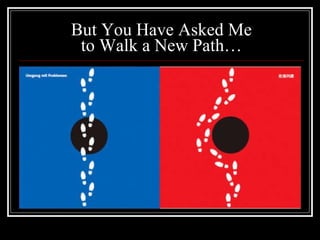
But You Have Asked Me to Walk a New Path…
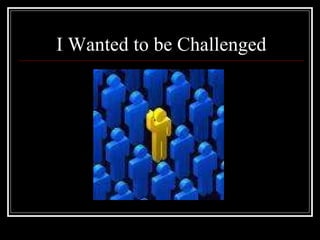
I Wanted to be Challenged
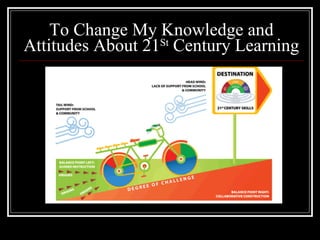
To Change My Knowledge and Attitudes About 21 St  Century Learning
You Let Me Be Involved In My Own Learning
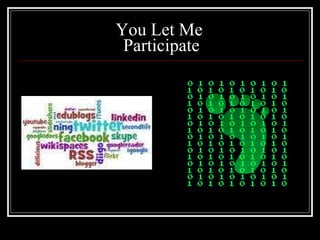
You Let Me  Participate
You Let Me Join With Other Learners Globally
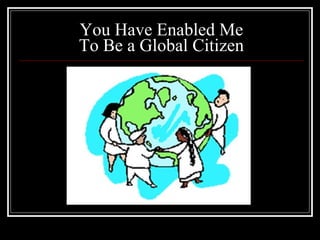
You Have Enabled Me To Be a Global Citizen
I Am A 21 st  Century Learner
You Have Engaged Me!
21 st  Century Student Learning Overview The Intellectual and Policy Foundation of the 21 st  Century Skills Framework The ISTE National Educational Technology Standards (NETS.T) 21 st  Century Student Outcomes and Support Systems
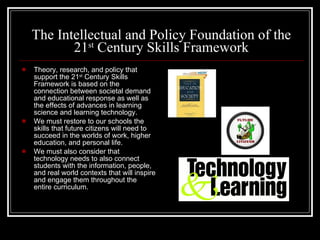
The Intellectual and Policy Foundation of the 21 st  Century Skills Framework Theory, research, and policy that support the 21 st  Century Skills Framework is based on the connection between societal demand and educational response as well as the effects of advances in learning science and learning technology. We must restore to our schools the skills that future citizens will need to succeed in the worlds of work, higher education, and personal life. We must also consider that technology needs to also connect students with the information, people, and real world contexts that will inspire and engage them throughout the entire curriculum.
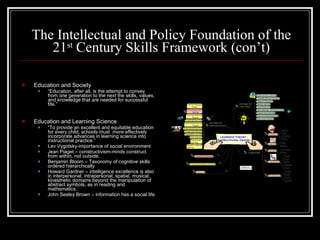
The Intellectual and Policy Foundation of the 21 st  Century Skills Framework (con’t) Education and Society “ Education, after all, is the attempt to convey from one generation to the next the skills, values, and knowledge that are needed for successful fife.” Education and Learning Science “ To provide an excellent and equitable education for every child, schools must  more effectively incorporate advances in learning science into instructional practice.” Lev Vygotsky-importance of social environment Jean Piaget – constructivism-minds construct from within, not outside. Benjamin Bloom – Taxonomy of cognitive skills ordered hierarchically Howard Gardner – intelligence excellence is also in interpersonal, intrapersonal, spatial, musical, kinesthetic domains beyond the manipulation of abstract symbols, as in reading and mathematics. John Seeley Brown – information has a social life
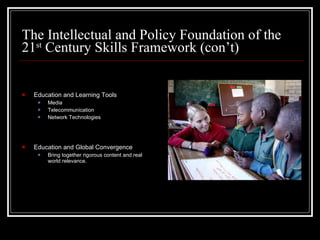
The Intellectual and Policy Foundation of the 21 st  Century Skills Framework (con’t) Education and Learning Tools Media Telecommunication Network Technologies Education and Global Convergence Bring together rigorous content and real world relevance.
The ISTE National Educational Technology Standards (NETS.T) Facilitate and Inspire Student Learning and Creativity Design and Develop Digital-Age Learning Experiences and Assessments Model Digital-Age Work and Learning Promote and Model Digital Citizenship and Responsibility Engage in Professional Growth and Leadership
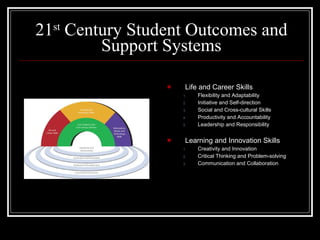
21 st  Century Student Outcomes and Support Systems Life and Career Skills Flexibility and Adaptability Initiative and Self-direction Social and Cross-cultural Skills Productivity and Accountability Leadership and Responsibility Learning and Innovation Skills Creativity and Innovation Critical Thinking and Problem-solving Communication and Collaboration
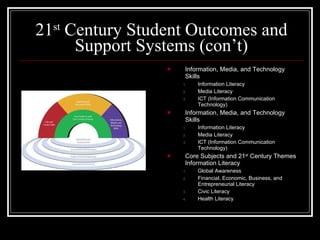
21 st  Century Student Outcomes and Support Systems (con’t) Information, Media, and Technology Skills Information Literacy Media Literacy ICT (Information Communication Technology) Information, Media, and Technology Skills Information Literacy Media Literacy ICT (Information Communication Technology) Core Subjects and 21 st  Century Themes Information Literacy Global Awareness Financial, Economic, Business, and Entrepreneurial Literacy Civic Literacy Health Literacy
Communication Overview Communication Tools Twitter Twitter Application in the Classroom Blogs Social Media in Plain English Google Reader  RSS Feeds Social Bookmarking Social Networking
Communication The Partnership for 21 st  Century Learning Communication: Articulate thoughts and ideas effectively using oral, written and nonverbal communication skills in a variety of forms and contexts Listen effectively to decipher meaning, including knowledge, values, attitudes and intentions Use communication for a range of purposes (e.g. to inform, instruct, motivate and persuade) Utilize multiple media and technologies, and know how to judge their effectiveness as well as assess their impact Communicate effectively in diverse environments (including multi-lingual)
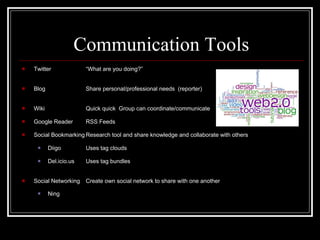
Communication Tools Twitter “What are you doing?” Blog Share personal/professional needs  (reporter) Wiki Quick quick  Group can coordinate/communicate Google Reader RSS Feeds Social Bookmarking Research tool and share knowledge and collaborate with others Diigo Uses tag clouds Del.icio.us Uses tag bundles Social Networking Create own social network to share with one another Ning
Twitter “ What are you doing?” Little things that happen in life Short, bite-sized updates 140 characters or fewer
Twitter Application in the Classroom 25 Ways to Teach With Twitter by Sonja Cole Ask for recommended books, lesson ideas, or teaching tools Provide daily tip like a word of the day, book of the day, random trivia, useful fact, teacher tip or helpful resource Start a twitter book club and tweet your reactions to the book as you read
Blogs Reporters Share today’s news Share personal news Blog Posts-readers can comment
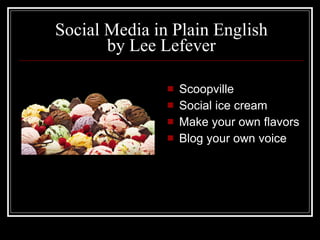
Social Media in Plain English by Lee Lefever Scoopville Social ice cream Make your own flavors Blog your own voice
Wikispaces “ Quick quick”  Hawaiian People can edit, write, and save Group can coordinate and communicate Links can be put in
Google Reader  RSS Feeds Faster way to read the web Keep up with what’s happening on the web Like Netflix versus going to the video store Favorite sites, new posts, subscribe!
Social Bookmarking Save sites Others can see Del.icio.us Diigo
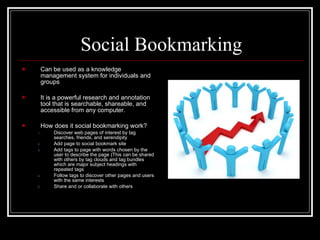
Social Bookmarking Can be used as a knowledge management system for individuals and groups It is a powerful research and annotation tool that is searchable, shareable, and accessible from any computer. How does it social bookmarking work? Discover web pages of interest by tag searches, friends, and serendipity Add page to social bookmark site Add tags to page with words chosen by the user to describe the page (This can be shared with others by tag clouds and tag bundles which are major subject headings with repeated tags Follow tags to discover other pages and users with the same interests Share and or collaborate with others
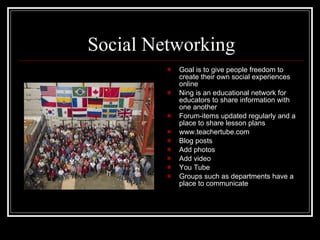
Social Networking Goal is to give people freedom to create their own social experiences online Ning is an educational network for educators to share information with one another Forum-items updated regularly and a place to share lesson plans www.teachertube.com Blog posts Add photos Add video You Tube Groups such as departments have a place to communicate
Creativity and Innovation Overview Schools are Killing Creativity Sir Ken Robinson Poll Daddy Creativity Survey SmartStorming
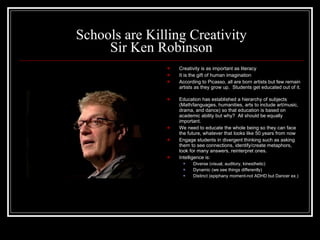
Schools are Killing Creativity Sir Ken Robinson Creativity is as important as literacy It is the gift of human imagination According to Picasso, all are born artists but few remain artists as they grow up.  Students get educated out of it.  Education has established a hierarchy of subjects  (Math/languages, humanities, arts to include art/music, drama, and dance) so that education is based on academic ability but why?  All should be equally important.  We need to educate the whole being so they can face the future, whatever that looks like 50 years from now Engage students in divergent thinking such as asking them to see connections, identify/create metaphors, look for many answers, reinterpret ones. Intelligence is: Diverse (visual, auditory, kinesthetic) Dynamic (we see things differently) Distinct (epiphany moment-not ADHD but Dancer ex.)
Poll Daddy Creativity Survey Ten Mental Blocks to Creative Thinking 1.  Trying to find the “right” answers 2.  Logical thinking 3.  Following rules 4.  Being Practical 5.  Play is not work 6.  That’s not my job 7.  Be a “serious” person 8.  Avoid ambiguity 9.  Being wrong is bad 10. I’m not creative The results of my survey were in agreement with the rest of the class in 6 areas.  I was usually the one or two far from the “pack” on #1, 2, 4, and 5.  I realize that I have been trying to develop the creative side, I am still a traditional learner.  In my k-12 education, Math had always been my strength, looking for that one  logical right answer.  Now that I have taught Reading and English for 25 years, I have begun to develop my right brain, my creative side.  I am glad to know the four areas I can focus on before I retire!
SmartStorming “ Are you Innovation Inept?” “ Thinking about innovation isn’t the same as innovative thinking.” What is really needed for innovation to happen is a combination of: Motivation-to make the effort in the first place Freedom-to explore and express without the fear of reprisal Systems-for sharing, developing, and promoting ideas throughout an organization Knowledge-talent and skills required to actually transform an idea into a viable plan and, ultimately, a reality Responsibility-for ensuring that it all happens
SmartStorming “ G80/20ogle” Google employees are encouraged to spend 80% of time on core projects and 20% on “innovation” Activities To implement an innovation policy: 1.  Create a formal process for project selection, monitoring, and evaluation. 2.  Don’t worry about failure. 3.  Start small. 4.  Let your staff shine. 5.  Manage expectations. “ The Awesomeness Manifesto” Awesomeness is the new innovation 1.  Ethical production-turn a blind eye or deny ethics 2.  Insanely great stuff. .New and unexpected often fails to delight, inspire, and enlighten. 3.  Love.  Love for what you do is the basis for all real value creation. 4.  Thick Value.  Versus thin value is real, meaningful, and sustainable to make people authentically better off, not just adding bells and whistles.
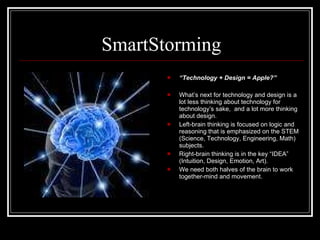
SmartStorming “ Technology + Design = Apple?” What’s next for technology and design is a lot less thinking about technology for technology’s sake,  and a lot more thinking about design. Left-brain thinking is focused on logic and reasoning that is emphasized on the STEM (Science, Technology, Engineering, Math) subjects. Right-brain thinking is in the key “IDEA” (Intuition, Design, Emotion, Art). We need both halves of the brain to work together-mind and movement.
Critical Thinking
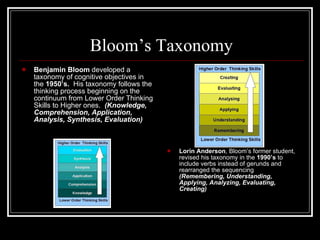
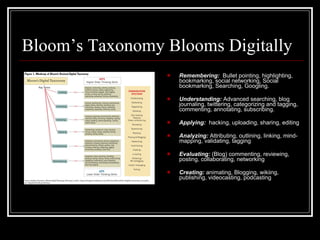
Bloom’s Taxonomy Benjamin Bloom  developed a taxonomy of cognitive objectives in the  1950’s.   His taxonomy follows the thinking process beginning on the continuum from Lower Order Thinking Skills to Higher ones.  (Knowledge, Comprehension, Application, Analysis, Synthesis, Evaluation) Lorin Anderson , Bloom’s former student, revised his taxonomy in the  1990’s  to include verbs instead of gerunds and rearranged the sequencing  (Remembering, Understanding, Applying, Analyzing, Evaluating, Creating)
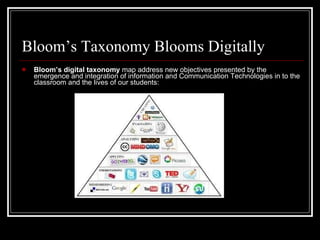
Bloom’s Taxonomy Blooms Digitally Bloom’s digital taxonomy  map address new objectives presented by the emergence and integration of information and Communication Technologies in to the classroom and the lives of our students:
Bloom’s Taxonomy Blooms Digitally Remembering:   Bullet pointing, highlighting, bookmarking, social networking, Social bookmarking, Searching, Googling. Understanding:  Advanced searching, blog journaling, twittering, categorizing and tagging, commenting, annotating, subscribing. Applying:   hacking, uploading, sharing, editing Analyzing:  Attributing, outlining, linking, mind-mapping, validating, tagging Evaluating:  (Blog) commenting, reviewing, posting, collaborating, networking Creating:  animating, Blogging, wikiing, publishing, videocasting, podcasting
Problem Solving-Projects-Challenges Overview Progressive Education in the 1940’s “ Engaging Our Youngest Minds: Ignite the “Wow” in Students” Angela Maiers’s Online Conference “ The Virtual Heroic Journey” Kevin Hodgson’s Online Conference Speak Up 2008 For Students, Teachers, Parents, and Administrators
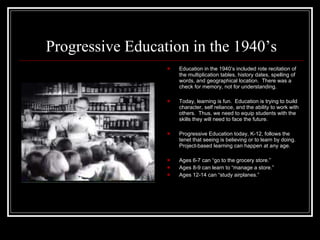
Progressive Education in the 1940’s Education in the 1940’s included rote recitation of the multiplication tables, history dates, spelling of words, and geographical location.  There was a check for memory, not for understanding. Today, learning is fun.  Education is trying to build character, self reliance, and the ability to work with others.  Thus, we need to equip students with the skills they will need to face the future. Progressive Education today, K-12, follows the tenet that seeing is believing or to learn by doing.  Project-based learning can happen at any age. Ages 6-7 can “go to the grocery store.” Ages 8-9 can learn to “manage a store.” Ages 12-14 can “study airplanes.”
“ Engaging Our Youngest Minds: Ignite the “Wow” in Students” Angela Maiers’s Online Conference Student engagement and learning in the digital age must include passion. Find the passion in your students and that is what will drive them to use the technological tools-not the tools themselves. “ Nothing great in this world has been accomplished without passion.”  Hegel, 1832 Technological integration is not enough to cultivate this passion; we need to lead students to find their own. To keep students’ inborn sense of wonder alive, their talents and their uniqueness, teachers need to tap into student interest, maintain high standards, and use new technology. Provide experiences, resources, and tools where students can use technology as a platform to share their voices in the world.   Students can use technology to research, play, publish, and collaborate with others.
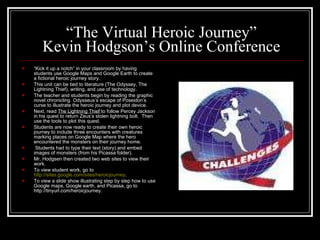
“ The Virtual Heroic Journey” Kevin Hodgson’s Online Conference “ Kick it up a notch” in your classroom by having students use Google Maps and Google Earth to create a fictional heroic journey story. This unit can be tied to literature (The Odyssey, The Lightning Thief), writing, and use of technology. The teacher and students begin by reading the graphic novel chronicling  Odysseus’s escape of Poseidon’s curse to illustrate the heroic journey and plot device. Next, read  The Lightning Thief  to follow Percey Jackson in his quest to return Zeus’s stolen lightning bolt.  Then use the tools to plot this quest. Students are now ready to create their own heroic journey to include three encounters with creatures marking places on Google Map where the hero encountered the monsters on their journey home.  Students had to type their text (story) and embed images of monsters (from his Picassa folder). Mr. Hodgsen then created two web sites to view their work.  To view student work, go to  http://sites.google.com/sites/heroicjourney . To view a slide show illustrating step by step how to use Google maps, Google earth, and Picassa, go to http://tinyurl.com/heroicjourney.
Speak Up 2008 For Students, Teachers, Parents, and Administrators Our nation’s students are a “Digital Advance Team”  They are adopters and adapters of new technologies but our schools could be doing more to help them use the tools during the school day. Our students are frustrated that they are inhibited from effectively using computers or the Internet a school.  Further, schools have filters or firewalls, teachers limit technology use, and school rules limit their use of technology. After leaving school, they resume their technology-infused lives to communicate, collaborate, create and contribute: Writing Research Take online tests Use online textbook Upload to school portals Use MySpace for collaboration Create power points/videos Communicate with each other Access class information
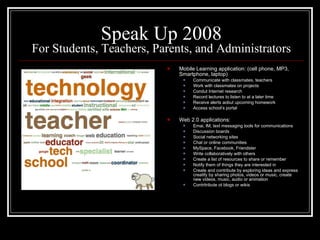
Speak Up 2008 For Students, Teachers, Parents, and Administrators Mobile Learning application: (cell phone, MP3, Smartphone, laptop) Communicate with classmates, teachers Work with classmates on projects Condut Internet research Record lectures to listen to at a later time Receive alerts aobut upcoming homework Access school’s portal Web 2.0 applications: Emai, IM, text messaging tools for communications Discussion boards Social networking sites Chat or online communities MySpace, Facebook, Friendster Write collaboratively with others Create a list of resources to share or remember Notify them of things they are interested in Create and contribute by exploring ideas and express creatify by sharing photos, videos or music, create new videos, music, audio or animation Contritribute ot blogs or wikis
Speak Up 2008 For Students, Teachers, Parents, and Administrators Online Learning: To earn college credit To work at their own pace To take a class not offered at their school To get extra help in a subject They are in control of their learning Students are more comfortable asking questions They can review class materials as many times as they want or need  Digital Textbook: Personalize book with electronic highlights and notes Take quizzes and tests on their own to assess their own content proficiency or self-paced tutorials Assess links to real-time data (Google Earth) Tap into the expertise of an online tutor whenever necessary Link to PowerPoints of class lectures that support textbook content Explore concepts through games or animations or simulations Access content outside of school through links to video-conferences or podcasts from subject experts Watch video clips about topics they are studying and create podcasts or videos to support their  learning.
Collaboration
Collaboration Overview Collaborate With Others Minds on Fire by John Seely Brown and Richard P. Adler Habits of Mind by Howard Gardner Going Global: Culture Shock, Convergence, & The Future of Education K12 Online Conference by Kim Cofino New NSBA Report on Social Networking “ Young Minds, Fast Times The 21 st  Century Digital Learner” by Marc Prensky Keeping the Literacy in 21 st  Century Literacies K12 Online Conference by Drew Schrader
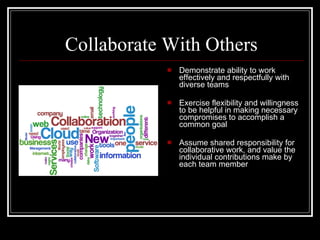
Collaborate With Others Demonstrate ability to work effectively and respectfully with diverse teams Exercise flexibility and willingness to be helpful in making necessary compromises to accomplish a common goal Assume shared responsibility for collaborative work, and value the individual contributions make by each team member
Minds on Fire by John Seely Brown and Richard P. Adler The world has become increasingly “flat” as shown by Tom Friedman. Virtually any place on Earth can be connected to markets anywhere else on Earth and can become globally competitive. We need a well-educated workforce with the requisite competitive skills. We also need to provide support for continuous learning and for the ongoing creation of new ideas and skills.
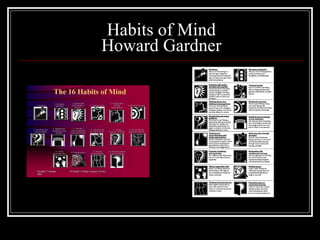
Habits of Mind Howard Gardner
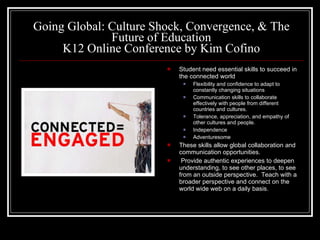
Going Global: Culture Shock, Convergence, & The Future of Education K12 Online Conference by Kim Cofino Student need essential skills to succeed in the connected world Flexibility and confidence to adapt to constantly changing situations Communication skills to collaborate effectively with people from different countries and cultures. Tolerance, appreciation, and empathy of other cultures and people. Independence Adventuresome These skills allow global collaboration and communication opportunities.  Provide authentic experiences to deepen understanding, to see other places, to see from an outside perspective.  Teach with a broader perspective and connect on the world wide web on a daily basis.
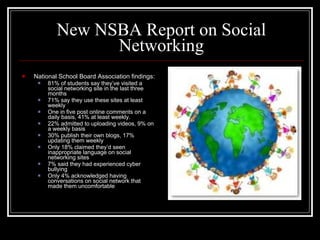
New NSBA Report on Social Networking National School Board Association findings: 81% of students say they’ve visited a social networking site in the last three months 71% say they use these sites at least weekly One in five post online comments on a daily basis, 41% at least weekly. 22% admitted to uploading videos, 9% on a weekly basis 30% publish their own blogs, 17% updating them weekly Only 18% claimed they’d seen inappropriate language on social networking sites 7% said they had experienced cyber bullying Only 4% acknowledged having conversations on social network that made them uncomfortable
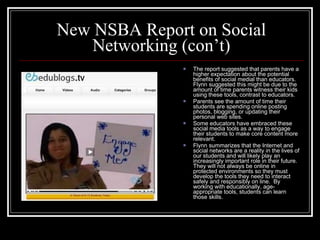
New NSBA Report on Social Networking (con’t) The report suggested that parents have a higher expectation about the potential benefits of social medial than educators.  Flynn suggested this might be due to the amount of time parents witness their kids using these tools, contrast to educators. Parents see the amount of time their students are spending online posting photos, blogging, or updating their personal web sites.  Some educators have embraced these social media tools as a way to engage their students to make core content more relevant. Flynn summarizes that the Internet and social networks are a reality in the lives of our students and will likely play an increasingly important role in their future.  They will not always be online in protected environments so they must develop the tools they need to interact safely and responsibly on line.  By working with educationally, age-appropriate tools, students can learn those skills.
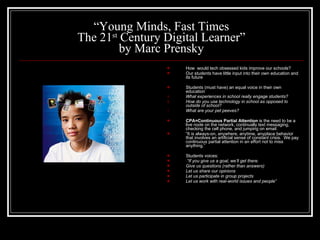
“ Young Minds, Fast Times The 21 st  Century Digital Learner” by Marc Prensky How  would tech obsessed kids improve our schools? Our students have little input into their own education and its future Students (must have) an equal voice in their own education What experiences in school really engage students? How do you use technology in school as opposed to outside of school? What are your pet peeves? CPA=Continuous Partial Attention  is the need to be a live node on the network, continually text messaging, checking the cell phone, and jumping on email.  “ It is always-on, anywhere, anytime, anyplace behavior that involves an artificial sense of constant crisis.  We pay continuous partial attention in an effort not to miss anything.” Students voices:  “ If you give us a goal, we’ll get there.  Give us questions (rather than answers) Let us share our opinions Let us participate in group projects Let us work with real-world issues and people”
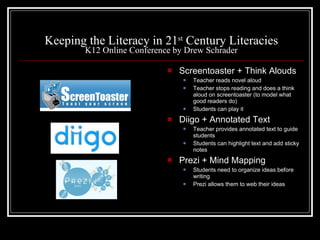
Keeping the Literacy in 21 st  Century Literacies K12 Online Conference by Drew Schrader Screentoaster + Think Alouds Teacher reads novel aloud Teacher stops reading and does a think aloud on screentoaster (to model what good readers do) Students can play it Diigo + Annotated Text Teacher provides annotated text to guide students Students can highlight text and add sticky notes Prezi + Mind Mapping Students need to organize ideas before writing Prezi allows them to web their ideas
Building Professional Learning Communities
Building Professional Learning Communities Overview Teachers Can Become 21 st  Century Learners by Building Their Own PLN Going Global: Culture Shock, Convergence, & The Future of Education K12 Online Conference by Kim Cofino LAN: Learning is Social!   K12 Online Conference  by Bryan Hughes
Teachers Can Become 21 st  Century Learners by Building Their Own PLN “ It can be difficult at first, but developing and expanding your own personal learning network may end up being the most rewarding professional development of your career.  Connect regularly with individuals and groups that can push your thinking, support your learning, and collaborate on projects in and out of the classroom means that you are learning where you need it, when you need it.” -Kim Cofino
Going Global: Culture Shock, Convergence, & The Future of Education K12 Online Conference by Kim Cofino Begin to develop your own personal learning network, especially with educators living in different countries around the world. It doesn’t matter where you are in the world.  People you choose to include become your colleagues who are learning together with you, sharing ideas with you and collaborating with you on similar concepts at your own pace.
Going Global: Culture Shock, Convergence, & The Future of Education K12 Online Conference by Kim Cofino Personal Learning Network: RSS Reader- “Learn by lurking.” Join Social Networks- Ning (Like walking into the teacher’s lounge.) Start your own blog.  Develop your online profile. Attend online conferences. Use Skype. Twitter – Build your network, expand your interest, and make more real time connections with other educators around the world.
LAN: Learning is Social!     K12 Online Conference by Bryan Hughes Breathe new life into professional development Have a LAN Party-teachers prefer to say it stands for “Learning at Night” Party but it is actually an acronym for “Local Area Network” These parties would introduce real networking with in the school, district, and around the world. Bryan Hughes incorporated Kim Cofino’s idea of educators sitting around with laptops, engaged in discussion Three key ingredients:  conversation, idea, food.  Teachers met at school from 5-7PM.  Sessions would be offered and teachers could pick the presentation they wanted to view.  Following their sessions, teachers would reconvene, eat, and discuss what they learned. These sessions would enable teachers to see and talk about what educators were doing around the world.  When possible, teachers could even talk with presenters using Skype. Thus, teachers would be providing their own professional development and would be able to integrate ideas into their own teaching right away.  Their professional learning communities would be established and in place to continue their collaboration.
21 st  Century Learning Implications Outline Going Global: Culture Shock, Convergence, & The Future of Education K12 Online Conference by Kim Cofino Speak Up 2008 Science Leadership Academy Horizon Report K12 Progressive Education in the 1940s Did You Know 2.0? Did You Know 4.0?
Implications Going Global: Culture Shock, Convergence, & The Future of Education K12 Online Conference by Kim Cofino 1.  Incorporate mobile computing devices that can be taken any place and used whenever. 2.  Education needs to be more adaptable to change.  Instead of thinking “that’s the way we’ve always done it,” content and delivery have changed as well as what students want to learn and what they need to do with it. 3.  Learning shouldn’t stop at the ringing of the school bell in the afternoon.  Learning should take place when students are ready for it.  Thus, utilize online learning, asynchronous communication, and differences between time zones to find a schedule that meets the needs of teachers and students. 4.  Classrooms should encourage and reward collaboration and shared reasonability rather than working in isolation where the teacher is the single source. 5.  Pot Roast versus Stir Fry.  Schools need to focus on how to respond to new situations and to rapidly meet students’ needs in a fast moving world.
Implications Going Global: Culture Shock, Convergence, & The Future of Education K12 Online Conference by Kim Cofino (con’t) 6.  There must be a blending of the old and new.  Work toward a blended approach using technological tools when appropriate to provide opportunities for diverse learners or to accommodate distance, time, or instructional needs. 7.  Avoid “just in time” delivery or “just in case” presentation of curriculum.  Design authentic assessments that put important curricular content into context and thus reexamine curriculum. 8.  A more flexible approach in finances should be adopted.  Create individualized learning plan designed by the student and sources from a variety of financially viable options and delivered in cost effective ways better than traditional fixed value, fixed location, and fixed length of courses. 9.  Globalization of technologies would incorporate foreign influences and maintain traditional cultural identities and thus, get a global perspective.
Implications Speak Up 2008 Alvin Toffler said, “The illiterate of the 21 st  century  won’t be those who cannot red or write, but those that cannot learn, unlearn, and relearn.”
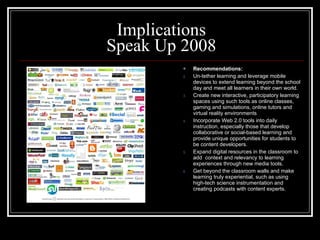
Implications Speak Up 2008 Recommendations: Un-tether learning and leverage mobile devices to extend learning beyond the school day and meet all learners in their own world. Create new interactive, participatory learning spaces using such tools as online classes, gaming and simulations, online tutors and virtual reality environments Incorporate Web 2.0 tools into daily instruction, especially those that develop collaborative or social-based learning and provide unique opportunities for students to be content developers. Expand digital resources in the classroom to add  context and relevancy to learning experiences through new media tools. Get beyond the classroom walls and make learning truly experiential, such as using high-tech science instrumentation and creating podcasts with content experts.
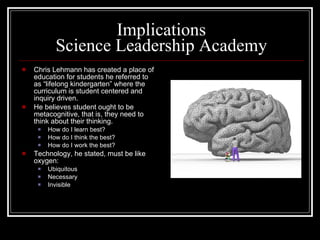
Implications Science Leadership Academy Chris Lehmann has created a place of education for students he referred to as “lifelong kindergarten” where the curriculum is student centered and inquiry driven. He believes student ought to be metacognitive, that is, they need to think about their thinking. How do I learn best? How do I think the best? How do I work the best? Technology, he stated, must be like oxygen: Ubiquitous Necessary  Invisible
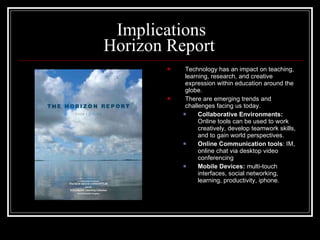
Implications Horizon Report  Technology has an impact on teaching, learning, research, and creative expression within education around the globe. There are emerging trends and challenges facing us today. Collaborative Environments:   Online tools can be used to work creatively, develop teamwork skills, and to gain world perspectives. Online Communication tools : IM, online chat via desktop video conferencing Mobile Devices:  multi-touch interfaces, social networking, learning, productivity, iphone.
Implications Progressive Education in the 1940s The keystone of progressive education is the teacher.  Necessary qualifications are: Ingenuity Patience A thousand eyes Great physical endurance According to John Dewey, we need to prepare our children for their world, the world of the future.
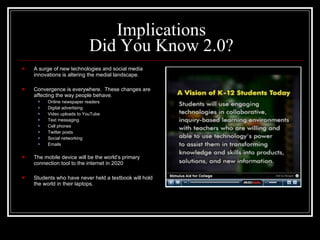
Implications Did You Know 2.0? A surge of new technologies and social media innovations is altering the medial landscape. Convergence is everywhere.  These changes are affecting the way people behave. Online newspaper readers Digital advertising Video uploads to YouTube Text messaging Cell phones Twitter posts Social networking Emails The mobile device will be the world’s primary connection tool to the internet in 2020 Students who have never held a textbook will hold the world in their laptops.
Implications Did You Know 4.0? Shift Happens We are currently preparing students for jobs and technologies that don’t yet exist…in order to solve problems we don’t even know are problems yet. Albert Einstein once said, “We can’t solve problems by using the same kind of thinking we used when we created them. Ask:  Are we providing the resources and training necessary to prepare students to be successful in 21 st  Century society?

21st Century Presentation

  • 1.
    The Three C’sof 21 st Century Skills Learning Summary by Marilyn Batchelor
  • 2.
    You Have EngagedMe! Introduction
  • 3.
    The Three C’sof 21 st Century Skills Learning Summary Overview by Marilyn Batchelor 21 st Century Student Learning Communication Creativity and Innovation Critical Thinking Problem Solving-Projects-Challenges Collaboration Building Professional Learning Communities 21 st Century Learning Implications
  • 4.
  • 5.
    You Let MeParticipate
  • 6.
    I Have BeenReluctant to Change
  • 7.
    But You HaveAsked Me to Walk a New Path…
  • 8.
    I Wanted tobe Challenged
  • 9.
    To Change MyKnowledge and Attitudes About 21 St Century Learning
  • 10.
    You Let MeBe Involved In My Own Learning
  • 11.
    You Let Me Participate
  • 12.
    You Let MeJoin With Other Learners Globally
  • 13.
    You Have EnabledMe To Be a Global Citizen
  • 14.
    I Am A21 st Century Learner
  • 15.
  • 16.
    21 st Century Student Learning Overview The Intellectual and Policy Foundation of the 21 st Century Skills Framework The ISTE National Educational Technology Standards (NETS.T) 21 st Century Student Outcomes and Support Systems
  • 17.
    The Intellectual andPolicy Foundation of the 21 st Century Skills Framework Theory, research, and policy that support the 21 st Century Skills Framework is based on the connection between societal demand and educational response as well as the effects of advances in learning science and learning technology. We must restore to our schools the skills that future citizens will need to succeed in the worlds of work, higher education, and personal life. We must also consider that technology needs to also connect students with the information, people, and real world contexts that will inspire and engage them throughout the entire curriculum.
  • 18.
    The Intellectual andPolicy Foundation of the 21 st Century Skills Framework (con’t) Education and Society “ Education, after all, is the attempt to convey from one generation to the next the skills, values, and knowledge that are needed for successful fife.” Education and Learning Science “ To provide an excellent and equitable education for every child, schools must more effectively incorporate advances in learning science into instructional practice.” Lev Vygotsky-importance of social environment Jean Piaget – constructivism-minds construct from within, not outside. Benjamin Bloom – Taxonomy of cognitive skills ordered hierarchically Howard Gardner – intelligence excellence is also in interpersonal, intrapersonal, spatial, musical, kinesthetic domains beyond the manipulation of abstract symbols, as in reading and mathematics. John Seeley Brown – information has a social life
  • 19.
    The Intellectual andPolicy Foundation of the 21 st Century Skills Framework (con’t) Education and Learning Tools Media Telecommunication Network Technologies Education and Global Convergence Bring together rigorous content and real world relevance.
  • 20.
    The ISTE NationalEducational Technology Standards (NETS.T) Facilitate and Inspire Student Learning and Creativity Design and Develop Digital-Age Learning Experiences and Assessments Model Digital-Age Work and Learning Promote and Model Digital Citizenship and Responsibility Engage in Professional Growth and Leadership
  • 21.
    21 st Century Student Outcomes and Support Systems Life and Career Skills Flexibility and Adaptability Initiative and Self-direction Social and Cross-cultural Skills Productivity and Accountability Leadership and Responsibility Learning and Innovation Skills Creativity and Innovation Critical Thinking and Problem-solving Communication and Collaboration
  • 22.
    21 st Century Student Outcomes and Support Systems (con’t) Information, Media, and Technology Skills Information Literacy Media Literacy ICT (Information Communication Technology) Information, Media, and Technology Skills Information Literacy Media Literacy ICT (Information Communication Technology) Core Subjects and 21 st Century Themes Information Literacy Global Awareness Financial, Economic, Business, and Entrepreneurial Literacy Civic Literacy Health Literacy
  • 23.
    Communication Overview CommunicationTools Twitter Twitter Application in the Classroom Blogs Social Media in Plain English Google Reader RSS Feeds Social Bookmarking Social Networking
  • 24.
    Communication The Partnershipfor 21 st Century Learning Communication: Articulate thoughts and ideas effectively using oral, written and nonverbal communication skills in a variety of forms and contexts Listen effectively to decipher meaning, including knowledge, values, attitudes and intentions Use communication for a range of purposes (e.g. to inform, instruct, motivate and persuade) Utilize multiple media and technologies, and know how to judge their effectiveness as well as assess their impact Communicate effectively in diverse environments (including multi-lingual)
  • 25.
    Communication Tools Twitter“What are you doing?” Blog Share personal/professional needs (reporter) Wiki Quick quick Group can coordinate/communicate Google Reader RSS Feeds Social Bookmarking Research tool and share knowledge and collaborate with others Diigo Uses tag clouds Del.icio.us Uses tag bundles Social Networking Create own social network to share with one another Ning
  • 26.
    Twitter “ Whatare you doing?” Little things that happen in life Short, bite-sized updates 140 characters or fewer
  • 27.
    Twitter Application inthe Classroom 25 Ways to Teach With Twitter by Sonja Cole Ask for recommended books, lesson ideas, or teaching tools Provide daily tip like a word of the day, book of the day, random trivia, useful fact, teacher tip or helpful resource Start a twitter book club and tweet your reactions to the book as you read
  • 28.
    Blogs Reporters Sharetoday’s news Share personal news Blog Posts-readers can comment
  • 29.
    Social Media inPlain English by Lee Lefever Scoopville Social ice cream Make your own flavors Blog your own voice
  • 30.
    Wikispaces “ Quickquick” Hawaiian People can edit, write, and save Group can coordinate and communicate Links can be put in
  • 31.
    Google Reader RSS Feeds Faster way to read the web Keep up with what’s happening on the web Like Netflix versus going to the video store Favorite sites, new posts, subscribe!
  • 32.
    Social Bookmarking Savesites Others can see Del.icio.us Diigo
  • 33.
    Social Bookmarking Canbe used as a knowledge management system for individuals and groups It is a powerful research and annotation tool that is searchable, shareable, and accessible from any computer. How does it social bookmarking work? Discover web pages of interest by tag searches, friends, and serendipity Add page to social bookmark site Add tags to page with words chosen by the user to describe the page (This can be shared with others by tag clouds and tag bundles which are major subject headings with repeated tags Follow tags to discover other pages and users with the same interests Share and or collaborate with others
  • 34.
    Social Networking Goalis to give people freedom to create their own social experiences online Ning is an educational network for educators to share information with one another Forum-items updated regularly and a place to share lesson plans www.teachertube.com Blog posts Add photos Add video You Tube Groups such as departments have a place to communicate
  • 35.
    Creativity and InnovationOverview Schools are Killing Creativity Sir Ken Robinson Poll Daddy Creativity Survey SmartStorming
  • 36.
    Schools are KillingCreativity Sir Ken Robinson Creativity is as important as literacy It is the gift of human imagination According to Picasso, all are born artists but few remain artists as they grow up. Students get educated out of it. Education has established a hierarchy of subjects (Math/languages, humanities, arts to include art/music, drama, and dance) so that education is based on academic ability but why? All should be equally important. We need to educate the whole being so they can face the future, whatever that looks like 50 years from now Engage students in divergent thinking such as asking them to see connections, identify/create metaphors, look for many answers, reinterpret ones. Intelligence is: Diverse (visual, auditory, kinesthetic) Dynamic (we see things differently) Distinct (epiphany moment-not ADHD but Dancer ex.)
  • 37.
    Poll Daddy CreativitySurvey Ten Mental Blocks to Creative Thinking 1. Trying to find the “right” answers 2. Logical thinking 3. Following rules 4. Being Practical 5. Play is not work 6. That’s not my job 7. Be a “serious” person 8. Avoid ambiguity 9. Being wrong is bad 10. I’m not creative The results of my survey were in agreement with the rest of the class in 6 areas. I was usually the one or two far from the “pack” on #1, 2, 4, and 5. I realize that I have been trying to develop the creative side, I am still a traditional learner. In my k-12 education, Math had always been my strength, looking for that one logical right answer. Now that I have taught Reading and English for 25 years, I have begun to develop my right brain, my creative side. I am glad to know the four areas I can focus on before I retire!
  • 38.
    SmartStorming “ Areyou Innovation Inept?” “ Thinking about innovation isn’t the same as innovative thinking.” What is really needed for innovation to happen is a combination of: Motivation-to make the effort in the first place Freedom-to explore and express without the fear of reprisal Systems-for sharing, developing, and promoting ideas throughout an organization Knowledge-talent and skills required to actually transform an idea into a viable plan and, ultimately, a reality Responsibility-for ensuring that it all happens
  • 39.
    SmartStorming “ G80/20ogle”Google employees are encouraged to spend 80% of time on core projects and 20% on “innovation” Activities To implement an innovation policy: 1. Create a formal process for project selection, monitoring, and evaluation. 2. Don’t worry about failure. 3. Start small. 4. Let your staff shine. 5. Manage expectations. “ The Awesomeness Manifesto” Awesomeness is the new innovation 1. Ethical production-turn a blind eye or deny ethics 2. Insanely great stuff. .New and unexpected often fails to delight, inspire, and enlighten. 3. Love. Love for what you do is the basis for all real value creation. 4. Thick Value. Versus thin value is real, meaningful, and sustainable to make people authentically better off, not just adding bells and whistles.
  • 40.
    SmartStorming “ Technology+ Design = Apple?” What’s next for technology and design is a lot less thinking about technology for technology’s sake, and a lot more thinking about design. Left-brain thinking is focused on logic and reasoning that is emphasized on the STEM (Science, Technology, Engineering, Math) subjects. Right-brain thinking is in the key “IDEA” (Intuition, Design, Emotion, Art). We need both halves of the brain to work together-mind and movement.
  • 41.
  • 42.
    Bloom’s Taxonomy BenjaminBloom developed a taxonomy of cognitive objectives in the 1950’s. His taxonomy follows the thinking process beginning on the continuum from Lower Order Thinking Skills to Higher ones. (Knowledge, Comprehension, Application, Analysis, Synthesis, Evaluation) Lorin Anderson , Bloom’s former student, revised his taxonomy in the 1990’s to include verbs instead of gerunds and rearranged the sequencing (Remembering, Understanding, Applying, Analyzing, Evaluating, Creating)
  • 43.
    Bloom’s Taxonomy BloomsDigitally Bloom’s digital taxonomy map address new objectives presented by the emergence and integration of information and Communication Technologies in to the classroom and the lives of our students:
  • 44.
    Bloom’s Taxonomy BloomsDigitally Remembering: Bullet pointing, highlighting, bookmarking, social networking, Social bookmarking, Searching, Googling. Understanding: Advanced searching, blog journaling, twittering, categorizing and tagging, commenting, annotating, subscribing. Applying: hacking, uploading, sharing, editing Analyzing: Attributing, outlining, linking, mind-mapping, validating, tagging Evaluating: (Blog) commenting, reviewing, posting, collaborating, networking Creating: animating, Blogging, wikiing, publishing, videocasting, podcasting
  • 45.
    Problem Solving-Projects-Challenges OverviewProgressive Education in the 1940’s “ Engaging Our Youngest Minds: Ignite the “Wow” in Students” Angela Maiers’s Online Conference “ The Virtual Heroic Journey” Kevin Hodgson’s Online Conference Speak Up 2008 For Students, Teachers, Parents, and Administrators
  • 46.
    Progressive Education inthe 1940’s Education in the 1940’s included rote recitation of the multiplication tables, history dates, spelling of words, and geographical location. There was a check for memory, not for understanding. Today, learning is fun. Education is trying to build character, self reliance, and the ability to work with others. Thus, we need to equip students with the skills they will need to face the future. Progressive Education today, K-12, follows the tenet that seeing is believing or to learn by doing. Project-based learning can happen at any age. Ages 6-7 can “go to the grocery store.” Ages 8-9 can learn to “manage a store.” Ages 12-14 can “study airplanes.”
  • 47.
    “ Engaging OurYoungest Minds: Ignite the “Wow” in Students” Angela Maiers’s Online Conference Student engagement and learning in the digital age must include passion. Find the passion in your students and that is what will drive them to use the technological tools-not the tools themselves. “ Nothing great in this world has been accomplished without passion.” Hegel, 1832 Technological integration is not enough to cultivate this passion; we need to lead students to find their own. To keep students’ inborn sense of wonder alive, their talents and their uniqueness, teachers need to tap into student interest, maintain high standards, and use new technology. Provide experiences, resources, and tools where students can use technology as a platform to share their voices in the world. Students can use technology to research, play, publish, and collaborate with others.
  • 48.
    “ The VirtualHeroic Journey” Kevin Hodgson’s Online Conference “ Kick it up a notch” in your classroom by having students use Google Maps and Google Earth to create a fictional heroic journey story. This unit can be tied to literature (The Odyssey, The Lightning Thief), writing, and use of technology. The teacher and students begin by reading the graphic novel chronicling Odysseus’s escape of Poseidon’s curse to illustrate the heroic journey and plot device. Next, read The Lightning Thief to follow Percey Jackson in his quest to return Zeus’s stolen lightning bolt. Then use the tools to plot this quest. Students are now ready to create their own heroic journey to include three encounters with creatures marking places on Google Map where the hero encountered the monsters on their journey home. Students had to type their text (story) and embed images of monsters (from his Picassa folder). Mr. Hodgsen then created two web sites to view their work. To view student work, go to http://sites.google.com/sites/heroicjourney . To view a slide show illustrating step by step how to use Google maps, Google earth, and Picassa, go to http://tinyurl.com/heroicjourney.
  • 49.
    Speak Up 2008For Students, Teachers, Parents, and Administrators Our nation’s students are a “Digital Advance Team” They are adopters and adapters of new technologies but our schools could be doing more to help them use the tools during the school day. Our students are frustrated that they are inhibited from effectively using computers or the Internet a school. Further, schools have filters or firewalls, teachers limit technology use, and school rules limit their use of technology. After leaving school, they resume their technology-infused lives to communicate, collaborate, create and contribute: Writing Research Take online tests Use online textbook Upload to school portals Use MySpace for collaboration Create power points/videos Communicate with each other Access class information
  • 50.
    Speak Up 2008For Students, Teachers, Parents, and Administrators Mobile Learning application: (cell phone, MP3, Smartphone, laptop) Communicate with classmates, teachers Work with classmates on projects Condut Internet research Record lectures to listen to at a later time Receive alerts aobut upcoming homework Access school’s portal Web 2.0 applications: Emai, IM, text messaging tools for communications Discussion boards Social networking sites Chat or online communities MySpace, Facebook, Friendster Write collaboratively with others Create a list of resources to share or remember Notify them of things they are interested in Create and contribute by exploring ideas and express creatify by sharing photos, videos or music, create new videos, music, audio or animation Contritribute ot blogs or wikis
  • 51.
    Speak Up 2008For Students, Teachers, Parents, and Administrators Online Learning: To earn college credit To work at their own pace To take a class not offered at their school To get extra help in a subject They are in control of their learning Students are more comfortable asking questions They can review class materials as many times as they want or need Digital Textbook: Personalize book with electronic highlights and notes Take quizzes and tests on their own to assess their own content proficiency or self-paced tutorials Assess links to real-time data (Google Earth) Tap into the expertise of an online tutor whenever necessary Link to PowerPoints of class lectures that support textbook content Explore concepts through games or animations or simulations Access content outside of school through links to video-conferences or podcasts from subject experts Watch video clips about topics they are studying and create podcasts or videos to support their learning.
  • 52.
  • 53.
    Collaboration Overview CollaborateWith Others Minds on Fire by John Seely Brown and Richard P. Adler Habits of Mind by Howard Gardner Going Global: Culture Shock, Convergence, & The Future of Education K12 Online Conference by Kim Cofino New NSBA Report on Social Networking “ Young Minds, Fast Times The 21 st Century Digital Learner” by Marc Prensky Keeping the Literacy in 21 st Century Literacies K12 Online Conference by Drew Schrader
  • 54.
    Collaborate With OthersDemonstrate ability to work effectively and respectfully with diverse teams Exercise flexibility and willingness to be helpful in making necessary compromises to accomplish a common goal Assume shared responsibility for collaborative work, and value the individual contributions make by each team member
  • 55.
    Minds on Fireby John Seely Brown and Richard P. Adler The world has become increasingly “flat” as shown by Tom Friedman. Virtually any place on Earth can be connected to markets anywhere else on Earth and can become globally competitive. We need a well-educated workforce with the requisite competitive skills. We also need to provide support for continuous learning and for the ongoing creation of new ideas and skills.
  • 56.
    Habits of MindHoward Gardner
  • 57.
    Going Global: CultureShock, Convergence, & The Future of Education K12 Online Conference by Kim Cofino Student need essential skills to succeed in the connected world Flexibility and confidence to adapt to constantly changing situations Communication skills to collaborate effectively with people from different countries and cultures. Tolerance, appreciation, and empathy of other cultures and people. Independence Adventuresome These skills allow global collaboration and communication opportunities. Provide authentic experiences to deepen understanding, to see other places, to see from an outside perspective. Teach with a broader perspective and connect on the world wide web on a daily basis.
  • 58.
    New NSBA Reporton Social Networking National School Board Association findings: 81% of students say they’ve visited a social networking site in the last three months 71% say they use these sites at least weekly One in five post online comments on a daily basis, 41% at least weekly. 22% admitted to uploading videos, 9% on a weekly basis 30% publish their own blogs, 17% updating them weekly Only 18% claimed they’d seen inappropriate language on social networking sites 7% said they had experienced cyber bullying Only 4% acknowledged having conversations on social network that made them uncomfortable
  • 59.
    New NSBA Reporton Social Networking (con’t) The report suggested that parents have a higher expectation about the potential benefits of social medial than educators. Flynn suggested this might be due to the amount of time parents witness their kids using these tools, contrast to educators. Parents see the amount of time their students are spending online posting photos, blogging, or updating their personal web sites. Some educators have embraced these social media tools as a way to engage their students to make core content more relevant. Flynn summarizes that the Internet and social networks are a reality in the lives of our students and will likely play an increasingly important role in their future. They will not always be online in protected environments so they must develop the tools they need to interact safely and responsibly on line. By working with educationally, age-appropriate tools, students can learn those skills.
  • 60.
    “ Young Minds,Fast Times The 21 st Century Digital Learner” by Marc Prensky How would tech obsessed kids improve our schools? Our students have little input into their own education and its future Students (must have) an equal voice in their own education What experiences in school really engage students? How do you use technology in school as opposed to outside of school? What are your pet peeves? CPA=Continuous Partial Attention is the need to be a live node on the network, continually text messaging, checking the cell phone, and jumping on email. “ It is always-on, anywhere, anytime, anyplace behavior that involves an artificial sense of constant crisis. We pay continuous partial attention in an effort not to miss anything.” Students voices: “ If you give us a goal, we’ll get there. Give us questions (rather than answers) Let us share our opinions Let us participate in group projects Let us work with real-world issues and people”
  • 61.
    Keeping the Literacyin 21 st Century Literacies K12 Online Conference by Drew Schrader Screentoaster + Think Alouds Teacher reads novel aloud Teacher stops reading and does a think aloud on screentoaster (to model what good readers do) Students can play it Diigo + Annotated Text Teacher provides annotated text to guide students Students can highlight text and add sticky notes Prezi + Mind Mapping Students need to organize ideas before writing Prezi allows them to web their ideas
  • 62.
  • 63.
    Building Professional LearningCommunities Overview Teachers Can Become 21 st Century Learners by Building Their Own PLN Going Global: Culture Shock, Convergence, & The Future of Education K12 Online Conference by Kim Cofino LAN: Learning is Social! K12 Online Conference by Bryan Hughes
  • 64.
    Teachers Can Become21 st Century Learners by Building Their Own PLN “ It can be difficult at first, but developing and expanding your own personal learning network may end up being the most rewarding professional development of your career. Connect regularly with individuals and groups that can push your thinking, support your learning, and collaborate on projects in and out of the classroom means that you are learning where you need it, when you need it.” -Kim Cofino
  • 65.
    Going Global: CultureShock, Convergence, & The Future of Education K12 Online Conference by Kim Cofino Begin to develop your own personal learning network, especially with educators living in different countries around the world. It doesn’t matter where you are in the world. People you choose to include become your colleagues who are learning together with you, sharing ideas with you and collaborating with you on similar concepts at your own pace.
  • 66.
    Going Global: CultureShock, Convergence, & The Future of Education K12 Online Conference by Kim Cofino Personal Learning Network: RSS Reader- “Learn by lurking.” Join Social Networks- Ning (Like walking into the teacher’s lounge.) Start your own blog. Develop your online profile. Attend online conferences. Use Skype. Twitter – Build your network, expand your interest, and make more real time connections with other educators around the world.
  • 67.
    LAN: Learning isSocial! K12 Online Conference by Bryan Hughes Breathe new life into professional development Have a LAN Party-teachers prefer to say it stands for “Learning at Night” Party but it is actually an acronym for “Local Area Network” These parties would introduce real networking with in the school, district, and around the world. Bryan Hughes incorporated Kim Cofino’s idea of educators sitting around with laptops, engaged in discussion Three key ingredients: conversation, idea, food. Teachers met at school from 5-7PM. Sessions would be offered and teachers could pick the presentation they wanted to view. Following their sessions, teachers would reconvene, eat, and discuss what they learned. These sessions would enable teachers to see and talk about what educators were doing around the world. When possible, teachers could even talk with presenters using Skype. Thus, teachers would be providing their own professional development and would be able to integrate ideas into their own teaching right away. Their professional learning communities would be established and in place to continue their collaboration.
  • 68.
    21 st Century Learning Implications Outline Going Global: Culture Shock, Convergence, & The Future of Education K12 Online Conference by Kim Cofino Speak Up 2008 Science Leadership Academy Horizon Report K12 Progressive Education in the 1940s Did You Know 2.0? Did You Know 4.0?
  • 69.
    Implications Going Global:Culture Shock, Convergence, & The Future of Education K12 Online Conference by Kim Cofino 1. Incorporate mobile computing devices that can be taken any place and used whenever. 2. Education needs to be more adaptable to change. Instead of thinking “that’s the way we’ve always done it,” content and delivery have changed as well as what students want to learn and what they need to do with it. 3. Learning shouldn’t stop at the ringing of the school bell in the afternoon. Learning should take place when students are ready for it. Thus, utilize online learning, asynchronous communication, and differences between time zones to find a schedule that meets the needs of teachers and students. 4. Classrooms should encourage and reward collaboration and shared reasonability rather than working in isolation where the teacher is the single source. 5. Pot Roast versus Stir Fry. Schools need to focus on how to respond to new situations and to rapidly meet students’ needs in a fast moving world.
  • 70.
    Implications Going Global:Culture Shock, Convergence, & The Future of Education K12 Online Conference by Kim Cofino (con’t) 6. There must be a blending of the old and new. Work toward a blended approach using technological tools when appropriate to provide opportunities for diverse learners or to accommodate distance, time, or instructional needs. 7. Avoid “just in time” delivery or “just in case” presentation of curriculum. Design authentic assessments that put important curricular content into context and thus reexamine curriculum. 8. A more flexible approach in finances should be adopted. Create individualized learning plan designed by the student and sources from a variety of financially viable options and delivered in cost effective ways better than traditional fixed value, fixed location, and fixed length of courses. 9. Globalization of technologies would incorporate foreign influences and maintain traditional cultural identities and thus, get a global perspective.
  • 71.
    Implications Speak Up2008 Alvin Toffler said, “The illiterate of the 21 st century won’t be those who cannot red or write, but those that cannot learn, unlearn, and relearn.”
  • 72.
    Implications Speak Up2008 Recommendations: Un-tether learning and leverage mobile devices to extend learning beyond the school day and meet all learners in their own world. Create new interactive, participatory learning spaces using such tools as online classes, gaming and simulations, online tutors and virtual reality environments Incorporate Web 2.0 tools into daily instruction, especially those that develop collaborative or social-based learning and provide unique opportunities for students to be content developers. Expand digital resources in the classroom to add context and relevancy to learning experiences through new media tools. Get beyond the classroom walls and make learning truly experiential, such as using high-tech science instrumentation and creating podcasts with content experts.
  • 73.
    Implications Science LeadershipAcademy Chris Lehmann has created a place of education for students he referred to as “lifelong kindergarten” where the curriculum is student centered and inquiry driven. He believes student ought to be metacognitive, that is, they need to think about their thinking. How do I learn best? How do I think the best? How do I work the best? Technology, he stated, must be like oxygen: Ubiquitous Necessary Invisible
  • 74.
    Implications Horizon Report Technology has an impact on teaching, learning, research, and creative expression within education around the globe. There are emerging trends and challenges facing us today. Collaborative Environments: Online tools can be used to work creatively, develop teamwork skills, and to gain world perspectives. Online Communication tools : IM, online chat via desktop video conferencing Mobile Devices: multi-touch interfaces, social networking, learning, productivity, iphone.
  • 75.
    Implications Progressive Educationin the 1940s The keystone of progressive education is the teacher. Necessary qualifications are: Ingenuity Patience A thousand eyes Great physical endurance According to John Dewey, we need to prepare our children for their world, the world of the future.
  • 76.
    Implications Did YouKnow 2.0? A surge of new technologies and social media innovations is altering the medial landscape. Convergence is everywhere. These changes are affecting the way people behave. Online newspaper readers Digital advertising Video uploads to YouTube Text messaging Cell phones Twitter posts Social networking Emails The mobile device will be the world’s primary connection tool to the internet in 2020 Students who have never held a textbook will hold the world in their laptops.
  • 77.
    Implications Did YouKnow 4.0? Shift Happens We are currently preparing students for jobs and technologies that don’t yet exist…in order to solve problems we don’t even know are problems yet. Albert Einstein once said, “We can’t solve problems by using the same kind of thinking we used when we created them. Ask: Are we providing the resources and training necessary to prepare students to be successful in 21 st Century society?