
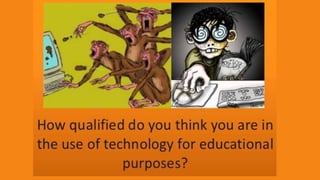










Technology in the Classroom
Carol McKee Marque
English Language Fellow
Kazakhstan American Free University
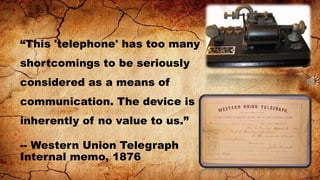
“This 'telephone' has too many
shortcomings to be seriously
considered as a means of

communication. The device is
inherently of no value to us.”
-- Western Union Telegraph
Internal memo, 1876
“Teaching

in the Internet age

means we must teach
tomorrow’s skills today.”
– Jennifer Fleming
There are many
ways to use the
Internet in the
classroom
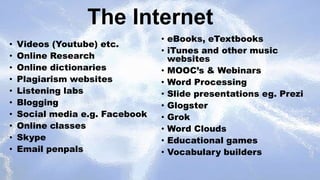
The Internet
•
•
•
•
•
•
•
•
•
•

Videos (Youtube) etc.
Online Research
Online dictionaries
Plagiarism websites
Listening labs
Blogging
Social media e.g. Facebook
Online classes
Skype
Email penpals

• eBooks, eTextbooks
• iTunes and other music
websites
• MOOC’s & Webinars
• Word Processing
• Slide presentations eg. Prezi
• Glogster
• Grok
• Word Clouds
• Educational games
• Vocabulary builders
Favorite
non-web based
Tech tools
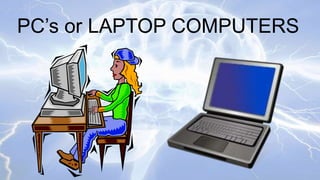
PC’s or LAPTOP COMPUTERS
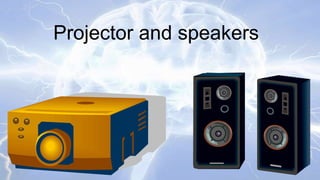
Projector and speakers
What’s so hot about projectors & speakers?
• It has countless applications
• It can be interactive
• It’s exciting! Sound, Music, Pictures, Videos!
• Ecological because it cuts down on paper
and expenses
POWERPOINT
or

Other Open Source
Slide Presentation Apps
POWERPOINT USES

1. Visual background for lectures
2. Project daily lesson plan including goals and
objectives
3. Introduce new vocabulary with pictures
4. Introduce and play downloaded video
5. Games: Jeopardy, Survivor, and others
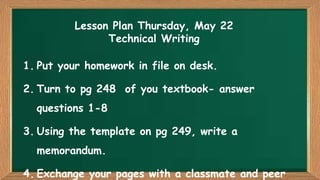
Lesson Plan Thursday, May 22
Technical Writing
1. Put your homework in file on desk.

2. Turn to pg 248 of you textbook- answer
questions 1-8

3. Using the template on pg 249, write a
memorandum.

4. Exchange your pages with a classmate and peer
Youtube and other free video websites
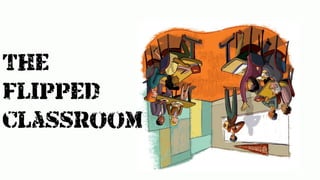
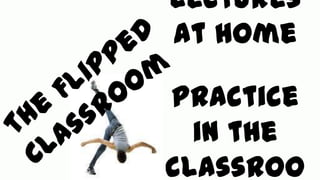
The
flipped
classroom
Lectures
at home
Practice
in the
classroo
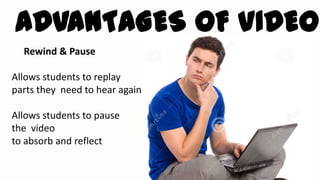
ADVANTAGES OF VIDEO
Rewind & Pause
Allows students to replay
parts they need to hear again
Allows students to pause
the video
to absorb and reflect
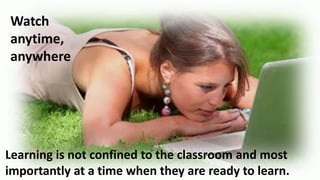
Watch
anytime,
anywhere

Learning is not confined to the classroom and most
importantly at a time when they are ready to learn.
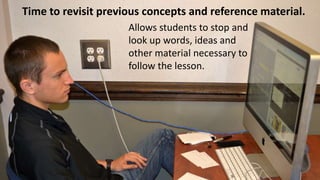
Time to revisit previous concepts and reference material.
Allows students to stop and
look up words, ideas and
other material necessary to
follow the lesson.
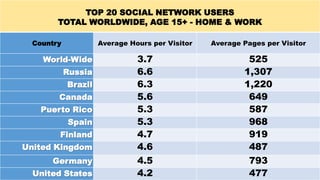
TOP 20 SOCIAL NETWORK USERS
TOTAL WORLDWIDE, AGE 15+ - HOME & WORK
Country

Average Hours per Visitor

World-Wide
Russia
Brazil

Canada
Puerto Rico
Spain
Finland
United Kingdom
Germany
United States

Average Pages per Visitor

3.7
6.6
6.3
5.6
5.3
5.3
4.7
4.6
4.5
4.2

525
1,307
1,220
649
587
968
919
487
793
477
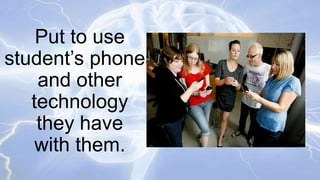
Put to use
student’s phones
and other
technology
they have
with them.
Top Ten Best
Web-based
Tech Tools
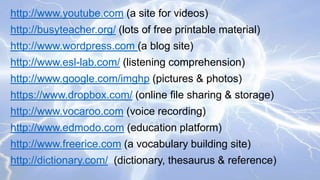
http://www.youtube.com (a site for videos)
http://busyteacher.org/ (lots of free printable material)
http://www.wordpress.com (a blog site)

http://www.esl-lab.com/ (listening comprehension)
http://www.google.com/imghp (pictures & photos)

https://www.dropbox.com/ (online file sharing & storage)
http://www.vocaroo.com (voice recording)
http://www.edmodo.com (education platform)

http://www.freerice.com (a vocabulary building site)
http://dictionary.com/ (dictionary, thesaurus & reference)
To access all of this information and
more, go to my website:
http://techtalkesl.blogspot.com/
“Technology is just a tool. In terms of getting

the kids working together and motivating
them, the teacher is most important.”
Bill Gates
Technology in the ESL classroom

Technology in the ESL classroom

  • 1.
    Technology in theClassroom Carol McKee Marque English Language Fellow Kazakhstan American Free University
  • 4.
    “This 'telephone' hastoo many shortcomings to be seriously considered as a means of communication. The device is inherently of no value to us.” -- Western Union Telegraph Internal memo, 1876
  • 6.
    “Teaching in the Internetage means we must teach tomorrow’s skills today.” – Jennifer Fleming
  • 7.
    There are many waysto use the Internet in the classroom
  • 8.
    The Internet • • • • • • • • • • Videos (Youtube)etc. Online Research Online dictionaries Plagiarism websites Listening labs Blogging Social media e.g. Facebook Online classes Skype Email penpals • eBooks, eTextbooks • iTunes and other music websites • MOOC’s & Webinars • Word Processing • Slide presentations eg. Prezi • Glogster • Grok • Word Clouds • Educational games • Vocabulary builders
  • 9.
  • 10.
  • 11.
  • 12.
    What’s so hotabout projectors & speakers? • It has countless applications • It can be interactive • It’s exciting! Sound, Music, Pictures, Videos! • Ecological because it cuts down on paper and expenses
  • 13.
  • 14.
    POWERPOINT USES 1. Visualbackground for lectures 2. Project daily lesson plan including goals and objectives 3. Introduce new vocabulary with pictures 4. Introduce and play downloaded video 5. Games: Jeopardy, Survivor, and others
  • 15.
    Lesson Plan Thursday,May 22 Technical Writing 1. Put your homework in file on desk. 2. Turn to pg 248 of you textbook- answer questions 1-8 3. Using the template on pg 249, write a memorandum. 4. Exchange your pages with a classmate and peer
  • 16.
    Youtube and otherfree video websites
  • 18.
  • 21.
  • 24.
    ADVANTAGES OF VIDEO Rewind& Pause Allows students to replay parts they need to hear again Allows students to pause the video to absorb and reflect
  • 25.
    Watch anytime, anywhere Learning is notconfined to the classroom and most importantly at a time when they are ready to learn.
  • 26.
    Time to revisitprevious concepts and reference material. Allows students to stop and look up words, ideas and other material necessary to follow the lesson.
  • 28.
    TOP 20 SOCIALNETWORK USERS TOTAL WORLDWIDE, AGE 15+ - HOME & WORK Country Average Hours per Visitor World-Wide Russia Brazil Canada Puerto Rico Spain Finland United Kingdom Germany United States Average Pages per Visitor 3.7 6.6 6.3 5.6 5.3 5.3 4.7 4.6 4.5 4.2 525 1,307 1,220 649 587 968 919 487 793 477
  • 29.
    Put to use student’sphones and other technology they have with them.
  • 30.
  • 32.
    http://www.youtube.com (a sitefor videos) http://busyteacher.org/ (lots of free printable material) http://www.wordpress.com (a blog site) http://www.esl-lab.com/ (listening comprehension) http://www.google.com/imghp (pictures & photos) https://www.dropbox.com/ (online file sharing & storage) http://www.vocaroo.com (voice recording) http://www.edmodo.com (education platform) http://www.freerice.com (a vocabulary building site) http://dictionary.com/ (dictionary, thesaurus & reference)
  • 33.
    To access allof this information and more, go to my website: http://techtalkesl.blogspot.com/
  • 34.
    “Technology is justa tool. In terms of getting the kids working together and motivating them, the teacher is most important.” Bill Gates

Editor's Notes

  • #2 Introduce the topic. Talk about my credentials. “I’m not an expert in technology, not by a longshot, but I’m a teacher and I use technology in my classroom every single day. Therefore, I will pass on to you what I know.
  • #9 Ask for other suggestions
  • #35 Turn to your neighbor and discuss this quote.