



TECHNOLOGY FOR PEACE: IDEAS FROM THE TRENCHES Sanjana Hattotuwa
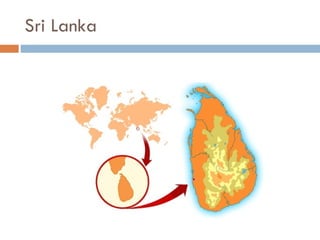
Sri Lanka
Conflict transformation A process of engaging with and transforming  relationships , interests, discourses and, if necessary, the very constitution of society that supports the continuation of violent conflict CT cautions against too much of confidence in to  agreements Conflict can never be resolved, but it can be transformed negotiate differences  non-violently
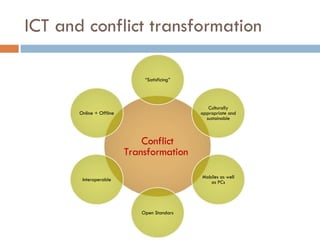
ICT and conflict transformation Conflict Transformation  “ Satisficing” Culturally appropriate and sustainable Mobiles as well as PCs Open Standars Interoperable Online + Offline
ICT4Peace? “ We value the potential of ICTs to promote peace and to prevent conflict which, inter alia, negatively affects achieving development goals. ICTs can be used for identifying conflict situations through early-warning systems preventing conflicts, promoting their peaceful resolution, supporting humanitarian action, including protection of civilians in armed conflicts, facilitating peacekeeping missions, and assisting post conflict peace-building and reconstruction.” Paragraph 36, WSIS Tunis Commitment, 2005
My work in Sri Lanka Writing from 2001, working actively from 2003 Set up InfoShare in 2003 – only one of its kind in Sri Lanka Applied research – technology that works, not just promises Real life scenarios Imagining solutions and pushing the art of the possible
Scenario Grassroots organisation with big staff turnover Limited Human, Financial and Technical resources Website launched but not updated You need to communicate your work You need to communicate your community’s ideas and aspirations / possible engender them Apathetic and unreliable traditional media coverage Violent context
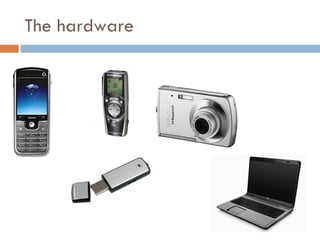
The hardware
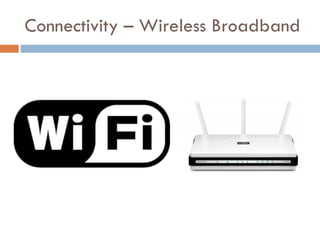
Connectivity – Wireless Broadband
Planning for content Think strategically – knowledge expands exponentially Text, photos, audio and video complement each other Who are your primary and secondary audiences? Who are your content producers? What media do the above use?
Web 2.0 Wikipedia and Facebook are prime examples User generated content “ In 2006, the World Wide Web became a tool for bringing together the small contributions of millions of people and making them matter.” – Time Magazine Interactive, community based, conversational spaces Two way communications
Facebook – For personal use http://www.facebook.com
Facebook – For campaigns http://www.facebook.com
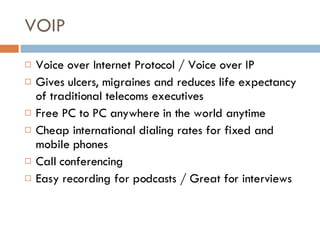
VOIP Voice over Internet Protocol / Voice over IP Gives ulcers, migraines and reduces life expectancy of traditional telecoms executives Free PC to PC anywhere in the world anytime  Cheap international dialing rates for fixed and mobile phones Call conferencing Easy recording for podcasts / Great for interviews
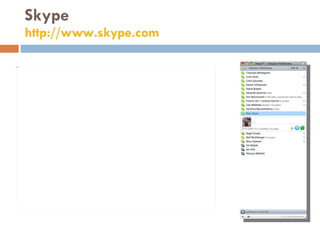
Skype http://www.skype.com
Skypecasts – Community conversations
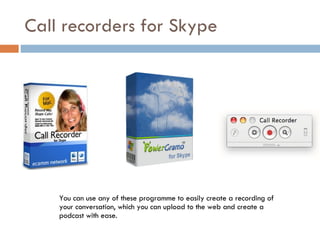
Call recorders for Skype You can use any of these programme to easily create a recording of your conversation, which you can upload to the web and create a podcast with ease.
Podcasts Audio broadcast available on the Web to the public for free downloading to a personal computer or a digital audio player.
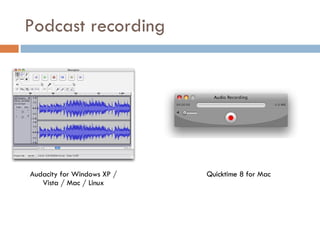
Podcast recording Audacity for Windows XP / Vista / Mac / Linux Quicktime 8 for Mac
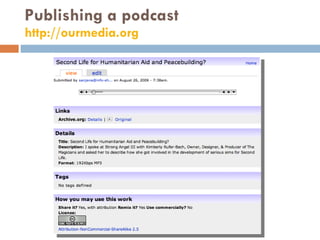
Publishing a podcast http://ourmedia.org
YouTube http://www.youtube.com
Flickr
Use the tools in your OS Microsoft Office Picture Manager iPhoto on the Mac Basics the same as high end software Easy to use
Use the tools in your OS Windows Movie Maker on the PC iMovie on the Mac
Google Maps http://www.ushahidi.com/
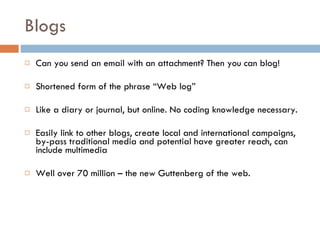
Blogs Can you send an email with an attachment? Then you can blog! Shortened form of the phrase “Web log” Like a diary or journal, but online. No coding knowledge necessary. Easily link to other blogs, create local and international campaigns, by-pass traditional media and potential have greater reach, can include multimedia  Well over 70 million – the new Guttenberg of the web.
Blogs
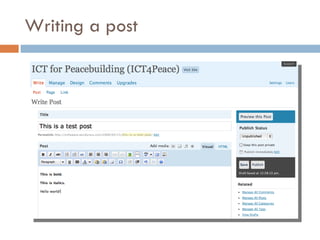
Writing a post
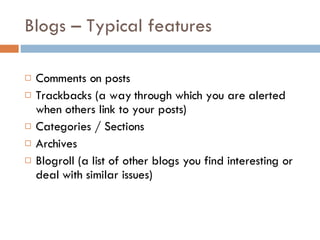
Blogs – Typical features Comments on posts Trackbacks (a way through which you are alerted when others link to your posts) Categories / Sections Archives Blogroll (a list of other blogs you find interesting or deal with similar issues)
RSS RSS stands for Really Simple Syndication, which is a great name because the concept is just that: Really simple. It allows you to subscribe to an information feed that gets delivered directly to your RSS reader or Web browser.  So instead of visiting several different Web pages each day or performing the same Web searches over and over, you can set up RSS feeds to do it for you.
Google Reader http://reader.google.com
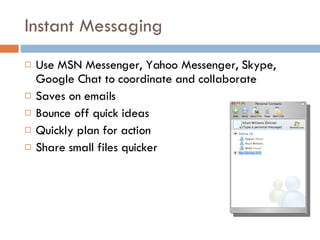
Instant Messaging Use MSN Messenger, Yahoo Messenger, Skype, Google Chat to coordinate and collaborate Saves on emails Bounce off quick ideas Quickly plan for action Share small files quicker
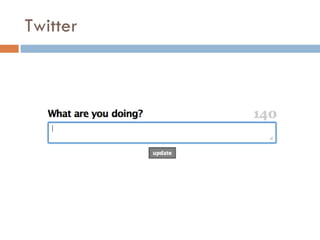
Twitter
Twitter.com
Mobiles In everyone’s hands Persistent – Messages can be stored, forwarded Cheaper to buy than a PC Web integration (mobile > Twitter > RSS) Great for community campaigns. Can complement other media strategies for national level campaigns. Citizen journalism – Everyone is a witness!
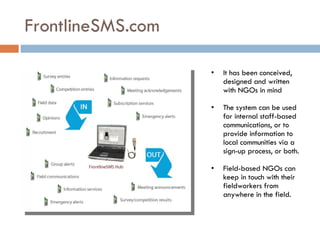
FrontlineSMS.com It has been conceived, designed and written with NGOs in mind The system can be used for internal staff-based communications, or to provide information to local communities via a sign-up process, or both. Field-based NGOs can keep in touch with their fieldworkers from anywhere in the field.
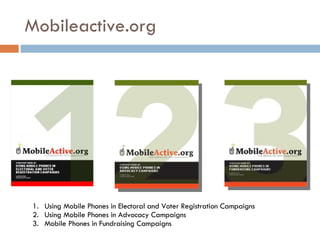
Mobileactive.org Using Mobile Phones in Electoral and Voter Registration Campaigns Using Mobile Phones in Advocacy Campaigns Mobile Phones in Fundraising Campaigns
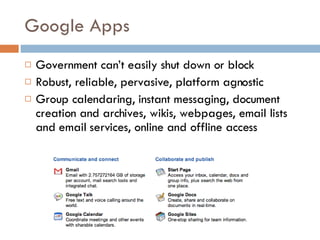
Google Apps Government can’t easily shut down or block Robust, reliable, pervasive, platform agnostic Group calendaring, instant messaging, document creation and archives, wikis, webpages, email lists and email services, online and offline access
This I believe http://www.thisibelieve.org
Conversations with history http://www.uctv.tv/cwh/
Insight on conflict http://www.insightonconflict.org/
Groundviews http://www.groundviews.org
Oral histories – VOR Radio
My personal bias
Ideas Ask people to send in ideas for peace on pre-paid forms (through post) printed inside toothpaste, shampoo, soap, washing powder, milk power cartons and packages – which target females in households who may not necessarily otherwise engage in peace related dialogues. Scan or capture feedback and post it on website. A website that counts down to a million “voices” in support of peace – people call in to a toll-free hotline from any mobile or landline to answer a) what does peace mean to you b) how will you work towards strengthen that which you outlined in (a) – in three minutes or less.
Ideas Collaborate with projects such as www.witness.org that use digital media to record human rights violations Mobile phone based “swarming” –get your community together quickly to a spot to stand up for something Capture ideas for peace through mobiles (competitions for best 5 word idea for peace via SMS)
Thank you! [email_address] http://ict4peace.wordpress.com http://sanjanah.wordpress.com

Technology For Peace - Ideas From The Trenches

  • 1.
    TECHNOLOGY FOR PEACE:IDEAS FROM THE TRENCHES Sanjana Hattotuwa
  • 2.
  • 3.
    Conflict transformation Aprocess of engaging with and transforming relationships , interests, discourses and, if necessary, the very constitution of society that supports the continuation of violent conflict CT cautions against too much of confidence in to agreements Conflict can never be resolved, but it can be transformed negotiate differences non-violently
  • 4.
    ICT and conflicttransformation Conflict Transformation “ Satisficing” Culturally appropriate and sustainable Mobiles as well as PCs Open Standars Interoperable Online + Offline
  • 5.
    ICT4Peace? “ Wevalue the potential of ICTs to promote peace and to prevent conflict which, inter alia, negatively affects achieving development goals. ICTs can be used for identifying conflict situations through early-warning systems preventing conflicts, promoting their peaceful resolution, supporting humanitarian action, including protection of civilians in armed conflicts, facilitating peacekeeping missions, and assisting post conflict peace-building and reconstruction.” Paragraph 36, WSIS Tunis Commitment, 2005
  • 6.
    My work inSri Lanka Writing from 2001, working actively from 2003 Set up InfoShare in 2003 – only one of its kind in Sri Lanka Applied research – technology that works, not just promises Real life scenarios Imagining solutions and pushing the art of the possible
  • 7.
    Scenario Grassroots organisationwith big staff turnover Limited Human, Financial and Technical resources Website launched but not updated You need to communicate your work You need to communicate your community’s ideas and aspirations / possible engender them Apathetic and unreliable traditional media coverage Violent context
  • 8.
  • 9.
  • 10.
    Planning for contentThink strategically – knowledge expands exponentially Text, photos, audio and video complement each other Who are your primary and secondary audiences? Who are your content producers? What media do the above use?
  • 11.
    Web 2.0 Wikipediaand Facebook are prime examples User generated content “ In 2006, the World Wide Web became a tool for bringing together the small contributions of millions of people and making them matter.” – Time Magazine Interactive, community based, conversational spaces Two way communications
  • 12.
    Facebook – Forpersonal use http://www.facebook.com
  • 13.
    Facebook – Forcampaigns http://www.facebook.com
  • 14.
    VOIP Voice overInternet Protocol / Voice over IP Gives ulcers, migraines and reduces life expectancy of traditional telecoms executives Free PC to PC anywhere in the world anytime Cheap international dialing rates for fixed and mobile phones Call conferencing Easy recording for podcasts / Great for interviews
  • 15.
  • 16.
  • 17.
    Call recorders forSkype You can use any of these programme to easily create a recording of your conversation, which you can upload to the web and create a podcast with ease.
  • 18.
    Podcasts Audio broadcastavailable on the Web to the public for free downloading to a personal computer or a digital audio player.
  • 19.
    Podcast recording Audacityfor Windows XP / Vista / Mac / Linux Quicktime 8 for Mac
  • 20.
    Publishing a podcasthttp://ourmedia.org
  • 21.
  • 22.
  • 23.
    Use the toolsin your OS Microsoft Office Picture Manager iPhoto on the Mac Basics the same as high end software Easy to use
  • 24.
    Use the toolsin your OS Windows Movie Maker on the PC iMovie on the Mac
  • 25.
  • 26.
    Blogs Can yousend an email with an attachment? Then you can blog! Shortened form of the phrase “Web log” Like a diary or journal, but online. No coding knowledge necessary. Easily link to other blogs, create local and international campaigns, by-pass traditional media and potential have greater reach, can include multimedia Well over 70 million – the new Guttenberg of the web.
  • 27.
  • 28.
  • 29.
    Blogs – Typicalfeatures Comments on posts Trackbacks (a way through which you are alerted when others link to your posts) Categories / Sections Archives Blogroll (a list of other blogs you find interesting or deal with similar issues)
  • 30.
    RSS RSS standsfor Really Simple Syndication, which is a great name because the concept is just that: Really simple. It allows you to subscribe to an information feed that gets delivered directly to your RSS reader or Web browser. So instead of visiting several different Web pages each day or performing the same Web searches over and over, you can set up RSS feeds to do it for you.
  • 31.
  • 32.
    Instant Messaging UseMSN Messenger, Yahoo Messenger, Skype, Google Chat to coordinate and collaborate Saves on emails Bounce off quick ideas Quickly plan for action Share small files quicker
  • 33.
  • 34.
  • 35.
    Mobiles In everyone’shands Persistent – Messages can be stored, forwarded Cheaper to buy than a PC Web integration (mobile > Twitter > RSS) Great for community campaigns. Can complement other media strategies for national level campaigns. Citizen journalism – Everyone is a witness!
  • 36.
    FrontlineSMS.com It hasbeen conceived, designed and written with NGOs in mind The system can be used for internal staff-based communications, or to provide information to local communities via a sign-up process, or both. Field-based NGOs can keep in touch with their fieldworkers from anywhere in the field.
  • 37.
    Mobileactive.org Using MobilePhones in Electoral and Voter Registration Campaigns Using Mobile Phones in Advocacy Campaigns Mobile Phones in Fundraising Campaigns
  • 38.
    Google Apps Governmentcan’t easily shut down or block Robust, reliable, pervasive, platform agnostic Group calendaring, instant messaging, document creation and archives, wikis, webpages, email lists and email services, online and offline access
  • 39.
    This I believehttp://www.thisibelieve.org
  • 40.
    Conversations with historyhttp://www.uctv.tv/cwh/
  • 41.
    Insight on conflicthttp://www.insightonconflict.org/
  • 42.
  • 43.
  • 44.
  • 45.
  • 46.
    Ideas Ask peopleto send in ideas for peace on pre-paid forms (through post) printed inside toothpaste, shampoo, soap, washing powder, milk power cartons and packages – which target females in households who may not necessarily otherwise engage in peace related dialogues. Scan or capture feedback and post it on website. A website that counts down to a million “voices” in support of peace – people call in to a toll-free hotline from any mobile or landline to answer a) what does peace mean to you b) how will you work towards strengthen that which you outlined in (a) – in three minutes or less.
  • 47.
    Ideas Collaborate withprojects such as www.witness.org that use digital media to record human rights violations Mobile phone based “swarming” –get your community together quickly to a spot to stand up for something Capture ideas for peace through mobiles (competitions for best 5 word idea for peace via SMS)
  • 48.
    Thank you! [email_address]http://ict4peace.wordpress.com http://sanjanah.wordpress.com