Field web 2.0 forum Thursday 7 May 2009
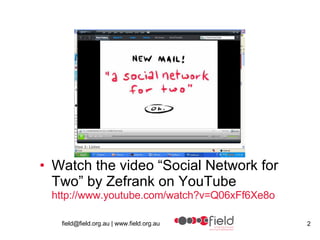
Watch the video “Social Network for Two” by Zefrank on YouTube http:// www.youtube.com/watch?v =Q06xFf6Xe8o
field field – furthering inclusive learning and development A major aim of our organization is to incorporate new technologies into the disability sector for the purposes more successful recruitment and retention and to strengthen and widen learning and development
Forum Overview Web2.0, social software and social media are some of the terms that are being used widely. This forum will provide an introduction into web2.0 technologies and some of the various tools.
Forum agenda Introduction – Peter Roberts: field CEO What is web2.0?  Why should you or your organisation engage with web2.0?  Advantages and challenges of using web2.0 technologies  Examples of web 2.0 tools BREAK Guest presenter – Anthony Harrison, Reactive Case studies Our experience  What next
web1.0 and web2.0 Web1.0:  The information published on the web in a static manner. It is like your word document on the web with pictures and formatting done neatly. Hyper-linking the web-pages and bookmarking were two of the most important aspect of Web1.0 world. . Even today more than 70% users are only familiar with Web1.0. Web2.0:  This term was coined by Tim O’Reilly The information published in web2.0 world is very different from web1.0. There is a very high importance given on usability and sharing. The information published in Web2.0 world travels like wild fire, either partially or in full. Web2.0 world has less clutter coupled with easy retrieval of precise information and furthermore building upon that information and sharing it further. Widgets and Tagging are two important features of Web2.0. For a comprehensive information on web2.0,  click here Arun Prabhudesai  was published on August 13th, 2007
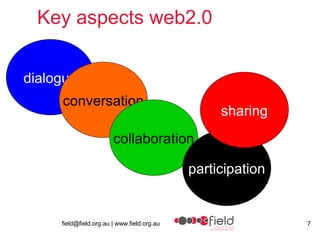
Key aspects web2.0 dialogue conversation collaboration participation sharing
Terms Web2.0 tools Web2.0 technologies Social media Social software
Social Software – a definition Is defined as a tool that must meet at least two of the three following conditions: It allows people to communicate, collaborate, and build community online. It can be syndicated, shared, reused, or remixed, or it facilitates syndication. It lets people learn easily from and capitalize on the behavior or knowledge of others. David Lee King – Social Software in Libraries
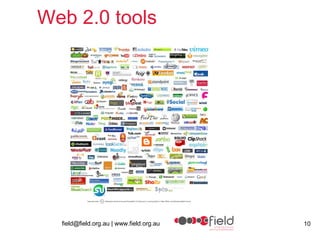
Web 2.0 tools
Examples of social software Blogs Forums Wikis Social Bookmarking Virtual Conferencing Writeboards Skype Mobile Phone network Photo Publishing Digital Stories Podcasting 3D (eg second life) RSS (really simple syndication) Slideshare
Common concerns Loss of control over your organization's branding and marketing messages  Dealing with negative comments  Addressing personality versus organizational voice  Not being successful, fear of failure  Perception of wasted of time and resources  Suffering from information overload  Source wearemedia
Advantages reverse mentoring greater participation flexibility of information sharing appeals to the ‘net gen’ (future) – RECRUITMENT  fluid new level of interaction and knowledge sharing new level of interaction and knowledge sharing
Advantages re-usable (videos on youtube can be reused in different situations) everyone can be a producer, creator, a teacher, a learner access to collective knowledge connects distance people knowledge sharing ability to bring information together software often  free
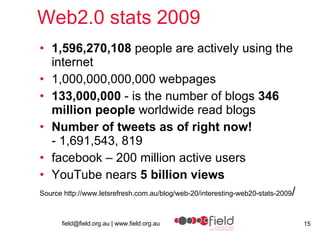
Web2.0 stats 2009 1,596,270,108  people are actively using the internet   1,000,000,000,000 webpages 133,000,000  - is the number of blogs  346 million people  worldwide read blogs  Number of tweets as of right now!   - 1,691,543, 819   facebook – 200 million active users YouTube nears  5 billion views   Source http://www.letsrefresh.com.au/blog/web-20/interesting-web20-stats-2009 /
Web2.0 tools Communication Blogs:  Blogger, LiveJournal, TypePad, WordPress, Vox  Internet forums:  vBulletin, phpBB  Micro-blogging:  twitter  Social networking:  Bebo, Facebook, LinkedIn, MySpace, Orkut, Skyrock, Hi5  Social network aggregation:  FriendFeed, Youmeo
Forums  Forums An Internet forum is a web application which provides for discussion, often in conjunction with online communities  Difference between Forum and Blog? Forums are created for discussion between several people while Blogs are mainly designed for a single user input, with possibility for other people to comment  Examples vanilla, phpbb http:// getvanilla.com /
Blogs Weblog Journal/diary publishing organisational news, sharing conference notes and reflections, sharing photos Great for subject matter specialists Search engine friendly Supplement websites Blog example:  http://beth.typepad.com/ Blog definition:  http:// en.wikipedia.org/wiki/Blog
Wordpress Wordpress is a blog publishing application www.wordpress.com Field uses wordpress for their blog: http:// fieldweb.wordpress.com
Tumblr A  tumblelog  is a type of blog  Uses short-form, mixed-media posts  Posts can be text, links quotes, photos and video Allows importing of varions tools such at YouTube, bookmarks, other blogs, etc. http://fieldlearning.tumblr.com/
Microblogging Twitter Twitter  is a free micro-blogging service that enables its users to send and read other users' text based posts Posts are  known as  tweets .  Tweets can be up to 140 characters in length  Tweets are displayed on the user's profile page and delivered to other users who have subscribed to them (known as  followers ).  using SMS may incur phone service provider fees. http://twitter.com/fieldld Twitter guide -  http:// www.twitterguide.com.au / Twitter handbook – http:// twitterhandbook.com /
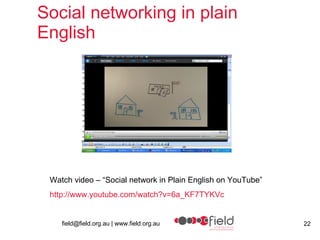
Social networking in plain English Watch video – “Social network in Plain English on YouTube” http:// www.youtube.com/watch?v =6a_KF7TYKVc
facebook Facebook is a  social utility  that  connects you  with the people around you  Organisations can set up facebook pages Facebook pages need to be set up from an individuals facebook profile You can separate your facebook profile from your organisations facebook page field  facebook  page web2.0_forum  facebook  page
ning Another example of a platform to create social network See ning definition: http://en.wikipedia.org/wiki/Ning Ning website http:// www.ning.com /
Web conferencing Web conferencing  is used to conduct live meetings or presentations via the Internet.  Examples of webconferencing software are: Elluminate and Redback
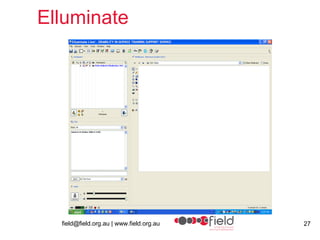
Elluminate  Elluminate  software which is a “live” interactive virtual environment for which will enable you to take part from your computer in this interactive session by talking, text messaging and listening.
Elluminate
How we have used Elluminate Online workshops Workshop facilitated by international expert on recruitment and retention  Focus group meetings Consultation sessions Potential use vocationally as a forum for people to discuss disability work
Elluminate - benefits Access to interstate and international experts  Connect with people in rural areas Good demonstration of new technology East to use and very interactive Live environment Elluminate Vroom  - http://www.elluminate.com/vroom/index.jsp
Redback Conferencing  2009 Webconferencing Screen Shots
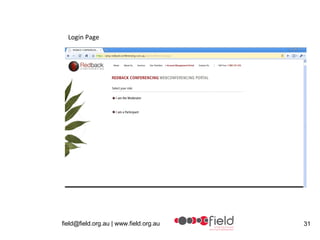
Login Page
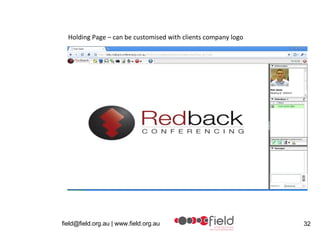
Holding Page – can be customised with clients company logo
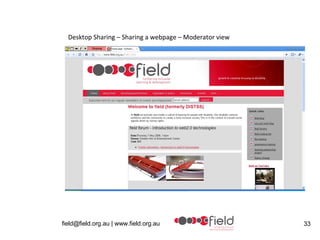
Desktop Sharing – Sharing a webpage – Moderator view
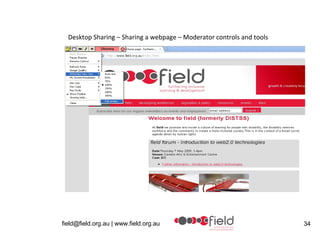
Desktop Sharing – Sharing a webpage – Moderator controls and tools
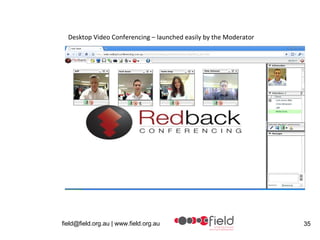
Desktop Video Conferencing – launched easily by the Moderator
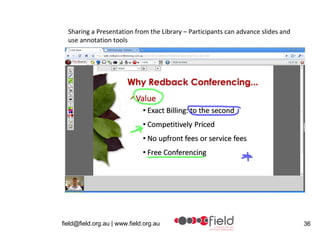
Sharing a Presentation from the Library – Participants can advance slides and use annotation tools
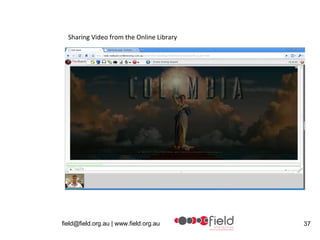
Sharing Video from the Online Library
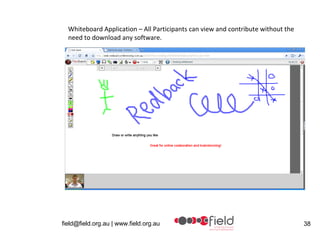
Whiteboard Application – All Participants can view and contribute without the need to download any software.
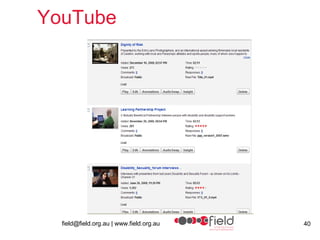
Video sharing - YouTube field  on YouTube  YouTube is a site for uploading and sharing videos Saved space on field website server New audiences Generated greater desire to produce content in new formats Realistic visual profiles of disability work  Can import YouTube videos into other applications
YouTube
Photo Sharing - Flickr Flickr (web album) Flickr is an image and webhosting service Flickr has RSS functionality that allows you to import images onto other platforms such as a website, facebook or blog See field on flickr http://www.flickr.com/photos/field_inc/
Survey Monkey Online survey software  Free and paid versions field has used survey monkey to collect responses from the sector on using social software www.surveymonkey.com
Wikis Type of webspace where users can add and edit content collectively http:// clcommunity.wikispaces.com /Evaluation Allows you to build knowledge together
VOIP - skype Skype is software that allow calls to be made over the internet VOIP  New iphone application for Skype Skype definition http:// en.wikipedia.org/wiki/Skype   www.skype.com
Social Bookmarking Social bookmarks Social bookmarking  is a method  to store, organize, search, and manage webpage bookmarks.  Tags which are one-word descriptions that are assigned to your bookmarks. Allows sharing topics of interest with others Examples – delicious, digg http://delicious.com/web2.0_forum
My Space  MySpace  is a popular social networking website offering an interactive, user-submitted network of friends, personal profiles, blogs, groups, photos, music and videos internationally.  Could be framed as a community of practice for new or potential recruits http:// www.myspace.com
Podcast/Vodcast  Podcast/Vodcast A podcast is an audio or visual file available via the Internet that you can download and listen to at any time on your computer or portable player. Practical  podcasting  guide
Slideshare  SlideShare is a place to host and share presentations. Upload all your slide decks, and find / download interesting presentations  http:// www.slideshare.net / http://www.slideshare.net/fieldld http://www.field.org.au/events/resources/quality/presentations/josie.html
RSS Feed  RSS feed Stands for - Really Simple Syndication  Technology that allows information to be fed into other platforms.  Allows people to know content is  updated Used to publish frequently updated content such as blog entries, news headlines or podcasts. http:// en.wikipedia.org/wiki/RSS_(file_format )
Technologies as tools for learning Tutorials on the web through YouTube Podcasts Example – Audacity installation and use
Case studies CP Blogs Oxfam Not just work
CP Blogs Courtesy of Robyn Cummins – Spastic Society Hey Dad  – written by the father of a 12 year old with a disability about the challenges facing families and positive ways to resolving those issues.  www.heydad.org.au   Web2Go  – written by a young journalist with cerebral palsy about Web 2.0 technologies and other exciting places on the net.  www.web2go.org.au   Freefall  – written by a young woman with  cerebral palsy about taking chances  in life after leaving the security of home.  www.freefall.org.au
CP Blogs Blogs came out of 2007-2010 Strategic Plan Advantages/disadvantages of the blogs to the organisation  Offers a public platform for greater understanding of the issues facing people with a disability and their families.  Hey Dad and Freefall are written from a strengths-based, solution-focused approach, which assists people with CP and families to reframe their thinking about living with cerebral palsy into a more positive approach.  It provides the opportunity for the public to directly communicate with the authors and for them to engage in a dialogue in some instances – e.g. Freya’s post about being bullied at school  http:// www.cpblogs.org.au/freefall/index.php?option = com_myblog&show =School- reunions.html&Itemid =3   The blogs put a more human face to the organisation’s corporate communications Freefall and Hey Dad blogs has been as ‘discussion-starters’ in our face-to-face parent support groups.  Disadvantages  additional time that is needed to moderate the comments (see below) but that is far outweighed by the benefits.  
CP blogs - How they manage the blogs Once the blog platforms were built, there are four elements involved in their administration/ maintenance. Content: Selecting the right bloggers for each blog Mentoring the bloggers on web content writing  Teaching bloggers to use the blog software – so they can draft the blog posts online, upload images, etc Editing / final authorisation for each blog (risk management strategy) Comments: Moderate and authorise comments daily (even on weekends) – authorisation required by admin before comments are published (protects the commenter as much as protecting the organisation).   Hosting/Backups/Stats: The blogs are hosted by the company that developed the Joomla blog platforms for us and they are responsible for the regular backups. We run stats reports on the blogs each month to track site usage, see which entries were most popular, etc. This helps to inform other TSC communications/parent-education activities. Promotion: the team is often asked to present to conferences / meetings about the blog project and other promotional activities such as printing and distribution of DL cards advertising the blogs, etc.
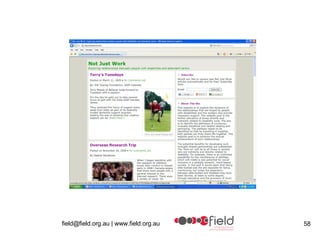
“ Not Just Work Blog” “ Not Just Work Blog”   http:// notjustwork.info /   This blog came from the  field  Learning Partnership project.  The blog  is maintained by  Ricky Buchanan .  This blog explores the dynamics of the relationships that are forged by people with disabilities and the workers who provide necessary support. It contains stories from people with a  disability and support workers Not just work on  facebook
“ Not Just Work Blog” People can add stories and Ricky moderates those that get published.  She uses the guidelines of the LPP project to determine whether it is suitable.
“ Not Just Work Blog” Benefits of the blog People with a disability and support workers can add stories that don’t normally get heard Stories can be shared widely with others Trying to promote the importance of disability support work to new audiences.
 
Issues/ Challenges Establishing trust ( Fear or suspicion of some users) Time Issues with software Constant change Picking the right tool Change of culture Access issues for organisations Reluctant users  Time taken to win people over Pre-testing requirements
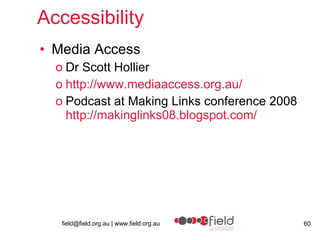
Accessibility Media Access Dr Scott Hollier http://www.mediaaccess.org.au/ Podcast at Making Links conference 2008 http://makinglinks08.blogspot.com/
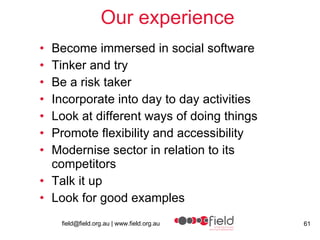
Our experience Become immersed in social software Tinker and try Be a risk taker Incorporate into day to day activities Look at different ways of doing things Promote flexibility and accessibility  Modernise sector in relation to its competitors  Talk it up Look for good examples
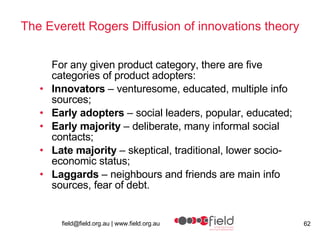
The Everett Rogers Diffusion of innovations theory For any given product category, there are five categories of product adopters:  Innovators  – venturesome, educated, multiple info sources;  Early adopters  – social leaders, popular, educated;  Early majority  – deliberate, many informal social contacts;  Late majority  – skeptical, traditional, lower socio-economic status;  Laggards  – neighbours and friends are main info sources, fear of debt.
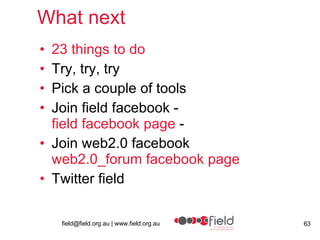
What next 23 things to do Try, try, try Pick a couple of tools Join field facebook - field  facebook  page  - Join web2.0 facebook web2.0_forum  facebook  page Twitter field
Contact field about this presentation Linda Budd [email_address] 03 8686 5622

web2.0 forum presentation

  • 1.
    Field web 2.0forum Thursday 7 May 2009
  • 2.
    Watch the video“Social Network for Two” by Zefrank on YouTube http:// www.youtube.com/watch?v =Q06xFf6Xe8o
  • 3.
    field field –furthering inclusive learning and development A major aim of our organization is to incorporate new technologies into the disability sector for the purposes more successful recruitment and retention and to strengthen and widen learning and development
  • 4.
    Forum Overview Web2.0,social software and social media are some of the terms that are being used widely. This forum will provide an introduction into web2.0 technologies and some of the various tools.
  • 5.
    Forum agenda Introduction– Peter Roberts: field CEO What is web2.0? Why should you or your organisation engage with web2.0? Advantages and challenges of using web2.0 technologies Examples of web 2.0 tools BREAK Guest presenter – Anthony Harrison, Reactive Case studies Our experience What next
  • 6.
    web1.0 and web2.0Web1.0: The information published on the web in a static manner. It is like your word document on the web with pictures and formatting done neatly. Hyper-linking the web-pages and bookmarking were two of the most important aspect of Web1.0 world. . Even today more than 70% users are only familiar with Web1.0. Web2.0: This term was coined by Tim O’Reilly The information published in web2.0 world is very different from web1.0. There is a very high importance given on usability and sharing. The information published in Web2.0 world travels like wild fire, either partially or in full. Web2.0 world has less clutter coupled with easy retrieval of precise information and furthermore building upon that information and sharing it further. Widgets and Tagging are two important features of Web2.0. For a comprehensive information on web2.0, click here Arun Prabhudesai was published on August 13th, 2007
  • 7.
    Key aspects web2.0dialogue conversation collaboration participation sharing
  • 8.
    Terms Web2.0 toolsWeb2.0 technologies Social media Social software
  • 9.
    Social Software –a definition Is defined as a tool that must meet at least two of the three following conditions: It allows people to communicate, collaborate, and build community online. It can be syndicated, shared, reused, or remixed, or it facilitates syndication. It lets people learn easily from and capitalize on the behavior or knowledge of others. David Lee King – Social Software in Libraries
  • 10.
  • 11.
    Examples of socialsoftware Blogs Forums Wikis Social Bookmarking Virtual Conferencing Writeboards Skype Mobile Phone network Photo Publishing Digital Stories Podcasting 3D (eg second life) RSS (really simple syndication) Slideshare
  • 12.
    Common concerns Lossof control over your organization's branding and marketing messages Dealing with negative comments Addressing personality versus organizational voice Not being successful, fear of failure Perception of wasted of time and resources Suffering from information overload Source wearemedia
  • 13.
    Advantages reverse mentoringgreater participation flexibility of information sharing appeals to the ‘net gen’ (future) – RECRUITMENT fluid new level of interaction and knowledge sharing new level of interaction and knowledge sharing
  • 14.
    Advantages re-usable (videoson youtube can be reused in different situations) everyone can be a producer, creator, a teacher, a learner access to collective knowledge connects distance people knowledge sharing ability to bring information together software often free
  • 15.
    Web2.0 stats 20091,596,270,108  people are actively using the internet  1,000,000,000,000 webpages 133,000,000  - is the number of blogs 346 million people worldwide read blogs Number of tweets as of right now! - 1,691,543, 819  facebook – 200 million active users YouTube nears 5 billion views   Source http://www.letsrefresh.com.au/blog/web-20/interesting-web20-stats-2009 /
  • 16.
    Web2.0 tools CommunicationBlogs: Blogger, LiveJournal, TypePad, WordPress, Vox Internet forums: vBulletin, phpBB Micro-blogging: twitter Social networking: Bebo, Facebook, LinkedIn, MySpace, Orkut, Skyrock, Hi5 Social network aggregation: FriendFeed, Youmeo
  • 17.
    Forums ForumsAn Internet forum is a web application which provides for discussion, often in conjunction with online communities Difference between Forum and Blog? Forums are created for discussion between several people while Blogs are mainly designed for a single user input, with possibility for other people to comment Examples vanilla, phpbb http:// getvanilla.com /
  • 18.
    Blogs Weblog Journal/diarypublishing organisational news, sharing conference notes and reflections, sharing photos Great for subject matter specialists Search engine friendly Supplement websites Blog example: http://beth.typepad.com/ Blog definition: http:// en.wikipedia.org/wiki/Blog
  • 19.
    Wordpress Wordpress isa blog publishing application www.wordpress.com Field uses wordpress for their blog: http:// fieldweb.wordpress.com
  • 20.
    Tumblr A tumblelog is a type of blog Uses short-form, mixed-media posts Posts can be text, links quotes, photos and video Allows importing of varions tools such at YouTube, bookmarks, other blogs, etc. http://fieldlearning.tumblr.com/
  • 21.
    Microblogging Twitter Twitter is a free micro-blogging service that enables its users to send and read other users' text based posts Posts are known as tweets . Tweets can be up to 140 characters in length Tweets are displayed on the user's profile page and delivered to other users who have subscribed to them (known as followers ). using SMS may incur phone service provider fees. http://twitter.com/fieldld Twitter guide - http:// www.twitterguide.com.au / Twitter handbook – http:// twitterhandbook.com /
  • 22.
    Social networking inplain English Watch video – “Social network in Plain English on YouTube” http:// www.youtube.com/watch?v =6a_KF7TYKVc
  • 23.
    facebook Facebook isa social utility that connects you with the people around you Organisations can set up facebook pages Facebook pages need to be set up from an individuals facebook profile You can separate your facebook profile from your organisations facebook page field facebook page web2.0_forum facebook page
  • 24.
    ning Another exampleof a platform to create social network See ning definition: http://en.wikipedia.org/wiki/Ning Ning website http:// www.ning.com /
  • 25.
    Web conferencing Webconferencing is used to conduct live meetings or presentations via the Internet. Examples of webconferencing software are: Elluminate and Redback
  • 26.
    Elluminate Elluminate software which is a “live” interactive virtual environment for which will enable you to take part from your computer in this interactive session by talking, text messaging and listening.
  • 27.
  • 28.
    How we haveused Elluminate Online workshops Workshop facilitated by international expert on recruitment and retention Focus group meetings Consultation sessions Potential use vocationally as a forum for people to discuss disability work
  • 29.
    Elluminate - benefitsAccess to interstate and international experts Connect with people in rural areas Good demonstration of new technology East to use and very interactive Live environment Elluminate Vroom - http://www.elluminate.com/vroom/index.jsp
  • 30.
    Redback Conferencing 2009 Webconferencing Screen Shots
  • 31.
  • 32.
    Holding Page –can be customised with clients company logo
  • 33.
    Desktop Sharing –Sharing a webpage – Moderator view
  • 34.
    Desktop Sharing –Sharing a webpage – Moderator controls and tools
  • 35.
    Desktop Video Conferencing– launched easily by the Moderator
  • 36.
    Sharing a Presentationfrom the Library – Participants can advance slides and use annotation tools
  • 37.
    Sharing Video fromthe Online Library
  • 38.
    Whiteboard Application –All Participants can view and contribute without the need to download any software.
  • 39.
    Video sharing -YouTube field on YouTube YouTube is a site for uploading and sharing videos Saved space on field website server New audiences Generated greater desire to produce content in new formats Realistic visual profiles of disability work Can import YouTube videos into other applications
  • 40.
  • 41.
    Photo Sharing -Flickr Flickr (web album) Flickr is an image and webhosting service Flickr has RSS functionality that allows you to import images onto other platforms such as a website, facebook or blog See field on flickr http://www.flickr.com/photos/field_inc/
  • 42.
    Survey Monkey Onlinesurvey software Free and paid versions field has used survey monkey to collect responses from the sector on using social software www.surveymonkey.com
  • 43.
    Wikis Type ofwebspace where users can add and edit content collectively http:// clcommunity.wikispaces.com /Evaluation Allows you to build knowledge together
  • 44.
    VOIP - skypeSkype is software that allow calls to be made over the internet VOIP New iphone application for Skype Skype definition http:// en.wikipedia.org/wiki/Skype www.skype.com
  • 45.
    Social Bookmarking Socialbookmarks Social bookmarking is a method to store, organize, search, and manage webpage bookmarks. Tags which are one-word descriptions that are assigned to your bookmarks. Allows sharing topics of interest with others Examples – delicious, digg http://delicious.com/web2.0_forum
  • 46.
    My Space MySpace is a popular social networking website offering an interactive, user-submitted network of friends, personal profiles, blogs, groups, photos, music and videos internationally. Could be framed as a community of practice for new or potential recruits http:// www.myspace.com
  • 47.
    Podcast/Vodcast Podcast/VodcastA podcast is an audio or visual file available via the Internet that you can download and listen to at any time on your computer or portable player. Practical podcasting guide
  • 48.
    Slideshare SlideShareis a place to host and share presentations. Upload all your slide decks, and find / download interesting presentations http:// www.slideshare.net / http://www.slideshare.net/fieldld http://www.field.org.au/events/resources/quality/presentations/josie.html
  • 49.
    RSS Feed RSS feed Stands for - Really Simple Syndication Technology that allows information to be fed into other platforms. Allows people to know content is updated Used to publish frequently updated content such as blog entries, news headlines or podcasts. http:// en.wikipedia.org/wiki/RSS_(file_format )
  • 50.
    Technologies as toolsfor learning Tutorials on the web through YouTube Podcasts Example – Audacity installation and use
  • 51.
    Case studies CPBlogs Oxfam Not just work
  • 52.
    CP Blogs Courtesyof Robyn Cummins – Spastic Society Hey Dad – written by the father of a 12 year old with a disability about the challenges facing families and positive ways to resolving those issues. www.heydad.org.au Web2Go – written by a young journalist with cerebral palsy about Web 2.0 technologies and other exciting places on the net. www.web2go.org.au Freefall – written by a young woman with cerebral palsy about taking chances in life after leaving the security of home. www.freefall.org.au
  • 53.
    CP Blogs Blogscame out of 2007-2010 Strategic Plan Advantages/disadvantages of the blogs to the organisation Offers a public platform for greater understanding of the issues facing people with a disability and their families. Hey Dad and Freefall are written from a strengths-based, solution-focused approach, which assists people with CP and families to reframe their thinking about living with cerebral palsy into a more positive approach. It provides the opportunity for the public to directly communicate with the authors and for them to engage in a dialogue in some instances – e.g. Freya’s post about being bullied at school http:// www.cpblogs.org.au/freefall/index.php?option = com_myblog&show =School- reunions.html&Itemid =3 The blogs put a more human face to the organisation’s corporate communications Freefall and Hey Dad blogs has been as ‘discussion-starters’ in our face-to-face parent support groups. Disadvantages additional time that is needed to moderate the comments (see below) but that is far outweighed by the benefits.  
  • 54.
    CP blogs -How they manage the blogs Once the blog platforms were built, there are four elements involved in their administration/ maintenance. Content: Selecting the right bloggers for each blog Mentoring the bloggers on web content writing Teaching bloggers to use the blog software – so they can draft the blog posts online, upload images, etc Editing / final authorisation for each blog (risk management strategy) Comments: Moderate and authorise comments daily (even on weekends) – authorisation required by admin before comments are published (protects the commenter as much as protecting the organisation).   Hosting/Backups/Stats: The blogs are hosted by the company that developed the Joomla blog platforms for us and they are responsible for the regular backups. We run stats reports on the blogs each month to track site usage, see which entries were most popular, etc. This helps to inform other TSC communications/parent-education activities. Promotion: the team is often asked to present to conferences / meetings about the blog project and other promotional activities such as printing and distribution of DL cards advertising the blogs, etc.
  • 55.
    “ Not JustWork Blog” “ Not Just Work Blog” http:// notjustwork.info / This blog came from the field Learning Partnership project. The blog is maintained by Ricky Buchanan . This blog explores the dynamics of the relationships that are forged by people with disabilities and the workers who provide necessary support. It contains stories from people with a disability and support workers Not just work on facebook
  • 56.
    “ Not JustWork Blog” People can add stories and Ricky moderates those that get published. She uses the guidelines of the LPP project to determine whether it is suitable.
  • 57.
    “ Not JustWork Blog” Benefits of the blog People with a disability and support workers can add stories that don’t normally get heard Stories can be shared widely with others Trying to promote the importance of disability support work to new audiences.
  • 58.
  • 59.
    Issues/ Challenges Establishingtrust ( Fear or suspicion of some users) Time Issues with software Constant change Picking the right tool Change of culture Access issues for organisations Reluctant users Time taken to win people over Pre-testing requirements
  • 60.
    Accessibility Media AccessDr Scott Hollier http://www.mediaaccess.org.au/ Podcast at Making Links conference 2008 http://makinglinks08.blogspot.com/
  • 61.
    Our experience Becomeimmersed in social software Tinker and try Be a risk taker Incorporate into day to day activities Look at different ways of doing things Promote flexibility and accessibility Modernise sector in relation to its competitors Talk it up Look for good examples
  • 62.
    The Everett RogersDiffusion of innovations theory For any given product category, there are five categories of product adopters: Innovators – venturesome, educated, multiple info sources; Early adopters – social leaders, popular, educated; Early majority – deliberate, many informal social contacts; Late majority – skeptical, traditional, lower socio-economic status; Laggards – neighbours and friends are main info sources, fear of debt.
  • 63.
    What next 23things to do Try, try, try Pick a couple of tools Join field facebook - field facebook page - Join web2.0 facebook web2.0_forum facebook page Twitter field
  • 64.
    Contact field aboutthis presentation Linda Budd [email_address] 03 8686 5622