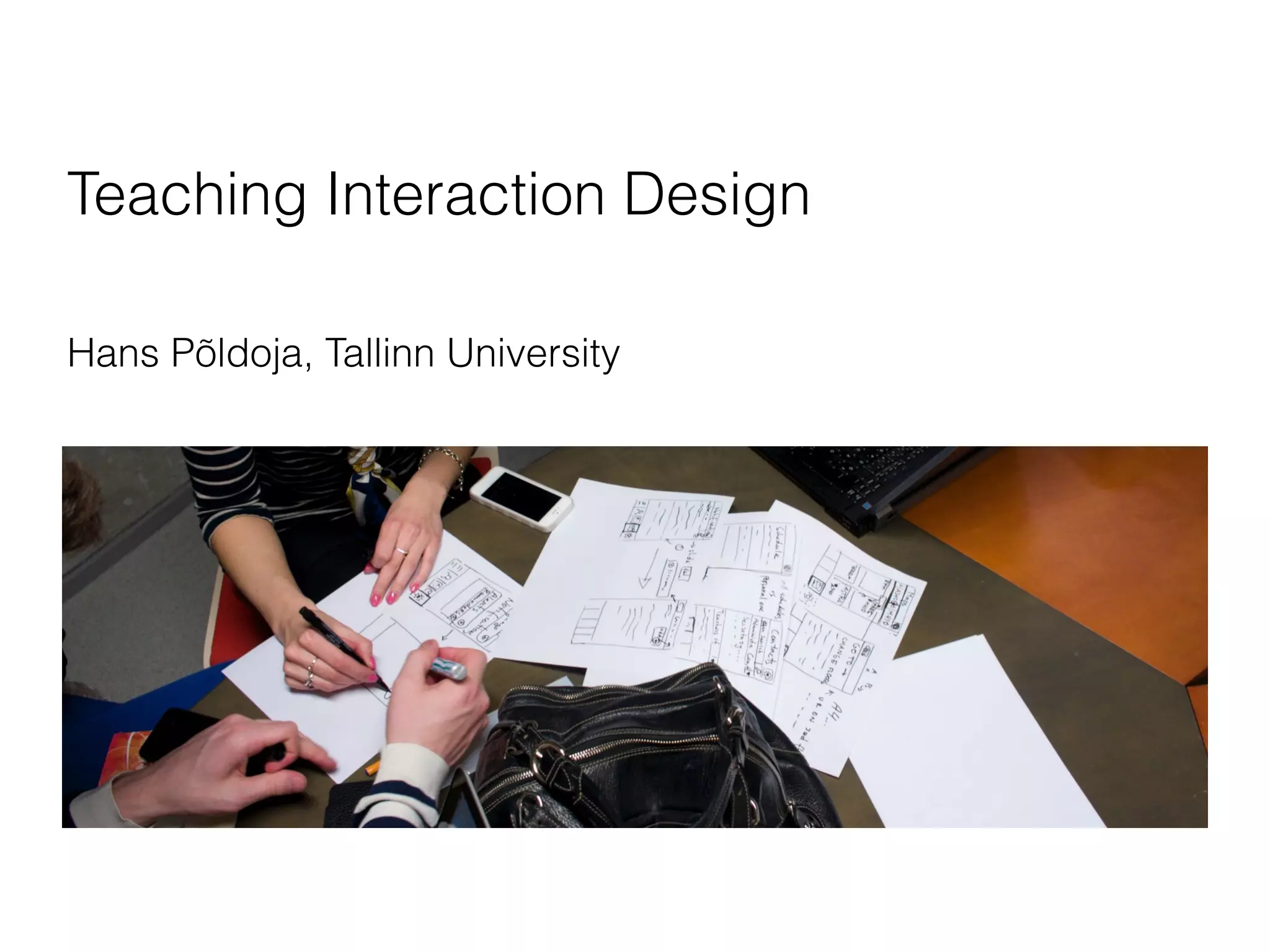




Teaching Interaction Design
Hans Põldoja, Tallinn University
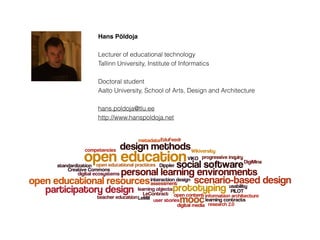
Hans Põldoja
Lecturer of educational technology
Tallinn University, Institute of Informatics
Doctoral student
Aalto University, School of Arts, Design and Architecture
hans.poldoja@tlu.ee
http://www.hanspoldoja.net
What is interaction design?
(IxDA)
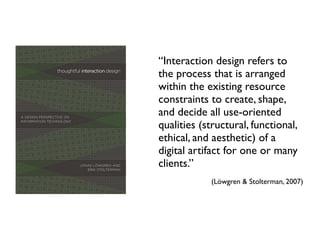
“Interaction design refers to
the process that is arranged
within the existing resource
constraints to create, shape,
and decide all use-oriented
qualities (structural, functional,
ethical, and aesthetic) of a
digital artifact for one or many
clients.”
(Löwgren & Stolterman, 2007)
HCI and Interaction Design
in Tallinn University
Interaction Design Methods
course
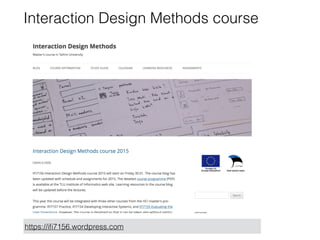
Interaction Design Methods course
https://ifi7156.wordpress.com
Structure of the course
• 5 ECTS / 130 hours
• 8 meetings (26 hours)
• work on a group project (80 hours)
• work on individual assignments (8 hours)
• work on literature (16 hours)
Types of projects
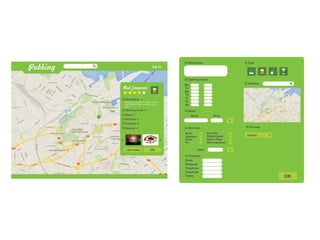
• Web applications
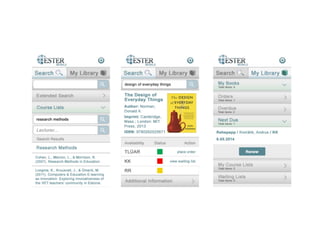
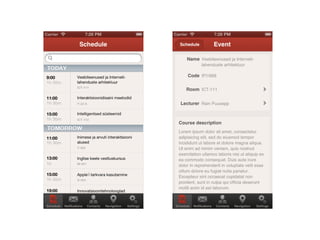
• Mobile applications
• Content-driven projects
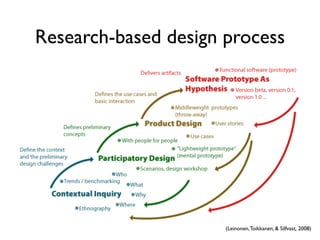
Research-based design process
(Leinonen,Toikkanen, & Silfvast, 2008)
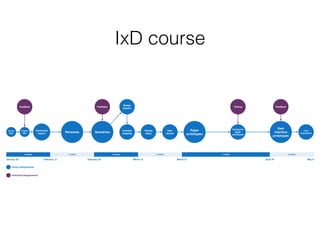
IxD course
Group
blog
Project
idea
Contextual
inquiry Personas Scenarios
Design
session
Concept
mapping
Testing
tasks
User
stories
Paper
prototypes
Testing the
paper
prototypes
User
interface
prototypes
Feedback Feedback Testing Feedback
Final
presentation
2 weeks 2 weeks 2 weeks 2 weeks 4 weeks 2 weeks
January 30 February 13 February 28 March 27 April 24 May 8
Group Assignments
Individual Assignments
March 13
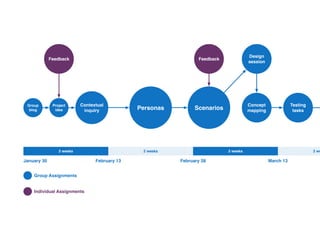
Group
blog
Project
idea
Contextual
inquiry Personas Scenarios
Design
session
Concept
mapping
Testing
tasks
Feedback Feedback
2 weeks 2 weeks 2 weeks 2 we
January 30 February 13 February 28
Group Assignments
Individual Assignments
March 13
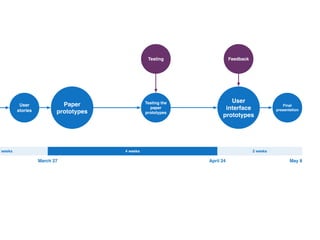
User
stories
Paper
prototypes
Testing the
paper
prototypes
User
interface
prototypes
Testing Feedback
Final
presentation
2 weeks 4 weeks 2 weeks
March 27 April 24 May 8
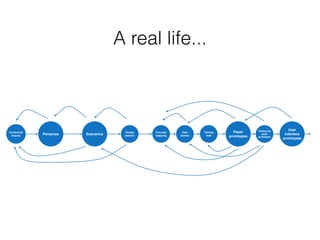
A real life...
Contextual
inquiry Personas Scenarios
Design
session
Concept
mapping
User
stories
Testing
task
Paper
prototypes
Testing the
paper
prototypes
User
interface
prototypes
Personas
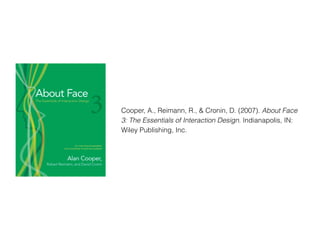
Cooper, A., Reimann, R., & Cronin, D. (2007). About Face
3: The Essentials of Interaction Design. Indianapolis, IN:
Wiley Publishing, Inc.
Persona’s elements
• Photo
• Background info (age, gender, computer, tech skills,
disabilities, ...)
• Goals
• Information seeking styles
• Usability needs
(Cooper, Reimann, & Cronin, 2007)
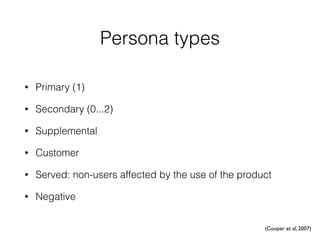
Persona types
• Primary (1)
• Secondary (0...2)
• Supplemental
• Customer
• Served: non-users affected by the use of the product
• Negative
(Cooper et al, 2007)
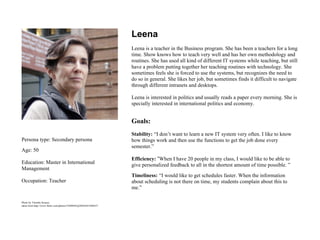
Persona type: Secondary persona
Age: 50
Education: Master in International
Management
Occupation: Teacher
Leena
Leena is a teacher in the Business program. She has been a teachers for a long
time. Show knows how to teach very well and has her own methodology and
routines. She has used all kind of different IT systems while teaching, but still
have a problem putting together her teaching routines with technology. She
sometimes feels she is forced to use the systems, but recognizes the need to
do so in general. She likes her job, but sometimes finds it difficult to navigate
through different intranets and desktops.
Leena is interested in politics and usually reads a paper every morning. She is
specially interested in international politics and economy.
Goals:
Stability: “I don’t want to learn a new IT system very often. I like to know
how things work and then use the functions to get the job done every
semester.”
Efficiency: “When I have 20 people in my class, I would like to be able to
give personalized feedback to all in the shortest amount of time possible. ”
Timeliness: “I would like to get schedules faster. When the information
about scheduling is not there on time, my students complain about this to
me.”
Photo by Timothy Krause,
taken from http://www.flickr.com/photos/33498942@N04/6421896557
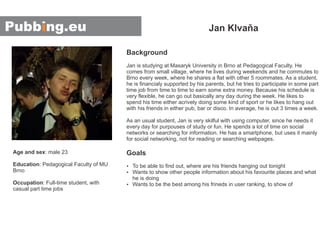
Background
Goals
Jan is studying at Masaryk University in Brno at Pedagogical Faculty. He
comes from small village, where he lives during weekends and he commutes to
Brno every week, where he shares a flat with other 5 roommates. As a student,
he is financialy supported by his parents, but he tries to participate in some part
time job from time to time to earn some extra money. Because his schedule is
very flexible, he can go out basically any day during the week. He likes to
spend his time either acrively doing some kind of sport or he likes to hang out
with his friends in either pub, bar or disco. In average, he is out 3 times a week.
As an usual student, Jan is very skilful with using computer, since he needs it
every day for purpouses of study or fun. He spends a lot of time on social
networks or searching for information. He has a smartphone, but uses it mainly
for social networking, not for reading or searching webpages.
To be able to find out, where are his friends hanging out tonightŸ
Ÿ
Ÿ
Wants to show other people information about his favourite places and what
he is doing
Wants to be the best among his frineds in user ranking, to show of
Jan Klvaňa
Age and sex
Education
Occupation
: male 23
: Pedagogical Faculty of MU
Brno
: Full-time student, with
casual part time jobs
Scenario-based design
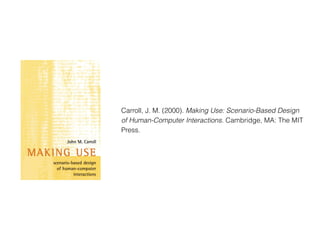
Carroll, J. M. (2000). Making Use: Scenario-Based Design
of Human-Computer Interactions. Cambridge, MA: The MIT
Press.
Scenario 1: First experience with EduFeedr
John is teaching an open online course where he has more than 30
participants. All the participants have their individual blogs where they
publish the weekly assignment. John is using a feed reader to follow all the
student blogs. He is also trying to comment all the posts that have an
inspiring ideas.
In the middle of the course John notices that it becomes increasingly
complicated to manage the course. Several participants are not able to keep
up with the tempo of the course. In the feed reader it is not easy to see
how far different participants have proceeded with the course.
One day John reads about new feed reader EduFeedr that has special features
to support online courses. It an online feed reader similar to Google
Reader. John creates an account and starts exploring the possibilities. He
can easily import all the feeds from his current feed reader.
After importing the feeds he notices that the students’ posts are somehow
grouped by the assignments. This way it is easy to see how far the
participants have proceeded with their work.
It is possible to browse students posts by a tag cloud. Among other tags
there is a tag "urgent". John clicks on the tag and finds out that a few
students who needed fast feedback to proceed with their home task have used
that tag.
There is also an image that displays the social network between the student
blogs. John can see which blogs are more actively linked and commented.
John is impressed by these possibilities. He decides to get a cup of coffee
and explore the other features of EduFeedr.
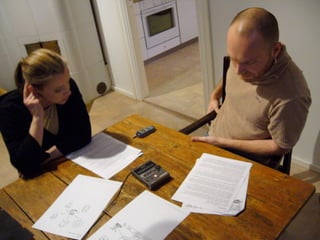
Participatory design sessions
• 2...3 participants and 1 designer
• Structured discussion about 3...4 scenarios
• Prepared questions about the scenarios
• Should not last more than 2 hours
Example questions
• Did the scenario wake-up any thoughts?
• Could you image yourself to the role of the teacher?
• Is there something you would like to change in the
scenario?
Summarizing the design
sessions
• Written summary based on audio recording or notes
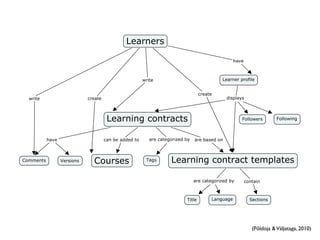
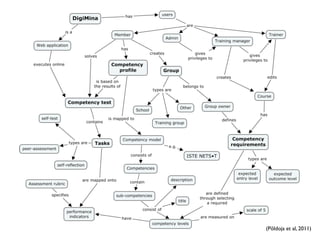
• Concept map
Concept mapping
Novak, J. D. (2010). Learning, Creating, and Using
Knowledge: Concept Maps as Facilitative Tools in Schools
and Corporations. New York, NY: Routledge.
Role in interaction design
• Summarizing design sessions
• Establishing user interface vocabulary
• Building a common understanding in a project team
• Providing input for information architecture
(Põldoja &Väljataga, 2010)
(Põldoja et al, 2011)
User stories
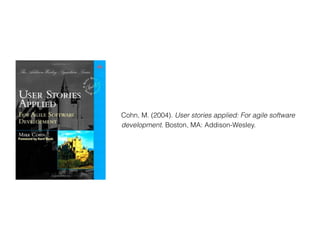
Cohn, M. (2004). User stories applied: For agile software
development. Boston, MA: Addison-Wesley.
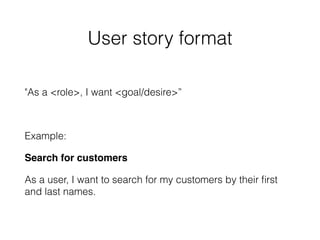
User story format
"As a <role>, I want <goal/desire>”
Example:
Search for customers
As a user, I want to search for my customers by their first
and last names.
Prototyping
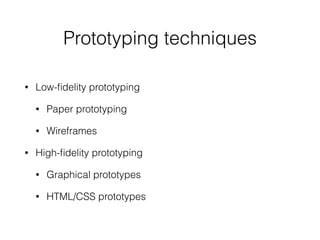
Prototyping techniques
• Low-fidelity prototyping
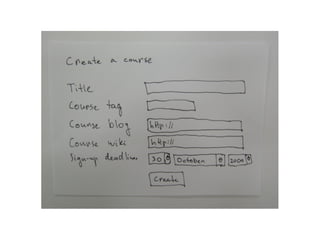
• Paper prototyping
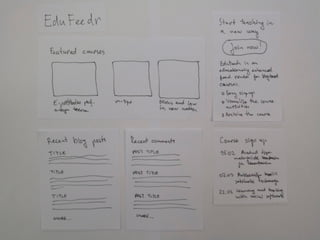
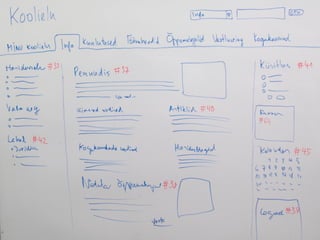
• Wireframes
• High-fidelity prototyping
• Graphical prototypes
• HTML/CSS prototypes
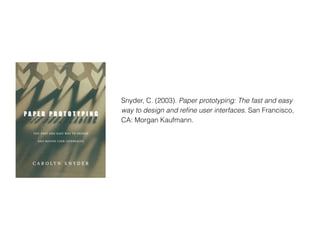
Snyder, C. (2003). Paper prototyping: The fast and easy
way to design and refine user interfaces. San Francisco,
CA: Morgan Kaufmann.
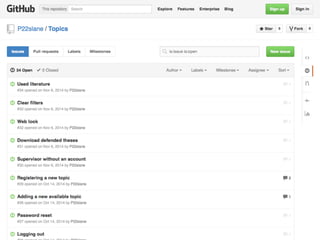
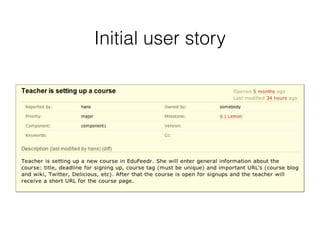
Initial user story
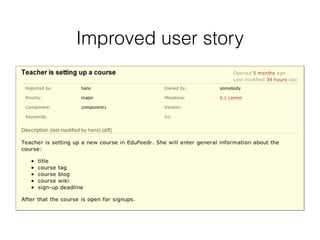
Improved user story
Detailed UI prototypes
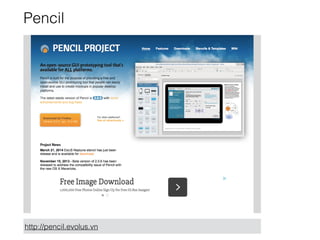
Pencil
http://pencil.evolus.vn
Axure
http://www.axure.com/edu
InVision
http://www.invisionapp.com
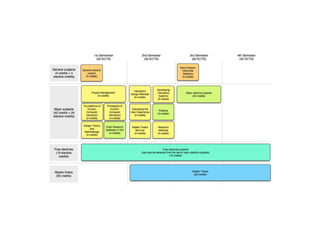
Human-Computer
Interaction master
programme
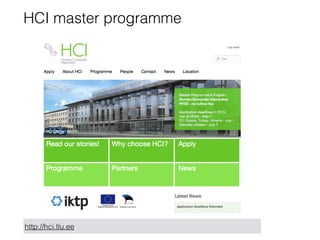
HCI master programme
http://hci.tlu.ee
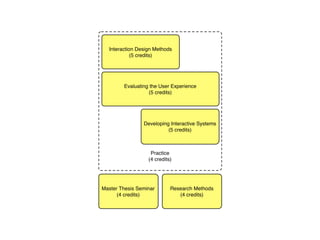
Practice
(4 credits)
Evaluating the User Experience
(5 credits)
Interaction Design Methods
(5 credits)
Developing Interactive Systems
(5 credits)
Master Thesis Seminar
(4 credits)
Research Methods
(4 credits)
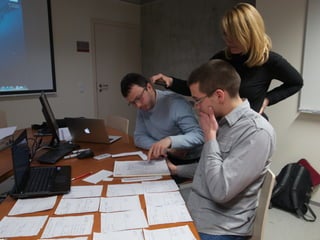
Hands-on activity: Paper
prototyping
Context: redesigning the
thesis topic database
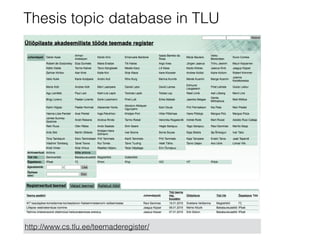
Thesis topic database in TLU
http://www.cs.tlu.ee/teemaderegister/
Prototypes
• Thesis topic page
• Supervisor page
• Curriculum page
References
• IxDA (n.d.). IxDA Mission. Retrieved from http://www.ixda.org/about/ixda-
mission
• Leinonen, T., Toikkanen, T., & Silvfast, K. (2008). Software as Hypothesis:
Research-Based Design Methodology. In Proceedings of the Tenth
Anniversary Conference on Participatory Design 2008 (pp. 61–70).
Indianapolis, IN: Indiana University.
• Löwgren, J., & Stolterman, E. (2007). Thoughtful Interaction Design: A Design
Perspective on Information Technology. Cambridge, MA: The MIT Press.
Thank You!
• hans.poldoja@tlu.ee
• http://www.slideshare.net/hanspoldoja

Teaching Interaction Design

  • 1.
    Teaching Interaction Design HansPõldoja, Tallinn University
  • 2.
    Hans Põldoja Lecturer ofeducational technology Tallinn University, Institute of Informatics Doctoral student Aalto University, School of Arts, Design and Architecture hans.poldoja@tlu.ee http://www.hanspoldoja.net
  • 3.
  • 4.
  • 5.
    “Interaction design refersto the process that is arranged within the existing resource constraints to create, shape, and decide all use-oriented qualities (structural, functional, ethical, and aesthetic) of a digital artifact for one or many clients.” (Löwgren & Stolterman, 2007)
  • 6.
    HCI and InteractionDesign in Tallinn University
  • 7.
  • 8.
    Interaction Design Methodscourse https://ifi7156.wordpress.com
  • 9.
    Structure of thecourse • 5 ECTS / 130 hours • 8 meetings (26 hours) • work on a group project (80 hours) • work on individual assignments (8 hours) • work on literature (16 hours)
  • 10.
    Types of projects •Web applications • Mobile applications • Content-driven projects
  • 15.
  • 16.
    IxD course Group blog Project idea Contextual inquiry PersonasScenarios Design session Concept mapping Testing tasks User stories Paper prototypes Testing the paper prototypes User interface prototypes Feedback Feedback Testing Feedback Final presentation 2 weeks 2 weeks 2 weeks 2 weeks 4 weeks 2 weeks January 30 February 13 February 28 March 27 April 24 May 8 Group Assignments Individual Assignments March 13
  • 17.
    Group blog Project idea Contextual inquiry Personas Scenarios Design session Concept mapping Testing tasks FeedbackFeedback 2 weeks 2 weeks 2 weeks 2 we January 30 February 13 February 28 Group Assignments Individual Assignments March 13
  • 18.
  • 19.
    A real life... Contextual inquiryPersonas Scenarios Design session Concept mapping User stories Testing task Paper prototypes Testing the paper prototypes User interface prototypes
  • 20.
  • 21.
    Cooper, A., Reimann,R., & Cronin, D. (2007). About Face 3: The Essentials of Interaction Design. Indianapolis, IN: Wiley Publishing, Inc.
  • 22.
    Persona’s elements • Photo •Background info (age, gender, computer, tech skills, disabilities, ...) • Goals • Information seeking styles • Usability needs (Cooper, Reimann, & Cronin, 2007)
  • 23.
    Persona types • Primary(1) • Secondary (0...2) • Supplemental • Customer • Served: non-users affected by the use of the product • Negative (Cooper et al, 2007)
  • 24.
    Persona type: Secondarypersona Age: 50 Education: Master in International Management Occupation: Teacher Leena Leena is a teacher in the Business program. She has been a teachers for a long time. Show knows how to teach very well and has her own methodology and routines. She has used all kind of different IT systems while teaching, but still have a problem putting together her teaching routines with technology. She sometimes feels she is forced to use the systems, but recognizes the need to do so in general. She likes her job, but sometimes finds it difficult to navigate through different intranets and desktops. Leena is interested in politics and usually reads a paper every morning. She is specially interested in international politics and economy. Goals: Stability: “I don’t want to learn a new IT system very often. I like to know how things work and then use the functions to get the job done every semester.” Efficiency: “When I have 20 people in my class, I would like to be able to give personalized feedback to all in the shortest amount of time possible. ” Timeliness: “I would like to get schedules faster. When the information about scheduling is not there on time, my students complain about this to me.” Photo by Timothy Krause, taken from http://www.flickr.com/photos/33498942@N04/6421896557
  • 25.
    Background Goals Jan is studyingat Masaryk University in Brno at Pedagogical Faculty. He comes from small village, where he lives during weekends and he commutes to Brno every week, where he shares a flat with other 5 roommates. As a student, he is financialy supported by his parents, but he tries to participate in some part time job from time to time to earn some extra money. Because his schedule is very flexible, he can go out basically any day during the week. He likes to spend his time either acrively doing some kind of sport or he likes to hang out with his friends in either pub, bar or disco. In average, he is out 3 times a week. As an usual student, Jan is very skilful with using computer, since he needs it every day for purpouses of study or fun. He spends a lot of time on social networks or searching for information. He has a smartphone, but uses it mainly for social networking, not for reading or searching webpages. To be able to find out, where are his friends hanging out tonightŸ Ÿ Ÿ Wants to show other people information about his favourite places and what he is doing Wants to be the best among his frineds in user ranking, to show of Jan Klvaňa Age and sex Education Occupation : male 23 : Pedagogical Faculty of MU Brno : Full-time student, with casual part time jobs
  • 26.
  • 27.
    Carroll, J. M.(2000). Making Use: Scenario-Based Design of Human-Computer Interactions. Cambridge, MA: The MIT Press.
  • 28.
    Scenario 1: Firstexperience with EduFeedr John is teaching an open online course where he has more than 30 participants. All the participants have their individual blogs where they publish the weekly assignment. John is using a feed reader to follow all the student blogs. He is also trying to comment all the posts that have an inspiring ideas. In the middle of the course John notices that it becomes increasingly complicated to manage the course. Several participants are not able to keep up with the tempo of the course. In the feed reader it is not easy to see how far different participants have proceeded with the course. One day John reads about new feed reader EduFeedr that has special features to support online courses. It an online feed reader similar to Google Reader. John creates an account and starts exploring the possibilities. He can easily import all the feeds from his current feed reader. After importing the feeds he notices that the students’ posts are somehow grouped by the assignments. This way it is easy to see how far the participants have proceeded with their work. It is possible to browse students posts by a tag cloud. Among other tags there is a tag "urgent". John clicks on the tag and finds out that a few students who needed fast feedback to proceed with their home task have used that tag. There is also an image that displays the social network between the student blogs. John can see which blogs are more actively linked and commented. John is impressed by these possibilities. He decides to get a cup of coffee and explore the other features of EduFeedr.
  • 29.
    Participatory design sessions •2...3 participants and 1 designer • Structured discussion about 3...4 scenarios • Prepared questions about the scenarios • Should not last more than 2 hours
  • 31.
    Example questions • Didthe scenario wake-up any thoughts? • Could you image yourself to the role of the teacher? • Is there something you would like to change in the scenario?
  • 32.
    Summarizing the design sessions •Written summary based on audio recording or notes • Concept map
  • 33.
  • 34.
    Novak, J. D.(2010). Learning, Creating, and Using Knowledge: Concept Maps as Facilitative Tools in Schools and Corporations. New York, NY: Routledge.
  • 35.
    Role in interactiondesign • Summarizing design sessions • Establishing user interface vocabulary • Building a common understanding in a project team • Providing input for information architecture
  • 36.
  • 37.
  • 38.
  • 39.
    Cohn, M. (2004).User stories applied: For agile software development. Boston, MA: Addison-Wesley.
  • 40.
    User story format "Asa <role>, I want <goal/desire>” Example: Search for customers As a user, I want to search for my customers by their first and last names.
  • 42.
  • 43.
    Prototyping techniques • Low-fidelityprototyping • Paper prototyping • Wireframes • High-fidelity prototyping • Graphical prototypes • HTML/CSS prototypes
  • 44.
    Snyder, C. (2003).Paper prototyping: The fast and easy way to design and refine user interfaces. San Francisco, CA: Morgan Kaufmann.
  • 45.
  • 47.
  • 51.
  • 52.
  • 53.
  • 54.
  • 55.
  • 56.
  • 58.
    Practice (4 credits) Evaluating theUser Experience (5 credits) Interaction Design Methods (5 credits) Developing Interactive Systems (5 credits) Master Thesis Seminar (4 credits) Research Methods (4 credits)
  • 59.
  • 60.
  • 61.
    Thesis topic databasein TLU http://www.cs.tlu.ee/teemaderegister/
  • 62.
    Prototypes • Thesis topicpage • Supervisor page • Curriculum page
  • 63.
    References • IxDA (n.d.).IxDA Mission. Retrieved from http://www.ixda.org/about/ixda- mission • Leinonen, T., Toikkanen, T., & Silvfast, K. (2008). Software as Hypothesis: Research-Based Design Methodology. In Proceedings of the Tenth Anniversary Conference on Participatory Design 2008 (pp. 61–70). Indianapolis, IN: Indiana University. • Löwgren, J., & Stolterman, E. (2007). Thoughtful Interaction Design: A Design Perspective on Information Technology. Cambridge, MA: The MIT Press.
  • 64.
    Thank You! • hans.poldoja@tlu.ee •http://www.slideshare.net/hanspoldoja