Learning Augmented Reality
in classroom:
Using the Aurasma app
prepared by Ashiedu Jude
•
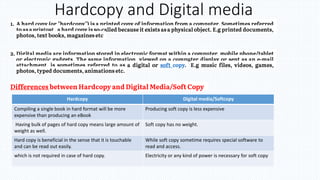
Hardcopy and Digital media
Hardcopy Digital media/Softcopy
Compiling a single book in hard format will be more
expensive than producing an eBook
Producing soft copy is less expensive
Having bulk of pages of hard copy means large amount of
weight as well.
Soft copy has no weight.
Hard copy is beneficial in the sense that it is touchable
and can be read out easily.
While soft copy sometime requires special software to
read and access.
which is not required in case of hard copy. Electricity or any kind of power is necessary for soft copy
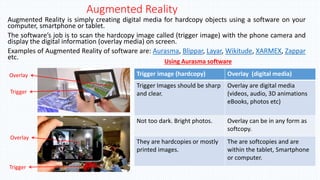
Augmented Reality
Augmented Reality is simply creating digital media for hardcopy objects using a software on your
computer, smartphone or tablet.
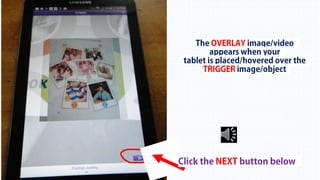
The software’s job is to scan the hardcopy image called (trigger image) with the phone camera and
display the digital information (overlay media) on screen.
Examples of Augmented Reality of software are: Aurasma, Blippar, Layar, Wikitude, XARMEX, Zappar
etc.
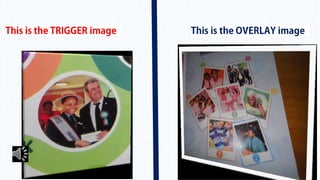
Trigger image (hardcopy) Overlay (digital media)
Trigger Images should be sharp
and clear.
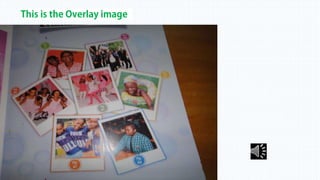
Overlay are digital media
(videos, audio, 3D animations
eBooks, photos etc)
Not too dark. Bright photos. Overlay can be in any form as
softcopy.
They are hardcopies or mostly
printed images.
The are softcopies and are
within the tablet, Smartphone
or computer.
Using Aurasma software
Trigger
Overlay
Trigger
Overlay
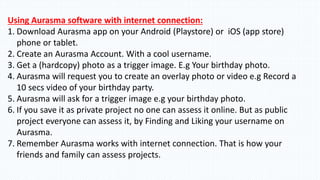
Using Aurasma software with internet connection:
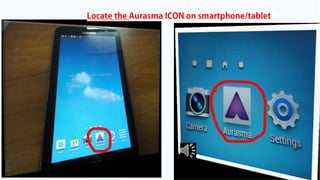
1. Download Aurasma app on your Android (Playstore) or iOS (app store)
phone or tablet.
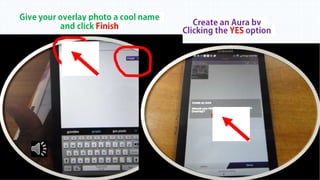
2. Create an Aurasma Account. With a cool username.
3. Get a (hardcopy) photo as a trigger image. E.g Your birthday photo.
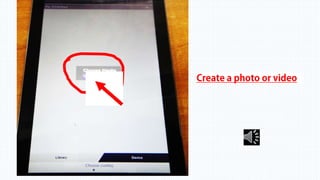
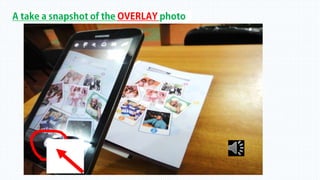
4. Aurasma will request you to create an overlay photo or video e.g Record a
10 secs video of your birthday party.
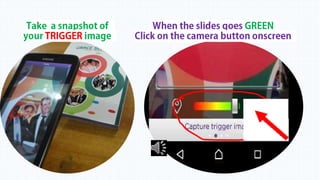
5. Aurasma will ask for a trigger image e.g your birthday photo.
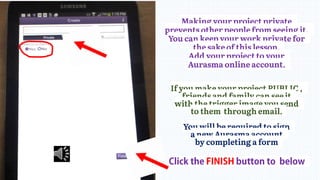
6. If you save it as private project no one can assess it online. But as public
project everyone can assess it, by Finding and Liking your username on
Aurasma.
7. Remember Aurasma works with internet connection. That is how your
friends and family can assess projects.
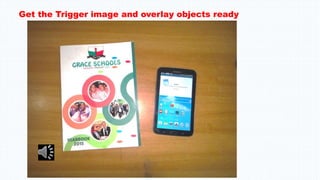
Get the Trigger image and overlay objects ready
Finally
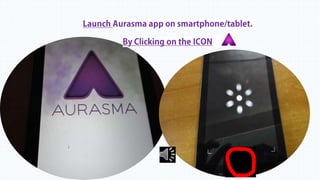
• Anytime you launch the Aurasma app on your smartphone
or tablet and hover it over the trigger image you created;
the overlay object appears on your screen.
• When you make your project PUBLIC,
photocopy the trigger image and share with your friends and family
`who can download the Aurasma app.
• Give them the NAME of your Aurasma project.
They will search it with the Aurasma app and FOLLOW your channel
for the overlay to overlay to be triggered by the image you
photocopied/printed.
Augmented Reality assignment
• Using www.infotopia.info or www.sweetsearch.com research the topic
• 1. What is Augmented Reality
• 2. 10 uses of Augmented Reality in schools.
• 3. Name two (2) ways you can use Augmented Reality at home.
• 4. Five (10) Augmented Reality software
Type, Print and spiral bind your research document
Copy & paste or click the web link on your browser:
Watch the video lesson and answer the quiz
http://www.screencast.com/t/Q0cVai4dEE

Teaching Augmented Reality using Aurasma

  • 1.
    Learning Augmented Reality inclassroom: Using the Aurasma app prepared by Ashiedu Jude
  • 2.
  • 3.
    Hardcopy and Digitalmedia Hardcopy Digital media/Softcopy Compiling a single book in hard format will be more expensive than producing an eBook Producing soft copy is less expensive Having bulk of pages of hard copy means large amount of weight as well. Soft copy has no weight. Hard copy is beneficial in the sense that it is touchable and can be read out easily. While soft copy sometime requires special software to read and access. which is not required in case of hard copy. Electricity or any kind of power is necessary for soft copy
  • 4.
    Augmented Reality Augmented Realityis simply creating digital media for hardcopy objects using a software on your computer, smartphone or tablet. The software’s job is to scan the hardcopy image called (trigger image) with the phone camera and display the digital information (overlay media) on screen. Examples of Augmented Reality of software are: Aurasma, Blippar, Layar, Wikitude, XARMEX, Zappar etc. Trigger image (hardcopy) Overlay (digital media) Trigger Images should be sharp and clear. Overlay are digital media (videos, audio, 3D animations eBooks, photos etc) Not too dark. Bright photos. Overlay can be in any form as softcopy. They are hardcopies or mostly printed images. The are softcopies and are within the tablet, Smartphone or computer. Using Aurasma software Trigger Overlay Trigger Overlay
  • 5.
    Using Aurasma softwarewith internet connection: 1. Download Aurasma app on your Android (Playstore) or iOS (app store) phone or tablet. 2. Create an Aurasma Account. With a cool username. 3. Get a (hardcopy) photo as a trigger image. E.g Your birthday photo. 4. Aurasma will request you to create an overlay photo or video e.g Record a 10 secs video of your birthday party. 5. Aurasma will ask for a trigger image e.g your birthday photo. 6. If you save it as private project no one can assess it online. But as public project everyone can assess it, by Finding and Liking your username on Aurasma. 7. Remember Aurasma works with internet connection. That is how your friends and family can assess projects.
  • 6.
    Get the Triggerimage and overlay objects ready
  • 19.
    Finally • Anytime youlaunch the Aurasma app on your smartphone or tablet and hover it over the trigger image you created; the overlay object appears on your screen. • When you make your project PUBLIC, photocopy the trigger image and share with your friends and family `who can download the Aurasma app. • Give them the NAME of your Aurasma project. They will search it with the Aurasma app and FOLLOW your channel for the overlay to overlay to be triggered by the image you photocopied/printed.
  • 20.
    Augmented Reality assignment •Using www.infotopia.info or www.sweetsearch.com research the topic • 1. What is Augmented Reality • 2. 10 uses of Augmented Reality in schools. • 3. Name two (2) ways you can use Augmented Reality at home. • 4. Five (10) Augmented Reality software Type, Print and spiral bind your research document Copy & paste or click the web link on your browser: Watch the video lesson and answer the quiz http://www.screencast.com/t/Q0cVai4dEE