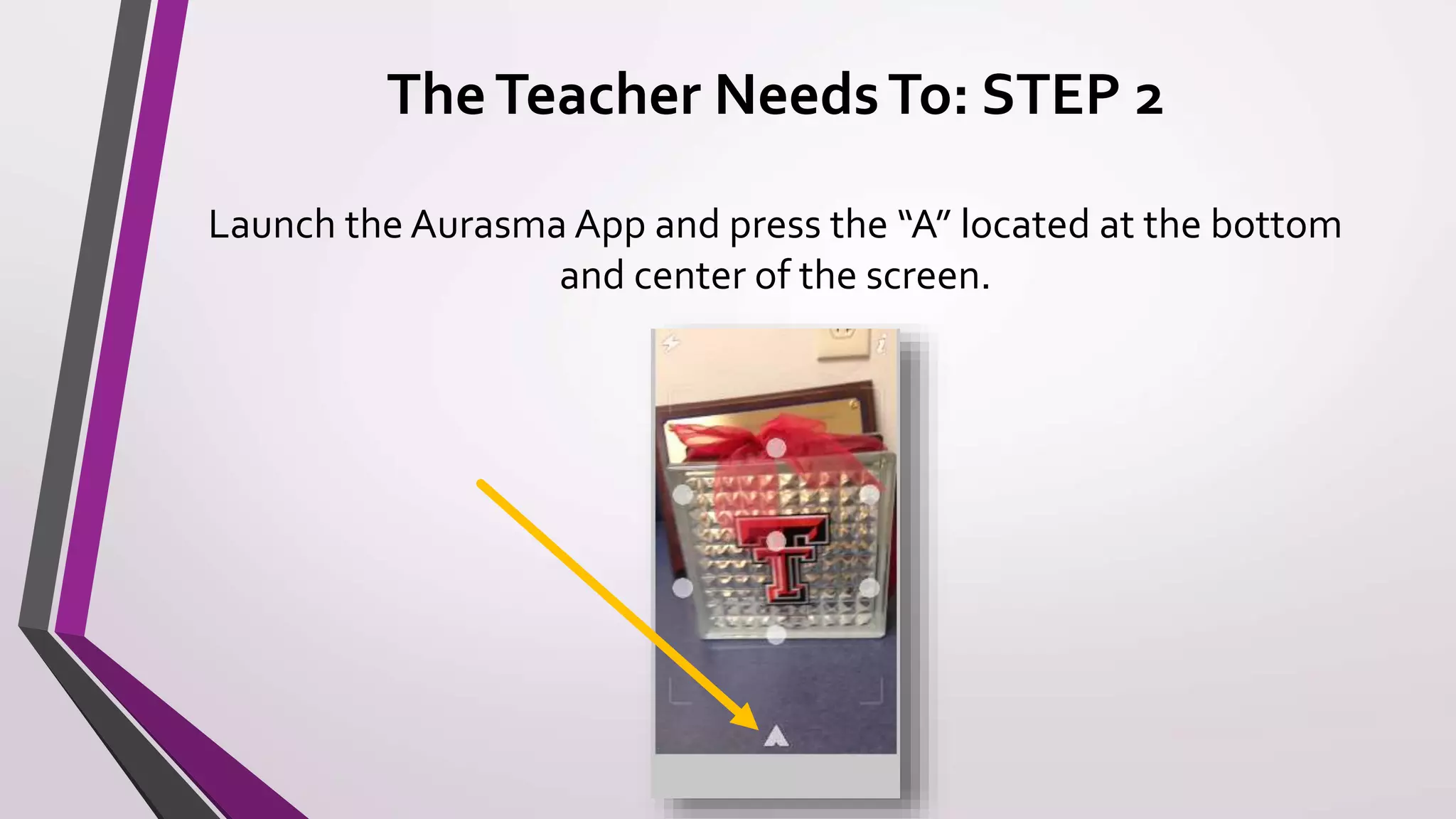
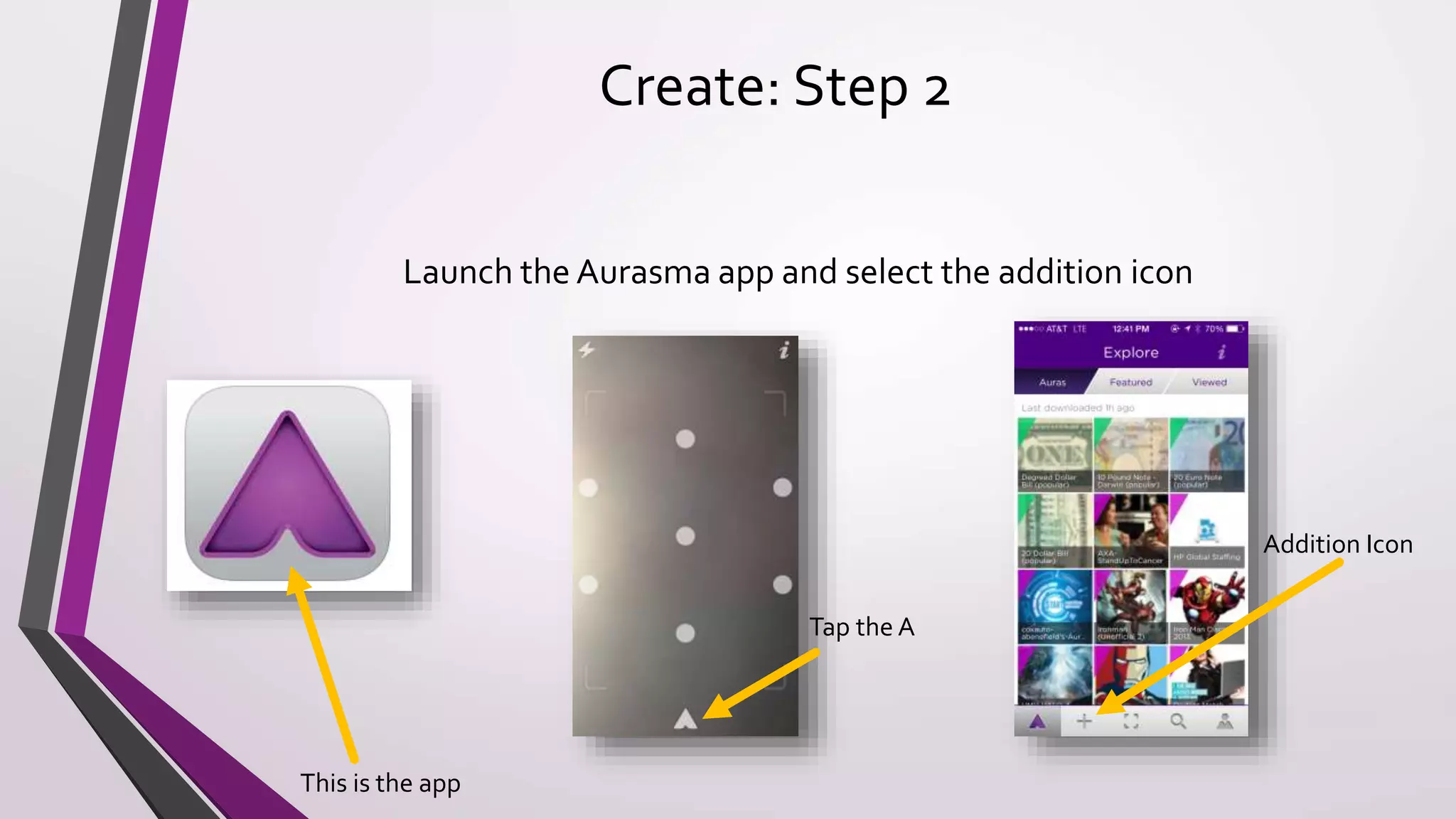
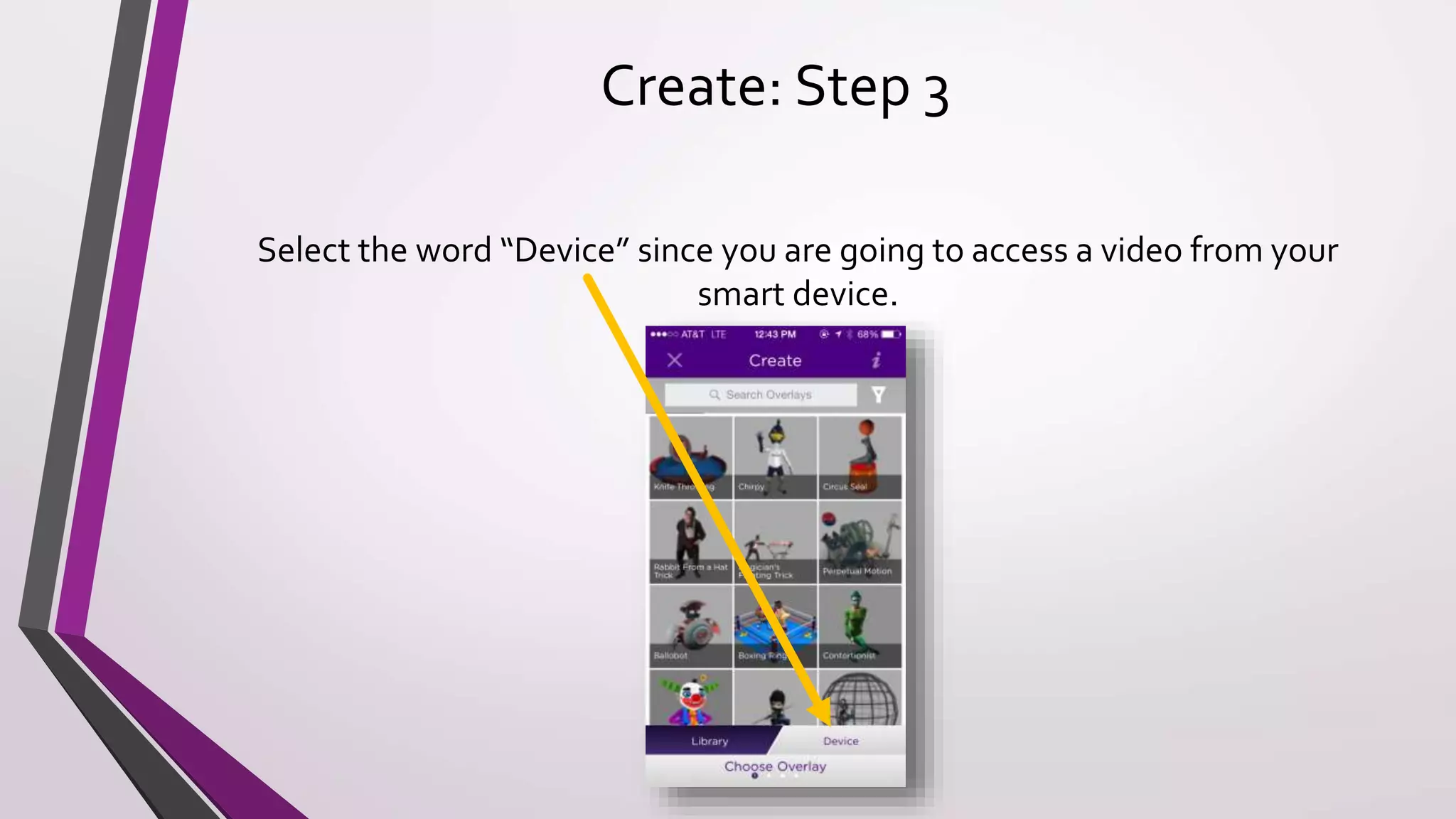
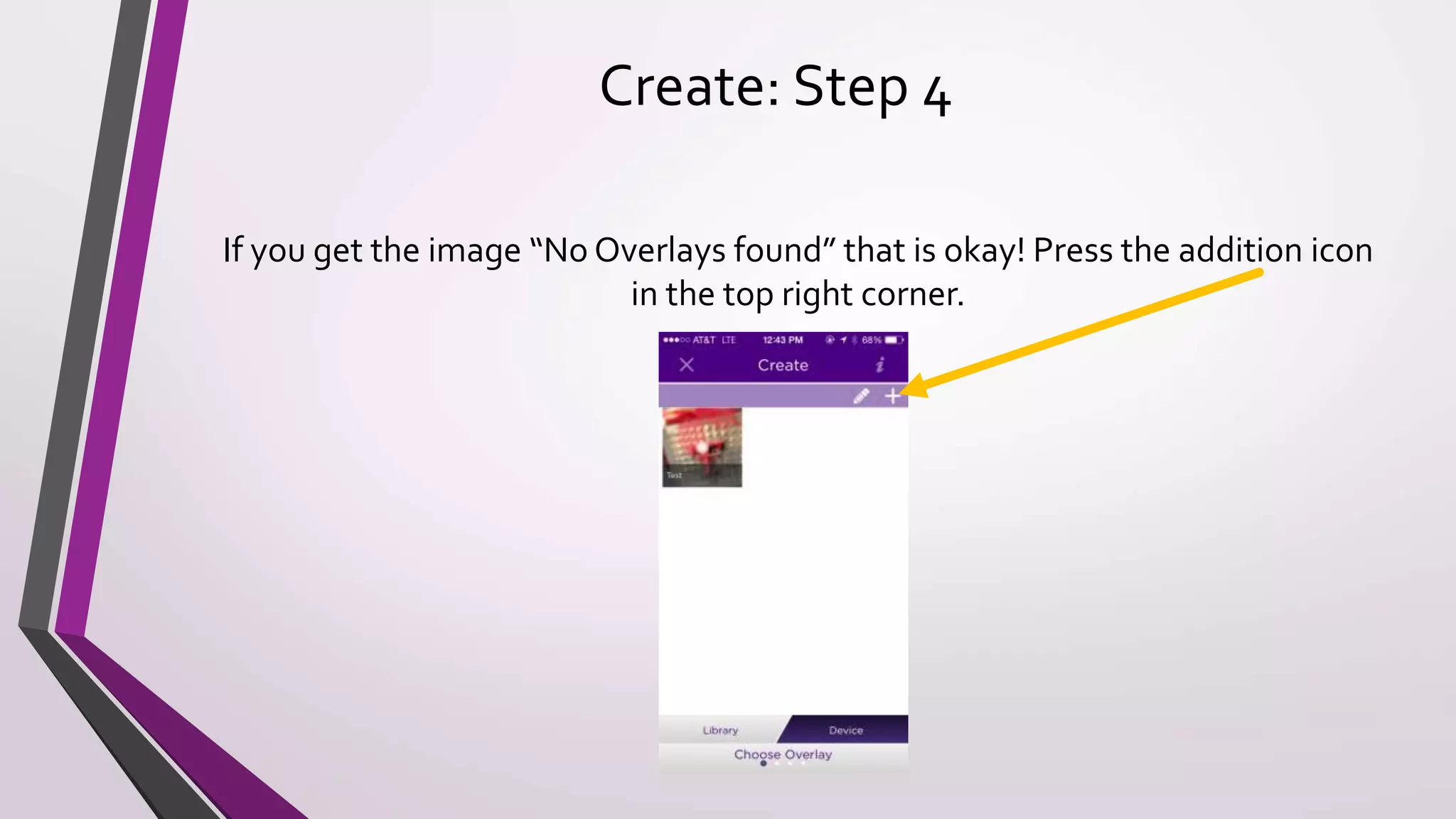
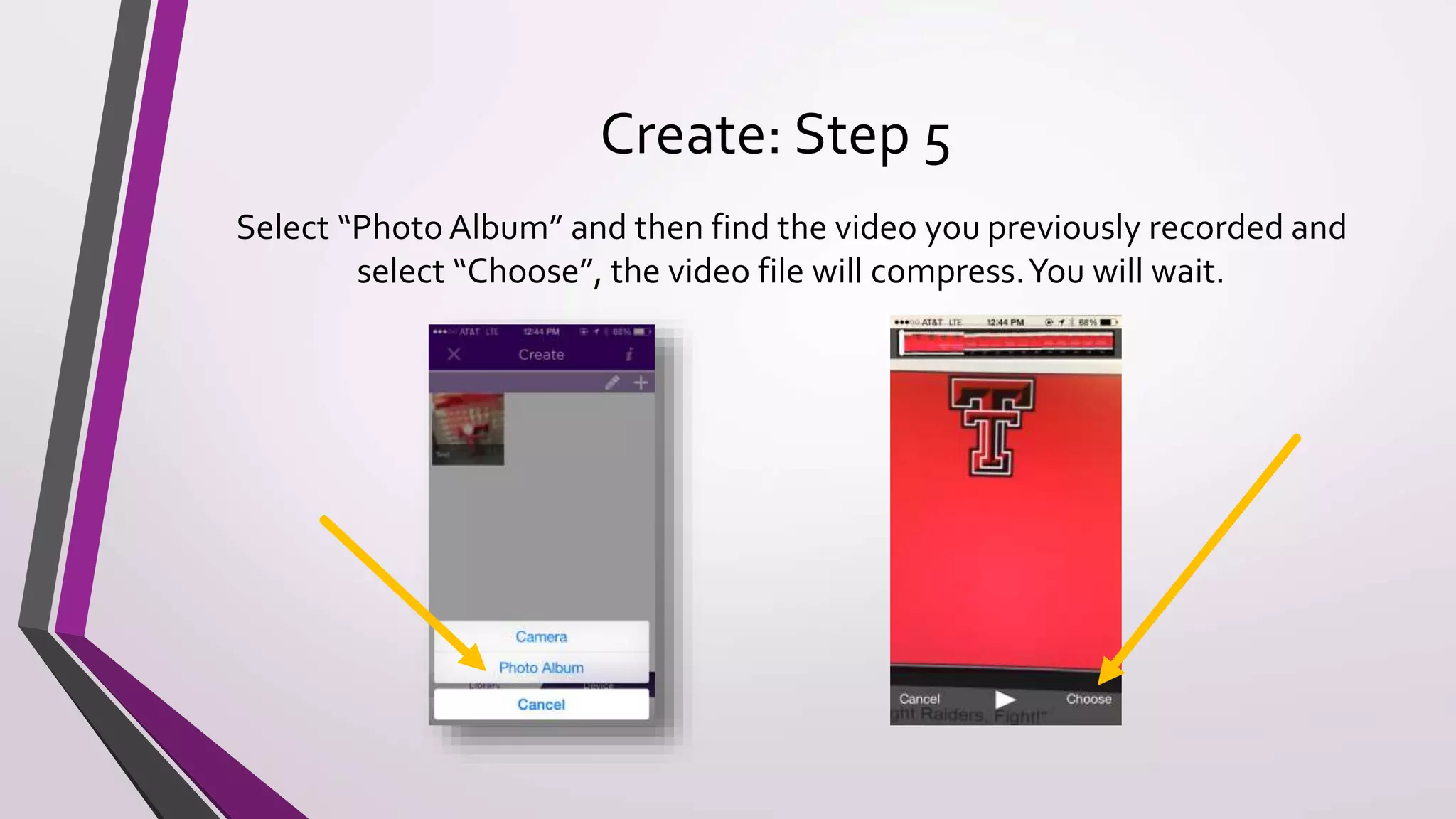
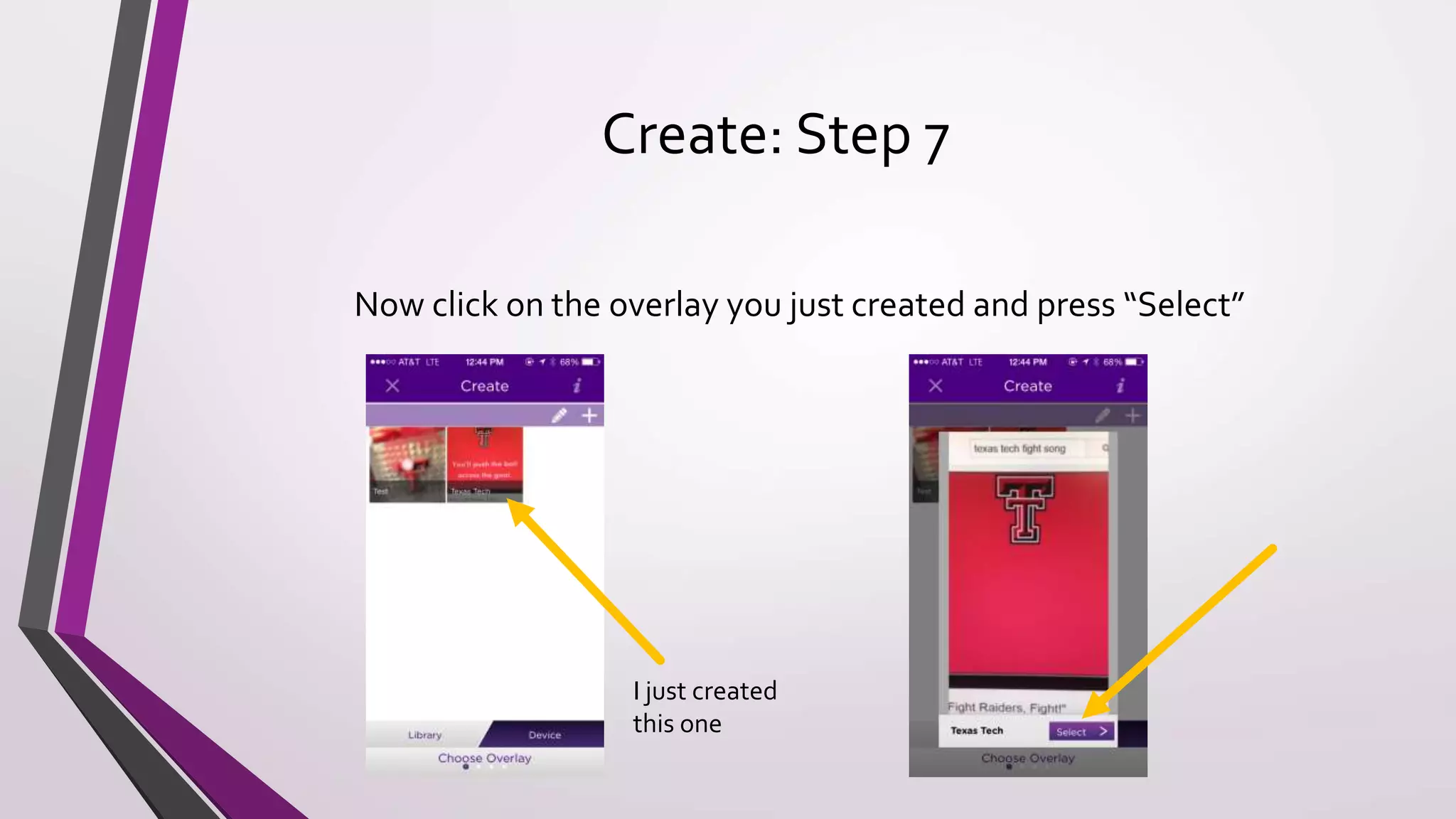
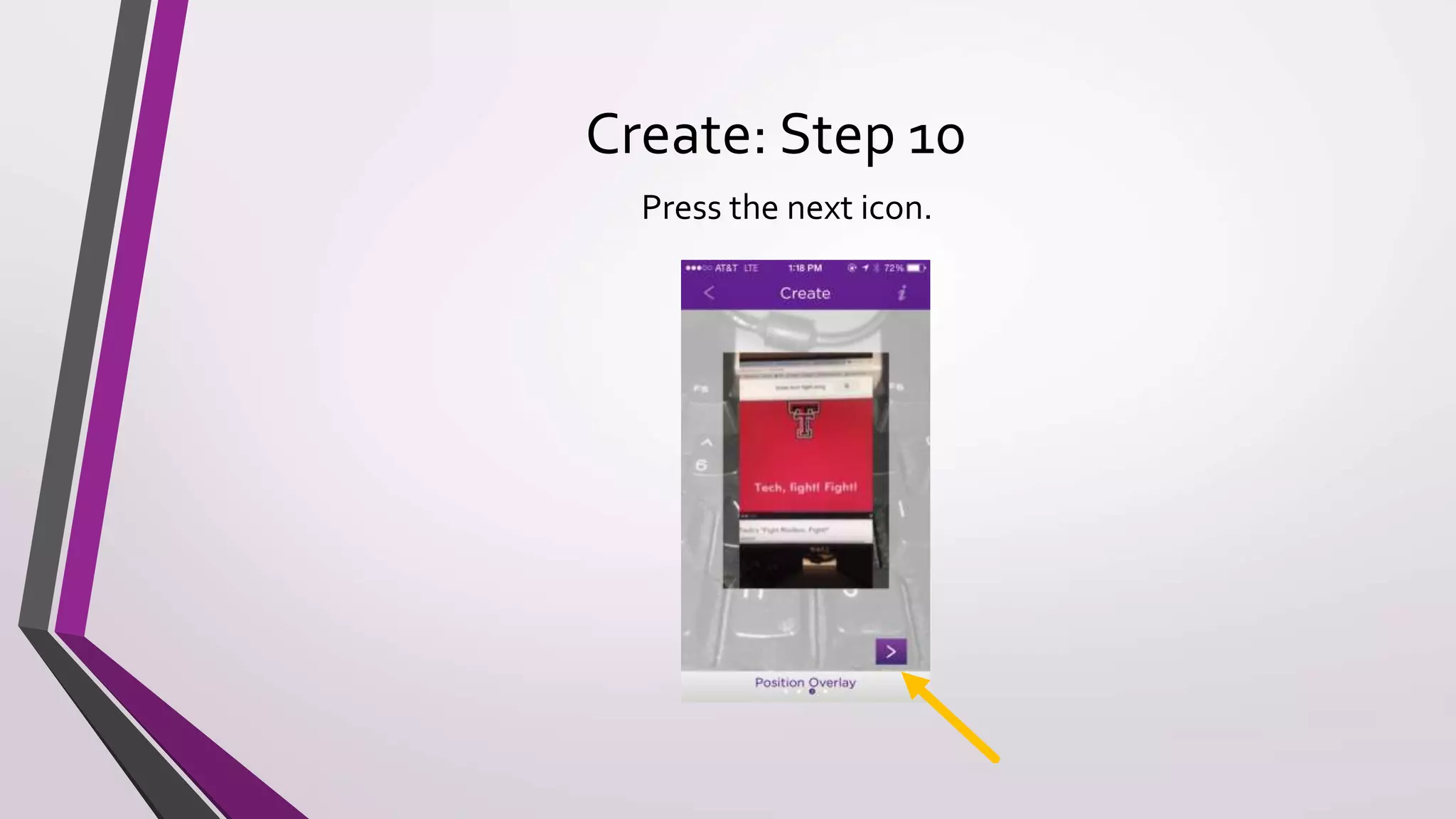
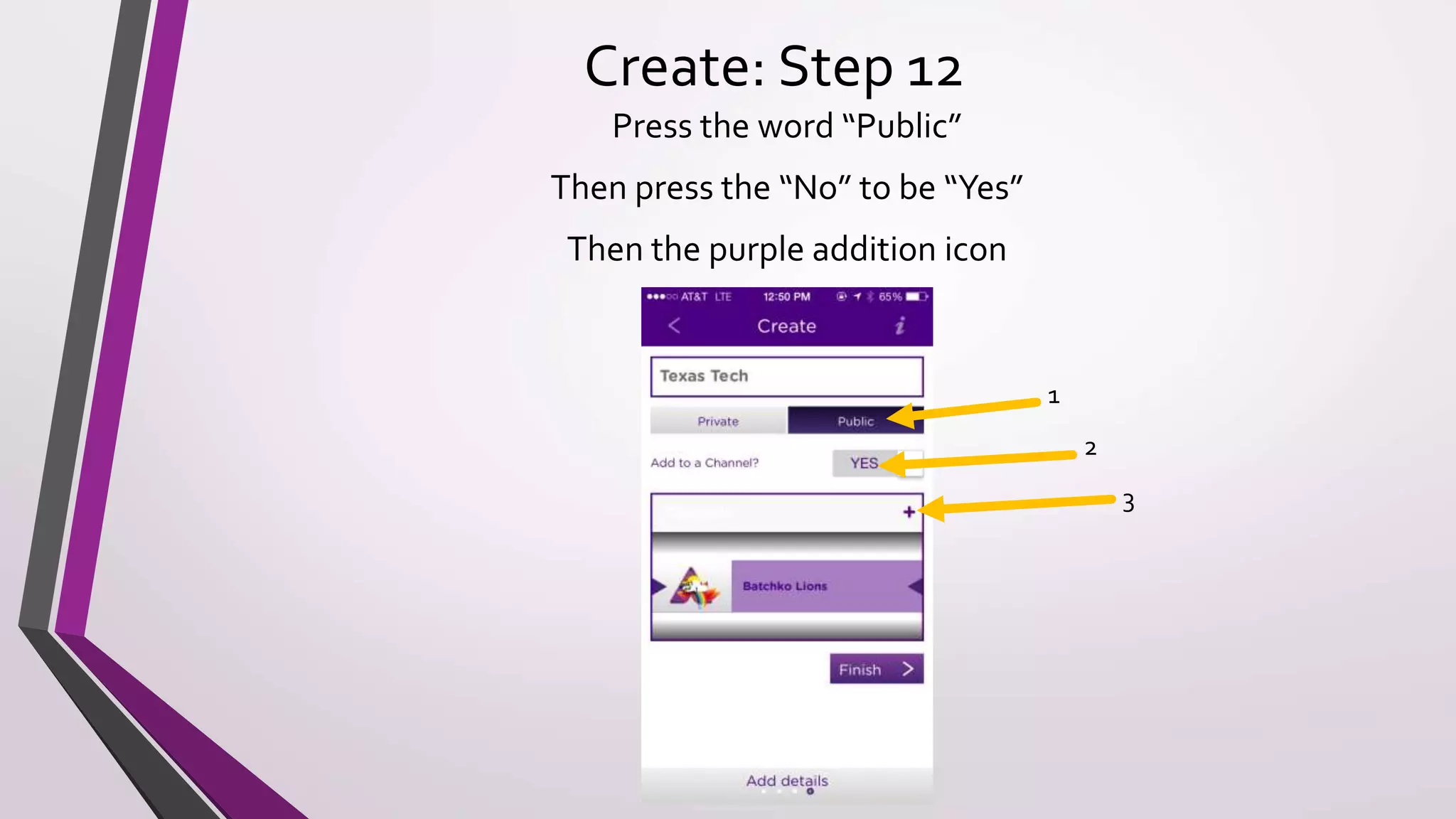
This document provides instructions for using the augmented reality app Aurasma in the classroom. It explains that Aurasma allows teachers to create augmented reality content called "Auras" by recording videos and linking them to printed trigger images. Teachers can then create a public channel to share their Auras so students can scan the trigger images to view the augmented content. The document outlines the step-by-step process for teachers and students to create and view Auras, including downloading the app, making accounts, recording and linking videos to images, and sharing the content with a class channel. It suggests ways Aurasma could be used in the classroom and encourages teachers to contact the author for additional help or resources.