Teachers´ Workshop September 2011
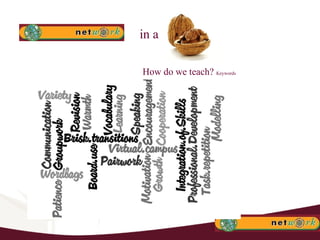
How do we teach?  Keywords in a
The Classroom of the Future is here!
Small Group Discussion From your own experience, what can you conclude about the use of technology in your classes? Consider students´ motivation and learning outcomes. What advice would you give to a teacher who is going to start using technology for the first time?
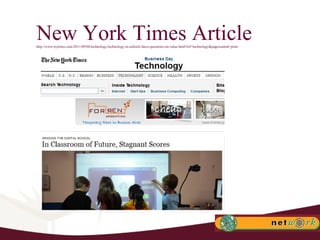
New York Times Article http://www.nytimes.com/2011/09/04/technology/technology-in-schools-faces-questions-on-value.html?ref=technology&pagewanted=print
Key issues in the article It is a fact that technology may be the only channel to make this new generation of students __________. Hope and enthusiasm are _________ in the new classrooms of the future. But not always _____________.  ________ teachers can make ______ use of technology, while _____ teachers won´t. They and their students could wind up becoming _______ by technology.  Technology is producing a fundamental change in the teacher´s _______: they go from being a __________ to a ____________.
Key issues in the article It is a fact that technology may be the only channel to make this new generation of students learn. Hope and enthusiasm are soaring in the new classrooms of the future. But not always test scores.  Good teachers can make good use of technology, while bad teachers won´t. They and their students could wind up becoming distracted by technology.  Technology is producing a fundamental change in the teacher´s role: they go from being a sage on a stage to a guide on the side.
Conclusion TECHNOLOGY IS ALREADY IN OUR CLASSROOMS AND  IN THE LIFE OF OUR DIGITAL NATIVE STUDENTS . As teachers, we need to _____ and ______ the skills and the arts of good teaching,  remembering that technology  should never constitute an _____ in itself,  but a _____to an _____. THE TEACHER´S _____IS KEY!
Conclusion TECHNOLOGY IS ALREADY IN OUR CLASSROOMS AND  IN THE LIFE OF OUR DIGITAL NATIVE STUDENTS . As teachers, we need to transfer and transform  the skills and the arts of good teaching,  remembering that technology  should never constitute an aim in itself,  but a means to an end. THE TEACHER´S ROLE IS KEY!
Dogme What is your impression about the Dogme approach? How much of it do you think you could implement in your classes? In what way? What for? Do you think your classes may be improved by having some “Dogme moments”? To which extent?
Moodle: Time to share!
Important Tip Moodle  works well with  Mozilla Firefox, not so well with  Google Chrome . G-docs  do not work well with  Microsoft Explorer . The best browser for online learning tools seems  to be  Mozilla  Firefox  nowadays.
SWAP SHOP: Agenda Class Organization Tips for Writing Tips for Vocabulary Online Live Classes Miscellaneous Practical Stuff Teachers´ Contribution.
How to organize your class: The Class Register The Word List The HW Forum The Error Log Google Images G-docs Presentations/ Word /PPT Active Inspire – as boards E-dictionary
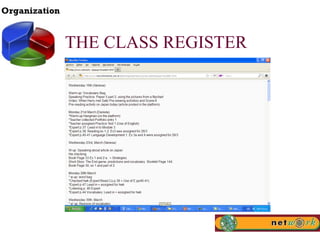
THE CLASS REGISTER
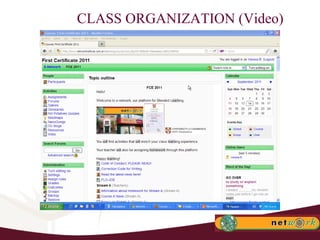
CLASS ORGANIZATION (Video)
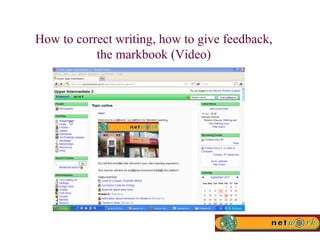
TIPS FOR THE TEACHING OF WRITING How to correct writing How to give feedback on writing The Markbook. Error log for writings.
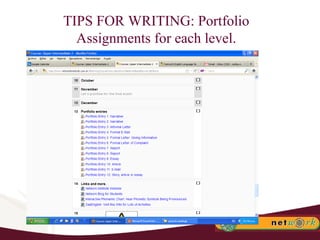
TIPS FOR WRITING: Portfolio Assignments for each level.
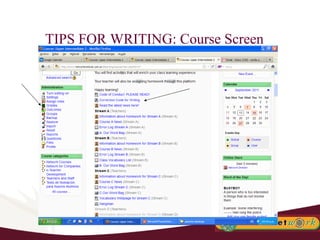
TIPS FOR WRITING: Course Screen
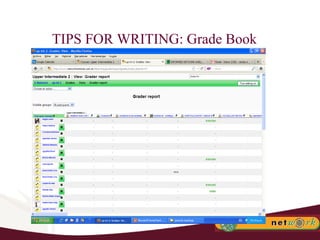
TIPS FOR WRITING: Grade Book
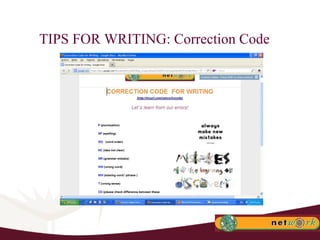
TIPS FOR WRITING: Correction Code
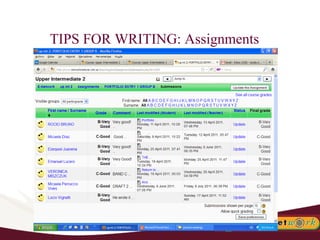
TIPS FOR WRITING: Assignments
How to correct writing, how to give feedback, the markbook (Video)
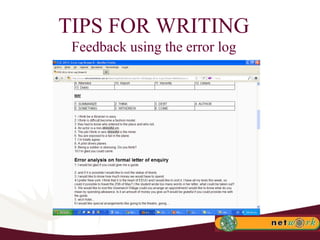
TIPS FOR WRITING Feedback using the error log
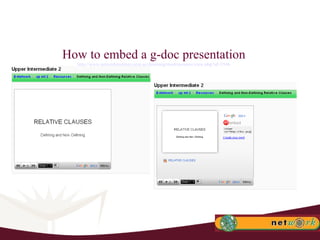
How to embed a g-doc presentation http://www.networkinstitute.com.ar/elearning/mod/resource/view.php?id=3546
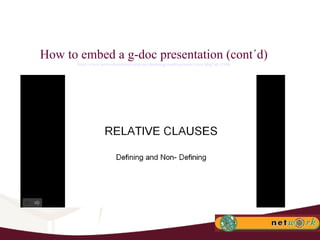
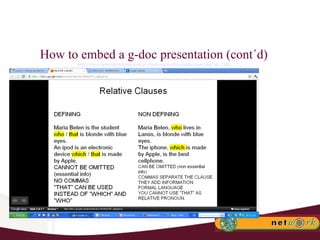
How to embed a g-doc presentation (cont´d) http://www.networkinstitute.com.ar/elearning/mod/resource/view.php?id=3546
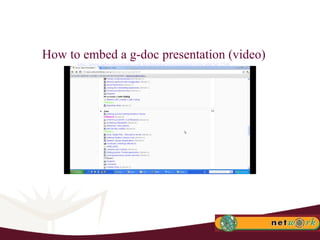
How to embed a g-doc presentation (video) http://www.networkinstitute.com.ar/elearning/mod/resource/view.php?id=3546
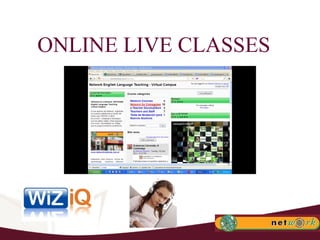
ONLINE LIVE CLASSES
ONLINE LIVE CLASSES: Recommendations Participants should be using a headset with a mic and headphones. Avoid the use of loudspeakers. Train your students to use Wiziq live in your face-to-face classes so that they know exactly what to do. If possible, avoid wi-fi connections. Have all material uploaded in advance.
TIPS FOR VOCABULARY TEACHING
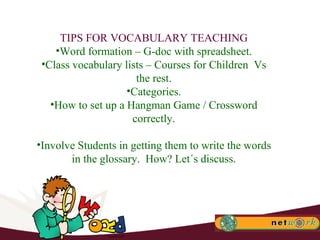
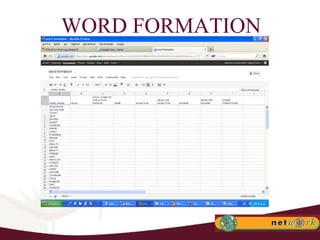
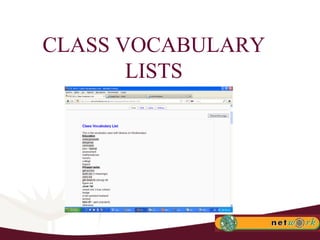
TIPS FOR VOCABULARY TEACHING Word formation – G-doc with spreadsheet. Class vocabulary lists – Courses for Children  Vs the rest. Categories. How to set up a Hangman Game / Crossword correctly. Involve Students in getting them to write the words in the glossary.  How? Let´s discuss.
WORD FORMATION
CLASS VOCABULARY LISTS
WEBQUEST: Integration of Skills Webquests encourage individual thinking and a constructivist approach to learningThey could be simple knowledge hunts in which students gather some information and report back. Or they could be more engaging webquests in which students raise their critical awareness by evaluating different sorts of information they find. What is a Webquest?  http://www.youtube.com/watch?v=o4rel5qOPvU
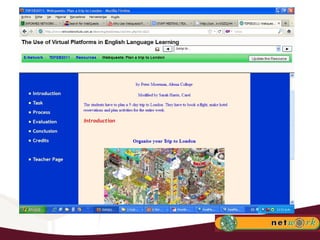
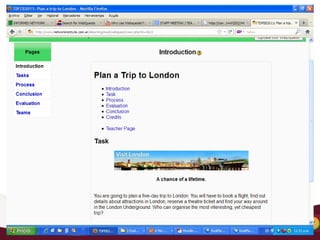
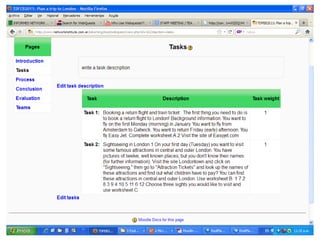
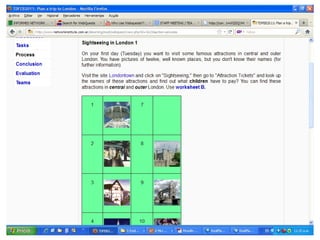
WEBQUESTS: Examples Knowledge hunt about London Students are asked to find out some basic information about London: population, ethnic makeup, and interesting facts about the transport system. They are given some useful websites to visit, like  http://www.londoncouncils.gov.uk/londonfacts/keyfacts/default.htm . They then present this information to their class. Webquest about having a sixth runway at London Heathrow Airport Students are asked to evaluate the viability of a sixth runway at London's Heathrow Airport. The teacher gives them links to a variety of websites with different, possibly contradictory, information.
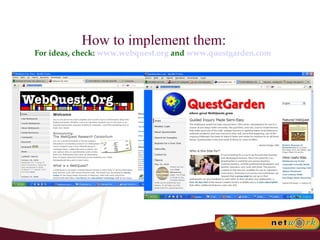
How to implement them: For ideas, check:  www.webquest.org  and  www.questgarden.com
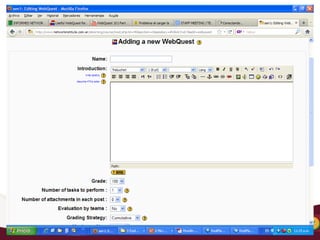
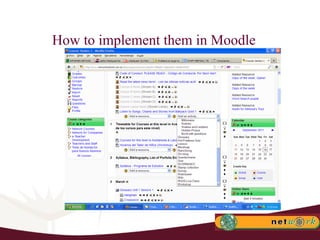
How to implement them in Moodle


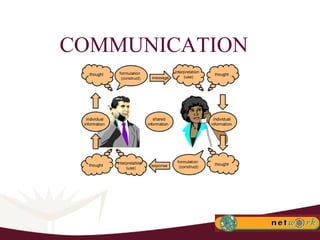
COMMUNICATION
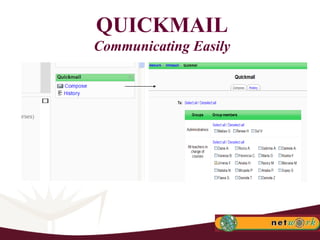
QUICKMAIL Communicating Easily
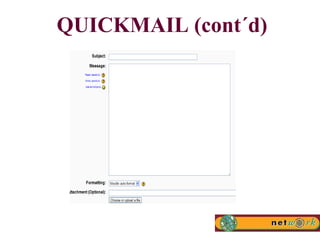
QUICKMAIL (cont´d)
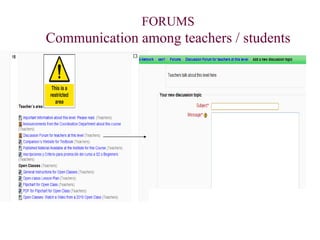
FORUMS Communication among teachers / students
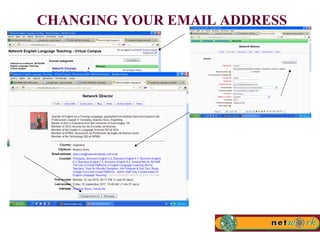
CHANGING YOUR EMAIL ADDRESS
WHAT´S YOUR CONTRIBUTION?
‎ "I long to accomplish a great and noble task,  but it is my chief duty to accomplish small  tasks as if they were great and noble."  Helen Keller
www.networkinstitute.com.ar

Teacher Workshop September 2011 Using Moodle Part 2

  • 1.
  • 2.
    How do weteach? Keywords in a
  • 3.
    The Classroom ofthe Future is here!
  • 4.
    Small Group DiscussionFrom your own experience, what can you conclude about the use of technology in your classes? Consider students´ motivation and learning outcomes. What advice would you give to a teacher who is going to start using technology for the first time?
  • 5.
    New York TimesArticle http://www.nytimes.com/2011/09/04/technology/technology-in-schools-faces-questions-on-value.html?ref=technology&pagewanted=print
  • 6.
    Key issues inthe article It is a fact that technology may be the only channel to make this new generation of students __________. Hope and enthusiasm are _________ in the new classrooms of the future. But not always _____________. ________ teachers can make ______ use of technology, while _____ teachers won´t. They and their students could wind up becoming _______ by technology. Technology is producing a fundamental change in the teacher´s _______: they go from being a __________ to a ____________.
  • 7.
    Key issues inthe article It is a fact that technology may be the only channel to make this new generation of students learn. Hope and enthusiasm are soaring in the new classrooms of the future. But not always test scores. Good teachers can make good use of technology, while bad teachers won´t. They and their students could wind up becoming distracted by technology. Technology is producing a fundamental change in the teacher´s role: they go from being a sage on a stage to a guide on the side.
  • 8.
    Conclusion TECHNOLOGY ISALREADY IN OUR CLASSROOMS AND IN THE LIFE OF OUR DIGITAL NATIVE STUDENTS . As teachers, we need to _____ and ______ the skills and the arts of good teaching, remembering that technology should never constitute an _____ in itself, but a _____to an _____. THE TEACHER´S _____IS KEY!
  • 9.
    Conclusion TECHNOLOGY ISALREADY IN OUR CLASSROOMS AND IN THE LIFE OF OUR DIGITAL NATIVE STUDENTS . As teachers, we need to transfer and transform the skills and the arts of good teaching, remembering that technology should never constitute an aim in itself, but a means to an end. THE TEACHER´S ROLE IS KEY!
  • 10.
    Dogme What isyour impression about the Dogme approach? How much of it do you think you could implement in your classes? In what way? What for? Do you think your classes may be improved by having some “Dogme moments”? To which extent?
  • 11.
  • 12.
    Important Tip Moodle works well with Mozilla Firefox, not so well with Google Chrome . G-docs do not work well with Microsoft Explorer . The best browser for online learning tools seems to be Mozilla Firefox nowadays.
  • 13.
    SWAP SHOP: AgendaClass Organization Tips for Writing Tips for Vocabulary Online Live Classes Miscellaneous Practical Stuff Teachers´ Contribution.
  • 14.
    How to organizeyour class: The Class Register The Word List The HW Forum The Error Log Google Images G-docs Presentations/ Word /PPT Active Inspire – as boards E-dictionary
  • 15.
  • 16.
  • 17.
    TIPS FOR THETEACHING OF WRITING How to correct writing How to give feedback on writing The Markbook. Error log for writings.
  • 18.
    TIPS FOR WRITING:Portfolio Assignments for each level.
  • 19.
    TIPS FOR WRITING:Course Screen
  • 20.
  • 21.
    TIPS FOR WRITING:Correction Code
  • 22.
    TIPS FOR WRITING:Assignments
  • 23.
    How to correctwriting, how to give feedback, the markbook (Video)
  • 24.
    TIPS FOR WRITINGFeedback using the error log
  • 25.
    How to embeda g-doc presentation http://www.networkinstitute.com.ar/elearning/mod/resource/view.php?id=3546
  • 26.
    How to embeda g-doc presentation (cont´d) http://www.networkinstitute.com.ar/elearning/mod/resource/view.php?id=3546
  • 27.
    How to embeda g-doc presentation (cont´d) http://www.networkinstitute.com.ar/elearning/mod/resource/view.php?id=3546
  • 28.
    How to embeda g-doc presentation (video) http://www.networkinstitute.com.ar/elearning/mod/resource/view.php?id=3546
  • 29.
  • 30.
    ONLINE LIVE CLASSES:Recommendations Participants should be using a headset with a mic and headphones. Avoid the use of loudspeakers. Train your students to use Wiziq live in your face-to-face classes so that they know exactly what to do. If possible, avoid wi-fi connections. Have all material uploaded in advance.
  • 31.
  • 32.
    TIPS FOR VOCABULARYTEACHING Word formation – G-doc with spreadsheet. Class vocabulary lists – Courses for Children Vs the rest. Categories. How to set up a Hangman Game / Crossword correctly. Involve Students in getting them to write the words in the glossary. How? Let´s discuss.
  • 33.
  • 34.
  • 35.
    WEBQUEST: Integration ofSkills Webquests encourage individual thinking and a constructivist approach to learningThey could be simple knowledge hunts in which students gather some information and report back. Or they could be more engaging webquests in which students raise their critical awareness by evaluating different sorts of information they find. What is a Webquest? http://www.youtube.com/watch?v=o4rel5qOPvU
  • 36.
    WEBQUESTS: Examples Knowledgehunt about London Students are asked to find out some basic information about London: population, ethnic makeup, and interesting facts about the transport system. They are given some useful websites to visit, like http://www.londoncouncils.gov.uk/londonfacts/keyfacts/default.htm . They then present this information to their class. Webquest about having a sixth runway at London Heathrow Airport Students are asked to evaluate the viability of a sixth runway at London's Heathrow Airport. The teacher gives them links to a variety of websites with different, possibly contradictory, information.
  • 37.
    How to implementthem: For ideas, check: www.webquest.org and www.questgarden.com
  • 38.
    How to implementthem in Moodle
  • 39.
  • 40.
  • 41.
  • 42.
  • 43.
  • 44.
  • 45.
  • 46.
  • 47.
    FORUMS Communication amongteachers / students
  • 48.
  • 49.
  • 50.
    ‎ "I longto accomplish a great and noble task, but it is my chief duty to accomplish small tasks as if they were great and noble." Helen Keller
  • 51.