TCF 333 
Shooting Video I 
Dr. Chandra Clark
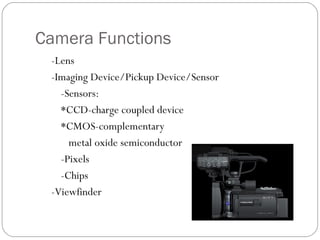
Camera Functions 
-Lens 
-Imaging Device/Pickup Device/Sensor 
-Sensors: 
*CCD-charge coupled device 
*CMOS-complementary 
metal oxide semiconductor 
-Pixels 
-Chips 
-Viewfinder
Camera Chain 
Lens-main part of camera 
Zoom-doesn’t look good unless there’s a purpose 
Focus-should not look blurry; focus in on eyes or main 
subject 
Gain-sensors that trick the camera into thinking they are 
getting more light
Electronic Features 
Scanning HDTV – 720p and 1080i- true high definition 
Aspect Ratio – 16x9, 4x3 
Shutter speed-avoid blurriness 
White Balance-sets your colors by adjusting RGB; red, 
green, and blue 
Viewfinder 
Tally Light 
Hue/Saturation/Brightness
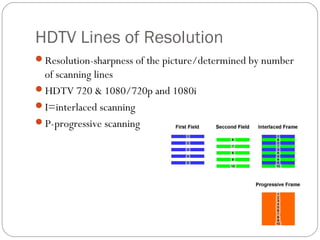
HDTV Lines of Resolution 
Resolution-sharpness of the picture/determined by number 
of scanning lines 
HDTV 720 & 1080/720p and 1080i 
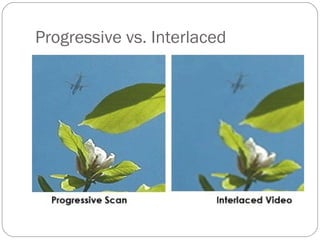
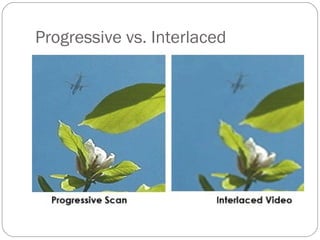
I=interlaced scanning 
P-progressive scanning
Progressive vs. Interlaced
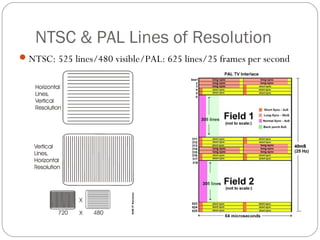
NTSC & PAL Lines of Resolution 
NTSC: 525 lines/480 visible/PAL: 625 lines/25 frames per second
Contrast Control 
How much light or darkness to let in 
Avoid extreme contrasts 
Best ratio is 50:1 – “brightest picture area can be only 50 
times brighter than darkest area” 
Monitor it with a waveform monitor
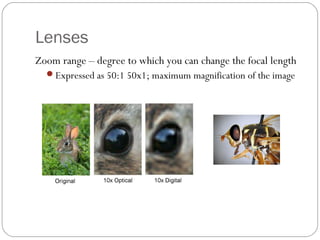
Lenses 
Zoom range – degree to which you can change the focal length 
Expressed as 50:1 50x1; maximum magnification of the image
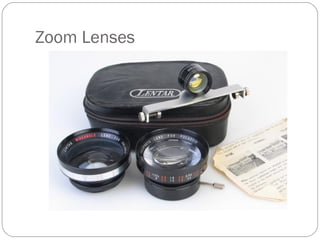
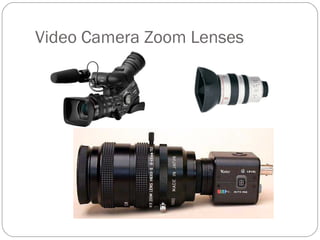
Zoom Lenses
Video Camera Zoom Lenses
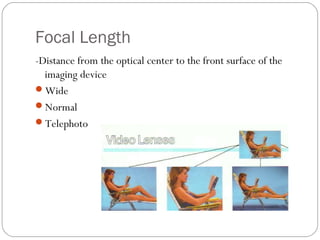
Focal Length 
-Distance from the optical center to the front surface of the 
imaging device 
Wide 
Normal 
Telephoto
Distances 
Focus: distance from the lens to the camera’s imaging 
device 
Minimum Object Distance: point where the camera is as 
close as it can get and still focus 
Calibrate-keep it in focus during a zoom; focus in on eyes 
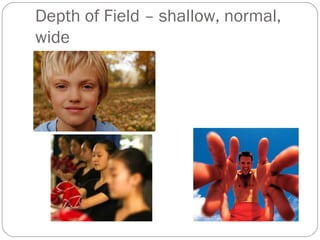
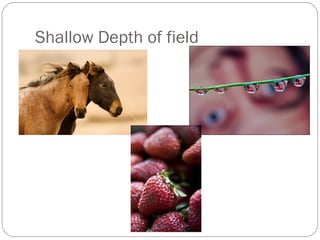
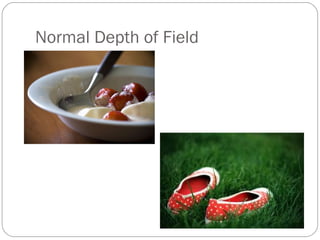
Depth of field: objects are in focus at different distances 
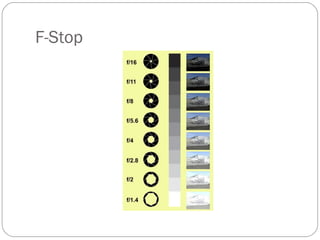
F-stop/Aperture/Iris: how much light goes through the lens 
 Higher the numbers, the smaller the aperture; lens 
closed considerably 
Lower the numbers, the larger the aperture, lens is wide 
open
F-Stop
Camera Moves 
Pan - move from side to side 
Tilt - move up and down 
Truck - move forward and back on wheels 
Cant - tilt camera sideways 
Zoom - move in and out with lens; narrow or 
wide
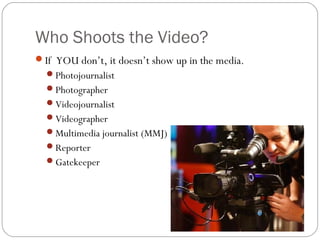
Who Shoots the Video? 
If YOU don’t, it doesn’t show up in the media. 
Photojournalist 
Photographer 
Videojournalist 
Videographer 
Multimedia journalist (MMJ) 
Reporter 
Gatekeeper
Camera Mounts 
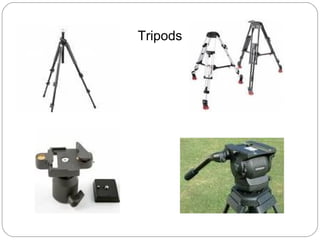
Tripod - three legged mount 
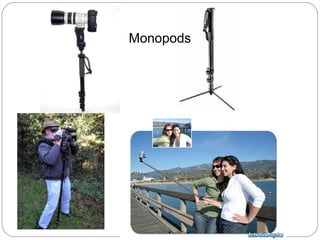
Monopod - single pole to mount camera 
Mounting head - connects the camera to 
tripod 
Tripod plate-Every tripod has a different one 
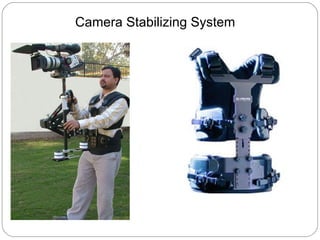
Camera stabilizing system - vest holds 
camera
Tripods
Monopods
Camera Stabilizing System
Keeping it Steady 
Impossible if breathing 
Lean against wall or tree 
Shoulder mounts help 
Keep elbows in 
Natural tripods are great 
Move only for 1)action or 2) 
motivated
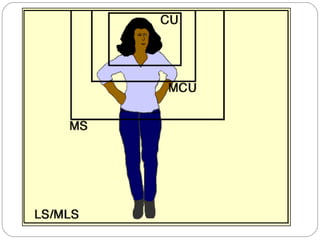
Field of View/Camera Shots 
Establishing shot, wide, extreme long 
Long or full shot 
Medium shot or waist 
Medium close up/interview shot/chest up 
Closeup - head 
Extreme closeup - eyes, ears, hands 
Framing resource
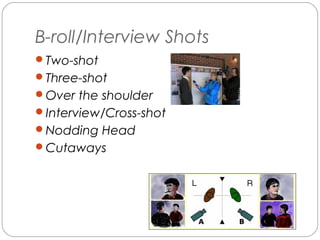
B-roll/Interview Shots 
Two-shot 
Three-shot 
Over the shoulder 
Interview/Cross-shot 
Nodding Head 
Cutaways
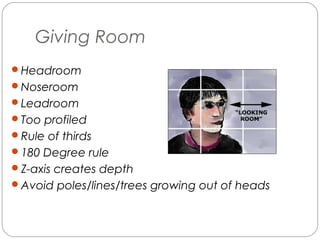
Giving Room 
Headroom 
Noseroom 
Leadroom 
Too profiled 
Rule of thirds 
180 Degree rule 
Z-axis creates depth 
Avoid poles/lines/trees growing out of heads
Recent Examples: 
Caitlyn Chastain 
http://www.youtube.com/watch?v=mZJ0NSgidiQ 
Bryant Somerville 
http://www.abc3340.com/story/23283657/four-little-golden- 
girls-revisits-the-past-educates-future
Depth of Field – shallow, normal, 
wide
Shallow Depth of field
Normal Depth of Field
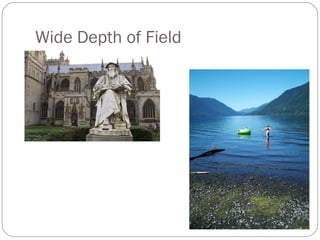
Wide Depth of Field
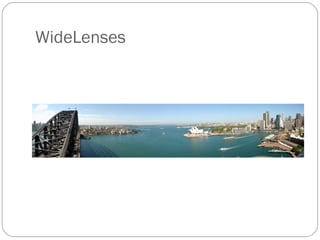
WideLenses
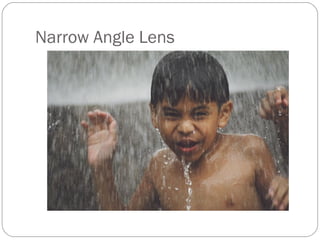
Narrow Angle Lens
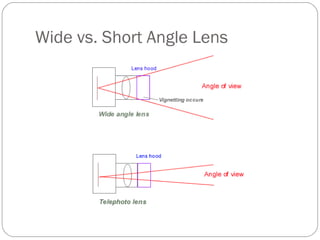
Wide vs. Short Angle Lens

TCF 333 FALL 2014 SHOOTING VIDEO 1

  • 1.
    TCF 333 ShootingVideo I Dr. Chandra Clark
  • 2.
    Camera Functions -Lens -Imaging Device/Pickup Device/Sensor -Sensors: *CCD-charge coupled device *CMOS-complementary metal oxide semiconductor -Pixels -Chips -Viewfinder
  • 3.
    Camera Chain Lens-mainpart of camera Zoom-doesn’t look good unless there’s a purpose Focus-should not look blurry; focus in on eyes or main subject Gain-sensors that trick the camera into thinking they are getting more light
  • 4.
    Electronic Features ScanningHDTV – 720p and 1080i- true high definition Aspect Ratio – 16x9, 4x3 Shutter speed-avoid blurriness White Balance-sets your colors by adjusting RGB; red, green, and blue Viewfinder Tally Light Hue/Saturation/Brightness
  • 5.
    HDTV Lines ofResolution Resolution-sharpness of the picture/determined by number of scanning lines HDTV 720 & 1080/720p and 1080i I=interlaced scanning P-progressive scanning
  • 6.
  • 7.
  • 8.
    NTSC & PALLines of Resolution NTSC: 525 lines/480 visible/PAL: 625 lines/25 frames per second
  • 9.
    Contrast Control Howmuch light or darkness to let in Avoid extreme contrasts Best ratio is 50:1 – “brightest picture area can be only 50 times brighter than darkest area” Monitor it with a waveform monitor
  • 10.
    Lenses Zoom range– degree to which you can change the focal length Expressed as 50:1 50x1; maximum magnification of the image
  • 11.
  • 12.
  • 13.
    Focal Length -Distancefrom the optical center to the front surface of the imaging device Wide Normal Telephoto
  • 14.
    Distances Focus: distancefrom the lens to the camera’s imaging device Minimum Object Distance: point where the camera is as close as it can get and still focus Calibrate-keep it in focus during a zoom; focus in on eyes Depth of field: objects are in focus at different distances F-stop/Aperture/Iris: how much light goes through the lens  Higher the numbers, the smaller the aperture; lens closed considerably Lower the numbers, the larger the aperture, lens is wide open
  • 15.
  • 16.
    Camera Moves Pan- move from side to side Tilt - move up and down Truck - move forward and back on wheels Cant - tilt camera sideways Zoom - move in and out with lens; narrow or wide
  • 17.
    Who Shoots theVideo? If YOU don’t, it doesn’t show up in the media. Photojournalist Photographer Videojournalist Videographer Multimedia journalist (MMJ) Reporter Gatekeeper
  • 18.
    Camera Mounts Tripod- three legged mount Monopod - single pole to mount camera Mounting head - connects the camera to tripod Tripod plate-Every tripod has a different one Camera stabilizing system - vest holds camera
  • 19.
  • 20.
  • 21.
  • 22.
    Keeping it Steady Impossible if breathing Lean against wall or tree Shoulder mounts help Keep elbows in Natural tripods are great Move only for 1)action or 2) motivated
  • 23.
    Field of View/CameraShots Establishing shot, wide, extreme long Long or full shot Medium shot or waist Medium close up/interview shot/chest up Closeup - head Extreme closeup - eyes, ears, hands Framing resource
  • 25.
    B-roll/Interview Shots Two-shot Three-shot Over the shoulder Interview/Cross-shot Nodding Head Cutaways
  • 26.
    Giving Room Headroom Noseroom Leadroom Too profiled Rule of thirds 180 Degree rule Z-axis creates depth Avoid poles/lines/trees growing out of heads
  • 28.
    Recent Examples: CaitlynChastain http://www.youtube.com/watch?v=mZJ0NSgidiQ Bryant Somerville http://www.abc3340.com/story/23283657/four-little-golden- girls-revisits-the-past-educates-future
  • 29.
    Depth of Field– shallow, normal, wide
  • 30.
  • 31.
  • 32.
  • 33.
  • 34.
  • 35.
    Wide vs. ShortAngle Lens