Bridging the Electronic Divide: A
Reflection on Year One of Naviance
eDocs
Joseph A. Tagliaferro
Coordinator of Student Support Services
Abington Senior High School
Abington, PA
Session Objectives
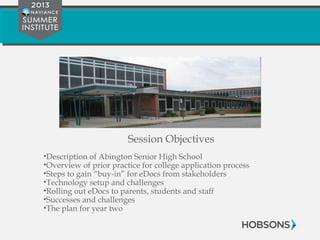
•Description of Abington Senior High School
•Overview of prior practice for college application process
•Steps to gain “buy-in” for eDocs from stakeholders
•Technology setup and challenges
•Rolling out eDocs to parents, students and staff
•Successes and challenges
•The plan for year two
Description of Abington
Senior High School
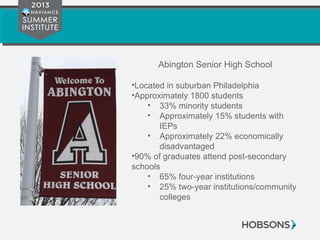
Abington Senior High School
•Located in suburban Philadelphia
•Approximately 1800 students
• 33% minority students
• Approximately 15% students with
IEPs
• Approximately 22% economically
disadvantaged
•90% of graduates attend post-secondary
schools
• 65% four-year institutions
• 25% two-year institutions/community
colleges
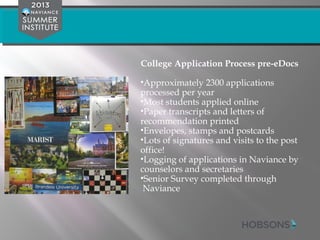
College Application Process pre-eDocs
•Approximately 2300 applications
processed per year
•Most students applied online
•Paper transcripts and letters of
recommendation printed
•Envelopes, stamps and postcards
•Lots of signatures and visits to the post
office!
•Logging of applications in Naviance by
counselors and secretaries
•Senior Survey completed through
Naviance
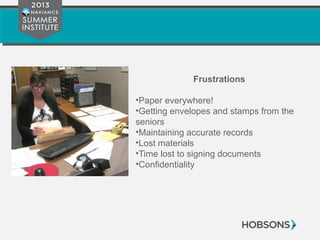
Frustrations
•Paper everywhere!
•Getting envelopes and stamps from the
seniors
•Maintaining accurate records
•Lost materials
•Time lost to signing documents
•Confidentiality
Laying the Foundation for
Change
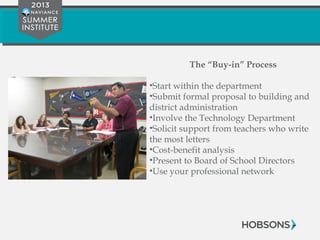
The “Buy-in” Process
•Start within the department
•Submit formal proposal to building and
district administration
•Involve the Technology Department
•Solicit support from teachers who write
the most letters
•Cost-benefit analysis
•Present to Board of School Directors
•Use your professional network
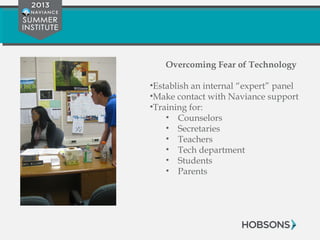
Overcoming Fear of Technology
•Establish an internal “expert” panel
•Make contact with Naviance support
•Training for:
• Counselors
• Secretaries
• Teachers
• Tech department
• Students
• Parents
Technology Setup
Steps to Making eDocs “Live”
1. Download eDocs printer
2. Setup printer on counselor and secretary computers
3. Print a test transcript
4. Upload documents
5. Send a test packet to a college
6. Set up permissions for counselors, teachers and
secretaries
7. Determine process for students
Challenges
•Internal technical issues setting up the
eDocs printer
•Familiarizing users with components of
application packet for Common
Application, NACAC, etc.
•Trusting the process – make sure you
stay connected with your resources and
Naviance support
Rolling out eDocs to
students, parents and staff
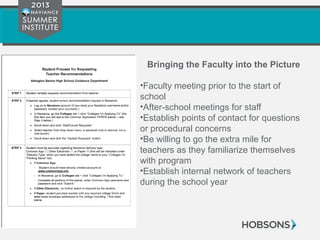
Bringing the Faculty into the Picture
•Faculty meeting prior to the start of
school
•After-school meetings for staff
•Establish points of contact for questions
or procedural concerns
•Be willing to go the extra mile for
teachers as they familiarize themselves
with program
•Establish internal network of teachers
during the school year
Rolling out to Parents
•Send mailing prior to the start of school
•Set up an evening event during the first weeks of
school
•Use all technology means to publicize the new
procedure and any orientation meetings
• Website
• Social media
• “robo-call”
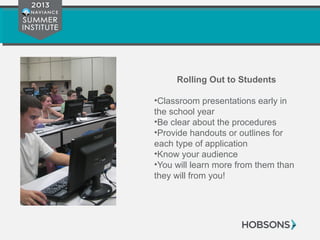
Rolling Out to Students
•Classroom presentations early in
the school year
•Be clear about the procedures
•Provide handouts or outlines for
each type of application
•Know your audience
•You will learn more from them than
they will from you!
Successes and Challenges
What Worked?
•Significant time savings for staff
•Where is all the paper?
•Immediate results
•Financial impact on department budget
•Facility of reporting for building administration
•Immediately embraced by all stakeholders
Challenges
•Teacher permissions and access
•Surrendering the process to the students
•Submission of teacher documents
•NCAA Clearinghouse documents
•Colleges with unique procedures or non-
subscribers
Looking Ahead
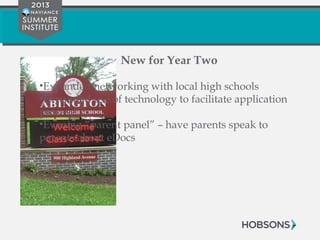
New for Year Two
•Expanded networking with local high schools
•Expanded use of technology to facilitate application
process
•Evening “parent panel” – have parents speak to
parents about eDocs
Questions?
Joseph Tagliaferro
Abington Senior High School
215-884-4700 x2366
taglja@abington.k12.pa.us
Your Feedback Matters!
Thank you for attending the
Naviance Summer Institute 2013!
We greatly appreciate your feedback, please
complete a brief evaluation for this session at:
http://go.naviance.com/evaluations

Bridging the Electronic Divide: A Reflection on Year One of Naviance eDocs

  • 1.
    Bridging the ElectronicDivide: A Reflection on Year One of Naviance eDocs Joseph A. Tagliaferro Coordinator of Student Support Services Abington Senior High School Abington, PA
  • 2.
    Session Objectives •Description ofAbington Senior High School •Overview of prior practice for college application process •Steps to gain “buy-in” for eDocs from stakeholders •Technology setup and challenges •Rolling out eDocs to parents, students and staff •Successes and challenges •The plan for year two
  • 3.
  • 4.
    Abington Senior HighSchool •Located in suburban Philadelphia •Approximately 1800 students • 33% minority students • Approximately 15% students with IEPs • Approximately 22% economically disadvantaged •90% of graduates attend post-secondary schools • 65% four-year institutions • 25% two-year institutions/community colleges
  • 5.
    College Application Processpre-eDocs •Approximately 2300 applications processed per year •Most students applied online •Paper transcripts and letters of recommendation printed •Envelopes, stamps and postcards •Lots of signatures and visits to the post office! •Logging of applications in Naviance by counselors and secretaries •Senior Survey completed through Naviance
  • 6.
    Frustrations •Paper everywhere! •Getting envelopesand stamps from the seniors •Maintaining accurate records •Lost materials •Time lost to signing documents •Confidentiality
  • 7.
  • 8.
    The “Buy-in” Process •Startwithin the department •Submit formal proposal to building and district administration •Involve the Technology Department •Solicit support from teachers who write the most letters •Cost-benefit analysis •Present to Board of School Directors •Use your professional network
  • 9.
    Overcoming Fear ofTechnology •Establish an internal “expert” panel •Make contact with Naviance support •Training for: • Counselors • Secretaries • Teachers • Tech department • Students • Parents
  • 10.
  • 11.
    Steps to MakingeDocs “Live” 1. Download eDocs printer 2. Setup printer on counselor and secretary computers 3. Print a test transcript 4. Upload documents 5. Send a test packet to a college 6. Set up permissions for counselors, teachers and secretaries 7. Determine process for students
  • 12.
    Challenges •Internal technical issuessetting up the eDocs printer •Familiarizing users with components of application packet for Common Application, NACAC, etc. •Trusting the process – make sure you stay connected with your resources and Naviance support
  • 13.
    Rolling out eDocsto students, parents and staff
  • 14.
    Bringing the Facultyinto the Picture •Faculty meeting prior to the start of school •After-school meetings for staff •Establish points of contact for questions or procedural concerns •Be willing to go the extra mile for teachers as they familiarize themselves with program •Establish internal network of teachers during the school year
  • 15.
    Rolling out toParents •Send mailing prior to the start of school •Set up an evening event during the first weeks of school •Use all technology means to publicize the new procedure and any orientation meetings • Website • Social media • “robo-call”
  • 16.
    Rolling Out toStudents •Classroom presentations early in the school year •Be clear about the procedures •Provide handouts or outlines for each type of application •Know your audience •You will learn more from them than they will from you!
  • 17.
  • 18.
    What Worked? •Significant timesavings for staff •Where is all the paper? •Immediate results •Financial impact on department budget •Facility of reporting for building administration •Immediately embraced by all stakeholders
  • 19.
    Challenges •Teacher permissions andaccess •Surrendering the process to the students •Submission of teacher documents •NCAA Clearinghouse documents •Colleges with unique procedures or non- subscribers
  • 20.
  • 21.
    New for YearTwo •Expanded networking with local high schools •Expanded use of technology to facilitate application process •Evening “parent panel” – have parents speak to parents about eDocs
  • 22.
    Questions? Joseph Tagliaferro Abington SeniorHigh School 215-884-4700 x2366 taglja@abington.k12.pa.us
  • 23.
    Your Feedback Matters! Thankyou for attending the Naviance Summer Institute 2013! We greatly appreciate your feedback, please complete a brief evaluation for this session at: http://go.naviance.com/evaluations