Swipe
Tableau - Data Types
Tableau
As a data analysis tool, Tableau classifies every
piece of data into one of the four categories
namely :-
String
Number
Boolean
and datetime.
Once data is loaded from the source, Tableau
automatically assigns the data types.
Contrarily, you can also change some of the data
types if it satisfies the data conversion rule.
The user has to specify the data type for
calculated fields.
Tableau - Data Types
String functions allow you to manipulate string
data (i.e. data made of text).
For example, you might have a field that contains
all of your customers' first and last names.
You can pull the last names from all your
customers into a new field using a string function.
Example:-
'Hello' 'Quoted' 'quote'
STRING
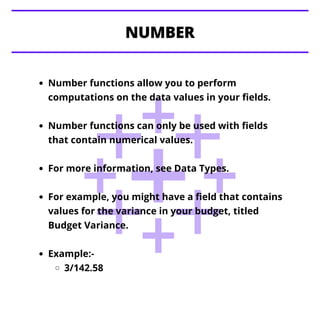
Number functions allow you to perform
computations on the data values in your fields.
Number functions can only be used with fields
that contain numerical values.
For more information, see Data Types.
For example, you might have a field that contains
values for the variance in your budget, titled
Budget Variance.
Example:-
3/142.58
NUMBER
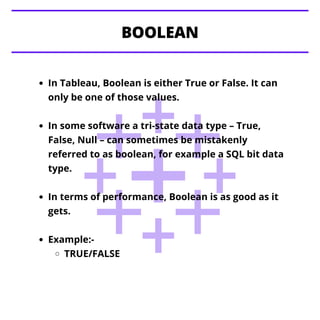
In Tableau, Boolean is either True or False. It can
only be one of those values.
In some software a tri-state data type – True,
False, Null – can sometimes be mistakenly
referred to as boolean, for example a SQL bit data
type.
In terms of performance, Boolean is as good as it
gets.
Example:-
TRUE/FALSE
BOOLEAN
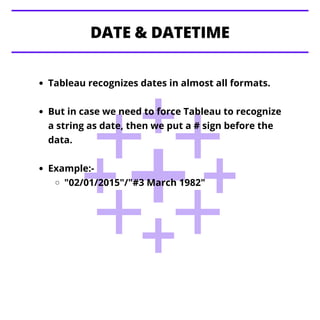
Tableau recognizes dates in almost all formats.
But in case we need to force Tableau to recognize
a string as date, then we put a # sign before the
data.
Example:-
"02/01/2015"/"#3 March 1982"
DATE & DATETIME
Tableau - Data Terminology
Tableau - Operators
Tableau - Functions
Stay Tuned with
Topics for next Post

Tableau data types

  • 1.
    Swipe Tableau - DataTypes Tableau
  • 2.
    As a dataanalysis tool, Tableau classifies every piece of data into one of the four categories namely :- String Number Boolean and datetime. Once data is loaded from the source, Tableau automatically assigns the data types. Contrarily, you can also change some of the data types if it satisfies the data conversion rule. The user has to specify the data type for calculated fields. Tableau - Data Types
  • 3.
    String functions allowyou to manipulate string data (i.e. data made of text). For example, you might have a field that contains all of your customers' first and last names. You can pull the last names from all your customers into a new field using a string function. Example:- 'Hello' 'Quoted' 'quote' STRING
  • 4.
    Number functions allowyou to perform computations on the data values in your fields. Number functions can only be used with fields that contain numerical values. For more information, see Data Types. For example, you might have a field that contains values for the variance in your budget, titled Budget Variance. Example:- 3/142.58 NUMBER
  • 5.
    In Tableau, Booleanis either True or False. It can only be one of those values. In some software a tri-state data type – True, False, Null – can sometimes be mistakenly referred to as boolean, for example a SQL bit data type. In terms of performance, Boolean is as good as it gets. Example:- TRUE/FALSE BOOLEAN
  • 6.
    Tableau recognizes datesin almost all formats. But in case we need to force Tableau to recognize a string as date, then we put a # sign before the data. Example:- "02/01/2015"/"#3 March 1982" DATE & DATETIME
  • 7.
    Tableau - DataTerminology Tableau - Operators Tableau - Functions Stay Tuned with Topics for next Post