(Mu lti-) Touch Me
                            the HTML5 way


                – Reimar Kosack & Robert Zinner
T3 C on 2 0 1 0
Robert Zinner
• Head of Creation
  ART-KON-TOR Kommunikation GmbH
• freelance Design-Consultant
Overview
What we want !
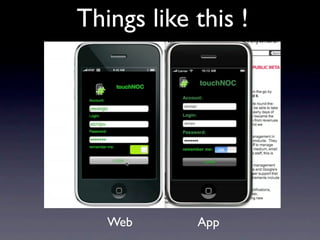
Things like this !


   Web      App
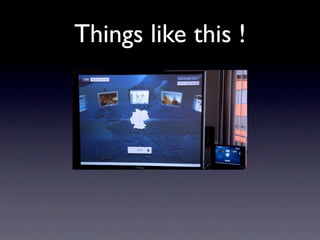
Things like this !
No PlugIn
In any Browser
Challenges for a
   Designer
Multitouch vs. Multitouch
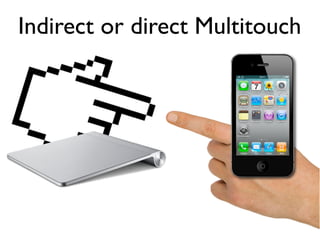
Indirect or direct Multitouch
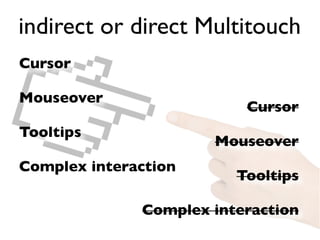
indirect or direct Multitouch
Cursor

Mouseover
                          Cursor
Tooltips
                      Mouseover
Complex interaction
                         Tooltips

              Complex interaction
Space
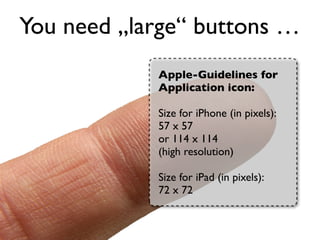
You need „large“ buttons …
            Apple-Guidelines for
            Application icon:

            Size for iPhone (in pixels):
            57 x 57
            or 114 x 114
            (high resolution)

            Size for iPad (in pixels):
            72 x 72
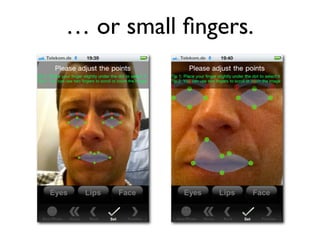
… or small fingers.
Flexible layouts
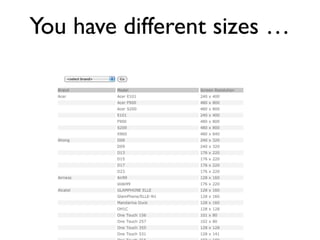
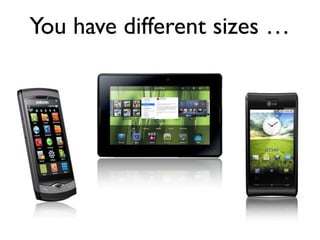
You have different sizes …
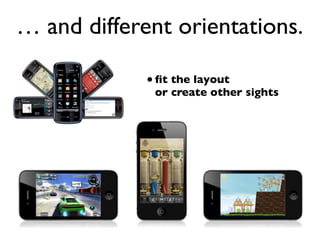
… and different orientations.

             • fit the layout
              or create other sights
Gestures
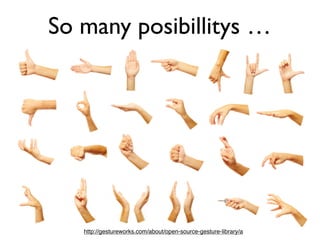
So many posibillitys …


   http://gestureworks.com/about/open-source-gesture-library/a
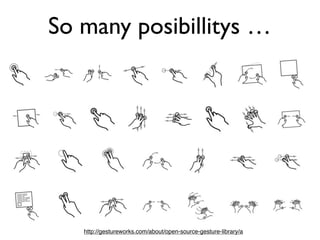
So many posibillitys …


   http://gestureworks.com/about/open-source-gesture-library/a
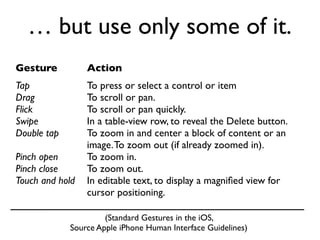
… but use only some of it.
Gesture          Action
Tap              To press or select a control or item
Drag             To scroll or pan.
Flick            To scroll or pan quickly.
Swipe            In a table-view row, to reveal the Delete button.
Double tap       To zoom in and center a block of content or an
                 image. To zoom out (if already zoomed in).
Pinch open       To zoom in.
Pinch close      To zoom out.
Touch and hold   In editable text, to display a magnified view for
                 cursor positioning.

                      (Standard Gestures in the iOS,
             Source Apple iPhone Human Interface Guidelines)
Story / Concept
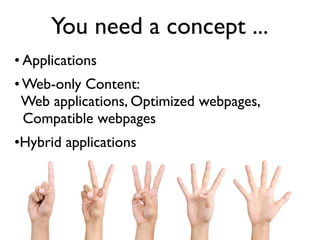
You need a concept ...
• Applications
• Web-only Content:
  Web applications, Optimized webpages,
  Compatible webpages
•Hybrid applications
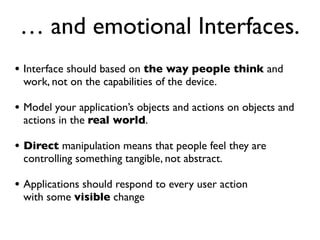
… and emotional Interfaces.
• Interface should based on the way people think and
 work, not on the capabilities of the device.

• Model your application’s objects and actions on objects and
 actions in the real world.

• Direct manipulation means that people feel they are
 controlling something tangible, not abstract.

• Applications should respond to every user action
 with some visible change
Challenges for a Coder
Tweaking performance
Performance


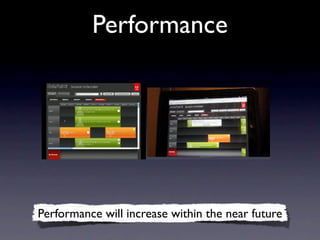
Performance will increase within the near future
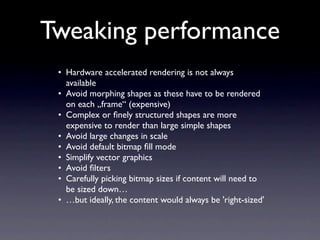
Tweaking performance
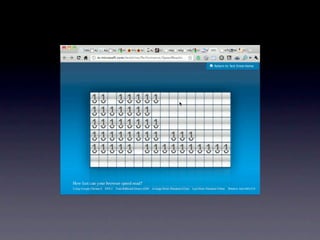
 • Hardware accelerated rendering is not always
   available
 • Avoid morphing shapes as these have to be rendered
   on each „frame“ (expensive)
 • Complex or finely structured shapes are more
   expensive to render than large simple shapes
 • Avoid large changes in scale
 • Avoid default bitmap fill mode
 • Simplify vector graphics
 • Avoid filters
 • Carefully picking bitmap sizes if content will need to
   be sized down…
 • …but ideally, the content would always be 'right-sized'
Know your target
    system
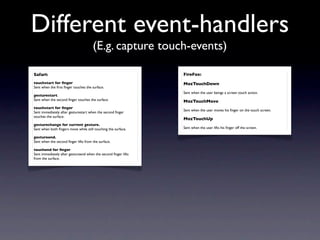
Different event-handlers
                                      (E.g. capture touch-events)

Safari:                                                         FireFox:
touchstart for finger                                            MozTouchDown
Sent when the first finger touches the surface.
                                                                Sent when the user beings a screen touch action.
gesturestart.
Sent when the second finger touches the surface.                 MozTouchMove
touchstart for finger
                                                                Sent when the user moves his finger on the touch screen.
Sent immediately after gesturestart when the second finger
touches the surface.
                                                                MozTouchUp
gesturechange for current gesture.
Sent when both fingers move while still touching the surface.    Sent when the user lifts his finger off the screen.

gestureend.
Sent when the second finger lifts from the surface.

touchend for finger
Sent immediately after gestureend when the second finger lifts
from the surface.
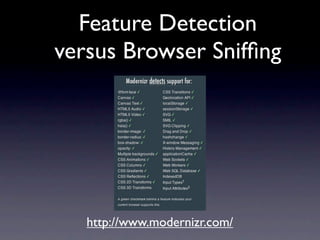
Feature Detection
versus Browser Sniffing
Feature Detection
versus Browser Sniffing


   http://www.modernizr.com/
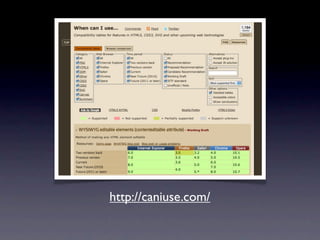
http://caniuse.com/
Multi-Screen &
Multi-Context
The explosion of web-
 connected devices
- smartphones
- „normal“ mobile devices
- tablets
- internet connected TVs
- set-top boxes
- gaming consoles
The explosion of web-
 connected devices
- smartphones
- „normal“ mobile devices
- tablets
- internet connected TVs
- set-top boxes
- gaming consoles
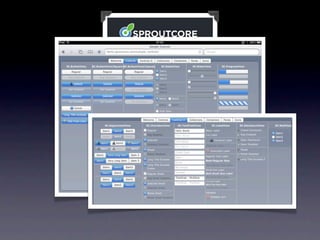
Use a framework
Use a framework
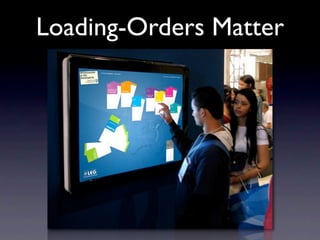
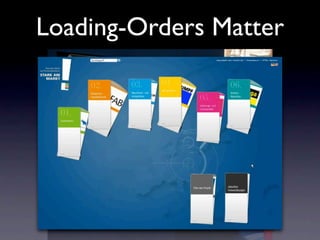
Loading-Orders Matter

   • Try to preload as much as you can
   • If not possible try at least
     „subjective“ loading with a loader-
     queue
Setup for TYPO3
Conclusion
• The users expects a „snappy“ interface
• Expect to spend a lot of extra time on this
• Keep it simple and stupid
• Try to preload data in a intelligent way
• Do tests on the actual device
„If you want to adress touch-enabled devices today and
      aim at a „small“ application go for HTML5“


  „For large, feature-rich (& responsive) apps go for
                   native solutions
            (or think of crosscompiling)“
Follow me:
Follow me:                 www.x ing.com/profile/Robe
                                                      rt_Zinner3

www.t witter.com/reimark   or
or                         r.zinn er@brand-royal.de
kosack@wwsc.de

T3con10_html5_kosack_zinner

  • 1.
    (Mu lti-) TouchMe the HTML5 way – Reimar Kosack & Robert Zinner T3 C on 2 0 1 0
  • 3.
    Robert Zinner • Headof Creation ART-KON-TOR Kommunikation GmbH • freelance Design-Consultant
  • 4.
  • 5.
  • 6.
  • 7.
  • 8.
  • 11.
  • 12.
  • 13.
  • 14.
    indirect or directMultitouch Cursor Mouseover Cursor Tooltips Mouseover Complex interaction Tooltips Complex interaction
  • 15.
  • 16.
    You need „large“buttons … Apple-Guidelines for Application icon: Size for iPhone (in pixels): 57 x 57 or 114 x 114 (high resolution) Size for iPad (in pixels): 72 x 72
  • 17.
    … or smallfingers.
  • 18.
  • 19.
  • 20.
  • 21.
    … and differentorientations. • fit the layout or create other sights
  • 22.
  • 23.
    So many posibillitys… http://gestureworks.com/about/open-source-gesture-library/a
  • 24.
    So many posibillitys… http://gestureworks.com/about/open-source-gesture-library/a
  • 25.
    … but useonly some of it. Gesture Action Tap To press or select a control or item Drag To scroll or pan. Flick To scroll or pan quickly. Swipe In a table-view row, to reveal the Delete button. Double tap To zoom in and center a block of content or an image. To zoom out (if already zoomed in). Pinch open To zoom in. Pinch close To zoom out. Touch and hold In editable text, to display a magnified view for cursor positioning. (Standard Gestures in the iOS, Source Apple iPhone Human Interface Guidelines)
  • 26.
  • 27.
    You need aconcept ... • Applications • Web-only Content: Web applications, Optimized webpages, Compatible webpages •Hybrid applications
  • 28.
    … and emotionalInterfaces. • Interface should based on the way people think and work, not on the capabilities of the device. • Model your application’s objects and actions on objects and actions in the real world. • Direct manipulation means that people feel they are controlling something tangible, not abstract. • Applications should respond to every user action with some visible change
  • 29.
  • 30.
  • 32.
  • 34.
  • 35.
    Tweaking performance •Hardware accelerated rendering is not always available • Avoid morphing shapes as these have to be rendered on each „frame“ (expensive) • Complex or finely structured shapes are more expensive to render than large simple shapes • Avoid large changes in scale • Avoid default bitmap fill mode • Simplify vector graphics • Avoid filters • Carefully picking bitmap sizes if content will need to be sized down… • …but ideally, the content would always be 'right-sized'
  • 36.
  • 37.
    Different event-handlers (E.g. capture touch-events) Safari: FireFox: touchstart for finger MozTouchDown Sent when the first finger touches the surface. Sent when the user beings a screen touch action. gesturestart. Sent when the second finger touches the surface. MozTouchMove touchstart for finger Sent when the user moves his finger on the touch screen. Sent immediately after gesturestart when the second finger touches the surface. MozTouchUp gesturechange for current gesture. Sent when both fingers move while still touching the surface. Sent when the user lifts his finger off the screen. gestureend. Sent when the second finger lifts from the surface. touchend for finger Sent immediately after gestureend when the second finger lifts from the surface.
  • 38.
  • 39.
    Feature Detection versus BrowserSniffing http://www.modernizr.com/
  • 40.
  • 41.
  • 42.
    The explosion ofweb- connected devices - smartphones - „normal“ mobile devices - tablets - internet connected TVs - set-top boxes - gaming consoles
  • 43.
    The explosion ofweb- connected devices - smartphones - „normal“ mobile devices - tablets - internet connected TVs - set-top boxes - gaming consoles
  • 44.
  • 45.
  • 51.
  • 52.
  • 53.
    Loading-Orders Matter • Try to preload as much as you can • If not possible try at least „subjective“ loading with a loader- queue
  • 54.
  • 55.
    Conclusion • The usersexpects a „snappy“ interface • Expect to spend a lot of extra time on this • Keep it simple and stupid • Try to preload data in a intelligent way • Do tests on the actual device
  • 56.
    „If you wantto adress touch-enabled devices today and aim at a „small“ application go for HTML5“ „For large, feature-rich (& responsive) apps go for native solutions (or think of crosscompiling)“
  • 57.
    Follow me: Follow me: www.x ing.com/profile/Robe rt_Zinner3 www.t witter.com/reimark or or r.zinn er@brand-royal.de kosack@wwsc.de