iPad 2 Rollout Evening

 Catholic Regional College
        Sydenham
iPad 2 Rollout Evening

 Catholic Regional College
        Sydenham
Introduction
Brendan Watson
   Principal
Learning and Teaching
                at CRC Sydenham
– ICT is considered to be a fundamental component of
  learning and teaching
– We aim for our students to become confident and
  discerning users of technology
– Our teachers use online learning spaces that support
  the flexible delivery of curriculum
– The individual use of iPads is a way to empower
  students to maximise their full potential and to
  prepare them for lifelong learning in modern society
Why the iPad?

– Personal device and reasonably priced to act as a 1 to
  1, anywhere, anytime learning tool;
– Light and portable, easily carried in the school bag and
  to and from class rather than heavy textbooks;
– The interface correlates to the technology students use
  in everyday life and allows for interactivity;
– The iPad is an intuitive device with minimal technical
  support required and through the use of apps students
  can construct the product that suits their learning
  needs.
Using the iPad at school

Students must bring the iPad to every class.
If the iPad is:
 – Left at home / Battery is flat
    The student will be required to handwrite the
    required task, with the potential to be required to
    attend study hall or be placed on a learning contract
– Undergoing repair
    A short term loan may be provided if available. If
    there is a delay, the student must complete tasks
    manually
Using the iPad at school

Presence of inappropriate materials, images or symbols may
result in disciplinary actions
Sound must be muted at all times unless permission is obtained
from the teacher
Music is allowed on the iPad and can be used at the discretion
of the teacher
Using the camera during school hours is strictly prohibited,
unless permission is obtained from the teacher for learning
purposes
Uploading pictures or videos of school-related events on the
iPad to online media sharing sites (e.g. Facebook) is strictly
prohibited
Acceptable Use Policy

Parent/Guardian Responsibilities
   Values, standards and respectful behaviour
College Responsibilities
   As above and network facilities (internet, email etc)
   and provision of a stimulating learning program
Student Responsibilities
   Avoid/report inappropriate content, observe legal
   requirements e.g. hacking / viruses / copyright,
   protect own data/property and that of others
Managing Files & Saving Work

Students must set up an online storage account using
Dropbox (www.dropbox.com) to up/download learning
tasks from Dropbox
Students are also required to setup an Edmodo account
(www.edmodo.com) so that they can join relevant class
groups in order to access the learning program and
collaborate with peers
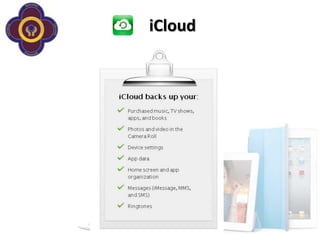
Students should set up the iCloud function of the iPad to
ensure that content is backed up
Apple Care Protection
                     Plan for iPad
AppleCare Protection Plan provides one-stop service and
support from Apple experts, so most issues can be resolved in
a single call.
– Direct access to Apple experts
– Beyond the Box will attend to all repairs. The school IT support
  group will assist students with repair.

Get direct access to Apple experts for questions on a wide
range of topics, including the following:
– Using iOS and iCloud
– Connecting to wireless networks
– Questions about iWork for iPad and other Apple-branded iPad
  apps
Warranty

The AppleCare 2 year Protection Plan provides
repair or replacement coverage, both parts and
labour, from Apple-authorized technicians. Service
coverage includes the following:
– Your iPad
– Battery
– Included USB cable and power adapter
Insurance

Repair/ Replace with New Coverage
(please refer to insurance policy document in your handbook)

Features:                                    Not Covered:
–   Theft, fire and accidental damage         –   Wear and tear or cosmetic damage
    cover                                     –   Theft whilst unattended
–   Low $150 excess                           –   Software (normally replaceable by
–   Worldwide protection                          vendor)
–   Includes theft from vehicles
–   Accidental damage including fire
–   Full theft, including theft from vehicles
–   Loss in transit (must be accompanied /
    cabin baggage on plane)
–   Coverage anywhere in Australia &
    Overseas cover (28 days any one trip)
Repairs & Claims

During School Terms
– Take your iPad to the IT Network Support Group
– Fill in required paperwork
– Collect loan iPad if available
During the School Holidays
– Take your iPad to Beyond the Box, located at:
  1 Puckle Street, Moonee Ponds
– Complete paperwork & collect loan iPad (if available)
End of Lease

If a student is to leave the College before the lease
has been completed, any outstanding balance will
be owed to the College and parents will be invoiced
the outstanding amount.
On completion of the lease, there are two end of
lease options:
– Pay a residual value based on fair market value. The
  residual will be between $1 and $75.
– Return the iPad2 to the College.
Set Up

Students are expected to set up their individual
iTunes accounts before orientation.
– During Orientation students will be led through
   – Linking to the school network
   – Accessing email
   – Accessing the school intranet
   – itunes and the app store
   – Downloading apps
   – Online storage of files
   – Using the icloud and syncing their devices
There’s a list of Apps in your handbook

Students are required to download these by
next week as these will be used for their
learning.
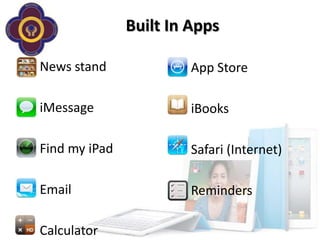
Built In Apps

News stand              App Store

iMessage                iBooks

Find my iPad            Safari (Internet)

Email                   Reminders

Calculator
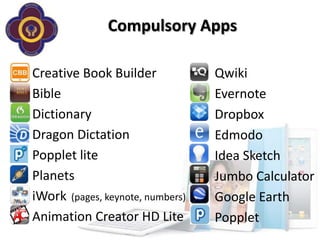
Compulsory Apps

Creative Book Builder             Qwiki
Bible                             Evernote
Dictionary                        Dropbox
Dragon Dictation                  Edmodo
Popplet lite                      Idea Sketch
Planets                           Jumbo Calculator
iWork (pages, keynote, numbers)   Google Earth
Animation Creator HD Lite         Popplet
iCloud
Questions & Distribution

– Michal from Beyond the Box – insurance, repairs
  & support
– Laura & Carolyn – set up, apps and the app store
– Distribution (6 points)
  – Alphabetical on Surname
  – You will need to provide the student’s name, date of birth &
    address
  – You will need to sign that you have collected the package
Thank you
I pad 2 rollout evening 2011 powerpoint v1

I pad 2 rollout evening 2011 powerpoint v1

  • 1.
    iPad 2 RolloutEvening Catholic Regional College Sydenham
  • 2.
    iPad 2 RolloutEvening Catholic Regional College Sydenham
  • 3.
  • 4.
    Learning and Teaching at CRC Sydenham – ICT is considered to be a fundamental component of learning and teaching – We aim for our students to become confident and discerning users of technology – Our teachers use online learning spaces that support the flexible delivery of curriculum – The individual use of iPads is a way to empower students to maximise their full potential and to prepare them for lifelong learning in modern society
  • 5.
    Why the iPad? –Personal device and reasonably priced to act as a 1 to 1, anywhere, anytime learning tool; – Light and portable, easily carried in the school bag and to and from class rather than heavy textbooks; – The interface correlates to the technology students use in everyday life and allows for interactivity; – The iPad is an intuitive device with minimal technical support required and through the use of apps students can construct the product that suits their learning needs.
  • 6.
    Using the iPadat school Students must bring the iPad to every class. If the iPad is: – Left at home / Battery is flat The student will be required to handwrite the required task, with the potential to be required to attend study hall or be placed on a learning contract – Undergoing repair A short term loan may be provided if available. If there is a delay, the student must complete tasks manually
  • 7.
    Using the iPadat school Presence of inappropriate materials, images or symbols may result in disciplinary actions Sound must be muted at all times unless permission is obtained from the teacher Music is allowed on the iPad and can be used at the discretion of the teacher Using the camera during school hours is strictly prohibited, unless permission is obtained from the teacher for learning purposes Uploading pictures or videos of school-related events on the iPad to online media sharing sites (e.g. Facebook) is strictly prohibited
  • 8.
    Acceptable Use Policy Parent/GuardianResponsibilities Values, standards and respectful behaviour College Responsibilities As above and network facilities (internet, email etc) and provision of a stimulating learning program Student Responsibilities Avoid/report inappropriate content, observe legal requirements e.g. hacking / viruses / copyright, protect own data/property and that of others
  • 9.
    Managing Files &Saving Work Students must set up an online storage account using Dropbox (www.dropbox.com) to up/download learning tasks from Dropbox Students are also required to setup an Edmodo account (www.edmodo.com) so that they can join relevant class groups in order to access the learning program and collaborate with peers Students should set up the iCloud function of the iPad to ensure that content is backed up
  • 11.
    Apple Care Protection Plan for iPad AppleCare Protection Plan provides one-stop service and support from Apple experts, so most issues can be resolved in a single call. – Direct access to Apple experts – Beyond the Box will attend to all repairs. The school IT support group will assist students with repair. Get direct access to Apple experts for questions on a wide range of topics, including the following: – Using iOS and iCloud – Connecting to wireless networks – Questions about iWork for iPad and other Apple-branded iPad apps
  • 12.
    Warranty The AppleCare 2year Protection Plan provides repair or replacement coverage, both parts and labour, from Apple-authorized technicians. Service coverage includes the following: – Your iPad – Battery – Included USB cable and power adapter
  • 13.
    Insurance Repair/ Replace withNew Coverage (please refer to insurance policy document in your handbook) Features: Not Covered: – Theft, fire and accidental damage – Wear and tear or cosmetic damage cover – Theft whilst unattended – Low $150 excess – Software (normally replaceable by – Worldwide protection vendor) – Includes theft from vehicles – Accidental damage including fire – Full theft, including theft from vehicles – Loss in transit (must be accompanied / cabin baggage on plane) – Coverage anywhere in Australia & Overseas cover (28 days any one trip)
  • 14.
    Repairs & Claims DuringSchool Terms – Take your iPad to the IT Network Support Group – Fill in required paperwork – Collect loan iPad if available During the School Holidays – Take your iPad to Beyond the Box, located at: 1 Puckle Street, Moonee Ponds – Complete paperwork & collect loan iPad (if available)
  • 15.
    End of Lease Ifa student is to leave the College before the lease has been completed, any outstanding balance will be owed to the College and parents will be invoiced the outstanding amount. On completion of the lease, there are two end of lease options: – Pay a residual value based on fair market value. The residual will be between $1 and $75. – Return the iPad2 to the College.
  • 16.
    Set Up Students areexpected to set up their individual iTunes accounts before orientation. – During Orientation students will be led through – Linking to the school network – Accessing email – Accessing the school intranet – itunes and the app store – Downloading apps – Online storage of files – Using the icloud and syncing their devices
  • 17.
    There’s a listof Apps in your handbook Students are required to download these by next week as these will be used for their learning.
  • 18.
    Built In Apps Newsstand App Store iMessage iBooks Find my iPad Safari (Internet) Email Reminders Calculator
  • 19.
    Compulsory Apps Creative BookBuilder Qwiki Bible Evernote Dictionary Dropbox Dragon Dictation Edmodo Popplet lite Idea Sketch Planets Jumbo Calculator iWork (pages, keynote, numbers) Google Earth Animation Creator HD Lite Popplet
  • 20.
  • 21.
    Questions & Distribution –Michal from Beyond the Box – insurance, repairs & support – Laura & Carolyn – set up, apps and the app store – Distribution (6 points) – Alphabetical on Surname – You will need to provide the student’s name, date of birth & address – You will need to sign that you have collected the package
  • 22.

Editor's Notes

  • #5 At Catholic Regional College Sydenham ICT is considered to be a fundamental component of learning and teaching. The use of new and emerging technologies is integrated into the practice of teachers via the establishment of a professional learning community where collaboration is valued to enable the sharing of innovative ideas and contemporary pedagogical practice.This practice aims to facilitate student learning so that students become confident and discerning users of technology with a clear understanding of the role of technology within the local and global learning communities. We will provide students with shared eLearning experiences which encompass essential ICT skills and attitudes that embody Gospel values and the Catholic ethos. We will provide online learning spaces that support the flexible delivery of curriculum where teachers and students can access world class learning objects while retaining the ability to localise content. Within this context, ICT will be used to improve student learning outcomes by supporting collaborative learning experiences and maximizing student engagement. The individual use of iPads is a way to empower students to maximise their full potential and to prepare them for further study and the workplace. Learning results from the continuous dynamic interaction among students, educators, parents and the extended community. Technology immersion does not diminish the vital role of the teacher,it transforms the teacher from a director of learning to a facilitator of learning. Effective teaching and learning with iPads integrates technology into the curriculum any time, any place.
  • #10 Students will assisted with each of these requirements in class during Orientation Week.