Strategies & Tips --
Microcontrollers For Educators
#sparkfun
Brian Huang
@bri_huang
brian.huang@sparkfun.com
#sparkfun
http://bit.ly/SFE_edcamp14
“Teachers that make…make great teachers”
- Anonymous
What will you make
in your classroom?
Goals  Objectives of
Microcontrollers for Educators
1. ...implement a Maker-centric classroom built around
project-based-learning (PBL).
2. ...understand basics behind electricity and circuits as
well as how to teach these topics..
3. ...develop a general fluency and literacy with
programming in Arduino, Processing, and Scratch.
4. ...develop a set of lesson plans, activities, and projects
to use in our classroom integrating microcontrollers,
programming, and electronics.
Pause…
Before we move any further, let’s make sure that we
all know each other in this room?
Please introduce yourself to the person(s) sitting in
your general vicinity. Tell them a few things about
yourself, maybe:
– where you’re from
– what you teach
– why you’re here
– what do you want to know more about?
Rough Outline
● Where do we start?
● Circuits 101 -- Copper Tape, Multimeters,
and Ohm’s Law
● STEAM focused integration -- collaborations
● Programming -- a new literacy focus
● Best Practices for the Maker Classroom...
● Resources:
○ learn.sparkfun.com
○ teachengineering.org
○ teachers@arduino.cc forum
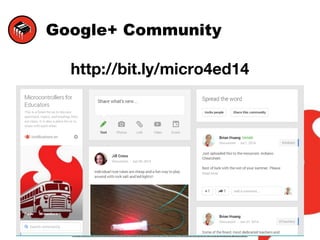
Google+ Community
http://bit.ly/micro4ed14
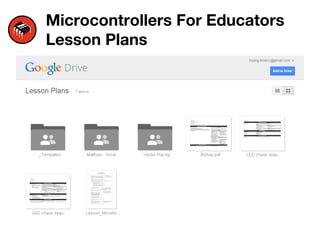
Microcontrollers For Educators
Lesson Plans
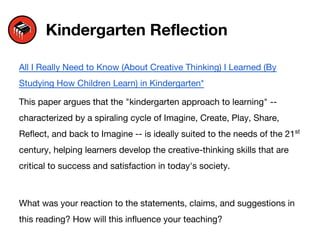
Kindergarten Reflection
All I Really Need to Know (About Creative Thinking) I Learned (By
Studying How Children Learn) in Kindergarten*
This paper argues that the "kindergarten approach to learning" --
characterized by a spiraling cycle of Imagine, Create, Play, Share,
Reflect, and back to Imagine -- is ideally suited to the needs of the 21st
century, helping learners develop the creative-thinking skills that are
critical to success and satisfaction in today's society.
What was your reaction to the statements, claims, and suggestions in
this reading? How will this influence your teaching?
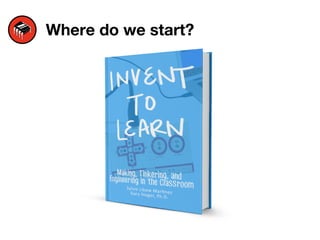
Where do we start?
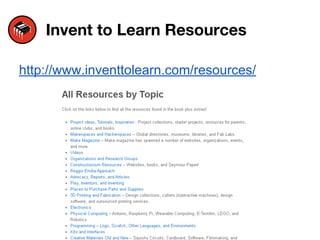
Invent to Learn Resources
http://www.inventtolearn.com/resources/
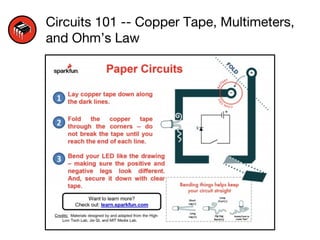
Circuits 101 -- Copper Tape, Multimeters,
and Ohm’s Law
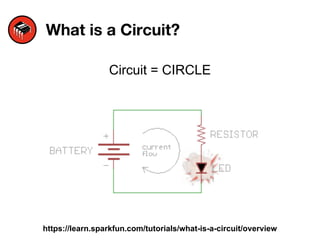
What is a Circuit?
Circuit = CIRCLE
https://learn.sparkfun.com/tutorials/what-is-a-circuit/overview
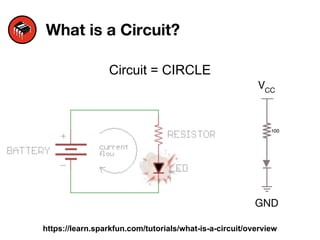
What is a Circuit?
Circuit = CIRCLE
https://learn.sparkfun.com/tutorials/what-is-a-circuit/overview
VCC
GND
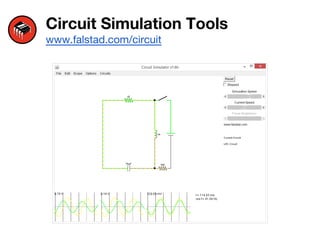
Circuit Simulation Tools
www.falstad.com/circuit
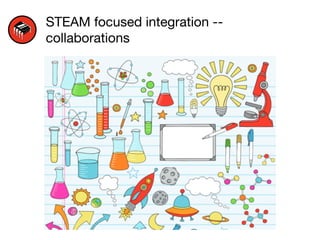
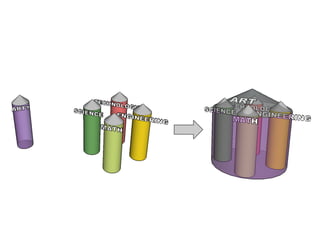
STEAM focused integration --
collaborations
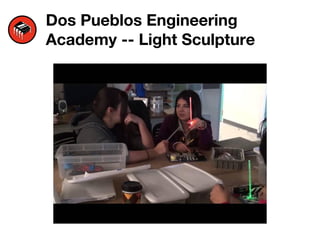
Dos Pueblos Engineering
Academy -- Light Sculpture
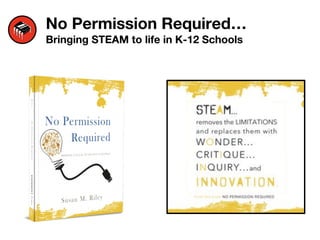
No Permission Required…
Bringing STEAM to life in K-12 Schools
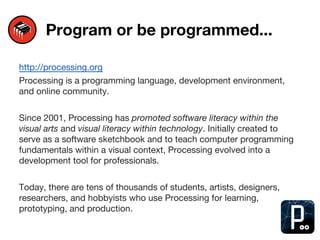
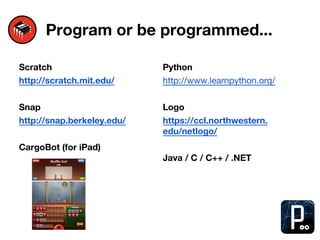
Program or be programmed...
http://processing.org
Processing is a programming language, development environment,
and online community.
Since 2001, Processing has promoted software literacy within the
visual arts and visual literacy within technology. Initially created to
serve as a software sketchbook and to teach computer programming
fundamentals within a visual context, Processing evolved into a
development tool for professionals.
Today, there are tens of thousands of students, artists, designers,
researchers, and hobbyists who use Processing for learning,
prototyping, and production.
Program or be programmed...
Scratch
http://scratch.mit.edu/
Snap
http://snap.berkeley.edu/
CargoBot (for iPad)
Python
http://www.learnpython.org/
Logo
https://ccl.northwestern.
edu/netlogo/
Java / C / C++ / .NET
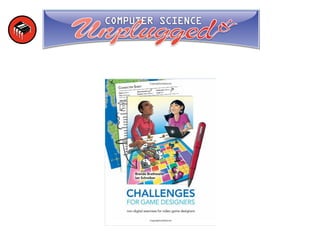
CS Unplugged
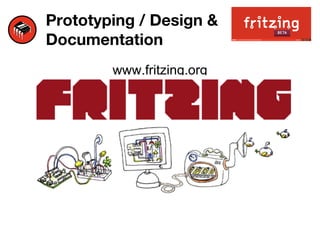
Prototyping / Design &
Documentation
www.fritzing.org
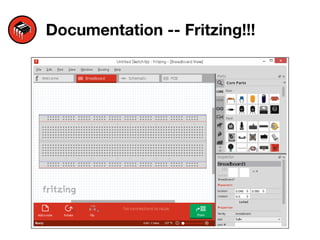
Documentation -- Fritzing!!!
Thoughts  Projects  Ideas
What do you want to work on today? Is there
someone here that you’d like to work with?
Are you stuck? Looking to work with someone
today? Let’s find someone!
Think, Share, Reflect… What do you want to
know more about?
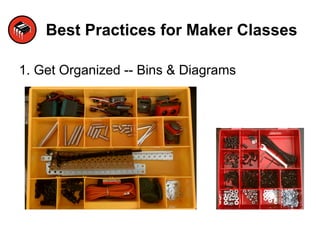
Best Practices for Maker Classes
1. Get Organized -- Bins & Diagrams
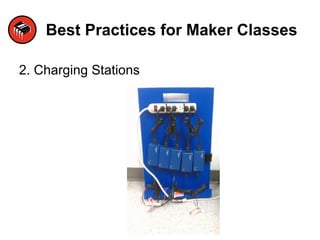
Best Practices for Maker Classes
2. Charging Stations
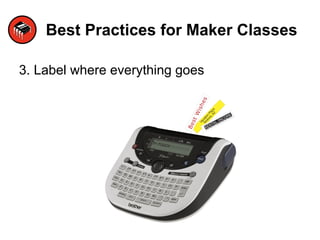
Best Practices for Maker Classes
3. Label where everything goes
Best Practices for Maker Classes
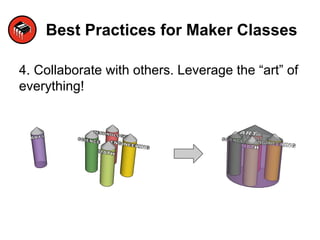
4. Collaborate with others. Leverage the “art” of
everything!
Best Practices for Maker Classes
5. Less Us, More Them (LUMT)
Best Practices for Maker Classes
What other ideas do we have???
Resources
Instructables
learn.sparkfun.com
teachengineering.org
Hints / Tips on using Fritzing
Hold down the SHIFT key
Strategies for Educators Using Microcontrollers in the Classroom

Strategies for Educators Using Microcontrollers in the Classroom

  • 1.
    Strategies & Tips-- Microcontrollers For Educators #sparkfun Brian Huang @bri_huang brian.huang@sparkfun.com #sparkfun http://bit.ly/SFE_edcamp14
  • 2.
    “Teachers that make…makegreat teachers” - Anonymous What will you make in your classroom?
  • 3.
    Goals Objectivesof Microcontrollers for Educators 1. ...implement a Maker-centric classroom built around project-based-learning (PBL). 2. ...understand basics behind electricity and circuits as well as how to teach these topics.. 3. ...develop a general fluency and literacy with programming in Arduino, Processing, and Scratch. 4. ...develop a set of lesson plans, activities, and projects to use in our classroom integrating microcontrollers, programming, and electronics.
  • 4.
    Pause… Before we moveany further, let’s make sure that we all know each other in this room? Please introduce yourself to the person(s) sitting in your general vicinity. Tell them a few things about yourself, maybe: – where you’re from – what you teach – why you’re here – what do you want to know more about?
  • 5.
    Rough Outline ● Wheredo we start? ● Circuits 101 -- Copper Tape, Multimeters, and Ohm’s Law ● STEAM focused integration -- collaborations ● Programming -- a new literacy focus ● Best Practices for the Maker Classroom... ● Resources: ○ learn.sparkfun.com ○ teachengineering.org ○ teachers@arduino.cc forum
  • 6.
  • 7.
  • 8.
    Kindergarten Reflection All IReally Need to Know (About Creative Thinking) I Learned (By Studying How Children Learn) in Kindergarten* This paper argues that the "kindergarten approach to learning" -- characterized by a spiraling cycle of Imagine, Create, Play, Share, Reflect, and back to Imagine -- is ideally suited to the needs of the 21st century, helping learners develop the creative-thinking skills that are critical to success and satisfaction in today's society. What was your reaction to the statements, claims, and suggestions in this reading? How will this influence your teaching?
  • 9.
  • 10.
    Invent to LearnResources http://www.inventtolearn.com/resources/
  • 11.
    Circuits 101 --Copper Tape, Multimeters, and Ohm’s Law
  • 12.
    What is aCircuit? Circuit = CIRCLE https://learn.sparkfun.com/tutorials/what-is-a-circuit/overview
  • 13.
    What is aCircuit? Circuit = CIRCLE https://learn.sparkfun.com/tutorials/what-is-a-circuit/overview VCC GND
  • 14.
  • 15.
    STEAM focused integration-- collaborations
  • 17.
  • 18.
    No Permission Required… BringingSTEAM to life in K-12 Schools
  • 19.
    Program or beprogrammed... http://processing.org Processing is a programming language, development environment, and online community. Since 2001, Processing has promoted software literacy within the visual arts and visual literacy within technology. Initially created to serve as a software sketchbook and to teach computer programming fundamentals within a visual context, Processing evolved into a development tool for professionals. Today, there are tens of thousands of students, artists, designers, researchers, and hobbyists who use Processing for learning, prototyping, and production.
  • 20.
    Program or beprogrammed... Scratch http://scratch.mit.edu/ Snap http://snap.berkeley.edu/ CargoBot (for iPad) Python http://www.learnpython.org/ Logo https://ccl.northwestern. edu/netlogo/ Java / C / C++ / .NET
  • 21.
  • 22.
    Prototyping / Design& Documentation www.fritzing.org
  • 23.
  • 24.
    Thoughts Projects Ideas What do you want to work on today? Is there someone here that you’d like to work with? Are you stuck? Looking to work with someone today? Let’s find someone! Think, Share, Reflect… What do you want to know more about?
  • 25.
    Best Practices forMaker Classes 1. Get Organized -- Bins & Diagrams
  • 26.
    Best Practices forMaker Classes 2. Charging Stations
  • 27.
    Best Practices forMaker Classes 3. Label where everything goes
  • 28.
    Best Practices forMaker Classes 4. Collaborate with others. Leverage the “art” of everything!
  • 29.
    Best Practices forMaker Classes 5. Less Us, More Them (LUMT)
  • 30.
    Best Practices forMaker Classes What other ideas do we have???
  • 31.
  • 32.
    Hints / Tipson using Fritzing Hold down the SHIFT key