












Building Maker
Skills
B r i a n P i c h m a n | E v o l v e P r o j e c t
WHAT ARE WE LEARNING TODAY?
• Circuits
– littleBits
– CircuitScribe
– LightUp
• Simple Robotics
– Cubelets
• Building Block Programming
– Ozobot
– Bitsbox
• Programmable Robotics
– Finch
– Dash and Dot
– Sphero
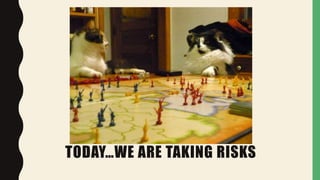
TODAY…WE ARE TAKING RISKS
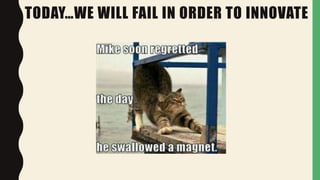
TODAY…WE WILL FAIL IN ORDER TO INNOVATE
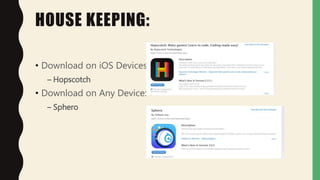
HOUSE KEEPING:
• Download on iOS Devices:
– Hopscotch
• Download on Any Device:
– Sphero
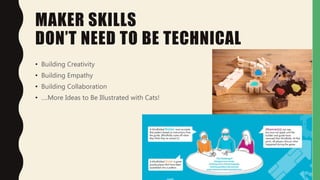
MAKER SKILLS
DON’T NEED TO BE TECHNICAL
• Building Creativity
• Building Empathy
• Building Collaboration
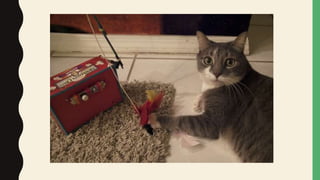
• ….More Ideas to Be Illustrated with Cats!
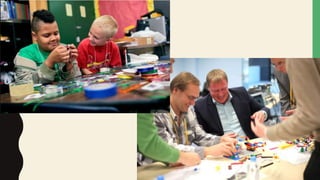
YOU ARE MAKING IF YOU ARE DOING
THIS:
MEMBERSHIP MAKER SPACES
• Find Your Local Maker Space:
• https://wiki.hackerspaces.org/
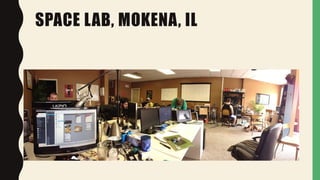
SPACE LAB, MOKENA, IL
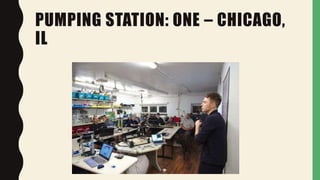
PUMPING STATION: ONE – CHICAGO,
IL
FOOD FOR THOUGHT
• You do not need a dedicated space to be a “maker library”
– Share resources across other libraries
• You do not need to buy all the latest and greatest technology
– You can start off small and grow
17
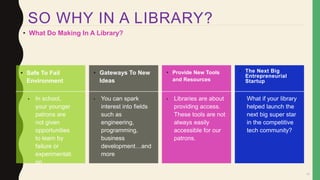
• What Do Making In A Library?
• Safe To Fail
Environment
• Gateways To New
Ideas
• Provide New Tools
and Resources
• The Next Big
Entrepreneurial
Startup
• In school,
your younger
patrons are
not given
opportunities
to learn by
failure or
experimentati
on
• You can spark
interest into fields
such as
engineering,
programming,
business
development…and
more
• Libraries are about
providing access.
These tools are not
always easily
accessible for our
patrons.
• What if your library
helped launch the
next big super star
in the competitive
tech community?
SO WHY IN A LIBRARY?
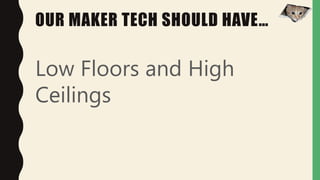
OUR MAKER TECH SHOULD HAVE…
Low Floors and High
Ceilings
EXPANDING OUR
VALUE
• No l onger be j ust about books
• Creating stories
• Being the community anchor
• Gateway to new opportunities and
experiences
• Moving f rom the “Grocery Store” to
the “Kitchen”
ELECTRICITY
AND CIRCUITS
WHY IS ELECTRICITY
IMPORTANT
ELECTRICITY AND CIRCUITS
• Powers everything we do
– Computers
– Cars
– Lights
BENJAMIN FRANKLIN
• Helped people understand the
principles of electricity
THOMAS EDISON
• Helped invent the light bulb
NIKOLA TESLA
• best known for his contributions to the
design of the modern alternating
current (AC) electricity supply system.
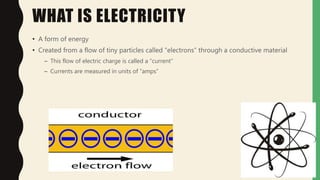
WHAT IS ELECTRICITY
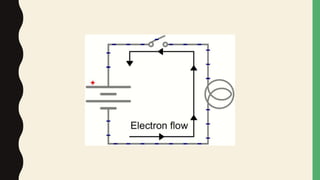
• A form of energy
• Created from a flow of tiny particles called “electrons” through a conductive material
– This flow of electric charge is called a “current”
– Currents are measured in units of “amps”
WHAT IS AN ELECTRICAL CIRCUIT
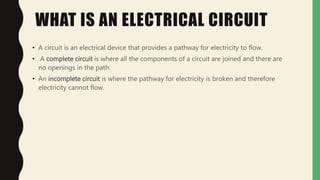
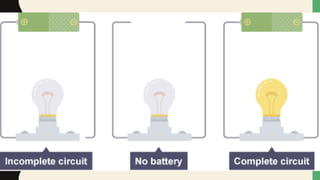
• A circuit is an electrical device that provides a pathway for electricity to flow.
• A complete circuit is where all the components of a circuit are joined and there are
no openings in the path.
• An incomplete circuit is where the pathway for electricity is broken and therefore
electricity cannot flow.
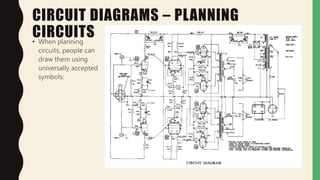
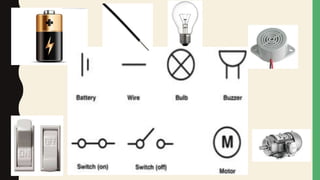
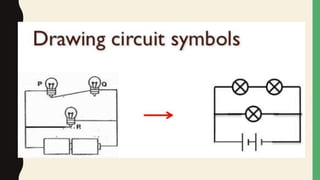
CIRCUIT DIAGRAMS – PLANNING
CIRCUITS• When planning
circuits, people can
draw them using
universally accepted
symbols:
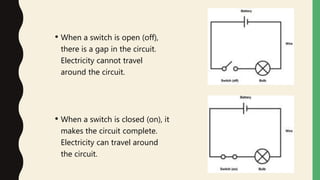
• When a switch is open (off),
there is a gap in the circuit.
Electricity cannot travel
around the circuit.
• When a switch is closed (on), it
makes the circuit complete.
Electricity can travel around
the circuit.
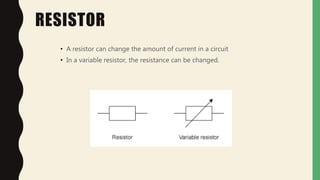
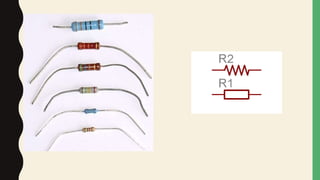
RESISTOR
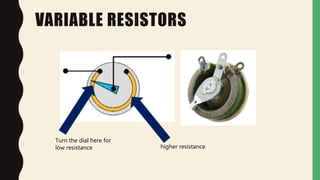
• A resistor can change the amount of current in a circuit
• In a variable resistor, the resistance can be changed.
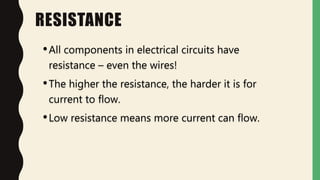
RESISTANCE
•All components in electrical circuits have
resistance – even the wires!
•The higher the resistance, the harder it is for
current to flow.
•Low resistance means more current can flow.
VARIABLE RESISTORS
Turn the dial here for
low resistance higher resistance
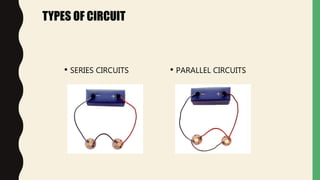
TYPES OF CIRCUIT
• SERIES CIRCUITS • PARALLEL CIRCUITS
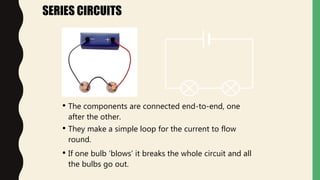
• The components are connected end-to-end, one
after the other.
• They make a simple loop for the current to flow
round.
SERIES CIRCUITS
• If one bulb ‘blows’ it breaks the whole circuit and all
the bulbs go out.
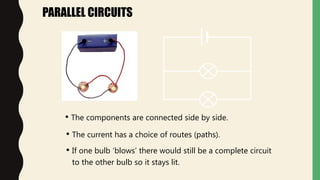
PARALLEL CIRCUITS
• The current has a choice of routes (paths).
• The components are connected side by side.
• If one bulb ‘blows’ there would still be a complete circuit
to the other bulb so it stays lit.
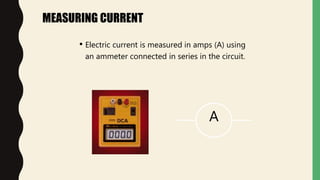
MEASURING CURRENT
• Electric current is measured in amps (A) using
an ammeter connected in series in the circuit.
A
MEASURING CURRENT
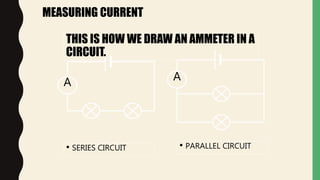
A A
THIS IS HOW WE DRAW AN AMMETER IN A
CIRCUIT.
• SERIES CIRCUIT • PARALLEL CIRCUIT
MEASURING CURRENT
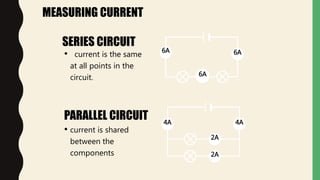
SERIES CIRCUIT
PARALLEL CIRCUIT
• current is the same
at all points in the
circuit.
6A 6A
6A
• current is shared
between the
components
4A4A
2A
2A
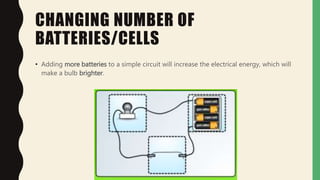
CHANGING NUMBER OF
BATTERIES/CELLS
• Adding more batteries to a simple circuit will increase the electrical energy, which will
make a bulb brighter.
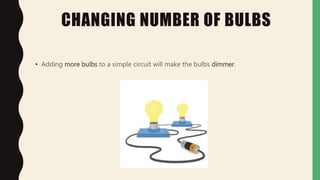
CHANGING NUMBER OF BULBS
• Adding more bulbs to a simple circuit will make the bulbs dimmer.
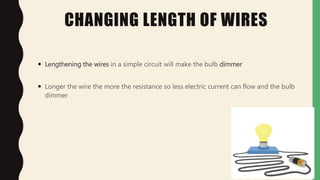
CHANGING LENGTH OF WIRES
 Lengthening the wires in a simple circuit will make the bulb dimmer
 Longer the wire the more the resistance so less electric current can flow and the bulb
dimmer
CHANGING THICKNESS
OF WIRES
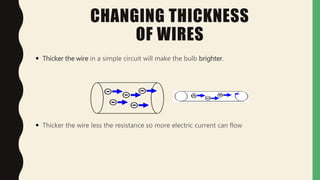
 Thicker the wire in a simple circuit will make the bulb brighter.
 Thicker the wire less the resistance so more electric current can flow
ELECTRICAL CONDUCTOR
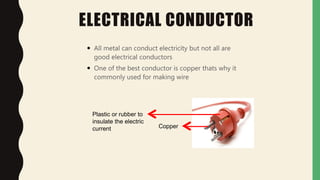
 All metal can conduct electricity but not all are
good electrical conductors
 One of the best conductor is copper thats why it
commonly used for making wire
Copper
Plastic or rubber to
insulate the electric
current
ELECTRICAL INSULATOR
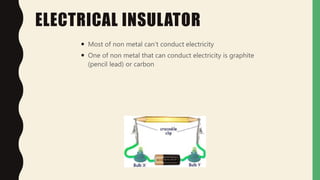
 Most of non metal can’t conduct electricity
 One of non metal that can conduct electricity is graphite
(pencil lead) or carbon
AN ELECTRONIC CIRCUIT INCLUDES
• Resistors – Reduce Flow
• Transistors – Amplify and switch signals
• Capacitors – store energy (a battery is NOT a capacitor)
• Inductors – Resist changes in current
• Electric signals can be amplified, computed, and move data.
TOOLS TO LEARN
• Circuit Scribe
• littleBits
• LightUp
• Hummingbird Kit
https://www.youtube.com/watch?v=iACOQdR7euc
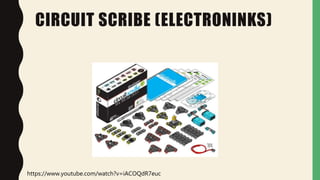
CIRCUIT SCRIBE (ELECTRONINKS)
53
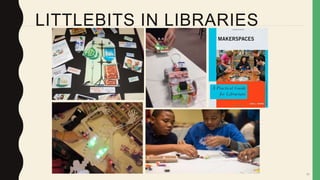
LITTLEBITS IN LIBRARIES
54
LITTLEBITS IS INTERACTIVE
• Magnets bring the pieces together
• Incorporate littleBits with other materials
• All the pieces are interactive and intuitive
– A knob turns
– A button pushes
– A microphone receives
55
LITTLEBITS ALLOWS DISCOVERY
• Making connections to electronics and interactions in the real world
• littleBits can be tinkered with, allowing for trial and error
– Seeing what works and what doesn’t work.
• Gateway to math and programming
– Order of Operations, Sequences, etc.
– Undecided student now wants to be an engineer
56
LITTLEBITS ENCOURAGE
CREATION
• Using other materials you can build literally anything
• One school library combined 3D Printing and littleBits
– First, design a car in Sketchup and print it in 3D
– Mount littleBits modules into the car
– The team with the fastest car wins
57
LITTLEBITS IS
COLLABORATIVE• When building, often times users will work together to build “the largest circuit” or the
“coolest thing”
• Makerspace Story
– Hotel Lobby + Two Sisters Who Always Fight + littleBits = “best part of our vacation was
‘circuit guy;’ first time our daughters got along while sharing”
58
LITTLEBITS IS INNOVATIVE
• Breaks down technology into its simplest parts
– Power, Input, Output, Logic
• Provides an entry into hardware; which is typically a complex and advance field
– Can be intimidating to most individuals
• littleBits is gender neutral
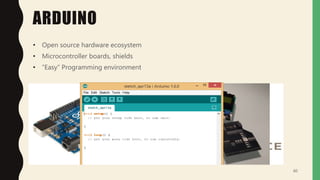
ARDUINO
• Open source hardware ecosystem
• Microcontroller boards, shields
• “Easy” Programming environment
60
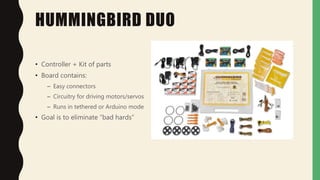
HUMMINGBIRD DUO
• Controller + Kit of parts
• Board contains:
– Easy connectors
– Circuitry for driving motors/servos
– Runs in tethered or Arduino mode
• Goal is to eliminate “bad hards”
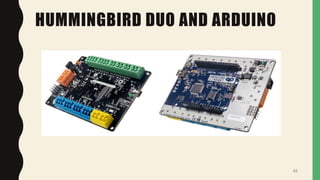
HUMMINGBIRD DUO AND ARDUINO
62
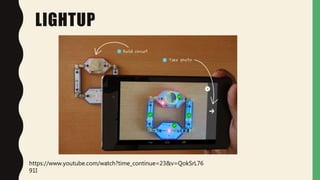
LIGHTUP
https://www.youtube.com/watch?time_continue=23&v=QokSrL76
91I
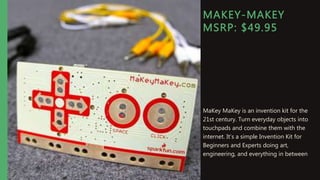
MAKEY-MAKEY
MSRP: $49.95
MaKey MaKey is an invention kit for the
21st century. Turn everyday objects into
touchpads and combine them with the
internet. It's a simple Invention Kit for
Beginners and Experts doing art,
engineering, and everything in between
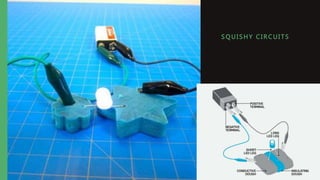
S QUI SHY C I R CUI TS
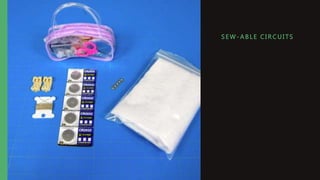
S E W- ABLE C I R CUI TS
LET’S TALK
PROGRAMMING!
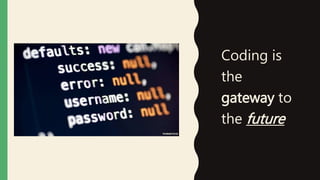
Coding is
the
gateway to
the future
WHAT IS COMPUTER
PROGRAMMING?
• A set of commands a computer understands – like a recipe.
• Computer programs can help cure diseases; drive cars; create video games; make
animated movies/graphics; build websites and apps; and much more.
• Basic coding concepts are used by most every program and most every programmer.
• To learn more visit http://www.bfoit.org/itp/Programming.html
WHY LEARN TO CODE?
• Why not?
• Learn the importance of clarity/brevity of expression.
• Be able to think and problem solve more accurately.
• Build something useful and maybe start a business.
• Have a better understanding of how technology works.
• Have fun!
• Do you think it is valuable to learn to code? Why? You are here today, so that is a good
sign. 
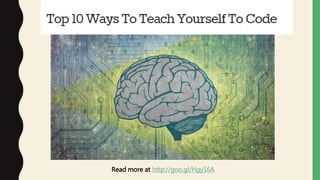
Read more at http://goo.gl/Hgy16A
Computer programming has a
reputation of being cryptic and too
complex for the average person;
however, when you get familiar with
basic programming logic you will see
patterns everywhere!
Describe in natural language how to make
a peanut butter and jelly sandwich.
SOME GREAT RESOURCES TO HELP YOU
LEARN TO CODE
.com
Learn to code interactively, for free.
http://www.oeconsortium.org/
https://www.coursera.org/
https://www.codeavengers.com/
https://www.khanacademy.org
https://teamtreehouse.com/
https://www.codeschool.com/
HTTP://CODERDOJO.COM
SOME OTHER CODING
RESOURCES• Lightbot is a programming puzzle game that gives the user a one-to-one relationship with programming concepts.
Try it today at http://light-bot.com/!
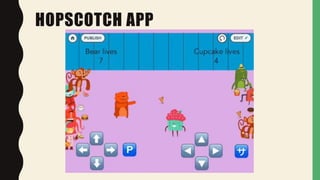
• Hopscotch: Coding for Kids is an iPad programming language. Download it today at
https://www.gethopscotch.com/ .
• Code.org wants to bring Computer Science classes to every K-12 school. Check it out at http://code.org/ and find
some excellent computer programming tutorials.
• Scratch helps children create stories, games, animations, and also lets them share these projects with others around
the world. More info at http://scratch.mit.edu/.
• www.scratchjr.org is a free iPad app that brings coding to students as young as age five.
• www.kodable.com gives children opportunities to program in order to solve puzzles. http://www.allcancode.com is
similar.
• Visit Medium for a “2 minute read” listing other ideas and resources to help inspire children and teens to code.
• There are several MOOCs (Massive Open Online Course) and other freely available resources that offer computer
programming classes. Coursera, Udacity, and Edx are great examples. Also, Khan Academy has some great
resources for kids and adults too!
WHAT IS A PROGRAMMING
LANGUAGE?
• A programming language is set of rules that provide a way of telling a computer:
– What operations to perform
– Communicating an algorithm
– Receives an input from the user and generates an output.
• A programming language is a system for describing a computation (math) or
algorithms (logic) in a machine-readable and human-readable form.
– Has words, symbols, and grammatical rules (natural language)
• Grammatical rules = Syntax
• Each language has a different set of syntax rules
– Has semantics (meaning)

WAYS TO PROGRAM
• Machine Language (Mechanical, Firmware, Drivers)
• Job Control, Shell Scripting, Text Processing
• GUI Programming (Graphical User Interface)
Types:
• Application Specific Programming
• Web Applications / Software Applications
– Front End Systems (what the users see)
– Back End Systems
• FORTRAN
– FORmula TRANslation.
– Developed at IBM in the mid-1950s.
• First programming language
– Designed for scientific and mathematical applications by scientists and engineers.
TRADITIONAL PROGRAMMING
LANGUAGES
• COBOL
– Common Business Oriented Language.
– Developed in 1959.
– Typically used for business applications.
TRADITIONAL PROGRAMMING
LANGUAGES (CONT’D.)
• BASIC
– Beginner’s All-purpose Symbolic Instruction Code.
– Developed at Dartmouth College in mid 1960s.
– Developed as a simple language for students to write programs with which they
could interact through terminals.
TRADITIONAL PROGRAMMING
LANGUAGES (CONT’D.)
• C
– Developed by Bell Laboratories in the early 1970s.
– Provides control and efficiency of assembly language
– Often used for system programs.
– UNIX is written in C.
TRADITIONAL PROGRAMMING
LANGUAGES (CONT’D.)
• C++
– It is C language with additional features.
– Widely used for developing system and application software.
– Graphical user interfaces can be developed easily with visual programming tools.
– Windows Based
OBJECT-ORIENTED PROGRAMMING
LANGUAGES
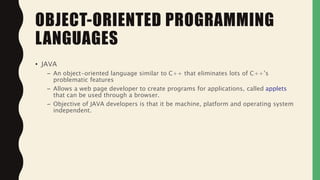
• JAVA
– An object-oriented language similar to C++ that eliminates lots of C++’s
problematic features
– Allows a web page developer to create programs for applications, called applets
that can be used through a browser.
– Objective of JAVA developers is that it be machine, platform and operating system
independent.
OBJECT-ORIENTED PROGRAMMING
LANGUAGES
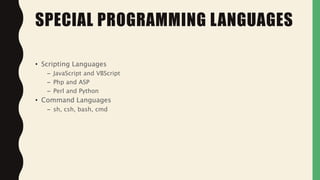
• Scripting Languages
– JavaScript and VBScript
– Php and ASP
– Perl and Python
• Command Languages
– sh, csh, bash, cmd
SPECIAL PROGRAMMING LANGUAGES
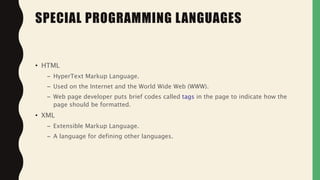
• HTML
– HyperText Markup Language.
– Used on the Internet and the World Wide Web (WWW).
– Web page developer puts brief codes called tags in the page to indicate how the
page should be formatted.
• XML
– Extensible Markup Language.
– A language for defining other languages.
SPECIAL PROGRAMMING LANGUAGES
CONSIDERATIONS WHEN CHOOSE
LANGUAGES
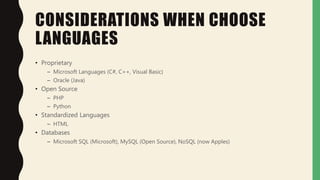
• Proprietary
– Microsoft Languages (C#, C++, Visual Basic)
– Oracle (Java)
• Open Source
– PHP
– Python
• Standardized Languages
– HTML
• Databases
– Microsoft SQL (Microsoft), MySQL (Open Source), NoSQL (now Apples)
A FEW BASIC PROGRAMMING COMPONENTS
(PRETTY MUCH REGARDLESS OF LANGUAGE)
• Variables & Arrays
• Operators
• Flow Control
• Functions
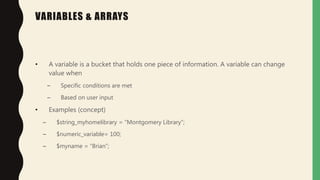
VARIABLES & ARRAYS
• A variable is a bucket that holds one piece of information. A variable can change
value when
– Specific conditions are met
– Based on user input
• Examples (concept)
– $string_myhomelibrary = “Montgomery Library”;
– $numeric_variable= 100;
– $myname = “Brian”;
VARIABLES & ARRAYS
• An array is a type of variable (or bucket) that holds many pieces of information.
• Example (language doesn’t matter here; the concept does):
– $FavoriteCities = array(“Orlando”, “Boulder”, “Miami”)
• $FavoriteCities[0] holds “Orlando”
• $FavoriteCities [1] holds “Boulder”
– $States = array(“1” => “Prime”; “FL”=> “Florida”, “CO” => “Colorado”)
• $States[“FL”] holds “Florida”
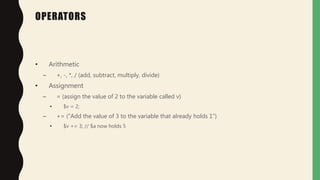
OPERATORS
• Arithmetic
– +, -, *, / (add, subtract, multiply, divide)
• Assignment
– = (assign the value of 2 to the variable called v)
• $v = 2;
– += (“Add the value of 3 to the variable that already holds 1”)
• $v += 3; // $a now holds 5
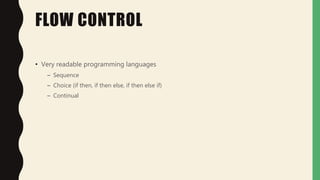
FLOW CONTROL
• Very readable programming languages
– Sequence
– Choice (if then, if then else, if then else if)
– Continual
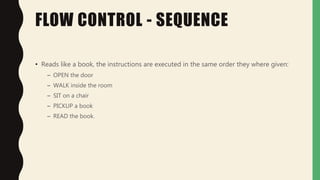
FLOW CONTROL - SEQUENCE
• Reads like a book, the instructions are executed in the same order they where given:
– OPEN the door
– WALK inside the room
– SIT on a chair
– PICKUP a book
– READ the book.
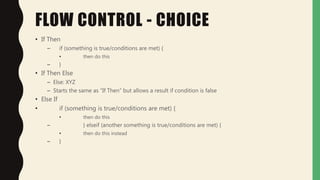
FLOW CONTROL - CHOICE
• With choice, instructions are executed based on variables, commands, outputs, etc.
FLOW CONTROL - CHOICE
• If Then
– if (something is true/conditions are met) {
• then do this
– }
• If Then Else
– Else: XYZ
– Starts the same as “If Then” but allows a result if condition is false
• Else If
• if (something is true/conditions are met) {
• then do this
– } elseif (another something is true/conditions are met) {
• then do this instead
– }
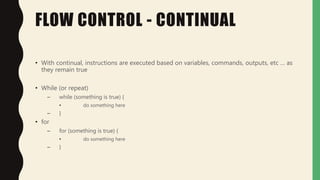
FLOW CONTROL - CONTINUAL
• With continual, instructions are executed based on variables, commands, outputs, etc … as
they remain true
• While (or repeat)
– while (something is true) {
• do something here
– }
• for
– for (something is true) {
• do something here
– }
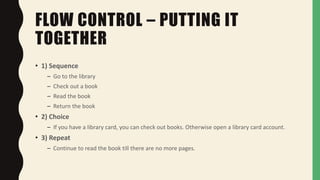
FLOW CONTROL – PUTTING IT
TOGETHER
• 1) Sequence
– Go to the library
– Check out a book
– Read the book
– Return the book
• 2) Choice
– If you have a library card, you can check out books. Otherwise open a library card account.
• 3) Repeat
– Continue to read the book till there are no more pages.
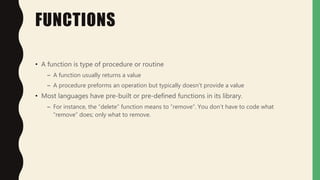
FUNCTIONS
• A function is type of procedure or routine
– A function usually returns a value
– A procedure preforms an operation but typically doesn’t provide a value
• Most languages have pre-built or pre-defined functions in its library.
– For instance, the “delete” function means to “remove”. You don’t have to code what
“remove” does; only what to remove.
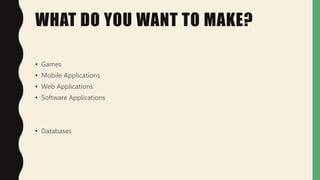
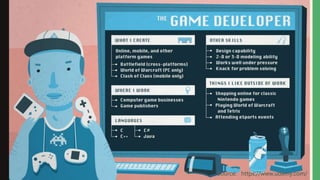
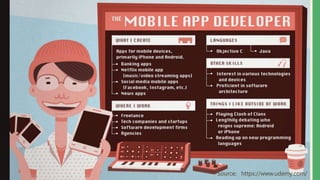
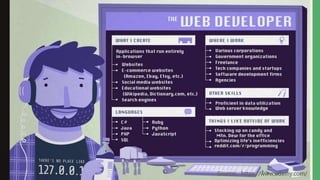
WHAT DO YOU WANT TO MAKE?
• Games
• Mobile Applications
• Web Applications
• Software Applications
• Databases
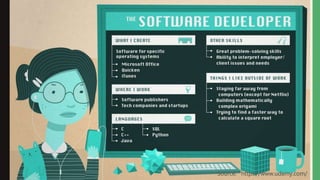
Source: https://www.udemy.com/
• When it comes to mechanics of the task, learning to
speak and use a programming language is in many
ways like learning to speak a human language
– you have to learn new vocabulary, syntax and semantics (new
words, sentence structure and meaning)
–require continual practice
THINGS TO CONSIDER
• Formerly: Run-time performance
– At one point, a well performing computer was costly, so
lightweight languages had to be used, concise commands,
and less “flashy” design
• Now: Life cycle (human) cost is more important
– Ease of use for both user and programmer
– Cost of maintenance (debugging, updates, etc)
WHAT DETERMINES A “RIGHT” LANGUAGE
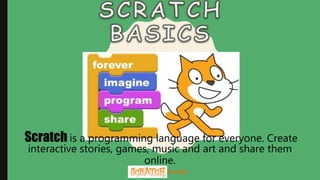
.mit.edu
Scratch is a programming language for everyone. Create
interactive stories, games, music and art and share them
online.
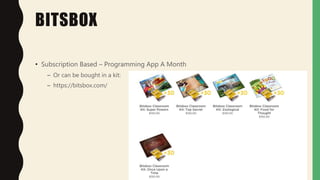
BITSBOX
• Subscription Based – Programming App A Month
– Or can be bought in a kit:
– https://bitsbox.com/
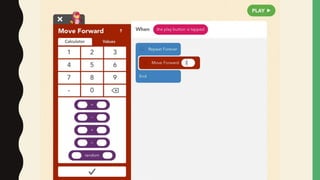
HOPSCOTCH APP
PROGRAMMING
ROBOTS
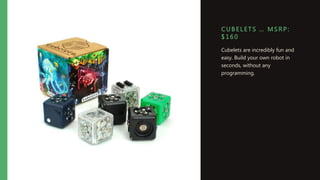
C UB E LETS … MS R P :
$ 160
Cubelets are incredibly fun and
easy. Build your own robot in
seconds, without any
programming.
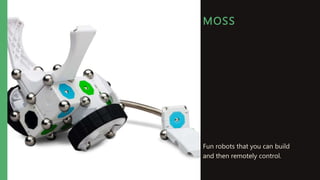
MOSS
Fun robots that you can build
and then remotely control.
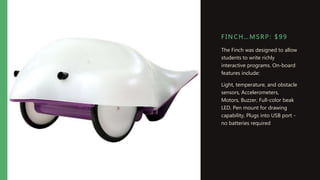
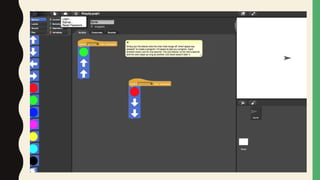
F I NC H…MSRP: $ 99
The Finch was designed to allow
students to write richly
interactive programs. On-board
features include:
Light, temperature, and obstacle
sensors, Accelerometers,
Motors, Buzzer, Full-color beak
LED, Pen mount for drawing
capability, Plugs into USB port -
no batteries required
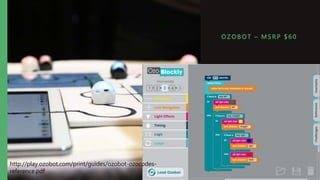
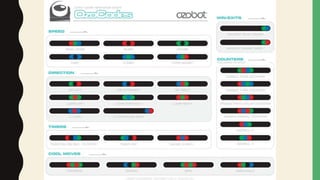
OZ OBOT – MS R P $ 6 0
http://play.ozobot.com/print/guides/ozobot-ozocodes-
reference.pdf
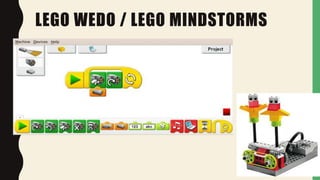
LEGO WEDO / LEGO MINDSTORMS
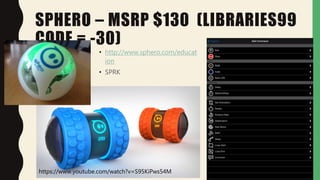
SPHERO – MSRP $130 (LIBRARIES99
CODE = -30)
• http://www.sphero.com/educat
ion
• SPRK
https://www.youtube.com/watch?v=S95KiPws54M
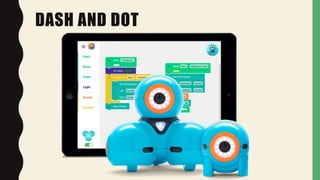
DASH AND DOT
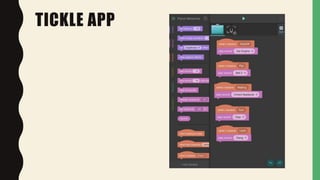
TICKLE APP
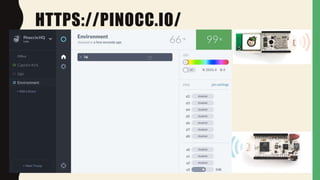
HTTPS://PINOCC.IO/
WHAT’S NEXT
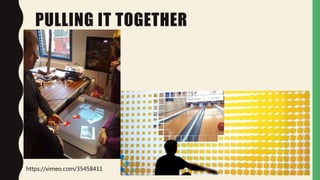
PULLING IT TOGETHER
https://vimeo.com/35458411
BUILDING A BUSINESS
• Use the space to incubate businesses and ideas
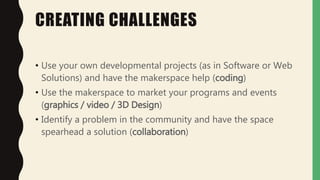
CREATING CHALLENGES
• Use your own developmental projects (as in Software or Web
Solutions) and have the makerspace help (coding)
• Use the makerspace to market your programs and events
(graphics / video / 3D Design)
• Identify a problem in the community and have the space
spearhead a solution (collaboration)
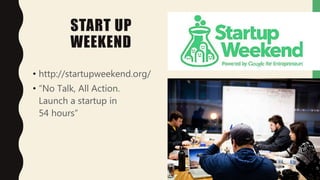
START UP
WEEKEND
• http://startupweekend.org/
• “No Talk, All Action.
Launch a startup in
54 hours”
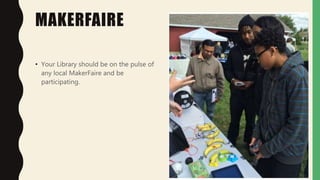
MAKERFAIRE
• Your Library should be on the pulse of
any local MakerFaire and be
participating.
UP AND COMING
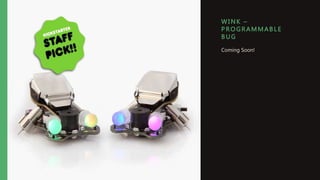
WI NK –
P R OGRAMMAB LE
B UG
Coming Soon!
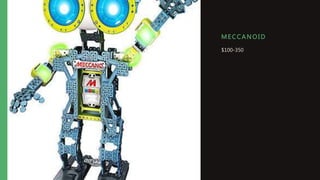
ME C CANOI D
$100-350
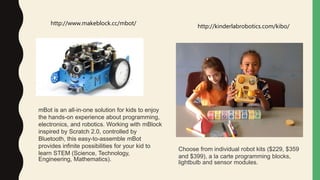
http://www.makeblock.cc/mbot/
http://kinderlabrobotics.com/kibo/
Choose from individual robot kits ($229, $359
and $399), a la carte programming blocks,
lightbulb and sensor modules.
mBot is an all-in-one solution for kids to enjoy
the hands-on experience about programming,
electronics, and robotics. Working with mBlock
inspired by Scratch 2.0, controlled by
Bluetooth, this easy-to-assemble mBot
provides infinite possibilities for your kid to
learn STEM (Science, Technology,
Engineering, Mathematics).
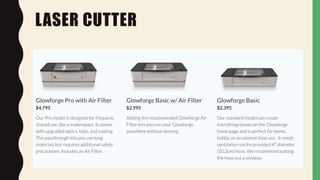
LASER CUTTER
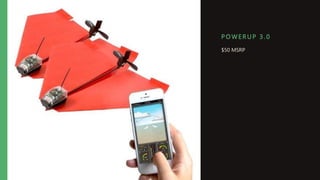
P OWERUP 3 . 0
$50 MSRP
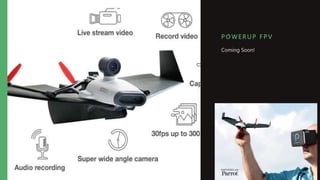
P OWERUP F P V
Coming Soon!
CONTACT ME
BRIAN PICHMAN
• @bpichman
• 815.534.0403
• bpichman@evolveproject.
org

PLAN Tech Day 2016

  • 1.
    Building Maker Skills B ri a n P i c h m a n | E v o l v e P r o j e c t
  • 2.
    WHAT ARE WELEARNING TODAY? • Circuits – littleBits – CircuitScribe – LightUp • Simple Robotics – Cubelets • Building Block Programming – Ozobot – Bitsbox • Programmable Robotics – Finch – Dash and Dot – Sphero
  • 3.
  • 4.
    TODAY…WE WILL FAILIN ORDER TO INNOVATE
  • 5.
    HOUSE KEEPING: • Downloadon iOS Devices: – Hopscotch • Download on Any Device: – Sphero
  • 6.
    MAKER SKILLS DON’T NEEDTO BE TECHNICAL • Building Creativity • Building Empathy • Building Collaboration • ….More Ideas to Be Illustrated with Cats!
  • 12.
    YOU ARE MAKINGIF YOU ARE DOING THIS:
  • 13.
    MEMBERSHIP MAKER SPACES •Find Your Local Maker Space: • https://wiki.hackerspaces.org/
  • 14.
  • 15.
    PUMPING STATION: ONE– CHICAGO, IL
  • 16.
    FOOD FOR THOUGHT •You do not need a dedicated space to be a “maker library” – Share resources across other libraries • You do not need to buy all the latest and greatest technology – You can start off small and grow
  • 17.
    17 • What DoMaking In A Library? • Safe To Fail Environment • Gateways To New Ideas • Provide New Tools and Resources • The Next Big Entrepreneurial Startup • In school, your younger patrons are not given opportunities to learn by failure or experimentati on • You can spark interest into fields such as engineering, programming, business development…and more • Libraries are about providing access. These tools are not always easily accessible for our patrons. • What if your library helped launch the next big super star in the competitive tech community? SO WHY IN A LIBRARY?
  • 18.
    OUR MAKER TECHSHOULD HAVE… Low Floors and High Ceilings
  • 19.
    EXPANDING OUR VALUE • Nol onger be j ust about books • Creating stories • Being the community anchor • Gateway to new opportunities and experiences • Moving f rom the “Grocery Store” to the “Kitchen”
  • 20.
  • 21.
  • 22.
    ELECTRICITY AND CIRCUITS •Powers everything we do – Computers – Cars – Lights
  • 23.
    BENJAMIN FRANKLIN • Helpedpeople understand the principles of electricity
  • 24.
    THOMAS EDISON • Helpedinvent the light bulb
  • 25.
    NIKOLA TESLA • bestknown for his contributions to the design of the modern alternating current (AC) electricity supply system.
  • 26.
    WHAT IS ELECTRICITY •A form of energy • Created from a flow of tiny particles called “electrons” through a conductive material – This flow of electric charge is called a “current” – Currents are measured in units of “amps”
  • 27.
    WHAT IS ANELECTRICAL CIRCUIT • A circuit is an electrical device that provides a pathway for electricity to flow. • A complete circuit is where all the components of a circuit are joined and there are no openings in the path. • An incomplete circuit is where the pathway for electricity is broken and therefore electricity cannot flow.
  • 29.
    CIRCUIT DIAGRAMS –PLANNING CIRCUITS• When planning circuits, people can draw them using universally accepted symbols:
  • 33.
    • When aswitch is open (off), there is a gap in the circuit. Electricity cannot travel around the circuit. • When a switch is closed (on), it makes the circuit complete. Electricity can travel around the circuit.
  • 34.
    RESISTOR • A resistorcan change the amount of current in a circuit • In a variable resistor, the resistance can be changed.
  • 36.
    RESISTANCE •All components inelectrical circuits have resistance – even the wires! •The higher the resistance, the harder it is for current to flow. •Low resistance means more current can flow.
  • 37.
    VARIABLE RESISTORS Turn thedial here for low resistance higher resistance
  • 38.
    TYPES OF CIRCUIT •SERIES CIRCUITS • PARALLEL CIRCUITS
  • 39.
    • The componentsare connected end-to-end, one after the other. • They make a simple loop for the current to flow round. SERIES CIRCUITS • If one bulb ‘blows’ it breaks the whole circuit and all the bulbs go out.
  • 40.
    PARALLEL CIRCUITS • Thecurrent has a choice of routes (paths). • The components are connected side by side. • If one bulb ‘blows’ there would still be a complete circuit to the other bulb so it stays lit.
  • 41.
    MEASURING CURRENT • Electriccurrent is measured in amps (A) using an ammeter connected in series in the circuit. A
  • 42.
    MEASURING CURRENT A A THISIS HOW WE DRAW AN AMMETER IN A CIRCUIT. • SERIES CIRCUIT • PARALLEL CIRCUIT
  • 43.
    MEASURING CURRENT SERIES CIRCUIT PARALLELCIRCUIT • current is the same at all points in the circuit. 6A 6A 6A • current is shared between the components 4A4A 2A 2A
  • 44.
    CHANGING NUMBER OF BATTERIES/CELLS •Adding more batteries to a simple circuit will increase the electrical energy, which will make a bulb brighter.
  • 45.
    CHANGING NUMBER OFBULBS • Adding more bulbs to a simple circuit will make the bulbs dimmer.
  • 46.
    CHANGING LENGTH OFWIRES  Lengthening the wires in a simple circuit will make the bulb dimmer  Longer the wire the more the resistance so less electric current can flow and the bulb dimmer
  • 47.
    CHANGING THICKNESS OF WIRES Thicker the wire in a simple circuit will make the bulb brighter.  Thicker the wire less the resistance so more electric current can flow
  • 48.
    ELECTRICAL CONDUCTOR  Allmetal can conduct electricity but not all are good electrical conductors  One of the best conductor is copper thats why it commonly used for making wire Copper Plastic or rubber to insulate the electric current
  • 49.
    ELECTRICAL INSULATOR  Mostof non metal can’t conduct electricity  One of non metal that can conduct electricity is graphite (pencil lead) or carbon
  • 50.
    AN ELECTRONIC CIRCUITINCLUDES • Resistors – Reduce Flow • Transistors – Amplify and switch signals • Capacitors – store energy (a battery is NOT a capacitor) • Inductors – Resist changes in current • Electric signals can be amplified, computed, and move data.
  • 51.
    TOOLS TO LEARN •Circuit Scribe • littleBits • LightUp • Hummingbird Kit
  • 52.
  • 53.
  • 54.
    54 LITTLEBITS IS INTERACTIVE •Magnets bring the pieces together • Incorporate littleBits with other materials • All the pieces are interactive and intuitive – A knob turns – A button pushes – A microphone receives
  • 55.
    55 LITTLEBITS ALLOWS DISCOVERY •Making connections to electronics and interactions in the real world • littleBits can be tinkered with, allowing for trial and error – Seeing what works and what doesn’t work. • Gateway to math and programming – Order of Operations, Sequences, etc. – Undecided student now wants to be an engineer
  • 56.
    56 LITTLEBITS ENCOURAGE CREATION • Usingother materials you can build literally anything • One school library combined 3D Printing and littleBits – First, design a car in Sketchup and print it in 3D – Mount littleBits modules into the car – The team with the fastest car wins
  • 57.
    57 LITTLEBITS IS COLLABORATIVE• Whenbuilding, often times users will work together to build “the largest circuit” or the “coolest thing” • Makerspace Story – Hotel Lobby + Two Sisters Who Always Fight + littleBits = “best part of our vacation was ‘circuit guy;’ first time our daughters got along while sharing”
  • 58.
    58 LITTLEBITS IS INNOVATIVE •Breaks down technology into its simplest parts – Power, Input, Output, Logic • Provides an entry into hardware; which is typically a complex and advance field – Can be intimidating to most individuals • littleBits is gender neutral
  • 60.
    ARDUINO • Open sourcehardware ecosystem • Microcontroller boards, shields • “Easy” Programming environment 60
  • 61.
    HUMMINGBIRD DUO • Controller+ Kit of parts • Board contains: – Easy connectors – Circuitry for driving motors/servos – Runs in tethered or Arduino mode • Goal is to eliminate “bad hards”
  • 62.
  • 63.
  • 64.
    MAKEY-MAKEY MSRP: $49.95 MaKey MaKeyis an invention kit for the 21st century. Turn everyday objects into touchpads and combine them with the internet. It's a simple Invention Kit for Beginners and Experts doing art, engineering, and everything in between
  • 65.
    S QUI SHYC I R CUI TS
  • 66.
    S E W-ABLE C I R CUI TS
  • 67.
  • 69.
  • 70.
    WHAT IS COMPUTER PROGRAMMING? •A set of commands a computer understands – like a recipe. • Computer programs can help cure diseases; drive cars; create video games; make animated movies/graphics; build websites and apps; and much more. • Basic coding concepts are used by most every program and most every programmer. • To learn more visit http://www.bfoit.org/itp/Programming.html
  • 71.
    WHY LEARN TOCODE? • Why not? • Learn the importance of clarity/brevity of expression. • Be able to think and problem solve more accurately. • Build something useful and maybe start a business. • Have a better understanding of how technology works. • Have fun! • Do you think it is valuable to learn to code? Why? You are here today, so that is a good sign. 
  • 72.
    Read more athttp://goo.gl/Hgy16A
  • 73.
    Computer programming hasa reputation of being cryptic and too complex for the average person; however, when you get familiar with basic programming logic you will see patterns everywhere!
  • 74.
    Describe in naturallanguage how to make a peanut butter and jelly sandwich.
  • 75.
    SOME GREAT RESOURCESTO HELP YOU LEARN TO CODE
  • 76.
    .com Learn to codeinteractively, for free.
  • 77.
  • 78.
  • 79.
  • 80.
  • 81.
  • 82.
  • 83.
  • 84.
    SOME OTHER CODING RESOURCES•Lightbot is a programming puzzle game that gives the user a one-to-one relationship with programming concepts. Try it today at http://light-bot.com/! • Hopscotch: Coding for Kids is an iPad programming language. Download it today at https://www.gethopscotch.com/ . • Code.org wants to bring Computer Science classes to every K-12 school. Check it out at http://code.org/ and find some excellent computer programming tutorials. • Scratch helps children create stories, games, animations, and also lets them share these projects with others around the world. More info at http://scratch.mit.edu/. • www.scratchjr.org is a free iPad app that brings coding to students as young as age five. • www.kodable.com gives children opportunities to program in order to solve puzzles. http://www.allcancode.com is similar. • Visit Medium for a “2 minute read” listing other ideas and resources to help inspire children and teens to code. • There are several MOOCs (Massive Open Online Course) and other freely available resources that offer computer programming classes. Coursera, Udacity, and Edx are great examples. Also, Khan Academy has some great resources for kids and adults too!
  • 85.
    WHAT IS APROGRAMMING LANGUAGE? • A programming language is set of rules that provide a way of telling a computer: – What operations to perform – Communicating an algorithm – Receives an input from the user and generates an output. • A programming language is a system for describing a computation (math) or algorithms (logic) in a machine-readable and human-readable form. – Has words, symbols, and grammatical rules (natural language) • Grammatical rules = Syntax • Each language has a different set of syntax rules – Has semantics (meaning)
  • 86.
    WAYS TO PROGRAM •Machine Language (Mechanical, Firmware, Drivers) • Job Control, Shell Scripting, Text Processing • GUI Programming (Graphical User Interface) Types: • Application Specific Programming • Web Applications / Software Applications – Front End Systems (what the users see) – Back End Systems
  • 87.
    • FORTRAN – FORmulaTRANslation. – Developed at IBM in the mid-1950s. • First programming language – Designed for scientific and mathematical applications by scientists and engineers. TRADITIONAL PROGRAMMING LANGUAGES
  • 88.
    • COBOL – CommonBusiness Oriented Language. – Developed in 1959. – Typically used for business applications. TRADITIONAL PROGRAMMING LANGUAGES (CONT’D.)
  • 89.
    • BASIC – Beginner’sAll-purpose Symbolic Instruction Code. – Developed at Dartmouth College in mid 1960s. – Developed as a simple language for students to write programs with which they could interact through terminals. TRADITIONAL PROGRAMMING LANGUAGES (CONT’D.)
  • 90.
    • C – Developedby Bell Laboratories in the early 1970s. – Provides control and efficiency of assembly language – Often used for system programs. – UNIX is written in C. TRADITIONAL PROGRAMMING LANGUAGES (CONT’D.)
  • 91.
    • C++ – Itis C language with additional features. – Widely used for developing system and application software. – Graphical user interfaces can be developed easily with visual programming tools. – Windows Based OBJECT-ORIENTED PROGRAMMING LANGUAGES
  • 92.
    • JAVA – Anobject-oriented language similar to C++ that eliminates lots of C++’s problematic features – Allows a web page developer to create programs for applications, called applets that can be used through a browser. – Objective of JAVA developers is that it be machine, platform and operating system independent. OBJECT-ORIENTED PROGRAMMING LANGUAGES
  • 93.
    • Scripting Languages –JavaScript and VBScript – Php and ASP – Perl and Python • Command Languages – sh, csh, bash, cmd SPECIAL PROGRAMMING LANGUAGES
  • 94.
    • HTML – HyperTextMarkup Language. – Used on the Internet and the World Wide Web (WWW). – Web page developer puts brief codes called tags in the page to indicate how the page should be formatted. • XML – Extensible Markup Language. – A language for defining other languages. SPECIAL PROGRAMMING LANGUAGES
  • 95.
    CONSIDERATIONS WHEN CHOOSE LANGUAGES •Proprietary – Microsoft Languages (C#, C++, Visual Basic) – Oracle (Java) • Open Source – PHP – Python • Standardized Languages – HTML • Databases – Microsoft SQL (Microsoft), MySQL (Open Source), NoSQL (now Apples)
  • 97.
    A FEW BASICPROGRAMMING COMPONENTS (PRETTY MUCH REGARDLESS OF LANGUAGE) • Variables & Arrays • Operators • Flow Control • Functions
  • 98.
    VARIABLES & ARRAYS •A variable is a bucket that holds one piece of information. A variable can change value when – Specific conditions are met – Based on user input • Examples (concept) – $string_myhomelibrary = “Montgomery Library”; – $numeric_variable= 100; – $myname = “Brian”;
  • 99.
    VARIABLES & ARRAYS •An array is a type of variable (or bucket) that holds many pieces of information. • Example (language doesn’t matter here; the concept does): – $FavoriteCities = array(“Orlando”, “Boulder”, “Miami”) • $FavoriteCities[0] holds “Orlando” • $FavoriteCities [1] holds “Boulder” – $States = array(“1” => “Prime”; “FL”=> “Florida”, “CO” => “Colorado”) • $States[“FL”] holds “Florida”
  • 100.
    OPERATORS • Arithmetic – +,-, *, / (add, subtract, multiply, divide) • Assignment – = (assign the value of 2 to the variable called v) • $v = 2; – += (“Add the value of 3 to the variable that already holds 1”) • $v += 3; // $a now holds 5
  • 101.
    FLOW CONTROL • Veryreadable programming languages – Sequence – Choice (if then, if then else, if then else if) – Continual
  • 102.
    FLOW CONTROL -SEQUENCE • Reads like a book, the instructions are executed in the same order they where given: – OPEN the door – WALK inside the room – SIT on a chair – PICKUP a book – READ the book.
  • 103.
    FLOW CONTROL -CHOICE • With choice, instructions are executed based on variables, commands, outputs, etc.
  • 104.
    FLOW CONTROL -CHOICE • If Then – if (something is true/conditions are met) { • then do this – } • If Then Else – Else: XYZ – Starts the same as “If Then” but allows a result if condition is false • Else If • if (something is true/conditions are met) { • then do this – } elseif (another something is true/conditions are met) { • then do this instead – }
  • 105.
    FLOW CONTROL -CONTINUAL • With continual, instructions are executed based on variables, commands, outputs, etc … as they remain true • While (or repeat) – while (something is true) { • do something here – } • for – for (something is true) { • do something here – }
  • 106.
    FLOW CONTROL –PUTTING IT TOGETHER • 1) Sequence – Go to the library – Check out a book – Read the book – Return the book • 2) Choice – If you have a library card, you can check out books. Otherwise open a library card account. • 3) Repeat – Continue to read the book till there are no more pages.
  • 107.
    FUNCTIONS • A functionis type of procedure or routine – A function usually returns a value – A procedure preforms an operation but typically doesn’t provide a value • Most languages have pre-built or pre-defined functions in its library. – For instance, the “delete” function means to “remove”. You don’t have to code what “remove” does; only what to remove.
  • 108.
    WHAT DO YOUWANT TO MAKE? • Games • Mobile Applications • Web Applications • Software Applications • Databases
  • 109.
  • 110.
  • 111.
  • 112.
  • 113.
    • When itcomes to mechanics of the task, learning to speak and use a programming language is in many ways like learning to speak a human language – you have to learn new vocabulary, syntax and semantics (new words, sentence structure and meaning) –require continual practice THINGS TO CONSIDER
  • 114.
    • Formerly: Run-timeperformance – At one point, a well performing computer was costly, so lightweight languages had to be used, concise commands, and less “flashy” design • Now: Life cycle (human) cost is more important – Ease of use for both user and programmer – Cost of maintenance (debugging, updates, etc) WHAT DETERMINES A “RIGHT” LANGUAGE
  • 115.
    .mit.edu Scratch is aprogramming language for everyone. Create interactive stories, games, music and art and share them online.
  • 116.
    BITSBOX • Subscription Based– Programming App A Month – Or can be bought in a kit: – https://bitsbox.com/
  • 117.
  • 119.
  • 120.
    C UB ELETS … MS R P : $ 160 Cubelets are incredibly fun and easy. Build your own robot in seconds, without any programming.
  • 121.
    MOSS Fun robots thatyou can build and then remotely control.
  • 122.
    F I NCH…MSRP: $ 99 The Finch was designed to allow students to write richly interactive programs. On-board features include: Light, temperature, and obstacle sensors, Accelerometers, Motors, Buzzer, Full-color beak LED, Pen mount for drawing capability, Plugs into USB port - no batteries required
  • 124.
    OZ OBOT –MS R P $ 6 0 http://play.ozobot.com/print/guides/ozobot-ozocodes- reference.pdf
  • 126.
    LEGO WEDO /LEGO MINDSTORMS
  • 127.
    SPHERO – MSRP$130 (LIBRARIES99 CODE = -30) • http://www.sphero.com/educat ion • SPRK https://www.youtube.com/watch?v=S95KiPws54M
  • 128.
  • 129.
  • 130.
  • 131.
  • 132.
  • 133.
    BUILDING A BUSINESS •Use the space to incubate businesses and ideas
  • 134.
    CREATING CHALLENGES • Useyour own developmental projects (as in Software or Web Solutions) and have the makerspace help (coding) • Use the makerspace to market your programs and events (graphics / video / 3D Design) • Identify a problem in the community and have the space spearhead a solution (collaboration)
  • 135.
    START UP WEEKEND • http://startupweekend.org/ •“No Talk, All Action. Launch a startup in 54 hours”
  • 136.
    MAKERFAIRE • Your Libraryshould be on the pulse of any local MakerFaire and be participating.
  • 137.
  • 138.
    WI NK – PR OGRAMMAB LE B UG Coming Soon!
  • 139.
    ME C CANOID $100-350
  • 140.
    http://www.makeblock.cc/mbot/ http://kinderlabrobotics.com/kibo/ Choose from individualrobot kits ($229, $359 and $399), a la carte programming blocks, lightbulb and sensor modules. mBot is an all-in-one solution for kids to enjoy the hands-on experience about programming, electronics, and robotics. Working with mBlock inspired by Scratch 2.0, controlled by Bluetooth, this easy-to-assemble mBot provides infinite possibilities for your kid to learn STEM (Science, Technology, Engineering, Mathematics).
  • 141.
  • 142.
    P OWERUP 3. 0 $50 MSRP
  • 143.
    P OWERUP FP V Coming Soon!
  • 144.
    CONTACT ME BRIAN PICHMAN •@bpichman • 815.534.0403 • bpichman@evolveproject. org