Starting out with a VLE...
    what to expect...
           Sarah Horrigan
Learning Technologies Manager, CiCS
…what is this going
  to be about?
Ideas!


Image source:
http://www.flickr.com/photos/67961268@N00/330793963/
Some things to think about…


Source:
http://www.flickr.com/photos/66164549@N00/2260970300/sizes/l/
I’m going to share a
secret with you…
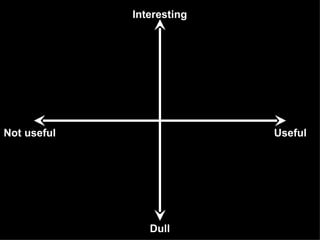
Interesting


Not useful                 Useful


                Dull
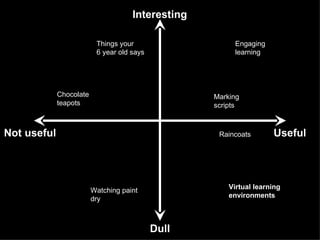
Interesting

                          Things your                    Engaging
                          6 year old says                learning


             Chocolate                             Marking
             teapots                               scripts


Not useful                                          Raincoats       Useful


                         Watching paint                Virtual learning
                         dry                           environments


                                            Dull
VL Es
        aren’t
that e
       xcitin
              g


 Source:
 http://www.flickr.com/photos/21099071@N03/3731709213/
“… communications tools don’t get
         socially interesting until they get
        technologically boring”Source: Clay Shirky, 2008


Source: http://www.flickr.com/photos/chrysti/2250223529/
Get the basics in place
M inim ize
cha  os!
... don’t aim
       But             um!
         or the minim
       f


Source:
http://www.flickr.com/photos/49503180180@N01/447379393/
“… The best VLEs reviewed allowed learners to
 reinforce their routine work, or catch up on
 missed lessons. In those best cases the
 material offered was fun and helpful and was
 being used well by learners…”


Image source: Maccio Capatonda, http://www.flickr.com/photos/gattomimmo/2217134329/
“… In the least effective examples,
documents had been dumped on the
system and forgotten.” Source: OFSTED, 2009


Source: Sandman, ‘Storm Cell at Sunset’, http://www.flickr.com/photos/dotdoubledot/1281864495
“The common factor in effective VLEs was
the enthusiasm of the subject teacher;
that is enthusiasm for the subject and
teaching and learning as much as any
competence in computing”Source: OFSTED, 2009


Source: http://www.flickr.com/photos/maxbraun/104431360/
Make the most of its potential
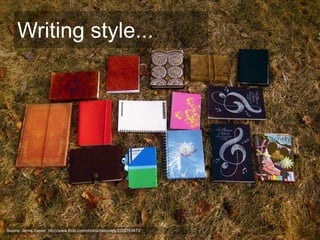
Writing style...


Source: Jenna Carver, http://www.flickr.com/photos/babyowls/2329783873/
Some guidelines…
Make Text 'Scannable‘…

Highlight keywords

Provide meaningful headings and
subheadings

Include one idea per paragraph
Some guidelines…
Keep your tone reader-friendly:

Be conversational

Be welcoming

Try to get a sense of narrative running
through your text
Above all…
                                                   use plain
                                                   English!


Image Source: Fabian Blanca,
http://www.flickr.com/photos/faby74/3022829811/
Other uses?

       development
 Staff
         Commun
                 ities of pr
                             act   ice
    ial spaces
Soc               Shari
                        ng resour
                                  c  es
How to prepare students
for their online learning
       with TUoS?
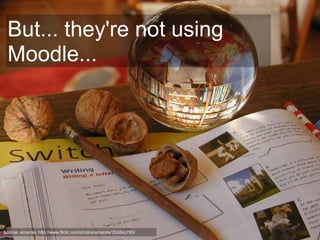
But... they're not using
  Moodle...


Source: amarola, http://www.flickr.com/photos/amarola/268642793/
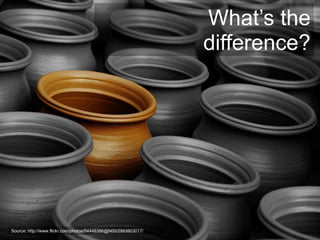
What’s the
                                                                difference?


Source: http://www.flickr.com/photos/54448386@N00/2993803017/
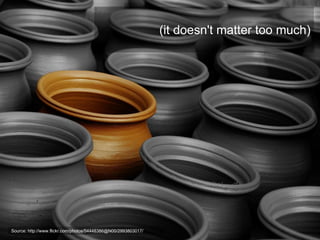
(it doesn't matter too much)


Source: http://www.flickr.com/photos/54448386@N00/2993803017/
What is
  expected of
students at the
 University of
   Sheffield?
...it varies
Last thoughts
and questions...
Further resources
JISC InfoKit, 'Effective use of VLEs'
  http://www.jiscinfonet.ac.uk/InfoKits/effective-use-of-
  VLEs


Moodle FAQs -
  http://docs.moodle.org/22/en/About_Moodle_FAQ


CiCS, University of Sheffield -
http://shef.ac.uk/cics

Starting out with a VLE - what to expect

  • 1.
    Starting out witha VLE... what to expect... Sarah Horrigan Learning Technologies Manager, CiCS
  • 2.
    …what is thisgoing to be about?
  • 3.
  • 4.
    Some things tothink about… Source: http://www.flickr.com/photos/66164549@N00/2260970300/sizes/l/
  • 5.
    I’m going toshare a secret with you…
  • 6.
  • 7.
    Interesting Things your Engaging 6 year old says learning Chocolate Marking teapots scripts Not useful Raincoats Useful Watching paint Virtual learning dry environments Dull
  • 8.
    VL Es aren’t that e xcitin g Source: http://www.flickr.com/photos/21099071@N03/3731709213/
  • 9.
    “… communications toolsdon’t get socially interesting until they get technologically boring”Source: Clay Shirky, 2008 Source: http://www.flickr.com/photos/chrysti/2250223529/
  • 10.
  • 11.
  • 12.
    ... don’t aim But um! or the minim f Source: http://www.flickr.com/photos/49503180180@N01/447379393/
  • 13.
    “… The bestVLEs reviewed allowed learners to reinforce their routine work, or catch up on missed lessons. In those best cases the material offered was fun and helpful and was being used well by learners…” Image source: Maccio Capatonda, http://www.flickr.com/photos/gattomimmo/2217134329/
  • 14.
    “… In theleast effective examples, documents had been dumped on the system and forgotten.” Source: OFSTED, 2009 Source: Sandman, ‘Storm Cell at Sunset’, http://www.flickr.com/photos/dotdoubledot/1281864495
  • 15.
    “The common factorin effective VLEs was the enthusiasm of the subject teacher; that is enthusiasm for the subject and teaching and learning as much as any competence in computing”Source: OFSTED, 2009 Source: http://www.flickr.com/photos/maxbraun/104431360/
  • 16.
    Make the mostof its potential
  • 17.
    Writing style... Source: JennaCarver, http://www.flickr.com/photos/babyowls/2329783873/
  • 18.
    Some guidelines… Make Text'Scannable‘… Highlight keywords Provide meaningful headings and subheadings Include one idea per paragraph
  • 19.
    Some guidelines… Keep yourtone reader-friendly: Be conversational Be welcoming Try to get a sense of narrative running through your text
  • 20.
    Above all… use plain English! Image Source: Fabian Blanca, http://www.flickr.com/photos/faby74/3022829811/
  • 21.
    Other uses? development Staff Commun ities of pr act ice ial spaces Soc Shari ng resour c es
  • 22.
    How to preparestudents for their online learning with TUoS?
  • 23.
    But... they're notusing Moodle... Source: amarola, http://www.flickr.com/photos/amarola/268642793/
  • 24.
    What’s the difference? Source: http://www.flickr.com/photos/54448386@N00/2993803017/
  • 25.
    (it doesn't mattertoo much) Source: http://www.flickr.com/photos/54448386@N00/2993803017/
  • 26.
    What is expected of students at the University of Sheffield?
  • 27.
  • 28.
  • 29.
    Further resources JISC InfoKit,'Effective use of VLEs' http://www.jiscinfonet.ac.uk/InfoKits/effective-use-of- VLEs Moodle FAQs - http://docs.moodle.org/22/en/About_Moodle_FAQ CiCS, University of Sheffield - http://shef.ac.uk/cics

Editor's Notes

  • #4 Image source: brunkfordbraun, ‘Idea’, http://www.flickr.com/photos/67961268@N00/330793963/
  • #5 Cardboard box question - what do you typically use a cardboard box for? I use it for putting stuff in - for moving offices etc. My children use them for any other thing - robot, space ship, house, cave, puppet show, boat... Don't be afraid to experiment and play with the spaces you've got online. You'll develop your own teaching style.
  • #6 ... but first, I'm going to ask you a question - what was your most positive learning experience? Any volunteers?
  • #9 Image source: SkyWaker kj2043, ‘ 海風輕吹 ... 樂逍遥 ’ , http://www.flickr.com/photos/21099071@N03/3731709213/
  • #10 * Source: Shirky, C. (2008) “Here Comes Everybody”, p.105 Image Source: ArtByChristi, ‘Flourish’, http://www.flickr.com/photos/chrysti/2250223529/
  • #12 Aim for consistency - whether that's agreeing that there is a common standard of materials to be provided in every module - handbook, assessments, revision materials etc or a common use of colour to help students know where they are.
  • #13 Image source: cuellar, ‘Unforgiven’, http://www.flickr.com/photos/49503180180@N01/447379393/
  • #14 * Source: OFSTED, (2009) “VLE an evaluation of their development in a sample of educational settings”, [online] http://www.ofsted.gov.uk/Ofsted-home/Publications-and-research/Browse-all-by/Documents-by-type/Thematic-reports/Virtual-learning-environments-an-evaluation-of-their-development-in-a-sample-of-educational-settings, p.4
  • #15 * Source: OFSTED, (2009) “VLE an evaluation of their development in a sample of educational settings”, [online] http://www.ofsted.gov.uk/Ofsted-home/Publications-and-research/Browse-all-by/Documents-by-type/Thematic-reports/Virtual-learning-environments-an-evaluation-of-their-development-in-a-sample-of-educational-settings, p.4
  • #16 * Image Source: Max Braun, ‘Heinrich’, http://www.flickr.com/photos/maxbraun/104431360 Source: OFSTED, (2009) “VLE an evaluation of their development in a sample of educational settings”, [online] http://www.ofsted.gov.uk/Ofsted-home/Publications-and-research/Browse-all-by/Documents-by-type/Thematic-reports/Virtual-learning-environments-an-evaluation-of-their-development-in-a-sample-of-educational-settings, p.4
  • #17 * Insert video: http://www.youtube.com/watch?v=SkhpmEZWuRQ
  • #18 Narrative, clarity of writing, signposting, linking in and out of each section etc…
  • #21 Image Source: Fabian Blanca, http://www.flickr.com/photos/faby74/3022829811/ *
  • #24 You don't need to worry too much about what system they're using (it's Blackboard Learn 9.1 if you're interested!)... what's more important is that you get them used to finding their course materials in one place, that they're using to navigating a VLE, that they know where to find any course announcements / emails etc and how you'll be handling assessments.
  • #25 Image source: Jnarin, ‘The One Chosen…’, http://www.flickr.com/photos/54448386@N00/2993803017/
  • #26 Image source: Jnarin, ‘The One Chosen…’, http://www.flickr.com/photos/54448386@N00/2993803017/