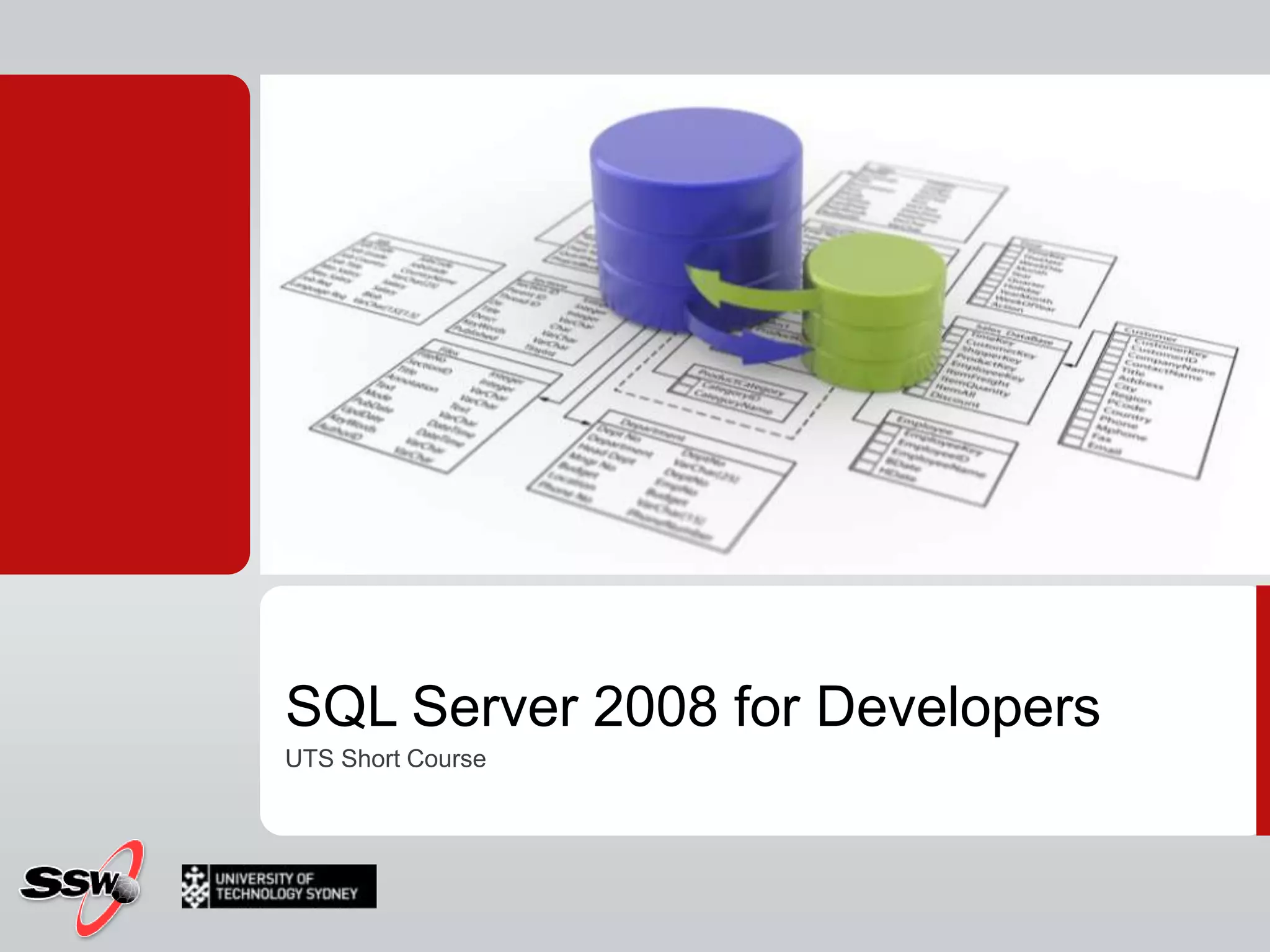
SQL Server 2008 for DevelopersUTS Short Course
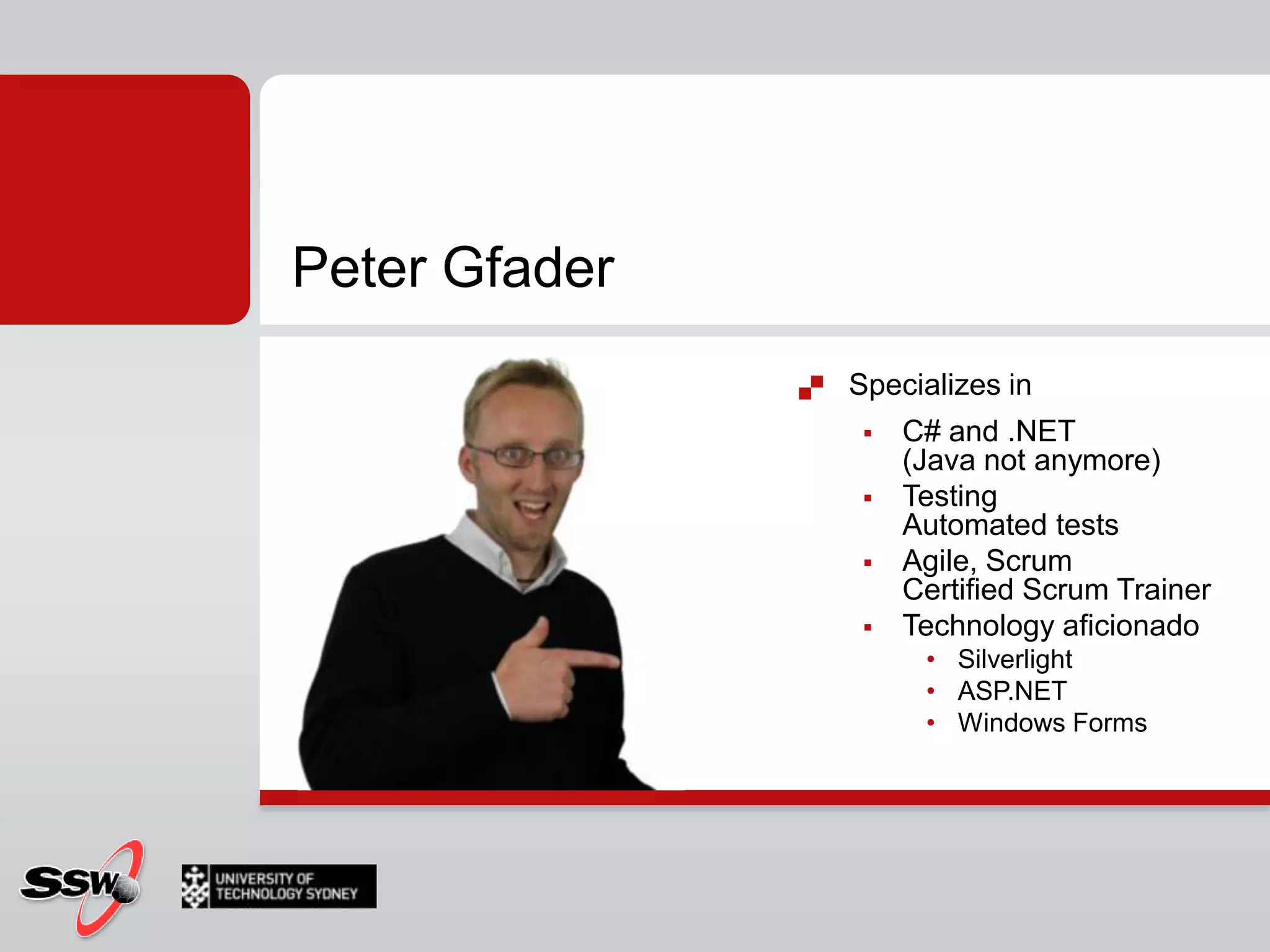
Peter GfaderSpecializes in C# and .NET (Java not anymore)TestingAutomated testsAgile, ScrumCertified Scrum TrainerTechnology aficionado SilverlightASP.NETWindows Forms
Course WebsiteCourse Timetable & Materialshttp://www.ssw.com.au/ssw/Events/2010UTSSQL/Resourceshttp://sharepoint.ssw.com.au/Training/UTSSQL/
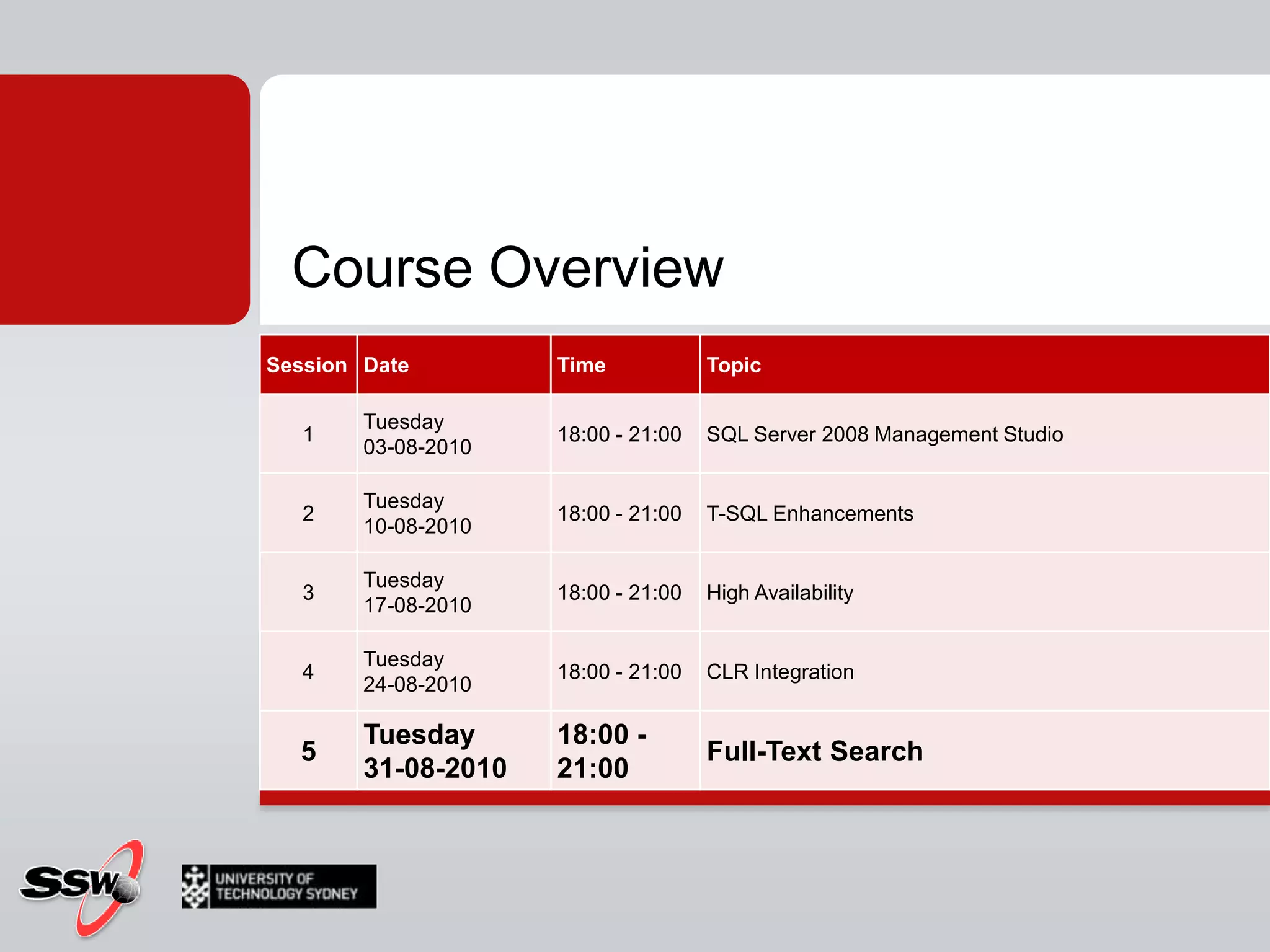
Course Overview
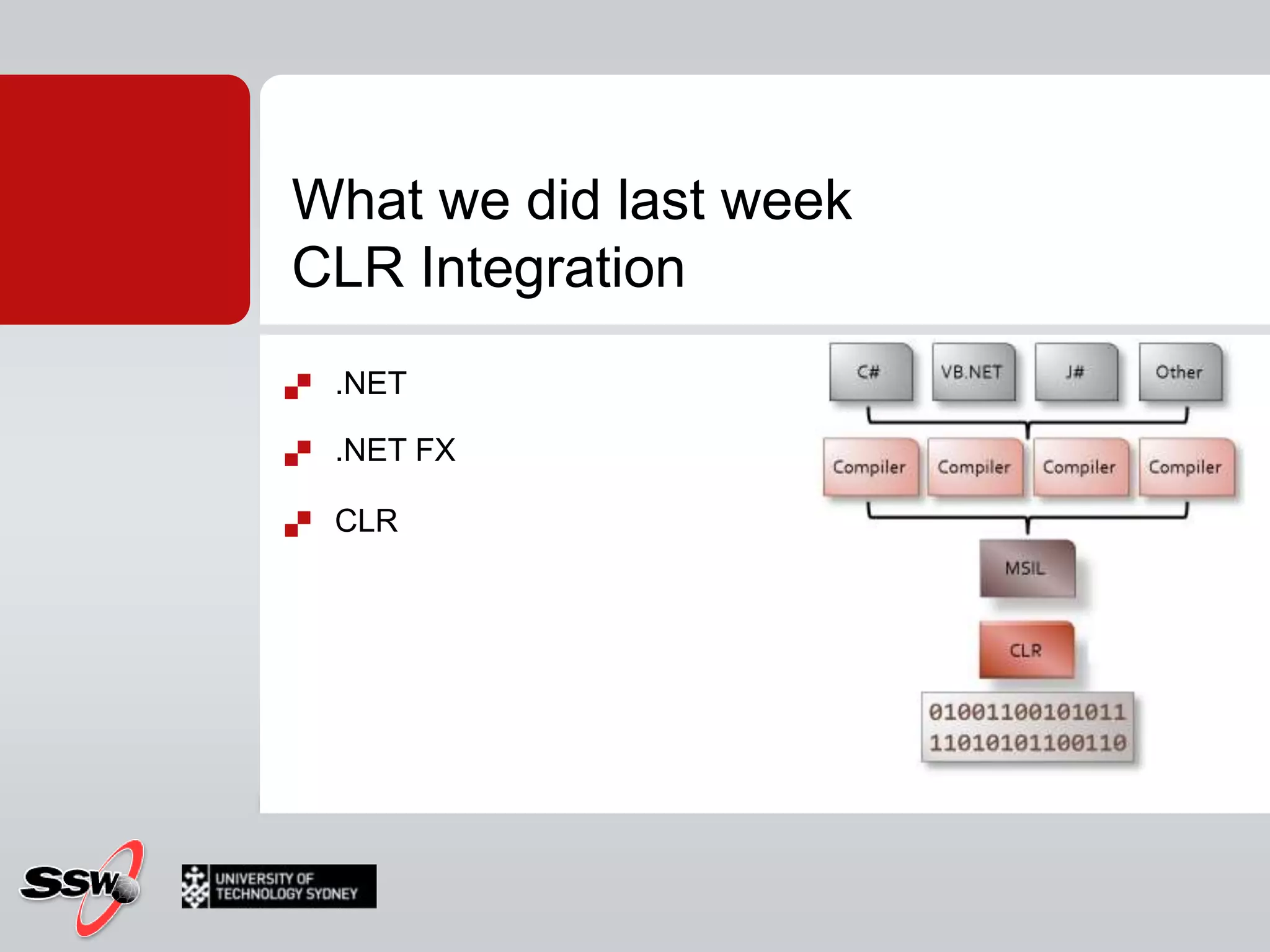
What we did last weekCLR Integration.NET.NET FXCLR
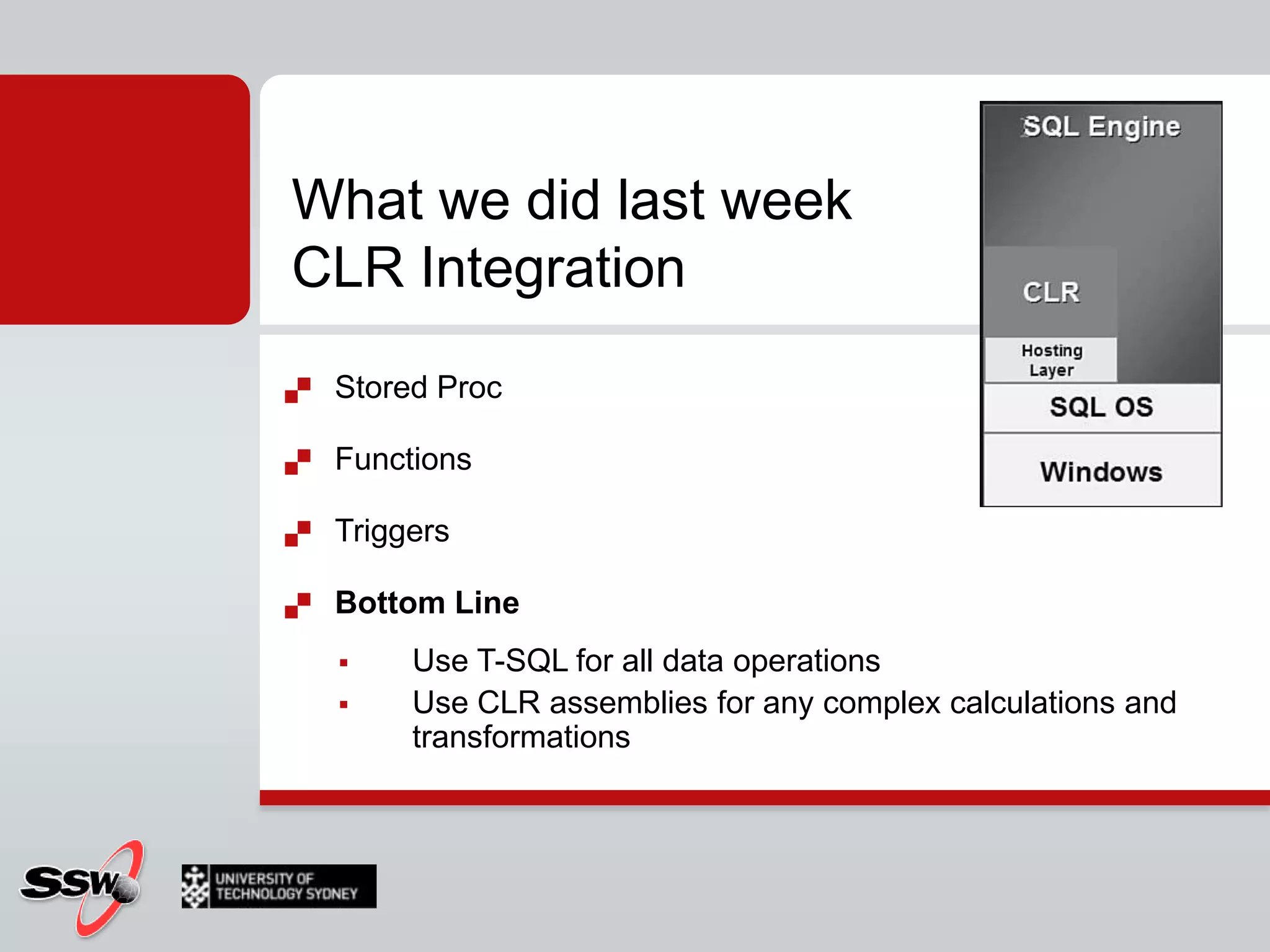
What we did last weekCLR IntegrationStored ProcFunctionsTriggersBottom LineUse T-SQL for all data operationsUse CLR assemblies for any complex calculations and transformations
Homework?Find all products that have a productnumber starting with BKFind all products with "Road" in the name that are SilverFind a list of products that have no reviewFind the list price ([listprice]) of all products in our shopWhat is the sum of the list price of all our productsFind the product with the maximum and minimum listpriceFind a list of products with their discount sale (hint see Sales.SalesOrderDetail)Find the sum of pricesof the products in each subcategory
Session 5SQL Server Full-Text Searchusing Full-Text search in SQL Server 2008
AgendaWhat is Full text searchThe old way 2005The new way 2008How toQuerying
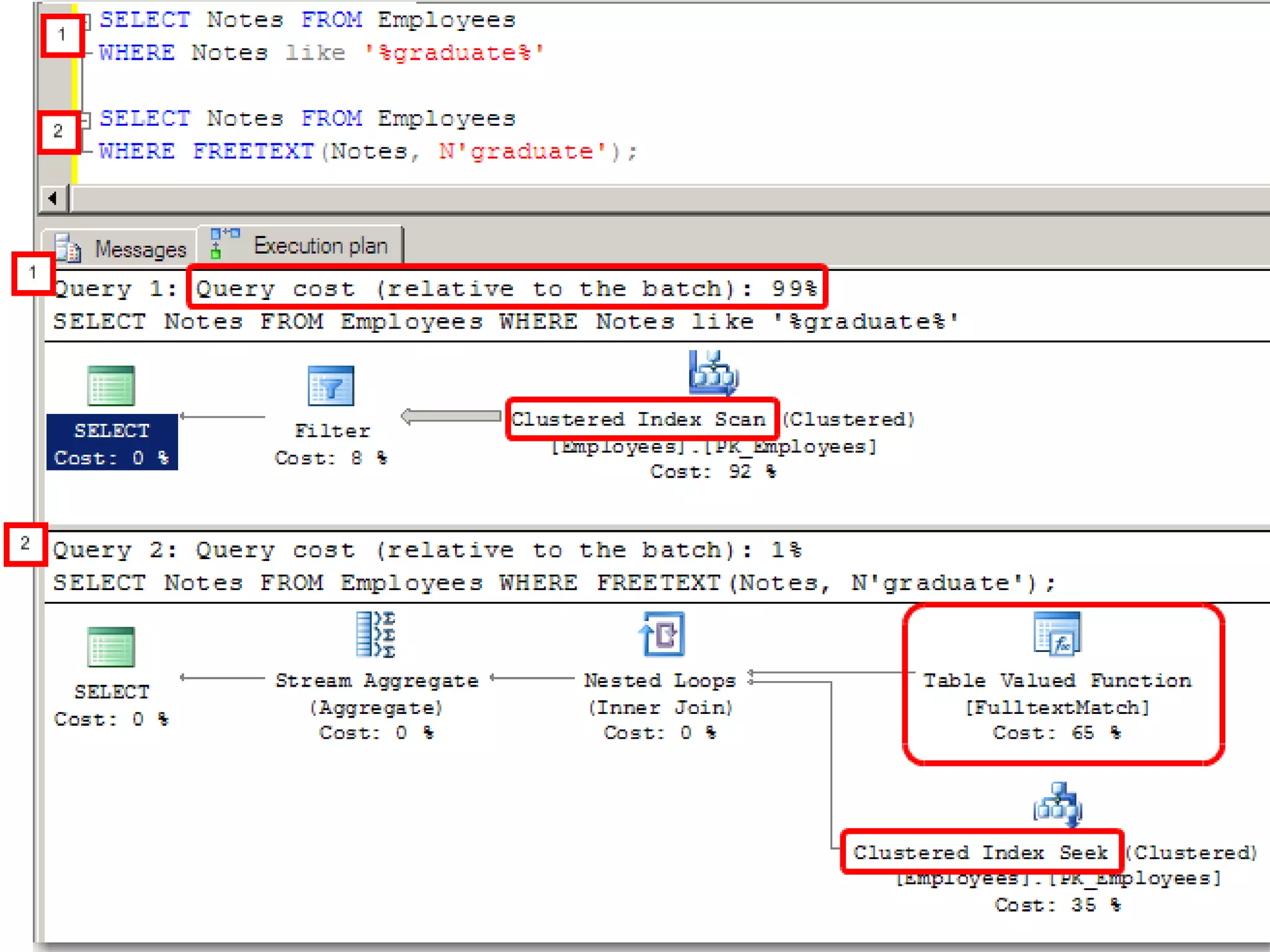
What is Fulltext searchSELECT *FROM [Northwind].[dbo].[Employees]WHERE Notes LIKE '%grad%‘
What is REAL Fulltext searchAllows searching for text/words in columnsSimilar wordsPlural of wordsBased on special indexFull-text index (Full text catalog)SELECT *FROM [Northwind].[dbo].[Employees]WHEREFREETEXT(*,'grad‘)
Theory
Full-Text Search Terminology 1/3Full-text index Information about words and their location in columns
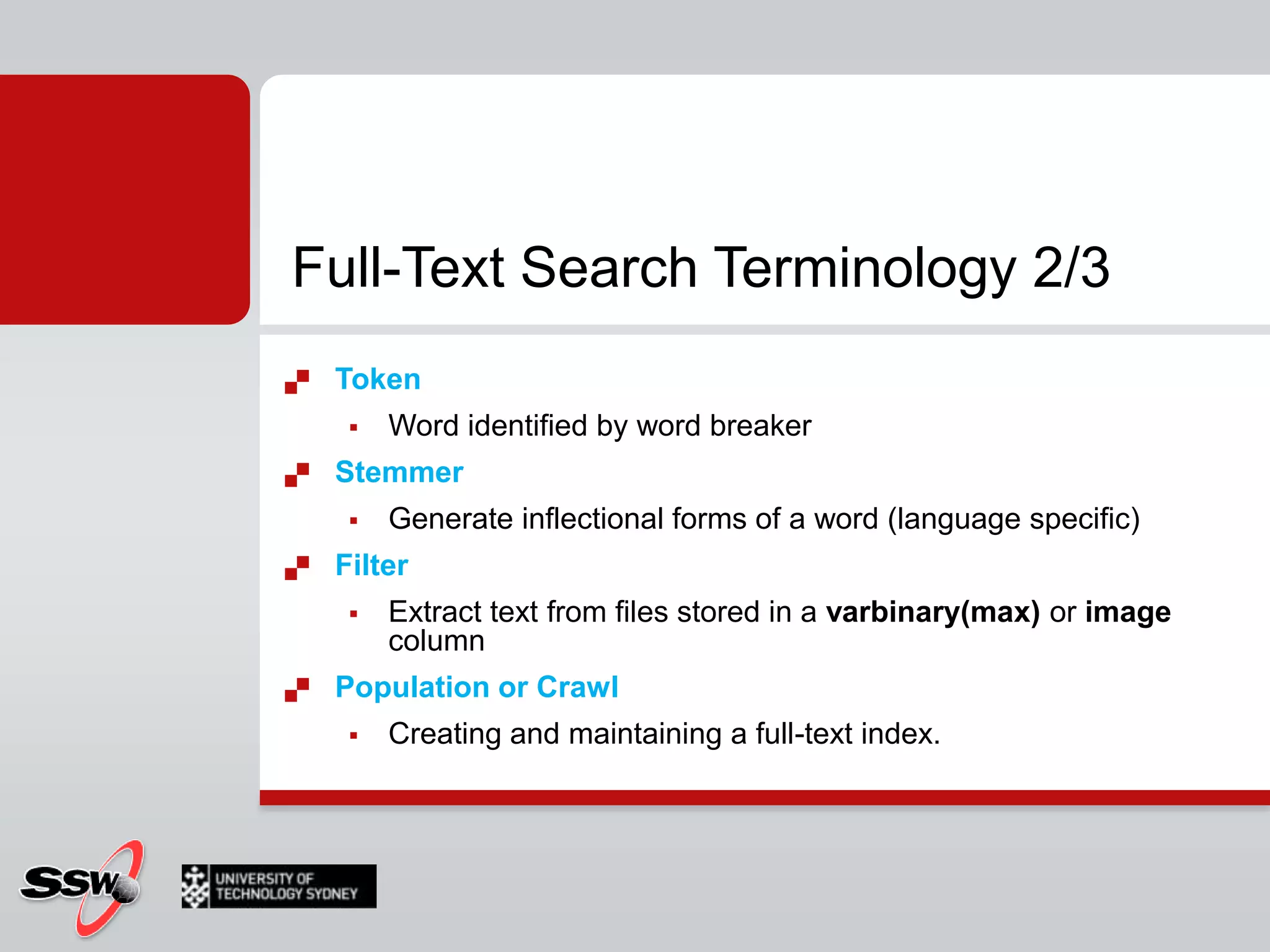
Used in full text queries Full-text catalog Group of full text indexes (Container)Word breaker Tokenizes text based on languageFull-Text Search Terminology 2/3TokenWord identified by word breakerStemmer Generate inflectional forms of a word (language specific)Filter Extract text from files stored in a varbinary(max) or image columnPopulation or Crawl Creating and maintaining a full-text index.
Full-Text Search Terminology 3/3Stopwords/Stoplists not relevant word to search e.g. ‘and’, ‘a’, ‘is’ and ‘the’ in EnglishAccent insensitivitycafè = cafe
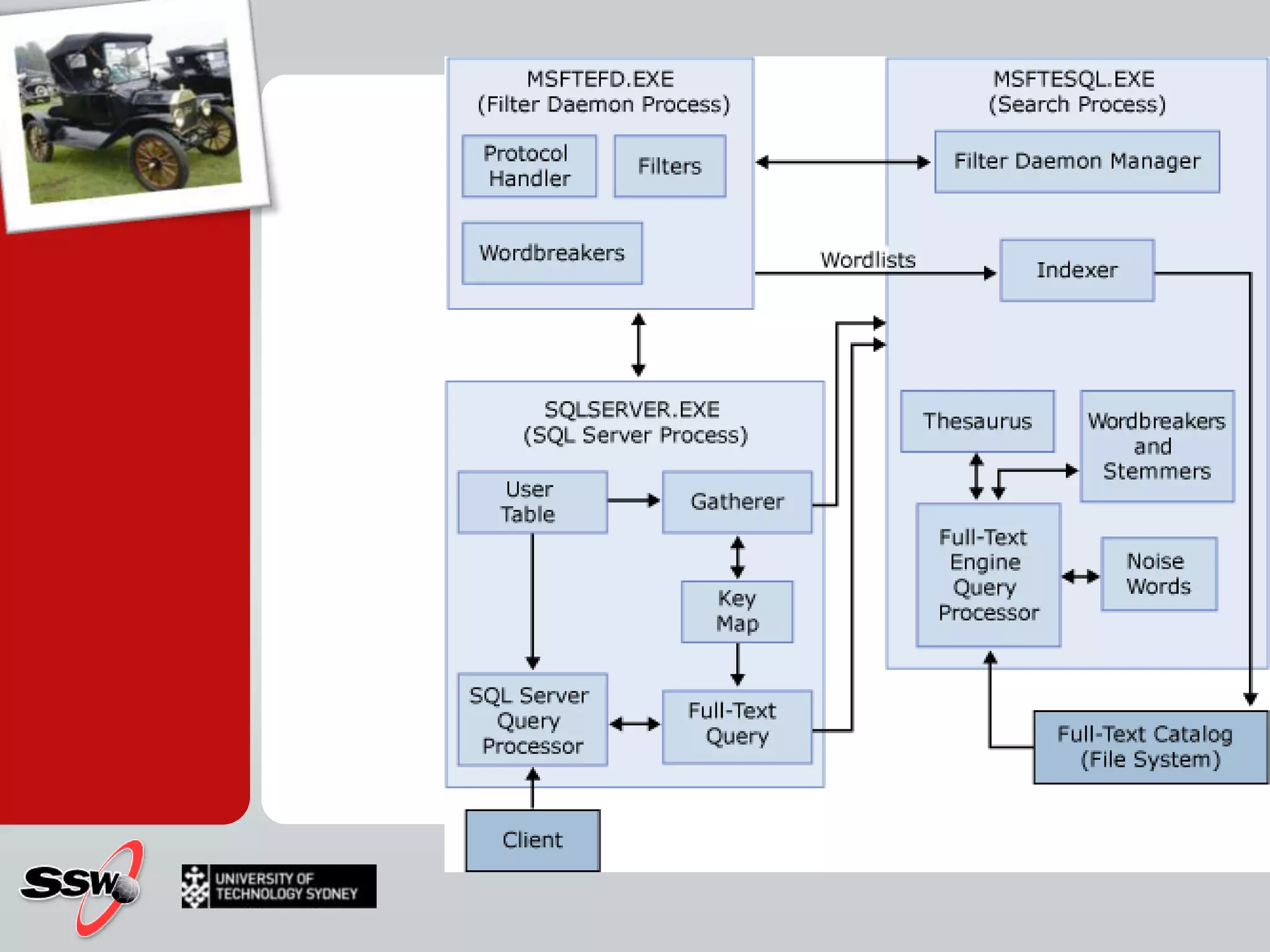
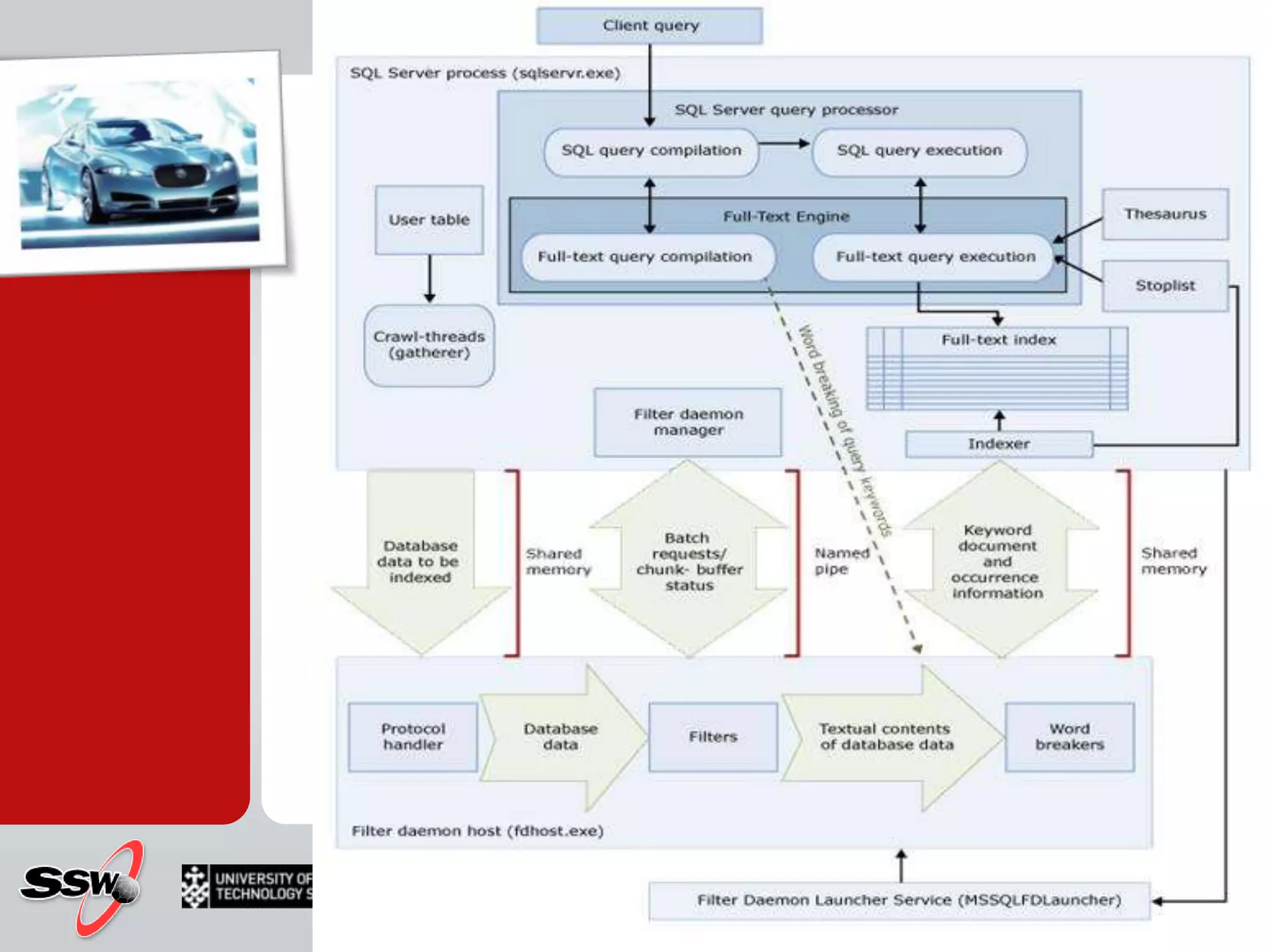
Fulltext search – Under the hood
The old way! SQL 2005
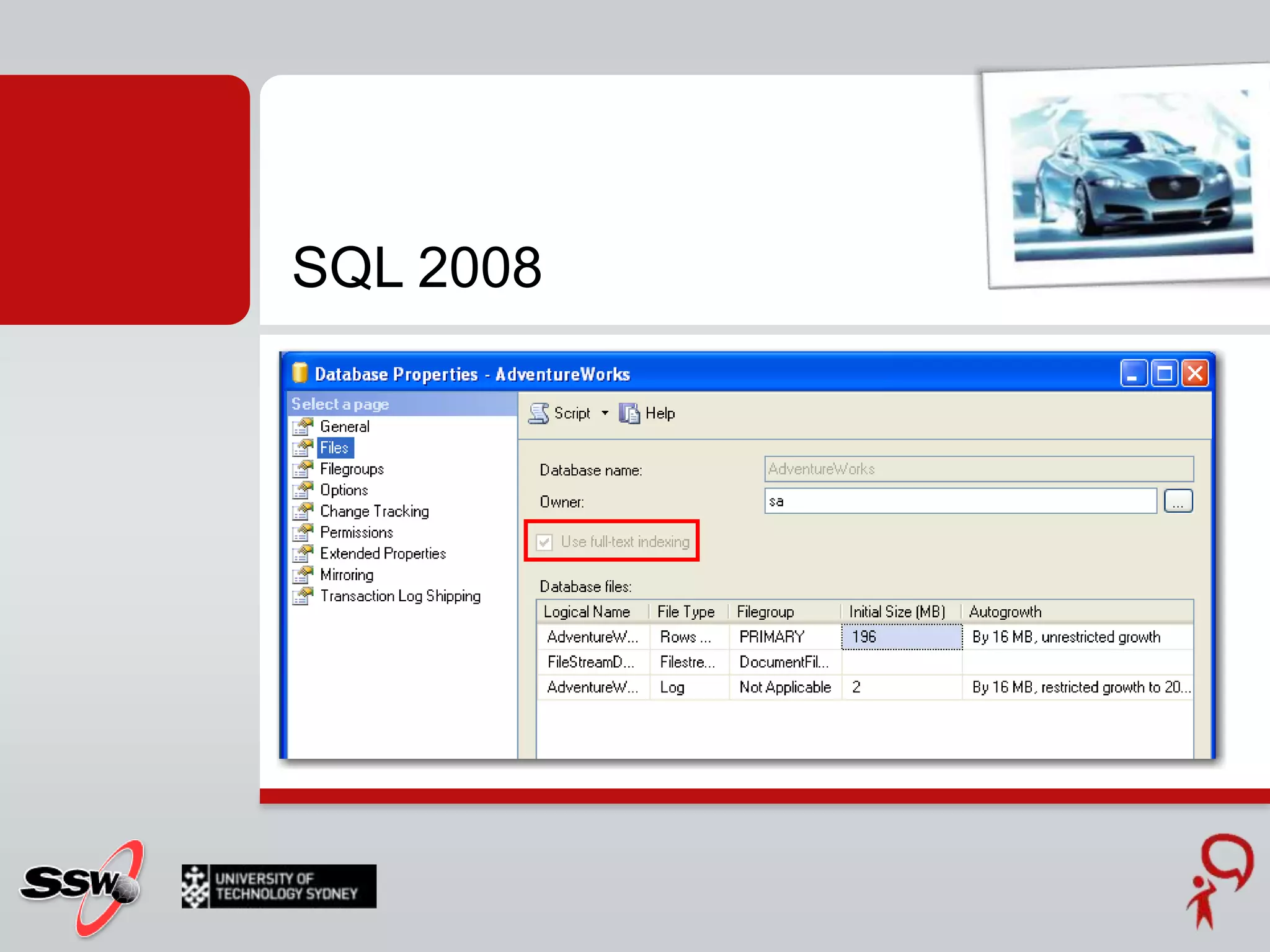
The new way! SQL 2008
How toAdministration
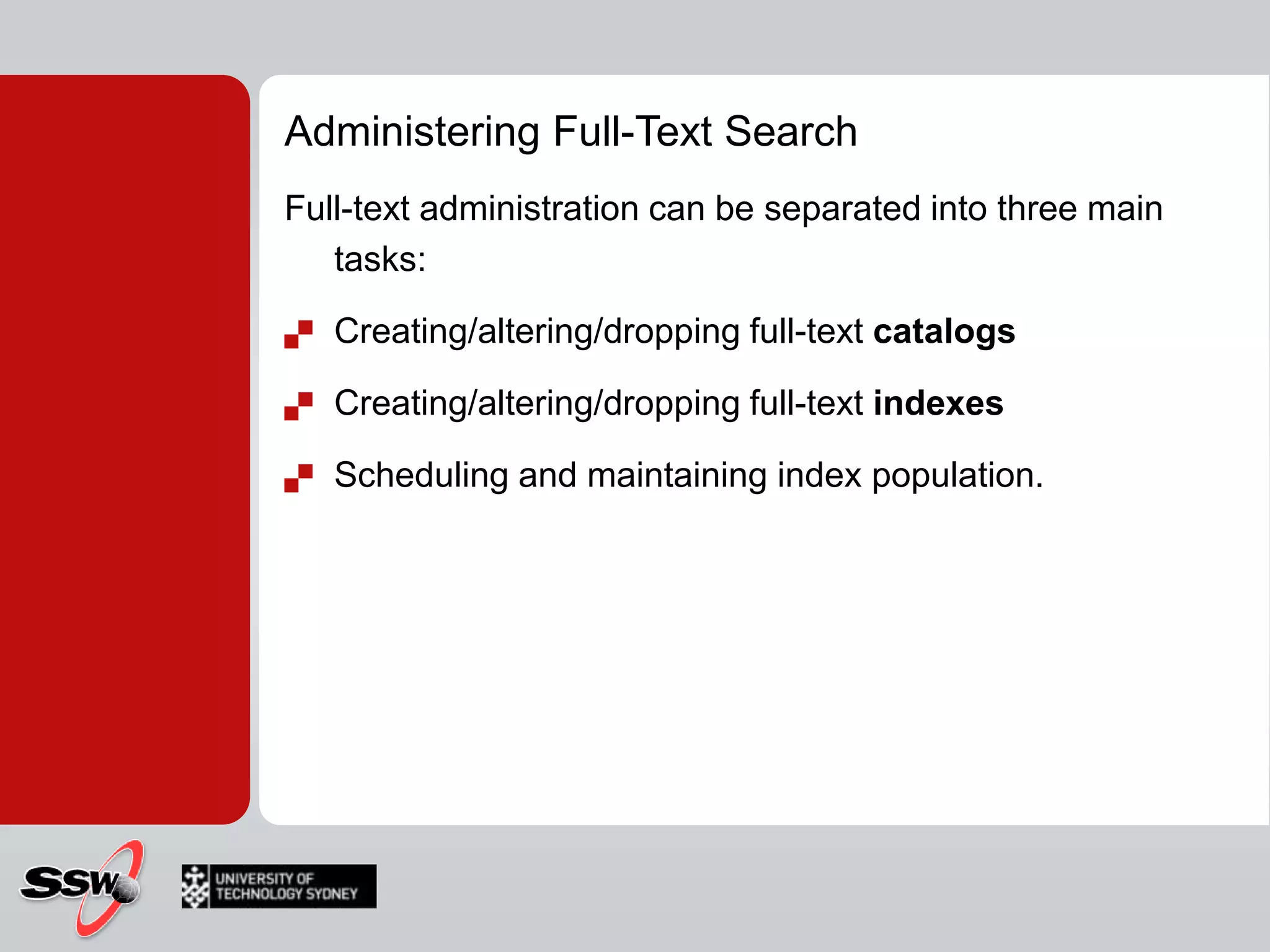
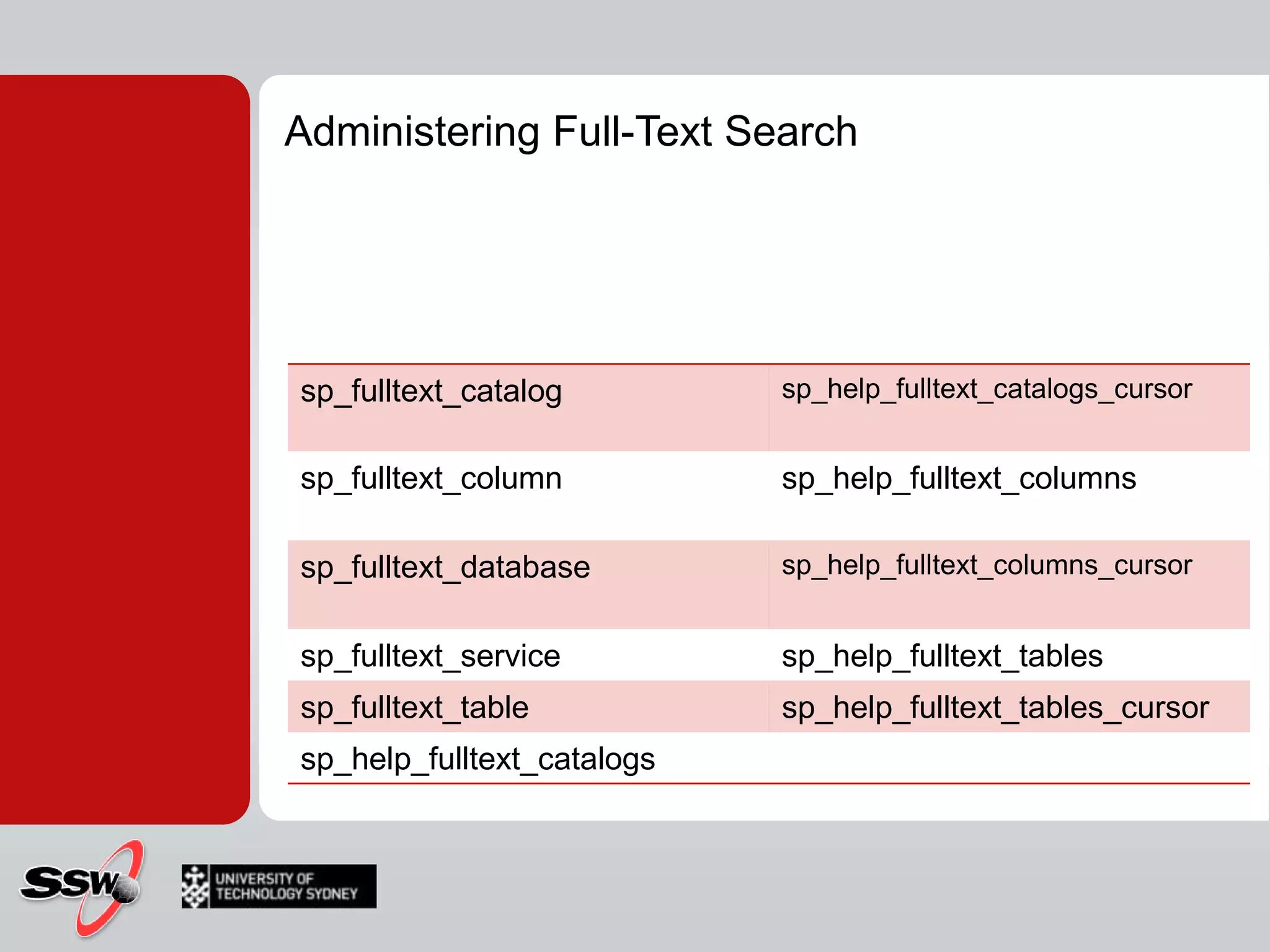
Administering Full-Text SearchFull-text administration can be separated into three main tasks:Creating/altering/dropping full-text catalogs Creating/altering/dropping full-text indexesScheduling and maintaining index population.
Administering Full-Text Search
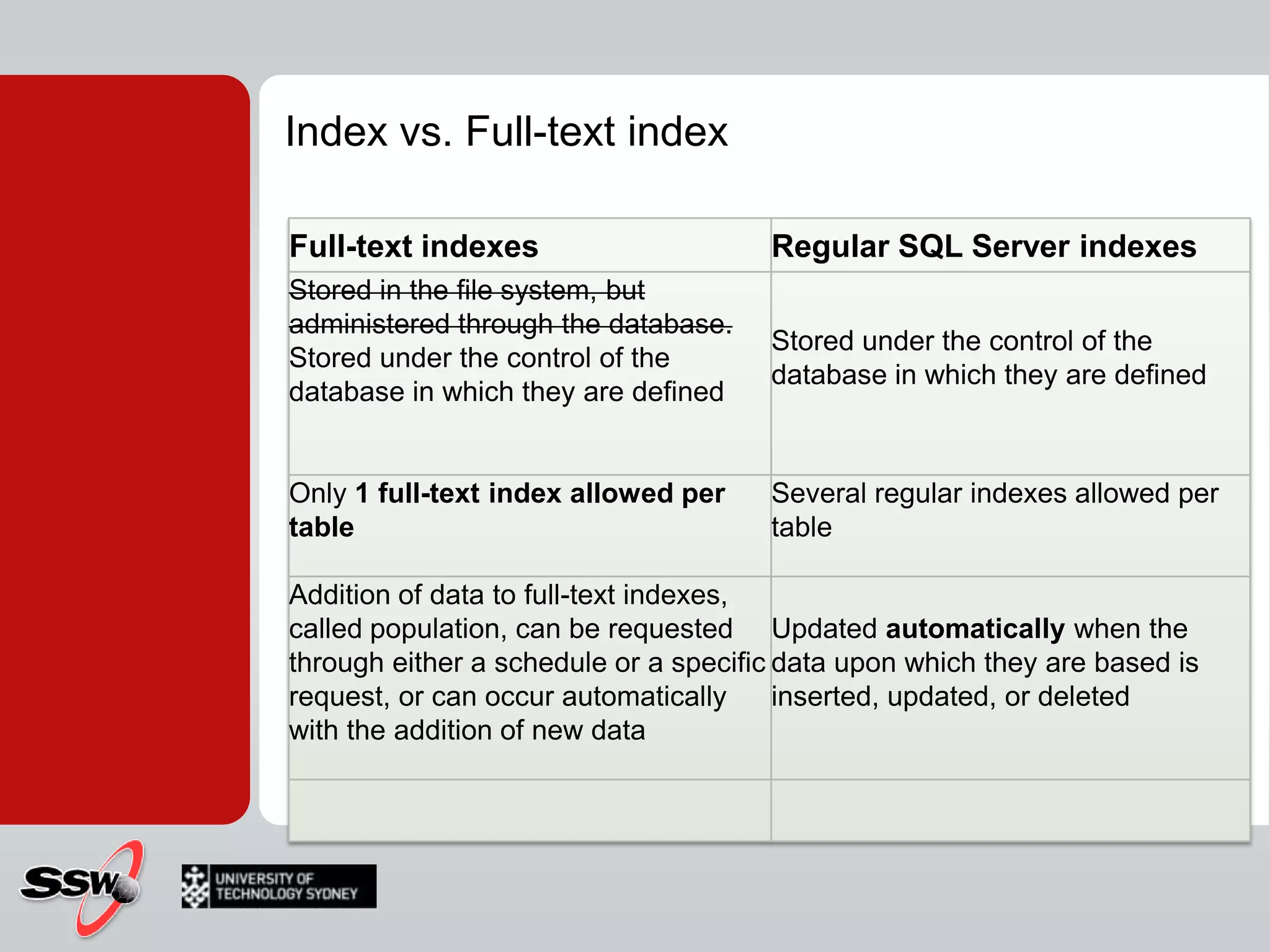
Index vs. Full-text index
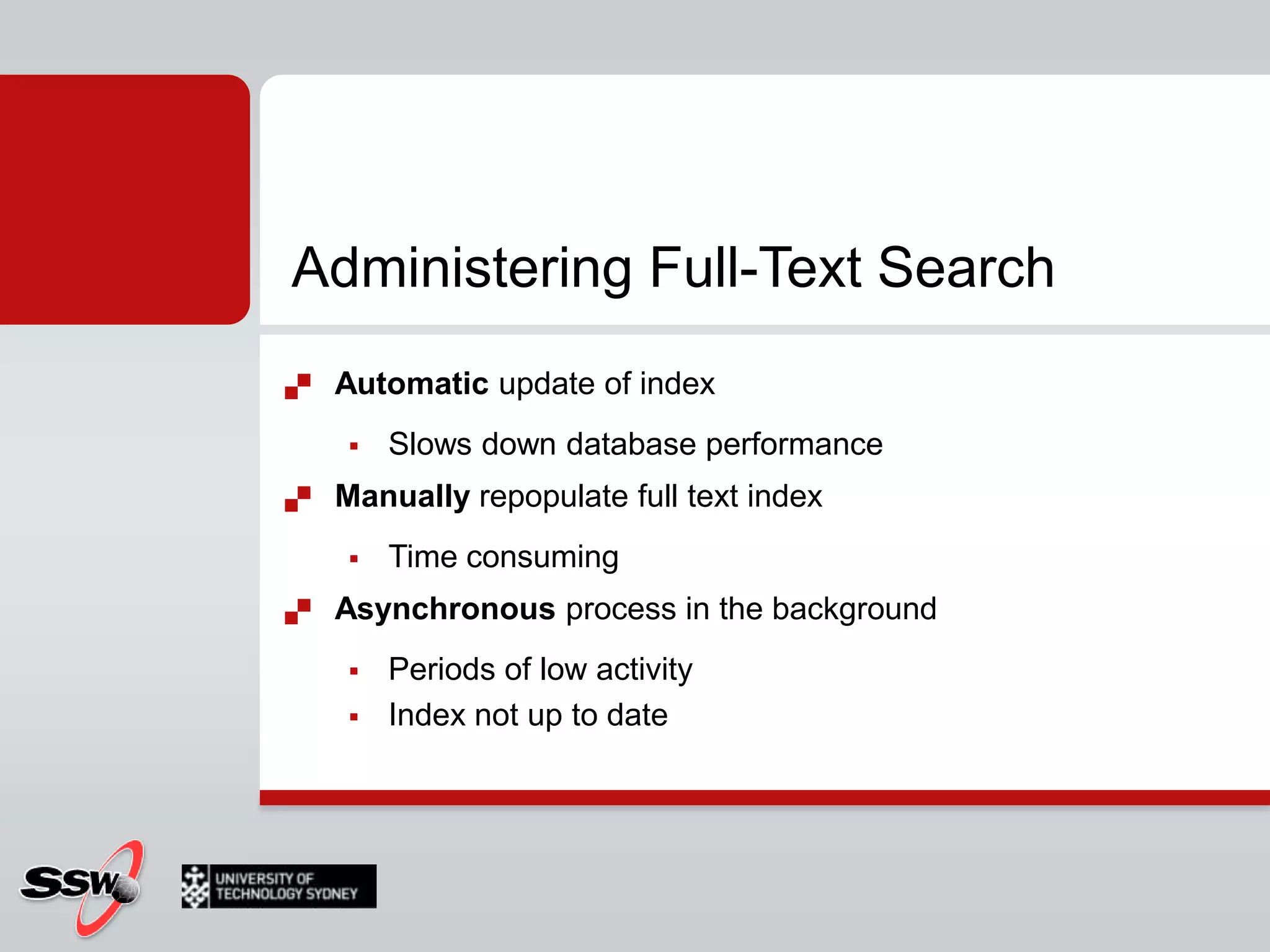
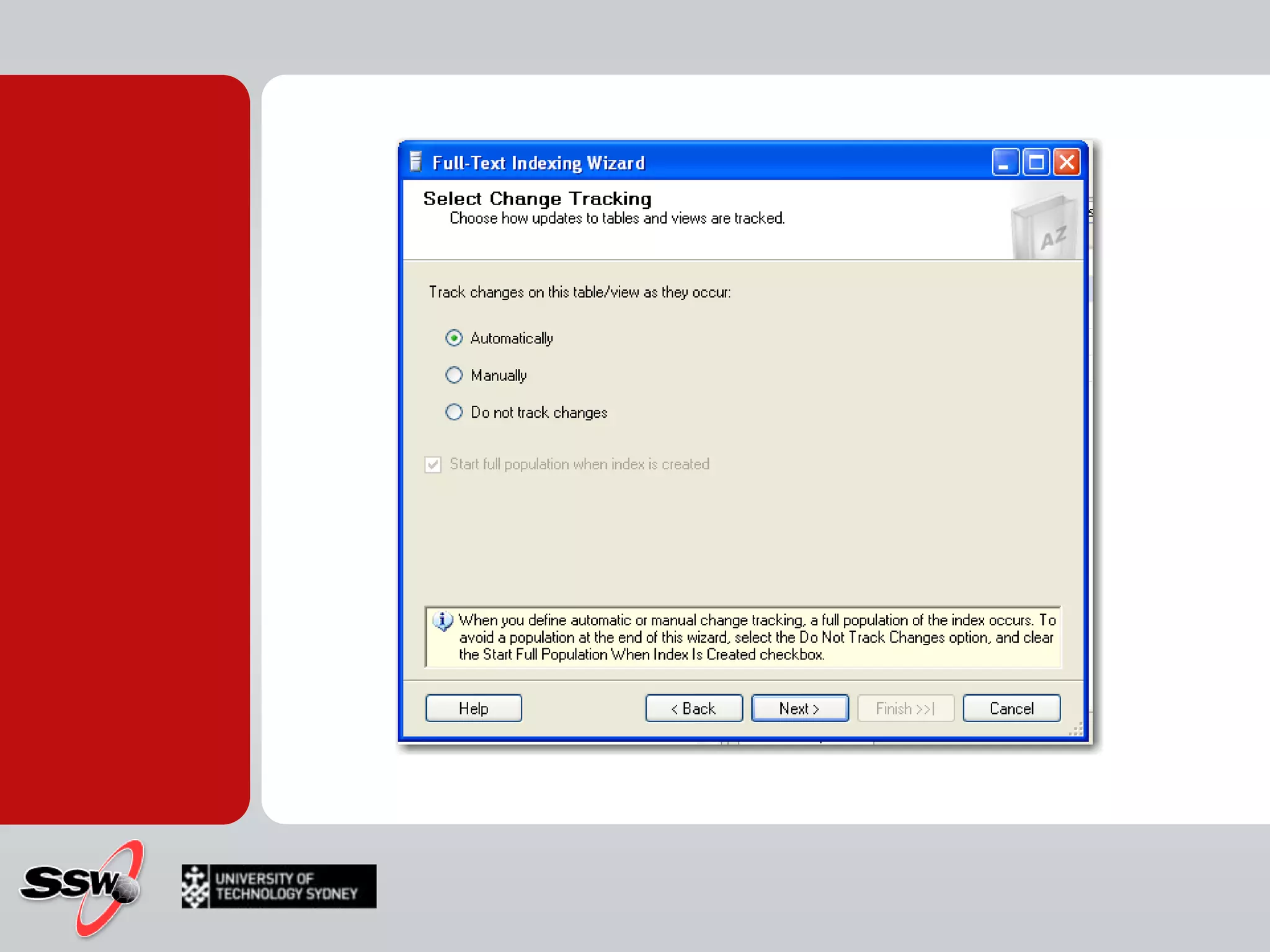
Administering Full-Text SearchAutomatic update of indexSlows down database performanceManually repopulate full text indexTime consumingAsynchronous process in the backgroundPeriods of low activityIndex not up to date
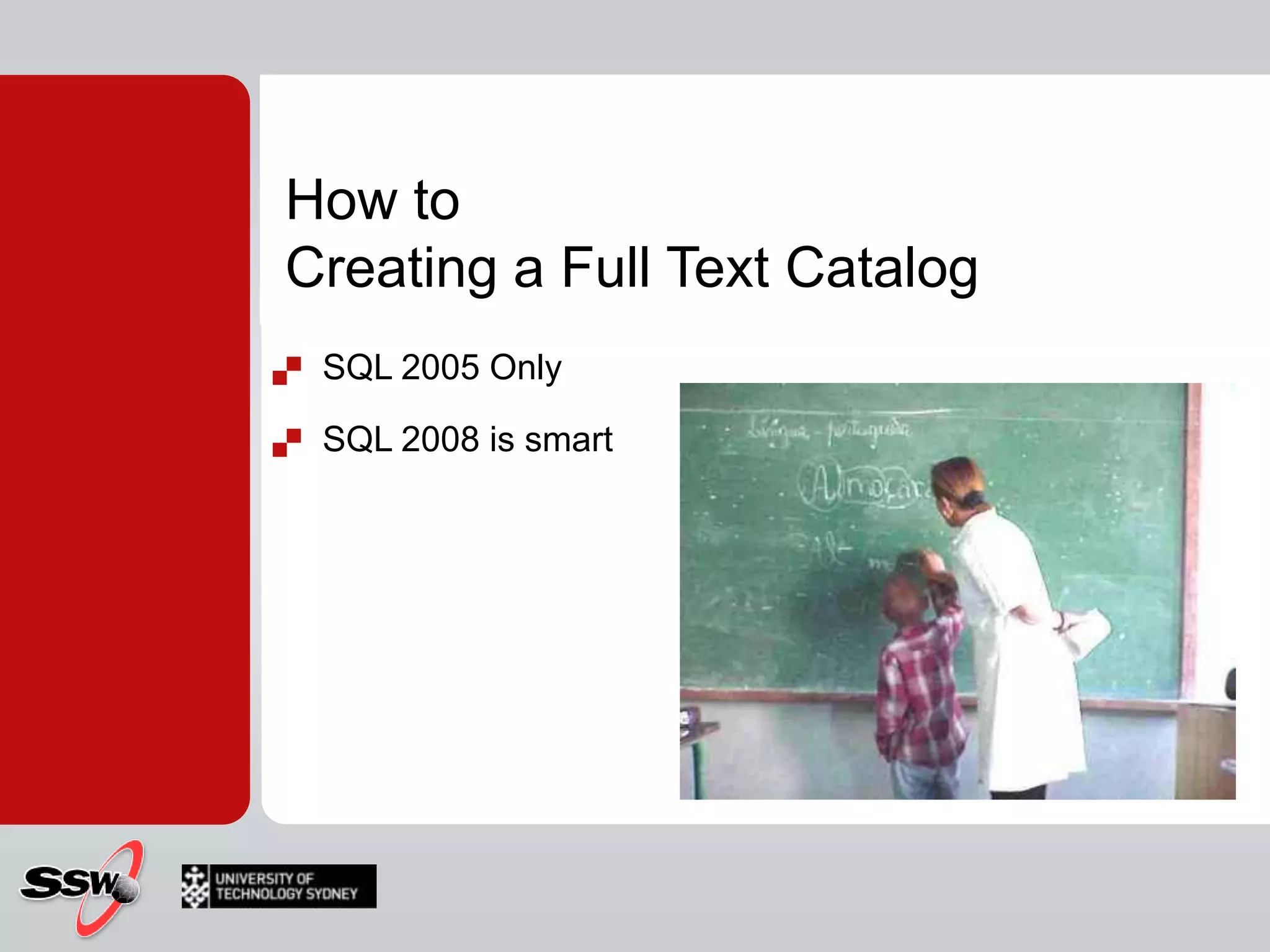
How toCreating a Full Text CatalogSQL 2005 Only
SQL 2008 is smartSQL 2005
Creating a Full-Text Catalog (SQL 2005)SyntaxCREATE FULLTEXT CATALOG catalog_name      [ON FILEGROUP filegroup]      [IN PATH 'rootpath']      [WITH <catalog_option>]      [AS DEFAULT]      [AUTHORIZATION owner_name ] <catalog_option>::=      ACCENT_SENSITIVITY = {ON|OFF} ExampleUSE AdventureWorks_FulllTextCREATE FULLTEXT CATALOG AdventureWorks_FullTextCatalogON FILEGROUP FullTextCatalog_FGWITH ACCENT_SENSITIVITY = ON AS DEFAULTAUTHORIZATION dbo
Creating a Full-Text CatalogStep by stepCreate a directory on the operating system named C:\testLaunch SSMS, connect to your instance, and open a new query windowAdd a new filegroup to the AdventureWorks_FulllTextUSE MasterGOALTER DATABASE AdventureWorks_FulllTextGOALTER DATABASE AdventureWorks_FulllText  ADD FILE (NAME = N’ AdventureWorks_FulllText _data’, FILENAME=N’C:\TEST\ AdventureWorks_FulllText _data.ndf’, SIZE=2048KB, FILEGROTH=1024KB ) TO FILEGROUP [FTFG1]GOCreate a full-text catalog on the FTFG1 filegroup by executing the following command:USE AdventureWorks_FulllTextGOCREATE FULLTEXT CATALOG AWCatalog on FILEGROUP FTFG1 IN PATH ‘C:\TEST’ AS DEFAULT;GO
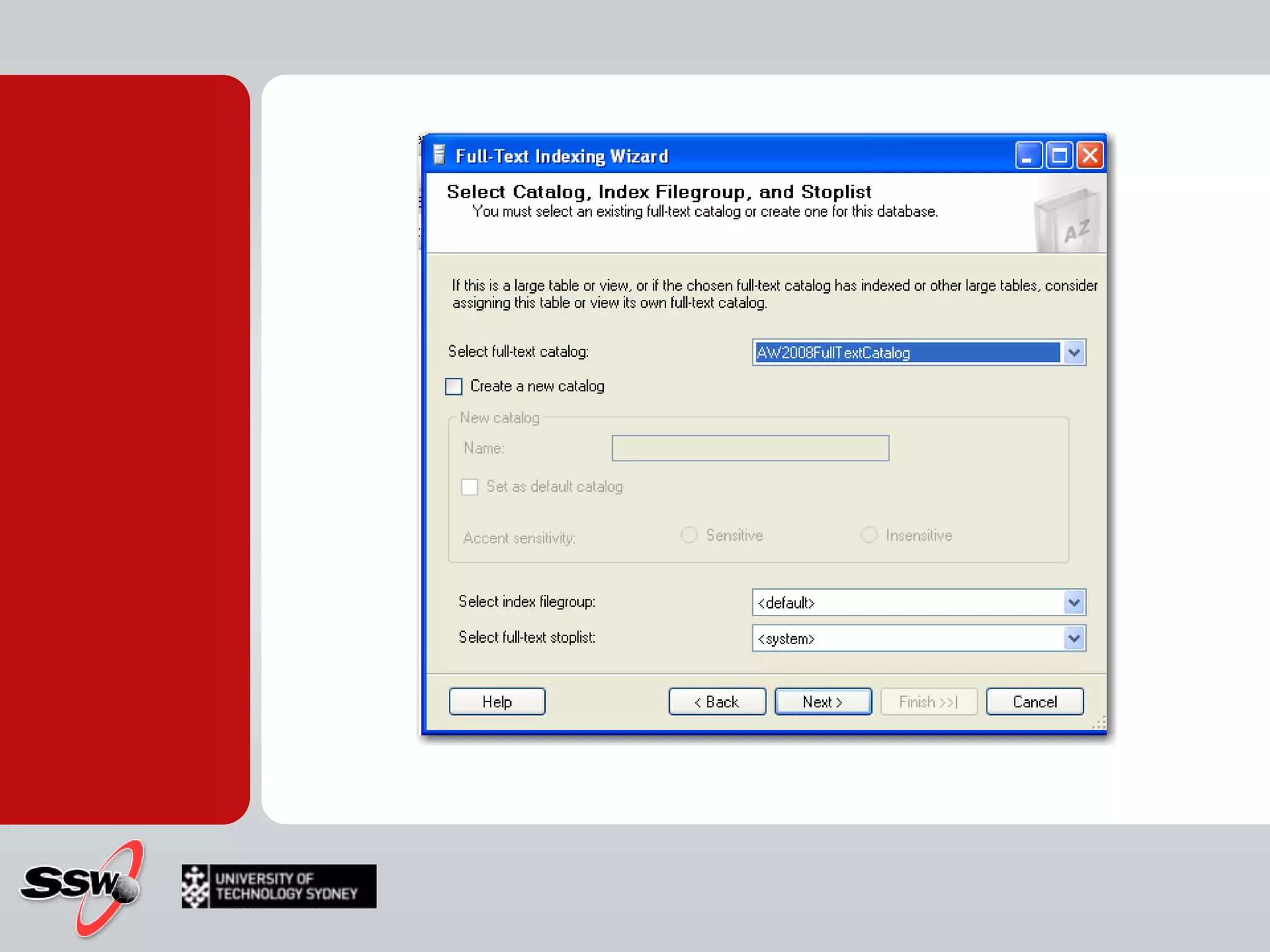
SQL 2008
SQL 2008
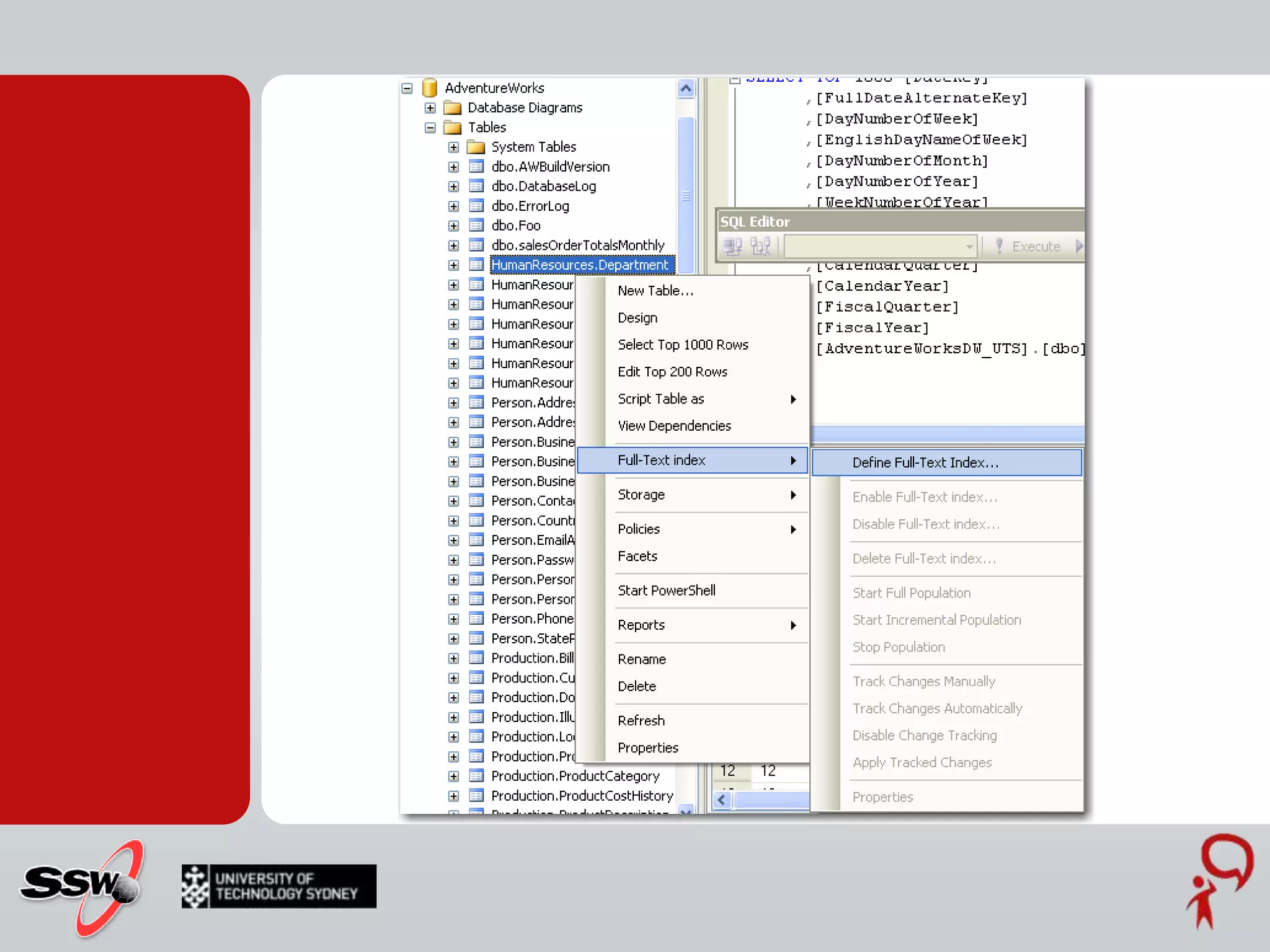
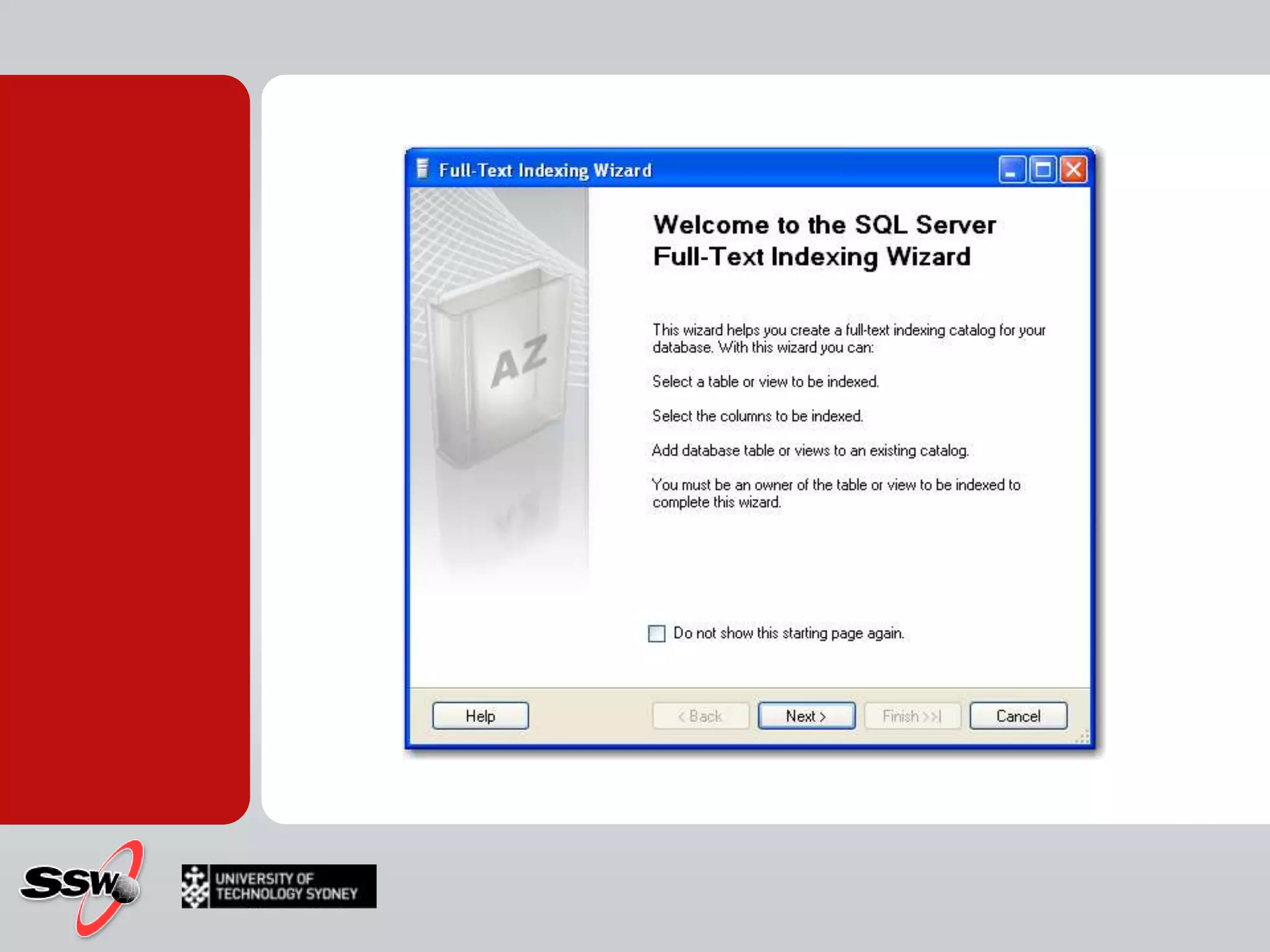
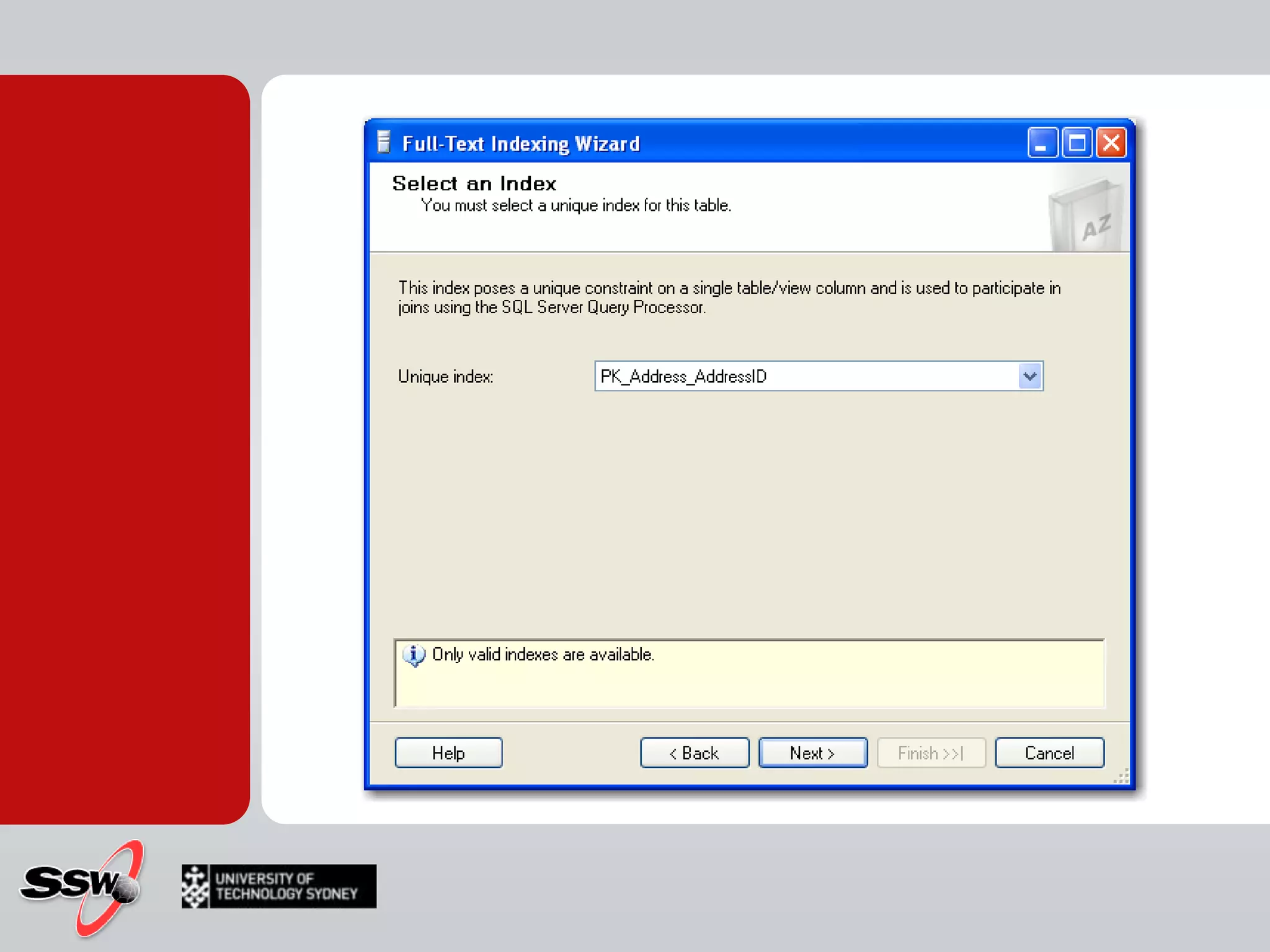
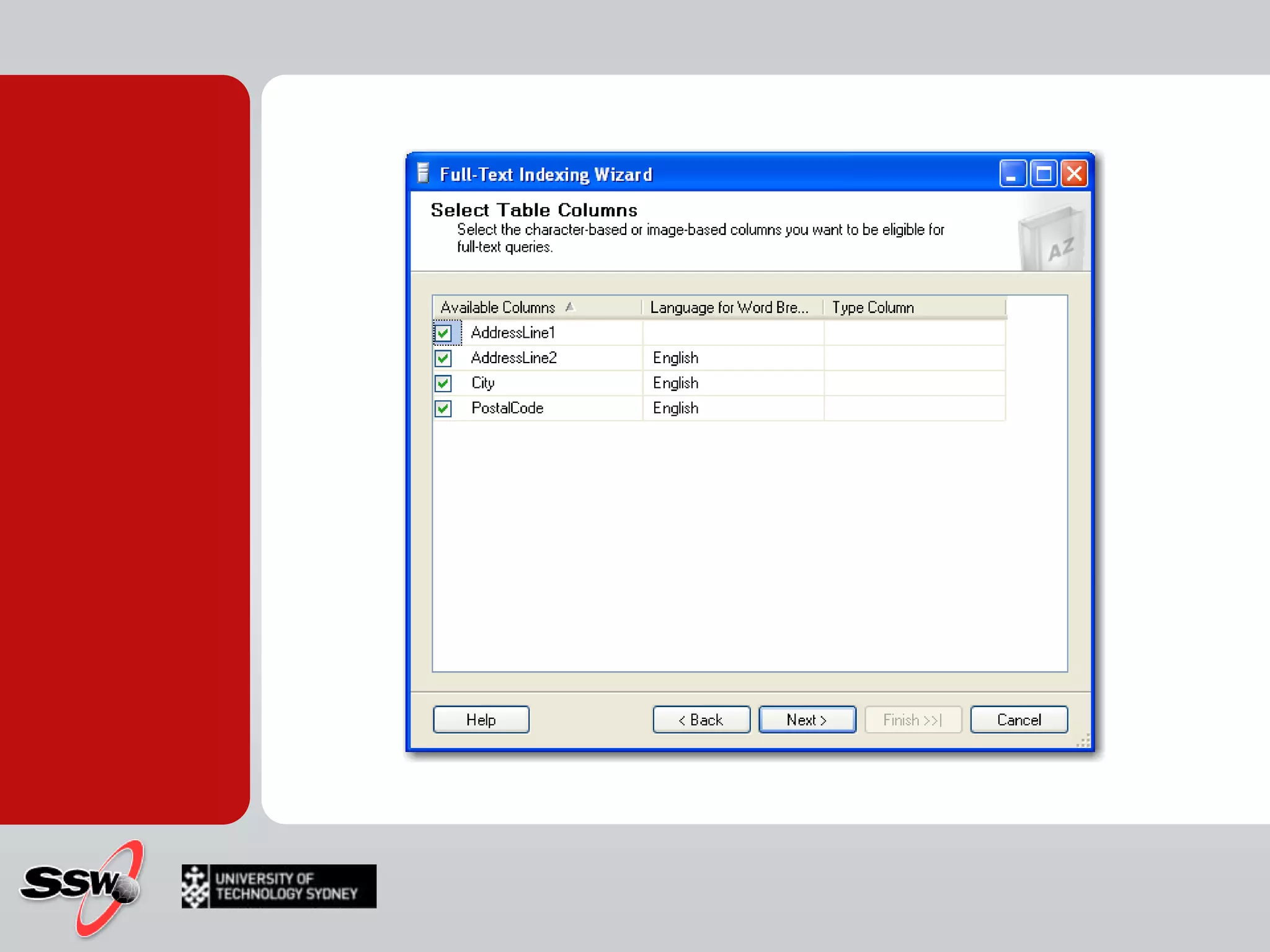
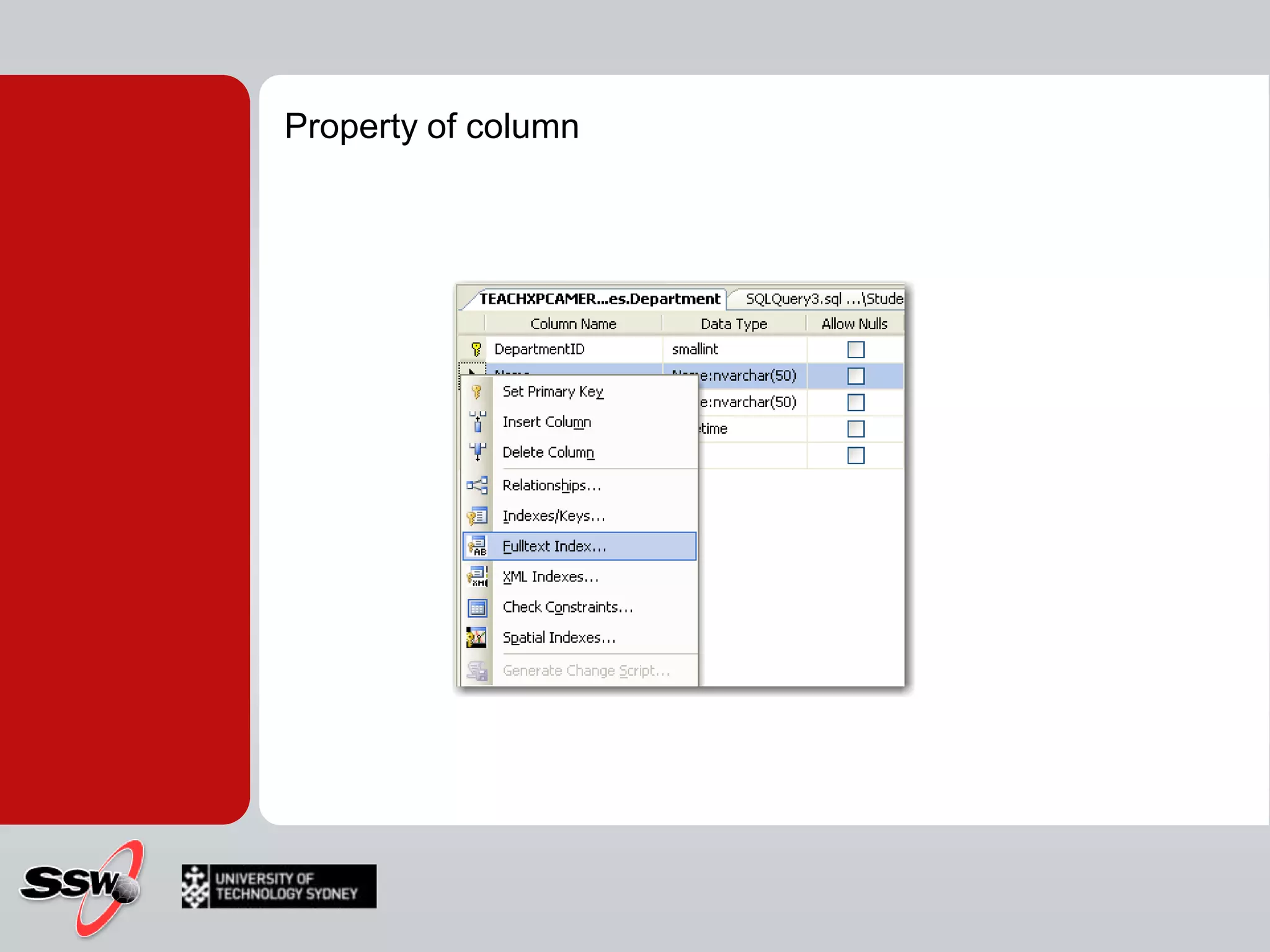
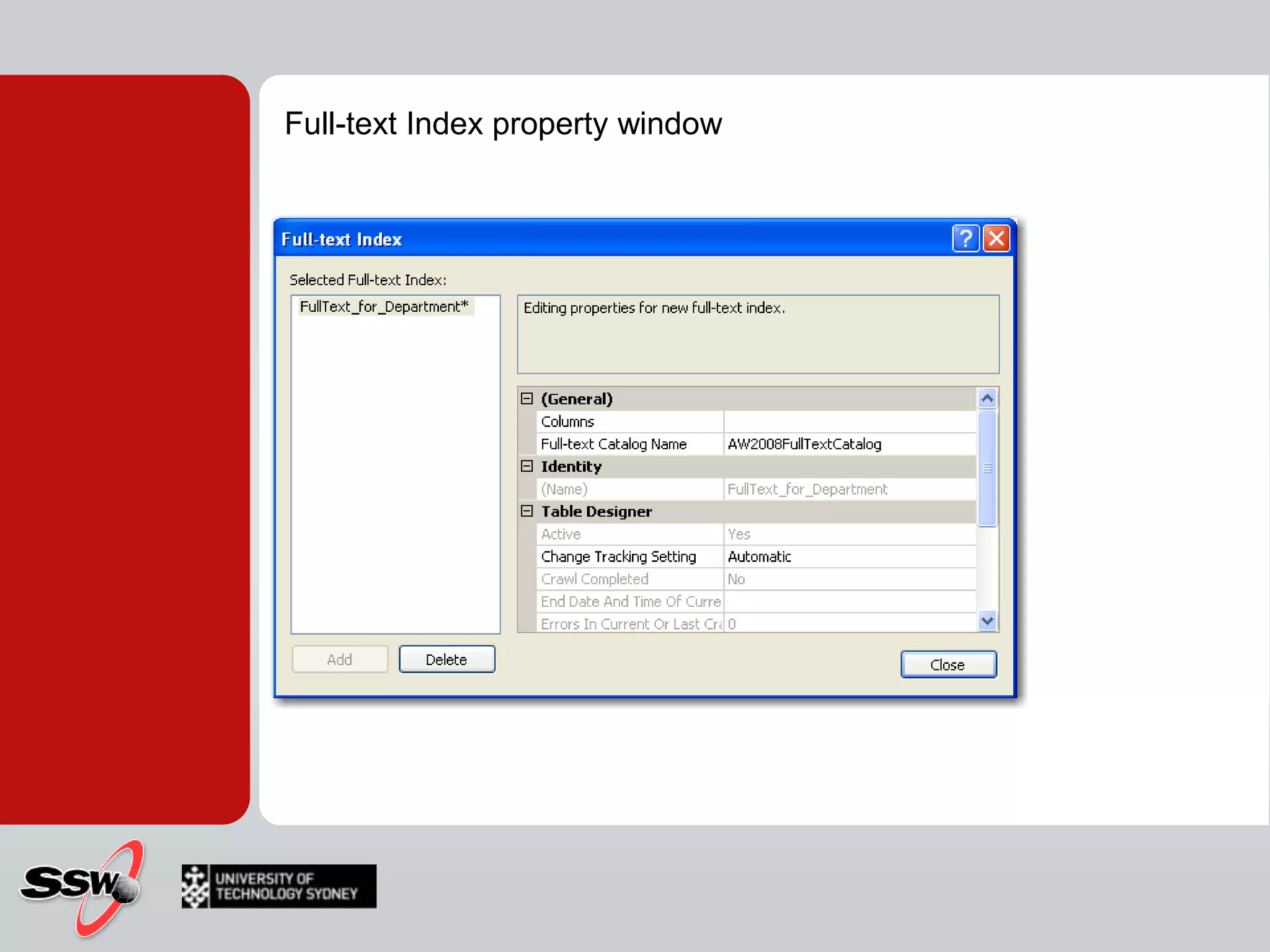
How toCreating Full Text Indexes
Property of column
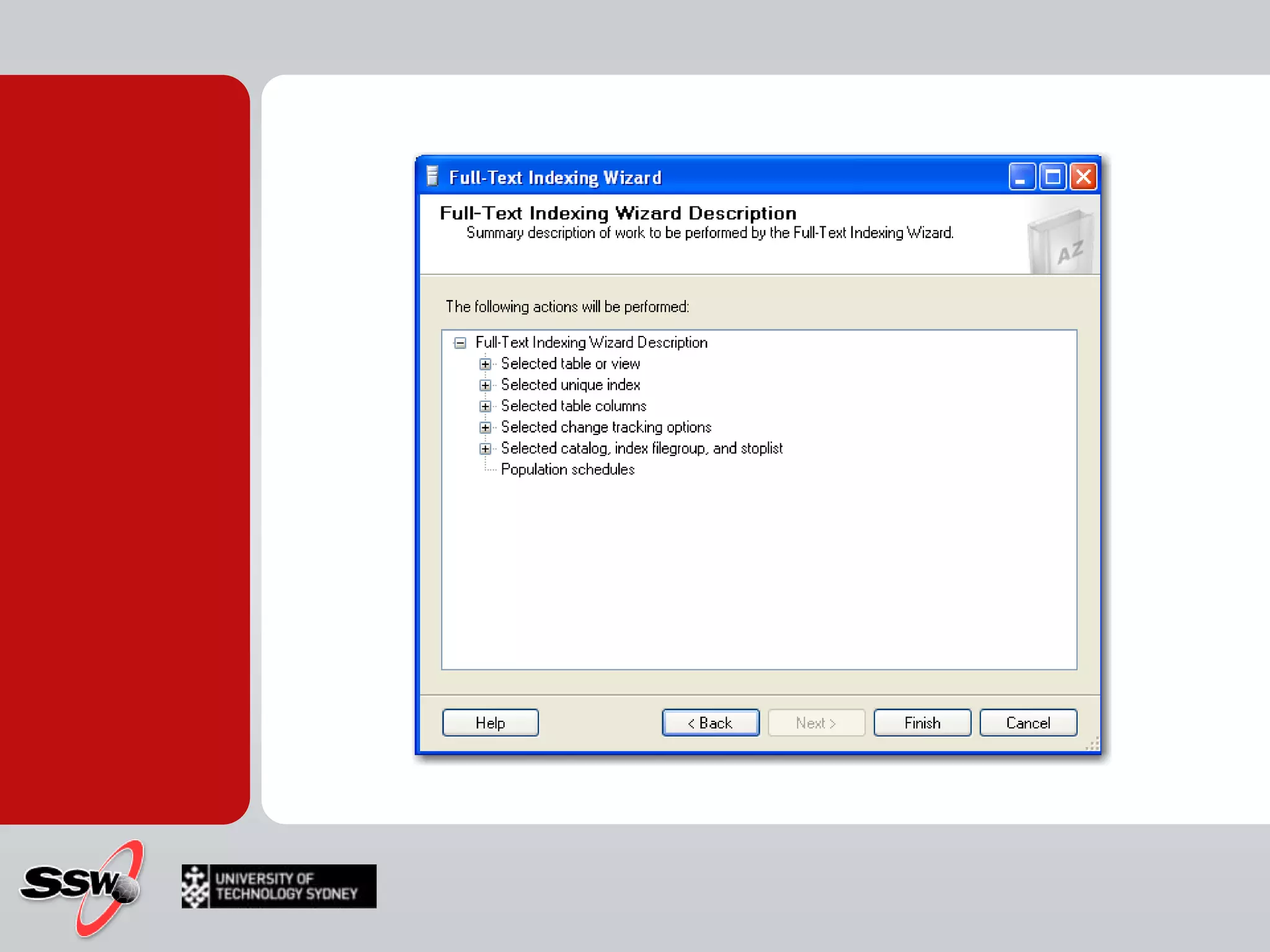
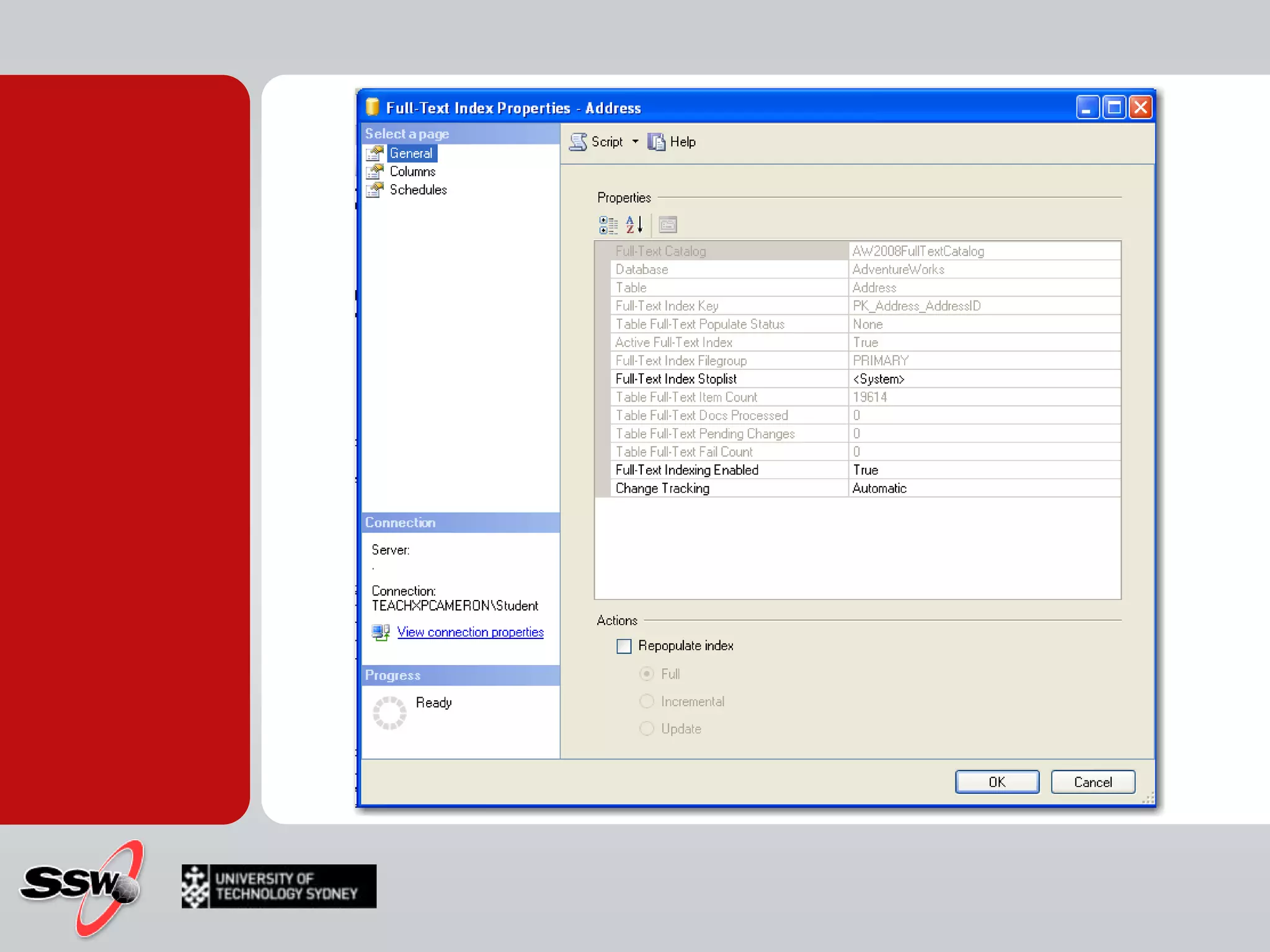
Full-text Index property window
SummaryTSQL command CREATE FULLTEXT INDEX Full-text indexes on Text-basedBinaryImage columnsVARBINARY / IMAGE Store files in their native format within SQL Server Full-text indexing and searchingLots of helper services/functionalityWord-breaker routines, language files, noise word files, filters and protocol handlers.
How to Index and Catalog Population
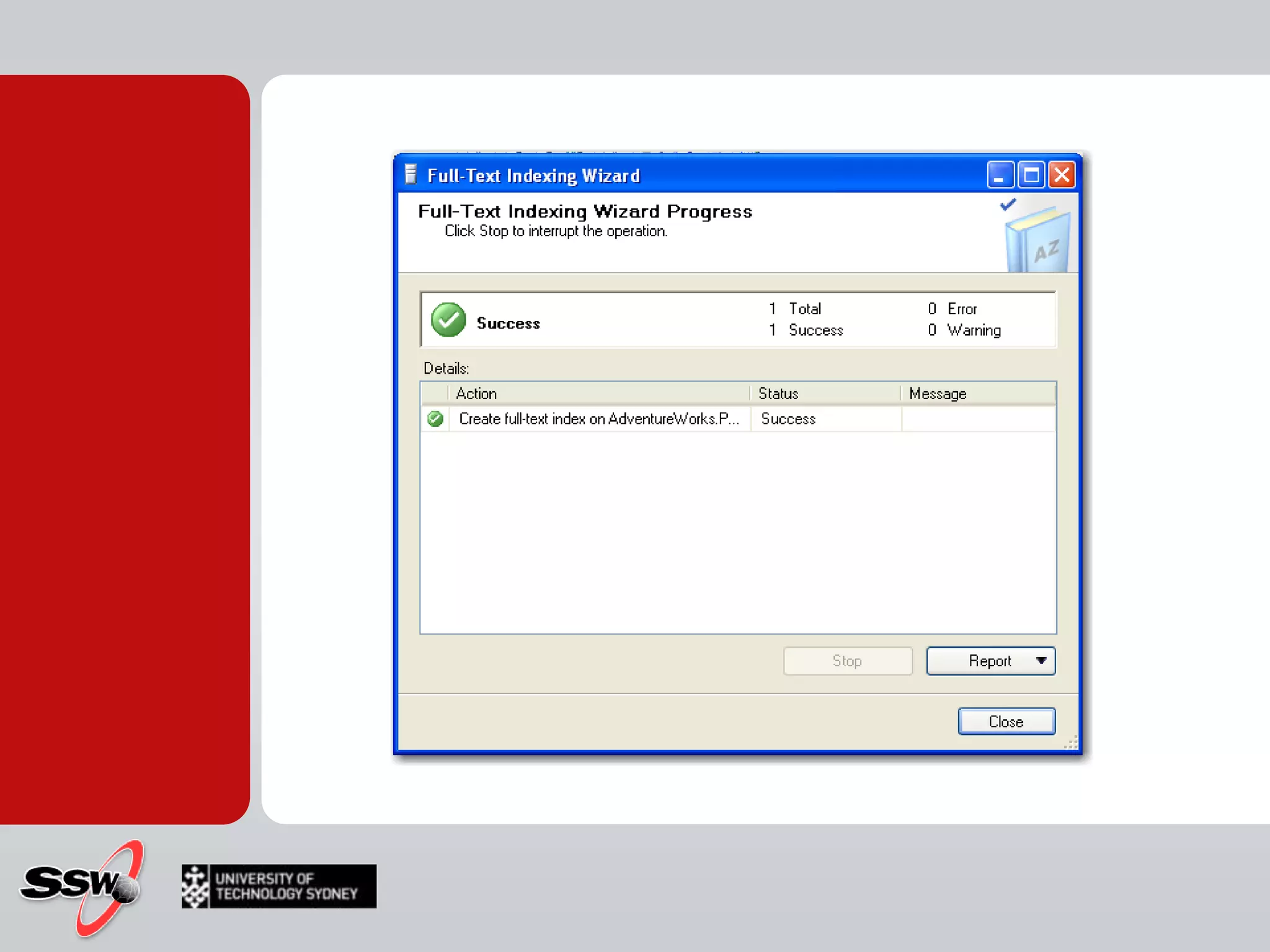
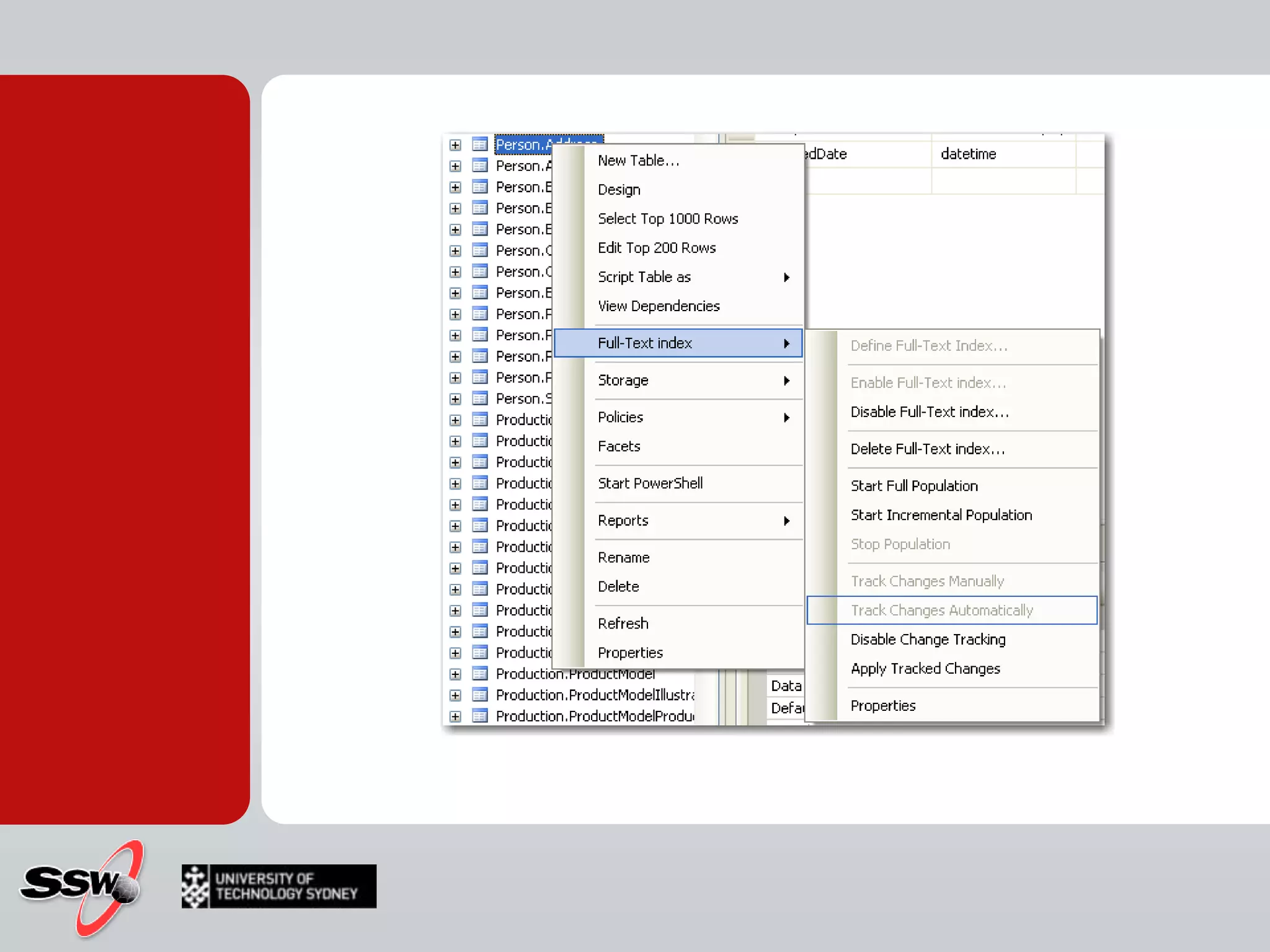
	Because of the external structure for storing full-text indexes, changes to underlying data columns are not immediately reflected in the full-text index. Instead, a background process enlists the word breakers, filters and noise word filters to build the tokens for each column, which are then merged back into the main index either automatically or manually. This update process is called population or a crawl. To keep your full-text indexes up to date, you must periodically populate them.Populating a Full-Text Index
You can choose from there modes for full-text population:FullIncrementalUpdatePopulating a Full-Text Index
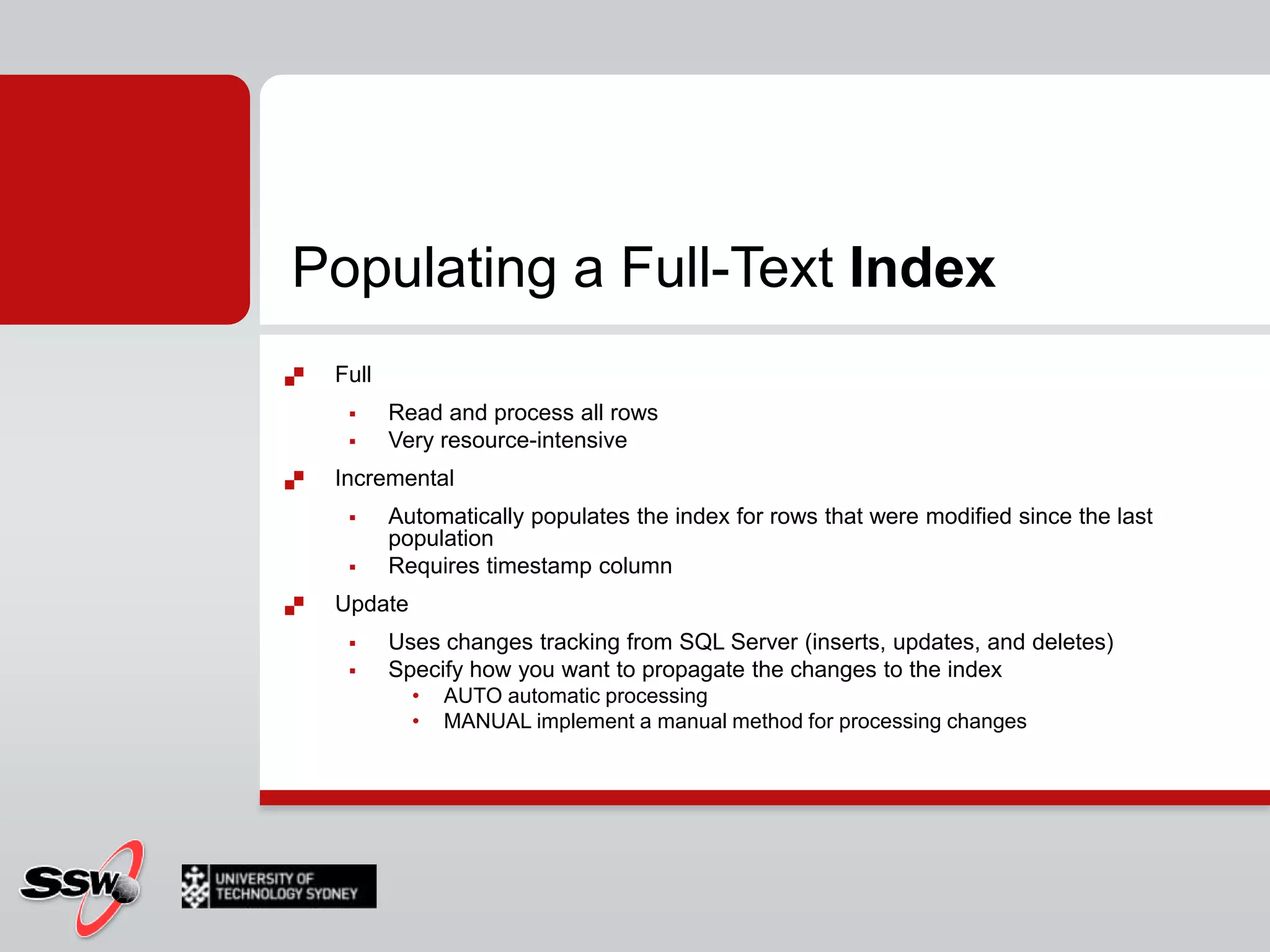
Populating a Full-Text IndexFullRead and process all rowsVery resource-intensiveIncremental Automatically populates the index for rows that were modified since the last populationRequires timestamp column Update Uses changes tracking from SQL Server (inserts, updates, and deletes)Specify how you want to propagate the changes to the indexAUTO automatic processingMANUAL implement a manual method for processing changes
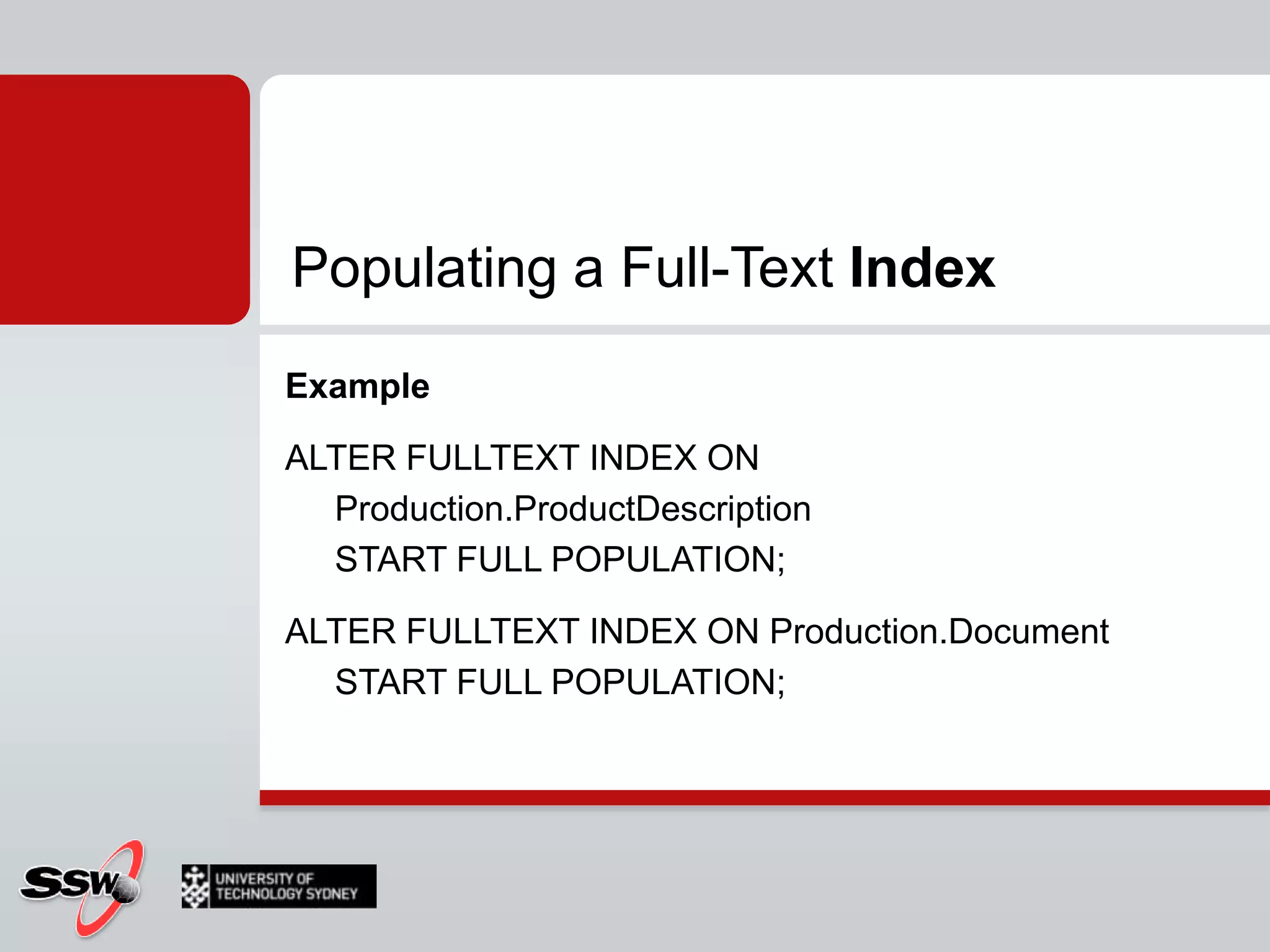
Populating a Full-Text IndexExampleALTER FULLTEXT INDEX ON Production.ProductDescription START FULL POPULATION;ALTER FULLTEXT INDEX ON Production.Document START FULL POPULATION;
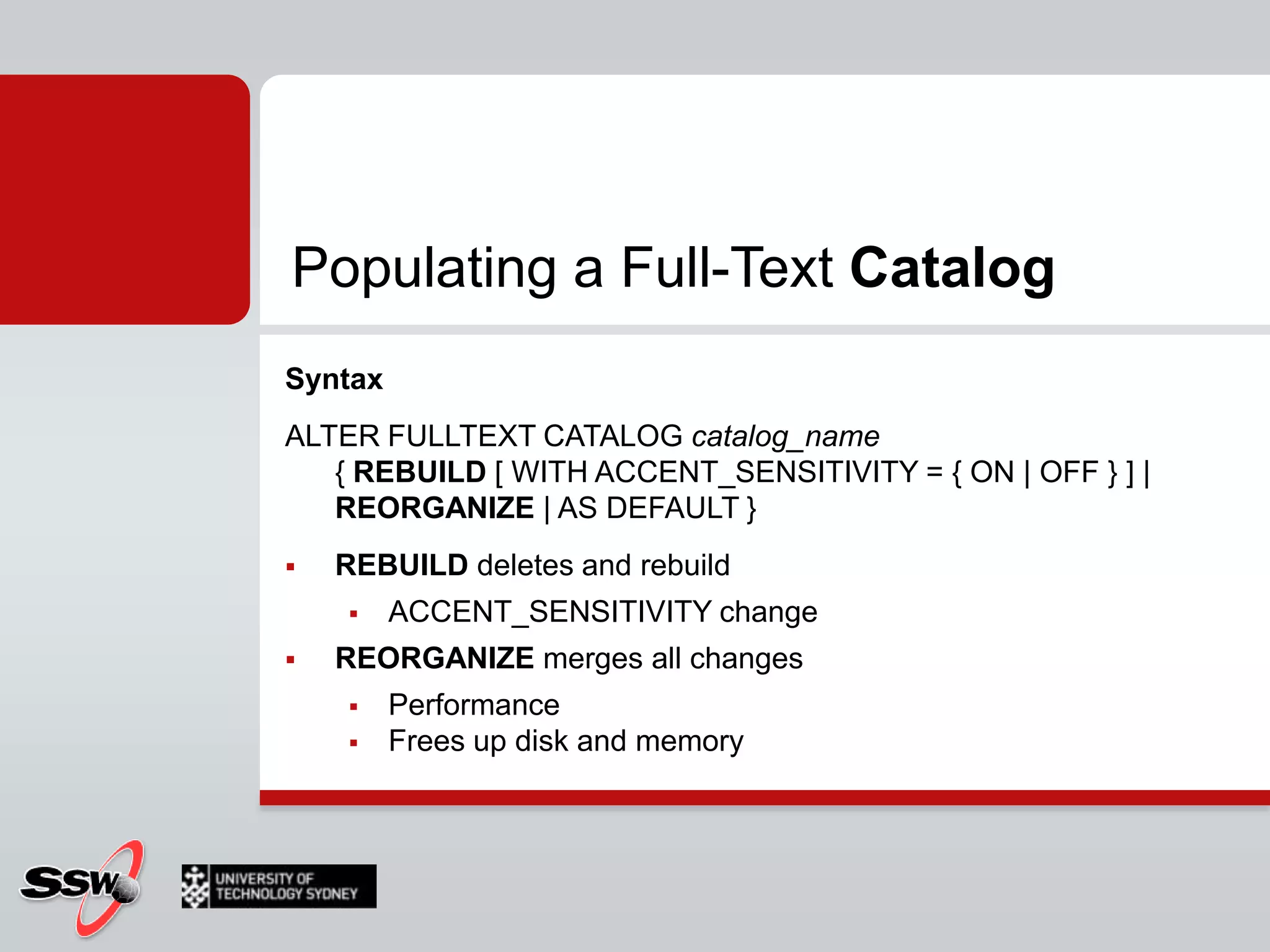
Populating a Full-Text CatalogSyntaxALTER FULLTEXT CATALOG catalog_name{ REBUILD [ WITH ACCENT_SENSITIVITY = { ON | OFF } ] | REORGANIZE | AS DEFAULT }REBUILD deletes and rebuildACCENT_SENSITIVITY changeREORGANIZE merges all changesPerformanceFrees up disk and memory
Populating a Full-Text CatalogExampleUSE AdventureWorks_FulllText; ALTER FULLTEXT CATALOG AdventureWorks_FullTextCatalogREBUILD WITH ACCENT_SENSITIVITY=OFF;-- Check AccentsensitivitySELECT FULLTEXTCATALOGPROPERTY('AdventureWorks_FullTextCatalog', 'accentsensitivity');
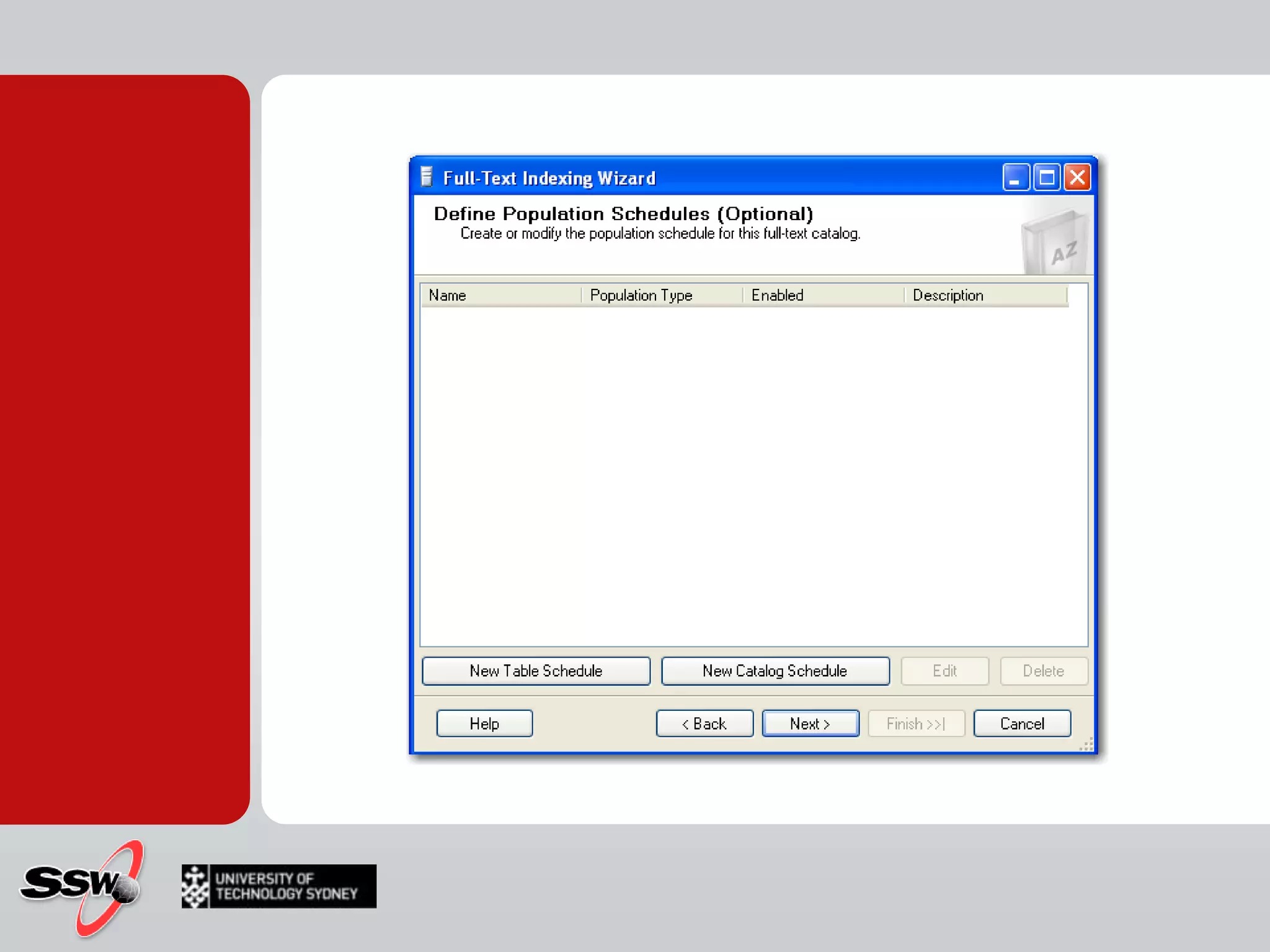
Managing Population SchedulesIn SQL 2000, full text catalogs could only be populated on specified schedulesSQL 2005/2008 can track database changes and keep the catalog up to date, with a minor performance hit
How toQuerying SQL Server Using Full-Text SearchQuerying SQL Server Using Full-Text SearchFull-Text query keywordsFREETEXTFREETEXTTABLECONTAINSCONTAINSTABLE
FREETEXTFuzzy search (less precise )Inflectional forms (Stemming)Related words (Thesaurus)
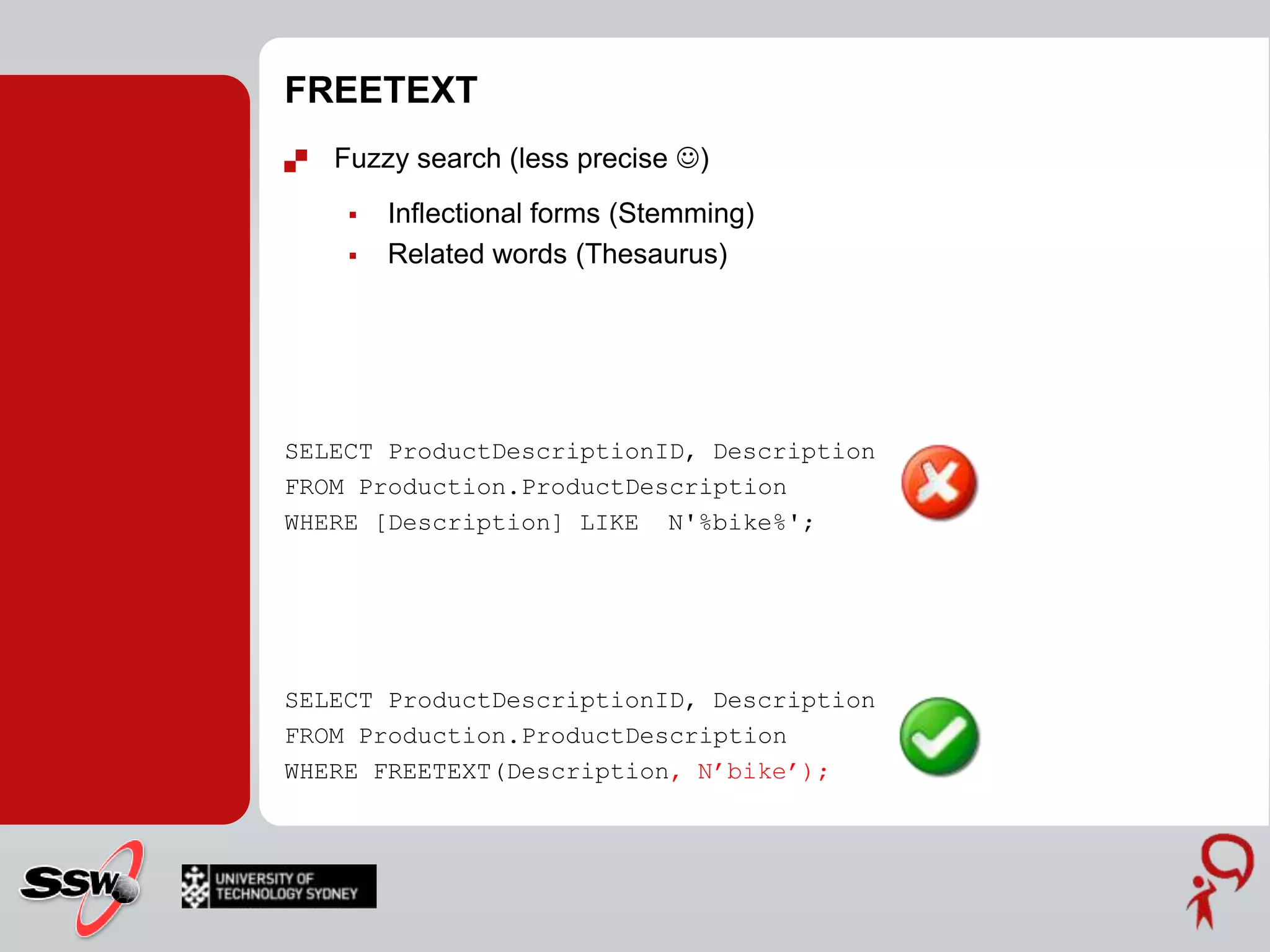
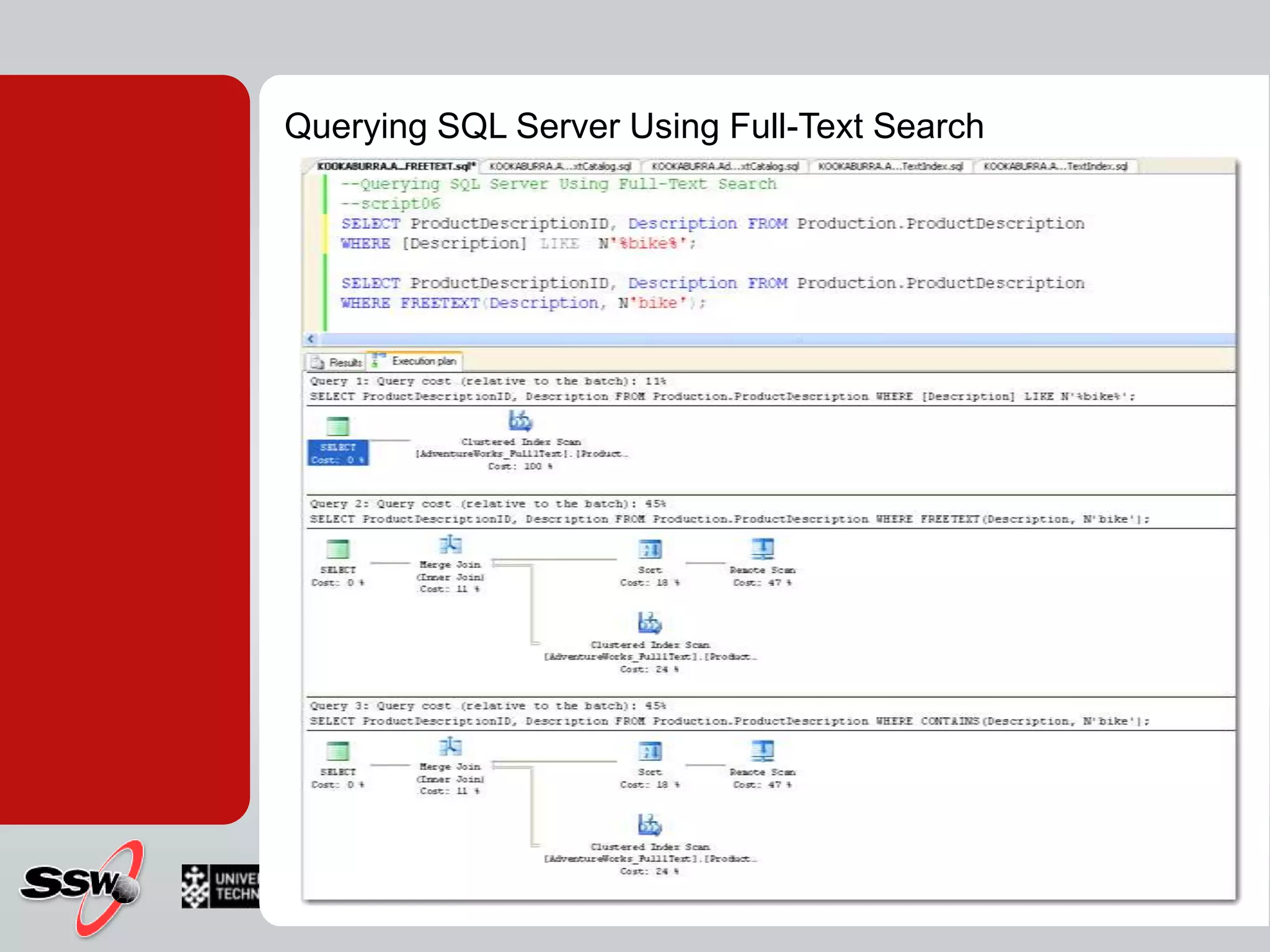
FREETEXTFuzzy search (less precise )Inflectional forms (Stemming)Related words (Thesaurus)SELECT ProductDescriptionID, Description FROM Production.ProductDescriptionWHERE [Description] LIKE  N'%bike%';SELECT ProductDescriptionID, Description FROM Production.ProductDescriptionWHERE FREETEXT(Description, N’bike’);
FREETEXTTABLE+ rank columnValue between 1 and 1,000 Relative number, how well the row matches the search criteriaSELECT PD.ProductDescriptionID, PD.Description, KEYTBL.[KEY], KEYTBL.RANKFROM Production.ProductDescriptionAS PD	INNER JOIN FREETEXTTABLE(Production.ProductDescription, Description, N’bike’)AS KEYTBL ON PD.ProductDescriptionID = KEYTBL.[KEY]
CONTAINSLets you precise what fuzzy matching algorithm to useSELECT ProductDescriptionID, Description FROM Production.ProductDescriptionWHERE CONTAINS(Description, N'bike');SELECT ProductDescriptionID, Description FROM Production.ProductDescriptionWHERE CONTAINS(Description, N‘”bike*”'):INFLECTIONAL Consider word stems in search“ride“  “riding", “riden", ..THESAURUSReturn Synonyms"metal“   "gold", "aluminium"," steel", ..
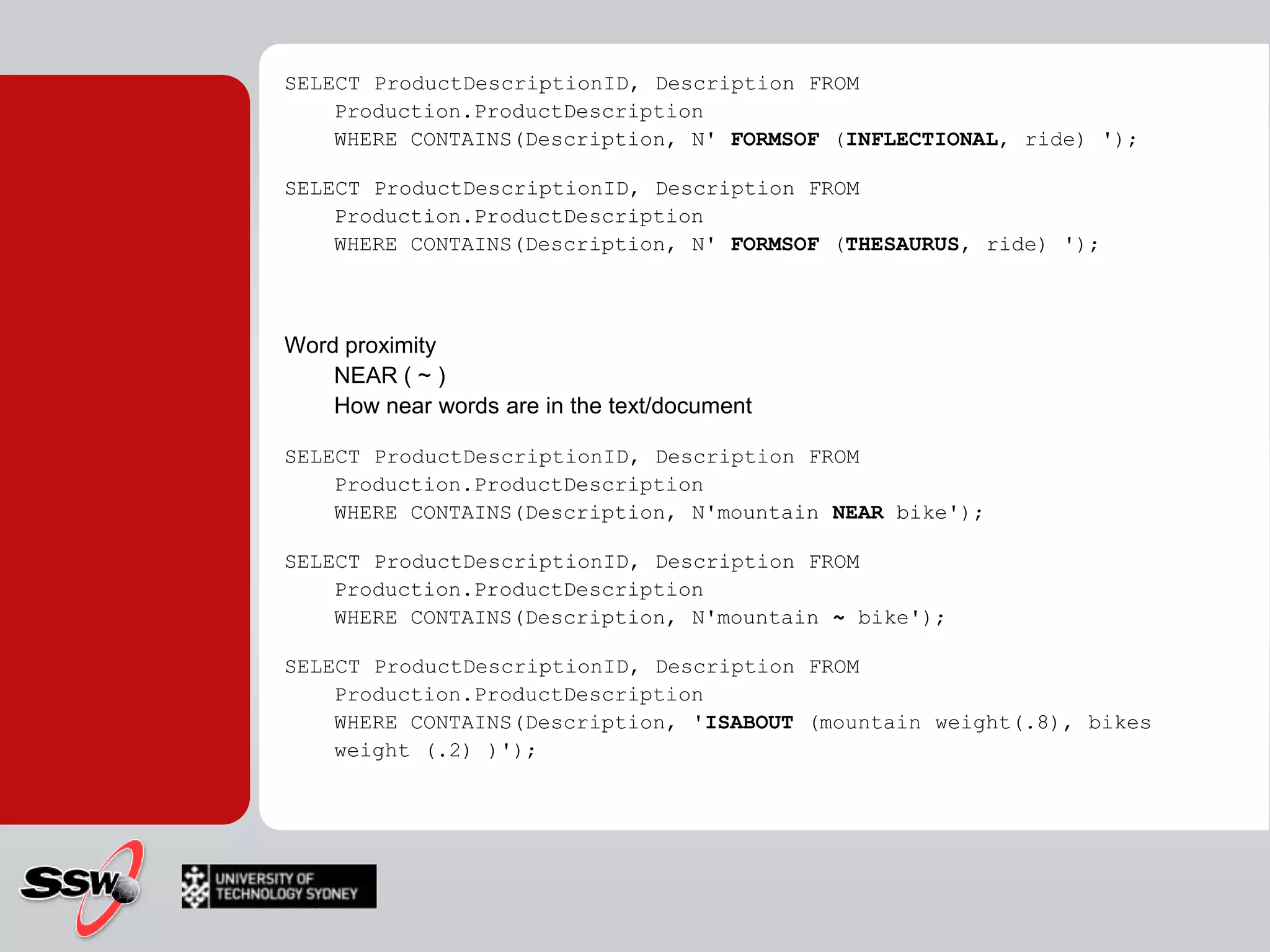
SELECT ProductDescriptionID, Description FROM Production.ProductDescriptionWHERE CONTAINS(Description, N' FORMSOF (INFLECTIONAL, ride) ');SELECT ProductDescriptionID, Description FROM Production.ProductDescriptionWHERE CONTAINS(Description, N' FORMSOF (THESAURUS, ride) ');Word proximity NEAR ( ~ ) How near words are in the text/documentSELECT ProductDescriptionID, Description FROM Production.ProductDescriptionWHERE CONTAINS(Description, N'mountainNEAR bike');SELECT ProductDescriptionID, Description FROM Production.ProductDescriptionWHERE CONTAINS(Description, N'mountain~ bike');SELECT ProductDescriptionID, Description FROM Production.ProductDescriptionWHERE CONTAINS(Description, 'ISABOUT (mountain weight(.8), bikes weight (.2) )');
CONTAINTABLECONTAINSTABLE (table , { column_name | (column_list ) | * } ,' < contains_search_condition > ' [ , LANGUAGE language_term]   [ ,top_n_by_rank ] ) < contains_search_condition > ::=     { < simple_term >     | < prefix_term >     | < generation_term >     | < proximity_term >     | < weighted_term >     }     | { ( < contains_search_condition > )     { { AND | & } | { AND NOT | &! } | { OR | | } } < contains_search_condition > [ ...n ]     } < simple_term > ::=           word | "phrase " < prefix term > ::=      { "word *" | "phrase *" } < generation_term > ::=      FORMSOF ( { INFLECTIONAL | THESAURUS } , < simple_term > [ ,...n ] ) < proximity_term > ::=      { < simple_term > | < prefix_term > }      { { NEAR | ~ } { < simple_term > | < prefix_term > } } [ ...n ] < weighted_term > ::=      ISABOUT         ( { {   < simple_term >   | < prefix_term >   | < generation_term >   | < proximity_term >   }    [ WEIGHT (weight_value ) ]    } [ ,...n ]         )
Querying SQL Server Using Full-Text Search
Full-text search much more powerful than LIKEMore specific, relevant resultsBetter performance LIKE for small amounts of text Full-text search scales to huge documentsProvides ranking of resultsCommon usesSearch through the content in a text-intensive, database driven website, e.g. a knowledge baseSearch the contents of documents stored in BLOB fieldsPerform advanced searchese.g. with exact phrases - "to be or not to be" (however needs care!)e.g. Boolean operators - AND, OR, NOT, NEAR
Integrated backup, restore and recoveryFaster queries and index buildingData definition language (DDL) statements for creating and altering indexesSystem stored procedures deprecatedNoise Insensitivity – noise words no longer break the queryAccent Insensitivity (optional) – e.g. café and cafe are the sameMultiple columns can be included in full-text searchesPre-computed ranking optimizations when using FREETEXTTABLEImproved ranking algorithmCatalogs can be set to populate continuously track changes, or index when the CPU is idle
Writing FTS termsThe power of FTS is in the expression which is passed to the CONTAINS or CONTAINSTABLE functionSeveral different types of terms:Simple termsPrefix termsGeneration termsProximity termsWeighted terms
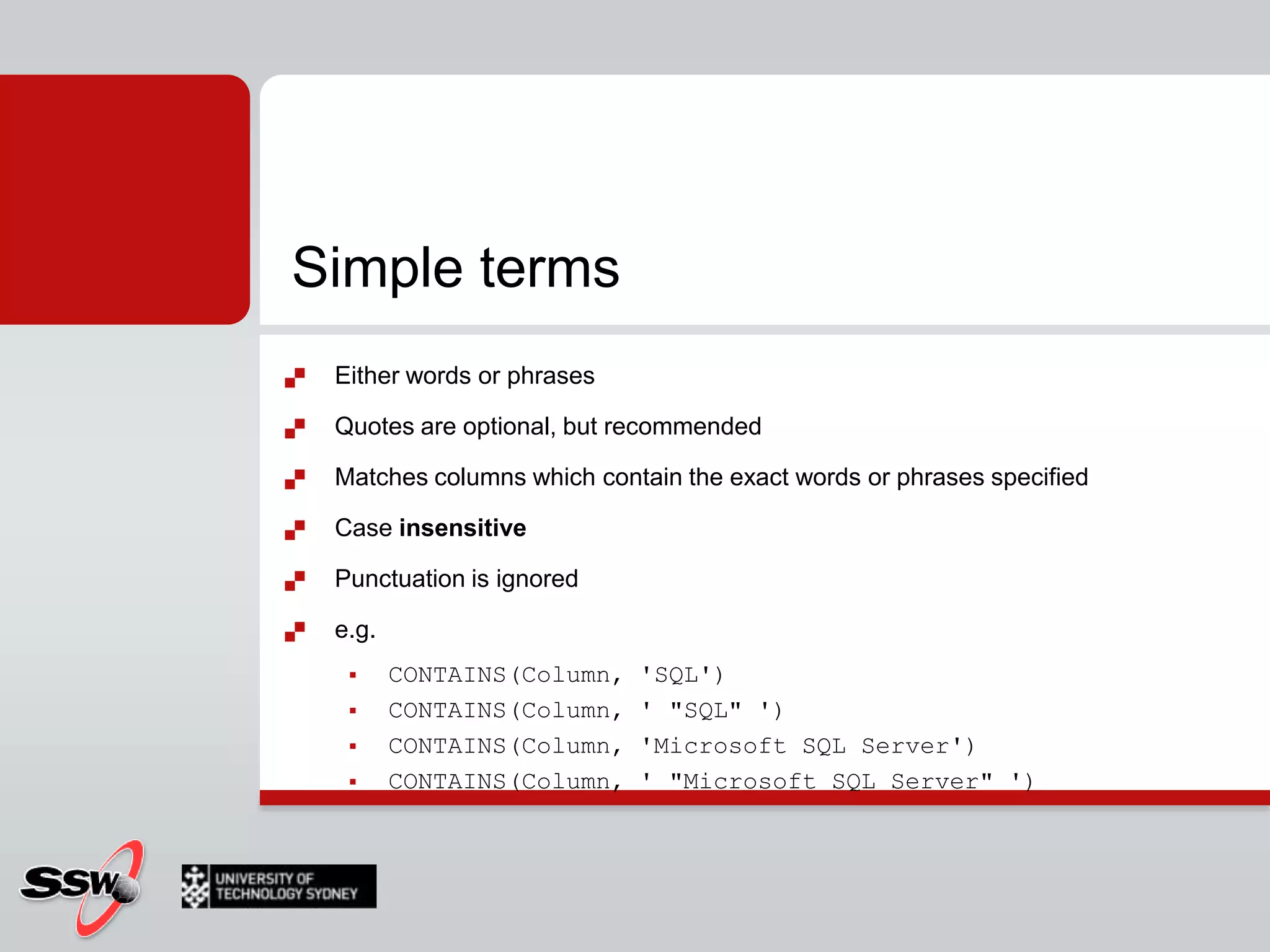
Simple termsEither words or phrasesQuotes are optional, but recommendedMatches columns which contain the exact words or phrases specifiedCase insensitivePunctuation is ignorede.g.CONTAINS(Column, 'SQL')CONTAINS(Column, ' "SQL" ')CONTAINS(Column, 'Microsoft SQL Server')CONTAINS(Column, ' "Microsoft SQL Server" ')
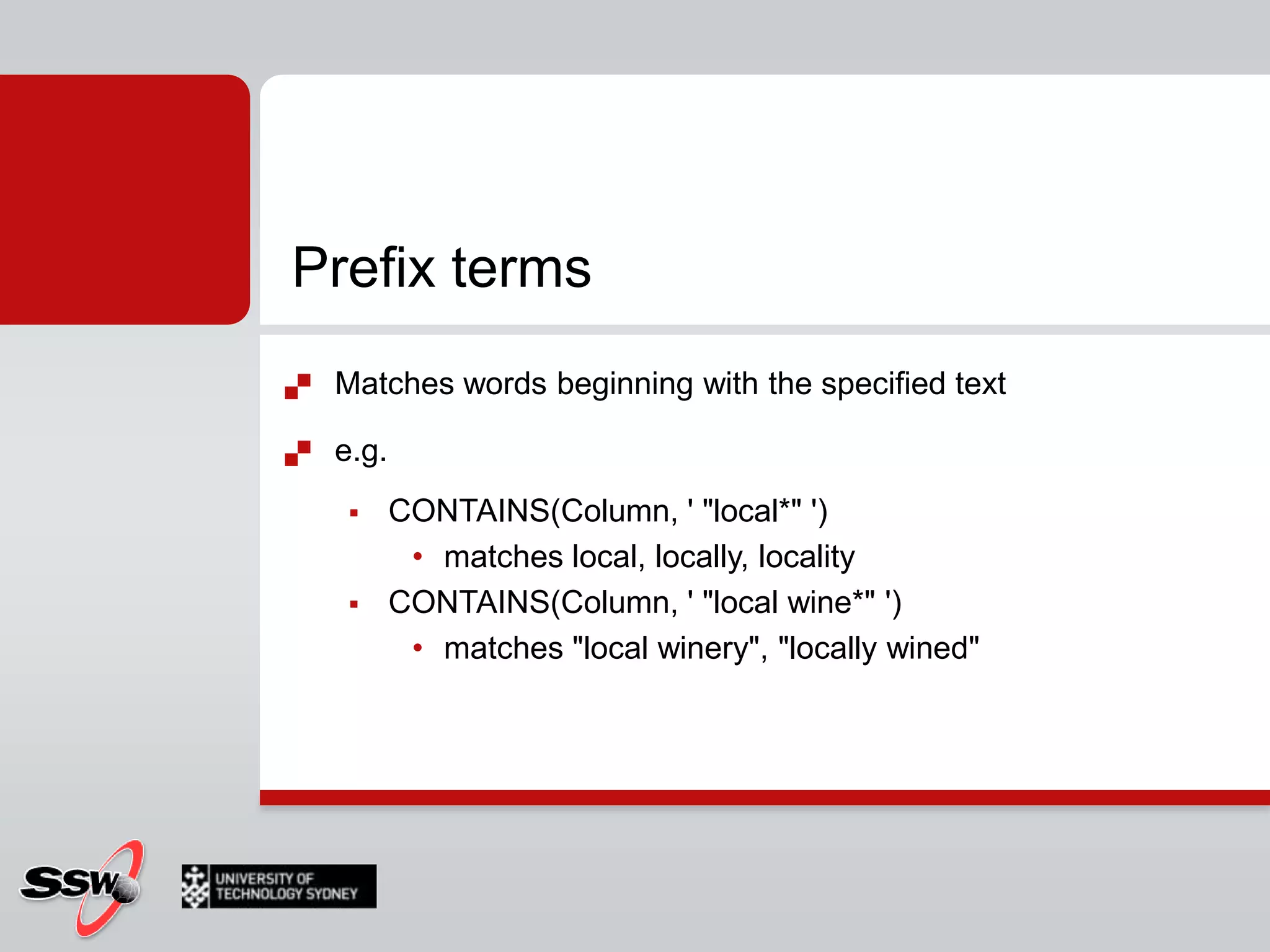
Prefix termsMatches words beginning with the specified texte.g.CONTAINS(Column, ' "local*" ')matches local, locally, localityCONTAINS(Column, ' "local wine*" ')matches "local winery", "locally wined"
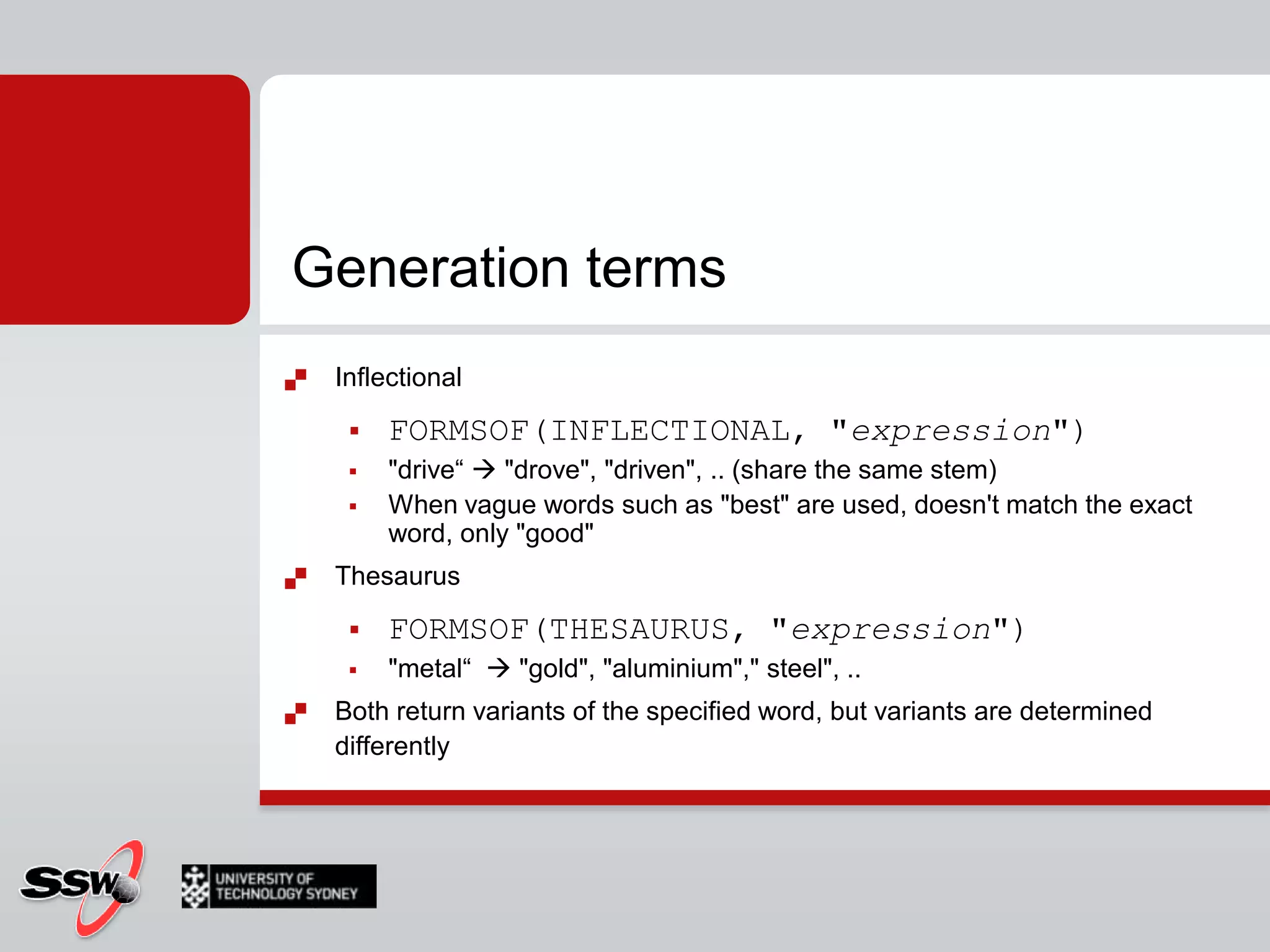
Generation termsInflectionalFORMSOF(INFLECTIONAL, "expression")"drive“  "drove", "driven", .. (share the same stem)When vague words such as "best" are used, doesn't match the exact word, only "good"ThesaurusFORMSOF(THESAURUS, "expression")"metal“   "gold", "aluminium"," steel", ..Both return variants of the specified word, but variants are determined differently
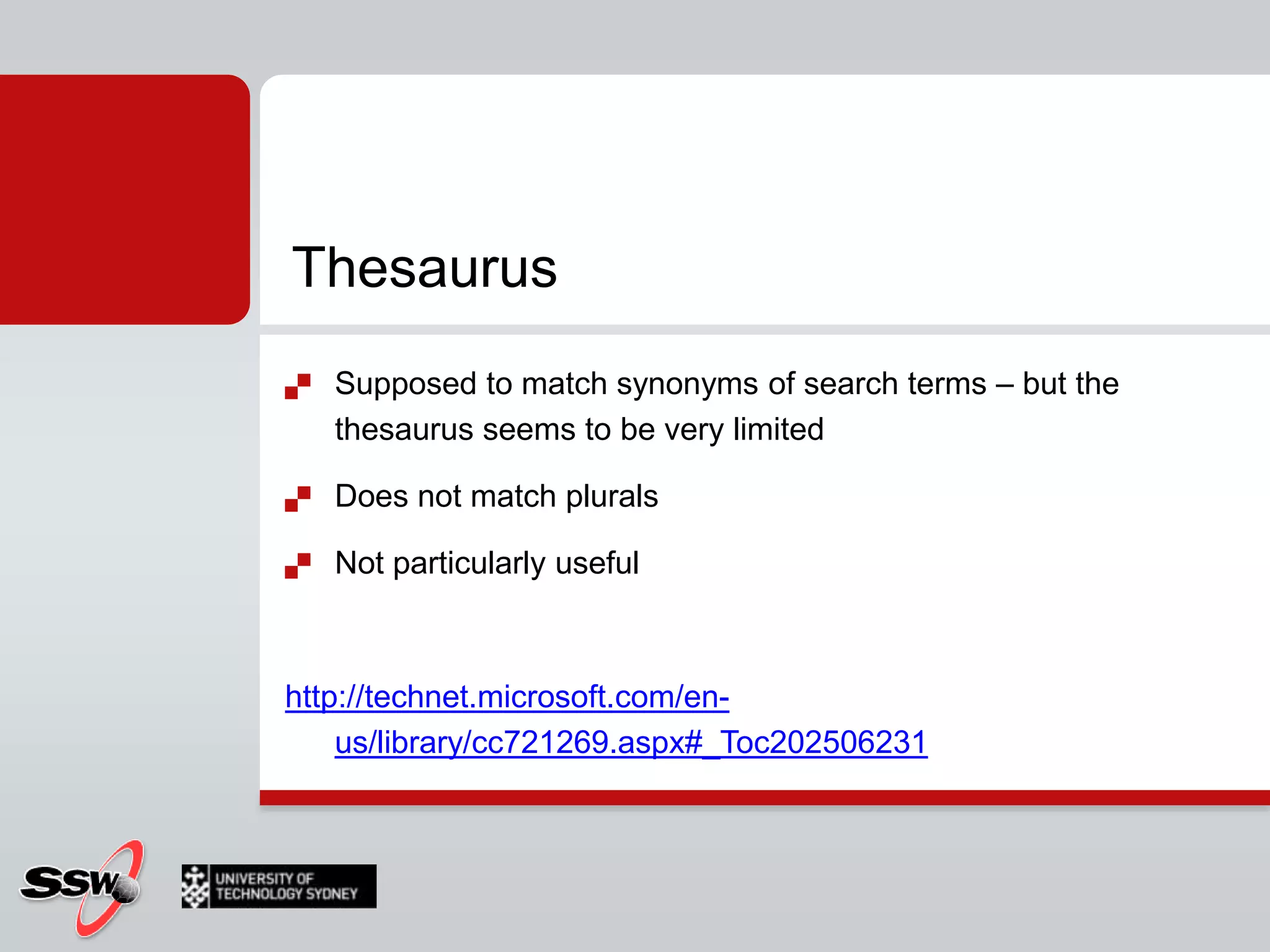
ThesaurusSupposed to match synonyms of search terms – but the thesaurus seems to be very limitedDoes not match pluralsNot particularly usefulhttp://technet.microsoft.com/en-us/library/cc721269.aspx#_Toc202506231
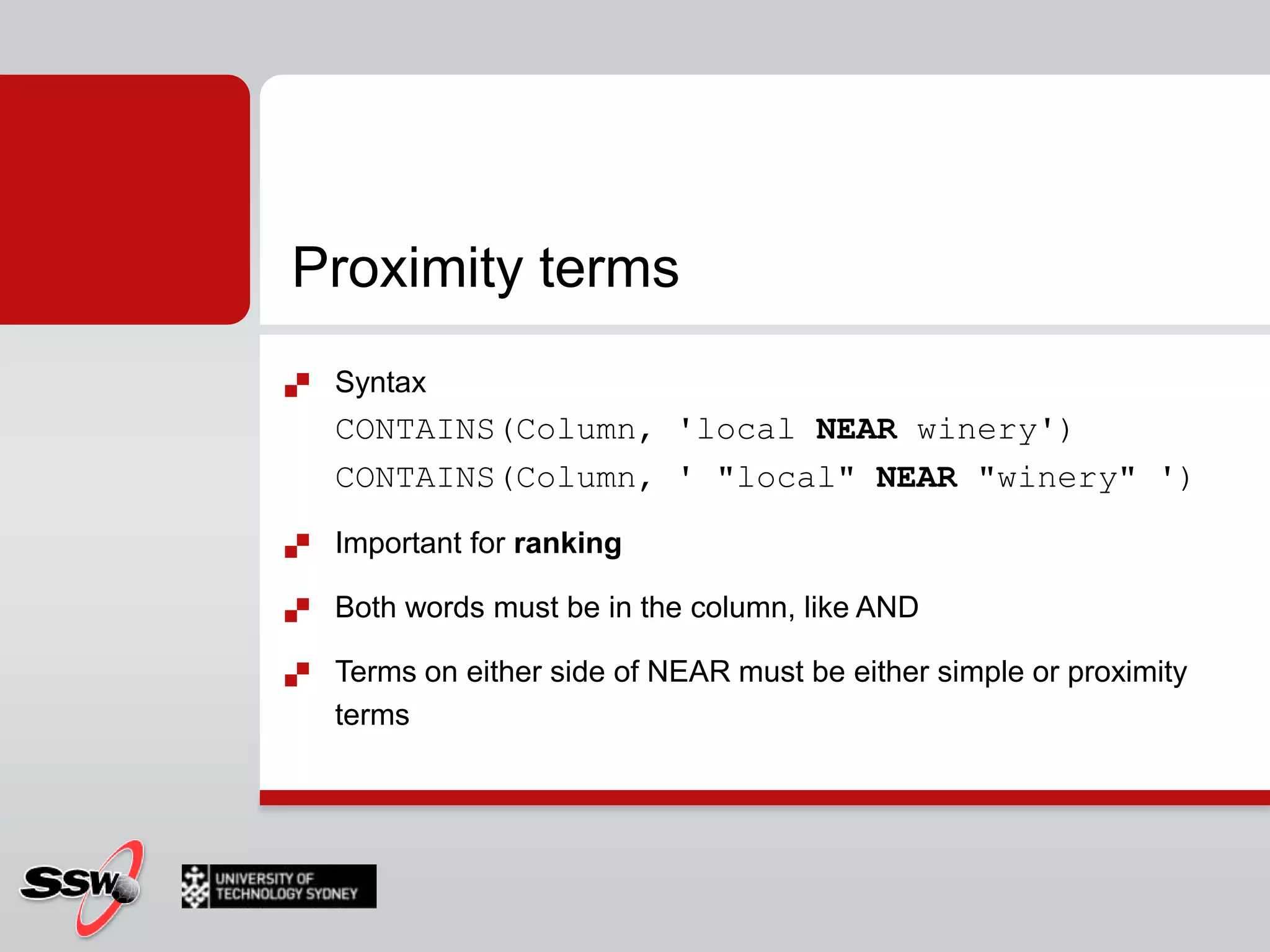
Proximity termsSyntaxCONTAINS(Column, 'local NEAR winery')CONTAINS(Column, ' "local" NEAR "winery" ')Important for rankingBoth words must be in the column, like ANDTerms on either side of NEAR must be either simple or proximity terms
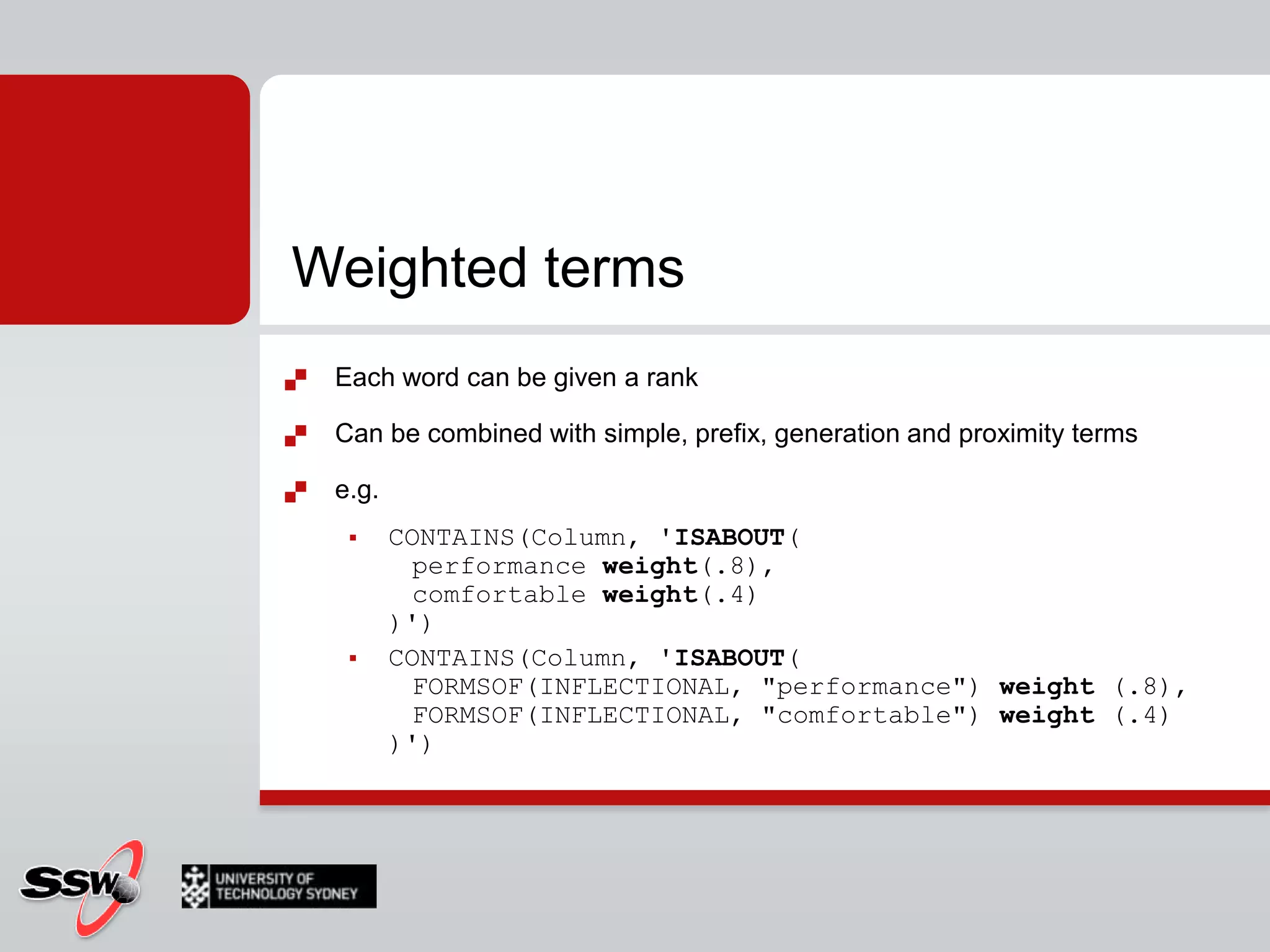
Weighted termsEach word can be given a rankCan be combined with simple, prefix, generation and proximity termse.g.CONTAINS(Column, 'ISABOUT(	performance weight(.8),	comfortable weight(.4))')CONTAINS(Column, 'ISABOUT(	FORMSOF(INFLECTIONAL, "performance") weight (.8),	FORMSOF(INFLECTIONAL, "comfortable") weight (.4))')
ProContraPros?Cons?
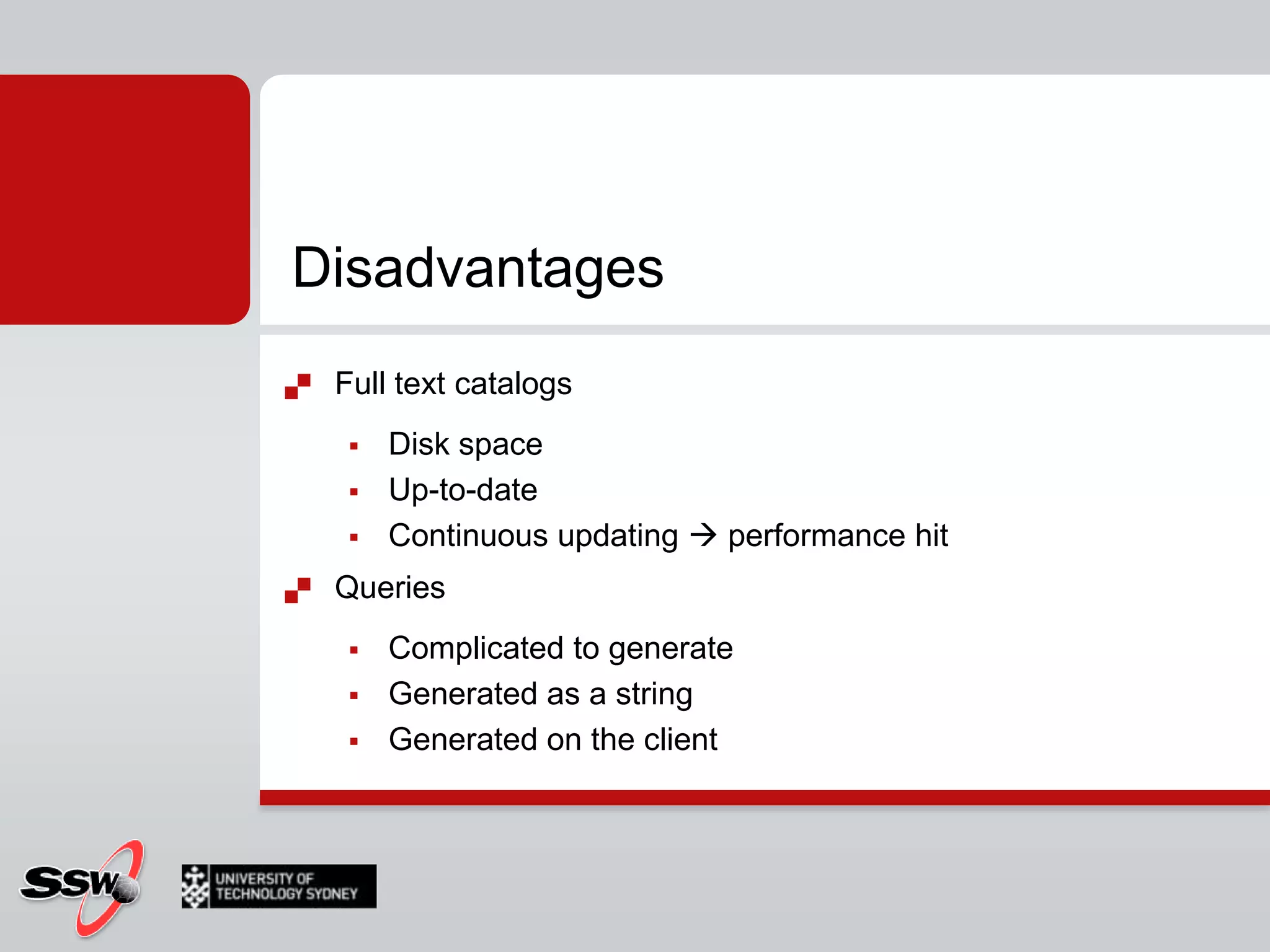
DisadvantagesFull text catalogs Disk space Up-to-dateContinuous updating  performance hitQueries Complicated to generate Generated as a stringGenerated on the client
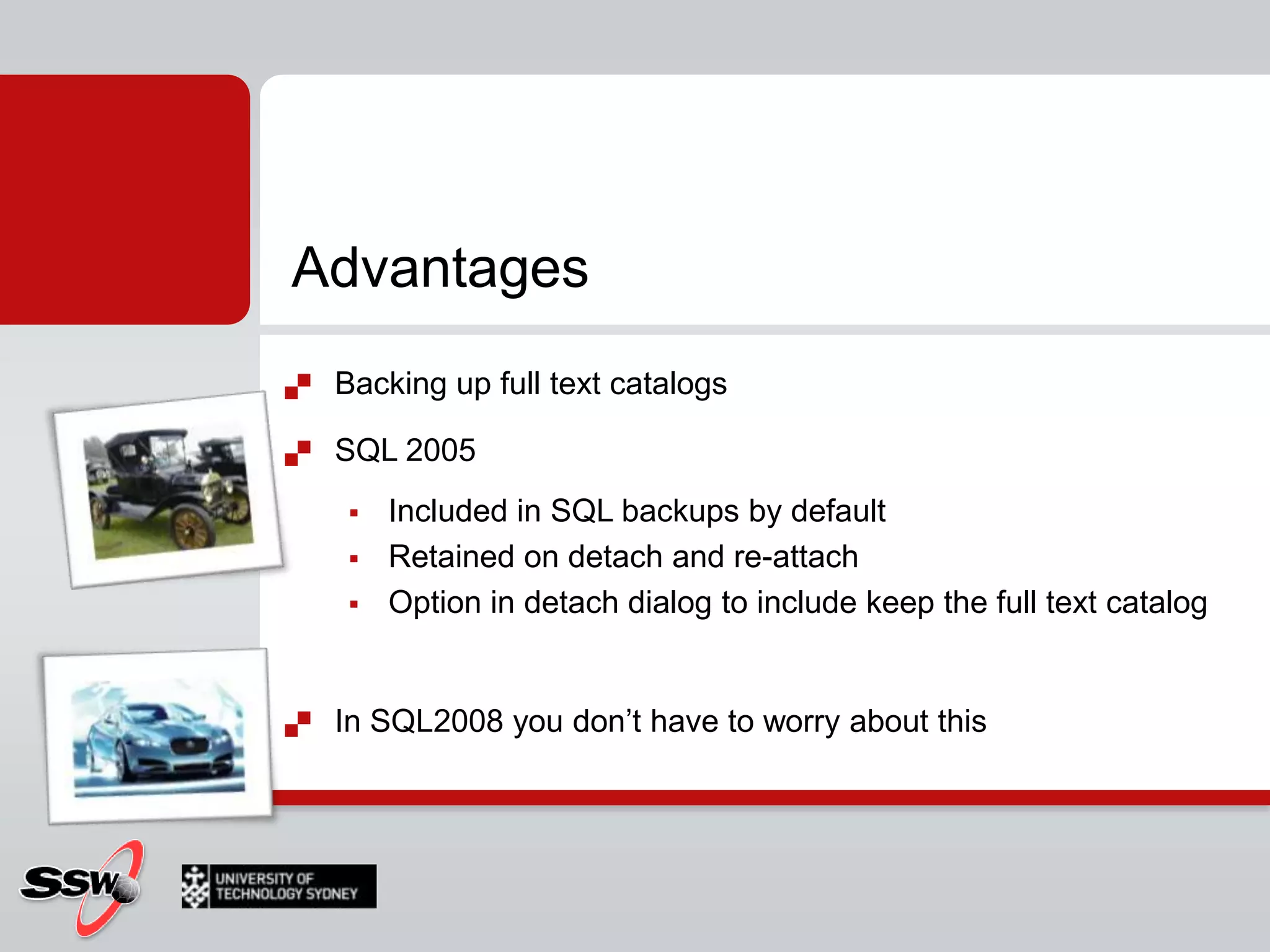
AdvantagesBacking up full text catalogsSQL 2005Included in SQL backups by defaultRetained on detach and re-attachOption in detach dialog to include keep the full text catalogIn SQL2008 you don’t have to worry about this
AdvantagesMuch more powerful than LIKESpecificRankingPerformancePre-computed ranking (FREETEXTTABLE)Configurable Population ScheduleContinuously track changes, or index when the CPU is idle
Quick tips - PodcastsPluralcast - SQL Server Under the Covershttp://shrinkster.com/1ff4Dotnetrocks - Search for SQL Serverhttp://www.dotnetrocks.com/archives.aspxRunAsRadio - Search for SQL Serverhttp://www.runasradio.com/archives.aspx

SQL Server - Full text search

  • 1.
    SQL Server 2008for DevelopersUTS Short Course
  • 2.
    Peter GfaderSpecializes inC# and .NET (Java not anymore)TestingAutomated testsAgile, ScrumCertified Scrum TrainerTechnology aficionado SilverlightASP.NETWindows Forms
  • 3.
    Course WebsiteCourse Timetable& Materialshttp://www.ssw.com.au/ssw/Events/2010UTSSQL/Resourceshttp://sharepoint.ssw.com.au/Training/UTSSQL/
  • 4.
  • 5.
    What we didlast weekCLR Integration.NET.NET FXCLR
  • 6.
    What we didlast weekCLR IntegrationStored ProcFunctionsTriggersBottom LineUse T-SQL for all data operationsUse CLR assemblies for any complex calculations and transformations
  • 7.
    Homework?Find all productsthat have a productnumber starting with BKFind all products with "Road" in the name that are SilverFind a list of products that have no reviewFind the list price ([listprice]) of all products in our shopWhat is the sum of the list price of all our productsFind the product with the maximum and minimum listpriceFind a list of products with their discount sale (hint see Sales.SalesOrderDetail)Find the sum of pricesof the products in each subcategory
  • 8.
    Session 5SQL ServerFull-Text Searchusing Full-Text search in SQL Server 2008
  • 9.
    AgendaWhat is Fulltext searchThe old way 2005The new way 2008How toQuerying
  • 10.
    What is FulltextsearchSELECT *FROM [Northwind].[dbo].[Employees]WHERE Notes LIKE '%grad%‘
  • 11.
    What is REALFulltext searchAllows searching for text/words in columnsSimilar wordsPlural of wordsBased on special indexFull-text index (Full text catalog)SELECT *FROM [Northwind].[dbo].[Employees]WHEREFREETEXT(*,'grad‘)
  • 12.
  • 13.
    Full-Text Search Terminology1/3Full-text index Information about words and their location in columns
  • 14.
    Used in fulltext queries Full-text catalog Group of full text indexes (Container)Word breaker Tokenizes text based on languageFull-Text Search Terminology 2/3TokenWord identified by word breakerStemmer Generate inflectional forms of a word (language specific)Filter Extract text from files stored in a varbinary(max) or image columnPopulation or Crawl Creating and maintaining a full-text index.
  • 15.
    Full-Text Search Terminology3/3Stopwords/Stoplists not relevant word to search e.g. ‘and’, ‘a’, ‘is’ and ‘the’ in EnglishAccent insensitivitycafè = cafe
  • 16.
    Fulltext search –Under the hood
  • 17.
    The old way!SQL 2005
  • 19.
    The new way!SQL 2008
  • 21.
  • 22.
    Administering Full-Text SearchFull-textadministration can be separated into three main tasks:Creating/altering/dropping full-text catalogs Creating/altering/dropping full-text indexesScheduling and maintaining index population.
  • 23.
  • 24.
  • 25.
    Administering Full-Text SearchAutomaticupdate of indexSlows down database performanceManually repopulate full text indexTime consumingAsynchronous process in the backgroundPeriods of low activityIndex not up to date
  • 26.
    How toCreating aFull Text CatalogSQL 2005 Only
  • 27.
    SQL 2008 issmartSQL 2005
  • 28.
    Creating a Full-TextCatalog (SQL 2005)SyntaxCREATE FULLTEXT CATALOG catalog_name      [ON FILEGROUP filegroup]      [IN PATH 'rootpath']      [WITH <catalog_option>]      [AS DEFAULT]      [AUTHORIZATION owner_name ] <catalog_option>::=      ACCENT_SENSITIVITY = {ON|OFF} ExampleUSE AdventureWorks_FulllTextCREATE FULLTEXT CATALOG AdventureWorks_FullTextCatalogON FILEGROUP FullTextCatalog_FGWITH ACCENT_SENSITIVITY = ON AS DEFAULTAUTHORIZATION dbo
  • 29.
    Creating a Full-TextCatalogStep by stepCreate a directory on the operating system named C:\testLaunch SSMS, connect to your instance, and open a new query windowAdd a new filegroup to the AdventureWorks_FulllTextUSE MasterGOALTER DATABASE AdventureWorks_FulllTextGOALTER DATABASE AdventureWorks_FulllText ADD FILE (NAME = N’ AdventureWorks_FulllText _data’, FILENAME=N’C:\TEST\ AdventureWorks_FulllText _data.ndf’, SIZE=2048KB, FILEGROTH=1024KB ) TO FILEGROUP [FTFG1]GOCreate a full-text catalog on the FTFG1 filegroup by executing the following command:USE AdventureWorks_FulllTextGOCREATE FULLTEXT CATALOG AWCatalog on FILEGROUP FTFG1 IN PATH ‘C:\TEST’ AS DEFAULT;GO
  • 30.
  • 31.
  • 32.
  • 42.
  • 43.
  • 45.
    SummaryTSQL command CREATEFULLTEXT INDEX Full-text indexes on Text-basedBinaryImage columnsVARBINARY / IMAGE Store files in their native format within SQL Server Full-text indexing and searchingLots of helper services/functionalityWord-breaker routines, language files, noise word files, filters and protocol handlers.
  • 46.
    How to Indexand Catalog Population
  • 47.
    Because of theexternal structure for storing full-text indexes, changes to underlying data columns are not immediately reflected in the full-text index. Instead, a background process enlists the word breakers, filters and noise word filters to build the tokens for each column, which are then merged back into the main index either automatically or manually. This update process is called population or a crawl. To keep your full-text indexes up to date, you must periodically populate them.Populating a Full-Text Index
  • 48.
    You can choosefrom there modes for full-text population:FullIncrementalUpdatePopulating a Full-Text Index
  • 49.
    Populating a Full-TextIndexFullRead and process all rowsVery resource-intensiveIncremental Automatically populates the index for rows that were modified since the last populationRequires timestamp column Update Uses changes tracking from SQL Server (inserts, updates, and deletes)Specify how you want to propagate the changes to the indexAUTO automatic processingMANUAL implement a manual method for processing changes
  • 50.
    Populating a Full-TextIndexExampleALTER FULLTEXT INDEX ON Production.ProductDescription START FULL POPULATION;ALTER FULLTEXT INDEX ON Production.Document START FULL POPULATION;
  • 51.
    Populating a Full-TextCatalogSyntaxALTER FULLTEXT CATALOG catalog_name{ REBUILD [ WITH ACCENT_SENSITIVITY = { ON | OFF } ] | REORGANIZE | AS DEFAULT }REBUILD deletes and rebuildACCENT_SENSITIVITY changeREORGANIZE merges all changesPerformanceFrees up disk and memory
  • 52.
    Populating a Full-TextCatalogExampleUSE AdventureWorks_FulllText; ALTER FULLTEXT CATALOG AdventureWorks_FullTextCatalogREBUILD WITH ACCENT_SENSITIVITY=OFF;-- Check AccentsensitivitySELECT FULLTEXTCATALOGPROPERTY('AdventureWorks_FullTextCatalog', 'accentsensitivity');
  • 55.
    Managing Population SchedulesInSQL 2000, full text catalogs could only be populated on specified schedulesSQL 2005/2008 can track database changes and keep the catalog up to date, with a minor performance hit
  • 56.
    How toQuerying SQLServer Using Full-Text SearchQuerying SQL Server Using Full-Text SearchFull-Text query keywordsFREETEXTFREETEXTTABLECONTAINSCONTAINSTABLE
  • 57.
    FREETEXTFuzzy search (lessprecise )Inflectional forms (Stemming)Related words (Thesaurus)
  • 58.
    FREETEXTFuzzy search (lessprecise )Inflectional forms (Stemming)Related words (Thesaurus)SELECT ProductDescriptionID, Description FROM Production.ProductDescriptionWHERE [Description] LIKE N'%bike%';SELECT ProductDescriptionID, Description FROM Production.ProductDescriptionWHERE FREETEXT(Description, N’bike’);
  • 59.
    FREETEXTTABLE+ rank columnValuebetween 1 and 1,000 Relative number, how well the row matches the search criteriaSELECT PD.ProductDescriptionID, PD.Description, KEYTBL.[KEY], KEYTBL.RANKFROM Production.ProductDescriptionAS PD INNER JOIN FREETEXTTABLE(Production.ProductDescription, Description, N’bike’)AS KEYTBL ON PD.ProductDescriptionID = KEYTBL.[KEY]
  • 60.
    CONTAINSLets you precisewhat fuzzy matching algorithm to useSELECT ProductDescriptionID, Description FROM Production.ProductDescriptionWHERE CONTAINS(Description, N'bike');SELECT ProductDescriptionID, Description FROM Production.ProductDescriptionWHERE CONTAINS(Description, N‘”bike*”'):INFLECTIONAL Consider word stems in search“ride“  “riding", “riden", ..THESAURUSReturn Synonyms"metal“  "gold", "aluminium"," steel", ..
  • 61.
    SELECT ProductDescriptionID, DescriptionFROM Production.ProductDescriptionWHERE CONTAINS(Description, N' FORMSOF (INFLECTIONAL, ride) ');SELECT ProductDescriptionID, Description FROM Production.ProductDescriptionWHERE CONTAINS(Description, N' FORMSOF (THESAURUS, ride) ');Word proximity NEAR ( ~ ) How near words are in the text/documentSELECT ProductDescriptionID, Description FROM Production.ProductDescriptionWHERE CONTAINS(Description, N'mountainNEAR bike');SELECT ProductDescriptionID, Description FROM Production.ProductDescriptionWHERE CONTAINS(Description, N'mountain~ bike');SELECT ProductDescriptionID, Description FROM Production.ProductDescriptionWHERE CONTAINS(Description, 'ISABOUT (mountain weight(.8), bikes weight (.2) )');
  • 62.
    CONTAINTABLECONTAINSTABLE (table ,{ column_name | (column_list ) | * } ,' < contains_search_condition > ' [ , LANGUAGE language_term]   [ ,top_n_by_rank ] ) < contains_search_condition > ::=     { < simple_term >     | < prefix_term >     | < generation_term >     | < proximity_term >     | < weighted_term >     }     | { ( < contains_search_condition > )     { { AND | & } | { AND NOT | &! } | { OR | | } } < contains_search_condition > [ ...n ]     } < simple_term > ::=           word | "phrase " < prefix term > ::=      { "word *" | "phrase *" } < generation_term > ::=      FORMSOF ( { INFLECTIONAL | THESAURUS } , < simple_term > [ ,...n ] ) < proximity_term > ::=      { < simple_term > | < prefix_term > }      { { NEAR | ~ } { < simple_term > | < prefix_term > } } [ ...n ] < weighted_term > ::=      ISABOUT         ( { {   < simple_term >   | < prefix_term >   | < generation_term >   | < proximity_term >   }    [ WEIGHT (weight_value ) ]    } [ ,...n ]         )
  • 63.
    Querying SQL ServerUsing Full-Text Search
  • 64.
    Full-text search muchmore powerful than LIKEMore specific, relevant resultsBetter performance LIKE for small amounts of text Full-text search scales to huge documentsProvides ranking of resultsCommon usesSearch through the content in a text-intensive, database driven website, e.g. a knowledge baseSearch the contents of documents stored in BLOB fieldsPerform advanced searchese.g. with exact phrases - "to be or not to be" (however needs care!)e.g. Boolean operators - AND, OR, NOT, NEAR
  • 65.
    Integrated backup, restoreand recoveryFaster queries and index buildingData definition language (DDL) statements for creating and altering indexesSystem stored procedures deprecatedNoise Insensitivity – noise words no longer break the queryAccent Insensitivity (optional) – e.g. café and cafe are the sameMultiple columns can be included in full-text searchesPre-computed ranking optimizations when using FREETEXTTABLEImproved ranking algorithmCatalogs can be set to populate continuously track changes, or index when the CPU is idle
  • 66.
    Writing FTS termsThepower of FTS is in the expression which is passed to the CONTAINS or CONTAINSTABLE functionSeveral different types of terms:Simple termsPrefix termsGeneration termsProximity termsWeighted terms
  • 67.
    Simple termsEither wordsor phrasesQuotes are optional, but recommendedMatches columns which contain the exact words or phrases specifiedCase insensitivePunctuation is ignorede.g.CONTAINS(Column, 'SQL')CONTAINS(Column, ' "SQL" ')CONTAINS(Column, 'Microsoft SQL Server')CONTAINS(Column, ' "Microsoft SQL Server" ')
  • 68.
    Prefix termsMatches wordsbeginning with the specified texte.g.CONTAINS(Column, ' "local*" ')matches local, locally, localityCONTAINS(Column, ' "local wine*" ')matches "local winery", "locally wined"
  • 69.
    Generation termsInflectionalFORMSOF(INFLECTIONAL, "expression")"drive“ "drove", "driven", .. (share the same stem)When vague words such as "best" are used, doesn't match the exact word, only "good"ThesaurusFORMSOF(THESAURUS, "expression")"metal“  "gold", "aluminium"," steel", ..Both return variants of the specified word, but variants are determined differently
  • 70.
    ThesaurusSupposed to matchsynonyms of search terms – but the thesaurus seems to be very limitedDoes not match pluralsNot particularly usefulhttp://technet.microsoft.com/en-us/library/cc721269.aspx#_Toc202506231
  • 71.
    Proximity termsSyntaxCONTAINS(Column, 'localNEAR winery')CONTAINS(Column, ' "local" NEAR "winery" ')Important for rankingBoth words must be in the column, like ANDTerms on either side of NEAR must be either simple or proximity terms
  • 72.
    Weighted termsEach wordcan be given a rankCan be combined with simple, prefix, generation and proximity termse.g.CONTAINS(Column, 'ISABOUT( performance weight(.8), comfortable weight(.4))')CONTAINS(Column, 'ISABOUT( FORMSOF(INFLECTIONAL, "performance") weight (.8), FORMSOF(INFLECTIONAL, "comfortable") weight (.4))')
  • 73.
  • 74.
    DisadvantagesFull text catalogsDisk space Up-to-dateContinuous updating  performance hitQueries Complicated to generate Generated as a stringGenerated on the client
  • 75.
    AdvantagesBacking up fulltext catalogsSQL 2005Included in SQL backups by defaultRetained on detach and re-attachOption in detach dialog to include keep the full text catalogIn SQL2008 you don’t have to worry about this
  • 76.
    AdvantagesMuch more powerfulthan LIKESpecificRankingPerformancePre-computed ranking (FREETEXTTABLE)Configurable Population ScheduleContinuously track changes, or index when the CPU is idle
  • 77.
    Quick tips -PodcastsPluralcast - SQL Server Under the Covershttp://shrinkster.com/1ff4Dotnetrocks - Search for SQL Serverhttp://www.dotnetrocks.com/archives.aspxRunAsRadio - Search for SQL Serverhttp://www.runasradio.com/archives.aspx
  • 78.
    Session 5 LabFull text searchDownload from Course Materials Site (to copy/paste scripts) or type manually:http://sharepoint.ssw.com.au/Training/UTSSQL/
  • 79.
  • 80.
    Thank You!Gateway CourtSuite 10 81 - 91 Military Road Neutral Bay, Sydney NSW 2089 AUSTRALIA ABN: 21 069 371 900 Phone: + 61 2 9953 3000 Fax: + 61 2 9953 3105 info@ssw.com.auwww.ssw.com.au