








TheWizard of ORDS
Oracle
REST
Data
Services
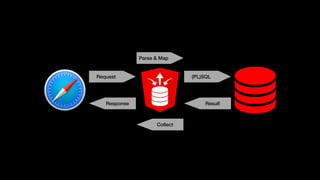
Request (PL)SQL
ResultResponse
Parse & Map
Collect
AutoREST
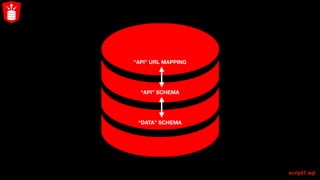
Build your API like a wall
script1.sql
“DATA” SCHEMA
“API” SCHEMA
“API” URL MAPPING
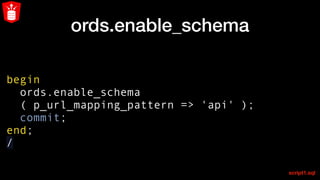
ords.enable_schema
begin
ords.enable_schema
( p_url_mapping_pattern => 'api' );
commit;
end;
/
script1.sql
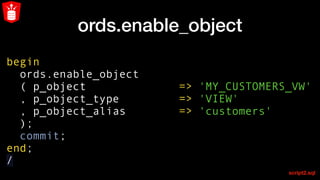
ords.enable_object
begin
ords.enable_object
( p_object => 'MY_CUSTOMERS_VW'
, p_object_type => 'VIEW'
, p_object_alias => 'customers'
);
commit;
end;
/
script2.sql
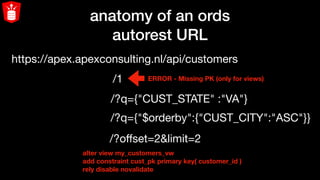
anatomy of an ords
autorest URL
https://apex.apexconsulting.nl/api/customers
/1
/?q={"CUST_STATE" :"VA"}
/?q={"$orderby":{"CUST_CITY":"ASC"}}
/?offset=2&limit=2
ERROR - Missing PK (only for views)
alter view my_customers_vw
add constraint cust_pk primary key( customer_id )
rely disable novalidate
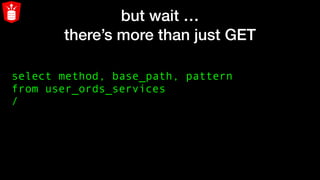
but wait …
there’s more than just GET
select method, base_path, pattern
from user_ords_services
/
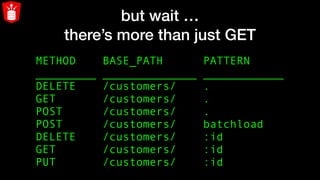
but wait …
there’s more than just GET
METHOD BASE_PATH PATTERN
_________ ______________ ____________
DELETE /customers/ .
GET /customers/ .
POST /customers/ .
POST /customers/ batchload
DELETE /customers/ :id
GET /customers/ :id
PUT /customers/ :id
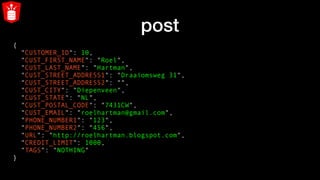
post
{
"CUSTOMER_ID": 10,
"CUST_FIRST_NAME": "Roel",
"CUST_LAST_NAME": "Hartman",
"CUST_STREET_ADDRESS1": "Draaiomsweg 31",
"CUST_STREET_ADDRESS2": "",
"CUST_CITY": "Diepenveen",
"CUST_STATE": "NL",
"CUST_POSTAL_CODE": "7431CW",
"CUST_EMAIL": "roelhartman@gmail.com",
"PHONE_NUMBER1": "123",
"PHONE_NUMBER2": "456",
"URL": "http://roelhartman.blogspot.com",
"CREDIT_LIMIT": 1000,
"TAGS": "NOTHING"
}
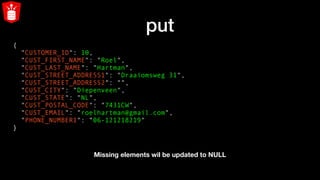
put
{
"CUSTOMER_ID": 10,
"CUST_FIRST_NAME": "Roel",
"CUST_LAST_NAME": "Hartman",
"CUST_STREET_ADDRESS1": "Draaiomsweg 31",
"CUST_STREET_ADDRESS2": "",
"CUST_CITY": "Diepenveen",
"CUST_STATE": "NL",
"CUST_POSTAL_CODE": "7431CW",
"CUST_EMAIL": "roelhartman@gmail.com",
"PHONE_NUMBER1": “06-121218219"
}
Missing elements wil be updated to NULL
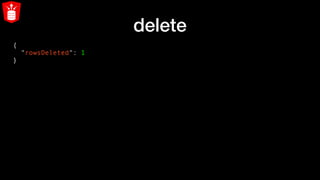
delete
{
"rowsDeleted": 1
}
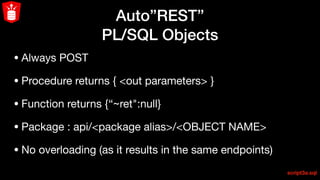
Auto”REST”
PL/SQL Objects
Auto”REST”
PL/SQL Objects
• Always POST

• Procedure returns { <out parameters> }

• Function returns {“~ret":null} 

• Package : api/<package alias>/<OBJECT NAME>

• No overloading (as it results in the same endpoints)
script3a.sql
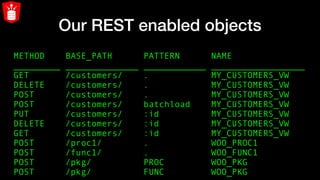
Our REST enabled objects
METHOD BASE_PATH PATTERN NAME
_________ ______________ ____________ __________________
GET /customers/ . MY_CUSTOMERS_VW
DELETE /customers/ . MY_CUSTOMERS_VW
POST /customers/ . MY_CUSTOMERS_VW
POST /customers/ batchload MY_CUSTOMERS_VW
PUT /customers/ :id MY_CUSTOMERS_VW
DELETE /customers/ :id MY_CUSTOMERS_VW
GET /customers/ :id MY_CUSTOMERS_VW
POST /proc1/ . WOO_PROC1
POST /func1/ . WOO_FUNC1
POST /pkg/ PROC WOO_PKG
POST /pkg/ FUNC WOO_PKG
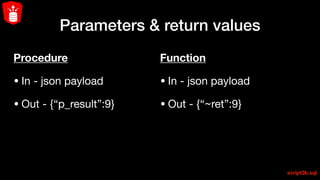
Parameters & return values
Procedure
• In - json payload

• Out - {“p_result”:9}
script3b.sql
Function

• In - json payload

• Out - {“~ret”:9}
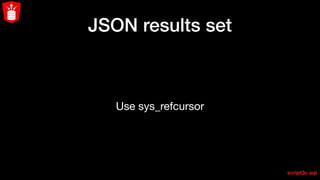
JSON results set
Use sys_refcursor
script3c.sql
Nested JSON result set
sys_refcursor returning a nested cursor
script3d.sql
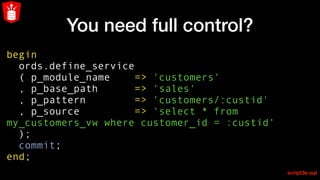
You need full control?
begin
ords.define_service
( p_module_name => 'customers'
, p_base_path => 'sales'
, p_pattern => 'customers/:custid'
, p_source => 'select * from
my_customers_vw where customer_id = :custid'
);
commit;
end;
script3e.sql
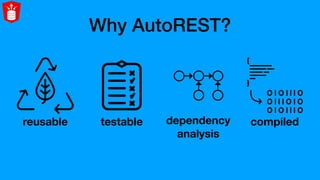
Why AutoREST?
reusable testable dependency
analysis
compiled
Full SQL power
over REST !
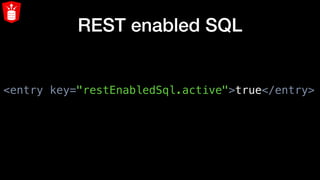
REST enabled SQL
<entry key="restEnabledSql.active">true</entry>
REST enabled SQL
H T T P S
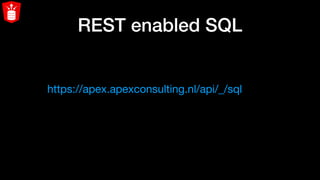
REST enabled SQL
https://apex.apexconsulting.nl/api/_/sql
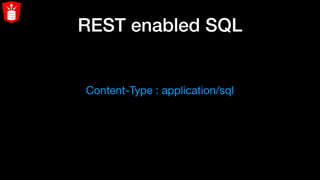
REST enabled SQL
Content-Type : application/sql
REST enabled SQL
run just 1 statement
REST enabled SQL
run a sql file
REST enabled SQL
run a JSON file containing multiple statements
Protect your service
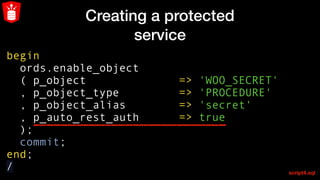
Creating a protected
service
begin
ords.enable_object
( p_object => 'WOO_SECRET'
, p_object_type => 'PROCEDURE'
, p_object_alias => 'secret'
  , p_auto_rest_auth      => true  
);
commit;
end;
/ script4.sql
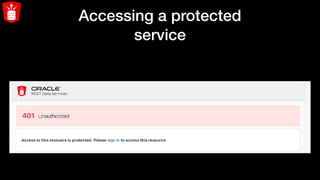
Accessing a protected
service
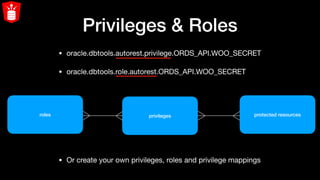
Privileges & Roles
• oracle.dbtools.autorest.privilege.ORDS_API.WOO_SECRET 

• oracle.dbtools.role.autorest.ORDS_API.WOO_SECRET
roles privileges
• Or create your own privileges, roles and privilege mappings
protected resources
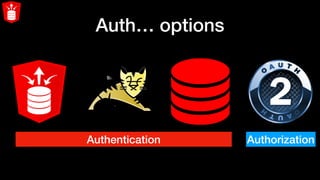
Auth… options
Authentication Authorization
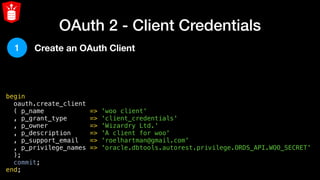
OAuth 2 - Client Credentials
begin
  oauth.create_client
  ( p_name            => 'woo client'
  , p_grant_type      => 'client_credentials'
  , p_owner           => 'Wizardry Ltd.'
  , p_description     => 'A client for woo'
  , p_support_email   => 'roelhartman@gmail.com'
  , p_privilege_names => 'oracle.dbtools.autorest.privilege.ORDS_API.WOO_SECRET'
  );
  commit;
end;
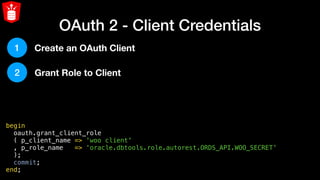
1 Create an OAuth Client
OAuth 2 - Client Credentials
begin
  oauth.grant_client_role
  ( p_client_name => 'woo client'
  , p_role_name   => 'oracle.dbtools.role.autorest.ORDS_API.WOO_SECRET'
  );
  commit;
end;
1
2
Create an OAuth Client
Grant Role to Client
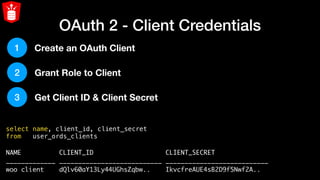
OAuth 2 - Client Credentials
select name, client_id, client_secret
from   user_ords_clients
NAME CLIENT_ID CLIENT_SECRET
_____________ ___________________________ ___________________________
woo client dQlv60aY13Ly44UGhsZqbw.. IkvcfreAUE4sB2D9f5Nwf2A..
1
2
3
Create an OAuth Client
Grant Role to Client
Get Client ID & Client Secret
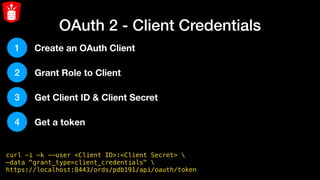
OAuth 2 - Client Credentials
curl -i -k --user <Client ID>:<Client Secret> 
—data "grant_type=client_credentials" 
https://localhost:8443/ords/pdb191/api/oauth/token
1
2
3
4
Create an OAuth Client
Grant Role to Client
Get Client ID & Client Secret
Get a token
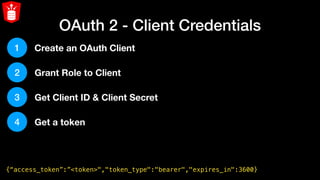
OAuth 2 - Client Credentials
{“access_token”:”<token>","token_type":"bearer","expires_in":3600}
1
2
3
4
Create an OAuth Client
Grant Role to Client
Get Client ID & Client Secret
Get a token
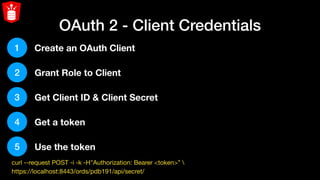
OAuth 2 - Client Credentials
1
2
3
4
5
Create an OAuth Client
Grant Role to Client
Get Client ID & Client Secret
Get a token
Use the token
1.curl --request POST -i -k -H"Authorization: Bearer <token>”  

2.https://localhost:8443/ords/pdb191/api/secret/
Copyright © 2019 APEX Consulting
Q& A@roelh
roel@apexconsulting.nl
http://www.apexconsulting.nl
@roelh
roel@apexconsulting.nl
http://www.apexconsulting.nl
Copyright © 2019 APEX Consulting

Wizard of ORDS