SQLSTATEMENTSFUNCTION AND JOIN
Arun RJ
rjarun08@gmail.com
Facebook Profile
TwitterProfile
www.linkedin.com/arunrj
Disclaimer: This presentation is prepared by trainees of
baabtra.com as a part of mentoring program. This is not
official document of baabtra.com – Mentoring Partner
SQL
SQL is a standard language for accessing and manipulating
databases.
What is SQL?
SQL stands for Structured Query Language
SQL lets you access and manipulate databases
SQL is an ANSI (American National Standards Institute)
standard
What Can SQL do?
SQL can execute queries against a database
SQL can retrieve data from a database
SQL can insert records in a database
SQL can update records in a database
SQL can delete records from a database
SQL can create new databases
SQL can create new tables in a database
SQL can set permissions on tables
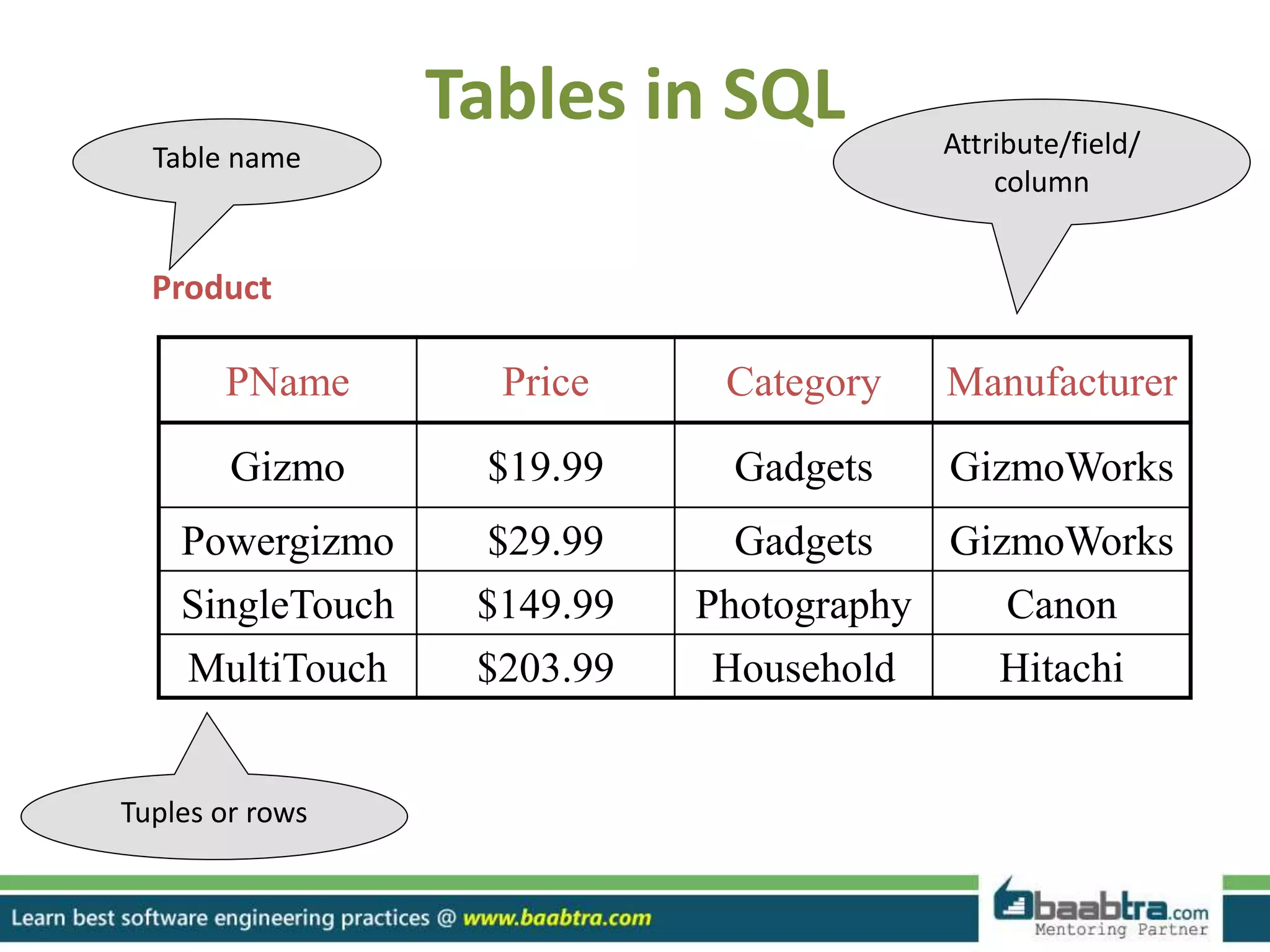
Tables in SQL
PName Price Category Manufacturer
Gizmo $19.99 Gadgets GizmoWorks
Powergizmo $29.99 Gadgets GizmoWorks
SingleTouch $149.99 Photography Canon
MultiTouch $203.99 Household Hitachi
Product
Attribute/field/
column
Table name
Tuples or rows
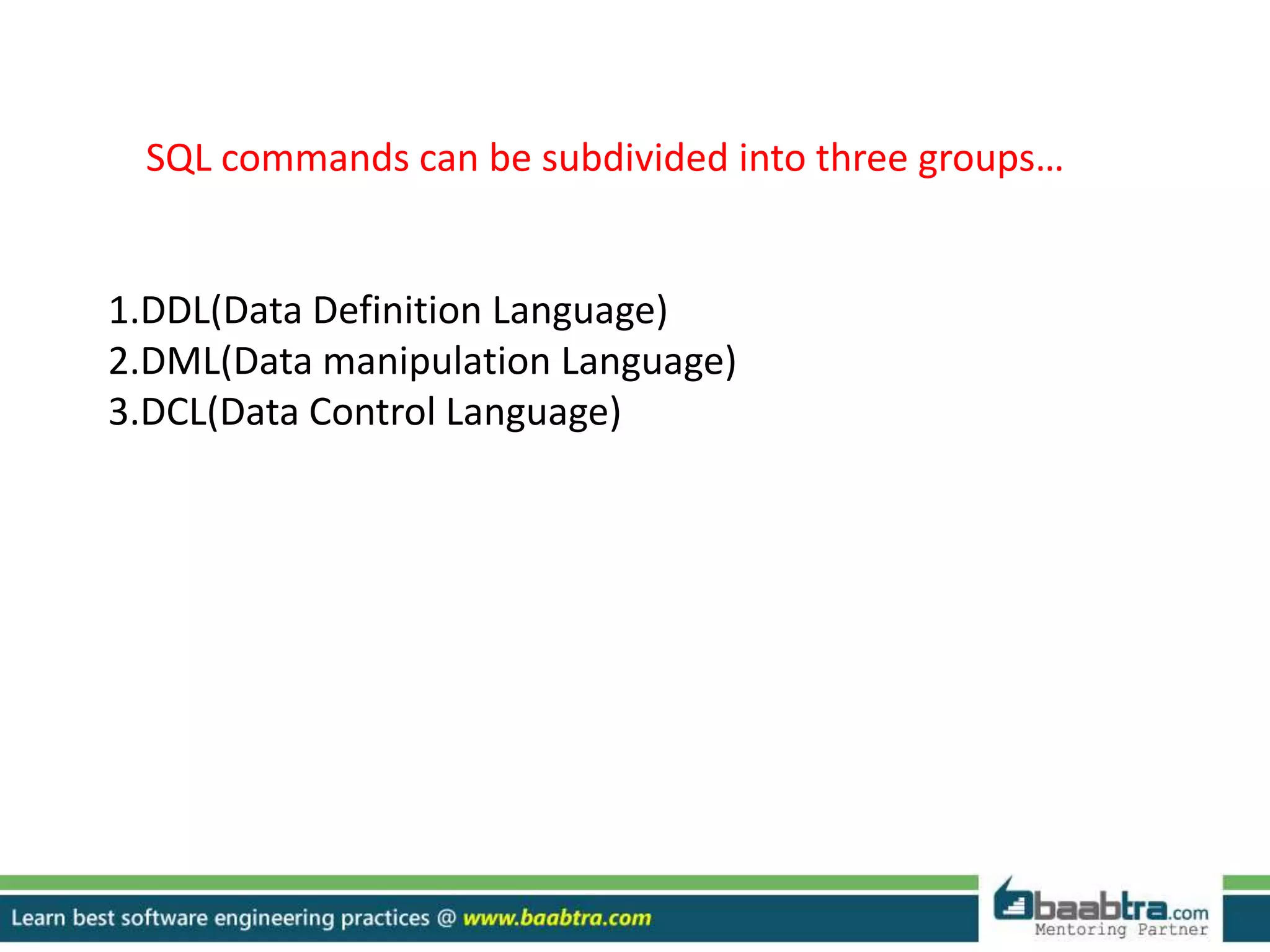
SQL commands can be subdivided into three groups…
1.DDL(Data Definition Language)
2.DML(Data manipulation Language)
3.DCL(Data Control Language)
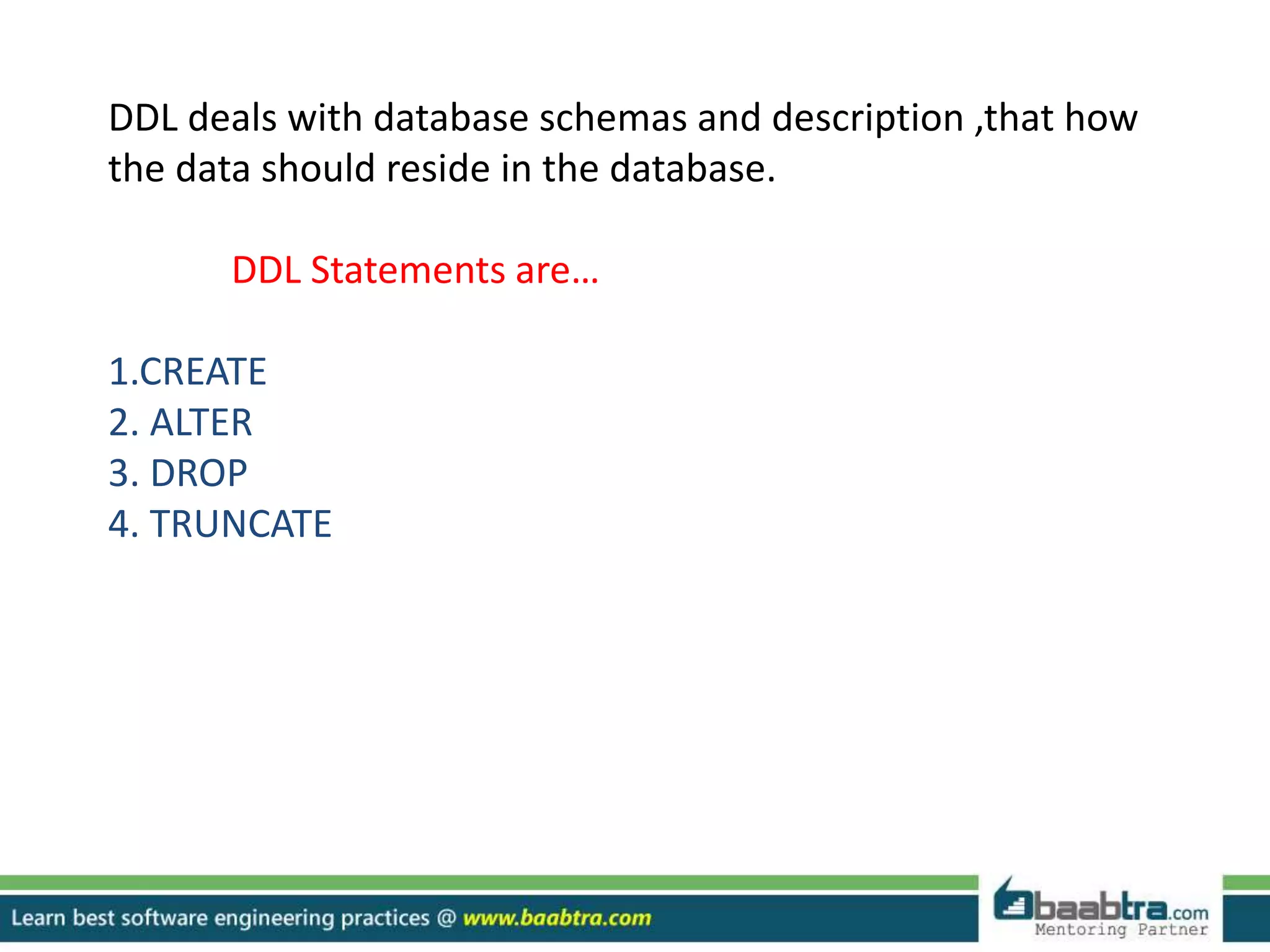
DDL deals with database schemas and description ,that how
the data should reside in the database.
DDL Statements are…
1.CREATE
2. ALTER
3. DROP
4. TRUNCATE
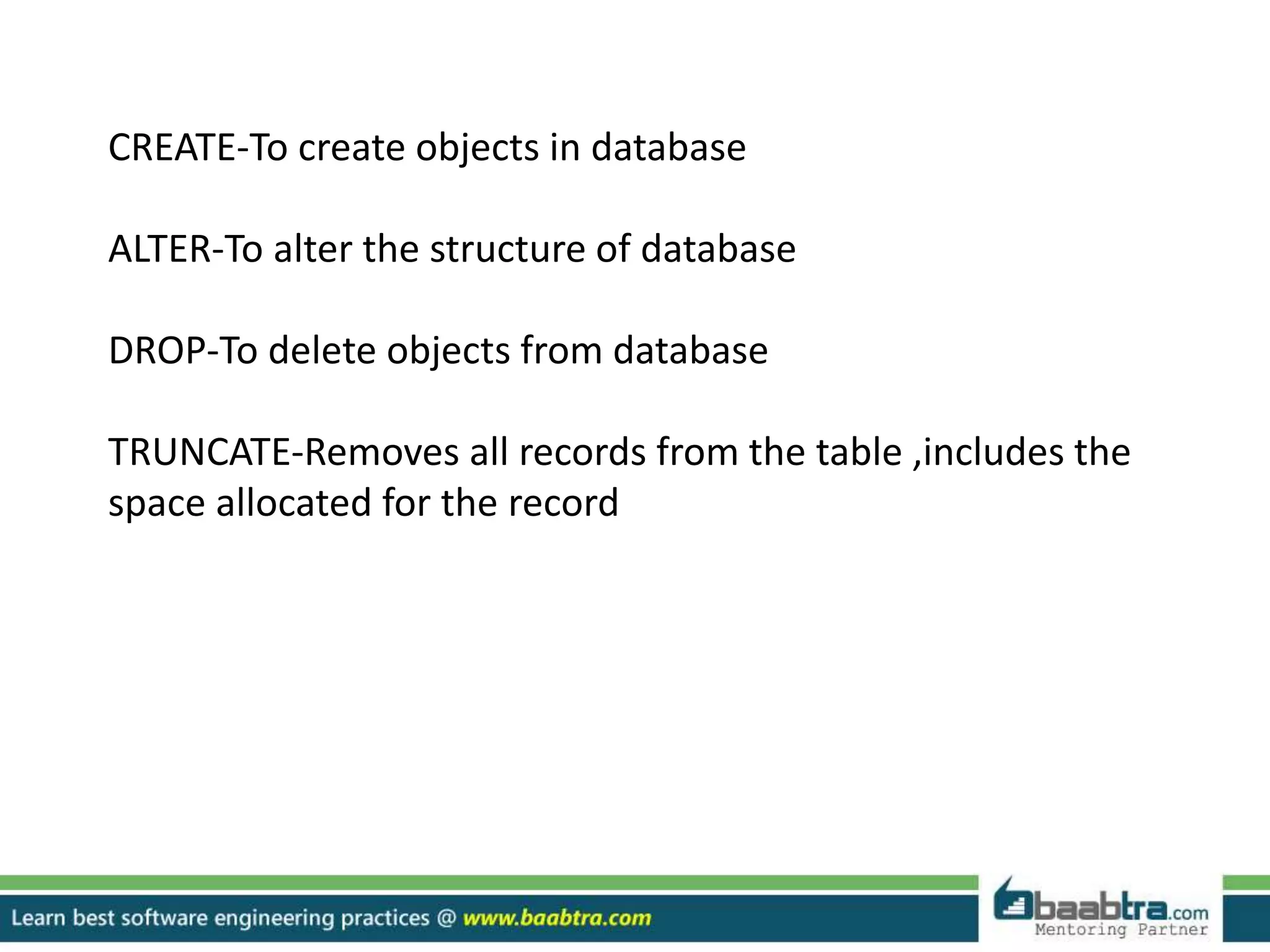
CREATE-To create objects in database
ALTER-To alter the structure of database
DROP-To delete objects from database
TRUNCATE-Removes all records from the table ,includes the
space allocated for the record
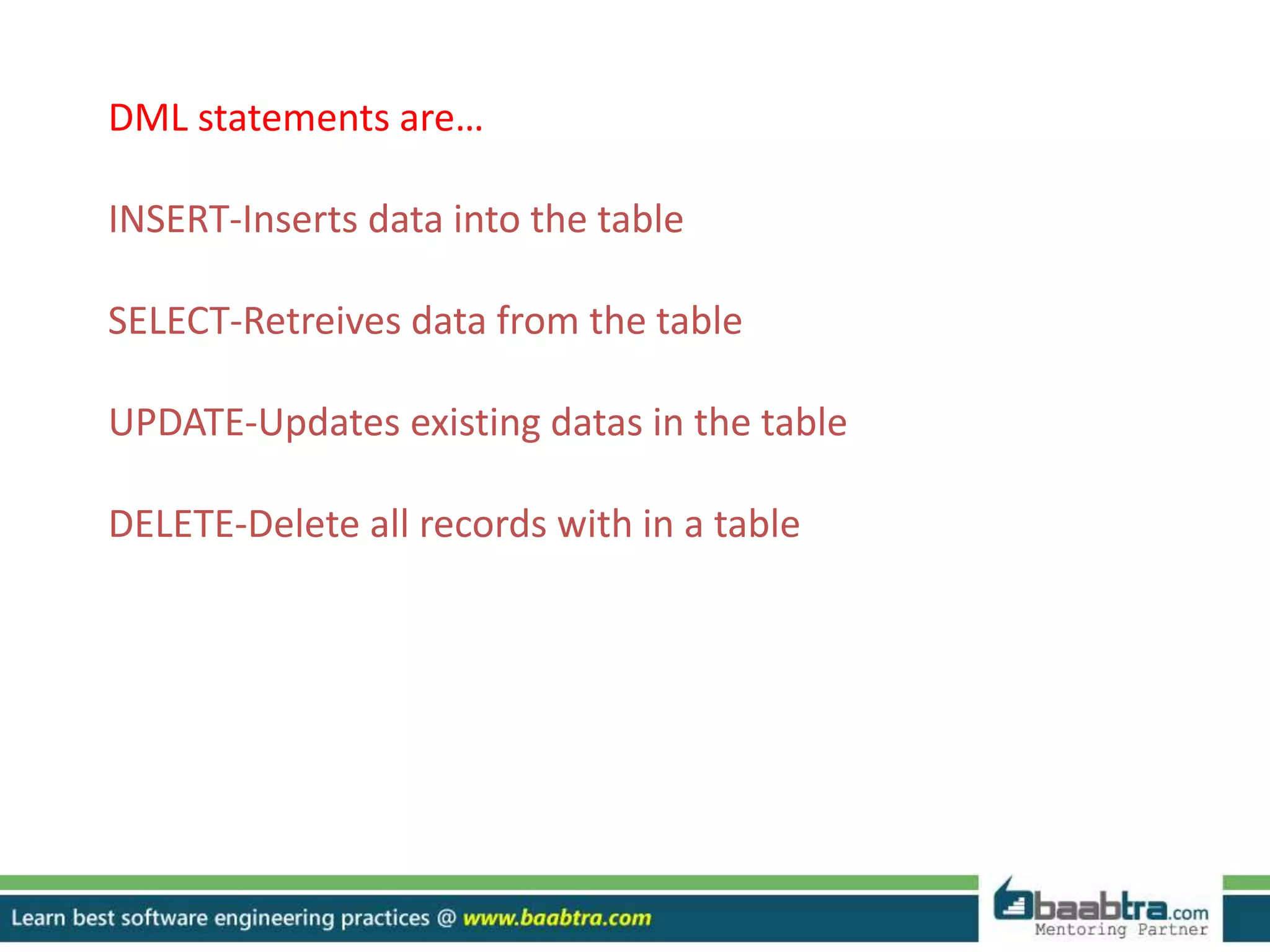
DML statements are…
INSERT-Inserts data into the table
SELECT-Retreives data from the table
UPDATE-Updates existing datas in the table
DELETE-Delete all records with in a table
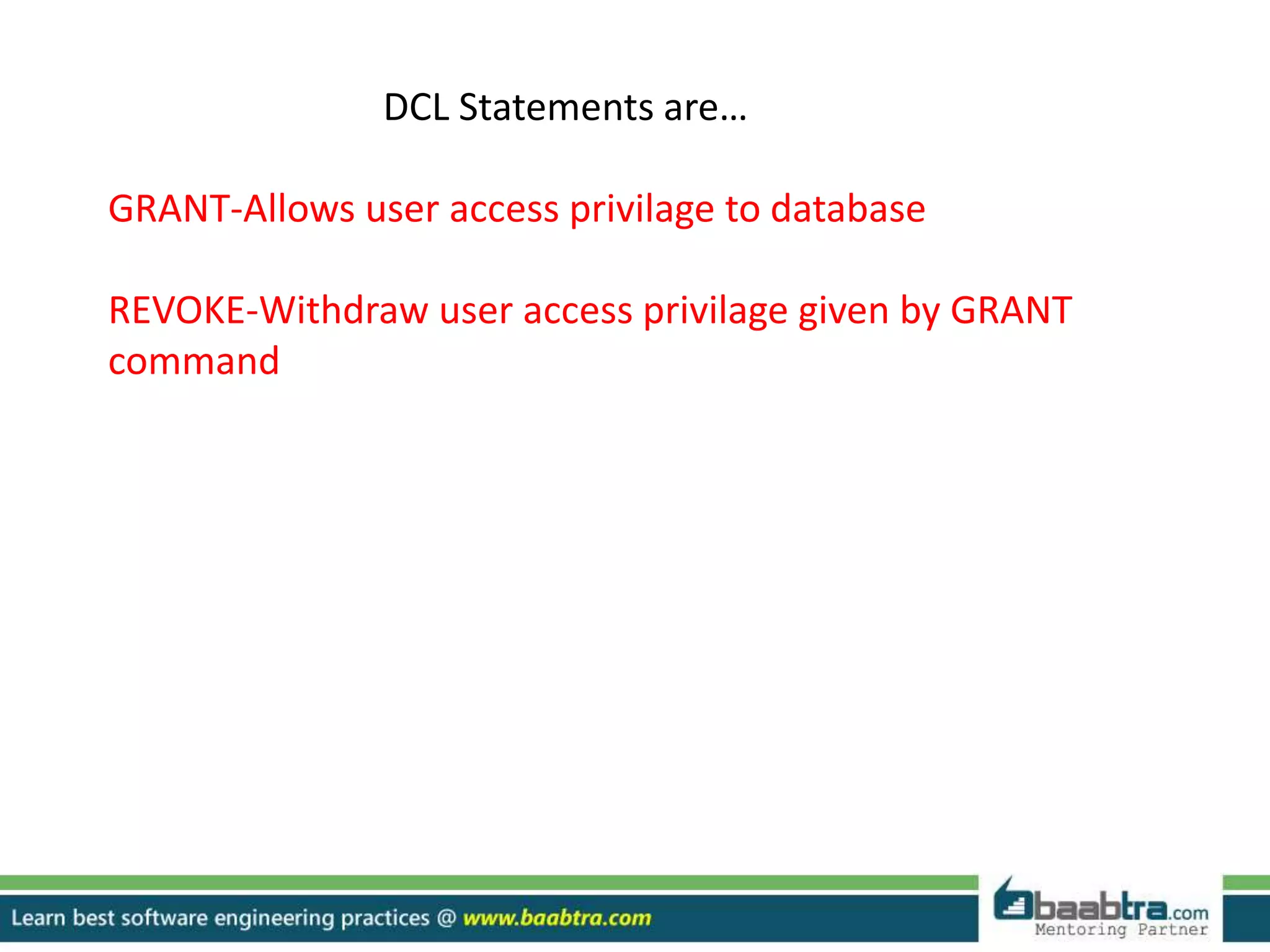
DCL Statements are…
GRANT-Allows user access privilage to database
REVOKE-Withdraw user access privilage given by GRANT
command
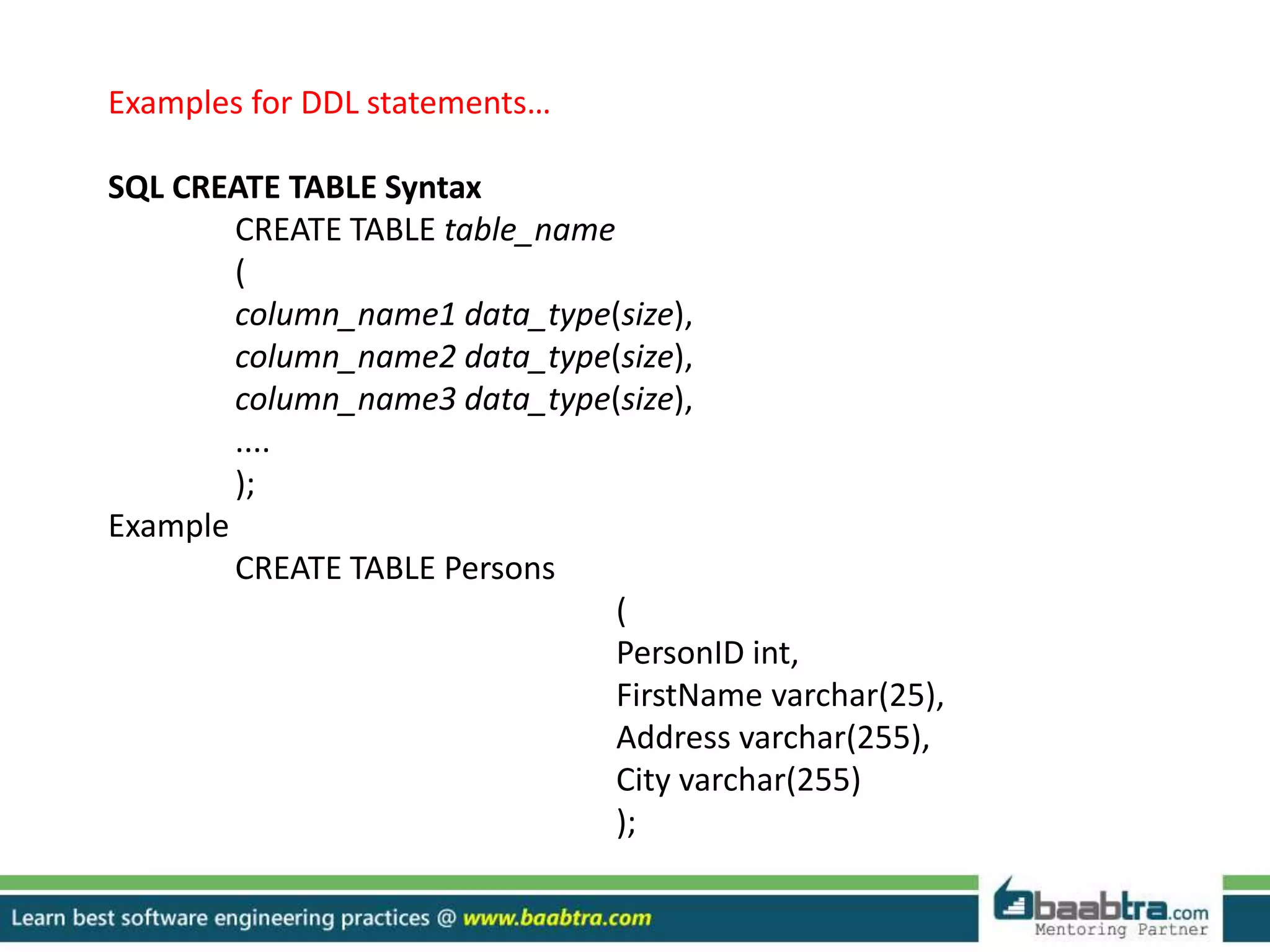
Examples for DDL statements…
SQL CREATE TABLE Syntax
CREATE TABLE table_name
(
column_name1 data_type(size),
column_name2 data_type(size),
column_name3 data_type(size),
....
);
Example
CREATE TABLE Persons
(
PersonID int,
FirstName varchar(25),
Address varchar(255),
City varchar(255)
);
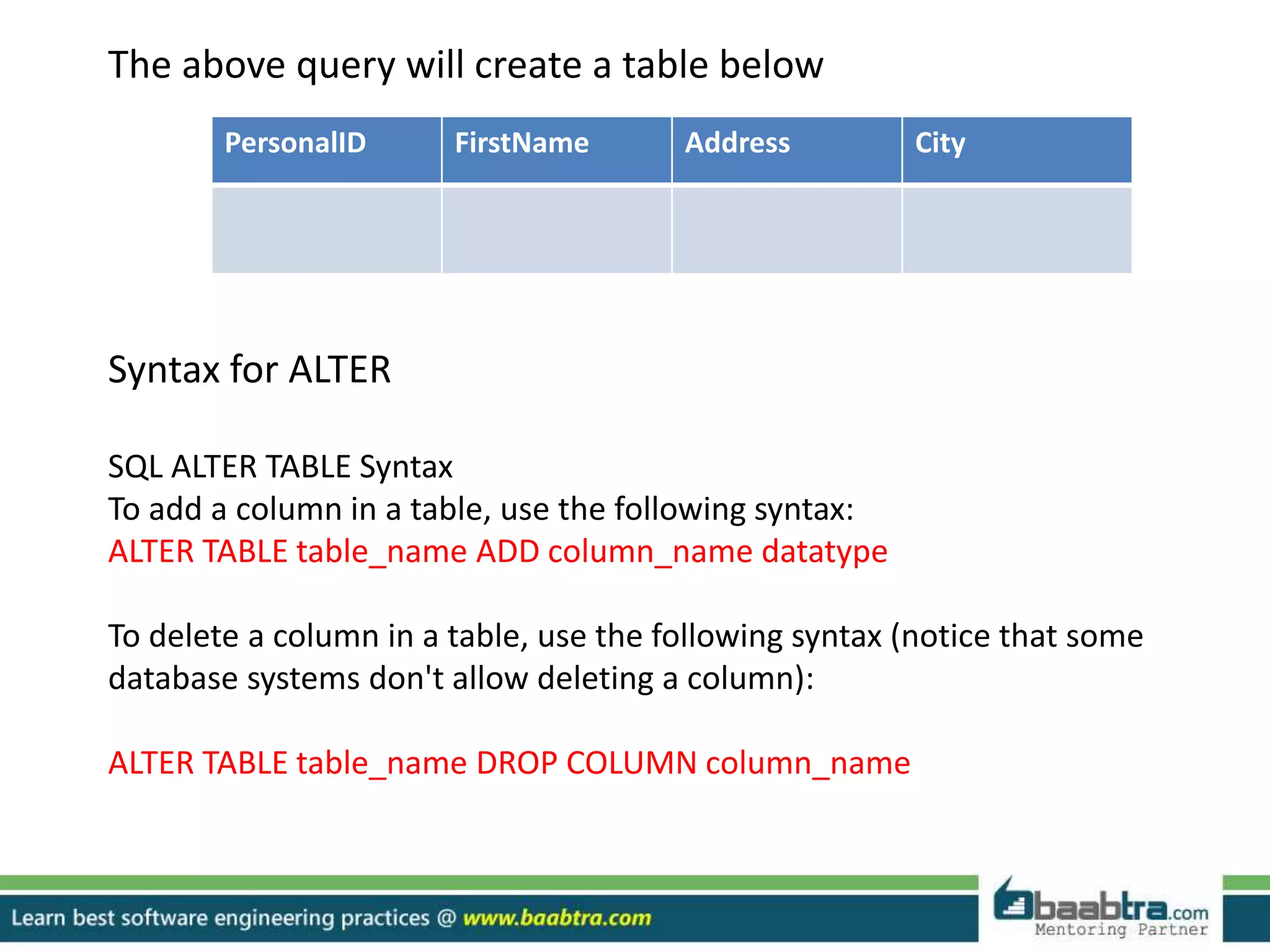
The above query will create a table below
Syntax for ALTER
SQL ALTER TABLE Syntax
To add a column in a table, use the following syntax:
ALTER TABLE table_name ADD column_name datatype
To delete a column in a table, use the following syntax (notice that some
database systems don't allow deleting a column):
ALTER TABLE table_name DROP COLUMN column_name
PersonalID FirstName Address City
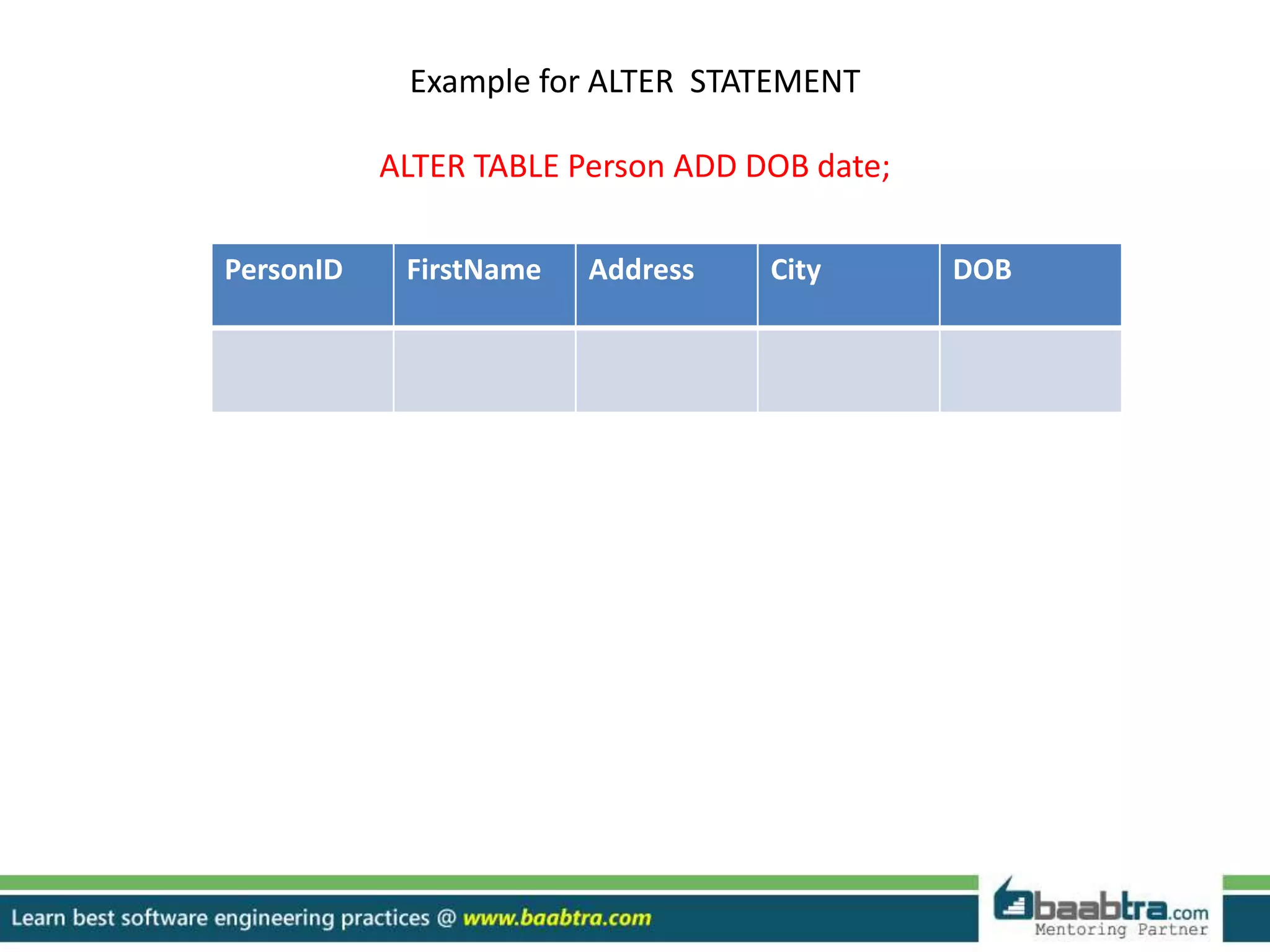
Example for ALTER STATEMENT
ALTER TABLE Person ADD DOB date;
PersonID FirstName Address City DOB
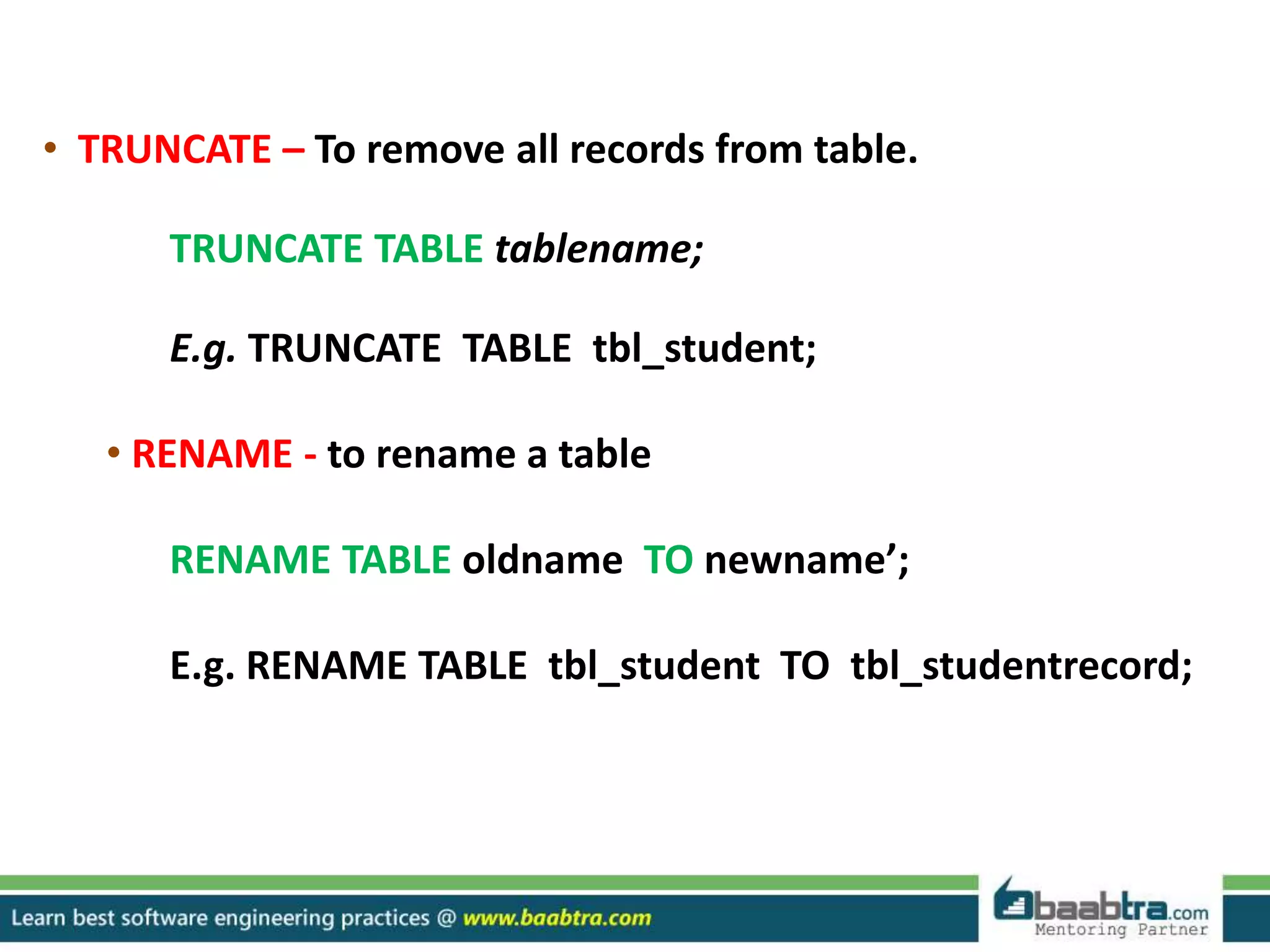
• TRUNCATE – To remove all records from table.
TRUNCATE TABLE tablename;
E.g. TRUNCATE TABLE tbl_student;
• RENAME - to rename a table
RENAME TABLE oldname TO newname’;
E.g. RENAME TABLE tbl_student TO tbl_studentrecord;
SYNTAX OF DML STATEMENTS
INSERT:
INSERT INTO table_name VALUES (value1,value2,value3,...)
OR
INSERT INTO table_name (column1,column2,column3,...)
VALUES (value1,value2,value3,...);
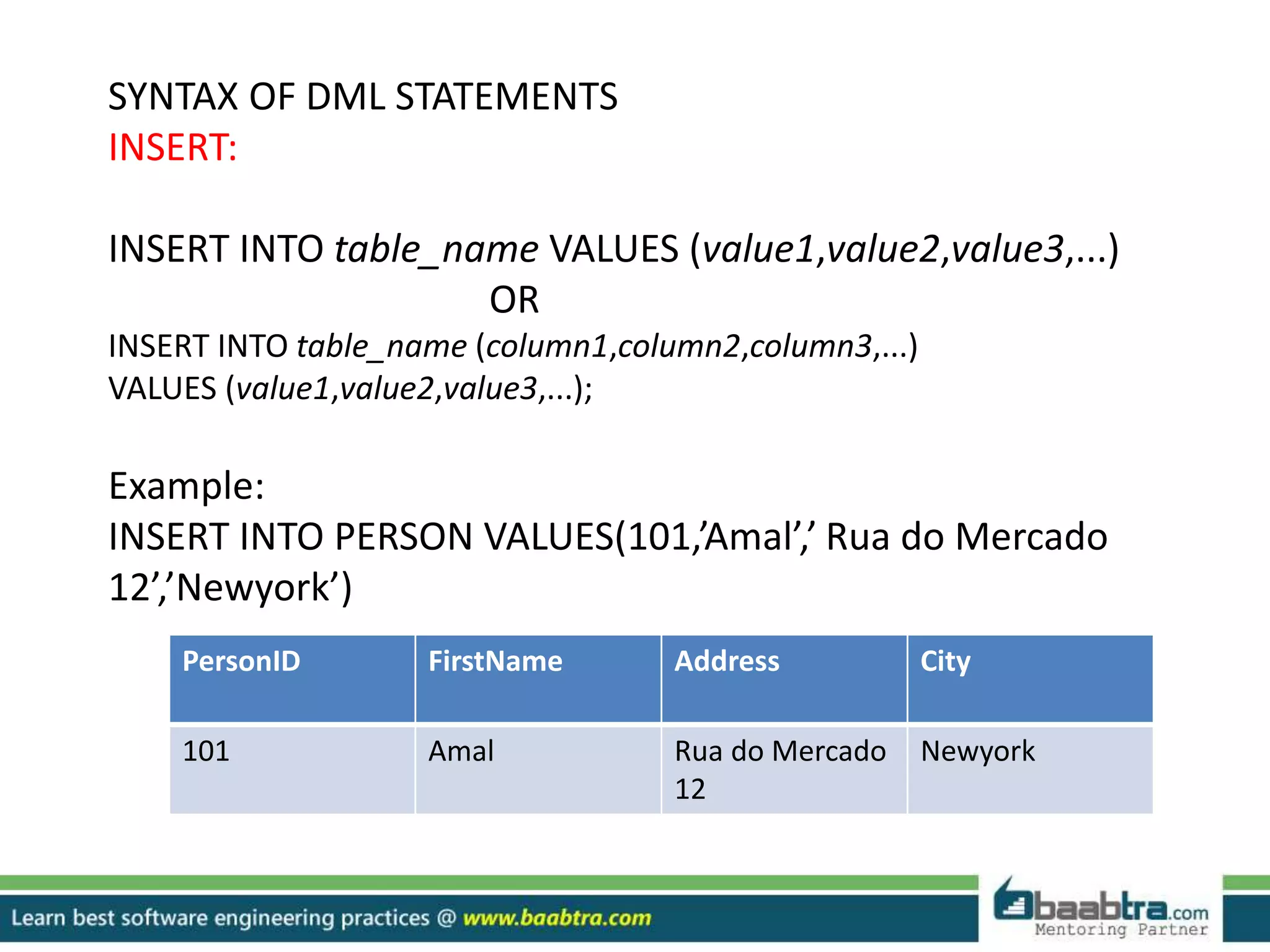
Example:
INSERT INTO PERSON VALUES(101,’Amal’,’ Rua do Mercado
12’,’Newyork’)
PersonID FirstName Address City
101 Amal Rua do Mercado
12
Newyork
SELECT:
SQL SELECT Syntax
SELECT column_name,column_name FROM table_name;
and
SELECT * FROM table_name;
(This statement will show all the coloumns of table)
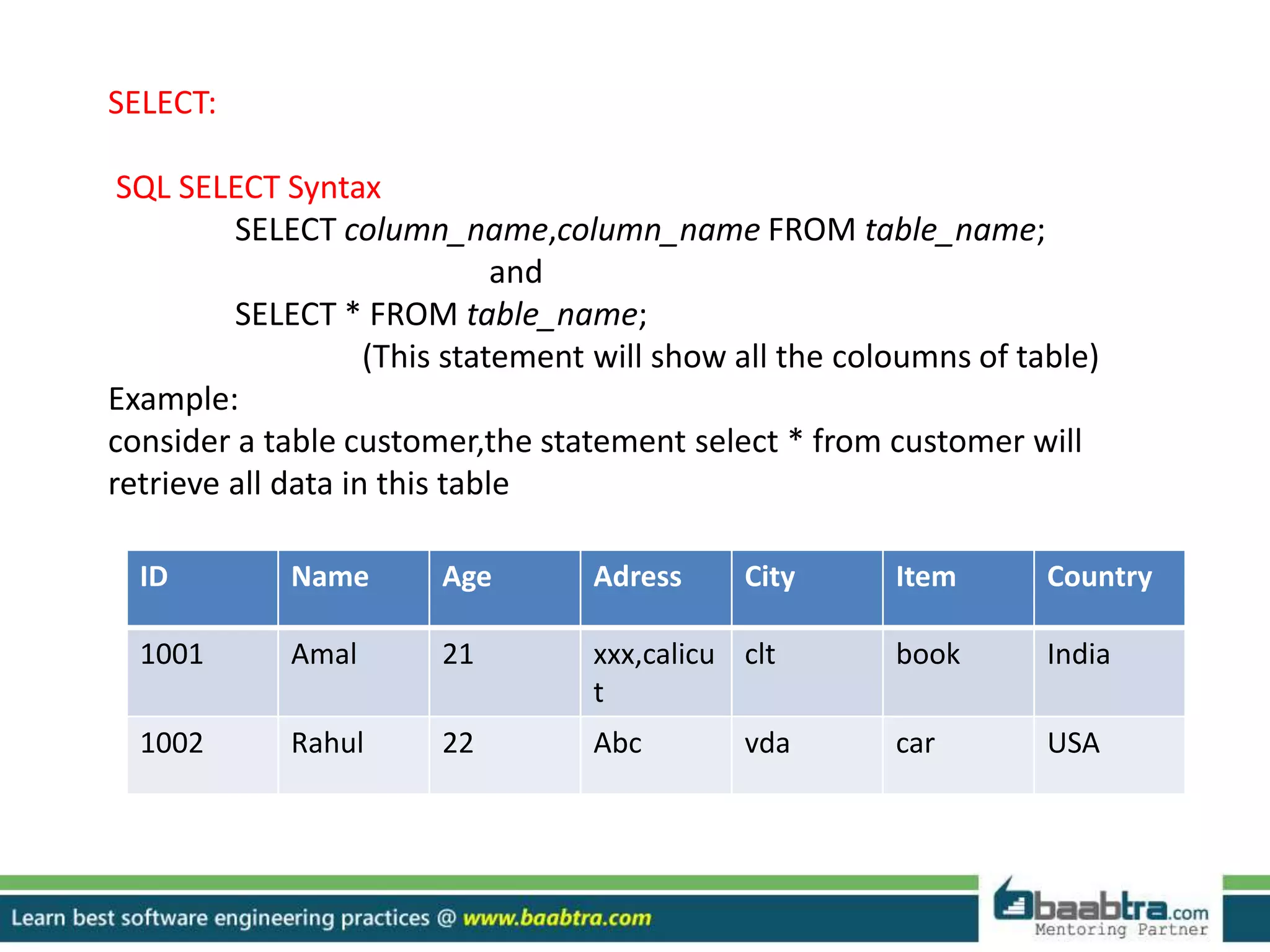
Example:
consider a table customer,the statement select * from customer will
retrieve all data in this table
ID Name Age Adress City Item Country
1001 Amal 21 xxx,calicu
t
clt book India
1002 Rahul 22 Abc vda car USA
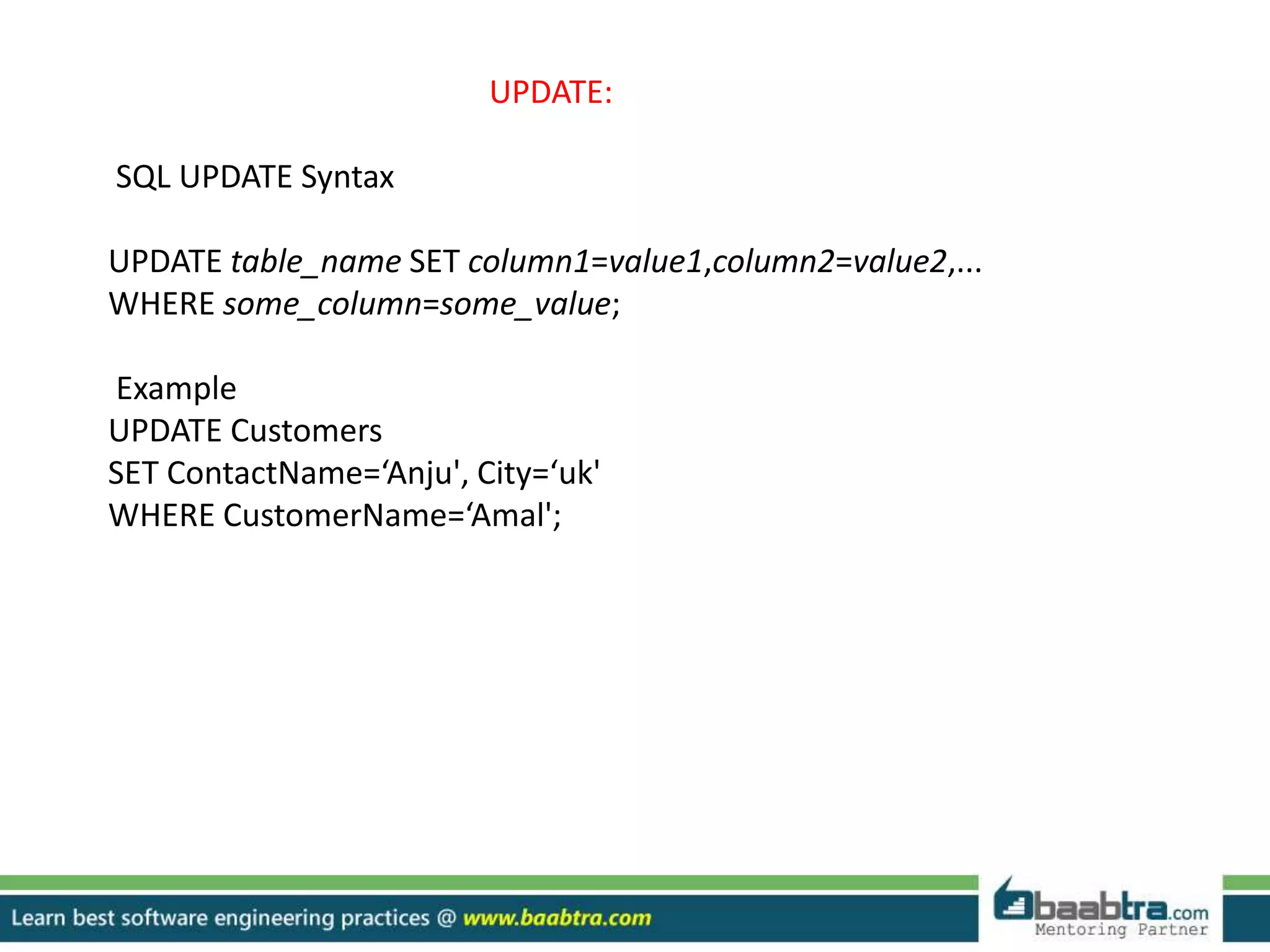
UPDATE:
SQL UPDATE Syntax
UPDATE table_name SET column1=value1,column2=value2,...
WHERE some_column=some_value;
Example
UPDATE Customers
SET ContactName=‘Anju', City=‘uk'
WHERE CustomerName=‘Amal';
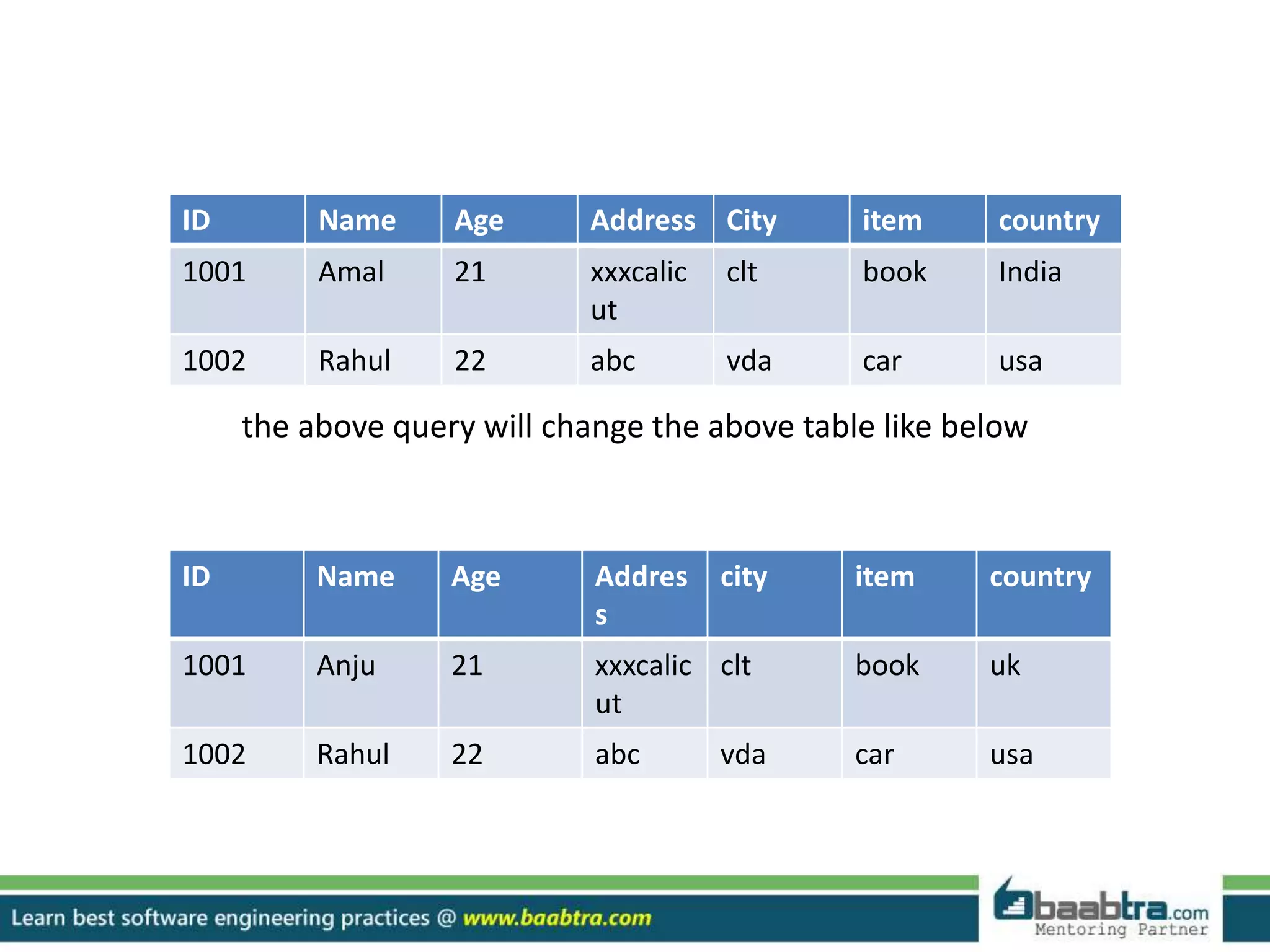
the above query will change the above table like below
ID Name Age Addres
s
city item country
1001 Anju 21 xxxcalic
ut
clt book uk
1002 Rahul 22 abc vda car usa
ID Name Age Address City item country
1001 Amal 21 xxxcalic
ut
clt book India
1002 Rahul 22 abc vda car usa
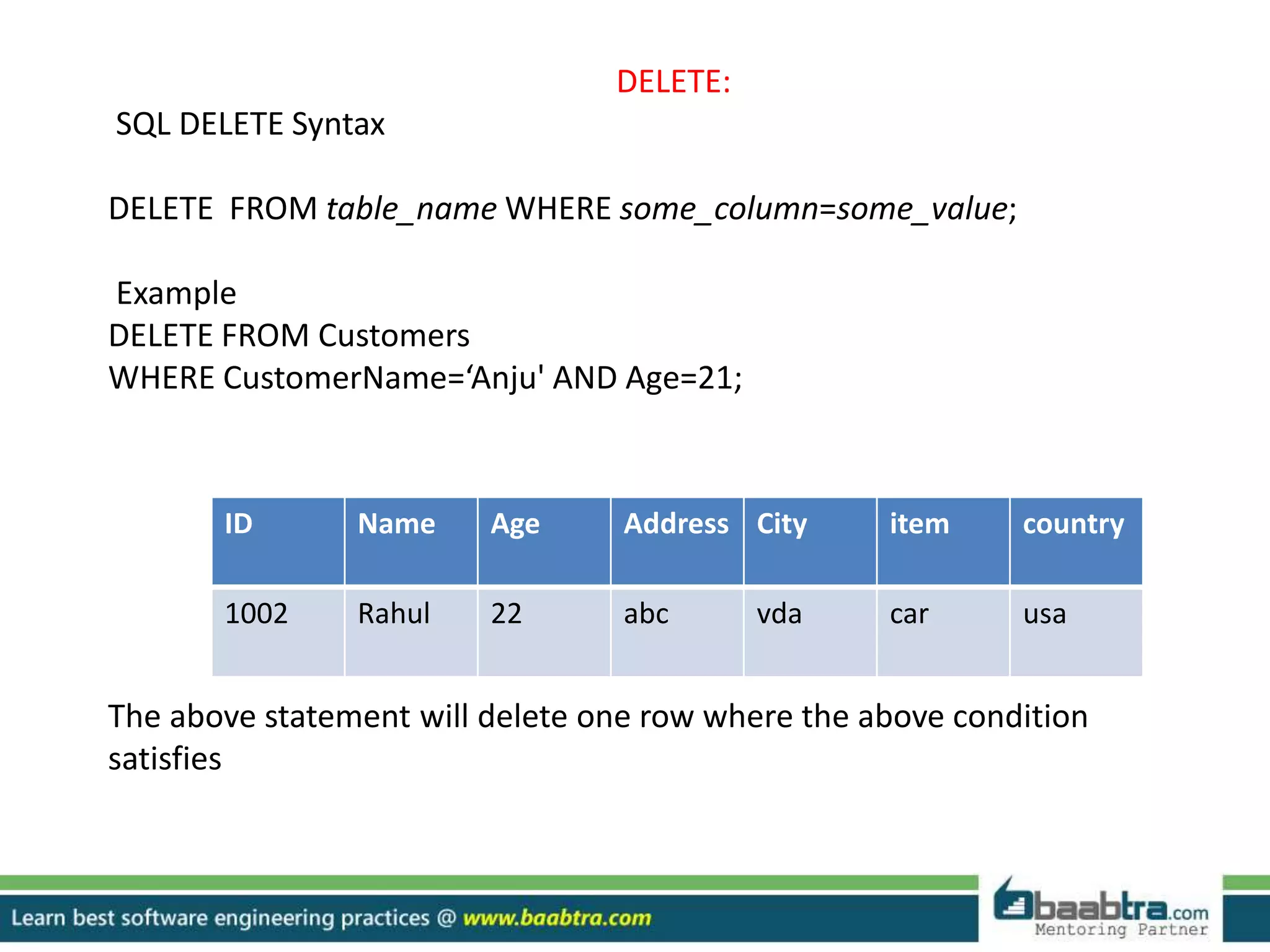
DELETE:
SQL DELETE Syntax
DELETE FROM table_name WHERE some_column=some_value;
Example
DELETE FROM Customers
WHERE CustomerName=‘Anju' AND Age=21;
The above statement will delete one row where the above condition
satisfies
ID Name Age Address City item country
1002 Rahul 22 abc vda car usa
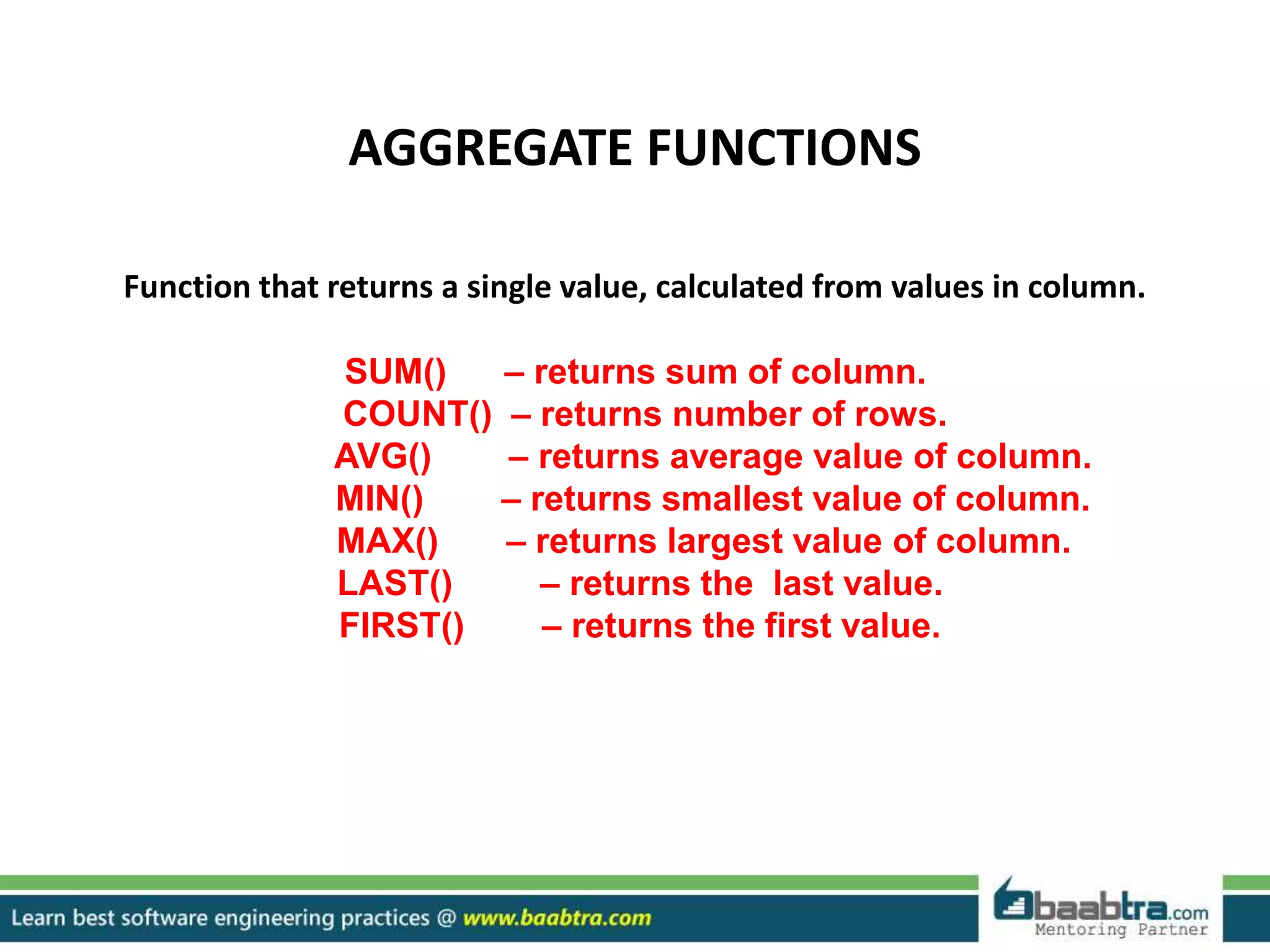
AGGREGATE FUNCTIONS
Function that returns a single value, calculated from values in column.
SUM() – returns sum of column.
COUNT() – returns number of rows.
AVG() – returns average value of column.
MIN() – returns smallest value of column.
MAX() – returns largest value of column.
LAST() – returns the last value.
FIRST() – returns the first value.
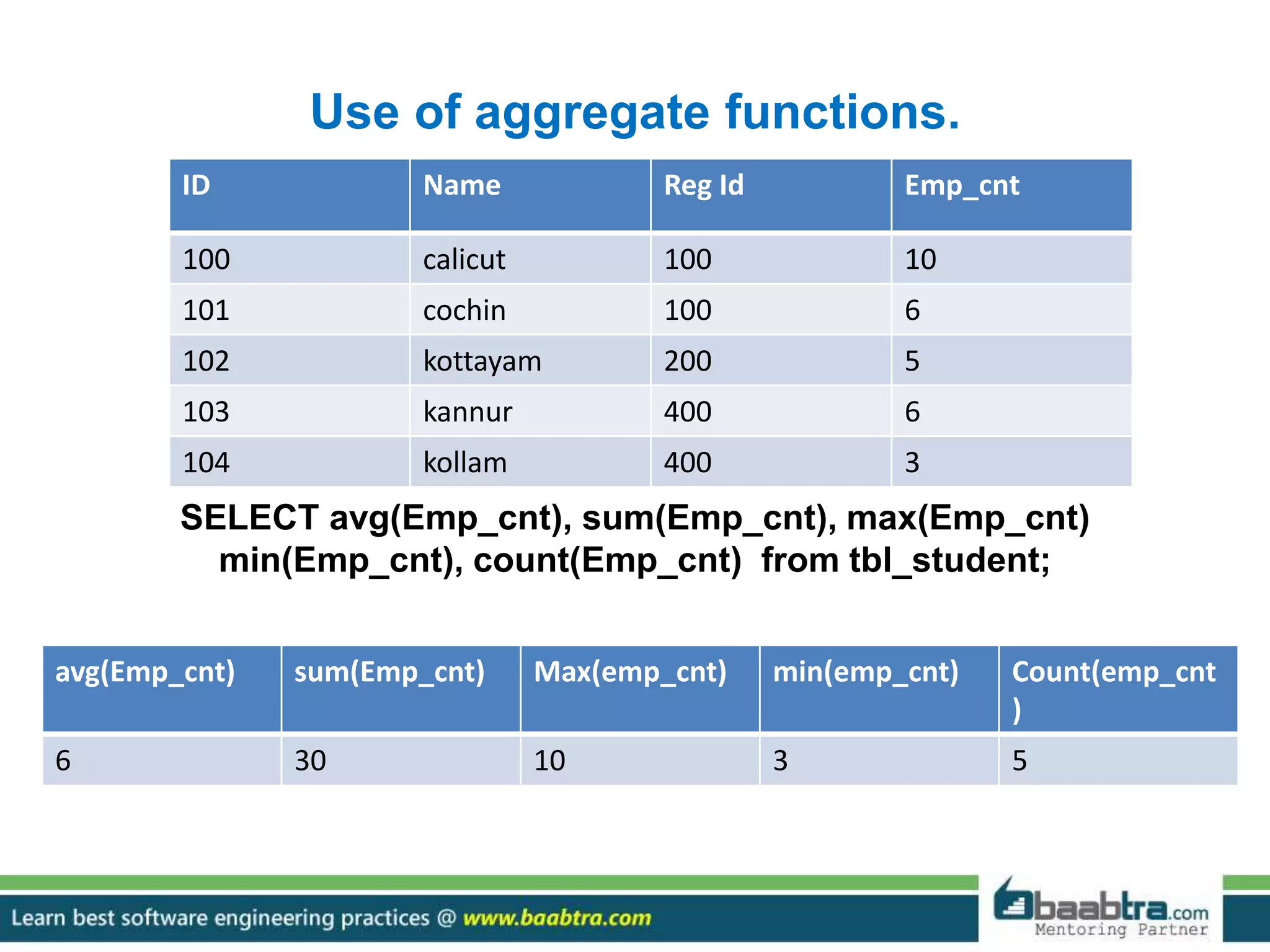
Use of aggregate functions.
SELECT avg(Emp_cnt), sum(Emp_cnt), max(Emp_cnt)
min(Emp_cnt), count(Emp_cnt) from tbl_student;
ID Name Reg Id Emp_cnt
100 calicut 100 10
101 cochin 100 6
102 kottayam 200 5
103 kannur 400 6
104 kollam 400 3
avg(Emp_cnt) sum(Emp_cnt) Max(emp_cnt) min(emp_cnt) Count(emp_cnt
)
6 30 10 3 5
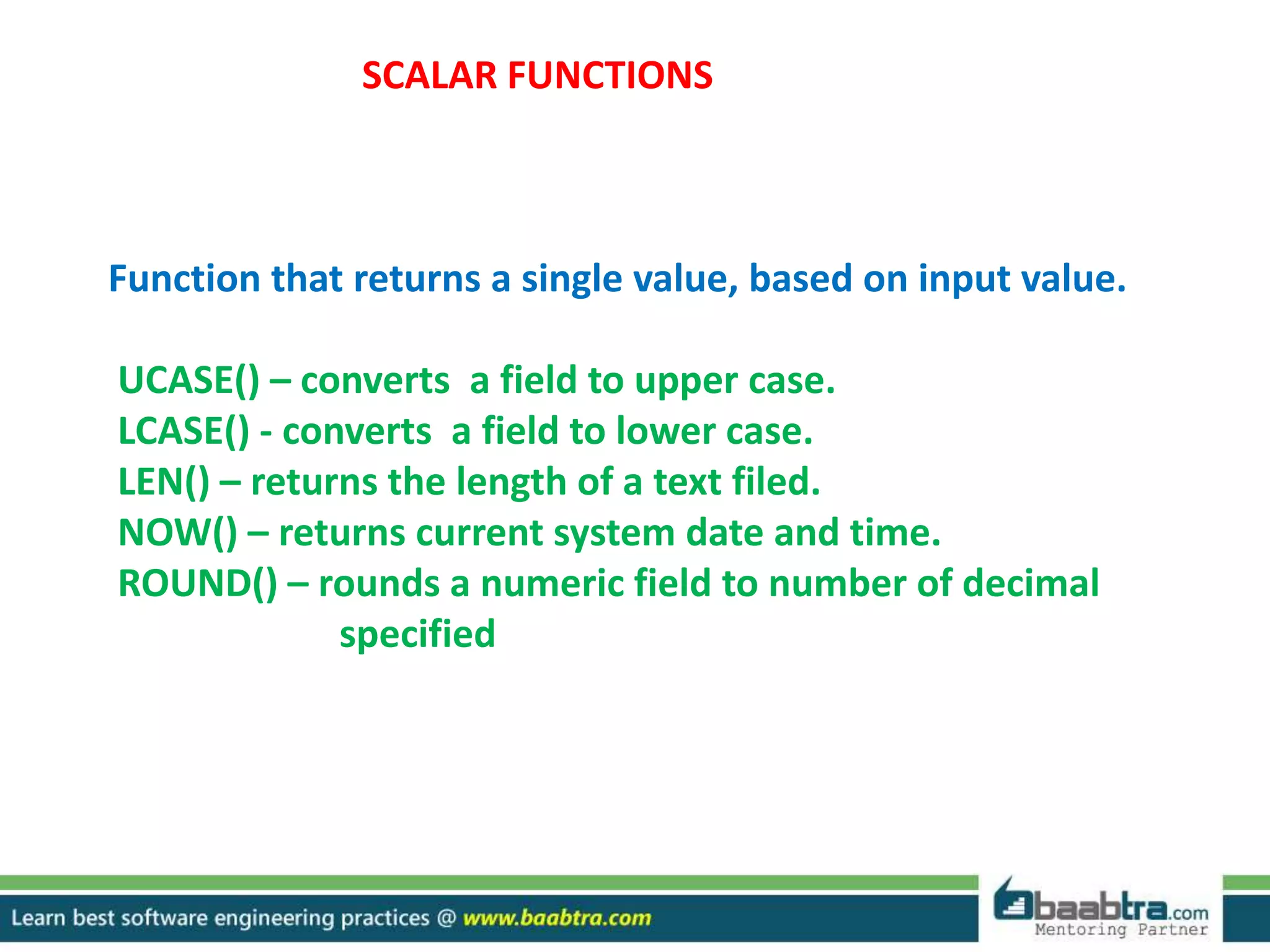
SCALAR FUNCTIONS
Function that returns a single value, based on input value.
UCASE() – converts a field to upper case.
LCASE() - converts a field to lower case.
LEN() – returns the length of a text filed.
NOW() – returns current system date and time.
ROUND() – rounds a numeric field to number of decimal
specified
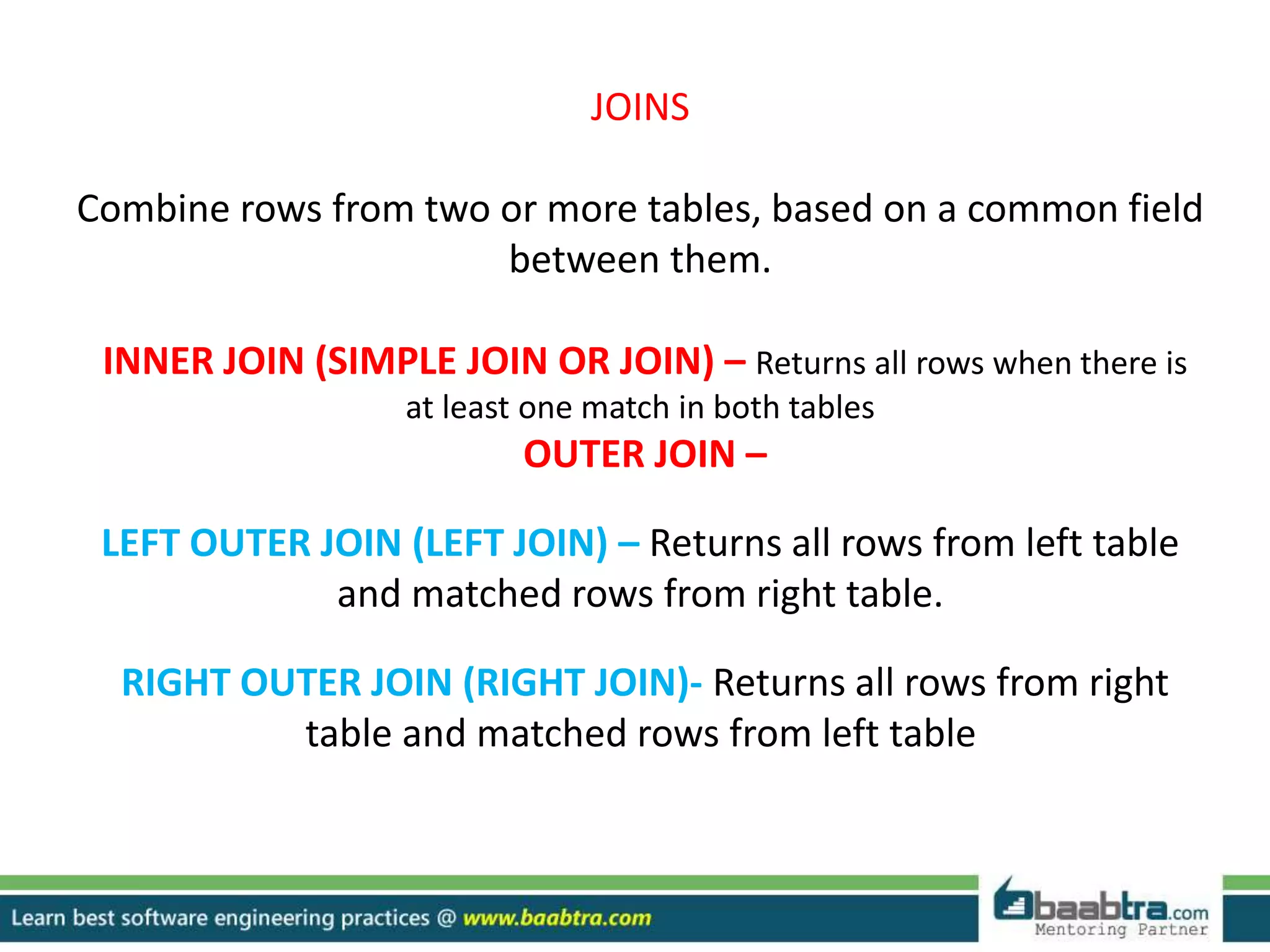
JOINS
Combine rows from two or more tables, based on a common field
between them.
INNER JOIN (SIMPLE JOIN OR JOIN) – Returns all rows when there is
at least one match in both tables
OUTER JOIN –
LEFT OUTER JOIN (LEFT JOIN) – Returns all rows from left table
and matched rows from right table.
RIGHT OUTER JOIN (RIGHT JOIN)- Returns all rows from right
table and matched rows from left table
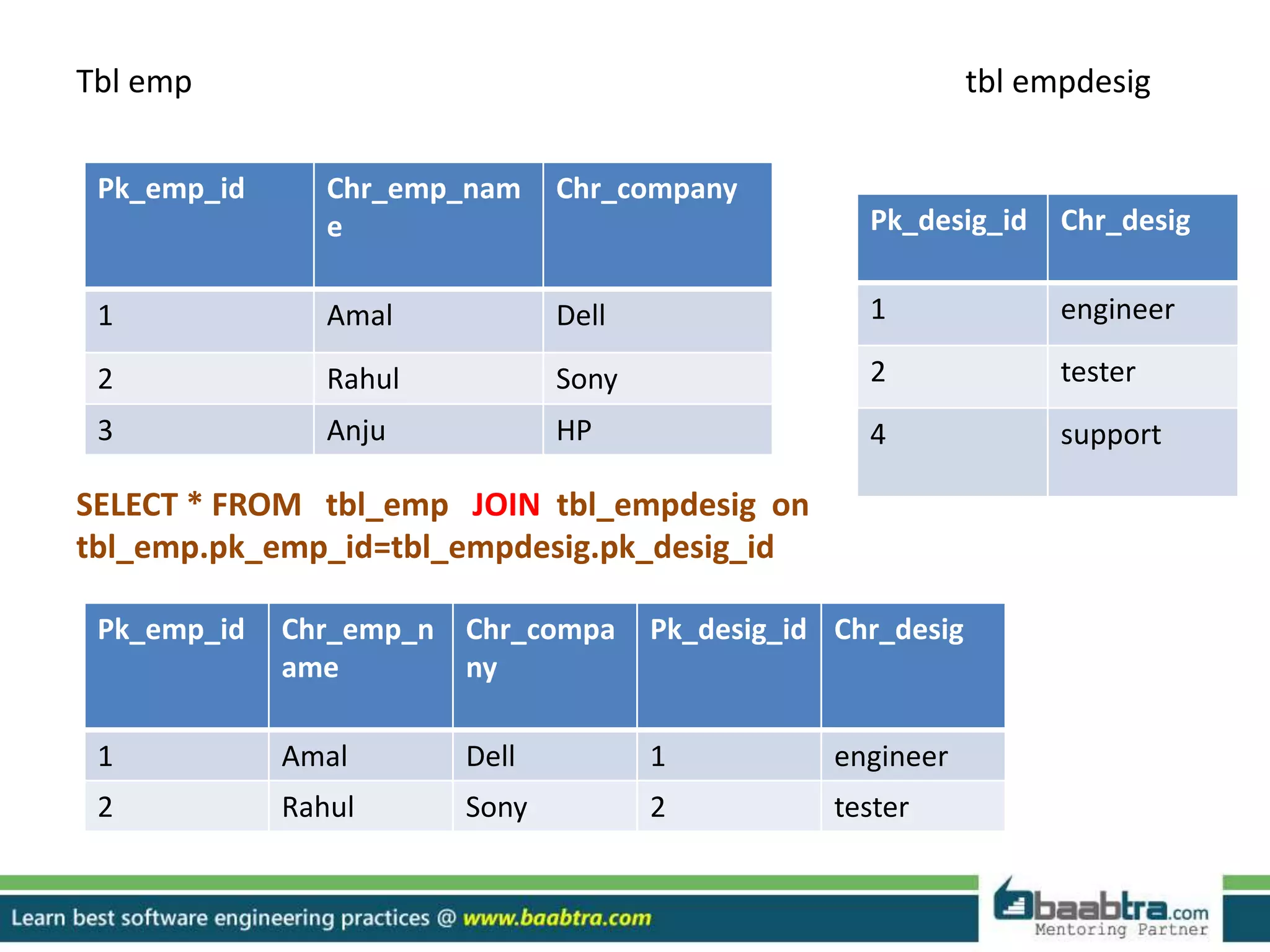
Tbl emp tbl empdesig
SELECT * FROM tbl_emp JOIN tbl_empdesig on
tbl_emp.pk_emp_id=tbl_empdesig.pk_desig_id
Pk_emp_id Chr_emp_nam
e
Chr_company
1 Amal Dell
2 Rahul Sony
3 Anju HP
Pk_desig_id Chr_desig
1 engineer
2 tester
4 support
Pk_emp_id Chr_emp_n
ame
Chr_compa
ny
Pk_desig_id Chr_desig
1 Amal Dell 1 engineer
2 Rahul Sony 2 tester
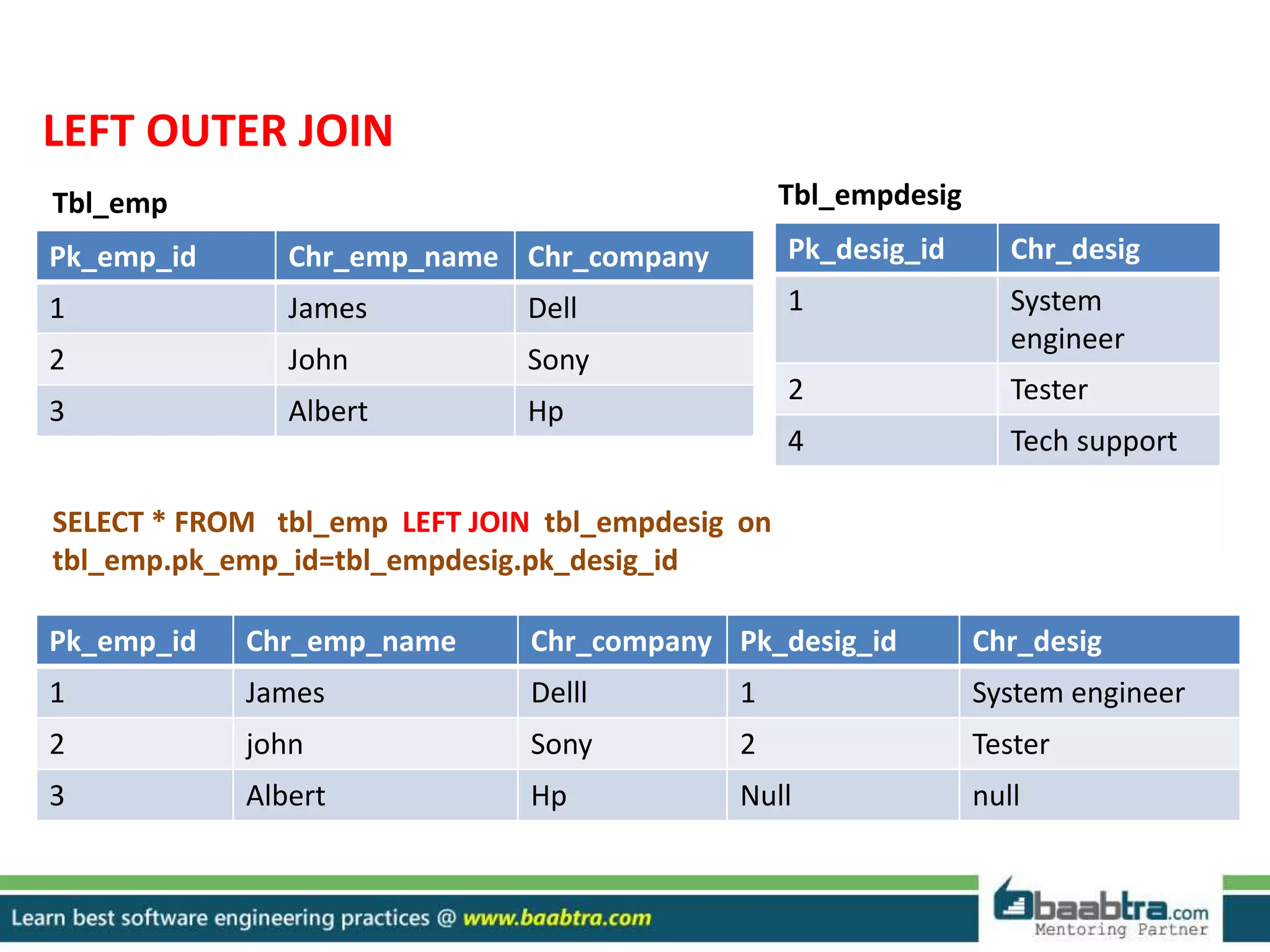
LEFT OUTER JOIN
Pk_emp_id Chr_emp_name Chr_company
1 James Dell
2 John Sony
3 Albert Hp
Pk_desig_id Chr_desig
1 System
engineer
2 Tester
4 Tech support
Tbl_emp Tbl_empdesig
SELECT * FROM tbl_emp LEFT JOIN tbl_empdesig on
tbl_emp.pk_emp_id=tbl_empdesig.pk_desig_id
Pk_emp_id Chr_emp_name Chr_company Pk_desig_id Chr_desig
1 James Delll 1 System engineer
2 john Sony 2 Tester
3 Albert Hp Null null
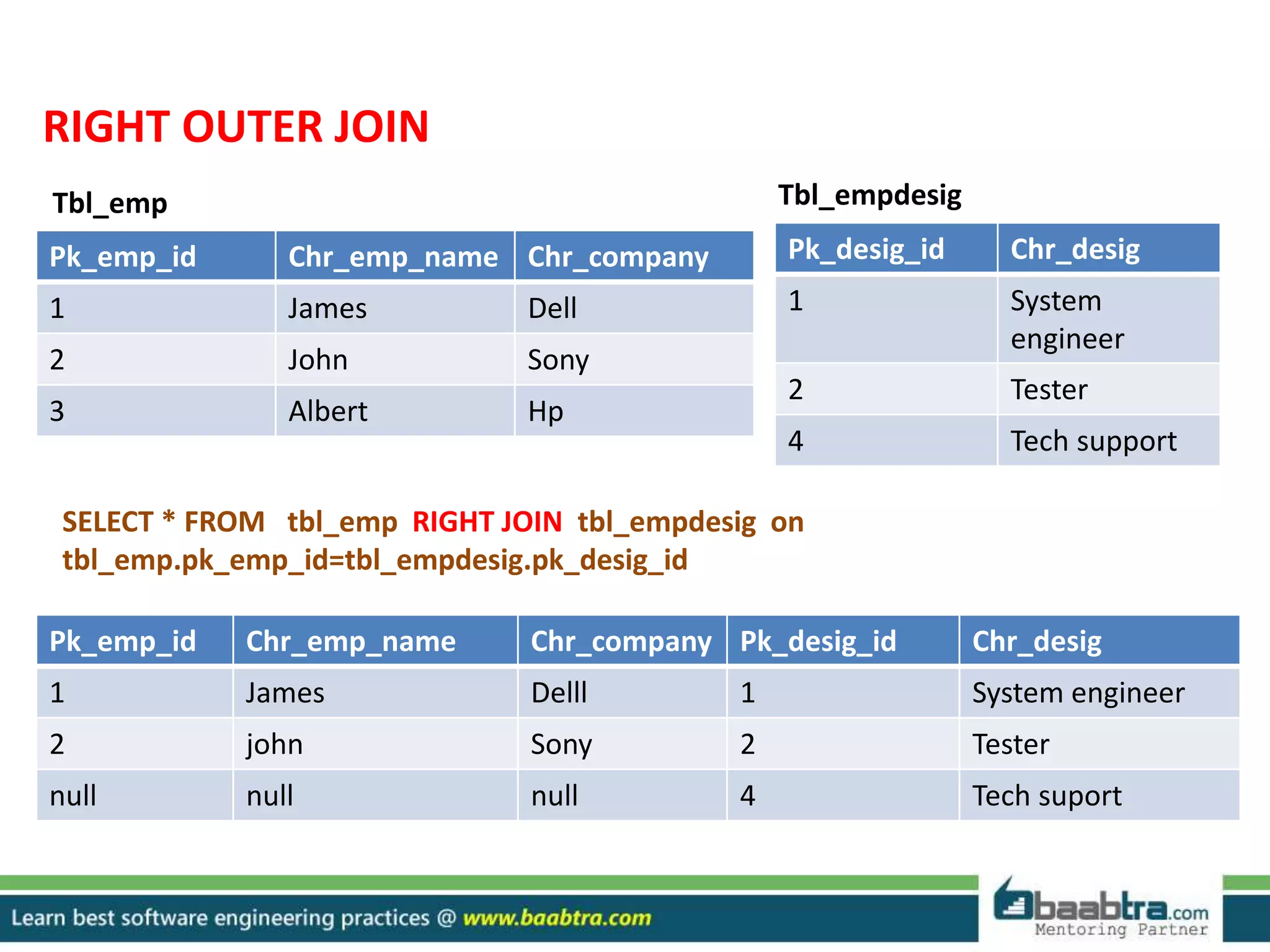
RIGHT OUTER JOIN
Pk_emp_id Chr_emp_name Chr_company
1 James Dell
2 John Sony
3 Albert Hp
Pk_desig_id Chr_desig
1 System
engineer
2 Tester
4 Tech support
Tbl_emp Tbl_empdesig
SELECT * FROM tbl_emp RIGHT JOIN tbl_empdesig on
tbl_emp.pk_emp_id=tbl_empdesig.pk_desig_id
Pk_emp_id Chr_emp_name Chr_company Pk_desig_id Chr_desig
1 James Delll 1 System engineer
2 john Sony 2 Tester
null null null 4 Tech suport
THANK YOU…
Want to learn more about programming or Looking to become a good programmer?
Are you wasting time on searching so many contents online?
Do you want to learn things quickly?
Tired of spending huge amount of money to become a Software professional?
Do an online course
@ baabtra.com
We put industry standards to practice. Our structured, activity based courses are so designed
to make a quick, good software professional out of anybody who holds a passion for coding.
Follow us @ twitter.com/baabtra
Like us @ facebook.com/baabtra
Subscribe to us @ youtube.com/baabtra
Become a follower @ slideshare.net/BaabtraMentoringPartner
Connect to us @ in.linkedin.com/in/baabtra
Give a feedback @ massbaab.com/baabtra
Thanks in advance
www.baabtra.com | www.massbaab.com |www.baabte.com
Emarald Mall (Big Bazar Building)
Mavoor Road, Kozhikode,
Kerala, India.
Ph: + 91 – 495 40 25 550
NC Complex, Near Bus Stand
Mukkam, Kozhikode,
Kerala, India.
Ph: + 91 – 495 40 25 550
Cafit Square,
Hilite Business Park,
Near Pantheerankavu,
Kozhikode
Start up Village
Eranakulam,
Kerala, India.
Email: info@baabtra.com
Contact Us

Sql

  • 2.
    SQLSTATEMENTSFUNCTION AND JOIN ArunRJ rjarun08@gmail.com Facebook Profile TwitterProfile www.linkedin.com/arunrj
  • 3.
    Disclaimer: This presentationis prepared by trainees of baabtra.com as a part of mentoring program. This is not official document of baabtra.com – Mentoring Partner
  • 4.
    SQL SQL is astandard language for accessing and manipulating databases. What is SQL? SQL stands for Structured Query Language SQL lets you access and manipulate databases SQL is an ANSI (American National Standards Institute) standard
  • 5.
    What Can SQLdo? SQL can execute queries against a database SQL can retrieve data from a database SQL can insert records in a database SQL can update records in a database SQL can delete records from a database SQL can create new databases SQL can create new tables in a database SQL can set permissions on tables
  • 6.
    Tables in SQL PNamePrice Category Manufacturer Gizmo $19.99 Gadgets GizmoWorks Powergizmo $29.99 Gadgets GizmoWorks SingleTouch $149.99 Photography Canon MultiTouch $203.99 Household Hitachi Product Attribute/field/ column Table name Tuples or rows
  • 7.
    SQL commands canbe subdivided into three groups… 1.DDL(Data Definition Language) 2.DML(Data manipulation Language) 3.DCL(Data Control Language)
  • 8.
    DDL deals withdatabase schemas and description ,that how the data should reside in the database. DDL Statements are… 1.CREATE 2. ALTER 3. DROP 4. TRUNCATE
  • 9.
    CREATE-To create objectsin database ALTER-To alter the structure of database DROP-To delete objects from database TRUNCATE-Removes all records from the table ,includes the space allocated for the record
  • 10.
    DML statements are… INSERT-Insertsdata into the table SELECT-Retreives data from the table UPDATE-Updates existing datas in the table DELETE-Delete all records with in a table
  • 11.
    DCL Statements are… GRANT-Allowsuser access privilage to database REVOKE-Withdraw user access privilage given by GRANT command
  • 12.
    Examples for DDLstatements… SQL CREATE TABLE Syntax CREATE TABLE table_name ( column_name1 data_type(size), column_name2 data_type(size), column_name3 data_type(size), .... ); Example CREATE TABLE Persons ( PersonID int, FirstName varchar(25), Address varchar(255), City varchar(255) );
  • 13.
    The above querywill create a table below Syntax for ALTER SQL ALTER TABLE Syntax To add a column in a table, use the following syntax: ALTER TABLE table_name ADD column_name datatype To delete a column in a table, use the following syntax (notice that some database systems don't allow deleting a column): ALTER TABLE table_name DROP COLUMN column_name PersonalID FirstName Address City
  • 14.
    Example for ALTERSTATEMENT ALTER TABLE Person ADD DOB date; PersonID FirstName Address City DOB
  • 15.
    • TRUNCATE –To remove all records from table. TRUNCATE TABLE tablename; E.g. TRUNCATE TABLE tbl_student; • RENAME - to rename a table RENAME TABLE oldname TO newname’; E.g. RENAME TABLE tbl_student TO tbl_studentrecord;
  • 16.
    SYNTAX OF DMLSTATEMENTS INSERT: INSERT INTO table_name VALUES (value1,value2,value3,...) OR INSERT INTO table_name (column1,column2,column3,...) VALUES (value1,value2,value3,...); Example: INSERT INTO PERSON VALUES(101,’Amal’,’ Rua do Mercado 12’,’Newyork’) PersonID FirstName Address City 101 Amal Rua do Mercado 12 Newyork
  • 17.
    SELECT: SQL SELECT Syntax SELECTcolumn_name,column_name FROM table_name; and SELECT * FROM table_name; (This statement will show all the coloumns of table) Example: consider a table customer,the statement select * from customer will retrieve all data in this table ID Name Age Adress City Item Country 1001 Amal 21 xxx,calicu t clt book India 1002 Rahul 22 Abc vda car USA
  • 18.
    UPDATE: SQL UPDATE Syntax UPDATEtable_name SET column1=value1,column2=value2,... WHERE some_column=some_value; Example UPDATE Customers SET ContactName=‘Anju', City=‘uk' WHERE CustomerName=‘Amal';
  • 19.
    the above querywill change the above table like below ID Name Age Addres s city item country 1001 Anju 21 xxxcalic ut clt book uk 1002 Rahul 22 abc vda car usa ID Name Age Address City item country 1001 Amal 21 xxxcalic ut clt book India 1002 Rahul 22 abc vda car usa
  • 20.
    DELETE: SQL DELETE Syntax DELETEFROM table_name WHERE some_column=some_value; Example DELETE FROM Customers WHERE CustomerName=‘Anju' AND Age=21; The above statement will delete one row where the above condition satisfies ID Name Age Address City item country 1002 Rahul 22 abc vda car usa
  • 21.
    AGGREGATE FUNCTIONS Function thatreturns a single value, calculated from values in column. SUM() – returns sum of column. COUNT() – returns number of rows. AVG() – returns average value of column. MIN() – returns smallest value of column. MAX() – returns largest value of column. LAST() – returns the last value. FIRST() – returns the first value.
  • 22.
    Use of aggregatefunctions. SELECT avg(Emp_cnt), sum(Emp_cnt), max(Emp_cnt) min(Emp_cnt), count(Emp_cnt) from tbl_student; ID Name Reg Id Emp_cnt 100 calicut 100 10 101 cochin 100 6 102 kottayam 200 5 103 kannur 400 6 104 kollam 400 3 avg(Emp_cnt) sum(Emp_cnt) Max(emp_cnt) min(emp_cnt) Count(emp_cnt ) 6 30 10 3 5
  • 23.
    SCALAR FUNCTIONS Function thatreturns a single value, based on input value. UCASE() – converts a field to upper case. LCASE() - converts a field to lower case. LEN() – returns the length of a text filed. NOW() – returns current system date and time. ROUND() – rounds a numeric field to number of decimal specified
  • 24.
    JOINS Combine rows fromtwo or more tables, based on a common field between them. INNER JOIN (SIMPLE JOIN OR JOIN) – Returns all rows when there is at least one match in both tables OUTER JOIN – LEFT OUTER JOIN (LEFT JOIN) – Returns all rows from left table and matched rows from right table. RIGHT OUTER JOIN (RIGHT JOIN)- Returns all rows from right table and matched rows from left table
  • 25.
    Tbl emp tblempdesig SELECT * FROM tbl_emp JOIN tbl_empdesig on tbl_emp.pk_emp_id=tbl_empdesig.pk_desig_id Pk_emp_id Chr_emp_nam e Chr_company 1 Amal Dell 2 Rahul Sony 3 Anju HP Pk_desig_id Chr_desig 1 engineer 2 tester 4 support Pk_emp_id Chr_emp_n ame Chr_compa ny Pk_desig_id Chr_desig 1 Amal Dell 1 engineer 2 Rahul Sony 2 tester
  • 26.
    LEFT OUTER JOIN Pk_emp_idChr_emp_name Chr_company 1 James Dell 2 John Sony 3 Albert Hp Pk_desig_id Chr_desig 1 System engineer 2 Tester 4 Tech support Tbl_emp Tbl_empdesig SELECT * FROM tbl_emp LEFT JOIN tbl_empdesig on tbl_emp.pk_emp_id=tbl_empdesig.pk_desig_id Pk_emp_id Chr_emp_name Chr_company Pk_desig_id Chr_desig 1 James Delll 1 System engineer 2 john Sony 2 Tester 3 Albert Hp Null null
  • 27.
    RIGHT OUTER JOIN Pk_emp_idChr_emp_name Chr_company 1 James Dell 2 John Sony 3 Albert Hp Pk_desig_id Chr_desig 1 System engineer 2 Tester 4 Tech support Tbl_emp Tbl_empdesig SELECT * FROM tbl_emp RIGHT JOIN tbl_empdesig on tbl_emp.pk_emp_id=tbl_empdesig.pk_desig_id Pk_emp_id Chr_emp_name Chr_company Pk_desig_id Chr_desig 1 James Delll 1 System engineer 2 john Sony 2 Tester null null null 4 Tech suport
  • 28.
  • 29.
    Want to learnmore about programming or Looking to become a good programmer? Are you wasting time on searching so many contents online? Do you want to learn things quickly? Tired of spending huge amount of money to become a Software professional? Do an online course @ baabtra.com We put industry standards to practice. Our structured, activity based courses are so designed to make a quick, good software professional out of anybody who holds a passion for coding.
  • 30.
    Follow us @twitter.com/baabtra Like us @ facebook.com/baabtra Subscribe to us @ youtube.com/baabtra Become a follower @ slideshare.net/BaabtraMentoringPartner Connect to us @ in.linkedin.com/in/baabtra Give a feedback @ massbaab.com/baabtra Thanks in advance www.baabtra.com | www.massbaab.com |www.baabte.com
  • 31.
    Emarald Mall (BigBazar Building) Mavoor Road, Kozhikode, Kerala, India. Ph: + 91 – 495 40 25 550 NC Complex, Near Bus Stand Mukkam, Kozhikode, Kerala, India. Ph: + 91 – 495 40 25 550 Cafit Square, Hilite Business Park, Near Pantheerankavu, Kozhikode Start up Village Eranakulam, Kerala, India. Email: info@baabtra.com Contact Us