SQL LECTURE
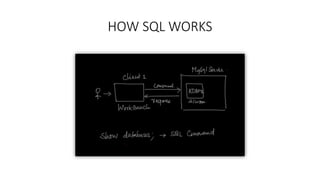
HOW SQL WORKS
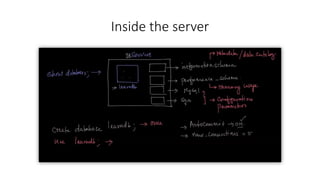
Inside the server
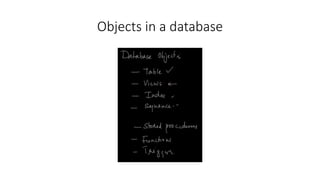
Objects in a database
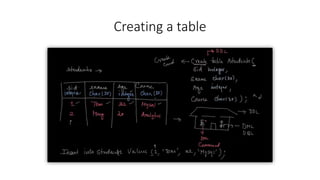
Creating a table
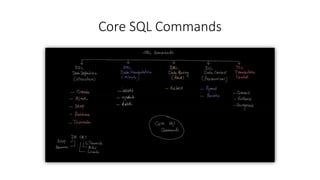
Core SQL Commands
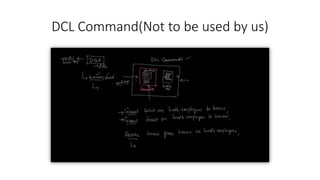
DCL Command(Not to be used by us)
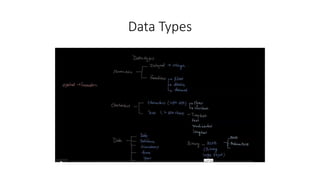
Data Types
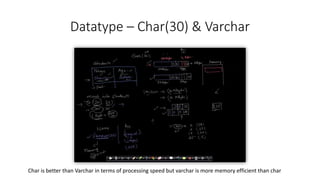
Datatype – Char(30) & Varchar
Char is better than Varchar in terms of processing speed but varchar is more memory efficient than char
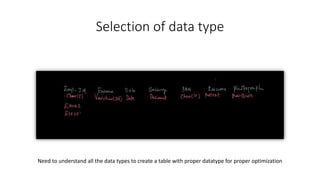
Selection of data type
Need to understand all the data types to create a table with proper datatype for proper optimization
Summary
• Rest of the data types were explained which are available on LMS.
• Whenever you open the client for SQL you have to mention which
database you have to use within the server. Eg- use mydb (database name)
• Client s/w doesn’t store any data on it, its always stored on the server.
• WARNING- if you execute same command twice, it gets executed
multiple times and it might result in addition of unnecessary data.
• Values should be added in same exact order as table column name
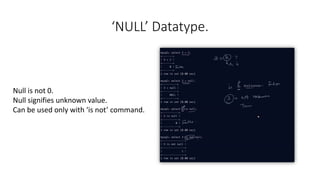
‘NULL’ Datatype.
Null is not 0.
Null signifies unknown value.
Can be used only with ‘is not’ command.
DDL commands
• DDL command is Data Definition Language command, used to define
a type of dataset for table creation and modification of a table only
• ‘DR CAT’
• D - DROP
• R - RENAME
• C - CREATE
• A - ALTER
• T - TRUNCATE
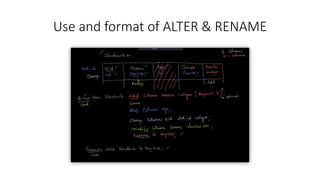
Use and format of ALTER & RENAME
TRUNCATE command
• Truncate command deletes the entire Data or the Table content.
• It internally executes 2 commands
• Drops table entirely
• Create fresh table with similar column
• Truncate command cannot be rolled back.
• Truncate comment will delete all the objects created above the table.
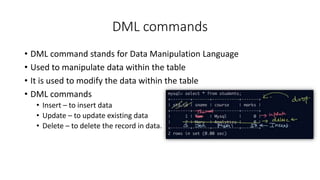
DML commands
• DML command stands for Data Manipulation Language
• Used to manipulate data within the table
• It is used to modify the data within the table
• DML commands
• Insert – to insert data
• Update – to update existing data
• Delete – to delete the record in data.
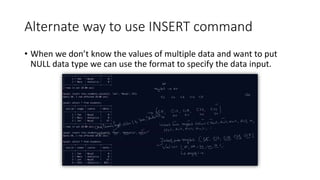
Alternate way to use INSERT command
• When we don’t know the values of multiple data and want to put
NULL data type we can use the format to specify the data input.
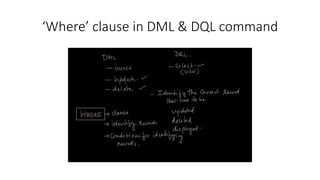
‘Where’ clause in DML & DQL command
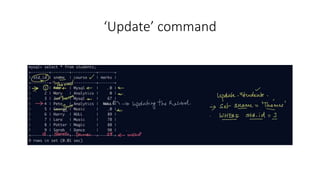
‘Update’ command
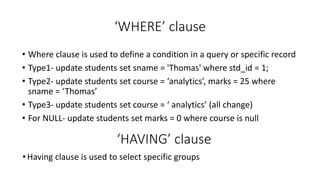
‘WHERE’ clause
• Where clause is used to define a condition in a query or specific record
• Type1- update students set sname = 'Thomas' where std_id = 1;
• Type2- update students set course = ‘analytics’, marks = 25 where
sname = ‘Thomas’
• Type3- update students set course = ‘ analytics’ (all change)
• For NULL- update students set marks = 0 where course is null
‘HAVING’ clause
• Having clause is used to select specific groups
‘Delete’ command
• Syntax is similar to ‘update’ command
• Delete from students where std_id = 1;
• Delete from students, (will delete all the table records)
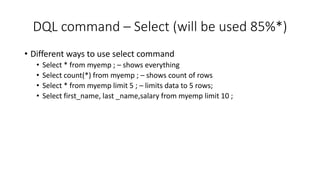
DQL command – Select (will be used 85%*)
• Different ways to use select command
• Select * from myemp ; – shows everything
• Select count(*) from myemp ; – shows count of rows
• Select * from myemp limit 5 ; – limits data to 5 rows;
• Select first_name, last _name,salary from myemp limit 10 ;
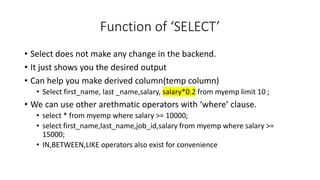
Function of ‘SELECT’
• Select does not make any change in the backend.
• It just shows you the desired output
• Can help you make derived column(temp column)
• Select first_name, last _name,salary, salary*0.2 from myemp limit 10 ;
• We can use other arethmatic operators with ‘where’ clause.
• select * from myemp where salary >= 10000;
• select first_name,last_name,job_id,salary from myemp where salary >=
15000;
• IN,BETWEEN,LIKE operators also exist for convenience
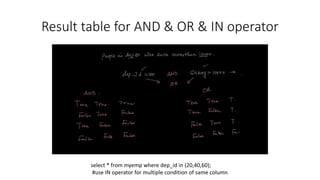
Result table for AND & OR & IN operator
select * from myemp where dep_id in (20,40,60);
#use IN operator for multiple condition of same column
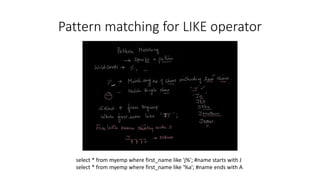
Pattern matching for LIKE operator
select * from myemp where first_name like 'j%'; #name starts with J
select * from myemp where first_name like '%a'; #name ends with A
Sorting the table – ‘ORDER BY’
• Order by clause is used ro sort the table according to particular
column
• Select * from myemp order by dep_id; - by default Ascending
• Select * from myemp order by dep_id desc;
Distinct function
• To find out unique values in a table
• Select distinct dep_id from myemp;
String functions & operators
• CONCAT()
• LEFT
• RIGHT()
• LOWER()
• UPPER()
https://dev.mysql.com/doc/refman/8.0/en/string-functions.html
Link for all string functions that can be used
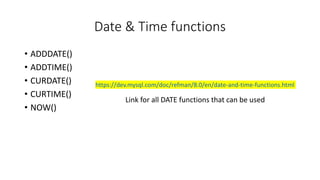
Date & Time functions
• ADDDATE()
• ADDTIME()
• CURDATE()
• CURTIME()
• NOW()
https://dev.mysql.com/doc/refman/8.0/en/date-and-time-functions.html
Link for all DATE functions that can be used
Group functions
• SUM()
• AVG()
• MIN()
• MAX()
• STD()
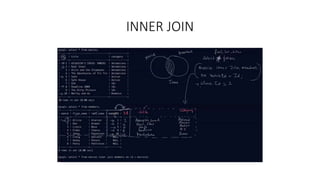
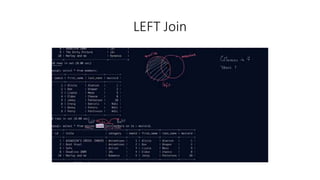
JOINS in mySQL
• INNER JOIN
• LEFT JOIN
• RIGHT JOIN
• CROSS JOIN
• SELF JOIN
• THE RESULTANT TABLE THAT WILL BE CREATED IS THE VIRTUAL TABLE
RESPECTIVE OF THE TYPE OF JOIN USED.
JOINS
INNER JOIN
LEFT Join
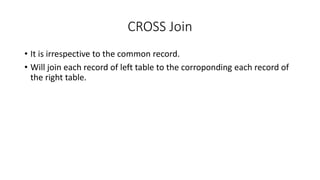
CROSS Join
• It is irrespective to the common record.
• Will join each record of left table to the corroponding each record of
the right table.
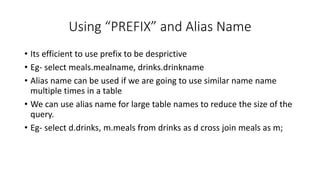
Using “PREFIX” and Alias Name
• Its efficient to use prefix to be desprictive
• Eg- select meals.mealname, drinks.drinkname
• Alias name can be used if we are going to use similar name name
multiple times in a table
• We can use alias name for large table names to reduce the size of the
query.
• Eg- select d.drinks, m.meals from drinks as d cross join meals as m;
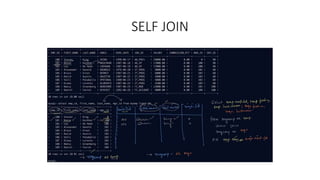
SELF JOIN
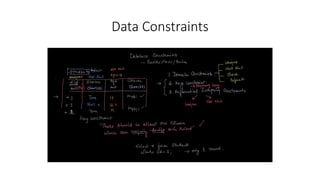
Data Constraints
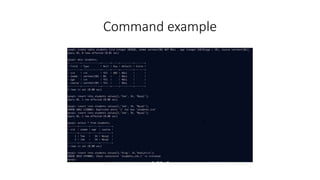
Command example
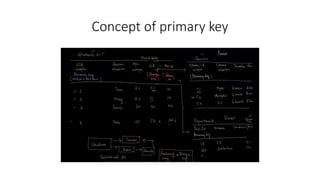
Concept of primary key
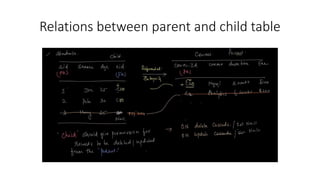
Relations between parent and child table
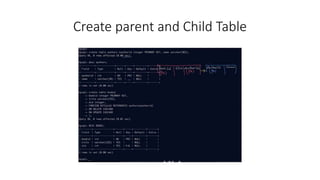
Create parent and Child Table
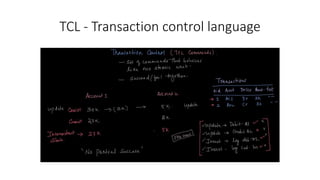
TCL - Transaction control language
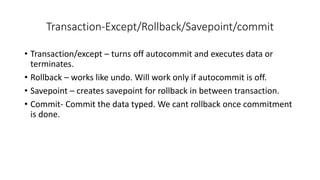
Transaction-Except/Rollback/Savepoint/commit
• Transaction/except – turns off autocommit and executes data or
terminates.
• Rollback – works like undo. Will work only if autocommit is off.
• Savepoint – creates savepoint for rollback in between transaction.
• Commit- Commit the data typed. We cant rollback once commitment
is done.
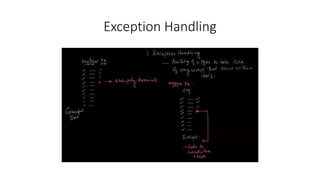
Exception Handling
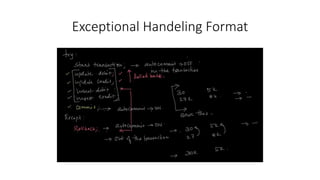
Exceptional Handeling Format
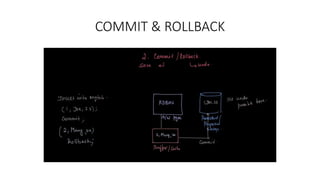
COMMIT & ROLLBACK
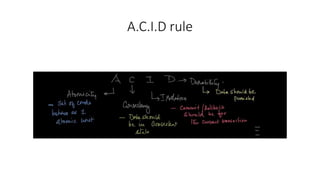
A.C.I.D rule
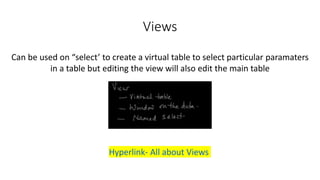
Views
Can be used on “select’ to create a virtual table to select particular paramaters
in a table but editing the view will also edit the main table
Hyperlink- All about Views
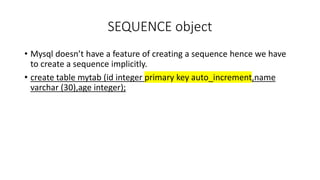
SEQUENCE object
• Mysql doesn’t have a feature of creating a sequence hence we have
to create a sequence implicitly.
• create table mytab (id integer primary key auto_increment,name
varchar (30),age integer);
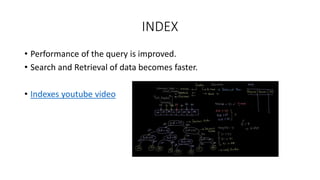
INDEX
• Performance of the query is improved.
• Search and Retrieval of data becomes faster.
• Indexes youtube video
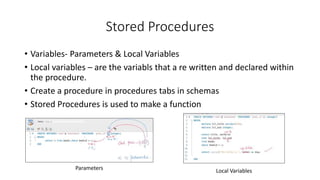
Stored Procedures
• Variables- Parameters & Local Variables
• Local variables – are the variabls that a re written and declared within
the procedure.
• Create a procedure in procedures tabs in schemas
• Stored Procedures is used to make a function
Parameters Local Variables
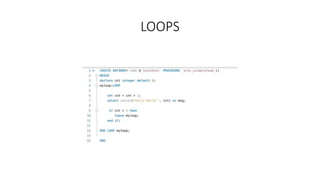
LOOPS
SQL LECTURE.pptx
SQL LECTURE.pptx
SQL LECTURE.pptx
SQL LECTURE.pptx
SQL LECTURE.pptx
SQL LECTURE.pptx
SQL LECTURE.pptx
SQL LECTURE.pptx

SQL LECTURE.pptx

  • 1.
  • 2.
  • 3.
  • 4.
    Objects in adatabase
  • 5.
  • 6.
  • 7.
    DCL Command(Not tobe used by us)
  • 8.
  • 9.
    Datatype – Char(30)& Varchar Char is better than Varchar in terms of processing speed but varchar is more memory efficient than char
  • 10.
    Selection of datatype Need to understand all the data types to create a table with proper datatype for proper optimization
  • 11.
    Summary • Rest ofthe data types were explained which are available on LMS. • Whenever you open the client for SQL you have to mention which database you have to use within the server. Eg- use mydb (database name) • Client s/w doesn’t store any data on it, its always stored on the server. • WARNING- if you execute same command twice, it gets executed multiple times and it might result in addition of unnecessary data. • Values should be added in same exact order as table column name
  • 12.
    ‘NULL’ Datatype. Null isnot 0. Null signifies unknown value. Can be used only with ‘is not’ command.
  • 13.
    DDL commands • DDLcommand is Data Definition Language command, used to define a type of dataset for table creation and modification of a table only • ‘DR CAT’ • D - DROP • R - RENAME • C - CREATE • A - ALTER • T - TRUNCATE
  • 14.
    Use and formatof ALTER & RENAME
  • 15.
    TRUNCATE command • Truncatecommand deletes the entire Data or the Table content. • It internally executes 2 commands • Drops table entirely • Create fresh table with similar column • Truncate command cannot be rolled back. • Truncate comment will delete all the objects created above the table.
  • 16.
    DML commands • DMLcommand stands for Data Manipulation Language • Used to manipulate data within the table • It is used to modify the data within the table • DML commands • Insert – to insert data • Update – to update existing data • Delete – to delete the record in data.
  • 17.
    Alternate way touse INSERT command • When we don’t know the values of multiple data and want to put NULL data type we can use the format to specify the data input.
  • 18.
    ‘Where’ clause inDML & DQL command
  • 19.
  • 20.
    ‘WHERE’ clause • Whereclause is used to define a condition in a query or specific record • Type1- update students set sname = 'Thomas' where std_id = 1; • Type2- update students set course = ‘analytics’, marks = 25 where sname = ‘Thomas’ • Type3- update students set course = ‘ analytics’ (all change) • For NULL- update students set marks = 0 where course is null ‘HAVING’ clause • Having clause is used to select specific groups
  • 21.
    ‘Delete’ command • Syntaxis similar to ‘update’ command • Delete from students where std_id = 1; • Delete from students, (will delete all the table records)
  • 22.
    DQL command –Select (will be used 85%*) • Different ways to use select command • Select * from myemp ; – shows everything • Select count(*) from myemp ; – shows count of rows • Select * from myemp limit 5 ; – limits data to 5 rows; • Select first_name, last _name,salary from myemp limit 10 ;
  • 23.
    Function of ‘SELECT’ •Select does not make any change in the backend. • It just shows you the desired output • Can help you make derived column(temp column) • Select first_name, last _name,salary, salary*0.2 from myemp limit 10 ; • We can use other arethmatic operators with ‘where’ clause. • select * from myemp where salary >= 10000; • select first_name,last_name,job_id,salary from myemp where salary >= 15000; • IN,BETWEEN,LIKE operators also exist for convenience
  • 24.
    Result table forAND & OR & IN operator select * from myemp where dep_id in (20,40,60); #use IN operator for multiple condition of same column
  • 25.
    Pattern matching forLIKE operator select * from myemp where first_name like 'j%'; #name starts with J select * from myemp where first_name like '%a'; #name ends with A
  • 26.
    Sorting the table– ‘ORDER BY’ • Order by clause is used ro sort the table according to particular column • Select * from myemp order by dep_id; - by default Ascending • Select * from myemp order by dep_id desc; Distinct function • To find out unique values in a table • Select distinct dep_id from myemp;
  • 27.
    String functions &operators • CONCAT() • LEFT • RIGHT() • LOWER() • UPPER() https://dev.mysql.com/doc/refman/8.0/en/string-functions.html Link for all string functions that can be used
  • 28.
    Date & Timefunctions • ADDDATE() • ADDTIME() • CURDATE() • CURTIME() • NOW() https://dev.mysql.com/doc/refman/8.0/en/date-and-time-functions.html Link for all DATE functions that can be used
  • 29.
    Group functions • SUM() •AVG() • MIN() • MAX() • STD()
  • 30.
    JOINS in mySQL •INNER JOIN • LEFT JOIN • RIGHT JOIN • CROSS JOIN • SELF JOIN • THE RESULTANT TABLE THAT WILL BE CREATED IS THE VIRTUAL TABLE RESPECTIVE OF THE TYPE OF JOIN USED.
  • 31.
  • 32.
  • 33.
  • 34.
    CROSS Join • Itis irrespective to the common record. • Will join each record of left table to the corroponding each record of the right table.
  • 35.
    Using “PREFIX” andAlias Name • Its efficient to use prefix to be desprictive • Eg- select meals.mealname, drinks.drinkname • Alias name can be used if we are going to use similar name name multiple times in a table • We can use alias name for large table names to reduce the size of the query. • Eg- select d.drinks, m.meals from drinks as d cross join meals as m;
  • 36.
  • 37.
  • 38.
  • 39.
  • 40.
    Relations between parentand child table
  • 41.
    Create parent andChild Table
  • 42.
    TCL - Transactioncontrol language
  • 43.
    Transaction-Except/Rollback/Savepoint/commit • Transaction/except –turns off autocommit and executes data or terminates. • Rollback – works like undo. Will work only if autocommit is off. • Savepoint – creates savepoint for rollback in between transaction. • Commit- Commit the data typed. We cant rollback once commitment is done.
  • 44.
  • 45.
  • 46.
  • 47.
  • 48.
    Views Can be usedon “select’ to create a virtual table to select particular paramaters in a table but editing the view will also edit the main table Hyperlink- All about Views
  • 49.
    SEQUENCE object • Mysqldoesn’t have a feature of creating a sequence hence we have to create a sequence implicitly. • create table mytab (id integer primary key auto_increment,name varchar (30),age integer);
  • 50.
    INDEX • Performance ofthe query is improved. • Search and Retrieval of data becomes faster. • Indexes youtube video
  • 51.
    Stored Procedures • Variables-Parameters & Local Variables • Local variables – are the variabls that a re written and declared within the procedure. • Create a procedure in procedures tabs in schemas • Stored Procedures is used to make a function Parameters Local Variables
  • 52.