NikhilDevS.B
nikhildevsb@gmail.com
www.facebook.com/nikhildevsb
TwitterProfile
www.linkedin.com/nikhildevsb
Typing speed: 25wpm.
ASP .NET folders and web.config
Disclaimer: This presentation is prepared by trainees of
baabtra.com as a part of mentoring program. This is not
official document of baabtra.com – Mentoring Partner
Overview - ASP.NET Folders
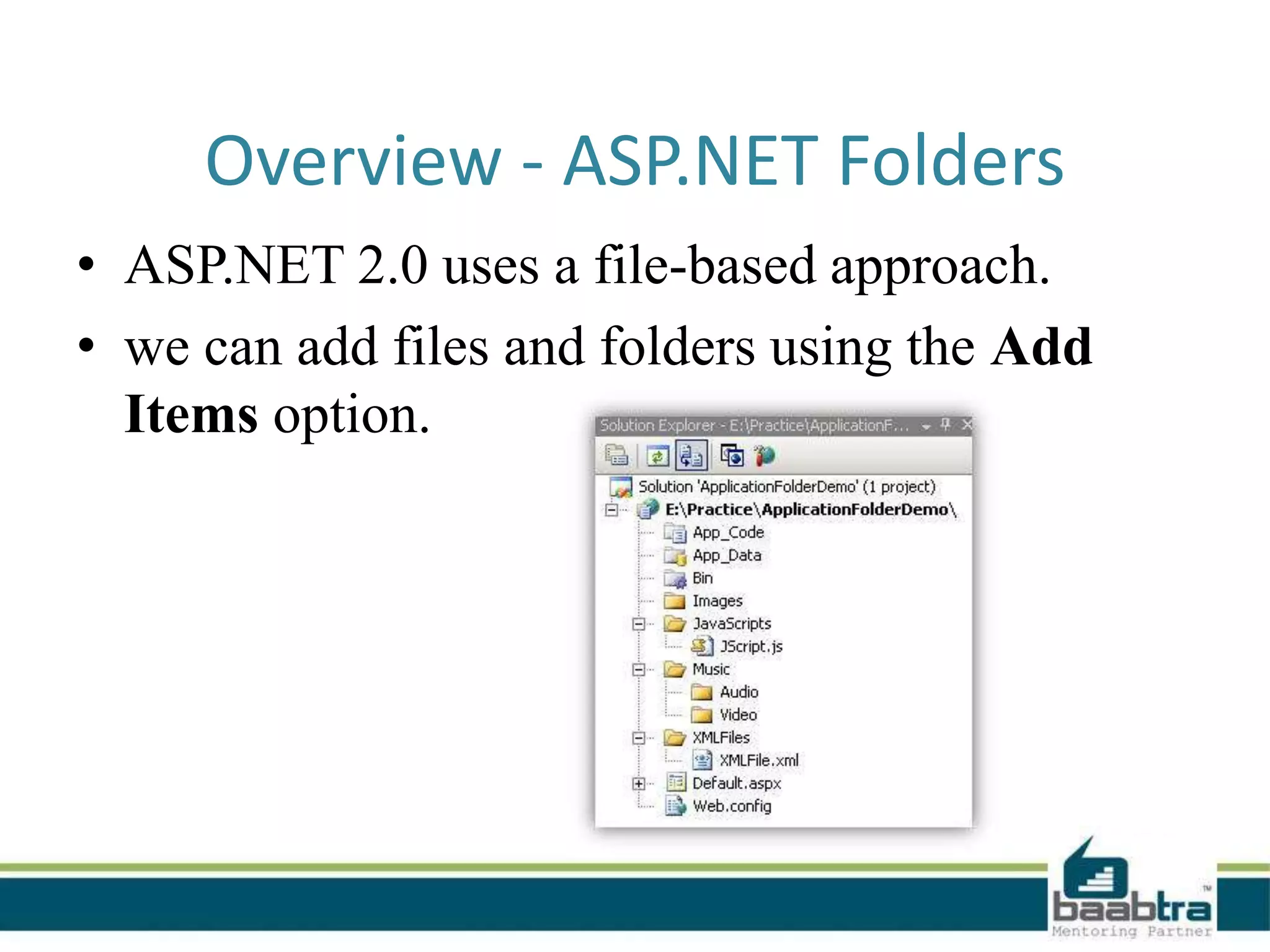
• ASP.NET 2.0 uses a file-based approach.
• we can add files and folders using the Add
Items option.
• Can add as many files and folders as we like.
• Dynamically compile them when required.
i.e, uses a predefined folder structure
containing the files, to compile them
dynamically.
Advantages of ASP.NET Application
Folders
• Maintain resources in an organized manner.
• All files and folders are accessible through the
application.
• We can add as many files as required
• Files are compiled dynamically when required
Different Types of Application Folder
• App_Code Folders
• Bin Folders
• App_Data Folders
• App_Theme Folders
• App_Browser Folders
• App_WebReference Folders
• Resources Folders
– App_LocalResource Folders
– App_GlobalResource Folders
App_Code Folder
• App_Code Folder stores classes, typed data
sets, etc.
• All items stored in App_Code are
automatically accessible throughout the
application.
• If we store any class files (like .cs or .vb) it
compiles them automatically.
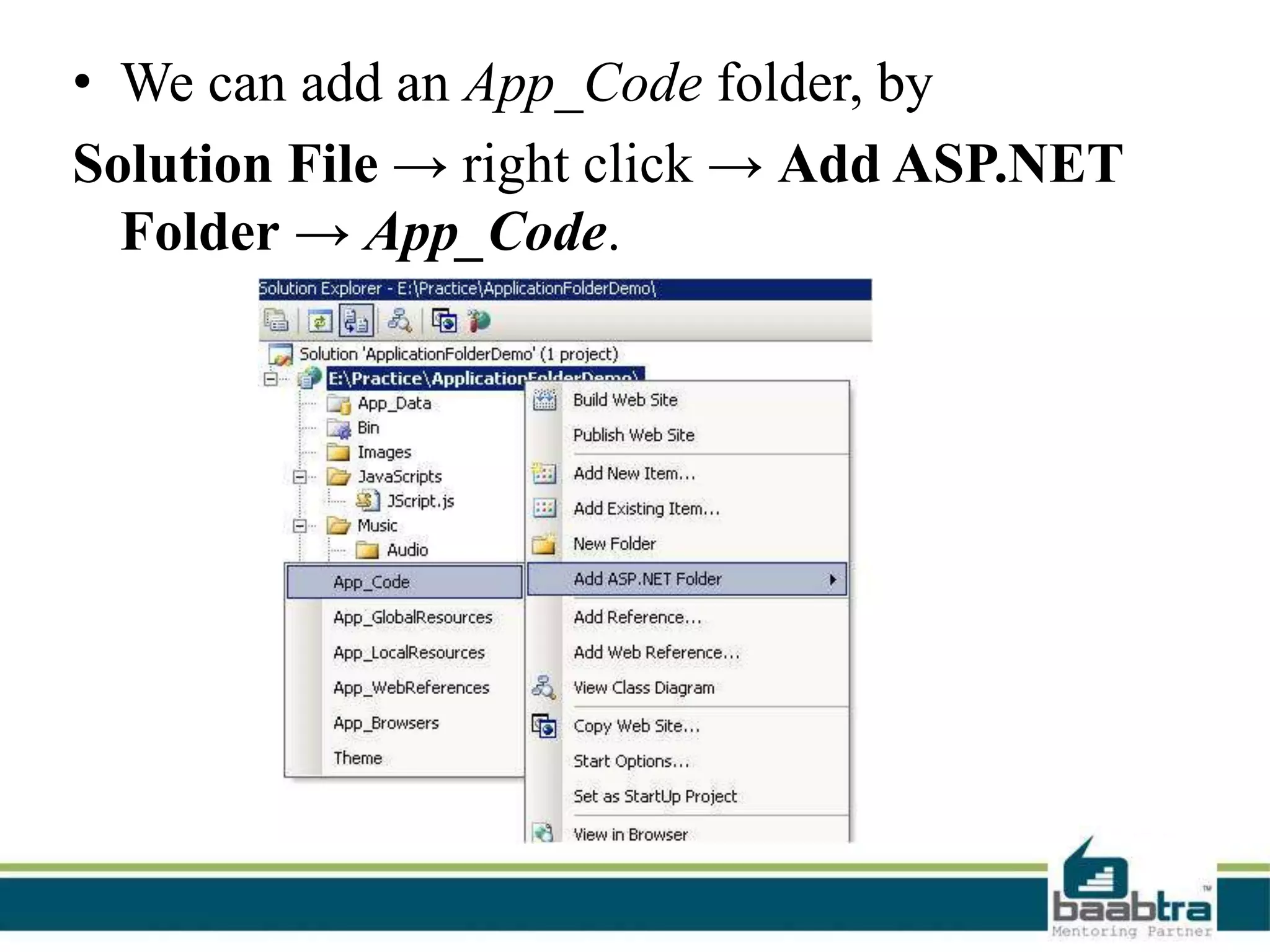
• We can add an App_Code folder, by
Solution File → right click → Add ASP.NET
Folder → App_Code.
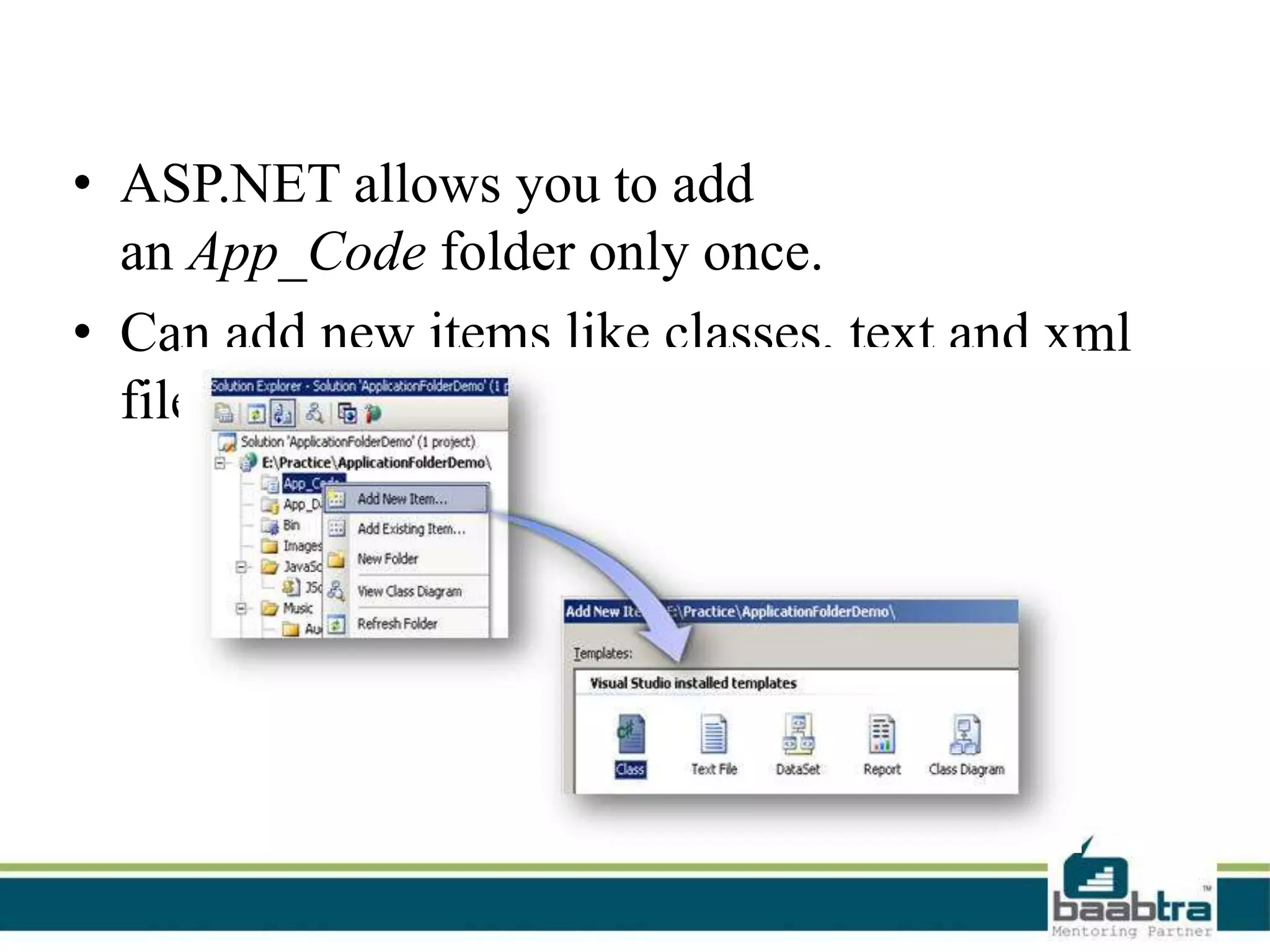
• ASP.NET allows you to add
an App_Code folder only once.
• Can add new items like classes, text and xml
files into the App_Code folder.
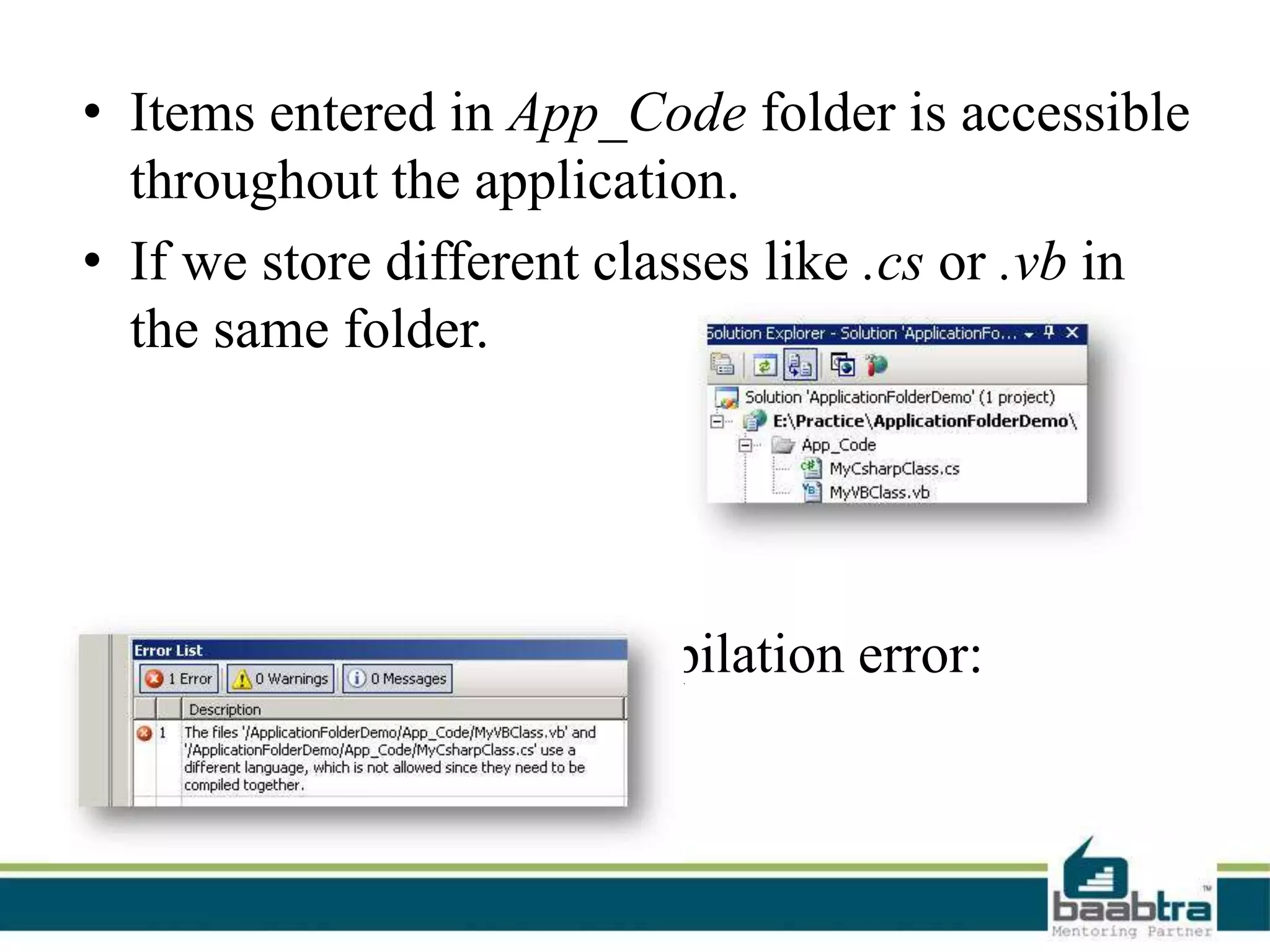
• Items entered in App_Code folder is accessible
throughout the application.
• If we store different classes like .cs or .vb in
the same folder.
it will give following compilation error:
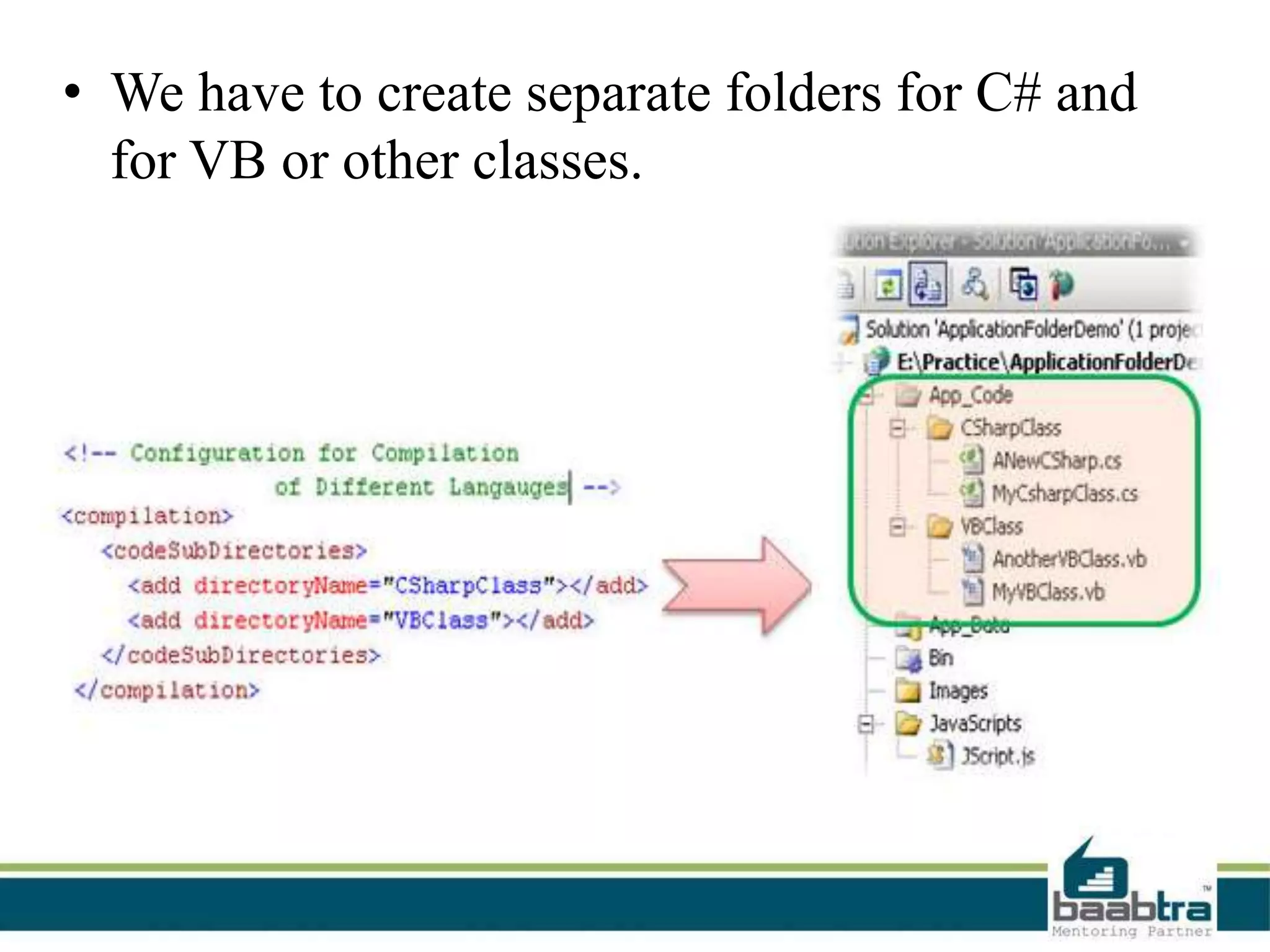
• We have to create separate folders for C# and
for VB or other classes.
Bin Folder
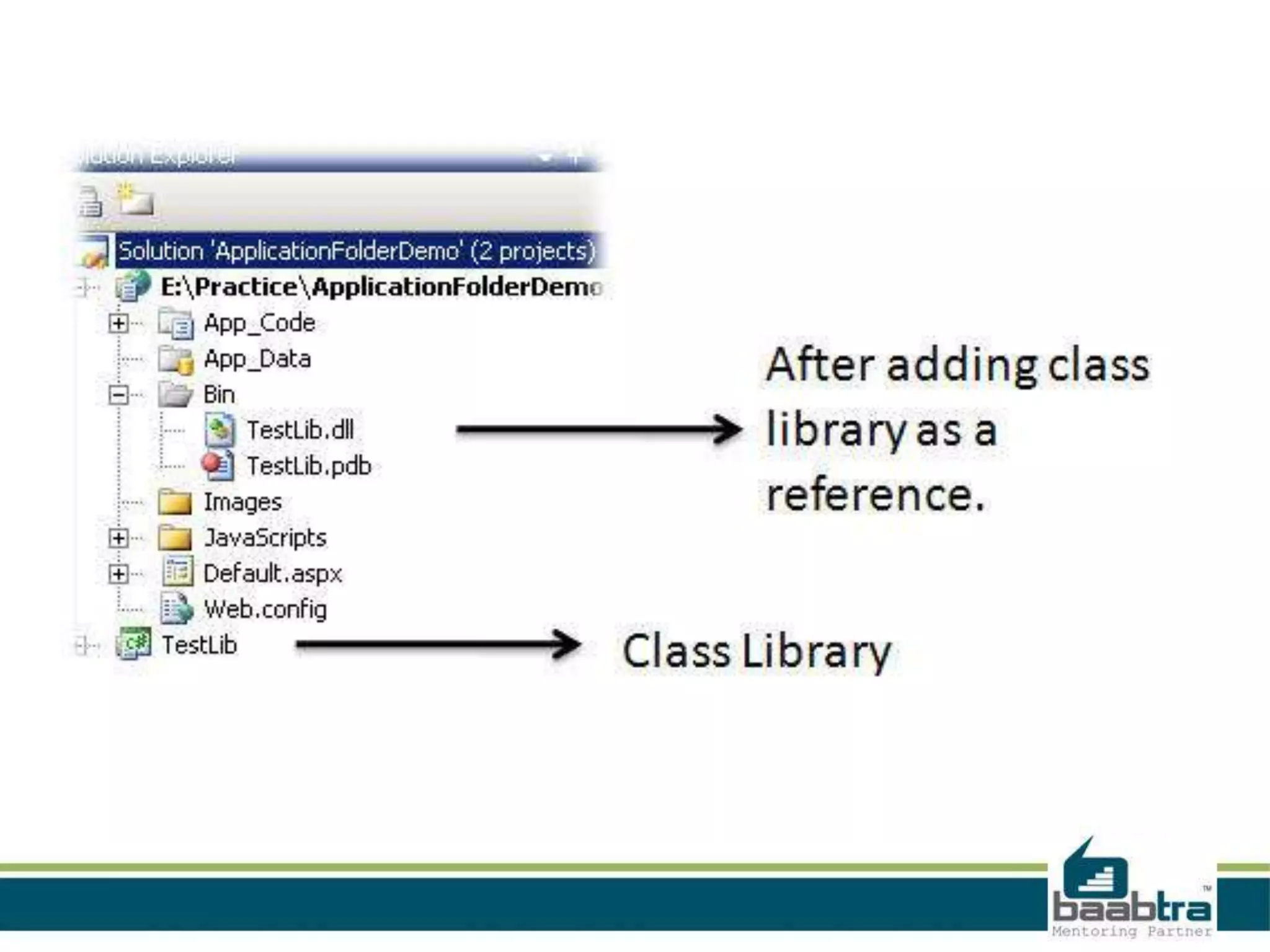
• Contains compiled assemblies (.dll files) for
controls, components, or other code
• Can access those as a reference from anywhere
of our web application.
• ASP.NET recognizes the presence of DLLs
inside the Bin Folder.
• Main limitation-scope is limited to the current
application.
• They cannot access any code outside of current
web application.
App_Data Folder
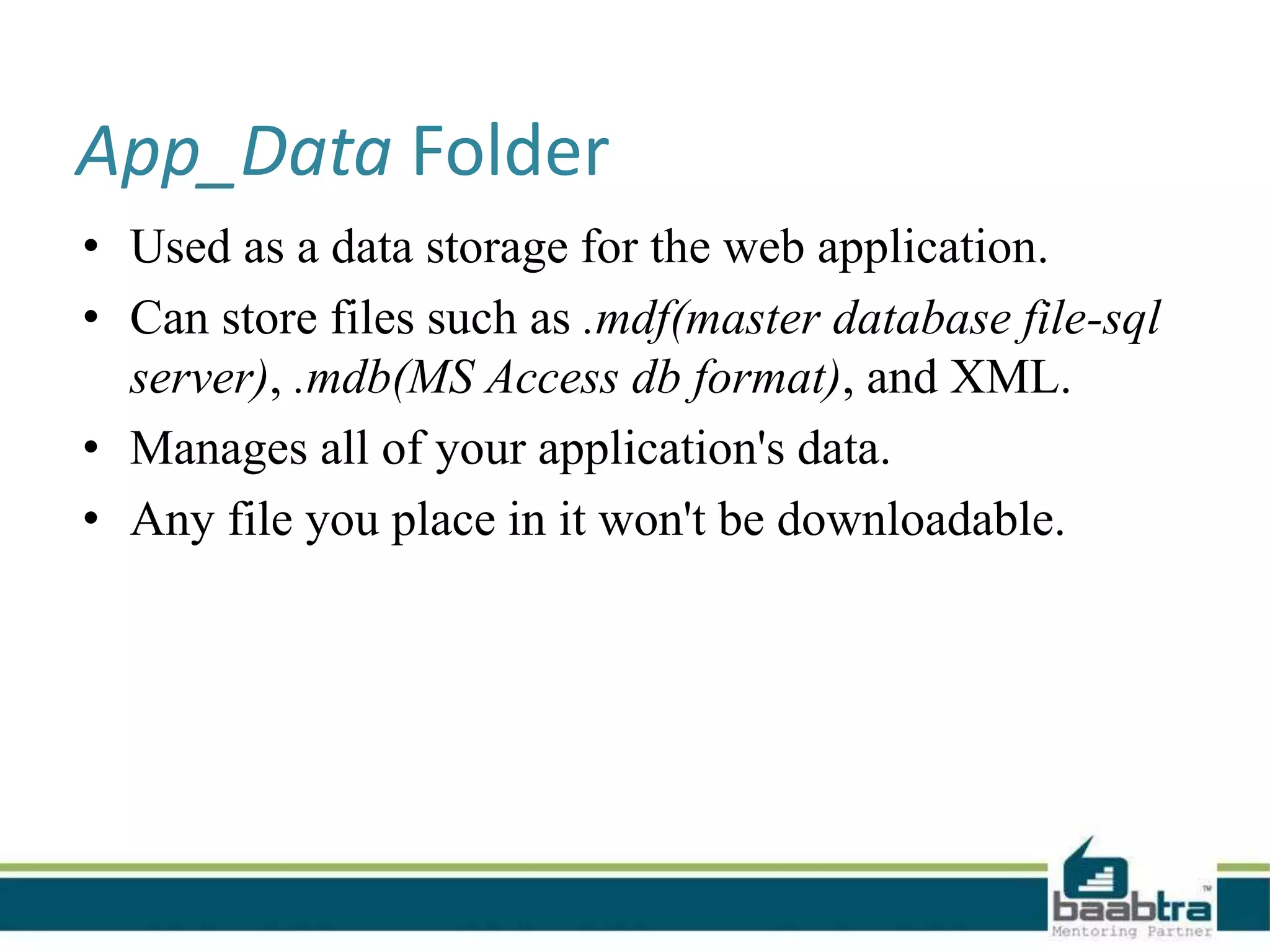
• Used as a data storage for the web application.
• Can store files such as .mdf(master database file-sql
server), .mdb(MS Access db format), and XML.
• Manages all of your application's data.
• Any file you place in it won't be downloadable.
App_Theme Folder
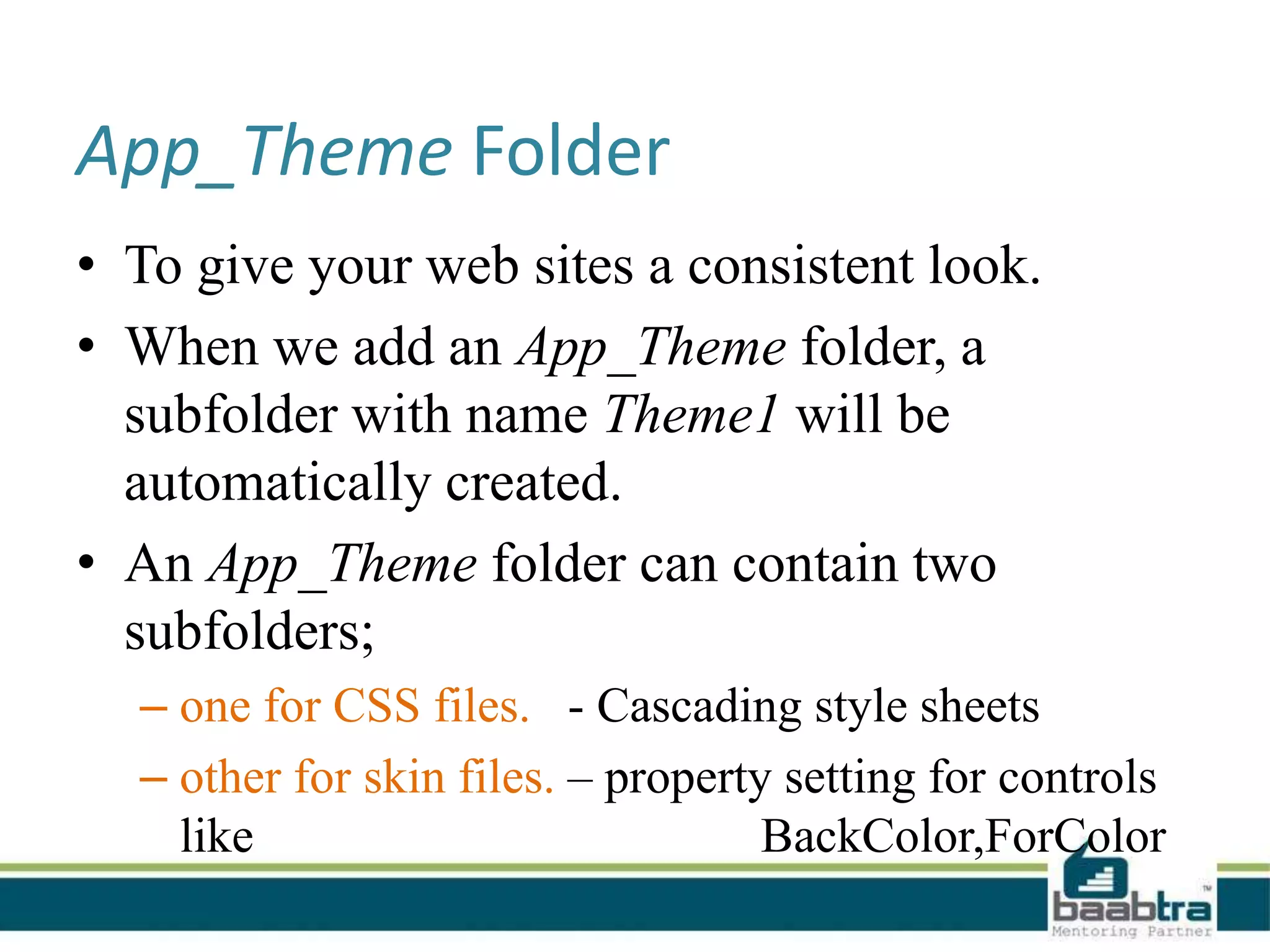
• To give your web sites a consistent look.
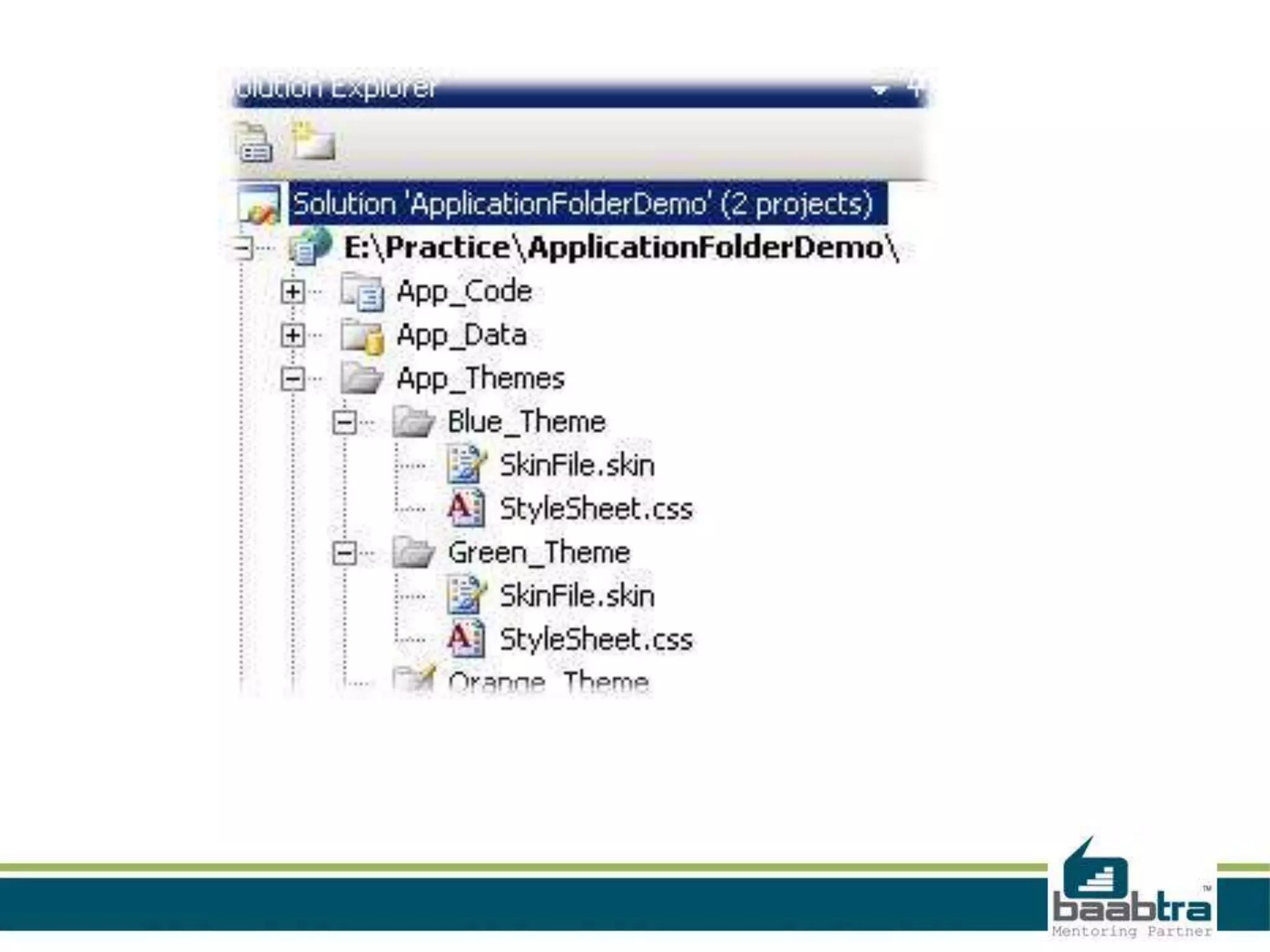
• When we add an App_Theme folder, a
subfolder with name Theme1 will be
automatically created.
• An App_Theme folder can contain two
subfolders;
– one for CSS files. - Cascading style sheets
– other for skin files. – property setting for controls
like BackColor,ForColor
App_Browser Folder
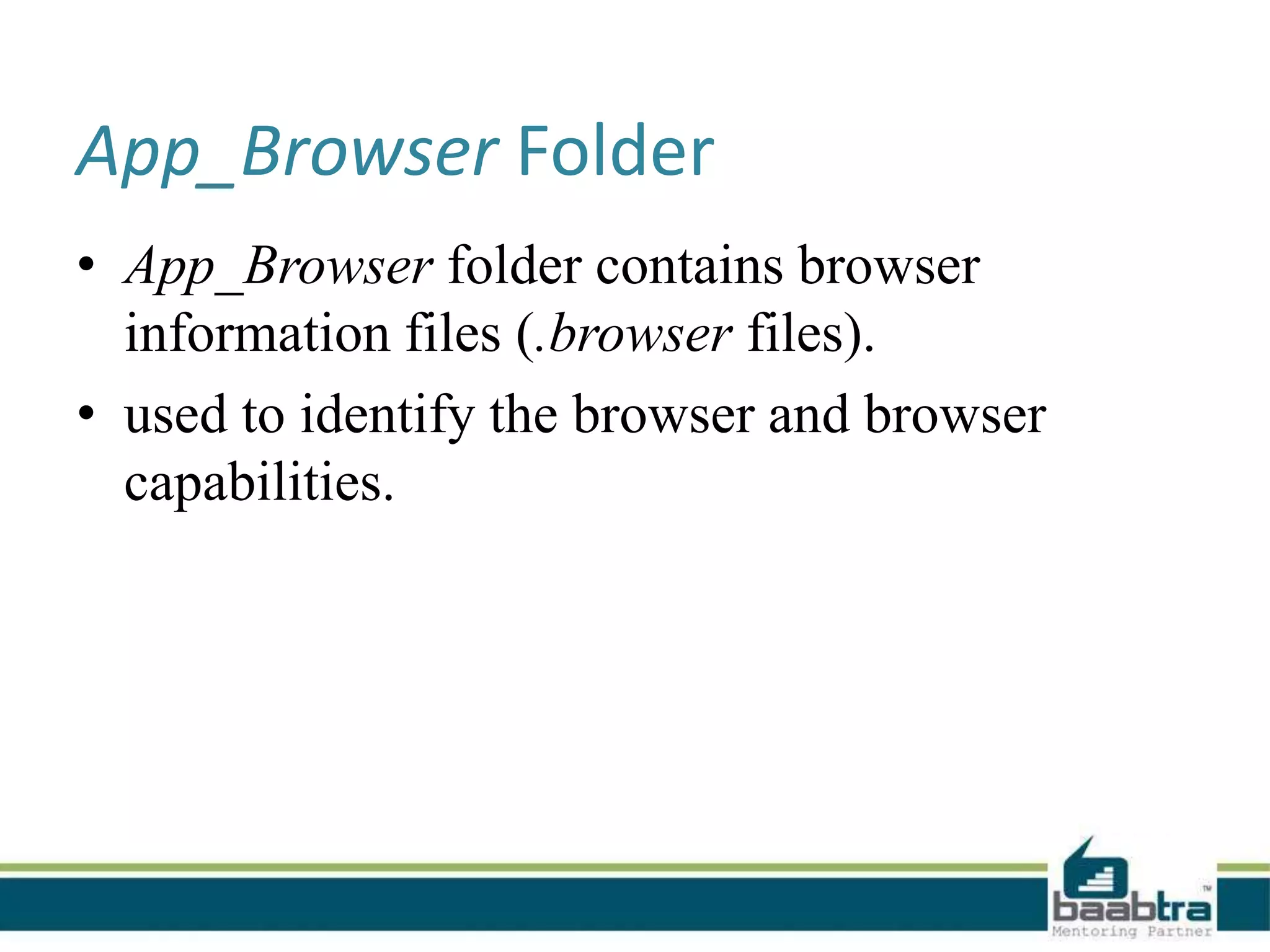
• App_Browser folder contains browser
information files (.browser files).
• used to identify the browser and browser
capabilities.
App_WebReference Folder
• Contain references to any web services.
• If we added any web services with our web
applications it go automatically into
App_Webreference
• In windows application, if we add DLL file it
would go under App_Webreference.
Resources Folders
• The main purpose of resource files
is localization of the web application.
• Supports multilingual functionality.(different
language supportive for a multinational
company website).
• There are two type of resources:
– Local resources
– Global resources
App_LocalResource Folder
• Multilingual functionality on webpage.
• Contains resources (.resx and .resources files)
that are associated with a specific page, user
control, or master page in an application.
App_GlobalResource Folder
• can be read from any page or code that is
anywhere in the web site.
• We should use theApp_GlobalResource folder
when we need a single resource for multiple
web pages.
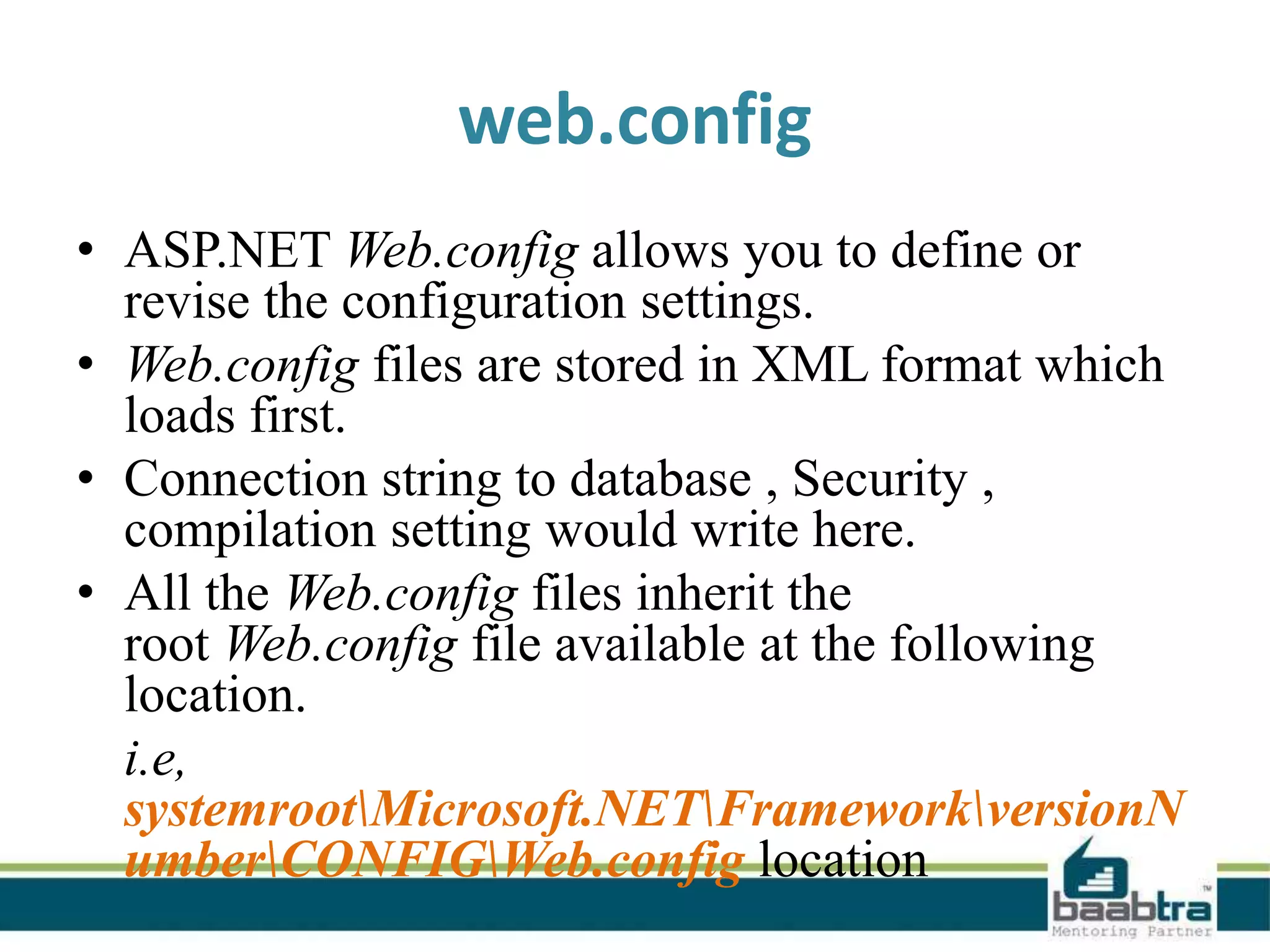
web.config
• ASP.NET Web.config allows you to define or
revise the configuration settings.
• Web.config files are stored in XML format which
loads first.
• Connection string to database , Security ,
compilation setting would write here.
• All the Web.config files inherit the
root Web.config file available at the following
location.
i.e,
systemrootMicrosoft.NETFrameworkversionN
umberCONFIGWeb.config location
• IIS is configured in such a way that it prevents
the Web.config file access from the browser.
• The changes in Web.config don’t require the
reboot of the web server.
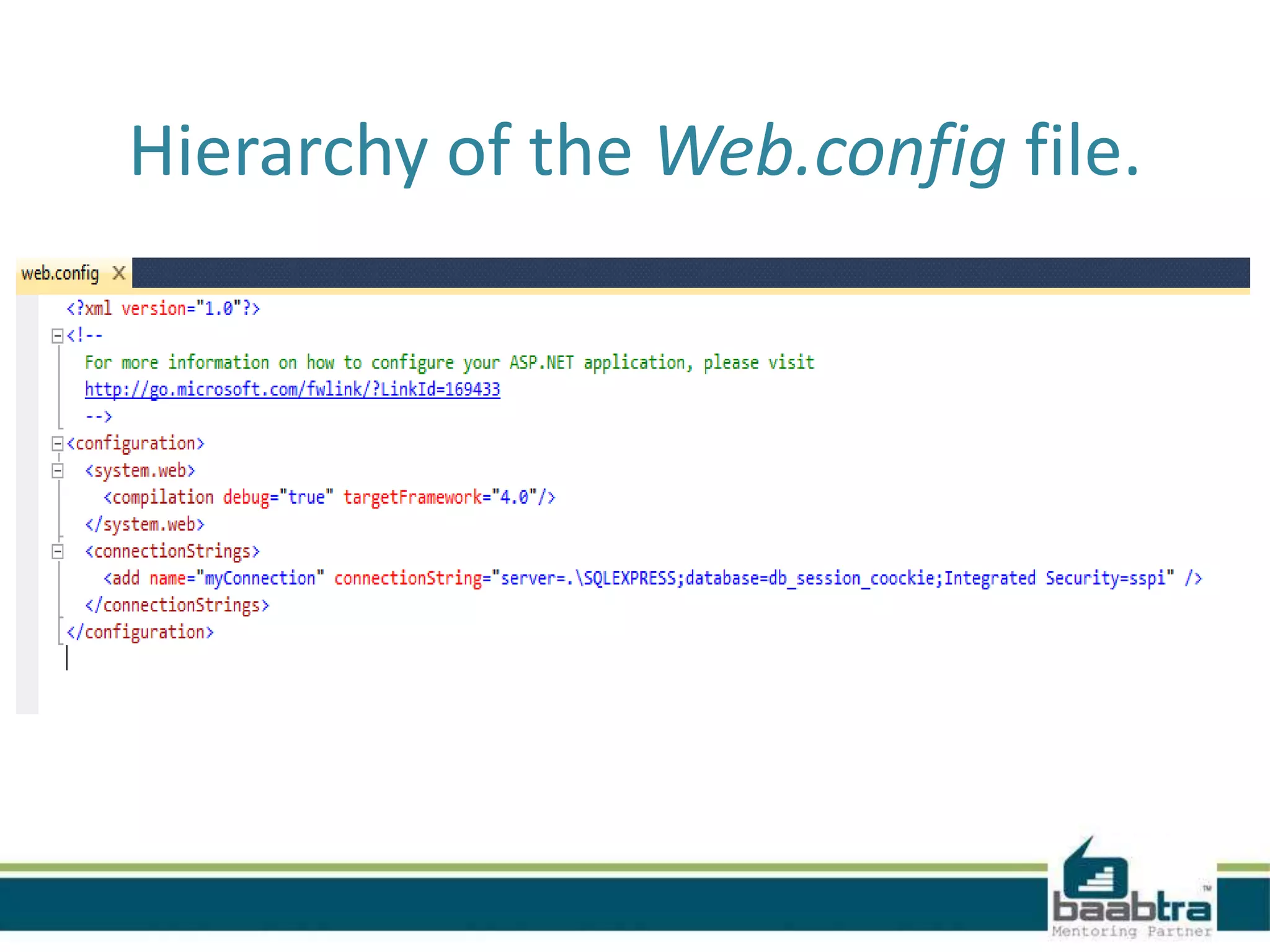
Hierarchy of the Web.config file.
Thank you...
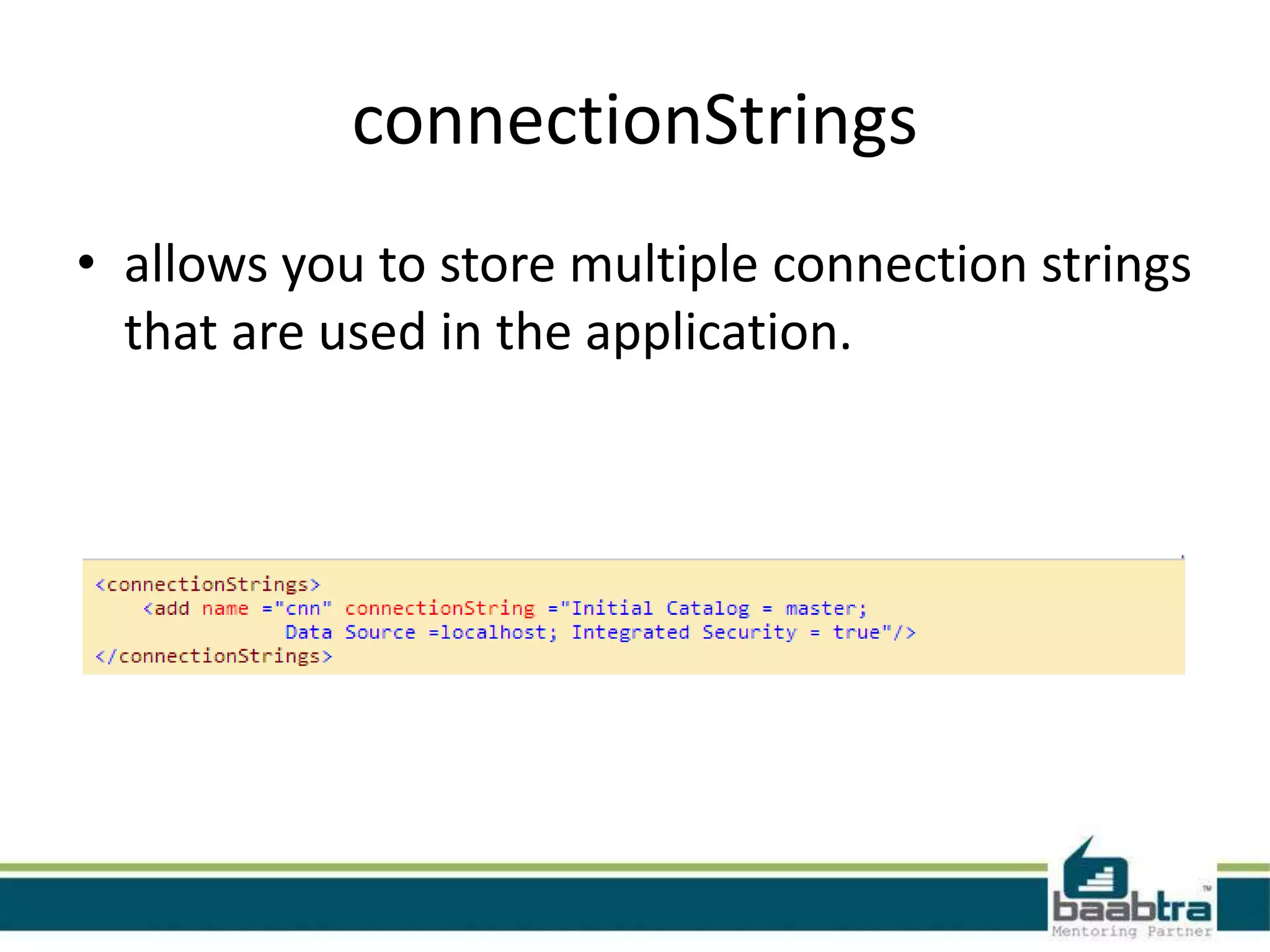
connectionStrings
• allows you to store multiple connection strings
that are used in the application.
Contact Us
Emarald Mall (Big Bazar Building)
Mavoor Road, Kozhikode,
Kerala, India.
Ph: + 91 – 495 40 25 550
NC Complex, Near Bus Stand
Mukkam, Kozhikode,
Kerala, India.
Ph: + 91 – 495 40 25 550
Start up Village
Eranakulam,
Kerala, India.
Email: info@baabtra.com

Asp folders and web configurations

  • 2.
  • 3.
    Disclaimer: This presentationis prepared by trainees of baabtra.com as a part of mentoring program. This is not official document of baabtra.com – Mentoring Partner
  • 4.
    Overview - ASP.NETFolders • ASP.NET 2.0 uses a file-based approach. • we can add files and folders using the Add Items option.
  • 5.
    • Can addas many files and folders as we like. • Dynamically compile them when required. i.e, uses a predefined folder structure containing the files, to compile them dynamically.
  • 6.
    Advantages of ASP.NETApplication Folders • Maintain resources in an organized manner. • All files and folders are accessible through the application. • We can add as many files as required • Files are compiled dynamically when required
  • 7.
    Different Types ofApplication Folder • App_Code Folders • Bin Folders • App_Data Folders • App_Theme Folders • App_Browser Folders • App_WebReference Folders • Resources Folders – App_LocalResource Folders – App_GlobalResource Folders
  • 8.
    App_Code Folder • App_CodeFolder stores classes, typed data sets, etc. • All items stored in App_Code are automatically accessible throughout the application. • If we store any class files (like .cs or .vb) it compiles them automatically.
  • 9.
    • We canadd an App_Code folder, by Solution File → right click → Add ASP.NET Folder → App_Code.
  • 10.
    • ASP.NET allowsyou to add an App_Code folder only once. • Can add new items like classes, text and xml files into the App_Code folder.
  • 11.
    • Items enteredin App_Code folder is accessible throughout the application. • If we store different classes like .cs or .vb in the same folder. it will give following compilation error:
  • 12.
    • We haveto create separate folders for C# and for VB or other classes.
  • 13.
    Bin Folder • Containscompiled assemblies (.dll files) for controls, components, or other code • Can access those as a reference from anywhere of our web application. • ASP.NET recognizes the presence of DLLs inside the Bin Folder. • Main limitation-scope is limited to the current application. • They cannot access any code outside of current web application.
  • 15.
    App_Data Folder • Usedas a data storage for the web application. • Can store files such as .mdf(master database file-sql server), .mdb(MS Access db format), and XML. • Manages all of your application's data. • Any file you place in it won't be downloadable.
  • 16.
    App_Theme Folder • Togive your web sites a consistent look. • When we add an App_Theme folder, a subfolder with name Theme1 will be automatically created. • An App_Theme folder can contain two subfolders; – one for CSS files. - Cascading style sheets – other for skin files. – property setting for controls like BackColor,ForColor
  • 18.
    App_Browser Folder • App_Browserfolder contains browser information files (.browser files). • used to identify the browser and browser capabilities.
  • 19.
    App_WebReference Folder • Containreferences to any web services. • If we added any web services with our web applications it go automatically into App_Webreference • In windows application, if we add DLL file it would go under App_Webreference.
  • 20.
    Resources Folders • Themain purpose of resource files is localization of the web application. • Supports multilingual functionality.(different language supportive for a multinational company website). • There are two type of resources: – Local resources – Global resources
  • 21.
    App_LocalResource Folder • Multilingualfunctionality on webpage. • Contains resources (.resx and .resources files) that are associated with a specific page, user control, or master page in an application.
  • 22.
    App_GlobalResource Folder • canbe read from any page or code that is anywhere in the web site. • We should use theApp_GlobalResource folder when we need a single resource for multiple web pages.
  • 23.
    web.config • ASP.NET Web.configallows you to define or revise the configuration settings. • Web.config files are stored in XML format which loads first. • Connection string to database , Security , compilation setting would write here. • All the Web.config files inherit the root Web.config file available at the following location. i.e, systemrootMicrosoft.NETFrameworkversionN umberCONFIGWeb.config location
  • 24.
    • IIS isconfigured in such a way that it prevents the Web.config file access from the browser. • The changes in Web.config don’t require the reboot of the web server.
  • 25.
    Hierarchy of theWeb.config file.
  • 26.
  • 27.
    connectionStrings • allows youto store multiple connection strings that are used in the application.
  • 28.
    Contact Us Emarald Mall(Big Bazar Building) Mavoor Road, Kozhikode, Kerala, India. Ph: + 91 – 495 40 25 550 NC Complex, Near Bus Stand Mukkam, Kozhikode, Kerala, India. Ph: + 91 – 495 40 25 550 Start up Village Eranakulam, Kerala, India. Email: info@baabtra.com