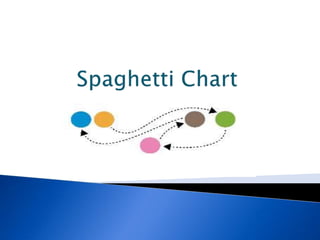
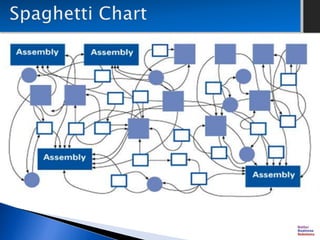
 A spaghetti chart is a method of viewing data
to visualize possible flows through systems.
 Flows portrayed in this manner appear like
noodles.
 Visualizing flow in this manner can reduce
inefficiency within the flow of a system.
These diagrams are used to track:
 Product Flow
 Paper Flow
 People Flow
 Overhead views of area, drawn close to scale
and labeled
 Colored Pencils
 Measuring Wheel and/or tape measure
 Stop Watch
 Team, Operators, People impacted by the
flow
 Actual Process
1) Record the processes on the side and ask
questions if not clear on the activity.
2) Start at the beginning of the process. Use
directional arrows for the routes that are drawn on
the paper.
3) Do not leave out any flow movement even if the
paper becomes cluttered and difficult to follow.
4) Record the amount of time within each activity.
5) Show stop points in the process.
6) Record the names of those involved, dates,
times, and other relevant information.
7) Calculate the distance, times, shift, starts,
stops, to provide baseline performance.
8) Create a separate diagram showing the ideal
state of flow for each that eliminates as much
non-value added tasks.
 Draw the diagrams the way people think the
process flows
 Make assumptions
 Ignore any steps
 Engage the operators of process
 Draw the process the way it actually flows
 Use different colors to represent various
people or machines
 Prepare (do not scramble for pencils, paper,
etc. in the middle of the exercise)
 Record all the steps regardless if it is an
"anomaly"
This is part of an on-line course
“Business Analysis Techniques”
REGISTER ON-LINE
http://better-business-solutions.teachable.com
Better Business Solutions
better.business2@yahoo.com
http://better-business-solutions.teachable.com
Spaghetti Chart

Spaghetti Chart

  • 2.
     A spaghettichart is a method of viewing data to visualize possible flows through systems.  Flows portrayed in this manner appear like noodles.  Visualizing flow in this manner can reduce inefficiency within the flow of a system.
  • 4.
    These diagrams areused to track:  Product Flow  Paper Flow  People Flow
  • 5.
     Overhead viewsof area, drawn close to scale and labeled  Colored Pencils  Measuring Wheel and/or tape measure  Stop Watch  Team, Operators, People impacted by the flow  Actual Process
  • 6.
    1) Record theprocesses on the side and ask questions if not clear on the activity. 2) Start at the beginning of the process. Use directional arrows for the routes that are drawn on the paper. 3) Do not leave out any flow movement even if the paper becomes cluttered and difficult to follow. 4) Record the amount of time within each activity.
  • 7.
    5) Show stoppoints in the process. 6) Record the names of those involved, dates, times, and other relevant information. 7) Calculate the distance, times, shift, starts, stops, to provide baseline performance. 8) Create a separate diagram showing the ideal state of flow for each that eliminates as much non-value added tasks.
  • 8.
     Draw thediagrams the way people think the process flows  Make assumptions  Ignore any steps
  • 9.
     Engage theoperators of process  Draw the process the way it actually flows  Use different colors to represent various people or machines  Prepare (do not scramble for pencils, paper, etc. in the middle of the exercise)  Record all the steps regardless if it is an "anomaly"
  • 10.
    This is partof an on-line course “Business Analysis Techniques” REGISTER ON-LINE http://better-business-solutions.teachable.com
  • 11.