Introduction to Sonic Pi
A Code-Based Music Creation Tool
I.Introduction
Definition of Sonic Pi and its capabilities
Sonic Pi is an open-source software synthesizer and live coding environment designed for creating
music using code.
It allows users to write code to generate sound and manipulate MIDI signals in real-time.
Sonic Pi supports a range of sound synthesis methods, including additive synthesis, subtractive
synthesis, and sample-based synthesis.
It also features built-in effects such as reverb, delay, and distortion, and supports external plugins.
The software can be used to create a variety of musical genres, from electronic and experimental to
classical and orchestral.
Brief background about Sonic Pi and its
creator:
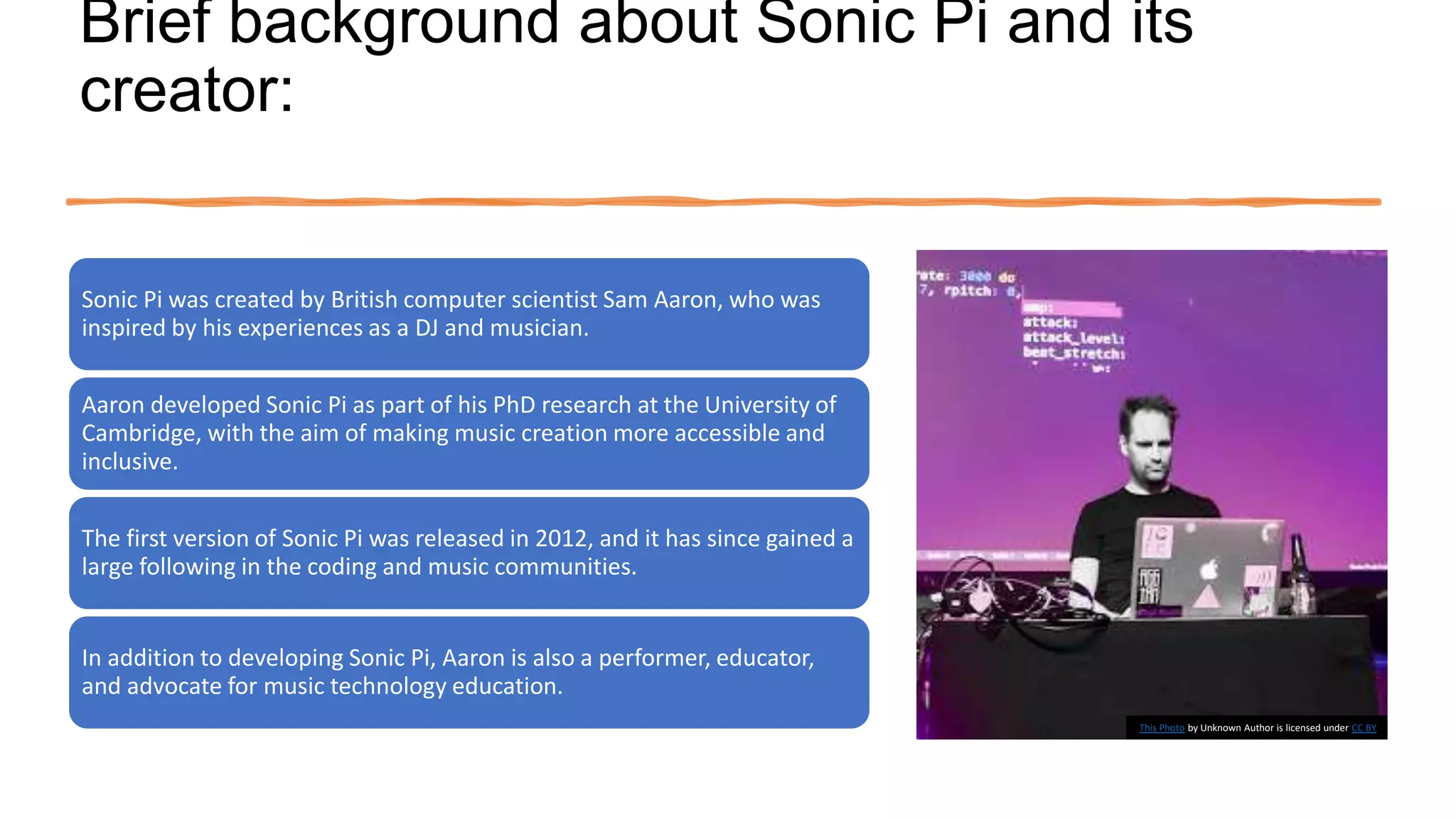
Sonic Pi was created by British computer scientist Sam Aaron, who was
inspired by his experiences as a DJ and musician.
Aaron developed Sonic Pi as part of his PhD research at the University of
Cambridge, with the aim of making music creation more accessible and
inclusive.
The first version of Sonic Pi was released in 2012, and it has since gained a
large following in the coding and music communities.
In addition to developing Sonic Pi, Aaron is also a performer, educator,
and advocate for music technology education.
This Photo by Unknown Author is licensed under CC BY
Importance of
Sonic Pi in
music
creation
Sonic Pi has been praised for its
ability to bridge the gap
between music and technology,
making it easier for people with
no musical background to
create their own music.
The software has been used in
a range of educational contexts,
from teaching coding to young
children to training professional
musicians in new techniques.
Sonic Pi has also been used in
live performances by musicians
and artists around the world,
allowing them to create and
manipulate sounds in real-time.
The open-source nature of
Sonic Pi has also led to the
creation of a vibrant community
of users and contributors, who
share code, tutorials, and music
online.
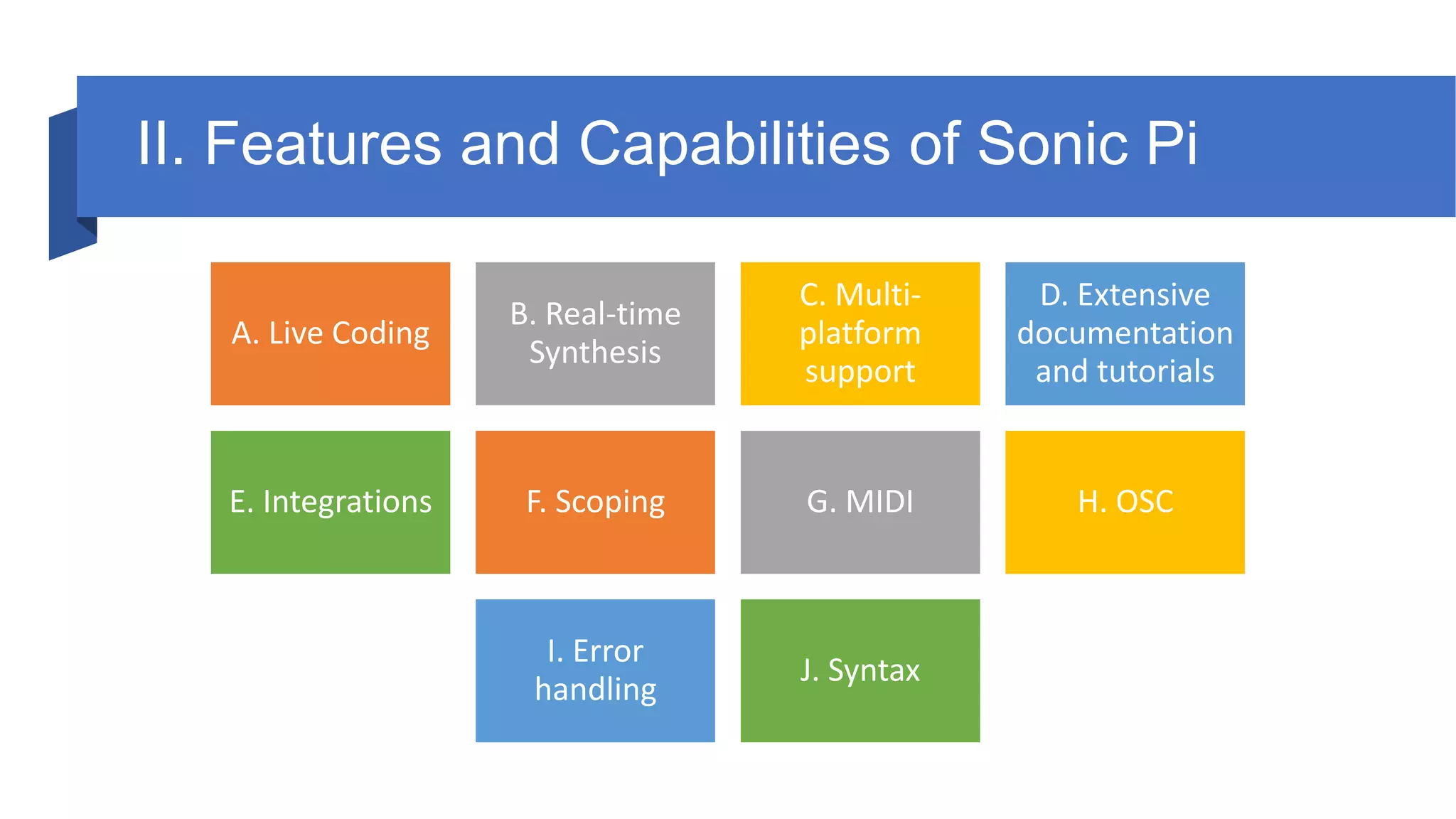
II. Features and Capabilities of Sonic Pi
A. Live Coding
B. Real-time
Synthesis
C. Multi-
platform
support
D. Extensive
documentation
and tutorials
E. Integrations F. Scoping G. MIDI H. OSC
I. Error
handling
J. Syntax
A. Live Coding:
• Sonic Pi allows users to create and modify music in
real-time through live coding.
• Changes made to the code are immediately reflected
in the sound output.
• This feature allows for spontaneous and dynamic
music creation.
B. Real-time Synthesis:
• Sonic Pi supports a range of sound synthesis
methods, including additive synthesis, subtractive
synthesis, and sample-based synthesis.
• Users can generate and manipulate sound in real-
time, allowing for live performance and improvisation.
C. Multi-
platform
support:
Sonic Pi is available on
multiple platforms, including
Windows, macOS, and Linux.
This makes it accessible to a
wide range of users,
regardless of their operating
system.
D. Extensive
documentation
and tutorials:
Sonic Pi provides
comprehensive documentation
and tutorials for users at all
levels of experience.
This includes tutorials on music
theory, sound synthesis, and
live coding techniques.
E. Integrations:
Sonic Pi can integrate with a
range of external hardware,
including MIDI controllers
and Raspberry Pi.
This allows for greater control
over sound manipulation and
performance.
F. Scoping:
• Sonic Pi uses a scoping system to allow users
to organize and manage their code.
• This feature allows for more complex
compositions and easier code maintenance.
G. MIDI:
Sonic Pi supports MIDI input
and output, allowing users to
connect to external MIDI
devices.
This feature allows for greater
control over sound output and
live performance.
H. OSC:
Sonic Pi supports Open Sound Control (OSC), a protocol for
communication between musical instruments and software.
This allows for more advanced sound manipulation and control.
I. Error handling:
Sonic Pi includes a comprehensive error-handling system to help
users troubleshoot and fix issues in their code.
This feature makes it easier for users to identify and correct errors
in their code.
J. Syntax:
Sonic Pi uses a simple and easy-to-learn syntax,
making it accessible to users with no prior coding
experience.
This feature allows for a wider range of users to
create their own music.
Download
Link
https://sonic-pi.net/
III. Setting up Sonic Pi on a
computer
A. Operating systems supported:
• Sonic Pi is supported on Windows, macOS, and Linux operating systems.
• The specific versions of each operating system that are compatible with Sonic Pi are listed on
the Sonic Pi website.
B. Download and installation instructions:
• To download Sonic Pi, visit the Sonic Pi website and select the appropriate version for your
operating system.
• Follow the instructions to download the software and run the installer.
• Once the installation is complete, open Sonic Pi and follow the prompts to set up your audio
output and MIDI devices.
• Sonic Pi is now ready to use.
IV. Sonic Pi Interface
This Photo by Unknown Author is licensed under CC BY-SA
Interface
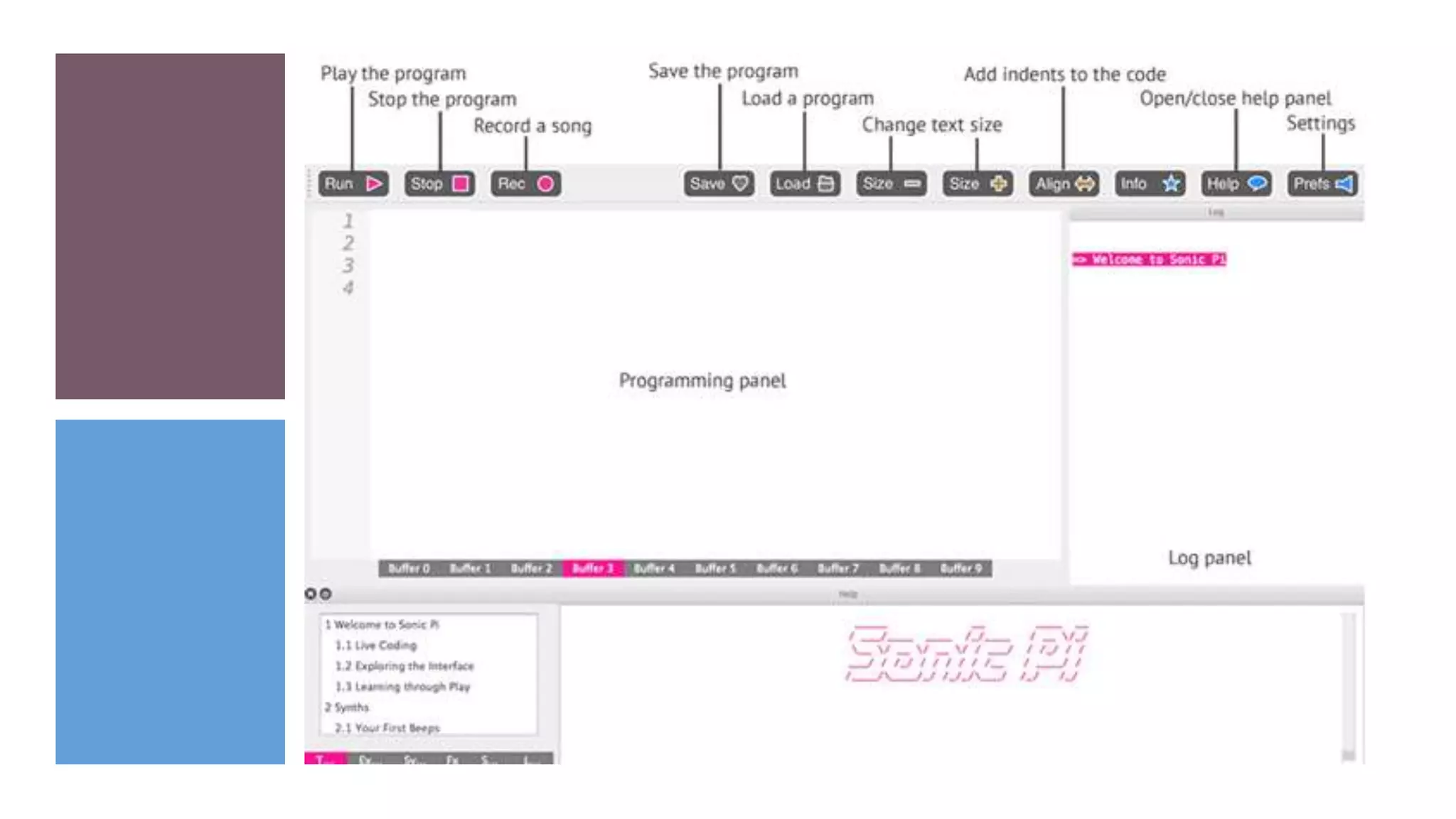
A. Programming Panel:
The Programming Panel is where users write their Sonic Pi code. It includes syntax
highlighting, error messages, and a built-in console for displaying output.
B. Output Panel:
The Output Panel is where users can visualize and manipulate their sound output.
It includes controls for adjusting volume, tempo, and effects.
C. Help Button:
The Help Button provides access to Sonic Pi's documentation and tutorials. It
includes links to resources for learning music theory, sound synthesis, and live
coding techniques.
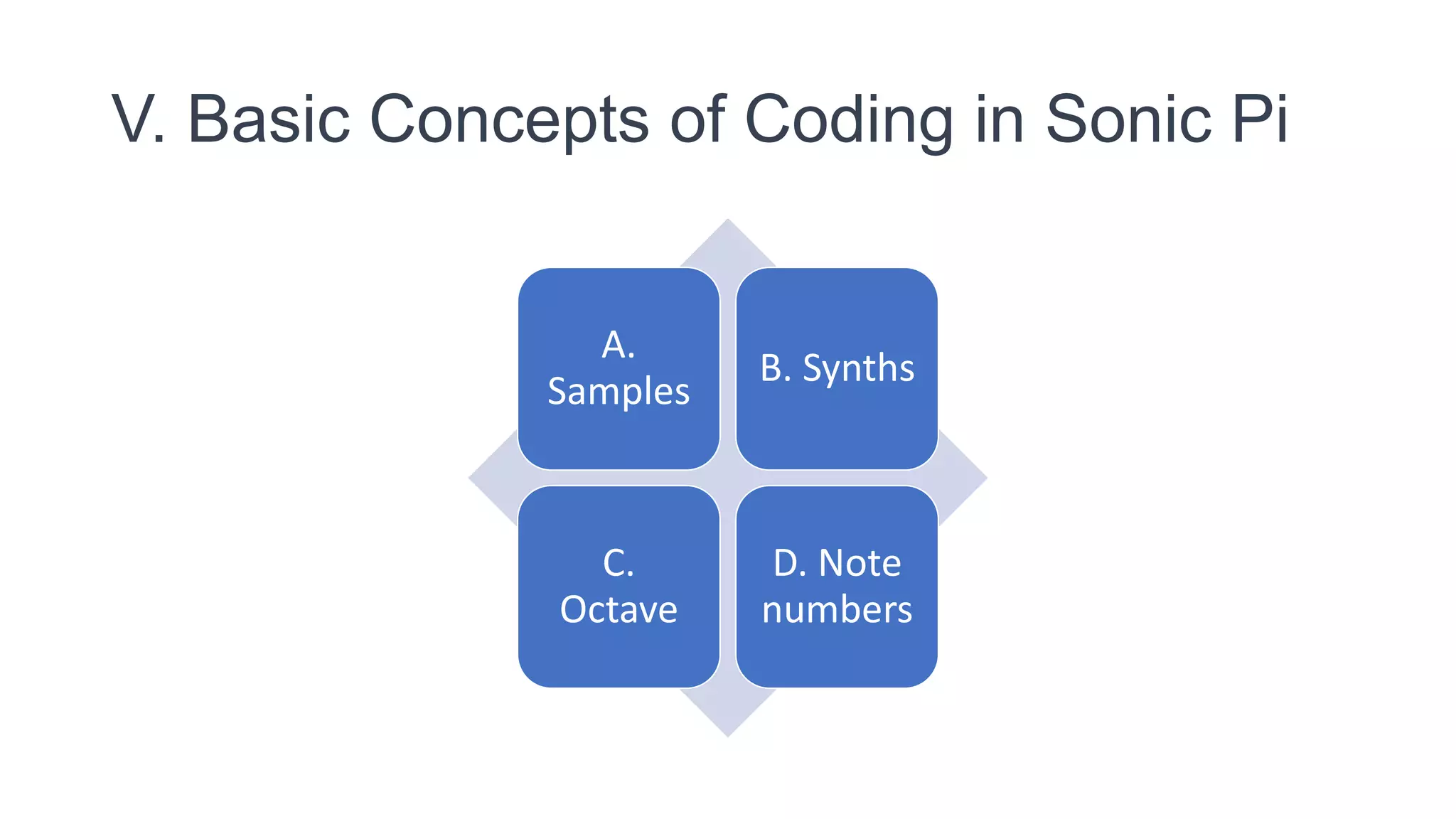
V. Basic Concepts of Coding in Sonic Pi
A.
Samples
B. Synths
C.
Octave
D. Note
numbers
A. Samples:
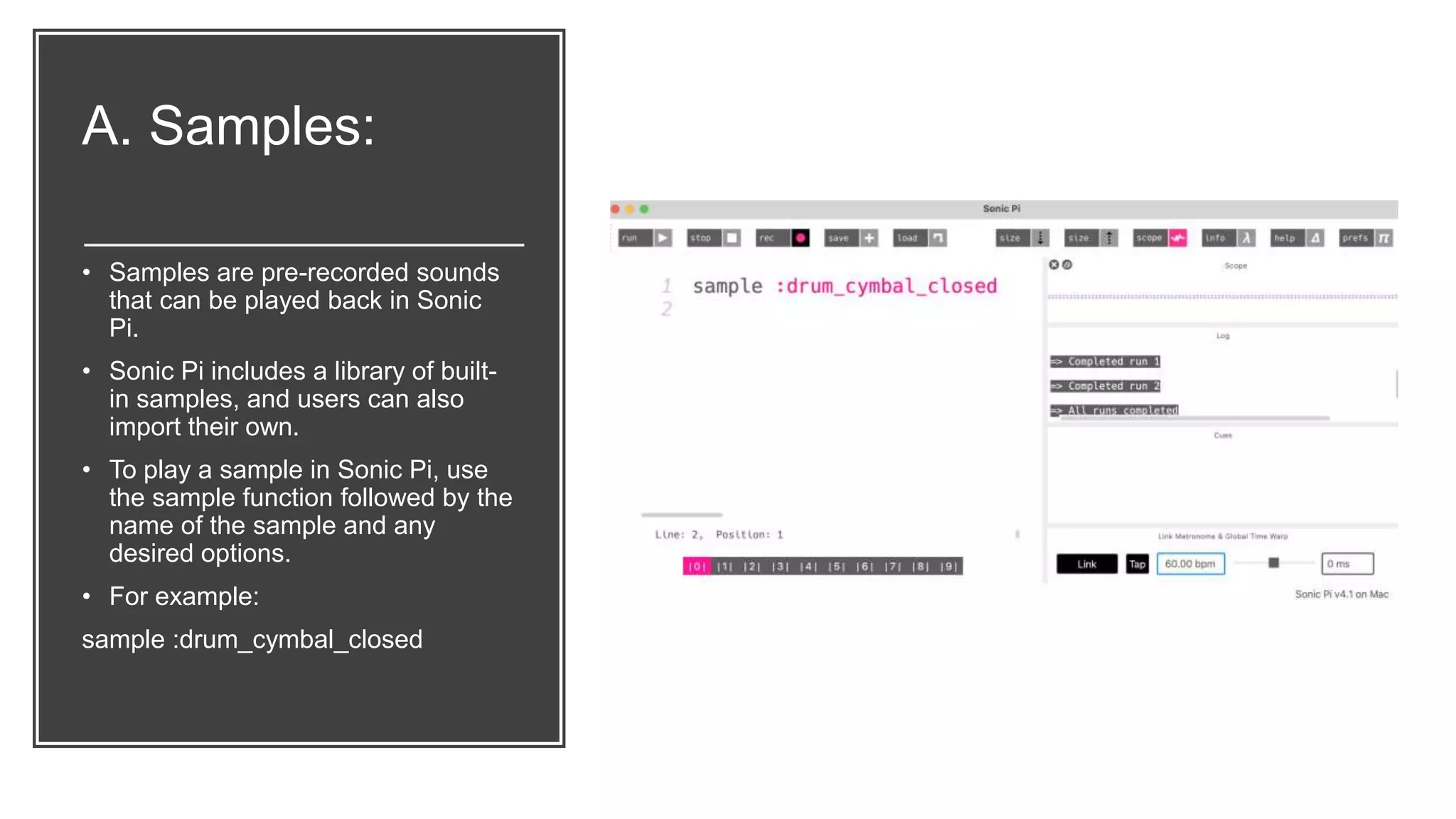
• Samples are pre-recorded sounds
that can be played back in Sonic
Pi.
• Sonic Pi includes a library of built-
in samples, and users can also
import their own.
• To play a sample in Sonic Pi, use
the sample function followed by the
name of the sample and any
desired options.
• For example:
sample :drum_cymbal_closed
B. Synths: • Synths are virtual
instruments that generate
sound in Sonic Pi.
• Sonic Pi includes a range
of built-in synths, and
users can also create their
own.
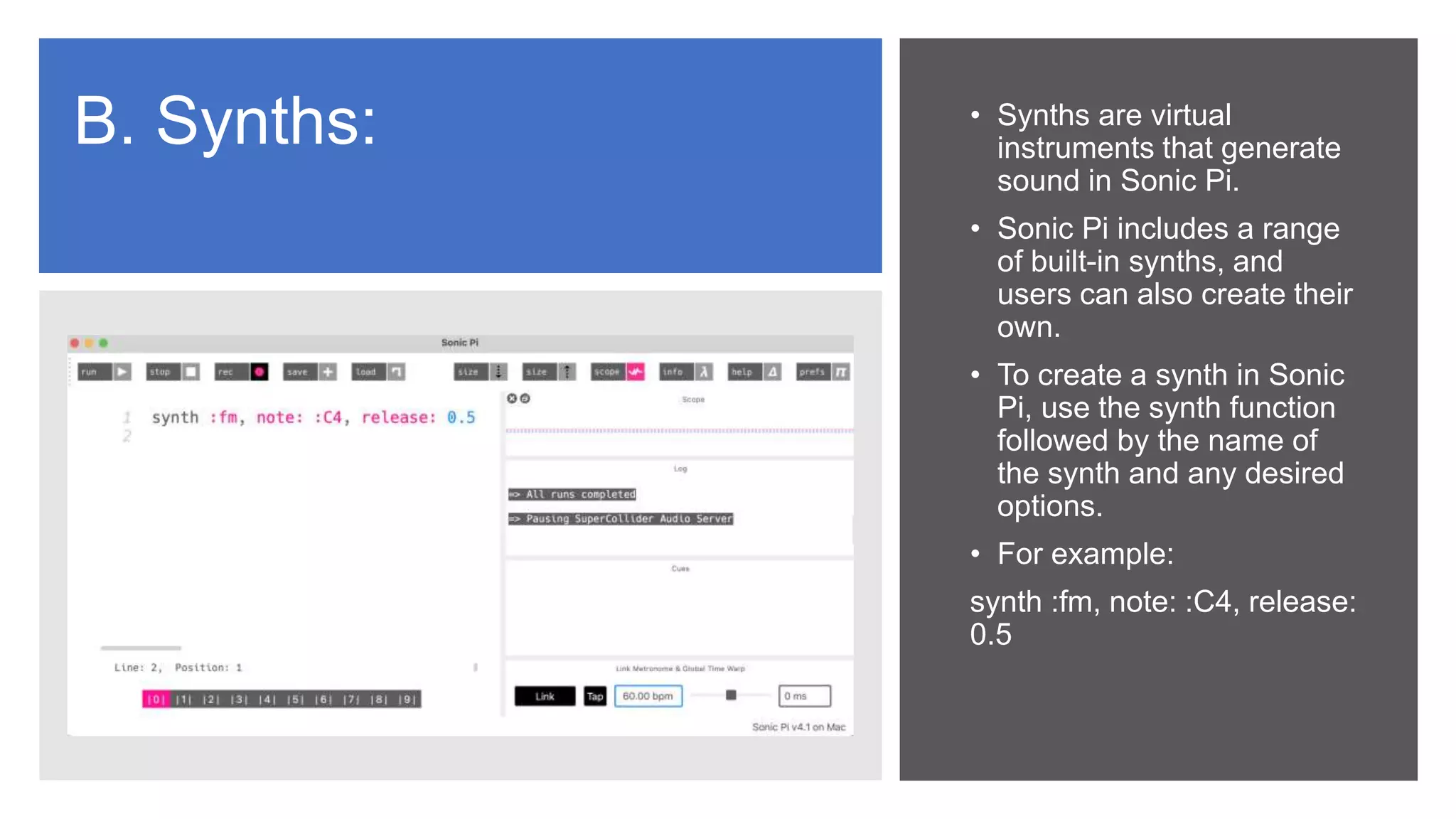
• To create a synth in Sonic
Pi, use the synth function
followed by the name of
the synth and any desired
options.
• For example:
synth :fm, note: :C4, release:
0.5
C. Octave: • In Sonic Pi, octaves refer
to the range of notes
between two specific
pitches.
• Octave 4, for example,
includes all the notes from
middle C to the B above it.
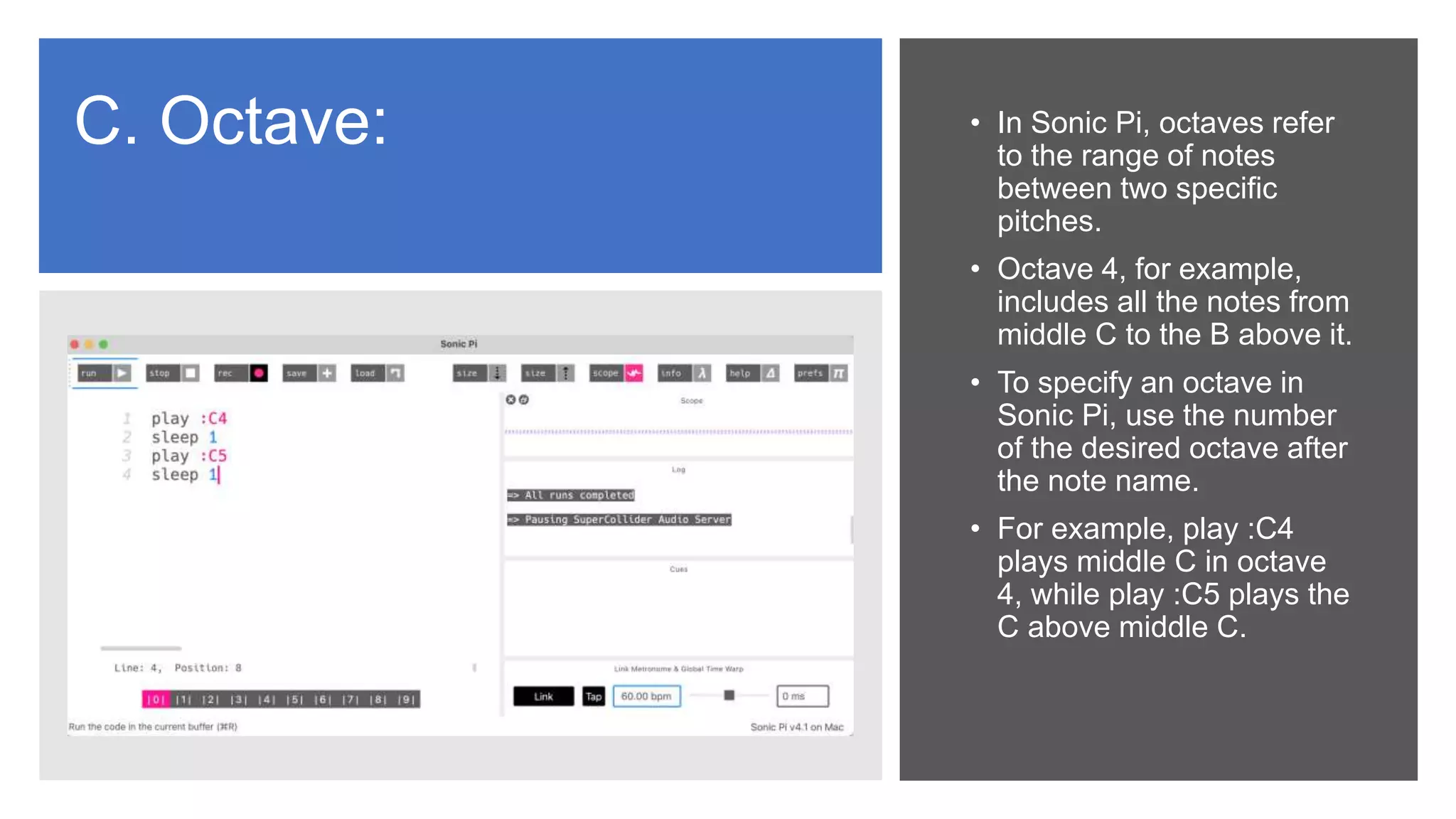
• To specify an octave in
Sonic Pi, use the number
of the desired octave after
the note name.
• For example, play :C4
plays middle C in octave
4, while play :C5 plays the
C above middle C.
D. Note numbers:
• Sonic Pi uses note numbers
to represent specific
pitches.
• Each note has a
corresponding number,
which can be used to
generate or modify sound
output.
• Sonic Pi uses MIDI note
numbers to represent
specific pitches.
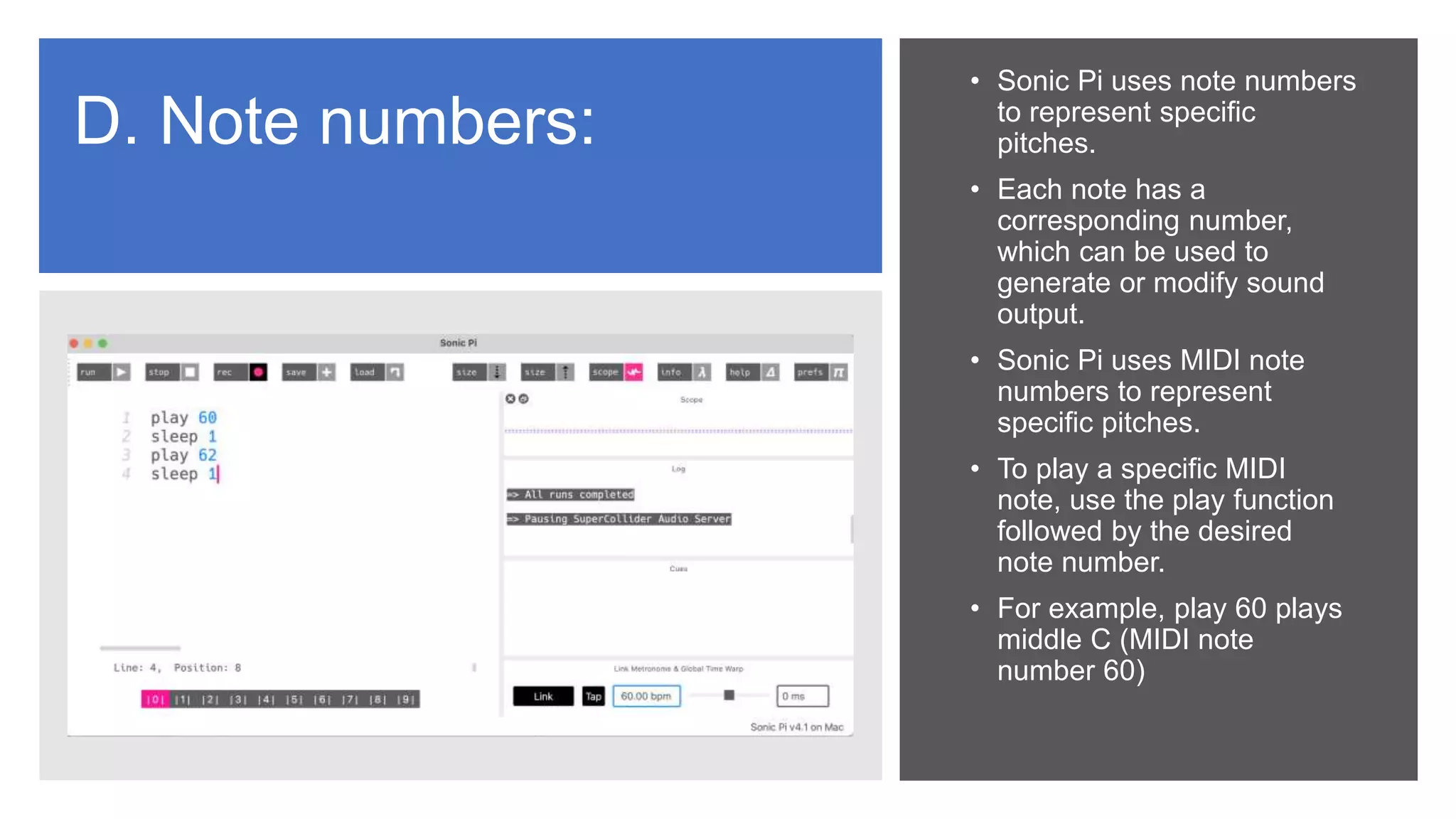
• To play a specific MIDI
note, use the play function
followed by the desired
note number.
• For example, play 60 plays
middle C (MIDI note
number 60)
Classroom
Activities
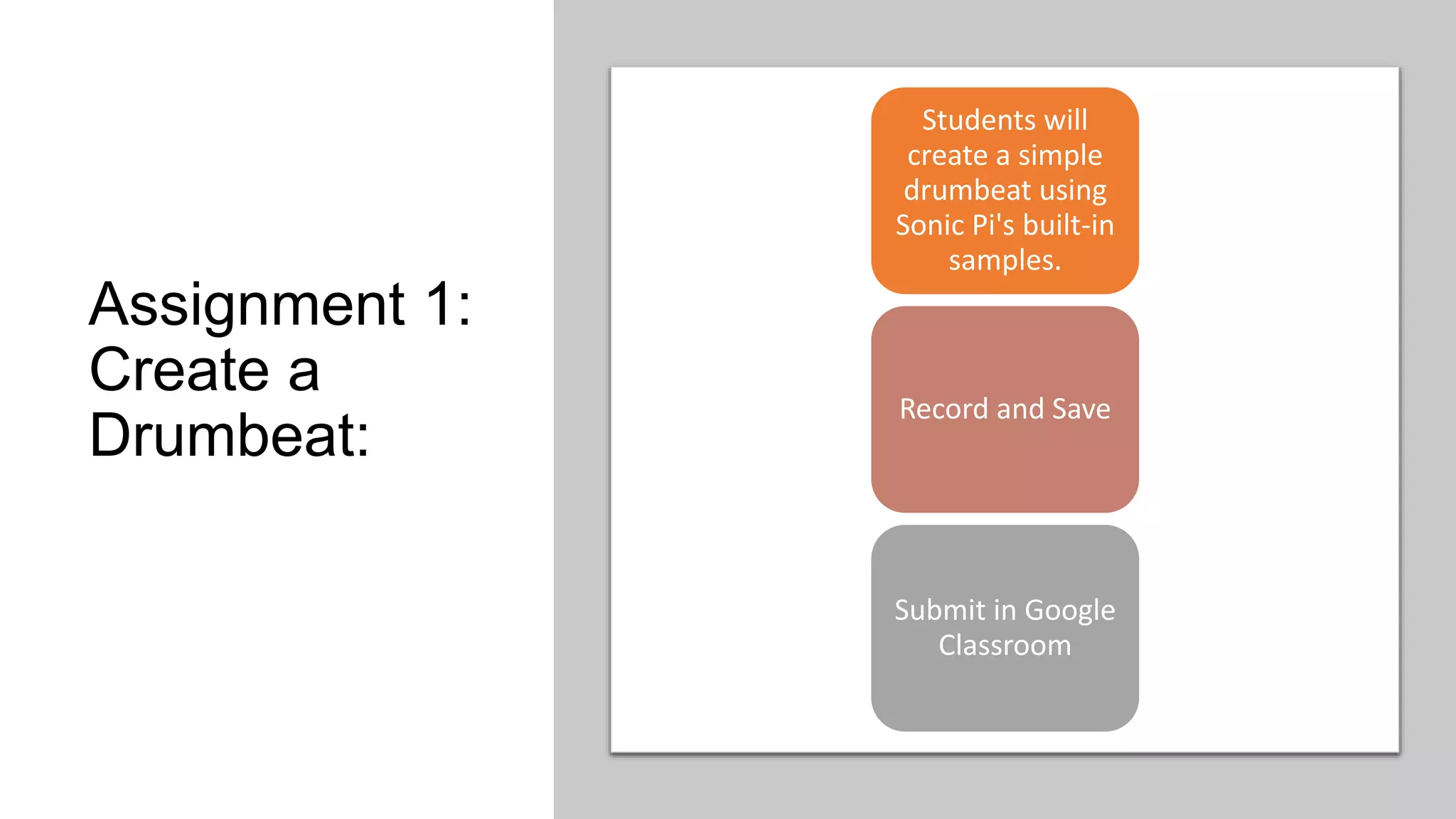
Assignment 1:
Create a
Drumbeat:
Students will
create a simple
drumbeat using
Sonic Pi's built-in
samples.
Record and Save
Submit in Google
Classroom
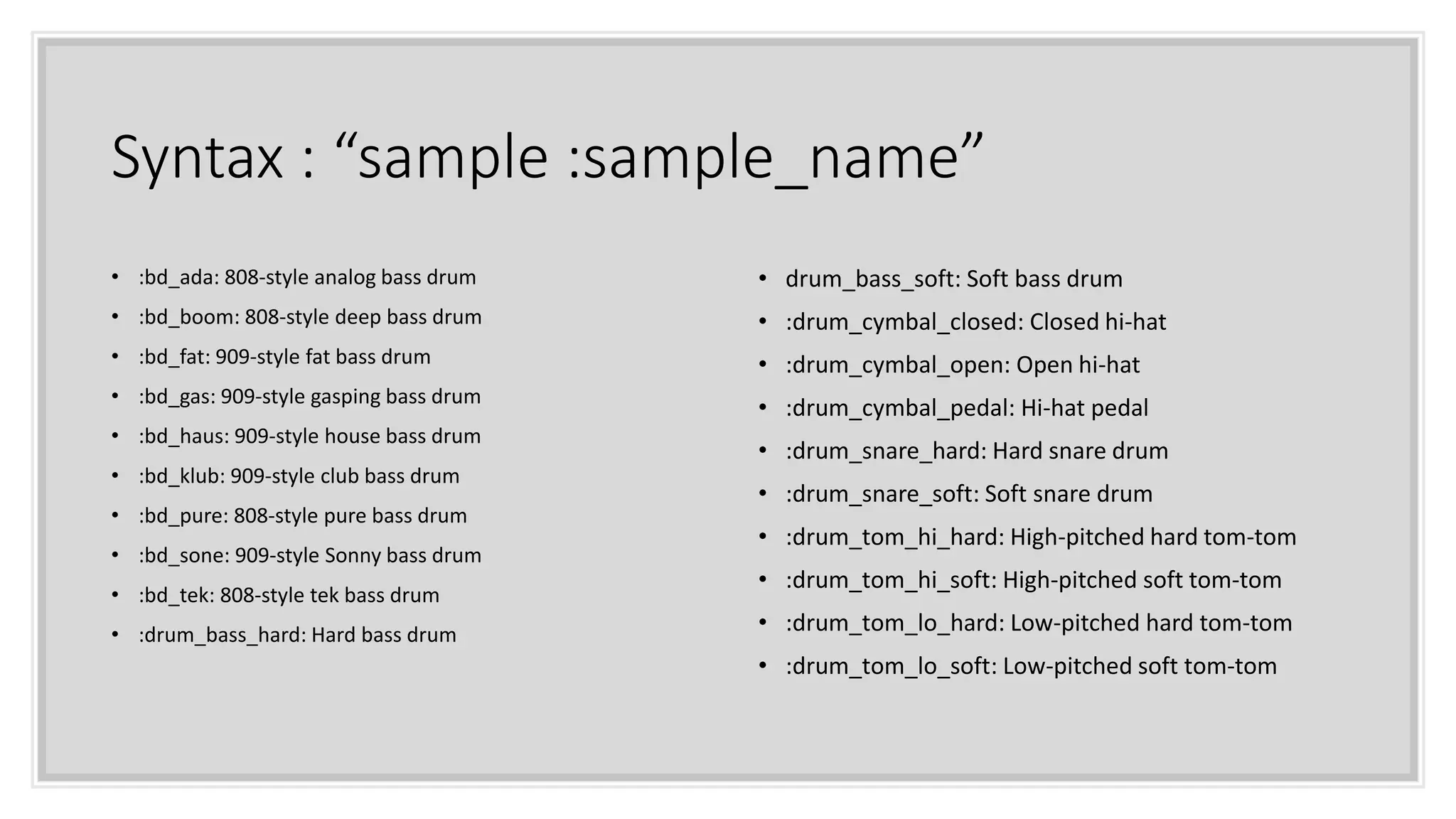
Syntax : “sample :sample_name”
• :bd_ada: 808-style analog bass drum
• :bd_boom: 808-style deep bass drum
• :bd_fat: 909-style fat bass drum
• :bd_gas: 909-style gasping bass drum
• :bd_haus: 909-style house bass drum
• :bd_klub: 909-style club bass drum
• :bd_pure: 808-style pure bass drum
• :bd_sone: 909-style Sonny bass drum
• :bd_tek: 808-style tek bass drum
• :drum_bass_hard: Hard bass drum
• drum_bass_soft: Soft bass drum
• :drum_cymbal_closed: Closed hi-hat
• :drum_cymbal_open: Open hi-hat
• :drum_cymbal_pedal: Hi-hat pedal
• :drum_snare_hard: Hard snare drum
• :drum_snare_soft: Soft snare drum
• :drum_tom_hi_hard: High-pitched hard tom-tom
• :drum_tom_hi_soft: High-pitched soft tom-tom
• :drum_tom_lo_hard: Low-pitched hard tom-tom
• :drum_tom_lo_soft: Low-pitched soft tom-tom
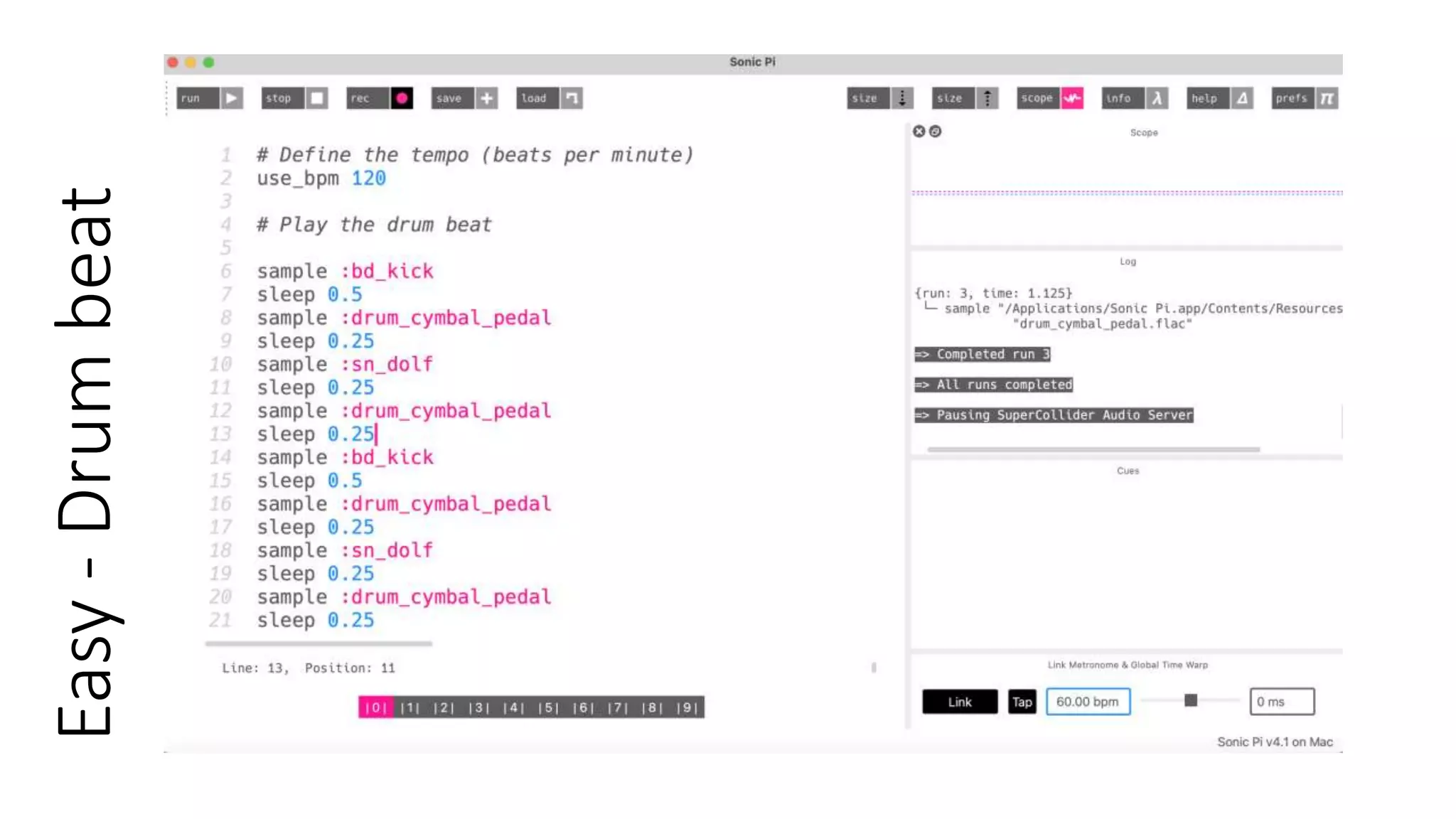
Easy
-
Drum
beat
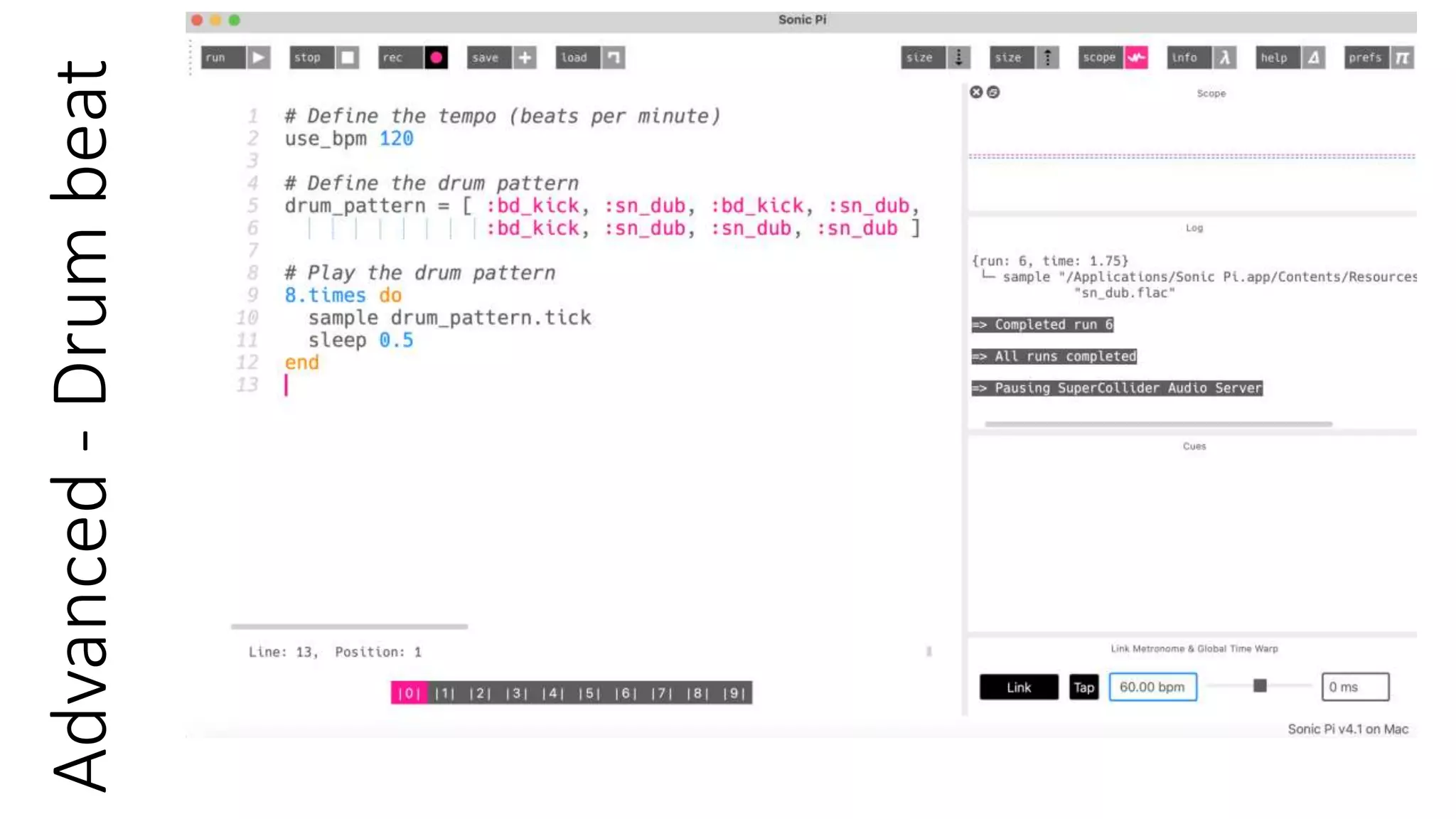
Advanced
-
Drum
beat
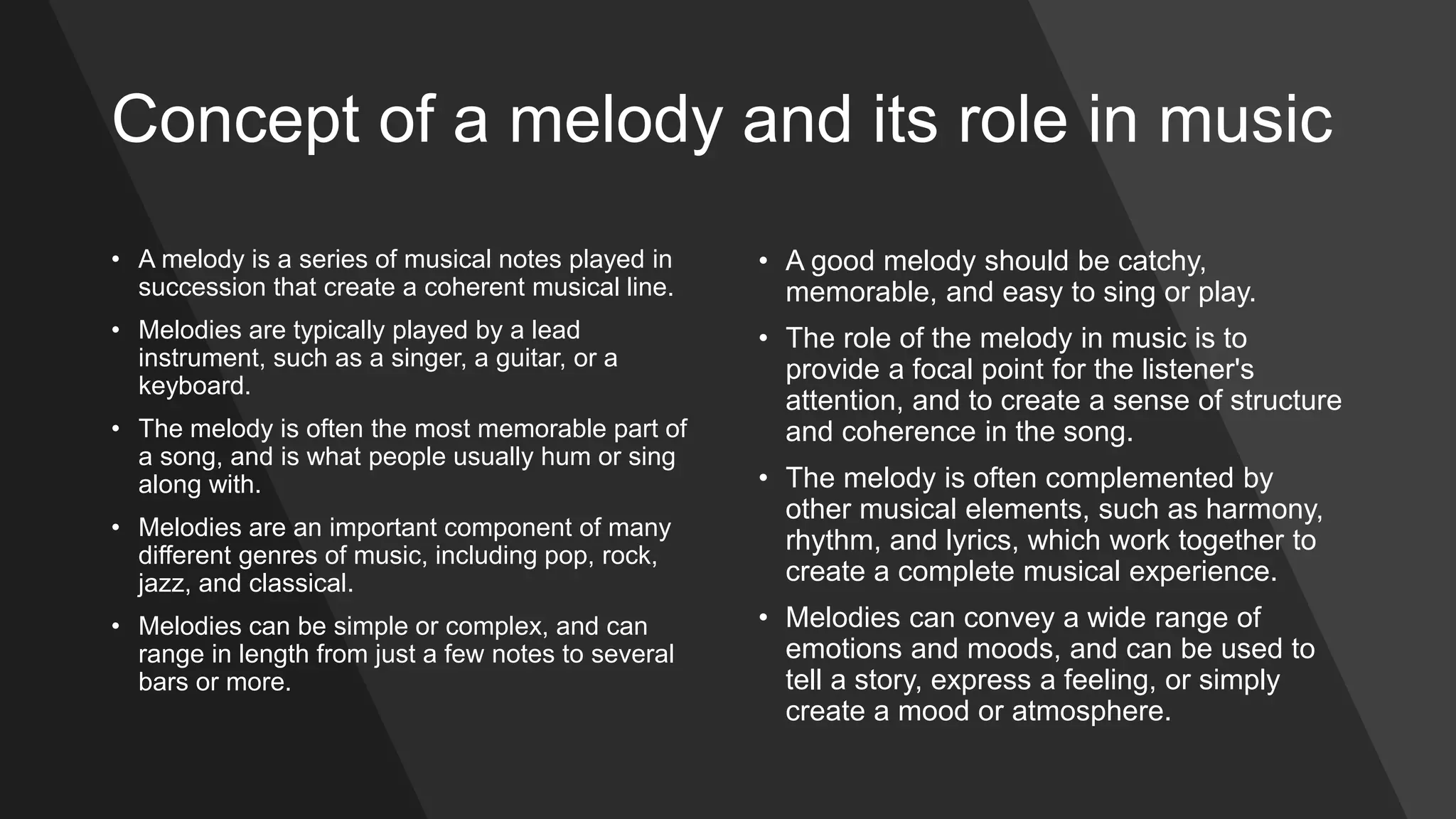
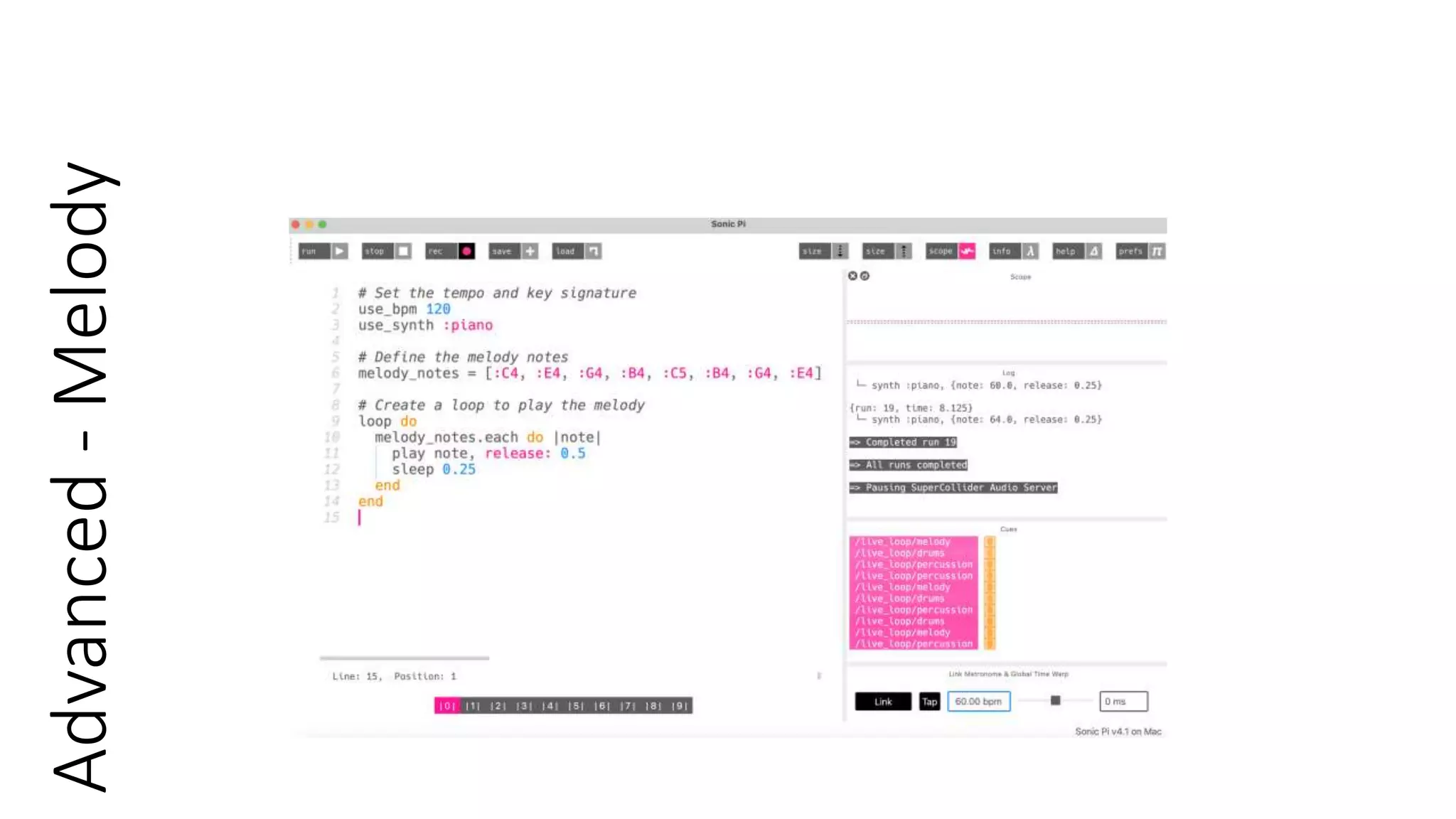
Concept of a melody and its role in music
• A melody is a series of musical notes played in
succession that create a coherent musical line.
• Melodies are typically played by a lead
instrument, such as a singer, a guitar, or a
keyboard.
• The melody is often the most memorable part of
a song, and is what people usually hum or sing
along with.
• Melodies are an important component of many
different genres of music, including pop, rock,
jazz, and classical.
• Melodies can be simple or complex, and can
range in length from just a few notes to several
bars or more.
• A good melody should be catchy,
memorable, and easy to sing or play.
• The role of the melody in music is to
provide a focal point for the listener's
attention, and to create a sense of structure
and coherence in the song.
• The melody is often complemented by
other musical elements, such as harmony,
rhythm, and lyrics, which work together to
create a complete musical experience.
• Melodies can convey a wide range of
emotions and moods, and can be used to
tell a story, express a feeling, or simply
create a mood or atmosphere.
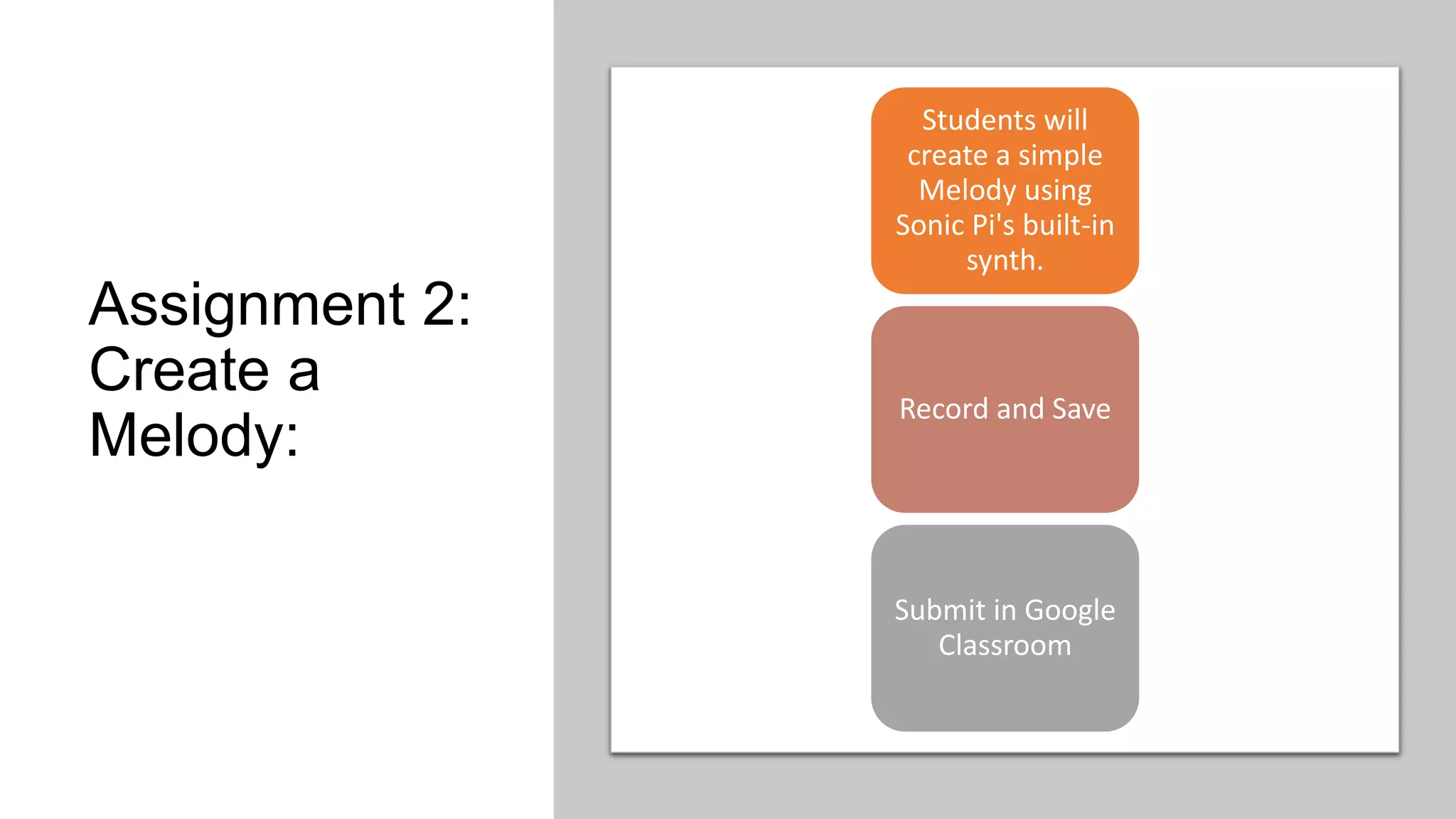
Assignment 2:
Create a
Melody:
Students will
create a simple
Melody using
Sonic Pi's built-in
synth.
Record and Save
Submit in Google
Classroom
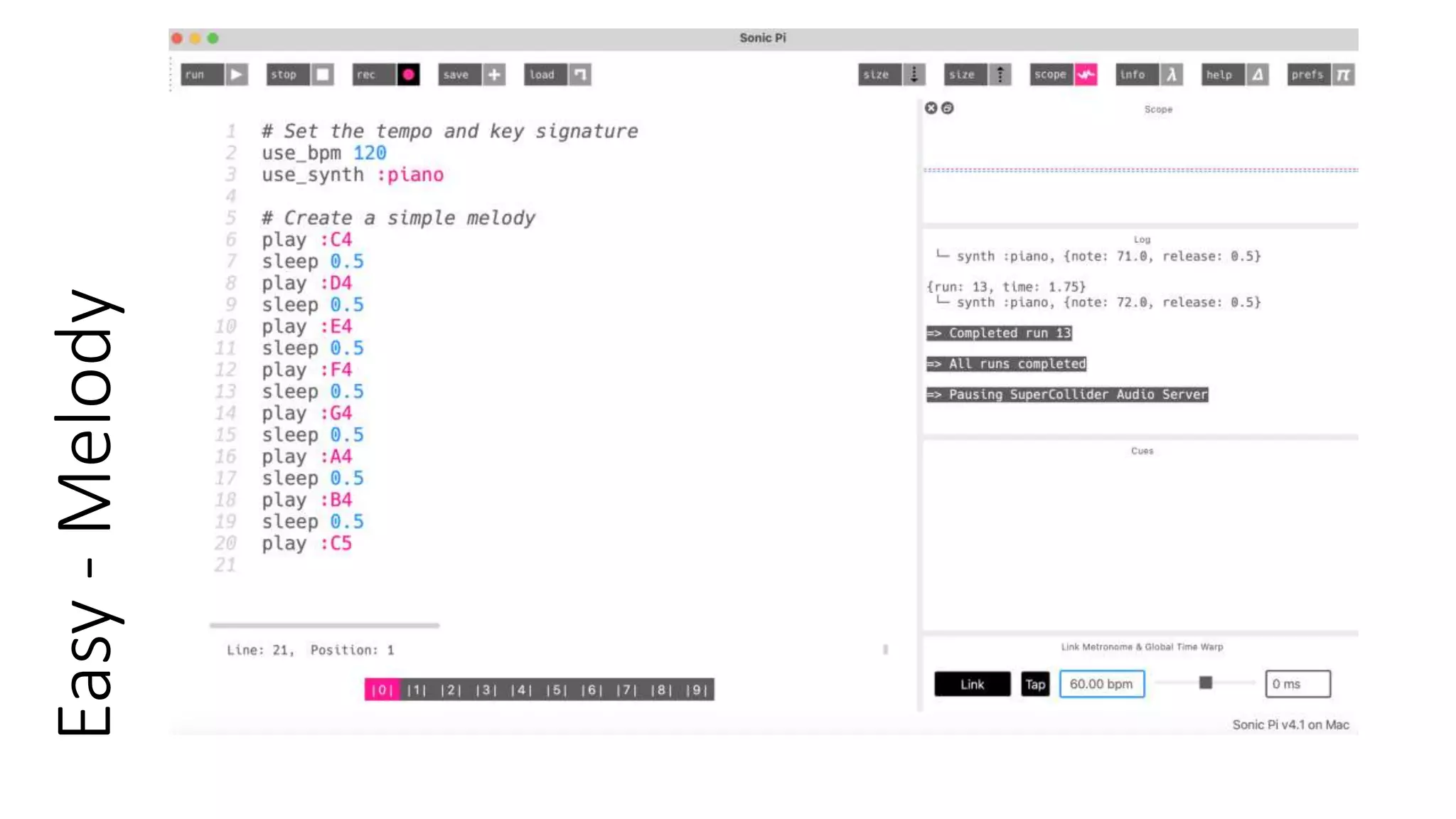
Easy
-
Melody
Advanced
-
Melody
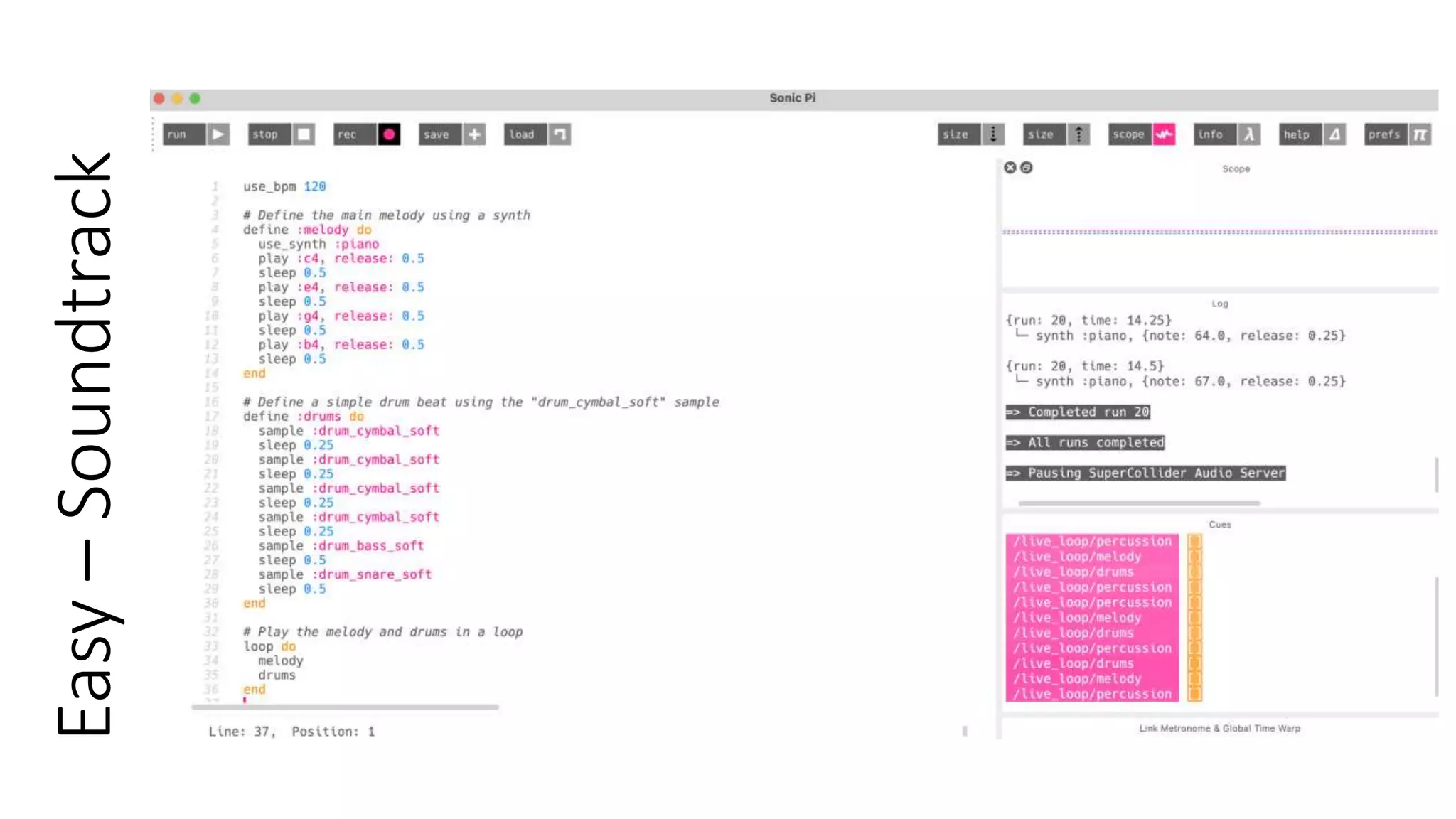
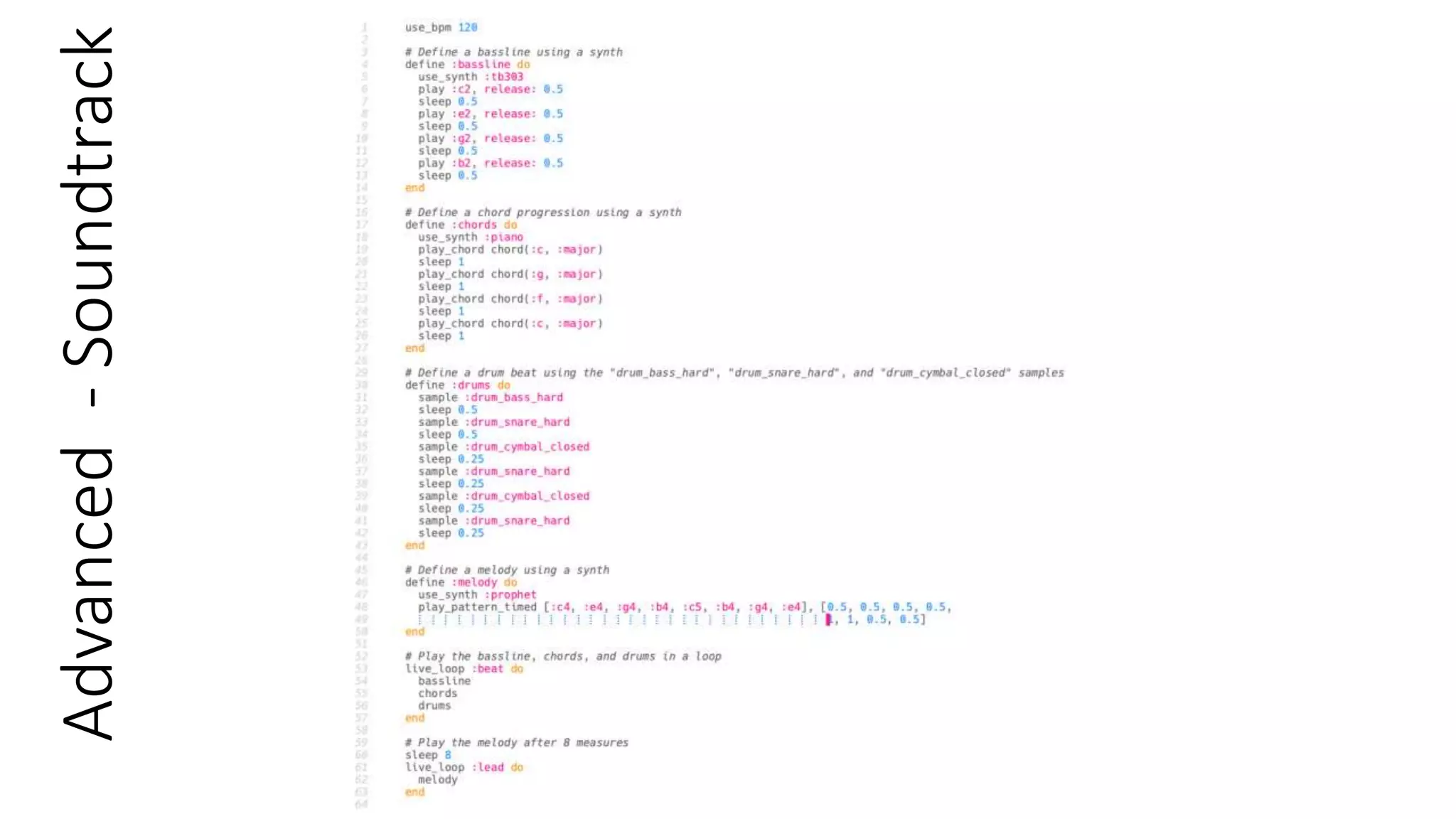
The concept of a soundtrack and the role
that it plays in movies and other media.
• A soundtrack is the musical accompaniment to a
movie, television show, video game, or other media
production.
• It includes a variety of musical elements, such as
songs, instrumental pieces, sound effects, and
dialogue.
• Soundtracks are an important aspect of media
productions, as they can help to set the tone, convey
emotions, and enhance the overall experience for the
audience.
• In movies and television shows, soundtracks are often
composed specifically for the production by a
composer or musical team. They may also feature pre-
existing songs and tracks that are licensed for use in
the production.
• Video game soundtracks are often created with
interactive elements that change depending on
the player's actions or the game's environment.
• Soundtracks can also be used as a marketing
tool for media productions, as popular songs or
artists can help to attract a wider audience.
• The success of a soundtrack can also lead to a
boost in popularity for the artists featured on it,
and may lead to increased sales of their music.
• Soundtracks have become a popular form of
music consumption in their own right, with many
albums and playlists featuring popular songs
from movies and other media productions.
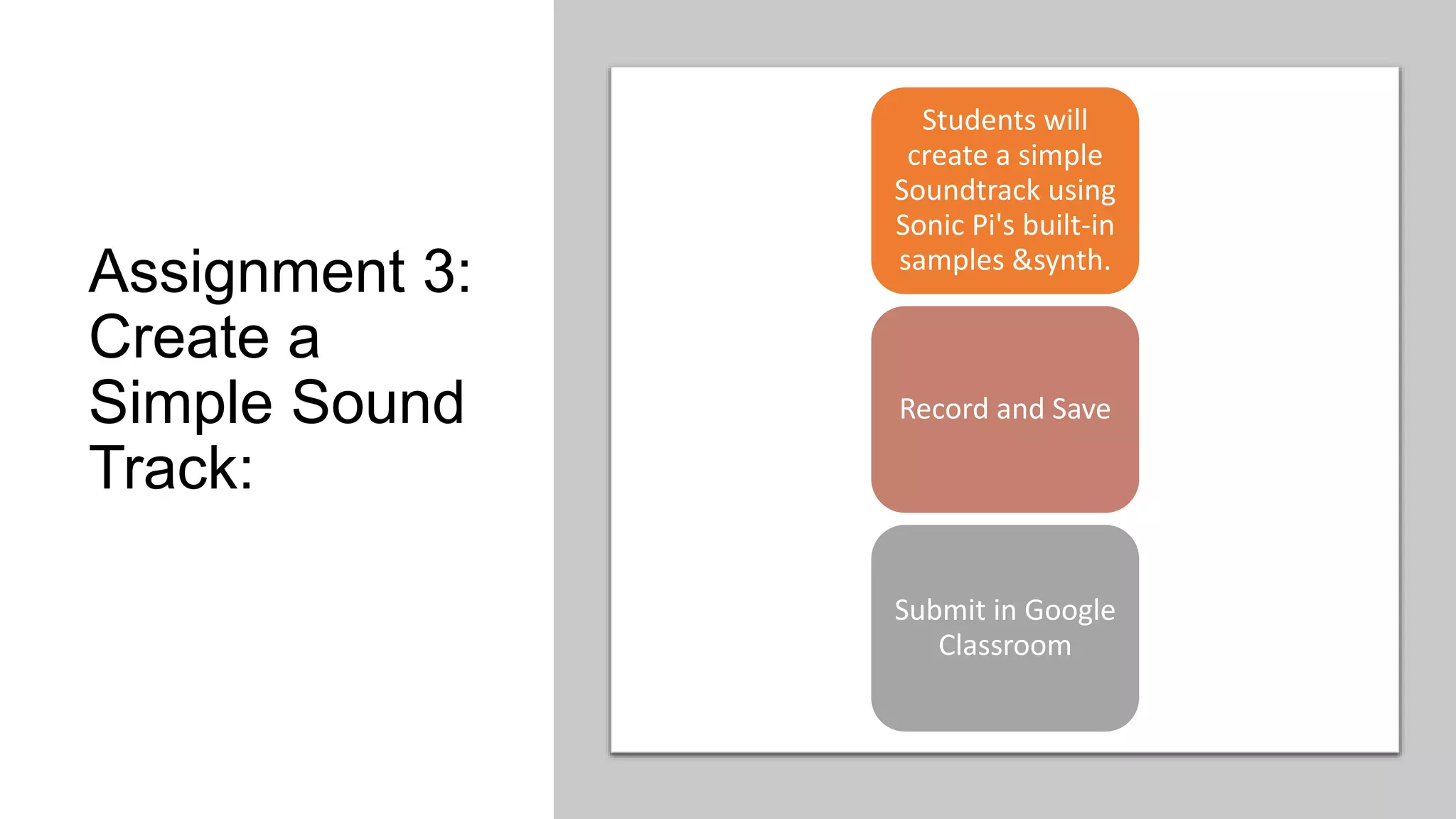
Assignment 3:
Create a
Simple Sound
Track:
Students will
create a simple
Soundtrack using
Sonic Pi's built-in
samples &synth.
Record and Save
Submit in Google
Classroom
Easy
–
Soundtrack
Advanced
-
Soundtrack
Assessmen
t
Students will be assessed on the creativity
and complexity of their mashup, as well as
their use of Sonic Pi commands to achieve
their desired sound. They will also be
evaluated on their ability to explain their
creative process and the reasoning behind
their musical choices.

Sonic Pi - Lecture 1 (Presentation).pptx

  • 1.
    Introduction to SonicPi A Code-Based Music Creation Tool
  • 2.
  • 3.
    Definition of SonicPi and its capabilities Sonic Pi is an open-source software synthesizer and live coding environment designed for creating music using code. It allows users to write code to generate sound and manipulate MIDI signals in real-time. Sonic Pi supports a range of sound synthesis methods, including additive synthesis, subtractive synthesis, and sample-based synthesis. It also features built-in effects such as reverb, delay, and distortion, and supports external plugins. The software can be used to create a variety of musical genres, from electronic and experimental to classical and orchestral.
  • 4.
    Brief background aboutSonic Pi and its creator: Sonic Pi was created by British computer scientist Sam Aaron, who was inspired by his experiences as a DJ and musician. Aaron developed Sonic Pi as part of his PhD research at the University of Cambridge, with the aim of making music creation more accessible and inclusive. The first version of Sonic Pi was released in 2012, and it has since gained a large following in the coding and music communities. In addition to developing Sonic Pi, Aaron is also a performer, educator, and advocate for music technology education. This Photo by Unknown Author is licensed under CC BY
  • 5.
    Importance of Sonic Piin music creation Sonic Pi has been praised for its ability to bridge the gap between music and technology, making it easier for people with no musical background to create their own music. The software has been used in a range of educational contexts, from teaching coding to young children to training professional musicians in new techniques. Sonic Pi has also been used in live performances by musicians and artists around the world, allowing them to create and manipulate sounds in real-time. The open-source nature of Sonic Pi has also led to the creation of a vibrant community of users and contributors, who share code, tutorials, and music online.
  • 6.
    II. Features andCapabilities of Sonic Pi A. Live Coding B. Real-time Synthesis C. Multi- platform support D. Extensive documentation and tutorials E. Integrations F. Scoping G. MIDI H. OSC I. Error handling J. Syntax
  • 7.
    A. Live Coding: •Sonic Pi allows users to create and modify music in real-time through live coding. • Changes made to the code are immediately reflected in the sound output. • This feature allows for spontaneous and dynamic music creation.
  • 8.
    B. Real-time Synthesis: •Sonic Pi supports a range of sound synthesis methods, including additive synthesis, subtractive synthesis, and sample-based synthesis. • Users can generate and manipulate sound in real- time, allowing for live performance and improvisation.
  • 9.
    C. Multi- platform support: Sonic Piis available on multiple platforms, including Windows, macOS, and Linux. This makes it accessible to a wide range of users, regardless of their operating system.
  • 10.
    D. Extensive documentation and tutorials: SonicPi provides comprehensive documentation and tutorials for users at all levels of experience. This includes tutorials on music theory, sound synthesis, and live coding techniques.
  • 11.
    E. Integrations: Sonic Pican integrate with a range of external hardware, including MIDI controllers and Raspberry Pi. This allows for greater control over sound manipulation and performance.
  • 12.
    F. Scoping: • SonicPi uses a scoping system to allow users to organize and manage their code. • This feature allows for more complex compositions and easier code maintenance.
  • 13.
    G. MIDI: Sonic Pisupports MIDI input and output, allowing users to connect to external MIDI devices. This feature allows for greater control over sound output and live performance.
  • 14.
    H. OSC: Sonic Pisupports Open Sound Control (OSC), a protocol for communication between musical instruments and software. This allows for more advanced sound manipulation and control.
  • 15.
    I. Error handling: SonicPi includes a comprehensive error-handling system to help users troubleshoot and fix issues in their code. This feature makes it easier for users to identify and correct errors in their code.
  • 16.
    J. Syntax: Sonic Piuses a simple and easy-to-learn syntax, making it accessible to users with no prior coding experience. This feature allows for a wider range of users to create their own music.
  • 17.
  • 18.
    III. Setting upSonic Pi on a computer A. Operating systems supported: • Sonic Pi is supported on Windows, macOS, and Linux operating systems. • The specific versions of each operating system that are compatible with Sonic Pi are listed on the Sonic Pi website. B. Download and installation instructions: • To download Sonic Pi, visit the Sonic Pi website and select the appropriate version for your operating system. • Follow the instructions to download the software and run the installer. • Once the installation is complete, open Sonic Pi and follow the prompts to set up your audio output and MIDI devices. • Sonic Pi is now ready to use.
  • 19.
    IV. Sonic PiInterface This Photo by Unknown Author is licensed under CC BY-SA
  • 21.
    Interface A. Programming Panel: TheProgramming Panel is where users write their Sonic Pi code. It includes syntax highlighting, error messages, and a built-in console for displaying output. B. Output Panel: The Output Panel is where users can visualize and manipulate their sound output. It includes controls for adjusting volume, tempo, and effects. C. Help Button: The Help Button provides access to Sonic Pi's documentation and tutorials. It includes links to resources for learning music theory, sound synthesis, and live coding techniques.
  • 22.
    V. Basic Conceptsof Coding in Sonic Pi A. Samples B. Synths C. Octave D. Note numbers
  • 23.
    A. Samples: • Samplesare pre-recorded sounds that can be played back in Sonic Pi. • Sonic Pi includes a library of built- in samples, and users can also import their own. • To play a sample in Sonic Pi, use the sample function followed by the name of the sample and any desired options. • For example: sample :drum_cymbal_closed
  • 24.
    B. Synths: •Synths are virtual instruments that generate sound in Sonic Pi. • Sonic Pi includes a range of built-in synths, and users can also create their own. • To create a synth in Sonic Pi, use the synth function followed by the name of the synth and any desired options. • For example: synth :fm, note: :C4, release: 0.5
  • 25.
    C. Octave: •In Sonic Pi, octaves refer to the range of notes between two specific pitches. • Octave 4, for example, includes all the notes from middle C to the B above it. • To specify an octave in Sonic Pi, use the number of the desired octave after the note name. • For example, play :C4 plays middle C in octave 4, while play :C5 plays the C above middle C.
  • 26.
    D. Note numbers: •Sonic Pi uses note numbers to represent specific pitches. • Each note has a corresponding number, which can be used to generate or modify sound output. • Sonic Pi uses MIDI note numbers to represent specific pitches. • To play a specific MIDI note, use the play function followed by the desired note number. • For example, play 60 plays middle C (MIDI note number 60)
  • 27.
  • 28.
    Assignment 1: Create a Drumbeat: Studentswill create a simple drumbeat using Sonic Pi's built-in samples. Record and Save Submit in Google Classroom
  • 29.
    Syntax : “sample:sample_name” • :bd_ada: 808-style analog bass drum • :bd_boom: 808-style deep bass drum • :bd_fat: 909-style fat bass drum • :bd_gas: 909-style gasping bass drum • :bd_haus: 909-style house bass drum • :bd_klub: 909-style club bass drum • :bd_pure: 808-style pure bass drum • :bd_sone: 909-style Sonny bass drum • :bd_tek: 808-style tek bass drum • :drum_bass_hard: Hard bass drum • drum_bass_soft: Soft bass drum • :drum_cymbal_closed: Closed hi-hat • :drum_cymbal_open: Open hi-hat • :drum_cymbal_pedal: Hi-hat pedal • :drum_snare_hard: Hard snare drum • :drum_snare_soft: Soft snare drum • :drum_tom_hi_hard: High-pitched hard tom-tom • :drum_tom_hi_soft: High-pitched soft tom-tom • :drum_tom_lo_hard: Low-pitched hard tom-tom • :drum_tom_lo_soft: Low-pitched soft tom-tom
  • 30.
  • 31.
  • 32.
    Concept of amelody and its role in music • A melody is a series of musical notes played in succession that create a coherent musical line. • Melodies are typically played by a lead instrument, such as a singer, a guitar, or a keyboard. • The melody is often the most memorable part of a song, and is what people usually hum or sing along with. • Melodies are an important component of many different genres of music, including pop, rock, jazz, and classical. • Melodies can be simple or complex, and can range in length from just a few notes to several bars or more. • A good melody should be catchy, memorable, and easy to sing or play. • The role of the melody in music is to provide a focal point for the listener's attention, and to create a sense of structure and coherence in the song. • The melody is often complemented by other musical elements, such as harmony, rhythm, and lyrics, which work together to create a complete musical experience. • Melodies can convey a wide range of emotions and moods, and can be used to tell a story, express a feeling, or simply create a mood or atmosphere.
  • 33.
    Assignment 2: Create a Melody: Studentswill create a simple Melody using Sonic Pi's built-in synth. Record and Save Submit in Google Classroom
  • 34.
  • 35.
  • 36.
    The concept ofa soundtrack and the role that it plays in movies and other media. • A soundtrack is the musical accompaniment to a movie, television show, video game, or other media production. • It includes a variety of musical elements, such as songs, instrumental pieces, sound effects, and dialogue. • Soundtracks are an important aspect of media productions, as they can help to set the tone, convey emotions, and enhance the overall experience for the audience. • In movies and television shows, soundtracks are often composed specifically for the production by a composer or musical team. They may also feature pre- existing songs and tracks that are licensed for use in the production. • Video game soundtracks are often created with interactive elements that change depending on the player's actions or the game's environment. • Soundtracks can also be used as a marketing tool for media productions, as popular songs or artists can help to attract a wider audience. • The success of a soundtrack can also lead to a boost in popularity for the artists featured on it, and may lead to increased sales of their music. • Soundtracks have become a popular form of music consumption in their own right, with many albums and playlists featuring popular songs from movies and other media productions.
  • 37.
    Assignment 3: Create a SimpleSound Track: Students will create a simple Soundtrack using Sonic Pi's built-in samples &synth. Record and Save Submit in Google Classroom
  • 38.
  • 39.
  • 40.
    Assessmen t Students will beassessed on the creativity and complexity of their mashup, as well as their use of Sonic Pi commands to achieve their desired sound. They will also be evaluated on their ability to explain their creative process and the reasoning behind their musical choices.