Chapter 5-Sound
Overview
 Introduction to sound.
 Multimedia system sound.
 Digital audio.
 MIDI audio.
 Audio file formats.
Overview
 MIDI versus digital audio.
 Adding sound to multimedia project.
 Professional sound.
 Production tips.
Introduction to Sound
 Vibrations in the air create waves of pressure that are perceived as sound.
 Sound waves vary in sound pressure level (amplitude) and in frequency or
pitch.
 ‘Acoustics’ is the branch of physics that studies sound.
 Sound pressure levels (loudness or volume) are measured in decibels (dB).
 A dB measurement is actually the ratio b/w a chosen reference point on a
logarithmic scale and the level that is actually experienced.
Multimedia System Sound
 System sounds are assigned to various system events such as
startup and warnings, among others.
 Macintosh provides several system sound options such as glass,
indigo, laugh.
 In Windows, available system sounds include start.wav,
chimes.wav, and chord.wav.
 Multimedia sound is either digitally recorded audio or MIDI
(Musical Instrumental Digital Interface) music.
Digital Audio
 Digital audio data is the actual representation of sound,
stored in the form of samples.
 Samples represent the amplitude (or loudness) of sound at
a discrete point in time.
 Quality of digital recording depends on the sampling rate,
(or frequency) that is, the number of samples taken per
second.
Digital Audio
 The three sampling frequencies most often used in
multimedia are CD-quality 44.1 kHz, 22.05 kHz and 11.025
kHz.
 The number of bits used to describe the amplitude of sound
wave when sampled, determines the sample size.
 Digital audio is device independent.
 The value of each sample is rounded off to the nearest
integer (quantization).
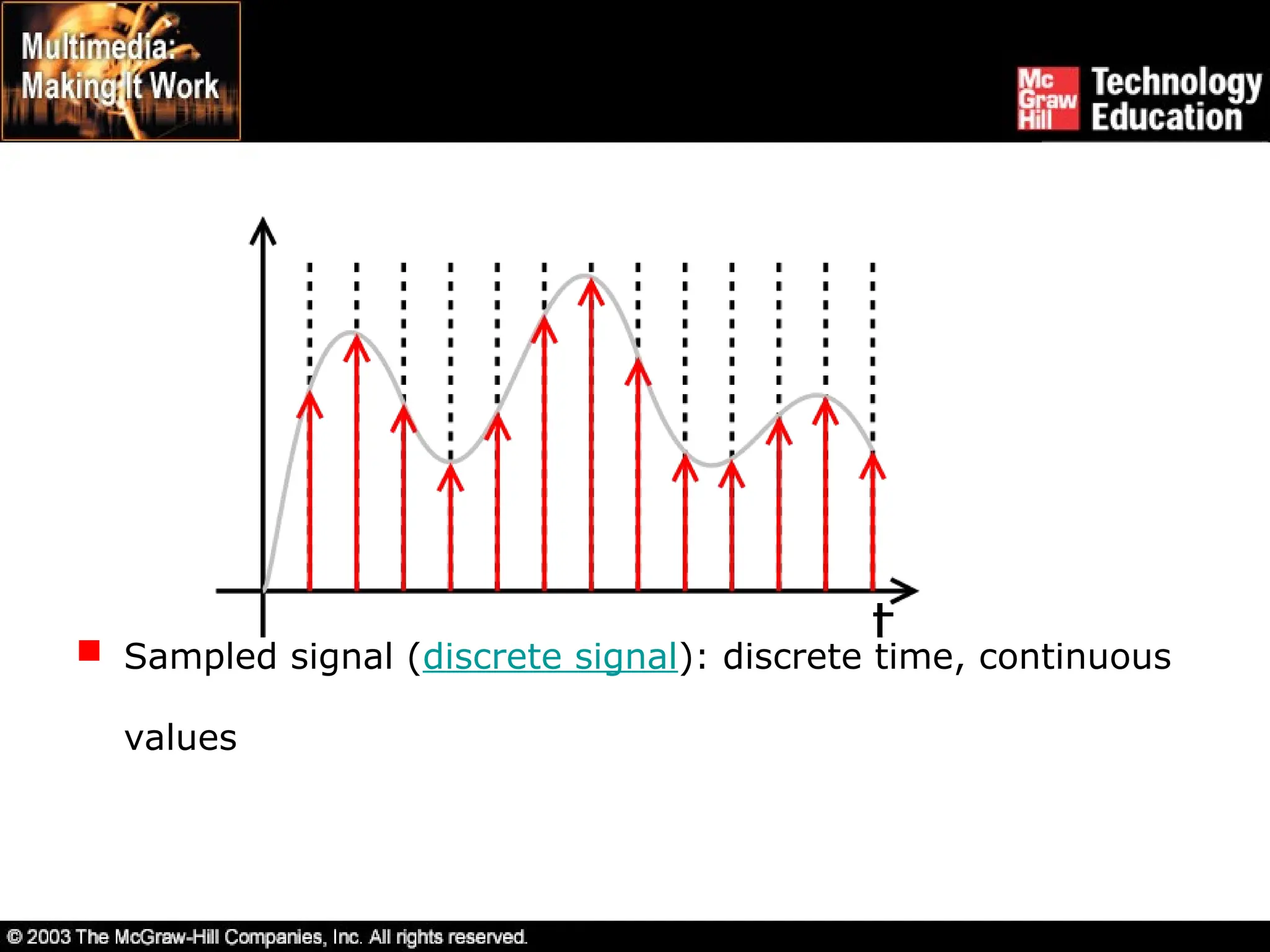
 In signal processing, quantization refers to approximating the
output by one of a discrete and finite set of values, while replacing
the input by a discrete set is called discretization, and is done by
sampling: the resulting sampled signal is called a discrete signal
(discrete time), and need not be quantized (it can have
continuous values). To produce a digital signal (discrete time and
discrete values), one both samples (discrete time) and quantizes
the resulting sample values (discrete values).
 Sampled signal (discrete signal): discrete time, continuous
values
 Quantized signal: continuous time, discrete values
 Digital signal (sampled, quantized): discrete time, discrete values
Digital Audio
Crucial aspects of preparing digital audio files are:
 Balancing the need for sound quality against available RAM
and hard disk resource.
 Setting appropriate recording levels to get a high-quality and
clean recording.
Digital Audio
 Audio resolution determines the accuracy with which sound
can be digitized.
 Size of a monophonic digital recording = sampling rate x
(bit resolution/8) x 1.
 Size of stereo recording = sampling rate x duration of
recording in seconds x (bit resolution/8) x 2.
Digital Audio
 Once a recording had been completed, it almost always
needs to be edited.
 Basic sound editing operations include trimming, splicing
and assembly, volume adjustments and working on
multiple tracks.
Digital Audio
 Additional available sound editing operations include format
conversion, resampling or downsampling, fade-ins and
fade-outs, equalization, time stretching, digital signal
processing, and reversing sounds.
MIDI Audio
 MIDI is a shorthand representation of music stored in
numeric form.
 It is not digitized sound.
 A sequencer software and sound synthesizer is required in
order to create MIDI scores.
 MIDI is device dependent.
MIDI Audio
 Since they are small, MIDI files embedded in web pages
load and play promptly.
 Length of a MIDI file can be changed without affecting the
pitch of the music or degrading audio quality.
 Working with MIDI requires knowledge of music theory.
Audio File Formats
 A sound file’s format is a recognized methodology for
organizing data bits of digitized sound into a data file.
 On the Macintosh, digitized sounds may be stored as data
files, resources, or applications such as AIFF or AIFC.
 In Windows, digitized sounds are usually stored as WAV
files.
Audio File Formats
 CD-ROM/XA (Extended Architecture) format enabled
several recording sessions to be placed on a single CD-R
(recordable) disc.
 Linear Pulse Code Modulation is used for Red Book Audio
data files on consumer-grade music CDs.
MIDI Versus Digital Audio
 MIDI is analogous to structured or vector graphics, while
digitized audio is analogous to bitmapped images.
 MIDI is device dependent while digitized audio is device
independent.
 MIDI files are much smaller than digitized audio.
 MIDI files sound better than digital audio files when played
on a high-quality MIDI device.
 With MIDI, it is difficult to playback spoken dialog, while
digitized audio can do so with ease.
 MIDI does not have consistent playback quality while digital
audio provides consistent playback quality.
 One requires knowledge of music theory in order to run
MIDI, while digital audio does not have this requirement.
MIDI Versus Digital Audio
Adding Sound to Multimedia
Project
 File formats compatible with multimedia authoring software
being used along with delivery mediums, must be
determined.
 Sound playback capabilities offered by end user’s system
must be studied.
Adding Sound to Multimedia
Project
 The type of sound, whether background music, special
sound effects, or spoken dialog, must be decided.
 Digital audio or MIDI data should be selected on the basis
of the location and time of use.
Professional Sound
 Red Book (or ISO 10149) standard is a standard for
digitally encoding high-quality stereo.
 For this standard, the digital audio sample size is 16 bits
and sampling rate is 44.1 KHz.
 The amount of digital sound information required for high-
quality sound takes up a great deal of disk storage space.
Professional Sound
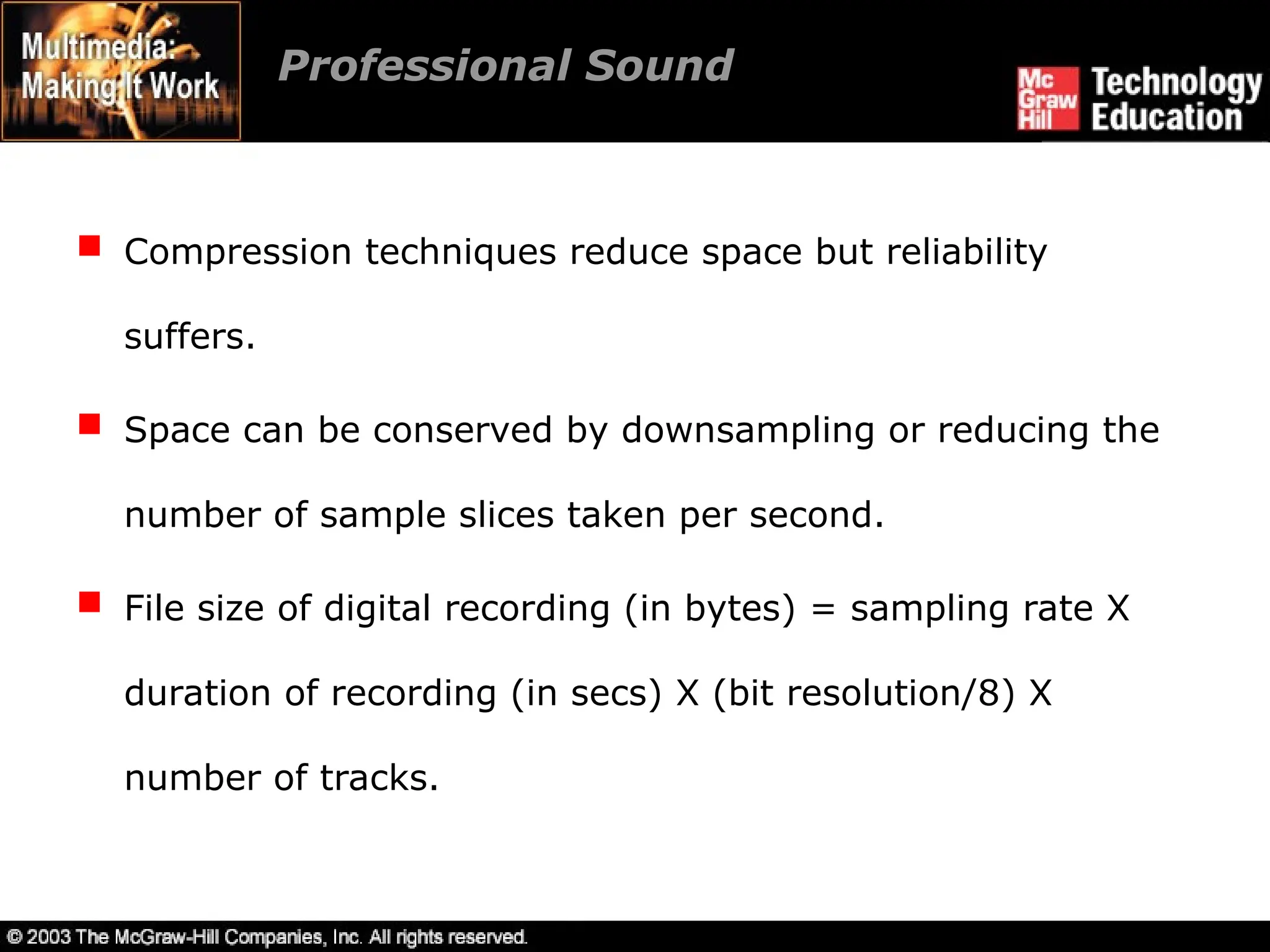
 Compression techniques reduce space but reliability
suffers.
 Space can be conserved by downsampling or reducing the
number of sample slices taken per second.
 File size of digital recording (in bytes) = sampling rate X
duration of recording (in secs) X (bit resolution/8) X
number of tracks.
Production Tips
 Recording on inexpensive media rather than directly to disk
prevents the hard disk from being overloaded with
unnecessary data.
 The equipment and standards used for the project must be
in accordance with the requirements.
Production Tips
 It is vital to maintain a high-quality database that stores
the original sound material.
 Sound and image synchronization must be tested at regular
intervals.
Production Tips
 The speed at which most animations and computer-based
videos play, depends on the user’s CPU.
 Sound’s RAM requirements as well as the users’ playback
setup must be evaluated.
 Copyrighted material should not be recorded or used
without securing appropriate rights from owner or
publisher.
Summary
 Vibrations in air create waves of pressure that are
perceived as sound.
 Multimedia system sound is digitally recorded audio or
MIDI (Musical Instrumental Digital Interface) music.
 Digital audio data is the actual representation of a sound,
stored in the form of samples.
Summary
 MIDI is a shorthand representation of music stored in
numeric form.
 Digital audio provides consistent playback quality.
 MIDI files are much smaller than digitized audio.
 MIDI files sound better than digital audio files when played
on high-quality MIDI device.

00hdddhjjcdsshkmgfffdsd72264519_Ch05.ppt

  • 1.
  • 2.
    Overview  Introduction tosound.  Multimedia system sound.  Digital audio.  MIDI audio.  Audio file formats.
  • 3.
    Overview  MIDI versusdigital audio.  Adding sound to multimedia project.  Professional sound.  Production tips.
  • 4.
    Introduction to Sound Vibrations in the air create waves of pressure that are perceived as sound.  Sound waves vary in sound pressure level (amplitude) and in frequency or pitch.  ‘Acoustics’ is the branch of physics that studies sound.  Sound pressure levels (loudness or volume) are measured in decibels (dB).  A dB measurement is actually the ratio b/w a chosen reference point on a logarithmic scale and the level that is actually experienced.
  • 5.
    Multimedia System Sound System sounds are assigned to various system events such as startup and warnings, among others.  Macintosh provides several system sound options such as glass, indigo, laugh.  In Windows, available system sounds include start.wav, chimes.wav, and chord.wav.  Multimedia sound is either digitally recorded audio or MIDI (Musical Instrumental Digital Interface) music.
  • 6.
    Digital Audio  Digitalaudio data is the actual representation of sound, stored in the form of samples.  Samples represent the amplitude (or loudness) of sound at a discrete point in time.  Quality of digital recording depends on the sampling rate, (or frequency) that is, the number of samples taken per second.
  • 7.
    Digital Audio  Thethree sampling frequencies most often used in multimedia are CD-quality 44.1 kHz, 22.05 kHz and 11.025 kHz.  The number of bits used to describe the amplitude of sound wave when sampled, determines the sample size.  Digital audio is device independent.  The value of each sample is rounded off to the nearest integer (quantization).
  • 8.
     In signalprocessing, quantization refers to approximating the output by one of a discrete and finite set of values, while replacing the input by a discrete set is called discretization, and is done by sampling: the resulting sampled signal is called a discrete signal (discrete time), and need not be quantized (it can have continuous values). To produce a digital signal (discrete time and discrete values), one both samples (discrete time) and quantizes the resulting sample values (discrete values).
  • 9.
     Sampled signal(discrete signal): discrete time, continuous values
  • 10.
     Quantized signal:continuous time, discrete values
  • 11.
     Digital signal(sampled, quantized): discrete time, discrete values
  • 12.
    Digital Audio Crucial aspectsof preparing digital audio files are:  Balancing the need for sound quality against available RAM and hard disk resource.  Setting appropriate recording levels to get a high-quality and clean recording.
  • 13.
    Digital Audio  Audioresolution determines the accuracy with which sound can be digitized.  Size of a monophonic digital recording = sampling rate x (bit resolution/8) x 1.  Size of stereo recording = sampling rate x duration of recording in seconds x (bit resolution/8) x 2.
  • 14.
    Digital Audio  Oncea recording had been completed, it almost always needs to be edited.  Basic sound editing operations include trimming, splicing and assembly, volume adjustments and working on multiple tracks.
  • 15.
    Digital Audio  Additionalavailable sound editing operations include format conversion, resampling or downsampling, fade-ins and fade-outs, equalization, time stretching, digital signal processing, and reversing sounds.
  • 16.
    MIDI Audio  MIDIis a shorthand representation of music stored in numeric form.  It is not digitized sound.  A sequencer software and sound synthesizer is required in order to create MIDI scores.  MIDI is device dependent.
  • 17.
    MIDI Audio  Sincethey are small, MIDI files embedded in web pages load and play promptly.  Length of a MIDI file can be changed without affecting the pitch of the music or degrading audio quality.  Working with MIDI requires knowledge of music theory.
  • 18.
    Audio File Formats A sound file’s format is a recognized methodology for organizing data bits of digitized sound into a data file.  On the Macintosh, digitized sounds may be stored as data files, resources, or applications such as AIFF or AIFC.  In Windows, digitized sounds are usually stored as WAV files.
  • 19.
    Audio File Formats CD-ROM/XA (Extended Architecture) format enabled several recording sessions to be placed on a single CD-R (recordable) disc.  Linear Pulse Code Modulation is used for Red Book Audio data files on consumer-grade music CDs.
  • 20.
    MIDI Versus DigitalAudio  MIDI is analogous to structured or vector graphics, while digitized audio is analogous to bitmapped images.  MIDI is device dependent while digitized audio is device independent.  MIDI files are much smaller than digitized audio.  MIDI files sound better than digital audio files when played on a high-quality MIDI device.
  • 21.
     With MIDI,it is difficult to playback spoken dialog, while digitized audio can do so with ease.  MIDI does not have consistent playback quality while digital audio provides consistent playback quality.  One requires knowledge of music theory in order to run MIDI, while digital audio does not have this requirement. MIDI Versus Digital Audio
  • 22.
    Adding Sound toMultimedia Project  File formats compatible with multimedia authoring software being used along with delivery mediums, must be determined.  Sound playback capabilities offered by end user’s system must be studied.
  • 23.
    Adding Sound toMultimedia Project  The type of sound, whether background music, special sound effects, or spoken dialog, must be decided.  Digital audio or MIDI data should be selected on the basis of the location and time of use.
  • 24.
    Professional Sound  RedBook (or ISO 10149) standard is a standard for digitally encoding high-quality stereo.  For this standard, the digital audio sample size is 16 bits and sampling rate is 44.1 KHz.  The amount of digital sound information required for high- quality sound takes up a great deal of disk storage space.
  • 25.
    Professional Sound  Compressiontechniques reduce space but reliability suffers.  Space can be conserved by downsampling or reducing the number of sample slices taken per second.  File size of digital recording (in bytes) = sampling rate X duration of recording (in secs) X (bit resolution/8) X number of tracks.
  • 26.
    Production Tips  Recordingon inexpensive media rather than directly to disk prevents the hard disk from being overloaded with unnecessary data.  The equipment and standards used for the project must be in accordance with the requirements.
  • 27.
    Production Tips  Itis vital to maintain a high-quality database that stores the original sound material.  Sound and image synchronization must be tested at regular intervals.
  • 28.
    Production Tips  Thespeed at which most animations and computer-based videos play, depends on the user’s CPU.  Sound’s RAM requirements as well as the users’ playback setup must be evaluated.  Copyrighted material should not be recorded or used without securing appropriate rights from owner or publisher.
  • 29.
    Summary  Vibrations inair create waves of pressure that are perceived as sound.  Multimedia system sound is digitally recorded audio or MIDI (Musical Instrumental Digital Interface) music.  Digital audio data is the actual representation of a sound, stored in the form of samples.
  • 30.
    Summary  MIDI isa shorthand representation of music stored in numeric form.  Digital audio provides consistent playback quality.  MIDI files are much smaller than digitized audio.  MIDI files sound better than digital audio files when played on high-quality MIDI device.