Software Analytics:
Achievements and Challenges
Dongmei Zhang
Software Analytics Group
Microsoft Research
Tao Xie
Computer Science Department
University of Illinois, Urbana-Champaign
Tao Xie
• Associate Professor at University of Illinois at Urbana-Champaign, USA
• Leads the ASE research group at Illinois
• PC Chair of ISSTA 2015, PC Co-Chair of ICSM 2009, MSR 2011/2012
• Co-organizer of 2007 Dagstuhl Seminar on Mining Programs and
Processes, 2013 NII Shonan Meeting on Software Analytics: Principles
and Practice
Tutorial 2
Dongmei Zhang
• Principal Researcher at Microsoft Research Asia (MSRA)
• Founded Software Analytics (SA) Group at MSRA in May 2009
• Research Manager of MSRA SA
• Co-organizer of 2013 NII Shonan Meeting on Software Analytics: Principles and
Practice
• Microsoft Research Asia (MSRA)
• Founded in November 1998 in Beijing, China
• 2nd-largest MSR lab with 200+ researchers
• Projects started in 2004 to research how data could help
with software development
Tutorial 3
Outline
• Overview of Software Analytics
• Selected projects
• Experience sharing on Software Analytics in practice
Tutorial 4
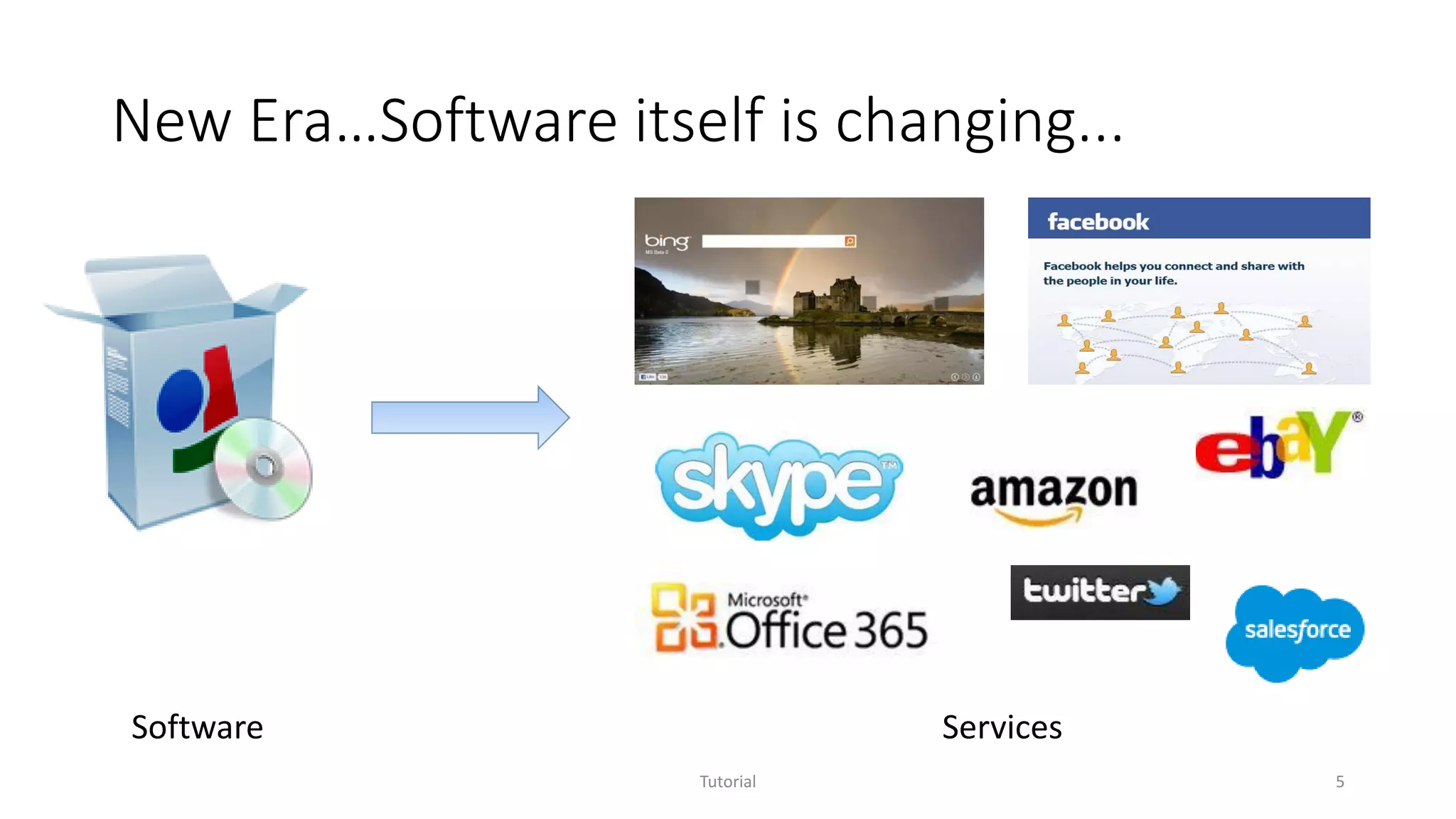
New Era…Software itself is changing...
Software Services
Tutorial 5
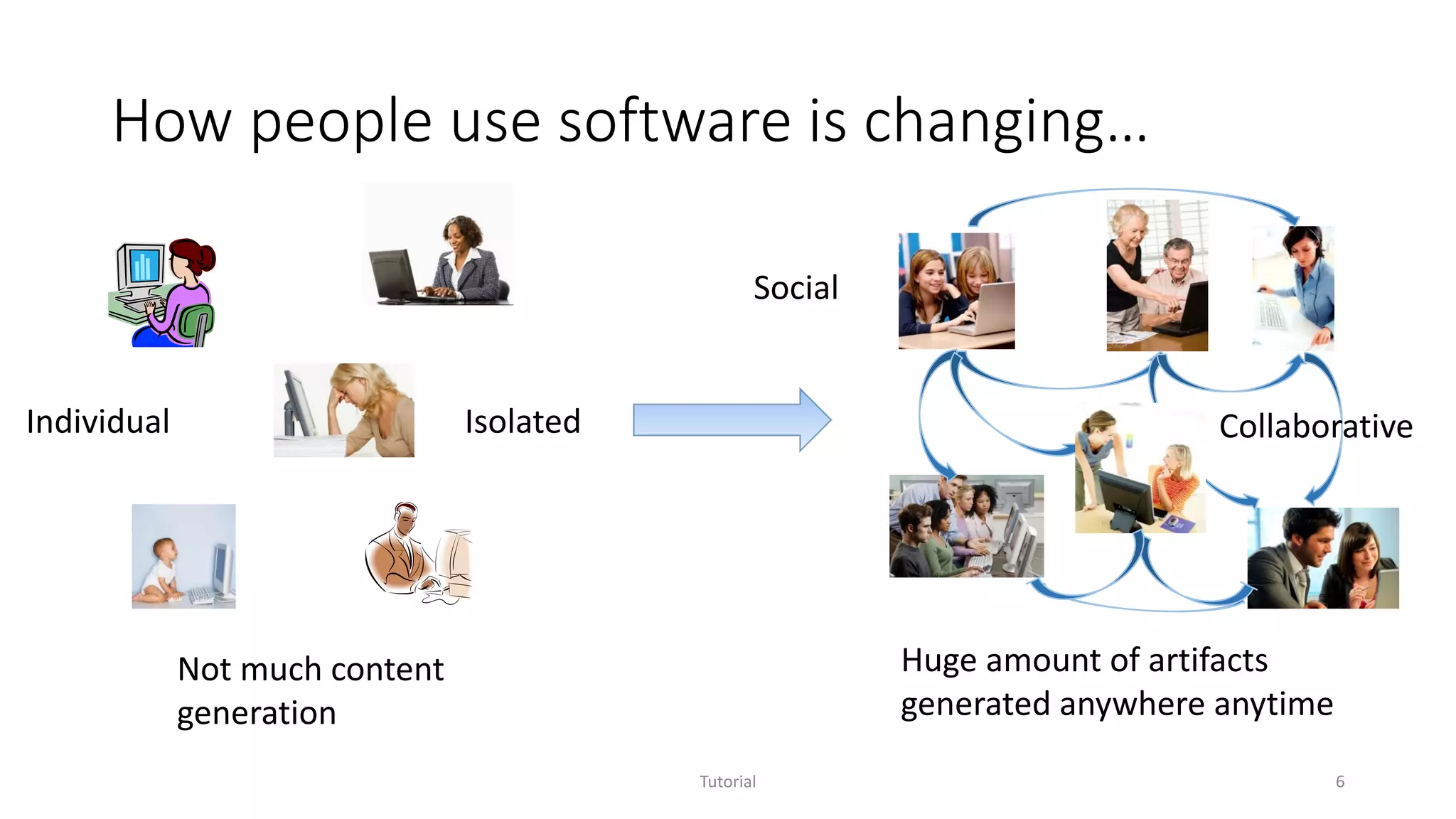
How people use software is changing…
Individual
Social
Isolated
Not much content
generation
Collaborative
Huge amount of artifacts
generated anywhere anytime
Tutorial 6
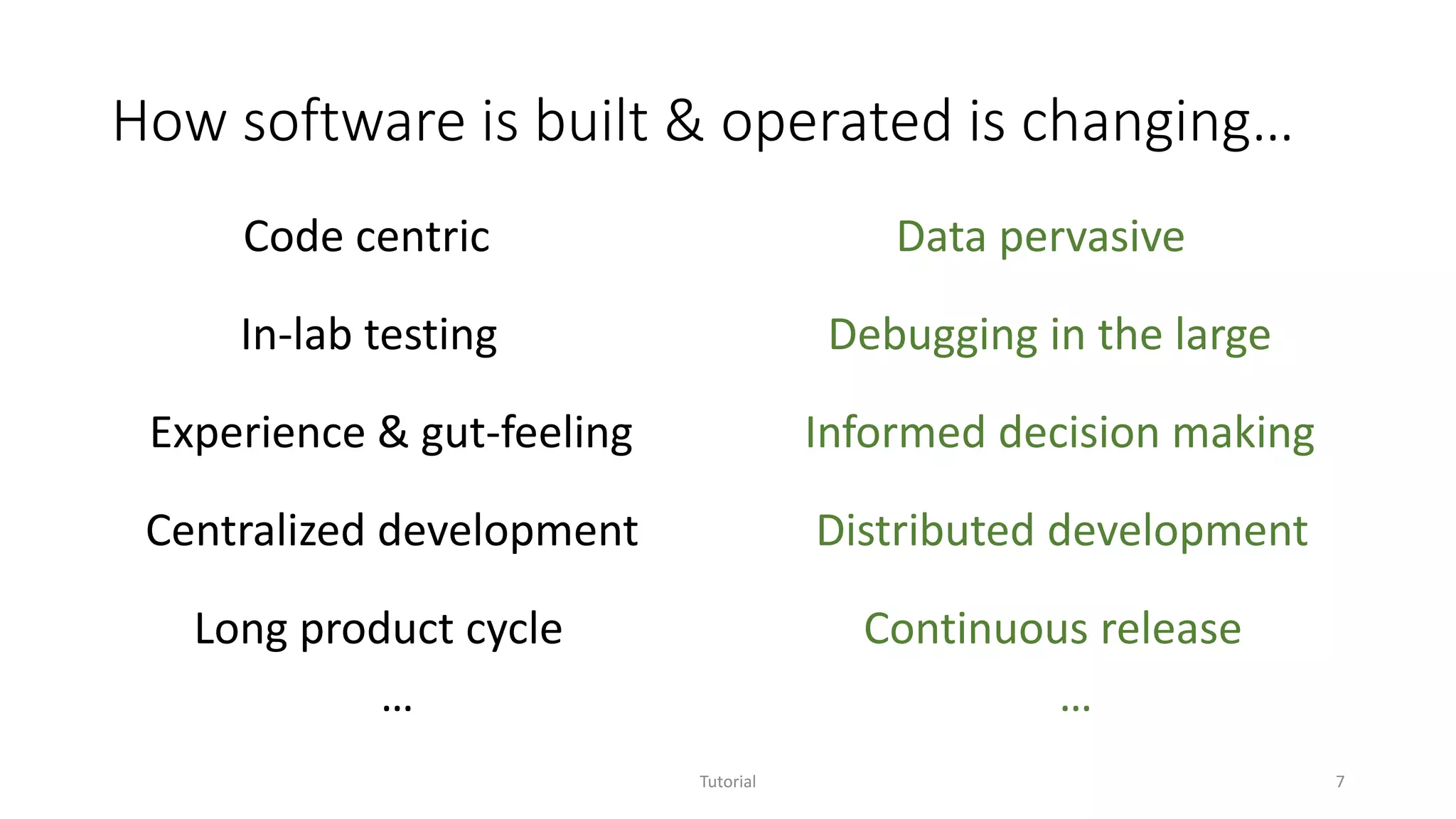
How software is built & operated is changing…
Tutorial 7
Data pervasive
Long product cycle
Experience & gut-feeling
In-lab testing
Informed decision making
Centralized development
Code centric
Debugging in the large
Distributed development
Continuous release
… …
Software Analytics
Software analytics is to enable software practitioners to
perform data exploration and analysis in order to
obtain insightful and actionable information for data-
driven tasks around software and services.
Tutorial 8
Software Analytics
Software analytics is to enable software practitioners to
perform data exploration and analysis in order to
obtain insightful and actionable information for data-
driven tasks around software and services.
Tutorial 9
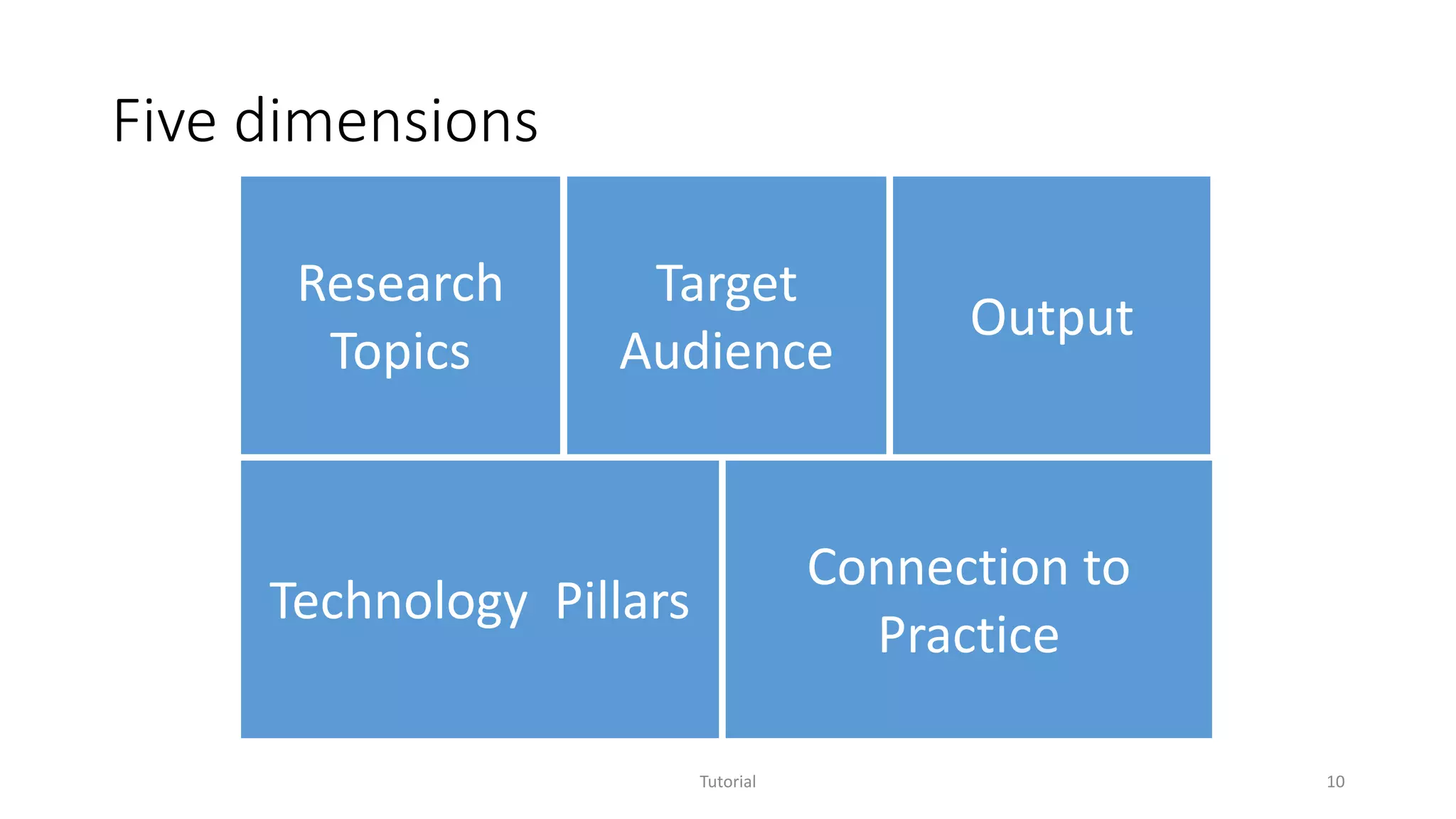
Five dimensions
Tutorial 10
Research
Topics
Technology Pillars
Target
Audience
Connection to
Practice
Output
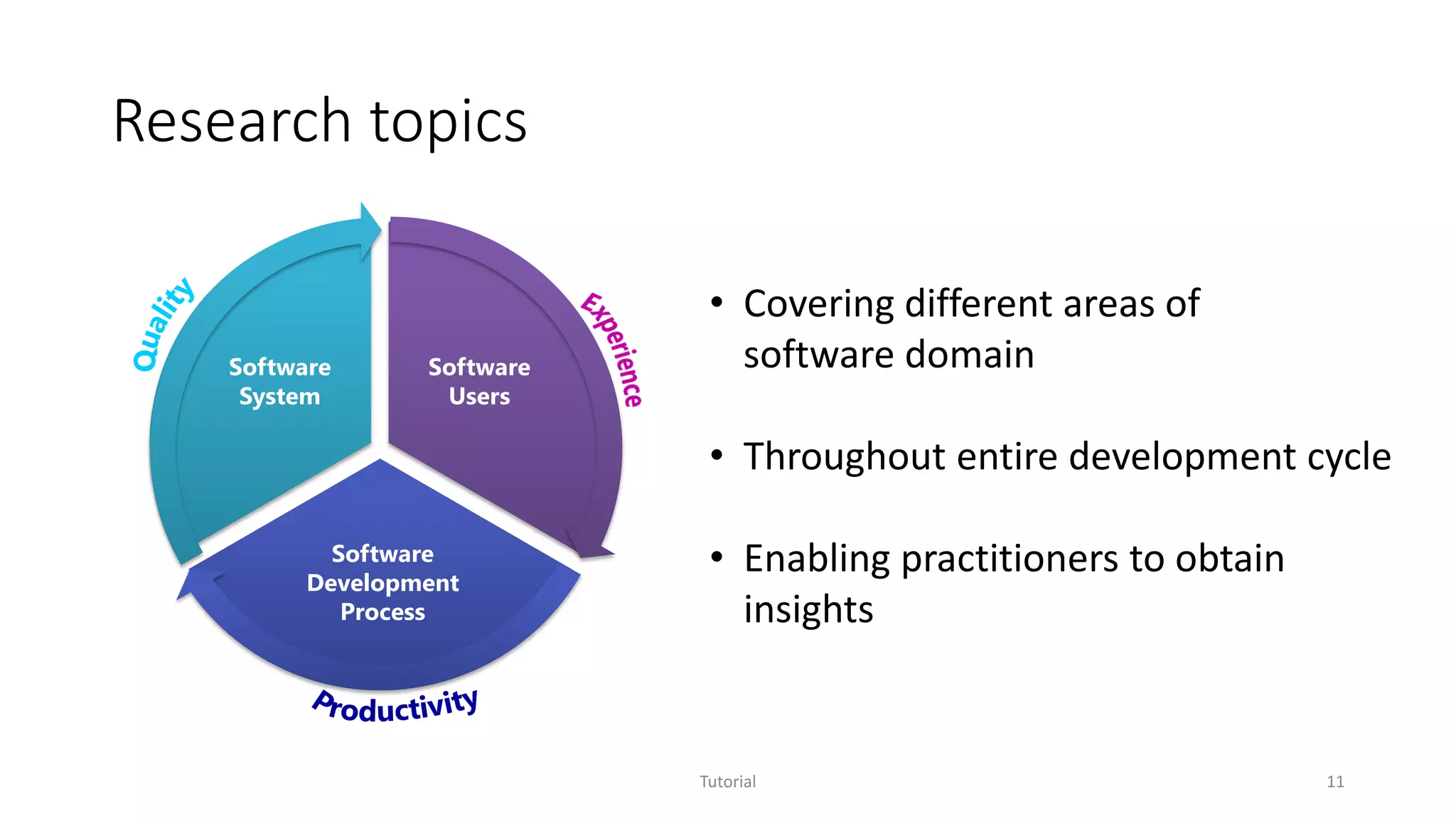
Research topics
Tutorial 11
Software
Users
Software
Development
Process
Software
System
• Covering different areas of
software domain
• Throughout entire development cycle
• Enabling practitioners to obtain
insights
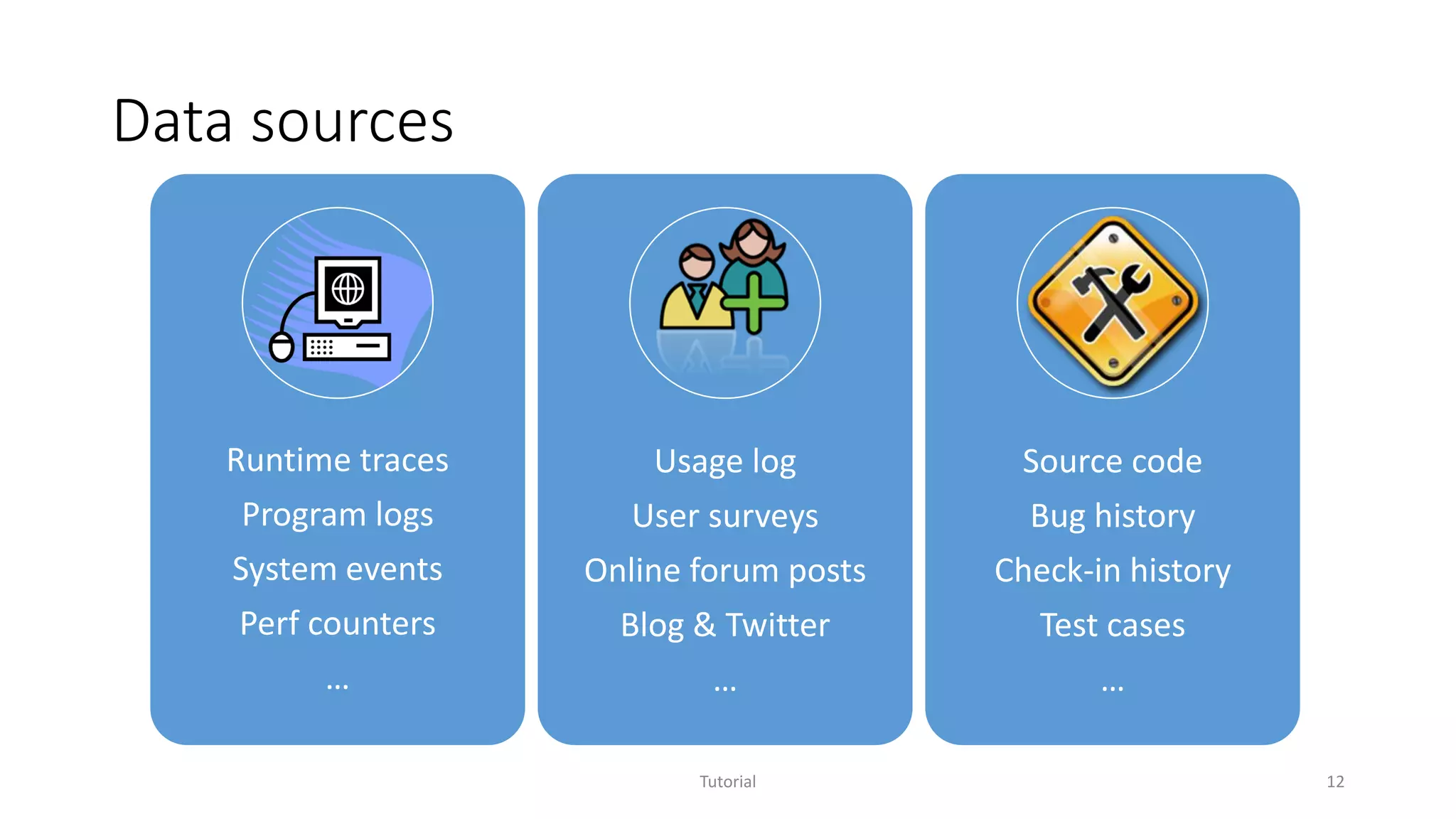
Data sources
Tutorial 12
Runtime traces
Program logs
System events
Perf counters
…
Usage log
User surveys
Online forum posts
Blog & Twitter
…
Source code
Bug history
Check-in history
Test cases
…
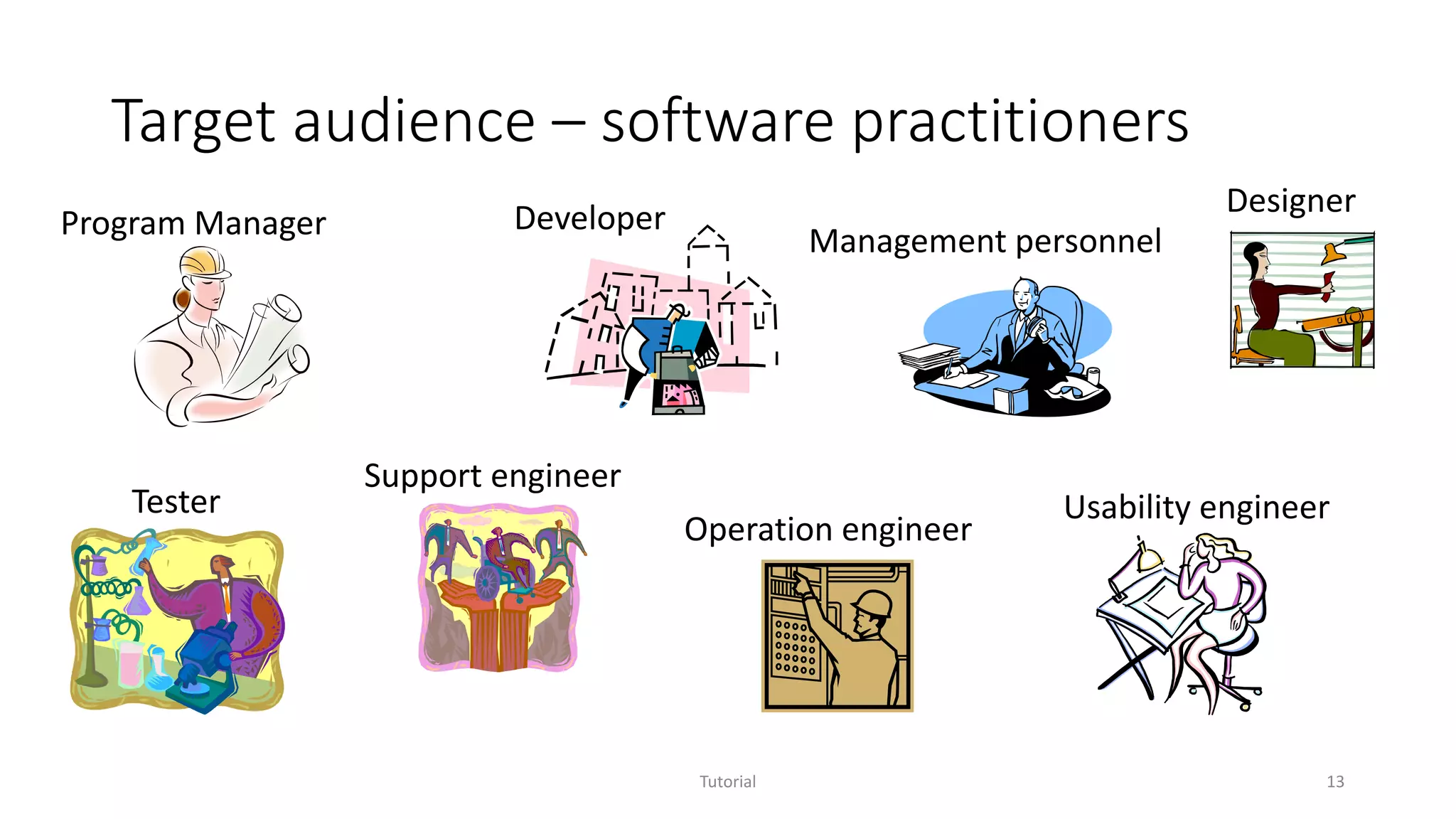
Target audience – software practitioners
Tutorial 13
Developer
Tester
Program Manager
Usability engineer
Designer
Support engineer
Management personnel
Operation engineer
Output – insightful information
• Conveys meaningful and useful understanding or knowledge towards
completing the target task
• Not easily attainable via directly investigating raw data without aid of
analytics technologies
• Examples
• It is easy to count the number of re-opened bugs, but how to find out the
primary reasons for these re-opened bugs?
• When the availability of an online service drops below a threshold, how to
localize the problem?
Tutorial 14
Output – actionable information
• Enables software practitioners to come up with concrete solutions
towards completing the target task
• Examples
• Why bugs were re-opened?
• A list of bug groups each with the same reason of re-opening
• Why availability of online services dropped?
• A list of problematic areas with associated confidence values
• Which part of my code should be refactored?
• A list of cloned code snippets easily explored from different perspectives
Tutorial 15
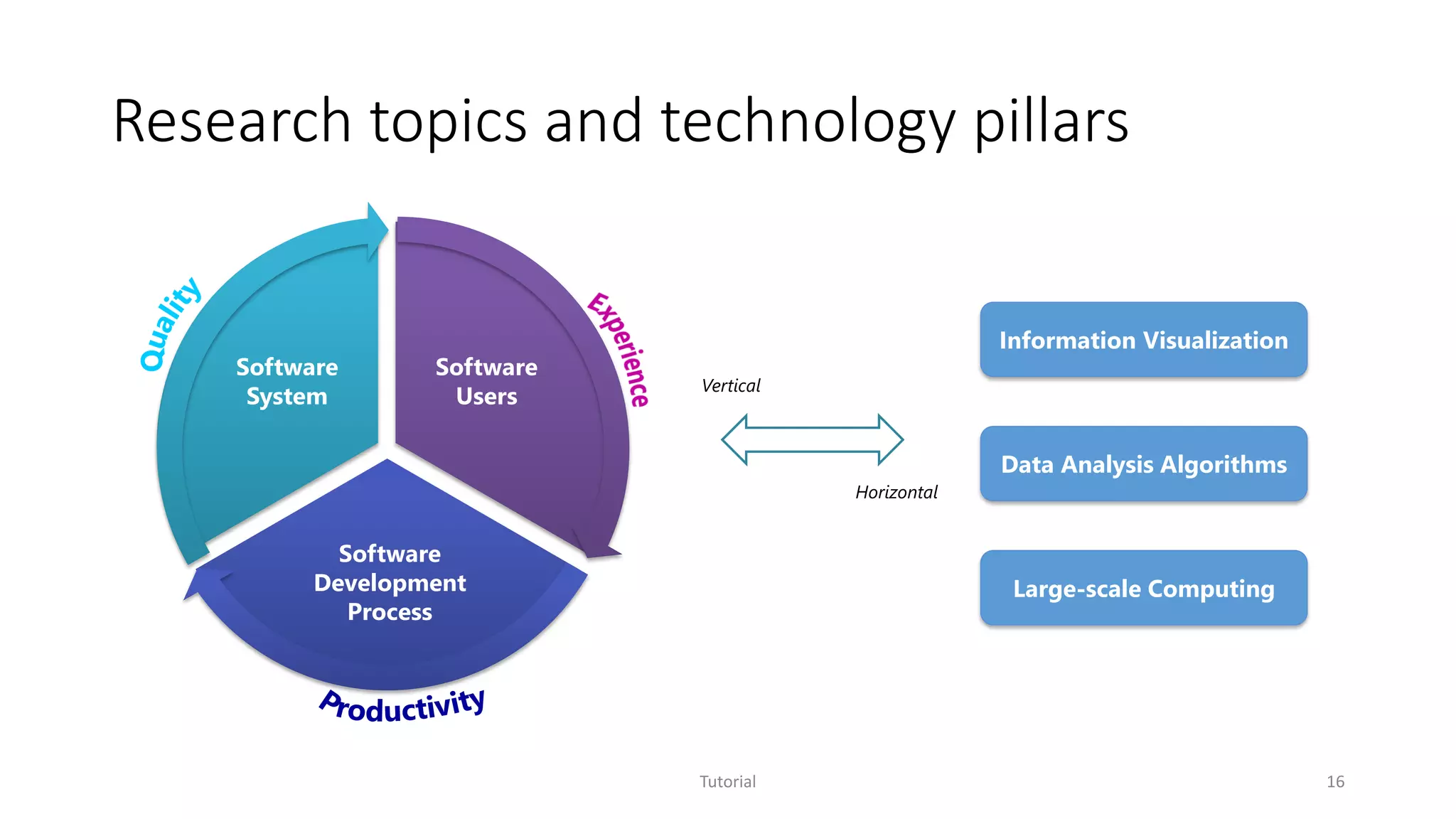
Research topics and technology pillars
Tutorial 16
Software
Users
Software
Development
Process
Software
System
Information Visualization
Data Analysis Algorithms
Large-scale Computing
Vertical
Horizontal
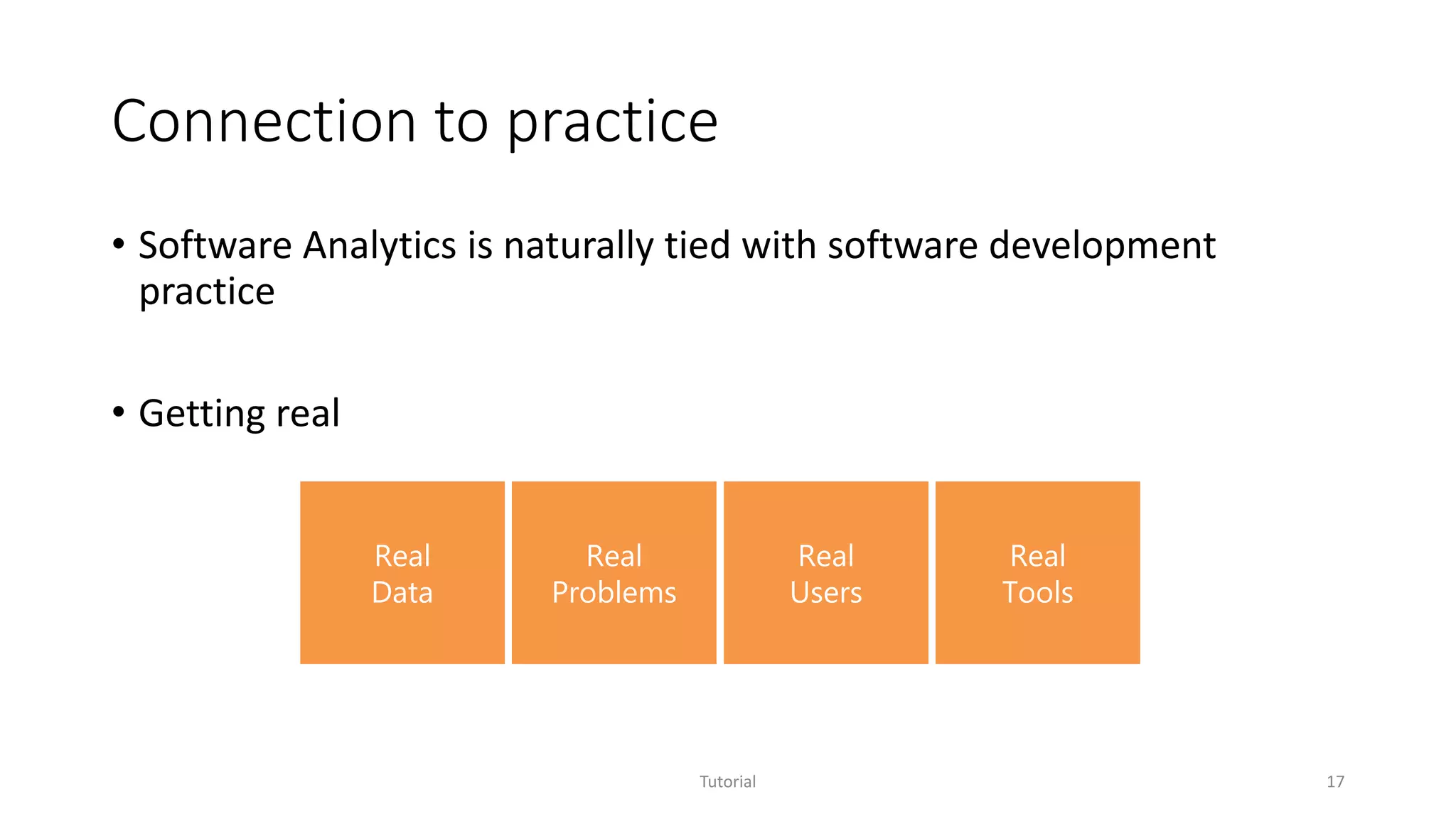
Connection to practice
• Software Analytics is naturally tied with software development
practice
• Getting real
Tutorial 17
Real
Data
Real
Problems
Real
Users
Real
Tools
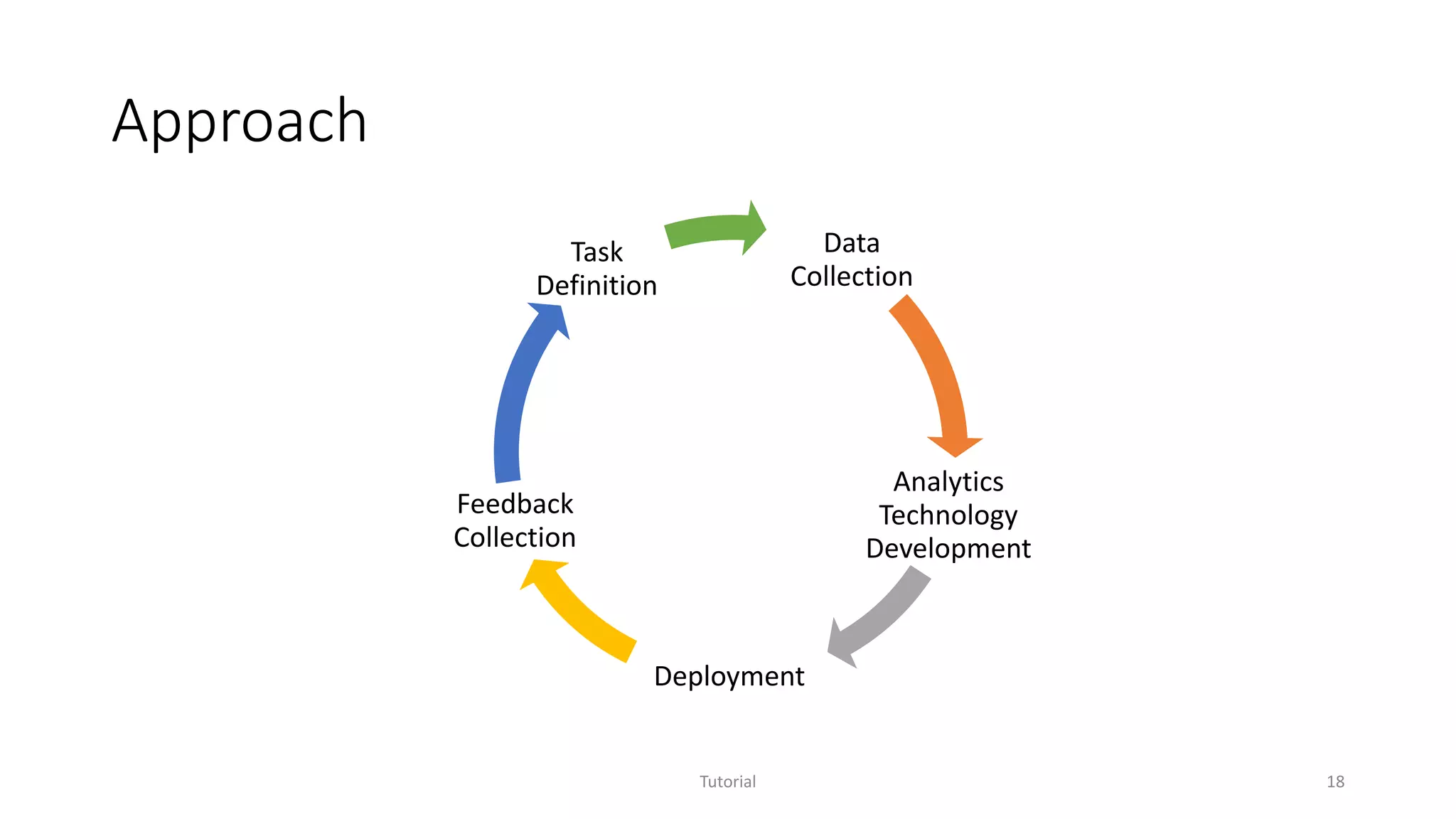
Approach
Tutorial 18
Data
Collection
Analytics
Technology
Development
Deployment
Feedback
Collection
Task
Definition
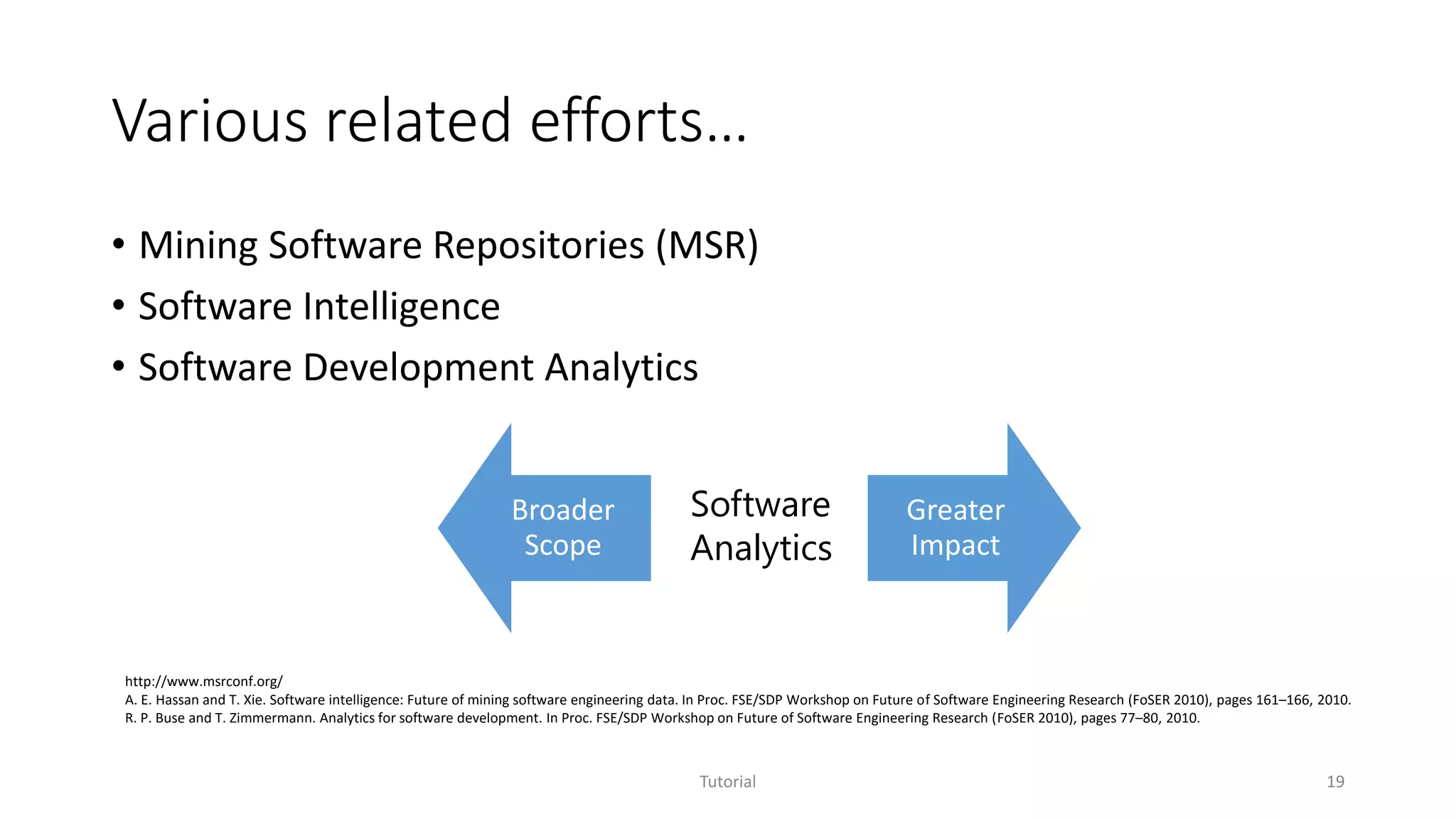
Various related efforts…
• Mining Software Repositories (MSR)
• Software Intelligence
• Software Development Analytics
Tutorial 19
Broader
Scope
Greater
Impact
Software
Analytics
http://www.msrconf.org/
A. E. Hassan and T. Xie. Software intelligence: Future of mining software engineering data. In Proc. FSE/SDP Workshop on Future of Software Engineering Research (FoSER 2010), pages 161–166, 2010.
R. P. Buse and T. Zimmermann. Analytics for software development. In Proc. FSE/SDP Workshop on Future of Software Engineering Research (FoSER 2010), pages 77–80, 2010.
Outline
• Overview of Software Analytics
• Selected projects
• Experience sharing on Software Analytics in practice
Tutorial 20
Selected projects
Tutorial 21
StackMine – Performance debugging in the large via
mining millions of stack traces
Scalable code clone analysis
Service Analysis Studio: Incident management for
online services
XIAO
Scalable code clone analysis
Tutorial 22
Yingnong Dang, Dongmei Zhang, Song Ge, Chengyun Chu, Yingjun Qiu, Tao Xie, XIAO: Tuning Code Clones at Hands of Engineers in Practice, in Proceedings of Annual Computer Security Applications
Conference 2012, (ACSAC 2012), Orlando, Florida, USA, December, 2012.
Code clone research
• Tons of papers published in the past decade
• 8 years of International Workshop on
Software Clones (IWSC) since 2006
• Dagstuhl Seminar
• Software Clone Management towards Industrial Application (2012)
• Duplication, Redundancy, and Similarity in Software (2006)
Tutorial 23
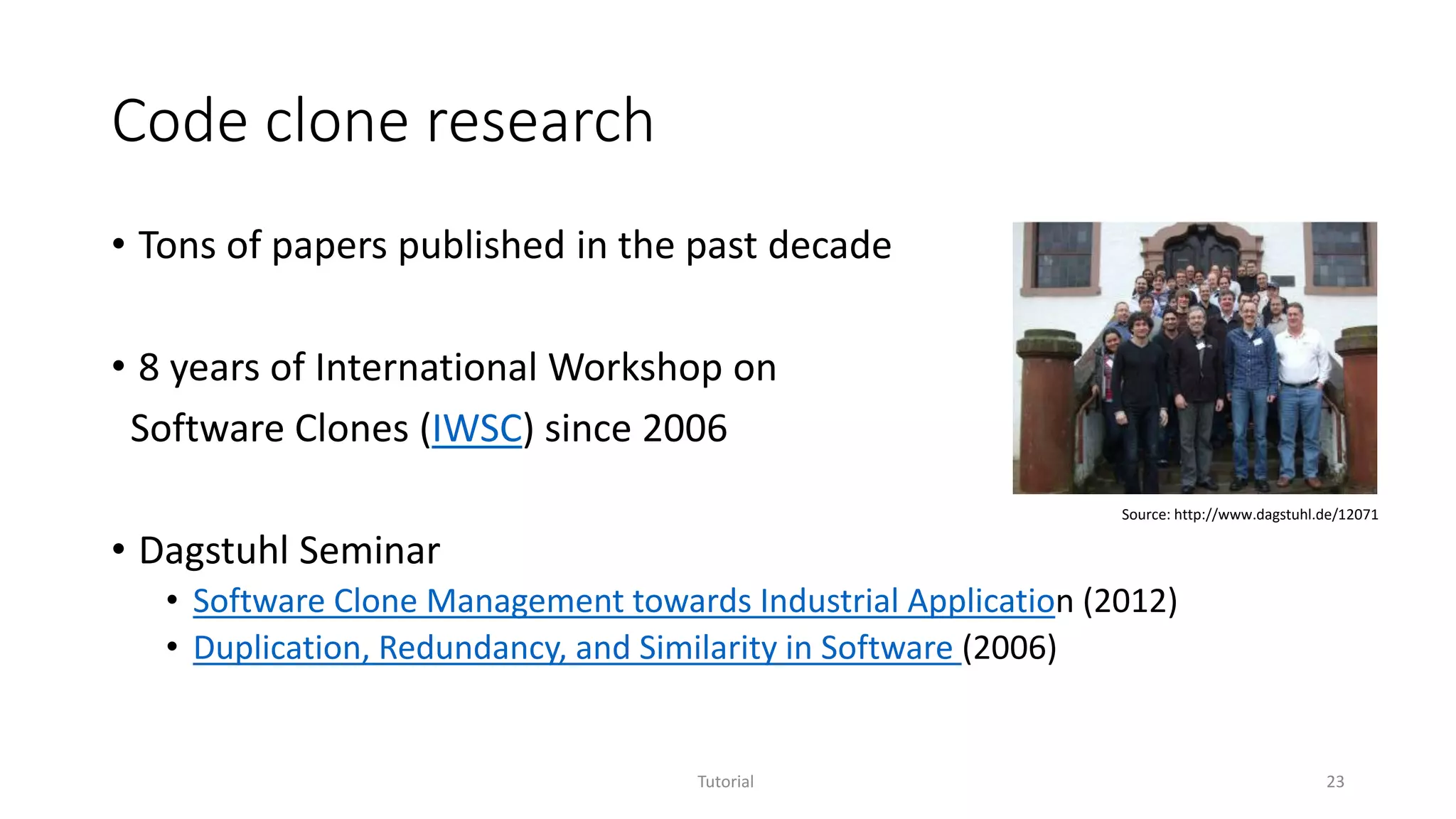
Source: http://www.dagstuhl.de/12071
XIAO: Code clone analysis
• Motivation
• Copy-and-paste is a common developer behavior
• A real tool widely adopted internally and externally
• XIAO enables code clone analysis in the following way
• High tunability
• High scalability
• High compatibility
• High explorability
Tutorial 24
[IWSC’11 Dang et.al.]
High tunability – what you tune is what you get
Tutorial 25
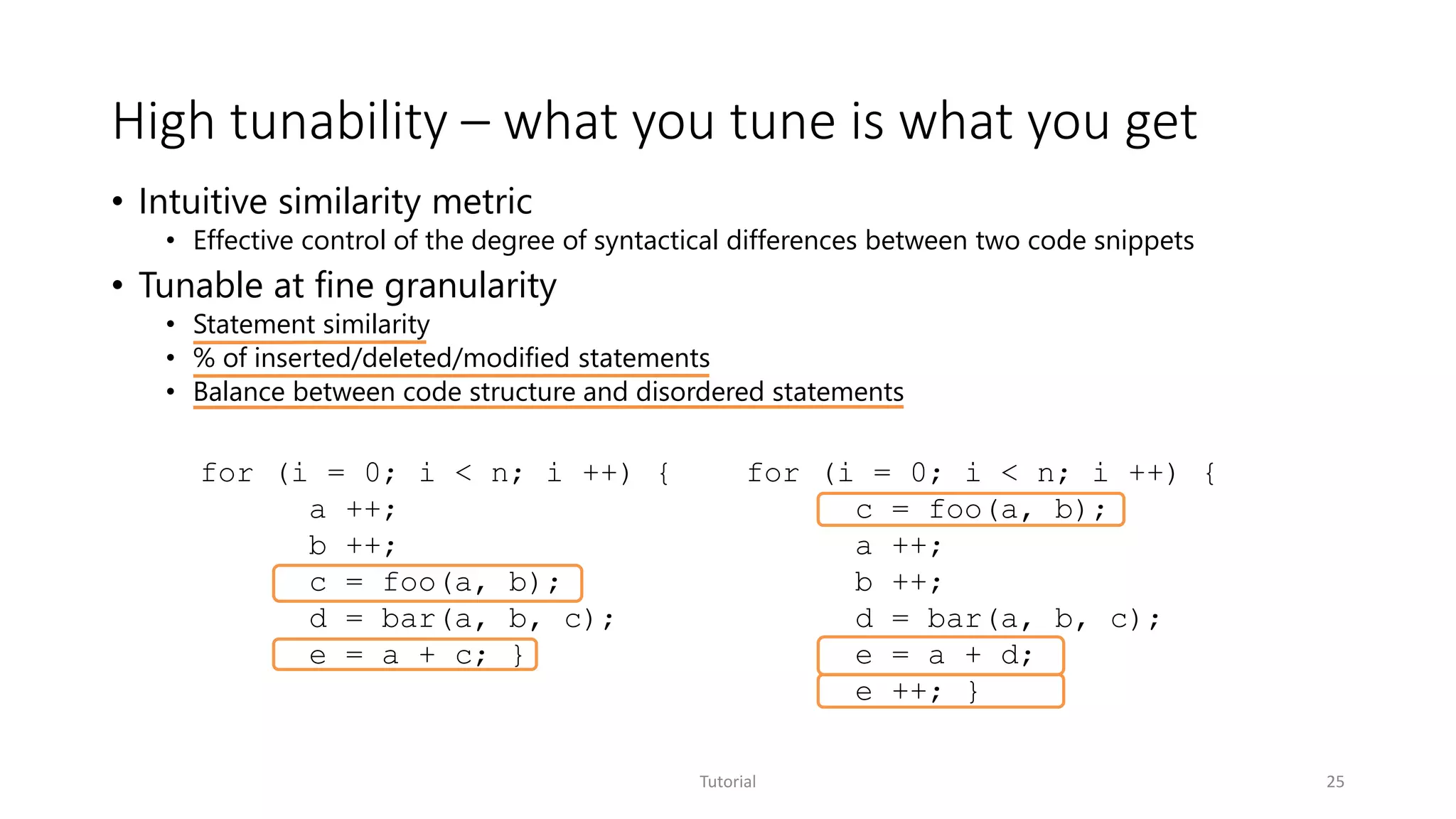
• Intuitive similarity metric
• Effective control of the degree of syntactical differences between two code snippets
• Tunable at fine granularity
• Statement similarity
• % of inserted/deleted/modified statements
• Balance between code structure and disordered statements
for (i = 0; i < n; i ++) {
a ++;
b ++;
c = foo(a, b);
d = bar(a, b, c);
e = a + c; }
for (i = 0; i < n; i ++) {
c = foo(a, b);
a ++;
b ++;
d = bar(a, b, c);
e = a + d;
e ++; }
High scalability
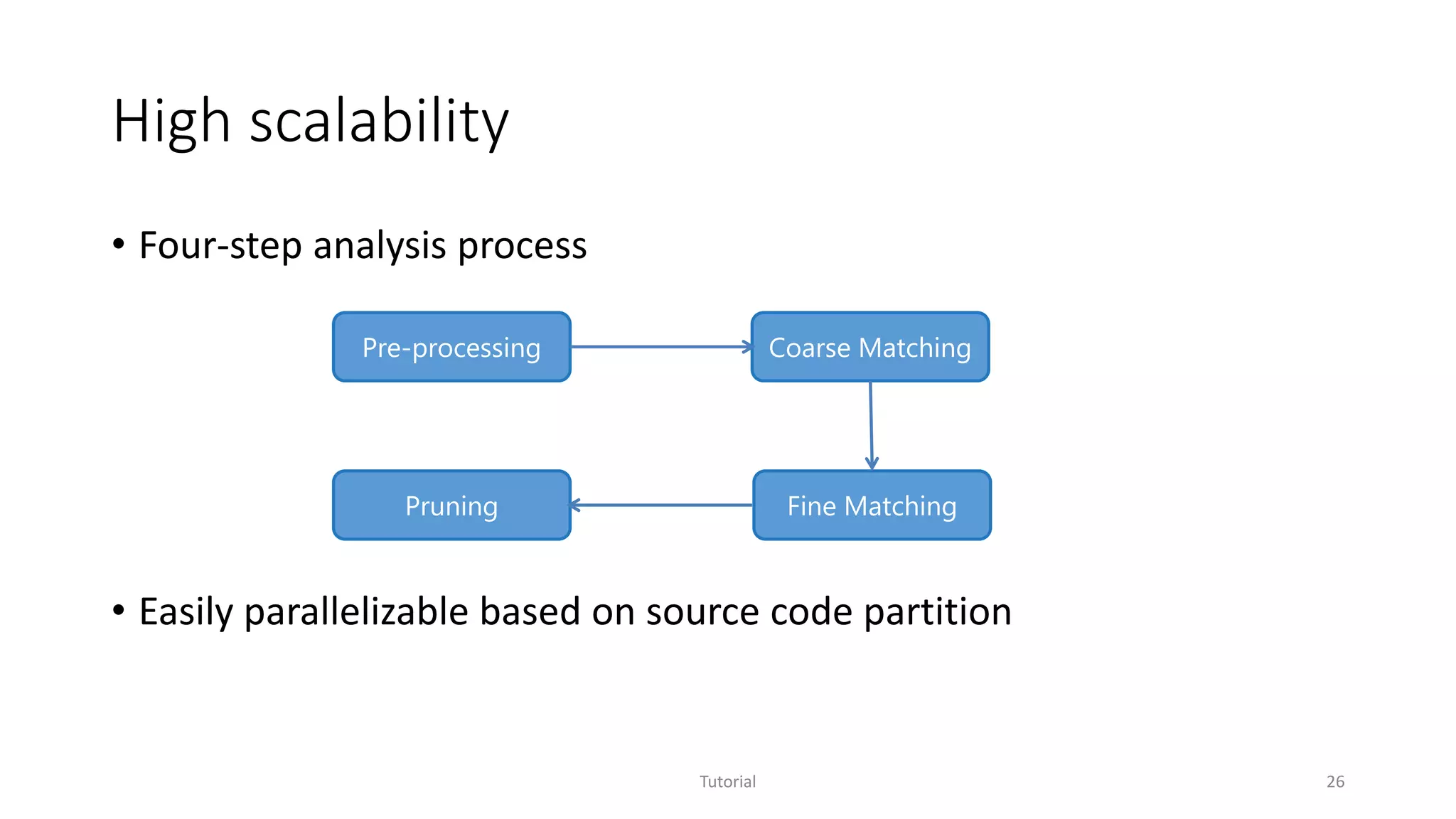
• Four-step analysis process
• Easily parallelizable based on source code partition
Tutorial 26
Pre-processing
Pruning Fine Matching
Coarse Matching
High compatibility
• Compiler independent
• Light-weight built-in parsers for C/C++ and C#
• Open architecture for plug-in parsers to support different languages
• Easy adoption by product teams
• Different build environment
• Almost zero cost for trial
Tutorial 27
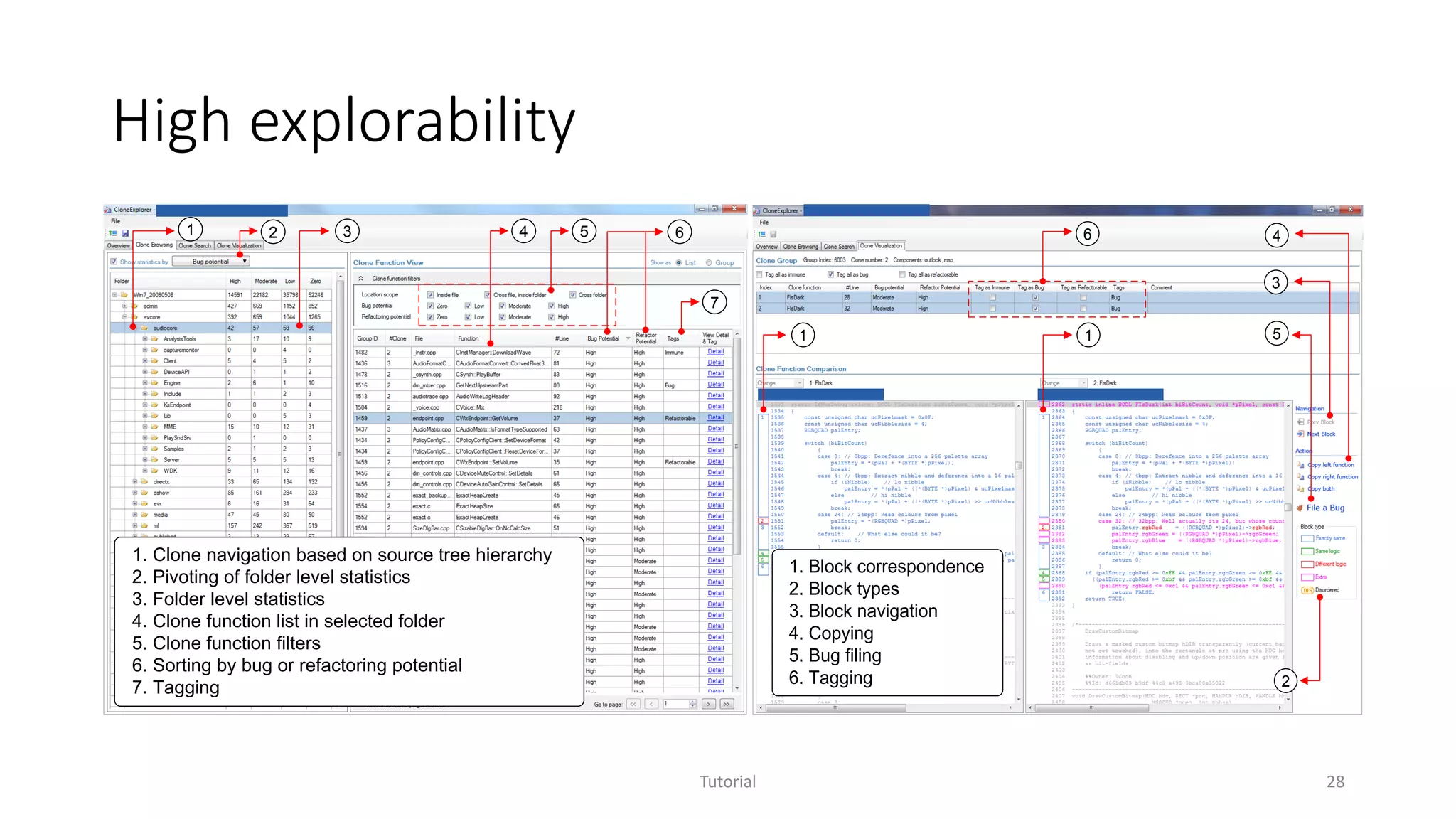
High explorability
Tutorial 28
1. Clone navigation based on source tree hierarchy
2. Pivoting of folder level statistics
3. Folder level statistics
4. Clone function list in selected folder
5. Clone function filters
6. Sorting by bug or refactoring potential
7. Tagging
1 2 3 4 5 6
7
1. Block correspondence
2. Block types
3. Block navigation
4. Copying
5. Bug filing
6. Tagging
1
2
3
4
1
6
5
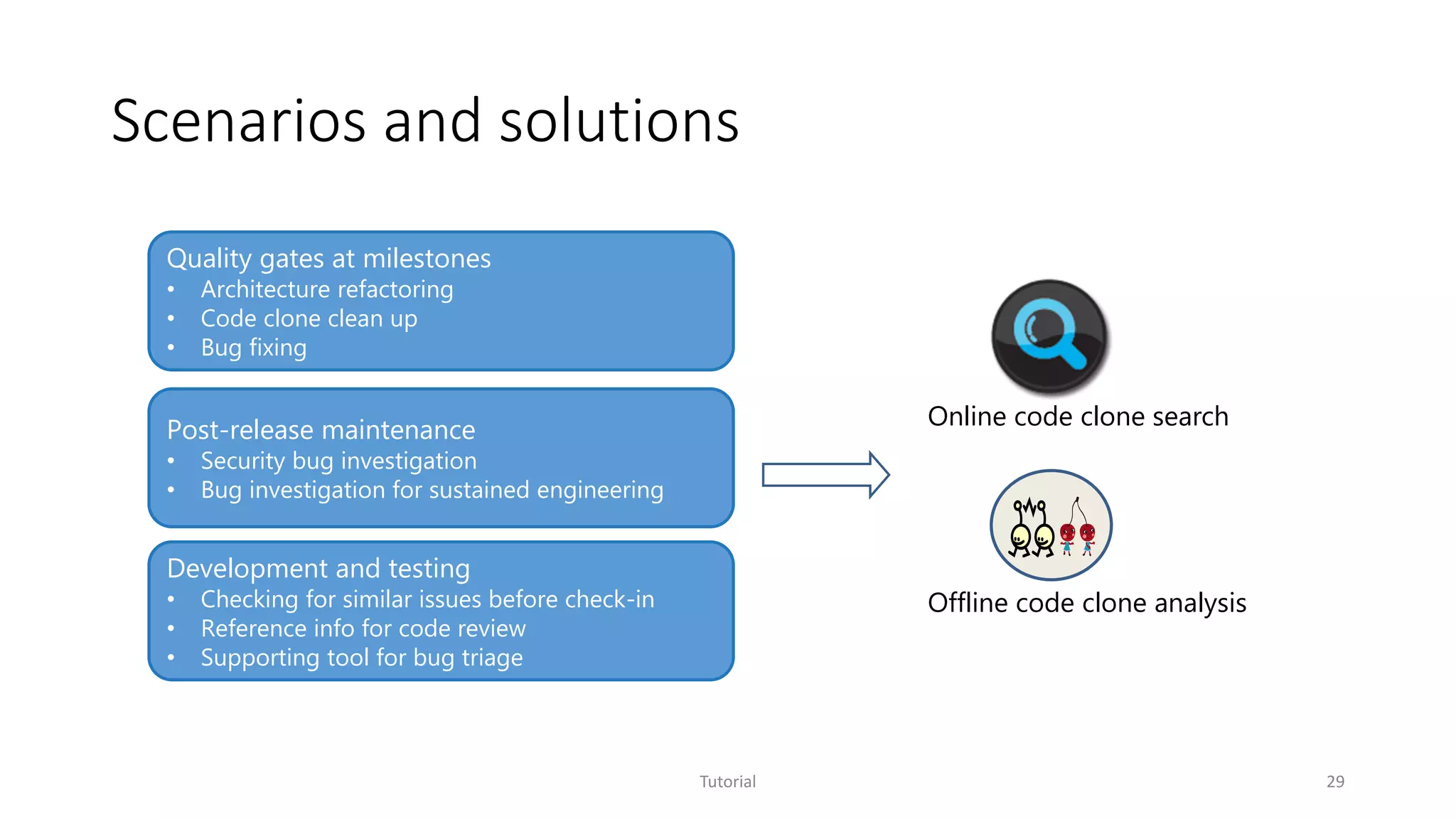
Scenarios and solutions
Tutorial 29
Quality gates at milestones
• Architecture refactoring
• Code clone clean up
• Bug fixing
Post-release maintenance
• Security bug investigation
• Bug investigation for sustained engineering
Development and testing
• Checking for similar issues before check-in
• Reference info for code review
• Supporting tool for bug triage
Online code clone search
Offline code clone analysis
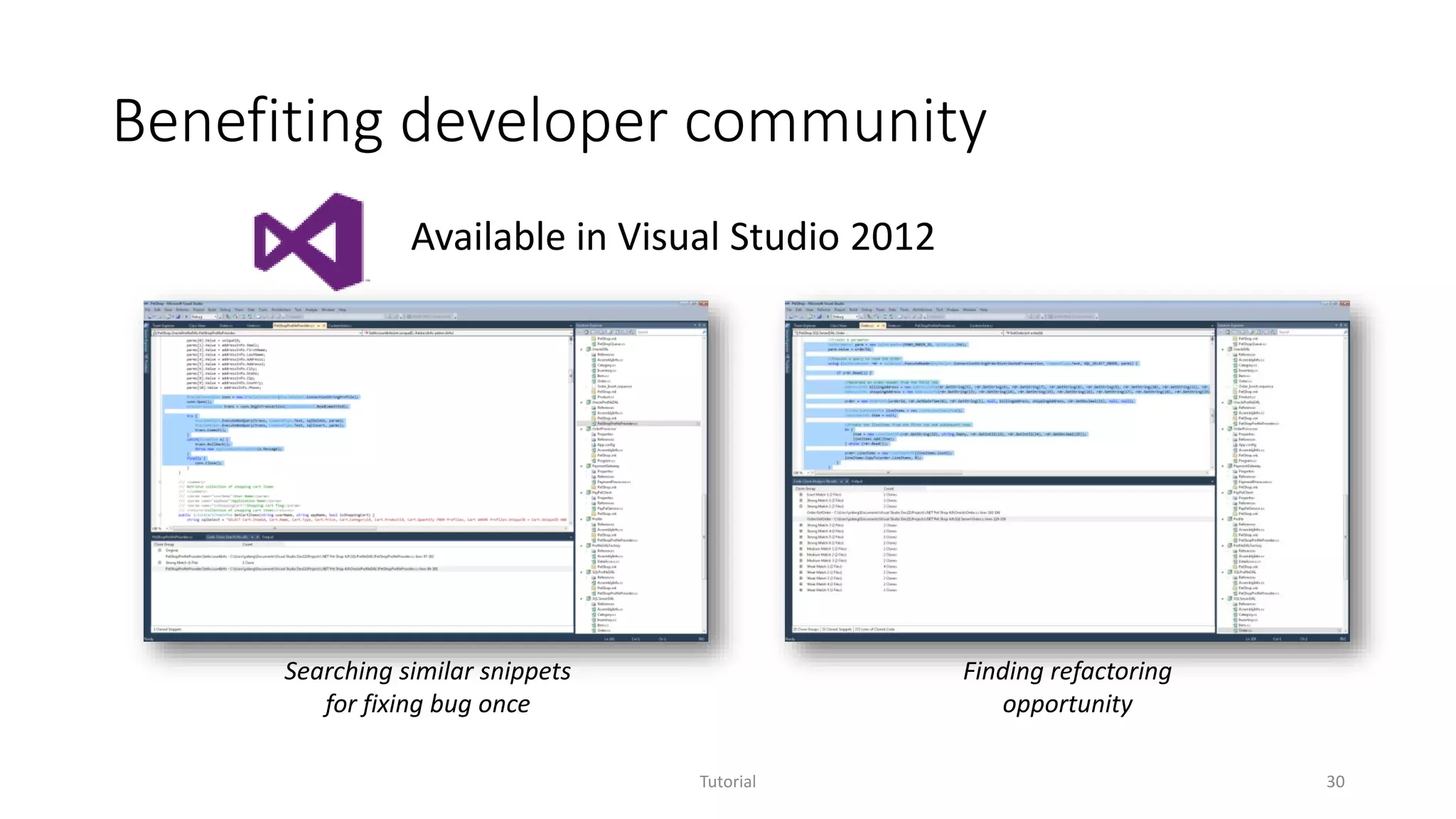
Benefiting developer community
Tutorial 30
Available in Visual Studio 2012
Searching similar snippets
for fixing bug once
Finding refactoring
opportunity
More secure Microsoft products
Tutorial 31
Code Clone Search service integrated into workflow of Microsoft
Security Response Center
Over hundreds of million lines of code indexed across multiple
products
Real security issues proactively identified and addressed
Example – MS security bulletin MS12-034
Combined Security Update for Microsoft Office, Windows, .NET Framework, and Silverlight,
published: Tuesday, May 08, 2012
3 publicly disclosed vulnerabilities and seven privately reported involved. Specifically, one is
exploited by the Duqu malware to execute arbitrary code when a user opened a malicious Office
document
Insufficient bounds check within the font parsing subsystem of win32k.sys
Cloned copy in gdiplus.dll, ogl.dll (office), Silver Light, Windows Journal viewer
Microsoft Technet Blog about this bulletin
“However, we wanted to be sure to address the vulnerable code wherever it appeared across the
Microsoft code base. To that end, we have been working with Microsoft Research to develop a
“Cloned Code Detection” system that we can run for every MSRC case to find any instance of the
vulnerable code in any shipping product. This system is the one that found several of the copies of
CVE-2011-3402 that we are now addressing with MS12-034.”
Tutorial 32
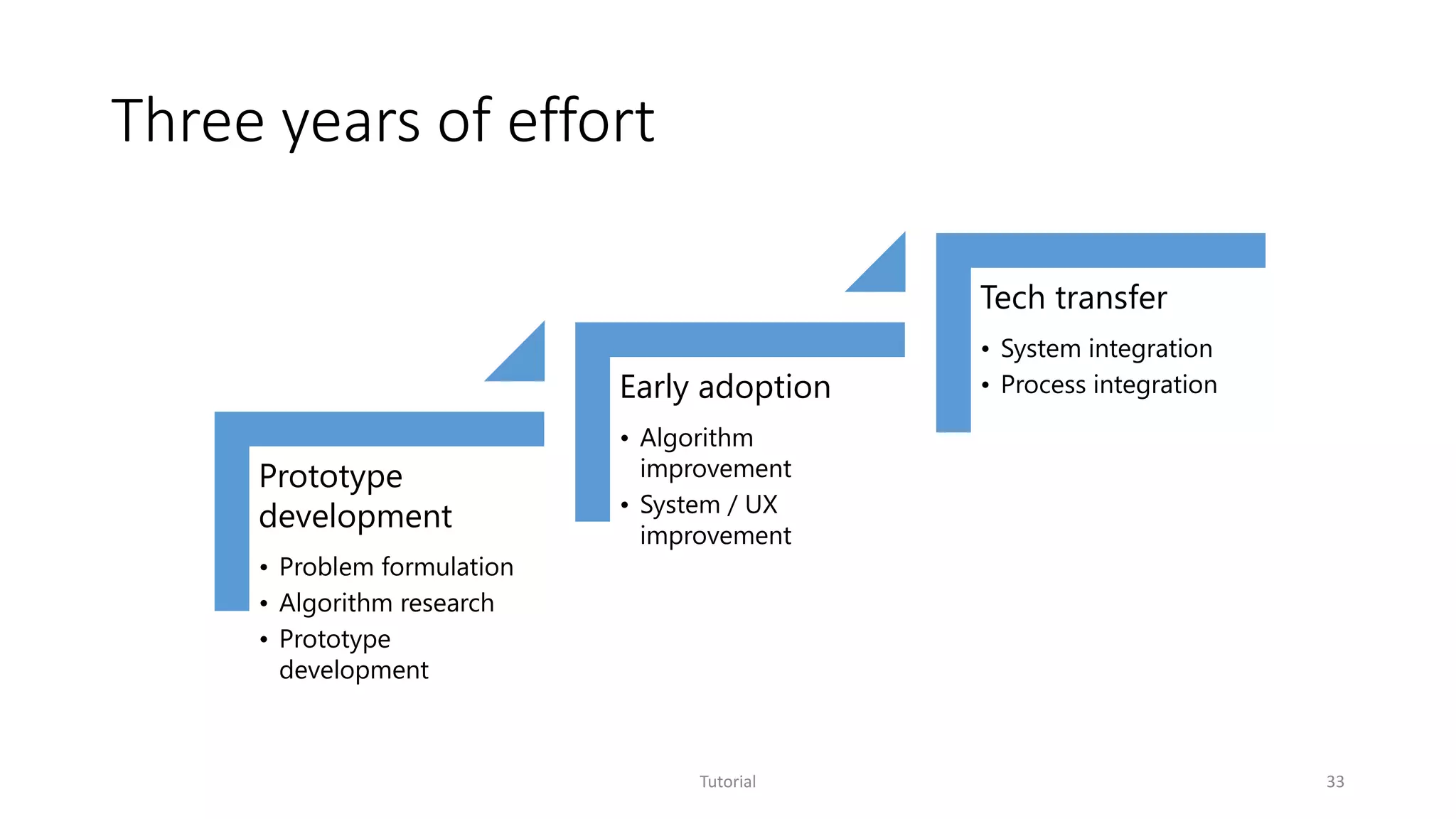
Three years of effort
Tutorial 33
Prototype
development
• Problem formulation
• Algorithm research
• Prototype
development
Early adoption
• Algorithm
improvement
• System / UX
improvement
Tech transfer
• System integration
• Process integration
StackMine
Performance debugging in the large via mining millions of
stack traces
Tutorial 34
Shi Han, Yingnong Dang, Song Ge, Dongmei Zhang, and Tao Xie, Performance Debugging in the Large via Mining Millions of Stack Traces, in Proceedings of the 34th International Conference
on Software Engineering (ICSE 2012), Zurich, Switzerland, June 2012.
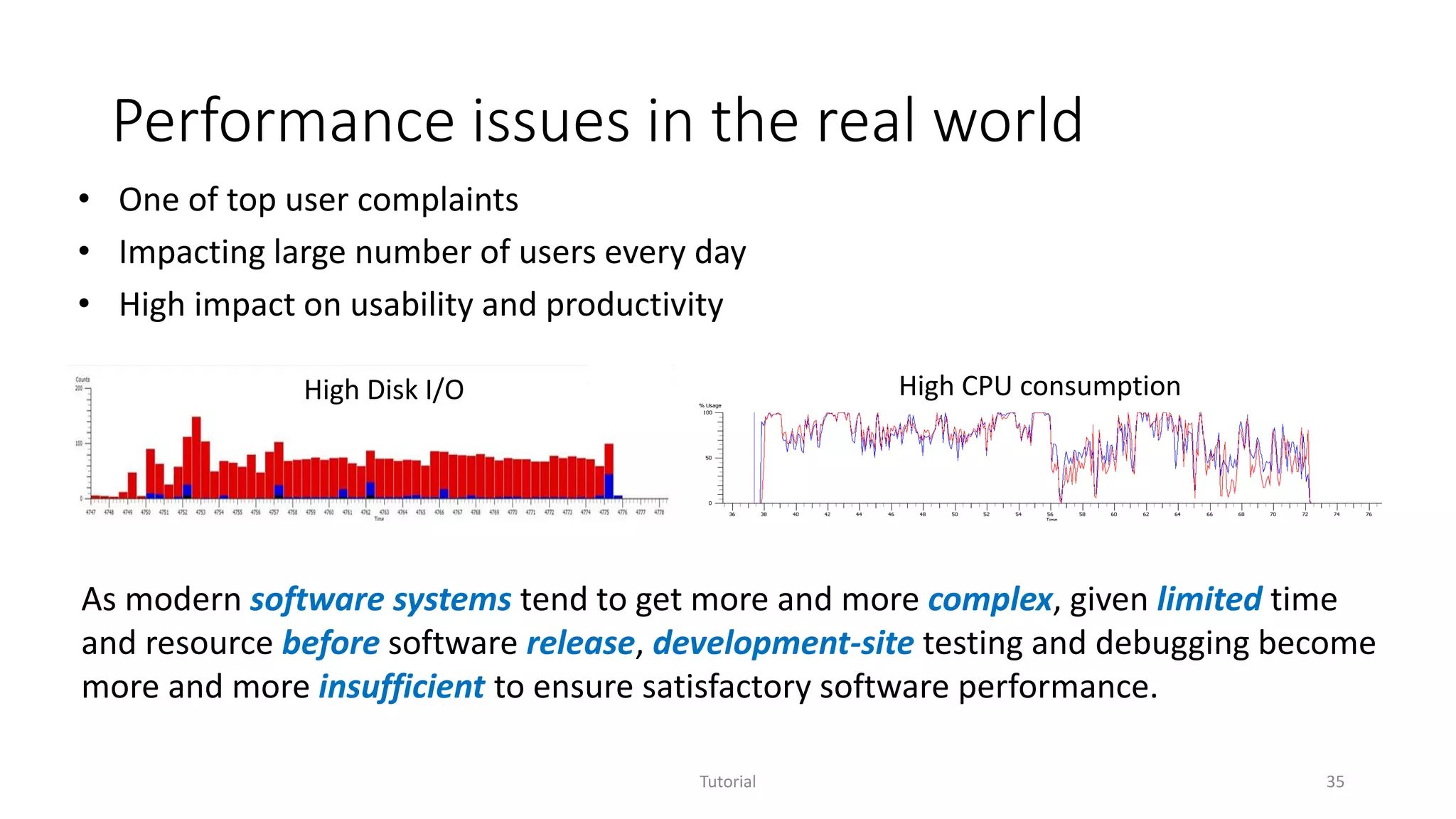
Performance issues in the real world
Tutorial 35
• One of top user complaints
• Impacting large number of users every day
• High impact on usability and productivity
High Disk I/O High CPU consumption
As modern software systems tend to get more and more complex, given limited time
and resource before software release, development-site testing and debugging become
more and more insufficient to ensure satisfactory software performance.
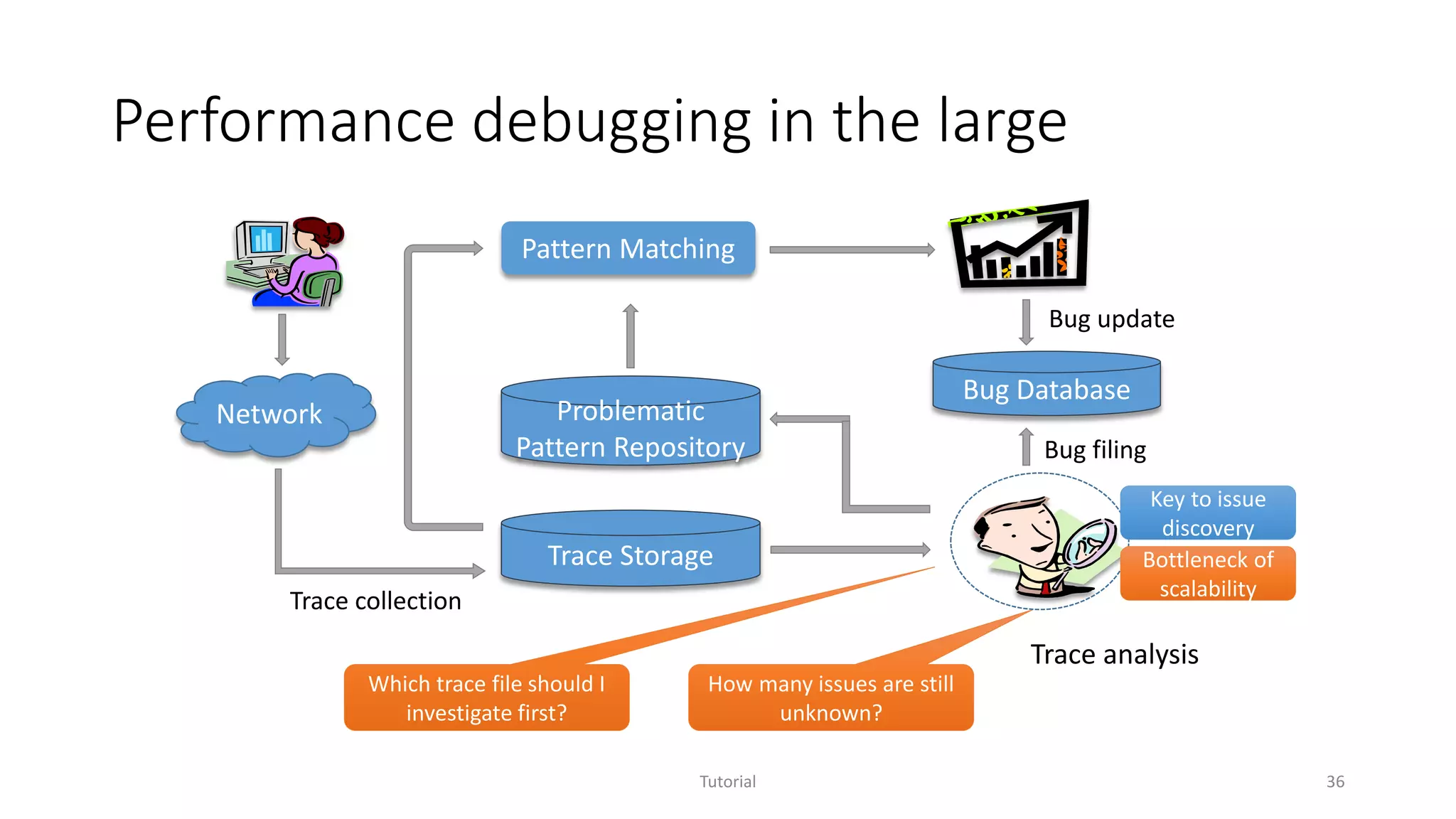
Performance debugging in the large
Tutorial 36
Pattern Matching
Trace Storage
Trace collection
Bug update
Problematic
Pattern Repository
Bug Database
Network
Trace analysis
How many issues are still
unknown?
Which trace file should I
investigate first?
Bug filing
Key to issue
discovery
Bottleneck of
scalability
Problem definition
Given operating system traces collected from tens of thousands
(potentially millions) of users, how to help domain experts identify the
program execution patterns that cause the most impactful underlying
performance problems with limited time and resource?
Tutorial 37
Goal
Systematic analysis of OS trace sets that enables
• Efficient handling of large-scale trace sets
• Automatic discovery of new program execution patterns
• Effective prioritization of performance investigation
Tutorial 38
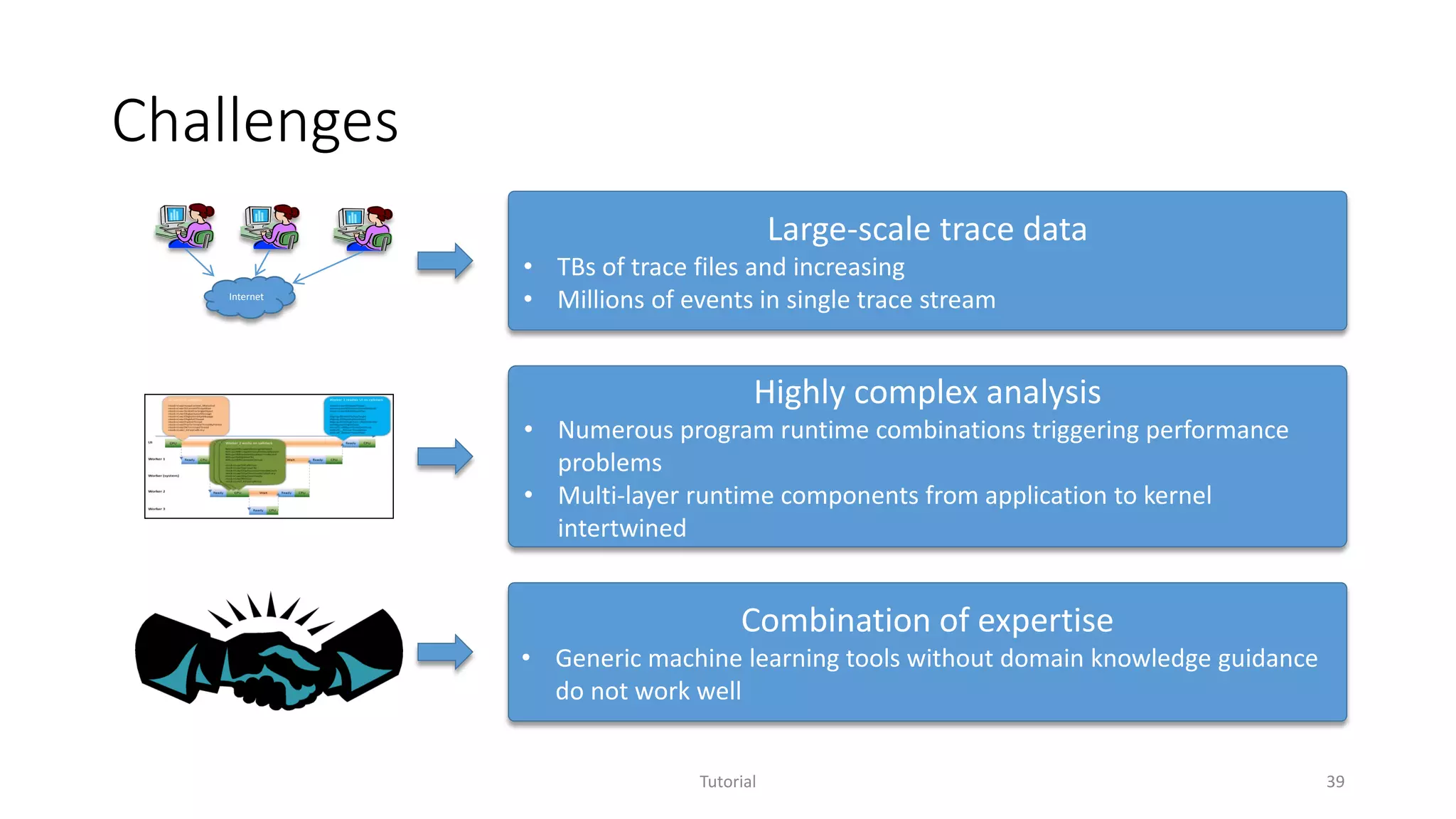
Challenges
Tutorial 39
Highly complex analysis
• Numerous program runtime combinations triggering performance
problems
• Multi-layer runtime components from application to kernel
intertwined
Combination of expertise
• Generic machine learning tools without domain knowledge guidance
do not work well
Large-scale trace data
• TBs of trace files and increasing
• Millions of events in single trace streamInternet
Tutorial 40
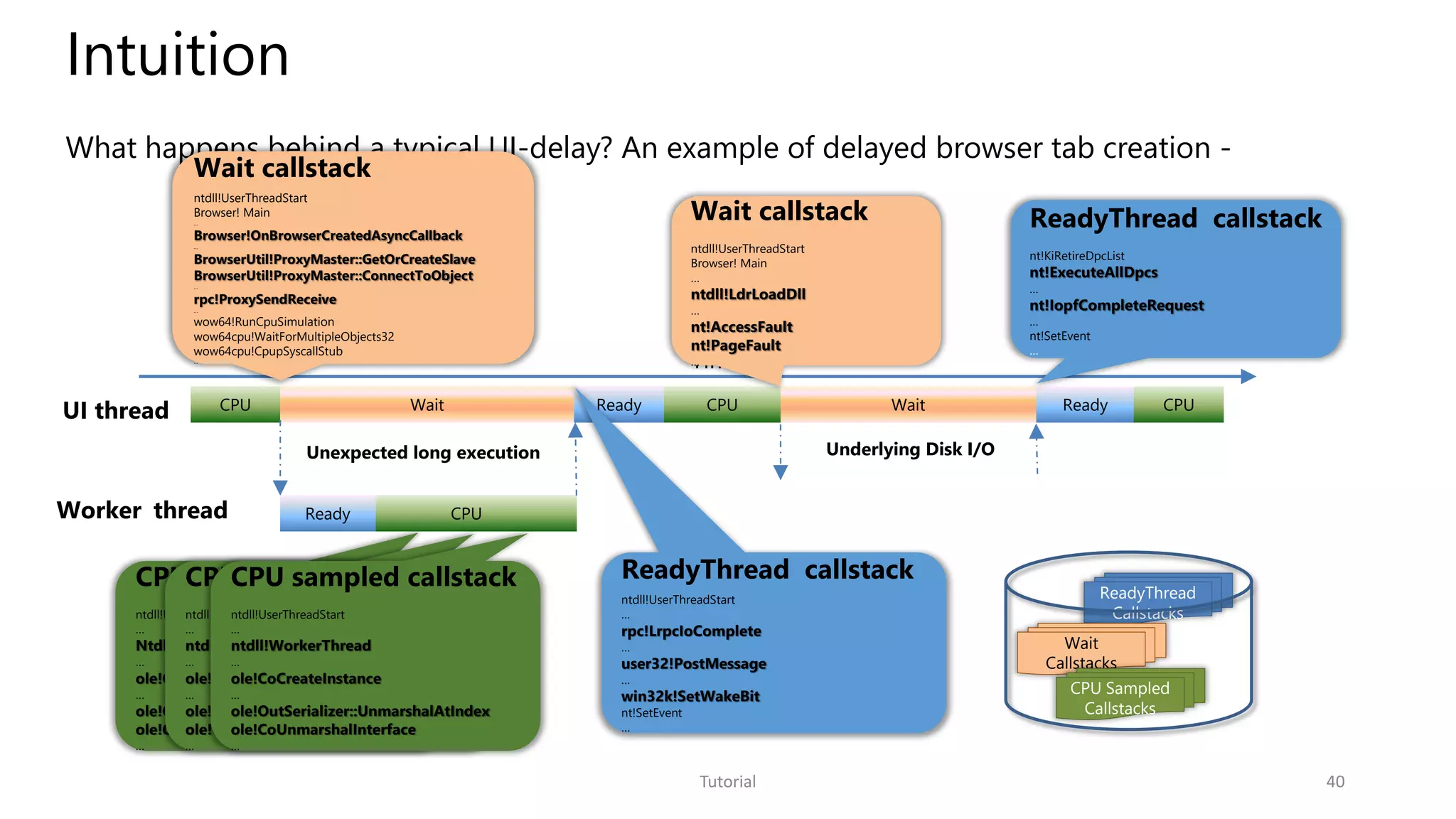
Intuition
CPU sampled callstack
ntdll!UserThreadStart
…
Ntdll!WorkerThread
…
ole!CoCreateInstance
…
ole!OutSerializer::UnmarshalAtIndex
ole!CoUnmarshalInterface
…
What happens behind a typical UI-delay? An example of delayed browser tab creation -
ReadyThread
Callstacks
Wait
Callstacks
CPU Sampled
Callstacks
CPU Wait Ready CPUWaitCPUUI thread Ready
Time
Wait callstack
ntdll!UserThreadStart
Browser! Main
…
ntdll!LdrLoadDll
…
nt!AccessFault
nt!PageFault
…
Wait callstack
ntdll!UserThreadStart
Browser! Main
…
Browser!OnBrowserCreatedAsyncCallback
…
BrowserUtil!ProxyMaster::GetOrCreateSlave
BrowserUtil!ProxyMaster::ConnectToObject
…
rpc!ProxySendReceive
…
wow64!RunCpuSimulation
wow64cpu!WaitForMultipleObjects32
wow64cpu!CpupSyscallStub
…
ReadyThread callstack
ntdll!UserThreadStart
…
rpc!LrpcIoComplete
…
user32!PostMessage
…
win32k!SetWakeBit
nt!SetEvent
…
ReadyThread callstack
nt!KiRetireDpcList
nt!ExecuteAllDpcs
…
nt!IopfCompleteRequest
…
nt!SetEvent
…
Underlying Disk I/O
Worker thread CPU
Unexpected long execution
Ready
CPU sampled callstack
ntdll!UserThreadStart
…
ntdll!WorkerThread
…
ole!CoCreateInstance
…
ole!OutSerializer::UnmarshalAtIndex
ole!CoUnmarshalInterface
…
CPU sampled callstack
ntdll!UserThreadStart
…
ntdll!WorkerThread
…
ole!CoCreateInstance
…
ole!OutSerializer::UnmarshalAtIndex
ole!CoUnmarshalInterface
…
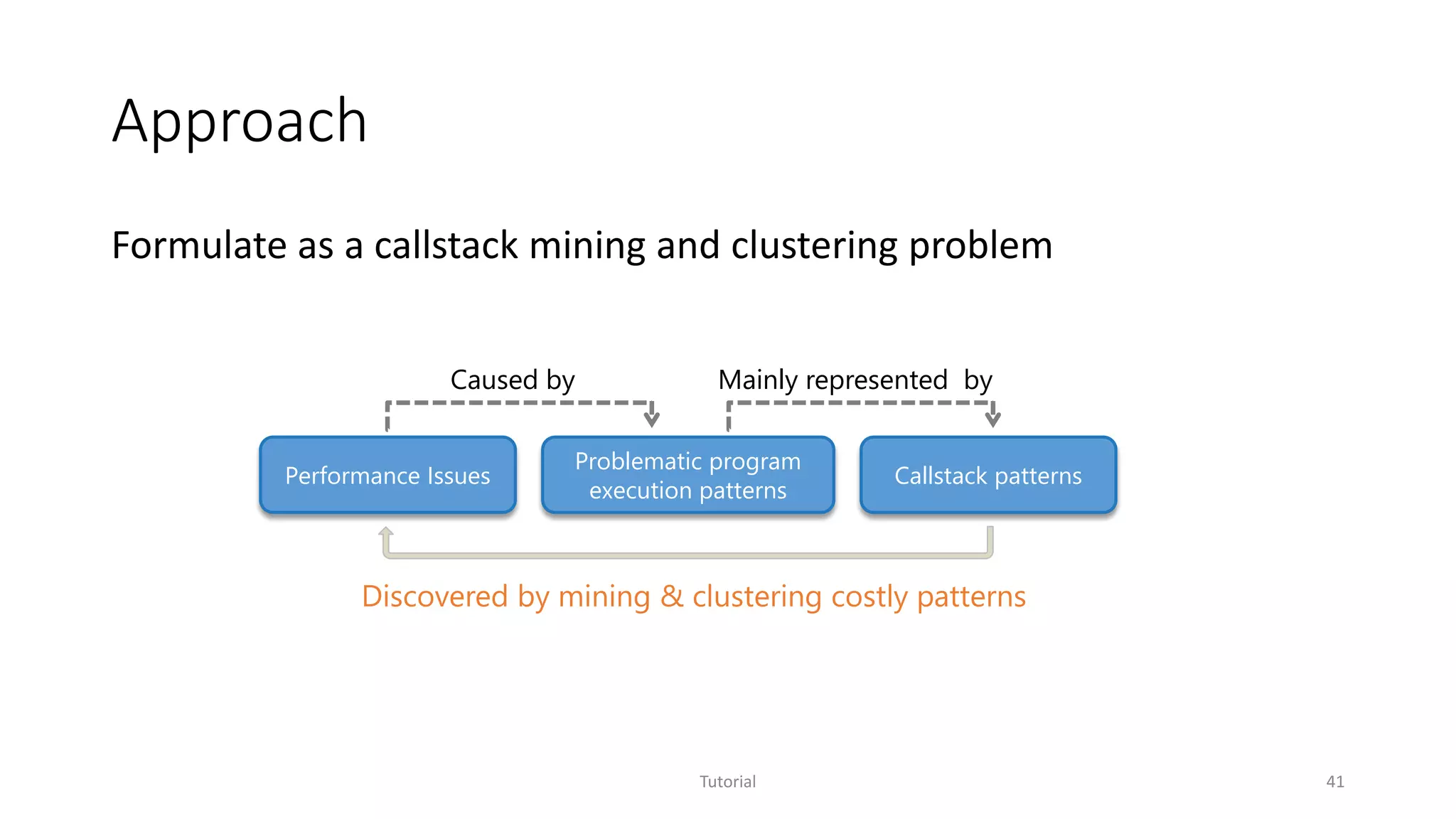
Approach
Formulate as a callstack mining and clustering problem
Tutorial 41
Problematic program
execution patterns
Callstack patternsPerformance Issues
Caused by
Discovered by mining & clustering costly patterns
Mainly represented by
Technical highlights
• Machine learning for system domain
• Formulate the discovery of problematic execution patterns as callstack mining
and clustering
• Systematic mechanism to incorporate domain knowledge
• Interactive performance analysis system
• Parallel mining infrastructure based on HPC+MPI
• Visualization aided interactive exploration
Tutorial 42
Impact
Tutorial 43
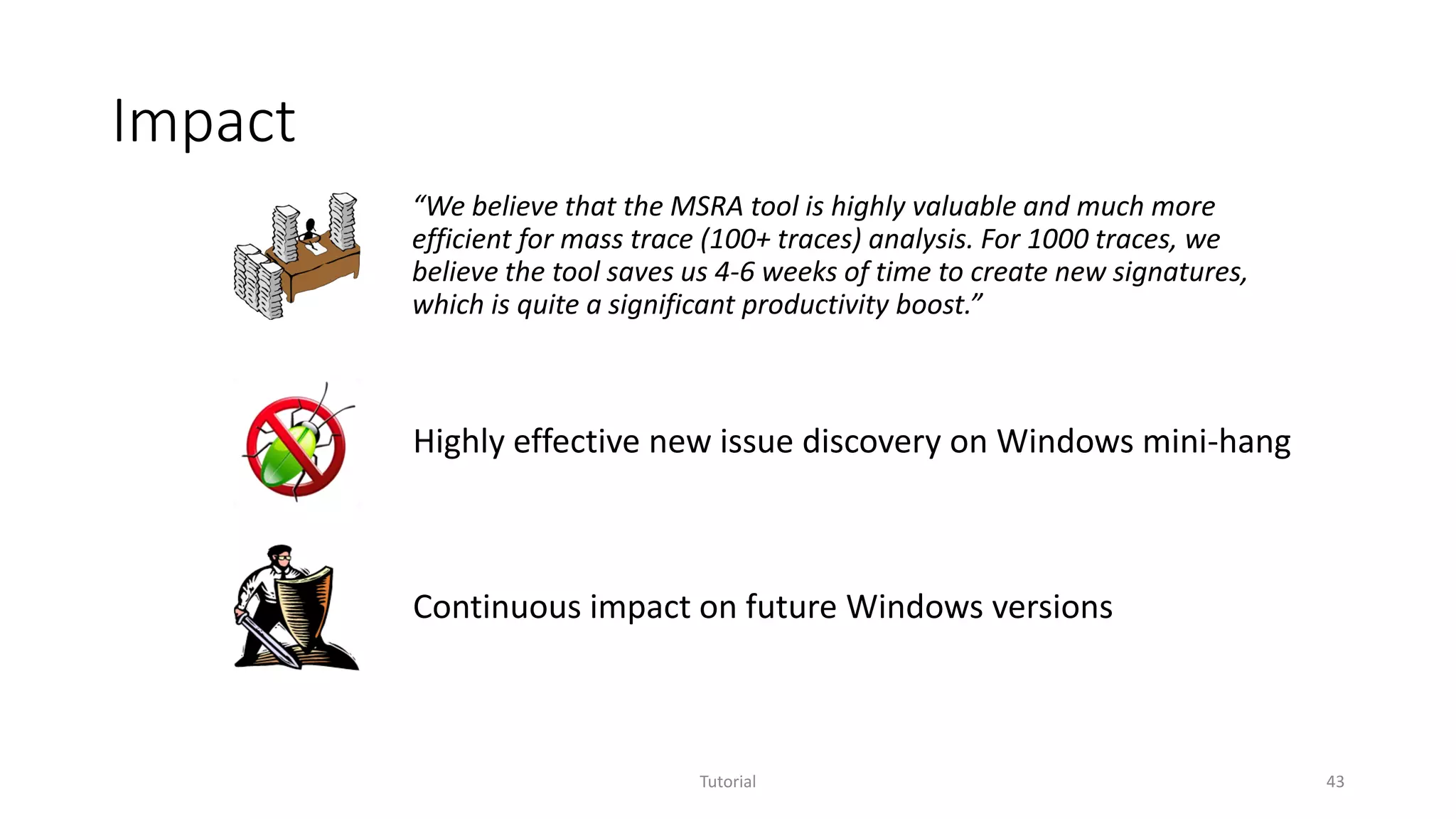
“We believe that the MSRA tool is highly valuable and much more
efficient for mass trace (100+ traces) analysis. For 1000 traces, we
believe the tool saves us 4-6 weeks of time to create new signatures,
which is quite a significant productivity boost.”
Highly effective new issue discovery on Windows mini-hang
Continuous impact on future Windows versions
Service Analysis Studio
Incident management for online services
Tutorial 44
Jian-Guang Lou, Qingwei Lin, Rui Ding, Qiang Fu, Dongmei Zhang and Tao Xie, Software Analytics for Incident Management of Online Services: An Experience Report, in Proceedings of the 28th IEEE/ACM
International Conference on Automated Software Engineering (ASE 2013), Experience papers, Palo Alto, California, November 2013.
Motivation
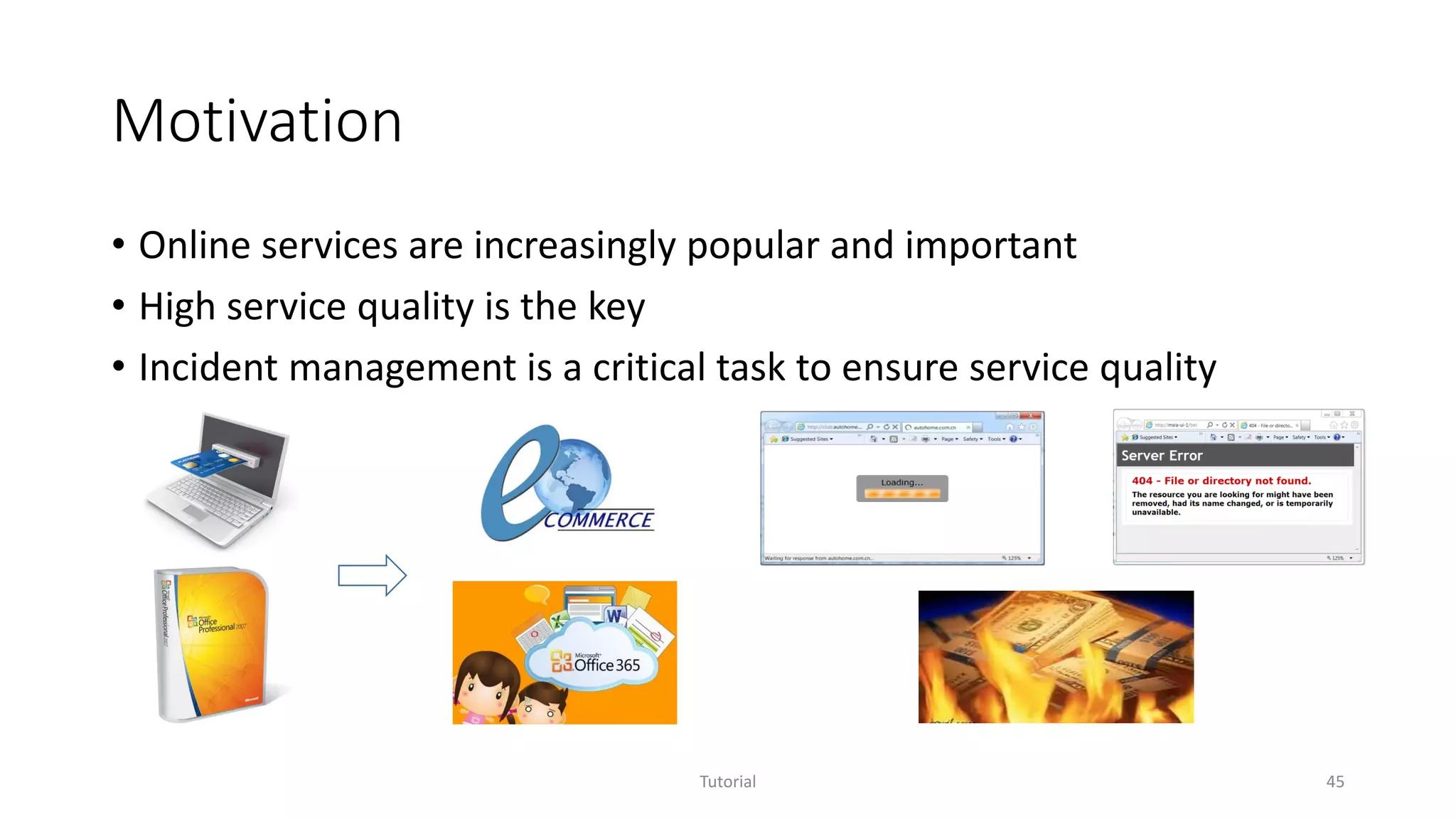
• Online services are increasingly popular and important
• High service quality is the key
• Incident management is a critical task to ensure service quality
Tutorial 45
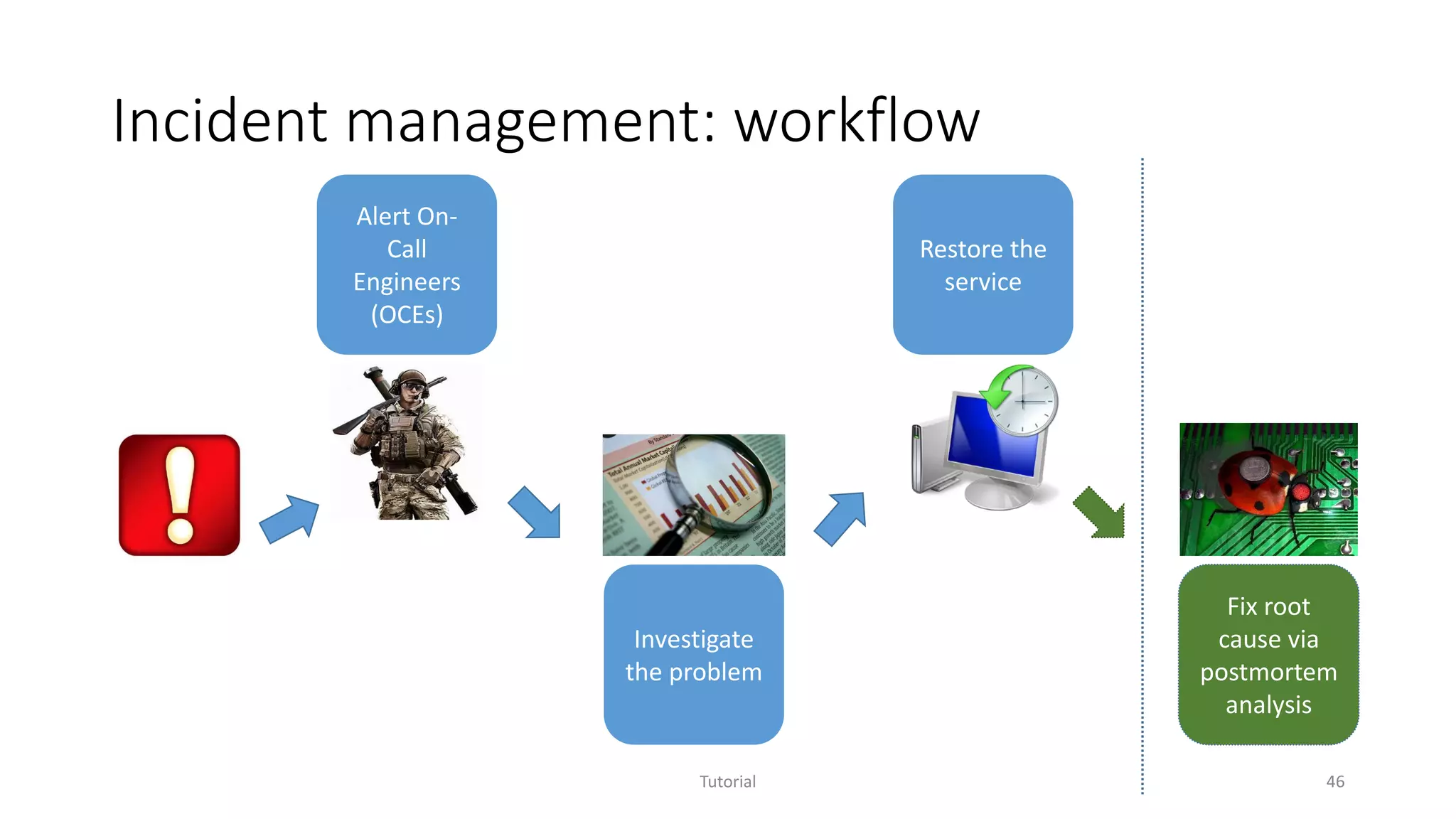
Incident management: workflow
Tutorial 46
Alert On-
Call
Engineers
(OCEs)
Investigate
the problem
Restore the
service
Fix root
cause via
postmortem
analysis
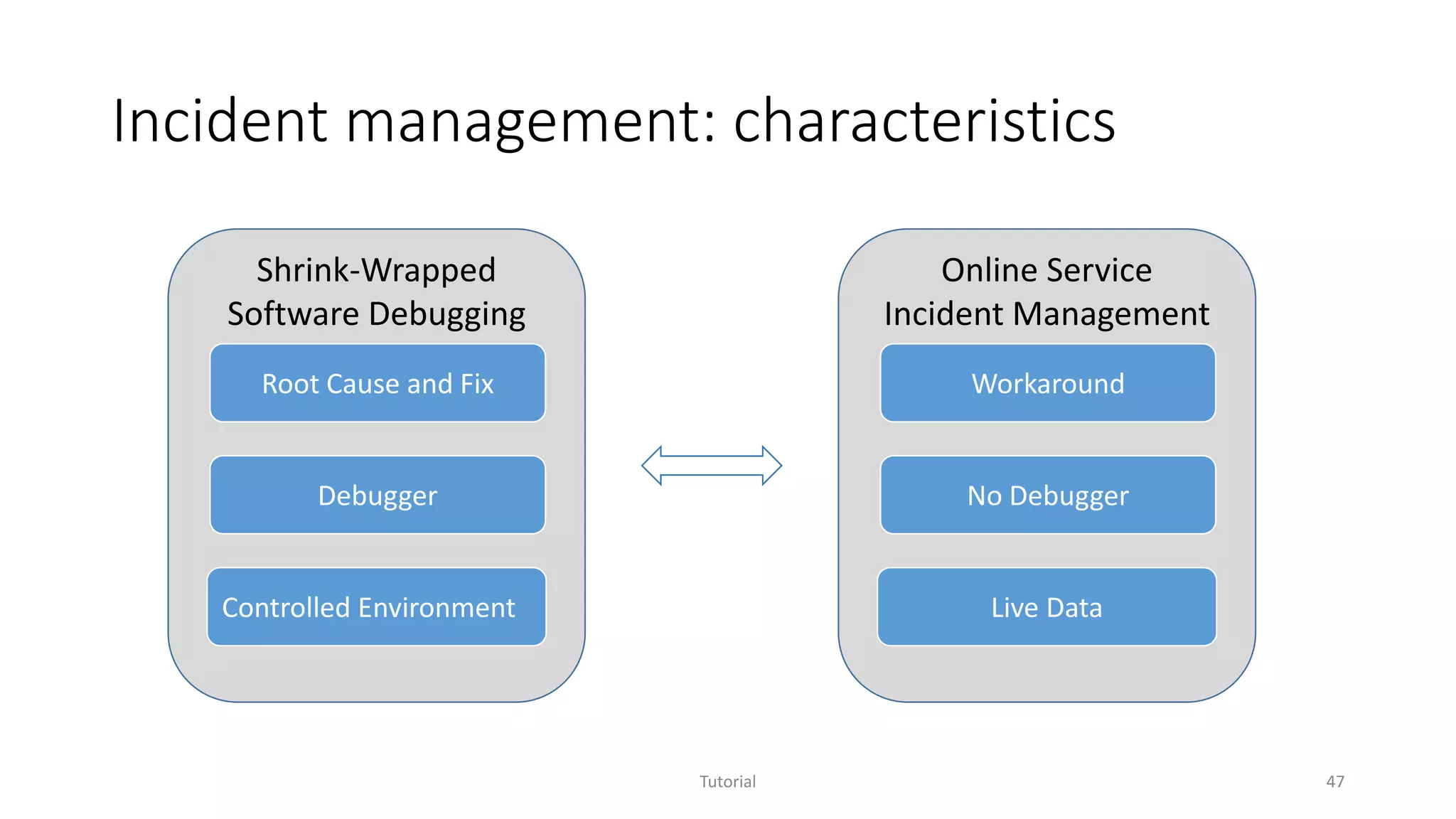
Incident management: characteristics
Tutorial 47
Shrink-Wrapped
Software Debugging
Root Cause and Fix
Debugger
Controlled Environment
Online Service
Incident Management
Workaround
No Debugger
Live Data
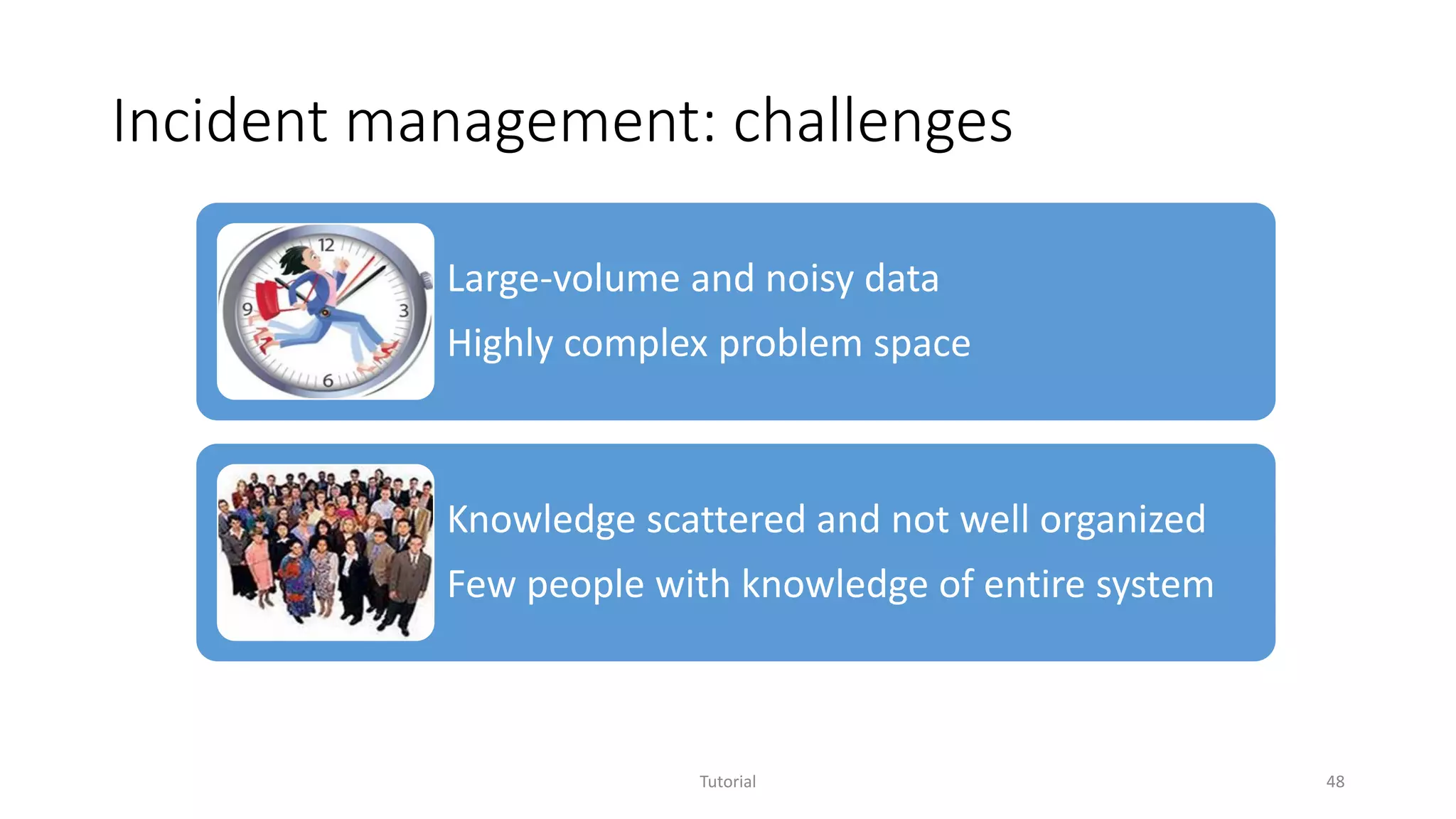
Incident management: challenges
Tutorial 48
Large-volume and noisy data
Highly complex problem space
Knowledge scattered and not well organized
Few people with knowledge of entire system
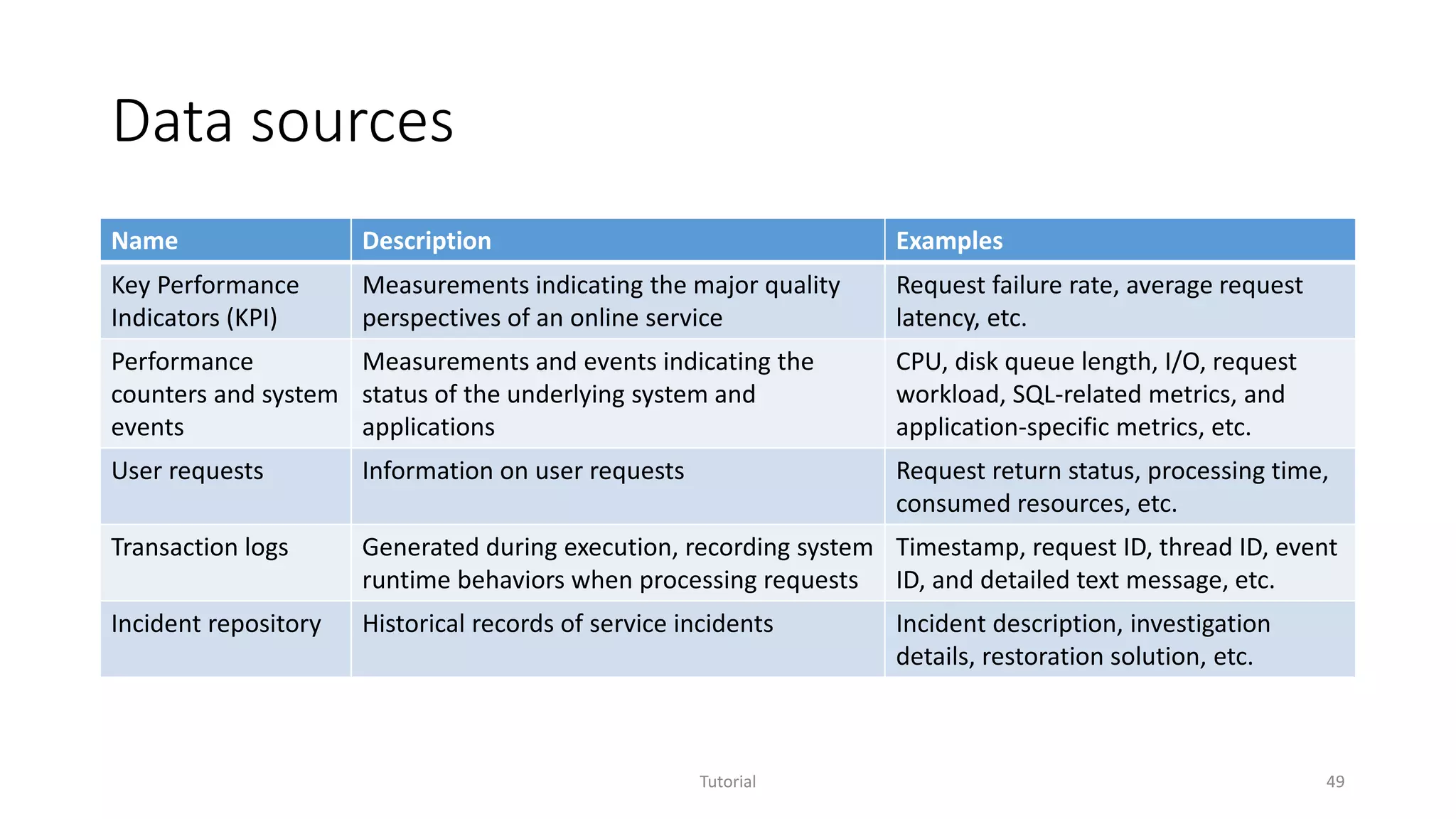
Data sources
Name Description Examples
Key Performance
Indicators (KPI)
Measurements indicating the major quality
perspectives of an online service
Request failure rate, average request
latency, etc.
Performance
counters and system
events
Measurements and events indicating the
status of the underlying system and
applications
CPU, disk queue length, I/O, request
workload, SQL-related metrics, and
application-specific metrics, etc.
User requests Information on user requests Request return status, processing time,
consumed resources, etc.
Transaction logs Generated during execution, recording system
runtime behaviors when processing requests
Timestamp, request ID, thread ID, event
ID, and detailed text message, etc.
Incident repository Historical records of service incidents Incident description, investigation
details, restoration solution, etc.
Tutorial 49
Service Analysis Studio (SAS)
• Goal
Given an incident in an online service, effectively helping service
engineers reduce Mean Time To Restore (MTTR).
• Design principals
• Automating data analysis
• Handling heterogeneous data sources
• Accumulating knowledge
• Supporting human-in-the-loop (HITL)
Tutorial 50
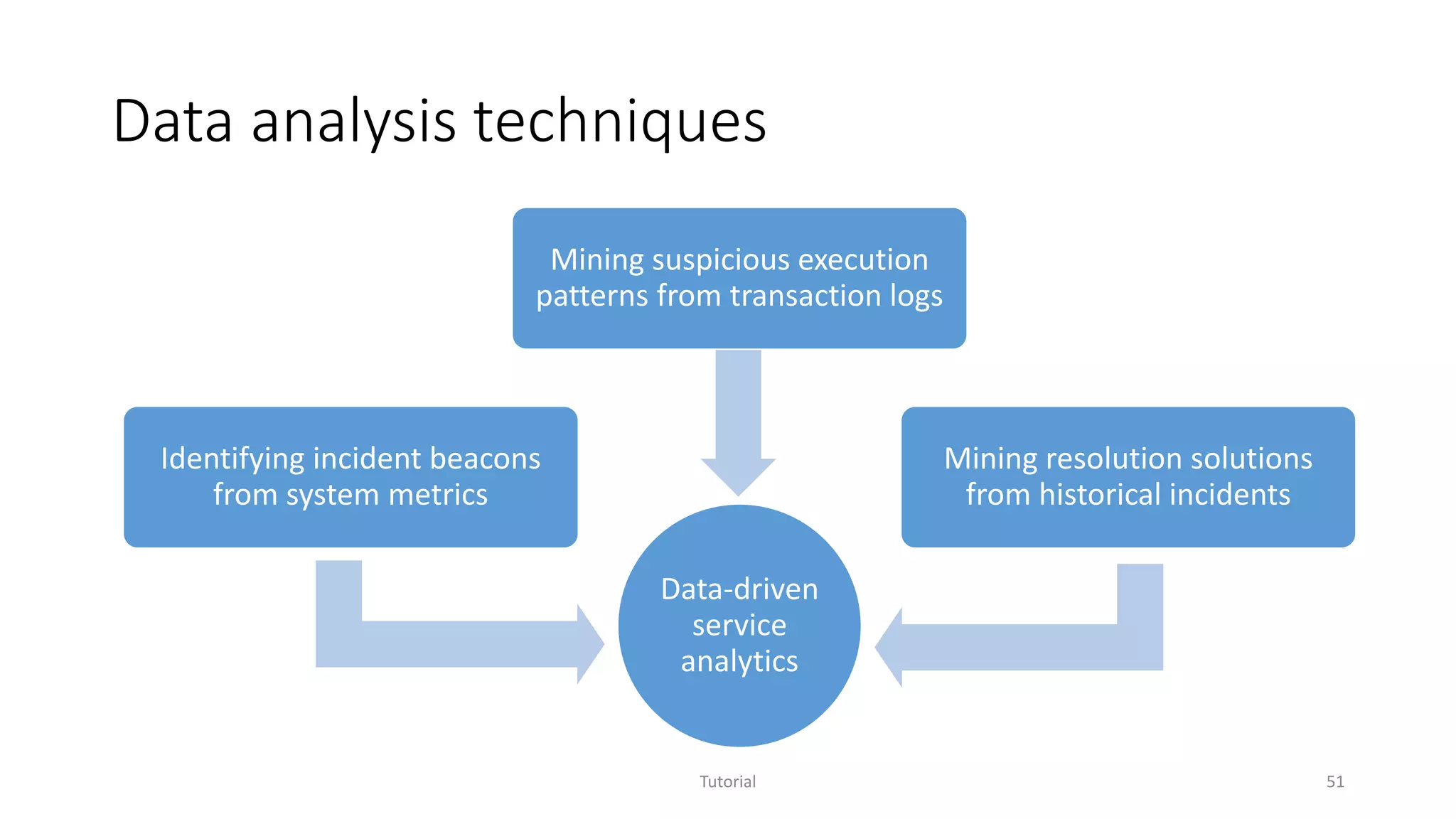
Data analysis techniques
Tutorial 51
Data-driven
service
analytics
Identifying incident beacons
from system metrics
Mining suspicious execution
patterns from transaction logs
Mining resolution solutions
from historical incidents
Impact
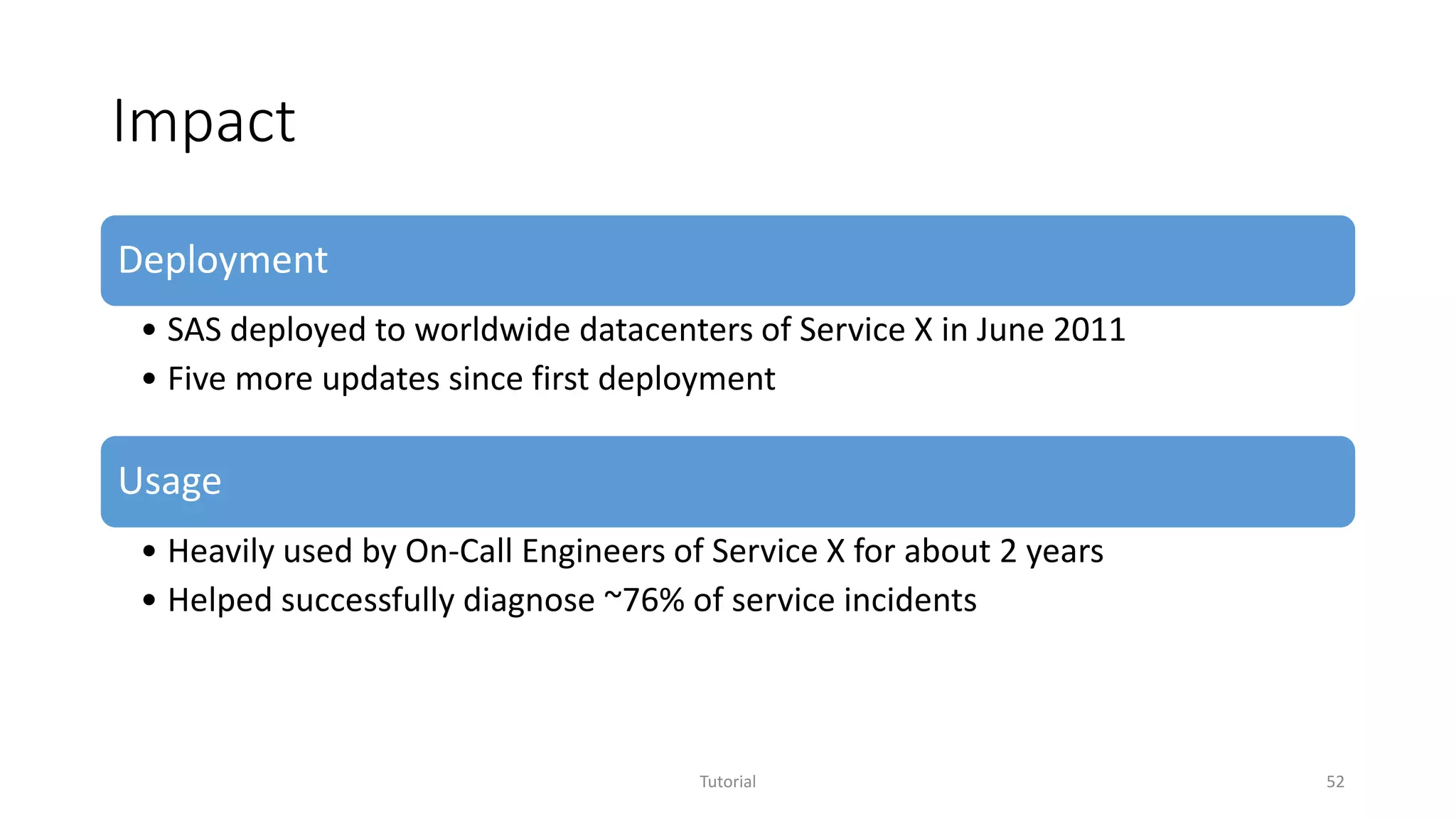
Deployment
• SAS deployed to worldwide datacenters of Service X in June 2011
• Five more updates since first deployment
Usage
• Heavily used by On-Call Engineers of Service X for about 2 years
• Helped successfully diagnose ~76% of service incidents
Tutorial 52
Lessons learned
• Understanding and solving real problems
• Understanding data and system
• Handling data issues
• Making SAS highly usable
• Achieving high availability and performance
• Delivering step-by-step
Tutorial 53
Understanding and solving real problems
Tutorial 54
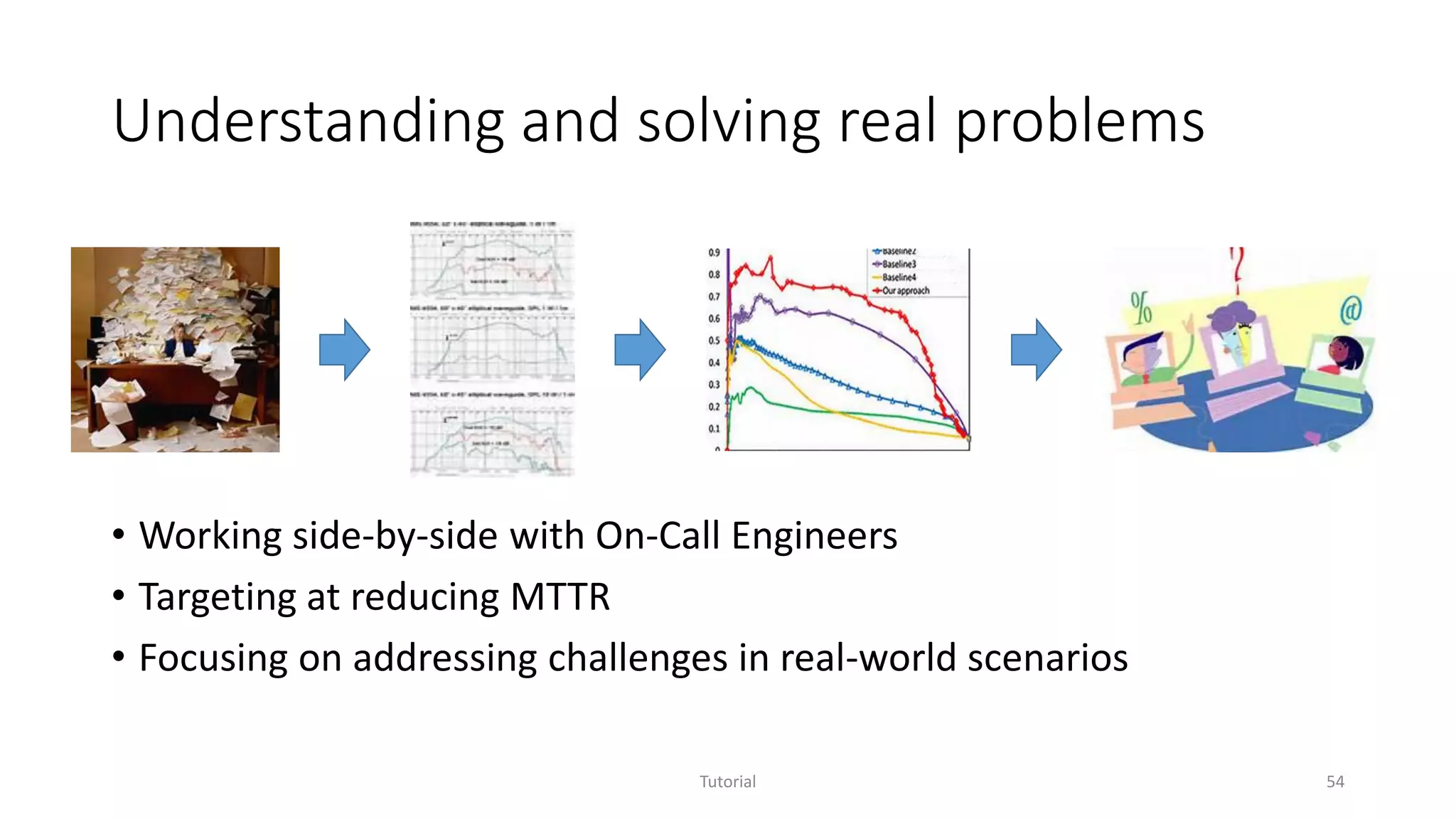
• Working side-by-side with On-Call Engineers
• Targeting at reducing MTTR
• Focusing on addressing challenges in real-world scenarios
Understanding data and system
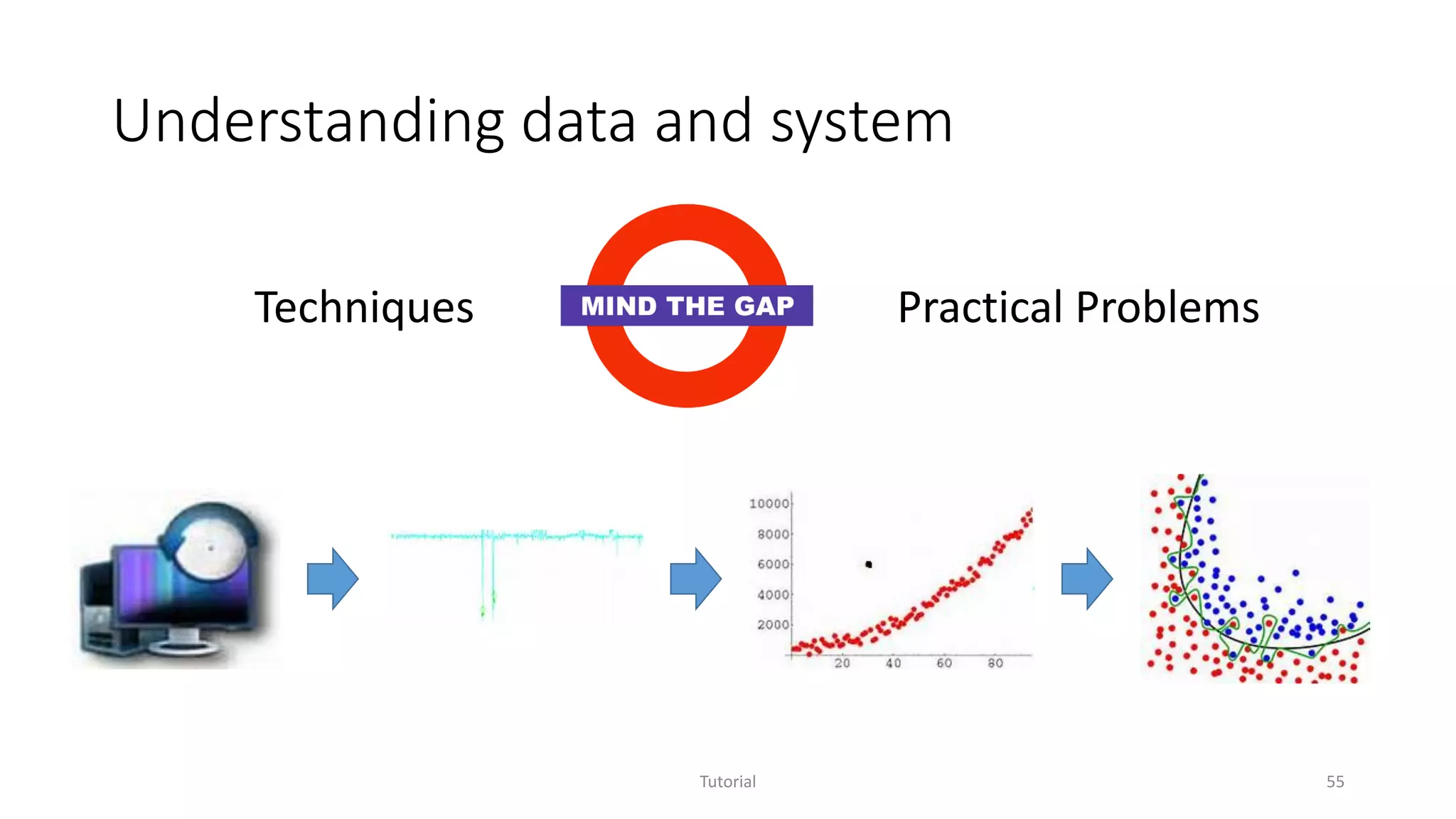
Tutorial 55
Techniques Practical Problems
Handling data issues
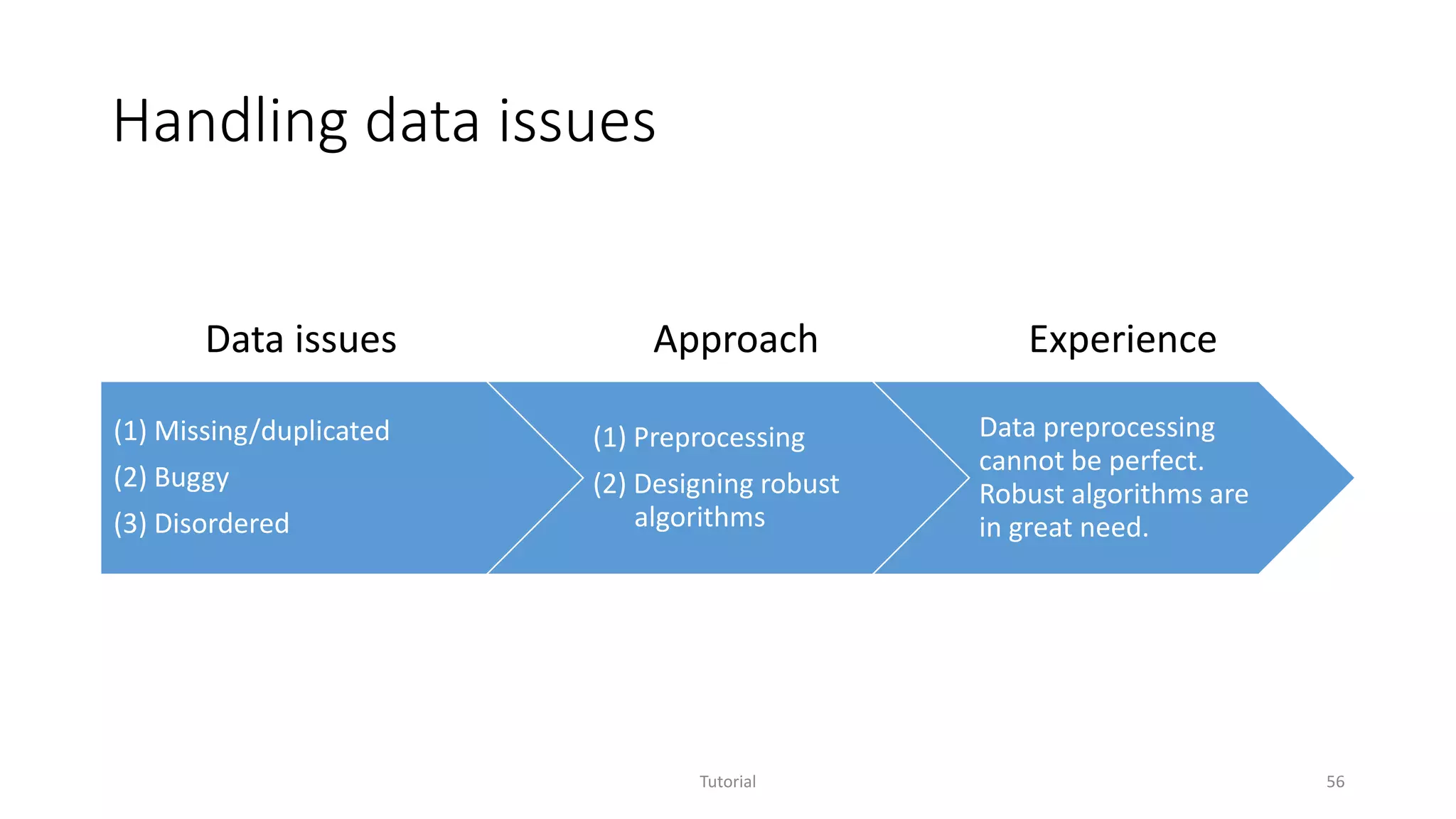
(1) Missing/duplicated
(2) Buggy
(3) Disordered
(1) Preprocessing
(2) Designing robust
algorithms
Data preprocessing
cannot be perfect.
Robust algorithms are
in great need.
Tutorial 56
Data issues Approach Experience
Making SAS highly usable
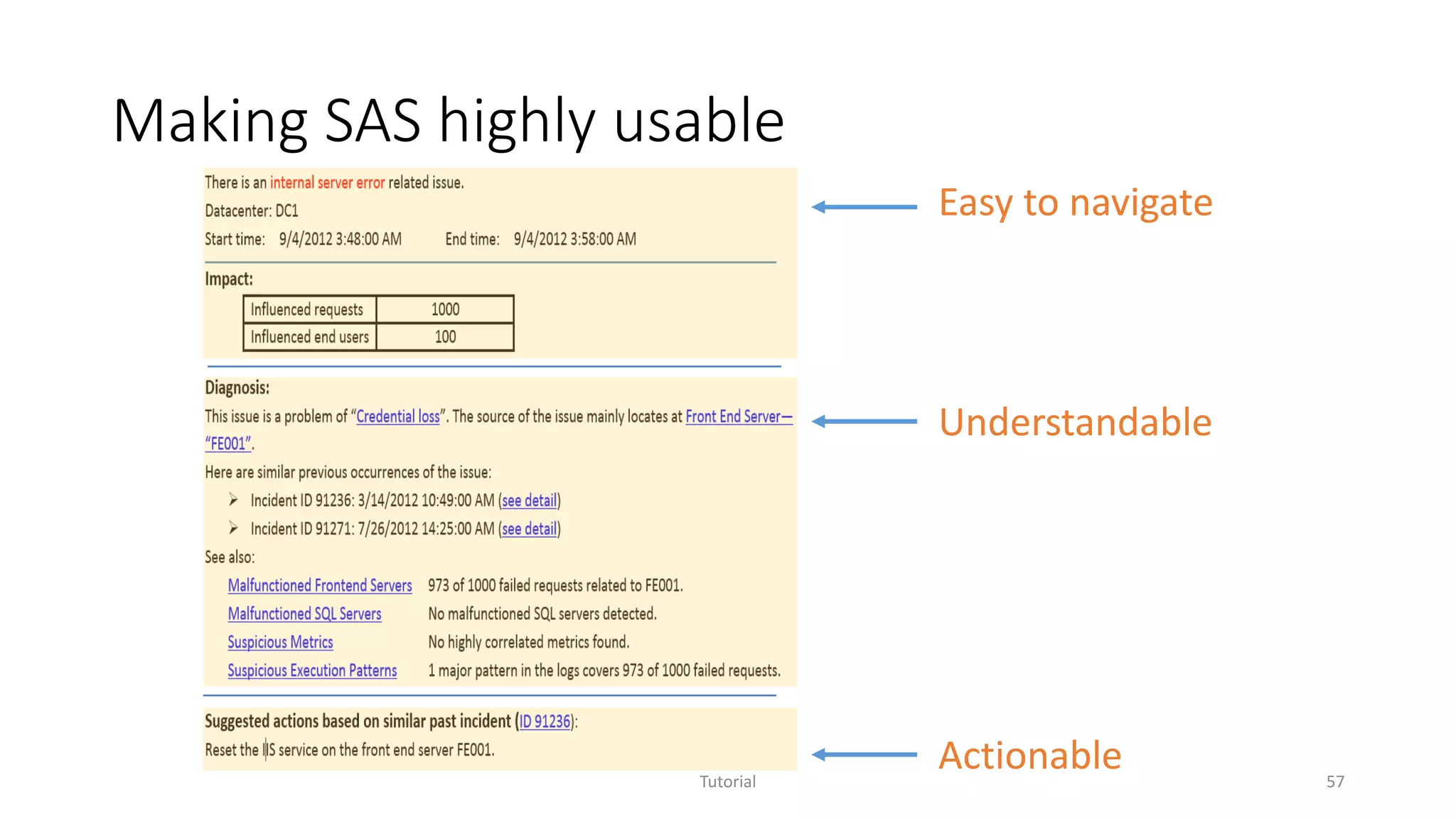
Tutorial 57
Actionable
Understandable
Easy to navigate
Achieving high availability and performance
• SAS is also a service
• To serve On-Call Engineers at any time with high performance
• Critical to reducing MTTR of services
• Auto recovery
• Continuously monitored
• Check-point mechanism adopted
• Backend service + On-demand analysis
Tutorial 58
Delivering step-by-step
• Demonstrating value and building trust
• Deployment in production has cost and risk
• In-house  dogfood  one datacenter  worldwide datacenters
• Getting timely feedback
• Requirements may not be clear early on and requirements may change
• Gaining troubleshooting experiences from On-Call Engineers
• Understanding how SAS was used
• Identifying direction of improvement
Tutorial 59
Outline
• Overview of Software Analytics
• Selected projects
• Experience sharing on Software Analytics in Practice
Tutorial 60
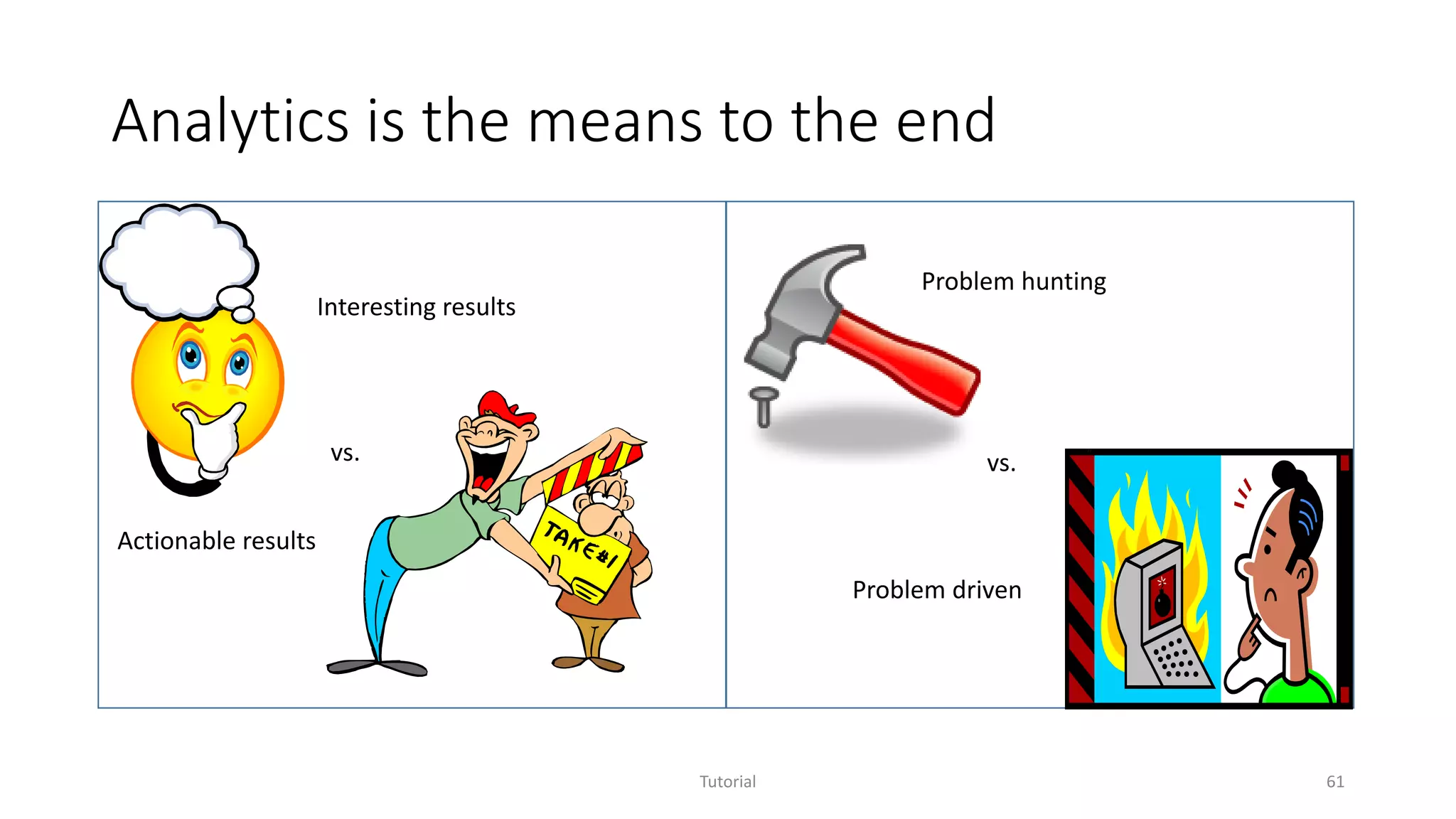
Analytics is the means to the end
Tutorial 61
Interesting results
Actionable results
vs.
Problem hunting
vs.
Problem driven
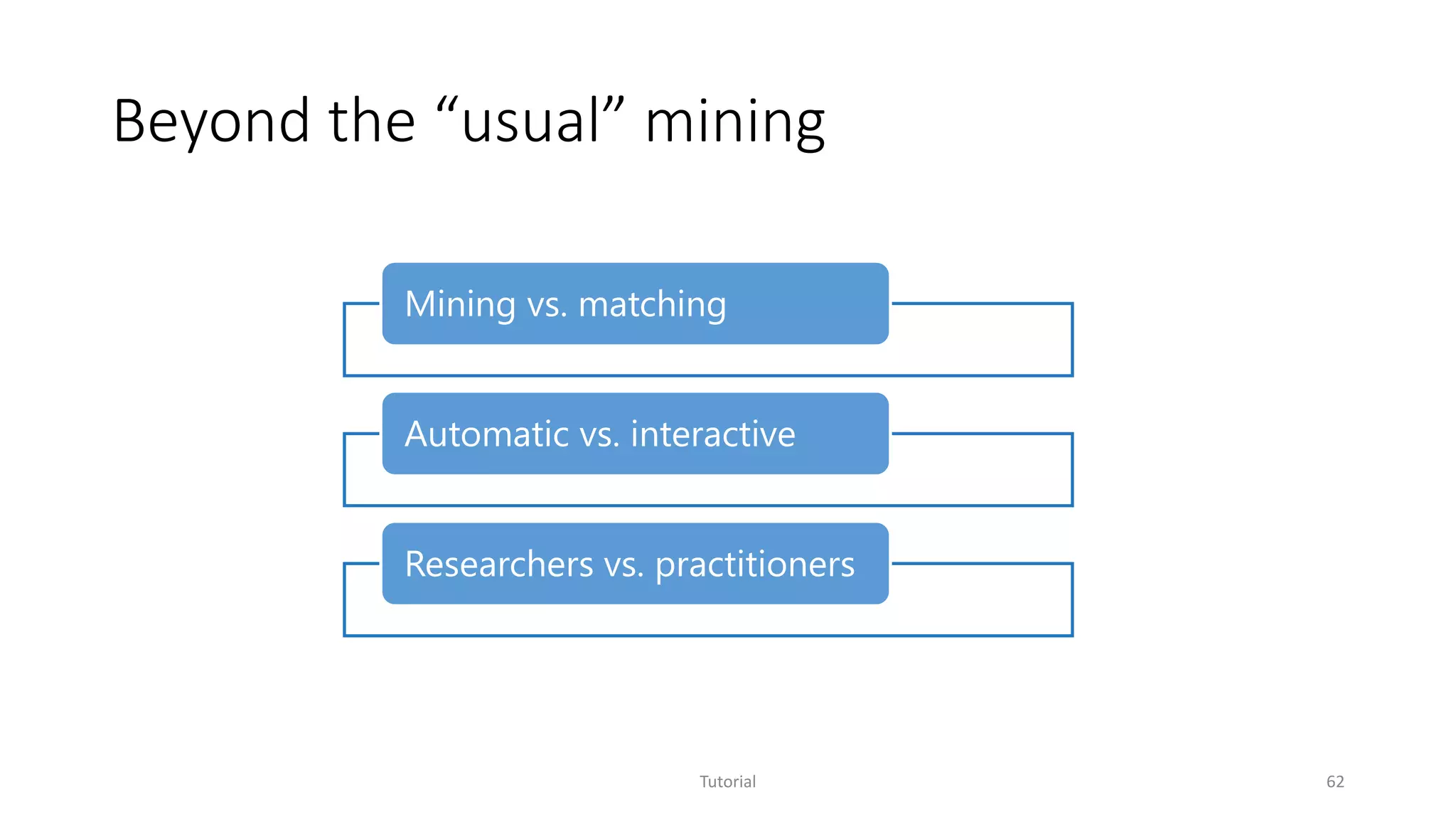
Beyond the “usual” mining
Tutorial 62
Mining vs. matching
Automatic vs. interactive
Researchers vs. practitioners
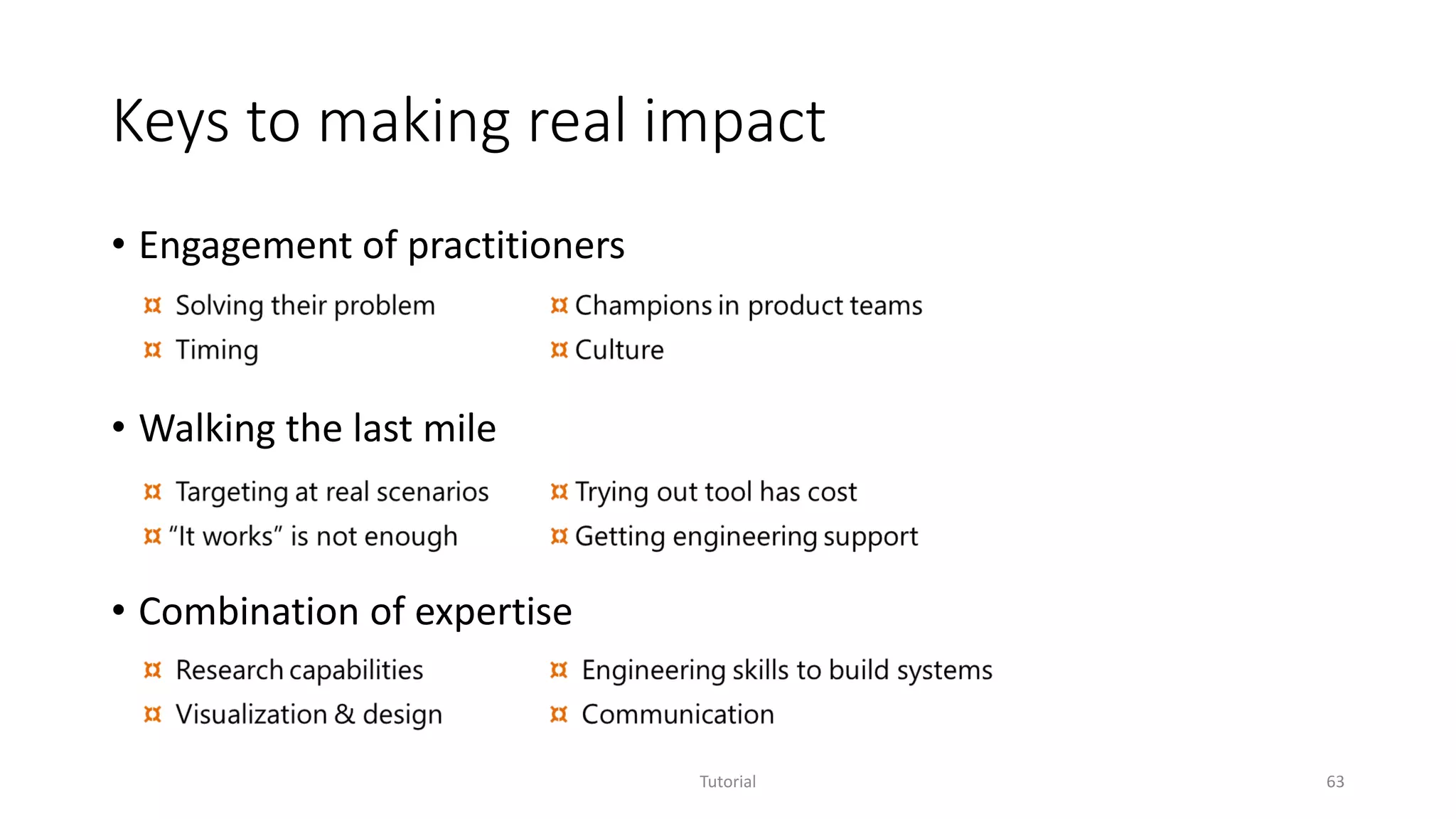
Keys to making real impact
• Engagement of practitioners
• Walking the last mile
• Combination of expertise
Tutorial 63
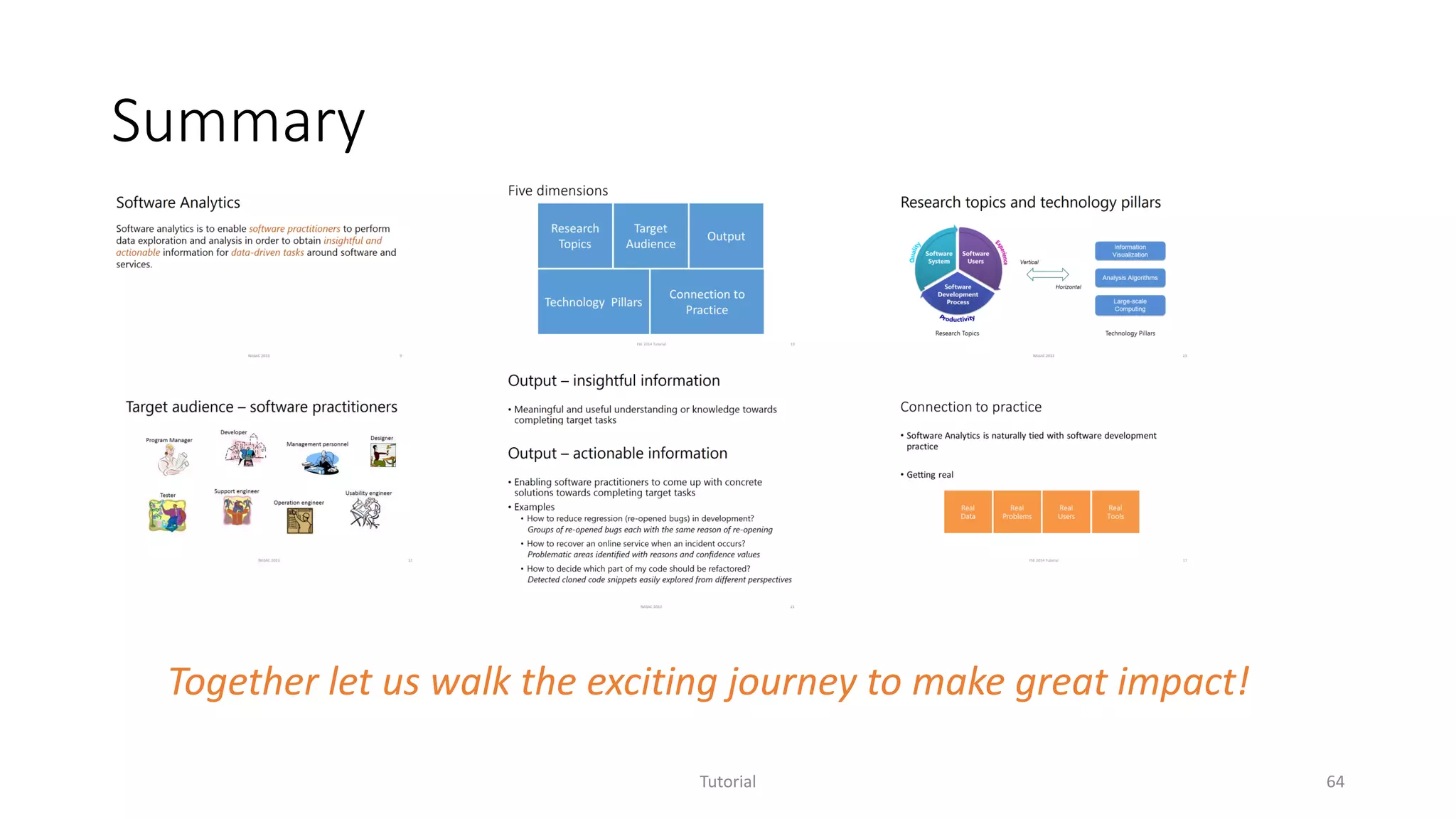
Summary
Tutorial 64
Together let us walk the exciting journey to make great impact!
Q & A
Tutorial 65
http://research.microsoft.com/groups/sa/

Software Analytics - Achievements and Challenges

  • 1.
    Software Analytics: Achievements andChallenges Dongmei Zhang Software Analytics Group Microsoft Research Tao Xie Computer Science Department University of Illinois, Urbana-Champaign
  • 2.
    Tao Xie • AssociateProfessor at University of Illinois at Urbana-Champaign, USA • Leads the ASE research group at Illinois • PC Chair of ISSTA 2015, PC Co-Chair of ICSM 2009, MSR 2011/2012 • Co-organizer of 2007 Dagstuhl Seminar on Mining Programs and Processes, 2013 NII Shonan Meeting on Software Analytics: Principles and Practice Tutorial 2
  • 3.
    Dongmei Zhang • PrincipalResearcher at Microsoft Research Asia (MSRA) • Founded Software Analytics (SA) Group at MSRA in May 2009 • Research Manager of MSRA SA • Co-organizer of 2013 NII Shonan Meeting on Software Analytics: Principles and Practice • Microsoft Research Asia (MSRA) • Founded in November 1998 in Beijing, China • 2nd-largest MSR lab with 200+ researchers • Projects started in 2004 to research how data could help with software development Tutorial 3
  • 4.
    Outline • Overview ofSoftware Analytics • Selected projects • Experience sharing on Software Analytics in practice Tutorial 4
  • 5.
    New Era…Software itselfis changing... Software Services Tutorial 5
  • 6.
    How people usesoftware is changing… Individual Social Isolated Not much content generation Collaborative Huge amount of artifacts generated anywhere anytime Tutorial 6
  • 7.
    How software isbuilt & operated is changing… Tutorial 7 Data pervasive Long product cycle Experience & gut-feeling In-lab testing Informed decision making Centralized development Code centric Debugging in the large Distributed development Continuous release … …
  • 8.
    Software Analytics Software analyticsis to enable software practitioners to perform data exploration and analysis in order to obtain insightful and actionable information for data- driven tasks around software and services. Tutorial 8
  • 9.
    Software Analytics Software analyticsis to enable software practitioners to perform data exploration and analysis in order to obtain insightful and actionable information for data- driven tasks around software and services. Tutorial 9
  • 10.
    Five dimensions Tutorial 10 Research Topics TechnologyPillars Target Audience Connection to Practice Output
  • 11.
    Research topics Tutorial 11 Software Users Software Development Process Software System •Covering different areas of software domain • Throughout entire development cycle • Enabling practitioners to obtain insights
  • 12.
    Data sources Tutorial 12 Runtimetraces Program logs System events Perf counters … Usage log User surveys Online forum posts Blog & Twitter … Source code Bug history Check-in history Test cases …
  • 13.
    Target audience –software practitioners Tutorial 13 Developer Tester Program Manager Usability engineer Designer Support engineer Management personnel Operation engineer
  • 14.
    Output – insightfulinformation • Conveys meaningful and useful understanding or knowledge towards completing the target task • Not easily attainable via directly investigating raw data without aid of analytics technologies • Examples • It is easy to count the number of re-opened bugs, but how to find out the primary reasons for these re-opened bugs? • When the availability of an online service drops below a threshold, how to localize the problem? Tutorial 14
  • 15.
    Output – actionableinformation • Enables software practitioners to come up with concrete solutions towards completing the target task • Examples • Why bugs were re-opened? • A list of bug groups each with the same reason of re-opening • Why availability of online services dropped? • A list of problematic areas with associated confidence values • Which part of my code should be refactored? • A list of cloned code snippets easily explored from different perspectives Tutorial 15
  • 16.
    Research topics andtechnology pillars Tutorial 16 Software Users Software Development Process Software System Information Visualization Data Analysis Algorithms Large-scale Computing Vertical Horizontal
  • 17.
    Connection to practice •Software Analytics is naturally tied with software development practice • Getting real Tutorial 17 Real Data Real Problems Real Users Real Tools
  • 18.
  • 19.
    Various related efforts… •Mining Software Repositories (MSR) • Software Intelligence • Software Development Analytics Tutorial 19 Broader Scope Greater Impact Software Analytics http://www.msrconf.org/ A. E. Hassan and T. Xie. Software intelligence: Future of mining software engineering data. In Proc. FSE/SDP Workshop on Future of Software Engineering Research (FoSER 2010), pages 161–166, 2010. R. P. Buse and T. Zimmermann. Analytics for software development. In Proc. FSE/SDP Workshop on Future of Software Engineering Research (FoSER 2010), pages 77–80, 2010.
  • 20.
    Outline • Overview ofSoftware Analytics • Selected projects • Experience sharing on Software Analytics in practice Tutorial 20
  • 21.
    Selected projects Tutorial 21 StackMine– Performance debugging in the large via mining millions of stack traces Scalable code clone analysis Service Analysis Studio: Incident management for online services
  • 22.
    XIAO Scalable code cloneanalysis Tutorial 22 Yingnong Dang, Dongmei Zhang, Song Ge, Chengyun Chu, Yingjun Qiu, Tao Xie, XIAO: Tuning Code Clones at Hands of Engineers in Practice, in Proceedings of Annual Computer Security Applications Conference 2012, (ACSAC 2012), Orlando, Florida, USA, December, 2012.
  • 23.
    Code clone research •Tons of papers published in the past decade • 8 years of International Workshop on Software Clones (IWSC) since 2006 • Dagstuhl Seminar • Software Clone Management towards Industrial Application (2012) • Duplication, Redundancy, and Similarity in Software (2006) Tutorial 23 Source: http://www.dagstuhl.de/12071
  • 24.
    XIAO: Code cloneanalysis • Motivation • Copy-and-paste is a common developer behavior • A real tool widely adopted internally and externally • XIAO enables code clone analysis in the following way • High tunability • High scalability • High compatibility • High explorability Tutorial 24 [IWSC’11 Dang et.al.]
  • 25.
    High tunability –what you tune is what you get Tutorial 25 • Intuitive similarity metric • Effective control of the degree of syntactical differences between two code snippets • Tunable at fine granularity • Statement similarity • % of inserted/deleted/modified statements • Balance between code structure and disordered statements for (i = 0; i < n; i ++) { a ++; b ++; c = foo(a, b); d = bar(a, b, c); e = a + c; } for (i = 0; i < n; i ++) { c = foo(a, b); a ++; b ++; d = bar(a, b, c); e = a + d; e ++; }
  • 26.
    High scalability • Four-stepanalysis process • Easily parallelizable based on source code partition Tutorial 26 Pre-processing Pruning Fine Matching Coarse Matching
  • 27.
    High compatibility • Compilerindependent • Light-weight built-in parsers for C/C++ and C# • Open architecture for plug-in parsers to support different languages • Easy adoption by product teams • Different build environment • Almost zero cost for trial Tutorial 27
  • 28.
    High explorability Tutorial 28 1.Clone navigation based on source tree hierarchy 2. Pivoting of folder level statistics 3. Folder level statistics 4. Clone function list in selected folder 5. Clone function filters 6. Sorting by bug or refactoring potential 7. Tagging 1 2 3 4 5 6 7 1. Block correspondence 2. Block types 3. Block navigation 4. Copying 5. Bug filing 6. Tagging 1 2 3 4 1 6 5
  • 29.
    Scenarios and solutions Tutorial29 Quality gates at milestones • Architecture refactoring • Code clone clean up • Bug fixing Post-release maintenance • Security bug investigation • Bug investigation for sustained engineering Development and testing • Checking for similar issues before check-in • Reference info for code review • Supporting tool for bug triage Online code clone search Offline code clone analysis
  • 30.
    Benefiting developer community Tutorial30 Available in Visual Studio 2012 Searching similar snippets for fixing bug once Finding refactoring opportunity
  • 31.
    More secure Microsoftproducts Tutorial 31 Code Clone Search service integrated into workflow of Microsoft Security Response Center Over hundreds of million lines of code indexed across multiple products Real security issues proactively identified and addressed
  • 32.
    Example – MSsecurity bulletin MS12-034 Combined Security Update for Microsoft Office, Windows, .NET Framework, and Silverlight, published: Tuesday, May 08, 2012 3 publicly disclosed vulnerabilities and seven privately reported involved. Specifically, one is exploited by the Duqu malware to execute arbitrary code when a user opened a malicious Office document Insufficient bounds check within the font parsing subsystem of win32k.sys Cloned copy in gdiplus.dll, ogl.dll (office), Silver Light, Windows Journal viewer Microsoft Technet Blog about this bulletin “However, we wanted to be sure to address the vulnerable code wherever it appeared across the Microsoft code base. To that end, we have been working with Microsoft Research to develop a “Cloned Code Detection” system that we can run for every MSRC case to find any instance of the vulnerable code in any shipping product. This system is the one that found several of the copies of CVE-2011-3402 that we are now addressing with MS12-034.” Tutorial 32
  • 33.
    Three years ofeffort Tutorial 33 Prototype development • Problem formulation • Algorithm research • Prototype development Early adoption • Algorithm improvement • System / UX improvement Tech transfer • System integration • Process integration
  • 34.
    StackMine Performance debugging inthe large via mining millions of stack traces Tutorial 34 Shi Han, Yingnong Dang, Song Ge, Dongmei Zhang, and Tao Xie, Performance Debugging in the Large via Mining Millions of Stack Traces, in Proceedings of the 34th International Conference on Software Engineering (ICSE 2012), Zurich, Switzerland, June 2012.
  • 35.
    Performance issues inthe real world Tutorial 35 • One of top user complaints • Impacting large number of users every day • High impact on usability and productivity High Disk I/O High CPU consumption As modern software systems tend to get more and more complex, given limited time and resource before software release, development-site testing and debugging become more and more insufficient to ensure satisfactory software performance.
  • 36.
    Performance debugging inthe large Tutorial 36 Pattern Matching Trace Storage Trace collection Bug update Problematic Pattern Repository Bug Database Network Trace analysis How many issues are still unknown? Which trace file should I investigate first? Bug filing Key to issue discovery Bottleneck of scalability
  • 37.
    Problem definition Given operatingsystem traces collected from tens of thousands (potentially millions) of users, how to help domain experts identify the program execution patterns that cause the most impactful underlying performance problems with limited time and resource? Tutorial 37
  • 38.
    Goal Systematic analysis ofOS trace sets that enables • Efficient handling of large-scale trace sets • Automatic discovery of new program execution patterns • Effective prioritization of performance investigation Tutorial 38
  • 39.
    Challenges Tutorial 39 Highly complexanalysis • Numerous program runtime combinations triggering performance problems • Multi-layer runtime components from application to kernel intertwined Combination of expertise • Generic machine learning tools without domain knowledge guidance do not work well Large-scale trace data • TBs of trace files and increasing • Millions of events in single trace streamInternet
  • 40.
    Tutorial 40 Intuition CPU sampledcallstack ntdll!UserThreadStart … Ntdll!WorkerThread … ole!CoCreateInstance … ole!OutSerializer::UnmarshalAtIndex ole!CoUnmarshalInterface … What happens behind a typical UI-delay? An example of delayed browser tab creation - ReadyThread Callstacks Wait Callstacks CPU Sampled Callstacks CPU Wait Ready CPUWaitCPUUI thread Ready Time Wait callstack ntdll!UserThreadStart Browser! Main … ntdll!LdrLoadDll … nt!AccessFault nt!PageFault … Wait callstack ntdll!UserThreadStart Browser! Main … Browser!OnBrowserCreatedAsyncCallback … BrowserUtil!ProxyMaster::GetOrCreateSlave BrowserUtil!ProxyMaster::ConnectToObject … rpc!ProxySendReceive … wow64!RunCpuSimulation wow64cpu!WaitForMultipleObjects32 wow64cpu!CpupSyscallStub … ReadyThread callstack ntdll!UserThreadStart … rpc!LrpcIoComplete … user32!PostMessage … win32k!SetWakeBit nt!SetEvent … ReadyThread callstack nt!KiRetireDpcList nt!ExecuteAllDpcs … nt!IopfCompleteRequest … nt!SetEvent … Underlying Disk I/O Worker thread CPU Unexpected long execution Ready CPU sampled callstack ntdll!UserThreadStart … ntdll!WorkerThread … ole!CoCreateInstance … ole!OutSerializer::UnmarshalAtIndex ole!CoUnmarshalInterface … CPU sampled callstack ntdll!UserThreadStart … ntdll!WorkerThread … ole!CoCreateInstance … ole!OutSerializer::UnmarshalAtIndex ole!CoUnmarshalInterface …
  • 41.
    Approach Formulate as acallstack mining and clustering problem Tutorial 41 Problematic program execution patterns Callstack patternsPerformance Issues Caused by Discovered by mining & clustering costly patterns Mainly represented by
  • 42.
    Technical highlights • Machinelearning for system domain • Formulate the discovery of problematic execution patterns as callstack mining and clustering • Systematic mechanism to incorporate domain knowledge • Interactive performance analysis system • Parallel mining infrastructure based on HPC+MPI • Visualization aided interactive exploration Tutorial 42
  • 43.
    Impact Tutorial 43 “We believethat the MSRA tool is highly valuable and much more efficient for mass trace (100+ traces) analysis. For 1000 traces, we believe the tool saves us 4-6 weeks of time to create new signatures, which is quite a significant productivity boost.” Highly effective new issue discovery on Windows mini-hang Continuous impact on future Windows versions
  • 44.
    Service Analysis Studio Incidentmanagement for online services Tutorial 44 Jian-Guang Lou, Qingwei Lin, Rui Ding, Qiang Fu, Dongmei Zhang and Tao Xie, Software Analytics for Incident Management of Online Services: An Experience Report, in Proceedings of the 28th IEEE/ACM International Conference on Automated Software Engineering (ASE 2013), Experience papers, Palo Alto, California, November 2013.
  • 45.
    Motivation • Online servicesare increasingly popular and important • High service quality is the key • Incident management is a critical task to ensure service quality Tutorial 45
  • 46.
    Incident management: workflow Tutorial46 Alert On- Call Engineers (OCEs) Investigate the problem Restore the service Fix root cause via postmortem analysis
  • 47.
    Incident management: characteristics Tutorial47 Shrink-Wrapped Software Debugging Root Cause and Fix Debugger Controlled Environment Online Service Incident Management Workaround No Debugger Live Data
  • 48.
    Incident management: challenges Tutorial48 Large-volume and noisy data Highly complex problem space Knowledge scattered and not well organized Few people with knowledge of entire system
  • 49.
    Data sources Name DescriptionExamples Key Performance Indicators (KPI) Measurements indicating the major quality perspectives of an online service Request failure rate, average request latency, etc. Performance counters and system events Measurements and events indicating the status of the underlying system and applications CPU, disk queue length, I/O, request workload, SQL-related metrics, and application-specific metrics, etc. User requests Information on user requests Request return status, processing time, consumed resources, etc. Transaction logs Generated during execution, recording system runtime behaviors when processing requests Timestamp, request ID, thread ID, event ID, and detailed text message, etc. Incident repository Historical records of service incidents Incident description, investigation details, restoration solution, etc. Tutorial 49
  • 50.
    Service Analysis Studio(SAS) • Goal Given an incident in an online service, effectively helping service engineers reduce Mean Time To Restore (MTTR). • Design principals • Automating data analysis • Handling heterogeneous data sources • Accumulating knowledge • Supporting human-in-the-loop (HITL) Tutorial 50
  • 51.
    Data analysis techniques Tutorial51 Data-driven service analytics Identifying incident beacons from system metrics Mining suspicious execution patterns from transaction logs Mining resolution solutions from historical incidents
  • 52.
    Impact Deployment • SAS deployedto worldwide datacenters of Service X in June 2011 • Five more updates since first deployment Usage • Heavily used by On-Call Engineers of Service X for about 2 years • Helped successfully diagnose ~76% of service incidents Tutorial 52
  • 53.
    Lessons learned • Understandingand solving real problems • Understanding data and system • Handling data issues • Making SAS highly usable • Achieving high availability and performance • Delivering step-by-step Tutorial 53
  • 54.
    Understanding and solvingreal problems Tutorial 54 • Working side-by-side with On-Call Engineers • Targeting at reducing MTTR • Focusing on addressing challenges in real-world scenarios
  • 55.
    Understanding data andsystem Tutorial 55 Techniques Practical Problems
  • 56.
    Handling data issues (1)Missing/duplicated (2) Buggy (3) Disordered (1) Preprocessing (2) Designing robust algorithms Data preprocessing cannot be perfect. Robust algorithms are in great need. Tutorial 56 Data issues Approach Experience
  • 57.
    Making SAS highlyusable Tutorial 57 Actionable Understandable Easy to navigate
  • 58.
    Achieving high availabilityand performance • SAS is also a service • To serve On-Call Engineers at any time with high performance • Critical to reducing MTTR of services • Auto recovery • Continuously monitored • Check-point mechanism adopted • Backend service + On-demand analysis Tutorial 58
  • 59.
    Delivering step-by-step • Demonstratingvalue and building trust • Deployment in production has cost and risk • In-house  dogfood  one datacenter  worldwide datacenters • Getting timely feedback • Requirements may not be clear early on and requirements may change • Gaining troubleshooting experiences from On-Call Engineers • Understanding how SAS was used • Identifying direction of improvement Tutorial 59
  • 60.
    Outline • Overview ofSoftware Analytics • Selected projects • Experience sharing on Software Analytics in Practice Tutorial 60
  • 61.
    Analytics is themeans to the end Tutorial 61 Interesting results Actionable results vs. Problem hunting vs. Problem driven
  • 62.
    Beyond the “usual”mining Tutorial 62 Mining vs. matching Automatic vs. interactive Researchers vs. practitioners
  • 63.
    Keys to makingreal impact • Engagement of practitioners • Walking the last mile • Combination of expertise Tutorial 63
  • 64.
    Summary Tutorial 64 Together letus walk the exciting journey to make great impact!
  • 65.
    Q & A Tutorial65 http://research.microsoft.com/groups/sa/