General problem-solving concepts :
• Problem solving in everyday life
• Types of problems, Problem solving with computers
• Difficulties with problem solving
• Problem solving aspects
• Top-down design.
• Problem Solving Strategies
Program Design Tools:
• Algorithms, Flowcharts and Pseudo-codes
• Implementation of algorithms.
Basics of Python Programming:
• Features of Python
• History and Future of Python
• Writing and executing Python program
• Literal constants, variables and identifiers
• Data Types
• Input operation, Comments, Reserved words, Indentation
• Operators and expressions in Python.
UNIT: I Problem Solving, Programming and Python
Programming
1
What is problem?
The problem is defined as the objective or the specific output that we
want to attain; through a sequence of steps and activities and, specific
input.
2
Problem?
Students do science experiment
Workers goes to work
Kids want eat sweets
Doctors find new bacteria
Mechanics repair a
broken car
Example problem in daily life
3
How to solve
the problem?
4
Strategies
Ask questions!
What do I know about the problem?
What is the information that I have to process in order the
find the solution?
What does the solution look like?
What sort of special cases exist?
How will I recognize that I have found
the solution?
5
Problem Solving Definition
A Systematic approach to defining problem(question or situation that presents
uncertainty or difficulty) and creating a vast number of possible solutions without
judging these solutions.
6
Problem Solving Definition
A Systematic approach to defining problem and creating a vast number of possible
Solutions to get maximum accuracy.
7
Example: knapsack problem
Which boxes should be chosen to maximize the amount
of money while still keeping the overall weight under or
equal to 15 kg?
A multiple constrained problem could consider both the
weight and volume of the boxes.
(Solution:
if any number of each box is available,
then three yellow boxes and three grey boxes;
if only the shown boxes are available,
then all but not the green box.)
Problem Solving in Everyday Life
There are six step in problemsolving:
8
Can I skip
the step?
According to Sprankle and
Hubbard (2012), if the six step
not completed well, the result
may be less than desired
Problem Solving in Everyday Life
9
Example: Problems…
Baking a cake according to certain specifications, input available are the
ingredients (such as eggs, flour, milk …etc.), then followed by activities or
procedures that should be done sequentially, taking into consideration
that any mistake happens by doing any procedure before the other,
results in an unsuitable and undesirablecake.
Identifythe
problem
Understand
the
problem
Identify
alternative
Select the
best way
List
instructions
that enable
you to
solve the
problem
Evaluate
the
solution
10
Types of Problems
1. Problems based on algorithmic solutions.
• Algorithm(series of actions)
• Uses direct set of steps.
2. Problems based on heuristic solutions.
• Trial & error process.
• No direct set of steps.
Identifythe
problem
11
Problem Solving with Computers
instructions
followed to
produce best
result
Definitions by Sprankle & Jim Hubbard (2012):
SOLUTION RESULT
Outcome OR
completed
computer-
assisted answer
PROGRAM
Set of
instructionsfor
solution using
computer
language
12
Problem Solving with Computers
Computers:
•Can easily deal with Problems having algorithmic solutions.
Human:
•Can deal with Problems having heuristic solutions.
•Field of Computer that Computers is Artificial Intelligence.
13
Problem Solving Aspects
14
1. Problem definition phase
2. Problem solving phase
3. Use of specific examples
4. Similarities among problems
5. Working backwards from the solution
6. General Problem-solving strategies
• Divide and Conquer
• Dynamic Programming
• Greedy Search
• Backtracking
• Branch and bound
Difficulties with Problem Solving
Lack of
problem
solving
experience
Inadequate
solution
steps
Incorrect
problem
definition
Alternatives
chosen
incorrectly
Incorrect
solution
evaluation
Invalid logic
15
Difficulties with problem Solving
•Difficulty to recognize that there is a problem
•Poorly framed problem
•Lack of identification of roots of the problem
•Huge size problem
•Failure to identify the involved parts
16
Problem Solving with Computer
Two methodologies used to develop computer
solutions to a problem
– Top-down design focuses on the tasks to be done
– Object-oriented design focuses on the data involved in the
solution
17
Top-Down Design
Top-Down Design
Problem-solving technique in which the problem is dividedinto
Subproblems; the process is applied to eachsubproblem.
Modules
Self-contained collection of steps, that solve a problem orsubproblem.
Abstract Step
An algorithmic step containing unspecifieddetails.
Concrete Step
An algorithm step in which all details are specified
18
Top-Down Design
It is essentially the breaking down of a system to gain insight into the
sub-systems that make it up.
In a top-down approach an overview of the system is formulated,
specifying but not detailing any first-level subsystems.
19
breaking a problem into subproblems.
Choice of suitable data structure
Construction of loops
Establishing initial condition for loops
Finding iterative construct
Termination of loops
Top-Down Design
20
A General Example
Planning a large party
Subdividing the party planning
21
Problem Solving Strategies
22
Solving problems is the core of computer science and Solving the right problem is the
most important part of problem solving.
Main Problem Solving Steps:
• Understand the Problem.
• Design a Solution/Formulate an algorithm to solve your problem.
• Implement your Solution/Write the code to solve your problem.
• Check your Solution.
Problem Solving Strategies
23
• Problem Solving is the process of transforming the problem description into the solution
of that problem by using knowledge of problem domain and by selecting appropriate
problem solving strategies, techniques and tools.
• SOFTWARE DEVELOPMENT LIFE CYCLE (SDLC)
• SDLC is a systems approach to problem-solving and is made up of several phases,
each comprised of multiple steps.
• It helps to transform the idea of a project into a functional and completely
operational structure.
• It is a set of steps used to create software applications.
Problem Solving Strategies
24
Program Design Tools
25
• Program Design tools are the tools used to develop a program.
• During designing a program, different tools are required to solve
several problems.
• Frequently used tools are:
 Algorithms
 Flowcharts
 Pseudo-codes
Program Design Tools
26
Algorithm
• Giving the computer the information and process it needs to solve the problem.
• An algorithm is a sequence of instructions or step by step instruction to find the
solution of a problem.
• A finite set of instructions to perform particular task.
• The set of rules that define how a particular problem can be solved in a finite
number of steps
• It consists of
• Simple statements
• Assignment statement/ input-output
• Control flow statements
• If else/loops
Algorithm
26
• Simple statements
• Assignment statement(variable= expression ) or input-output statement
• Eg:
• x=1.
• Input value of x.
Algorithm
26
• Control flow statements
• If else
• If (condition) then statement
• If (condition) then statement1 else statement 2
• Loops
• for i=1 to n step 1
{ print i
}
• Repeat until statements
• repeat
Statement 1
Statement 2
.
.
Statement n
until(condition)
• Break statement.
Algorithm
27
Characteristics of a good algorithm −
• Has a set of inputs
• Steps are uniquely defined
• Has finite number of steps
• Produces desired output
Algorithm
28
Example 1: Algorithm for adding the two numbers
Step 1: Start the program
Step 2: Input number x,y / Read x, y
Step 3: Perform addition of both numbers & store result in variable Z.
Step 4: Print Z
Step 5: Stop the program
Algorithm
29
Example 2: Algorithm to find largest of two numbers
Step 1: Start
Step 2: Read a, b . /* a, b two numbers */
Step 3: If a>b then /*Checking */
Display “a is the largest number”.
Otherwise
Display “b is the largest number”.
Step 4: Stop
Algorithm
30
Example 3: Algorithm for Sum of n natural numbers
Step 1. Read/Input the value of n.
Step 2. i = 1 , SUM = 0
Step 3. if ( i > n ) go to 7
Step 4. Set SUM = SUM + i
Step 5. Set i = i + 1
Step 6. go to Step 3
Step 7. Display the value of SUM
Step 8. Stop
Algorithm
30
Example 4:
Write an Algorithm to find whether number is even or odd.
Algorithm
30
Example 4: Write an Algorithm to find whether number is even or odd.
Step 1. Input the number n.
Step 2: If n%2==0 then
Print “n is the Even number”.
Otherwise
Print “n is the Odd number”.
Step 4: Stop
Flowcharts
31
• A flowchart is a pictorial representation of an algorithm.
• Program flowchart describes the sequence of operations and decisions for a
particular program.
• A flowchart that gives information about a system is called System flowchart.
• Program flowchart describes the sequence of operations and decisions for a
particular program.
• It is a program planning tool for organizing a sequence of steps necessary to solve a
problem, which is shown in terms of symbols.
• Flowchart uses symbols that have geometrical shapes to indicate the different
operation.
Flowcharts
32
Flowcharts
33
Flowcharts
34
Flowcharts
35
Flowcharts
36
Pseudo-codes
37
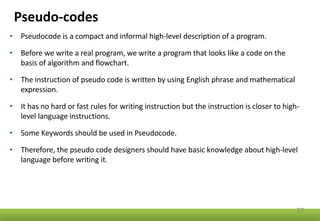
• Pseudocode is a compact and informal high-level description of a program.
• Before we write a real program, we write a program that looks like a code on the
basis of algorithm and flowchart.
• The instruction of pseudo code is written by using English phrase and mathematical
expression.
• It has no hard or fast rules for writing instruction but the instruction is closer to high-
level language instructions.
• Some Keywords should be used in Pseudocode.
• Therefore, the pseudo code designers should have basic knowledge about high-level
language before writing it.
Pseudo-codes
38
Pseudocode to Add Two Numbers
BEGIN
NUMBER s1, s2, sum
OUTPUT("Input number1:")
INPUT s1
OUTPUT("Input number2:")
INPUT s2
sum=s1+s2
OUTPUT sum
END
Pseudo-codes
39
Pseudocode to find Maximum of 2 numbers
BEGIN
READ n1,n2
IF n1>n2
WRITE "n1 is Maximum"
ELSE
WRITE "n2 is Maximum"
ENDIF
END
Pseudo-codes
40
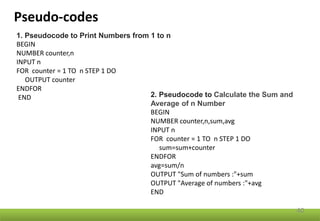
1. Pseudocode to Print Numbers from 1 to n
BEGIN
NUMBER counter,n
INPUT n
FOR counter = 1 TO n STEP 1 DO
OUTPUT counter
ENDFOR
END 2. Pseudocode to Calculate the Sum and
Average of n Number
BEGIN
NUMBER counter,n,sum,avg
INPUT n
FOR counter = 1 TO n STEP 1 DO
sum=sum+counter
ENDFOR
avg=sum/n
OUTPUT "Sum of numbers :"+sum
OUTPUT "Average of numbers :"+avg
END
Implementation of algorithms
41
• Use of procedures to emphasize modularity
• Choice of variable names
• Documentation of programs
• Debugging programs
• Program testing
46
• code or source code: The sequence of instructions in a program.
• syntax: The set of legal structures and commands that can be used in a particular
programming language.
• output: The messages printed to the user by a program.
• console: The text box onto which output is printed.
– Some source code editors pop up the console as an external window, and
others contain their own console window.
Programming basics
47
48
What is Python?
• Python is a popular programming language. It was created by Guido van
Rossum, and released in 1991.
• Python is an interpreted, high level and general-purpose programming
language.
• Python is multi-paradigm programming language ,which allows user to code
in several different programming styles.
• Python supports cross platform development and is available through open
source.
• The language places strong emphasis on code reliability and simplicity so
that the programmers can develop applications rapidly.
49
• Python is created by Guido Van Rossum in the 1980s.
• Rossum published the first version of Python code (0.9.0) in February 1991 at the CWI
(Centrum Wiskunde & Informatics) in the Netherlands.
• Python is derived from ABC programming language, which is a general-purpose
programming language .
• Rossum chose the name "Python", since he was a big fan of Monty Python's Flying
Circus.
• Python is now maintained by a core development team at the institute.
History of Python
50
Features of Python
• Simple
• Easy to learn
• Versatile
• Free and open source
• High level language
• Interactive
• Portable
• Object oriented
• Interpreted
• Dynamic
• Extensible
51
Features of Python
It's powerful
• Dynamic typing
• Built-in types and tools
• Library utilities
• Third party utilities (e.g. Numeric, NumPy, SciPy)
• Automatic memory management
52
Python Versions
Release dates for the major and minor versions:
Python 1.0 - January 1994
Python 1.4, October 25, 1996
Python 1.5 - February 17, 1998
Python 1.6 - September 5, 2000
Python 2.0 - October 16, 2000
Python 2.1 - April 17, 2001
Python 2.2 - December 21, 2001
Python 2.3 - July 29, 2003
Python 2.4 - November 30, 2004
Python 2.5 - September 19, 2006
Python 2.6 - October 1, 2008
Python 2.7 - July 3, 2010
53
Python 3.0 - December 3, 2008
Python 3.1 - June 27, 2009
Python 3.2 - February 20, 2011
Python 3.3 - September 29, 2012
Python 3.4 - March 16, 2014
Python 3.5 - September 13, 2015
Python 3.6 - December 23, 2016
Python 3.7 - June 27, 2018.
Python 3.8 - October 14, 2019
Python 3.9 - October 5, 2020.
Python 3.10 - Oct. 4, 2021
Python 3.11 (in development)
54
55
Python Code Execution
Python’s traditional runtime execution model: source code you type is
translated to byte code, which is then run by the Python Virtual
Machine. Your code is automatically compiled, but then it isinterpreted.
Source code extension is .py
Byte code extension is .pyc (compiled python code)
56
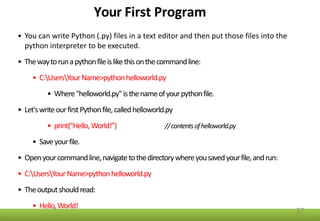
Your First Program
• You can write Python (.py) files in a text editor and then put those files into the
python interpreter to be executed.
• Thewaytorunapythonfileislikethisonthecommandline:
• C:UsersYourName>pythonhelloworld.py
• Where"helloworld.py"isthenameofyourpythonfile.
• Let'swriteourfirstPythonfile,calledhelloworld.py
• print("Hello,World!”) //contentsofhelloworld.py
• Saveyourfile.
• Openyourcommandline,navigatetothedirectorywhereyousavedyourfile,andrun:
• C:UsersYourName>pythonhelloworld.py
• Theoutputshouldread:
• Hello,World!
57
Your First Program
• To test a short amount of code in python sometimes it is quickest and easiest not
to write the code in a file.
• This is made possible because Python can be run as a command line itself.
• C:UsersYour Name>python
• From there you can write any python instruction
• C:UsersYour Name>python
Python3.6.4(v3.6.4:d48eceb,Dec192017,06:04:45)[MSCv.190032bit(Intel)]onwin32
Type"help","copyright","credits"or"license" formoreinformation.
>>>print("Hello, World!")
Hello,World!
58
Executing Python Program
Text/Code Editors and IDEs
• Online Editor/Compiler/Interpreter
• Command Line Window
• IDLE (Integrated Development and Learning Environment)
• Notepad or Notepad++
• Sublime Text 3
• Atom
• PyCharm Professional
• PyCharm(Community)
• Visual Studio Code
• Vim
• Spyder
• Jupyter Notebook
59
Variables and identifiers
Variable
It is a named location used to store data in the memory.
It is a container that holds data that can be changed later in the
program.
Python Identifiers
An identifier is a name given to entities like class, functions,
variables, etc. It helps to differentiate one entity from another.
Rules for writing identifiers
1. Identifiers can be a combination of letters in lowercase (a to z) or
uppercase (A to Z) or digits (0 to 9) or an underscore.
2. An identifier cannot start with a digit.
3. Keywords cannot be used as identifiers.
4. We cannot use special symbols like !, @, #, $, % etc. in our identifier.
5. An identifier can be of any length. 60
Literal and constants
Literal is a raw data given in a variable or constant.
In Python, there are various types of literals they are as follows:
1. Numeric Literals
2. String literals
3. Boolean literals
4. Special literals (eg None)
Constants
A constant is a type of variable whose value cannot be changed.
It is a container that hold information which cannot be changed
later.
61
Data Types In Python
Datatype represents the type of data stored into a variable or memory.
Type of Data type :-
1.Built-in Data type
2.User Defined Data type
62
Data Types In Python
63
Data Types In Python
built-in simple types offered by Python are:
1. Numeric Type
2. String
3. Boolean
64
Data Types In Python
Numeric Type / Number
Following are the Numeric Data type:-
1.Integer
2.Float
3.Complex
65
Data Types In Python
Integers
Python interprets a sequence of decimal digits without any prefix to be a
decimal number.
The following strings can be prepended to an integer value to
indicate a base other than 10:
66
Prefix Interpretation Base
0b (zero + lowercase letter 'b')
0B (zero + uppercase letter 'B')
Binary 2
0o (zero + lowercase letter 'o')
0O (zero + uppercase letter 'O')
Octal 8
0x (zero + lowercase letter 'x')
0X (zero + uppercase letter 'X')
Hexadecimal 16
Data Types In Python
# Decimal
>>> print(10)
10
#Octal
>>> print(0o10)
8
#Hexadecimal
>>> print(0x10)
16
#Binary
>>> print(0b10)
2
67
Example
We can use the type() function to know which class a variable or a value
belongs to
>>> a = 5
>>> print(type(a))
<class 'int’>
>>> a = 2.25
>>> print(type(a))
<class 'float’>
>>> a = 1+2j
>>> print(type(a))
<class 'complex'>
68
Data Types In Python
Floating-Point Numbers
69
• The float type in Python designates a floating-point number.
• Float can store fractional numbers values and they are specified
with a decimal point.
• They can be defined either in standard decimal notation, or
in exponential notation.
• Optionally, the character e or E followed by a positive or negative
integer may be appended to specify scientific notation.
Data Types In Python
Floating-Point Numbers
70
>>> 4.2
4.2
>>> 4.
4.0
>>> .2
0.2
>>> .4e7
4000000.0
>>> 4.2e-4
0.00042
Data Types In Python
Complex Numbers
71
• Complex numbers are specified as
• <real part> + <imaginary part> j
• >>> 2+3j
• (2+3j)
Data Types In Python
Strings
72
• Strings are sequences of character data.
• A string is a collection of one or more characters .
• String literals may be delimited using either single or double
quotes.
• All the characters between the opening delimiter and
matching closing delimiter are part of the string
• >>> print("I am a string.")
I am a string.
• >>> type("I am a string.")
<class 'str’>
• A string can also be empty.
Data Types In Python
Raw Strings
73
• A raw string literal is preceded by r or R, which specifies that
escape sequences in the associated string are not translated.
• The backslash character is left in the string.
• >>> print('C:Documentsnew')
C:Documents
ew
• >>> print(r'C:Documentsnew')
C:Documentsnew
Data Types In Python
Boolean
74
• Booleans represent one of two values: True or False.
• You can evaluate any expression in Python, and get one of two
answers, True or False.
• When you compare two values, the expression is evaluated
and Python returns the Boolean answer.
print(10 > 9) // True
print(10 == 9) // False
print(10 < 9) // False
Data Types In Python
Boolean Example
75
Print a message based on whether the condition is True or False:
a = 200
b = 100
if b > a:
print("b is greater than a")
else:
print("b is not greater than a")
Data Types In Python
Compound types
76
• Python also has several built-in compound types, which act as
containers for other types.
• Simple types such as int and str hold a single value while
Compound or collection types hold multiple values.
• These compound types are:
• List (Ordered collection) Eg: [1, 2, 3]
• Tuple (Immutable ordered collection) Eg: (1, 2, 3)
• Dict (Unordered (key,value) mapping) Eg: {'a':1, 'b':2, 'c':3}
• Set (Unordered collection of unique values) Eg: {1, 2, 3}
Operators In Python
An operator is a symbol that performs an operation.
They are used to perform operations on variables and values.
In Python operators are categorized in the following groups:
1.Arithmetic Operators
2.Relational Operators / Comparison Operators
3.Logical Operators
4.Assignment Operators
5.Bitwise Operators
6.Membership Operators
7.Identity Operators
77
Arithmetic Operators In Python
78
• Arithmetic Operators are used to perform basic arithmetic operations like
addition, subtraction, division etc
Relational/ Comparison Operators In Python
79
• Relational operators are used to compare the value of operands (expressions) to
produce a logical value. A logical value is either True or False.
Logical Operators In Python
80
• Logical operators are used to connect more relational operations to form a
complex expression called logical expression.
• A value obtained by evaluating a logical expression is always logical, i.e. either
True or False.
Logical Operator and
81
True and Expression1 and Expression2 = Expression2
False and Expression1 and Expression2 = False
Logical Operator or
82
True or Expression1 or Expression2 = True
False or Expression1 or Expression2 = Expression1
Logical Operator not
83
Assignment and in-place Operators In python
84
Assignment operators are used to perform arithmetic operations while assigning a
value to a variable.
Bitwise Operators In Python
85
Bitwise operators are used to perform operations at binary digit level.
These operators are not commonly used and are used only in special applications
where optimized use of storage is required.
Bitwise AND &
86
c =10 0 0 0 0 1 0 1 0
Bitwise OR |
87
15 0 0 0 0 1 1 1 1
Bitwise XOR ^
88
5 0 0 0 0 0 1 0 1
Bitwise NOT ~
89
-11 1 1 1 1 0 1 0 1
Bitwise Left Shift <<
90
Operand op num
Bitwise Right Shift >>
91
Operand op num
Membership Operators in Python
92
The membership operators are useful to test for membership in a
sequence such as string, lists, tuples and dictionaries.
There are two type of Membership operator:-
•in
•not in
Membership Operator in
93
This operators is used to find an element in the specified sequence.
It returns True if element is found in the specified sequence else it
returns False.
Examples:-
st1 = “Welcome to BVCOEL”
“to” in st1 True
st2 = “Welcome to BVCOEL”
“to” in st2 True
st3 = “Welcome to BVCOEL”
“pune” in st3 False
Membership Operator not in
94
This operators works in reverse manner for in operator.
It returns True if element is not found in the specified sequence and if element
is found, then it returns False.
Examples:-
st1 = “Welcome to BVCOEL”
“pune” not in st1 True
st2 = “Welcome to BVCOEL”
“to” not in st2 False
st3 = “Welcome top BVCOEL”
“to” not in st3 False
Identity Operators in Python
95
Identity operators are used to compare the objects, not if they are equal,
but if they are actually the same object, with the same memory location.
Operator Description Example
is Returns true if both variables
are the same object
x is y
is not Returns true if both variables
are not the same object
x is not y
Example of Identity Operators in Python
96
x = ["apple", "banana"]
y = ["apple", "banana"]
z = x
print(x is z)
# returns True because z is the same object as x
print(x is y)
# returns False because x is not the same object as y, even if they have
the same content
print(x == y)
# to demonstrate the difference between "is" and "==":
# this comparison returns True because x is equal to y
Input Operation in Python
97
Python provides numerous built-in functions that are readily available to us at the
Python prompt.
Some of the functions like input() and print() are widely used for standard input and
output operations respectively
To allow flexibility, we might want to take the input from the user.
input() function to take input into a program from console.
The syntax for input() is:
input([prompt])
where prompt is the string we wish to display on the screen.
It is optional.
Input Operation in Python
98
split()
• Using split() method, we can take multiple values in one line.
• Split method breaks the given input by the specified separator.
• If separator is not provided, then any white space is a separator.
# taking two inputs at a time
x, y = input("Enter a two value: ").split()
print("Number of boys: ", x)
print("Number of girls: ", y)
print()
#Output
Enter a two value: 12 34
Number of boys: 12
Number of girls: 34
Input Operation in Python
99
Example:
>>> num = input('Enter a number: ')
Enter a number: 10
>>> num '10‘
Here, we can see that the entered value 10 is a string, not a number.
To convert this into a number we can use int() or float() functions.
>>> int('10')
10
>>> float('10')
10.0
Comments in Python
100
A comment in Python starts with the hash character # , and extends to the end
of the physical line.
Because comments do not execute, when you run a program you will not see
any indication of the comment there.
Comments are in the source code for humans to read, not for computers to
execute.
Comments can be used to make the code more readable.
A comment can be written in three ways - entirely on its own line, next to a
statement of code, and as a multi-line comment block.
Comments in Python
101
Example
#This is a comment
print("Hello, World!")
print("Hello, World!") #This is a comment
A comment does not have to be text that explains the code, it can
also be used to prevent Python from executing code:
#print("Hello, World!")
print(“Welcome to BVCOEL!")
Multi Line Comments
#This is a comment
#written in
#more than just one line
print("Hello, World!")
Reserved words in Python
102
Keywords are the reserved words in Python.
We cannot use a keyword as a variable name, function name or any
other identifier.
They are used to define the syntax and structure of the Python
language.
In Python, keywords are case sensitive.
There are 33 keywords in Python 3.7.
This number can vary slightly over the course of time.
All the keywords except True, False and None are in lowercase and
they must be written as they are.
The list of all keywords in Python
103
False await else import pass
None break except in raise
True class finally is return
and continue for lambda try
as def from nonlocal while
assert del global not with
async elif if or yield
Reserved words in Python
104
Few keywords may get altered in different versions of Python.
Some extra might get added or some might be removed.
You can always get the list of keywords in your current version by
typing the following in the prompt.
>>> import keyword
>>> print(keyword.kwlist)
['False', 'None', 'True', 'and', 'as', 'assert', 'async', 'await', 'break',
'class', 'continue', 'def', 'del', 'elif', 'else', 'except', 'finally', 'for', 'from',
'global', 'if', 'import', 'in', 'is', 'lambda', 'nonlocal', 'not', 'or', 'pass',
'raise', 'return', 'try', 'while', 'with', 'yield']
Indentation in python
105
Indentation refers to the spaces at the beginning of a code line.
In other programming languages the indentation in code is for
readability only.
The indentation in Python is very important.
Most of the programming languages like C, C++, and Java use
braces { } to define a block of code.
Python uses indentation to indicate a block of code.
Indentation in python
106
Example 1
if 5 > 2:
print("Five is greater than two!")
Output:
Five is greater than two!
Example 2
if 5 > 2:
print("Five is greater than two!")
Error in Output:
print("Five is greater than two!")
^
IndentationError: expected an indented block
Expressions in Python
107
Python expressions only contain identifiers, literals, and operators.
Expressions are representations of value.
An expression is an instruction that combines values and operators
and always evaluates down to a single value.
Expressions represent something, like a number, a string. So, any
value is an expression!
Expressions in Python
108
Examples:
8 + 9 -2 //constant Expression
c=a * b //Integral Expression
a * b / 2 //Floating point Expression
c = a > b //Relational Expression
a > b && y!= 0 //Logical Expression
x = y & z //Bitwise Expression
a = b + c //Assignment Expression
c = 10
Infix expression a + b
Prefix Expression +ab
Postfix expression ab+
PPS_Unit 1.pptx

PPS_Unit 1.pptx

  • 1.
    General problem-solving concepts: • Problem solving in everyday life • Types of problems, Problem solving with computers • Difficulties with problem solving • Problem solving aspects • Top-down design. • Problem Solving Strategies Program Design Tools: • Algorithms, Flowcharts and Pseudo-codes • Implementation of algorithms. Basics of Python Programming: • Features of Python • History and Future of Python • Writing and executing Python program • Literal constants, variables and identifiers • Data Types • Input operation, Comments, Reserved words, Indentation • Operators and expressions in Python. UNIT: I Problem Solving, Programming and Python Programming 1
  • 2.
    What is problem? Theproblem is defined as the objective or the specific output that we want to attain; through a sequence of steps and activities and, specific input. 2
  • 3.
    Problem? Students do scienceexperiment Workers goes to work Kids want eat sweets Doctors find new bacteria Mechanics repair a broken car Example problem in daily life 3
  • 4.
    How to solve theproblem? 4
  • 5.
    Strategies Ask questions! What doI know about the problem? What is the information that I have to process in order the find the solution? What does the solution look like? What sort of special cases exist? How will I recognize that I have found the solution? 5
  • 6.
    Problem Solving Definition ASystematic approach to defining problem(question or situation that presents uncertainty or difficulty) and creating a vast number of possible solutions without judging these solutions. 6
  • 7.
    Problem Solving Definition ASystematic approach to defining problem and creating a vast number of possible Solutions to get maximum accuracy. 7 Example: knapsack problem Which boxes should be chosen to maximize the amount of money while still keeping the overall weight under or equal to 15 kg? A multiple constrained problem could consider both the weight and volume of the boxes. (Solution: if any number of each box is available, then three yellow boxes and three grey boxes; if only the shown boxes are available, then all but not the green box.)
  • 8.
    Problem Solving inEveryday Life There are six step in problemsolving: 8
  • 9.
    Can I skip thestep? According to Sprankle and Hubbard (2012), if the six step not completed well, the result may be less than desired Problem Solving in Everyday Life 9
  • 10.
    Example: Problems… Baking acake according to certain specifications, input available are the ingredients (such as eggs, flour, milk …etc.), then followed by activities or procedures that should be done sequentially, taking into consideration that any mistake happens by doing any procedure before the other, results in an unsuitable and undesirablecake. Identifythe problem Understand the problem Identify alternative Select the best way List instructions that enable you to solve the problem Evaluate the solution 10
  • 11.
    Types of Problems 1.Problems based on algorithmic solutions. • Algorithm(series of actions) • Uses direct set of steps. 2. Problems based on heuristic solutions. • Trial & error process. • No direct set of steps. Identifythe problem 11
  • 12.
    Problem Solving withComputers instructions followed to produce best result Definitions by Sprankle & Jim Hubbard (2012): SOLUTION RESULT Outcome OR completed computer- assisted answer PROGRAM Set of instructionsfor solution using computer language 12
  • 13.
    Problem Solving withComputers Computers: •Can easily deal with Problems having algorithmic solutions. Human: •Can deal with Problems having heuristic solutions. •Field of Computer that Computers is Artificial Intelligence. 13
  • 14.
    Problem Solving Aspects 14 1.Problem definition phase 2. Problem solving phase 3. Use of specific examples 4. Similarities among problems 5. Working backwards from the solution 6. General Problem-solving strategies • Divide and Conquer • Dynamic Programming • Greedy Search • Backtracking • Branch and bound
  • 15.
    Difficulties with ProblemSolving Lack of problem solving experience Inadequate solution steps Incorrect problem definition Alternatives chosen incorrectly Incorrect solution evaluation Invalid logic 15
  • 16.
    Difficulties with problemSolving •Difficulty to recognize that there is a problem •Poorly framed problem •Lack of identification of roots of the problem •Huge size problem •Failure to identify the involved parts 16
  • 17.
    Problem Solving withComputer Two methodologies used to develop computer solutions to a problem – Top-down design focuses on the tasks to be done – Object-oriented design focuses on the data involved in the solution 17
  • 18.
    Top-Down Design Top-Down Design Problem-solvingtechnique in which the problem is dividedinto Subproblems; the process is applied to eachsubproblem. Modules Self-contained collection of steps, that solve a problem orsubproblem. Abstract Step An algorithmic step containing unspecifieddetails. Concrete Step An algorithm step in which all details are specified 18
  • 19.
    Top-Down Design It isessentially the breaking down of a system to gain insight into the sub-systems that make it up. In a top-down approach an overview of the system is formulated, specifying but not detailing any first-level subsystems. 19 breaking a problem into subproblems. Choice of suitable data structure Construction of loops Establishing initial condition for loops Finding iterative construct Termination of loops
  • 20.
  • 21.
    A General Example Planninga large party Subdividing the party planning 21
  • 22.
    Problem Solving Strategies 22 Solvingproblems is the core of computer science and Solving the right problem is the most important part of problem solving. Main Problem Solving Steps: • Understand the Problem. • Design a Solution/Formulate an algorithm to solve your problem. • Implement your Solution/Write the code to solve your problem. • Check your Solution.
  • 23.
    Problem Solving Strategies 23 •Problem Solving is the process of transforming the problem description into the solution of that problem by using knowledge of problem domain and by selecting appropriate problem solving strategies, techniques and tools. • SOFTWARE DEVELOPMENT LIFE CYCLE (SDLC) • SDLC is a systems approach to problem-solving and is made up of several phases, each comprised of multiple steps. • It helps to transform the idea of a project into a functional and completely operational structure. • It is a set of steps used to create software applications.
  • 24.
  • 25.
    Program Design Tools 25 •Program Design tools are the tools used to develop a program. • During designing a program, different tools are required to solve several problems. • Frequently used tools are:  Algorithms  Flowcharts  Pseudo-codes
  • 26.
    Program Design Tools 26 Algorithm •Giving the computer the information and process it needs to solve the problem. • An algorithm is a sequence of instructions or step by step instruction to find the solution of a problem. • A finite set of instructions to perform particular task. • The set of rules that define how a particular problem can be solved in a finite number of steps • It consists of • Simple statements • Assignment statement/ input-output • Control flow statements • If else/loops
  • 27.
    Algorithm 26 • Simple statements •Assignment statement(variable= expression ) or input-output statement • Eg: • x=1. • Input value of x.
  • 28.
    Algorithm 26 • Control flowstatements • If else • If (condition) then statement • If (condition) then statement1 else statement 2 • Loops • for i=1 to n step 1 { print i } • Repeat until statements • repeat Statement 1 Statement 2 . . Statement n until(condition) • Break statement.
  • 29.
    Algorithm 27 Characteristics of agood algorithm − • Has a set of inputs • Steps are uniquely defined • Has finite number of steps • Produces desired output
  • 30.
    Algorithm 28 Example 1: Algorithmfor adding the two numbers Step 1: Start the program Step 2: Input number x,y / Read x, y Step 3: Perform addition of both numbers & store result in variable Z. Step 4: Print Z Step 5: Stop the program
  • 31.
    Algorithm 29 Example 2: Algorithmto find largest of two numbers Step 1: Start Step 2: Read a, b . /* a, b two numbers */ Step 3: If a>b then /*Checking */ Display “a is the largest number”. Otherwise Display “b is the largest number”. Step 4: Stop
  • 32.
    Algorithm 30 Example 3: Algorithmfor Sum of n natural numbers Step 1. Read/Input the value of n. Step 2. i = 1 , SUM = 0 Step 3. if ( i > n ) go to 7 Step 4. Set SUM = SUM + i Step 5. Set i = i + 1 Step 6. go to Step 3 Step 7. Display the value of SUM Step 8. Stop
  • 33.
    Algorithm 30 Example 4: Write anAlgorithm to find whether number is even or odd.
  • 34.
    Algorithm 30 Example 4: Writean Algorithm to find whether number is even or odd. Step 1. Input the number n. Step 2: If n%2==0 then Print “n is the Even number”. Otherwise Print “n is the Odd number”. Step 4: Stop
  • 35.
    Flowcharts 31 • A flowchartis a pictorial representation of an algorithm. • Program flowchart describes the sequence of operations and decisions for a particular program. • A flowchart that gives information about a system is called System flowchart. • Program flowchart describes the sequence of operations and decisions for a particular program. • It is a program planning tool for organizing a sequence of steps necessary to solve a problem, which is shown in terms of symbols. • Flowchart uses symbols that have geometrical shapes to indicate the different operation.
  • 36.
  • 37.
  • 38.
  • 39.
  • 40.
  • 41.
    Pseudo-codes 37 • Pseudocode isa compact and informal high-level description of a program. • Before we write a real program, we write a program that looks like a code on the basis of algorithm and flowchart. • The instruction of pseudo code is written by using English phrase and mathematical expression. • It has no hard or fast rules for writing instruction but the instruction is closer to high- level language instructions. • Some Keywords should be used in Pseudocode. • Therefore, the pseudo code designers should have basic knowledge about high-level language before writing it.
  • 42.
    Pseudo-codes 38 Pseudocode to AddTwo Numbers BEGIN NUMBER s1, s2, sum OUTPUT("Input number1:") INPUT s1 OUTPUT("Input number2:") INPUT s2 sum=s1+s2 OUTPUT sum END
  • 43.
    Pseudo-codes 39 Pseudocode to findMaximum of 2 numbers BEGIN READ n1,n2 IF n1>n2 WRITE "n1 is Maximum" ELSE WRITE "n2 is Maximum" ENDIF END
  • 44.
    Pseudo-codes 40 1. Pseudocode toPrint Numbers from 1 to n BEGIN NUMBER counter,n INPUT n FOR counter = 1 TO n STEP 1 DO OUTPUT counter ENDFOR END 2. Pseudocode to Calculate the Sum and Average of n Number BEGIN NUMBER counter,n,sum,avg INPUT n FOR counter = 1 TO n STEP 1 DO sum=sum+counter ENDFOR avg=sum/n OUTPUT "Sum of numbers :"+sum OUTPUT "Average of numbers :"+avg END
  • 45.
    Implementation of algorithms 41 •Use of procedures to emphasize modularity • Choice of variable names • Documentation of programs • Debugging programs • Program testing
  • 46.
  • 47.
    • code orsource code: The sequence of instructions in a program. • syntax: The set of legal structures and commands that can be used in a particular programming language. • output: The messages printed to the user by a program. • console: The text box onto which output is printed. – Some source code editors pop up the console as an external window, and others contain their own console window. Programming basics 47
  • 48.
  • 49.
    What is Python? •Python is a popular programming language. It was created by Guido van Rossum, and released in 1991. • Python is an interpreted, high level and general-purpose programming language. • Python is multi-paradigm programming language ,which allows user to code in several different programming styles. • Python supports cross platform development and is available through open source. • The language places strong emphasis on code reliability and simplicity so that the programmers can develop applications rapidly. 49
  • 50.
    • Python iscreated by Guido Van Rossum in the 1980s. • Rossum published the first version of Python code (0.9.0) in February 1991 at the CWI (Centrum Wiskunde & Informatics) in the Netherlands. • Python is derived from ABC programming language, which is a general-purpose programming language . • Rossum chose the name "Python", since he was a big fan of Monty Python's Flying Circus. • Python is now maintained by a core development team at the institute. History of Python 50
  • 51.
    Features of Python •Simple • Easy to learn • Versatile • Free and open source • High level language • Interactive • Portable • Object oriented • Interpreted • Dynamic • Extensible 51
  • 52.
    Features of Python It'spowerful • Dynamic typing • Built-in types and tools • Library utilities • Third party utilities (e.g. Numeric, NumPy, SciPy) • Automatic memory management 52
  • 53.
    Python Versions Release datesfor the major and minor versions: Python 1.0 - January 1994 Python 1.4, October 25, 1996 Python 1.5 - February 17, 1998 Python 1.6 - September 5, 2000 Python 2.0 - October 16, 2000 Python 2.1 - April 17, 2001 Python 2.2 - December 21, 2001 Python 2.3 - July 29, 2003 Python 2.4 - November 30, 2004 Python 2.5 - September 19, 2006 Python 2.6 - October 1, 2008 Python 2.7 - July 3, 2010 53 Python 3.0 - December 3, 2008 Python 3.1 - June 27, 2009 Python 3.2 - February 20, 2011 Python 3.3 - September 29, 2012 Python 3.4 - March 16, 2014 Python 3.5 - September 13, 2015 Python 3.6 - December 23, 2016 Python 3.7 - June 27, 2018. Python 3.8 - October 14, 2019 Python 3.9 - October 5, 2020. Python 3.10 - Oct. 4, 2021 Python 3.11 (in development)
  • 54.
  • 55.
  • 56.
    Python Code Execution Python’straditional runtime execution model: source code you type is translated to byte code, which is then run by the Python Virtual Machine. Your code is automatically compiled, but then it isinterpreted. Source code extension is .py Byte code extension is .pyc (compiled python code) 56
  • 57.
    Your First Program •You can write Python (.py) files in a text editor and then put those files into the python interpreter to be executed. • Thewaytorunapythonfileislikethisonthecommandline: • C:UsersYourName>pythonhelloworld.py • Where"helloworld.py"isthenameofyourpythonfile. • Let'swriteourfirstPythonfile,calledhelloworld.py • print("Hello,World!”) //contentsofhelloworld.py • Saveyourfile. • Openyourcommandline,navigatetothedirectorywhereyousavedyourfile,andrun: • C:UsersYourName>pythonhelloworld.py • Theoutputshouldread: • Hello,World! 57
  • 58.
    Your First Program •To test a short amount of code in python sometimes it is quickest and easiest not to write the code in a file. • This is made possible because Python can be run as a command line itself. • C:UsersYour Name>python • From there you can write any python instruction • C:UsersYour Name>python Python3.6.4(v3.6.4:d48eceb,Dec192017,06:04:45)[MSCv.190032bit(Intel)]onwin32 Type"help","copyright","credits"or"license" formoreinformation. >>>print("Hello, World!") Hello,World! 58
  • 59.
    Executing Python Program Text/CodeEditors and IDEs • Online Editor/Compiler/Interpreter • Command Line Window • IDLE (Integrated Development and Learning Environment) • Notepad or Notepad++ • Sublime Text 3 • Atom • PyCharm Professional • PyCharm(Community) • Visual Studio Code • Vim • Spyder • Jupyter Notebook 59
  • 60.
    Variables and identifiers Variable Itis a named location used to store data in the memory. It is a container that holds data that can be changed later in the program. Python Identifiers An identifier is a name given to entities like class, functions, variables, etc. It helps to differentiate one entity from another. Rules for writing identifiers 1. Identifiers can be a combination of letters in lowercase (a to z) or uppercase (A to Z) or digits (0 to 9) or an underscore. 2. An identifier cannot start with a digit. 3. Keywords cannot be used as identifiers. 4. We cannot use special symbols like !, @, #, $, % etc. in our identifier. 5. An identifier can be of any length. 60
  • 61.
    Literal and constants Literalis a raw data given in a variable or constant. In Python, there are various types of literals they are as follows: 1. Numeric Literals 2. String literals 3. Boolean literals 4. Special literals (eg None) Constants A constant is a type of variable whose value cannot be changed. It is a container that hold information which cannot be changed later. 61
  • 62.
    Data Types InPython Datatype represents the type of data stored into a variable or memory. Type of Data type :- 1.Built-in Data type 2.User Defined Data type 62
  • 63.
    Data Types InPython 63
  • 64.
    Data Types InPython built-in simple types offered by Python are: 1. Numeric Type 2. String 3. Boolean 64
  • 65.
    Data Types InPython Numeric Type / Number Following are the Numeric Data type:- 1.Integer 2.Float 3.Complex 65
  • 66.
    Data Types InPython Integers Python interprets a sequence of decimal digits without any prefix to be a decimal number. The following strings can be prepended to an integer value to indicate a base other than 10: 66 Prefix Interpretation Base 0b (zero + lowercase letter 'b') 0B (zero + uppercase letter 'B') Binary 2 0o (zero + lowercase letter 'o') 0O (zero + uppercase letter 'O') Octal 8 0x (zero + lowercase letter 'x') 0X (zero + uppercase letter 'X') Hexadecimal 16
  • 67.
    Data Types InPython # Decimal >>> print(10) 10 #Octal >>> print(0o10) 8 #Hexadecimal >>> print(0x10) 16 #Binary >>> print(0b10) 2 67
  • 68.
    Example We can usethe type() function to know which class a variable or a value belongs to >>> a = 5 >>> print(type(a)) <class 'int’> >>> a = 2.25 >>> print(type(a)) <class 'float’> >>> a = 1+2j >>> print(type(a)) <class 'complex'> 68
  • 69.
    Data Types InPython Floating-Point Numbers 69 • The float type in Python designates a floating-point number. • Float can store fractional numbers values and they are specified with a decimal point. • They can be defined either in standard decimal notation, or in exponential notation. • Optionally, the character e or E followed by a positive or negative integer may be appended to specify scientific notation.
  • 70.
    Data Types InPython Floating-Point Numbers 70 >>> 4.2 4.2 >>> 4. 4.0 >>> .2 0.2 >>> .4e7 4000000.0 >>> 4.2e-4 0.00042
  • 71.
    Data Types InPython Complex Numbers 71 • Complex numbers are specified as • <real part> + <imaginary part> j • >>> 2+3j • (2+3j)
  • 72.
    Data Types InPython Strings 72 • Strings are sequences of character data. • A string is a collection of one or more characters . • String literals may be delimited using either single or double quotes. • All the characters between the opening delimiter and matching closing delimiter are part of the string • >>> print("I am a string.") I am a string. • >>> type("I am a string.") <class 'str’> • A string can also be empty.
  • 73.
    Data Types InPython Raw Strings 73 • A raw string literal is preceded by r or R, which specifies that escape sequences in the associated string are not translated. • The backslash character is left in the string. • >>> print('C:Documentsnew') C:Documents ew • >>> print(r'C:Documentsnew') C:Documentsnew
  • 74.
    Data Types InPython Boolean 74 • Booleans represent one of two values: True or False. • You can evaluate any expression in Python, and get one of two answers, True or False. • When you compare two values, the expression is evaluated and Python returns the Boolean answer. print(10 > 9) // True print(10 == 9) // False print(10 < 9) // False
  • 75.
    Data Types InPython Boolean Example 75 Print a message based on whether the condition is True or False: a = 200 b = 100 if b > a: print("b is greater than a") else: print("b is not greater than a")
  • 76.
    Data Types InPython Compound types 76 • Python also has several built-in compound types, which act as containers for other types. • Simple types such as int and str hold a single value while Compound or collection types hold multiple values. • These compound types are: • List (Ordered collection) Eg: [1, 2, 3] • Tuple (Immutable ordered collection) Eg: (1, 2, 3) • Dict (Unordered (key,value) mapping) Eg: {'a':1, 'b':2, 'c':3} • Set (Unordered collection of unique values) Eg: {1, 2, 3}
  • 77.
    Operators In Python Anoperator is a symbol that performs an operation. They are used to perform operations on variables and values. In Python operators are categorized in the following groups: 1.Arithmetic Operators 2.Relational Operators / Comparison Operators 3.Logical Operators 4.Assignment Operators 5.Bitwise Operators 6.Membership Operators 7.Identity Operators 77
  • 78.
    Arithmetic Operators InPython 78 • Arithmetic Operators are used to perform basic arithmetic operations like addition, subtraction, division etc
  • 79.
    Relational/ Comparison OperatorsIn Python 79 • Relational operators are used to compare the value of operands (expressions) to produce a logical value. A logical value is either True or False.
  • 80.
    Logical Operators InPython 80 • Logical operators are used to connect more relational operations to form a complex expression called logical expression. • A value obtained by evaluating a logical expression is always logical, i.e. either True or False.
  • 81.
    Logical Operator and 81 Trueand Expression1 and Expression2 = Expression2 False and Expression1 and Expression2 = False
  • 82.
    Logical Operator or 82 Trueor Expression1 or Expression2 = True False or Expression1 or Expression2 = Expression1
  • 83.
  • 84.
    Assignment and in-placeOperators In python 84 Assignment operators are used to perform arithmetic operations while assigning a value to a variable.
  • 85.
    Bitwise Operators InPython 85 Bitwise operators are used to perform operations at binary digit level. These operators are not commonly used and are used only in special applications where optimized use of storage is required.
  • 86.
    Bitwise AND & 86 c=10 0 0 0 0 1 0 1 0
  • 87.
    Bitwise OR | 87 150 0 0 0 1 1 1 1
  • 88.
    Bitwise XOR ^ 88 50 0 0 0 0 1 0 1
  • 89.
    Bitwise NOT ~ 89 -111 1 1 1 0 1 0 1
  • 90.
    Bitwise Left Shift<< 90 Operand op num
  • 91.
    Bitwise Right Shift>> 91 Operand op num
  • 92.
    Membership Operators inPython 92 The membership operators are useful to test for membership in a sequence such as string, lists, tuples and dictionaries. There are two type of Membership operator:- •in •not in
  • 93.
    Membership Operator in 93 Thisoperators is used to find an element in the specified sequence. It returns True if element is found in the specified sequence else it returns False. Examples:- st1 = “Welcome to BVCOEL” “to” in st1 True st2 = “Welcome to BVCOEL” “to” in st2 True st3 = “Welcome to BVCOEL” “pune” in st3 False
  • 94.
    Membership Operator notin 94 This operators works in reverse manner for in operator. It returns True if element is not found in the specified sequence and if element is found, then it returns False. Examples:- st1 = “Welcome to BVCOEL” “pune” not in st1 True st2 = “Welcome to BVCOEL” “to” not in st2 False st3 = “Welcome top BVCOEL” “to” not in st3 False
  • 95.
    Identity Operators inPython 95 Identity operators are used to compare the objects, not if they are equal, but if they are actually the same object, with the same memory location. Operator Description Example is Returns true if both variables are the same object x is y is not Returns true if both variables are not the same object x is not y
  • 96.
    Example of IdentityOperators in Python 96 x = ["apple", "banana"] y = ["apple", "banana"] z = x print(x is z) # returns True because z is the same object as x print(x is y) # returns False because x is not the same object as y, even if they have the same content print(x == y) # to demonstrate the difference between "is" and "==": # this comparison returns True because x is equal to y
  • 97.
    Input Operation inPython 97 Python provides numerous built-in functions that are readily available to us at the Python prompt. Some of the functions like input() and print() are widely used for standard input and output operations respectively To allow flexibility, we might want to take the input from the user. input() function to take input into a program from console. The syntax for input() is: input([prompt]) where prompt is the string we wish to display on the screen. It is optional.
  • 98.
    Input Operation inPython 98 split() • Using split() method, we can take multiple values in one line. • Split method breaks the given input by the specified separator. • If separator is not provided, then any white space is a separator. # taking two inputs at a time x, y = input("Enter a two value: ").split() print("Number of boys: ", x) print("Number of girls: ", y) print() #Output Enter a two value: 12 34 Number of boys: 12 Number of girls: 34
  • 99.
    Input Operation inPython 99 Example: >>> num = input('Enter a number: ') Enter a number: 10 >>> num '10‘ Here, we can see that the entered value 10 is a string, not a number. To convert this into a number we can use int() or float() functions. >>> int('10') 10 >>> float('10') 10.0
  • 100.
    Comments in Python 100 Acomment in Python starts with the hash character # , and extends to the end of the physical line. Because comments do not execute, when you run a program you will not see any indication of the comment there. Comments are in the source code for humans to read, not for computers to execute. Comments can be used to make the code more readable. A comment can be written in three ways - entirely on its own line, next to a statement of code, and as a multi-line comment block.
  • 101.
    Comments in Python 101 Example #Thisis a comment print("Hello, World!") print("Hello, World!") #This is a comment A comment does not have to be text that explains the code, it can also be used to prevent Python from executing code: #print("Hello, World!") print(“Welcome to BVCOEL!") Multi Line Comments #This is a comment #written in #more than just one line print("Hello, World!")
  • 102.
    Reserved words inPython 102 Keywords are the reserved words in Python. We cannot use a keyword as a variable name, function name or any other identifier. They are used to define the syntax and structure of the Python language. In Python, keywords are case sensitive. There are 33 keywords in Python 3.7. This number can vary slightly over the course of time. All the keywords except True, False and None are in lowercase and they must be written as they are.
  • 103.
    The list ofall keywords in Python 103 False await else import pass None break except in raise True class finally is return and continue for lambda try as def from nonlocal while assert del global not with async elif if or yield
  • 104.
    Reserved words inPython 104 Few keywords may get altered in different versions of Python. Some extra might get added or some might be removed. You can always get the list of keywords in your current version by typing the following in the prompt. >>> import keyword >>> print(keyword.kwlist) ['False', 'None', 'True', 'and', 'as', 'assert', 'async', 'await', 'break', 'class', 'continue', 'def', 'del', 'elif', 'else', 'except', 'finally', 'for', 'from', 'global', 'if', 'import', 'in', 'is', 'lambda', 'nonlocal', 'not', 'or', 'pass', 'raise', 'return', 'try', 'while', 'with', 'yield']
  • 105.
    Indentation in python 105 Indentationrefers to the spaces at the beginning of a code line. In other programming languages the indentation in code is for readability only. The indentation in Python is very important. Most of the programming languages like C, C++, and Java use braces { } to define a block of code. Python uses indentation to indicate a block of code.
  • 106.
    Indentation in python 106 Example1 if 5 > 2: print("Five is greater than two!") Output: Five is greater than two! Example 2 if 5 > 2: print("Five is greater than two!") Error in Output: print("Five is greater than two!") ^ IndentationError: expected an indented block
  • 107.
    Expressions in Python 107 Pythonexpressions only contain identifiers, literals, and operators. Expressions are representations of value. An expression is an instruction that combines values and operators and always evaluates down to a single value. Expressions represent something, like a number, a string. So, any value is an expression!
  • 108.
    Expressions in Python 108 Examples: 8+ 9 -2 //constant Expression c=a * b //Integral Expression a * b / 2 //Floating point Expression c = a > b //Relational Expression a > b && y!= 0 //Logical Expression x = y & z //Bitwise Expression a = b + c //Assignment Expression c = 10 Infix expression a + b Prefix Expression +ab Postfix expression ab+