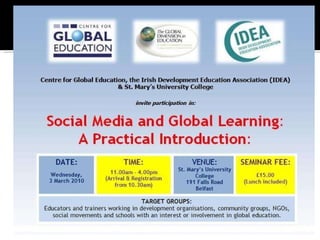
Belfast, 03/03/2010
Introductions What is Social Media? What Types of Social Media are there? Demonstrations LUNCH Time to explore Feedback How will I use what I have learned? CLOSE
Centre for Global Education St. Mary’s University IDEA You....
How we communicate has changed! 1-1
Mass media  (1-many)
Social Media: (many-many) Image: www.opte.org
Web 1.0:  Websites (static)  Email. Web 2.0:  Architecture that supports Social Media  New dynamic websites RSS : Really Simple Syndication SLATES : Searchable, Linked, Authors, Tags, Extensions, Signalling.
Image: http://theplanninglab.typepad.com/
It’s about people having conversations online Image: http://compassioninpolitics.wordpress.com/2007/11/
Characteristics of various social media tools: Openness Participation Conversation Community Connectedness Source: http://www.icrossing.com/articles/What_is_Social_Media_iCrossing_ebook.pdf
http://www.slideshare.net/mzkagan/what-is-social-media-2005829
Blogs Online weblogs or diaries, text/ photos/ video Posts shown in order of date. Liked by search engines- well connected! Anyone can read and comment and follow Possible to subscribe using RSS


Limited number of words- response to one question (e.g. What are you doing now?) You can ask and respond to questions and follow others’ “tweets”. Twitter is the most well-known example A virtual watercooler!
 
www.Blogger.com www.Wordpress.com www.Typepad.com www.Twitter.com
 
www.flickr.com http://picasaweb.google.com http://www.zooomr.com/
Podcast/ vodcast is an audio/ video recording online You can subscribe to podcasts to receive weekly episodes, e.g. Radio shows. MacBook owners are in luck! Garageband + iTunes Make your own podcasts: http://www.apple. com/itunes/podcasts/specs .html Frequently asked questions: http://www. ilike . com/faq/garageband/questions/Podcasting
 
Allows you to share your own videos You can make your own “channel” on YouTube. You can subscribe to others’ channels Its possible to view your videos in your own website or blog too (embedding) YouTube was bought by Google in 2006... How much? www. youtube .com www. vimeo .com www. flickr .com
 
 
http://www.youtube.com/watch?v=7ESApoJpU88&feature=related http://www.vimeo.com/videos/search:climate%20camp
Wiki is the name of a type of software that allows anyone to edit and create information on a website using a text editor on the web browser. Companies can use wikis to collaborate internally on projects On the public internet Wikipedia is the best known example  http://en. wikipedia .org/wiki/Wiki Also check out: Wikia and wikiHow Which is more accurate- Wikipedia or Encyclopedia Britannica?
 
Connecting with friends and building relations You are represented by your profile You can instant message, share photos, videos, invite people to events, form groups.... www. facebook .com www. myspace .com www. bebo .com www.linkedin.com www.ning.com www. ammado .com www. oneclimate .net/
A “social utility” Combines status updates with photo sharing and event invitations and more (applications) 350m users All ages! Open to innovation from members- apps Different types of account- personal, page.  http://www. slideshare .net/amover/jan-2010-facebook-world-and-western-europe
 
 
A 3d virtual online world (or collection of worlds) Users represented by Avatars Instant messaging and voice chat Trinity School of Education: Project Murias:  http://sl-developmenteducation.wikispaces.com/  and  http://www.slideshare.net/Heapgraham/sledcc08-project-murias-presentation
 
Ammado  http://www.ammado.com/about TechSoup  http://home.techsoup.org/pages/about.aspx We are Media  http://www.wearemedia.org/ UnLTD World  http://www.unltdworld.com/ OnRoadMedia  http://www.onroadmedia.org.uk/ Beth’s blog  http://beth.typepad.com/beths_blog/ Website about Social Media: Mashable   http://mashable.com/about/ Tweetminster  http://tweetminster.co.uk/ TED  www.ted.com Transition Towns  Ireland Ning  http://transitiontownsireland.ning.com/ Transition Towns wiki  http://transitiontowns.org/TransitionNetwork/TransitionWiki
Education Moodle:  http://moodle.org/ Webinars- online meetings, e.g.  DimDim:  www.dimdim.com/ WebEx:  www.webex.com Voicethread:  www.voicethread.com For an overview of online meeting tools see: http://www.techsoup.org/learningcenter/internet/page5975.cfm
Social Network: NING Social Network: Facebook Blogging: Blogger Video: YouTube (Flip camera) Other (your suggestions)
What would you like to try? 1 hour to set up and explore one of the tools Feedback after lunch: Plus, Minus and Interesting points
Let go Facilitate conversations- do not control them Involve supporters- don’t own your cause Allow employees to get involved Try things out, be patient Connect online and offline activity Remember it is a TOOL, not a miracle cure Don’t OVERinvest your time- be strategic Engage your community with regularly updated content www.onroadmedia.org.uk
WHY  do I want to use these tools? WHY do I think this is a good use of my time? What is my ultimate aim? WHO  am I communicating with? Do I want to reach large numbers of people or just a key group of specific people? WHO will be responsible for updating the site/ profile? WHAT  am I communicating? Am I promoting events? Am I looking for lots of supporters for my cause? Am I trying to engage a community in conversation? WHAT  outcomes am I hoping for? More attendance at events? More people participating in discussion? Better quality of discussion? WHEN  will I do this work? WHEN do I want to have a presence on the social media sites (is there a particular event coming up?) WHERE  will I be working? Do I have access to a computer and high quality broadband? HOW  many tools do I want to use? How much time per day/ week can I spend on this? HOW  will I know that its working? HOW do I measure its value? (link to outcomes) WHICH  tool (or tools) is right for me........?
What have you learned from today? What are you going to do differently starting from tomorrow?
IDEA, 5 Merrion Row, Dublin 2 www.ideaonline.ie +353 (0)16618831 Eimear[at]ideaonline.ie Centre for Global Education 9 University Street, Belfast www.centreforglobaleducation.com +44 (0)28 Info[at]centreforglobaleducation.com

Social Mediafor Development Educators Belfastpres

  • 1.
  • 2.
  • 3.
    Introductions What isSocial Media? What Types of Social Media are there? Demonstrations LUNCH Time to explore Feedback How will I use what I have learned? CLOSE
  • 4.
    Centre for GlobalEducation St. Mary’s University IDEA You....
  • 5.
    How we communicatehas changed! 1-1
  • 6.
    Mass media (1-many)
  • 7.
    Social Media: (many-many)Image: www.opte.org
  • 8.
    Web 1.0: Websites (static) Email. Web 2.0: Architecture that supports Social Media New dynamic websites RSS : Really Simple Syndication SLATES : Searchable, Linked, Authors, Tags, Extensions, Signalling.
  • 9.
  • 10.
    It’s about peoplehaving conversations online Image: http://compassioninpolitics.wordpress.com/2007/11/
  • 11.
    Characteristics of varioussocial media tools: Openness Participation Conversation Community Connectedness Source: http://www.icrossing.com/articles/What_is_Social_Media_iCrossing_ebook.pdf
  • 12.
  • 13.
    Blogs Online weblogsor diaries, text/ photos/ video Posts shown in order of date. Liked by search engines- well connected! Anyone can read and comment and follow Possible to subscribe using RSS
  • 14.
  • 15.
  • 16.
  • 17.
    Limited number ofwords- response to one question (e.g. What are you doing now?) You can ask and respond to questions and follow others’ “tweets”. Twitter is the most well-known example A virtual watercooler!
  • 18.
  • 19.
  • 20.
  • 21.
  • 22.
    Podcast/ vodcast isan audio/ video recording online You can subscribe to podcasts to receive weekly episodes, e.g. Radio shows. MacBook owners are in luck! Garageband + iTunes Make your own podcasts: http://www.apple. com/itunes/podcasts/specs .html Frequently asked questions: http://www. ilike . com/faq/garageband/questions/Podcasting
  • 23.
  • 24.
    Allows you toshare your own videos You can make your own “channel” on YouTube. You can subscribe to others’ channels Its possible to view your videos in your own website or blog too (embedding) YouTube was bought by Google in 2006... How much? www. youtube .com www. vimeo .com www. flickr .com
  • 25.
  • 26.
  • 27.
  • 28.
    Wiki is thename of a type of software that allows anyone to edit and create information on a website using a text editor on the web browser. Companies can use wikis to collaborate internally on projects On the public internet Wikipedia is the best known example http://en. wikipedia .org/wiki/Wiki Also check out: Wikia and wikiHow Which is more accurate- Wikipedia or Encyclopedia Britannica?
  • 29.
  • 30.
    Connecting with friendsand building relations You are represented by your profile You can instant message, share photos, videos, invite people to events, form groups.... www. facebook .com www. myspace .com www. bebo .com www.linkedin.com www.ning.com www. ammado .com www. oneclimate .net/
  • 31.
    A “social utility”Combines status updates with photo sharing and event invitations and more (applications) 350m users All ages! Open to innovation from members- apps Different types of account- personal, page. http://www. slideshare .net/amover/jan-2010-facebook-world-and-western-europe
  • 32.
  • 33.
  • 34.
    A 3d virtualonline world (or collection of worlds) Users represented by Avatars Instant messaging and voice chat Trinity School of Education: Project Murias: http://sl-developmenteducation.wikispaces.com/ and http://www.slideshare.net/Heapgraham/sledcc08-project-murias-presentation
  • 35.
  • 36.
    Ammado http://www.ammado.com/aboutTechSoup http://home.techsoup.org/pages/about.aspx We are Media http://www.wearemedia.org/ UnLTD World http://www.unltdworld.com/ OnRoadMedia http://www.onroadmedia.org.uk/ Beth’s blog http://beth.typepad.com/beths_blog/ Website about Social Media: Mashable http://mashable.com/about/ Tweetminster http://tweetminster.co.uk/ TED www.ted.com Transition Towns Ireland Ning http://transitiontownsireland.ning.com/ Transition Towns wiki http://transitiontowns.org/TransitionNetwork/TransitionWiki
  • 37.
    Education Moodle: http://moodle.org/ Webinars- online meetings, e.g. DimDim: www.dimdim.com/ WebEx: www.webex.com Voicethread: www.voicethread.com For an overview of online meeting tools see: http://www.techsoup.org/learningcenter/internet/page5975.cfm
  • 38.
    Social Network: NINGSocial Network: Facebook Blogging: Blogger Video: YouTube (Flip camera) Other (your suggestions)
  • 39.
    What would youlike to try? 1 hour to set up and explore one of the tools Feedback after lunch: Plus, Minus and Interesting points
  • 40.
    Let go Facilitateconversations- do not control them Involve supporters- don’t own your cause Allow employees to get involved Try things out, be patient Connect online and offline activity Remember it is a TOOL, not a miracle cure Don’t OVERinvest your time- be strategic Engage your community with regularly updated content www.onroadmedia.org.uk
  • 41.
    WHY doI want to use these tools? WHY do I think this is a good use of my time? What is my ultimate aim? WHO am I communicating with? Do I want to reach large numbers of people or just a key group of specific people? WHO will be responsible for updating the site/ profile? WHAT am I communicating? Am I promoting events? Am I looking for lots of supporters for my cause? Am I trying to engage a community in conversation? WHAT outcomes am I hoping for? More attendance at events? More people participating in discussion? Better quality of discussion? WHEN will I do this work? WHEN do I want to have a presence on the social media sites (is there a particular event coming up?) WHERE will I be working? Do I have access to a computer and high quality broadband? HOW many tools do I want to use? How much time per day/ week can I spend on this? HOW will I know that its working? HOW do I measure its value? (link to outcomes) WHICH tool (or tools) is right for me........?
  • 42.
    What have youlearned from today? What are you going to do differently starting from tomorrow?
  • 43.
    IDEA, 5 MerrionRow, Dublin 2 www.ideaonline.ie +353 (0)16618831 Eimear[at]ideaonline.ie Centre for Global Education 9 University Street, Belfast www.centreforglobaleducation.com +44 (0)28 Info[at]centreforglobaleducation.com

Editor's Notes

  • #4 Please ask questions if there are ANY words or terminology that you are not familiar with!!
  • #12 Openness (accessible, anyone can read and post) Participation (feedback, media/audience divide blurred) Conversation (from 1-many to many-many) Community (of interest, of identity) Connectedness (links to other sites, resources and people)
  • #25 $1.65bn