Communication
Working Group:
Introduction to
 Social Media
WG communication


1.   Introduction to Social Media
2.   Facebook
3.   (Linkedin)
4.   Questions (& other networks.)
WG communication

What is social media?
Features
What they are
Network types
Facebook
Advantages of being on facebook. Why and what
  for.
Implications. Interactivity, privacy.
Applications. Uses.
2 minutes on LinkedIn.
Questions. (Last but not least)
What is social media?
Difficulty finding the definition.
Any ideas? What do you think of if we talk
   about social media?
... Maybe ....
        Social Sharing            Network
              Web 2.0.           Simplicity
        Interactivity             Web 2.0
Social media is also (but not only!)
Some definitions ...
    Kaplan and Haenlein (1) define social media "a
    group of Internet-based applications that are
    developed on the ideological and technological
    aspects of Web 2.0, and allow the creation and
    sharing of user-generated content"
(1) Andreas M. Kaplan, Haenlein Michael, (2010), Users of the world, unite! The Challenges and
     Opportunities of Social Media, Business Horizons, Vol 53, Issue 1, p. 59-68.
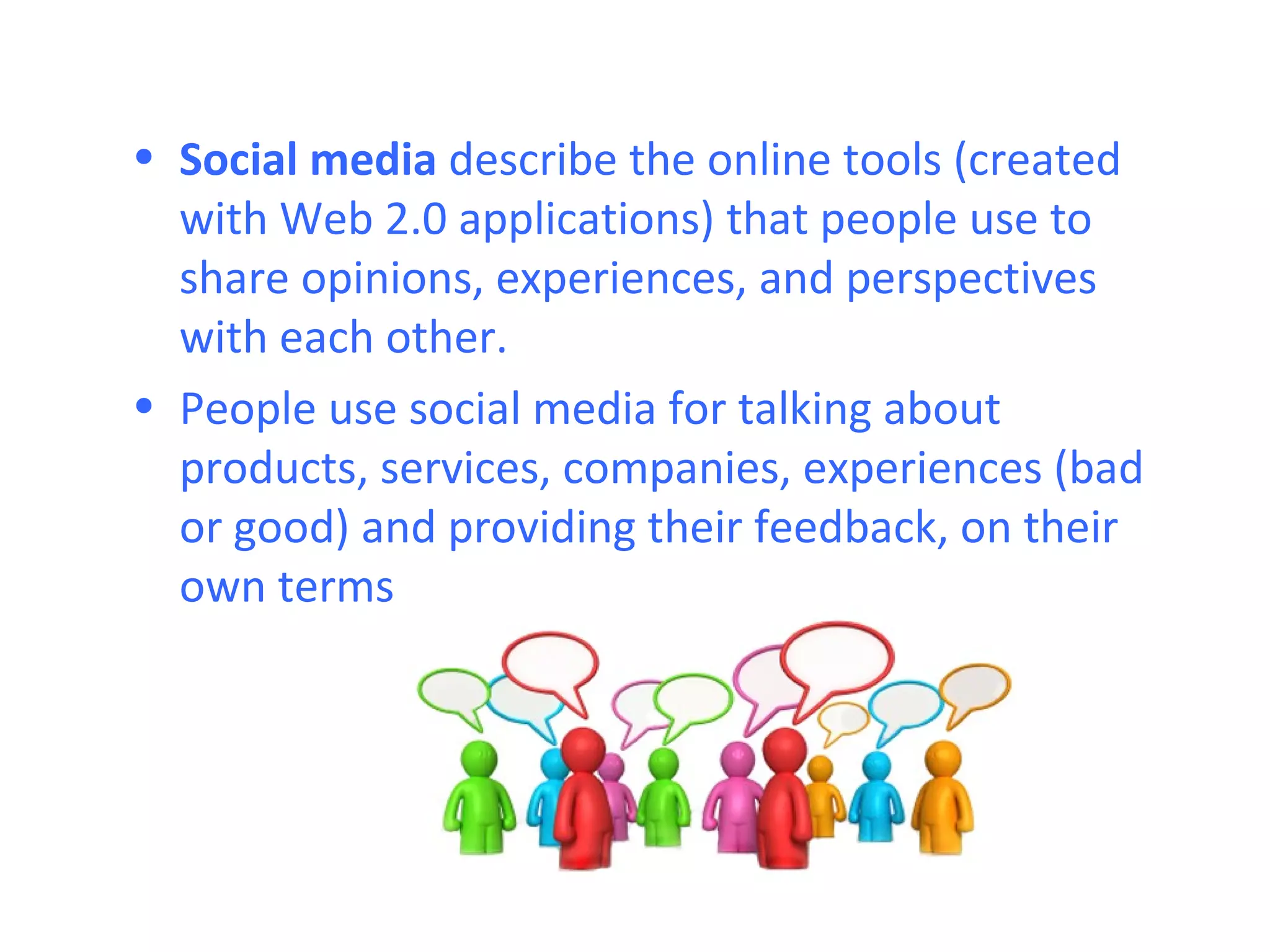
• Social media describe the online tools (created
  with Web 2.0 applications) that people use to
  share opinions, experiences, and perspectives
  with each other.
• People use social media for talking about
  products, services, companies, experiences (bad
  or good) and providing their feedback, on their
  own terms
Social media in plain English


       http://vimeo.com/1083838
Web 2.0
• Web 2.0 is a scenario for
  social interaction
• Result of an evolution
  from Web 1.0.
  characterized by:
  -Static character
  -Limited possibilities to
  participate
  Passive-navigation
  -User and consumer of
  information and content
  offered by the author of
  the web.
Web 2.0
• Web 2.0 represents the social evolution of
  the Internet (In 1999, the first blogs turn
  up), wikipedia in 2001, social applications
  for Internet users to talk and get to know)
• Users move from being content
  consumers to content generators.
• Perpetual beta. Web 2.0 products are
  constantly evolving though they are
  available to all users. Continuous
  improvement.
Web 2.0
'Less is more. " it's the criterion on which web
2.0 programming is based on. That allows
creative integration and building synergies.
Pragmatism, simplicity, reliability and scalability
of applications.
Web 2.0 is built without complications for the
web developer to integrate applications
(Mashups)  simplicity for the user to improve
participation and access to content at any time.
Social media vs. Mass media
Social media use relatively inexpensive tools
 that allow anyone to publish and access
 content, while the media industry in general,
 require a financial capital. (Vs. Social Media)

A common feature of "Social Media" and
 "Mass Media" is the ability to reach a large
 audience even if they decide to engage in a
 small niche
Social media vs. Mass media
  Some features that show the
  differences between social
  media and mass media are:
• Audience: Both media
  provide the technology that
  allows anyone to access, so
  both can reach a global
  audience.
• Access: Mass media are
  usually paid and are owned
  by a private or government,
  while social media are
  generally available for
  anyone with little or no cost,
  usually free.
Social media vs. Mass media
• Ease of use for developers: The media content
  production industry normally requires resources
  and expertise. Most social media do not, so
  anyone can be a producer.
• Instantaneous: The time between content
  production and delivery to the hearings can be
  long (days, weeks or even months) compared
  with social media (which may be able to deliver
  content almost instantly or only very small delay
  in its publication. (eg the first media that
  collected images of the earthquake and tsunami
  in Japan was Twitter)
Social media vs. Mass media

• Editing content: In the media, once created the
  content, this can’t be changed (after the article
  in a magazine is printed and distributed
  changes can’t be made in the same article),
  while social media is not only enriched by the
  comments from the audience, but the content
  can be changed instantly by the producers,
  improving the content for audiences.
Traditional online Tactics
                                                     Institutional focus on sending
Traditional


                                                     messages and assets and
                                                     Distributing Them to a core
                                                     audience.
                 Institutional Voice   Audience

                                                     Enabling Focus on Social Media and
                                                     publishing to multiple parties
                                                     Conversation Between Where the
  Social Media


                                                     community has a important role in
                                                     the dialogue


                       Blogs           Communities
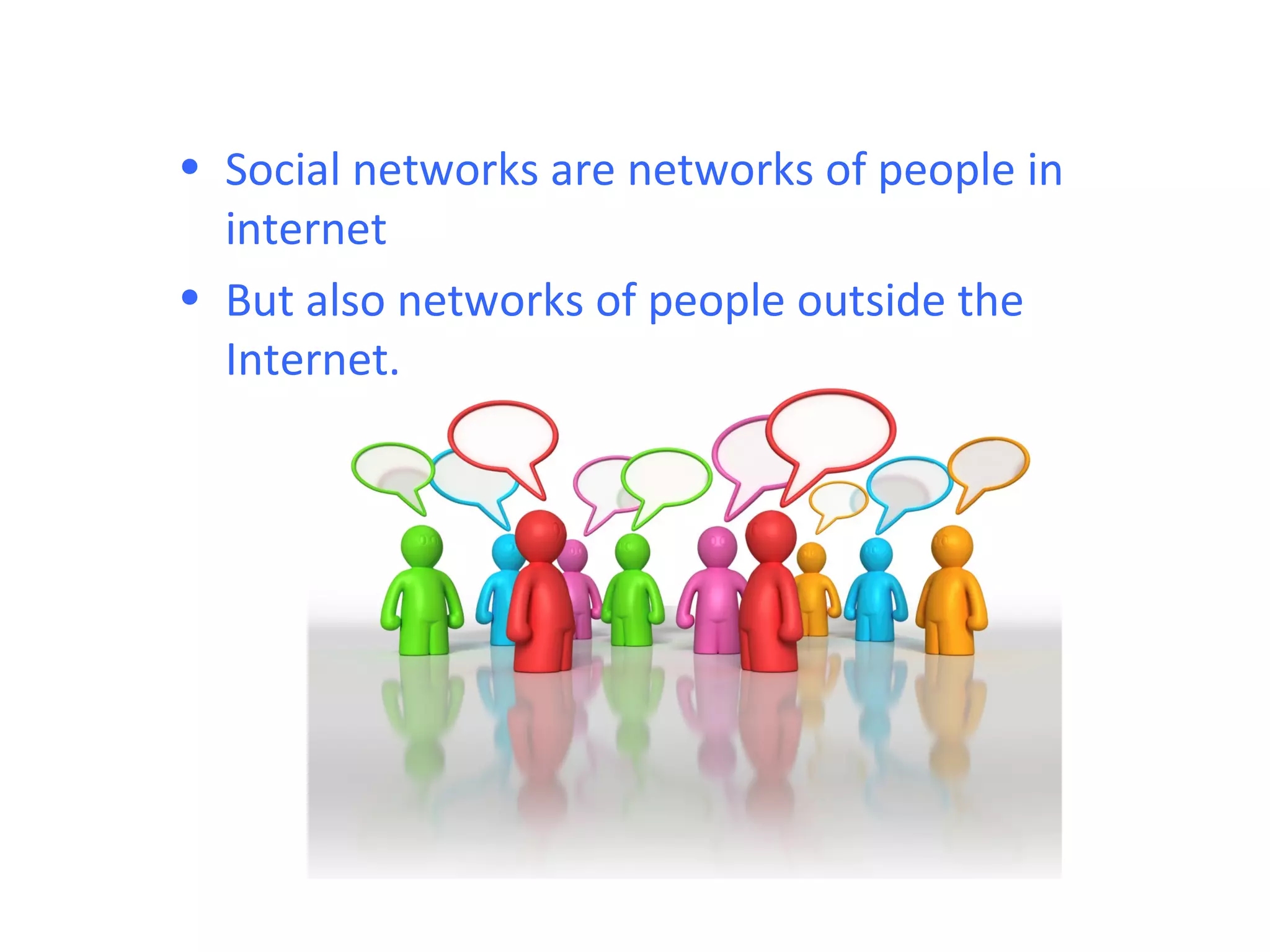
• Social networks are networks of people in
  internet
• But also networks of people outside the
  Internet.
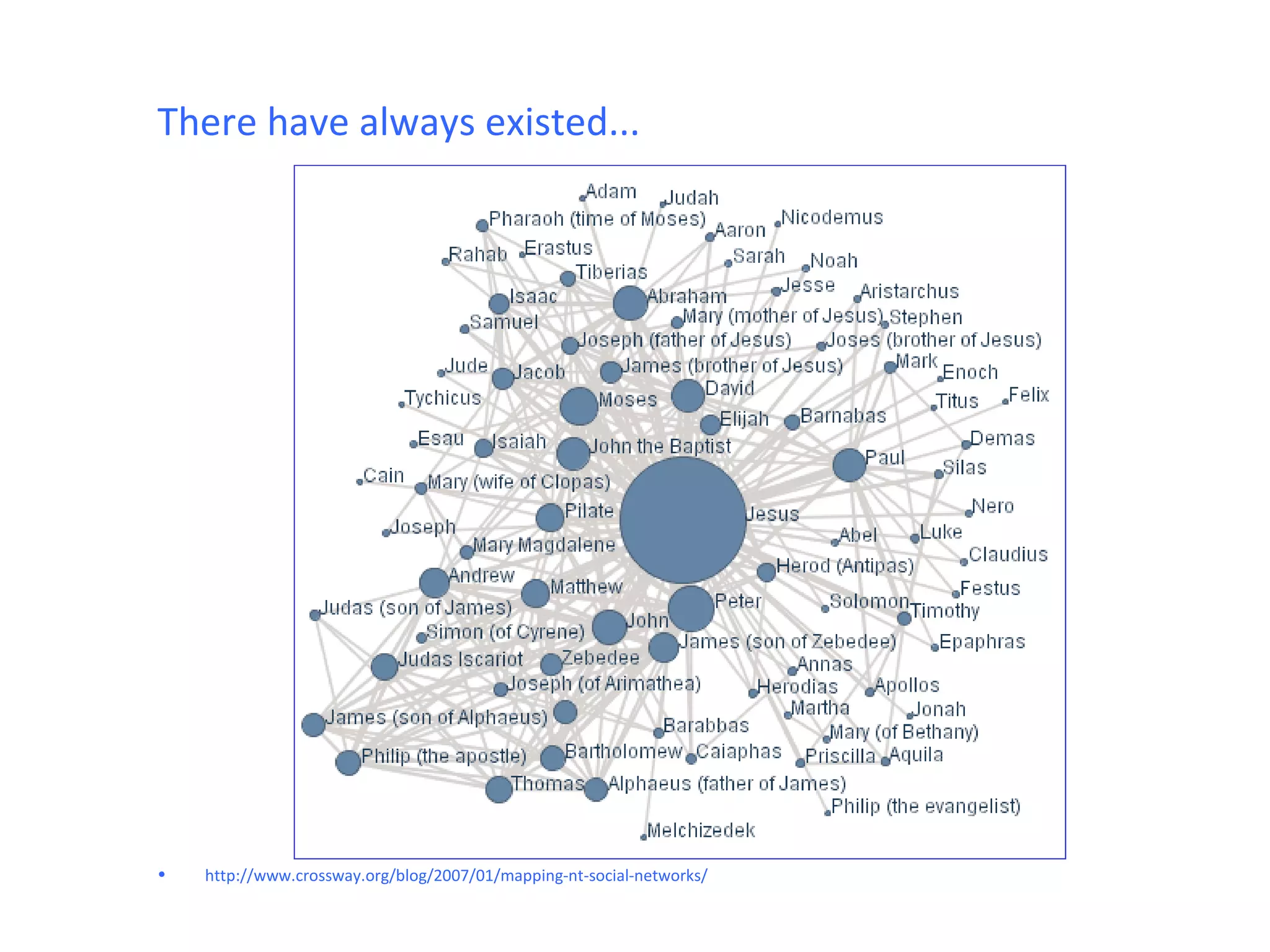
There have always existed...


•   http://www.crossway.org/blog/2007/01/mapping-nt-social-networks/
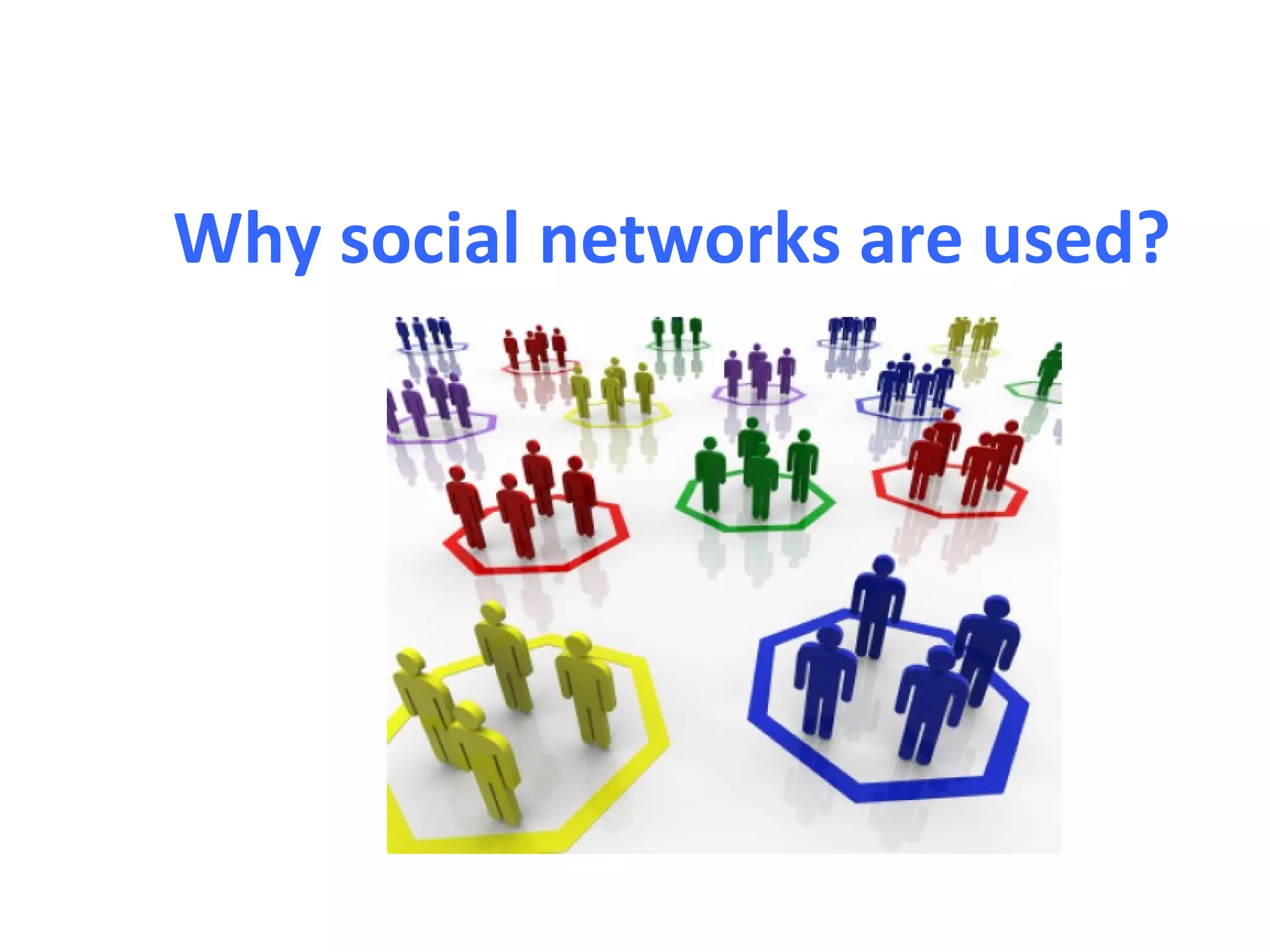
Why social networks are used?
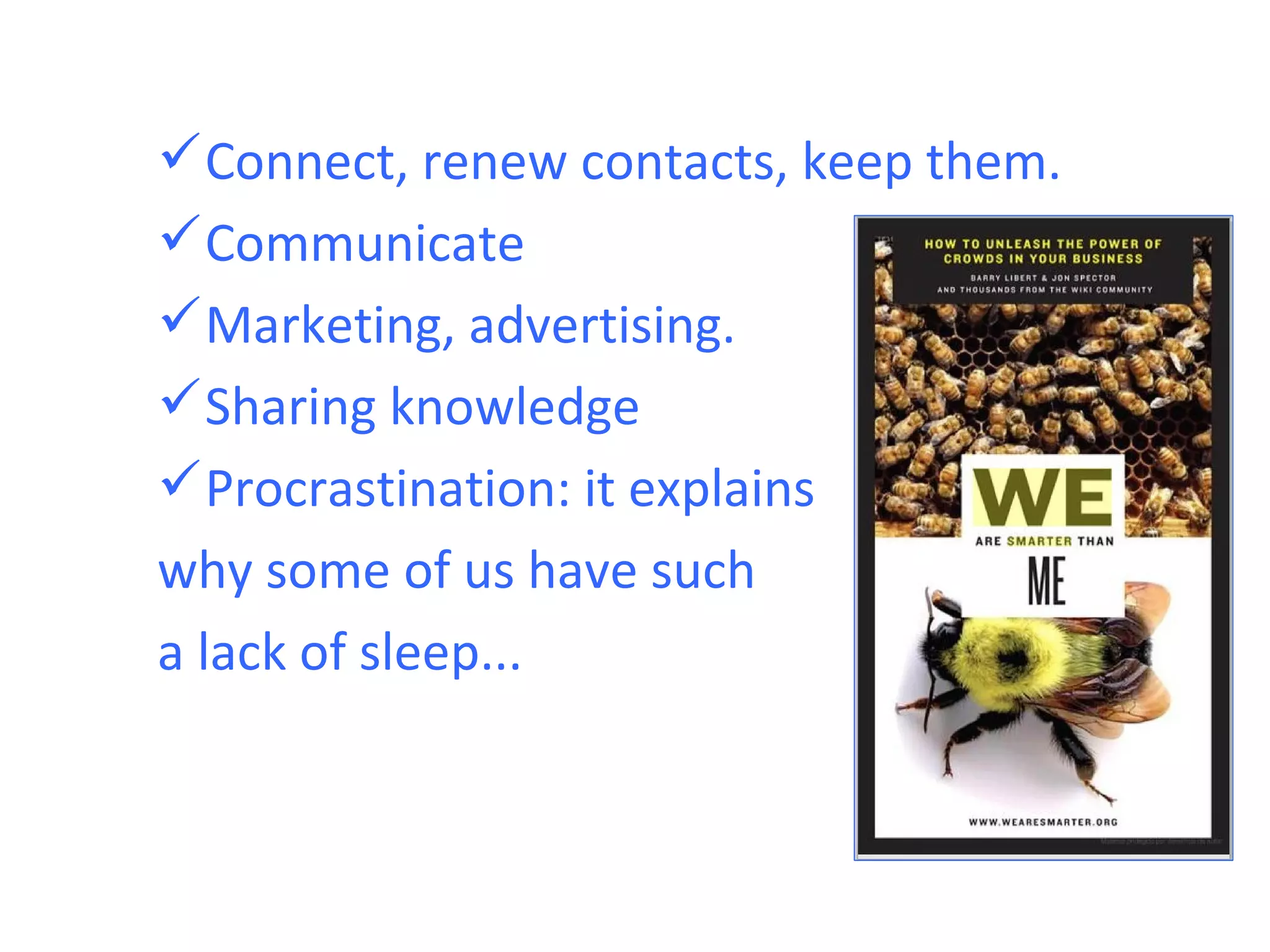
 Connect, renew contacts, keep them.
 Communicate
 Marketing, advertising.
 Sharing knowledge
 Procrastination: it explains
why some of us have such
a lack of sleep...
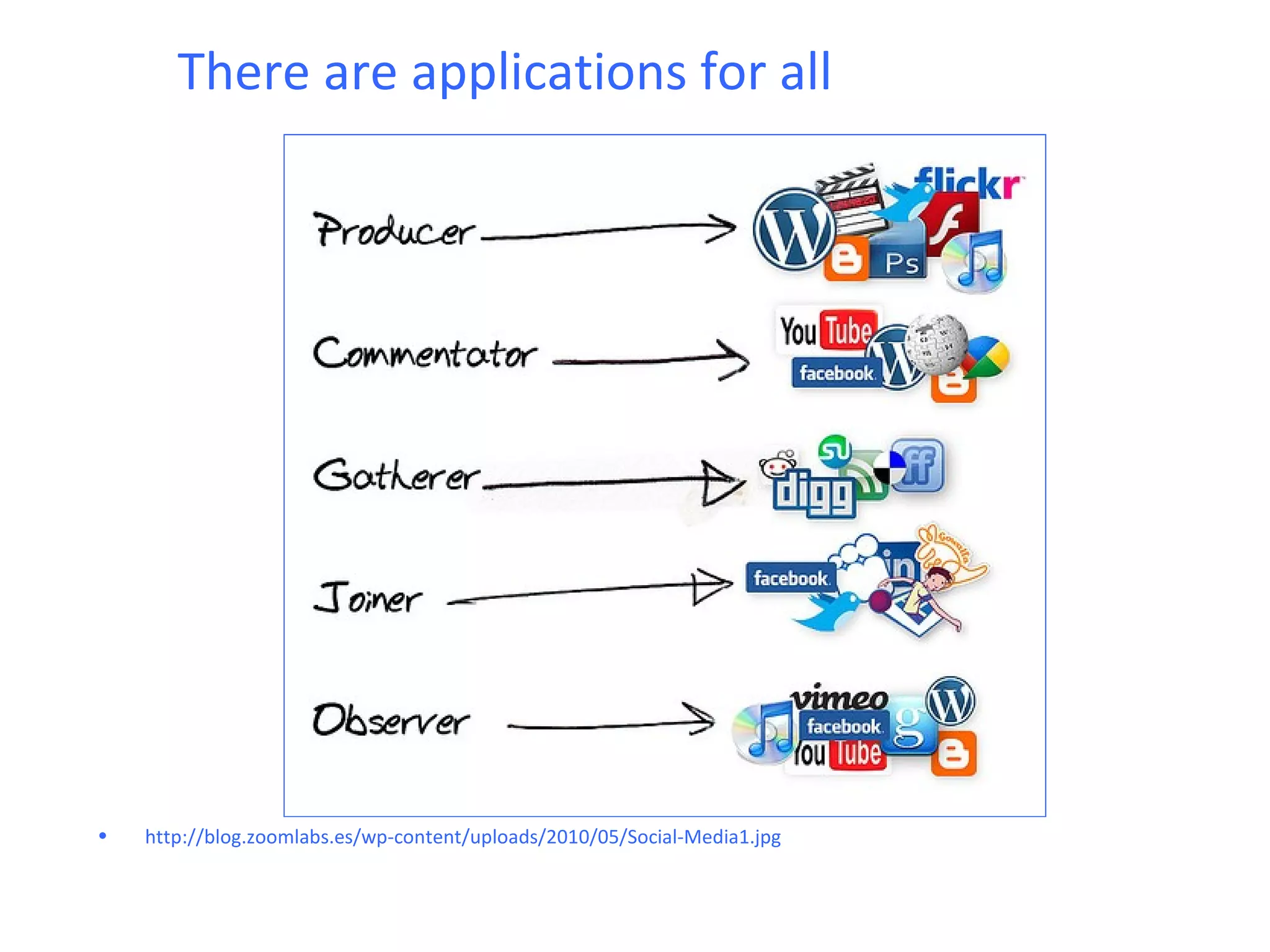
There are applications for all


•   http://blog.zoomlabs.es/wp-content/uploads/2010/05/Social-Media1.jpg
Social networking in plain English


  http://www.youtube.com/watch?v=6a_KF7TYKVc
Types of social networks
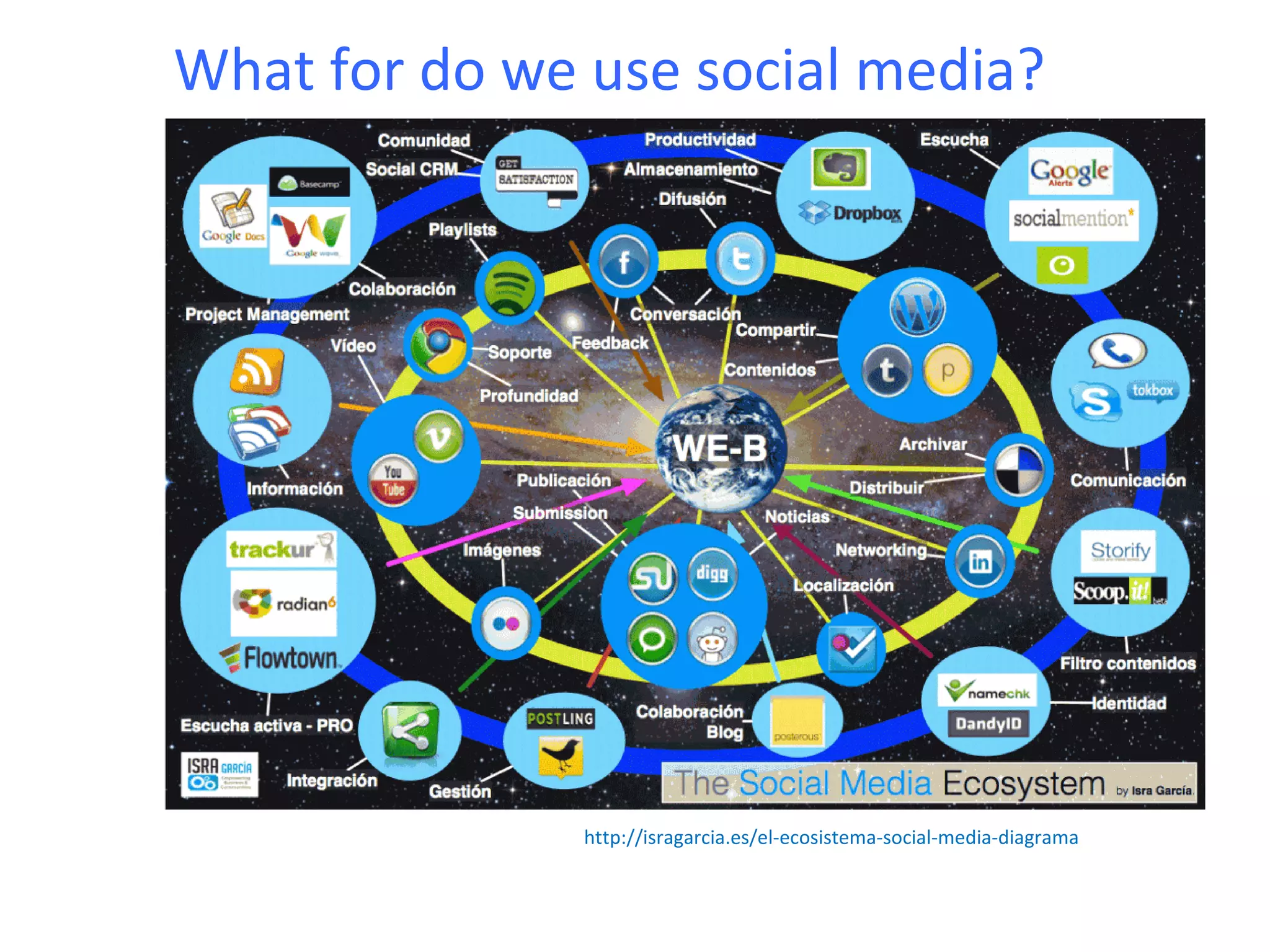
What for do we use social media?
 Social media can take many forms: Internet
 forums, social blogs, wikis, podcasts, photos and
 video.
 Examples of social media applications are
 Wikipedia, MySpace (social networking),
 Facebook (social networking), Last.fm (personal
 music), YouTube (video sharing), Second Life
 (virtual reality), Flickr (photo sharing) , Twitter
 (microblogging and social networks).
 Many of these services in social media can be
 integrated through social networking aggregation
 platforms.
What for do we use social media?


               http://isragarcia.es/el-ecosistema-social-media-diagrama
We can make a difference between types
of social networks based on the object
you focus:
                3 Imagen


    Contents
    Contacts
Content-based
 Blog: Blogger, WordPress,
 Wiki: Wikipedia, wikispaces,
 Photos: Flickr, Picassa
 Video: youtube, vimeo
 Presentations: SlideShare, Zoho
 Music: Spotify, SoundCloud, myspace, last
  fm
Focused on contacts
Facebook
Classmates.com
Hi5
Bebo
Linkedin, Xing. (Professional networking)
How are the users?

General networks (like Facebook)
 Youth 18-32 years
 More women (53%) than men (47%)
 Medium-high formation
 Digital native or adapted easily
 70% connect once a week
 21% every day
How are the users?
Professional networking (LinkedIn)
 35-45 years professional
 Aims to keep 86% contacts (former co-
  workers, etc ...)
 62% connect once a day during working
  hours
 75% seeking to establish new contacts
Facebook
3 questions to start ...
• Could it be a waste of time?
• Do we bring anything?
• What can we offer?
            ... And some answers:
 More than 500 million users worldwide
 The time spent in social media increases
  by 82%.
 Since March 2010, in the USA, visit to
  facebook have exceeded google ones.
What can you offer facebook?
It is another way of giving out our content:
 Provide information
 Be alert to what they tell us
 Respond to fans/followers.
 Relate to them
 If we have no website, we can use it as
   web page (or complement)
If we're on facebook, we should be
 willing to:

 Establish some kind of conversation
 with our fans.
Think about what things we can do
 for people to take part.
Seek and provide useful information
 for the user.
Why do people follow fan pages?

                     Conclusions:
                     • Provide the user
                       with relevant and
                       interesting
                       content.
                     • Two-way
                       communication.
Facebook pages (VS profiles)
• The pages are visible to everyone (cannot
  interact with it if not registered but you
  can see everything)
• Unlimited number of fans
• Anyone can become a fan of the page and
  follow without delay.
• Pages can send updates of content (but
  not e-mails) Caution! Many updates are
  not seen.
Facebook pages
Enable administrators
 Update your status, post blogs, photos,
  videos, etc. .. sociocorporative (not as
  individuals, privacy guaranteed).
 Have a small page with some
  interesting statistics: lost fans, most
  popular countries, demographics,
  interactions, publications, etc ...
Facebook pages Insights
Create a page step by step
1. Go to
   http://www.facebook.com/pages/create.php

2. Choose category (It is important because
   depending on what we choose, we have
   to fill in some fields or other)
3. Do not make the page visible yet
Edit page
Edit page
On the previous slide three paragraphs stood
   out:
1. Visibility of the page. Limitations by
   country.
1. What you see on the wall (all post or just
   the page). What you see upon entering
   (Wall / info / photos). User permissions
   (post / comments, photos, videos)
Edit page
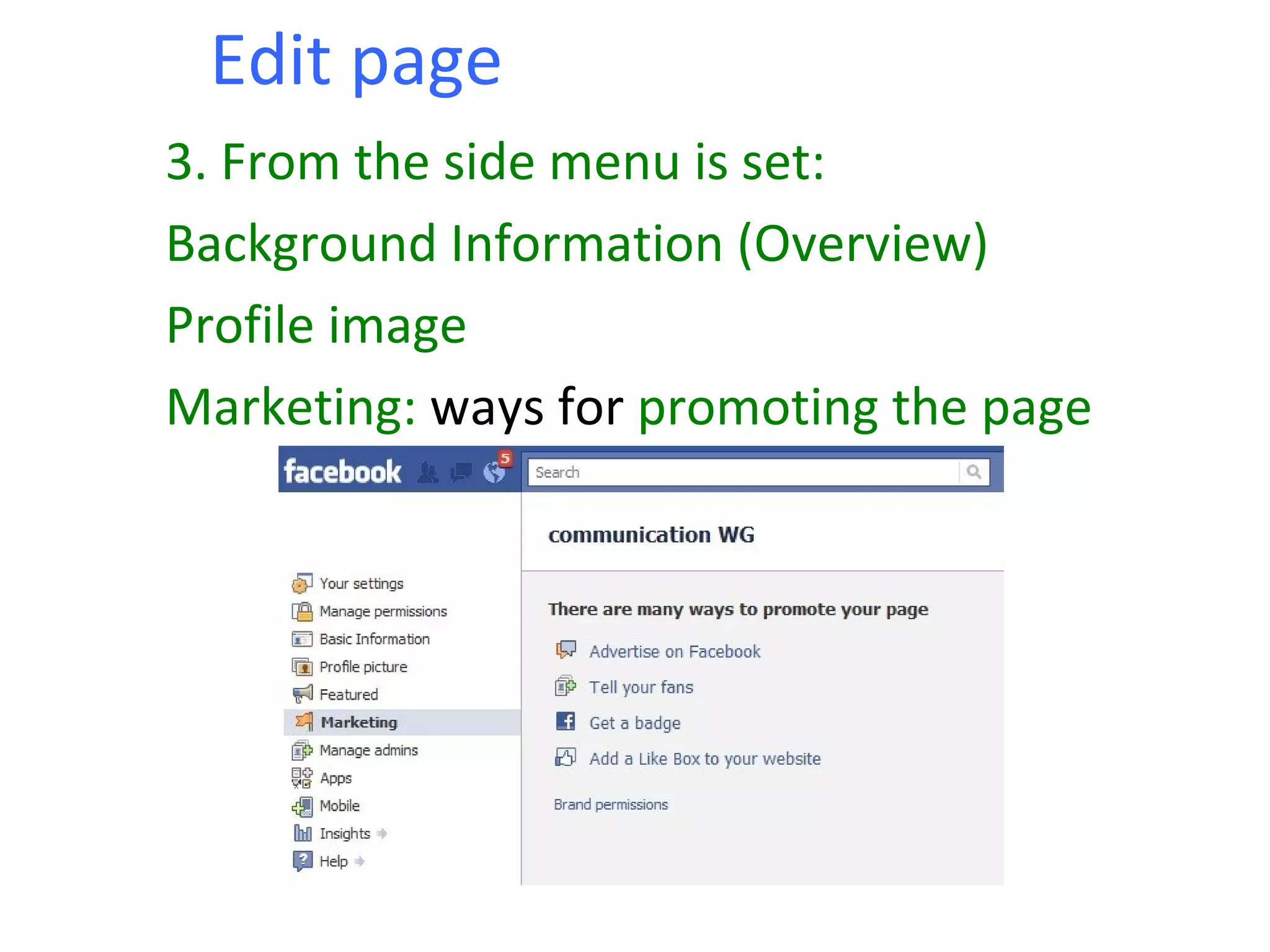
3. From the side menu is set:
Background Information (Overview)
Profile image
Marketing: ways for promoting the page
Dissemination of the fan page

The badge is very easy to get: Cut and Paste on
 the page you want. You can edit too, of
 course. Very similar to ‘like button’.
Dissemination of the fan page
Like box similar procedure. You can also
manipulate.
Applications on the Fan Page
  You can add many applications (networkedblog,
  twitter, slideshare, RSS, etc ...)


Update (wall, photos, etc. ..) via sms / e-mail.
Static FBML
• There is an application called static FBML
  with which you can customize the pages of
  Facebook, and you can insert HTML and
  FBML (Facebook Markup Language).
• Customize the facebook page so we will
  choose what we want just by manipulating
  the code.
• In our case this could allow from the fan
  page to accede to the implementation of
  the Europass CV.
Static FBML
Some suggestions ...
To maintain interest and achieve new followers:
       Interesting facts/ information
       Watch for publications and respond.
       Attractive site (nice design, applications ...)
       Create debate: to launch an inquiry and users give
   opinions.
       Ask advice: if we do the fans feel closer to us.
       Incentives: Draws for fans, etc ... (Eg: National
   Europass Centre Hungary)
       First and foremost is very important to know what
   we want to do and what the criteria are. The strategy
   should be common to all managers (social DK Media
   Policy). Do we have time/money/ people to manage it.
Linkedin
Linkedin
Professional network launched in 2003
35 million users, 170 sectors.
It works as online CV.
Inform users of their work
Colleagues can review and make
 recommendations on profiles
Employers can view profiles and provide jobs.
You can follow interest groups and businesses.
What is Linkedin?


http://www.youtube.com/watch?v=IzT3JVUGUzM
Ressources
Brito, Michael: Introduction to Social Media. http://www.slideshare.net/Britopian/introduction-to-social-media-presentation-699715
Kaplan, Andreas M.; Michael Haenlein (2010). "Users of the world, unite! The challenges and opportunities of Social Media". Business Horizons
       53 (1): 59–68.
What Is Web 2.0 (Design Patterns and Business Models for the Next Generation of Software) by Tim O'Reilly
       http://oreilly.com/pub/a/web2/archive/what-is-web-20.html?page=1
Israel García: Ecosistema social media (Israel garcia) http://isragarcia.es/el-ecosistema-social-media-diagrama
Israel Garciía: Preguntas clave para estrategia en social media
         http://isragarcia.es/preguntas-estrategicas-social-media
Pablo Garaizar Sagarminaga: Web 2.0 y redes sociales virtuales.
       http://www.slideshare.net/txipi/web-20-y-redes-sociales-virtuales-redes-sociales
Social media an introduction (Parlamento de Canadá. PDF)
         http://www2.parl.gc.ca/Content/LOP/ResearchPublications/2010-03-e.htm
Taller de redes sociales http://loretahur.wikispaces.com/Redes+Sociales
         Definitions in wikipedia:
Social network http://en.wikipedia.org/wiki/Social_network
Social media http://en.wikipedia.org/wiki/Social_media
Some videos about social media:
Working group about social media (more than 1 hour) http://youtu.be/QMFT7Dk8EzM
Social media in plain english http://youtu.be/MpIOClX1jPE
Social Media revolution 2010: http://youtu.be/NB_P-_NUdLw
What the hell is social media: http://youtu.be/QLd9q88ohUs
       About linkedin
¿qué es linkedin? http://www.youtube.com/watch?v=R5n7Or0ab_0
Linkedin profile tutorial http://www.youtube.com/watch?v=YsXZ5ET9-bA
What is linkedin http://www.youtube.com/watch?v=IzT3JVUGUzM
What is Linkedin (part 2) http://youtu.be/C1ofuNt6Abk
Exprimiendo linkedin http://www.exprimiendolinkedin.com/
       About Facebook
Guía de community management en FB http://blog.ikhuerta.com/guia-de-community-managers-en-facebook
Aplicaciones en FB http://blog.ikhuerta.com/facebook-graph-api
http://www.hubspot.com/facebook-for-business-marketing-hub/
Manual Facebook http://www.imh.es/dokumentazio-irekia/manuales/manual-facebook-redes-sociales-para-usuario-y-para-empresa
Privacidad seguridad en facebook http://www.osi.es/Protegete/Redes_Sociales/Guia_Seguridad_Facebook


Many resources available on http://www.delicious.com/miguelbarrera/socialmedia
Thanks to:
Virginia Espinosa, for the translation [http://www.virginiaespin29.blogspot.com]
René Rodriguez (@_renerodriguez)
Ana López ,
Juan Quaglia (@juanquaglia),
Miguel Carrillo (@miguel_k ),
Rosario Ortega [http://www.auladigitalactiva.com/]
Isra García (http://isragarcia.es/)
Pablo Garaizar Sagarminaga y
Lorena Fernández (http://www.loretahur.net/)


To keep in touch, for any question that arise later at:
miguel.barreralyx@gmail.com
miguel.barrera@oapee.es
@mbarreralyx (on twitter)

Introduction to Social Media

  • 1.
  • 2.
    WG communication 1. Introduction to Social Media 2. Facebook 3. (Linkedin) 4. Questions (& other networks.)
  • 3.
    WG communication What issocial media? Features What they are Network types Facebook Advantages of being on facebook. Why and what for. Implications. Interactivity, privacy. Applications. Uses. 2 minutes on LinkedIn. Questions. (Last but not least)
  • 4.
    What is socialmedia? Difficulty finding the definition. Any ideas? What do you think of if we talk about social media? ... Maybe .... Social Sharing Network Web 2.0. Simplicity Interactivity Web 2.0
  • 5.
    Social media isalso (but not only!)
  • 6.
    Some definitions ... Kaplan and Haenlein (1) define social media "a group of Internet-based applications that are developed on the ideological and technological aspects of Web 2.0, and allow the creation and sharing of user-generated content" (1) Andreas M. Kaplan, Haenlein Michael, (2010), Users of the world, unite! The Challenges and Opportunities of Social Media, Business Horizons, Vol 53, Issue 1, p. 59-68.
  • 7.
    • Social mediadescribe the online tools (created with Web 2.0 applications) that people use to share opinions, experiences, and perspectives with each other. • People use social media for talking about products, services, companies, experiences (bad or good) and providing their feedback, on their own terms
  • 8.
    Social media inplain English http://vimeo.com/1083838
  • 9.
    Web 2.0 • Web2.0 is a scenario for social interaction • Result of an evolution from Web 1.0. characterized by: -Static character -Limited possibilities to participate Passive-navigation -User and consumer of information and content offered by the author of the web.
  • 10.
    Web 2.0 • Web2.0 represents the social evolution of the Internet (In 1999, the first blogs turn up), wikipedia in 2001, social applications for Internet users to talk and get to know) • Users move from being content consumers to content generators. • Perpetual beta. Web 2.0 products are constantly evolving though they are available to all users. Continuous improvement.
  • 11.
    Web 2.0 'Less ismore. " it's the criterion on which web 2.0 programming is based on. That allows creative integration and building synergies. Pragmatism, simplicity, reliability and scalability of applications. Web 2.0 is built without complications for the web developer to integrate applications (Mashups)  simplicity for the user to improve participation and access to content at any time.
  • 12.
    Social media vs.Mass media Social media use relatively inexpensive tools that allow anyone to publish and access content, while the media industry in general, require a financial capital. (Vs. Social Media) A common feature of "Social Media" and "Mass Media" is the ability to reach a large audience even if they decide to engage in a small niche
  • 13.
    Social media vs.Mass media Some features that show the differences between social media and mass media are: • Audience: Both media provide the technology that allows anyone to access, so both can reach a global audience. • Access: Mass media are usually paid and are owned by a private or government, while social media are generally available for anyone with little or no cost, usually free.
  • 14.
    Social media vs.Mass media • Ease of use for developers: The media content production industry normally requires resources and expertise. Most social media do not, so anyone can be a producer. • Instantaneous: The time between content production and delivery to the hearings can be long (days, weeks or even months) compared with social media (which may be able to deliver content almost instantly or only very small delay in its publication. (eg the first media that collected images of the earthquake and tsunami in Japan was Twitter)
  • 15.
    Social media vs.Mass media • Editing content: In the media, once created the content, this can’t be changed (after the article in a magazine is printed and distributed changes can’t be made in the same article), while social media is not only enriched by the comments from the audience, but the content can be changed instantly by the producers, improving the content for audiences.
  • 16.
    Traditional online Tactics Institutional focus on sending Traditional messages and assets and Distributing Them to a core audience. Institutional Voice Audience Enabling Focus on Social Media and publishing to multiple parties Conversation Between Where the Social Media community has a important role in the dialogue Blogs Communities
  • 17.
    • Social networksare networks of people in internet • But also networks of people outside the Internet.
  • 18.
    There have alwaysexisted... • http://www.crossway.org/blog/2007/01/mapping-nt-social-networks/
  • 19.
  • 20.
     Connect, renewcontacts, keep them.  Communicate  Marketing, advertising.  Sharing knowledge  Procrastination: it explains why some of us have such a lack of sleep...
  • 21.
    There are applicationsfor all • http://blog.zoomlabs.es/wp-content/uploads/2010/05/Social-Media1.jpg
  • 22.
    Social networking inplain English http://www.youtube.com/watch?v=6a_KF7TYKVc
  • 23.
  • 24.
    What for dowe use social media? Social media can take many forms: Internet forums, social blogs, wikis, podcasts, photos and video. Examples of social media applications are Wikipedia, MySpace (social networking), Facebook (social networking), Last.fm (personal music), YouTube (video sharing), Second Life (virtual reality), Flickr (photo sharing) , Twitter (microblogging and social networks). Many of these services in social media can be integrated through social networking aggregation platforms.
  • 25.
    What for dowe use social media? http://isragarcia.es/el-ecosistema-social-media-diagrama
  • 26.
    We can makea difference between types of social networks based on the object you focus: 3 Imagen Contents Contacts
  • 27.
    Content-based  Blog: Blogger,WordPress,  Wiki: Wikipedia, wikispaces,  Photos: Flickr, Picassa  Video: youtube, vimeo  Presentations: SlideShare, Zoho  Music: Spotify, SoundCloud, myspace, last fm
  • 28.
  • 29.
    How are theusers? General networks (like Facebook)  Youth 18-32 years  More women (53%) than men (47%)  Medium-high formation  Digital native or adapted easily  70% connect once a week  21% every day
  • 30.
    How are theusers? Professional networking (LinkedIn)  35-45 years professional  Aims to keep 86% contacts (former co- workers, etc ...)  62% connect once a day during working hours  75% seeking to establish new contacts
  • 31.
  • 32.
    3 questions tostart ... • Could it be a waste of time? • Do we bring anything? • What can we offer? ... And some answers:  More than 500 million users worldwide  The time spent in social media increases by 82%.  Since March 2010, in the USA, visit to facebook have exceeded google ones.
  • 33.
    What can youoffer facebook? It is another way of giving out our content:  Provide information  Be alert to what they tell us  Respond to fans/followers.  Relate to them  If we have no website, we can use it as web page (or complement)
  • 34.
    If we're onfacebook, we should be willing to:  Establish some kind of conversation with our fans. Think about what things we can do for people to take part. Seek and provide useful information for the user.
  • 35.
    Why do peoplefollow fan pages? Conclusions: • Provide the user with relevant and interesting content. • Two-way communication.
  • 36.
    Facebook pages (VSprofiles) • The pages are visible to everyone (cannot interact with it if not registered but you can see everything) • Unlimited number of fans • Anyone can become a fan of the page and follow without delay. • Pages can send updates of content (but not e-mails) Caution! Many updates are not seen.
  • 37.
    Facebook pages Enable administrators Update your status, post blogs, photos, videos, etc. .. sociocorporative (not as individuals, privacy guaranteed).  Have a small page with some interesting statistics: lost fans, most popular countries, demographics, interactions, publications, etc ...
  • 38.
  • 39.
  • 40.
    Create a pagestep by step 1. Go to http://www.facebook.com/pages/create.php 2. Choose category (It is important because depending on what we choose, we have to fill in some fields or other) 3. Do not make the page visible yet
  • 41.
  • 42.
    Edit page On theprevious slide three paragraphs stood out: 1. Visibility of the page. Limitations by country. 1. What you see on the wall (all post or just the page). What you see upon entering (Wall / info / photos). User permissions (post / comments, photos, videos)
  • 43.
    Edit page 3. Fromthe side menu is set: Background Information (Overview) Profile image Marketing: ways for promoting the page
  • 44.
    Dissemination of thefan page The badge is very easy to get: Cut and Paste on the page you want. You can edit too, of course. Very similar to ‘like button’.
  • 45.
    Dissemination of thefan page Like box similar procedure. You can also manipulate.
  • 46.
    Applications on theFan Page You can add many applications (networkedblog, twitter, slideshare, RSS, etc ...) Update (wall, photos, etc. ..) via sms / e-mail.
  • 47.
    Static FBML • Thereis an application called static FBML with which you can customize the pages of Facebook, and you can insert HTML and FBML (Facebook Markup Language). • Customize the facebook page so we will choose what we want just by manipulating the code. • In our case this could allow from the fan page to accede to the implementation of the Europass CV.
  • 48.
  • 49.
    Some suggestions ... Tomaintain interest and achieve new followers:  Interesting facts/ information  Watch for publications and respond.  Attractive site (nice design, applications ...)  Create debate: to launch an inquiry and users give opinions.  Ask advice: if we do the fans feel closer to us.  Incentives: Draws for fans, etc ... (Eg: National Europass Centre Hungary)  First and foremost is very important to know what we want to do and what the criteria are. The strategy should be common to all managers (social DK Media Policy). Do we have time/money/ people to manage it.
  • 50.
  • 51.
    Linkedin Professional network launchedin 2003 35 million users, 170 sectors. It works as online CV. Inform users of their work Colleagues can review and make recommendations on profiles Employers can view profiles and provide jobs. You can follow interest groups and businesses.
  • 52.
  • 53.
    Ressources Brito, Michael: Introductionto Social Media. http://www.slideshare.net/Britopian/introduction-to-social-media-presentation-699715 Kaplan, Andreas M.; Michael Haenlein (2010). "Users of the world, unite! The challenges and opportunities of Social Media". Business Horizons 53 (1): 59–68. What Is Web 2.0 (Design Patterns and Business Models for the Next Generation of Software) by Tim O'Reilly http://oreilly.com/pub/a/web2/archive/what-is-web-20.html?page=1 Israel García: Ecosistema social media (Israel garcia) http://isragarcia.es/el-ecosistema-social-media-diagrama Israel Garciía: Preguntas clave para estrategia en social media http://isragarcia.es/preguntas-estrategicas-social-media Pablo Garaizar Sagarminaga: Web 2.0 y redes sociales virtuales. http://www.slideshare.net/txipi/web-20-y-redes-sociales-virtuales-redes-sociales Social media an introduction (Parlamento de Canadá. PDF) http://www2.parl.gc.ca/Content/LOP/ResearchPublications/2010-03-e.htm Taller de redes sociales http://loretahur.wikispaces.com/Redes+Sociales Definitions in wikipedia: Social network http://en.wikipedia.org/wiki/Social_network Social media http://en.wikipedia.org/wiki/Social_media Some videos about social media: Working group about social media (more than 1 hour) http://youtu.be/QMFT7Dk8EzM Social media in plain english http://youtu.be/MpIOClX1jPE Social Media revolution 2010: http://youtu.be/NB_P-_NUdLw What the hell is social media: http://youtu.be/QLd9q88ohUs About linkedin ¿qué es linkedin? http://www.youtube.com/watch?v=R5n7Or0ab_0 Linkedin profile tutorial http://www.youtube.com/watch?v=YsXZ5ET9-bA What is linkedin http://www.youtube.com/watch?v=IzT3JVUGUzM What is Linkedin (part 2) http://youtu.be/C1ofuNt6Abk Exprimiendo linkedin http://www.exprimiendolinkedin.com/ About Facebook Guía de community management en FB http://blog.ikhuerta.com/guia-de-community-managers-en-facebook Aplicaciones en FB http://blog.ikhuerta.com/facebook-graph-api http://www.hubspot.com/facebook-for-business-marketing-hub/ Manual Facebook http://www.imh.es/dokumentazio-irekia/manuales/manual-facebook-redes-sociales-para-usuario-y-para-empresa Privacidad seguridad en facebook http://www.osi.es/Protegete/Redes_Sociales/Guia_Seguridad_Facebook Many resources available on http://www.delicious.com/miguelbarrera/socialmedia
  • 54.
    Thanks to: Virginia Espinosa,for the translation [http://www.virginiaespin29.blogspot.com] René Rodriguez (@_renerodriguez) Ana López , Juan Quaglia (@juanquaglia), Miguel Carrillo (@miguel_k ), Rosario Ortega [http://www.auladigitalactiva.com/] Isra García (http://isragarcia.es/) Pablo Garaizar Sagarminaga y Lorena Fernández (http://www.loretahur.net/) To keep in touch, for any question that arise later at: miguel.barreralyx@gmail.com miguel.barrera@oapee.es @mbarreralyx (on twitter)