APACHE 2 HTTPS Secure HTTP With Apache Web Server By Dhoto
Web Server Daemon to serve HTTP application Listen on port 80
IIS (web server for html & asp ).run on Windows OS APACHE webserver (web server for html,php,asp,jsp, dsb).run on Windows and LINUX OS. Type of  Web Server
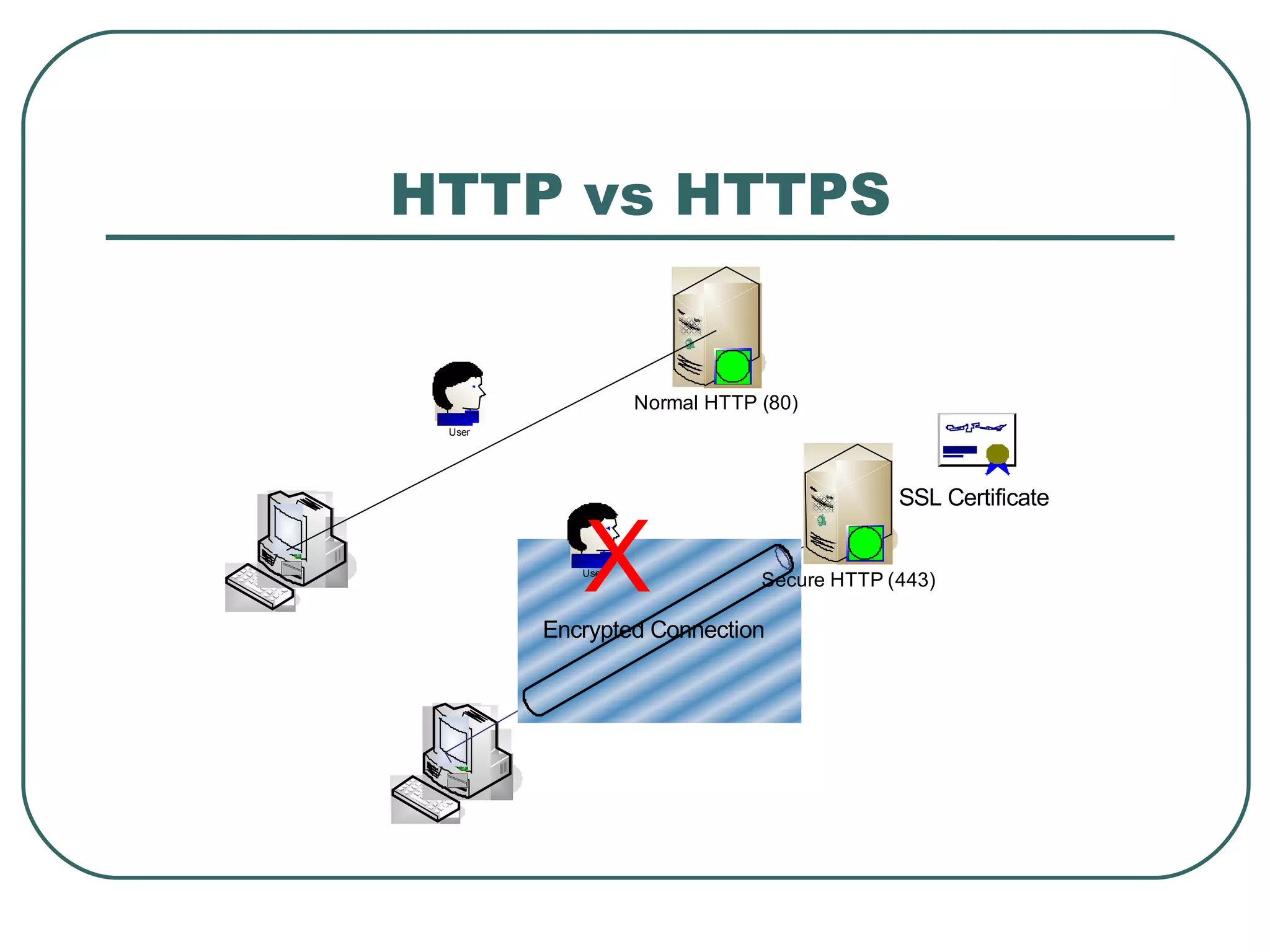
HTTPS is secure type of HTTP using data encryption SSL (Secure socket Layer). Listen on  port 443. APACHE Web Server with HTTPS
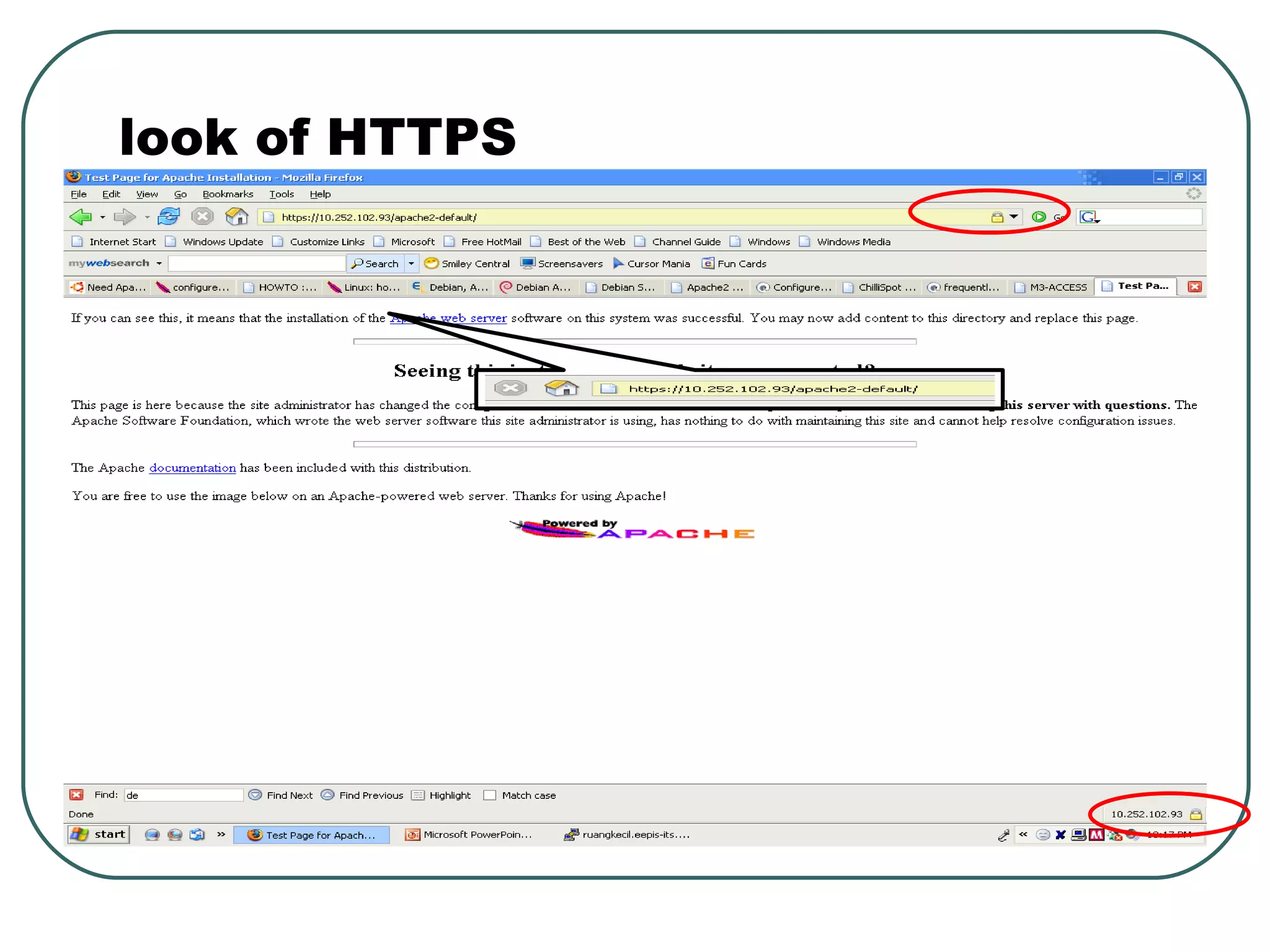
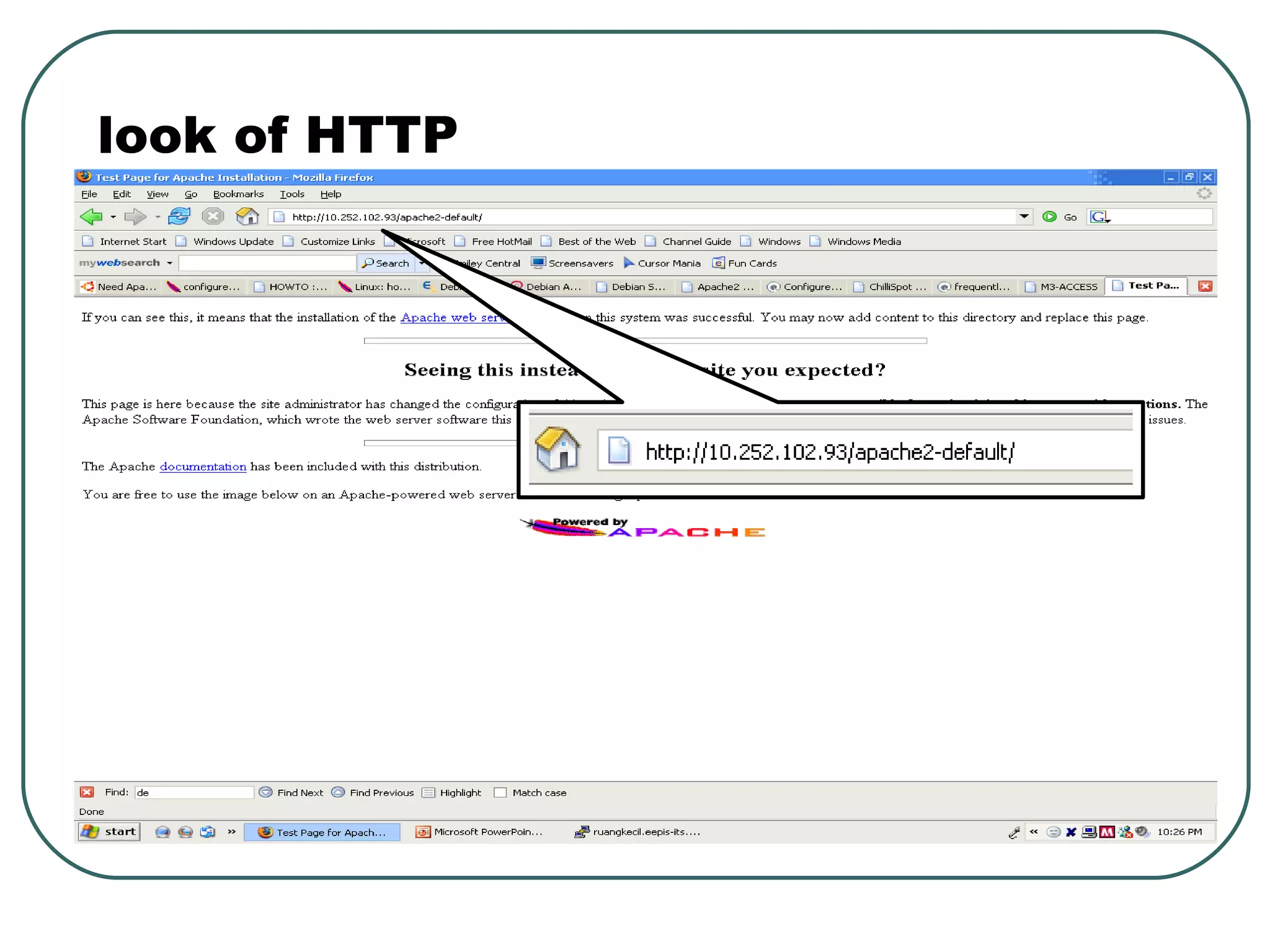
HTTP vs HTTPS
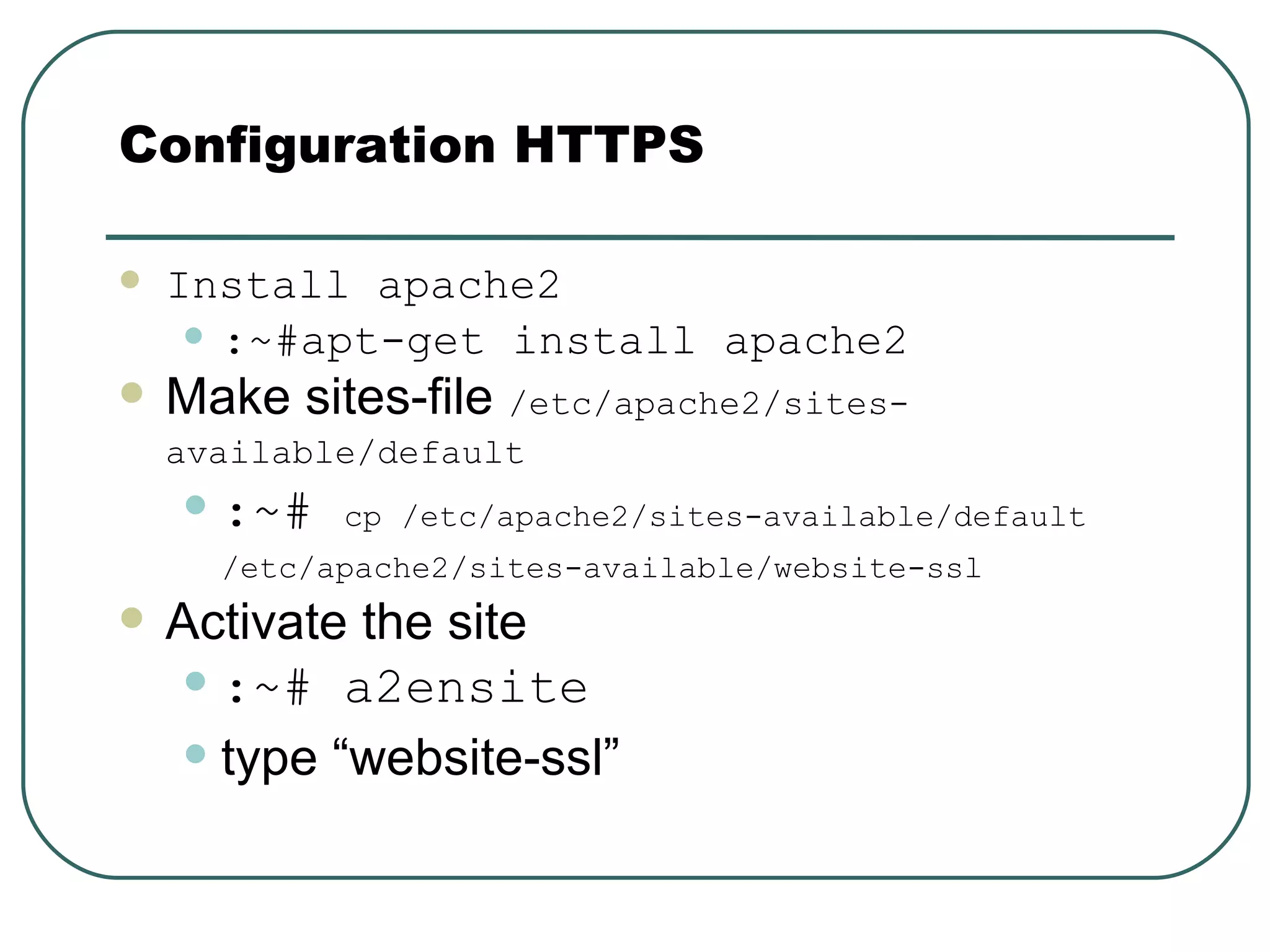
Install apache2 :~#apt-get install apache2 Make sites-file  /etc/apache2/sites-available/default   :~#  cp /etc/apache2/sites-available/default /etc/apache2/sites-available/website-ssl   Activate the site :~# a2ensite   type “website-ssl” Configuration HTTPS
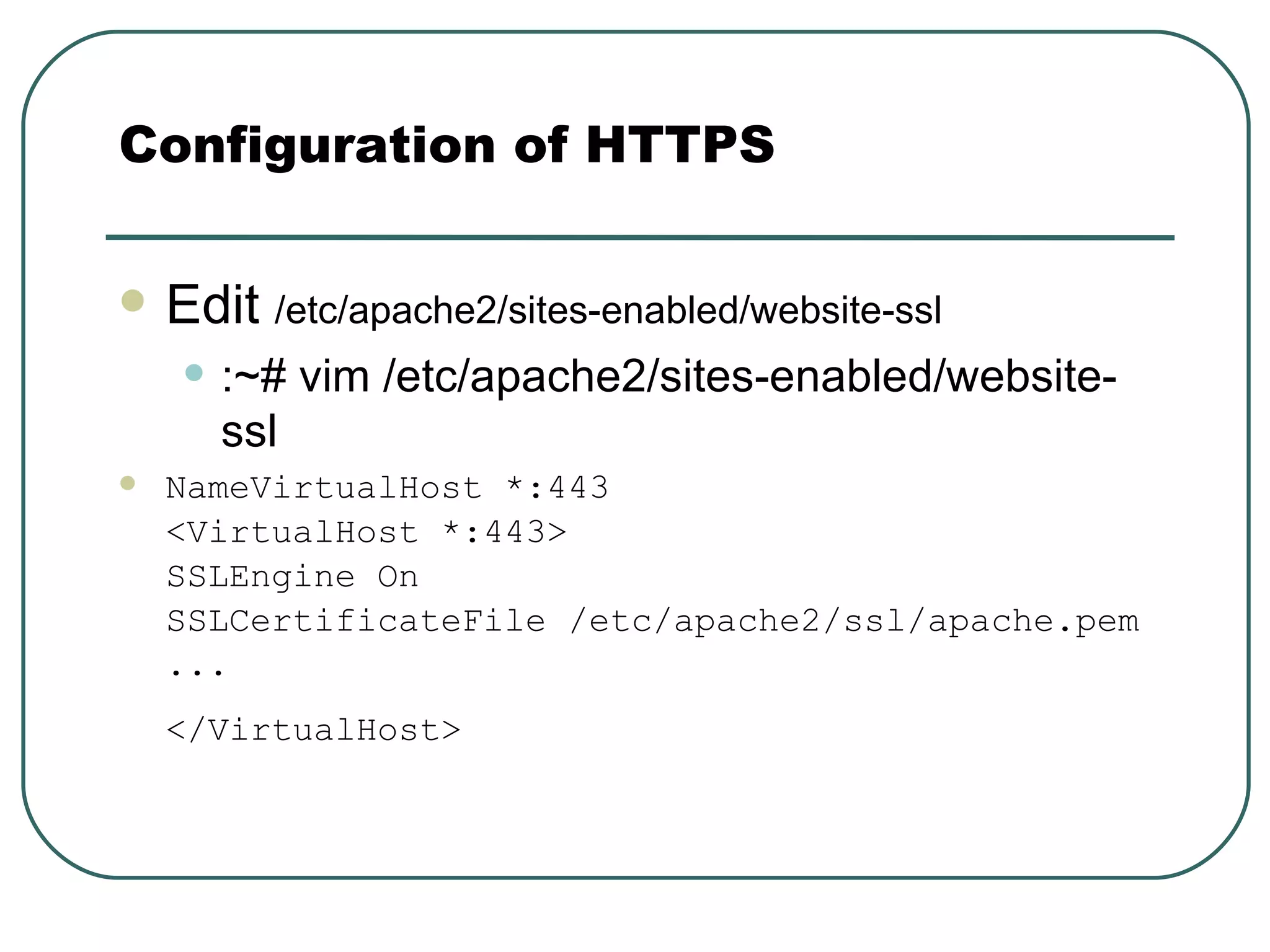
Edit  /etc/apache2/sites-enabled/website-ssl   :~# vim /etc/apache2/sites-enabled/website-ssl NameVirtualHost *:443 <VirtualHost *:443> SSLEngine On  SSLCertificateFile /etc/apache2/ssl/apache.pem ...  </VirtualHost>   Configuration of HTTPS
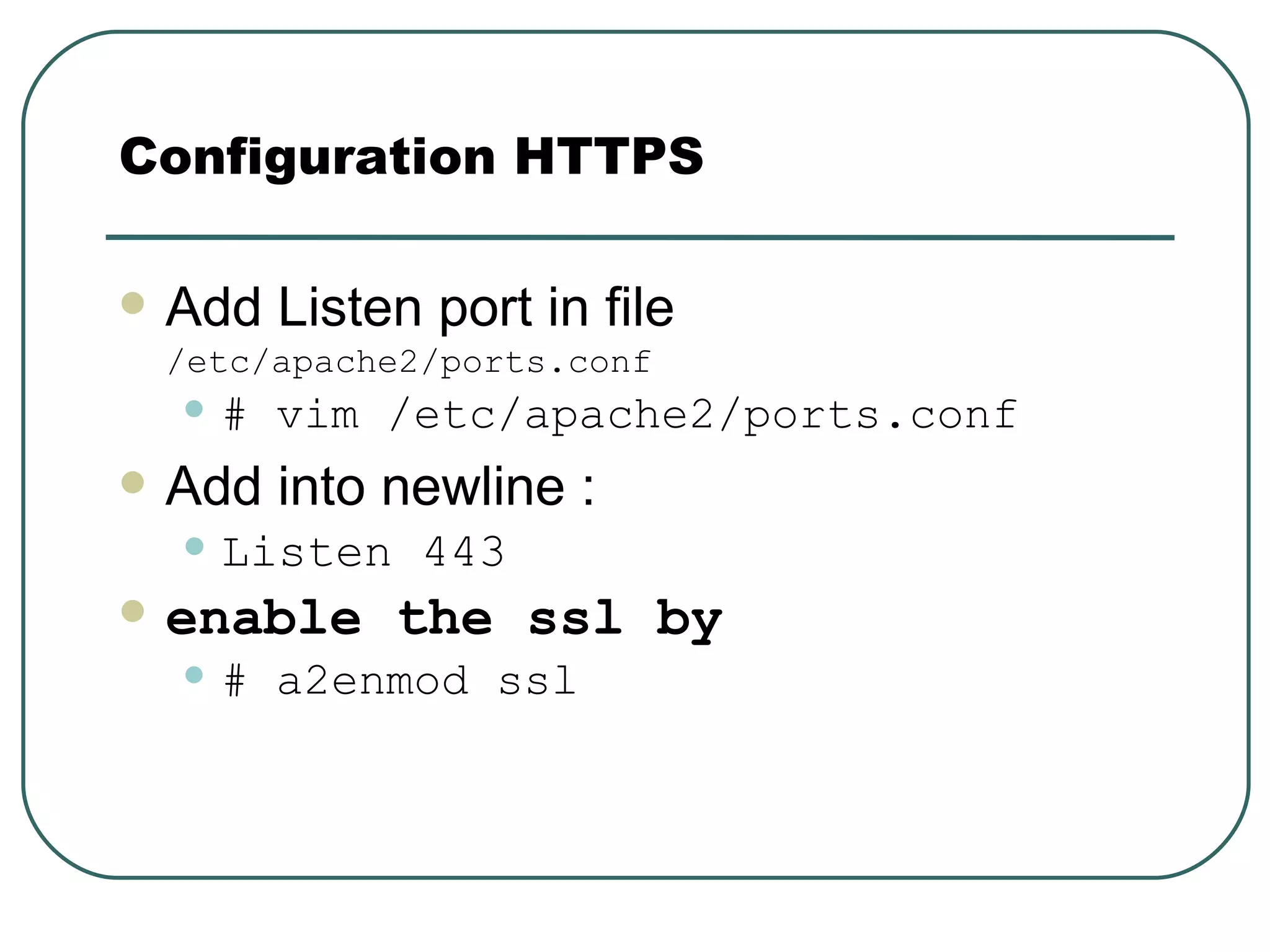
Add Listen port in file  /etc/apache2/ports.conf # vim /etc/apache2/ports.conf Add into newline : Listen 443   enable the ssl by   # a2enmod ssl Configuration HTTPS
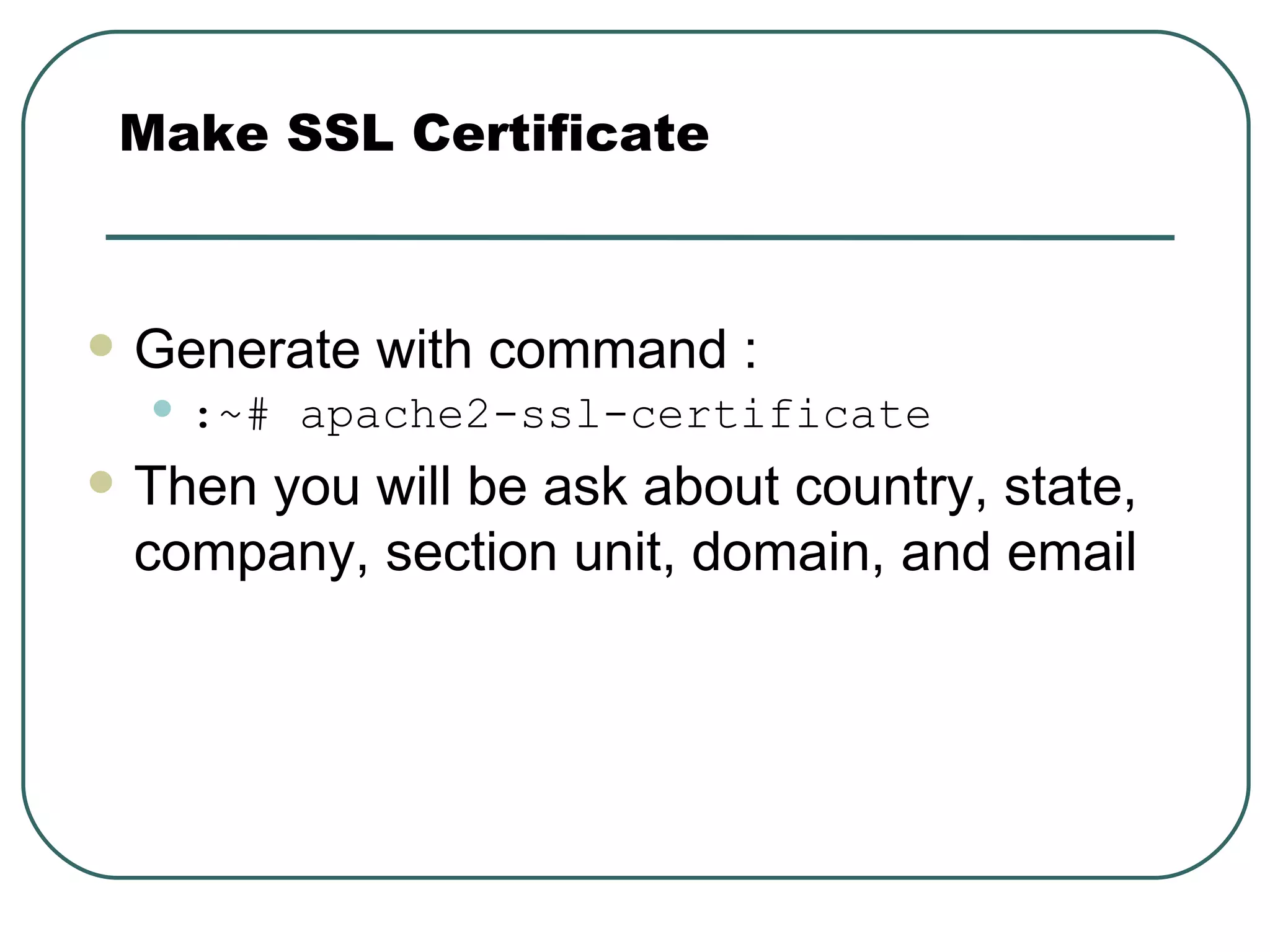
Generate with command : :~# apache2-ssl-certificate   Then you will be ask about country, state, company, section unit, domain, and email Make SSL Certificate
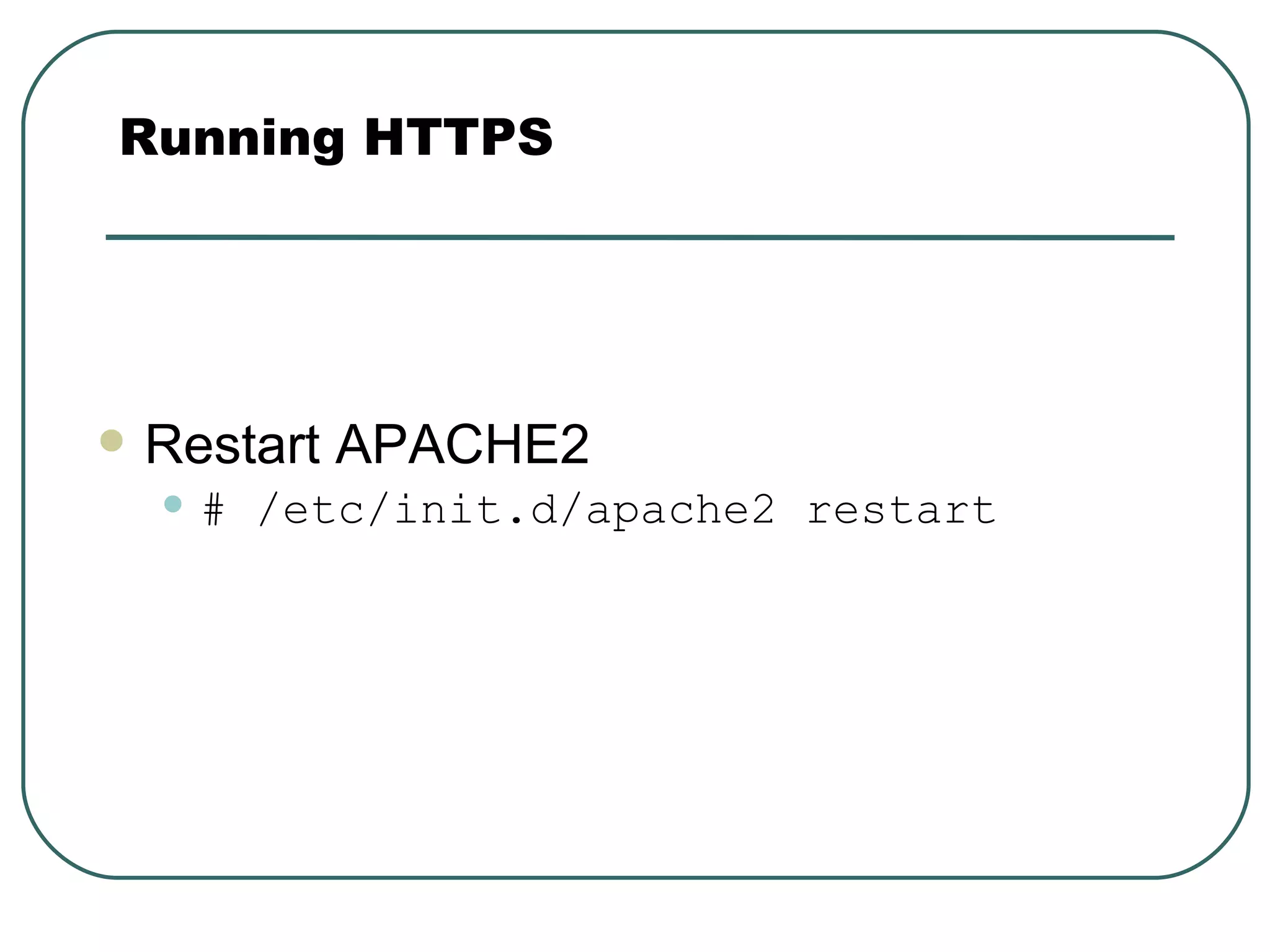
Restart APACHE2 # /etc/init.d/apache2 restart Running HTTPS
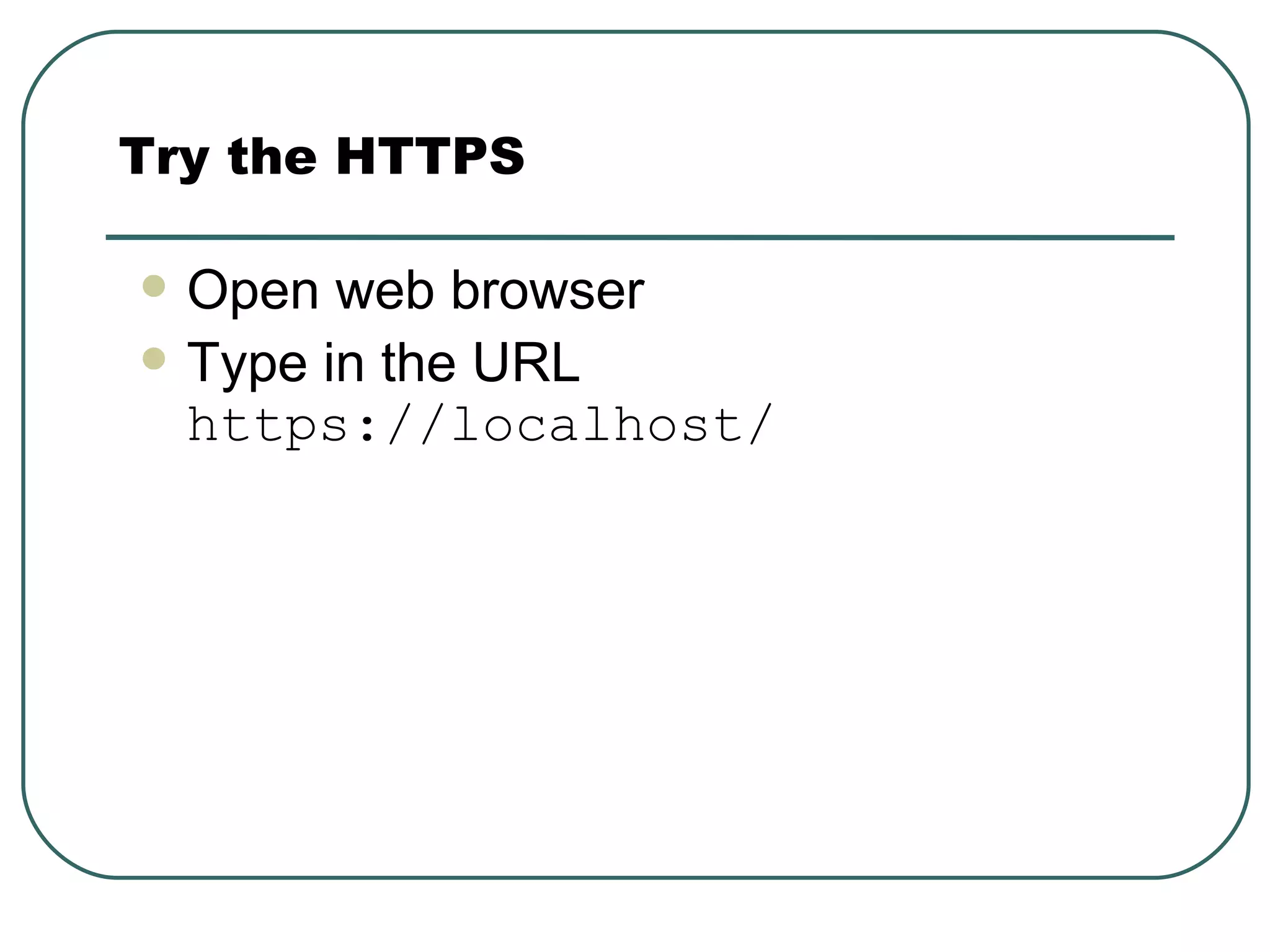
Open web browser Type in the URL  https://localhost/ Try the HTTPS
look of HTTPS
look of HTTP

APACHE 2 HTTPS.ppt

  • 1.
    APACHE 2 HTTPSSecure HTTP With Apache Web Server By Dhoto
  • 2.
    Web Server Daemonto serve HTTP application Listen on port 80
  • 3.
    IIS (web serverfor html & asp ).run on Windows OS APACHE webserver (web server for html,php,asp,jsp, dsb).run on Windows and LINUX OS. Type of Web Server
  • 4.
    HTTPS is securetype of HTTP using data encryption SSL (Secure socket Layer). Listen on port 443. APACHE Web Server with HTTPS
  • 5.
  • 6.
    Install apache2 :~#apt-getinstall apache2 Make sites-file /etc/apache2/sites-available/default :~# cp /etc/apache2/sites-available/default /etc/apache2/sites-available/website-ssl Activate the site :~# a2ensite type “website-ssl” Configuration HTTPS
  • 7.
    Edit /etc/apache2/sites-enabled/website-ssl :~# vim /etc/apache2/sites-enabled/website-ssl NameVirtualHost *:443 <VirtualHost *:443> SSLEngine On SSLCertificateFile /etc/apache2/ssl/apache.pem ... </VirtualHost> Configuration of HTTPS
  • 8.
    Add Listen portin file /etc/apache2/ports.conf # vim /etc/apache2/ports.conf Add into newline : Listen 443 enable the ssl by # a2enmod ssl Configuration HTTPS
  • 9.
    Generate with command: :~# apache2-ssl-certificate Then you will be ask about country, state, company, section unit, domain, and email Make SSL Certificate
  • 10.
    Restart APACHE2 #/etc/init.d/apache2 restart Running HTTPS
  • 11.
    Open web browserType in the URL https://localhost/ Try the HTTPS
  • 12.
  • 13.