Smart Boards
Assignment 4.1
Fractions
 Smart

boards have an activity that
teachers can use to introduce the subject
of Fractions to the classroom.

 http://exchange.smarttech.com/details.h

tml?id=2663f58a-c26b-4714-b9e2a381ec53fd18
Fractions

 Smart

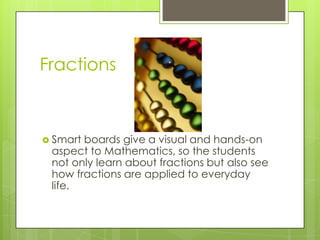
boards give a visual and hands-on
aspect to Mathematics, so the students
not only learn about fractions but also see
how fractions are applied to everyday
life.
Beginning lesson
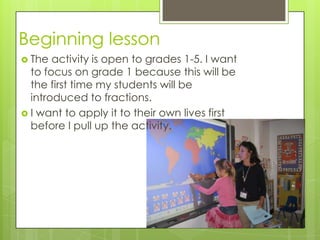
 The

activity is open to grades 1-5. I want
to focus on grade 1 because this will be
the first time my students will be
introduced to fractions.
 I want to apply it to their own lives first
before I pull up the activity.
Transportation to school
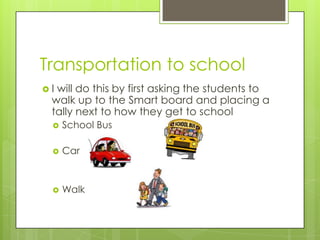
I

will do this by first asking the students to
walk up to the Smart board and placing a
tally next to how they get to school


School Bus



Car



Walk
Explanation
 After

tallying up the results I can then
explain how we can now find a fraction
for each transportation.




Define fraction, partial, wholes, halves ect.
Explain to compare the groups to the total
# of students in the classroom
By using graphs, pie charts ect. to represent
the results
Fractions activity
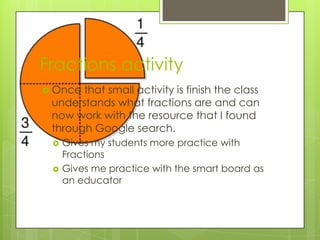
 Once

that small activity is finish the class
understands what fractions are and can
now work with the resource that I found
through Google search.



Gives my students more practice with
Fractions
Gives me practice with the smart board as
an educator
Universal Design


The fraction resource is a great example for
applying Universal Design because of the hands
on and visual aspect it brings to teaching.





Students that need technology to help them learn
material
Students that have a visual complications can find
this resource helpful because smart board is
designed to zoom in or out. To highlight and to be
dragged to the computer.
Students in wheelchairs can participate by being
assigned to the computer to mark their responses
or correct other mistakes other students made.

Smart boards

  • 1.
  • 2.
    Fractions  Smart boards havean activity that teachers can use to introduce the subject of Fractions to the classroom.  http://exchange.smarttech.com/details.h tml?id=2663f58a-c26b-4714-b9e2a381ec53fd18
  • 3.
    Fractions  Smart boards givea visual and hands-on aspect to Mathematics, so the students not only learn about fractions but also see how fractions are applied to everyday life.
  • 4.
    Beginning lesson  The activityis open to grades 1-5. I want to focus on grade 1 because this will be the first time my students will be introduced to fractions.  I want to apply it to their own lives first before I pull up the activity.
  • 5.
    Transportation to school I willdo this by first asking the students to walk up to the Smart board and placing a tally next to how they get to school  School Bus  Car  Walk
  • 6.
    Explanation  After tallying upthe results I can then explain how we can now find a fraction for each transportation.    Define fraction, partial, wholes, halves ect. Explain to compare the groups to the total # of students in the classroom By using graphs, pie charts ect. to represent the results
  • 7.
    Fractions activity  Once thatsmall activity is finish the class understands what fractions are and can now work with the resource that I found through Google search.   Gives my students more practice with Fractions Gives me practice with the smart board as an educator
  • 8.
    Universal Design  The fractionresource is a great example for applying Universal Design because of the hands on and visual aspect it brings to teaching.    Students that need technology to help them learn material Students that have a visual complications can find this resource helpful because smart board is designed to zoom in or out. To highlight and to be dragged to the computer. Students in wheelchairs can participate by being assigned to the computer to mark their responses or correct other mistakes other students made.